#ue4-general
1 messages · Page 664 of 1
 hollow tusk
 winter zenith
I’m having a tough time rigging the model
 next badger
@winter zenith default skeleton has those
winter zenith
Every time he just turns into sphagetti 
Is there a way to live check if you’re assigning the correct bone
 grim ore
@hollow tusk that is a weird event, what is it supposed to do and where do you print out the value and where/when do you call it
winter zenith
@next badger how do I know if I’m assigning the right bone?
 plush yew
@grim ore
next badger
@winter zenith
assigning the right bone
Where?
winter zenith
I forgot what it was because I wasn’t home but it was when I was migrating animations let me find the tutorial I was doing

(OLD) UE4 Re targeting Guide
https://web.archive.org/web/20180922182734/https://docs.unrealengine.com/en-US/Engine/Animation/RetargetingDifferentSkeletons
UE4 Re targeting Guide
https://docs.unrealengine.com/en-US/Engine/Animation/AnimationRetargeting/index.html
Equipment Up...
next badger
and?
hollow tusk
@grim ore its supposed to start counting an add 1 every 0.001 second
start counting when the boolean is on, and stop when set it to false
grim ore
how does it repeat?
hollow tusk
i just call it at event beginplay
grim ore
then it would be called once at begin play and never again
the biggest issue I can see here is you are expecting to run this every millisecond and your game more than likely is taking longer than that to process a frame. well besides the fact that it won't do what you want in th first place
 sweet relic
a better approach would be to accumulate delta time on tick
or calculate time passed on demand (but that gets a bit complicated)
 hazy ferry
Ive been trying to get the counter thingy to work but nothing I tried seemed to work
Just when ever someone presses spacebar the counter goes up by one
Doesnt sound that difficult but cant find it online
grim ore
you should not need a specific tutorial for that, that is basic variable addition
do you have a thingy for when the space bar is pressed? if not add one
do you have a variable for your counter? if not add one
hazy ferry
I have a thing, the ball gets launched when spacebar is pressed
grim ore
when the thingy for the space bar is pressed get the variable for the counter, add one to it and save it
 craggy flax
Also make sure your HUD text is bound to event and/interface is set up
You might be changing the count but not updating a counter/text
winter zenith
How would I go about making a bow?
grim ore
use a 3d modeling program and model it
craggy flax
Need lots of ribbon.
So here’s a question for something I have coming up on my project.
I’ve got a city builder. Making buildings and roads and walls and all that good stuff.
Suddenly AI attacks city and I want to save the city layout, assign health to those buildings and walls, and spawn soldiers for battle mode.
How would I handle such a drastic change? Change in game state/mode? Or what
Assuming a splash / load screen before battle mode is started etc
next badger
you should store th city structure in some kind of struct, and just feed it later to the same construction script to rebuild it
 brittle gulch
Hi guys, what's actually a primitive?
I see that there are Mesh draw calls and primitive draw calls. Is a primitive like an sub-object that is part of a mesh?
hollow tusk
@grim ore whats a better way to do it ?
next badger
@brittle gulch PrimitiveComponents are SceneComponents that contain or generate some sort of geometry, generally to be rendered or used as collision data.
brittle gulch
Oh okay, so if I have a lot of collision boxes in a mesh, it costs primitives. But those are not drawn righ? So it's not counting as primitive draw calls? Or do they? @next badger
grim ore
@hollow tusk well you wont be able to update a counter every millisecond probably due to the time for each frame. What is this for?
hollow tusk
Well I want to measure the time it takes between two functions
next badger
@brittle gulch are you talking about stat SceneRendering?
grim ore
you can get the elapsed time variable when one function runs and the same variable when the other runs then subtract and get the time between the two if that is what you want. There are a few variables that track time built into the engine.
hollow tusk
do you know of any tutorials?
 heady moon
Anyone knows a good way to share my code with my development team?
It's a team I opened
We don't know how we'll share our code
grim ore
no real tutorials. just look up stuff like get game time in ue4 and save your variables as you run your functions then check them somewhere
sweet relic
@heady moon you will want to set up a source control repository for your team
heady moon
On github?
I've never made an online repository before because I never needed to so sorry for my bad knowledge about it
sweet relic
It depends, git really isnt ideal for unreal projects
This document overviews the Source Control features.
heady moon
Oh tysm
next badger
@brittle gulch if RHI, it's not just your scene, ue4 has UI around it, at also counted there
sweet relic
you will probably want to use svn as it is the easiest for beginners to set up and admin IME
next badger
@brittle gulch you can try stat rhi and then hit f11
grim ore
don't listen to the naysayers, use git. its fun and easy. fuuuuuun and eaaaaaasy
heady moon
@sweet relic svn? Never heard of that could you please give me it's link
sweet relic
 manic pawn
git tech support:
user: I have <problem>
answer: ok, so you wanna delete your repo and clone it again
heady moon
@sweet relic thanks
grim ore
 sweet relic
@heady moon also take a look at VisualSVN server as it simplifies setting up the server quite a bit https://www.visualsvn.com/server/
next badger
@grim ore Epic not using it internally however, and GitHub only stores source code, not assets

 obsidian nimbus
@grim ore if i wunna edit the VR editor pawn where do i start? 😛
brittle gulch
@next badger Yes I was talking about stat scenerendering. It tells me that the RenderQueryResult and Init Views are taking over 15ms (when i'm in areas where a lot of things get occluded). Then I go into Stat initViews, and I see here that there are a lot of Processed primitives (around 3000), but I'm not sure what I should optimize to get that number down, and also I'm, not sure that number is that high actually.
grim ore
@next badger I know, just an attempt at humor on how much people hate on git
next badger
@brittle gulch build the game, don't trust stat in editor
use stat for real numbers only in build
obsidian nimbus
should i change the VReditorinteractor class?
manic pawn
present time of 30 ms means it is sitting there idle for 30ms waiting for it to present
grim ore
@obsidian nimbus I don't know 😦 I haven't messed with the VR editor at all
obsidian nimbus
from what i see its a c++ class walking around changing stuff at editor time
 obsidian nimbus
like the sword of a 1000 legends 😛
plush yew
can i set a randome range for my int here?
from "Silder Range"?
or ValueRange
i want to set my int from 1 -4
next badger
@brittle gulch it's cpu stalls...
grim ore
@plush yew Outline has it's own color and alpha, its basically just the text duplicated and blown up so it's separate
brittle gulch
@manic pawn Yeah something's wrong. And you can see that the RenderQueryResult is also very high. But what is the RenderQueryResult? I searched a bit, and it says that i has to do with occlusion culling. Which would make sense because I have a lot of processed primitives.
@next badger And there's no obvious way of finding where it comes from? Maybe it has to do with occlusion again?
next badger
grim ore
@plush yew slider range is just for the UI in the editor, to limit what it could be changed to in the editor
 pulsar kraken
How would you check if an actor exists in a level?
grim ore
a one off actor (only one of them at a time) or a specific one out of many?
grim ore
Get all Actor(s) of Class will return back 1 or many actor objects of the class you tell it
pulsar kraken
type of deal
brittle gulch
@next badger Yeah I've just been through this page. Although it didn't really helped. It says it's because of occlusion queries. But I tried enabling HZO, and put r.AllowOcclusionQueries to 0 (and 1), and nothing really helps :/
pulsar kraken
@grim ore I am looking to check if a spawnpad exists and if there is any more of "redteam".
grim ore
if a spawnpad is an actor in the world you can "get all actor of class" for the spawnpad and it will return back the spawn pad or nothing. "get all actors of class" for the red team will return an array of how many of those exists and you can see if its greater than 0
pulsar kraken
great logic. if that is the fastest way that is what I will do
grim ore
alternately your game mode can track all of that when it happens (spawn spawn pad, let the game mode know) players spawn? let game mode know
brittle gulch
@next badger I have to do it in editor right? No way of doing it in the packaged game?
next badger
@brittle gulch show quadoverdraw 1
in console
you can see a lot of fancy stuff with show
also it can disable things
like shadows etc
 lilac wedge
How do i get the edges to be smoother and less blurry ?
 fierce tulip
reduce density me thinks
lilac wedge
that just changes the opacity :/
brittle gulch
@next badger I did it in the editor because for some reason it wouldn't do anything in the build. Here it is :
it's everywhere like this, I don't think there's anything wrong
 short echo
Working on a 1-v-1 3D fighting game prototype similar to Bushido Blade.
Does anyone have a good model and animation asset pack they would recommend for prototyping?
 quartz bane
 midnight gate
hi
 brazen hull
Any way to make skylight not go through landscape? like I got a under ground base
 unreal sable
Is getting the class defaults variables resource intensive?
I'm getting it from a unit with lots of variables.
Just wondering, since i'm not really spawning in the unit itself.
brittle gulch
Maybe my RenderQueryResult problem comes from the number of lights in my scene? I currently have over 4000 I think (non shadowed and non overlapping, I checked light complexity, it's all green and blue)
 brave gate
@unreal sable shouldn't be, it's just getting property value from the Class Default Object which does always exist
plush yew
How can I time dialogue with gameplay events?
 radiant haven
i found a bug in Unreal
If you zoom out while having your Sky Sphere selected (needs to be default one) with the size metronome, then your metronome is scribbled
grim ore
@quartz bane t.TargetFrameTimeThreshold XXX sets the frame time threshold which is your budget you see on the graph
 sage silo
is there way to set so actors stop ticking if they are sufficiently far away from player?
radiant haven
use begin overlap @sage silo
make a box collision in the player bp and make it the area of the player where the stuff should act
grim ore
@plush yew There is no one answer, it would change based on how your systems are designed.
sage silo
begin overlap to set ticking on and end overlap to set ticking off?
radiant haven
ye
brittle gulch
Does culling work on sub-elements?
radiant haven
dont need end overlap
sage silo
hmmm I thought there will be more "internal way" like entering some numbers in some box but it is worth try
grim ore
@sage silo there is network relevancy but that would be for networked games. Beyond that you would have to roll your own system assuming they don't get culled anyways
sage silo
matthewW wouldnt single-player technically be still network game as far as UE is concerned, just with one player?
grim ore
nope
sage silo
oh? there is difference?
grim ore
yep you have a listen server or a dedicated server if using multiplayer
sage silo
ok, then I guess overlap is best shot
radiant haven
i am stupid, i tried it, i tried😔 @sage silo
grim ore
there are a few other ways of doing it but it just depends on if it matters or not and how many
sage silo
well, for my use case I have many static actors (lights) with pretty extensive blueprint and they are surprisingly heavy cpu-wise so I want to disable lights that are too far away
next badger
light...with heavy cpu logic...i wonder what they do? haunting player?
sage silo
pretty close
there is invisible mob and lights flicker and do other shenanigans when mob is close to them
next badger
then just make a collisions sphere around mob, make channel just for those lights, and switch them based on overlap status
sage silo
this is how I detect if lights should change behaviour
next badger
there's a "is ticking" node that you can switch on/off
sage silo
anyway I care only for lights that are sufficiently close since far away ones are visually culled anyway (but these damn things still tick and happily gets game into 10-15 of FPS ;/ )
next badger
well, just switch tick off when they are not in range
sage silo
it is more complicated since they can flash on their own etc
next badger
you have to do that from the mob volume...as lights cant "act" when tick is off
grim ore
This is one way, the actor checks every so often (a timer can check every second for example) and if its in range tick is enabled otherwise tick is disabled
this atleast moves the checking to every so often and disabled the tick when not in range
next badger
@grim ore can you set timer and off the tick?
grim ore
yep you cant see a timer that is set to repeat every second above that screenshot lol
dunno why I didnt screenshot it
sage silo
hmm that may be simpler than overlap
grim ore
and I tested th timer still runs even with tick disabled
my actual test BP.
would print TICK every tick when in range, and out of range when out of range every second
sage silo
thanks for help!
grim ore
I would put some sanity check in there tho, if tick is already enabled or disabled no reason to re enable or disable it for example
its just POC
grim ore
nope
sage silo
aw 😦
grim ore
if its enabled and you enabled it again it doesnt care, nothing should really happen but wasted cycles
next badger
it's an overhead, no need to do that...ue4 can;t event check for nullptrs when it may crash editor
grim ore
not saying its better but I would feel better just checking rather than setting but I am weird lol
sage silo
simple sanity check?
grim ore
yep if its enabled, why enabled it again type stuff
I mean you could get really weird and use a select node instead of the if but... why lol
sage silo
keep it simple 🙂
sage silo
not neccesairly....
grim ore
but logically less is better in programming it has to be better!
sage silo
If I encountered this in wild I would need comment or think for long while wtf it is supposed to do
grim ore
why use if (blah == blah) do something else something else when you can (blah == blah) ? bacon : cheese
obviously smaller code is quicker to run, it's less words to process!
I think I am super bored at work lol
sage silo
you arent very serious arent you 😉
grim ore
depends on the hour
sage silo
I mean, some optimisations can be complex and take a lot of code and result is faster 😛
plush yew

There is no keyFrame
For outlines
so they just stay there i want them to fade out
am confused 😄
the text is working fine it is fading
but not the outline
grim ore
@plush yew you are correct, I would think someone just missed that when making outlines. If you just want the entire thing to fade out you can use the Behaviour -> Render Opacity property to change the entire opacity of the widget including the outline
alternately you can wrap the text in something like a border (just a single widget holding it) and chang it's content -> content color and opacity and adjust the alpha there which will fade out all the content of that widget (your text block)
plush yew
Good time of day. Need some tutorials with how to create fish by materials, or by other way.
grim ore
the tooltips should give you the difference, but basically a copy is a copy so its 2 instances of the same stuff (the original and the copy) while the ref (reference) points to the original so if you do a change on it it will change the original.
if you look at the pin icons they are a diamond (ref) or circle (copy). the Iterator (++) node is a good example of the ref
you plug in a variable, it does something to it (adds +1), and then sets the variable to the new value you put in
 abstract relic
I will quote p@t,
"get with ref means you can change the value
get with copy gives you a copy of it
so if you were to change just the X component of a vector with get (copy) it wouldn't apply to the one in the array
get (ref) you'd technically dealing with the actual vector at the memory it lives in within the range of the array
copy is slow too
it takes time to copy where a ref is just an address to where the thing is"
pulsar kraken
@grim ore you should get paid by UE4 for how many damn questions you answer. lol
grim ore
pointers and such in C++ exposed to blueprints.. yay!
hate pointers.. hate & and * symbols.... they all can go die in a fire
pulsar kraken
lol but you like casting
pulsar kraken
yeah true just wrapping. pointers are pretty easy. just understand memory.
understanding*
 grim ore
easy yep, evil yep
pulsar kraken
can still be a pain in the butt tho
plush yew
Am following this tutorial and in function i cant get Player controller to connect to Project world to screen as it look here
grim ore
its just more of the remembering how many * and & symbols you need to get the proper value from where you want it based on where it's at and how many loops you want to go thru to get it...
 pulsar kraken
@grim ore are you a game designer or is this a hobby?
abstract relic
Not all game devs are game designers but all game designers are game devs
 vast fossil
guys I want to backup my project but its so big, I noticed the "saved" folder is 11 gig. Is that folder important ?
grim ore
@pulsar kraken yes and yes and other stuff too 🙂 education right now mainly
@vast fossil most of that can be removed. If you want to save anything save the Config folder in there. Autosaves, Logs, Backups can be removed without much issue. Collections should stay if you use it.
vast fossil
@grim ore oke thank you
grim ore
@plush yew that looks like the correct location, it matches where mine are installed. EngineVersionFolder\Engine\Plugins
@plush yew player pawn is not the same as player controller
plush yew

MathewW
when doing this i should apply this to the player BP some how?
So i can call it
inside the player graph
grim ore
I dont know how your stuff is set up, no real idea
I did not know that, I don't think I have ever downloaded a plugin from the marketplace so that makes sense
assuming the version matches yes, or if it has the source it should allow you to rebuild
keep a reference to the player/parent that is the correct type then you should not have to cast
use a blueprint interface to generically ask for that info without needing to cast or know the exact type
store all of it in a global object that everyone keeps a reference to at all times... (would not do this)
blueprint interfaces just need something to work with, it doesnt care what. You can use a blueprint interface to tell a dog to explode or a barrel to explode or a car to explode or a llama to explode
so in this case you would just need the player or parent, regardless of type, to talk to
abstract relic

What is a Blueprint Interface in Unreal Engine 4 Blueprints?
Source Files: https://github.com/MWadstein/wtf-hdi-files
next badger
@plush yew to rebuild a plugin to new version, the simplest way will be to make a new c++ project, completely empty
then put the plugin in to that project's plugins folder and generate project files again
grim ore
blueprint interfaces can be functions so they can return values, set up the interface to return values.
the pawn implements the interface, the interface function returns whatever. you ask the pawn to run the function and give you back whatever
 violet goblet
how can i mask out areas which should not be affect by subsurface-scattering?
btw i used a subsurface profile
next badger
@plush yew as first experience - maybe...=))
grim ore
There is a marketplace folder, that is neato. weird.. but neato
like bridge can install right to the plugins folder but MP plugins go into their own walled garden lol
next badger
@grim ore i can't recall when they've added it...but it's not necessary for plugin to be there...it's just a way Launcher installing plugins
grim ore
yep I assumed as much, just never installed a MP plugin before so never noticed that
#1 wish at this point from GDC is a reworked launcher. Scrolling thru vault content to find what is updated, what is installed, and what is new when there is a change is.... just bad
I have it open right now yep
nah. just would like some of the lower class features improved is all. I get notifications in email when assets change in Unity, I get a change log on the asset store page with the changes, and the new package manager in the editor lets me see what is installed/needs updating/ and what I can install and filter as needed.
being able to atleast do some of that in the EGL would be nice 🙂
like the modular heros pack updated the other day and I don't know what changed 😦
I found out after updating and having to redo all my characters that the SKM they were using changed heh
sweet relic
Ya the launcher feels like Epic's red-headed-step-child
especially the developer focused parts
grim ore
Moving the mod tools to the store tab was an odd choice
next badger
it makes sense for me...as modding is not same as game development
and mods are like game tools in steam
grim ore
I gotcha on that but the store is/was disorganized so they basically disappeared into nothing
like how would you find them now if you didnt know they existed
next badger
yeeeaah...launcher is kinda mess...it was, it is
launcher still uses Chromium wrapped in ue4
grim ore
it is better than at launch so +1 to that 👍
next badger
@grim ore anything is better than it at launch...
 honest rune
Is there a way to change where movie files (startup movies etc) are expected to be rather than the default Content/Movies directory? I prefer to use the following content directory structure for organizational purposes:
Content/MyGame/...
Content/MyGameEditor/...
@honest rune if you read the docs:
In this example we elected to put our media content inside our project's Content/Movies folder. While this is not a requirement it is recommended in the event that you want to package your project, as this is the only folder that will automatically include the content as part of the packaging/deployment process. You could point your File Media Source asset to folders outside of this location and the media will play, however if you were to deploy this to a mobile device for example, the content would not be included as part of deployment.
ahh cool. I didn't read the very last paragraph lol So its only really an issue for mobile, but desktop should respect paths
next badger
@light lintel open a skeletal mesh...there will be a buttom - make static mesh on the toolbar
@honest rune on mobiles you are really limited in terms of deployment files (from store)
 tropic pilot
is there any tutorials online where they show how i can make a "linetrace" that shows where the bullet will travle/hit (befor i've shot) i hope i made this clear! 😛
 half panther
Has somebody got an idea how this basicly works? Im just curious.
Doesnt look like regular mesh slicing to me.
https://youtu.be/AAfJe-R5YuY
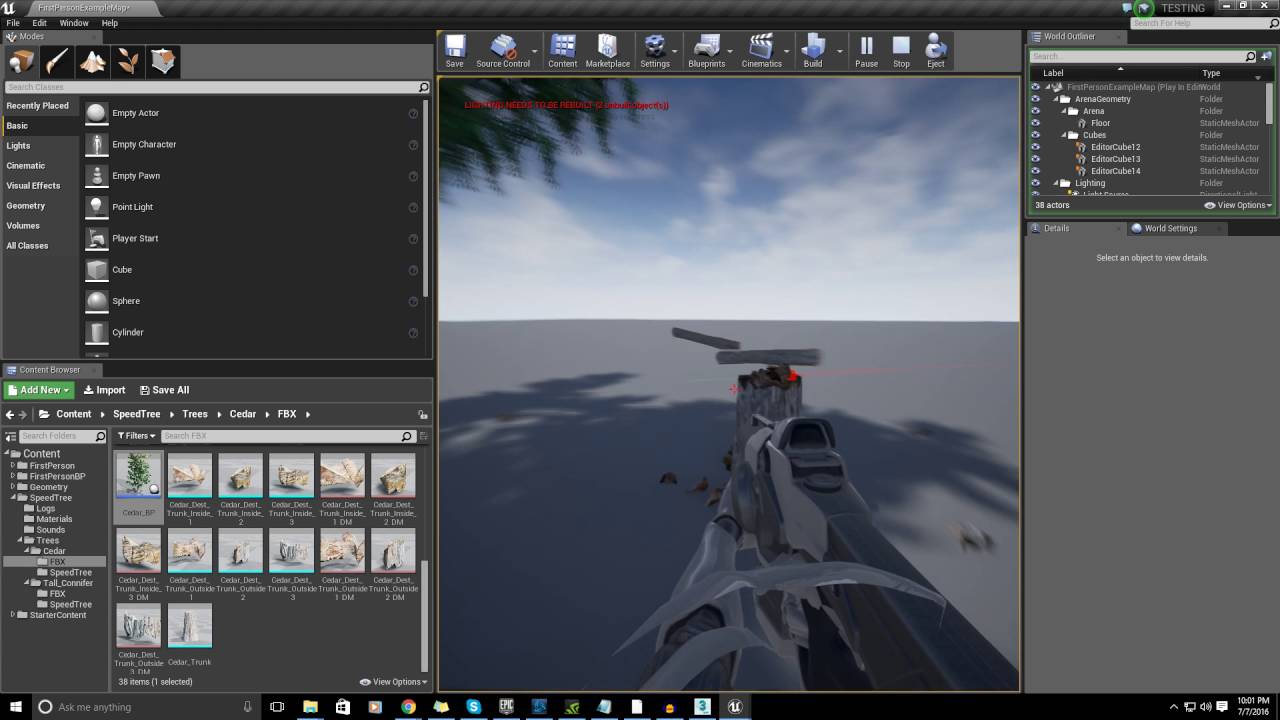
More work on the tree cutting system. I still haven't implemented radial damage yet, and I still don't have an axe, or any of the animations that would go with it. Mostly just testing a proof of concept.
 regal mulch
@half panther Given the meshes on the left, i assume these are precut, then traced and removed.
fierce tulip
anything thats not animated should be meshes. some things that are animated should also be meshes.
grim ore
usually they will be absorbed by whatever you clicked on if its set that way
is this clicks on a button or in like the background of the ui?
fierce tulip
The 4.24.3 Hotfix is available—update now!
Unreal Engine Forums
The 4.24.3 Hotfix is now live!
Feel free to discuss this release on the 4.24 forum thread (https://forums.unrealengine.com/unreal-engine/announcements-and-releases/1695917).
If you experience a bug with the 4.24.3 Hotfix, please follow the How To Report a Bug Guide (https://...
plush yew
Thanks mathewW render it all out worked
plush yew

matheww i know i asked you b4
but setting Value range that wil lgive my int a range lets say from 1 t o6?
grim ore
that is all mainly for Editor use
@light lintel your default panel is probably set to this, you probably want it to visible so it absorbs the clicks
@plush yew so setting the slider will give you a slider in the editor when you click on it in the viewport, setting the value range gives you numbers you can type in between those numbers. Editor only stuff
the slider range limits when you slide it but you can type in a higher or lower value, the value range clamps it to those values but again only in editor
plush yew
Am trying to give my int a random range but

I dont want to use event tick
any thoughts :D?
grim ore
what are you trying to do?
grim ore
whats wrong with what you are doing there?
plush yew
its not printing out
for some reason
each time i attack which is left mouse click it suppose to change value
grim ore
so somewhere else your left mouse button is doing the attack?
grim ore
then you should change the value in there
tell the player to talk to the sword and change it's value when you click
otherwise click on the Left Mouse Button input you have on your player and disable the Consume Input option in the details panel
and make sure your sword can accept player input
this last way is the wrong way to do it, the disabling consume and letting another actor take input as well
grim ore
there is no reason to use a tick if you are not doing something every frame
you want an action based event to happen. I click the button -> do stuff. Doing stuff when the button is not clicked is wasted resources
plush yew
yup i get it now

MathewW as you have time check this
is Attacking works when i attack
like this event tick wont be working all the time right? only when i attack
grim ore
assuming your player has that variable yes but its going to change the value every tick while they are attacking
attacking -> tick -> new value, next tick new value, next tick new values, repeat till not attacking
 hasty osprey
So assuming i have two meshes assigned to the same material how can i make it so one of the meshes appear opaque, also the UV maps of the two meshes overlap so an opacity mask isn't optional
sweet relic
@hasty osprey you will either need to make a translucent/masked material for one or fix your UVs to allow an opacity mask
I am assuming that by 'same material' you mean 'same texture'?
hasty osprey
no i literally mean the material has to be the same😅
grim ore
What is the goal, maybe it would help understand the problem
hasty osprey
but assumind editing UV's isn't possible is there another way?
the goal is for the material to only show one of the meshes
sweet relic
They have to share a material? can you not create a dynamic material instance for each mesh and set the opacity using a parameter?
 woven cliff
hey, does ue4.23 support dynamic resolution for pc ?
hasty osprey
can that material instance have one parameter value for one of the meshes and one for the other?
pulsar kraken
@grim ore If your around. I was wondering how do you set a distance that text can be rendered to your screen. I don't want health bar and text visible unless character is within a certain distance.
woven cliff
@hasty osprey i don't think so no,
hasty osprey
hmm ok
woven cliff
u can create another instance to change the parameters required for the other mesh,
grim ore
@woven cliff it doesnt look like it according to the documentation. No platform updates since .19
woven cliff
yep i just wanted to make sure instead of dump trouble shooting, Thanks @grim ore
plush yew
Dose the damage numbers look bad
grim ore
it looks fun, no real way of knowing where they came from but depending on the game it works
woven cliff
@plush yew can't tell where most of the numbers came from
plush yew
You right 😄
neither do i need to work on it a little bit
cant see where the numbers coming from
woven cliff
also, how about adding color coding as i noticed there is a low and mid and high dmg so you can also color the numbers according to their intial dmg 😄
grim ore
I cant tell half the time in games like Elder Scrolls Online when it's a mass of mobs so no real issue here lol
plush yew
"D
and MDK i think that would work if knew how
ganna google it
test it out maybe would look better
woven cliff
I have no idea either sorry , 😄
 maiden sundial
How does it come that i have to download ~5gb when i update the engine from 4.24.2 to 4.24.3 ? 
woven cliff
@maiden sundial have u ever updated Fortnite :D?
maiden sundial
I don't play it, so, no xD
woven cliff
each update is in gigs they don't do small patches , maybe they don't know how
@plush yew depends on what uare running, but usually it doesn't eat my cpu
maiden sundial
I mean, the bugfixes page don't look ~5gb worthy xD
woven cliff
 grim ore
figure out what part is running at 100%. does it show like shader compiler? or some other part
grim ore
yep should be a drop down next to it to expand it
100% CPU is normal if you are compiling shaders for example
 green sky
has anyone updated to 4.24.3?
plush yew
Lets say normal state
you are not running any program
what should be the cpu at?
no running anything at all
grim ore
couple percent depending on your idle tasks
but you dont have Hyperthreading on that machine so it's going to run higher % usage even doing normal stuff
maiden sundial
has anyone updated to 4.24.3?
Me 5 minutes ago
woven cliff
sorry for the huge screen shot, but can someone please show me what should i optmize ? the scene runs on 40 - 50 fps on gtx 1080
grim ore
@plush yew it could be. we have no idea what your machine is doing
 frail sail
@woven cliff run command stat unit, if draws bigger than gpu or equal arround then ur should optimize draws first.
grim ore
@plush yew this is what the default third person template looks like for me on my machine so a very light project
woven cliff
it's behind by 2 ms
plush yew
AM really worried even so its not doing shader thing it reach 60% to 100%
plush yew
and am only opening Opera browser with it
frail sail
you should recude draw calls first
grim ore
@green sky you would have to update the launcher version of the engine with the launcher.
@plush yew if you have a big project with lots of stuff then sure it can take more CPU. its not abnormal if your project needs it.
green sky
Nevermind it just appeared thanks
frail sail
GPU calculation behind is draw and game (CPU side) so if you reduce them, then you can see GPU ms reduces too.
woven cliff
i used instances, foliage, almost nothing is separately placed
also i thought 2000 draw calls is good for desktop:/
ok i will try to figure out away\
maybe remove lod materials ?
frail sail
but seem not, everyone have no gtx 1080 or high end cpu
nah google it
"draw calls"
reduce mesh materials
woven cliff
will lod numbers help too ?
frail sail
like if you have one mesh inside 5 material, then it draws 5 drawcalls(except shadows)
woven cliff
instead of 4 lods using 2 lods would be better?
green sky
Hey Mdk im not sure what your project consist of but like Noira saud reduce your draw calls, Check that you dont have alot of Over Draw that would definately kill performance, LOD as much as you can. And Dont have many things Ticking
frail sail
Lods just reduces triangles, make sure removes some materials within lods.
green sky
Exactly and thast what reduces Draw calss
woven cliff
@green sky @frail sail okay i will dig into the scene, thanks guys!
frail sail
one more tip
woven cliff
iam using world composition as well since this is around 3.5 km map
frail sail
research also "Actor Merging" with merging material into one
green sky
Hey Mdk this is what we use to auto generate LOD;s on entire project all at once https://unrealengine.com/marketplace/en-US/product/easy-lod-maker

Instantly generate Level of Detail for all of your assets including skeletal meshes at once in 3 easy steps well in reality only 2 steps.
woven cliff
wait even skelta meshes @green sky naayce!
frail sail
itsn't support 4.24
woven cliff
iam using 4.23 😄
woven cliff
thanks for guiding me guys, i thought my draw calls are okay, but eventually that's where i screwed up
frail sail
well thats another option to upgrade tho, it works if there no errors, or deprecates
woven cliff
I can't, the developer will kill me if i upgraded to ue4.24
frail sail
yeah never upgrade 4.24
green sky
Well honestly 4.24 pretty much sucks and its really broken
woven cliff
and i have another project in 4.24 , it crashes for almost any reason
frail sail
thats normal
woven cliff
down to enabling two sided material xd
green sky
Thats where 4.24 sucks it crashes for no reason
green sky
Even epic doesnt recommend upgrading until 4.25
frail sail
you should enable it for foliage or two side planes
it wastes drawcalls if you enable two sided on all mesh
4.25 when 
woven cliff
i didn't know two sided material increase drawcalls, but i only use them for one sided planes with SSS
thanks for that info xd
green sky
Judging by how messed up 4.24 is probably by Next Year
Technically two sided materials will be treated like any other material, as draw calls are acountable to what is within the Frustrum of the View or camera
So if you dont see the otherside it wont be rendered
Anyway Mdk if you see yourself needing to LOD like your entire project and you dont want to have to do each one by one or by folder the link i showed you above that will make your life so much easier because it does it all with one click automatically and unattended. 🙂 Good Luck
woven cliff
@green sky easy lod maker works well with comples meshes? like rocks and so ?
in my current state everything has lods
and trees has billboards
green sky
We currently have a 4 city open world survival game in progress wich consist of lots of mountains created by brushify Cars skeletal meshes ect and it works flawlessly
woven cliff
i already bought it, and backing up the project on the source control before i click generate 😄
green sky
Id say over 15k assets at the moment and growing and our world comp map is bigger than gta 5
woven cliff
incase it ended up with worse lods than we already have i will revert
how did u handle this ?
i mean optmization wise
and world composition cause hitches for u as well ?
green sky
Optimizing is a pain in more like performance versus compromising. Just make sure you dont have lots of over draw usually caused by foliage or sky sphere. If you dont have to use tick dont and if you do try using timers instead and keep your draw callls down
green sky
in order to overcome World comp hitches you have to plan out whats going to load in at what distance to the player and agressively Lod
woven cliff
that cause me hitches on load and unload
 pale ferry
shortcut for creating this window to sum up all events inside?
woven cliff
@pale ferry the pic is too pixlated
pale ferry
nah i mean the outline
green sky
Also make your landscapes into Static meshes they are we faster than landscapes and there is an option to do that along with lods in world comp
abstract relic
The comment bubble? C
woven cliff
with ur nodes celected
pale ferry
thank u very much
green sky
Like i say plan it out, where you think grass would be important and were it wont. I do believe theres a way to place grass on static meshes to with foliage tool
woven cliff
manualyl painting
green sky
Also if you have alot of logic with lots of math in it try to pass those to C++ and make them into c++ nodes because Blueprints and math = Really bad performance
As for the foliage i havent tried it yet but maybe thru material you could spawn grass on static mesh as you would on landscape. But like i said i havent tried that yet
woven cliff
if this workd, it would be awesome
I really appreciate the time u spent explaining stuff
thanks!
woven cliff
sure thing ! thanks man.
abstract relic
You can vertex paint the mesh and have grass spawn using said channel
 placid arrow
hmmm
imagine im in a car doing 70mph, and i throw a tennis ball forward out the drivers window at 20mph, how fast is that tennis ball going?
90mph right, on the "forward vector"
yes?
so, how come if theres a moving pawn in ue4 controlled by character movement, moving a velocity of "2000", and i fire a moving object from it using the projectile movement component, also at velocity 2000, on the forward vector, you' expect the speed of that object to be 4000 yes? nope. it seems its velocity is 2000, it catches up with its own bullet. 😦
is this a bug?
of course i can add my pawns velocity to the velocity of the bullet, but as theyre both "physics assisted" and im just specifying velocities, should i have to?
sweet relic
@placid arrow you will likely need to add the starting velocity explicitly. afaik there is no underlying physics calculations for the projectile spawning, you simply tell it what velocity it should have and it spawns with said velocity
placid arrow
ah
i found that a little strange
didnt notice it was a thing until i caught up with and collided with my own cannonball when moving at speed lol
 mossy nymph
there is no concept of relative velocity in unreal iirc
placid arrow
its not a stupid assumption though, right?
sweet relic

Ars Technica
Fighter safely lands after accelerating through cloud of its own shells.
in physical reality no, but PhysX is not exactly an accurate model of irl physics
placid arrow
true
i'll just be sure to add the firing pawns velocity to my projectiles
if they do that and accelerate into a field of cannonballs, well thats their own stupid fault 🤣
speaking of bullets
today i learned: real life chainguns/large heavy machineguns sound so anti climatic and would be so boring if they sounded realistic in a game.
i went to youtube for some inspiration so i knew what my audio i was going to make should sound like... everything i found was just ass
like this one guy with a chaingun on a tripod, it was just like a long rattle...
and this navy one on an aircraft carrier, it has a fire rate of like 1-2 shells per second.... booo-ring lol
i get the feeling that most audio people when they make these sounds, they base them off portable submachine gun sounds and crank up the volume and add a motor spin-up sound to them... so thats what i did. i think mine sounds cool 🙂
 copper sky
yo i've Been having this problem for a while https://twitter.com/GoodGuy_Kaze/status/1232470238135930880



is there anyway i can fix it?
 mighty oak
Hello, does anyone know if there is a way to process a large landscape into smaller world composition levels automatically? I know I can do it manually by selecting components and moving them into their own level, but it's a very tedious and manual process especially for a very large landscape. And unfortunately starting over and importing a tiled landscape isn't an option, as the large landscape is already finished and in one piece...
Would be nice if it was possible to do it by components or groups of components, (2x2, etc).
pale ferry
Any idea why it starts "painting" other areas, too?
 thin tendon
I have some blueprint code set up to make my trees fall to the ground when chopped down. It works fine. Its just simple rotate on x. But I was wondering how to make it always rotate opposite to the player. So the tree falls away from the player.
grim ore
so the direction the player is facing ?
or like tree is here and player is here so the opposite of the player even if he is sideways
thin tendon
yeah exactly. The direction the player is facing.
grim ore
actually either way doesnt matter. Use the find look at rotation node from the player to the tree and make the tree fall in that direction?
thin tendon
I understand how to get the look direction. But not how to properly convert it to a rotater.
If I just plug the look direction to the set rotation. I don't think it will rotate down to the ground the way I want
grim ore
There is a get unit direction node, I was wrong on which one to use
this is the basics of something that works in terms of getting a direction. This example grabs the players location (the BP this is in) and the location of another actor (your tree) then gets the unit direction (a vector that represents the direction from player to actor. Then I take it and make it longer so farther away in that direction and add that to the other actors (tree) location so it moves in that direction. You could use this to determine which way it should rotate or fall if you need a direction
 maiden swift
Is there a trick to using the Directories to never cook property? I can't get the cooker to ignore a directory by adding it to that array.
 upbeat trench
Only thing I can think of past it being broken is that maybe you have something on one of the other forced cook lists.
maiden swift
Is the Developers directory in the forced cook list?
upbeat trench
It shouldnt be but maybe its being referenced by something, theres no actors in the map or the like?
maiden swift
I'm just getting an unusual cook warning that says "Failed to find a package for cooking path/to/asset" for something in a Developers/user/Collections folder. Worth noting: this asset does not show in the content browser, only in Windows Explorer. Because of that I assume it wasn't updated when I migrated the project from 4.22 to 4.24.
 rancid lynx
can sphere collisions AND line traces return foliage instance index? or can only line trace do that ?
collision box keeps returning -1
fucking monkie hoops. it shouldnt be this tedious to swap an instance mesh for a actor mesh. its not 1998 anymore.
💯 Can i get the element index from a foliage instance with a box collision ? or only line traces ?
upbeat trench
oh that could be and old redirector, if the class was moved to another location you might be able to setup a redirect in the ini then remove it
thats probably why its getting cooked because its referenced somewhere
or wait failed to find hmm, corrupt file perhaps.
maiden swift
Yeah might be. It's a Niagara system, and I do have Niagara enabled in this project, hence the confusion.
But frankly, this warning isn't as important was the unknown cook error that's keeping me from packaging in 4.24. 😦
upbeat trench
yeah and you cant see where its referenced since you cant click on it in UE
maiden swift
Indeed.
upbeat trench
maybe delete it and replace it with a temporary niagara asset, then you can see where the reference is.
maiden swift
My cook error is very vague. The only lead I get is:
Assertion failed: 0 [File:D:\Build\++UE4\Sync\Engine\Source\Runtime\RHI\Public\RHIDefinitions.h] [Line: 1340]
Unknown FeatureLevel 2
I can only assume it's rendering related. Not sure where to go from there.
rancid lynx
 Can i get the element index from a foliage instance with a box collision ? or only line traces ?
maiden swift
Sorry, I don't know much about the foliage tool. 😅
Are you trying to get the index of an instance on an Overlap or Hit event, or with a box trace?
rancid lynx
i know how to do it with hit even and sphere trace, i was just hoping i could do it with an overlap event instead.
upbeat trench
inline int32 GetFeatureLevelMaxNumberOfBones(ERHIFeatureLevel::Type FeatureLevel)
this is the function your error comes from @maiden swift maybe check your skeletons for bone counts if youre doing mobile
rancid lynx
ill just monkie rig it, every time my foliage box collision triggers, ill pulse a line trace. ill just kill 1 monkie with 2 stones.
 kindred viper
didn't they just remove a feature level from mobile?
 merry galleon
Are there any New unreal users that would wanna work on a project with me for fun
upbeat trench
They removed it in UE4.25 Im looking at UE4.24
kindred viper
ah
upbeat trench
Still has ES2 here and ES3 with a bone count max of 75
maiden swift
@upbeat trench Really appreciate the lead. I never would've guessed because we don't have skeletal meshes in our project, nor is it mobile... but it turns out there's a very old player reference skeletal mesh in my Developer folder.
Like the pre-mannequin one.
Well, I got excited too soon: deleted that skeletal mesh, same error. 😦
merry galleon
oh also does any one have any ideas they could see for a fps or vr game im stumped
upbeat trench
That function is def only called from skeletal/skinned meshes
kindred viper
a VR game you play on the toilet. Everytime you wipe, it scores you using various sporting simulations. Starting out with Curling and progressing through DLC to fishing. You're welcome.
kindred viper
yeah 2 flush rating.
maiden swift
@upbeat trench There's no skeletal meshes in my project as of right now. 
upbeat trench
Any cloth? because thats the only places its called from
maiden swift
Not that I know of, unless my partner is using cloth as a hack for something. I'll take a look.
It's a first person game with no character models.
upbeat trench
Its really odd how Epic have coded this function, it fails on just about everything except PC and Mobile
maiden swift
Does cloth have its own asset type? Or is there a filter parameter that can find it?
upbeat trench
Part of Apex so... its probably built into the Skeletal Meshes hmm
maiden swift
I thought so. Just asking because I have zero experience with cloth. 😅
plush yew
hey my materials all show up as static even after adding metal, normal, albedo, displacement and roughness values
it does this for all materials even starter pack ones
upbeat trench
https://pastebin.com/pEYkhUwn this is the function here, its pretty junk lol
maiden swift
@upbeat trench Here's my full cook error log if you're curious: https://pastebin.com/uHwCp5Ku

That's from just trying to cook content, not packaging.
upbeat trench
Wow doesnt even get very far does it
maiden swift
Nope, it sure doesn't. 😞
upbeat trench
@maiden swift only thing I can think of is you have some corruption in your ini's in regards to what feature level the engine should be running. Its inputting a 2 into the function causing it to always assert
maiden swift
There is that weird line about an ini file.
 opal lark
yeah must be is it not supposed to do that
maiden swift
Failed to find resolution value strings in scalability ini. Falling back to default.
@opal lark I recommend asking #cinematics about that. 🙂
opal lark
thanks
upbeat trench
Theres no good reason for this function asserting like this, its invalid input it shouldnt even be allowed to get through. Return 0 will basically never happen
maiden swift
Sheesh.
upbeat trench
but yeah your ini's are feeding it the wrong feature level, Im assuming it should be like SM5, ES3_1 etc but its feeding it 2.
and instead of failing gracefully it just blehs
maiden swift
That is so weird.
Whatever it is, it's new in 4.24.
The same project in the same state packages with no errors in 4.22.
upbeat trench
it could be a difference in the way the configs work, perhaps try to regenerate them or copy them over from a 4.24 project
maiden swift
Yeah good idea, I'm looking at the configs and comparing them to a 4.24-generated one.
Also, I wish I knew what this empty warning was.
@upbeat trench FOUND IT!
merry galleon
Ate there any videos you reccommend to start using unreal
maiden swift
This was inexplicably in my project's config after migrating to 4.24.
It was trying to build for Open GL 3 (SM4).
upbeat trench
yeah not supported anymore
maiden swift
I don't know where that came from, but I got rid of it and now the project is cooking.
Well, I'm wrong. According to the 4.22 version and our source control, that line has been in our config for a long time.
We may have been targeting that RHI years ago, so I'm guessing that at some point that line was not removed after updating the config through Project Settings.
In Project Settings, everything but DX 11/12 is unchecked.
It is a mystery.
upbeat trench
yup makes sense, I tend to migrate the hard way to avoid issues like that. I'll make a new project and repo and migrate the old one into the new, gives me a chance to trim fat but yeah I do lose the repo history
manic pawn
ye they just deleted the checkbox from the UI but the config entry remains
had to remove it manually aswell
maiden swift
Oh man, so glad I had this conversation.
Probably wouldn't have gone down this road otherwise.
Thanks again @upbeat trench.
I was gonna be bummed if I couldn't upgrade to 4.24. 😄
upbeat trench
no worries, I might even fix that horrible bone function at some point to save people headaches.
maiden swift
New project → Migrate I get, but a new repo too?
upbeat trench
yeah incase I want to open the older one, its easier than checking out and all that crap 😛
sometimes I want both open at the same time
manic pawn
that seems like it would break all your config
I usually go over the config manually and compare my sections to ones generated by a new project
check if there's any changes I don't recognize
 glossy scaffold
hello
im getting the Warning: variable is not initialized properly
when i package my game
how can i get rid of this and whats properly initialized variable ?
all of these variables belong to Uproperties
 normal burrow
c++?
glossy scaffold
        TEnumAsByte<enum EAxis> FootAxis;

    UPROPERTY(EditAnywhere, BlueprintReadWrite, Category = EndEffector)
        TEnumAsByte<enum EBoneRotationSource> EffectorRotationSource;

    /** Tolerance for final tip location delta from EffectorLocation*/
    UPROPERTY(EditAnywhere, BlueprintReadWrite, Category = Solver)
        float Precision;

    /** Maximum number of iterations allowed, to control performance. */
    UPROPERTY(EditAnywhere, BlueprintReadWrite, Category = Solver)
        int32 MaxIterations;

    /** Toggle drawing of axes to debug joint rotation*/
    UPROPERTY(EditAnywhere, BlueprintReadWrite, Category = Solver)
        bool bEnableDebugDraw;

    /** Inverse offset of right foot. Some models need it. */
    UPROPERTY(EditAnywhere, BlueprintReadWrite, Category = FabrikBones)
bool bDoInverseRightFootOffset; ```yeah c++
normal burrow
that warning means you don't have these values initialized to anything
This doesn't mean you should initialize those values to anything
normal burrow
I honestly think most people just ignore that warning
I'd be interested to hear otherwise yeah
pretty sure the memory is always zero'd
for the actors or components that use your struct
if you wanted the warning to go away, you could set these to zero or anything in the constructor
 vocal island
if i want a world created with cubes, give them each a health bar, when health bar is 0 i want them to be deleted, whats the most efficient way of doing that
normal burrow
does the CDO not get zeroed?
manic pawn
no
manic pawn
I think this is for structs specifically
normal burrow
yeah structs that don't have full initialization
they're always zero'd for me but, maybe thats not the case outside of development editor?
manic pawn
in general tho, warning message = fix it 
normal burrow
i always thought that one meant it'd just be zero'd
I haven't fully understood when header initers run, so have avoided them
 silver crown
Doesn't it just memzero the memory?
manic pawn
no
for uobject, it will run your constructor then copy values from cdo for uproperties
for ustruct, your constructor and nothing else
silver crown
I see, and the CDO has the properties correctly initialized to nullptr etc right
manic pawn
I never checked how those are initialized
normal burrow
I have never had a struct init to anything but all zeros unless it has types with constructors in it
manic pawn
it might for cdo
silver crown
wasn't talking about structs to be clear
manic pawn
it does not for instances
silver crown
Yeah already had issues pat IIRC
normal burrow
i think the memory bed is at least groomed before the new () runs
silver crown
Sure of that Zeb?
 silver crown
But then think about it, when are you really using a new struct outside of on a UObject
normal burrow
i want to know about these ptrs zeb lol
manic pawn
in arrays for example
silver crown
Then it's obvious it won't be memzeroed/initialized
manic pawn
it will be initialized if you write initializers for the members
silver crown
ye like usual in C++ lol
manic pawn
ye
normal burrow
yeah but c++ wont init void* to nullptr
unreal does this, and i rely on it to do it frequently without issue
manic pawn
that's why you write = nullptr anyway just to make sure
normal burrow
eh redundant though
silver crown
It does on UObjects
manic pawn
only for reflected ptrs
silver crown
But since you use NewObject to init UObjects
it's clear some custom stuff is happening under the hood
FYI @manic pawn
normal burrow
idk, when things like uobject are basically like.. never newed outside of 16 phases of readying
silver crown
IT IS MEMZEROED
normal burrow
Tada
manic pawn
where is this
silver crown
StaticAllocateObject
manic pawn
what sets bSubobject
normal burrow
would think it allocs a block of memory for the whole shebang right?
all the subobjects etc
(thus easier to copy)
silver crown
So the CDO is not memzeroed
manic pawn
other way
manic pawn
if we aren't creating cdo we don't enter the branch
normal burrow
i bet the cdo is mem zeroed
manic pawn
there's two !
silver crown
bCreatingCDO is true -> else is taken -> bSubObject is true -> Not memzeroed here
and a else zeb
manic pawn
wait what
silver crown
that if is collapsed
manic pawn
big thinking
normal burrow
convenient
manic pawn
the cdo must be zeroed
silver crown
ye
manic pawn
it's the only way detection of defaults from native constructors can work
so there has to be more to this branch
normal burrow
the allocator could very well mem zero things
manic pawn
it doesn't
silver crown
normal burrow
constructor wouldn't run on a sub object, so i'm sticking with zero'd in base class
silver crown
For the CDO the Obj is going to be null
manic pawn
native constructor always runs
normal burrow
not a copy constructor?
normal burrow
then why run a constructor?
manic pawn
it makes a new one and manually copies the reflected properties
silver crown
manic pawn
to initialize non reflected values
silver crown
Well seems you can recycle objects
and then don't need to call the native constructors on them
manic pawn
cursed
normal burrow
lol
silver crown
Oh snap
normal burrow
@glossy scaffold so it sounds like you can ignore the warning
manic pawn
you never ignore warnings
silver crown
Pat
manic pawn
so fix it
silver crown
it's always going to be fine in UObjects
manic pawn
no warnings allowed in build
silver crown
It's not going to be fine in other code
normal burrow
i think the real fix is
silver crown
So like
normal burrow
TIsPODType
glossy scaffold
well ill fix them then...
silver crown
Yes
glossy scaffold
so i should just give a value to them somewhere yes?
silver crown
Yes
normal burrow
i don't get how you'd init a bp
normal burrow
not seeing why it would
silver crown
Because it's not going to memzero the memory?
normal burrow
these warnings are only from uobject members
normal burrow
structs inside uobjects
silver crown
I don't think no
normal burrow
what warning are you thinking of?
glossy scaffold
how do i init this?
glossy scaffold
TEnumAsByte<enum EBoneControlSpace> EffectorTransformSpace;
normal burrow
yeah but that happens in uobject members only
manic pawn
= EBoneControlSpace::Something
normal burrow
TEnumAsByte<enum EBoneControlSpace> EffectorTransformSpace{EBoneControlSpace::yada};
silver crown
Well obviously NO since I got that warning without it being a UObject member @normal burrow ?
manic pawn
no fuck that {} notation
silver crown
TEnumAsByte<enum EBoneControlSpace> enum is wrong here
TEnumAsByte<EBoneControlSpace> EffectorTransformSpace{}; should do the trick
normal burrow
 i'm not sure what code runs in c++ where it would complain? is it on the actual struct phy?
silver crown
When packaging it's instancing several structs
and memcompare them
That's what this warning is
it's telling you structs aren't the same when they should be
manic pawn
that seems like an incredible  method to test it
normal burrow
weird i've not ran into that before outside of specifically members of objects
but don't doubt it could be an issue
silver crown
Well I haven't look deeply into it zeb
maybe it's just like allocating them on top of allocated random memory
How else would you check the constructor of a struct is correctly initializing every member
normal burrow
I've always written things without initialization and just filled TIsPODType
normal burrow
I'd be upset if i had to start initializing every member lol
manic pawn
is memzero slower than a normal constructor setting all members to 0?
silver crown
It's way faster
manic pawn
how can it be faster
normal burrow
but if you memzero, you don't init
normal burrow
which is why i'm kinda baffled by the warning
silver crown
and is optimized for every CPU out there
It's not so much about init pat, but about having deterministic results
manic pawn
it even has virtual calls involved in it for resolving what FMemory is
normal burrow
yeah i get that would be the reason to be redundant
silver crown
std::memzero is super fast
normal burrow
parallel for is full of virtuals too
silver crown
@manic pawn wut u saying
Malloc might have a virtual call
Memzero def not
all that stuff is going to be inlined and compiled to a few instructions
normal burrow
#define memset Unreal_Super_MemSet
just kidding
but there are a bunch of different versions of that phy
normal burrow
silver crown
Is compiled into
std::memset, memmove and stuff are specially handled by the compiler
normal burrow
it's very strange when the compiler ignores constant expressions
but its definitely not ignoring anything there
normal burrow
restrict is weird
glossy scaffold
no
normal burrow
yeah, just was reminded and am very tired
restrict is only necessary for overlapping args right?+
silver crown
Malloc is going to be slow anyways
manic pawn
guess it's only the Malloc that is big then
normal burrow
do you not need to restrict both?
silver crown
No one
If A doesn't overlap anything, then A doesn't overlap B
No need for B to don't overlap anything
silver crown
After restarting UE?
glossy scaffold
yes
silver crown
And recompiling from VS?
manic pawn
can they just delete hot reload already
silver crown
hehe
I find that stuff amazing tbh
detecting code that basically does a memcpy
and replacing it by real memcpy
manic pawn
if it takes the size dynamically I don't get how it can possibly be faster than unrolling that loop
silver crown
It's faster above some sizes
silver crown
If I reduce the 1024 to something lower it's going to be inlined
manic pawn
wym 1024
silver crown
But above that it's faster to branch into a system specific memcpy
manic pawn
your struct has like 12 floats on it
manic pawn
the other one
silver crown
Well yeah ur right
Anyways point is it's branching if the data to copy is bigger than X bytes
silver crown
Which?
manic pawn
yeah nvm it's copying a massive block of data there
silver crown
So the memcpy will be able to use all the CPU features that can be used, since the memcpy lib is usually system and not app
So in theory even old apps that call memcpy on recent machines will use AVX512 etc
normal burrow
https://godbolt.org/z/KJ6dMc idk why its not running my code
 zenith flower
@glossy scaffold More issues? I think using legos is easier than re-creating them..
manic pawn
what's with the __assume
silver crown
Hax
glossy scaffold
yeah, fuck
normal burrow
it ignored my assumptions lol
silver crown
/O2 pat
normal burrow
yeah i got it, thank you
normal burrow
i told it to assume other things
zenith flower
are we playing code golf?
silver crown
Oh sorry 🙂
normal burrow
(did mean O2 though yeah), just was expecting it to return 1
silver crown
There was a bracket on the same line as the if, my brain parser died
Well it's retuning 1?
eax is return register
normal burrow
https://godbolt.org/z/hqNshw finally
silver crown
I think at least
abstract relic
You nerds
normal burrow
good, excellent news, sky is down
manic pawn
what if you combine that assume with restrict
abstract relic
What’s the rbg value of black phy? 😜
silver crown
SHHHHHHHHHHHHHHHHHHHHHHHHHHHHHHHHHHHHH
HHHHHHHHHHHHHHHHHHHHHH
HHHHHHHHHHHHH
@manic pawn Assume should not be used
glossy scaffold
aight time to sleep
normal burrow
unless you really want to imply the fact
glossy scaffold
bye ill bother you tomorrow lol
manic pawn
why not
normal burrow
like if you dll call into something, want your code to act like it knows something about what it can infer
manic pawn
can you use it to tell the compiler a ptr to something will be aligned
normal burrow
you can tell it anything yeah
manic pawn
but will it pick up on that hint 
normal burrow
it treats that assumption as truth
silver crown
It might for some stuff
normal burrow
__assume(FColor::Black.A == 0)
silver crown
SHHHHH
manic pawn

zenith flower
isn't black 1,1,1,0?
manic pawn
no
zenith flower
1,1,1,1?
normal burrow
__assume(ptr==(void ** )((size_t)per)/8) ** 8) zeb
zenith flower
oh right, no color
abstract relic


 silver crown
tricky part is that alpha is still 255
winter zenith
How would I go about making low poly water