#ue4-general
1 messages · Page 658 of 1
 molten bobcat
 marble pollen
That doesn't appear to be the case on my end. It's set to receive radial impulse and force. However it has no effect.
molten bobcat
try playing with the generate hit events etc properties of the impulse
marble pollen
Nothing in the properties affects how it reacts to my characters cloth. 😕
I'll probably tackle it at another time, it's more of a visual polish than anything. Was just wondering if there was an actor I had missed.
Appreciate your help though. 🙂
molten bobcat
@marble pollen no problem at all, i'm going to look in to it a bit more
marble pollen
Thanks. If you find anything of note please feel free to DM or @ me. 🙂
molten bobcat
what if you spawn an "invisible" collider mesh that resembles the force?
marble pollen
The question would be how simulate the constant wind force for the duration of the ability at that point?
molten bobcat
spawn multiple overlapping low poly spheres
 rancid lynx
@molten bobcat T runtime, dynamically i think. During gameplay. Collisions adding tags basicllly
marble pollen
And getting it to affect the cloth and not the physical player?
molten bobcat
@marble pollen use a different collision channel, you can set them up in the project settings
marble pollen
I seem to have found a product on the MP that handles this through blueprint!
molten bobcat
@rancid lynx what aboutAddGamplayTag?
marble pollen

This ambient wind system works with physics, Apex cloth and Speedtree, with particle effects and the simple grass vertex shader.
Might just give this a go
 regal mulch
Ah Sascha. Good guy.
molten bobcat
@marble pollen there is always an easy button 😉
regal mulch
I have that System sitting around somewhere. Never used it but should be pretty good.
rancid lynx
Ty. Ill check gameplay. But i though gameplay was pre runtime
marble pollen
@regal mulch From what I can see, certainly looks like it. It appears it'll allow me to spawn the actor in when needed as opposed to having to rely on one that's bound to the level.
regal mulch
Yus
molten bobcat
in any bp you can set the AddGamplayTag node during runtime
scrap that, hangon
just use the setTags node?!
on component begin overlap -> setTags-> ovelapped
?
gameplaytags are all other things, i was confusing myself and you, sorry
regal mulch
GameplayTags are #gameplay-ability-system stuff.
molten bobcat
yeah!! i had a flash just now, i rarely used them!
 midnight gate
help
how do i properly cast my player variable thats is a boolean so my character can play animation when the boolean is true
midnight gate
what do i right click
molten bobcat
the cast node
molten bobcat
you still need to feed the player character as the object
midnight gate
how do i do that
molten bobcat
drag from the object pin towards the left, type player
midnight gate
well theres alot of results for player
molten bobcat
you have to chose your player character's blueprint
midnight gate
is it in class?
molten bobcat
wait, no, just choose "get player character"
midnight gate
yay it worked
now how do i do the aposite?
that was enter allowed i thin
now how do i make it go out of it when the anim is set to false
do i just make a new boolean and set is anim playing no so it acts like a difrent boolean and thats false
molten bobcat
you have to make another one with the opposite direction then jst copy paste this one but add a NOT node to your bool before the return
midnight gate
so i have to have 2 booleans? that are true? one for yes and no?
midnight gate
so if the boolean would be set to false it would go back to not playing that animation?
molten bobcat
exactly, by setting it to the other way you tell it to go back when the bool is false
midnight gate
so i need the arrow key from state to fly? with the same nodes?
molten bobcat
yes!
they usually have 2 ways connected when the animations needs to be interchangable like this one
midnight gate
allrit
molten bobcat
i don't know what your state stands for tho! usually is like fly-> idle<-run etc
molten bobcat
then the idle goes to the state, unless your fly is the idle, idk
midnight gate
my state is a 1.5 sec animation that happens when my charcater collects the orb
molten bobcat
those are just warning
 pulsar badge
Is there anyway to put your game on Xbox just for you to test it? Without paying for anything
regal mulch
Paying or not paying depends on how Xbox handles this.
But ignoring that part, you need to get in contact with Xbox and register as a dev there.
Then you will get access to the Xbox part of UE4 that allows you packaging the game for it.
And further you should probably get access to a dev kit of sorts.
But without that, no, you can't get your game on a console.
molten bobcat
yeah, usually you have to register as a developer, pay the fee and get the toolkits and sdks, if i'm not mistaken you have to buy a developer console aswell
pulsar badge
...
regal mulch
I can't comment on the fee or buying dev kits. But you 100% need to get into contact with Xbox first.
pulsar badge
I thought it was done on your pc and sent to your console
regal mulch
Yeah, but not a retail console.
pulsar badge
I just want it for me
regal mulch
:P Still not a thing
pulsar badge
🙄
regal mulch
Same goes for Switch and PS4
pulsar badge
I don’t even know where to get started lol
regal mulch
You'll want to have a game first
At least a feature finished prototype
And a sort of business plan for all of this
pulsar badge
Ok I just wanted to see how it ran
regal mulch
Then you can contact xbox.
pulsar badge
Without blowing up
regal mulch
Yeah won't happen. PC, Linux and Mac are the only platforms you can dev for by default.
pulsar badge
Ok
regal mulch
And even Mac is limited to having a ios setup.
midnight gate
aaaaaaa it doesnt rly work whyyyyyy
pulsar badge
Thanks
midnight gate
so i dont think it overlays the fly animation
for 1.5sec only the orb collect anim should be playing thats why the boolean switches to false after 1.5 sec
but in game it just keeps playing the normal fly anim instead of playing the collec anim when the BOOLEAN IS SET TO TRUE
regal mulch
Is the collect stuff just a short anim you want to overlay?
midnight gate
yes
molten bobcat
maybe it's just faster to play the anim via the bp rather than blend it
midnight gate
regal mulch
Then that should theoretically be a Montage and not part of your state machine.
midnight gate
ok how do i do that
cuz i tried doing it with character bp but it sometimes played sometimes didnt
sometimes canceled itself didnt work well
i just did play anim mesh > delay > set anim mode to bp
regal mulch
Well, you make a Montage and put that animation into it.
Then you assign a Slot to the Montage, that also happens in there.
In your AnimBP, you let the StateMachine run through the Slot before it goes into that weird node with the mesh on it.
Then you can call "PlayAnimMontage" on the character or its mesh and it should just do it.
Animation Montages are a flexible tool that enables you to combine and selectively play animations that are contained in a single asset.
midnight gate
i need screenshots to do this this sounds really complex
regal mulch
I just linked you the docs
Read them please
It walks you through the whole process with images
midnight gate
yes but that is like a playlist of animations i just need 1 animation to be on top of all and be played for 1.5 sec
midnight gate
but will it overlay the fly anim?
regal mulch
It will replace it for the duration, blending in and out of it
Every single "one time action" in form of Animations is and should be a montage.
May it be a sword swing, a collect animation, a hit react animation, etc.
midnight gate
yes thats perfect
regal mulch
Exactly. Now off you go into the depths of the docs
 uneven current
Hey there, just found this Discord server and I'm getting started with UE4 soon
midnight gate
yeeeeeee.......
uneven current
I have little experience with game development and coding but I'd still be eager to give this a try and learn something haha
The engine has almost finished installing and is going through the verification process right now
Still a little undecided on the license that I should pick (ideally I'd like to create a small free game for the purpose of getting started and learning the engine) but I can't wait to begin 😄
molten bobcat
no need fo it if you are just starting, just use the "free" plan
🙂 good luck with this new adventure of yours!
uneven current
Thanks! Hopefully something will come out of it
I've recently started playing around in Blender as well so I think this is a nice way to learn both
Also for some reason the web forums aren't letting me post yet lol, I completed both requirements that the pop-up lists
midnight gate
aaaaaa the animation montage wont play whyyyy
regal mulch
:D you 100% did not read through all the docs.
Impossible in the amount of time that passed
uneven current
Anyhow I'll be off to find and watch some videos for beginners so I can get started with simple things
regal mulch
@midnight gate Read through all the docs I gave you.
uneven current
And when I come across anything I need help with, I'll let you guys know 😄
regal mulch
There is more needed than just creating and calling it.
molten bobcat
@midnight gate put a print string before the montage and see if it actually goes to exec the node properly
regal mulch
That's not why this isn't calling. The reason is a missing step in the AnimBP.
Which is shown with an image in the docs.
midnight gate
aaay give up on these methods ill just try to figure something out thanks for the help
the docs are useles
regal mulch
No they aren't. You aren't reading them.
But sure, have fun giving up and using something that is not the correct and intended way. That sure brings you far in UE4....
molten bobcat
@midnight gate i understand the frustration but be patient and more will come out of it! just a friendly reminder
 tender flume
@regal mulch Do you know how much tri counts should a grass have minimum?
Considering its going to be around the entire terrain
molten bobcat
@tender flume what's the target platform?
regal mulch
No, I don't. That's not my field of expertise.
molten bobcat
@tender flume if it's for mobile do as low as possible but avoid alphas, if it's on pc then depends on the swaying resolution you want to give'em, as rule of thumb tho just stay low and slice them horizontally for how many times you want them to fold properly
midnight gate
its i figured something out it will do
molten bobcat
@tender flume alphas, especially on mobile, are extremely expensive! it's cheaper to a have a flat mesh that has the topology of a strand of grass than have the mobile gpu try to figure out all the alphas to blend
@tender flume oh and you might want to avoid Niagara animations aswell
 fervent sigil
Trying to ask again: anyone knows how to choose the editor initial camera position (for existing project) ?
molten bobcat
@fervent sigil i never tried to change the default editor camera position
fervent sigil
Well it changed somehow on my project, and it's on a very weird position. I tried to move it then simply close the editor, but it won't "stick"
 somber quail
@fervent sigil you need to resave the level to save the camera position - but this requires the map to be marked as dirty so you need to change something
molten bobcat
@fervent sigil @somber quail yes, i can confirm that after a change and a save the new camera position gets saved aswell
@tender flume you are welcome!
somber quail
Don't forget that you can have camera bookmarks too
 smoky sonnet
anyone know how can i change the time dilation for a level sequence
my game is slower if i change the global time dilation but my level sequence audio track isnt
fervent sigil
@somber quail ha it worked! I sort of did that btw, but since I use world composition I needed to make the persistent level dirty and not the sub levels. Thanks!
@smoky sonnet I don't think changing time rate for a sound is that straightforward.
If you really want to, you can use a sound cue and change the pitch. It will sound different as well though
 thin tendon
Is there a way I can search for all files containing a compile error?
smoky sonnet
@fervent sigil yeah but it will still run normal with a different sound or not
i need to change the speed of my level sequence
because if i set time dilation at for example 0,1 everything gets slow but not my level sequence and in my LSQ (LEVEL SEQUENCE) it runs different functions to spawn objects and they will overlap because they are slow but the level sequence which spawns this objects run at normal speed
anyone know how to fix my problem?
fervent sigil
@smoky sonnet from what I know you'll need to change things manually. Since it's common for the level sequence to play at different rate than the game, it's not tied to the global time dilation. For each thing you want to run at a different time - do it manually.
smoky sonnet
yeah i already tried to change the framerate the play rate the custom dilation of the sequence
but nothing worked to change the speed of the audio track thats inside of the level sequence
dont know how to do this and i dont find anything on Google
 plush yew
Is there an app like screen shoots by take small videos?
So we can share with ppl

I cant find this Geometry Collection on Physcis
Was watching online training for ue4
any thoughts?

Enabling this would help??
uneven current
Just finished a video tutorial and built a very basic game, feels nice
Though when I switch to my UE4 window my GPU starts working hard from the sound of the fans lol
Okay so I have a quick question now: I just tried to build the game, where does UE build projects to? I can't seem to find the executable in the project folder, assuming it builds an executable in the first place
 normal burrow
Exe should be in the packaged build directory you picked at the start
uneven current
Odd, I'm not finding anything
I'll try to build again
Still nothing, I must be missing something
Does pressing the "Build" button next to the "Play" button build the executable or is another button reserved for that? Just to be sure
normal burrow
Look in every directory in your build. There aren’t many
regal mulch
Might be in /Saved/Builds
You usually use the Unreal Frontend to create a proper build profile.
You can also use the Editor directly for a simple WindowsNoEditor build. That can be done in the file settings (too left button in the toolbar). There is an entry for packaging for windows 64 and then development
I never user the build button directly
uneven current
Went to the Saved directory and there's no Builds folder at all
So I guess just pressing the Build button isn't enough to build the executable
Okay I found a video that I'm looking at that will hopefully help me
Found the solution, turns out that what I'm supposed to do to actually build the thing is not press the "Build" button but navigate to File and then go to Package Project
From there I've been able to choose the type of package I wanted (Windows 32-bit) as well as the directory and after a minute or two it dropped a fully functional executable
Another basic learned 👍
plush yew

Any way i can add some parts that have Emission color on that weapon?
Or Texture masking is the only option?
 serene birch
either you split your mesh into two different materials or you find where you want emissive through some math magic, or you make an emissive mask/texture
 delicate needle
Is there a way for my map to see its build data for lightmass? I resaved the map, new name, but I want it to see the build data?
Without rebuilding the lightmass.
 honest vale
@plush yew just make a texture and slap it into the emissive slot on the material
dark parts = no emissive, greater than 0 = emissive parts
 nova kelp
hello
i have a problem... my animation is horizontal and transform rotation isnt doing anything
how to fix
 radiant haven
disable camera input?
 sour tundra
Hi, I am having a problem to make my 2d blendspace work correctly, for now the idle, strafe and walk animations work fine, but the back animation (walking backwards) is not working due to the direction obtained in the blueprint of the constant mind animation jumps between -180 and 180 which causes the strafe animations to be reproduced, if anyone knows how to solve that error I would make the day thanks.
 grim ore
@sour tundra the official docs for this setup show it using the Actor Rotation and not the Control Rotation and getting the entire rotation not just the Z https://docs.unrealengine.com/en-US/Gameplay/HowTo/CharacterMovement/Blueprints/index.html
their blendspace is also differently set up, with the walking on the 0 speed -180 and +180 axis
 scarlet birch
@grim ore Thanks again for the help last night. Pointing me to that page saved a lot of time.
 keen pawn
My dudes
can you guys point me towards the right way to make a texture rotate
as in
constantly spin
in a certain direction
basically its a rolling cylinder
have the top part done and its using a planer all fine
GG
but the sides need the material to rotate clockwise constantly
any idea?
scarlet birch
What does rotator and custom rotator do in the material editor? Could you use those?
@keen pawn
keen pawn
ermmm
let me check
i didnt check rotator on its own
perfect @scarlet birch thank you
works now
plush yew
@honest vale really thanks mate i will test it now hopefully it wil lwork ❤️
 pale forge
Hey guys and gals. I was wondering if anyone has tried UE4 Light Propagation mode aka Dynamic GI and have any opinions on it. I recently switched a scene over to using it. It looks pretty great - but I wonder what the drawbacks are. My only observation is the strange glow of reflective light seems unnatural.
 pearl mango
Has anyone here ever worked with the Paragon assets, specifically the characters? I got Shinbi in my game prototype, and it works perfectly. I want to change the movement so that characters have multiple 'gaits' if you will, where slightly tilting the stick is walking and tilting the stick more increases speed and full tilt is a run. I want the animations to blend. Animation blending I think it's called?
Also I noticed the blueprint has stuff for attacking, do the characters have attack animations and stuff that come with them, and if so how to implement them? I set up inputs for attack, it just doesn't do anything atm
P.S. I want to make a Paragon-based ARPG, ideally titled Tales of Agora like the stories. I want to explore the lore and backgrounds of the characters, both individually and together (Like when Phase meets Shinbi, for example)
 fierce tulip
no experience with it myself, but I do know there are quite a few tutorials on youtube on how to set em up and be usable.
Including the anim bp's
pale forge
Thanks been looking at them. AFAIK it's a very new feature. Seems like a no brainer... which is why I'm wondering about the drawbacks.
pearl mango
@fierce tulip Would you happen to have a link to one that I can use as a jumping-off point? There's a lot of videos on Youtube, but I want to make sure I'm using one that's reliable and that I'm setting things up correctly and efficiently. I implemented a targeting system that one guy did, which was based on an article. I ended up with a lot of node spaghetti, the cleaning up of which took up more time than getting it to work lol
plush yew
Luos If i wanted to take the animation of the character in the market Place and put it into mine
Is that possible with retargeting?
fierce tulip
@pearl mango no clue, havent watched any of em so my guess would be as good as yours.
plush yew
Such as these
fierce tulip
@plush yew it should

 fierce tulip
but again, no experience with retargeting, i tend to leave it for someone else to do so
fierce tulip
good luck
grim ore
@pearl mango The Shinbi character as it comes has attack set up in the shinbi BP, it's hard bound to left mouse and controller button if you read the comments in the BP. The Gate is set up based on the blendspace you would just adjust it to your requirements.
pearl mango
I did see that. What is the gate, a node in the attack section of the bp?
Also hmmm bound to controller BUTTON. I made the input correspond to the right trigger, so maybe I have to change it in the bp, just not sure where
delicate needle
Howdy! Is there a way to build a volumetric lightmap, but not update / affect the lightmaps of the map? I already did a bake with a 3rd party plug in, but it did not generate a volumetric lightmap, which I need. So in turn, I need to generate a volumetric lightmap "independent" of my existing lightmass solve.
 frail rover
The moment I click on Weight Blended Layer, UE4 just freezes. Why is this ?
 abstract relic
Sounds more like your hardware is processing
plush yew
@grim ore I am sorry if you are busy am watching videos of retargeting and all of them retargeting Character to Mannequin can i do it the other way around? cuz i made a character and i want lets say an animation from the market place so i can just download a character with animation and retarget the animation to my characrter that i made?
Sorry if you are busy again 😄
frail rover
It's taking up to 95% of my cpu lol. When I see other YouTube add it. It's immediately added.
I tried to even scale my landscape down like really low, no difference. Remains the same
abstract relic
Scaling wouldn’t do anything regardless
frail rover
is it becuz the landscape is using the material instance? no idea
cant tell at this point.
grim ore
@plush yew you should be able to retarget an animation to a skeleton regardless if its close enough and the skeleton structure matches. so yes the goal is that any animation on the marketplace is compatible with the default UE skeleton setup so if your character that you made matches that skeleton you can retarget the animation you downloaded to it
tender flume
@frail rover What graphic card is it using?
The only way you'll find out is through that and RAM
I have 8GB of RAM and running a 840M.
tender flume
Okay then that's an engine related bug i think
because my 840m loads instantly when selecting that option.
If I, am on a 840m and is able to make a large-sized map with trees and grass,etc while having stable performance.
You shouldn't have any issues
Unless your assets are unoptimised then theres that
frail rover
I mean... is your shader compilin this much for a landscape? lol
frail rover
I haven't rlly added much in yet, thats the funny part
tender flume
If i'm not wrong, the more counts you have in it and the more you have on the map and if its unoptimised then that leads to that
frail rover
most of my actual aseets r in another project.
tender flume
I would reinstall
abstract relic
That’s just a full shader rebuild
 next current
what would be the correct procedure to get a variable from a widget blueprint and use it in a blueprint class?
plush yew
I think i missed up i used Mixamo animations and i thought i can add up the marketplace animations
even if i retarget to mannquie i will lose the mixamo animations on my character right?
 paper crest
shadow pop when u walk on top of translucent material? why?
 tough marsh
@next current inside your blueprint class cast to the widget blueprint then as widget blueprint get the variable you want
next current
should i cast it to the one that has just the name or the one with class at the end?
tough marsh
cast to the widget bp itself
 merry niche
http://prntscr.com/r48bjq how could I change the size of my button on my hud?
 next current
@tough marsh like this?
tough marsh
yeah off the main menu blueprint (the blue node) you should be able to get the variable you want youll need to fill in the object ref as well
next current
what is the one that goes from target to Some Variable called?
tough marsh
Im not sure what you mean
next current
what is the node to the right of Cast To called?
like what would i type into the search to add it in
tough marsh
Im confused 😦
next current
what is this thing lol
 orchid bobcat
It's a boolean variable
tough marsh
^
yeah its just a variable i made to show you how to call any variable you want from a bp
orchid bobcat
I keep saving my map, and it saves successfully, but the asterisk remains... When I go to exit the engine it keeps asking me if I want to save. What could be causing this?
I don't move the camera or rebuild nav data
next current
so what should i have As Main Menu blueprint connected to? rn i have the Object hooked up to Get (button name)
orchid bobcat
What's the warning, what are you trying to do
Do you have a UI with buttons that you want to do things like exit game when clicked?
next current
i want to cast the variable of if the button is clicked or not from the HUD to another blueprint class
yes
orchid bobcat
...You want to waht?
Bro just make the references on construct / initialise / begin play
next current
god damn i suck at explaining lmao
tough marsh
just get the variable you want off the blue node I circled
orchid bobcat
In the Widget BP, drag that out, and use that to fire off whatever you want to do. If you want to 'exit game', just use the 'quit game' node
next current
the blue ones under On Clicked is the variable i want, but it wont let me connect it
next current
'Main Menu Blueprint' does not inherit from 'Button' ( Cast To mainMenuBlueprint would always fail).
 zenith narwhal
is there a way I can download the shooter game demo from github?
 rustic python
Yoooo. So my Tank seems to have some troubles obeying the laws of physics and cant collide with any buildings haha. Was wondering if anyone might know why this is? xD https://gyazo.com/780ece4c333abd9686c1dcf59b7f205e
next current
maybe its the collision of the building?
rustic python
I did think that but when Im not in my tank my char collides with the building without any problems https://gyazo.com/54fef60baf519967c8a084862d6a4acb

And when Im not in the tank my character collides with the tank without any issues. It only seems to be when I posses the Tank pawn
scarlet birch
Can someone remind me how to tile a texture in local space instead of world aligned or offset the location by the objects location or anything similar? I need to specify the tiling dimensions as well.
paper crest
multiply texcord with scalar?
scarlet birch
yeah, just realized that
I was making it much more complicaated in my head
Thanks
 restive mauve
is 4.24 worth it yet or should i remain in 4.23
 glossy kayak
Hello everybody? UE4 constantly breaking. Who have faced with this trouble? Can anybody help me with it, please. I can't find error fix in internet. UE4 version is 4.24.2
LoginId:0d6a119b4daa7280394efc9bec9d755f
EpicAccountId:222ca8f49d0c4eb08ec4bc5d65270c1b
Fatal error: [File:D:/Build/++UE4/Sync/Engine/Source/Runtime/Windows/D3D11RHI/Private/D3D11Util.cpp] [Line: 198] Unreal Engine is exiting due to D3D device being lost. (Error: 0x0 - 'S_OK')
UE4Editor_D3D11RHI
UE4Editor_D3D11RHI
UE4Editor_D3D11RHI
UE4Editor_D3D11RHI
UE4Editor_D3D11RHI
UE4Editor_RHI
UE4Editor_RHI
UE4Editor_RHI
UE4Editor_RHI
UE4Editor_RHI
UE4Editor_SlateRHIRenderer
UE4Editor_SlateRHIRenderer
UE4Editor_SlateRHIRenderer
UE4Editor_Core
UE4Editor_Core
UE4Editor_RenderCore
UE4Editor_RenderCore
UE4Editor_Core
UE4Editor_Core
kernel32
ntdll
scarlet birch
Update video driver or increase TDR delay.
Tex coord isn't what I wanted. Absolute world position - object position + an offset works.
delicate needle
Is there a way with standard lightmass to only light bake specified objects, and not the whole level?
somber quail
Are you working on a laptop with 2 GPUs?
restive mauve
is 4.24 worth it yet or should i remain in 4.23?
scarlet birch
Lightmass importance volume and any objects set to movable won't be baked.
I'm about 80% that what I stated is correct. Definitly not an expert on lighting
somber quail
@delicate needle In short - no. However support for this is possibly coming in the upcoming DXR GPU Lightmass
delicate needle
@somber quail - Yeah, I imagine it is. Seems like the features I need are always a version away. That said, it is a feature of the V-Ray baker I am using, but I'm having some drawbacks from that path.
scarlet birch
And not what you meant
... sorry
could you use sub levels and world composition to break it up?
somber quail
@delicate needle It's not confirmed but Luoshuang confirmed it's at least possible and something he'll look into - however light baking select objects rather than the whole scene is going to have drawbacks.
delicate needle
@scarlet birch Yeah, that mgiht work, but also would likely kill the lightmaps of the obj's I made dynamic. I find the traditional unreal lightmass crazy annoying to trouble shoot, as I do archviz, and used to standard rendering.
scarlet birch
Yeah, it might create more problems than it solves, depending on how things are in the scene too
somber quail
What else are you having issues with? It's pretty straightforward but limited if you're comparing it to traditional methods
delicate needle
V-Ray creates a per-object EXR file in a folder, and when you delete the corresponding file, the engine will only bake that file.
somber quail
for large scenes like multi-floor building interiors it can be beneficial to seperate each floor into a sub-level and have your skylight & directional light in their own level that you can stream in on demand for baking
delicate needle
Well, imagine I bake an apartment, takes a while, and most of it renders okay, but a few objects have weird issues. In order to trouble shoot those items, I have to rebake the whole project.
somber quail
that allows you to bake the scene in parts but there's no way to realistically bake only a small section of a level
@delicate needle yeah in that situation there's nothing you can do
delicate needle
Yeah, I've been testing this out for work for the past 2 years, off and on. V-Ray has been great, but not perfect. For instance, it dosn't create a volumetric grid. Which is messing me up as I have dynamic prop swapping (such as a oven swapped to another oven model).
somber quail
V-Ray doesn't generate VLM? Ouch.
delicate needle
So now I am looking at maybe using V-Ray to do my trouble shooting look dev lighting, and once I am happy, do a final bake with Epic Baker.
Also the GPU render isnt working great with the latest 2.24.2, AND it won't run cuda on swarm slave CPU's, which is technically possible.
There are some plugins that will easily set lightmaps to 1, and leaving the preferred objects set to whatever, 512, 1024. That's one route, but... yeah. Not great.
somber quail
I usually iterate at lower quality settings if lightbuilds take anymore than 5-10 minutes on our swarm
GPU Lightmass allows for pretty good results in a short amount of time though
delicate needle
Yeah, I have 15-20 machines at my disposal for cpu swarm, so I'll go back to testing it this way, starting now.
I've used GPU LM before, its great. That said, I'm thinking the CPU swarm will out-perform the GPU on my computer, or else, introduce lower probability for errors since the GPU render is still a "side" project. Too many avenues to test, too little time!
somber quail
We just put our workstations on swarm, lightbuilds are usually quick enough to not interfere too much.
delicate needle
Just to double check, you can't use the Luo GPU render swarm on CPU only slaves, correct?
At least, I just did a test and they didn't pick up.
somber quail
Never tested it but I really doubt it would work
There must be a failsafe included now as the first time I tested GPU Lightmass about 2 years ago, I forgot to disconnect from swarm and crashed every swarm agent on the network.
https://tenor.com/view/oops-yikes-awkward-jennifer-lawrence-gif-6007094
 delicate needle
The last time I tested swarming was 2018, so now I have to remember the small things I solved and forgot, as its currently not working on CPU! Doh.
 livid haven
Anyone familiar with Gamesparks? Trying to reset the credentials (API Key and Secret) but I can find no mechanism to do this.
plush yew
I want to do a particle hit when i attack my enemy with sword Any built in plugins to help with that?
 exotic thicket
trigger a particle emitter from the hit
plush yew
@exotic thicket is it like When the sword overlap me do the particle?
exotic thicket
yeah something like that could work
plush yew
zomg but it will keep doing it same place right?
is there a way to make it random or where sword did hit you? is that possible?
exotic thicket
you could possibly get the point where the sword is when it begins to overlap and trigger it there
exotic thicket
on hit or on begin overlap might do the trick
or whatever you're using to detect the hit for purposes of causing damage or such
 craggy flax
So I’m working on an RTS/city builder type and I need to make some roads but don’t know much about the path finding /splines/ getting splines to connect automatically if they can at all etc.
Can anyone suggest some reading material or tutorials that would fit?
 loud knoll
You guys see that Unreal Slackers is on the Launcher? Has it been that way?
And the Unreal Twitch Channel?
Anyone want to thank me yet?
nova kelp
why cant you have 2 event ticks ?
grim ore
because there is no reason for 2
same reason why you cant have the same event twice in pretty much any language
you can have the tick do as much or as little as you want you don't need more than one execution
 mossy nymph
you technically can, you just make MyCustomTick event and call it from EventTick
and you can have as many of those as you like
loud knoll
@nova kelp if you want to connect a sequence to the tick you can get as many events as you want firing but this isn't a great thing to do, it is fine for quick tests but you will want to break these off into function timer by name or events, timelines, and the rest of things you can do to manage events. If it is something control related I think that is worthy of the tick.
it might be cool if you do something core related like if you detect more cores have some sort of way of saying hey spread this one out for me if you can.
@grim ore you ever stream man?
plush yew

Am trying to say when my sword hit the cube [Overlap] print hello
and its not working
am i doing it wrong?
The sword is a skeletal mesh inside the player BP
loud knoll
that mesh node has no connection to the event?
plush yew
if i connect it the sword will disapper for some reason 😄
loud knoll
so where is the sword going? to 000 is your character sitting at 000?
that node seems to missing some information
why are you setting a new skeletal mesh with no new mesh set? why do you need to do that all? shouldnt the character already have a mesh?
plush yew
Vexar
The Player Bp have the sword in it
i want the sword to overlap with the object not the player
i am missing something here
grim ore
@loud knoll I used to stream daily but now I have too much crappy work to stream 😦
grim ore
I've got nothing you could play sorry
 astral pond
QBersp... i think you should add the sword as "static mesh" not as skeletal mesh
and add that in your charackter bp
 astral pond
well i would only use a sword as skeletal mesh if the sword is animated itself. like stuff move around the sword
plush yew
@grim ore help us out 😄
Aldi yup i think i shouldnt have made it a skeletel
but st ill
Should that be a problem in overlapping?
am confused
astral pond
well you want to overlapp with a simple collision like a cube
you can add a box collision and attach that with via parent socket to the arm
grim ore
if it helps this is how I have it set up in my test project.
astral pond
charackter > sword > attach to parent socket "arm" and then add the box collision to the sword
grim ore
its not going to be exactly what you want but the concept is the same. A mesh on the main mesh that is parented to a socket
this is set up and hard wired basically but you can always spawn in an object and attach it instead
grim ore
also note I am using a child actor for the weapon instead o just a mesh
yep you want like they have suggested, you want a collider around the weapon to simulate the hit area
and you use that to detect collisions/overlaps with other colliders
then do whatever
plush yew
Yup i have
a box collider
around the sword
and around the box
Both of them are set and ready
grim ore
then you should be able to just check for the collision on one of them, for me its on my weapon

 grim ore
I check to see if the weapon can damage something, I check to see if the item I am hitting can be damaged, then I damage it
plush yew
oh ok am looking at your bp
grim ore
put an overlap or collision event on your box then and check
in the bp with that cube and box collision you should check for collision or wherever the weapon is with the box collider it can check for collision and then tell the thing it collided with to do something
by collision I assume it's an overlap by the way not actual collision
just using collision as the word since its physics and such
 grim ore
well the first thing is over overlap -> print string
dont even test or cast, make sure it works first
grim ore
and you can when the project is running open the console and type 'pxvis collision' and it will show the collision boxes so you can see when you swing its working
plush yew
for the body it says hello
MathewW how i can open console?
holy shit
this is advanced stuff MathewW really thanks 😄
grim ore
uh the ` key if you still need that info
delicate needle
Correct me if I am wrong, the swarmcache needs to be a shared folder on the network, correct? When using swarm for lightmass. (I had this working 2 years ago, but... well forgot, network change, etc)
plush yew

Any thoughts why it isnt working
Box collider is for the sword on the player hand
both of them have colliders on
grim ore
use the print string after the overlap, and print out the Other Actor
also the other actor will probably never be the box collider
you probably want the other comp
smoky sonnet
hey anyone know how to change the speed of my level sequence, i already know i can slowmo/decrease the speed of the event triggers by changing the play rate but how can i change the audio track also
 pallid talon
Hey @grim ore Quick question, the SignallingWebServer folder has a "login.htm" and "player.htm". I've successfully modified the "run.bat" to execute the "login'htm" instead of the default "player.htm". Works great. But I do not see an option to store user names and passwords or a database file where this might exist. Any suggestions?
grim ore
@pallid talon as far as I know it's just a dummy page to use as an example, it would require legitimate setup to do what you want (its not that hard, node.js and a DB like mongo and you can set it up)
craggy flax
Have float variable, print to screen to find its 1000. Plug Variable - 500 into function to offset spacing. Works fine. Change it to /2 or *.5 to make it more scalable? Makes everything smaller instead of offsets it. 😐
smoky sonnet
@grim ore do you know how to solve my problem i cant find anything on Google
grim ore
@plush yew the other actor is the entire thingy that collided, the other comp is the component on the actor that collided
pallid talon
@grim ore Ok cool. Thanks!
plush yew
Thanks man you really helped alot ❤️
grim ore
@smoky sonnet I dont have enough experience with sequencer to help on that one 😦 you might have to do it manually and slow down the audio component or clip in blueprints or somewhere else
@craggy flax that sounds super weird , have you tried debugging it to see what the actual result is from the math?
craggy flax
Im thinking it has something to do with the for loop math yeah. Im creating a grid out of procedural mesh and wanted to center it on actor instead of building it all in the +X/+Y area
grim ore
it sounds like it should work, might just have the math wrong yep
craggy flax
I even went so far as testing to have variable - variable/2 instead of dividing it directly
still no go
lol
 open eagle
can someone help me with this
grim ore
maybe just figure out the initial start X/Y and then loop from there using those as the base values and then + your offset X and Y from the loop
craggy flax
well the variable is redefined each for loop. Ive never made a grid procedurally like this and wouldnt know how to deviate
Im assuming part of the problem is that since I want it centered, the math cant account for -X/-Y sections with multiplication/Division the way I have it set
grim ore
yep give me a sec I will show you the idea
plush yew
MathewW for later moving in the game you would recommend using sockets for weps? or its ok going with skeletal mesh stuck to your hand
craggy flax
Originally tried to use 2D Execution Macro off one of the tutorials from you, but couldnt figure out how to make the grid rebuild per-tick.
Trying to build a star-craft / Anno like grid for construction in RTS
grim ore
@plush yew the socket makes it easier to define exactly where its going to be and is usually used for this, or a floating bone in the case of like a backpack
lol the 2d grid would probably make this alot easier
wait that didnt work for you?
craggy flax
Well I want it essentially rebuilt on-tick
open eagle
could someone help me in #source-control
grim ore
you would just remove the items and then execute the macro again
i mean it's not smart but its the same effect
craggy flax
I figured that would be too costly etc to build rebuild etc yeah
grim ore
it would be but it's not different than what you are suggesting the other way the macro just hides the hard work. I guess the smart way would be to after your first spawn you put the items in an array and then you just move them the next time instead of spawning again
so first time it runs, spawn and store, the next times check to see if the array has stuff and if so just use the new location and put them there
lets see!
ahaha... uh.. I probably shouldnt have just spawned them in the world but uh why not
craggy flax
Im admittedly new to UE4 and while I follow your explanation the implementation eludes me lol. I went to this procedural mesh because its a lot more optimized but obviously running into its own issues.
My end-goal is to have a grid of about 10x10 that spawns centered on my mouse, with each grid square checking if its a valid location or not
Yeah my first attempts with 2D Execution Macro resulted in some heavy mesh build spam ;p
grim ore
yep you can do that either in the item that spawns (when spawning/moving check to see if valid location and if not disappear or something) lots of math
craggy flax
I currently have it spawning the building mesh and doing that checking, now I just need to figure out how to make the grid and apply those checks
grim ore
so are you spawning in a Blueprint or a Static Mesh?
craggy flax
When I press the button to build, I call in a "Ghost" building BP with static mesh that follows my mouse and checks for valid location.
Trying to add the grid centered at mouse with it to check for valid building placement in the area
Sorry new to UE4 etc still trying to learn terminology
grim ore
nope that all sounds fine. you can use that macro as its designed to go around the center point easily. You can spawn in your grid object(s) or whatever for the look and have them be children so when you move your mouse it follows as one complete object. Then when you want to place or do your check you can do that
its not super basic since you want to check for collision
one thing to consider if these grids or ghost buildings or however you want to check each spot looks the same you can create an instanced static mesh inside your blueprint and use that
craggy flax
Ah yeah currently that changes based on a display mesh variable thats passed in the process
So what do you suggest, create the 2D execution macro grid in construction? Im unsure of the process to build and save that setup in a way for it to follow mouse on tick without rebuilding
nova kelp
what should i use for switching between idle animations
grim ore
in your blueprint that you move around, if you add the items you spawn in (your grid ghosts or whatever) as children or as part of an instanced mesh when you move that blueprint around all the children should move automatically. Now if you want to check collision every frame it's moved that would be more, you can check collisions when they move automatically or whenever you want. I think the key for you is getting those grid items to be children so they move automatically
@nova kelp you can switch on int or something else if you want to choose random idles or just run it thru a sequence
grim ore
how are you playing your idle now?
craggy flax
Ill spend some time noodling with it, Thanks Mathew
grim ore
using a blend space or state machine or?
nova kelp
so i have animation if its not 0
 frail sail

grim ore
ok so inside your idle anim is it just playing one animation?
nova kelp
and there is my problem how can i go from idle2 to walk
no i just dont know how to connect it so it switches
grim ore
well if you want to do it your way you just set up another wire from idle2 to walk just like you have idle1
nova kelp
well that sounds not smart
grim ore
well its fine if that is what you want, having multiple outs is normal
but if you want one state, like an idle state, you can use the blend poses by int and choose which one plays
then you can set that value from your blueprint to your anim blueprint at random or have your anim bp event graph randomly pick one or you could use a montage of idles and have them play back to back or many other options
it just depends on if you want random idle, or just idles to cycle
grim ore
the top idlerun_2d item is a blend space, the rest are just random animations I had. I dont have more than 1 idle in this project
which is why I asked how you were playing the idle state, blend space or direct animation
"normally" your entire idle -> walk -> run would be in 1 blend space and it would handle it all automatically
grim ore
you pick a number (the active child index at the top) and that is the input that is output
so 5 idle animations in, pick a number, 1 idle animation out
nova kelp
ok and where to set that number
grim ore
then you can set that value from your blueprint to your anim blueprint at random or have your anim bp event graph randomly pick one or...
nova kelp
ok and i put that animation blend where idle animation is at the moment
grim ore
I beleive so, I dont know what yours looks like. this is what mine looks like
nova kelp
grim ore
yes but inside your idle animation state is where you pick the actual idle animation to play
grim ore
using the int code above and this code in the main event graph you could select a random idle every 2 seconds
I am not saying this is correct or optimal but this is a way to do it
grim ore
for testing purposes it does
nova kelp
how to blend again
astral pond
hm you should use blendspace or blendspace 1D for idle to run/walk, those states are for states "like falling down" or run faster (second blendspace with diffrent animations)
nova kelp
nvm i found it
grim ore
otherwise why would I want to wait to test lol
nova kelp
true true
plush yew
Some times the wep hit the target multiple times
the best way to hold that is putting it in animation notify to do damage?
grim ore
otherwise why would I want to wait to test lol
plush yew
the best way to hold that is putting it in animation notify to do damage?
nova kelp
and how would i make it change randomly ?
grim ore
for me that is what I did basically. the weapon at a certain point does a notify for when damage starts, then later one for damage end. During that time I tell the weapon or the player or whatever that the weapon can now damage and after it damages once (the overlap fires and damage is done) I tell it that it cant do damage anymore until.... the weapon or player or whatever tells the weapon that it can not damage and... repeat
astral pond
QBersp you can set a "hit actor" on overlap and check if its the same hitactor
plush yew
MathewW
grim ore
lol
grim ore
for testing purposes it does
astral pond
and you reset it with the animation end or nearly end
plush yew
MathewW you first do the notify in the animation then you do some logic then you come back to the Anmation blueprint right?
astral pond
and you reset it with the animation end or nearly end
astral pond
and you reset it with the animation end or nearly end
plush yew
@grim ore can you show us your logic when it hits?
grim ore
plush yew
The blueprint
grim ore
nova kelp
but how to get to node stuff ?
grim ore
lol
plush yew
Wew mathew
 marsh swallow
I have this material. What i want to do is blend/fade/overlay the cracks onto the image from the bottom up. or from center out. but i cant seem to make that happen.
grim ore
hly hell discord is messed up for me
astral pond
lol.. i see my message twice and some others too.... weird discord
plush yew
Wew mathew
 fickle topaz
^
marsh swallow
been for the last 3 hours
plush yew
Wew mathew
marsh swallow
been for the last 3 hours
this will be a fun evening. 😂 So any ideas on the material thing?
grim ore
@marsh swallow you would use a lerp and then feed in for the alpha a linear gradient or a circular gradient and that should let it show the cracks where there is white on the gradient and the non crackes where there is black
fickle topaz
Quick thing I'm wondering about: How to light light my skeletal mesh without dynamic lighting? What light should I use?
 rotund scroll
@fickle topaz is your skeletal mesh moving?
fickle topaz
well
yes
(not animated)
I'm doing this for VR so I am hesitant to use dynamic lighting. I wish there was a way to just purely have everying thing their base colors like the unlit mode in the editor
astral pond
ah well you can use emissive light in the material for that or you can do that with postprocessing
 placid arrow
is there a built in way to rate-limit an input event? i have my fire method bound to a reliable server side event, so if i dont rate limit it, in theory users could use it to launch a denial of service attack against the server. i could always put a timer in it myself, but if theres an existing throttle for inputs that i can use, it would be better 😄
fickle topaz
emissive light. I think that was what I was hearing about being good!
nova kelp
is final and output animation pose same
fickle topaz
ah. baked lighting. I think I solved my problem
grim ore
@fickle topaz what if you used the unlit mode on the material itself?
fickle topaz
I'm new to ue4. not sure if or how to use unlit mode on the material but thank you for giving me a hint as to what to look as well
🙂
marsh swallow
okay so i have this
However 0.0 is no cracks and 0.1 is full cracks as shown. lol
1.0 is just more emissive cracks. lol
grim ore
the Event Blueprint Initialize Animation? Its the begin play event on an animation blueprint
nova kelp
im having trouble finding that
grim ore
@marsh swallow I think its your input your putting into your linear gradient, you shouldnt need one
@nova kelp right click the blueprint and type the name
grim ore
are you in your animation blueprint in the Event Graph?
nova kelp
im in event graph
and it says blueprint in right corner
but thats blueprint for all connected to that character
am i on right place *
?
in *
grim ore
is that the event graph for the animation bp? if so yes
nova kelp
i found that but why does my say update ?
grim ore
I dont know, you can see what I have there
marsh swallow
@grim ore I fiddled around with it. Got it! 😄 Thank you
grim ore
its an event delegate
its someting that is called when the "Set Timer by Event" node is fired
nova kelp
how to create one and when should have i done that
grim ore
you can drag off the "Event" input node on the "Set Timer by Event" and create a custom event (which I have called PickRandomIdle)
nova kelp
ok tnx
ill go test now
ok it works but it kinda snaps between animations
is there any way to slow down transition?
grim ore
there is a blend time on that pose by int that is 0.1, make it higher
 copper elk
Is there a way to make a save file for a player in an online game which cannot be altered?
grim ore
@copper elk if you have a secure online system then I would assume they cannot alter it yes, that's not really specific to unreal engine tho
nova kelp
is it possible to make one last longer then other
but i still want it to be randome
random
for example if random int sets to 2 and it switches i want second animation to last for 10 seconds
and first one for 30
grim ore
yes if you program it to do it. Instead of the event being called using the set timer by event and looping you can use a set timer by function and tell it not to loop. When it runs, it can pick the #, set a new delay for the timer, and then call the timer again to run after the new delay.
thin tendon
I'm having an issue. I keep trying to re-import my grass model and it keeps saying import failed. With no error telling my why. All I did was export it out. Decimate it. Other then reducing faces and vertices nothing else has changed.
normal burrow
what version of unreal?
thin tendon
4.24.2
What is weird is all my other meshes that got decimated using the exact same process all worked
abstract relic
Usually it’s because you deleted the previous version without restarting. It’s still in a temp file so it thinks you are trying to use a file marked for deletion.
thin tendon
I haven't deleted the grass before. Its been in the project since day one. Even trying reimport with new file won't open a window to select a new file
abstract relic
Logs please in that case
thin tendon
Its not giving me any errors though so would anything even appear in the log?
abstract relic
Just try
thin tendon
where do I find the logs?
abstract relic
Saved/logs
thin tendon
Thanks I just had a quick read through and its not showing anything in logs
normal burrow
fbx?
abstract relic
#askpat
thin tendon
yeah always FBX Unreal doesn't like me using anything else
craggy flax
So say I’ve got an array that builds a 5x5 grid. How would I make it skip building the corner squares but keep overall spacing. So outside rows /columns had 3 instead of 5 while inside ones had all 5
normal burrow
hold mouse over the label to see the full label tiger
grim ore
move the divider to the right so you can see the full variable name
normal burrow
or that
nova kelp
this naming is amazing
normal burrow
skip cases where (row is 0 or 4) AND (column is 0 or 4)
 craggy flax
Skip cases? What nodes? Also TY for throwing out suggestion
nova kelp
@normal burrow you made a point xD
normal burrow
the logic there deadmon would get you if the node should be skipped or not
craggy flax
Sorry relatively new to UE4 so haven’t had exposure to all methods lol
 grim ore
when you are in the animation blueprint it sometimes does not have an owner (when you are previewing animation in that top left window)
plush yew
You told me you are trying to see if he do attacks from start to end
Am trying to figure it out
grim ore
so without that if I was to just cast or get variables it would fail
 vale silo
Does anyone know what's the difference between this https://www.unrealengine.com/marketplace/en-US/product/blockout-tools-plugin and SuperGrid ?
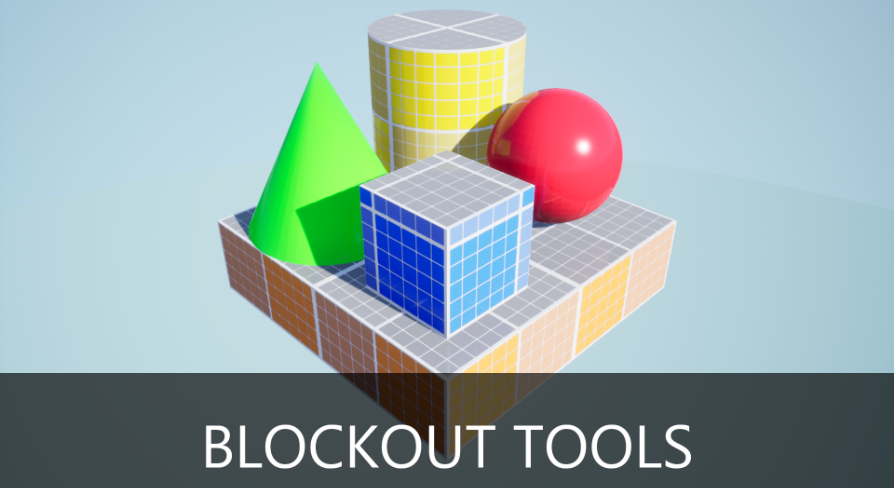
A lightweight set of tools to quickly block out levels.
plush yew
@grim ore mate you are amazing thanks for clean and explained bp mate, super helpful
 solar temple
Why is that black line there on the material?
abstract relic

CNET
Capture all -- or just part -- of your screen with a few keystrokes.
 fallen marten
Question about structs - when I use a component to set values in a struct, it will change them for that function but when I use a function to check them again, they seem to have reverted back to original values. Am I missing something?
I get the struct data through an interface, set members, and that's it
pulsar badge
@solar temple you need to build your lighting
 deep stump
Hey, question, So I have advancedsession plugin but when I package the game and run the dedicated server I get "Plugin 'AdvancedSessions' failed to load because module 'AdvancedSessions' could not be found." then it crashes
any suggestions on how to fix this?
 patent tusk
Looking for opinons, all 4 are the same except for the normal data, curious what you guys think looks best. Only thing I'll say is for comparison the far LEFT tree has unedited normals
solar temple
@troy thank you . Do you know how to change the proportion and scale settings of the first person camera to match another games?
pulsar badge
Click on the person and click edit
or just click on the person and on the right there should be scale
solar temple
How do I find out what another games properties for the scale are ? Lol
delicate needle
Is there any typical reason why a swarm slave will work, then just stop communicating to the main job giver?
rustic python
When I enable physics on my pawn, I'm unable to move the pawn anymore haha, anyone know why that might be?
simulate physics*
livid haven
Because it is being physically simulated. For realsies. So your input doesn't matter.
Pawns aren't, typically, physically simulated. Everything about pawn physics are typically faked - it is, after all, a cylinder that's standing upright even when on a slope.
rustic python
Ah right. Problem is if I don't have that on my Pawn just noclips through everything 😬
livid haven
That suggests that your movement component (the thing that fakes the physics) isn't using the collision geometry you want.
deep stump
When I packaged my game and launch a dedicated server i get an error of "plugin 'advanced sessions' failed to load because module could not be found"
but when i disable that plugin, it does the same but with steamsubsystem. I'm assuming my plugins folder can't be found at all. Any idea on where it should be for the source build of Unreal? It gets recognized in the editor but when I package it, I guess it doesn't?
rustic python
How can I change the collision geometry? Or is that easier said than done haha
Basically the collision for the Pawn works fine until I posses it
then it seems to ignore all collision and physics
livid haven
Could be any number of things going on, but I recall experiencing stuff like this long, long ago if I was messing with movement components.
I believe, by default, the movement component tries to move the root of its actor?
rustic python
In the blueprint for the Pawn?
livid haven
But it can be set to move different components.
With the typical UE4 mannequin character, I think the sphylinder is the root component and their intended collision geometry (for movement)
solar temple
Do any of you use ue4 for work ?
 polar hawk
all day erry day D:
rustic python
Ah right yeah this isnt a typical char, but ty for ur help Ill try to tinker with it
livid haven
I just left Epic Friday after 7 years, so yes. 🙂
solar temple
hmn
normal burrow
It’s ununity
 tiny sonnet
rustic python
tiny sonnet
rustic python
Just wondering if theres a tutorial out there on the net that shows how to set the collision stuff for a possessed pawn custom mesh :3
Just trying to fix it so the pawn mesh doesnt noclip when I posses it xD
 undone pollen
Question for you guys, is collision ray casts transform from world space to local space of the component that's doing the collision?
so when I query a collision FHit Result i am technically asking in world space-> converted to my component who's doing the collision checks in local space
 kindred viper
@livid haven wow big move. Good luck, hope you stick around and help us mere mortals from time to time 😉
livid haven
Yessir. Easier to do that now than before.
pulsar badge
What button is it to go from moving a object to rotate and scale it?
without clicking on the button
normal burrow
pulsar badge
Thanks
deep stump
 fiery lagoon
Can anyone explain to me why my character is floating like this when i have him share this walk cycle from another character? even when i have these settings for my skeleton, i thought it was suppose to bring the character down. if i change the retargeting options to skeleton for all of them it sort of fixes the character being in the air but then it loses any animations on the pelvis Z axis. also it then makes my other animations floating but the retargeted animation is back on the ground.
 tawdry sigil
Someone awake ?
abstract relic
Go back to bed Steve
tawdry sigil
Nah
 thorny perch
anyone else having issues starting the epic games launcher?
just stops at "preparing launcher"
 lapis vine
But at least it has beautiful interface, isn't it?
But nah, I have no. Also not using any Games tab.
lapis vine
Yeah... once upon time it was as simple as downloading the new version, or at worst go click from Help -> Update
 grim juniper
I had that the other day. I closed and reopened the launcher for it to work
thorny perch
tried the "fix" but still no go
lapis vine
Restart your PC?
lapis vine
Reinstall Windows? Might work, yeah 👍
thorny perch
epic games launcher 🙂
the reinstall did absolutely nothing, ill try a bloody reboot then!
 warm delta
why Epic cant change UE4 editor UI style to be minimalistic and flat? like Visual studio for example and the editors? and all the icons are too detailed...
thorny perch
odd, typing wrong pass wont give access
but pressing "log in later" opens the app
so it works, if you don't sign in
but then again, one cant update 🙂
so there must be an issue with accounts somehow
quixel bridge works fine though with the epic-account
smoky sonnet
is it possible to change the speed/pitch of my audio track thats inside my level sequence with blueprint?
thorny perch
love this, cant work on my project since I cant update =/
lapis vine
Try with vpn?
 burnt drum
does anyone know a good programme or a method to open unreal log externally , allowing the same sorting / filtering functionality
plush yew
@burnt drum I sometimes used https://docs.microsoft.com/en-us/configmgr/core/support/support-center-onetrace

OneTrace is a new log viewer with Support Center that has improvements over CMTrace.
warm delta
oddname maybe try 3 or 4 from this: https://appuals.com/fix-epic-games-launcher-wont-open/
 tawdry wren
Any reason why im getting this on trying to load up my level?
Assertion failed: [File:D:/Build/++UE4/Sync/Engine/Source/Runtime/CoreUObject/Private/UObject/LinkerLoad.cpp] [Line: 3731] AssetImportData /Game/Levels/World_BuiltData.World_BuiltData:LQ_Lightmap_1_51.AssetImportData: Serial size mismatch: Got 33, Expected 19

UE4Editor_Core!FWindowsErrorOutputDevice::Serialize() [d:\build\++ue4\sync\engine\source\runtime\core\private\windows\windowserroroutputdevice.cpp:79]
UE4Editor_Core!FOutputDevice::LogfImpl() [d:\build\++ue4\sync\engine\source\runtime\core\private\misc\outputdevice.cpp:71]
UE4Editor_Core!AssertFailedImplV() [d:\build\++ue4\sync\engine\source\runtime\core\private\misc\assertionmacros.cpp:101]
UE4Editor_Core!FDebug::AssertFailed() [d:\build\++ue4\sync\engine\source\runtime\core\private\misc\assertionmacros.cpp:455]```i saw a video on youtube to make a nice rotating material does this got changed because the tutorial is old anyone know it?
 south crow
I have a very basic question : how to make a first person character with an entire body, I've been following this video : https://www.youtube.com/watch?v=VVttmneWJMA but the character is shaking/teleporting (I don't know how to call that) when I'm not going forward (when I'm pressing A, S or D)
So if anyone has an answer
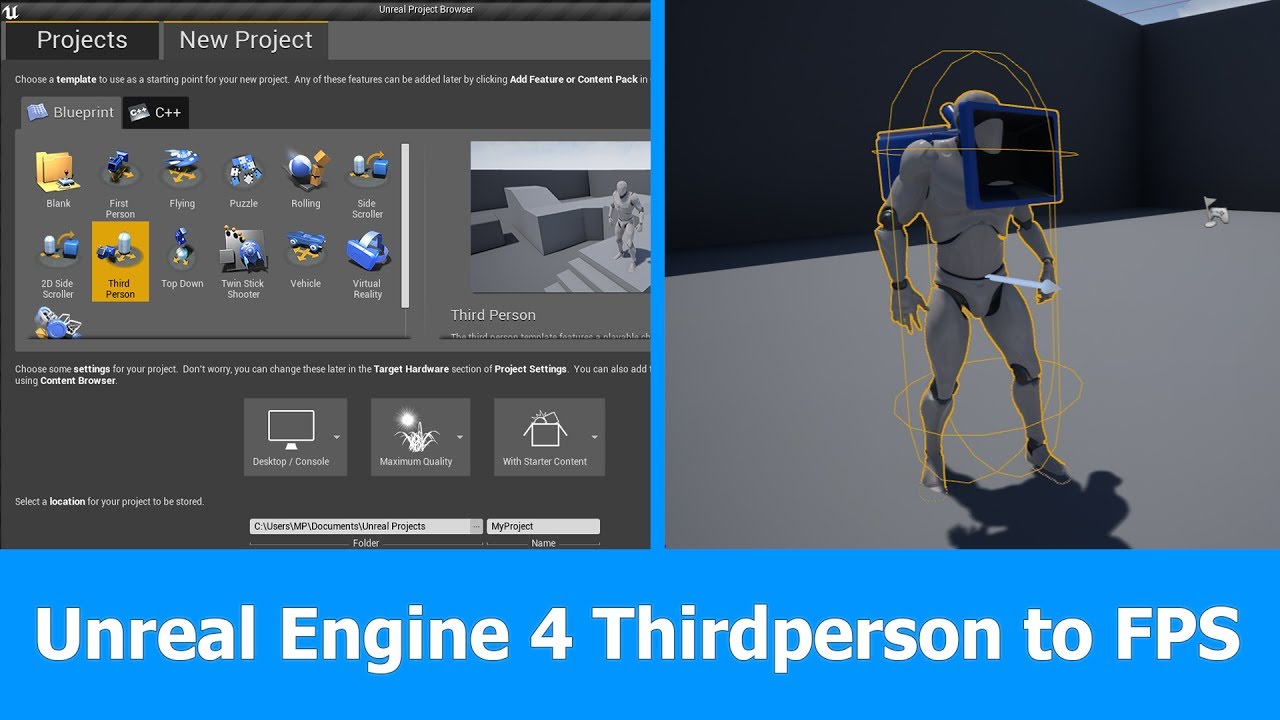
In this short Unreal Engine 4 tutorial I want to show you how to turn a Thirdperson Player and Camera into a First person Player for FPS games in which you can see the whole character.
See my social profiles here
G+: https://plus.google.com/+JayAnAm
Twitter: https://twitter....
 tawdry lily
Hi guys, we have a tricky problem (please redirect me if another channel would be more helpful). Our project does not package anymore in 4.23 and in 4.24 it crashes when trying to open any of our blueprint assets. The error message is extremely vague. And our attempts to identify the cause have not lead to anything after 2 days. This is the error message:
Ensure condition failed: ReferencingPin->LinkedTo.Num() > PinData.ArrayIdx [File:D:/Build/++UE4/Sync/Engine/Source/Runtime/Engine/Private/EdGraph/EdGraphPin.cpp] [Line: 1733]
[2020.02.19-09.20.57:778][634]LogOutputDevice: Error: Ensure condition failed: ReferencingPin->LinkedTo.Num() > PinData.ArrayIdx [File:D:/Build/++UE4/Sync/Engine/Source/Runtime/Engine/Private/EdGraph/EdGraphPin.cpp] [Line: 1733]
Does anyone recognize this or know a way to solve it?
serene birch
try opening your project with a debug editor version
tawdry lily
DebugGame Editor?
 zealous spear
@south crow I can show you how... can you wait for me to get back home in 30 minutes and show you?
Hi @tawdry lily
:)
tawdry lily
@serene birch I managed to hit the breakpoint where this ensure failed, it seems to be on the "Return Value" pin of a float / float node. But I'm not sure how to go on from there..
serene birch
was kinda hoping you'd get some more info than that
tawdry lily
Me too 😉
serene birch
the error seems to imply you have like, a blueprint node with more pins than it really has
this is delving into UE4 low level code though
tawdry lily
Yeah, I'm okay with that, do you know if there's a way to identify which blueprint the node is in?
serene birch
I mean by that last sentence that it goes more low level than I can handle 😛
tawdry lily
Haha okay, thanks for the help anyway 🙂 Maybe someone else will come by that knows 😉
 mossy cloud
Hey guys, looking for suggestions on how i can do this thing
I got an island here, and i would like for the player to hear wave sounds whenever they're close to the water. I'm trying to figure out a clever way to optimize this the best possible way. I first did it based on altitude, but there are low poiunts in the island that you could still hear waves. Anybody else have a suggestion that's not all too resource-heavy?
i could create a bounding box surrounding the areas where i want the player to hear it, but i'm looking for more suggestions
mossy nymph
make a spline, put an audio source on it, move it locally to closest point on spline to the player on tick
 remote roost
I have a very basic question : how to make a first person character with an entire body, I've been following this video but the character is shaking/teleporting (I don't know how to call that) when I'm not going forward (when I'm pressing A, S or D)
So if anyone has an answer
@south crow
Make the character rotate towards camera direction
glossy kayak
Hello everybody! UE4 constantly breaking. Who have faced with this trouble? Can anybody help me with it, please. I can't find error fix in internet. I use laptop with 2 GPU's, latest videodrivers and UE4 4.24.2 version.
Error outprint:
LoginId:0d6a119b4daa7280394efc9bec9d755f
EpicAccountId:222ca8f49d0c4eb08ec4bc5d65270c1b
Fatal error: [File:D:/Build/++UE4/Sync/Engine/Source/Runtime/Windows/D3D11RHI/Private/D3D11Util.cpp] [Line: 198] Unreal Engine is exiting due to D3D device being lost. (Error: 0x0 - 'S_OK')
UE4Editor_D3D11RHI
UE4Editor_D3D11RHI
UE4Editor_D3D11RHI
UE4Editor_D3D11RHI
UE4Editor_D3D11RHI
UE4Editor_RHI
UE4Editor_RHI
UE4Editor_RHI
UE4Editor_RHI
UE4Editor_RHI
UE4Editor_SlateRHIRenderer
UE4Editor_SlateRHIRenderer
UE4Editor_SlateRHIRenderer
UE4Editor_Core
UE4Editor_Core
UE4Editor_RenderCore
UE4Editor_RenderCore
UE4Editor_Core
UE4Editor_Core
kernel32
ntdll
somber quail
Is there any way to disable this failsafe? It's making it incredibly difficult to copy objects in streaming levels. (it seems to assume the bounds are non existent because this happens 100% of the time when copying objects in streaming levels)
south crow
@remote roost yes but if y attach the camera to the head of my character the bug happen
pulsar badge
Hello, got a question. I’ve seen people on twitch subdivide there maps to make it a smaller area so it doesn’t overwhelm me anyone know how to do that?
It’s like big walls dividing the world
In square boxes
placid arrow
on modern games 100 players in a match isnt considered "massive", like an MMO, is it?
just trying to put into place the correct naming for a game with matches of potentially 32-100 players
i know some of them are called battle royale, but to be battle royale has other specific gameplay mechanics such as an ever-decreasing playable game area
thoughts?
tender flume
100 players isnt massive yet.
Those are just static players
When you make every player do something like fire a bullet or throw explosives around
That's when it gets massive because then your framerate drops.
honest vale
I'd categorize massive as something that requires multiple servers and load balancing between them
smoky sonnet
hey can someone help me i try to find how to do a character skin changer in ui but cant find what i want to do, it should look like this
you can go left and right then the cost changes
and its start at skin 1 if you click on the right button the number 2 should shine a little bit to give the player the felling know you are on skin 2 and it should look a little bigger (scale)
tender flume
@honest vale Smart.
 burnt wagon
Hello! I’m trying to make a ‘game’ without a human player: so simply an actor that walks around a scene without any human input (bumps into things, changes direction etc). When the actor hits objects, things happen (noises, lights etc). Anyone see something similar or a tutorial?? Thank you !
smoky sonnet
how can i adjust a grid panel automatically right before he hit something like a button thats next to him
 carmine garnet
i cant get niagara particle varyables to update with blueprint
like
it just doesnt work
 brittle gulch
Hi guys, is it normal that the LOD screen size seems to not be respected in play mode?
Here's what I'm talking about
You can see that I'm even closer to the building than in edition mode and still, the correct LOD is not appearing. I have to get really close to it
nova kelp
how to connect this to so it sets bollean when caracter is moving and shift is pressed ?
tender flume
Is UE5 really going to be a thing because of the PS5 or?
regal mulch
@tender flume No
UE4 will probably stick for a long while. If it becomes UE5 then if at all due to a bigger update of UE4. I highly doubt Tim is gonna rewrite the engine yet again :D
@nova kelp
- Get data from the character inside the anim bp, not other way round.
- I would handle this as two different states. One being "moving" which you can check via the size of the velocity variable of the character movementcomponent. And the other being "IsSprinting" which you should set when the player uses the shift key.
thorny perch
BAH still no go with the bloody launcher, repaired, reinstalled, deleted folder etc
regal mulch
You can then use both to adjust your anims.
thorny perch
still wont work
regal mulch
Problem being?
thorny perch
Preparing the epic games launcher loop
tried all possible solutions google can find
its fun how a black screen saying that can use 20-25% of my GPU 😄
pressing sign in later works though
but I need to be signed in to update
tender flume
Rewriting an engine could take months or up to a year depending on the workload
nova kelp
@regal mulch i have such boolean that keeps track if shift is pressed but i want to add second requirement so i cant press shift and sprint in one place
serene birch
I think UE5 will be when they redo the whole gameplay framework to be more Data Oriented if they do that one day and can't smoothly transition to it
if not, there probably won't be a UE5 for a LONG time
that's due to the paint layer resolution probably
honest vale
the resolution is tied to the vertices of the landscape
serene birch
hiding it with decals/meshes or making a higher resolution landscape
honest vale
essentially, yes

 zealous cloak
Blueprint Runtime Error: "Accessed None trying to read property K2Node_DynamicCast_AsBP_Interactive_Engine_Part_2". Blueprint: BP_EnginePartHolder Function: Execute Ubergraph BP Engine Part Holder Graph: EventGraph Node: Branch
can i ignore that error message?
i compare the bitmask from 2 actors, since i only get the first actor when my pawn overlaps (holding an object) it access none most the time
when closing my preview it throws the error
 dim merlin
Hello, anyone knows its possible to save a rendertarget into the content folder (so i wont have to import it) at runtime?
rotund scroll
does anyone know if the camera manager can be set to use a specific camera instead of having its own?
 stiff moss
Hello, I was wondering if anyone had a real basic FPS project I could import to adapt to the levels I have designed? You know like the scripts
rotund scroll
there's an FPS template
stiff moss
Oh already?; Where do I go to find it?
plush yew
@rotund scroll google it
rotund scroll
I did thank you very much
I'm only asking because google returns zero answers
something I wish more people would do
serene birch
how reliable is gltf import for UE4?
it's annoying how importing models is mostly solved but importing materials still needs to be done by hand so often 😄
 hasty osprey
quick question how can i do this in the unreal editor? https://conceptualvisionstudio.wordpress.com/2014/10/05/making-a-normal-map-stronger-with-photoshop/

In your pipeline you want to have something like Xnormal or nDo already running, but for those times when you just want to quickly go in and make a normal map stronger this could be excatly what y…
regal mulch
@hasty osprey "this" being what? The normal map?
plush yew
How can i have same material on different meshes with different values on parameter collections
hasty osprey
@regal mulch yes how can i make a normal map stronger
or actually i found this
it may work
plush yew
@hasty osprey do you kno
hasty osprey
try using material instances
regal mulch
@ebon linden No idea how to implement that but I would say it's "Underwater light refraction" or so.
At least that brings some google image results
serene birch
caustics
In optics, a caustic or caustic network is the envelope of light rays reflected or refracted by a curved surface or object, or the projection of that envelope of rays on another surface. The caustic is a curve or surface to which each of the light rays is tangent, defining a ...
honest vale
@hasty osprey that's a really roundabout way of just multiplying with a constant3
 steady owl
Since Fortnite mentioned that almost every mesh in the world is contained within a separate blueprint for easy variation / updating, does this mean that the overhead of a blueprint with a static mesh component is very small compared to just a static mesh placed directly in the world?
normal burrow
Yeah. For placement the construction script bakes out
 frigid needle
Why tick instead of calling an Input Event?
 patent apex
hey guys are you guys having crashes in AActor::Modify and UObject::SaveToTransactionBuffer when changing the default value of variables in blueprints in 4.24?
nova kelp
frigid needle
Okay it’s still early in the morning. What is it you’re trying to do here? Flip a bool in the mesh to tell it it can move?
frigid needle
I feel like this could be better handled with a state machine instead of casting to the mesh
A... what is it. Blendspace?
 devout rune
Noob question, but my project usually runs at 60 fps on the editor, but it sometimes jumps to 120 fps without me doing anything that would improve performance. What's the reason for this?
nova kelp
no i made it in Caracter blueprint
plush yew
@nova kelp you trying to make an animation as you move?
nova kelp
well not make
just change
from walk to run
i mean it works but there is a problem when i press shift it starts running in place
and then i did this
nova kelp
plush yew

In this stream, Wes Bunn takes a look at the quickest way to get a humanoid character up and playable from a Skeletal Mesh and a series of animations. We’ll talk about different workflow tips for the various types of animation assets (Anim Blueprints, Blend Spaces, and State M...
Watch this and make your life easier
He will do your idle walk run in 1 animation using blend
watch it and save time
frigid needle
Yeah, you’re trying to do things manually that the engine has tools to support automatically
nova kelp
yea that happens alot when you dont know what engine has
im like blind man trying to draw
plush yew
Its ok mate keep learning