#ue4-general
1 messages · Page 652 of 1
 plush yew
i will make some parts Static and put it on the wep
and apply the emission to them
is that a bad thing?
So I've reinstalled UE4, and my problem still persists. Should I mess around with my network settings and switch some ports or..?
1:12:39 AM: ... registering SwarmAgent with remoting service
1:12:39 AM: ... registering SwarmAgent network channels
1:12:39 AM: [ERROR] Channel registration failed. Reason: No such host is known
, Callstack: at System.Net.Dns.GetAddrInfo(String name)
at System.Net.Dns.InternalGetHostByName(String hostName, Boolean includeIPv6)
at System.Net.Dns.GetHostEntry(String hostNameOrAddress)
at System.Runtime.Remoting.Channels.CoreChannel.GetMachineName()
at System.Runtime.Remoting.Channels.CoreChannel.GetMachineIp()
at System.Runtime.Remoting.Channels.Tcp.TcpServerChannel.SetupMachineName()
at System.Runtime.Remoting.Channels.Tcp.TcpServerChannel..ctor(Int32 port)
at Agent.AgentApplication.Main(String[] args) in D:\Build\++UE4\Sync\Engine\Saved\CsTools\Engine\Source\Programs\UnrealSwarm\Agent\AgentApplication.cs:line 133.``` jolly steppe
if you're using Blender 2.8 you have to make sure you're in pose mode and rotate the bone by clicking on it, and pressing R @hollow tusk
 grim ore
well for a simple mask like an emissive I think the alpha would be fine as a place to store it since most textures wont use it anyways for good use
 normal burrow
hm yeah, multiplied emissive is a weird thing though
jolly steppe
really?
grim ore
@plush yew it's not a bad thing. You could technically if you have the model just apply a 2nd material channel to those items and when it's in UE4 you have 2 materials on that mesh
plush yew
OK mate i will give it a try and let you know what happened big thanks
 hollow tusk
@jolly steppe could you dm me?
jolly steppe
sure
normal burrow
you don't have to use the base color for emissive
you can make something green emit red etc
grim ore
@plush yew when UE4 first kicks on lightmass and swarm it asks for network permissions. Is it possible your firewall blocked it?
jolly steppe
Yeah but when I make something emissive and use a different color/texture it still isn't that bright unless I multiply it.
normal burrow
yeah you need to crank up emissive to get the right brightness regardless
i mean unless your using float32 textures formats with exr
where you can go above 1 in the texture
you just don't need have the base color pick up on emissive in a way it shouldn't
or vice versa
grim ore
emissive neeeeeeeeds to go to 11 to get the poooower!
plush yew
In both Inbound and Outbound Rules, my Swarm Agent has access to both Private and Public networks
jolly steppe
MOAR POWA!!!
normal burrow
sparkles need like * 8000
jolly steppe
damn
normal burrow
the emissive component of the image is the only thing that doesn't go to a gbuffer
so its not clamped by texture constraints
jolly steppe
oooh I see
I think I might be missing something then. I'll play around with it when I get home.
grim ore
@plush yew ok so the next questions is have you tried to build on a new blank map and project? Is it specific to this project or everything. New project, blank, hit build, and?
plush yew
I have made a new project and it did the same thing
 abstract relic
These sparkles pat? Never knew, though sounds about right :P

Blades over the Horizon is an upcoming action-adventure game set in the vast and ever mysterious blue sea.
Interested in learning more about this game's development? Come join our community!
grim ore
@plush yew so the code looks like it tries to connect to 127.0.0.1 directly unless you set it to another address. Assuming you didnt change your swarm settings have you messed with anthing in your hosts file in windows?
plush yew
No, not that I know of
 calm crow
Hi, I'm having trouble logging in to the unreal-engine forum, I have this message:
abstract relic
oh lord
 dull hawk
I am unsure where this question should go, I am unsure of what the LogAbilitySystem: Warning: is wanting me to do. Only reason I ask now is because my project will be getting larger.
I'm in the .ini file now
grim ore
@plush yew damn at this point maybe check your swarm agent and see if you can reset it or any of it's settings looks weird ENGINE INSTALL DIR\Engine\Binaries\DotNET\swarmagent.exe and run it then open it from the task bar
 blissful sorrel
@grim ore how did you get your pixelstreaming setup to work? mine stays stuck on the "click to start"
plush yew
Under Developer dropdown, Restarting QA and Worker Agents throws a dotnet exception, same with Network dropdown options.
grim ore
@blissful sorrel is the server running on the local machine or a separate machine?
blissful sorrel
local
grim ore
does the server show that the project is connected to the server?
I beleive it will say the streamer has connected
calm crow
Can you connect ?
grim ore
@plush yew damn at this point something is weird with your network would be my only guess but it just happened when you upgraded right?
blissful sorrel
stays like this after opening project
plush yew
Yep. I haven't been touching anything before it.
grim ore
you dont need the web rtc proxy running, and your project is not connected is why
does the project have the plugin enabled, is it running in standalone or packaged, does it have the correct command line options
grim ore
I am guessing you are running stuff you dont need, the matchmaker stuff is not needed if doing this
plush yew
Could it be because I'm connected to a sub network of my wifi network? Should I go back to the main net and attempt to build again?
grim ore
@plush yew you could try disabling networking completely
blissful sorrel
@grim ore nah I'm just using the singlewebserver, is it the npm setup causing it?
plush yew
ALright and should I attempt to build after disabling it?
grim ore
it might be, mine only opens 1 screen as you can see. you should be able to just run run.bat and it works
@plush yew if we think it's a networking thing yeah. Disable the adapter in your network settings, make sure you restart UE if needed ,and try building
plush yew
Aight
calm crow
but opera for example have right toolbar ?
is it possible to mention someone that work for forum ?
blissful sorrel
@grim ore what npm version do you use? are they pre-built binaries
grim ore
I am using the LTS version of Node and everything it came with, nothing special
I literally am doing a video on this on a clean machine recently and i just installed the LTS, ran the run.bat, and it worked. looks like its 12.16.0
calm crow
privacy badger seem's to block unreal sign-in
grim ore
not much we can do if your plugin is blocking it
grim ore
well plugin seems to block epic game as well
calm crow
Privacy Badger automatically learns to block invisible trackers. Instead of keeping lists of what to block, Privacy Badger learns by watching which domains appear to be tracking you as you browse the Web.
Privacy Badger sends the Do Not Track signal with your browsing. If trackers ignore your wishes, your Badger will learn to block them. Privacy Badger starts blocking once it sees the same tracker on three different websites.
🤔
ok
i'll send report to the firefox plugin team
Thanks anyways
 maiden swift
Done in 4.25 list was updated. 👀 https://trello.com/b/TTAVI7Ny/ue4-roadmap
Organize anything, together. Trello is a collaboration tool that organizes your projects into boards. In one glance, know what's being worked on, who's working on what, and where something is in a process.
hollow tusk
@grim ore Are you good with retargeting?
grim ore
@hollow tusk I should be but I am not, I know the basics on the web page
grim ore
man the "Auto Exposure Updates" should basically just say "disabled by default"
maiden swift
😂
grim ore
you cant fix rotation in retargeting as far as I know
hollow tusk
Can I fix this with retargeting alone? I've tried altering the mesh itself with no luck
Shoot
grim ore
but in the retarget options on the skeleton have you tried retargeting against the animation and not the skeleton
hollow tusk
How would I do that?
grim ore
its in the skeleton itself, there is a drop down for advanced options and one of them unlocks the translation retargeting.
by default I am pretty sure it's skeleton, you could try animation and see if it changes anything
but if you have rotations that don't match your retarget it's just gonna have an issue
plush yew
Same thing with the network disabled.
I restarted Epic and UE4 and made sure there were no background instances of both and of Swarm too
grim ore
@plush yew it sounds like something is wrong with your network for some reason but that makes no sense if it works in previous versions (epic must have changed something obviously)
plush yew
I'll try it on my main network as well
grim ore
if you never manually adjusted your hosts file, maybe something else did but even then that would be odd
I mean you could check the file to see if it's got weird entries but that is a long shot
plush yew
@grim ore My way didnt work 😄
just ganna ask you one last thing
I'm about to do that
i can Type on the sword and maybe make that one Esmission color
i need masking for that ask well?
grim ore
pretty much yep, you need to somehow tell your color (your emissive color) to only show up on certain parts of the model
if your certain parts are one complete material then you are fine, if it's parts of a larger texture then yeah you have to mask it out usually
plush yew
From the looks of it the file hasn't been touched
grim ore
yep looks clean. I doubt something is on that port I mean I guess you could try deleting the entries from the firewall and have it ask again but normally the firewall access issue is just a simple "it never runs, its stuck at 0%" and not crash lol
plush yew
I'll try deleting the entries
blissful sorrel
@grim ore I think I got it right now, did a new install of node 😄
now I just need to know why it does this
grim ore
eep but the first part looks great, it's just waiting on the plugin to connect to it now
if I might ask what did you have installed before for node that was not working.
you might also try connecting to localhost instead of 127.0.0.1 in the event that helps in the launch parameters in your project
blissful sorrel
I had node 8 installed
grim ore
oh...
blissful sorrel
the pixelstreaming for 4.23 was older and node 12 wasn't working with it
hollow tusk
@grim ore can I just change the base rotation of a joint, to make it look a little nicer?
Or does thjat not work?
grim ore
that is a good point the docs do not specify a version lol
blissful sorrel
which sucks big time lol, kept wondering why the heck it's not working
4.24 and 4.23 got different packages
grim ore
no I am glad you ran into it, might be a good idea for me to test it on 8,10,12,13 to figure out the baseline and what works and let epic know
blissful sorrel
thanks, will do!
grim ore
@hollow tusk you can yes, if you open the skeleton you can see the location and rotation for each bone and change them and save the skeleton back out.
 brave salmon
grim ore
brave salmon
grim ore
@hollow tusk for the most part tho it should be fixed if you have the source in your source program
abstract relic
Delete /intermediate folder. Open task manager, make sure there isn't a duplicate project running
plush yew
No change in the output whatsoever, I removed the Firewall rules, launched, same thing and added my own rules, launched, still nada.
normal burrow
Also twofaced, check your errors
your message log, it might be screaming at you on why its not able to save
 thick herald
blissful sorrel
thick herald
blissful sorrel
you might also try connecting to localhost instead of 127.0.0.1 in the event that helps in the launch parameters in your project
@grim ore hmm, using localhost gives me a IPv4 parsing error
will try just directly connecting my IP to see if that changes anything
grim ore
-PixelStreamingIP=localhost -PixelStreamingPort=8888 is what I use without issue.
so many people having network issues today 😦
blissful sorrel
ran a portcheck to see if it's just me being bamboozled but all my ports are open 😅
jolly steppe
What have you done to the mannequin!!!
blissful sorrel
at a lost, fix one thing and another pops up 💀
plush yew

I am using Event BeginPlay to add the sword to my hand as the game start
but
i want to use BeginPlay as well for other stuff to add more items to my body
and i cant do that each time i try to make BeginPlay it show me this one
any thoughts?
BatMan MatheW where are you
:DDD
I think if you shine a spotlight with a bat onto the cloudy night sky, Batman might appear. Dunno.
 misty creek
@plush yew You can only have one event being play, but you could either use a sequence node or just add the code after what you already have
grim ore
^^^
Event Begin Play is you, there is only one you. Just shove more stuff into you if you want it to do more 😛
plush yew
@misty creek Sequene?
 open eagle
Why are my fps going from 100 to 29 when i hit the play in editor buttomn
and when I eject, they go back to normal
jolly steppe
if you right click and type sequence you'll find it
plush yew
@grim ore 😄
jolly steppe
it's pretty handy
 craggy flax
Def
plush yew
Holy shit
jolly steppe
but you might be able to just put it in after something else
jolly steppe
Yeah but idk if it's a great idea to make 100 sequences? xD Someone else know?
misty creek
You should be able to add as many pins as you want
craggy flax
^
plush yew
@jolly steppe You are my god
this is new to me hehe
was having trouble with that stuff
jolly steppe
Hey it was Tate that mentioned it 😅
plush yew
wth
grim ore
you dont "need" the sequence to do what you want, it just cleans it up. After you attached there was nothing stopping you from spawning another and attaching again
craggy flax
^ again lol
plush yew
@misty creek meant you mate 😄
plush yew
@grim ore i want to add if he have the sword or not
jolly steppe
Is it okay to use as many sequences as you want then?
plush yew
if he dosent have it i want it to spawn next to hes chest
Or is it bad idea to use too many sequences?
grim ore
then you use an if and change the attach point
misty creek
Hey, you are welcome to it! 😄
jolly steppe
like it won't be performance heavy?
open eagle
could someone help me with this FPS issue
craggy flax
Branch with hassword conditon?
open eagle
they go down drastically whenever I play in editor
grim ore
you dont even need an if if you are just selecting between 2 things. You can use a select on boolean node and feed in two sockets
plush yew
And i dont think that will work as BeginPlay will only happen
jolly steppe
buy an RTX Titan for better fps
grim ore
@open eagle run stat unit in the console and see what it says
plush yew
as i start the game
plush yew
@grim ore last question
how i can make if i Press T do this
and if i Press T again turn it off
 wary wave
now would be a good time for you to read up on profiling tools on the UE4 docs site
open eagle
something tells me optimizing my level is not the problem
it runs fine when I am not possessing a pawn
grim ore
when you do stat unit it shows more info, like CPU GPU and such. Is your CPU going up? you might have stuff running on tick heavily
and profiling can tell you what is taking up that frame time exactly
open eagle
game thread stays at 5ms
grim ore
profile when possessed, few seconds later eject and then stop and check the entire profile
wary wave
^
grim ore
so which stat goes up when you possess?
open eagle
GPU and Frame
grim ore
so maybe you have a post process effect running on the player camera?
or the FPS is set to cap at 30fps
open eagle
oh yeah idk what this post process volume was doing
as soon as I deleted it everything went to 120
grim ore
and solution
open eagle
(FPS)
grim ore
@plush yew you can use the same code to attach the object (dont need to respawn it unless you want to delete the old and spawn a new) on key press (set up input on project settings. You can use a flip flop node to toggle between the two
you can either get the attached object and move it or you can save the object after you spawn it for later and refer to it that way
open eagle
holy crap idk what that post process was doing
jolly steppe
I have no idea if that's bad or not
open eagle
oh when I open snipping tool the stats get messed up
jolly steppe
cpu 18.90 ms.
open eagle
its because UE4 is not the active window
jolly steppe
oh
open eagle
I can make the game thread go up to 143 if i click on the window and drag for a long time
 brazen knot
Wondering what the best and cheapest online source control would be
Currently I just have a Google Edu account that I use Google Drive Sync with so I can access all the files
grim ore
i use bitbucket and git as its free
open eagle
git limits to 1GB
so you can only sync source folder
not the actual project files
I mean github
grim ore
you can sync whatever you want if its under that limit plus you have git-lfs
otherwise you can look into a cheap hosted perforce setup on like digitalocean or rolling your own on a free amazon ec2
 storm burrow
UE4 saves the engine install directories/paths in the registry.
But only until version 4.22
I can't find 4.23 and 4.24
jolly steppe
So I'm trying to figure out how to have a color curve that I can control with an alpha.
This is what I have now, but I'd like to have more colors in there
is there something like a graph where I can add a third color and have that color apply at 0?
0-.1
normal burrow
you make a gradient thing
normal burrow
 sweet relic
@jolly steppe https://docs.unrealengine.com/en-US/Engine/Rendering/Materials/CurveAtlasesInMaterials/index.html
Curve Atlases store a combination of Curve assets that enables you to access Curve Linear Color data through your Materials.
jolly steppe
oooh okay! thanks!
 rotund scroll
well here's a gem from the documentation:

 fallen marten
Maybe it's part of the mesh? Why isnt the mesh located at 0,0,0 btw? Did you move it in the editor?
 frail rover
is there a help section?
abstract relic
normal burrow
All the sections are the help sections except lounge
frail rover
Notice the line ? There is like 4 plane between them. Is this on my end for the material or somethin else
normal burrow
not seeing the line?
normal burrow
how are you generating the uv coordinates in the material?
(maybe post a image of the material)
frail rover
Tex Coordinate and consts ? the default value.
normal burrow
If the texture repeats, try using [world vertex position] then [component mask] to R and G and [multiply] that by 0.1 then plug it into the texture coordinate on the texture sample
normal burrow
it could be the material or the placement of the cubes
normal burrow
because the preview has different' lighting
 rancid lynx
is it possible to change the color of the white line between notes? id like to make mine like .5 brightness
i think not. i tried to look at the color bars.
 high sedge
Which one should I pick if I'm trying to create still images? Sorry I'm new and switching from SFM to Unreal
 grave osprey
Looking for critics for my work.
 sharp crest
I upgraded from 4.22 to 4.24 and my vehicle broke, it's similar to the advanced template one. Any idea why? I can't move with it anymore. Please ping @ me if you respond. Thanks.
 rustic python
Hey. Bit of a noob question. I've got the character setup, I've got the idle > walk all good to go, how do I play as the character haha?
sharp crest
google animation blueprint tutorial @rustic python
rustic python
tyty
plush yew
@rustic python you would set it up from project settings or world settings,world settings is in window>world settings I imagine
plush yew
@sharp crest he is not asking for a tutorial,he is asking how to play as the character
sharp crest
oh then just select the skeletal mesh in the mesh component of the character in bp folder

he still needs an anim bp tho
rustic python
oooooooh right haha
plush yew
Knew the steps to make the idle walk if he wasnt watching a tutorial lol
rustic python
I did follow a tutorial
sharp crest
Idk magic maybe
rustic python
guess it wasnt a good 1 lol
plush yew
@high sedge i don't know about the new interface they have,but i would imagine if you pick games it would get you to another tab where you pick a preset
I made a github visualization of my project
It would be so cool if i started using github earlier
rustic python
Still trying to find the option haha. Followed the BP's and stuff but everytime I hit play I just get to control a floating camers. is there a button Im supposed to press haha? again sorry if this is super obvious its my first day loool
grim ore
is that a character?
if so click on the blueprint in the world outliner in the top right, find the Auto Possess Player options, and change it to Player 0
sharp crest
@rustic python did you try the character template?
high sedge
And how do I make Unreal engine stop booting up fucking steamvr every single time I start it
grim ore
go to plugins in the editor, search for VR, disable plugins, restart, profit?
sharp crest
I don't think that's quite the profit part
grim ore
it wont be there if that is not a character
hence the "is that a character? if so ... " part
so what is the parent class of that?
rustic python
The tutorial I followed showed me to set it up as a character
high sedge
And why is it freezing at 39% what the fuck
grim ore
building shaders/annoying people
actually I think 39% is more DDC creation
45% is shader and uh 83% is another set of shader
high sedge
its completely stuck
grim ore
check your task manager
normal burrow
do you just have a lot of projects matheww? or is there some resource on these numbers lol
high sedge
Yeah it's not budging at all. Technically not "Not responding", but it's memory use is stagnant and it's holding around 9-10% cpu usage
normal burrow
what cpu?
if its a quad core, it could take some time dragonslayer
if you see ShaderCompileWorker.exe running (multiple of them) its doing something
grim ore
do you have visual studio installed?
@normal burrow I have installed UE4 many times and made many many many many projects and opened many many (all) examples
normal burrow
pretty good you can remember percents like that hah
grim ore
plus that question is now what 5 years old lol?
like I said earlier I just remember alot of stuff lol
high sedge
Ryzen 5 1600 oc'd to 3.75ghz
grim ore
do you have visual studio installed? or have you installed it at some point?
grim ore
did you install incredibuild because it said it would make your stuff faster
because if you did and didn't pay for it.....
high sedge
ugh
I installed it because i had to take a programming class earlier in the semester and grabbed a bunch of things I thought I might need
grim ore
the free version limits the # of cores that can be used and it uses incredibuild for this stuff
just run the VS installer and remove incredibuild and restart you should be fine
normal burrow
second time i've seen that happen to someone.
abstract relic
Pretty nasty tactic
normal burrow
I think unreal must check if its installed or something when it goes to build. It is pretty evil though yeah
high sedge
As if the programming class didn't stress me out enough from just the course material...
i just wanna make pretty pictures dammit
grim ore
these are all good problems tho because hopefully there might be a faq type collection of videos that might be somewhere for reasons like this 🙂
 carmine garnet
is there a way to just
smooth out a single float value without a bunch of complex nodes
just reduce the max rate of change
normal burrow
Define complex
carmine garnet
seems like all the nodews for it are so specific and complicated
lerp and finterp need 2 values
i just wanna smooth out one
normal burrow
F interp to constant does the limiting you speak of pudin
carmine garnet
to constant?
 lilac wedge
No idea why but all my create save games stopped working on my andriod but work in editor (using blueprints 4.24), i can not longer create save game files
normal burrow
F interp (constant) yeah
carmine garnet
doesnt that need 2 input values?
normal burrow
Need delta seconds yeah
Otherwise frame rate would determine how fast the thing can move
carmine garnet
no
that has the current and the target intput
i need it to not have a target
and just smoothh out that float
carmine garnet
but i dont have another varyable and dont know how to make one
i just wanna smoth it
can i do this?
it crashed my comp last time
grim ore
no you cannot do that
and shouldnt as you would never use that value
and you need variables, you need atleast your input, your goal, and how much you want between (your smooth value), that you would then use over time to get your smooth effect
so what do you mean by smooth might be a better question, what are you trying to do
carmine garnet
im trying to limit the rate of change of the floor angle into my root bone transform
my world is low poly so it makes the root bone jump around
i want it to smoothly go from one value to the next
grim ore
ok so you need the start value, the end value, and the amount it should change over time and then you need the new value to set. then you repeat till your time to goal is reached or your value is reached
you can use a timeline to do it over time, or you can use an interp like above to do it over time but you still need to do it over time (your anim bp ticks so simply feeding the values into the interp would be fine letting it go over time from the current to the goal)
carmine garnet
oaky
im gonna try somethin
uuuuuuuuuuuuugh
o shiti did it
it didnt work with finterp but it worked with ease
finterp gave me crazy values
normal burrow
Finterp constant is what you want
rustic python
Thanks for everyones help today! Managed to get a start on my personal project. Looking forward to continue learning and developing 🙂
sweet relic
@rustic python You are strong and wise, and I am very proud of you.
rustic python
❤️
plush yew
I am doing equip and un equip weapon using Static weapon without skeletel mesh
that will cause me problems as i start with damage stuff?
any thoughts?
grim ore
no reason why it would
skeletal mesh is if you need bones and usually to animate. You could use Skeletal or Static for your weapon and be fine especially since your likely using a collider to actually detect when you should damage
normal burrow
Yeah, I do wish there were a animatable static mesh of sorts with no skin blending
 uncut vigil
@normal burrow have you tried just linking meshes to bones? No skinning needed
uncut vigil
Yeah, I used it for some mech animations and it was a lot easier to get it in game
normal burrow
Cool, will consider it the next time I’ve got something mechanical
 pastel raven
Hi Guys , I am trying to create a mesh which should scale itself, I want the mesh to remain the same size independent of the distance from the camera.
Mesh is kind of a line.
I have tried methods, to scale the mesh according to the distance using point ditance to line vector formula , but some how that only works for the pivot.
I am also looking for a way to do this via shader.
please help me.
uncut vigil
@pastel raven use render target and add it to a screen space 3D widget?
 sly hare
Looking for some peeps to talk in the VC chat?
pastel raven
I can draw this line at runtime.
it is kind of a ruler to scale things in the world.
So i click at one point then it starts creating a line ,then i click on another point . Line is drawn.
@uncut vigil Would i be able to do it via render target.
uncut vigil
Hmm i dont know
pastel raven
Can some one tell me how can i make a shader which is screen scaled.
just like arrow component, is it possible i can see the shader for Arrow component ?
sly hare
That is officially over my head man.
Wish I could help.
I am still looking for a way to make a HUD like from bright memory.
I enjoy the aesthetic.
Or even how to change game modes through-out the game like going from FPS mode to flying.
In like a space-ship...
uncut vigil
@pastel raven billboard actor?
I think thats what you need, material billboars component
sly hare
I am legit watching a few dozens of unreal videos attempting to learn by completely smashing it into my head.
uncut vigil
Any material works, its just applied to a plane
I think the best way to learn is get dirty and try doing stuff
75% of my work is just googling how to do this and that
sly hare
Well, I learn hands on to...
Issue is I learn best when someone explains the parameters I have to work with...
uncut vigil
True, but hard to come by
sly hare
Almost no tutorial will go through those things...
I have legit watched Ai tutorials that forget to mention 50% of what you need for an AI...
And I am like WUT!
uncut vigil
Yeah
sly hare
So just about now I learned how to stretch textures on a landscape, make caves...
Use multiple textures on a landscape to make it realistic... and that's about all I got...
That's like 2 weeks of research?
Beyond that I have basic concepts so trivial it doesn't even come to use in the slightest as every tutorial on the web is like in a fist fight with each other.. XD
Oh and character animation and skeletons and stuff... I got that too.
I know how to switch out the MC model.
Currently focusing on huds...
If you got any good ideas on that....
@uncut vigil
sly hare
Because, I take my time and learn things thoroughly...
I do not like unprofessional level work at all...
Even if it is simple as long as it looks nice and fresh...
And crispy.
@uncut vigil you got a microphone?
uncut vigil
I do
sly hare
Wanna chat?
sly hare
I do better in voice...
My eyes die from swapping between this and unreal.
uncut vigil
😄
sly hare
Where do I download a more recent version of unreal? mine is 4.24.2?
Is that the most recent?
uncut vigil
Thats the one
sly hare

Unreal Engine
Unreal Engine 4.4 has our first preview release of Unreal Motion Graphics, our new UI design and scripting toolset. Also in this version Behavior Tree Editor, our AI logic tool, is enabled by default and ready for everyone to use!
What is this then? O_O
Did they legit go in reverse on their release numbers?
THEY DID.
O_O
@vast fossil ?
 wheat dirge
you do know the current year is 2020 right?
 vast fossil
Hi guys, quick question. When I started out I didnt know about setting up macro`s for values so I used functions. Will they hit my game in performance ? They are used for to calculate variables (floats and vectors) for another fuction thats on a tick.
sly hare
I legit don't know that stuff man...
Will I run into that stuff using BPs?
vast fossil
theres a bunch of them, but if it wont do a difference in performance then im not gonna bother changing them
sly hare
I have checked out some tools that seem like they would be useful and slightly uncommon...
Want a link?
 thin tendon
I'm working on a custom font to support multiple languages. Does anyone know what setting I need here to support Japanese characters?
wary wave
"Did they legit go in reverse on their release numbers?"
24 is 20 higher than 4...
sly hare
@wary wave O_O
wary wave
what part of version numbers do you not understand? They're not decimals
wheat dirge
did any of you actually click the link????? i dont think its August 2014... smfh!!!!
sly hare
@thin tendon
Honestly not a clue but I recommend going for English first... and mastering all of your stuff for English first before going to another language. That might spread yourself a bit thin.
That's something I genuinely fear....
wary wave
4.4 was one of the earliest engine versions available to the public, it's 20 revisions ago
sly hare
I get it amber...
thin tendon
@sly hare This is just the next feature I happen to be working on. Something I have been promising to players for a while. I have all my other languages working. But I can't seem to find a character range setting specific to Japanese. I have 10 other languages already implemented.
sly hare
WHAT.
thin tendon
Its ok I found it on the list through trial and error. If anyone is wanting to know the setting for Japanese is Hiragana
sly hare
COOL beans mind if I ask what game are you developing?
@thin tendon
I swear if you say bright memory I will make you my waifu.
thin tendon
At the moment I call it Outback Survival. Its an Australian themed Survival game. Its single player. Instead of zombies I use farmers with guns. Its still super early in development. But soon will be moving in the direction of questing
thin tendon
Same. I hate being forced to play online ok give me a sec
thin tendon
Its okay atm. But it gets better every day
sly hare
How did you make all these assets?
thin tendon
Some where from assets that were modified. Some from scratch. But a lot of the focus lately has been redesigning everything to be custom.
sly hare
Also, Straight up the only thing I am amazing at so far is level designing....
And your assets really don't seem to be following a real amount of consistency....
No offence...
I do like it however....
I am curious....
thin tendon
Thats because the pack stuff from the beginning is placeholder. And the last few months has been replacing it all with custom in between working on other features and fixes
sly hare
That is fair...
I am guessing this is also going to be multiplayer later?
thin tendon
If it gets enough interest. But for now I don't see a reason to focus on anything other then single player
sly hare
Also, did you take some of these screenshots in some kind of de-bug mode?
thin tendon
No they are all from the Steam screenshot gameplay feature
sly hare
Then changing graphic options?
Because some of these have those thick cartoon lines like in borderlands... and some don't.
thin tendon
Ohhh yeah
Its an option players can toggle. If they want realistic graphics or cartoon graphics.
sly hare
Hey just FYI if you want me to go in there and take a look at everything....
And go on a head and do a solid detailed analysis of the game I will free...
I love giving plenty of feedback.
Also, I like that Idea...
However I would have mentioned that in the video or something...
Because you had to explain that and it really doesn't mention things like that....
The game just seems inconsistent right off the bat.
thin tendon
Honestly I spend so much time working on the actual game. I'm struggling to keep the store page and trailer up to date
sly hare
That is very fair.
I haven't even begun going into gameplay mechanics yet...
I like to make things look pretty first...
YA KNOW?
abstract relic
Pretty things don’t make the game fun ~says an artist
 placid arrow
what is the advantage of storing something in PlayerState rather than directly as a property of the Character?
both seem to be replicated in a multiplayer environment, but PlayerState doesn't exist for AI Characters, generally an AI bot/character would have the same properties as a player for the most part, e.g. health, ammo etc?
 serene birch
well, store things that matter only for human players then
sly hare
@abstract relic Your right pretty things just make people want to buy the shiny.
placid arrow
@serene birch so, things like the state of the hud?
serene birch
could be
placid arrow
and the object reference to the UMG widgets?
although... those dont even need to be replicated
@sly hare common sense says make a prototype and make it fun before you start doing anything else. but sometimes, the appearance is part of the fun. my last game involved a lot of explosions as part of the core game mechanic so i had to make something that presented well before i could see if it was fun or not
sly hare
That's the problem.... I start and I just go this isn't pretty enough.
Then I just focus on making everything super pretty and I am like several hours in before I know it.
placid arrow
my current game is between prototype and first alpha, and its a healthy middle ground. i got rid of the vehicle template 'arena' and replaced it with some terrain, it doesnt exactly look next gen but it looks more appealing than the default example. i also created a kitbashed vehicle that will likely stick around until at least very near relese or might even remain in it forever depending on how i feel:
i guess it comes down to what you think matters and what you think doesnt matter, in the end its your game
i'd just say play your own game often, and if you dont feel the urge to keep pressing play-in-editor and 'lets do THAT again' for any other reason than to troubleshoot an issue... maybe it isnt fun yet
abstract relic
Not sure why. But that looks like a gun on wheels at a glance
placid arrow
well, the engineering of guns and engines is very similar, they both contain an explosion
maybe its the exhaust muffler?
its basically a flat base vehicle the player can stack tall structures of connected parts onto
 dark rune
anyone know how to freely move the crosshair around the screen? I'm trying to make an on rails shooter. Or if there is a tutorial that would be good too
plush yew
@dark rune What is your current template that you are using? the top down view template has the feature you are asking for... Basically disconnect the camera rotation from your mouse move and Show the crosshair.
 tawdry storm
is there a way to let UE4 recalculate the object bounds of a mesh? I can't re-import it since it's part of an asset pack, but for some reason one of the meshes has a giant bounding box
plush yew
@tawdry storm Are you looking for something like this float BoundingRadius = GameCharacter->GetRootComponent()->Bounds.SphereRadius; ?
tawdry storm
I was more looking for an editor specific option, as it's only a single static mesh and I'm not good with C++
basically this is what it looks like in the mesh editor
dark rune
@plush yew yes thank you, but since I am making a shooter, how to do a raycast to the crosshair position? (or some type of hit detection with other actors)
tawdry storm
I tried showing vertecies, collisions and everything that can be enabled to see if there's something that extends the bounds, but there doesn't seem to be anything
plush yew
@dark rune GetHitResultUnderCursor probably
I'm sorry I don't know blueprints, only C++
dark rune
@plush yew alright thanks for giving me a start
plush yew
@dark rune You can study the top down view template, it's all there 🙂
dark rune
alrighty, thanks
plush yew
in the player controller class in particular
dark rune
cool
 timber minnow
Hi everybody , is there any way to move a landscapestreaming proxy from a level to another level ?
 jaunty quiver
Any one else having their source build crash in 4.24, inside SteamVRRender cpp file
hollow tusk
can someone tell me why me skeletal mesh isnt saving? i've rotated bones and pressed save button, but then when i close the tab and reopen it, the mesh is in t pose again.
uncut vigil
@hollow tusk dont think you can do that. Rotating bones there is just for preview
 normal frost
can anyone help me with that?
hollow tusk
Ohh, so I need to use another software to change the pose?
Or shoeld I be able to do so?
plush yew
You rotated the bones in the skeleton tree view right? @hollow tusk
and then
Then click on modify pose, and set your pose
unless I completely misunderstood what is it you need 😄
 sonic gust
Not sure where I should put this, but I got an issue with the web browser in UE. I can't seem to clear the cookies / cache of it properly. Even if I delete the Saved folder from the project it still remembers some cookies which I'm not able to find. Any clue how I can clear them?
abstract relic
This is starting to become a running joke.
/intermediate it holds shader info and temporary files
abstract relic
Turn on tessellation
 gilded igloo
Hey guys, Say I want to make a hollow circular hitbox for my circular door, how do I do that? I tried to make a pipe but it's hitbox is filled-in...
 strong moss
Can you delete stuff from the reference viewer?
tawdry storm
hey, when I try to generate clusters for my hlod UE4 crashes and I get this error:
Assertion failed: OverlapRadius1 >= 0.f [File:D:\Build\++UE4\Sync\Engine\Source\Editor\UnrealEd\Private\LODCluster.cpp] [Line: 70]
any ideas what could cause this?
so looking at the code I noticed that in 4.20, which is the version I'm using for this, has the following line of code:
check (OverlapRadius1 >= 0.f);
funnily enough, that's not there in the current version
but I don't fully understand what OverlapRadius1 actually is
 fierce tulip
depends on the assets
 shut oxide
it shows a red no go sign when i try dragging into scene
tawdry storm
what's the asset type?
shut oxide
UASSET
tawdry storm
when you mouse over it in the content browser you should see the type right next to it's name
shut oxide
plush yew
Hi,Following ue4 documentation and official tutorials I've made a menu,but when I click the button to start a level nothing happens,what I'm probably missing?
tawdry storm
pretty sure you can't drag and drop foliage into your szene, that's what the foliage brush is for @shut oxide
shut oxide
oh the brush thing?
tawdry storm
yes
 shy goblet
Hello guys, I'm trying to open the c++ class from a blueprint by clicking on "Goto definition"
but nothing happens, there just this popup saying "Reading C++ Symbols"
is there anyone who had this problem in the past?
 exotic thicket
Mine does that almost every time I try it, it works with some random things but mostly not... Never quite figured out what causes it :P
 brazen hull
100% new at UE4 widget how would I make a image show in menu when I press on button in the menu
like what would I put on clicked
plush yew
You can set image's visibility to Visible on click
And if you want it to hide and appear if you click on the button constantly, check if it's visible and then set it's visiblity depending on the boolean
 radiant haven
plush yew
radiant haven
plush yew
May God bless your RAM with all those tabs
Do you want to create the glow or what do you mean?
 exotic cave
Whoever put in joystick support for the Unreal Editor, thank you from the bottom of my heart.
@ruby finch : Just learn particle effects

For the full tutorial playlist:
https://www.youtube.com/playlist?list=PLZlv_N0_O1gYDLyB3LVfjYIcbBe8NqR8t
This video covers some key terms that you will need to know in order to comfortably use the particle effects systems in Unreal Engine 4.
(00:05) - Particle terminology
(0...
 grave nebula
Wait, I can develop in Unreal Engine using Saitek X52 and TrackIR? That would be the pleasantmost experience!
exotic cave
You can make each one of those flames with a particle emitter that has an appropriately short decay and a curve that follows a sphere centered moderately above that burner, @ruby finch
 icy egret
hi
I have question
Can I make skeletal mesh from static mesh?(not static from skeletal)
exotic thicket
^ time to learn how to use source control
won't save your level but will save you from similar problems in the future
 round hawk
True.. using source control in general is good to save yourself from mistakes
 lime gull
Perhaps someone could help. I asked about this but I coulsnt figure it out. Every time I spawn something, the begin overlap component triggers multiple times despite having a do once node. Somebody had said it take count for each one in the level. So how do i differentiate each one
 ruby finch
@exotic cave thanks you
plush yew
do i have to pay for source control
grim ore
no
normal burrow
@plush yew https://www.visualsvn.com/server/ you install this to make the server
then https://osdn.net/projects/tortoisesvn/storage/1.13.1/Application/TortoiseSVN-1.13.1.28686-x64-svn-1.13.0.msi/ tortoise svn for the client (which can be on the same computer).

Get an easy to use Subversion (SVN) server for Windows. It works out-of-the-box and is suitable both for small business and enterprises. Available for free!

Free download page for Project TortoiseSVN's TortoiseSVN-1.13.1.28686-x64-svn-1.13.0.msi.TortoiseSVN is a Subversion (SVN) client, implemented as a windows shell extension. Which means it's ava...
you do these two things and you'll have local source control which isn't as safe as having it on another computer but at least you'll be able to back up a lot faster and check changes etc
if your looking to work with other people, then you'd need to make a server people can access, or buy one
could potentially still run the server on your computer, but if your computer is off then the svn server will be too
exotic cave
I 😍 Epic
normal burrow
gives you source/version control
maintains a zipped copy of your project and records all changes in it as you commit them to the server
normal burrow
unfamiliar with source control?
plush yew
so I use source tree for source control-so this that you sent to him is the same you mean?
normal burrow
yea source tree is a git thing, git isn't great for huge binary files so was recommending SVN instead. that server runs an apache svn server locally that boots with your computer and its the fastest way i've found to just get source control
and there is no weird license issues like with perforce, and svn is also integrated into engine too
normal burrow
you could run a local git server as well but like i mentioned its not as good for huge binary files like all the uasset files etc
svn keeps delta updates compressed
so it'll reuse data between changes to binaries in theory
its also extremely old though
normal burrow
use whatever works really, i'd just recommend the stuff i have there for someone that is unfamiliar with source control
if source tree works and you can get along with it, would keep on with it. but if your looking to get a local source control solution you don't need to pay for, svn is a easy/great option
abstract relic
Sourcetree is nice, I understand the reluctance to leave it
 stark acorn
guys how do i post to looking for a talent ?
normal burrow
📌
stark acorn
where
 lapis vine
Dropbox! leaves quickly
stark acorn
:/
abstract relic
 plush yew
I need serious help,everytime i move a structure it can't find it anymore,and i have to redo the interface event and go through all the blueprints and fix them
I can't do it everytime
brazen hull
got a problem where I cant seem to find my custom event https://media.discordapp.net/attachments/662253998006337556/677200002539585548/unknown.png?width=1202&height=677 https://cdn.discordapp.com/attachments/662253998006337556/677199979256872992/unknown.png


tryna set it after https://gyazo.com/a3709cf83e997585f185990ea5a81332

but it dosent show up
it only recognises main BP not a child BP
abstract relic
Compile it. It should show up afterwards
 candid stratus
https://www.youtube.com/watch?v=gJ7j6p6MFxA
this is a quick video showing how my ai wont follow my actor for what ever reason


 exotic cave
Hey @normal burrow , you have always been super helpful and supportive here...what is your main project if I may ask? Would love to see/help support
plush yew
Is there a way to NOT make box brushes affect navigation? I'm using a box brush as a subtractive doorway and i want my ai to enter it but the navmesh is split apart
I want it to go into the box brush
normal burrow
https://bubblepony.com/game-titles/blades-over-the-horizon/ is the project, we've got a discord too but can't put a link

Time shows no favorites. The last breath of a thriving civilization seeps desperation. Desperate times call for heroes who know not of their duty but only their way of life. While not impossible, it is difficult to teach a feeling.
You are a dolphin journeying through the rui...
plush yew
bruh
exotic cave
@plush yew : Not too sure, haven't heavily worked with non-terrain nav yet...but, does just turning off the collider work?
 austere scroll
in blender my wooden crate is perfectly fine
exotic cave
@plush yew : Export the doorway and the rest of it to separate static meshes maybe? And then turn off the collider on just the door?
There may be a better way.
I'm still pretty new to UE :/
austere scroll
but in unreal the crate looks so wierd and some of the faces are vanished
HELP how do i fix this
exotic cave
@normal burrow : Oh that's right you did send me the link! :>
exotic cave
I'm working on the environment pack I keep occasionally posting screenies from 🙂
Hopefully the first of many! 😄 You make me want to take a stab at an underwater environment one day
austere scroll
@normal burrow can u help with my problem ?
normal burrow
Its a lot of fun
plush yew
Sorry, Pat is currently in a conversation
normal burrow
underwater stuff is a blast
plush yew
Please wait until someoen else helps you
austere scroll
@exotic cave whats the name of the enviroment pack
normal burrow
@austere scroll flip triangles in blender or turn off two sided rendering (in blender)
exotic cave
@austere scroll : Not released yet! Not even submitted. But getting there. I'll keep you posted.
austere scroll
k
normal burrow
try vertex cleanup in blender to merge vertices that are near each other.
ngons is like, when you have a polygon that bends. ngons means more than 4 points per face but, here i'm referring more to the problem of bending around a corner
you might have a stray vertex messing things up. but turn off double sided in blender, or turn on backface cull i can't recall High Tide would know the thing to do tbh haha
plush yew
i fixed it @exotic cave I didnt have the box brush aligned with the top of the floor
exotic cave
Yeah, that can definitely screw up navmeshes generally
They need a really flat, well formed surface in order to work best in my experience
I've been known to actually just "draw" my navsurfaces on with colliders before in instances where things get too hairy
Though that was not in UE, and I can't vouch for it as a strategy here
austere scroll
PLEASE anyone ANSWER
but in unreal the crate looks so wierd and some of the faces are vanished
@austere scroll


in blender : https://cdn.discordapp.com/attachments/225448446956404738/677215544419680286/unknown.png


why does that happen
candid stratus
might be your normals
austere scroll
can u explain further ?
 edgy halo
if i make a change to a file (LandscapeCollision.cpp) in engine source, how do i make sure my other team members get the change aswell? can i make a change in the project files that overwrite the engine file?
austere scroll
what do u mean by "normals"
exotic cave
@austere scroll :
That's a basic picture that kinda explains the idea of what a surface normal is
candid stratus
yep
exotic cave
It's a ray that points out from the surface of your polygon. Most normals are "hard" normals that are perpendicular to the surface, but this can be overridden to cause different lighting effects
p@t gave you some suggestions, did you try them?
plush yew
Hi,Following ue4 guide I've made a menù,when I press the "play" button,game start but menù won't disappear,what can I do?
normal burrow
just recommended this, might be a stray vertex flipping the face or something
exotic cave
I suppose I linked to vertex normals instead
normal burrow
https://cdn.discordapp.com/attachments/677221079219175424/677222064444407814/unknown.png

this as well
 exotic cave
But it's kinda the same concept
normal burrow
yeah i mean somehow unreal is flipping the faces on you
exotic cave
It looks like his normals might be 180 degrees off
So there's probably a checkbox on the import settings to fix that
austere scroll
wow thats rude
yeah i mean somehow unreal is flipping the faces on you
@normal burrow wow thats rude 😆
exotic cave
So wude
austere scroll
It looks like his normals might be 180 degrees off
@exotic cave i will see
normal burrow
turning on backface culling should show you the problem in blender but idk why its flipping tbh
exotic cave
Yeah, if you want to make sure that's what it is
You can turn on "Two sided" in your material in UE
That will show you if there are faces there that just aren't getting rendered cause the normals point the wrong way
You don't want that as the ultimate solution, but it will help lock down the problem
austere scroll
You can turn on "Two sided" in your material in UE
@exotic cave that doesnt fix it
plush yew
Is there a way to disable error logs?
exotic cave
That's bad then 😄
'Cause it implies that the geometry isn't actually there.
Though I guess normals could maybe still do that
exotic cave
The normals shouldn't need to honestly be changed. There's some import setting I think you're missing.
austere scroll
wait a sec.. in blender do i have to save before exporting to apply changes... ?
exotic cave
I mean, of course
exotic cave
If you make changes in Blender, you absolutely have to save them and then reimport before UE can pick it up
Why?
austere scroll
i wasnt saving it
just changing and exporting
BUT
that didnt help as well
im gonna restart the editor
exotic cave
Double click your mesh file from the UE palette
No
I don't think it's that
Get your Static Mesh settings up
There's a section I want to show you
exotic cave
Yes, there are lots of options there including at least a few related to reversing particular UV's/normals IIRC
exotic cave
You found it, the Import settings are where it's likely to be
Try setting the Normal Import Method to Compute Normals
exotic cave
That might help too 🙂
austere scroll
i checked it but it didnt work..
exotic cave
But you didn't reimport yet
exotic cave
😄
austere scroll
ok ?
exotic cave
Did it work? You have to click that button after you change any setting to see if the reimport works or not
austere scroll
btw when i turned on backface culling as p@t suggested
this happend
on of the faxes
had these lines removed
i gtg
its late in my time
sorry
exotic cave
K, sorry if everything didn't fix your problem
austere scroll
thanks for the help tho 😄
 wooden leaf
I wanted to see if someone had some time to help me redo my character sheet. I wanted to use slots and not the button option. And so anyone here how how to add a crafting system
just DM me when someone has time to help with the character sheet
 brave lark
is it just me or is 4.24 lighting system all messed up? AO, sky atmosphere stuff, screen spaced GI, etc. it's giving me some absolutely weird results. colors are ultra blown out, theres weird fade effects on edges, some faces just go white completely for no reason, the distance is always wicked dark even with a bright sun and fog scattering, and on and on
has anyone run into any of these issues/found a way around them?
 timber junco
Quick question to all: When you're doing BSP blockouts, do you extrude from the geometry, scale, or adjust the XYZ in the brush settings? Cheers!
 hard quarry
Does anyone know why the MegascansPlugin could not get loaded in a packaged game?
grim ore
@brave lark the new sky system has some weird issues with overblown lights by default if you are using it
hard quarry
When I start the game, it does launch but instantly close, this is the log
grim ore
that is weird for sure, I had no idea the plugin was used out of the editor. Try disabling the plugin and package?
hard quarry
@grim ore I did that, but than I got an error, that I need to use VIsualStuido 2017 or 2019 with the toolchain, to package the project.
So the build was not successful
grim ore
that is weird. did you disable the unreal python plugin as well?
hard quarry
No I can try that
grim ore
you can also look in the .uproject itself and make sure they are not listed as being used
hard quarry
How can I open it, with a txt editor?
@grim ore thats the content of the .uproject file
grim ore
i wonder if it failed to package due to PS4 as a target
but ignoring that you could try removing the entire plugins section
hard quarry
It is the default VRProject
grim ore
so packaging was fine but running it crashes?
hard quarry
When the Megascans plugin is enabled, it can build just fine, but than if I start the packaged build, it crashes instantly.
If the Megascans plugin is not enabled, the build fails
If I close the project, delete the plugin section in the .uproject file, and open the project again, the plugin is automatically enabled and the uproject file is rebuild as if I did not change anything
Is it possible to delete plugins?
Or do I have to remove them from the folder?
grim ore
yeah I bet its enabled by default since its an engine plugin
but in the end it shouldnt matter it should not be required
and that is weird if disabling it kills the project
if you want you can go into your engine dir, go into engine -> plugins -> megascansplugin and edit the .uplugin in there to disable the enabled by default
that should stop it from auto adding to your .uproject
but.... shouldnt have to do this lol
the supported whitelisted platforms for it is win64, mac, linux so I do wonder if you just found some weird combination of the VR template having PS4 enabled and this plugin
if I could get the VR template shaders to compile I could test lol
hard quarry
I just disabled it the way you suggested.
I can disable PS4 i dont need it, and will tell you the result
grim ore
cant hurt to try it all there has to be a solution besides deleting it
Engine shaders compiled, now for the project shaders.... durned VR template
hard quarry
Ok so the build targets are still Windows 64 and PS4, the MegascansPlugin is disabled by editing its uproject plugin file.
The build was successful
And now it even starts the packaged game, thanks you are a hero
@grim ore
grim ore
so you changed which file?
hard quarry
D:\Unreal Engine\Engines\UE_4.24\Engine\Plugins\MegascansPlugin\MegascansPlugin.uplugin
"EnabledByDefault" : true
is now set to
"EnabledByDefault" : false
grim ore
gotcha so disabled the forced load of the plugin. Then removed it from the project uproject?
hard quarry
No, the uproject file is still the same, and the plugin is also listed there
{
"FileVersion": 3,
"EngineAssociation": "4.24",
"Category": "",
"Description": "",
"Plugins": [
{
"Name": "MegascansPlugin",
"Enabled": false,
"SupportedTargetPlatforms": [
"Win64",
"Mac",
"Linux"
]
}
],
"TargetPlatforms": [
"PS4",
"WindowsNoEditor"
]
}
grim ore
ah but disabled it
grim ore
so that's how its supposed to be atleast, disable it to make it work weird it was failing before
no it should not have heh
atleast not by itself so shrug
hard quarry
Where could you see, that Megasans does not support PS4
grim ore
if you look at the uplugin you changed earlier you can see the whitelisted platforms
doesnt mean it doesnt support it just means its not supported lol. besides its an editor plugin I really dont know why it's causing a packaged issues
hard quarry
ah oh wow, so much to learn
grim ore
well.. I assume it's an editor only plugin. It's just the bridge interface isnt it?
hard quarry
Yes
And I dont even use any asset of it
its a clean new project with this as the only plugin activated
grim ore
yeah due to it being an editor plugin
hard quarry
Super weird, if the MegascansPlugin is activated, and I package the game, the SteamVR Input System bindings are not getting copied to the packagee folder.
If I completely disable it with the steps above, it copies the file to the package folder...
I was wondering since three days, why the motion controllers do not work since downloading the QuixelBridge, which also installs the megascans plugin
brave lark
@grim ore is there anything I can do about it?
hard quarry
@brave lark is there the same problem when you create a new project with a sample?
 gray jetty
Idk if I can send this here but I’m wondering how to make a dynamic weather system involving rain and snowy conditions I want the rain to make puddles on the ground and the snow to build up on the surface can someone help?
brave lark
@hard quarry haven't checked yet. The problem may partly be tied to that all the components are in Ultra dynamic sky, but I have poked all over that thing and not been able to see a reason to why they'd be related to it
I'll do a quick fresh project to check
gray jetty
If anyone knows what to do involving the dynamic weather I mentioned dm me details because I’m fairly new to unreal and need serious help
sweet relic
@gray jetty You probably will want to look into material parameter collections

Unreal Engine
Material Parameter Collections are a super useful new feature in Unreal Engine 4. They are a collection of Scalar and Vector Parameters that can be referenced from any number of other materials or Blueprints. This means they change globally, so if you change the value, everyth...
gray jetty
Idk what that is lol I use blueprint and I’m extremely new to it
lime gull
Perhaps someone could help. I asked about this but I coulsnt figure it out. Every time I spawn something, the begin overlap component triggers multiple times despite having a do once node. Somebody had said it take count for each one in the level. So how do i differentiate each one
 primal furnace
Hey all, any ideas why I'm getting this error when trying to launch my game? "
PackagingResults: Error: Launch failed! Failed to delete staging directory. This could be because something is currently using the staging directory (ps4/xbox/etc)"
 dry beacon
Does anyone have a good recommendation for a good rock/cliff pack on the marketplace?
abstract relic
Megascan killed that market 😜
candid stratus
video showing a promblem on how my ai wont follow the character
https://www.youtube.com/watch?v=gJ7j6p6MFxA
 hushed hare
i cant even log into the epic games launcher rn
 tough marsh
@candid stratus you may not have an actor to move to
candid stratus
wdym
tough marsh
I mean the onseepawn may be returning nothing so thats why you arent moving to anything bc there is nothing to move to
get an isvalid and if its valid then do the moveto logic is its not validf then print string no actor seen
candid stratus
k
@tough marsh i think im miss understanding. Are you saying try something like this
tough marsh
Yes
you could put a print string off the is valid just to see if it ever even is valid
 ember shadow
Hey! im trying to change the crouch eye view height, where do i do this
abstract relic
Deleting your previous post doesn’t exempt you from spamming 😜
 spark sonnet
@ember shadow
ember shadow
thanks
spark sonnet
You can also do it in the class default settings of your actor
ember shadow
i tried that, didnt work
spark sonnet
Have you enabled crouching?
ember shadow
yes
spark sonnet
Then that should work^
ember shadow
hmm it doesnt change eye level tho
ember shadow
oh
abstract relic
This is under the assumption that the camera is parented to the capsule
normal burrow
Isn't eye height always zero unless you've got c++?
Its the BaseEyeHeight variable
@ember shadow
you want to set base eye height in both
rather
ember shadow
nah its cool! i got it now
normal burrow
what your doing there is already done by the engine (by the time it crouches)
cool cool
 wary quartz
does anyone know why it is, that when I import a specific fbx into my project, it will only allow me to import it if combine meshes is turned off, if combine meshes is turned on it will cancel the import. Also other fbx's have no problems whatsoever when importing with combine meshes on, just this specific one.
grim ore
it just disables the import option or it crashes?
wary quartz
disables import, after I click import all I get a message in the message log that says "Failed to import "etc". Failed to create asset "etc"
grim ore
maybe check the log log, in the logs folder to see if it has more info
 short onyx
Is there a console command to activate or deactivate the Realtime ? (like the CTRL+R in the viewport)
I have only find a r.RenderTimeFrozen but it's not this :/
rotund scroll
what's more performant: 7 line traces or a sphere trace and a line trace?
fierce tulip
slaps @sly hare :p
sly hare
LOL
 simple hemlock
Is there a way to make the editor compile shaders from all maps in a project? I just added a bunch of packs to my "asset testing" project and would like to leave everything compiling overnight so tomorrow I can just work instead of waiting lol
sly hare
You could try batching?
normal burrow
game instance would be able to iterate the maps too at runtime
so you could just load each level that way
sly hare
P@T I have a question...
simple hemlock
that seems like a cool hack. I'l try and hopefully my pc won't explode
thanks! lol
abstract relic
#askpat
abstract relic
rotund scroll
at this point it might as well be a channel in this discord 
normal burrow
Adding functions?
abstract relic
Running joke. Pat has his own discord where he has an help channel.
sly hare
Like abilities, skill trees etc...
I am still having issues other than making everything pretty...
normal burrow
I did not create this channel however lol
abstract relic
It was by popular demand 😜
sly hare
Is there a simple method of adding these things and producing new game modes within the same level?
normal burrow
Function library in either language would work diablo
sly hare
No IDEA WHAT THAT IS.
normal burrow
this one
sly hare
OH.
How would you produce different game modes within the same map / level though...
I find that very difficult.
normal burrow
when you load the level you can specify whatever mode you want
sly hare
I have yet to find a solution.
normal burrow
you set the default mode in world settings, which is used when you don't specify the mode when you load the level
 wicked kettle
hey guys , does any1 know why my hair / skin looks different, in 2 different projects? Does this issue is related to different lighting or is there a Project settings im missing?
https://prnt.sc/r1i6eo
https://prnt.sc/r1i6up
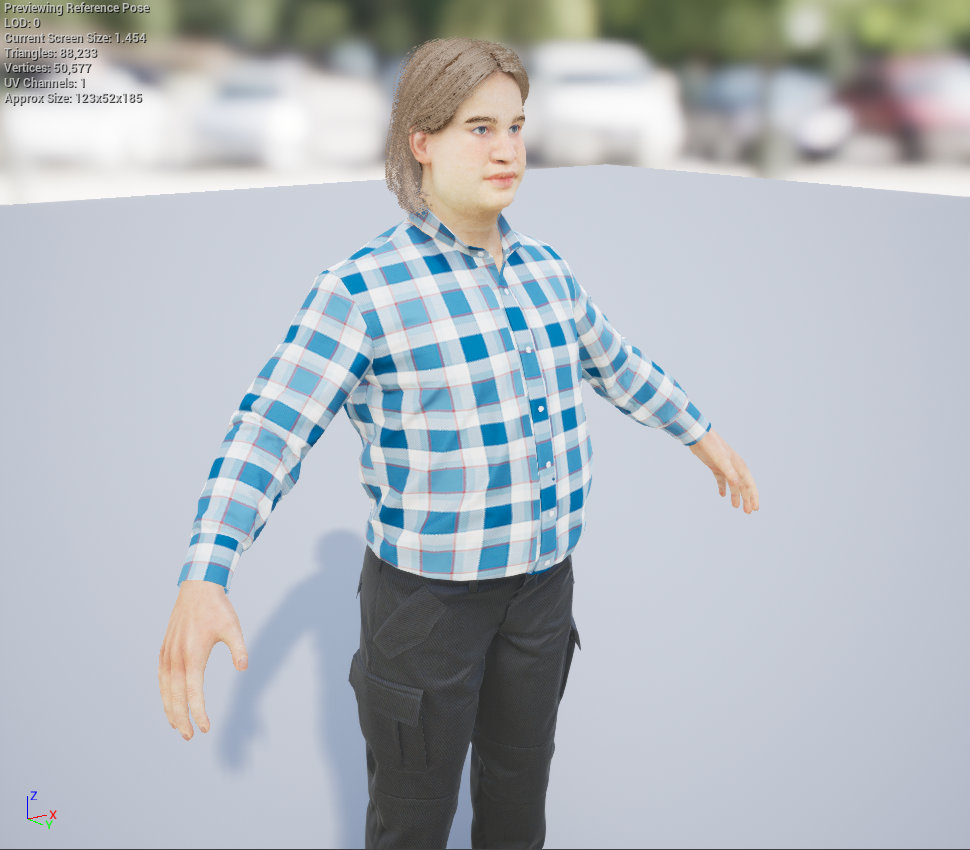
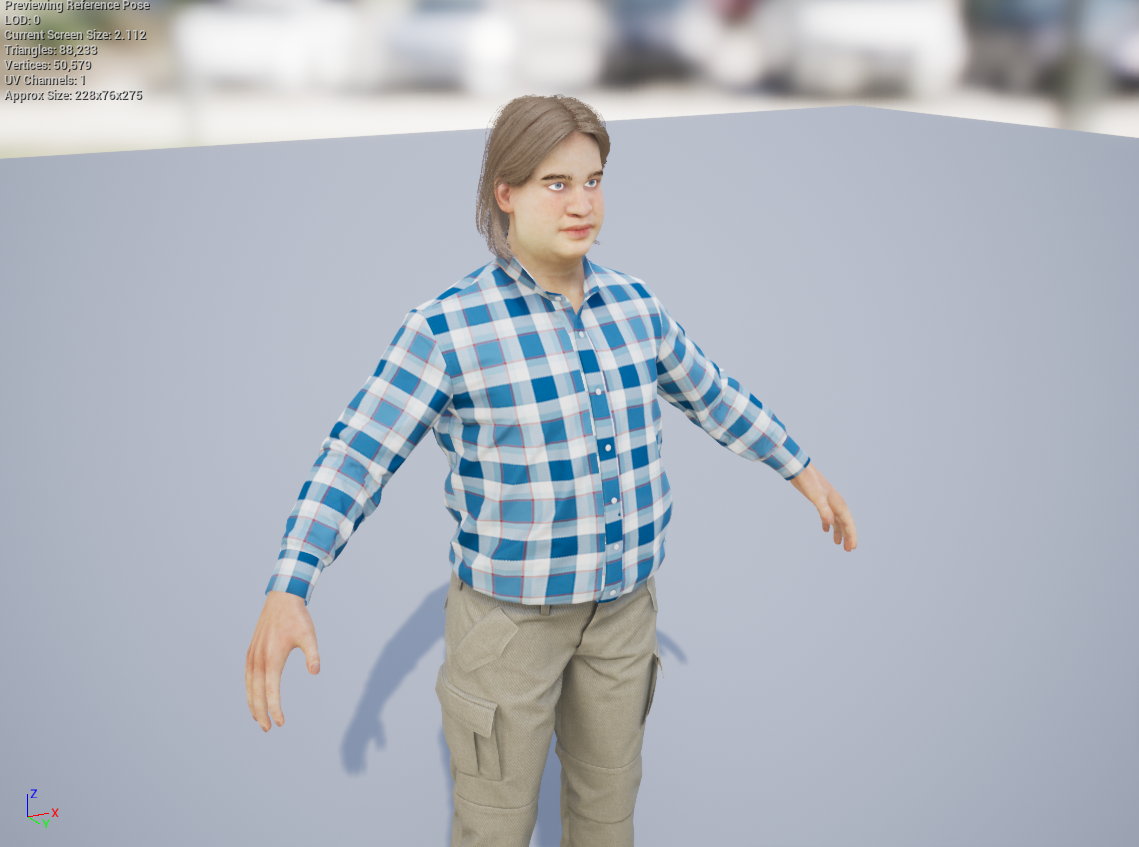 sly hare
That's the thing...
I want to be able to add like vehicles...
And travel options...
wicked kettle
hair render on my main project is blurry so the skin
sly hare
Hmm...
rotund scroll
@sly hare have you considered scoping down and making something work first before you go crazy with ideas?
sly hare
THat's the thing I already have basic functionalities.
rotund scroll
how basic
sly hare
I got understanding of sockets, animating weapons, persons, characters, facial animations, pretty much everything on how to make everything pretty...
And how to create menus etc....
My issue comes in when I want something like my skill tree to actually unlock the abilities I have already made...
I am even having issues on my "Options" Menu as I want those graphical options to be available...
sly hare
I made allot of stuff...
rotund scroll
can you play the game
normal burrow
@wicked kettle is one dx12?
rotund scroll
can you do things in the game
can you complete a level
etc.
this is what you should focus on first
sly hare
YES/
rotund scroll
everything else is just wishful thinking tbh
wicked kettle
@normal burrow where can I see it?
normal burrow
did you enable rtx?
wicked kettle
no
normal burrow
then its probably not dx12
sly hare
@rotund scroll What do you mean wishful thinking?
rotund scroll
I mean it's not helping you create a game
normal burrow
are they not the same versions of the engine?
rotund scroll
it's just placing illusory obstacles in your path
focus on creating stuff first
then see how you can expand it
 zenith flower
What they mean to say, is having ambition is great, but a lot of us learned the hard way to take it easy.
rotund scroll
but if you don't have a game, there's nothing to extend