#ue4-general
1 messages · Page 640 of 1
 plush yew
 normal burrow
rotate it around z
you could also rotate it around the root bone in the anim graph
normal burrow
Hm I’m not sure what you mean horizontal
 abstract relic
Think of this way. The earth spins along the z axis. A ballerina twirls along z axis. When you spin on your office chair, that’s rotation along z axis
 fading vector
Could someone help me with this basic health bar?
I've made one before but I cannot seem to find out what is wrong
abstract relic
Don’t ask to ask. Just ask
normal burrow

abstract relic
I want that
 jolly steppe
someday I'll be able to help people here .-.
abstract relic
Can tell you right now
abstract relic
You should have a Current Hp and Max Hp variable
fading vector
I know, but I can't even get one to display
abstract relic
That way you can divide current with max to get the percentage
fading vector
I just divided by 100 for the time being
abstract relic
Is the bar not rendering?
jolly steppe
dang I'm useless ._.
abstract relic
Can you confirm that it is casting properly?
fading vector
abstract relic
Just throw a print string before the return node
fading vector
The latest
abstract relic
Good
We don’t have to do bp interface then
But let’s try an equally stupid solution
fading vector
Yeah I've been clawing my eyes out over this
abstract relic
Make a pawn ref var in the widget bp at begin play. Then set the var with your target character
Then use that pawn ref var to get hp var
fading vector
What's weird is this works on my other game
Exact same code
This is a new game btw
brand new
abstract relic
Well we can do the equivalent of power cycling and have you delete your intermediate folder 😜
normal burrow
Try putting a print on the other side of the caste crypto. Perhaps that ain’t tunning at all?
abstract relic
and maybe binary if pat doesn’t kill me
fading vector
I suppose the only difference is that this is a sidescroller and the other game is a 2dsidescroller
lol
I can try a print
normal burrow
Never
abstract relic
Check your Maps and Mode in your project settings too. The fact that it’s rendering tells me that there shouldn’t be an issue there but you never know
fading vector
I guess I could've ran the game and looked at the code, shows no indications of even starting, no orange line. nada
normal burrow
Yeah good to check
abstract relic
And check if you set the correct widget to the viewport. All that nonsense
fading vector
normal burrow
How is that function to be invoked?
normal burrow
Not the problem but this is shady
jolly steppe
Still waiting for someone to solve my issue. I don't know where to stick the begin play event node. Can someone show me?
normal burrow
The middle, put it with everything else
abstract relic
I’m not touching that
jolly steppe
lmao someone reacted with a fire
abstract relic
Screen shot your event graph crypto
abstract relic
Please tell me you’re running the function
abstract relic
hud
fading vector
uh
jolly steppe
lot's of terms to remember. it's hard to keep up, lol
jolly steppe
Did you make a new Blueprint or something? Forget to save?
fading vector
Nah, but I recall needing to put something in here..
abstract relic
😛
jolly steppe
Yeah definately
fading vector
Wait am I tripping
My other project
Has nothing there
I must've called it somewhere
abstract relic
I think you're simply using the incorrect get player node
fading vector
See ya
Maybe?
It's the exact same as my other project
I mean I wrote it here, didn't copy it
normal burrow
Is it a binding or something? Tbh not sure how health was shown either
abstract relic
it's a binding
abstract relic
Don't care about that, shoo 😛
first, would like to confirm that the binding is running
fading vector
Okay, so how can I check
abstract relic
just throw a print string before the cast
abstract relic
Next
Check that the binding is applied to the progress bar
in the details panel
I think you already sent a shot of it
abstract relic
just confirm that it is the same function
fading vector
it is
abstract relic
Cool, so try using Get Player Pawn for the Cast
normal burrow
Hm that thing doesn’t print at all?
abstract relic
yay
fading vector
Phew
normal burrow
Woo
abstract relic
it happens
normal burrow
What did you do different the second time?
fading vector
I didn't rename the function
Whats sad is that is a small fraction of what I have to do now
I'll be in chat hanging out and working on this. I'll letcha know if something comes up 😛
abstract relic
What? You didn't compile the first round?
normal burrow

abstract relic
delete those Intermediate and binaries 
normal burrow
fading vector
hmm?
Oh also changed to pawn
which made no intial difference
however it was working after soooo
normal burrow
initial?
normal burrow
So maybe no initial but yea ultimately?
fading vector
The first function, that I deleted didn't work with it
the second one did
but I didn't try anything else sooo
abstract relic
I still think it's conflicting temps
fading vector
I got a question for y'all
normal burrow
Unfamiliar with binds but makes sense
fading vector
How do you feel about event TICK
abstract relic
delete those folder
normal burrow
normal burrow
Why are you capitalizing it?
fading vector
because its awful
normal burrow
Lol 😂
fading vector
Sadly youtube is full of people who use it with no care
normal burrow
Yeah well, it is something that happens every frame
Things happening == time spent
abstract relic
vector square
normal burrow
It’s not as bad as it sounds unless using it wrong
fading vector
I think this is on event tick..
normal burrow
Kinda yeah. It’s kind of the same thing as tick
Just that’s a joystick float
Not the number of seconds
fading vector
So that makes it better?
Oh if you didn't know already. Super new to Unreal engine. Relatively new to programming
So if you think im sarcastic its a genuine question.
abstract relic
Well, for typical movement. You need it to constantly check and run regardless
fading vector
Why not just run off a key press?
 next jetty
can I just say that a while ago, I was plagued by this super strange bug. The reason was I was using the InputAxis node as a tick node for some things, which didn't work out. It was a while ago so I can't remember the details
normal burrow
Yeah what makes tick bad is the amount of things that take time inside it
abstract relic
How would it know when pressed? It still gotta check
normal burrow
Yeah, axis events run every frame like anything else
But
They only run for the thing eating the input
AI no
abstract relic
Indeed. It’s not quite a true tick
fading vector
Wait
normal burrow
Yea
next jetty
no, that fires once on press, and once on release
normal burrow
Actions aren’t every frame no
abstract relic
No
normal burrow
Hm crypto
abstract relic
You’ll move once
next jetty
because movement needs to be calculated every frame, and also consider controllers
abstract relic
Like a hop
fading vector
LOL
abstract relic
And that’s it
fading vector
I see
normal burrow
Having the thing there isn’t what makes it slow
fading vector
So you would have to spam the key to move fast
This is obviously the new style of games
abstract relic
All game characters are technically hopping 😜
fading vector
spam key to run
abstract relic
Just super tiny hops
fading vector
faster you spam faster you go
normal burrow
With input it runs every frame yeah. Calls usually one exec function and it’s done
Lol tiny hops
 fierce forge
when i'm trying to launch my game i receive this error , what i can do to resolve it ?
normal burrow
Delete intermediate folder and binaries
fierce forge
are you sure ?
normal burrow
Hm just realizing that’s a packaged build
 cloud cobalt
Trying to launch where ? Your dev machine ?
fierce forge
i'm trying to launch it like a normal game , it is packaged
abstract relic
Getting a lot of hits on the issue by just googling it
fierce forge
i did but i didn't get any reslove
normal burrow
Aw
abstract relic
You’re joking
normal burrow
Deleting worked?
normal burrow
Well shoooot
abstract relic
Wow
normal burrow
fierce forge
🙂
fierce forge
😄
normal burrow
Lol 😂 apparently even in packaged builds
abstract relic
A bit confused how that’s possible
abstract relic
I’m terribly bamboozled
fierce forge
😄
abstract relic
Just... good night 😜
normal burrow
Lol 😂
fierce forge
what's the time at you ?
abstract relic
Low tide
fierce forge
?
fierce forge
oh , i didn't see it without ping
normal burrow
All good
fierce forge
and a short question , where i can disable opening steam vr at game launch ?
normal burrow
If you find out, ping me please
fading vector
Is there a way to add start content to a project thats already been made?
abstract relic
There’s a big green add button just above your content browser
fading vector
ah ty
abstract relic
It has a magical ability to cease existence from living memory. Had to double check that it exist just now
normal burrow
It’s like the save all button
abstract relic
Bloody of course it is
abstract relic
Maybe it’s the general screen position that has this dark magic
normal burrow
Yeah it’s right next to the green add import button
So I think it detracts attraction from it
Cause big green button is shiny
abstract relic
But no one remembers the green button
normal burrow
There’s a few and it’s tough to remember what is which
It must be that area on second thought
abstract relic
There’s more than one?
normal burrow
The add blueprint button is green I think too
abstract relic
I’m hating this. Good night 😜
fading vector
@normal burrow Can you help me with something?
 exotic thicket
Oh boy... Managed to put UE into a crash-loop...
It's hard to believe how freaking unstable this thing is with my little trivial project... how bad is it with an AAA project... :P
Yep, I changed a function signature in one of my BP functions, and now if I try to open any other BP which called that function... crash immediately, no way to fix the other BP's...
 tame delta
Hey, if I move a blueprint to another place (say from a plugin to another), most references seems to break within it (references to neighbour blueprints and such). Is there a way to fix that without manually going through every nodes?
exotic thicket
Oh good, the BP with the func that I changed still opens... I changed the signature back to the way it was and now the crashing BP's open again :P
I'm really not sure if I'm looking forwards to building anything more complicated lol
cloud cobalt
Just revert in source control and change more carefully
@tame delta Redirectors in config files
Add redirector, move asset, fix redirectors, save all assets, remove redirector
exotic thicket
Yeah... it's just a bit concerning that something that seems like a fairly regular thing to do would just completely kill the editor
tame delta
@cloud cobalt Ah! Thanks a lot
exotic thicket
Guess I'm gonna have to remove all references to the function in the other BP's before I can adjust the signature or something...
 opal coral
Anyone who uses Character who has addressed the issue of snapping onto/off ledges like this? I've tried to modify the code to smooth it out, but it's tricky and I wonder if someone has found a way to make it smooth, in some way or another.
tame delta
@cloud cobalt Sorry for the late ping, but could you elaborate on what you mean by redirectors in config files? I can't find any information on how to manually set up redirectors 😕
In my case I'm moving a bunch of files to a new plugin and a new version at the same time (and a new project I guess, but I assume that's irrelevant)
 brittle gulch
Hi guys, is there a way with Blutility to replace the selected actor by another one?
cloud cobalt
Core Redirects enable remapping classes, enums, functions, packages, properties, and structs at load time.
tame delta
@cloud cobalt Thanks 😳
 polar hawk
low tide
 coarse wigeon
world wide
polar hawk
mr. 305
 gaunt void
how can i stop unreal from hiding my mouse cursor on play?
i dont want to press shift + f1 everytime i press a button
cloud cobalt
That's quite easy
plush yew
Hello, is there any example in C++ using LineTraceSingleByObjectType? I can't figure out how to set up FCollisionObjectQueryParams and FCollisionQueryParams correctly
cloud cobalt
@gaunt void If you're making a game with mouse UI, you can just set your player's input mode to UI
gaunt void
im working on a mobile game, but want to test UI stuff quickly in the editor
already set the show mouse cursor check, also told the player controller to set mode to UI and game
but anyways my mouse gets hidden by unreal after a button is released etc.
and it shows the notification to press shift + f1
cloud cobalt
Did you try UI ?
You can also try the "capture mouse on launch" in your game's project settings
Finally, you can experiment with show mouse cursor on player controller
All of these affect your game - your game, not the editor, is what disables the mouse
gaunt void
i dont get it, sorry.
i have show mosue cursor = true
i dont really care about the capoturing even tho i tried playing around with it.
I simply want my cursor to be visible all the time
opal coral
@plush yew For non-custom channels, you can do for example:
FCollisionObjectQueryParams QueryParams;
QueryParams.AddObjectTypesToQuery(ECollisionChannel::ECC_WorldStatic);
For a custom collision channel, you can make a UPROPERTY(EditAnywhere) and expose the ECollisionChannel to the blueprint, so you can select your custom one from a list. That's how I remember it at least.
cloud cobalt
@gaunt void If you've disabled the initial mouse capture and set your player controller to mouse cursor, then nothing more should be needed
gaunt void
tried both with the capture on launch
is there a setting in the buttons or smthing that may change this?
cloud cobalt
What I mentioned was setting bShowMouseCursor to true in the player controller class
gaunt void
that is from the playercontroller class, but i tihnk i found the culprit
it was a handle cursor visibility function inside one of the plugins im using
thanks for the help though!
cloud cobalt
lmao, ok
cloud cobalt
Error in your code
 cyan grove
can't find any
cloud cobalt
Line 20 of your player controller
I know there is a mistake because your code got UE4 killed by the operating system
Windows even tells you why it had to do that
You tried to read memory outside your program
Commonly known as a segfault
Most common C++ error
cyan grove
cloud cobalt
(Basically your UMG widget wasn't initialized yet when you called code on it)
cloud cobalt
Unless you compiled in debug, lines in C++ are very rough estimates
How is MyMainMenu declared ?
cloud cobalt
Of course you are
If it crashes with your classes in the call stack, like it does, it's 100% always your fault
cyan grove
help me out plz
cloud cobalt
In this case, you did not make all of the UObjects you created UPROPERTY()
So every one that doesn't have UPROPERTY is immediately destroyed by the garbage collector UObjects benefit from
Object gets killed right after being created, pointer is set to nullptr, you then call code on nullptr, resulting in access violation
LoadGameButton is the first such mis-declared object
So it's the first to crash
Like the debugger told you - it is nullptr
cloud cobalt
Like that
The C++ tutorial in the official UE4 documentation should have explained this already
cloud cobalt
What's the call stack now ?
cyan grove
fixed, on chash/reload
how to i exit game in cpp?
by not using Execute Concole Command BP
cloud cobalt
Requests application exit.
cyan grove
thanks
cyan grove
Where i can get more documentation or find how to set vertical box visibility on/off
plush yew
If it's widgets related, look at ESlateVisibility:: @cyan grove
cyan grove
i mean i need to know even how to define it in.h if needed
Need to switch between menu and level difilculty
@plush yew you know?
 timid grotto
It used to be that when the editor launched, It would ask me to continue where I left off, thus opening all the classes I had open. Now it's not asking any more, how do I enable that?
 heady quartz
 rain venture
alright so, appearently, the reason why unreal engine wasn't visible on my screen was because my amd software automatically turned on the anti-lag options to improve performance
now those are disabled, and now I can see the main interface
but
yesterday the epic games launcher got an update
and idk why, but launching unreal engine from there gives me a failed to launch editor error
so now I have to open unreal engine without the launcher
brittle gulch
Hi guys, what if I use ConstructObjectFromClass to spawn an actor instead of SpawnActorFromClass?
 ruby wadi
Why are the cable actors doing their thing only on every second frame of a sequencer animation?
 vernal dock
hey guys does anyone know how to use the websocket-onMessage() function
i read the docs but i cant figure out what to do when a message is received by the server
iwebsocket->onMessage()
ttps://docs.unrealengine.com/en-US/API/Runtime/WebSockets/IWebSocket/OnMessage/index.html
 fathom glade
I'm playing around with physics, anyone know how I can disable all forces except gravity?
tame delta
Anyone knows how to Migrate assets from a plugin to another? I may be too tired but I don't understand Core Redirects or how to use them 😕
 next ivy
There was a game I believe I saw here a while back which was like a classic 3d zelda game and the protagonist had a gun and a sword - anyone know which game this was?
@fathom glade IDK whether or not there's something built in but it should be pretty easy to apply a vertical acceleration downward and disable physics.
tame delta
@next ivy Oh yes you're thinking of Bloodborne
fathom glade
@next ivy I can't set vertical acceleration downward if I'm disabling physics body. (which is how I'm disabling physics)
I tried lerping the position with a linetrace downward but that doesn't seem to work for me, the linetrace downwards always gets messed up.
next ivy
Dont think so lol Cafe
@fathom glade Not sure if you're into C++ or only blueprints but if c++ the movement code is handled by SaveMoveUpdatedComponent in MovementComponent.cpp/.h
fathom glade
I'm only using blueprints.. Darn.
tame delta
@next ivy Yeah don't know, there must be thousands of 3D adventure games with guns and swords 😛
next ivy
Haven't gotten into movement in blueprints I know its possible but I am not familiar wit hit
Yea this one just looked very classical I want to say it was actually a sequel and it had the cartoony graphics and all
fathom glade
I'm just trying to get an object that I dropped to not respond to any forces other than gravity. Why is that so hard!
😵
plush yew
I'm trying to save out settings for my in-dev project to customize the Splash.bmp & EdSplash.bmp, does anyone know where these settings are stored? In the Editor it claims these settings are written to Config/DefaultEngine.ini but I don't see these properties written in there, even when I change them and export them
cloud cobalt
IIRC there aren't any setting
You just edit these files directly
They're in Binaries or something
plush yew
Seems like it must be saved somewhere, the engine knows how to load the correct BMP for the project once it's set
 main fulcrum
Does anybody know a good system out there that can be used for Sea/Ocean and is good to build on top for a sailing/adventure game?
cloud cobalt
@plush yew There is no setting, seriously
The file name is hardcoded in the engine
const TCHAR* SplashImage = GIsEditor ? ( GameName.IsEmpty() ? TEXT("EdSplashDefault") : TEXT("EdSplash") ) : ( GameName.IsEmpty() ? TEXT("SplashDefault") : TEXT("Splash") );
From Engine/Source/Runtime/ApplicationCore/Private/Windows/WindowsPlatformSplash.cpp
main fulcrum
upss sorry folks, wrong chanel
brittle gulch
When I use structs in a function, all the struct components are loaded in the memory right?
So if I want to create a long ass struct, but use only one component at a time in a given function, is will waste memory?
plush yew
I'm not interested in changing the name of Splash.bmp or EdSplash.bmp, just the path.
plush yew
It's built into the editor, so I don't see how you can legitimately claim that
cloud cobalt
Well you can very easily, just change the engine source yourself and recompile it
You never change this in the editor
The editor lets you overwrite the file with new content
It doesn't let you change the actual path
Like I said
plush yew
Sure, that's nitpicking. No one cares whether the existing BMPs are used or not, only that you can point it at the new file path
cloud cobalt
You can't
plush yew
And where that gets written
cloud cobalt
You never, at any point, change where the splash screen is in the project
You just overwrite it in Content/Splash/Splash.bmp
Either project dir, or engine dir if not found
vernal dock
can anyone help me with the. iWebSocket->onMessage() function....I got my basic node websocket server set up but i dont know how to handle receiving messages i can only send messages to the server please help me
plush yew
I see, so when I select the bmp I want to use it just copied it to that location
cloud cobalt
Yes, like I said right at the beginning
cloud cobalt
cloud cobalt
The usual Slackers experience
tame delta
I've been on both sides 😄
plush yew
That's not really clear from my end since those files never existed in my project until I added them
cloud cobalt
It is indeed not clearly explained
 dire flame
hi, I'm really new to unreal and have a question about blueprints. Im currently working for my university course and I cant seem to find out what I need to do: I have a camera and this component needs to have an Target input, how do I achieve this? https://i.imgur.com/n5kwUiE.png It should look like this, but at the moment I only have the camera component in my blueprint?
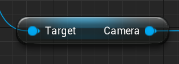 tame delta
@cloud cobalt Sorry to tag you again, but I'm trying to port a bunch of files from a plugin (SteamVRInput) to a new one (SecmaVR). When moving that plugin to 4.24 on a new project, it complains with stuff like : DoesPackageExist: DoesPackageExist FAILED: '/SteamVRInput/Sample/Characters/Hands/HandPoseEnum' which I guess is expected.
So I'm trying to set up redirectors, and this is what I got in Plugins/SecmaVR/Config/SecmaVR.ini (which I assume is searched automatically, I haven't linked to that file anywhere):
[CoreRedirects]                                                                                                                                                                                                                                                                                       +ClassRedirects=(OldName="SteamVRInput", NewName="SecmaVR")                                                                                        +PackageRedirects=(OldName="SteamVRInput",NewName="/SecmaVR/",MatchSubstring=true)```
I don't know exactly which kind of redirect I should use or if it's proper syntax but I went along with the doc, and the result is the same (still looking for `/SteamVRInput/...etc` and failing.(By the way I tried to just migrate the entire content since it's really just a couple folders with assets, but you can't migrate between plugins it looks like. I don't get the option to)
cloud cobalt
Is SteamVRInput an actual class ?
vernal dock
can anyone pm me on how to get iwebsocket->onMessage() function to work??
tame delta
No it's not, I just put that in as is, SteamVRInput is just a plugin
I guess that line is superfluous, just wanted to see if it would do something, the doc is pretty terse
 thorn vector
hi i wanna ask its not ows related but anyone know what i should use for object there https://gyazo.com/b419125bba3ac67cb649871d987db94d cast to horse failed
 cloud cobalt
I think you need to redirect actual individual classes
tame delta
Individual classes?
Well I just want to redirect everything, every asset pointed at by BPs...etc
I don't have any C++ classes in there
cloud cobalt
I don't know if you can redirect entire folders
By the way, can't you move content between plugins in the content browser ? 🤔
tame delta
I can, but if I do that the blueprints break
They still look for the folder in SteamVRInput
Oh you mean move
I just copied them
tame delta
Yeah, that's why I didn't try to move it tbf
but it's versioned it's alright
Ok I'll try that out thanks 🙂
cloud cobalt
Don't forget to fix redirectors + resave all assets before trying to delete the old one
tame delta
Oh, well they probably haven't created any redirectors since I just copied them right
Also are redirectors just .uassets containing a link?
Or are there stored somewhere else?
cloud cobalt
Nah that's it
The problem is making sure all assets referencing redirectors get saved, which reads the reidrect and updates to the new file
tame delta
Oh yeah gotcha, I haven't actually spawn any of those assets or have any actor reference them for now since I'm just trying to migrate it
 dim merlin
Hi, anyone knows anything about RuntimeVirtualTextures, and knows why its not working at runtime 😛 ?
tame delta
But yeah I need to make sure to fix redirectors before moving it to the new version though
 flat axle
Does anyone know how to get UE4 to read .ipa files from Autodesk Inventor Pro?
tame delta
@flat axle I know Datasmith can consume Autodesk stuff, don't know about the details though
looks like it reads .ipt and .iam, if that speaks to you
flat axle
ipt will work, thanks
 chrome needle
guys pls help
im totally unable to enable rtx raytracing in ue
i have rtx 2080ti 2gtx titanx
fresh drivers , fresh ue
cloud cobalt
Are you running UE4 in DX12 with Windows 1809 ?
 serene birch
are you on Windows 10 v1809
chrome needle
ive read it 1000times
did everything step by step
ok not this one
😄
but theres a smaple project at start
with ray tracing enabled
i opened that one
still doesnt work
tame delta
Damn, despite moving it, saving all, fixing redirectors 😞 https://i.imgur.com/YsyTpHR.png

Somehow I think I have less BP errors, but anything in SteamVRInput should have come along
cloud cobalt
So, it's possible that this comes from code
tame delta
@cloud cobalt Maybe, but one of the BPs (BP_MotionController) is lighting up like a red christmas tree
cloud cobalt
:/
 next badger
@chrome needle open Nvidia control panel and go to System Information (lower left corner), make sure you have CUDA cores listed in details, and CUDA driver in Components
vernal dock
can someone please pm me on getMessage for ue4 websockets pleeeereraseee
next badger
RTGI is disabled by default
bets way to test RT is reflections
next badger
in console
next badger
oh, yep, my bad, pp volume does not require the cvar
next badger
so, how can you tell rtgi is not working?
chrome needle
chrome needle
in ue ?
next badger
yes
chrome needle
not on my monitor
never
i always see this washed out stuff
this is not real lighting
like an ambient lighting behind the whole scene
next badger
well cause you have the skylight there
chrome needle
but its turned off
next badger
is it?
next badger
btw, we have #aec-visualization channel for this type of questions
serene birch
no skylight?
next badger
@chrome needle yep, thta looks like sun only
serene birch
UE 4.24 has a neat plugin that basically puts a whole sky and directional light for you with realistic parameters
you could try that to light up your scene quickly
next badger
iirc there was a scene with raytracing set up on launcher
next badger
next badger
@chrome needle show the GPU Stats
chrome needle
how ?
next badger
sorry, Stat GPU console command
vernal dock
CAN SOMEBODY HELP ME IM RAGGING OVER HERE
chrome needle
next badger
indeed, no raytracing
chrome needle
(it works in unity)
next badger
@vernal dock #multiplayer probably your only chance
cloud cobalt
Are you running in DX12 ?
serene birch
that's what I'd suggest checking too
cloud cobalt
Like basically open the output log window (in developer tools in the menu)
Copypaste all of it, put it on pastebin.com
Give us the link
chrome needle
cloud cobalt
I did say output log window, so yes
next badger
@cloud cobalt no need to be angry, he just started to use ue4
chrome needle


 serene birch
wait, you have 3 GPUs in your computer?
LogD3D12RHI: Found D3D12 adapter 0: NVIDIA GeForce GTX TITAN X (Max supported Feature Level 12_1)
LogD3D12RHI: Adapter has 12239MB of dedicated video memory, 0MB of dedicated system memory, and 16332MB of shared system memory, 2 output[s]
LogD3D12RHI: Found D3D12 adapter 1: NVIDIA GeForce GTX TITAN X (Max supported Feature Level 12_1)
LogD3D12RHI: Adapter has 12239MB of dedicated video memory, 0MB of dedicated system memory, and 16332MB of shared system memory, 0 output[s]
LogD3D12RHI: Found D3D12 adapter 2: NVIDIA GeForce RTX 2080 Ti (Max supported Feature Level 12_1)
LogD3D12RHI: Adapter has 11048MB of dedicated video memory, 0MB of dedicated system memory, and 16332MB of shared system memory, 0 output[s]
impressive stuff 🙂
polar hawk
lmao I had to click the log after that statement
serene birch
also, UE4 seems to use your GTX TITAN X right now
cloud cobalt
Which should support DXR
chrome needle
because i have no money for 3rtx 2080ti
polar hawk

chrome needle
im starter architect
polar hawk
next badger
maybe ue4 just was like "WTF?" and disabled the rtx?
cloud cobalt
UE4 will only use one anyway
chrome needle
im doin my renders with redshift but i'd like to try out ue i saw impressive things
i tried to set ue4editor.exe to use rtx in nvidia control panel
but still no success
cloud cobalt
Yeah, it's a game engine, it doesn't care about mutiple GPUs
 hollow anchor
Hi, for RVT runtime virtual texture on landscape i can not get it to work, in the setup with VirtualTextureFeatureSwitch it just uses the regular material, and if i set it to RVT only its just black. Followed the documentation and the livestream to the dot 🤨 Anyone can help?
 brave widget
Yeah, well excuse my our ignorance then
next badger
@brave widget
For most low level features in Unreal Engine we use console variables to give user control. For this feature the console variable is called "r.GraphicsAdapter". You can type the console variable name into the OutputLog or in the game console to get it's current value and the help using "r.GraphicsAdapter ?". This is the console variable help:
User request to pick a specific graphics adapter
(e.g. when using a integrated graphics card with a descrete one)
At the moment this only works on Direct3D 11.
-2: Take the first one that fulfills the criteria
-1: Favour non integrated because there are usually faster (default)
0: Adpater #0
1: Adpater #1, ...
been there since 4.1
chrome needle
it says its read only
chrome needle
yas
brave widget
My apologies
chrome needle
where is that please ?
next badger
@brave widget nothing for, i just hope it helps you if you had similar issues
next badger
@chrome needle Engine/Config/ConsoleVariables.ini
chrome needle
chrome needle
; ?
next badger
in the file
chrome needle
; is missing ?
next badger
= is missing
chrome needle
o yeah
vernal dock
how do i call a delegate method that ue4 made
class FWebSocketMessageEvent : public TBaseMulticastDelegate_OneParam< void, const FString & >
i need to call this delegate method
Delegate called when a web socket text message has been received.
FUUUUCUUCKCUCKUCKUCKUCKU
chrome needle
man i cant believe i cannot make this work
r.GraphicsAdapter = "1" LastSetBy: ConsoleVariablesIni
still no gi
next badger
i'm sorry this list doesn't tell me anything
chrome needle
how can i tell its num?
next badger
i think it's in the logs
log folder
will be like:
Adapter has 0MB of dedicated video memory, 0MB of dedicated system
memory, and 1792MB of shared system memory
Found D3D11 adapter 1: Microsoft Basic Render Driver
Adapter has 0MB of dedicated video memory, 0MB of dedicated system
memory, and 256MB of shared system memory
LogD3D11RHI: Chosen D3D11 Adapter Id = 0
card 3
next badger
"Found D3D11 adapter X" <- here your number
tame delta
Hello, I'll reiterate my question because I'm stuck right now and I don't want to bother Stranger any more, but I'm trying to upgrade to 4.24 (it's pretty crucial that I do, believe it or not) and I'm trying to move content from a plugin to a new plugin in 4.24. I really just need to move the content folder but everytime I do it still tries to access the old folder and fails. I've tried:
- Copying the file and setting up core redirects
- Moving the file to the new plugin through the editor
- Migrating the file to the new plugin.
Everytime making sure I saved, fix redirectors (although it appears to do nothing, I don't even get a loading bar or popup). But it always fails in the same way and my blueprints end up utterly destroyed in red spaghetti
next badger
@tame delta you have 2 plugins running at the same time?
tame delta
Any idea is greatly appreciated, it's all versioned so I don't mind experimenting and destroying it
@next badger No
next badger
they what are you "moving"?
tame delta
So I have SteamVR plugin in 4.23, I'm moving it to a custom plugin (I only care about the content) that is used in 4.24
Oh sorry yeah I guess for when I move I have both of them on 4.23
next badger
so, you have 2 plugins
tame delta
One of them being empty
Yeah my bad
One of them is literally just a content dump though
Which is what I want 👍
next badger
and it's a plugin content?
tame delta
Yup
next badger
then you can't move it
you have to move it in the plugin project
it's a bit mess -_-
tame delta
Hmm what do you mean?
Honestly I got those big BPs that break everywhere, anything is better than trying to fix that
next badger
@tame delta you have a project, that loads a SteamVR plugin, which is - Engine Plugin (it's installed in the Engine Folder)
means every change there will affect all the other projects (and probably ue4)
tame delta
@next badger Yeah actually I thought about that, and that's what is screwing me over
I hacked through the manifest/descriptor trying to get rid of everything but the content
then I'll just have to safely rename the plugin and I should be good 🤔
SteamVR is only embedded in the engine in 4.24, in 4.23 it's external
which is the cause of my misery btw
next badger
oooh...i see now
tame delta
Yeah
If you wonder why I would want to port the plugin over considering it's now part of the engine, it's because I made direct changes to the BPs and added a bunch of stuff (because it was the best way to deal with my use case)
(and still probably is tbh)
next badger
and have you asked on #virtual-reality ?
tame delta
No I haven't, it's not really specific to VR, but if what I'm trying to do fails I'll probably do that yeah
Or ask runeberg directly. Even though I hate doing it 😦
next badger
it's just maybe people who use SteamVR are there
 grim ore
why not disable the two titans termporarily so it only has the 2080?
device manager, disable. repeat. launch ue4 from scratch. profit?
make sure project is set to rendering level dx12 in the default renderer for the windows platform
make noisy DXR renderings
chrome needle
all my cards are dx12
fierce forge
hello how i can disable destructible mesh chunks collisions ?
next badger
mmm...looking good
chrome needle
postprocessingvolume needs to be so big to eat the whole scene ?
jolly steppe
ray tracing?
chrome needle
or it only needs to be added
next badger
@chrome needle no...pp volume only affects the camera position (if camera inside it or not)
you can check unbound on it
and it will affect whole level
serene birch
you can check an option on the postprocessingvolume to make it infinite
chrome needle
it doesnt work
my scene doesnt care about pp volume
when it comes to gi
only console commands
brittle gulch
Guys, I have a problem with loading level instances. Even though I load an Empty level, I still have a lag when it load (PIE). Is that normal?
jolly steppe
I imagine it is if you have a lot of stuff in the level or if you're casting to a ton of stuff in your code.
I'm a noob though so idk
brittle gulch
But the level is empty
jolly steppe
What about the level blueprint?
brittle gulch
the same, I had the problem with a level with some actors in it (a dozen), and I decided to try out with an completely new level. And it does the same
jolly steppe
or your character blueprint
Did this just start happening? If you start a new project is it fine?
dim merlin
hi, why is my performance so bad when i enable tessellation on a big terrain? its seems poorly optimized..
vernal dock
Can someone please help me with handing a response from a websocket server
jolly steppe
tessellation is a heavy workload. I know that much. You might have to set LOD to make tessellation not render at a certain distance.
I don't know how to do that with terrain though.
jolly steppe
hmm, I'm not quite sure. I only messed with Terrain once but I haven't used tessellation yet. not even on basic materials on actors.
brittle gulch
Okay, I think I know why. It's because UE4 is installed on my hard disk and not the SSD, and I think that level streaming in PIE and in build act differently. It seems that each time it streams or unstreams a level, it grabs it from the disk. But when it plays in build or standalone, it probably loads every levels once in the ram or in the SSD and then loads them on the fly more rapidly.
flat axle
Is it possible to migrate all assets to all projects and all future projects?
grim ore
one project at a time or you can create a custom content pack and import it into your projects
or I guess a custom template that includes the assets that you start new projects with would work as well
chrome needle
when youre ready with lighting setup how do you render out the scene ?
flat axle
What is the directory for starter content?
grim ore
FeaturePacks is where the packs are stored
jolly steppe
@chrome needle You can build the scene or select build lighting only
chrome needle
jolly steppe
not sure what that is. I think you might be forcing all lighting to be dynamic??
chrome needle
i have no idea
grim ore
its a setting in the world settings that disabled static lighting, so yes all dynamic
keep in mind ray tracing is not used for static lighting
chrome needle
so how can i build the scene ?
chrome needle
i dont turn off raytracing lol
jolly steppe
or it's technically already built since it's all dynamic?
grim ore
go to your world settings, go to the lightmass section, go to the advanced part, and disable the force no precomputed lighting
grim ore
yep
grim ore
chrome needle
it says lighting build completed
grim ore
this is a good video to watch btw
grim ore
DXR is noisy
chrome needle
of everything
grim ore
adjust the settings, watch that video
chrome needle
ok
grim ore
the entire video is a good watch for how DXR works in UE4
but in the end DXR is realtime and will be noisy when pushed to high quality
jolly steppe
ooh nice
normal burrow
Thin things like hair cards still look super greasy on RTX
Not as bad as it used to look a year ago though
jolly steppe
I'm glad consoles are getting ray tracing
I'm hoping for some optimizations in the near future
chrome needle
this program is extremely difficult to use
jolly steppe
and something better than RTX
normal burrow
I do hope RTX is a bad dream
jolly steppe
😂 could be the start of something amazing
normal burrow
Or a way to charge more for cards that aren’t a whole lot better than their predecessors
jolly steppe
If that's the case, I'm good with my 2080ti for the rest of my life.
 honest rune
for the price I'd hope so lol
honest rune
I'm still jelly
honest rune
rocking a gtx 960 still
normal burrow
you could get a 1080ti and be about 90 percent of the power of a 2080ti
jolly steppe
get a 1080 and you'll be golden
normal burrow
without dxr
honest rune
actually I really want a 1070 ti
grim ore
I had a 1080, upgraded to the 2070 super. Happy with the performance uplift for everything and the DXR support
jolly steppe
every game I've played with RTX with the exception of Call of Duty runs at about 60-70 fpx and is a noisy blurry mess
WITH A 2080TI
normal burrow
I thought those cards were similar in performance if not identical, 1080 and 2070 super
jolly steppe
Call of Duty runs like butter with RTX but you can't hardly tell a difference.
normal burrow
outside of rtx i mean
grim ore
shrug control and Wolfenstein twin sisters works well for me with DXR and DLSS on
normal burrow
twin sisters lol
jolly steppe
Control runs at like 70 with RTX on
and it looks like trash
well
maybe not trash
grim ore
2070 super is about the same perf as the 2080 normal which is about the same perf as the 1080ti so it's an uplift from the 1080 normal
jolly steppe
but it's not great
grim ore
plus if you just justify the upgrade as "for work" since I needed DXR support for a few things it's a win win 😉
jolly steppe
fuck Ngreedia : /
grim ore
pretty much yep @normal burrow
jolly steppe
but AMD ain't no better
honest rune
hey off topic but just curious. Since MaxPlayers within AGameSession is decorated with GlobalConfig, do I have to recompile the engine with it marked as Config if I want to allow for GameSession subtypes to define their own MaxPlayers, MaxPartySize etc?
worried I'll waste a half hour building only to break my fork from changing it to Config lol
normal burrow
amd needs to rock nvidia, i kind of hope they pull an upset like they are currently doing by announcing the 4th gen ryzen desktop cpus next week
no phantom
chrome needle
it says light building completed still looks crappy
jolly steppe
I was sorely disappointed with the 2080ti when I got it. I thought "I'll just get a 2080ti and play at 1440p to increase frame rate" since all the videos I watch were mostly testing at 4K
that's not how it works
RTX bottle necks the card
honest rune
I though GlobalConfig implies subclasses can't override in configs
jolly steppe
tensor cores need to be stronger so that they can shove more samples per frame... I think that's how it works, lol.
@chrome needle tbh, I think you'll have to keep tweaking settings to get a good balance of appealing visuals and less noise and performance.
normal burrow
https://youtu.be/6m4EXlmuwvU?t=60 at least unreals implementation has improved since a year ago though
i haven't checked out how much better gi has become
i'll look into it phantom
honest rune
@normal burrow nah its alright. I'm pretty sure I have to if I want to specify subclass defaults in configs so I'll give it a shot. Worst that happens is I rebuild lol
jolly steppe
can't find the setting to soften the shading for the skylight or lightsource
_<
using ray tracing just for fun
 rotund scroll
in a third person character, is it possible to rotate the capsule without rotating the camera with it?
grim ore
if the camera is not set to use the controller rotation it should be
the default TPP template rotates the player without the camera locked to it
rotund scroll
using capsule rotation or set control rotation?
grim ore
depends on your character and controller and cameras settings but just adding/settings the actor rotation should rotate the capsule itself and not move the camera if the camera is not locked. If you set the control rotation it should rotate the camera but not the actor if the camera is not locked
grim ore
the default TPP works like above, add actor local rotation rotates the capsule and the camera does not move (so you can see the player spin in place for example). Set control rotation keeps the player from moving and spins the camera around the player
fierce forge
How I Can Resolve This ? It is from a destructible mesh
this walk on pieces from destructible mesh make me to jump to space , how i can resolve it ?
 golden magnet
so how tall is the default ue4 character then? i keep seeing different values online
abstract relic
The mannequin? Roughly 180 cm
rotund scroll
@grim ore thanks I got it working without the camera
what's 180 cm in real world measurements
abstract relic
180 cm
fierce forge
so can somebody help me ?
rotund scroll
@fierce forge disable physics on your destructible mesh
rotund scroll
from?
normal burrow
@grim ore do you have a video on how to make an editor only module for c++?
fierce forge
rotund scroll
the reason your character is going into space is presumably because of janky physics
but I don't know tbh
 brave gate
@normal burrow just copy-paste this, it's the empty stub, Target.cs and 3 files in MoodEditor
and replace every "Mood" with your project's name
https://github.com/DoctorErgot/MoodBlenderComponent/tree/master/Source

GitHub
Unreal Engine 4 tool for easy managment of weather/mood states in the world - DoctorErgot/MoodBlenderComponent
after that add editor module entry to your .uproject, the same as runtime one
only change Type to Editor
vernal dock
normal burrow
ehh yeah doctorergot
more looking for a thing that explains how to set it up. Know how to do it, but matheww usually has a video for everything
brave gate
oh, ok 😄
but do you have a runtime module already? I'm asking because anatomy of editor module is exactly the same
the key difference is that editor module aren't included in non-editor build, really
grim ore
@normal burrow I do not, I try and limit the amount of C++ content I have
grim ore
less enjoyable to work with for me than BP. I do try and cover stuff that is UE4 specific and C++. I should cover plugins at some point but laziness is winning on that one lol
rotund scroll
@grim ore I noticed there was no video on game mode the other day
as I inadvertently told someone to go watch taht
is that something you're planning on doing?
or does it exist and I just couldn't find it?
grim ore
nope you are right, the master list shows it missing lol. Game state as well from the looks of it
 dim plover
Mathew, I'm just saying, there's no video on how to Quaternions for gamedev on the entire Internet.
So... if someone made it... I'm sure it'd be a huge hit.
rotund scroll
nobody really knows how quarternions work though
they are mystical 4 dimensional beings
grim ore
lol I actually don't have most of the game frame work covered in WTF videos I noticed. I cover them in my game series. I think I never covered game mode because it's so robust if you wanted to cover it all
@dim plover and that is so not true, it's why i have this bookmarked lol https://www.youtube.com/playlist?list=PLW3Zl3wyJwWOpdhYedlD-yCB7WQoHf-My
now I wonder if I need to add the other gamexxx stuff like game state and mode 😦
dim plover
I was not aware of that playlist. I am about to become a mathematician.
 lyric timber
omg thx
grim ore
yep it's a good start for game dev maths 🙂 there is uh also this one if you really want to hurt your head in general math https://www.youtube.com/channel/UCoHhuummRZaIVX7bD4t2czg
I keep a ton of that high level crap subscribed to since you never know when you might want to learn 🙂
next badger
@lyric timber most useful nodes are bound to hotkeys
 worthy flame
im not sure what to look out for, but how to make lighting realistic, so its not white. so its colored. is it the only thing to change light color? or there are other stuff I can check out
currently its looking pale
rotund scroll
afaik you either choose to offset light color or material color
but not both
and if you have vibrant colors in materials, it pays to desaturate the light color
worthy flame
mind if i ask for opninion what is best here?
worthy flame
what 😂
worthy flame
it is bleaching it a little
next badger
it is
worthy flame
dont care about the textures, this is just me learning
so to change the light color?
next badger
what you care about hten?
rotund scroll
there's a guy on youtube that does lighting art masterclasses
next badger
Unreal Engine Forums
This is the place to show, share, and link to your stuff!
next badger
the playlist right at the beginning of post
worthy flame
yup this is what I need thanks
rotund scroll
helped me build proper light art for another project
 proven aurora
Is there a way to select objects through other objects? I've got an entire room filled with props and I'm trying to select the whole thing at once. I was hoping marquee selecting in wireframe mode would do the trick, but it still only seems to select the objects at the front.
fierce forge
i need to package my game with project launcher or i can just package my game with package project to publish it ?
 cerulean sorrel
new to unreal engine do i have to learn all these nodes just thinking about it makes me want to quit allready
 sudden agate
use c++ then
 naive burrow
@quartz ibex wuut ur here too?
 hexed dock
I'm trying to package up an apk that I can hand my boss and he can try on his Quest with sidequest. I kind of asked this before, but how does one do this with UE? I only got it to create an apk+obb files and required an install script to put it in a very specific place (not sure if it matters)?
 worn granite
@cerulean sorrel flip the script on this.
You get to learn different ways to do things, so you can make things in a simpler or easier way.
Different tools, or nodes, work in different situations
same thing with the classes of the engine
cerulean sorrel
what
worn granite
nobody else started knowing all the engine
worn granite
Take it slow, its easy to be overwhelmed
worn granite
I would pick up from the official youtube channel
cerulean sorrel
i don't even know what most of the nodes even do
worn granite
the videos can be a bit old but the core concepts haven't changed
follow a tutorial series, maybe. @grim ore has a great series, "WTF is"
cerulean sorrel
who
worn granite
search that on YouTube. "MathewW unreal"
 gleaming wing
Hello everyone
gleaming wing
I'm having a somewhat problem with state machine, i wonder if you can help me @cerulean sorrel
cerulean sorrel
sorry i'm new to the engine
gleaming wing
Ohh okay xD
Me too, tbh idk what is wrong in my logic
gleaming wing
I want to make the character play a stop move animation
But if while you're playing
cerulean sorrel
i did too with death but my eneded up looping for some godam reasson
gleaming wing
you like press WSAD, it stops playing the stop moving and go back to moving again
cerulean sorrel
ok wait that would be
gleaming wing
I have this cycle
I'm trying to make stop going to idle if i stop moving
But start moving again if i try to move
And interrupt the stop animation
cerulean sorrel
thats my prob i did that with a death thing when hp =0 but diidn't work
WhhhhYYYY
gleaming wing
Pretty sure that conduit solves your problem
Damn i just saw a tutorial about that death thing lol
cerulean sorrel
yes that one
cerulean sorrel
i can't beleve a game like ark just think
im sure you need transition rules in between @gleaming wing
or it won't know which one to go to
 craggy flax
can anyone help troubleshoot something? New to blueprinting so not sure where I went wrong.
Error code:
Blueprint Runtime Error: "Accessed None trying to read property CameraPawnRef". Blueprint: MayorController Function: Execute Ubergraph Mayor Controller Graph: EventGraph Node: SetActorTransform
Blueprint Runtime Error: "Accessed None". Blueprint: MayorController Function: Movement Speed Calculation Graph: MovementSpeedCalculation Node: Return Node
 lament saddle
the error means the CameraPawnRef variable isn't set -- it's empty
so you have to figure out where it's set, and make sure it's doing that
before you execute the stuff in your screenshot
that's all I can say, generally
gleaming wing
@lament saddle do you know anything about my stop state machine problem?
lament saddle
sorry, never worked with AI/animation before
craggy flax
@lament saddle thats what I assumed, but I def have CameraPawnRef Variable Type set to 'Mayor Pawn"
or is there more to it than that?
lament saddle
without knowing the particulars of your project... Your "Camera Pawn Ref" variable probably accepts a "Mayor Pawn" actor reference, but for some reason the variable is unset -- it was never given a particular Mayor Pawn actor reference in the gameworld
so your SetActorTransform node is saying it has no target to work with
hence "Accessed None"
 brave turret
Making animations
craggy flax
This at least narrows down where my trouble is, I appreciate it!
brave turret
In a call
Hes using steam vr and running across the floor for a dog animation
He's now punching the wall
gleaming wing
I think i know the problem now
I have a problem regarding my stop moving state machine. My character is playing the stop animation only if i try to move (WSAD) while the stop animation would be playing. If i let go the keyboard she just snaps from walk/jog/run to idle, but if i try to move immediately after letting go the keyboard, them it plays the animation.
Someone can lay me a hand with this?
 spice canopy
@gleaming wing are your input action or input axis events allowed to execute all the way to the end if they have a zero value?
For axis events look for whether zero value still goes all the way through all the nodes. For action events check for released pin
spice canopy
Hmm ok then i guessed wrong on that problem
Unless the playingequipanimation variable is true
Have you tried stepping through with breakpoint debugging?
gleaming wing
I plugged out the node alredy, it isn't that
gleaming wing
spice canopy
The problem is on the transition between walk/jog/sprint and stops?
gleaming wing
yeah, the problem is definetly at the stop
i guess that the problem is between stop and idle
spice canopy
Have you watched the state machine changing while you play the game? Sometimes it helps to preview the state machine by changing the preview variable values in the state machine editors preview
Double click the transition icon and see how it works
gleaming wing
Just did it again so i can tell you whats happening
Basicaly if i start moving it goes to the walk/jog
craggy flax
Man I just can’t track down why this variable isn’t set properly.
spice canopy
What does the transition graph look like, when you open the transition node?
gleaming wing
If i let go the keyboard it goes to stop
but it doesnt play the animation
Only if i try to move again while at the stop on the state machine it plays the stop
spice canopy
What does the stop state graph look like?