#ue4-general
1 messages · Page 637 of 1
 grim ore
https://dev.epicgames.com/en-US/services is the answer to the question about player names and it's not a public feature right now
 normal burrow
Nah was kidding, I recall that conversation
 abstract relic
Does it go straight to YouTube instead of 95% of it?
grim ore
and Unreal Engine is not a platform so.....
 modern sinew
Epic Games Launcher is
grim ore
the Epic Game Store is a platorm, Unreal Engine is not.
modern sinew
That's what I just said
abstract relic
Have a pizza at least
modern sinew
I thought, since EGS is the native launcher for UE4, there would obviously be some way to link them, if there is for Steam
grim ore
There is but you cannot do it, I linked the info on that
modern sinew
Wait, someone can?
 still stag
so abou that spline mesh creation, any1 have any ideea? 😂 just export a bezier curve from with a mesh from maya? 😋
modern sinew
¯_(ツ)_/¯
grim ore
Dauntless is an example of a game that can, same with fortnite
modern sinew
Well Fortnite is from EG, so obvs. Don't know about Dauntless
abstract relic
You bake the mesh Nandy. If you want a true spline mesh, you use the spline within the engine
modern sinew
But what's the point of giving players a lower royalty if they're not even going to include basic stuff like this? I have to go with Steam for my Multiplayer project unless that changes simply because of that
still stag
I was searching for tuts on that but I only get bp tuts, not the actual mesh
wanna make a plant vine mesh to put around my lvl
abstract relic
You use a mesh component
 gleaming lotus
I'm trying to upgrade my game engine version from 4.21 to 4.23.
I have upgraded the engine and now I have regenerated vs project files. I'm trying to now start debugging the .sln file but I get this error:
Any idea why? google isnt telling me much.
normal burrow
Players don’t get royalties red
abstract relic
I.e a cylinder for rope. You create an array, stack the meshes along the spline, boom, spline mesh
grim ore
@gleaming lotus change your project default to your project itself and not one of the UE4 projects (top bar changed unused to your project name) or right click your project in the solution explorer and set as startup
modern sinew
and "give a lower royalty" doesn't mean they get the royalty, it means they pay a lower royalty
abstract relic
Just like how 3 doesn’t mean 3? 😜
gleaming lotus
Thank you very much @grim ore 🙂
still stag
@abstract relic cheers, will try that as soon as I get home 😍
abstract relic
Isn’t it though?
grim ore
@gleaming lotus lol I didnt get the wording right but hopefully you got it figured out
normal burrow
I believe Matheww
modern sinew
Well, hopefully by the time I have anything close to a finished game EGS will have these basic features included so I can switch back
gleaming lotus
😛
grim ore
EGS does, hence Dauntless
abstract relic
Switch from where? You have to be accepted first to use egs 😜
 regal mulch
@halcyon flame The Option String can be used for this, yes.
modern sinew
You know what I mean, High Tide. You have a problem with taking things literally
Obvs I'd go through the approval process, that was implied. That's part of the switching process
abstract relic
I enjoy logic yes
normal burrow
You pinged 3 people one after another for something not close
modern sinew
Not *one after another
abstract relic
Some say logic is the basis of language 😜
 wheat dirge
@modern sinew you know there is a free forever plugin that deals with make your own ingame store
grim ore
I can't fault them for wanting to have your network stuff in place when starting, just the full EGS platform is not open right now so you would have to partner with epic or purchase a license in order to do it right now.
modern sinew
Detoxxe I'm not talking about IAPs. Talking about getting the account name from EGS and setting that as the player name
Which apparently isn't an option rn
wheat dirge
ahh sorry..... missed that part of the conversation
modern sinew
So I have to set my whole thing up with Steam and just hope that it is a simple matter to switch platforms whenever I have a complete game and can sign up for approval
I don't know how different the two are in terms of getting info
modern sinew
Player ID and Player Name are two different things AFAIK
grim ore
the FAQ was updated to show more date info ```When can I use these online services?
You can already use the Game Analytics and the Ticketing Systems services today by signing up for Epic Online Services. For dates relating to additional r services, we will be sharing our definitive plans and updated vision for the future of Epic Online Services at GDC 2020.```
modern sinew
ok
I enabled the Online Subsystem Steam plugin and Get Player Name is still giving me my computer's name, so I guess I did something wrong
 halcyon flame
@regal mulch dude thank you
abstract relic
As a random aside. Are you attending this year’s gdc Mathew? Or any lurkers here.
gleaming lotus
Part two of requesting advice on updating engine version: I did what Matthew said and now the project files can be debugged! However, I get these warnings. I am using the voxel plugin with this (I've already updated the plugin files to be the latest 4.23 version as I'm upgrading my project to that version) Is this issue I'm having something to do with the plugin, or something I am doing wrong? I appreciate the help so far, kinda rubbish with this sort of thing, thanks!
abstract relic
I would ask phy to be honest. Head over to his discord if you haven’t already
He should be awake soon I believe
grim ore
did you delete your intermediate and binaries folder before building? just to be safe since you are upgrading
gleaming lotus
I deleted my intermediate project files but not binaries, I shall try that
grim ore
@abstract relic I will be at GDC yup doing nothing professionally as usual 🙂
but I would also do what they suggested and try the discord. It looks like your missing files for some reason
which kinda makes me curious on how you upgraded the plugin (maybe they moved files between version and it needs a clean install?)
gleaming lotus
Thanks, thought it might be an issue with that as Phy made some code for me since I was doing some hacky stuff with the plugin
abstract relic
Rip yet bless phy and his hacks
grim ore
I bet it's due to the procedural mesh component being a plugin and it's not in his buildy thingy as a module
gleaming lotus
Nop, defo 4.23
grim ore
if he rebuilt his solution stuff it probably doesnt have the reference to it as needed IE: the first parts here https://wiki.unrealengine.com/Procedural_Mesh_Component_in_C%2B%2B:Getting_Started
I also just realized that might not even matter as it's the plugin failing and wouldnt this need to be declared in the plugin build files lol... no experience with plugins here
gleaming lotus
No idea! Its almost 8am here... its been a long night and trying to work this out is bugging me 😛
grim ore
yep that's all I've got but even then the other error about the actual plugin missing part of itself isn't a good sign lol
abstract relic
Good lord, sleep.
gleaming lotus
I appreciate the help, hopefully Phy might have a trick up his sleeve
abstract relic
Even phy isn’t that crazy. No debugging until after tea or 3
normal burrow
Phy be west coast so it’s like lunch time there or something
Do think mathew is right in the plugin thing though, with procedural mesh
 brittle gulch
Hi guys, I created a light setup in a map, now I'd like to merge them in a single Blueprint Actor. How could I do that?
I know that there's the Merge Actor tool, but it only takes meshes in account, not lights.
 orchid hare
Hello c:
 bright cloud
After updating my radeon card to latest drivers all my stand alone builds freezes and have performance issues. Anyone experiencing this with AMD cards?
 languid topaz
Hi, I'm spending a lot of time to find a way to set a camera in a 2d game that fits pixel to pixel (pixel perfect) Is that hard? I tried ortho wide, changing UW units etc etc. Is there any way to make it? Nowadays 2d games are very popular again, should not UE offer an easy way to achieve it?
 trim silo
Does unreal engine support 1080p video as an intro for the game?
Everywhere on the internet people are saying that videos have to be MP4 at 720p
 sudden agate
yes it does
trim silo
But these are quite old comments, has anything changed or is it still 720p?
I'm thinking about purchasing a custom made animation for my logo and not sure if i need to pay extra for 1080p or if i just should buy 720p
 plush yew
How do I register the copyright for my game? :3
do i need to create a studio title to publish a game?
 uncut vigil
@trim silo you can test with these maybe? https://www.unrealengine.com/en-US/branding
they're 1080p
trim silo
Thanks! will test
 humble stirrup
Hi everyone! So, i have a low to medium-end laptop. after 4.20, it started to run heavier the editor. Already watched the cideos from epic about performance. done somethings here and there. anybody got any tips on how to aproach the editor performance on medium to low end notbooks/pc?
or better yet, how to manage better memory cnsuption from my notebook? cuz lately, the engine has been eating a lot from my memory
sudden agate
You simply need atleast 8gb of ram for unreal. Anything below is unbearable
plush yew
I have 8gb of ram and I have the same problem
apparently the good is 16gb ram + 4gb of Vram
humble stirrup
or better yet, how to manage better memory cnsuption from my notebook?
yep, 8 gbs
cpu and gpu
not the best ones, but i do have separated
and stil, sometimes, th editor simply decides "Oh, tasty memory ! let me take somesips"
and "drinks" the whole bottle of my notebook memory
"Oh but you need a regular PC, not notebooks"
plush yew
@humble stirrup yes
humble stirrup
I live in Brazil, with the taxes we pay, is not an option right now to buy a pc
 foggy marten
so i figured out the health system finally but now i have to do the death animation implement!
trying to figure it out where do i do the animation at which end, the Ai bp or the third charter bp?
i did the take away damage function in the first character blueprint, tried doing play animation at the end but won't work for me
did the other haft in my AI bp so that why i have take damage in my third person bp, just so u know anyone that tries to help me
 river bridge
Hello guys, is there anyone who used before Steam User Stat system with blueprint? Thanks! 🙂
 exotic cave
@humble stirrup , @plush yew : Does the editor work slowly even on an empty project, or just on your own projects?
UE is very powerful. It's truly not hard to create a scene that will slow your computer way down, if you're not properly optimizing.
plush yew
** BladeGames opens the YouTube channel with a public presentation Thanks to the collaboration of our team Introducing Alone In The void **https://www.youtube.com/watch?v=9bgRQsSBxIE Any support or comment, whether negative or positive, helps to keep improving as a Study

BladeGames Studios Anuncia el lanzamiento oficial de Alone In The Void
Aquí dejamos los Links de nuestras pagina web donde subiremos contenido vista al publico
https://www.bladegamesstudio.com/
Estas Son nuestras redes sociales donde si que estaremos mas activos
Discord: h...
 winter gale
4.24.2 hotfix released
Unreal Engine Forums
The 4.24.1 Hotfix is now live!
Feel free to discuss this release on the 4.24 forum thread. (https://forums.unrealengine.com/unreal-engine/announcements-and-releases/1695917)
If you experience a bug with the 4.24.2 Hotfix, please follow the How To Report a Bug Guide (https:/...
Hopefully they might have fixed the nasty D3D fatal crashes.
Not sure though.
uncut vigil
At last! And the uv channel 1 issue that didnt allow me to bake lightmaps 😬
 brave gate
@plush yew
honestly?
- I have no idea what's game is about from the trailer, showing off generic space station - these days it won't draw any attention, sorry...
- half a minute to show logos isn't what I love in trailers, also placing unknown names in trailer? nobody cares, it's only worth if you're using famous names
- content is in English, but description of video not anymore...
can't say anything about project because trailer doesn't show me the game 😉
 exotic thicket
Yeah that video feels more like an intro sequence to the game itself instead of a trailer... sort of to get you into the mood of the game before giving you the controls
 knotty summit
Landscape phyiscs material problem is fixed with 4.24.2. Finally
 thick herald
which problem was that?
knotty summit
physics materials were not working on landscapes, because of that my footstep sound systems were broken
I couldn't get any physics material info when I send line trace to the landscape, now I can do that with the new version
winter gale
Looks like the D3D crashes are targeted for 4.25
 frail sail
But i doubt 4.25 will come in two month 
winter gale
Yeah. Literally can't work in 4.24. Frequently crashing.
exotic cave
Any Marketplace creators here? If so, what's your opinion on which versions packs need to target?
Is it okay to go with the latest release, or is it better to make an effort to support a lot of previous versions?
uncut vigil
@exotic cave I usually start from 4.21. it depends, i think most enthusiasts or indie will be up to date, but bigger studios (with more money 🤑 ) might be locked in with earlier versions
 serene birch
D3D crashes in drivers feel more like an issue for NVidia/AMD to fix
 scenic gale
anyone managed to build chaos with 4.23? I get this error: UnrealEngine-4.23.1-release/Engine/Source/Runtime/Engine/Private/PhysicsEngine/Experimental/PhysInterface_Chaos.cpp(127): error C2106 because of left operator "="
 next badger
I did...compiled fine. You should keep in mind it required source build of ue4.
also it will be like 100+Gb
 zenith narwhal
I'm trying to run a UMG widget in another thread, so it can play while we load a map, but it seems like spawning and running the widget on another thread can only be done by using an FRunnable task that manages it - am I going about this the right way?
 worn granite
Well there's already a thing that does that in the engine and it can take a widget
zenith narwhal
What's it called?
 tame bluff
Sorry about the frame rate
But how do I stop it from repeating the animation?
normal burrow
Is it a skeletal animation? just click on the node playing the clip and uncheck loop.
 short onyx
4.24.2, need to recompile all the shader of your project, nice 
 harsh tiger
has anyone created a EUW for selecting a large amount of meshes with just one click?
 rotund scroll
@plush yew the only channels where promotions are allowed are #work-in-progress and #released. please read the #more-resources.
tame bluff
Thank you @ @normal burrow
 bold iris
Has anyone used a USphereComponent and found it would trigger hit events on itself but not other objects?
I was able to solve this by Using a UStaticMeshComponent assigned with a sphere mesh.
I also made sure the collision settings were the exact same.
@harsh tiger what does euw stand for?
harsh tiger
editor utility widget
i dont know the target for that cast, im just trying to get something working before i continue on with it
i think that node might be useful but it doesnt show on the for each loop
bold iris
Oh okay gotcha.
harsh tiger
this works, but hiding them isnt what i want. i want to select the actors
grim ore
you are trying to select actors in the scene and do something with them or ?
harsh tiger
yeah mathew
i've seen your vid
but my plan is to be able select a lot of meshes in an area with certain tags that i can input in the euw
harsh tiger
be able to move, rotate, scale, group etc
bold iris
Can't you just call set actor selection state directly on the actors. I am pretty sure you can just connect the array to the node too.
harsh tiger
grim ore
so you want to type in a tag, find all the actors with that tag, then have them selected in the viewport?
harsh tiger
yeahhhh
if i can get that to work i can add more ways to select meshes at a later date
grim ore
 jolly steppe
Does anyone know how I can adjust the fall acceleration of my main character using a curve?
I watched some of this and I would love to use this, but idk if I can understand what they are doing in C++
https://www.youtube.com/watch?v=BcxtpSLMnH4
Is there a way to do it in Blueprints or would I have to go into the script?
Richard Hinckley, Sr. Learning Resource Engineer, returns to the livestream to discuss data-driven character movement. We'll demonstrate how to use curves to affect the feeling of your game's character controls. Friction, acceleration, jump arcs, and even gravity can all be a...
grim ore
this seems to work for me, grabs all the items with the Actor Tag of One and selects it
grim ore
heh. in a video coming to the learning portal for EUW's I make sure I clarify that it needs to be enabled more than once just because of this lol
harsh tiger
sounds awesome, do you have a release date?
grim ore
Out of my hands lol, between now and never
the funny part is I was second guessing myself on if i should make the goof on video (not enabling plugin) so I could point it out again and I guess it was the right answer 🙂
harsh tiger
fair enough, an i had it turned on when i first watched your video. but that was some time ago and i just created this project last week and forgot haha. it wasnt until i seen your ss that i remembered
 sonic pagoda
ogBlueprintNodeCache: Display: The blueprint template-node cache is full. As a result, you may experience interactions which are slower than normal. To avoid this, increase the cache's cap in the blueprint editor prefences.
what art thou meaning in english?
what sorta interactions is it talking about
grim ore
uhm maybe the ones where you interact with the nodes?... ok that was bad
sonic pagoda
lmao
grim ore
that is cool tho I have never seen that warning
sonic pagoda
brand new 4.24.2 warning, i think
normal burrow
please tell me its actually ogBlueprintNodeCache
grim ore
lol We couldn’t find any code matching 'BlueprintNodeCache' in EpicGames/UnrealEngine
normal burrow
please i want this. lol
grim ore
huh yeah there is an option for Node-Template Cache Cap
but it's in .23 for sure so it's not new
sonic pagoda
grim ore
looks like it caches the menu stuff
yep lol was just looking thru the source
but that error message is not part of the source, must be a strings file somewhere else
normal burrow
is LogBlueprintNodeCache in the code?
grim ore
man that's weird, I wonder how you did that
rotund scroll
someone slung some rumor about that fortnite somehow was made in UT1 version of Unreal but made to look like UE4... 🤔
grim ore
well.... how much of the original UE source code is still in the UE4 code base
sonic pagoda
unrealception ☝️
how i did that was 3 years of shoving blueprint code into 1 character BP
and then inherit from a parent class itself bloated with blueprint code, that inherits from another 1
grim ore
lol
 calm widget
Can someone explain to me how UE thinks about compiling materials, It compiles 5K shaders initally, decided i want to change something and click compile again, now it's 10K shaders, changed something again, 15K. How can it just add everything up, it's the same material? Also wants to compile when i save after adding a single comment? Don't know much about programming but this seems a bit lazy to me.
grim ore
all of the nodes in the material translate into text code which is the shader. every permutation for your material has a shader (platform, static mesh, etc.) which can lead to multiple shaders per 1 material in the editor. Every change has to recompile that shader from material nodes into shader code so even if it's "just a comment" to you it's a change for the shader. This is why they have material instances to allow changes of parameters for tweaking without requiring full compiles. If you lower your supported platforms and the material permutations needed in your project you might see this number go down
calm widget
Hm, alright thanks for clearing that up : )
grim ore
the bigger chain of problems come from when you do it on a material function or something that is contained in another material which just causes all hell to break loose
calm widget
Got a few of those, all in all, small price to pay for such a nice tool
But uh, thing is also.. So i just finished compiling all the 15k Shaders, and somehow the compile button is still green. I click save and now it's compiling again. There has been no changes since i compiled. Seems just clicking in the editor itself makes it think something's changed
I better just click save since it saves and then compiles
Or both anyway
 worthy flame
hello, I have a map I made and added a auto material landscape to it, and I get 20 FPS average, what is the best way to increase fps.
 brave widget
Remove the auto material
worthy flame
yeah i know about that. that fixes it. but I want to see how it can be decreased
so I know in the future
brave widget
There is literally no way for us to know. There are a million things it could be and we have no possible way to identify any of them when all the info we are given is "my auto material makes low fps, how fix?"
In a nutshell, thats all the info provided to us and we can't work with that 😉
worthy flame
hmmm, well im not experienced. But I would say that there arent any LOD's for the textures, and that makes it low fps. is that possible?
i understand what you are saying
brave widget
Sure, its possible just the same as its possible that tessellation is enabled and causing FPS or that there are to many shader instructions. Among a million other things.
How do you know there are no LODs for the textures?
Landscape auto materials are usually pretty expensive so my best guess is simply that you are using a auto material thats just to expensive
abstract relic
LOD for texture is called mipmaps. Not quite what you think it is though
worthy flame
well im looking at the landscape and I dont see any differences in textures in front of me and those in the far
thats why I think there are no lods
brave widget
And I can respect that you are inexperienced, but you need to learn how to help us help you. Without more information about what you are needing help with, then we will just be spitballing answers and thats never fun
calm widget
Mipmaps are automatically generated by UE4, and you probably wouldn't notice them
brave widget
^^^ what Ziecore said
worthy flame
If I made my own material and painted the terrain, that would work fine to some extent. wouldnt get me the same fps, but would be better, so Im not sure whats going on here
normal burrow
if you use a better texture format like exr you can define mips yourself
but otherwise yeah you configure how ue4 generates them
worthy flame

This auto-material lets you texture any size landscape with one single click of the mouse. No need for heightmaps or splat maps!
abstract relic
There's always detail texturing but that doesn't really affect performance as much, just reduces tiling when view at a distance.
grim ore
a good question to ask is what should you be getting with your hardware for fps?
abstract relic
Another: What's my baseline fps?
worthy flame
i got 32ram and a gtx1660
normal burrow
if your not constantly reading the profiler you'll miss what is expensive and what is not
grim ore
what is your uncapped FPS that you get on the landscape before you apply the LAM?
normal burrow
yeah that and or some stat commands
stat rhi
stat fps
Console commands specific to displaying game statistics.
normal burrow
that is the cap
t.maxfps 1000
put that into console (unless there is a way to actually uncap it?)
abstract relic
in editor settings I believe
 old fulcrum
hi guys, wanted to know the best place to place variables(ex. wood, metal, money) for rts type of game. To an actor manager or game instance?
abstract relic
that or project settings. I'm 80% sure I saw it before
normal burrow
i'll look around, quite curious myself
 cosmic panther
Its t.maxfps 0
normal burrow
nah that implies a 120 cap t2
it may be a "use editor preferences" thing though, looking into it.
worthy flame
my console key isnt working tf
brave gate
@old fulcrum depends on variable
is it definition of resource or actual inventory - counting them? 😉
old fulcrum
i plan to have both.
brave gate
probably you should have an "inventory" class, resource class/struct definition often should go to separate InventoryTypes.h so you can easily use in various classes
brave gate
player an AI player should have separate instances of inventory, i.e. InventoryComponent
game instance would be useful if you want to store inventory state between maps, otherwise could be better to keep in the inventory components of player/AI
old fulcrum
i see ill go with inv components thank you very much doc
grim ore
and dropping a normal material using a few textures doesn't drop the FPS on the landscape right? losing 220fps seems a bit odd for the LAM stuff
cosmic panther
@normal burrow when I use T.MaxFPS 0 it sets it to unlimited
worthy flame
ok i get 140fps witht the fps, there was a noTes material. that solves it
normal burrow
i'll test t2
cosmic panther
I'm getting 800fps looking at my landscape at cinematic settings @normal burrow using the command T.MaxFPS 0
worthy flame
but my player start spawns under the landscape now
normal burrow
its always been like that for me t2
can't locate project settings for it unfortunately either
cosmic panther
normal burrow
did you see the video though?
cosmic panther
Yea, I did
normal burrow
i realize thats how it's documented
brave widget
Documentation =/= Reality 😂
normal burrow
ye
cosmic panther
ill look for something
worthy flame
anyone know how to fix player start spawning under the landscape
grim ore
I would assume move your player start above the landscape?
worthy flame
i did
grim ore
does it fall thru then?
worthy flame
it doesnt fall it just spawns under it
cosmic panther
Are you setting a spawn inside ur blueprint?
worthy flame
no
i have even deleted and pulled a new one in there but still nothing
i even moved it above the landscape, still the same result
cosmic panther
try this go to ur landscape>details panel, and try turning of Relevant for level bounds
cosmic panther
hmm
 lethal iron
@dense gate "mehtehtrollface09/24/2019
Such a file doesn't exist in the source and doesn't get generated during building
Thing is, it worked absolutely fine, it seems like something doesn't generate this header file
CompileChaos=true in the editor build, so everything is as should be
There's not much on Chaos but I've been working on implementing some destructibles in my project
So suddenly getting this random Chaos error after trying to add discord rich presence is beyond me
After the "not found" error there's a big bunch of "ispc not a class or namespace" errors which seems to be from that same header"
Did you figure this out?
brave gate
oh, so it's ISPC thing... this files of ISPC (2 extensions) where initially ignored (.gitignore ignore everything and then they whitelisted extensions) and they made a change later to include them on GitHub, but it got messy for some people... somebody had simple solution
lethal iron
I tried resaving this...3> [260/3605] Module.Chaos.cpp
3>E:/UE4Source/Engine/Source/Runtime/Experimental/Chaos/Private/Chaos/PBDCollisionConstraint.cpp(24): fatal error C1083: Cannot open include file: 'PBDCollisionConstraint.ispc.generated.h': No such file or directory
brave gate
maybe in #engine-source, can't remember
lethal iron
Thing is, PDBCollisionConstraint.cpp has this... #if INTEL_ISPC
#include "PBDCollisionConstraint.ispc.generated.h"
#endif
brave gate
yes, you're probably don't have this few files downloaded
😉
there are few .ispc and .isph files totally in the source
lethal iron
hmm...it compiled in 4.24.1 and this file was there too...ugh. so frustrating.
Heh. These got removed.
brave widget
Please tell me I don't need to go through all the non-existent ISPC/ISPH files and put them back in manually? 🤦
brave gate
what I did, I moved them out to desktop when GitHub Desktop asked me to resolve these files and put them after sync 😄
I'm not git expert, just went this way and continued 😉
lethal iron
@brave widget I won't tell you that, but I have a lot of them removed. Sigh.
Yah, about to figure out how to get them back.
brave widget
Same, and they are scattered all over 😂 And now I need to go find each and every one of them somewhere 😛 And pretty sure I don't have a backup (dumb move 😂)
 dense gate
@lethal iron I've downgraded back to 4.23 for the time being
4.24 also introduced a bunch of bugs for me so it only got so far
But also I get gigatilted because currently the engine compiles for ~4 hours on my machine, I'm waiting on a PC upgrade before attempting again
I dunno if there have been any improvements to Chaos for 4.24, even if some features I'd like to have in that engine version
But for the time being I've reverted to 4.23 and I've had no issue
lethal iron
Gotcha. I can appreciate that decision.
dense gate
4.23 has been a really stable version for me anyway, I've only had some abstract issues with some plugins
Unless something groundbreaking releases in 4.25, I think I'll have my project stick to 4.23 for the time being
 fierce tulip
yet I heard so many people complain about bugs/crashes when trying to cook their game in .23
then again, with so many variables, its bound to happen
dense gate
I haven't had an issue myself even though I've cut off a bunch of iOS/MacOS platform support and other aspects I don't use
 cloud cobalt
fierce tulip
cloud cobalt
fierce tulip
working with it on ghostrunner, and it has not failed me so far
dense gate
The only issues I've had with it is trying to enable multithreading
Though it's from plugins that expose threading functionality to BPs, so that probs explains it
lethal iron
I am going to stop updating the same day. Of course, i have said that before 😦
lethal iron
lol
dense gate
I tried updating same day because some features I'd really like to have
But alas, it only made me literally unable to develop
lethal iron
I am still in learning/hobby mode is one reason I just update so soon. Just need to get a bit better at where I spend my time. Let others work the bugs out.
dense gate
Tbh I think I can yoink some of the features from the 4.24 source and import it in the current 4.23 version
Though dunno how worth it would be considering it might just bring extra headache
lethal iron
Agree
brave gate
it's update "so soon", if your project does require huge work to integrate new version and you're not close to the release - it's not weird to keep upgrading
at least for me they add sweet stuff all the time 😉
lethal iron
Well, I use SourceTree for my source control. I went through the list and got the files back. Now to wait for this 3rd compile attempt to finish.
dense gate
Oof, from the "future releases" in the roadmap, the only thing I'd like is production ready Chaos
brave gate
btw, I started my gamedev life with in-house tech, crashing all the time, core things broken every day, as quest designer much of my work was getting others to make "engine not messed up" 😄
after that little issues with integration is like kindergarten 😄 😄 😄
dense gate
For version control I basically use a folder sync to my home server
lethal iron
Saw a post that Fortnite is just now starting 4.25 cycle to use Chaos. I can wait on that.
dense gate
And after every engine change I go with "skip converting"
lethal iron
I do software dev for a living. I have to have ver control.
brave gate
folder sync? that's brave, I've got to say
dense gate
I mean, every few days I sync it to my local HDD and then the server
Y'know what they say
If it doesn't exist in at least 3 places, it doesn't really exist
lethal iron
lol
brave gate
😄
dense gate
And I don't dare to use version control because the folder is 140 GB right now
cosmic panther
That's true lol
dense gate
All those asset packs been juicy
lethal iron
Oh, I just ver control code, not assets.
brave gate
nice compression of versioned assets they have
dense gate
Tbh I just grab small bits of many asset packs, but I need to keep them in
Also I use pretty much entirely BPs for my project
Makes it easier when I go and release since I'm planning on enabling modding support
And it runs decently on an old-gen 2.7 GHz Intel, so I'll take it
lethal iron
Nice....and finally, I have 4.24.2 compiled. Sheesh.
cosmic panther
Lol
dense gate
I'm swapping to a 2700+1070Ti rig soon so I'm waiting on that
I don't dare compiling code on either my current PC (old ass laptop) or the server (old ass i7 with 6 GB RAM)
lethal iron
I have a sweet laptop to compile it on. That will be nice for you.
dense gate
Main PC is quadcore 2.9 GHz, server is quadcore 2.7 GHz, but I'm getting a hexcore 3.1 GHz soon
And the Ryzen of course coming soon
Either way, I don't dare compiling on either because it takes too long
lethal iron
Nice. Got a 32g ram, 2.9ghz 6 core i9 works pretty well on my laptop
dense gate
Offloading swarm to the server has been a saving grace for not waiting too long on doing BPs tho
cosmic panther
@normal burrow I fixed the uncapping FPS after I updated I deleted
Intermediate
Build
Saved
and then re-launched the project and tried T.MaxFPS 0 and it works now
 tawdry heath
hey guys is it easy to make a main menu? like is hiding other widgets easy or hard because I don't want my map and health bar to show in the main menu
dense gate
Have a separate GM with the main menu
lethal iron
Ok, I can stop pretending to work and now work on the ue4 project.
dense gate
Custom pawn and controller to spawn the menu widget
tawdry heath
@dense gate that's smart
cosmic panther
yep what @dense gate said
dense gate
Upon selecting a game, loading, connecting, etc, just load the new mode
tawdry heath
I didn't think of that
dense gate
That's literally standard tho
Just remember to have your main menu map to the menu GM and keep the default GM as your gameplay GM
grim ore
@tawdry heath there is a UMG course on the learn portal that covers having a main menu, in game hud, and pause menu that clears the hud off the screen just an an FYI https://www.unrealengine.com/en-US/onlinelearning-courses/your-first-hour-with-umg
tawdry heath
the documentation is very useful I can understand it
 obsidian crystal
Guys am I the Only one who is missing YouTube UE tutorials? :/
Do you recommend anything to watch/read?
 spark sonnet
With what @feral crow ?
 feral crow
So I bought the Polygon City Pack
and im using the Thirdperson template
When I click play the character spawns where my I am in editor . How do I make the character spawn in a specific location?
tawdry heath
click the arrow next to the play button and change it
feral crow
There is none
spark sonnet
tawdry heath
oh you have to move your player spawn
feral crow
The charcter doesnt show
spark sonnet
Either use a player start or drag in a pawn and select this :
Auto possess player
tawdry heath
at top right right there is the actors, search for something like player start and move it to where u want it
brave widget
@lethal iron I feel completely stupid 😂 All I had to do was Discard changes in Github Desktop and the files reappeared 🤔 😂
abstract relic
fix up redirector and pray
 errant sundial
can someone assist me with multiplayer.. i opened ports 7777 and have a listen server running yet my friend cannot join
 bitter iris
@abstract relic is there a way to refresh directory in ue4
 fallen marten
Shut it down, boot it back up
next badger
@normal burrow PIE is hardcoded to cap 120fps, you can only bypass it inside standalone
normal burrow
t.maxfps 1000 will bypass it
 honest rune
Is there a way to use per-level WorldSettings out of the box or would this involve implementing it yourself through a custom engine build that handles re-initializing the world settings of UWorld etc?
The only way I can see to possibly do this is custom engine build with special handling done in the UWorld and UGameEngine/UEngine
brave gate
wait, a different class of WorldSettings per every world?
why, if I may ask? 🙂
maybe there's easier solution
 shy silo
not sure where to ask this, but can you use blender to create the groom assets that the new hair plugin uses or do you have to use a different program?
brave gate
@shy silo no word on blender here
https://www.unrealengine.com/en-US/tech-blog/an-early-look-at-next-generation-real-time-hair-and-fur

Unreal Engine
An experimental look at next-generation hair and fur in Unreal Engine.
neither here
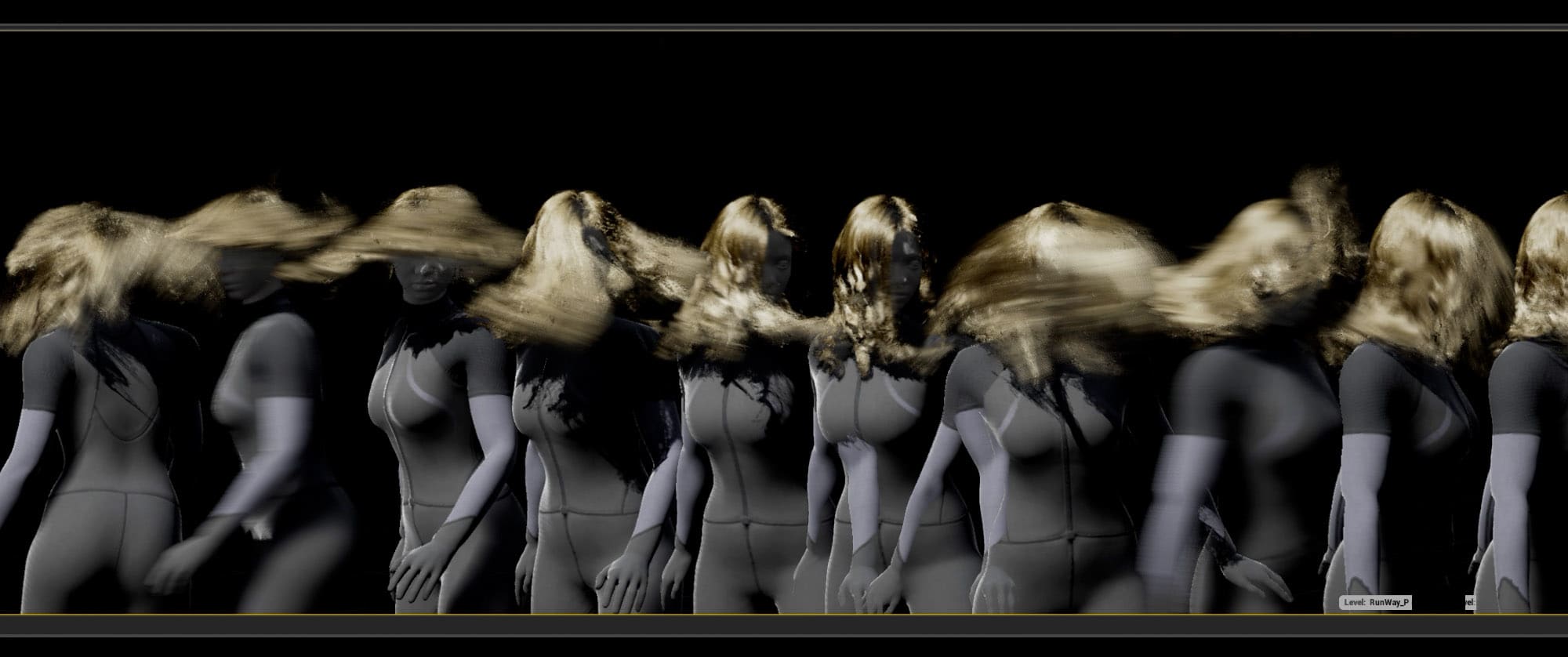
We take a deep look at UE4's new Hair, including an exclusive video deep dive.
"Since acquiring Shave and a Haircut, Epic Games has made it’s v9.6 Maya plugin and associated shaders available on GitHub as both source code and compiled binaries."
 marsh swallow
Guys I need some serious assistance. Nvidia wants to play our game for a little partnership however we have a slight.... bug. Our water is flickering and we cannot seem to figure it out
I am open to just about any ideas right now.
they are aware we recently changed sky systems but i really dont want to hand them a copy of it like this....
 delicate tusk
Hey can anyone help me with multigates? I want to have multiple actors cycle through a multigate which sets their materials, what's the most efficient way to prevent the objects from displaying duplicate materials?
abstract relic
Uh. Check near clip plane darinis?
abstract relic
Project setting yes
abstract relic
Try 2. Just to see if there’s any change
marsh swallow
restart needed?
abstract relic
Yes
marsh swallow
ok
so 2 is no real difference. Maybe a little better
0.0 def messes up EVERYTHING. lol
normal burrow
how far away is the camera usually?
marsh swallow
its 3rd person but it happens usually when your facing away from the sun
however it can happen when your far away facing the sun
normal burrow
hmmmmmmm
marsh swallow
but removing the sky lights and directional lights still have the same issue
we can bring another water material and the water in that works
however we still have flickering happening on trees and other things with the shadows
abstract relic
Is water that’s flickering translucent?
marsh swallow
yes
abstract relic
Oh? Trees too? Hmm
abstract relic
Does it happen to all the machines?
abstract relic
Not hardware then
marsh swallow
we are testing a cook as well to see if it happens in cook
normal burrow
this might sound strange but do you control lights by modulating their color or intensity at all?
marsh swallow
im going to open up the buffer here in a sec
marsh swallow
no it never goes down to 0
abstract relic
Clamp anyways
normal burrow
does that wobble you do for candles look similar to what you see here?
marsh swallow
its clamped usually around 1-10 depending on light
normal burrow
yeah definitely clamp anyways
marsh swallow
ehhhhh slightly?
fierce tulip
are you clamping at zero?
- Pat
marsh swallow
okay! I will check that
normal burrow
hahaha
 rain lintel
Has anyone here experimented with cel shading in unreal 4?
marsh swallow
and i will clamp just in case but those videos are not during runtime either.
abstract relic
There’s a new quote function in discord Luos. You should try it out
Especially on pat
marsh swallow
😂
 grim sinew

fierce tulip
banned
- Luos
normal burrow
darinius, any way you could not have the candles flicker temporarily?
rain lintel
What channel would I go to if I wanted to ask about cel shading in Unreal?
marsh swallow
so in other words the buffer screens look okay?
normal burrow
surprising amount of wobble on the camera there..
marsh swallow
its something specific to the translucent materials
normal burrow
you got some vertex boiling for sure
marsh swallow
? the camera isnt moving. lol
normal burrow
how far out from the center of the world are you
like the most furthest away from the center of numbers
marsh swallow
not far off at all. maybe 1000u
abstract relic
Translucency setting would be the next area to look into
marsh swallow
okay ill take a look at those here next.
abstract relic
And if you have post processing
marsh swallow
this could NOT be a worse time to finally get an oppertunity like this and have this kinda issue. 😂
normal burrow
that could totally be post processing related yeah, did not think of that
marsh swallow
i do have a new post process
normal burrow
disable it all, temporarily
marsh swallow
all of it. all the processing. delete it all! 😂
normal burrow
yeah i responded too hastily there
marsh swallow
removed it and its still happening
 marsh swallow
hmmmmm
normal burrow
yeah, if you look at the flahses in that last video you put up
abstract relic
Unreal Engine Forums
For discussions about Materials, Textures, Lighting, Particle Systems, and Post Process Effects.
normal burrow
pay attention to the shadow of the tree, over the water
normal burrow
it looks like a real light is being culled out anyways. the shadow of the tree matches the color of the water in all frames
abstract relic
And just as a quick aside. Try turning off two sided material
marsh swallow
🤔 that occlusion article you linked is interesting. I had not come across that one yet.
normal burrow
or have you
marsh swallow
lol
okay soooo we just deleted everything from our map....
and no more flicker
one of the devs just reported
all that is left the post process, the sky, landscape and water
normal burrow
no more map?
normal burrow
oh, you deleted everything candles?
abstract relic
Could be the trees
marsh swallow
the trees are there too
abstract relic
Oh
marsh swallow
but yeah we deleted all actors, static meshes and whatnot
abstract relic
Now do that again but just the candles 😜
normal burrow
Yeah, lol was gonna say that too.
https://gph.is/183qL8g
 marsh swallow
😄
 kindred crag
Can anyone help me with a level sequencer issue I have?
Just wanting to check if this is the appropriate channel for it
normal burrow
ask and we'll decide
marsh swallow
You shall be placed into the correct channel via the judgement of the sorting hat
abstract relic
Think only good thoughts
kindred crag
alright so I have this small animation set up where a lamp falls from the ceiling when I enter my trigger box but after the animation is done, the lamp is reset to its original position (the ceiling)
my blueprint
normal burrow
what is intended result?
kindred crag
that the lamp stays on the floor after the animation is played
abstract relic
I would imagine you need to set the position afterwards
abstract relic
I’m wondering if they were merely rendering it out
marsh swallow
actually dont sequencers have options to leave objects in place when its finished?
kindred crag
I dont think I need to tick any of these right?
marsh swallow
yeah the Restore State i think is what would put it back
kindred crag
loop indefinitely and loop exactly
not sure what exactly means
@marsh swallow tried it, still no luck
tawdry heath
hey guys how would I be able to remove this crosshair
marsh swallow
also idea....
soooo any chance that Lights in particles could be causing the issue?>!
abstract relic
Yes
normal burrow
anything is possible for sure
marsh swallow
because those flicker outside of run time
abstract relic
Lights + particles are a combination that makes me internally weep on sight
tawdry heath
sorry I mean cursor not crosshair
marsh swallow
lol why?
normal burrow
lol 😂
kindred crag
@marsh swallow not really
normal burrow
well darinius, its possible a negative light value is in there somewhere and its causing trouble too. really any source of light should be considered
marsh swallow
not really what?
yeah were going through each BP right now
particles were just a sudden idea
i could always just deliver it with no lighting at all.
abstract relic
It is a reaction you should have. People tend to go crazy with particles 😜
normal burrow
😂
marsh swallow
😂 then the RTX would be a MASSIVE improvement
abstract relic
Let’s add more particles
Then more light
It’s not shiny enough, add a 100+ emissive
And lens flare and bloom
normal burrow
the particles weren't bright enough, needed point lights
abstract relic
And more particles
marsh swallow
why not spawn lights randomly with particles
i also just decided to run the new 4.24.2 update....
that was a mistake
normal burrow
darinius... oof.
rotund scroll
what was the mistake?
marsh swallow
normal burrow
something to do after we fix it lol
abstract relic
Ever put your feet on the computer to stay warm? That’s how you do it 😜
rotund scroll
just out of curiosity?
marsh swallow
i started at 70k so its not that bad
normal burrow
I should put my computer on the floor really
you need this tomorrow right?
i just would have held off on any more updates after the first one introduced something lol
marsh swallow
well i have 2 other guys trying all these things
so im just 1
and they want it tonight
okay we killed all candles
and it seems to be okay now
normal burrow
before 4.24.2?
marsh swallow
yeah they are running 4.24.1
only i just upgraded
but i have save states on my PC so i can revert quickly
normal burrow
cool
normal burrow
a lurker.
well, like i said. check that the values aren't below the thing that seprates negative and positive ones
abstract relic
so you had two other's scrambling at our suggestions? 😂
normal burrow
lol 😄 I have to assume at the number of people on this server, that is a commonality
normal burrow
got yo peeps on post
marsh swallow
😂
abstract relic
It amuses me so for some reason
normal burrow
ikr?
marsh swallow
its not like we get another chance at this oppertunity. 😂
abstract relic
"I'm trying pat's suggestion, you read the occlusion forum post, and you turn off two sided material"
normal burrow
😂
normal burrow
all my people are like, "I can't think of anyhting funny for pat to say!"
abstract relic
#askpat
 frank kelp
👀
normal burrow
So @kindred crag still stuck?
kindred crag
yeah unfortunately
marsh swallow
It seems be particles. Lights in the particles
were narrowing down and its looking good
normal burrow
Describes how to keep any changes made through Sequencer when it has completed or restore changes back to their original state.
marsh swallow
ohhh!!!!!
kindred crag
my lamp doesnt have any lights atm
normal burrow
I assume if you read that article, it might help
sounds like you have to tag the lamp's transform to not restore state explicitly.
marsh swallow
ahhhh there it is
 lusty surge
I ❤️ you all
marsh swallow
when Finished Keep State
kindred crag
hmmm let me try that
marsh swallow
on the track itself
abstract relic
You similar php threw me off. You all look like mini Darinius 😛
marsh swallow
😂 yeah we all have a color
kindred crag
hmm its kind of working, but now the game starts off with the lamp already on the floor but I think with a few tweaks I got this
normal burrow
It's very power rangers
marsh swallow
lmfao
normal burrow
or tmnt
abstract relic
Yeah a certain someone had fun with mine 


marsh swallow
idk if thats a good thing.......
or a bad thing
I wanna say thats a good thing
Dragon's Unite!
idk well work on the catch phrase
normal burrow
its a good thing.
abstract relic
insert Captain Planet theme song but this isn’t lounge
normal burrow
ye
normal burrow
it's so much better.
abstract relic
I’m not pleased with this turn of events
marsh swallow
but not sure why after the engine upgrade its doing that.
normal burrow
lol
marsh swallow
when we were on 4.16-4.21 lights on particles just never worked period
exotic thicket
<?php echo "wut"; ?>
marsh swallow
then we upgraded to 4.22 and suddnely they worked
kindred crag
@normal burrow @marsh swallow I finally got it to work, thank you all. 
marsh swallow
well actually @abstract relic found you the article
and now were on 4.24 and they are broken again. 😦 this makes me sad
back to point lights
normal burrow
would report that bug
marsh swallow
oh wait. P@t did find the article for you
😂
bug report
ahhh man. I hate reports
abstract relic
 honest rune
@brave gate not necessarily using a different world settings for each world but the option to do so. Sometimes a "world" should/could represent something vastly different than another. Certain systems sometimes get added into WorldSettings that you might not want exposed to all worlds. There is always another way to do things though. Would just be nice if per-level world settings was possible
normal burrow
what was expected behavior?
 carmine garnet
for it to control the skeleton that is in the scene
instead it creates a new skeleton
when i press play
normal burrow
ah
honest rune
doesn't work that way
honest rune
by default
normal burrow
yeah
honest rune
basically its spawning a new one when you run PIE
normal burrow
search for a setting called auto possess, i think
 wary wind
Hello All, i am new to UE4 and stuck on something simple i think. I have an object reference to an object called "CurrentEquipment" and i would like to know what makes up this object. how can i figure this out? Sorry to bother with the newbie question
plush yew
idk what im doing wrong but i cant move
i can move the camera but i cant go forwards backwards or up or down
 dark rune
@plush yew you mean in the editor? just hold RMB and WASD
plush yew
its like the point cloud isnt attached to anything
plush yew
@dark rune
the only way i can move is moving the axis thing in the middle of the screen
 neat forge
marsh swallow
neat forge
marsh swallow
@normal burrow @abstract relic So we found the issues.... it was literally all of our lights. Something/some setting was messed up after engine upgrades. We had to remove all point lights and readd them... the results....were well...
incredible.
No more flickering either.
normal burrow
ah so just to be clear, it wasn't particle lights?
normal burrow
thanks for following up, was curious
abstract relic
Glad to hear it. Thanks for the update Darinius. Hope the presentation or whatever it is will run smoothly for you lot. Goodluck
 brittle parrot
Hey so I'm trying to mod in some new geometry to mechs in MW5, I export the FBX to blender, change nothing, reimport and get a message saying UE4 can't merge the bones
What might be causing that?
If the asset is completely unchanged
I'm targeting a file called Mech_SKL which is a shared skeleton file that every mech uses
The original SKM file I ripped the FBX from targets the same file, and when I import the FBX back in and direct it towards that SKL file I get "cant merge bones"
and this
It asks if I want to auto generate, if I say yes it still says merge bone error
marsh swallow
Okay so while adding more of them back in.... the flicker came back?
we were able to get about 3-4 lights in the area before it began again
normal burrow
are you wobbling them still?
fallen marten
@brittle parrot might want to check that flea_skm bone. If it's missing then that will probably be your issue
brittle parrot
There is no Flea_SKM bone that I'm aware of, it's just the name of the SKM
Is there some weirdness with Blender and Unreal?
fallen marten
It'll be a reference thing
It's hard to say without seeing the before and after hierarchy
brittle parrot
I can show you the hierarchy in unreal, just reverifying my files as it went a bit haywire
fallen marten
Maybe blender added that flea_skm as a node and unreal is treating it as a bone or something. Just make sure the hierarchy is identical from the first exported fbx, to your exported one from blender
I use Maya and 3ds max so I do t really have much insight to blender specifics
brittle parrot
That's what I'm thinking the problem is
Although I could test by exporting the fbx in unreal, and reimporting straight away
marsh swallow
@normal burrow nope. no wobble at all. this is just default light
marsh swallow
yeah its almost like were being limited by something...
we took it to 0
with 1 no issue
2 no issue
3/4 is where we get an issue
but were talking 2-3 in a whole building
not next to each other
normal burrow
are they stationary?
normal burrow
Yeah likely are.
I know there are placement rules with stationary but I wouldn't really assume thats whats going on either. You could try putting them to static, though you'd loose the ability to wobble them
marsh swallow
i wouod be totally fine with that
and it only effects translucent materials
at least that seems to be it.
we also did try a new map
just in the event kicking truesky out did some weird stuff
normal burrow
hm
perhaps it's possible its not a light issue after all
i mean it is a light issue, but maybe its unrelated to a count of light. it just doesn't show when there aren't any shadows
marsh swallow
i did not check different render settings these are happening on epic
normal burrow
yeah
normal burrow
hm are your trees translucent?
marsh swallow
well the leaves are yeah
normal burrow
not masked?
marsh swallow
lemme check that too
abstract relic
Wrong channel. Take that to #work-in-progress
 minor thicket
 brittle parrot
Ok, it's a blender thing
I imported straight from export, no blender work, and it imports fine
although it does import without animations and stuff
abstract relic
Looks like you forgot to disable the empty group from bone hierarchy
That’s pretty normal. You can fix that upon import. Or it might be a project setting. It’s been awhile since I had to fix something similar
abstract relic
fallen marten
Just make sure the flea_skm isn't parented to the root or view versa
 weary basalt
Does anyone know if its intended behaviour for GameInstanceSubsystems to not call Deinitialize after exiting PIE? They certainly call Initialize when PIE session begins, but if a PIE session ends they dont call Deinitialize.
brittle parrot
Fixed the issue. You have to call the root Armature, it's a weird unreal thing where it has a fit if you don't specify that in the name.
Now I just need to skin it. And test it with a modified mesh. This is all with nothing actually changed.
abstract relic
Naming it Armature will cause the animation to appear invisible in unreal
brittle parrot
Is that bad?
It seems to be working
just loses the skin now, that's the only issue left at the moment
abstract relic
Would need to check it later. Perhaps the issue has been fixed after all these years. Just keep it in the back of your mind if that comes up. This was the old work around https://www.deplorablemountaineer.com/tutorial/importing-exporting-mannequin-ue4-blender/

How to export mannequin character provided by Epic with UE4 to model a new character in Blender. This was tricky but doable.
17 onward
abstract relic
I will be singing to the heavens if they did finally fix the Armature issue
normal burrow
Curious what that code looks like for handling that specific name
abstract relic
It’s like the mat none instead of mat null bug pat
normal burrow
I bet it is
trembling
Everything goes through the wringer multiple times with fbx
@weary basalt I dunno but what if you end pie with the exit node?
normal burrow
I mean the node that normally terminates the game runtime
weary basalt
Same result
normal burrow
Hm yeah, I guess I’d check docs on when that’s called
weary basalt
My assumption would have been that if Initialize is called at every PIE session beginning, then wouldnt it be safe to assume that Deintialize would be called at PIE session end?
Its not an issue for me at least, just was curious if anyone knew of a reason this is the behaviour for GI Subsystems within the Editor
brittle parrot
It's working. All I need to do now is figure out why textures don't load onto imported assets.
plush yew
nice 🙂
brittle parrot
Doesn't look much but that flea proves the concept of changing and importing geometry
Few kinks to work out with the mesh importing nicely with smoothing but that's minor
halcyon flame
would someone who's pretty familiar with BP class inheritance mind chatting back and forth w/ me for a few minutes... want to confirm my assumptions and ID any blind spots
eh I think I'm set actually. just being a chicken.
 zealous cloak
im lokking for the display Cluster Root Component, but when adding component i cant find it. As you see it is there in a BP_DemoPawn. Its from the nDisplay Example Template
 severe ibex
Where is best to ask about GPULightmass? Got a CPU kernel not found error when installing.
sudden agate
@zealous cloak looks like a normal scenecomponent to me. hover over it to see it's actual type
zealous cloak
@sudden agate its a Display Cluster Root Component
sudden agate
have you enabled the plugin?
zealous cloak
jap
severe ibex
Never mind. GPULightmass was sorted.
plush yew
@severe ibex What was the problem, for future reference? You're talking about https://github.com/AlanIWBFT/GPULightmass right?

GitHub
Luoshuang's GPULightmass for UE4. Contribute to AlanIWBFT/GPULightmass development by creating an account on GitHub.
And of course what the solution 🙂
severe ibex
@plush yewthink a version incompatibility. 4.25.1 GPULM on UE4.24.2. My colleague just had to reinstall unified settings.
 hoary flint
Can somebody help me please?
plush yew
@hoary flint We don't know yet 🙂
hoary flint
yeah
so i made a main menu
but the images and buttons are all very dull
ill send screenshots
This is what it should look like
This is how it looks like
How do i fix this
???
someone please help
plush yew
@hoary flint Your widget has some sort of alpha transparency turned on, I think
can you double check by putting something behind your widget?
plush yew
In the world, in your level, is it a black emptiness? is it a gray emptiness?
plush yew
hmmm, That is something,...
 tawdry storm
are you using a post process material?
also jesus christ what is that resolution? 😅
tawdry storm
yeah that rules out transparency 🤔
plush yew
I do not 😦 no transparency problem, I don't see any postprocessing volume either In your world outliner, I'm out of ideas
hoary flint
🙁
can we increase light settings of the widget in some way
?
Please help somebody
tawdry storm
actually we don't know if he has a post process volume
@hoary flint if there's one in your scene can you disable it?
tawdry storm
hmm
create a new widget, make it just a pure white plane and replace your current menu with that
hoary flint
ok
tawdry storm
let's see if it happens inside the widget itself or if it's the scene
hoary flint
just a pure white image?
tawdry storm
yeah
hoary flint
ok
tawdry storm
or just whatever you have
tawdry storm
so far so good, so it seems like the menu itself is doing it
hoary flint
hmm
 real pasture
Is there a way to give suggestions for a course on the Unreal Online learning path?
tawdry storm
can you go to the widget of your menu and show the details panel of the background image?
especially the appearance section
hoary flint
GameStart is the name of the widget
you want a screenshot of the details of the canvas right?
tawdry storm
yeah but it also has an appearance panel and maybe you've got a color override
the canvas panel doesn't have one, so no
I thought it has one, that's why I initially asked for it
hoary flint
RGB G is 0
tawdry storm
that's normal
tawdry storm
hm and where do you create it and attach it to the viewport? can you show that too?
tawdry storm
yeah this is super weird, everything seems to be fine
hoary flint
i think it has something to do with the build
tawdry storm
build?
hoary flint
lighting build
tawdry storm
yeah no that shouldn't be it, the lighting doesn't affet the UI
tawdry storm
so did the crash fix is? 😄
tawdry storm
hm okay
hoary flint
it didnt fix it
tawdry storm
I guess you could try to create a new widget and just build it up again, doesn't look like it's too complex. maybe there's one weird setting you hit, I really don't know at this point
hoary flint
yeah ill try again
 zealous spear
@hoary flint i think you forgot something on the owning player
Oh, I think is fine
 storm venture
is there any benefit to using the Camera Manager (instead of just a camera on the pawn) if it's solely a first person game?
zealous spear
My multiplayer bp is more complicated so that's why I got confused
tawdry storm
@zealous spear just checked, it doesn't seem to matter if there's anything in owning player or not
zealous spear
Yes, it was right... my game is more complicated and I got confused