#ue4-general
1 messages · Page 633 of 1
 brave gate
actually raytracing can make a difference - in Control (which uses tech properly) finally things looks grounded in the world, lighting/shadows working naturally, it's so pleasant
it's a step forward, we use to games where shading works more or less like comic book - objects lighted in kind of isolation of others object), we did improved and created many workarounds in last 2 decades, it's still a cheating
once hardware mature it finally be a standard to see you character in the mirror, feel a changing weather or simply look at the object that are actually affected/lighted by everything around
it's just huge breakthrough in technology, smaller in experience - but that's good, it's not some weird niche invention "that's maybe useful"
raytracing is so natural for humans, that just launch Control and you're like "ok, this works, great" and you don't focus your brain on it anymore, like with good audio or physics 😉
 cloud cobalt
Nah, it's a regular iterative improvement that will slowly be adopted as an option for some parts of the rendering, not a revolution
Tech improves drastically all the time
brave gate
although reflections are everywhere in Control... and that's already annoying and artificial 😄
 honest vale
hopefully AMDs DXR implementation in their next gen GPU doesn't suck
brave gate
I hope too
because if next-gen console are good at raytracing, designers can finally include as gameplay tool or rely on while working on bit of story/dialogue/scene
 brave widget
Raytracing isn't really a brand new tech, its been around for at least 30 years. The only difference now is, we can finally do it to some degree in real-time.
cloud cobalt
Raytracing is a tool, not a church
 rigid ocean
god dammit, i got into the phase where i can actually start building the map but i got no idea what kind of map i want, don't know if i want to start in the open, closed space, if i want to go up or go down too much choice no idea what to doooo haaaaaa
cloud cobalt
If it gets faster results than a non-raytraced approach for the particular effect you're doing in a level, more power to you
In the meantime, you'll still use baked lighting for all the static parts of your level, because it would be stupid not to
 exotic thicket
@rigid ocean maybe try building smaller parts of it first? You can then figure out how they would connect
brave gate
well, I'm happy that my recent games don't use baking at all - that's major pain in the ass for designing dynamic worlds or mechanics changing anything in the world 😉
and that's where my interests lie 😛
rigid ocean
yeah, i might try to just build the spawn room then figure out the rest, i atleast know i want to wake up from a fade to black in a room
 wary wave
1/3rd of the time in Control the raytracing makes no noticeable improvement, and another 1/3rd of the time it looks worse than it's non-raytraced counterpart ¯_(ツ)_/¯
cloud cobalt
tbf, the non-RT version does some intense rendering stuff already
 sonic nest
re -importing an asset doesn't bring up the menu or do anything, works on other assets. quick ideas other than just, deleting and actually re-importing?
 midnight gate
HEY GUYS HELP
i acsidently delted my player charcater and network player start so i just put the player actor into the map and weird thigs are happening
like i started a game and another fcharacter was falling down for no reason
why it it spawn 2?
and why wont it spawn at the right location
look the one thats at the tree is the right one but for some reason im playing as some other one
help pls
how do i fix this i dont wanna redo the map
 heady saddle
hello everyone :) anyone have som experience with a custom BuildConfiguration.xml? specifically how to enable all cpu cores. I did <ProcessorCountMultiplier>4</ProcessorCountMultiplier> but when building from vstudio it says this line is an unknown element, anyone had similar issues?
midnight gate
it seems that adding player start and removing my character worked
rigid ocean
Anyone know whats up with the "Lightneed need to be rebuild" and how do i get rid of it ?
heady saddle
@rigid ocean press "Build" in unreal editor, it basically renders all your lightning sources so it's not always needed
rigid ocean
thanks, i guess i got now no excuse to not start working on my spawn room for my game but i got noooooo idea where to start
 plush yew
What is probably the best way to start woth unreal?
Should i start with 2d or 3d with it?
rigid ocean
personally boogie i started with 3d and im very happy but i think it doesn't matter that much
@plush yew
cloud cobalt
@plush yew Very simple 3D games
exotic thicket
Do you have any background in programming or such before now?
 heady moon
Yeah if u don't have a background of OOP( object oriented programming ) then you'd probably have to learn blueprint
cloud cobalt
@plush yew Simplest you can imagine, like say Breakout or something like it
 dim plover
Would you do Breakout in 2D or 3D?
3D Breakout would be pretty cool. Especially in VR where you face up at the opposing blocks.
cloud cobalt
UE4 sucks for 2D and I don't think anyone picks it up to make 2D games, so 3D, but 2D gameplay is fine
 rotund scroll
pong VR when?
dim plover
There was that popular Pong-like, Flash game Curveball which could be cool in a VR setting.
 copper flicker
so odd thing happened today
I'm duplicating George.. and it creates another BP named George
Unrela lets us use the same name in different folders, for different BPs
but.. I was wondering if naming could be the issue
I've had all sorts of issues with duplicating these BPs now
they tend to spawn a different BP..
O o
in the editor. when I duplicate
 tame delta
What's the bestway to separate some actors from the rest to work on them individually without being poluted by everything around it? I think sublevels are a thing, but I'm wondering how it works with static baking, and if I can move a big selection of actors over to a sublevel easily? Never really used them before
 lilac wedge
my game wont package because i have a custom structure variable in my save game blueprint so i get an error saying Serialize Loading: Property 'StructProperty /Game/Save-Load/SaveLoad.SaveLoad_C:event'. Unknown structure. How do i sort this error out?
dim plover
Someone recently had that problem. Think he renamed the struct and renamed it back. Maybe you can just "refresh nodes".
rotund scroll
@tame delta generally you can use separate actors of the same type in sub levels (for instance, persistent level keeps only initial logic and untransferrable actors, a sub level keeps all of the complex geometry, another keeps the collision and yet another keeps the blueprint scripting).
otherwise you can use level layers for instance if you have a separate area and you want to catch all of the actors in that area.
tame delta
@rotund scroll Having a sublevel with a setting, some logic actors sounds good. So do levels contain other levels and use all sublevels when baking light for example? I'm already using layers (a bit) but they aren't really adapted as I still have way too many actors to work with
Also can a sublevel contain another sublevel 🤔
The best thing for me would be to have
Level 1 : BaseLevel + Machine A + Machine B + Machine C
Level 1a : BaseLevel + Machine A
Level 1b : BaseLevel + Machine B...etc
Essentially I could work independently on some machines, and have all the changes reflected in level containing everything
(if that makes sense)
 gilded lichen
Whats the best way to set a boolean constantly on a blackboard?
 serene birch
Pong VR already has a prototype you can copy : https://www.youtube.com/watch?v=T5MwXRiCvNE
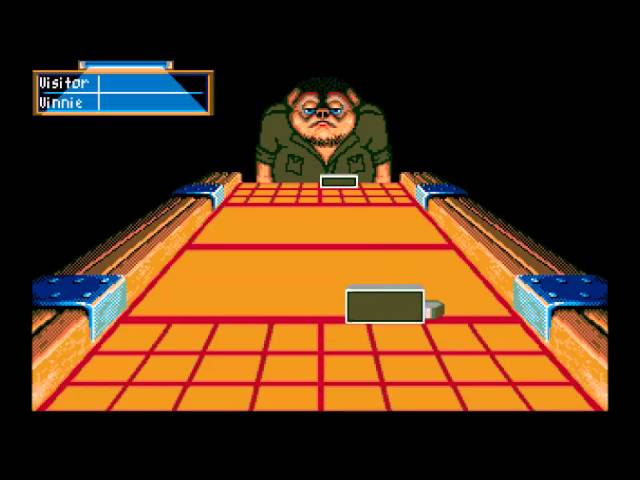
ShufflePuck Cafe - Atari ST (1988)
Fiche du jeu : http://atari.greenlog.fr/shufflepuck-cafe/
Retrouvez toutes les vidéos sur ce jeu et d'autres encore sur atari.greenlog.fr
sound is horrible on that video though XD
exotic thicket
how about a VR tetris game where the blocks are very large and you have to climb on top of the blocks to place the new blocks down
and you could optionally throw the block at the other player's tower, causing it to fall down
lol
 fierce tulip
I actually designed a small setup like that
one player plays tetris regular
other needs to move in 3d space in vr
either platforming, or with a flying thing or whatever
or imagine one person playing pacman, and 4 VR-people are the ghosts
imagine giant pacman hunting you down :p
exotic thicket
haha :D
rotund scroll
@tame delta light is based for the persistent level and it handles all sub levels based on visibility. there is nothing to worry about there
the idea is that the persistent level (what you call base level) has little inherent logic and allows sub levels to perform what they need to do independently. this maximizes modularity as sub levels generally can be replaceable. technically if you want to go into depth here, you'd have the render mesh level be a child of the collision mesh file, since they are coupled together the strongest. but equally you still have a separation between if you ever needed to swap them out.
I don't know what you mean by machine. if you're planning on multiple levels with scripting, keep that apart from static geometry. Use only actors in scripting levels that require scripting (e.g. AI, buttons, potentially doors).
@serene birch that doesn't look like pong, there's too many variables and you have to account for depth perception #failedconcept
tame delta
@rotund scroll Ah yeah sorry didn't quite explain what I was going for and why, but my main issue is that I have a lot of actors (10k or more) because it's all imported from CAD. When I say machine I mean literal machines, as in part of a production pipeline. Those machine are complex (again because they come from the CAD) and I often need to work on them to make them VR-viewable. I wanted to separate my machine in different levels (or whatever else that would fit my need), so that I could focus on them on the world outliner (because the world outliner tends to not behave with highly nested actors like that). It could also let me put my "base level" somewhere and reuse it in different project (different production pipelines) so I could keep my factory floor model, lighting...etc
rotund scroll
consider them macro to micro
if you have an engine, then each separate part of the engine could be a sub level
e.g. combustion chamber + pistons would count for one sub level
tame delta
So this is something I can do, do you think? I'm also wondering if I can nest sublevels within each other, and if that's the case do they automatically handle redundancy
tame delta
For example can machine A contain the whole factory floor (so I can view and work on it independently), but still be added to another level that also contains it
rotund scroll
yeah essentially if you keep modular yes
tame delta
The one thing I tried was to create a new level and move my machine to it (ctrl+x, ctrl+v, dunno if there's a cleaner way), but obviously that level ended up being fully dark, and I couldn't add lighting to it because lighting needs to be in the topmost level
rotund scroll
but if you have a lot of macro levels then going from macro to micro is going to be an issue
tame delta
Hmm how so?
rotund scroll
but since this sounds like a technical concept rather than a game it might not be an issue
imagine going from a factory floor down to the tiniest cog
that's like 4-5 levels of zoom
at least
tame delta
Well I wouldn't use that kind of nesting for levels, really I'd only have one level per machine probably, going any further wouldn't be useful to me
rotund scroll
sure, if the machines themselves are macro enough it'll be fine
just consider the depth of your level of detail since you're focusing on one particular object at a time
tame delta
Hmm alright, it's still pretty abstract to me I guess, but I'll try and figure out how levels are used, nested...etc
Thanks
 modest girder
Hey Guys, I'm trying to colab with 2 programmers (I'm not a programmer myself, I'm an artist) I made some levels but after they have implemented the programming and shared it through Bitbucket I can't open it anymore. I get the following pop-up
I can press yes and a loading bar will appear going to 99.9 % waiting for a VERY long time. In the log it tells me:
License is invalid:
License information is invalid. Please try reloading your license file using the Coordinator Monitor application on the Coordinator machine, or reinstall IncrediBuild.
This build will run in standalone mode.
Not sure what Incredibuild is and/or if this is causing the problem but eventually it continues ( too quick to make a screenshot) before it comes up with the following message
In both cases the editor just closes. I have updated unreal eventhough we use 4.22.3 and this resulted in more errors. I don't know how to "manually rebuild" this or what it even means ( restart ???)
- I have re-installed virtual studio
- reinstalled unreal
- installed a newer version
- made sure I have the unreal package installed in V.S and any other remotely close plug-ins in V.S.
Can anyone please help me =/ ?
rotund scroll
you need help from those two programmers, not us
modest girder
They raise their hands saying it works for them and don't know
rotund scroll
ask them for the file it's bothering you about?
I mean this is only solvable through their help, because they compiled it in the first place
modest girder
So it's not an unreal / visual basic problem with the instalation or anything ? I mean.... Been looking all over the place on how to get this working and/or how to "rebuild from source manually"etc.
rotund scroll
it's a licensing problem
probably because your programmers use some software for VS that you don't have
so they need to recompile it or give you the license file for you to compile it
modest girder
Thank you. I think this gives me a bit more insight into what the problem could be
 abstract relic
You still gotta build your version regardless
 tender flume
How does that work?
rotund scroll
in his case he needs his programmers to update their version as well
or downgrade to that version and risk corruption
tender flume

^^
Did I miss any visual basic SDKs or anything?
Using a plugin, it works on 4.23 and 4.24 as stated
I managed to get a response from the plugin creator
He said to use the repository which is what im doing right now
abstract relic
Rmb [uproject] >>> generate visual studio file >>> open .sin >>> build [project]
tender flume
Uh but theres no code in there
This project does not have any source code.
You need to add C++ source files to the project from the Editor before you can generate project files.
So, how does that work?
abstract relic
Nope

 midnight root
4.24.1, world compp scene, anyone know why the white'arrow' normally seen trying to rotate directional light, is absent ?
@tender flume yes if thats your desired targeet
target >
eager for keyboad replacement ;))
midnight root
very well;)
lilac wedge
Any idea on uploading and downloading images using an api or plugin ? So one user can upload image and other can download using a http link ?
 grim ore
There is a download image node in UE4 blueprints that lets you download an image from a website and do stuff with it. Uploading nope. If you want more you need to add some custom code or a plugin
https://alanedwardes.com/blog/posts/capturing-compressing-and-uploading-screenshots-ue4/ is an example of using the HTTP libraries to POST to a website url
 normal burrow
BP does have REST support?
plush yew
Is there a way to have a skylight affect only a specific channel?
grim ore
out of the box no
plush yew
terrible
plush yew
Morning everyone -- I got the following response to a question on reddit, but I am not sure how to go about what the author is suggesting, can someone help me out here please
If you want to implement vertical movement like falling or climbing stairs, I recommend using a Character pawn with built in movement.```z is the up axis, your character rotates around that axis when looking around
plush yew
Right, I got that much
abstract relic
Imagine spinning around a pole
rotund scroll
das it
plush yew
where are these pins that he's talking about?
grim ore
sigh someone needs to make a mannequin pole stripper example to explain the rotational stuff now
rotund scroll
lol
plush yew
ROTFL
rotund scroll
not it
abstract relic
Likewise
plush yew
also not it
grim ore
@plush yew your output pins like vector/transform/location and such are normally 3 values or more. You can right click the output pin to split it into things like X/Y/Z separately.
or you can drag out of those pins (structs technically) and break them apart into the individual values
plush yew
ok, where do I find these pins?
Should i start to devolope for pc or concole or both or phones?
abstract relic
grim ore
it depends on what you are doing I guess. We dont know the question
plush yew
Trying to get my character to not rise and fall when I look up and down while moving
rotund scroll
on a node
plush yew
ok @rotund scroll where do I find the nods?
grim ore
I think the issue here is "what is rise and fall"
rotund scroll
very philosophical
abstract relic
Pc Boogie. Easiest to test with
plush yew
ok, When I walk along looking up or down, the camera rises or lowers
grim ore
the default character glides, the capsule does not move up or down on the character unless it's parented to something that moves like an animated mesh
normal burrow
Boogie swagger
rotund scroll
sounds like you're moving your character by moving your mouse forward
is this correct?
abstract relic
I’m willing to bet the camera is parented to the skeletal mesh head
plush yew
mouse controls pan and tilt of the camera
rotund scroll
welp there goes that theory
grim ore
I checked out the arch vis character, he seems to move as expected without bob
normal burrow
Head yea bet
abstract relic
Go nap Pat
plush yew
heres the character
he moves around ok, but as I look up he takes flight, as I look down the view goes downward till the camera is at ground level,
rotund scroll
I see
grim ore
then you arent using the arch vis character, you are using the default pawn which is a ghost
 zealous cloak
if someone can help me with nDisplay ? everything seems to work it opens the windows based on my config file, but only black and then close them.
rotund scroll
you don't actually have a character I think
do you have a player start in your level?
plush yew
OH!!!
rotund scroll
sorry, PlayerStart
plush yew
yes, I do have a player start
grim ore
even if he has a player start he has to replace the default pawn
grim ore
your arch vis character is in the world, click on it, go to the details panel, search for possess, and click auto possess player 0
plush yew
rotund scroll
how does your game mode look @plush yew
abstract relic
Project setting >>> maps and mode
grim ore
yeah he isnt using the arch vis template, just the arch vis character from the plugin
abstract relic
Tell us what the default pawn is
rotund scroll
🤔
plush yew
ahhh -- change that to arch viz character?
abstract relic
You are basically a flying camera
rotund scroll
yes sir
plush yew
that probably explains why I kept changing the speeds of the character in the settings and it wouldnt change the speeds on the screen
grim ore
yep the arch vis template and the game mode has no character.. that's stupid
ah sorta makes sense, the arch vis template has a sequence as the default map
abstract relic
Flying is a plus
plush yew
ok, so now when I play the game I have no movement control, so I bet I need to go hook that up someplace?
abstract relic
You need to make a pawn
grim ore
that's cool tho, the template has a material post process effect for object outline, like a hand drawn effect/cartoon
abstract relic
And set that as default pawn
plush yew
is there a preferred reference for that?
abstract relic
If the pawn doesn’t have any movement and input logic, of course it won’t move
plush yew
will the default pawn from the left panel work?
rotund scroll
you'll need a character movement component
perhaps
you can try
otherwise create a new blueprint that is parented to pawn or character
grim ore
well if he is using the arch vis character it has that, it just has no player controller or input set up
rotund scroll
and set that new class as the default pawn
grim ore
and you cant import the first person feature pack to steal that setup and swap to the arch vis character in .24 because it's broke... yay
abstract relic
Why would? You’re short circuiting my brain Mathew 😜
plush yew
LOL -- mine is spinning too -- but I'm trying to keep up
grim ore
ok so... now I know this is weird but... the Arch Vis character movement component actually has movement controls built into it
it uses axis names you define in it's details to drive the character
rotund scroll
probably missing player controller
grim ore
so if you cheat and import the fps template it will add the axis input for you lol
rotund scroll
and input commands, presumably
abstract relic
Someone done goof I see
grim ore
yeah the issue is you have to define those input's in the settings or cheat and use the FPS template and just swap characters
plush yew
I know the arch viz character and template are new in the new engine
grim ore
they do some weird stuf in the component itself to make the character "feel" more human
plush yew
should i start over with the fps template?
rotund scroll
@grim ore cheating will still mean that the inputs aren't setup in the project
better to do it the correct way
teaching shortcuts is no bueno
grim ore
yep just saying you dont need to hook up actual input events in the character if you use it
the character has hard coded movement built in
 supple totem
grim ore
supple totem
grim ore
it does the problem is this is a sucky first experience for a new user which he is 😦
abstract relic
But why is it hard coded? That’s gross
grim ore
it's intended to be a "drop in" character for arch vis
plush yew
new user of UE4, but ive been in the computer industry for a lot of years, so I'm willing to dig in and learn etc
grim ore
and to answer yes if you created a first person template and replace the default pawn with the arch vis character you create you would be able to use the archvis character and move it correctly.
alternately you could create a new FPS template like suggested, go into project settings -> input, export out the input settings to a .ini file. go back into this project and import it to get the input bindings set up for you
plush yew
whats the prefered way of doing it "right"/
grim ore
depends on if you want to use the arch vis character or just a normal first person view character
abstract relic
Long story short. I would use fps template
rotund scroll
@plush yew manual setup so you learn the true value of hard work
also because it sticks and you'll be better for it in the long run
plush yew
Im doing arch viz projects, and want to be eventually able to make stuff like the demo project that was recently published
grim ore
you can follow this web page if you want to just put in the input settings yourself btw without importing or FPS template or blah blah other crud https://unrealarchviztvdm.wordpress.com/2018/10/15/unreal-arch-vis-character-part-1-1-controls/
plush yew
where the viewer can walk around the structure
grim ore
this just walks you through setting up the inputs for it to use
grim ore
after you get this working so you can atleast "see" it then yes what everyone here suggested would be better in the end. Understanding what the Character actually is and how it works so you can customize it to your needs is a good idea.
just kinda sucks to spend all this time and get engine blocked due to bugs 😦
plush yew
im ok with that --
ya -- it is
I think the idea of my first game is slowly coming together
Yeah this will be great
But I first have to learn everything 😐
 thorny locust
If I want to use UE4 for rendering is it possible to setup mattes on objects so I can use them in composting in like After Effects or Nuke?
grim ore
ue4 has compositing built into it https://docs.unrealengine.com/en-US/Engine/Composure/index.html and you should be able to setup mattes or clean plates using this or materials
thorny locust
awesome thanks for the tip
plush yew
uh, guys?
everything looks quite weird, after I enabled a bunch of things in the render section of my project settings
SDF is horribly weird looking, for some reason
especially when enabling indirect
 radiant fable
 exotic cave
@plush yew : Always try rebuilding your lighting first
plush yew
@exotic cave did, rebuilding again to make sure
exotic cave
Gotcha
radiant fable
im trying to devise a finalised texturepacking standard, it seemsntheres not much of a standard out there.
but from experience I've had to abstain from packing anything with the normal map, it needs to be uncontaminated
plush yew
I'm trying to achieve distance field tech, like better shadows, and AO
exotic cave
I am quite new to UE, but I try to answer what little I can as most questions here seem to go unanswered
plush yew
yeah, I know about that
exotic cave
I have no good information on distance field techniques besides this video, which is probably not what you want but which is cool anyway
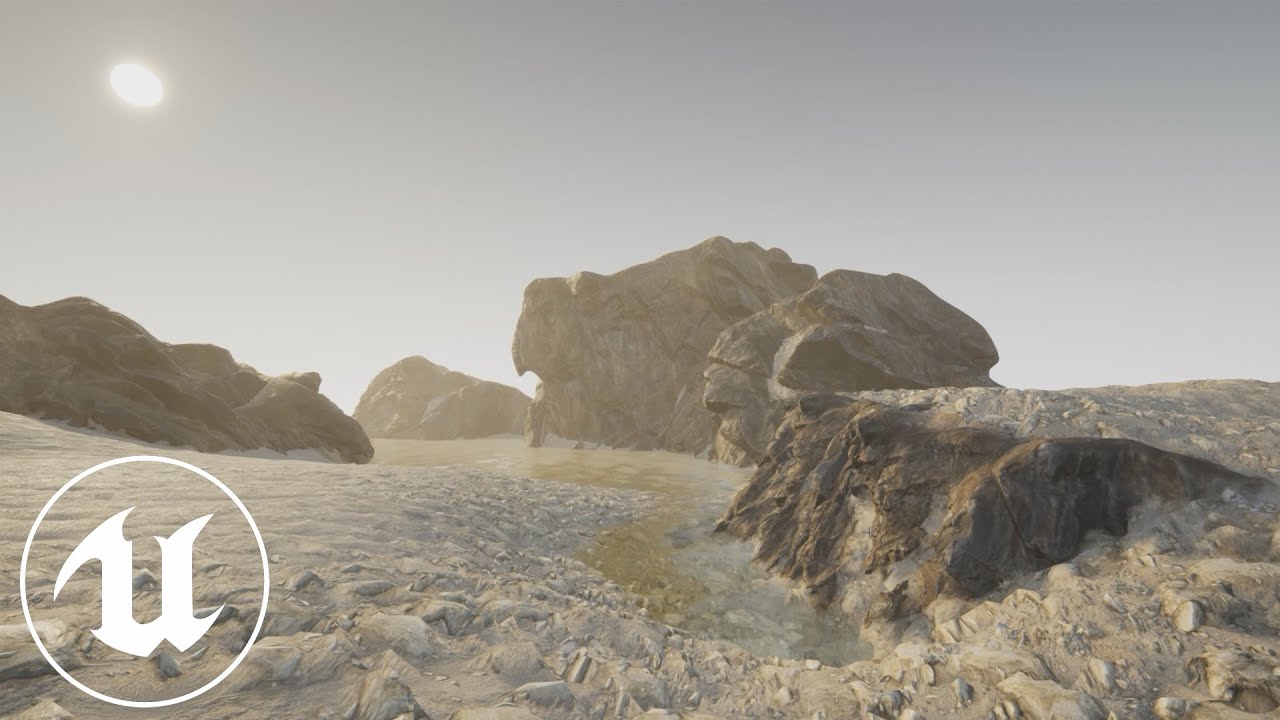
I've been playing around with terrain blending in ue4 and put together this video to show how I'm blending objects into a terrain with multiple terrain 'layers' with distance fields.
Accompanying Blog Post: https://egray.io/blog/ue4-terrain-blending
I also go over the cavea...
plush yew
I mean, that's for terrain
my games luckily never have terrain, but, I'll see how he set it up
thanks
exotic cave
Sorry I can't help :> Keep plugging at it, nobody helped on my grassnode stuff yesterday and I eventually figured it out
I usually wade through several hours of badly presented YouTube instructional videos, and then the answer I want is somewhere in the mess 🙂
plush yew
yeah, it's kind of weird how difficult it is to get clear instructions on making these work
like, I'm just trying to use Distance Field Ambient Occlusion and Distance Field Soft Shadows
though, I am also kind of interested in SSGI
exotic cave
I can't really help anyone else on their research interests until my first landscape pack is done. 🤠 Making advanced landscape materials is just as hard and confusing as the stuff you're doing. But I wish you good luck!
 winter hamlet
hey guys
is there a way to show the vertices on a landscape more clearly
like have a line appear out of each vertix
 stiff tundra
I'm having some issues with a lot of noise being generated in my scene. I'm not concered about framerate due to this being more of a visual project. I assume this has to do with TAA but im not positive. Has anyone ran into this issue and was able to get it to become cleaner and crisper?
exotic cave
@winter hamlet : I mean, you could just turn on and off wireframe mode?
winter hamlet
thats a little obnoxious tho
i want to do some fine detail editing of the landscape
so sawpping back and forth would be painful
stiff tundra
plush yew
how that looks is exactly why I want to use distance field @stiff tundra
the foliage and terrain looks abominable compared to distance field versions
stiff tundra
@plush yew i'm not quite sure I follow what you are saying.
grim ore
@radiant fable There is no real standard, it's whatever fits your needs (might not have roughness maps for example) but here is a post from Quixel for how they do it https://help.quixel.com/hc/en-us/articles/360002811497-Channel-Packing-and-Format-Support. I do know that certain channels pack different depending on which compression you are using so that would be the biggest concern as some of them give different channels a larger amount of data they can hold
 gusty crane
I live on an island that looks like those images irl 😀
stiff tundra
@plush yew I'm a tad confused cause I have cascade and distance field shadows on.
plush yew
huh, that doesn't look quite right
I can't find the setting, but there's a two-sided distance fields setting somewhere that helps with it's looks even further, especially foliage @stiff tundra
 worldly cosmos
hi everybody) Please tell me, who use mobile advertising (Rewarded Video, Baner, etc), how u implemented this in ue4 mobile games? Use some code or Plugins? Who have positive experience?
exotic cave
@plush yew : I can confirm having done a fair amount of depth-based technique work at this point that it is indeed the future generally.
exotic cave
Where are those images from?
plush yew
that's the official docs for ue4
exotic cave
Oh wow, which page?
plush yew
so, yea, nice work on 'em
exotic cave
Have you found one of the Golden Pages I'm always looking for in the documentation and can never find on my own? 😄
plush yew
https://docs.unrealengine.com/en-US/Engine/Rendering/LightingAndShadows/RayTracedDistanceFieldShadowing/index.html
https://docs.unrealengine.com/en-US/Engine/Rendering/LightingAndShadows/DistanceFieldAmbientOcclusion/index.html
also some explanation on the res thing I mentioned
https://docs.unrealengine.com/en-US/Engine/Rendering/LightingAndShadows/MeshDistanceFields/index.html
An overview of using Mesh Distance Fields to create dynamic soft area shadowing.
An overview of using Mesh Distance Fields to create dynamic ambient occlusion for SkyLights.
An overview of Mesh Destance Fields and its available features that you can use when developing your games.
but, I can't find the res options anywhere at all
exotic cave
I will have need for this once I can actually get some working grass and trees in my scene, so I thank you and I'll let you know what my experiences are with distance fields once I learn them.
plush yew
@stiff tundra you have distance field enabled on foliage then, right?
the "affect distance field" setting, anyway
exotic cave
Also, I think UE should consider purchasing Brushify as it did Megascans 🙂
exotic cave
Don't we all?
plush yew
shadows are horridly weird looking, objects have this.. idek
exotic cave
I've been the better part of a week learning how to make real landscape automaterials 🙂
Is that just a cube?
exotic cave
Yeah, that's bad 😦
plush yew
yeah, I have no idea
exotic cave
What are you trying to do distance-field-wise? Is it possible you can get the same thing from a custom material of some kind, or support for it across the scene?
plush yew
I'm just wanting it for general use, really
stiff tundra
plush yew
some first person, closed space, type of thing
exotic cave
hurms
plush yew
the second question, I'm not really sure
huh, for those settings, it sure doesn't look very right
I think your distances are off?
probably should tweak those a bit?
it's on the skylight
but, either way, it's not high enough quality for such a distance, I think
stiff tundra
omf, I fogrot to change the occlusion exponent back.
plush yew
stiff tundra
sorry about that thanks
plush yew
np
I'd also put up the resolution scale
5 seems a nice amount
for distanced landscape, I would maybe put a bit higher, but, either way, it should look better than it did
stiff tundra
I cant seemt o pusht the occlusion max distance past a certain value. The value changes but the visualization for the distance field ao doesnt seem to adjust.
Thanks for pointing that out. I've been working too long need to take a break. Making silly mistakes.
plush yew
no idea, but, using this setting feels like a stopgap
np
looks like this with setting 0
setting 50
setting 100
I have no idea
stiff tundra
interesting. I'll check that out. Thank you
plush yew
I recomputed normals, enabled high precision UVs, computed weighted normals, enabled two-sided distance fields, and now my problem is fixed with the cubes
res scale 1
res scale 2
distance field size became 10x bigger, going from .01 to .1
stiff tundra
So I have another question; I am using a landscape material with a landscape grass type. When I go to my sequencer and try to pump out some frames the grass is being recompiled and isnt in the scene. Does anyone know of a way when the tiling is done to maybe bake it down so it would have to generate every time i open the level or sequencer?
 dawn apex
Can some one direct me to how install modules and plugins ??
plush yew
I have a weirder problem lmao
exotic cave
Just want to say overall I'm still thrilled with UE. My god, the visual fidelity that is possible is so amazing compared to Unity
plush yew
exotic cave
I'm not even halfway done with the assets and material for this scene and yet the engine still takes my breath away
plush yew
yes, I've used unity before, the best I could get out of it ran at a horrid fps
and only looked anything remotely nice with an upscaling of 4
exotic cave
Unity's shadows just don't work IMO. It was what finally drove me away from the platform.
And now that I've seen UE, I'm convinced their default texture interpolation is also not the best
exotic cave
It's not always terrible, but no matter what I did it felt like my graphics looked like a high end mobile game at best
plush yew
look at this, this is my 4x upscaled preview of a project I abandoned

I did my best, I spent 6 hours trying to fix all the issues with lighting
most of it baking it
exotic cave
That's also their HDRP, which is just about fully broken 😄
plush yew
yup
I worked around with HDRP, and other stuff
I think that is HDRP right there though, yeah
exotic cave
My god, the issues that the team I was working with a bit last year had with HDRP. It changes every Unity release and they had to end up doing like 5 different versions for the different Unity/HDRP version combos
plush yew
but, now I'm having this weird issue https://i.imgur.com/fHU03im.mp4
 plush yew
yup
I called it the scissor-shadow glitch
I have no idea why that's happening
well, I'll put up the resolution of the distance fields to 3
 turbid plover
@plush yew regarding the shadows, is your mesh scaled? ive noticed weird results when scaling meshes and their distance fields
exotic cave
I have no good ideas 😄 If it were me in your shoes I'd be about ready to write my own postprocessing material and grab the scene depth and just roll my own solution
plush yew
glitches seem to happen with 1
it's the default first person scene @turbid plover
the default cubes
I guess it might be scaling, yes
but, it'd still hardly make sense, it's already 1.5 what it should be
the bigger cubes even further, 2.5
turbid plover
yeah distance fields dont seem to recalculate when you scale, it just scales them up, which results in some weird shadows
you can even see it with just scaling the basic default cube
plush yew
yeah, I don't know
I'm scaling it up right now, to 3, the res, I mean
1 just doesn't work
@turbid plover https://cdn.discordapp.com/attachments/225448446956404738/669976158821154894/unknown.png

3 fixed it
nice
shadows feel a bit dithered though
any ideas?
hello guys I have a little question I want to make an animation first before show the menu-I did it one 2 separatelly widgets and I did the scripts like this with delay like first show the animation then after 5 seconds to show the menu but the problem is that when you start nothing
and then this
it is a mess 😦
@grim ore @abstract relic @rotund scroll @supple totem and anyone else who helped, thanks for the input on making my character work right -- I followed that tutorial, and got the character set up easily, and it now behaves as expected -- thanks again
grim ore
yay!
normal burrow
woo nice
grim ore
I think you would have to show more code, all we see is the mess like you are saying but not why
normal burrow
hungarian mitko?
plush yew
ok
the bp is the animation widget
should you enable ambient occlusion on the world settings if you use distance field? @turbid plover
the bp in the main menu
@grim ore
grim ore
does your remove all widgets remove the widget this is being called from? which means the code aftfer it never runs?
nevermind thats just remove not destroy
so then the question is what are your animations supposed to do or is that the issue?
grim ore
your main menu play animation says to play 0 times, is this correct?
 rigid sleet
anyone ever used a Destructible mesh before? im trying to make a window that slowly falls apart as you shoot it with the First Person Example gun and it just keep breaking all of it all falling the the ground?
plush yew
the animation in the main menu is to show the game version of the project which is loop and it should turn infinity times
shadows look weird though, any ideas?
feels weird, and interlaced
@grim ore
so what to do?
hm
grim ore
I just tested your code it works fine here
so you have something else causing it
your animation could be invalid, or you have something else stopping it from showing up
plush yew
after the delay I put the widget to remove all widgets cus to remove this with our logo but it doesn't work-idk why
hmmm
how I can see which stops to show?
this is in thrid person character bp
grim ore
disconnect everything after thre first Play Animation in your first widget and see if it plays
plush yew
also the main menu is on different level by the main-it this problem?
which animation to disconnect? the game version or the other?
grim ore
the first screenshot you gave me, construct -> play -> delay -> remove. Disconnect after play so it only plays and see if it plays
stiff tundra
@plush yew i've tried those setting and even used the command line to change the distance. It seems to expand further at first but then won't continue after a certain point. Would anyone know how to extend the distance field ao?
plush yew
welp
I think I need distance field quality, or something
everything looks weird, there's lines in them
@stiff tundra I'd put up the resolution scale on them still
looks better than before though
stiff tundra
alright, I'll give that a shot
plush yew
ok I did it
no showing-wtf
it shows
but after period
hmm
@stiff tundra you might also want to put up the distance for cascade shadows
I'd also enable this
cast ray tracing shadows
I fixed it a little bit
it shows after I start the game
but this doesn't work perfectly
us after whos the animation then put the main menu-xD
I tried with delay after the remove all widgets but it show the anim,ation after 5 secunds together with the animation for the version of the project
oohhh 😦
@grim ore
sorry for the tag but why you don't follow the chat?
grim ore
for that first part you created the widget but never added it to the viewport so you will never see that first one on screen
grim ore
are you adding the first one to the screen more than once? I dont know why it's weird but it works fine here.
plush yew
now it shows after 5 seconds
let me check
I create the widget in the menu level too
xD
no
I have the bp on this place only
grim ore
this is what I have. The level BP creates the first widget. The first widget plays the animation in the blueprint and waits 5 seconds. Then it removes the widget from the screen, creates the 2nd widget and adds it. The 2nd widget when it is created starts the animation for blinking text
https://i.gyazo.com/30c302b5d147d6ec6d08248d424e7566.gif and this is what I get. The widget plays the animation and moves a white image from below the screen to the middle then the widget is removed and the text shows up from the 2nd widget and it's animation plays
so your code seems fine, you might be adding the widget more than once or removing it somewhere else or calling your code in multiple places or your animations are bad
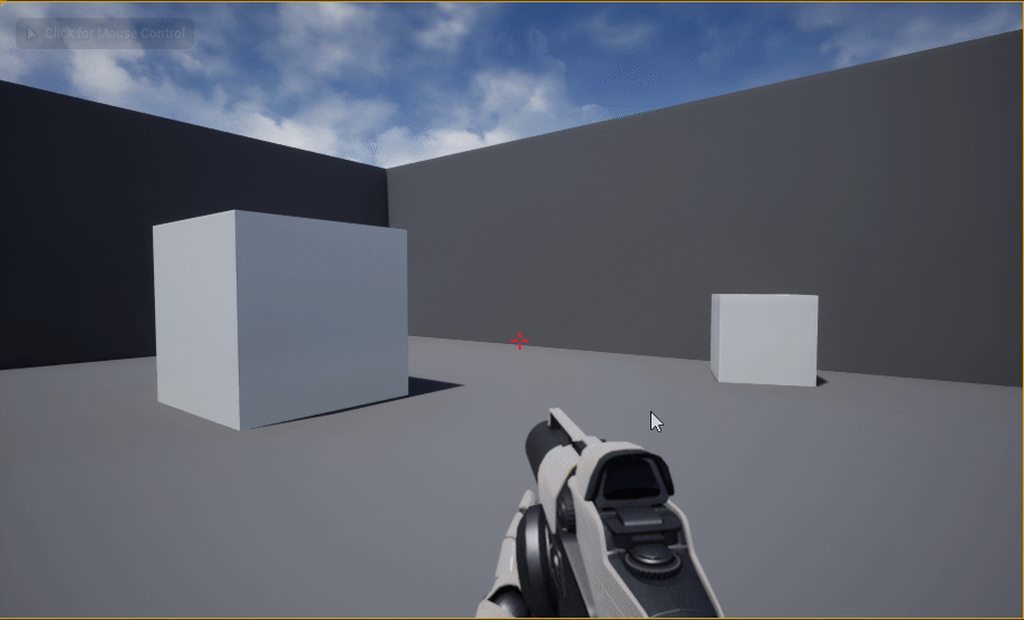
 tawdry storm
what issue?
plush yew
the shadowing changes drastically based on distance
and that distance is a tad bit too low
meaning to get the actual shadowing, I need to be really close
tawdry storm
welcome to Dynamic Scene Shadows
An overview of the Dynamic Scene Shadows Content Example map.
yeah I really got nothing for that, there's some options to mitigate this
serene birch
such a radical change is either a super weirdly setup CSM (unlikely)
or some screen space effect going wild
try to turn off SSGI for example
or SSAO
tawdry storm
oh wow I only now realised the actual issue... it's the whole wall going a bit darker and brighter, right?
I was so focussed on the actual shadows in the scene I didn't even notice that...
are you sure you aren't just leaving the post process volume at that point?
might be that some color grading effect just snaps in and out of existence
plush yew
yeah, I don't know
nah, still in it
@tawdry storm
but everything looks this weird way
not sure how to fix this issue
serene birch
did you try SSAO/SSGI tunning?
plush yew
nope
I enabled SSGI, but, haven't played around with it
not that I see where I'd tune it anyway
serene birch
turn those off to see if it fixes the issue
tawdry storm
also try to turn off the shadow on the directional light and see if it's still happening, if it isn't then we can be sure it's the shadow.
oh and check the shadow bias, those weird lines are ususally because of that
 sweet relic
Could be eye adaptation / auto exposure?
serene birch
possible too, turn this off too to test!
tawdry storm
I mean it's not impossible, but it shouldn't jump like that
serene birch
turn everything off until the issue disappears!
tawdry storm
just disable the whole post process volume
plush yew
do I need to restart after turning off SSGI? doesn't give me the notification to
it's a skylight @tawdry storm
serene birch
this is how you know someone is a software engineer : when they fix a flat tire by replacing each wheel one after the other until the issue is fixed
plush yew
also, shadow bias?
plush yew
alright, just so I know what we're fixing, is it the distance based thing?
that, I think I've fixed with cascade's settings
though, a cube doing this to a wall is weird
tawdry storm
the skylight shouldn't be casting realtime shadows 🤔
plush yew
it's stationary
tawdry storm
read the errors, you need an input in 'object'
sweet relic
@midnight gate you need to pass an object to those cast nodes
tawdry storm
yeah even stationary, the skylight doesn't cast shadows
you have to have a directional light
serene birch
your distance check also includes a lot more sky when far away
more sky => more light in the screen to influence screen space effects like eye adaptation or SSGI/SSAO/others
plush yew
I'm not sure
but, again that is I think fixed, I'll show a gif
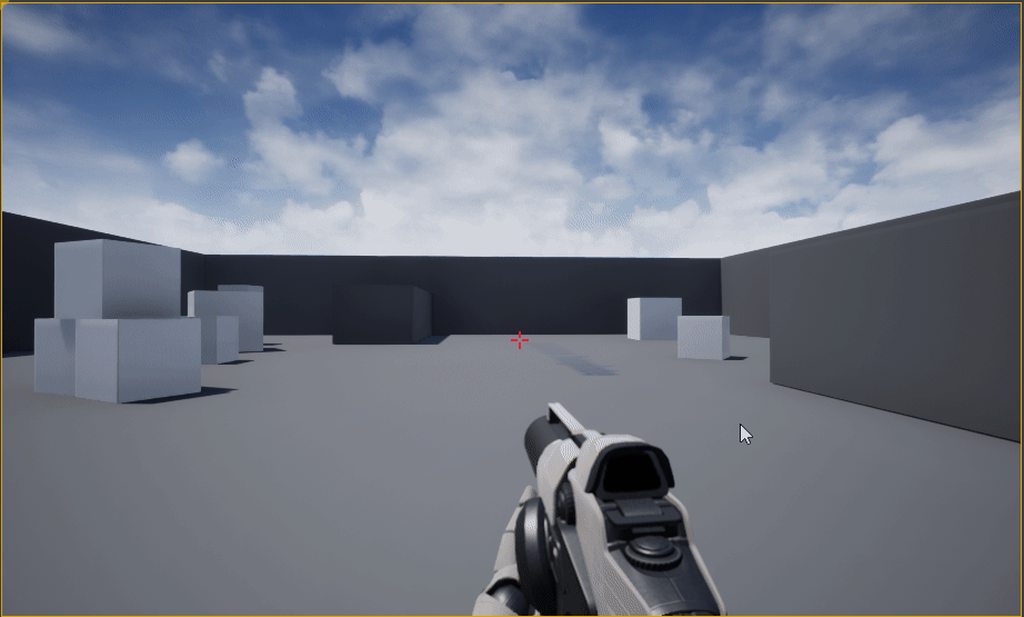
but, is it normal that a cube creates a soft shadow on a wall like this?
I see shadows there, or is it just my eyes taking me on a trip?
 fleet stirrup
Is anyone else finding that Unreal 4.24.1 crashes more than Unreal 4.21.2?
normal burrow
what are you doing when it crashes?
 burnt wagon
Basic q: trying to update 4.19->4.24 on Windows 10, but update fails as ‘epic launcher already running’ even though I’ve rebooted. Can’t even uninstall 4.24 & start again. Any advice? Thanks
fleet stirrup
I was just creating an actor blueprint, and it crashed out of the blue
[2020.01.23-20.41.55:325][549]LogWindows: Error: Fatal error: [File:D:/Build/++UE4/Sync/Engine/Source/Runtime/RenderCore/Private/RenderingThread.cpp] [Line: 853]
[2020.01.23-20.41.55:325][549]LogWindows: Error: Rendering thread exception:
[2020.01.23-20.41.55:325][549]LogWindows: Error: Fatal error: [File:D:/Build/++UE4/Sync/Engine/Source/Runtime/Windows/D3D11RHI/Private/D3D11Util.cpp] [Line: 198]
[2020.01.23-20.41.55:325][549]LogWindows: Error: Unreal Engine is exiting due to D3D device being lost. (Error: 0x0 - 'S_OK')
Oof, it crashed again
normal burrow
latest drivers installed?
normal burrow
You'd be surprised how often its the case of drivers heh
brave widget
Couldn't this be related to running out of video memory as well? I think I've gotten this error when I did something bad and my video driver crashed for lack of memory
normal burrow
it could be
iirc it does spit some message out when that happens though. but yeah render thread crashes could be lots of things
plush yew
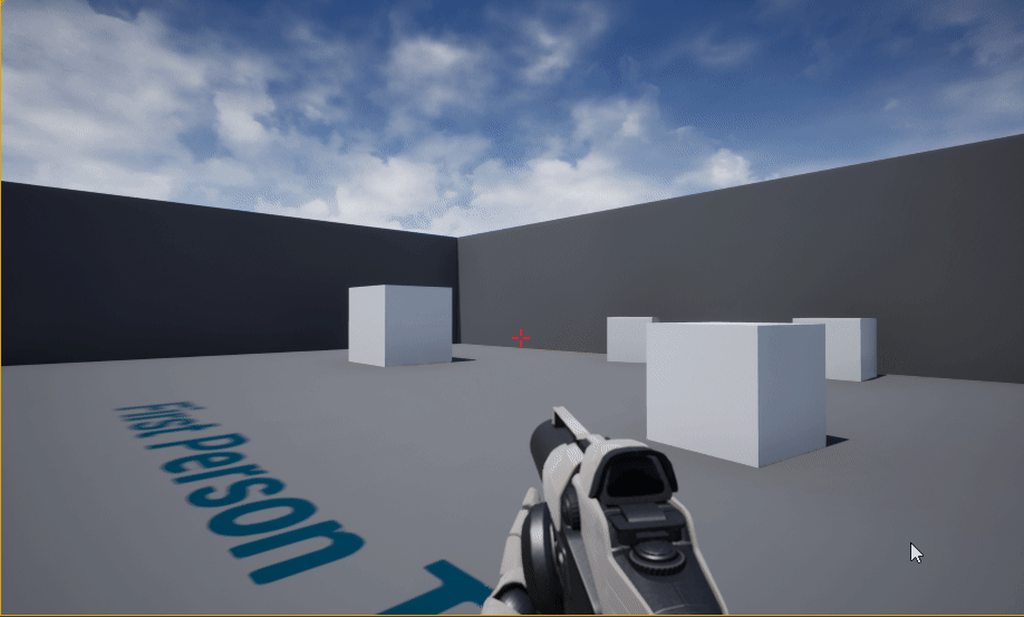
@tawdry storm
this is on distribution exponent 2
setting it to 1 fixes it
but it also feels like using exponent 4 might be more quality
exponent 1
 sharp nova
Question, when I use multiple projects for learning the engine, do I need to import the fbx files for each character for each project? Simply copy pasting the folders with fully compiled shaders in from test project 1 to test project 2 yields a resulting checkerboard style greyed out character mesh.
 civic crown
So my GPU died while I was just messing around with the default level in UE4. (By died, I mean Windows will not boot if the GPU is installed in the PC, it will just have a flash of corrupted graphics and then restart) Looking at UE4's crash log, I noticed this large block: https://paste.ee/p/PPBSJ
I'm wondering if UE4 directly killed the GPU or if it just happened to happen while I was using UE4.
 rotund scroll
to serialize a data table do you need to serialize each value in the struct it derives from?
 swift spindle
@civic crown it’s virtually impossible for software to kill hardware... it’s more likely you have thermal issues / power problems with your gpu that unreal exposed due to the fact it runs things heavy by default.
civic crown
That makes sense. I'm just surprised it died out of nowhere since I've had it for around 4 years and it had no visible problems before it suddenly died
 harsh tiger
i'm currently using 4.22.3 and im making a new project tonight. is it worth installing 4.23.1?
 manic pawn


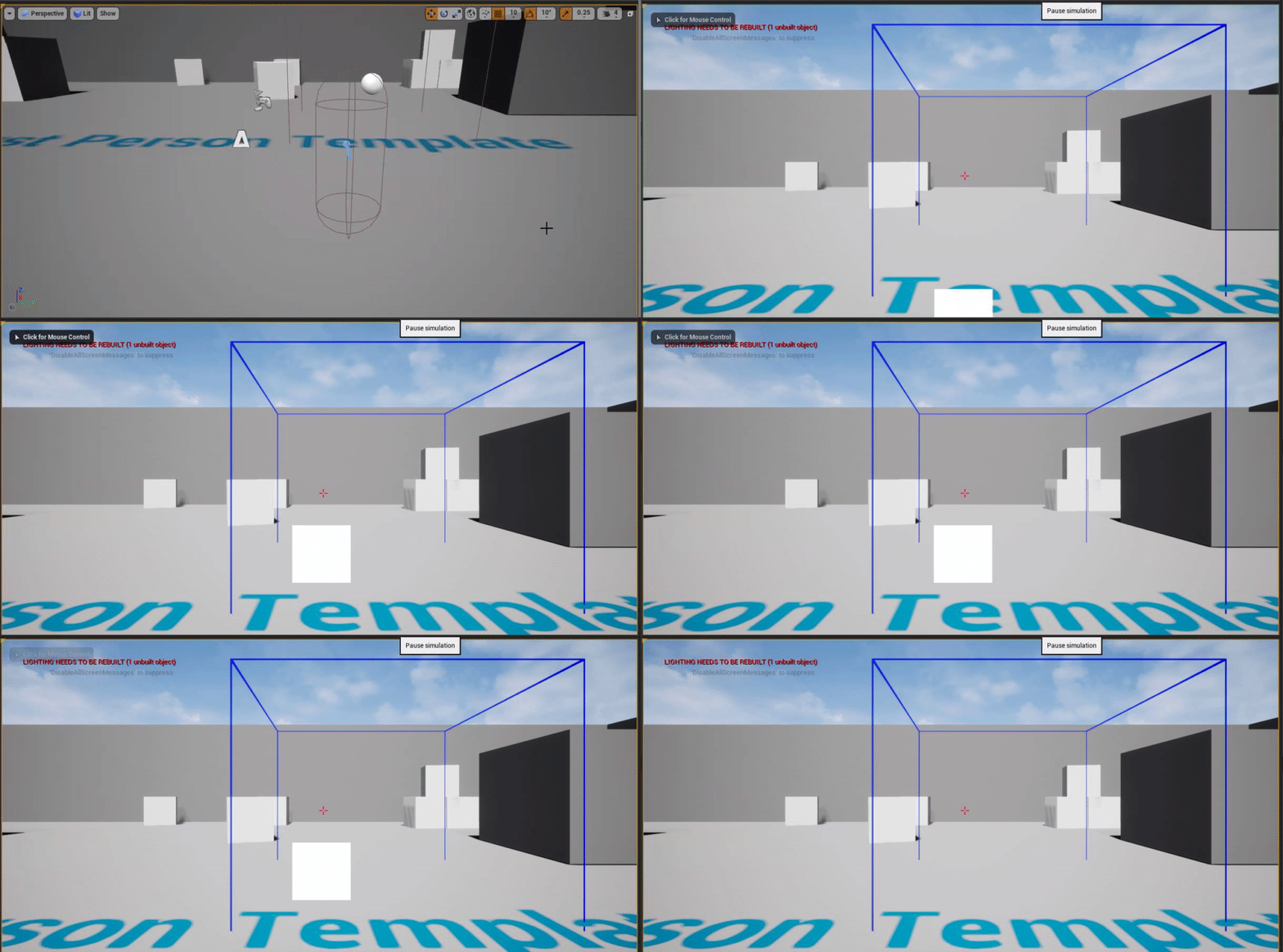 rotund scroll
true devs only use version 4.0.0
 upbeat tendon
rotund scroll
upbeat tendon
rotund scroll
I'm glad someone caught my joke
upbeat tendon
don't worry you aren't totally alone
i think i need to start investing in a super computer
oh i know i will compile, oh that was a mistake 😦
 elfin hare
Hi guys, I've updated my project to 4.24 and now every time I drop an asset in the scene or duplicate an actor in the scene the editor does a source control check and that results in lag as the editor waits for the source control server response
How can I disable this?
upbeat tendon
i just turned off source control, but i am using git so i am probably making my life hard
elfin hare
I'm using perforce, so I can't disable source control
I mean, I can, but it's a pain haha
harsh tiger
https://youtu.be/j2ye93Gk76A?t=58 in little big planet 3 there is a mini game level where you controller multiple characters at the same time with one input. how would i go about recreating this mechanic in unreal? every tutorial and forum i find only talks about controlling one character with KB&M and another character with a controller. but not both characters with WASD

This is the Challenge Room: Guess Who's Coming for Dinner level in LittleBigPlanet3. I'll be doing a walkthrough in story mode and showing you how to get all the prize bubbles.
Please check us out and follow us on:
Twitch: http://www.twitch.tv/broco_gaming
Twitter: https:/...
elfin hare
@abstract relic I don't want to disable source control, working with a scs like perforce it gets pretty unconfortable to work without the plugin
normal burrow
do you not have the scene checked out?
elfin hare
I just want the editor to work as always and just check source control checkout status when saving
@p@t I do
My scene is checked out
but if I drop an actor in the scene it hangs for a little while and in the log I can see that it's performing a check against p4 api to know if the level is checked out or not
elfin hare
in my case is like 1 to 2 seconds because my perforce server is in north america and im located in south america, so the ping is quite high
elfin hare
the worst thing is that this happens even when you duplicate an actor in the scene with alt + click and drag
making very difficult working with modular assets
normal burrow
hm yeah, i mean if you don't want to disconnect your pretty much at the will of the editor afaik.
last time i used perforce was more than 10 years ago, so i couldn't advise anyways on getting that to be speedier. would check #source-control really.
elfin hare
The problem is the editor, this was working perfectly fine in 4.22
rotund scroll
maybe there's an editor option
have you checked online if other people have similar issues?
elfin hare
They added a "feature" to check if the scene is checked out as soon as you add a new actor and it warns you if it's not
The problem is that it keeps checking even when it's already checked out haha
@rotund scroll I couldn't find anything, checked out all the editor options as well :/
rotund scroll
could be an issue with specific versions of perforce
elfin hare
I don't think so, the editor is calling perforce when editing the scene and you can see that in the output window
Well, it seems that I have to disable source control and checkout assets by hand -.-
elfin hare
Already tried that :/
elfin hare
We're a medium sized team, so we don't really have a choice
rotund scroll
there are better options out there, p4 is only really useful with vetted connections in close proximity
I'd look into RTC
fierce tulip
take a look at plastic @elfin hare
elfin hare
@fierce tulip @rotund scroll I will, thanks!
normal burrow
dunno if its just the server or not but, svn is also good
rotund scroll
generally I don't trust version control that doesn't checksum its assets
fleet stirrup
Regarding that Unreal 4.24.1 crashing issue, I upgraded my NVIDIA drivers, made sure Windows 10 was updated, rebooted my computer, and still crashes pretty consistently with D3D device lost. Could be my computer maybe? Others have had similar issues recently with 4.24: https://forums.unrealengine.com/unreal-engine/announcements-and-releases/1695917-unreal-engine-4-24-released "Sweet potatoe, what are the recommended nvidia driver for 4.24? i did have a couple crashes with "D3D device lost" using latest github 4.24"
Unreal Engine Forums
4.24 now available to download
As you may have heard, with this release, we’re retiring Unreal Studio and folding all of its features into Unreal Engine—for free. Unreal Engine is now your one-stop solution, whether you’re working in game development, architecture, fi...
Here's the full line of the error:
[2020.01.23-20.41.55:325][549]LogWindows: Error: Unreal Engine is exiting due to D3D device being lost. (Error: 0x0 - 'S_OK')
rotund scroll
that's curious
elfin hare
Doesn't that means that the driver crashed?
rotund scroll
I might have had something similar at work in a different engine... try reverting the drivers?
elfin hare
Does it happens while playing games?
normal burrow
https://discordapp.com/channels/187217643009212416/225448446956404738/668233907463782401
@sly coyote had driver issues awhile ago
fleet stirrup
Happens in UE4 editor while creating an actor blueprint
normal burrow
yeah, i think his crashes were related to dx12 too
rotund scroll
definitely try a revert
fleet stirrup
"zethfoxLast Saturday at 3:22 PM
ok so 436.30 seems to be working fine no crash yet"
fleet stirrup
Opened event viewer ... looking ...
normal burrow
yeah iirc zethfox was only getting that crash with dx12 though
but still, could give that version a spin yeah.
fleet stirrup
Oh wow, yes, I am seeing this: "Display driver igfx stopped responding and has successfully recovered."
fleet stirrup
I have an NVIDIA 1060, and "igfx" is that integrated graphics? wondering if there is a way to force using NVIDIA instead of integrated graphics chip?
rotund scroll
disable the integrated gfx
elfin hare
are you using a laptop?
normal burrow
someone knows that stands for integrated?
elfin hare
if so do not disable the integrated graphics, just update the intel drivers
and try again
fleet stirrup
yes, laptop
normal burrow
looking on google it sounds like its gpu related
elfin hare
having the integrated graphics enabled makes your system more efficient consuming less battery when using the desktop or apps
normal burrow
yeah, update intel gpu drivz
abstract relic
Do note. You’re just disabling the bridge to your repo. Not disabling source control as a whole
rotund scroll
I mean it's the same for dedicated gfx chips
fleet stirrup
Thanks for the tips! Will look at updating igfx drivers
rotund scroll
@elfin hare sure but the power difference is usually not that huge given that you're dealing with just a chip in most cases and not a full card
elfin hare
@abstract relic I know, it's just that it's much more convenient not having to go back to P4VS everytime I have to save or add an asset
abstract relic
Whatever floats your boat
elfin hare
😄
rotund scroll
does anyone know what the best relationship between AnimBP, Controller and Character should be under ideal circumstances? is it MVC?
and if so, how do you create the dependency between animBP and Controller?
 tawdry heath
hey guys why does this not work
 worn granite
Anim can be V, but you need playerstate and pawn if you want to have controller be the controller
tawdry heath
I want the speed to be 100 when character starts to reload
rotund scroll
@worn granite what does player state need to contain?
worn granite
state which should survive pawn
harsh tiger
@tawdry heath do a print string and connect "is reloaded" to it and see what it returns. if its false thats your issue
rotund scroll
does player state clear per level like game state or per session like game instance?
worn granite
ehhhh? kinda both
rotund scroll
mm
worn granite
PS is odd
rotund scroll
I don't really have any use for it then
given it's SP I figure I might as well add persistent values to the game instance
worn granite
it duplicates over some level transitions but just persists over others.... server side
worn granite
fair play I guess
 fluid stone
has anyone around here tried exporting morph targets (shape keys) from Blender to UE4? It keeps crashing ALMOST everytime. I can't pin down what's exactly causing it
rotund scroll
trying to keep it as concise as possible
but
question at hand
creating a reference to animBP through controller, I can only do this at beginplay with the character's animBP, correct?
or is there another way @worn granite
fleet stirrup
Everyone, you rock! Updating the igfx fixed the crash!
Thank you very much!
Thanks @normal burrow @elfin hare @rotund scroll !
elfin hare
@fleet stirrup glad to hear that!
normal burrow
yay
tawdry heath
What does world scale 3d do?
tawdry heath
I am just having an issue where when my character shoots, random solid objects on the map appear
 spiral burrow
0.7% scale
 obsidian lily
hey all
spiral burrow
do those objects stay in the world for a minute?
tawdry heath
I'm not sure what causes them I believe it is from shooting
obsidian lily
what's the normal way of setting up input modes? Like if WASD normally means move, but then in the crafting interface they means different things?
spiral burrow
Ok, play in PIE in the viewport (probably what you're doing already). Shoot or whatever to make one appear. If you ever see one, press Alt+S to enter simulate mode. In that mode, you can then select it in the world. You'll see the selected object in your world outline (probably in your top right corner). Once you knoww aht the object is you can track down it's source.
spiral burrow
@obsidian lily You could add the input events in your UI, just be sure you set them to CONSUME the input so it doesn't go down. Set it to Game Input Only, too.. that alone will keep the input from reaching your player controller.
obsidian lily
@spiral burrow how do I control which order the inputs get consumed?
spiral burrow
Maybe someone can help me out here?? I have a crazy hard to track issue. Dedicated server, whether windows or linux, will sometimes hang. Timing seems random. It stops receiving connection, stops output to the console, yet the profiler (which shows nothing of note) continues tracking..
tawdry heath
Oh I found out the problem
spiral burrow
You can set input priority, but the gist of it is...
tawdry heath
I have no idea how to fix it
spiral burrow
Actor with active input enabled -> player controller -> UI
so say you have a crafting table actor or something which opens your UI...
you could set that as input enabled, and THAT could receive/consume input events.
obsidian lily
ok, seems reasonable, thanks
tawdry heath
ok so when my zombie dies it simulates physics but its "box" still follows me around. How do I make it so when it simulates physics it stops following the thirdpersoncharacter and for collision to NoCollision
spiral burrow
does the zombie extend a character class?
ie: does it have a charactermovement component?
tawdry heath
ye
spiral burrow
pretty sure you can toggle movement enabled on that movement component
obsidian lily
@spiral burrow so your issue is that it seems like the server locks but the profiler still chugs along, so it seems like the server is running but just not doing IO anymore?
spiral burrow
Something along those lines
Anyone connected will timeout
It goes dead, aside from the profiler still going AND showing game events
 rancid lynx
how do i get the impact point between two box collisions ? will that work if the boxes are attached to another actor ? I attach an actor to my characters hand, and i want the impact point of the hammer, for sparks.
spiral burrow
yes that'll work fine
rancid lynx
Matt tried to tell me yesterday, but i didnt understand.
obsidian lily
@spiral burrow I assume it happens even when the server is on your local?
spiral burrow
yep
well I haven't seen it in pie
but it can take ages to happen
there's no crash, it just goes silent
 wooden leaf
Hello, every one. I wanted to find out how much support I would be able to get. including links for assets and so on.
spiral burrow
No idea what you're asking, ice
tawdry heath
I am confused
wooden leaf
I need to know of I can get support for the unreal engine here and if so, how much support does this server offer. Just basic support, or advance support. Do you have links for tools and assets and so on
obsidian lily
iceman, this is just a chat room with some people in it who use unreal, and help each other out if they can
this is not an official support channel in any way
what you can get help with is hit or miss, based on who is available at the time you ask
wooden leaf
ok, The only one I did find for discord only had like 35 people in it. is there a unreal support discord channel, if so does any one have a link for it
obsidian lily
do you mean an official support channel iceman?
wooden leaf
Yes
obsidian lily
I don't know of anything like that
I imagine if you're a relatively large studio you can get someone at Epic to consult, but I'm not sure
wooden leaf
I just didn't want to rely on the forums.
obsidian lily
this place is your best bet as far as I'm aware
wooden leaf
ok, then. well 1st question. How can I change the way the char in my 1st person game looks like.
Armor, Clothes and so on
obsidian lily
iceman I think you should probably go through the tutorials available on the unreal site as a way to get oriented into the basics, and use this chat to ask any specific questions that come up during that process
rancid lynx
when my player character collision box overlaps movable physic actors, the collisions are rediculous sometimes. sometimes my character flies 20 feet forward.
if i try to walk on a 20 cm block actor, sometimes its fine, sometimes its insain
how do i make the interaction more stable?
wooden leaf
If I thought that would have help, I wouldn't be asking
rancid lynx
surely ue4 physics arnt that terrible.
spiral burrow
@rancid lynx Your character movement component has properties for the physics force it applies.
rancid lynx
a capsule landing on a box shouldnt be so insain...
wooden leaf
Mostly I fount nothing other then camera tutorials
rancid lynx
ty para. which settings do you suggest i focus on ?
spiral burrow
I forget what it's called, but it's obvious when you see it 🙂
rancid lynx
o k ty
obsidian lily
Links to various example scenes, sample games, and tutorials.
wooden leaf
I all ready tried there.
I live on google. I spend about 1/2 a day or more on google
 digital anchor
Put more effort on your question then
spiral burrow
Are you asking someone to teach you to use UE4?
wooden leaf
? what. I can't explain it any more then what I posted.
wooden leaf
Oh, was that all I had to do. Ok. cool
anyone have an idea where I can get 3d models for players. and chars at
all I been able to find it cars and stuff like that
digital anchor
Looking for talent channel if you dont mind paying
wooden leaf
the marketplace has chars too. that figures. I'll have to look again. I did like 3 times and couldn't find anything.
tawdry heath
ok so when my character dies it simulates physics. I want the collision to go to "NoCollision" when it is simulating physics. What nodes do I use?
spiral burrow
set actor collision enabled ? 🙂
although that'll fall right through the world
you don't really want no collision, you want to use a profile
unless you WANT it to go through the world
tawdry heath
I just want it to basically destoy actor except the mesh so the player can see its body
how would I do that
 winged crypt
Can we use the paragon assets on the marketplace commercially?
spiral burrow
yes sinn
digital anchor
Yes
winged crypt
awesome thankyou
spiral burrow
Trying to imagine how you mean issa
digital anchor
You may detach from root if you want it to fall around
spiral burrow
I mean, your weapon class has nothing else in it with collision
you should probably just make the root your skeletal mesh comp
(drag the SkeletalMesh component on top of the DefaultSceeneRoot and it'll ask if you want to make it the new root)
tawdry heath
for my zombie?
tawdry heath
what was that suppose to do
spiral burrow
for the character, you can set simulate on the mesh and it'll detatch from its root
but the cylinder would still be there
that's your issue?
easiest way is just to set collision enabled as false on the collision component specifically
tawdry heath
cylinder for the zombie?
tawdry heath
so this?
spiral burrow
nope
not skeletal mesh
at the top of your screenshot you have target ->mesh
drag from the source of that, the target, which I imagine is your character class
and off that, get collision cylinder
CapsuleComponent
tawdry heath
oh this?
tawdry heath
spiral burrow
so close 🙂
the first bit you had where it grabs mesh for the simulation
that was correct
you just want the collision bit after on the capsule
 open eagle
hey guys, I have this sci-fi scene that I want to light from all angles
I tried using 4 directional lights pointed in each direction but performance was horrible
 fleet scroll
Does anyone know if there is a way to browse assets without having to load everything into a project>
open eagle
i need a way to evenly light my entire level
plush yew
Did you try a skylight?
open eagle
it did nothing
fleet scroll
Also is there a way to change where it stores its files in appdata
open eagle
my entire level is inside a hollow BSP box
rancid lynx
Same. Inverted normals sphere
Lighting time slashed by 90%
My sphere just follows the player.
 safe swallow
So I do a build in UE4 ... and I just happened to have the resource monitor in win 10 open, cause I was checking ram usuage, in video games etc (just picked up another 16 gigs...) anyways I noticed something... Hopefully someone can explain this to me... whenever I do a build.. i get a network spike... anyone know why?
normal burrow
Probably talking to epic
safe swallow
I guess my next question is.. if I turn of internet.. will it still build lol
normal burrow
Give it a shot
 bitter iris
shadows are just creating lines for some reason, can't seem to fix
anyone seen this before or
safe swallow
ya sure does work
normal burrow
whatever it wants to tell epic is probably communicated when you reconnect it lol
brave widget
Adjust Shadow Bias and Shadow Filter Sharpen on your directional light @bitter iris
plush yew
what are these weird stuff?
oh, it's the distance field ambient
world memory leak errors trying to load a map? crashes my editor?
plush yew
anyone have any idea to fix this weirdness with distance field AO?
 austere vessel
hi
normal burrow
Hi
tame delta
Is there a way to get GPU performance as a graph?
I want to compare two GPUs on a VR scene, so just setting it to record, walk around and switch GPU
honest vale
stat unitgraph
tame delta
@honest vale Thanks, is there a way to record that perhaps?
honest vale
How to optimize the GPU demands of your game.
As with existing stats, you can use the console commands stat startfile and stat stopfile to record the stats to a ue4stats file, and then visualize them by opening the file in the Unreal Frontend tool.
tame delta
@honest vale Thanks 🙇♂️
zealous cloak
no one who ever worked with nDisplay?
maybe someone can chek if it is working for someone else. i only have a opening and closing blacjkscreen
 tropic horizon
I'm so confused. I'm using level composition. I have the levels Persistent Level, Sun and Earth. Persistent Level has things like a spaceship, Sun level has just a sun, earth level has just an earth in it... So far so good, in the World Composition window I move the sun level.... which moves everything in the persistent level... What? Why? Every time I do a small change the spaceship moves from 0,0,0 to something faaar from that point and I don't understand why changes to one level completely changes another level?
Nevermind, it was the world origin rebasing that messed everything up. Note to self: Never have that enabled in the editor, set script to enable it or something.
Another question though, how do I increase the streaming distance of a World Composition category? I created one previously but now its value is too low. Edit: Found documentation, can't be edited. Good to know.
 red prairie
Hey guys! anyone have a setup or a tutorial for a triple blend vertex painting material?
 tawny bramble
How do you want the blend to happen?
i.e. if you have a vertex that is RGB 1,1,0, do you want the RG-channels to multiply, screen, overlay?
or you want priority driven? i.e. red cancels out green, green cancels out blue
 sudden agate
read the docs
This page describes how to set up materials for 3-way (RGB) texture blending.
tawny bramble
indeed
you can always multiply the colour by the vertex color, then combine them with blend modes if you want different blending
red prairie
thanks guys!
@sudden agate does the same method of using lerp apply to the other maps? normal for instance
 earnest cape
Why does editing the parent BP affect all the child BPs? How do I fix that
Like if I had a variable for fire rate, and all I did was edit that on the parent, then all the children get that value
 wheat dirge
@earnest cape dont make changes in the parent BP that you dont want the children to have. Make the changes in the Child BP
earnest cape
So should I have another parent BP that just holds all the variables?
exotic thicket
I'm fairly sure if you adjust the values in the child BP's to have something else than the default from the parent, changes in the parent won't change the child values
Ie. say you have parent firerate = 5, and you have a child firerate = 10, if you after that change the parent to 1, the child with 10 will keep 10, but any children which had the value unchanged will inherit the new changed value
earnest cape
OH it does affect the children if you edit the variable in defaults
If you go directly into the parent BP and select the variable there it won't affect the children
Or maybe not? It just happened and now it's not. I'm very confused
And yeah that makes sense, if the value was unchanged
I'll mess around with it more, maybe that's all that was happening
rancid lynx
is the OPENLEVEL node BUGGED for VR ? 50 percent of the time i use the openlevel node, the VR game runs at 90 fps. and half the time i use it it drops me to 45fps.
i know oculus autosyncronous space warp is probably involved but.
why the fugulous would openlevel trigger facebook fails
earnest cape
Use the command line instead
rancid lynx
locks at 45 fps. never resumes 90. unles exit or lucky load
yea but why ?
ty. ill try commandline next. X_x
earnest cape
Well I know in multiplayer you need to use the command node because you have to append stuff to it
But it just works better in general
rancid lynx
why would openlevel wreck VR framerates and trigger permanant autosycrounous warp mode X_x.
it didnt do that 30 days ago.
ill make a new game and test a fresh game X_x.
earnest cape
Idk, a lot of stuff has been acting weird lately
rancid lynx
thanks. maybe itll get resolved.
i can live without openlevel. but debuggings a beyatchtaco X_x
earnest cape
Make a ticket on UDN or answer hub too
rancid lynx
thats a smart idea X_x. ty
plush yew
HI Guys: Im viewing the ArchVis Template sample project -- I understand it has multiple levels, how do I change between them?
 cyan robin
Hey guys, i'm trying to do a Multiplayer for Oculus Quest. i'm using Create Session node for that and works on PC but didn't work on Quest. Any idea?
 waxen narwhal
As someone with no design experience at all. Should I start learning the autodesk stack (3ds max and Maya) since I get them for free as a student or should I go for blender?
cloud cobalt
Depends on your career goals
Blender's as good as any other for environment art, and it'll always be free, it's the perfect indie option
Maya is still the gold standard in animation
Most devs will still be a Max/Maya shop
 lapis vine
Let say, most pro devs.
cloud cobalt
Yeah, what I meant here.
lapis vine
Because Indies probably are much more, lol
Also I think its most about learning the tool. The core part of skills is transferable. Yeah, gonna loose some time, but consider whether you gonna land quickly in paid work for Max/Maya or you gonna spend some subscription money yourself until then.
 uncut vigil
From what Ive seen theres more maya studios then 3ds ones ufortunately :(
lapis vine
Yep, Maya seems much more pop
uncut vigil
Blender has serious flaws, like the uv-ing is awful. I cant use it, so if you choose blender you may have to buy extra software for uvs, like maybe rizom
lapis vine
Hmm... yeah, no perfect tools.
uncut vigil
At least max and maya have good, sufficient, self contained uv-ing and you wont need anything else for that
cloud cobalt
What's wrong with Blender UVS ?
It has quite great unwrapping tools
You basically have all of the 3D modeling tools for editing UVs
exotic thicket
jeeeezus... 1 year maya license is 2 000 eur
lapis vine
Indie ofc, not full one.
lapis vine
Also after I tried the Rizom uvs... I forgot Blender's one: grouping, density, packing algos, udims, blah
uncut vigil
@cloud cobalt the selection is just bonkers, NOT industry standard