#ue4-general
1 messages · Page 629 of 1
 obsidian lily
unreal has a bunch of macros and I have trouble reading them or being able to guess what it produces, like what functions a class declared by a macro will have
failing that, what is the equivalent of FOnTimelineEventStatic::CreateWeakLambda()for the FOnTimelineVector class?
I'm trying to provide a tick callback to a timeline given a vector curve
 rotund scroll
for actions that would require a double input (e.g an axis AND a button), how can this be done in blueprint?
on button check, check axis as well?
 fallen marten
Yeah you can get the axis value and if it equals nearly 1 or -1 etc then the code line can continue
-Using nearly will give you more consistent results
rotund scroll
yeah alright, just wanted to double check that there wasn't some more elegant solution I was missing
fallen marten
There's an input buffer plugin you can get if you want to get fancy like for street fighter moves etc. A 2 button check can't get real fancy as far as I know
 dawn ether
I am trying to make a billboard that I can scale within the material. Here is the non scaling bit I have now
I can't seem to make scaling work right though
 normal burrow
@dawn ether this is the part to the left still?
dawn ether
yes
but I don't see how that could affect things
its just giving me the angle and the angle is fine
Oh wait I actually inverted the angle and subtracted 90 degrees cause I switched the axis / mesh
 lucid swan
Does anyone know if its possible to get hard transitions between landscape texture layers? Im trying to use the height blend but to no avail as it looks like this right now:
obsidian lily
ok, the camera boom thing didn't work, and I'm confused. When I set the boom rotation to 0,0,0 it does the thing I want which is to move the third person camera back directly behind the player pawn. But when I try to GET the current boom rotation it always says it's already at 0,0,0
I don't see how both of these can be true at once
like if the boom isn't the relevant thing to rotate, then why does setting the rotation move the camera? If it is the relevant thing,then how can it always be 0?
lucid swan
Nwm, got it
 tough loom
 obsidian lily
I doubt they are light enough to really be used in mobile
one I imported one character into a project once and it was like 1.8gigs of data, which I know is a weird metric, but I think it's probably a good proxy measure for how heavy it is
 knotty harness
Does anyone know why particles would stop registering collision events suddenly without making any changes to the emitter or the object being collided with?
 fresh fractal
Hey all, after this i need to do something if i want they come back when map restart ?
 exotic cave
I'm having an issue trying to create a World-Aligned Landscape Material...the material seems to have the wrong direction for "up"?
It properly textures one side of the cliffs...
...But not the other.
It's as if the world's Right vector is being used as the Up vector instead?
exotic cave
Figured it out; Bias and Sharpness settings have to be VERY specifically adjusted. -8 bias and 20 sharpness seems to be a good start
exotic cave
Results are compelling!
 desert nacelle
Ray tracing enabled projects are crashing when I open it. I have all the nvidia drivers up to date. Can anyone help me with this?
 brave widget
Running SLI by chance?
 high stone
Checking out the Unreal job posting section. It says, "Unity Engineer required." (:
 plush yew
did the post say they needed someone that can use both? at work they want us to be proficient at both because we have clients that use either
 weak harness
When I do PIE with dedicated server checked all I get is a black screen. Ideas?
high stone
They said specifically Unity.
brave widget
Hiring people with competitor experience and knowledge is extremely common. Pretty much every company does it for many different reasons
high stone
I just like how Unreal is basically, "Come at me bro!" It welcomes all to the thunder dome.
brave widget
Not really, likely need someone who is knowledgeable to help clients looking to convert to UE from Unity or something similar
plush yew
what job was it? as chipmunk said there are many good reasons for them to want a Unity Engineer
high stone
It should be listed in the Jan postings.
brave widget
Honestly, I would find it more odd if they never looked for someone with competitor engine experience 😂
plush yew
come to think of it I believe at my last job they actually had someone from epic come out to help some of our Unity devs to use Ue4 with info specifically about showing the differences between the two and the terminology conversions
high stone
That's pretty rare for me. Usually we stayed with whatever game engine we started with.
I remember the long hours trying to fit that square peg into that round hole.
plush yew
the companies I have worked at does outsourcing for small indie studios
high stone
How is the indie scene these days?
plush yew
slow actually, the company has decided to extend our reach by leveraging UE4's non game uses
high stone
You mean stuff like the weather channel? I saw a tech demo there.
plush yew
I don't know of any projects like that but I know they added a small department to do film/commercial like work and talking about technical visualization later on
brave widget
Slightly unrelated, I watched a movie a couple weeks ago (indie film) that used some CGI for weather damage. They made the wood pieces bend like plastic and it was extremely terrible effect 😂
high stone
Probably didn't use SUB Ds, or high detail voxels, or high poly meshes.
plush yew
my wife hates watching movies with me because I like to point out things like that or say how they probably did it lol
high stone
I noticed lately a lot of the new CGI movies look awful. I think they think "just make it look cool" is the way to avoid uncanny valley.
plush yew
still think the 80s effects are the best lol
brave widget
However they did it, it was bad 😂 Like, I'm not expecting Michael Bay or Stephen Spielberg good, but come on now 😛
high stone
Some studios mix in a lot of practical effects. Jon Wick comes to mind.
 cinder iron
uncanny valley is still present in most of current films
actually Disney worked on 2 human representations that looked incredible to date
Tarkin and Leia
cinder iron
I don't think it looked terrible
I think the animation wasn't on point
specially the mouth
 wary wave
it looked plastic
 high stone
My eyes!
 exotic thicket
I didn't even notice it when I saw the movie
wary wave
it's a decent CG chaarcter, but it stood out like a sore thumb
exotic thicket
and I had heard about the CG-Tarkin before watching it
wary wave
I don't know how you couldn't notice
high stone
No one tell Hollywood it was cheaper to hire a look alike.
cinder iron
hahaha
no but I definitively trust on Luc judgement
I am impressed with anything
either way for me it was just the animation
probably we'll see some improvements with AI
generative adversarial networks are now used in production
for several movies, I remember one where they made some two actors younger
and the result was great (for me)
high stone
I would just hire a person who looks close enough.
cinder iron
that is the easy solution, but I think synthetic humans is a great research topic in general
with AI we are able to approximate the mesh of anything giving just a single picture of reference
high stone
They made some breakthroughs with artificial skin.
cinder iron
I don't remember the exact name of the paper
but I think that AI techniques would help to agilize the workflow in general
high stone
The problem is skin, organic moves on a microscopic level. Until you are moving geometric detail on that level. It'll always feel off.
At least detail that's 1/10th of a millimeter to get desired results for stuff like skin.
cinder iron
current compute power only lets us do approximations
high stone
That would be impossible to rig manually. Still fun to see someone crazy enough to require that on a job application.
I think the solution is similar to the fur tech.
cinder iron
but how skin stretches and morphs based on a voxel grid applied to the input face data
might be something we can do
based on keypoint density
high stone
That's why I think something like point data has the answers.
cinder iron
it has, but you have to generate it in many ways
and the procedural generation is where point cloud approximation solutions lie on
given multiple inputs of a human face
map a mesh over that, through photogrammetry
and extract features through any AI model that would be trained with different facial expressions
and over there interpret gestures
all based on an approximation method
which would mean aberriations until proper fine tunning
high stone
One the patterns are determined you can transfer that formula over to the next models with little variation.
The classic A E I O U with 2 additional facial expressions and it's good to go.
cinder iron
yeah it's just crazyness...
and not even the first step is done
which is a denoiser/delighter for photogrammetry solutions
like... it could be automated
but the amount of work/time and money needed is insane
 molten bobcat
Hello everyone! i have a little bit of a problem exporting animations from blender to UE4, i've limited the influenced bones to 4 and my animations keep working fine in Blender but once i import the FBX to UE4 some distortion takes place on random bones... i'm clueless why this is happening. I'm using the Rigify plugin with the humanoid simple meta-rig
anyone having the same issue?
i think i found a hint to what is to be the problem, i've noticed that the rig (scaled to fit the mesh) has an height value different to the mesh itself, for reference my mesh is tall 2meters but the rig says 5.9 meters, roughly 3 times the size of the mesh, i think this is what is causing UE4 to freak out. The scales are applied and at 1 on both the mesh and the armature
 rustic imp
anyone any idea when 4.25 would launch?
 manic pawn
this year 
 brave gate
4.25 is a "GDC build", could be released a bit before or after GDC ;)
probably depends on progress on such things like Chaos and open world tools
 polar viper
Found the reason why when i built my lights they didn't work
fallen marten
@molten bobcat yeah you are correct - always have your skeleton and mesh set to scale 1, and skin/rig it as scale 1 in cm
molten bobcat
@fallen marten The funny thing is that they have the same scale set to one but, for some weird reasons, the differ in size! i can't find another place where to change this values without altering eachother... im lost
If i change the scale of the rig the mesh scales too.... the units are set to centimeters with a scale of 0.01
fallen marten
Just de-skin it and start fresh
Blender is a pain for making the scale wrong on export, so double check the export optuons
@molten bobcat
molten bobcat
Thanks! will try that... what a pain tho having to restart from scratch.
fallen marten
Yes sir it is 😐 But I guarantee once you get the steps correct, you'll never make the same mistake again -
I been there lol 🙃
 real pasture
Ummm... did something happen to some of the unreal learning paths?
 gleaming creek
Is it possible to hide an asset so that it doesn't appear in the list when selecting assets of that type?
Probably a bit of a strange question!
e.g. to make this entry not appear when selecting this parameter:
 cloud cobalt
I don't believe so
 thin tendon
Does anyone know how I can get a structure to work (recompile I think). I added new variables to it and now I am getting errors for a structure mismatch
cloud cobalt
What's the full build log in VS, output log window ?
thin tendon
I compiled and saved but its not working
 dim plover
Did you restart the editor?
thin tendon
Yeah I did and it still didn't work
cloud cobalt
What's the error ?
thin tendon
There are a bunch for the same struct but here is one
LogProperty: Error: UStructProperty::Serialize Loading: Property 'StructProperty /Game/SurvivalGameKit/Blueprints/Components/BP_PlayerBuildingComponent.BP_PlayerBuildingComponent_C:Upgrade.CallFunc_Build_Part_Info_Handle_Build_Part_Info'. Unknown structure.
cloud cobalt
You didn't compile with the editor open, right ?
thin tendon
I'm doing blueprint only project. I just made the changes in editor compile and saved
cloud cobalt
Ah, okay
thin tendon
Its like it didn't refresh when I tried to compile and save.
dim plover
Are there any errors in that BP? PlayerBuildingComponent?
thin tendon
None at all
Its just the struct not saving properly. Its apparently a known bug. But I can't find a solution that works to get it to refresh
 fierce tulip
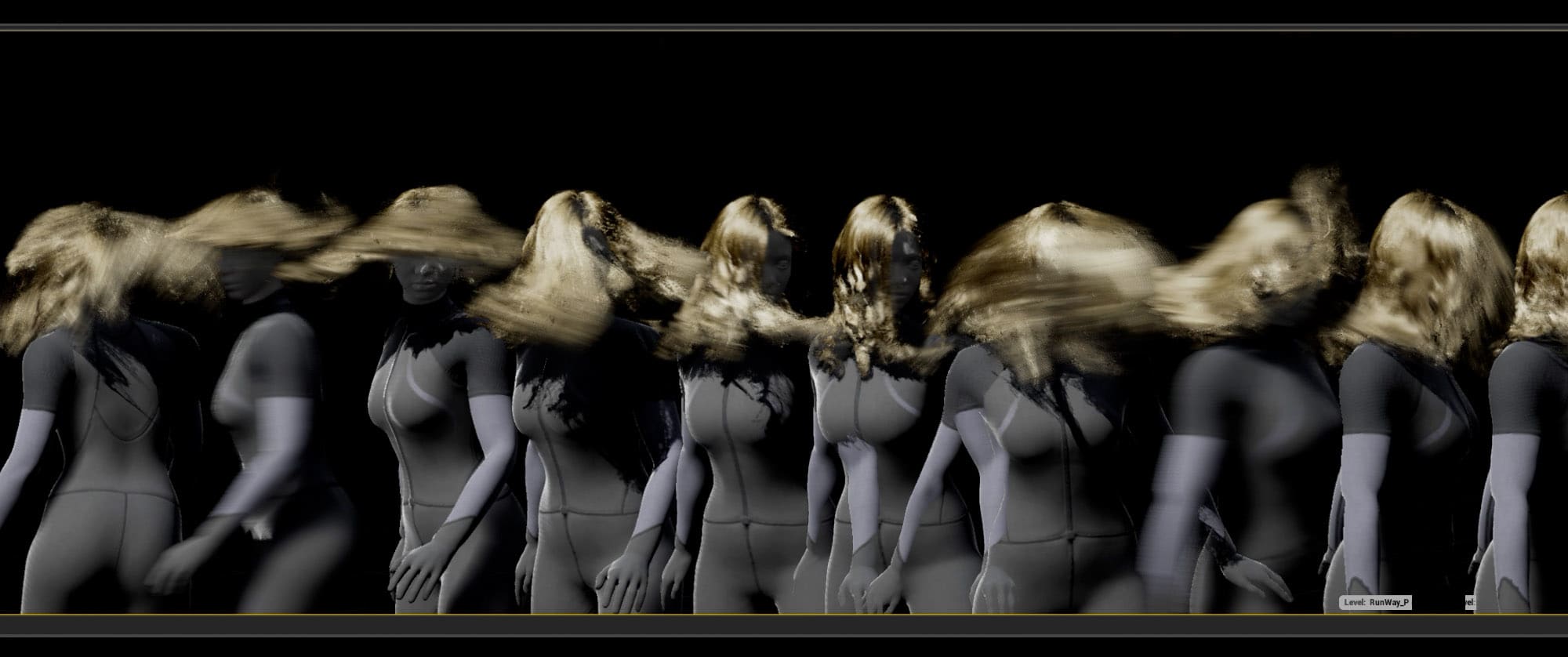
We take a deep look at UE4's new Hair, including an exclusive video deep dive.
thin tendon
1 post said create a duplicate and delete it replacing references. This broke my project and I had to restore from backup.
dim plover
Hair in UE would be such a game changing feature.
one could expect a 30fps or higher framerate with a 2080Ti for a human groom (40K + strands) at 1080p.
Not sure about that though.
thin tendon
ohh damn I found a way to fix it going to post how in case anyone else needs it. Take the culprit struct. Rename it. Then rename it back. Hit save all in editor and restart
 marsh swallow
Wow a whole 30FPS with a 2080ti. Reminds of UE4s new Volumetric clouds that need a 2080ti even to just run it.
@thin tendon that fixes it sometimes.
its well known issue. However that does not always work. If you look at the BPs it breaks, just open the blueprint File > Refresh all Nodes
thin tendon
@marsh swallow Thanks mate. That will come in handy. Structs are used a lot in my project
marsh swallow
i have about 30-40 of them myself and tons of datatables
my best advice.... think of everything you will ever need first.
even if you dont end up using it.
also Source Control
in the event its so borked you cant go back. Every time i make a struct edit. i will submit to source control
close editor
open editor
make edit
run build
thin tendon
Its hard to do that. All the time I'm thinking of new features that require changes. I don't use Source. I just back up very regularly and keep multiple backups of different stages in development
marsh swallow
if its only a few breaks, ill fix em. otherwise i revert and try again.
p4 is free
and u can set it up on your computer. ^^
cloud cobalt
You very much need to use some kind of version control
Git, SVN, Perforce are all free for your own use
Some even have free hosting
marsh swallow
something i have never seen is how to setup p4 peoperly on youtube
maybe ill do a tutorial along with the ArticyDraft tutorials. 🤔
i know when i did it i couldnt find anything at the time.
thin tendon
From what I can see from a quick google search. Source control is basically backups just hosted on a server
cloud cobalt
No, it's not
Source control is about tracking every single change ever done - importing a texture, changing a line of code, changing a material, etc
For source code in particular, it lets you remove a feature some day, then instantly bring it back a year after, for example
It allows you to migrate to a new engine version while still working on the previous one, to test it over a month before committing to it
etc
You can and usually do host source control on a remote server, but that's not the point
thin tendon
That actually sounds pretty decent. All the troubles I am having with my current build are from upgrading to the latest engine version
cloud cobalt
I would never attempt writing a line of code without version control set up first
thin tendon
Sounds like I need to research this further. Thanks for pointing this one out to me
gleaming creek
Yeah, never do any serious project without source control
Git is free and easy to set up, UE4 has built-in support for it, and you can just use it locally if you don't have a server yet
 lusty quartz
hi guys any ETA for 4.24.2 ? (waiting to fix vr motion controller (htc vive) mapping bug)
brave widget
Best answer we could give is when its ready. I personally haven't seen release targets or timetables for anything for 2020, hotfix releases or otherwise
 winter gale
To those who are having D3D device being lost. Reason: INTERNAL_ERROR crash this is the fix I found. Simply switch Default RHI to DirectX 12 in Project Settings -> Platforms -> Windows
Although I think this applies only for Nvidia DX12 GPU's
I never had crash on GTX 1080 though.
 shy nebula
Sup guys. Ive become interested in learning the UE4 engine. Thing is ive run into VERRRRYYY long shader compile times. Thinking about upgrading my 6700k to a 2700x for those extra 4 cores. Wondering if anyone here with experience knows if this would be a worthwhile upgrade?
lusty quartz
@brave widget yes i didnt see any release targets on trello too. (just calender for 2019, 2020 not updated yet.)
cloud cobalt
@winter gale Bit extreme though, as this ill also apply to your players, and DX12 currently performs slower
winter gale
Yup but what to do. Till a fix is released, this is the option to prevent from crashing. Before packaging, switch back to DX11 or default.
manic pawn
there won't be a fix
cloud cobalt
I'd check your drivers first
manic pawn
if epic cared for fixing lost d3d devices they would have done that long ago
dim plover
https://issues.unrealengine.com/issue/UE-74575
I still have my fingers crossed. 🤞
 gritty spoke
Hi guys, have you got PSO caching working with UE4.24 ? After migration from 4.22.3 I got stopped loading/compiling shaders from PSO cache in the build, however I've tried only on Android.
 wary wave
mandatory switching to Dx12 to avoid crashes isn't great when UE4 runs like arse in Dx12
 jade hawk
Getting this weird error when I keep applying a slice to a procedural mesh. I can slice it a bunch but if I continue to slice the same mesh over and over I get this error and the editor crashes.
Weird thing is UE4.24 is installed to C:/UE_4.24/ The path referenced in the error does not even exist in my directory.
Edit - miscopy the error code
Assertion failed: (SlicedV[i] != nullptr) != (SlicedOtherV[i] != nullptr) [File:D:/Build/++UE4/Sync/Engine/Plugins/Runtime/ProceduralMeshComponent/Source/ProceduralMeshComponent/Private/KismetProceduralMeshLibrary.cpp] [Line: 905]
manic pawn
turning on dx12 still exactly halfs my fps in heavy scene
you could think they are accidentally rendering the frame double
or my geometry is rendering double or something
can't actually check because the rhi stats for draws and primitives are just broken with dx12
brave gate
@shy nebula definitely, you're doubling number of threads
UE4 utilizes all CPU threads at 100% during code or shader compilation (if not limited by the rest of hardware components)
so your shader compilation gonna be more than 2x faster
- as some cores are currently used by system and other tasks
- and this generation of CPU has more cache, Ryzen 3 supports DDR-3200, etc.
jade hawk
sorry fixed the error code in my post
 regal mulch
How the f does one find out what struct was used for a specific DataTable?
jade hawk
break it?
regal mulch
Well, yes, that is indeed an option. I wanted to find out without having to actively add code somewhere.
It#s weird that I can't just check the struct class name
jade hawk
Or promote it to a variable then see what it is and delete it
manic pawn
doesn't the data table have a reference to the struct type
regal mulch
Yeah it has the UScriptStruct in it. But I just want to know by looking at the UAsset.
manic pawn
huh
winter gale
Ok nevermind. Switching to DX12 RHI causes another crash
 wise linden
@regal mulch if its a BP struct, the reference viewer will show it
but if its in code its not nearly as helpful.
regal mulch
The breaking of it helps
winter gale
This is where the crash happens.
cloud cobalt
It happens in your driver
winter gale
Hmm..then lemme update to 441.66
regal mulch
Hovering the uasset also seems to show the struct, but not the full class name and also not a way to be redirected to it.
Weak implementation by Epic
winter gale
Hopefully that might fix.
shy nebula
@brave gate THANKS you just made my mind up
 cursive dirge
@shy nebula I used 2600x for a month with UE4 and it didn't impress me much
2700x is step up but only by 2 cores
shy nebula
@cursive dirge I am working only with 4 cores
cursive dirge
yeah, I had 4c/4t machine prior to that
shy nebula
and there is a deal at microcenter right now 2700x is $160 so I was skeptical
 tight gale
Hi guys what happening
brave gate
well, if you have money for that, go for 32-thread Ryzen, it's worth it 😉
cursive dirge
but for example on 2600x (6c/12t), it took me 36 minutes to rebuild UE4 project from 4.22.3-release solution, then on 3900x (12c/24t), it took little under 13 minutes
cursive dirge
newer ryzens have way better IPC for this kind of work
shy nebula
and im waiting for ryzen 4000 I just need something now is all
tight gale
Guys will someone tell me what's happening
cursive dirge
also do note that engine bloated a lot on 4.24 now
shy nebula
we were just discussing processor performance with shader compiling inunreal engine
tight gale
@shy nebula oh ok
cursive dirge
well, for shaders, more cores the better
if you don't compile the engine source, it's not that crucial
tight gale
I have a i9 9900ki processor 9 gen
shy nebula
yeah I really need it for shader compiling. I am having issues with compile times
brave gate
and much more stuff is going to be multithreaded in the engine, grab how many cores as you can and run 😉
cursive dirge
shader compilation works really well in parallel, so all extra cores will speed things up in somewhat linear fashion
tight gale
I will not grab many cores because I already got the worlds best core
cursive dirge
also it doesn't sound like a bad deal either
shy nebula
thanks Doctor I will keep that in mind
brave gate
i9 isn't a world best core 😄
tight gale
Then what's is it
brave gate
Ryzen and Threadripper series
cursive dirge
this is going into offtopic now
brave gate
much cheaper per core
fierce tulip
^
tight gale
Lamo
shy nebula
sorry I got my answer thanks guys
tight gale
And guys I want to ask about what's the way to make a character fly in air mid air
With no inbivisble cubes or assets etc
brave gate
combine: flying movement mode in character + manipulate gravity params + your custom code for velocity and movement in air
if you set gravity to 0.0f, you character won't fall down
the rest is up to
flying NPCs can use regular navmesh (is that fine for your design) or you'd need to go for custom 3d navigation, i.e. voxel grid
tight gale
@brave gate I did that already but It is not letting me to combine flying movement mode and manipulate it just crashes the engine
brave gate
so you're doing something wrong in code, unless you hit some weird bug in the engine
but it usually better to same it's our mistake somewhere 😉
tight gale
Ok if I am can you send the code
brave gate
if you have crash, ask people in respective room for it 🙂
brave gate
I'm going out of discord now, but I'm sure others will helpp 🙂
shy nebula
you know what guys
I have 1 last question
dont know if its possible but I want to cook just 1 file
problem I run into is that I keep having to cook everything and I hate having to use the "never cook directory" function
cloud cobalt
What do you mean "just one file" ?
shy nebula
one asset. I made a modification to a postprocess file and I dont want to recook every file in my folders
cloud cobalt
Well you obviously need all content used in game to be cooked
Whether it needs to be re-cooked is up to the engine
shy nebula
no I do have a fully packaged product its just that I only need 1 edit
cloud cobalt
There is a cache for that
shy nebula
yeah it seems to take 10 years still lol
the other hackish method I found is this https://i.gyazo.com/147d74c04122924e189ed7b7b46dd094.png

works but its crude
shy nebula
I know I can just use unrealpak to re edit the file
I have been distributing edits to my project this way
its miles faster but its a bit more involved.
cloud cobalt
That's the weirdest way to do it
shy nebula
yeah I know I heard that one before lol
but I literally can cook and have test the packaged game within minutes
cloud cobalt
You can either use the built-in patch system, or deliver your game through Steam, Itch or any other platform that will generate patches for you
shy nebula
game is still in development. I have researched all that but it didnt suit my needs for quick dirty development. Im stitching parts of the finished product together for quick tests in realtime
but the finished product will be compiled obviously
cloud cobalt
I mean I don't know, I have full cooked game updates through itch in minutes too, and it's great for developers, being free etc
shy nebula
perhaps I should just go about it the official way. I just got too far in the project this way
cloud cobalt
Anyway, I've never used this to "optimize" cooking so I wouldn't know. My experience is that cooking is very fast if you only changed a few things
shy nebula
you know what
after deleting my cached files
and recooking twice
its allot faster
 tender flume
Anyone knows what it means by
"Compile by source?"
That error appeared when i was building
shy nebula
thanks you guys saved my guts
cloud cobalt
@tender flume What's the error exactly ?
tender flume
@cloud cobalt I'll give you the file to download
Tell me if yours ran
Get the source folder as well
tender flume
It's just compile error failed
 cloud cobalt
So you're trying to compile a C++ project and it fails to ?
tender flume
The plugin
It works if I place it in the engine plugins but then when i build it as a .exe
There's no textures on the character
cloud cobalt
Sounds like a whole lot of multiple, unrelated issues here
tender flume
The only way i can get it to display textures is through the projects folder
cloud cobalt
And you can't place new plugins in the engine plugins folder
tender flume
but then it wont compile
cloud cobalt
Plugins need to be in your project folder
tender flume
Uh but it wont compile
cloud cobalt
Okay
So open your project in Visual Studio, compile again from there, and see what happens
 green yarrow
hi guys, anyone know something about pso caching? if do, pls help https://forums.unrealengine.com/development-discussion/android-development/1707967-after-migration-ue4-22-4-24-pso-cache-loading-running-is-not-working
Unreal Engine Forums
Hi guys!
We are having some difficulties with PSO caching in UE4.24.1.
We had everything fine about PSO caching with our game in UE 4.22 but after migration to 4.24 we can't manage why the PSO cache is not running in the build.
We have stablepc.csv file already generated a...
 twilit grail
anyone in the discord knows how to properly add a module as a dependency to another module?
cloud cobalt
@tender flume Your project, that includes the plugin, in VS.
tender flume
I can open the project in VS even if the project has no code except the plugin? @cloud cobalt
cloud cobalt
To be honest I have no idea, never had a project without code
If you can't, ask the plugin author for guidance on how to get it to compile
tender flume
But the plugin author doesnt respond
winter gale
@tender flume You can't compile without code in your project. Simply add a dummy class and then you can compile
 thorny perch
hmmmm I have an issue, a simple shelf I made in solidworks looks fine in UE4
but comes with a huge performance hit
how would you recreate this look and make it impact performance less?
LOTS of square holes in the levels
and a thickness to them all
brave widget
I'd make the shelves just a flat plane and use a alpha texture combined with a normal map to give the illusion of some thickness.
Is this for ArchVis though?
thorny perch
yup
would you keep the holes in the model or try some texture-wizardry with them aswell?
this is my biggest issue so far 😄
fierce tulip
masked texture for sure
brave widget
If its effecting performance that bad, I'd get rid of the holes. Maybe instead of holes; go with divots?
thorny perch
the shelf excists
fierce tulip
but even then they might look weird from a distance
fierce tulip
id still go with a high res masked texture
brave widget
I wonder if a high res texture combined with POM could give it the same look as real holes 🤔
 grave osprey
400k for thoose ?
thorny perch
yup
grave osprey
no wonder performance hit. use alpha map man
basically its a map to determine holes
thorny perch
not sure solidworks is the shiznits for this 🙂
brave widget
There is no way you will have the physical holes AND improve performance.
grave osprey
errr its material or texturing
you can do in simple photoshop. even in paint
all you do in unwrap
hope solidwork have that
thorny perch
ill try and make a holeless, version, see how many triangles it has then
 serene birch
holeless version is like 14 cubes
brave widget
Significantly less than what you have now 😂 Thats precisely the reason why the holed objects you see in games are masked textures 😉
serene birch
so 168 triangles 😛
thorny perch
- some smoothing on the edges
serene birch
but you might want more triangles for the bases than a simple cube 😛
thorny perch
still hella better than 200k per shelf 🙂
serene birch
but seriously, it should be possible to get a mesh that looks very close to the original image in 200 triangles I bet
brave widget
Think of it this way. Some games are almost entirely 400k triangles for the entire game 😛
serene birch
indeed a big improvement 😛
thorny perch
😄
grave osprey
@thorny perch if you intended for that design. but need it optimized. i suggest make 2 version of this. when close by the player you can have it fully built like your pic. however when the player get far away from shelf use the 2nd model where it optimized
that was LOD system.
thorny perch
I think alphas on a holeless model is the right approach
grave osprey
well whatever you want to do. you are its creator. but remember the biggest tip : design are everything (and sure you have to polish it.)
thorny perch
removed holes and voilá painless saving to stp
 robust inlet
Is there a channel I can ask questions in about stuff I dont get in the engine?
grave osprey
like ?
brave widget
@robust inlet #more-resources Take your pick 😛
tender flume
Is it okay to stay on 4.23 if the plugin does not support 4.24?
Plugin literally broken in 4.24
Only works in 4.22/4.23
brave widget
Of course its ok to stay on 4.23. Why couldn't you? 🤔
thorny perch
when I get hold of models at work I really need to check if I can optimize them 😄
they dont give a single f*ck about polygoncounts
tender flume
Won't it be obsolete? @brave widget
brave widget
There are people still running 4.16 and probably lower. There is nothing that says you have to upgrade when the new version hits or ever
plush yew
I am on 4.24
thorny perch
ah works like a dream now without holes 🙂
 whole quarry
4.23 is obsolete
thorny perch
might not care, looks good enough
brave widget
If you want to use the newest features, then you have to upgrade, but beyond that; upgrading is whenever you want to
Whether a certain version is obsolete or not doesn't really matter. What matters most is; "what stops working when we upgrade and are we ok with fixing it?" The answer to that will largely decide for you if you update or not
wary wave
I'm on 4.18 ¯_(ツ)_/¯
brave widget
See ^ 😛
 spark sonnet
4.21 here
tender flume
Oh wow.
thorny perch
is there like a "material wizard" in ue4?
tender flume
Thanks
thorny perch
select typ of material, paint, metallic etc and have it setup basically
brave widget
Not by default (built in)
thorny perch
are there any plugins for that? 🙂
brave widget
Possibly. Haven't really looked for something like that
serene birch
that looks more like a "material library"
 grim ore
the closest might be the new bridge and mega scans stuff since you can customize them outside UE4 and bring in variants. or yeah a material library itself
technically substance lets you do that as well in the engine if you set up some good master materials
thorny perch
guess Ill learn the editor 🙂
grim ore
look at https://quixel.com/mixer
grim ore
yep that would be a color
Arrrr Geeee Beeee
or technically X,Y,Z in a material which is super annoying if using HLSL lol
thorny perch
no laughing 😄 still learning, not even a day of learning in total so far 😛
grim ore
I don't think anyone would laugh in here if someone is trying
brave widget
Trying is one of the most important things someone can do and should always be encouraged 🙂 You're doing just fine, oddname 🙂
grim ore
toss a scalar (vector 1, or the 1 key) into the metallic and set it to 1 and make it all shiny lol
thorny perch
ah cool
grim ore
the best thing about the material editor is you can just play around and see results and it feels like fun
serene birch
nah
thorny perch
I have this grand vision of it all 😄
serene birch
this looks like paint, not a metal
keep metalic at 0 and drop roughness to 0 too to make it shiny
serene birch
well my head is a form of material library, and for that shiny white paint you'd use a material with :
- color : some light grey like 0.8, 0.8, 0.8
- metal : 0
- roughness : between 0 and 0.1 or so
😛
 dim merlin
Hi, is it possible to change a grass map at runtime, in material?
 drowsy compass
Hey. So I am trying to set up ue4 multi-user editing, but we are both not connected to the same network. How would I go about setting this up? I watched the hour livestream unreal did on it, but it did not work for me. Any suggestions are appreciated 🙂
grim ore
You will have to look into setting up something like hamachi or another VPN setup that allows it. It's not easy or intended but there are people out there who did it on the googles
grim ore
I am looking to watch a ton of stuff on animation in UE4, anyone have any good recommendations? any skill level is fine I want to absorb as much info as I can on all the systems so everyones take on it is a bonus. Nothing on the Online Learning portal yet.... so I can't go there lol
 sweet relic

In this stream, Wes Bunn takes a look at the quickest way to get a humanoid character up and playable from a Skeletal Mesh and a series of animations. We’ll talk about different workflow tips for the various types of animation assets (Anim Blueprints, Blend Spaces, and Stat...
grim ore
lol that is the one I am watching right now so 🙂
winter gale
Updated the driver to 441.66 (Studio Driver) and still same issue. Same crash sighs 🙁
grim ore
using RTX/DXR?
brave widget
To be fair, bUseUnity sounds more clear than the other; despite the logic being inversed
normal burrow
yea @woeful zinc ikr?
You set bUseUnity to false
Good to know i'm not the only one
yeah
rotund scroll
hey guys, any idea what causes the green text to pop up?
normal burrow
believe thats the thing that shows the ui names
if you wanted to anchor in buttons, you use those green names to supply where.
 keen shell
@rotund scroll This is because u have it on
Find editor Preferences then look Miscellaneous and off the button display UIExtension Points
 humble oyster
Can I dm someone and they help me with weapon switching and making
 copper flicker
you now that collision option... Can Ever Affect Navigation?
how do I access that in BP?
humble oyster
What
tender flume
Why is she getting more attention than my VRM issue reeeeee
Look at the amount of emotes
Bruh
cloud cobalt
Get what running ?
The reason other people get answers and you don't, is that you don't explain your problem in detail
Few people here have the patience to ask you to tell us what your problem is
tender flume
Ok bruh @cloud cobalt Why does she who send an emote and a few others get instant answers?
 abstract relic
Want a hug stranger?
cloud cobalt
My wife has me covered on that front !
copper flicker
Can anyone help me meanwhile?.. Did I explain poorly what I wanna?...
abstract relic
Have a puppy hug instead https://tenor.com/bdw9p.gif
 copper flicker
😦
tender flume
How do i get the plugin to compile for 4.24
tender flume
VRM
 willow vault
Hi
 mint horizon
Does anyone know if there is a way to change your GameServerQueryPort after packaging? So I don't have to package seperately for client and server and save time
copper flicker
Stranger, I doubt it's not possible.... it's kinda essential stuff, to be able to set collision settings in code, not manually
you can't set navmesh to be ignored on the mesh asset itself
and I'm not putting together levels manually
 keen nest
Hi all!
where is a am can ask a question?
rotund scroll
@keen shell thank you
copper flicker
so.. somehow it has to work in BP
willow vault
I have a character pack, the bodies are separated from the heads and I don't know how to import or merge head and body in the same skeletal mesh. Can someone please help me? 😫
keen nest
when I select terrain, it displays a baked shadow. Everything works fine.
abstract relic
Describes the different methods you can use to create modular characters comprised of multiple Skeletal Meshes.
keen nest
But when I select any asset in the scene, the shadow from the terrain disappears.
I spent the entire evening trying to solve this problem.(
I cleaned the cache of the light map, and I downloaded the light map without light sources.
normal burrow
any warnings after bake vitamin?
 wheat dirge
is there a way to mirror an animation inside ue4
normal burrow
short answer is no detoxxe
wheat dirge
damn
keen nest
Yes. a lot!
they are related to the problem of overlapping on collider mesh
But even in the afternoon, the stage was working normally. Until I deleted all the light sources.
normal burrow
long answer is it can be done with c++
are you sure its not lightmap uvs overlaps vitamin?
keen nest
oh....
willow vault
@abstract relic Thanks
cloud cobalt
@tender flume So what is VRM ?
What's the store page ? Documentation ? Full name ?
What did you try ? What is your problem ?
keen nest
I can't be 100% sure.
Here's another example. I have a plain with a water Shader.
I can't be 100% sure.
Here's another example. I have a plain with a water Shader.
when I select any asset in the scene, this is what I see.
 bitter iris
how would one fix camera clipping? in editor and standalone its like this https://gyazo.com/3efb721789295c3fb05f6edb36a675ed

i just upgraded to 4.23
normal burrow
lol jordan thats strange.
keen nest
but when I choose terrine, everything works fine.
it seems to me that Terekhin and the cassettes in the scene use different channels for light maps. I have a little experience in UE. I just think so.
normal burrow
if it were everything clipping i'd understand it @bitter iris but just the one material i'm not sure.
normal burrow
it seems like the road only?
normal burrow
ah if thats the case you can change the default near plane in project settings
normal burrow
near clip plane is how far away from the camera things start to draw. but lemme check if thats the proper name in settings or not
bitter iris
okay cool
 livid siren
could someone point me to a guide for setting up dedicated server debugging with Visual Studio?
I want to be able to set breakpoints in my server code, so far Ive only been able to figure out how to do this with the editor
normal burrow
@bitter iris
bitter iris
what number should this be set too
bitter iris
no matter what i change it too it doesnt change
normal burrow
the lower the value the closer it will draw things, but you have a penalty for that too
you have to reset editor after changing it
try a setting of 2
then restart editor
bitter iris
aahhh
normal burrow
what was it on for you to start with?
bitter iris
10
normal burrow
i take it those roads and stuff are very small scale?
bitter iris
i wouldnt say so
they fit 2 cars on as theyshould
didnt seem to have this problem in 4.22
normal burrow
two cars measured in cm?
@livid siren believe the process would be the same as any other debugging thing. you could start it with VS or attach to it with VS
bitter iris
cars are roughly 800x400x300
normal burrow
hm  yeah
yeah
bitter iris
ill open 4.22 see what i have there
normal burrow
that near clip looks like its 200 or 300 in those videos
did the 2.0 setting do anything?
 tidal shore
How do I compile my project in VS 2019?
normal burrow
F5
tidal shore
It generated project files for VS 2017 and doesn't like the SDK version or something
normal burrow
Github source?
tidal shore
yeah
normal burrow
may have to re-run the prereqs after vs2019 is installed and regenerate project files
normal burrow
when you enter PIE, press F8 to eject
then check the camera you were looking through it might be overriding the near plane?
rotund scroll
does anyone know how to make IK hit render geometry only and not collision geometry?
normal burrow
render geometry doesn't normally exist in any accessible way other than to upload to gpu
so most you can do is enable complex trace
rotund scroll
nevermind I figured it out
I did it through collision presets and a custom line
I'll consider using complex once i get more meshes in
 heady moon
Yo newbie here just asking if 3.7GHz is enough for Unreal Engine to run 4K?
cloud cobalt
@heady moon Depends on your GPU
normal burrow
graphics are generally decoupled from cpu
cloud cobalt
And then it depends on the game too
livid siren
@normal burrow when I run the debugger from VS set to DevelopmentServer it crashes, presumably because the compiled server binary isnt embedded in the client package code like it needs to be
Im missing a simple step somewhere Im sure
heady moon
lemme check
normal burrow
it would depend on the game regardless
cloud cobalt
In any case, the best computer for game development with UE4 is the best you can afford
Top of the line GPU, CPU, lots of fast RAM, large fast SSDs
grim ore
lots of SSDs, like atleast 6 of them? I think 6 is a good number
grim ore
I have 1, I am not doing well 😦
normal burrow
if there are eight in raid zero does this count as one or eight ssds?
grim ore
8 SSD's, one logical drive
normal burrow
mm sense.
cloud cobalt
@grim ore I unironically have 5 disks on this machine
grim ore
man I feel so inadequate in my drive life
rotund scroll
don't worry @grim ore people with many drives are just overcompensating
grim ore
I have a 1tb ssd that i've had for years as my main drive and a 2tb usb for backing up all my work lol
I keep wanting to add another but drives are expensive and the delete button is free
normal burrow
i'm only using a single mp600 2tb right now too, the sata array is for farm
 mossy nymph
if you use it too much it will eventually break
rotund scroll
I got 2 drives
copper flicker
does anyone have any idea why my navmesh is not covering my level correctly?... it covers only partially, some objects are completely ignored, and then a duplicate of the same object works fine. and you can see how the navmesh ends abruptly in straight lines in the middle of some geometry.. so on. pics attached.
the second image is a top down, less clear.. but I hope the first one is clear
I have huge navmesh bounds
that encompass the whole lvl
and I'm generating navmesh around the player only
70% of the time it all works well...
 open eagle
for some reason all the variables in my struct go to zero during runtime
copper flicker
xz, it's probably cuz of parent child inheritance..
normal burrow
check the blueprints though
open eagle
I have all of the values set up in the instance of it
normal burrow
what VM is saying can happen
copper flicker
it's just a typical Unreal problem, when creating variables
open eagle
 faint juniper
Does anyone know how to reduce the impact of copying and pasting the same mesh over and over?
copper flicker
XZ, check the children classes, if any
normal burrow
also check instances in the map if any
if your positive its actually zeroing the memory
on begin or something, then that would be something to look into
copper flicker
do you have children classes?.... did u check them?...
normal burrow
also, what are your uproperties?
open eagle
this is the lowest child class
normal burrow
lowest parent you mean?
copper flicker
no, child... I get it. maybe there's some problem with another class, where u get your weapon attributes from
open eagle
normal burrow
ye
thats a thing too xz
don't use editdefaultsonly on struct members
i mean
you can
copper flicker
meanwhile... did anyone have this weird, surrreal... out of this world issue I've posted 2 pics about??
faint juniper
Stupid question but does "Objs" mean Objects in scene/game?
open eagle
oh wait
normal burrow
when you have edit defaults only, the instances can sometimes hold a bad configuration, because youre expected to read from the default
@faint juniper it does not
afaik it is all objects total.
including background things made by the editor
so its not the best metric
normal burrow
all those properties XZ
open eagle
normal burrow
UPROPERTY(EditAnywhere,BlueprintReadWrite)
open eagle
its already like that in the instance variable
so I won't need it like that in the struct
normal burrow
right
but also, you only edit the variable on the default object with that property. so the value on the instance might not be what is on the default object if ti has modfiications stored in it some how (it happens)
faint juniper
Okay, is it normal to be so high? I have 18 different types of meshes and only placed 284 Actors in game. Other than a material for each and textures. (and thirdperson default stuff) I have nothing else
normal burrow
The value itself is not something to be too concerned about DD14
if the value is always rising
and you get harsh frame hiccups when it drops
that could point to garbage collection being an issue.
but generally that doesn't sound like an insane amount of objects
faint juniper
okay then, thanks for clearing that up 🙂
Does anyone know the right way to go about copy pasting an Actor lots of times so that performance doesnt take a hit? I read online about HISM but confused as somewhere else says Unreal did a huge overhaul not too long ago and if I just drag assets on to the scene it should do all the work to limit performance hits.....unfortunately I have huge FPS drops and nowhere near done with the amount of pasting needed
 past flicker
What does failed to open descriptor file mean in relation to an Android phone? My phone works fine and my brother gets this error on launch from usb
open eagle
Oh
It means the content pak files are missing or corrupted
it happens when you compress the game and decompress it
past flicker
Ah ok, how would we go about sorting it out, clearing them?
Weird thing is, we changed the Android version in the project, we forced it to run on Android 9 and it worked
On Android 10 it fails
I guess if you force it to run backwards compatible on Android 10 it works
open eagle
@normal burrow why did this happen
normal burrow
what do the uproperties on the struct look like?
open eagle
I tried making a new child class from it and it does the same thing
AWeapon_Atlas_Base is the parent C++ class
it's the base weapon class
normal burrow
If you make a new blueprint of your type, does it also hide those properties?
open eagle
yes
normal burrow
hotreload? - did you try restarting editor?
open eagle
yep
normal burrow
launching through visual studio and it definitely compiles?
open eagle
lemme try that...
wth
I never get that error
when I compile with editor
I have my weapon referenced in my pawn and vice versa
but I still forward declared it
normal burrow
does the header not have a #pragma once at the top?
open eagle
no
normal burrow
that should be put at the top of every header
er
i mean a comment can be above it
but it should be above all the includes
rotund scroll
@normal burrow how reasonable does it sound to make an IK solver for the anim editor at editor time?
normal burrow
I've not used the anim editor, but would look into if they planned anything like that when they made it.
you could use a post process animation blueprint to just always run IK to the IK bones
don't expect teh animation editor to bake the fk bones though
rotund scroll
😭
abstract relic
Random pat ping +1: 1
normal burrow
😂
Cranz, you should check out blender though
it kind of is painful that the mannequin is more or less incompatible with ik in blender from import however
 crude vessel
Huzzah
normal burrow
ye buster charlie knows whats up
crude vessel
Lost most of todays work, saved it but didn't actually save and crashed and didn't submit to source control yet, so i'm off to spend the rest of the day not using UE4!
rotund scroll
@normal burrow I'd only use IK to stabilize positions of bones that aren't in use basically, so I can pose keyframes without too many changes
crude vessel
I knew I was gonna have a bad day when it randomly decided to not save files. Still can't figure out why the player control is randomly missing or broken.
brave widget
I hear MrMannequin Tools by Jim Kroovy helps tremendously for Blender. I have the addon, but haven't used it much yet. But it seems really good
 upbeat tendon
are datatables just key value?
upbeat tendon
oh stupid me
normal burrow
datatables are keyed by row name, which is a fname yeah
row , column = value
so its not really key value yeah, unless you consider the two fnames
upbeat tendon
i haven't done much on my project for nearly a year, i had started to forget how it works
normal burrow
Yea if you are going the blender way Cranz, would check out what Chipmunk is recommending. I might do all this for you in a way you can qucikly clean up animations
the animation editor in ue4 isn't just sequencer or something right cranz? I know sequencer but haven't made/altered animations in ue4 beyond that modifier stuff to clean out curves i didnt' want
rotund scroll
I dunno whether it is a sequencer or not
I suppose modifiers are what they want us to use
I figured I could fake editor time IK by forcing transforms for certain bones to be frozen
not sure if that is true
normal burrow
i understand them to be more for like converting positions to curves, or tidying up unused tracks. you set them up and they run when you reimport the animation
don't think they have anything to do with editing
rotund scroll
the example they gave was to keep foot position consistent
but I suppose I could be wrong
normal burrow
i believe it was for correlating distance to floor to a curve or something. do recall something wtih foot position though
 vale spade
Hello! I found this "script" https://pastebin.com/raw/95RztgF7 from the Quixel "Realistic Snow in UE4 with Quixel Mixer" Video (https://www.youtube.com/watch?v=B4dV5cLQAMI) But i don't know how to use it, as if i copy and paste it in the editor i won't get the connectors, just the boxes but without the connections. Can anyone help me how i can use it?

Learn how to create believable, fluffy snow in Unreal Engine 4 using materials created in Quixel Mixer.
Directional Snow Material: https://pastebin.com/95RztgF7
Ground Material: https://pastebin.com/GcnJi6Pk
(Copy-Paste into Material Editor in UE4)
Learn more about Quixel M...
grim ore
it doesnt seem to hook them all up but watching the video you can see all of the wires and how they are hooked up and what he added
abstract relic
Copy/paste now longer includes connectors. Probably an unintentional bug.
vale spade
oh, so maybe if i go to 4.23 it will be there?
abstract relic
A rather odd reason to pick a different engine version
vale spade
so, what would be the best?
abstract relic
Follow the video along. Connect the nodes yourself. It’s a great opportunity to learn
abstract relic
Get in contact with the salesforce Pat 😜
normal burrow
Lol 😂 Salesforce will save me. They seem to be in charge of a lot.
I will contact someone to contact the salesforce.
 tardy yew
Hello everyone, can anyone take a moment and try and recreate this error I'm getting in version 4.24.1? I've been able to duplicate it on two separate computers and wanted to make sure it's a bug and not me. I go to add the FPS Blueprint feature pack to ANY project and it gives me this error.
tardy yew
easy way to post log? take snippets?
abstract relic
tardy yew
Didn't want to bombard the channel with this long log post
 lime gull
I asked this before but have since lost the ancient texts
How would I save a song (or audio clip thingy ) position
Then reload from that position
normal burrow
channel needs logs, you can also just drop them as an attachment
tardy yew
Here is my log file. I created a blank project and tried to load the fps blueprint.
normal burrow
how are you doing on free disk space mike?
tardy yew
42.8gb free on the drive
normal burrow
windows drive is the same one?
tardy yew
no, this is on another drive. Local internal though
This is the error that had me start looking at the fps bp. It came up on any new project I started
normal burrow
Yeah thats all that is in the log too unfortunately.
tardy yew
I've ran a check on the version, no luck. I also uninstalled and reinstalled version 4.24 still the same error
normal burrow
Your windows drive has some space in it?
tardy yew
207gb free space on my c drive
I just find it odd it's not isolated to my single computer....i've ran into the same issue on another computer
abstract relic
Did you enable templates when installing the engine. The option to import shouldn’t exist when you don’t have them but you never know
normal burrow
That importantly yeah.
tardy yew
Anyone have time to run a quick test to confirm? I'm just wondering if it's a bug and should be reported to epic. Create any project and try and import the fps bp feature pack.
normal burrow
Do you remember enabling/disabling templates though?
tardy yew
I've never had to enable or disable templates? Where would that occur? on project creation? New engine version install? When you add a new version it never prompts for it...at least in my expereince
normal burrow
Is okay if youn don't remember. its when you go to install/download the engine
tardy yew
BIG Thank you all for talking me through this~
normal burrow
C:/Program Files/Epic Games/UE_4.24/FeaturePacks/FP_FirstPersonBP.upack check if this file exists
tardy yew
it does...double and triple checked when it prompted to not find it
normal burrow
C drive right?
tardy yew
thought it might be an issue with admin rights, but closed everything and ran as admin to make sure
yes c drive for engine content
all there and accounted for
going to run a quick test with version 4.23.1 and see if I can recreate
normal burrow
well error does say two things
the failure to import and the failure to create asset.
imma look quick what its saying exactly
yeah, it most likely has more to do with the import than the write
I send you my feature packs, probably don't need to replace but size should be similar
I misunderstood what you were trying to do mike
I'll see about making a blank project and then adding the content in
yeah @tardy yew its broken
i get the exact same thing
work around would be make a new project with the fps template, then migrate over
high stone
Ideal time hard drives should be left on in Windows? 1 hour? All day?
 rancid lynx
if two small box collisions collide, how do i get the point where they touched, so that i can spawn a particle spark
oh maybe expand the sweep tick from the box collision node ? ill check these guys wow
i havent figured it out yet. surely its simple.
fallen marten
If you select the box, and see if it has an Event Hit, you should be able to get an impact point vector
normal burrow
@rancid lynx there can be many answers to this problem
Two boxes colliding dead on would be any point of the combined surface area. But you should have access to a HitResult.
Within it, Impact point will be one of the answers. It’s usually a corner with above example
It may not be what you expect to get though was the point of all those words lol
normal burrow
IsValid node would work too or you could move that cast to the front
marsh swallow
Has 4.23.2 released yet?
 blissful trail
isn't 4.24 out ?
marsh swallow
were getting a crash that has been fixed for target 4.23.2 but i cant find anything about its release.
yeah but were on 4.23. lol
blissful trail
i dont think a 4.23.2 is gonna be released
abstract relic
it will never be released
marsh swallow
welp off to 4.24 land it is
normal burrow
yeah won't happen
marsh swallow
apparently setting FullScreen in BPs will crash 4.23
normal burrow
It's charm, character.
marsh swallow
I honestly think its kinda funny
normal burrow
I am kind of curious how long the add template content to existing project has been busted though.
marsh swallow
hey listen, i know you wanted to play our game but... you gotta do it 520x480
normal burrow
not your problem right heh
dim plover
4.24.2 is mentioned in the issues page, so it's almost definitely going to happen.
normal burrow
4.24.2 you mean?
 hexed dock
Is there any way to change the god-awful beep UE editor makes when starting a Launch? It's horrific. (And what I REALLY wish is that the beep happened when it was actually Running, but that's probably too much to ask for.)
 lone tapir
Hello guys, is it possible to control the play of the flipbook using the level sequence? Thank you for your help!
normal burrow
editor settings
normal burrow
@hexed dock the bottom one.
 wintry otter
hello. I'm a brand new Unreal user. I'd like to start VR development using Quixel megascans, but have no technical skills or knowledge. Does anyone know where a good place to start would be?
fallen marten
Youtube
wintry otter
Thanks.
normal burrow
Yeah, what headset?
normal burrow
Ah ok
plush yew
I'm thinking of buying an HTC Vive Pro, any gotchas I should be aware of, I'm currently using 4.24.1 which may not be the most stable for VR, So I've heard.
normal burrow
Oculus has their own branch but dunno about tuts
wintry otter
It'd be better to just go ahead and buy a Valve Index
I know they're out of stock right now, but you'd be getting a better deal overall.
They'll be in stock before March
plush yew
well, I live in China, Certain hardware is not available readily 😄
normal burrow
When is eye tracking a thing though?
wintry otter
Oh man
Eye tracking, as it's currently implemented, gives a basic eye tracking software layer
Well hey man, then go for the Vive Pro!
Don't let me stop you haha
But in the future, it will be foveated rendering.
normal burrow
Currently? Which headset has eye tracking?
wintry otter
Which will allow pixel focus to only be centered on where your pupil is at all times, and reduce the surrounding image by 20-30 percent clarity
Vive Pro Eye
normal burrow
Ah yeah, is that out now?
wintry otter
The Vive Pro Eye is
normal burrow
Wow cool
wintry otter
But I promise you, either this year, or next, there will be consumer grade hardware with eye tracking that can do much more than eye Vive Pro Eye, for cheaper
and it definitly is 😄
normal burrow
Yeah, It’s the missing thing with vr. Eye contact implied is weird
wintry otter
Yeah, although it will be able to convey and improve on so much!
@normal burrow are you an unreal dev?
wintry otter
I mean to say, do you work with unreal engine
but cool 🙂
I might have to hit you up every now and then when I don't know what the heck I'm doing lol
 lapis vine
Pat needs a subscription counter.
wintry otter
If you're interested, you can look at a resource video I'm working on for VR, which has some features of eye tracking in it
normal burrow
It happens, I watch this channel a lot.
wintry otter
It's a very silly rough outline right now
normal burrow
Cool, eye tracking is interesting to me yeah
wintry otter

Google Docs
--Intro-- Intro: uncut humble old interview on palmer talking about his vision for VR pre fame Fade out Over the decades there have been numerous concepts of virtual reality technology depicted in mainstream media. From the mundane (movie boring, to the futuristic (crazy fu...
abstract relic
Do I need to track DM threats toward Pat now? 😜
abstract relic
If you sent him a server invite, I’m going to cry with laughter
abstract relic
That’s worst to be honest 😂
wintry otter
normal burrow
It’s all good, but yeah looks cool! You’ll pick up the engine in no time
wintry otter




Most of these tutorial guys act as if I should know one million different variables, shaders, and secret hidden settings as they talk and click away at a mile a minute.
xD
normal burrow
Really?
wintry otter
oh yeah lol
abstract relic
Watch at 1.5x is the only correct way
normal burrow
I swear, it works
wintry otter
maybe for someone who's in tune with the Unreal force
normal burrow
Maybe you should look into more basic ue tutorials
abstract relic
Speech is too slow, allows the mind to wander
normal burrow
I like to watch a tutorial before doing it too so 1.5x is nice
wintry otter
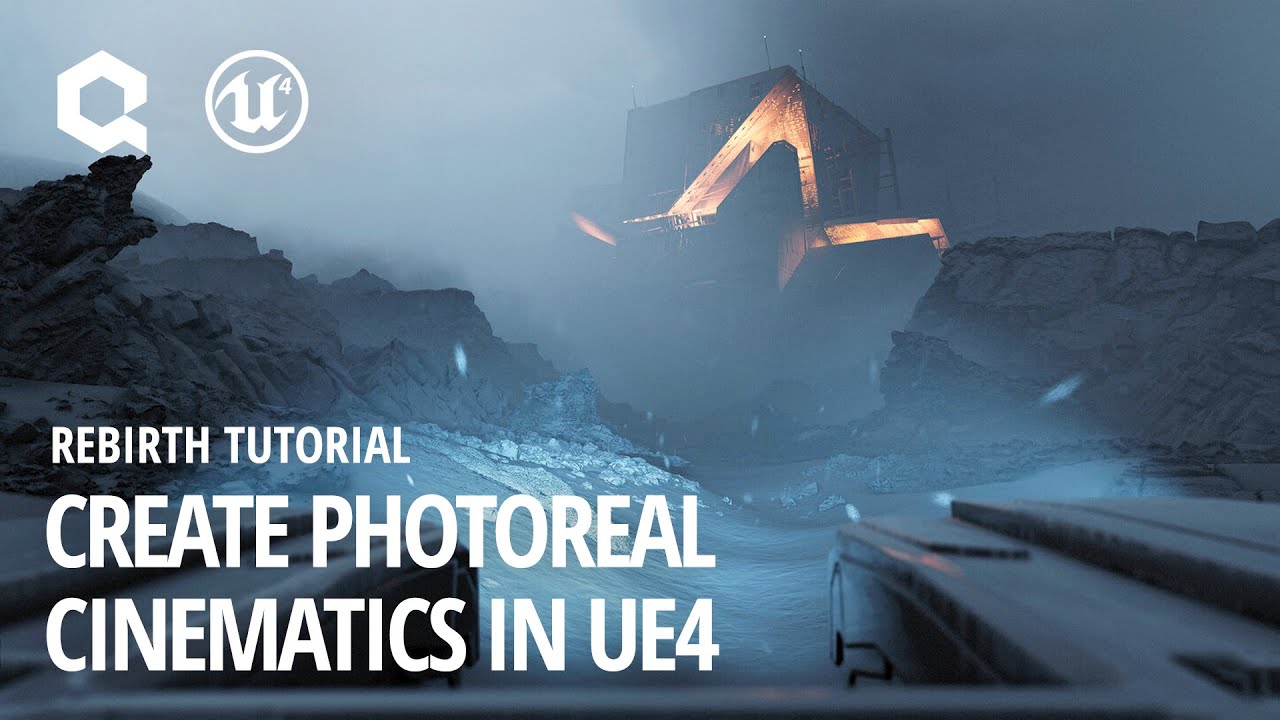
This in-depth tutorial goes through the entire production process for ‘Rebirth’, a cinematic produced by Quixel using Unreal Engine 4. Beyond its visual process, Rebirth serves as a benchmark and kickstarter for virtual production workflows.
Read more about the project o...
I've been watching this for the last 40 minutes (the only reason I'm interested enough in downloading Unreal and giving it a try is because of watching the amazing Quixel Rebirth video), and I'm following about a quarter of what he's saying so far, which I think is okay for knowing nothing.
abstract relic
Quixel doesn’t really provide tutorials. They’re just product showcases
Give me a sec. prepare for a link dump
normal burrow
You will not be disappointed
abstract relic
https://www.raywenderlich.com/771-unreal-engine-4-tutorial-for-beginners-getting-started
https://www.unrealengine.com/en-US/onlinelearning

raywenderlich.com
In this Unreal Engine tutorial, you will be guided through installing the engine, navigating the interface and creating your first game object.

Learn common workflows in a series of easy-to-follow, modular videos. Browse courses by topic, author, or industry, check your understanding with built-in course assessments, and earn skill badges as you complete courses.
Complete resources for learning to use Unreal Engine 4

YouTube
This channel is dedicated to exploring Unreal Engine 4 and the Blueprint programming language that it uses. You can think of it as a companion to the API doc...
normal burrow
Uh high tide is the one gathering the links lol
normal burrow
@grim ore satche compliments
abstract relic
+1?
normal burrow
Totally +1
wintry otter
Thank you High Tide this is awesome!
normal burrow
If not +3
wintry otter
+what?
normal burrow
Score
lapis vine
Think High Tide needs subscription channel too.
wintry otter
I'm not threatening anyone tho
xD
also High Tide "To learn these, you will create a spinning turntable that displays a banana."
lol
normal burrow
Good
plush yew
Back to purchasing Vive Here in China, I'm considering the Eye version, I just want to point out that Chinese apartments are very small, I can stand still and extend my arms, but I cannot move in any direction without hitting something, like a desk or a closet or window. Would that be a problem?
wintry otter
I've heard the phrase starting off small, but dang
No, you can do what's called a seated/standing setup
abstract relic
Why not a ‘nana? 😜
wintry otter
I'mma change the color to be icy blue when I'm done
cuz I'll know how to do that
and then
normal burrow
Potassium: it’s important
lapis vine
The hell is that looking like?
wintry otter
🙂 Always free to come and visit and use my vive/Pimax if you're in the states, friend!
normal burrow
‘Nanas are rich in potassium
 polar hawk
wintry otter
polar hawk
wintry otter
tries to click on getting started tab reads further.... "(You are here!)" sigh
lapis vine
That... big
lapis vine
Sure its not oversized banana?
normal burrow
It’s a happy nana
wintry otter
can i use it as a texture for my nana?