#ue4-general
1 messages · Page 620 of 1
 wary wave
 plush yew
ya, Im looking at it3
What I'm trying to avoid is wasting time learning skills not directly related to what I am trying to do -- I dont want to accidently get sucked into stuff that is game related, and has no ArchViz application, only to find out 2 weeks later it doesnt do what I needed and as a result, I've just wasted 2 weeks -- thats happened too many times before
wary wave
you're going to find that pretty much all basics are going to be relevant
plush yew
ok, that makes sense
 delicate needle
This might be a stupid question of sorts. I'm trying to make my workflow work faster. My geometry (modeled by coworkers, and or cad) from max to unreal will often have inverted normals. This is a labor intensive task to fix, as often its not until after my bake do I notice. Of course this can be mitigated by investigating all geometry in max, which is what we have to do. My question is, is there a setting or trick in unreal to bake inverted faces?
I'm doing a test right now (vray light bake) with "use two sided lighting" turned on. We will see what that does..
 next badger
@plush yew yep, i was talking about learning section in launcher, it has a lot of free assets
plush yew
@next badger ok, I found a series on becoming an architectural visualizer and im working on it now
 tawdry heath
is Godot better or same or similar to unreal engine 4?
next badger
no...very different
tawdry heath
what is it close to
next badger
unity and godot are much more similar
tawdry heath
doesn't godot have blueprints and c++?
 grim ore
@delicate needle Max and all the DCC programs should have something like this to help out https://knowledge.autodesk.com/support/3ds-max/learn-explore/caas/CloudHelp/cloudhelp/2016/ENU/3DSMax/files/GUID-C420859B-D44E-469F-9A20-AFD731216EA1-htm.html just make sure you are good to go and unify/nomalize before you export and you shouldnt have to worry about it being broke after the bake
next badger
Godot is not Deferred engine
delicate needle
@grim ore - That is what I am currently doing, but not a quick deal. Still takes manual observation, items such as scalloped trim, sweeps, imported RVT data etc litter my project, and are a random poporii of flipped faces. At times a normal modifer gets the job done, other times it takes manual work. Other then a drastic use of shell modifier (not a good idea) there seems like no quick way.
3DS max has xView, which is very shoddy.
grim ore
2 sided material in UE4 might help if its not a big area as well
delicate needle
I think you can flip faces in the new mesh editor, but that crashes every instance ive used it.
grim ore
Unfortunately it's one of those things where the right answer is to just do it right in the first place 😦
everything else is just hacks
next badger
fixing inverted normal is quite important for performance
delicate needle
Mathew, exactly. Unfortunately this project wasn't done that way, and was first constructed by client provided RVT data, manual modeling, and model catalogs (furniture). I've constructed a guideline for how to model buildings that work well with lightmass/unreal, as well as material guidelines for conversion, as many things dont convert.
next badger
since every flip produce additional vertices, resterizer having hard time on the edges of flipped triangles and 2 sided materials are more expensive
grim ore
I did test and the mesh editing tools in the static mesh editor can flip faces, sucks yours is crashing that would be some easier fixes
next badger
STL check is your friend
delicate needle
I think it is crashing due to it being imported via my V-Ray for Unreal plug-in.
next badger
afaik vray is not importing meshes as meshes
grim ore
there are the mesh editing tools in the mesh editor, and there is the mesh editing/modeling tools in the viewport, have you tried both?
delicate needle
My workflow is subverting datasmith right now, but I know I can go back and use that. Various reasons why.
grim ore
thats kinda cool, there is a fix normals option in the models tools that seems to work on some easy stuff. If this wasnt in flux I would love to learn it
delicate needle
I want to use datasmith for good reasons, when I do. This current workflow is fine, but 98% of my hangups are inverted faces, and materials that need to be "simplified"
I'm stuck using the previous version, vray isnt out for the latest version of Unreal
So I'm not sure if the tools you mentioned for the viewport are there.
@next badger Thank you for the reminder on STL Check, I forgot about that modifier, I hope that helps things!
grim ore
good question, I think they are just experimental in .23 and super crashy
delicate needle
Another "issue" I am having is being forced to use rather high lightmass resolutions on thin detail items, such as intricate trim, baseboards, crown moldings. I guess thats the only solution, or a "smarter" unwrap.
grim ore
I was trying to see if they exposed most of these tools to the dataprep or DS import workflow but it doesnt look like it yet 😦
delicate needle
It's so difficult, because I'll find a workflow, then Vray will improve some issues, then datasmith will do something, and back and forth.
 scenic hatch
does any1 know why when i drag a decal onto my scene, it doesnt let me move it at all?
 steep ferry
hey guys, I have a question. Since I had a development packed project of my game. And i lost its project file. Is there any way i can turn it into ue4 project?
grim ore
did you cook the content or is it still in .uasset form?
tawdry heath
how long does it take to learn the basics of python
 lapis vine
Around day.
Then add a bit of time each time you need to lookup something in their standard library.
 upbeat tendon
I want to learn how to place objects in game without the use of another actor to use in the scene. Ideally I would like to place it on terrain
I guess I could spawn an actor just infront
next badger
@tawdry heath ue4 only uses python for editor scripting by default, just i case
tawdry heath
hey guys how do you make character turn where camera is looking when standing still?
 whole quarry
Use pawn controller rotation or smth @tawdry heath
Its a check box in the character settings iirc
tawdry heath
ok let me try
whole quarry
@upbeat tendon can do that from the level blueprint, game mode, a widget, game instance
Tho from GI it might be a challenge
 willow bramble
Has anyone ever had a problem with shift-f1 and/or f8 not actually unfocusing the mouse? For some reason I can't get my mouse unfocused to explore any of the game objects anymore 
F8 brings up a crosshair, but its locked to the game window. That might be how it was intended, I'm not sure. Shift-f1 just doesn't work at all though
tawdry heath
actually cross that, Ima do one where my character looks the direction he shoots. I am using line tracing and currently my character can shoot behind him
can any1 help me out :( I need like a tutorial on that. I want my character to turn at where the cross hair is when a bullet is shot. Any YouTube tutorials? I'm not sure what to look up
 cyan robin
Hey guys, i'm having an issue when i try to compile in visual studio 2017, here's the error: 1>D:\Programas\Visual Studio\Common7\IDE\VC\VCTargets\Microsoft.MakeFile.Targets(44,5): error MSB3075: The command ""D:\Programas\Unreal Engine\UE_4.24\Engine\Build\BatchFiles\Build.bat" StealthGameEditor Win64 Development -Project="D:\Documentos\Unreal Projects\StealthGame\StealthGame.uproject" -WaitMutex -FromMsBuild" exited with code 5. Please verify that you have sufficient rights to run this command.
1>Done building project "StealthGame.vcxproj" -- FAILED.
========== Build: 0 succeeded, 1 failed, 0 up-to-date, 0 skipped ==========
anyone knows how can i fix it?
plush yew
hello guys I have problem with the inventory that I am making-so my problem is that I need to connect these 2 blueprints but I can't -how to fix the problem?
willow bramble
@plush yew you are trying to connect an Inventory to an Inventory Item. You probably have to get an item from your inventory first, before setting its amount
@cyan robin always check your compile console output when the error list only shows that message. There's usually more information about why compilation is failing in there, like missing a ; on a macro or some other weird error
plush yew
ok so I will try @willow bramble if I have problem I will write you in dm to talk and screenshare you
willow bramble
I don't have that much time to look into your inventory system, but I'll help out if I can 👍
cyan robin
ok i think i saw it, thanks!
tawdry heath
any1 know my fix? I am trying to find a solution but it's taking so long
willow bramble
That's your system, I have no idea how to get an item from your inventory lol
However you implemented getting items, that's how you do it 😃
whole quarry
@tawdry heath are you using first person or 3rd person?
plush yew
I follow tutorial-lol
tawdry heath
3rd person
plush yew
https://www.youtube.com/watch?v=XElrE1hg0E4&list=PLtpNaPTkjdL5G4ytDfvakn6VrtATqPJtS&index=21 @willow bramble

In this video we continue working on the inventory component and finish the add item function.
Join our Discord server to get connected with our awesome ever growing community! https://discord.gg/ZDtMy5J
If you have any questions or comments please let us know. If you like ...
whole quarry
did you check the 3rd person template?
tawdry heath
ye
whole quarry
seems like you missed something then
plush yew
nope
whole quarry
did you check the class default settings of the character and player controller?
plush yew
I did it sometimes-I deleted the bp-s and I created them again and again error
what to check on them? @whole quarry
tawdry heath
I picked the starter content
whole quarry
@plush yew not talking to you..
plush yew
this is connected but it is on the tutorial-on my project is this:
a ok sorry Ramco-xD
willow bramble
Check out that left node- the tutorial is ConstructBPInventoryItem, yours is ConstructBPInventory
plush yew
a ok
I will check and try now
another error
@willow bramble
this fixed
but now I need to connect with the L class btu when I connect with it, it broke the previous with the set amount
hmmm
tawdry heath
@whole quarry wym by checking class default and player controller?
 abstract relic
Going off memory. In the character movement setting, enable “Use Controller Desired Rotation” and make sure “Orient Rotation to Movement” is disabled @tawdry heath
tawdry heath
THANK YOU!!
also what does "Ignore Base Rotation" in character movement walking do?
wait I have a problem now, my character can sprint backwards
 south ridge
I think it rotates your view when the base object you're standing on rotates
But I'm not sure (just going off memory too)
Well, when "ignore" is set, it doesn't rotate, obviously
tawdry heath
are you talking about "Ignore Base Rotation?"
abstract relic
Pretty much what black fox said
Like if you were on a ship for example. When it turns, so do you
When set to false
abstract relic
Sprinting backwards?
tawdry heath
yes my character can sprint backwards
abstract relic
You don’t need to mess with ignore base rotation
tawdry heath
ok then what
abstract relic
It’s for when you want a separate actor (say a spinning cube) that your character to stand on to rotate the character as it rotates
 normal burrow
think of base in this context as a wobbling box you stand on for cover for safety yeah.
do you ignore the rotation of such wobbly box or do you spin with it?
abstract relic
You need to set max walk speed to something slower when S key is pressed (assuming you’re using wasd) for movement)
That works too
tawdry heath
now the last thing is to make my character look at where crosshair is pointing when my character shoots the gun
that's blueprints, right?
abstract relic
No simple answer for that. I’m assuming you want to have the mouse cursor be the cross hair and the character rinterps to match its vector
normal burrow
up to you on how to handle that issa yeah.
animation blueprint would be the thing doing the actually looking, but you'd have to decide how it gets that information
tawdry heath
true, my game is full of bugs currently :( I'll fix them eventually
 hexed dagger
why when i move a finger or an arm from my mannequin, it dosen't save?
and resets itself back to normal
abstract relic
Good luck Issa. You’ll get there 🙂
 timber birch
Hey! i have a question, i export a character from UE4 to fbx, made some edits and reimported the model, however the uvs are all messed up in UE4 does anyone know why or if its a bug?
UE4.24
abstract relic
Not a bug. Edits on the mesh will break the uvs depending on what you’re doing.
 hoary silo
has anyone figured out how to get chaos working in 4.24?
 celest creek
Hey all, is there a trick to get childActors to trigger collisions (non-simulated blocks)?
Mine don't seem to fire at all..
I have my main actor set to trigger collisions, and does so just fine.
 obsidian lily
hey everyone
so, I think I'm confused in a subtle way, I hope someone can help: Blueprints
I have seen this term being used in 2 different ways, but I suspect they are not actually different, it's justthat i don't get something
first, blueprints are the visual scripting, node things that are driven by some underlying classes but that hook together for game logic in the editor
that node graph is a blueprint (or is it the nodes themselves?)
 cloud cobalt
Good question, tbh
obsidian lily
the other way I've seen the term used is like in the ARPG example docs, they are like blah blah ther eare items, one of the types of items is the weapon blueprint
and I'm like hol up
you're using that sort of like you would a unity prefab
cloud cobalt
"Blueprint" is the language, "a Blueprint" is a class defined using Blueprint
obsidian lily
like a basically arbitrary preset heirachy of components and actors and settings that is meant to be replicated
cloud cobalt
Here's what happens in more detail
obsidian lily
cool, I'm all ears
cloud cobalt
UE4 has C++ for all of the underlying engine
Actor is C++, UActorComponent, UObject, to give some examples... All of this is C++
obsidian lily
yep
cloud cobalt
UE4, like other engine versions before, also needs a designer-friendly way to interact with the code
The answer is an introspection system that allows C++ programmes to expose things to the editor, in general
Which is the UPROPERTY stuff
obsidian lily
right
cloud cobalt
Blueprint technically defines the node graph language that some classes can be extended with
Which is mostly actors
obsidian lily
so if I have a node in my visual graph it represents an instance of whatever underlying class, and shows me the properties of that class that are exposed by the programmer
cloud cobalt
Most nodes are C++ methods
obsidian lily
ohh, ok, that makes sense now that you say it -- they take some inputs and pass them on to further nodes
cloud cobalt
You can add a DoStuff() method to your C++ class, tag it as "BlueprintCallable" with UPROPERTY(), and you got yourself a Blueprint node
obsidian lily
after doing whatever to them
cloud cobalt
Sorry, UFUNCTION()
normal burrow
UFUNCTION(BlueprintCallable) ye
 proper nymph
hello everyone, I'm having a strange bug in my VR dev environment
obsidian lily
ok, that opens questions in my mind, but I'm good for now
proper nymph
im trying to get the fps to display with stat fps but the console is not rendering properly and the FPS never shows
normal burrow
all the things with pure being implied on const functions is annoying haha
proper nymph
ill post a screenshot if we are allowed to in here
normal burrow
UFUNCTION(BlueprintCallable,BlueprintPure=false) is the answer for BlueprintCallable which sucks
proper nymph
this is how it responds
obsidian lily
ok so, @cloud cobalt -- what does it mean when I see a phrase like "weapon blueprint" then?
cloud cobalt
That would mean "Blueprint-generated class for a weapon"
obsidian lily
like I made a node graph then generated c++ code from that graph?
cloud cobalt
Technically, Blueprint is a virtualized language
proper nymph
is there a setting i need to pick for the console to generate better, and to show FPS while in vr preview?
obsidian lily
(which, I haven't seen that generated code before, but I bet it's a real treat)
cloud cobalt
UE4 runs a VM for Blueprint, which runs bytecode compiled from the graph
obsidian lily
whoa, ok, didn't realize that
cloud cobalt
The VM calls C++ code and is run through C++ events
obsidian lily
in that case why hasn't anyone made a bunch of arbitrary compilers from their favorite language into that bytecode?
like I gather they are working on a python binding now, but henever I see VMs like that in oher environments there are basically always a bunch of languages for it
brainfuck for unreal!
cloud cobalt
It's easier to use the UPROPERTY introspection to expose the engine to another language's existing VM or interpreter
The Blueprint VM is, understandably, BP-specific
obsidian lily
yeah, ok -- it now makes sense by BPs are so much slower
cloud cobalt
I think people did Rust or Python bindings using the introspection system
obsidian lily
before I thought the graph just represented generated c++ under hte hood, but it's actually a vm
cloud cobalt
BPs aren't that slow, either - they're slower than C++, but you can use them extensively before they actually slow things down
Most UE4 game's game thread time is way under the rendering thread's
obsidian lily
sure, but I've heard estimates that they are like 100x slower -- it ~never matters, but...
cloud cobalt
They're not 100x slower
There are "benchmarks" going around that basically measure the VM overhead in stupidly adverse conditions
Some nodes are expensive, some not that much
Blueprints offer super-fast iteration, prototyping or level-specific programming - when, if they get too slow, you move expensive parts to C++
obsidian lily
what do you think my intuition should be for how much slower they are? Like, suppose I am profiling and see that some BP stuff is causing trouble. I think to myself "hm, I could convert this to c++ without any logic changes and save x% right off the bat"
 subtle bloom
Hey guys I have a quick question I’m brining materials in from substance using the unreal packed export... my metal is coming in as black and I can’t seem to figure out why... I’ve uncheck srgb as well.
So I have a base color a metallic a rough and a normal and AO
obsidian lily
obviously "it depends" -- but like if I'm working on web stuff and I have a huge, shitty query, I have an inuition about whether it's worth it to optimize the query or batch it or queue it into an async job based on the details
I have no such intuition about this yet
cloud cobalt
Things that actually make Blueprints slow enough to be measurable are going to be somewhat obvious to a programmer, like doing traces in a loop on tick
Basically volume tends to be the problem
obsidian lily
yeah, as always 🙂
cloud cobalt
I mean, most gameplay code is immensely simpler (in complexity terms) than running a frame in the engine. Even if you get the VM to be 100x slower - you're going to write what, 0.001% of the engine's cost ?
obsidian lily
yeah most of the time. I guess I can imagine trying to do some complex AI planning thing and having that be shitty, especially if it involves environment queries
cloud cobalt
In my experience, you want to move to C++ for the easier source control, merging, reviewing
You run into graphs that are too painful to track changes for over time, before you run into graphs that are actually too slow
obsidian lily
yes that is a major concern of mine, honestly -- this ecosystem is really dominated by BPs which don't lend themselves to high quality software engineering practices. It makes me nervous
I my intuition says it won't work at scale, but I override that intuition because I know a lot of huge projects use them successfully
but I don't get how, yet
cloud cobalt
It should. C++ is very desirable for the text format alone. You should use it if you're familiar with it
The cutoff is yours to decide
obsidian lily
I am actually not that familiar with c++, to be honest. Like, I can write it, but I've never worked in it professionally, so I have a curve to look forward to
cloud cobalt
I mostly only use Blueprint for level-specific needs, and as a prefab system. That's the most C++-centric approach in UE4
obsidian lily
but I still plan to do as much as I can
cloud cobalt
Things where Blueprint are basically perfect in every way and would make very little sense in C++ :
- UI (with UMG)
- Animation (Anim Blueprint)
- AI (behaviour trees, not technically Blueprint but Blueprint-like)
- Unique behaviour on levels or characters
These should really be Blueprint
 sweet relic
there is a really good dev days talk about the philosophy of blueprint/cpp integration
obsidian lily
that actually bring up a related question I have -- I am more familiar with unity's setup in which I make a component class (monobehavior), and that allows me to attach it to a gameobject. And when I do that I get to see the values that I exposed for my component on that gameobject, and edit them in the hierarchy. The confusing thing for me is that unreal has the equivalent of a hierarchy and property window, which ot my unity-adled mind seems perfectly sufficient for a prefab, but somehow I'm supposed to also use BPs for this. But how? what's the difference or the advantage over just editing the values in the details window?
like for example, I wrote a GOAP system for my NPCs in unity in which I made each possible goal the NPC might have into a component that I attach to a specific node in the hierarchy, and I edit things like how "good" this goal is to do in the property window. So I can add and remove them trivially and edit whatever values on them I need to
and I have a NPC prefab which I change in small ways per instance to make different NPCs care about different things
cloud cobalt
You can do pretty much the same thing here and write a C++ component that you put on whatever Blueprint actorr you want
Blueprint is more appropriate for unique behaviour on a class
Rather than building systems
obsidian lily
I think I'm going to have to just try a bunch of stuff to really get how it's supposed to work
@sweet relic I'd love to see that video
one last question -- I would like a straightforward video tutorial on setting up automated testing, and I'm having trouble finding anything
cloud cobalt
Automated testing isn't very much in gamedev culture - can't say I ever saw it much
sweet relic
@obsidian lily https://www.youtube.com/watch?v=j6mskTgL7kU&t=1s
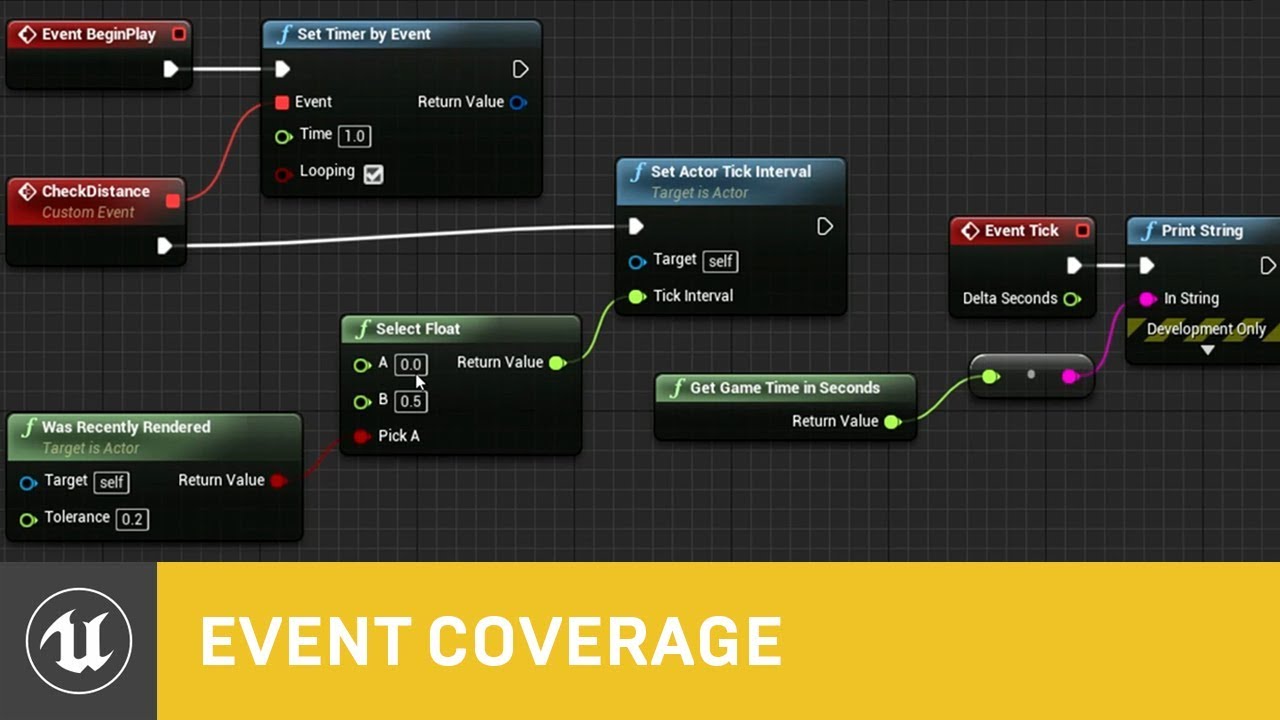
In this presentation from Unreal Fest Europe 2019, Epic's Sjoerd de Jong offers an in-depth look into Blueprints. Best practices, dos and dont's, and recommendations on how to utilize Blueprints to its full potential.
During this advanced class we will go into how to use Bl...
i think this is the one
/2
obsidian lily
great, I'll check it out
@cloud cobalt yeah I totally see the same. Nevertheless, they are wrong 🙂
I don't test everything, but it sure saves my bacon on complex systems that are pretty bullproof from the get-go
cloud cobalt
The thing in gamedev is that your game is entirely different from one month to the next, so any testing has to account for massive changes every day in how anything is supposed to work
It's common for even AAA productions to only look like the final product in the final months
That combined with being extremely visual in nature makes auto tests kind of unknown teritory
obsidian lily
yeah I get it. Like I said, testing made certain things even POSSIBLE at all for me to implement, so I'm going to want to get it working right away, especially since I'm less familiar with c++
 near notch
Hello. I have created a multiple landscape using world composition. What is the correct way to load the sub level through a menu system? Also, my AI cant move in this level but works fine on a third person template map. Thank you.
 valid pike
Hey guys I have a destructible mesh inside a moving actor
but it rendered corrupted when is moving
any ideas?
celest creek
Hey, how can I make a random value affect a particle scale in Niagara?
I can only see a way to use expression (no idea what the syntax is), or a curve (which is not great if you just want a random float)...
obsidian lily
when would I sue a data asset instead of a data table?
it seems data asset is the conceptual equivalent of a row in a data table, is that right?
so I might use a data asset for the game settings, maybe? but even that seems weird to me, I'm just not clear about it
 hearty walrus
im crying
whole quarry
are those earplugs for hard hearing?
hearty walrus
yes
abstract relic
God, hearing aid moulds were ditch like 10 years ago
obsidian lily
hey so, is the conceptual equivalent of a unity scene an unreal level?
 worn granite
Yup
obsidian lily
in unity the architecture I'm used to is that the running environment has 1 or more scenes loaded, and the way I handle it is that there is always a "manager scene" (which isn't special as far as the framework goes, it's just a scene that I happen to load first and always keep around) which contains global things that will always be in memory like, eg, the sound manager, and then I also load a scene which contains all the objects for a particular environment/level. Scenes can and often are sort of mixed together spatially, so for example in my case my player object lives inside the manager scene, but walks around and interacts with the "forest" scene environment
worn granite
Translate your Unity knowledge into UE4 so you can get up to speed quickly.
obsidian lily
in unreal I think the equivalent is that there is a persistent level that is like my amanger scene, and it IS actually special to the engine, and then I load in sublevels?
worn granite
A persistent level is only really different because it is such.
obsidian lily
thanks @worn granite I have read that page, maybe I missed or forgot this bit
worn granite
It's sort of an automatic "manager" scene in a way
It just is the level that the particular map file is supposed to represent
And you load in other levels in the way you suspect
obsidian lily
and does loading sublevels work the same way as I described? like I could theoretically load a sublevel with a forest environment and also load a sublevel that had all the forest spawn points in it, if I wanted to for whatever reason?
cool yeah
worn granite
You can do that, and they can be dynamically loaded or not
So you get composition as well as streaming
obsidian lily
curious: historically loading chunks into a large world created increasingly large floating point errors as you moved away from origin, so you'd have to sort of manually normalize things by moving everything back to origin seamlessly as the player moved. Is this handled behind the scenes in unreal, or will this be a concern?
neat, that's great
worn granite
There is a mechanism for handling that - not sure how automatic it is
but it's well supported
worn granite
glad to help! welcome to ue4!
obsidian lily
thanks 🙂
 lofty imp
any tips and tricks how to merge projects together (action rpg inventory sytem + player build system)
 vast fjord
can someone help me with setting up a multiplayer game mode please?
 fierce forge
why i have 3x more foliage triangles in standalone than in viewport ?
normal burrow
what is your means of measuring?
fierce forge
?
normal burrow
how do you know?
fierce forge
stat foliage
fierce forge
just 1 foliage
and it have 3x more triangles in standalone
that's in viewport
and that's in standalone
and that's happening if i'm looking down in standalone
normal burrow
it appears to be doing everything 3 times
normal burrow
possible you have more cameras in standalone?
 fierce tulip
only thing i can think of is... multiple materials?
fierce forge
multiple materials at static mesh like leaves , branch , trunk ?
fierce tulip
yes
fierce forge
yes
fierce forge
fierce tulip
multiple materials on mesh = multiple renderings
fierce forge
i can't combine ?
fierce tulip
better combining textures.
fierce forge
how ?
fierce tulip
new bake/photoshop
fierce forge
there's megascans materials
fierce tulip
megascans is all but very optimal
fierce forge
is there something in ue4 to bake the materials ?
normal burrow
luos does not have this problem
fierce forge
?
normal burrow
nothing lol, just compiling shaders is quick
ouch
believe its more of a cpu thing
lol when you delete things it makes my words look like babble lol
fierce forge
but after bake out materials i have 4 materials same
normal burrow
i'm mostly confused why it happens in standalone only
fierce forge
idk
fierce tulip

Unreal Videos Wiki
Render to texture blueprint toolset, Precision errors, Doesn't work on skeletal meshes, Different material for LODs, Merge two draw calls into one, Optimize, Mask material with 8 texture samplers...
 swift spindle
anyone know why unreal 4.24 has insanely long landscape compile times ?
 violet cove
@normal burrow Are you running stand alone in the editor?
normal burrow
@fierce forge i think you were intended target of that ping
violet cove
Ah yeah, sorry
fierce forge
?
fierce forge
me ?
violet cove
Yes
fierce forge
yes standalone in editor
violet cove
That could be why
fierce forge
if i package it , it will be fine ?
fierce forge
i think it's the material
violet cove
Every material will split verts
fierce forge
if i'm baking the material i need to choose the blend mode but leaves have masked and trunk and branches have opaque what i can do ?
violet cove
Having two materials for the tree is fine
violet cove
What do you mean?
fierce forge
i'm trying to marge materials and there are not a option with 2 from 4
violet cove
You cant merge it in editor
fierce forge
where ?
violet cove
You would have to do it in your modeling program
 vivid narwhal
Is there any way to add this to the designer via the blueprint graph? I have two child widgets being spawned in the horizonal box and I wanted to create a spacer for them
vivid narwhal
basically I want the children to be "Widget" "Horizontal box w/ padding 50" "Widget"
vivid narwhal
found out I can just add padding to the widget and skip the spacer box
obsidian lily
this testing stuff is giving me heartburn... I need to watch someone for like 2 minutes actually click around and add some files in the right places that are named correctly and I'll be good to go
but nothing is specific enough -- everything I've found talks too abstractly or else too specifically. Just venting, once I figure it out I may document what I did for posterity
 tawdry raptor
is my unreal engine corrupted? I ran a verify but I still get errors for missing datasmith files. I dont know what that is
anyone know how to fix it?
obsidian lily
@frank escarp hey man, I've been googling about testing and I found a reddit thread that you made about a year ago which say you did the thing I am currently trying to do. Can you tell me the very basic steps to do the following: I have the FPS template open with basically no changes to it. I want to put a correctly named c++ unit test file into the correct place and then run a dummy test that I write in that file within the unreal testing window. What do I need to do?
 pastel glen
@obsidian lily there is some documentation on the automation framework
Overview of the automation system used for unit testing, feature testing, and content stress testing.
obsidian lily
I think I've read it all
pastel glen
Programmer's guide to creating engine-level Automation Tests.
obsidian lily
it explains he ui in details and skips the critical step of actually making the files and writing the test, hah
oh oh, this is what I need
glorious, I don't know how I missed it before
thanks
 fervent sigil
Anyone knows any app that can export an image to a .r16 file?
obsidian lily
@pastel glen having one problem -- "IMPLEMENT_SIMPLE_AUTOMATION_TEST" is giving an error like it's not defined
c++ requires a type specifier for all declarations it says
not sure how to fix
fervent sigil
@obsidian lily include Misc/AutomationTest.h ?
pastel glen
^
obsidian lily
offff course 🙂
thanks
hmm, well, it now syntax highlighted like it knows what the call is, but it still has the same error
and I had to hcange the call to remove the first argument because there was no overload for it
so maybe the docs are out of date with the current version?
the pretty name and flags are recognized though
 solar swift
how can i detect collision between my enemy, and player bullet actors?
it doesn't work
 iron kelp
anyone know how to get rid(replace) of the black screen you get between the splash and the first level/map loading ?
 hardy granite
@solar swift get overlapping actor on the enemy side then sort by class
you should also use the "other actor" as you get the over lapping actor from that
solar swift
oh okay, could you mabye type out what to do instead?
except for the other actor i can do that lol
hardy granite
on event overlap>is other actor of class bullet> if true >
solar swift
Oh okay that makes more sense actually. Thanks alot!
hardy granite
np
do you know how to add a comment to a file in your content folder?
i need to reduce the length of my files and i want to keep some of the "wtf is this folder for" like a non 3 letter word would provide.
solar swift
I don't think I've tried that before sorry
hardy granite
then get bullet in that class
and damn that gonna suckkk.
also i hope you can see what i did on top of my other blueprints, just look at the circle @solar swift
solar swift
ohh gotcha
hardy granite
but if your bullet is moving so fast
that it may skip the overlap event
you might need to do this but per frame to its new location
hardy granite
ight, i know when i tried realistic speeds i couldnt get that to work every time. but that above fixed it
solar swift
🙂
steep ferry
Hey guys. Is it possible to somehow get my project file back from a ue4 game packaged as a development build?
normal burrow
Do not believe so. Content is still cooked I think
solar swift
lmao yeah
obsidian lily
Window menu?
sorry, not sure
I'm burning out here, this testing stuff just won't cooperate. I have it set up just like examples say, but the IMPLEMENT_SIMPLE_AUTOMATION_TEST has various issues :/
here's the code, it basically couldn't be simpler: https://gist.github.com/PeteMichaud/06e30131e3494d78ed7f365f69036a5b

you are looking at my problem, it has nothing to do with yours 🙂
I'm trying to get testing to work
yes
plush yew
My game won't package if I have nativization enabled, I get error code 5
plush yew
Aaaaaand importing skeletal meshes causes the engine to crash, even in a fresh project
plush yew
Based on what I've seen on reddit and some forums, I guess you just can't import skeletal meshes from blender in the current version of ue4? If that's the case I need to let the IT department at my school know asap
abstract relic
I work exclusively in blender for our rigs. It's nothing ue4 can't handle.
normal burrow
Other people having similar crashes on 4.24 @plush yew
I don’t think it’s blender related. Mixamo content does it too says @sonic pagoda
plush yew
Are top down pixel games harder to create? I can only find like 3 tutorials on them.
 dusky hound
Hey all, Anyone know how I can get decent contact shows while using Forward Renderer and HDRI Lighting?
obsidian lily
well, I figured some stuff out. I figured out how those macro things work--I didn't know that they are basically placeholders for code that will expand according to their templates, plus just mentioning "FPlaceholderTest" basically declared it--I didn't have to also declare it in the .h file, so anyway, I got it error free.
 rancid lynx
if I make a "carrot_Blueprint" can i make child blueprint copies that all use the same functions as the main carrot ? how do i do that ? class settings somewhere? copy ?
obsidian lily
however, the test still isn't showing up in the automation panel. I think the problem is that the test file isn't in the manifest? I don't know how to add it though. is it the cmake file? how do I correctly add it by hand? or do I need to do something else?
I'm fighting both my c++ learning curve and my unreal learning curve at the same time, so it's a little tough
rancid lynx
wow, i found the right click "creat child" option. ill test that. sorry to spam
obsidian lily
maybe Cmakelists.txt?
plush yew
Well yeah I work exclusively in blender as well @abstract relic but atm if I want to use a new skeletal mesh I need to import it to a 4.23 project then migrate it over. seems to be an unreal problem rather than a blender problem
obsidian lily
phew ok, i got the test file into the right cmake file
and it all compiled
but... I still don't see the test in the automation tab
sigh
anyone know anything at all about testing that might help me?
 covert oak
If anyone is looking for a playtester let me know. Would gladly help out!
tawdry heath
Hey guys I made a line trace to where it traces where camera is looking. How can I make my character look in that direction at all time?
 regal mulch
@covert oak You can (and should) make paid/unpaid posts like these in #looking-for-work
hexed dagger
why when i move a finger or an arm from my mannequin, it dosen't save?
and resets itself back to normal
 static arch
@hexed dagger That's the preview pose, changing permanently needs to be done in a modeling program
hexed dagger
@static archyou can't change the animation in UE4?
static arch
Not the animation anyway @hexed dagger
Unfortunately
One of the first things I wanted to as well back then 😁
But believe me, 3D software is better for that anyway
hexed dagger
then what modeling program should i use
static arch
Whichever you want, that's whole different story
Blender is there, obviously
Since it's free
hexed dagger
one that's the easiest
static arch
: ' D
Honestly? I found Maya easy to get into, animation-wise
I use Maya personally
You should look into that thematic a bit, personally
tawdry heath
hey guys what node is this?
covert oak
@tawdry heath It's ToString (Vector)
tawdry heath
ok thanks
hexed dagger
@static arch i actually figured out how to edit animations in ue4, though thanks for the help anyway
static arch
Mind telling me? @hexed dagger
static arch
But you're only editing the blend curves there AFAIK
Or did I miss something? I might be wrong ofc
hexed dagger
¯_(ツ)_/¯
 solemn siren
Q : Is it possible to make fluid inside UE4? I want to make Molten metal and want it to behave as so, i.e. if it falls from a height (e.g lava fall, like waterfall XD), it should behave like that. I have tried it with Flex plugin but I can't make a package of projects which uses Flex.
Looking for an alternative here.
tawdry heath
ok I got this to far, whenever my character shoots it turns my character in the direction the crosshair is facing. How can I make it only rotate the X axis?
static arch
everyone is typing
 proud berry
Anyone got an ide of how to make an object hanging from the character (a tube) that is the characters health bar?
solemn siren
@tawdry heath you might be able to restrict axis rotation in the details panel under "Pawn". Just tick the one you require among "Use Controller Rotation Pitch" or "Use Controller Rotaion Yaw" and so on
 ebon furnace
Hello everyone ^^
can someone help me out with an error I keep getting when I try to generate project files?:)
thank you <333
error CS0246: The type or namespace name 'UEBuildBinaryConfiguration' could not be found (are you missing a using directive or an assembly reference?)
ERROR: Unable to compile source files.
 blissful trail
static arch
blissful trail
static arch
@blissful trail Nice!!! 💪
 loud knoll
setting up a new machine how do I find the community Visual Studio link?
Question is should I use 2017 or 2019?
 midnight gate
I HAVE A VERY VERY SERIUS PROBLEM
IM HAVING RLY BAD ISSUES WITH PACKAGING
MY LEVEL LOOKS LIKE THIS WTF
suposted to look like this
i believe my materials arent comipling properly
i dont understand
HELP ME SOMEBODY
i bake the level and i get the red error second
plush yew
i need download 4.22.0 engine version from epic games launcher, but there is only 4.22.3
static arch
Can confirm, I don't think they list all versions, only the latest of every revision (if that makes sense), so probably pull from GitHub and build from source manually @plush yew
fierce forge
it's ok 8k triangles for a highpoly tree ?
static arch
I don't think that's much but that always depends on the goal
fierce forge
a realistic game
static arch
8k sounds perfectly fine to me though
Yeah I rather meant performance wise
I think the demo tree in the UE4 foliage starter pack had like 32k
fierce forge
i see trees with 200k
static arch
Reminds me, time to get my hands with SpeedTree dirty
 velvet ravine
Hi strange one from me today. When i press Package Build the Unreal Documents page opens lol, Have i pressed something lol
 steady owl
In the Allar style guide he says that all umap files should be in a folder named "Maps", is it fine to have that folder named "Levels" instead without breaking anything?
lapis vine
Ask him, but these are guidelines. You need some sense yourself.
steady owl
Just making sure that Maps isn't a special keyword
lapis vine
Not at all.
steady owl
But it looks like as long as it's consistent with Maps or Levels it should be fine
Thanks!
 manic pawn
maps are just assets they can go anywhere
 trim silo
Hey guys! Need fairly urgent response if possible. I'm flying away later today. I have a laptop that i want to work on when i'm away. Is it possible to have unreal engine on an External SSD along with my project? Will it work?
Or do i have to have UE installed on the actual machine
wary wave
trying to run anything from an external device is going to be incredibly slow
 humble ridge
If its USB C itll decent enough
Anyone know a nice way to add a skeletal mesh to a UMG
without using a scene view
cloud cobalt
Not really
 bold shadow
You mean the mesh itself or actually the bone structure?
humble ridge
Just the mesh really
I want to make a weapon attachment system
doable in a UI at runtime
bold shadow
Does the model need to be 3d in order to achieve this?
humble ridge
Not really
bold shadow
(i.e. can't you just make a 2d render of the model outside engines and use that in the widget?)
cloud cobalt
if you want to have a skeletal mesh displayed in front of UI, you need to either use a scene view (slow), or to make your entire UI in the 3D world so that you can place it behind.
bold shadow
Or even screen cap (in appropriate lighting) the character inside the engine?
humble ridge
id then have to create one for each attachment possiblity
I think maybe ill try spawn an actor behind the ui
and see what happens
bold shadow
Nono, just you create a 2d image of each attachment
humble ridge
Wanted to avoid scene view because it is slow
bold shadow
Good idea to avoid scene view
humble ridge
I have a 2d image of each attachment
bold shadow
But I think typically it's just a 2d representation, and you use the z-buffer to show it where you want it
bold shadow
(i.e. sword on back, behind character)
humble ridge
i wonder how pubg do it then
is that a sceneview?
They have a live view of a player and the gun
bold shadow
It's not quite live though, it's not scene view
humble ridge
Yeah
cloud cobalt
You can perfectly well show UI next to 3D. Just not behind it.
The background is here 3D
bold shadow
That's like showing mesh in a window, which perhaps narrows your question, but it's a problem I haven't tackled
humble ridge
You think its actor behind the umg?
bold shadow
Well, the simplest way to do it (knowing from playing pubg, many players turn that feature off because of the FPS drop, it might actually be sceneview)
I can't think why else they'd give an option to players to disable it
humble ridge
Oh really never noticed it haha
Is it just the player it disables?
or the gun attachments also
I dont want the player view
bold shadow
Everything
humble ridge
ah right
bold shadow
Boot up pubg and check the option to see it, it's like a 2d shape of human with a question mark in it that it displays instead
You still get the boxes, but the boxes just have a 2d image of the attachment in them
bold shadow
I wouldn't say for sure, but that's the option which makes most sense, and I know (purely from playing pubg) most pros turn it off purely for the FPS boost
(when switching out attachments etc(
humble ridge
FPS boost while you are in your inventory seems redundant but anyway haha
bold shadow
I think it's about loading speed than strictly FPS
humble ridge
Yeah thatd make sense
bold shadow
i.e. press tab and it's there instantly
bold shadow
If loading speed isn't essential, then do it, and perhaps include an option for a fallback
same as pubg
humble ridge
Yeah good idea
bold shadow
gl!
humble ridge
Ty!
near notch
Hello. I have created a multiple landscape using world composition. What is the correct way to load the sub level through a menu system? Also, my AI cant move in this level but works fine on a third person template map. Thank you
 slim idol
Hey guys I'm working on a VFX to Unreal pipeline for an asset with over 69 UDIM channels. What would be the best way to use the least amount of resources inside Unreal when streaming the textures? Just do virtual streaming? I don't need to be running in real time cause it will be rendered to passes. Anyone have worked with this workflow before?
 odd flame
i need some help
real quick
so i made a landscape and i need to get rid of the grid
wait
do i just need to build the light?
ah yes that fixed it
 spice canopy
My beta testers get scared away because Windows Defender says my game is from an unrecognized publisher or something like that
Well for the installer anyway. That is created using Inno Setup.
The game itself just triggers the antivirus because of not being recognized, but doesn't trigger Windows Defender (or maybe it does on THEIR computers)
 forest tree
Anyone ever had this error? Trying to build the developmenteditor:
 mossy nymph
@forest tree looks like missing include, also ignore error window and look only at output log
plush yew
is autodesk maya good for making skeleton?
steep ferry
@midnight gate settings
midnight gate
what settings do i do
forest tree
@mossy nymph This is in VisualStudio
It seems like the file is fine though, I didn't touch it:
midnight gate
help me
forest tree
// Copyright 1998-2019 Epic Games, Inc. All Rights Reserved.

#include "dinoSurvival.h"
#include "Modules/ModuleManager.h"

IMPLEMENT_PRIMARY_GAME_MODULE(FDefaultGameModuleImpl, dinoSurvival, "dinoSurvival");
it has output log too
forest tree
Oh
 pale forge
Hey guys ... trying to setup a collision capsule on my Weapon, which is a child object of my Character. For some reason I can't make it block objects in the games. I've set up all objects with "Block All" collision
mossy nymph
but for most part errors there are more sensible, and there are no false positives that intellisense insists on detecting
pale forge
pale forge
mossy nymph
that looks like you hit build all from source
right click the UE4 and build just that
mossy nymph
you just need ue4
forest tree
(First time I am building, excuse the sillyness)
mossy nymph
i'd clean the solution and build the UE4 project only
forest tree
Build -> Clean Solution?
mossy nymph
yeah
forest tree
And then "build only gameName"?
mossy nymph
there is a UE4 project in the solution explorer
right click it
and build it
also set it as startup project if you want to be able to start the editor from VS with F5
forest tree
Cleaning now
This is to get a dedicated server running by the way
In case it helps to understand my mistakes 😄
forest tree
Things are a bit tricky, I managed to cook and package the game. But the server build kept throwing an error about missing a map.
The unreal wiki shows you should build the deveditor too, so I was trying to fix that issue in hope of solving the actual problem with the map missing.
Cooked game, the client, runs fine though
Doing the build again now as you suggested.
 zealous spear
Hello, i have some effects in my main menu when switching the characters and i would like to change it, can someone help me tomorrow or these days with that?
pale forge
Any help pls.... Trying to block my weapon from passing through things.
forest tree
@mossy nymph ========== Build: 0 succeeded, 1 failed, 2 up-to-date, 0 skipped ==========
Goshdarnit 😛
1>LINK : fatal error LNK1104: cannot open file '[...]\Binaries\Win64\UE4Editor-dinoSurvival.dll'
rancid lynx
Recently, after updating to 4.24, when i use the OPENLEVEL Node, every OTHER time I press the OPENLevel hotkey, it locks up for 12 seconds and reloads, but every other time its instant. why? how do i fix this? this never happened before.
forest tree
The DLL is there though...
Oh
It can't build when the editor is open
Closed the editor, now the editor dev build works
Trying the server now.
Close, but no cigar:
Message
The map specified on the commandline '/Game/Scenes/ArenaTest' could not be found. Exiting.
OK
That map is not included in the project list of maps to cook. ArenaTest used to be the default map I used, but it is no longer
The cooked game (not the server) launches the normal start map just fine, doesn't load ArenaTest
Did I bork the server config somewhere? So that it is now loading the wrong map on startup?
Aha!
grim ore
did you check your maps and modes, default maps in project settings? there are ones for editor, server, and client
forest tree
Yeah, it just hit me that there's more options @grim ore
This fucking icon
Is the bane of my existence
😂
 short onyx
Hey, i try to import a simple low poly mesh, but Unreal don't want
I don't have problem with other mesh that are more complex or less complex, i don't get why
short onyx
It's like 1.5m high (in blender)
rancid lynx
try to remove extra vertexes ?
short onyx
Already clean the mesh
fierce tulip
blender exports like 0.1% of the size or something (though I might be mistaken as I dont use blender)
think that might be unity on import with 3dsmax
short onyx
It's FBX, not OBJ, so it's the same size in Blender and Unreal
fierce tulip
hehe
grim ore
@pale forge the problem you are having is your character movement uses the capsule (the root object) when it moves for collision. It's a special class that handles movement and collision based on the capsule. Your object is never checked for collision when you move. You will have to manually check and prevent it from happening or make the capsule larger to account for the weapon
rancid lynx
armatures often export strangely, but normal meshes export the correct size
rancid lynx
check your unit sizes options in blender, you sure they arnt .001 or something?
short onyx
And the other mesh that are the same size a pretty big in Unreal
No, the size is 100% ok
Super big
I export it at 100% and import it at 100%
rancid lynx
oh also, reset your transform,
rancid lynx
go into object mode and press control A, and reset all transforms like size scale rotation location
if the object has a funny resize history, maybe tahts confusiong something ? idk
rancid lynx
with a profile name with .blend it it lol, you probably know more than me
i just googled it quick and guessed a few
short onyx
Yup ^^ i already try all the logic stuff
rancid lynx
one time i copied my shape, opened a new general, pasted
and that resolved my shit
was somethign with history i guess
short onyx
Meh, i gonna re create it from 0, gonna be faster, the mesh is pretty simple
just a screw modifier and some edge
rancid lynx
Im using Oculus Rift with UE4, last month OpenLevel node was an instant effect, this week, when i press the button it works instantly 1 or 2 times, but sometimes it will lock up my system for 15 seconds, i think it has something to do with new steam controller integration and input changes. anyone got any guesses?
oh one last idea
up the range on the merge by distance
maybe 2 of the verts were just outside of distance merge default
short onyx
Already did, i cleaned the mesh before importing in Unreal x)
forest tree
@grim ore If you don't mind me asking a further question. When I do the whole "Switch unreal version" on the tutorial, it borks the project and the next time I launch it it gives me this error:
Is that normal?
Step 4.
I can convert in-place and all. But it's a bit screwy...
As well as:
[2020.01.11-17.40.45:103][884]LogNet: Error: UEngine::BroadcastNetworkFailure: FailureType = OutdatedClient, ErrorString = The match you are trying to join is running an incompatible version of the game. Please try upgrading your game version., Driver = PendingNetDriver IpNetDriver_2147481012
The initial map error is fixed now though! 🙂 Many thanks for that. Also Zlo 🙂
 royal dragon
Does anyone have problems with Animation Blueprints while playing in STAND ALONE mode on UE 4.24 (they do not work)?
normal burrow
define do not work
royal dragon
Do not play... everything is in T pose
grim ore
@forest tree usually that error is not an issue when swapping from launcher to source build as you are using the same base version (.23, .24, etc.). Is it possible your source and launcher versions are not the same?
forest tree
I expect that may be the case yeah @grim ore. It did seem like they were both 4.24.1, but perhaps I didn't download the right version. I'm re-downloading a release from github now, just to try it out again.
Which will take ages to download everything and re-compile, but that's alright. Only the third time I am doing that 😂
plush yew
I forgot to close out of the editor last night and this morning I came back and the editor was locked up. I tried this out on our other dev machine and after 3 hours on being idle it locked up too. Has anyone noticed this as well? I am using 4.24 sourced
forest tree
Is the error normal though? The fact that the launcher says "hey the version changed"?
As you mention "when swapping from launcher to source build"
plush yew
Dean, just get a threadripper so your compile goes quicker lol
forest tree
Words of wisdom 😄
I'm happy with my 3700X though
Pretty speedy
Just the full compiles take a-a-a-g-e-s
plush yew
yeah I have a 9900K and it still takes ages. I do want to try out a threadripper just to see how it does
forest tree
I'd be curious about a benchmark on that actually
plush yew
we need a YT channel for benchmarking specifically for dev stations lol
forest tree
YES
 cosmic matrix
@grim ore Hello,
i saw one of your video talking about data asset and at the and you got a button where you click on and you reference all of your data asset what s the code you are using for doing that Thanks.
plush yew
I can provide the data for a 9900K lol
forest tree
Would love to see that
Wonder how it stacks up against mine
Yours should be faster, quicker single core and all
Or is the build highly multithreaded? Not sure how the compiler works actually
plush yew
See I am not sure how many threads VS will use. I have it OC'd to 5.1 with a variable voltage. iirc the 9900 is faster per core than the threadripper but if it can use half its threads it would smash the 9900 imo
obsidian lily
hey everyone. So I'm back at trying to figure out testing. I have it to the point where it compiles, but I still can't see my test in the automation panel. So my new theory was that there is a list, like a cmake file sort of, that lists all the tests and I hadn't added my test to that list. So I looked at the existing tests that came with the template, found them in the code. But they look mine, no extra list or annotations (my other theory). I'm back just groping in the dark, any ideas?
my next idea is that the docs are wrong about the Private/Tests folder structure or that I have those folders in the wrong place, so I'll mess with that
whole quarry
Seems like a question with a big backstory
obsidian lily
I was trying to get help on this last night for about 6 hours, but no one was really around, it was late
pale forge
Hey guys... anyone know how I can keep my gun from passing through things? I have a collision capsule attached
midnight gate
why not just make the player capsule bigger
midnight gate
i mean after all its the player not the gun
try putting that capsule on the player
pale forge
yes but the weapon moves around... Aim Offset
midnight gate
is it really such a big issue
in game dev i noticed you have to spent time focusing on the biggest aspects not the tinies little features
pale forge
having the gun pass through things? It looks pretty bad
midnight gate
well see if this would be in first person you could just keep the gun close to the chest like most long guns are being held and only when aiming and no body is gonna aim into a wall
i never seen a game thought that doesnt let the weapons pass thought walls
pale forge
It's a good point... and if it's a limitation then so be it. I'm still trying to figure out what is possible with UE4.
midnight gate
ahhh thats why
well a good way to know whats posible in ue4 is just seeing what games are made with it and what those games contain
pale forge
I wanna say that I could do this with Unity
midnight gate
coding everything by ya self is so much harder
obsidian lily
@pale forge I don't know much about unreal yet, but I can tell you that what you're trying to do can be done
pale forge
so your saying "there's a chance"?
odd flame
hello
pale forge
Doesn't seem so though... the consensus seems to be that you get one blocking collision sphere per character, and all the others are triggers only.
odd flame
honestly i feel like doing what you're trying to do is just plainly too hard, so it's not worth investing time into that unless you're like a big team of people working for a studio and your goal is to make the best game possible
pale forge
Yes thanks... this is one of those things that looks like it should be easy.... and then find out it's a ton of work. I am just trying to see what's possible.
odd flame
also i am big dumb can someone tell me why i get this
pale forge
preview only?
odd flame
wdym?
pale forge
you get what?
pale forge
build lighting
odd flame
should i be concerned
i did
i built it at medium cuz i wanted to see it better or smthng
pale forge
odd flame
okay i built tighting only, it seems to have disappeared
is this how it's supposed to be before you add grass or did i fuck up?
theres like a bunch of mini hills and stuff and they're indistinguishable
 dark depot
yeah its letting you know you are viewing preview shadows. also yeah if you have no details in your texture that can happen it looks like your just using a vec3 for color
odd flame
i didn't want any details in the grass since i was just going to add big weeds and pebbles
this game will probably be suprisingly highly demanding for something of that style
i just used constant3 for color and then constant for roughness
before you answer, take into consideration that i am big stupid, is that fine or should i do something otherwise?
dark depot
also @pale forge you can trace to see when your gun is near a wall or check for a collision and set its position closer to the player that is how alot handle it unless you do something like custom depth to render your gun last if your in FP///
i mean your feeding a constant color and so its constant with variation i was just letting you know yeah its going to look like that cause thats what you made it look like so if thats what you want you didnt mess up @odd flame
odd flame
i just want to kinds have more shadows from the hills so it'd be easier to see
can i feed anything into occlusion or something?
dark depot
you can do whatever you want 😛 and yeah seeing it now i would play with your lighting
any lighting + distance and terrain look kinda weird unless you mess with cascades and other things in your directional light which you can read up on in the docs
pale forge
@dark depot Thanks... because it's a paintball game, I want the players to be able to "hug" the bunkers as much as possible. And I don't want to interfere with the Aim Offset, with other animations, etc. I'll probably just live with it.
odd flame
yeah that's how game dev works i guess
just spend countless hours to fix an inconvienience or live with it
now, @dark depot where do i find the docs?
cosmic matrix
@pale forge Why not using material
dark depot
cosmic matrix
to keep gun hide or show
dark depot
also its worth changing the position if they are colliding or else depending on how your spawning pellets they can shoot through walls
pale forge
@cosmic matrix Not sure what you mean "material". I don't need the gun to be always on top of the bunker. I would like to keep it from passing through... but that looks pretty impossible.
cosmic matrix
By using material you can hide the gun
dark depot
they mean to fade the gun
cosmic matrix
so this way other players would not see it
you can of course use ik
many ways to do that
 fluid fable
How do u all learnt unreal engine?
plush yew
read Docs and YouTube
and just messign around with it
There is a learning academy now too

Learn common workflows in a series of easy-to-follow, modular videos. Browse courses by topic, author, or industry, check your understanding with built-in course assessments, and earn skill badges as you complete courses.
obsidian lily
c++ question: if I declare a class variable without initializing it, will the default constructor be called?
eg. MyClass foo;
does MyClass() get called on that line?
or does it work like C# where nothing happens until assignment?
obsidian lily
oh neat, I didn't see that room, thanks
fierce forge
hello , why when i'm packaging a big project and i wait some minutes , the pc will block ? i have gtx 1060 6gb , amd fx 8370 and 16 gb ram
plush yew
your cpu is a bit old but that shouldn't completely lock your system
fierce forge
it is old ?
plush yew
2014 iirc
odd flame
now, i think i fucked up
i was trying to build a railroad
and what i did for the wood is that i just copied and pasted a cube
and now i have like 30cubes
i tried grouping them but all that does that makes it so if i click on one it selects them all
odd flame
well, i'd like for there not to be 30cubes in the world outliner or whatever that's called
plush yew
you can create a folder and add them into that
select all the cubes and then click the folder icon in teh upper right
odd flame
thanks
plush yew
👍
 lime gull
Im using the procedural foliage generator but trees and such will spawn inside buildings and things i dont want
How xan I fix that?
 solid sierra
Ay does anyone have game ideas? I'm bored and just wanna make anything random. Or if not ideas any exercises or something will be alright 😄
odd flame
a drug selling game 😛
solid sierra
lol I could,,,
 marsh swallow
So I am turning my character towards the enemy on their turn by running SetActorRotation on a timeline. However this makes the camera flicker
any idea why
plush yew
I started working on a game where you use the FPS template to bounce the projectile off objects to make it into a hole... Golf but more dimensional (this is just a side project as I need a break from my main one) @solid sierra
try that lol
solid sierra
Ooh that's a cool idea!
odd flame
@lime gull im no pro, starting out myself but maybe there's like a block thing or i guess you could try making a bunch of generators and grouping them and placing them around the unwanted spots?
also, does it mean everytime you run you restart or smthng it randomizes it or does it always spawn one way?
lime gull
You simulate it once and itll be the same until you do it again
plush yew
I have never used the generator but could you go back and manually paint over it?
lime gull
Im not sure you you would do that
odd flame
okay so
when im in build mode it's okay
but when i hit play it goes black?
ive applied the material and i've built the lighting
what do i do?
plush yew
it's just the material. if you move the Directional light it will change
plush yew
I think you really need to watch the learning videos so you understand the basics or you won't understand anything we say
just rotate it a little and it should change
odd flame
yeah i have watched quite a couple, not all of em but like...
plush yew
The reason it looks black is that it is currently in full shadow. put a light next to it and you will see it light up
odd flame
okay anyways, i made it less metallic and it showed up
plush yew
any ideas to why ue4 crashes when I retarget animation?
pale forge
Regarding my collision issue... there is a way to have multiple collision spheres on a character block the world around them. One thing you can do is turn on 'Simulate Physics'. This will block all similar objects in the world.
zealous spear
Hello, i have some effects in my main menu when switching the characters and i would like to change it, can someone help me tomorrow or these days with that?
 bitter iris
anyway to stop baking textures soons i edit the tiniest bit of landscape? its quite annoying
 rotund scroll
is there a way to eject from a third person character? or as a console command?
 mint sequoia
@rotund scroll F8
rotund scroll
@mint sequoia it does nothing in third person
spice canopy
Anyone else's unreal engine AND launcher suddenly stop working today?
"Unable to create temporary directory"
Engine starts up okay. Works until I try to move an actor that has papertilemapcomponents on it.
If it's just me then I have to fix my stuff. If its other people too then we have a bug
iron kelp
repeat question from last night, does anyone know how to avoid the black screen while the opening map/menu loads ?
spice canopy
@iron kelp this is after the splash screen and opening movies finish?
iron kelp
yeah after the splashscreen and before the map loads
i get a black scrreen while the level loads i presume
spice canopy
Not sure. Maybe the black screen is the Entry map
grim ore
@cosmic matrix this is a screenshot of the code for that buttom from the example project https://i.imgur.com/uBhaZ0i.png
spice canopy
@iron kelp have you tried having it play a movie at the launch of the game?
cosmic matrix
@grim ore thank you man.
I see your video cause i don t know if i must use dt or data assets or data bp only 🙂 Thanks for your work
iron kelp
@spice canopy no, i basically open the menu widget in an empty level
spice canopy
Yeah but i mean @iron kelp the startup.movies that play before the first level ever opens
Or any level
iron kelp
@spice canopy i dont have a movie
spice canopy
Ok that means you haven't tried that idea yet. I really dont know about the blank screen but I wonder if the level named Entry in the project settings Maps amd Modes has anything to do with it
 vague plume
Im suddenly having an issue where on start i seem to get two of whatever player state, and pawn i have set in the game mode
and if i have any placed in the level its crashing
no matter the game mode, selected state, or pawn
iron kelp
@spice canopy I have the Game Default Map set to the main menu in my game
vague plume
also happens in any level
 orchid sable
After updating to 4.24, when I generate vs project files, then open the vs project, it only has Engine > UE4 in the solution explorer...cant seem to find my game...also the build configuration doesnt have Development or Debug or anything...
iron kelp
@spice canopy I will try the startup movie thing as that will probably be the way i go anyway
vague plume
Anyone have any idea how to disable preview clients... i figured out my issue which is that its running two clients when i start it, just the second i never noticed cause it gets covered by the main one once the main starts up
Found it 🙂
iron kelp
@spice canopy try to play a startup movie but that shows up black too
plush yew
has anyone had the editor lockup if you have it sit idle for 2 hours or so?
 slow python
Yea it happened to me
 exotic thicket
Are there any guides on how to make complex physics objects that consist of multiple meshes and things like that? Mine are just spazzing out lol
I have some ideas on how to solve this - but figure I'd ask if there's anything good on the subject since I'm sure it would help me avoid a lot of trial and error
plush yew
Has anyone else been running into the engine bug where variables use a value of 0 even if their default value is anything else?
 tawdry sigil
Hey
maybe someone can help me Oo i have a weird light arround my player wtf is this ?
normal burrow
@plush yew yeah it can happen when you change a parent blueprint sometimes
its actually more like if you add a variable
to a parent blueprint, it doesn't see to carry the default to the child blueprints that are also loaded
i tend to run through immediate child blueprints after adding anything to a parent, and not before.
tawdry sigil
Theres nothing else light stuff ... only thirdperson standard char and a landscape with water
and its moving with character
tawdry sigil
hm
 fallen marten
Check you camera isnt inside your mesh
tawdry sigil
@fallen marten its not running its the editor but when i run it all arround character is also tooo light also i disabld all which could have a light
Instead of the Thirdperson Character
plush yew
got a bug, cannot look up/down using left mouse button in editor, cannot use left mouse to drag in blueprints
I need to use right mouse to do what I would with left which is annoying as I always need to click off something and it's slower
 sonic pagoda
@normal burrow i told the guy who made the rig to re save it with different export options and it worked... just saw your message
it was weird tho, how it worked in 4.23 and not 4.24
bitter iris
How would I start lowring my basepass? I've got shadow depths all the way down to 0.37 from this scene, however basepass just seems to be 2ms
 tardy token
I don't know how to fix this, When i click the left shift the graph will start to work, but when i dont hold left shift the speed is 500
 grave osprey
 tawdry sigil
@grave osprey what is you exactly plan ? there are many ways to do it or solve it
blissful trail
https://gyazo.com/a992c583743ee0afb81874f883b1b5e7 how do i make the player rotate to the direction the player is moving
tawdry sigil
@blissful trail uhm when u go in ur bp of the player click movement component then under details u have something called follow rotate or so let me look
Character Movement Rotation Settings
Use Controller Desired Rotation / Orient Rotation to Movement
!ticket
tawdry sigil
Is it made from scratch or from the ThirdPerson Blueprint ? I dont know needing more informations to help you
did u changed scripts of the movement ?
blissful trail
made from scratch
tawdry sigil
Uff can you then show me ur script ?
And ur keymappings for it
blissful trail
this ?
tawdry sigil
from ThirdP_BP
blissful trail
changed it to that (didn't work)
tawdry sigil
show me ur input mappings
tawdry sigil
ye u need to add the input mappings for rotating or turning arround also
@fallen marten and rest.
UPDATE: I figured out the Stuff with the Light.... its when u dont have a Static Mesh in ur Scene. Cant say why but if u place some mesh doesnt depends which is gone.
The small Things cost the most time xD ....
rotund scroll
has anyone found a better way to capture all actors within a camera view other than traces (with . product?)
tawdry sigil
you only wanna do it with the cam view cause much other ways would be possible 🙂 and for what u need kit
rotund scroll
what?
 kindred viper
i think that meant the camera view is the optimal way. But technically an actor can figure out it's own relation to the world origin and forward vector at any point. Factor that in with the forward vec of the cam and you are good. But tracing shouldn't be too bad. I mean, you can do something like a sphere trace and do the same thing.
tawdry sigil
Also if not a trace is required u can do a collision zone .. and check whats in it or stuff like that
kindred viper
a sphere trace is pretty much just that
tawdry sigil
okey for now i just workd with line trace xD so idk exactly 🙂
 odd yarrow
guys I'm using sound cues, and every time I get out of the fallout range the sound stops playing if I go back. How do I fix it
rotund scroll
@kindred viper it'd be great to get in some precision, I feel the sphere trace isn't super precise. I was thinking about forming a view cone, but I'm not sure it's the best approach? in terms of camera forward vector + location that seems like a poor man's implementation of a trace. is there a way where you can do this in a more elegant way?
like a frustrum would be nice
kindred viper
well as an example, I made a 3d radar. I tried different approaches and settled on sphere trace. When I did some speed testing, it had no negligible effect.
rotund scroll
I can't seem to get the precision I'm looking for with it, but I suppose I could just follow up with a dot product and leave that within a certain value to filter the targets...?
kindred viper
yeah thats what I did
obsidian lily
@rotund scroll what if you do a sphere check in front of the character, if it's in there then you get teh dot product of the view forward vector and the delta vector between the camrea and the other actor, and if it's inside your cone threshold then viola?
kindred viper
yeah like that
obsidian lily
hah, yes
rotund scroll
ok but just to confirm there is no other way than doing traces?
tawdry sigil
can someone give me a tipp how to smooth out my beach xD ?
rotund scroll
@tawdry sigil that's a very vague question. smooth out how? is it landscape? just use the smooth modifier
kindred viper
If you already know the location of the Actor, the location of the camera, the forward vector of both, you are set. Its just how do you get them?
rotund scroll
I have those already available
kindred viper
you could have them solve their own on some kind of timer, or just go the trace route
rotund scroll
I just wanted to test if other methods gave better results in regards to precision right off the bat
kindred viper
ahh then just do the dot product. Although, there is a node for RecentlyRendered too. That can tell you if its in the frustum
its not exact though. takes the centre of the object as the point to check so offset the bounds
tawdry sigil
@rotund scroll ye its landscape 🙂 the overflow from the beach to the water xD atm it looks like 1m and then bye xD
rotund scroll
@tawdry sigil use the smooth modifier
@kindred viper interesting, will check that out, thanks.
tawdry sigil
@rotund scroll u mean the tool ? i do but i dont get it smooth over long distance :S it looks more like a cliff and not a smooth ramp xD
rotund scroll
smooth just averages positions
so if you start by making your beach into stair steps (you don't have to make a lot of them, but for like 10m you could do something like 4-5 steps)
then use smooth on top of that, you'll get a very smooth ramp
tawdry sigil
okey thx 🙂 i will try it
near notch
Hello. I have created a multiple landscape using world composition. What is the correct way to load the sub level through a menu system? Also, my AI cant move in this level but works fine on a third person template map. Thank you.
 kind dew
I have a dedicated server. How do I make it so players can just click the client.exe and have it connect automatically to the server without them having to open up CMD? Is there away to make the .exe run the needed commandline arguments automatically?
exotic thicket
If you make your game load into a menu level or something on launch, you can add logic into that to have them automatically connect (or run it from a button or something)
kind dew
oh okya perfect thank you. Know off the top of your head what the function call for them to connect would be?
is it that Open Level function? The name is throwing me off.
exotic thicket
if you mean for connecting to a server, I think it's a console command node which you can use to do that
exotic thicket
I think I saw it in the UE4 Network Compendium so maybe check that one out :)
kind dew
Thanks!
plush yew
Does anyone else have MASSIVE preview meshes? The scale of everything is 1 but for some reason spawning an actor in the hand of my character and using the character's scale causes the thing to be ten times bigger than normal. This is on a fresh skeletal mesh too
normal burrow
Assuming you did not set units up in blender?
kindred viper
^^
plush yew
I'll check but this is all from the same file and export settings I've been using for two years now
kindred viper
scaling things in blender requires a transformation reset too
plush yew
nothing in blender is scaled unfortunately
kindred viper
fair enough 🙂