#ue4-general
1 messages · Page 618 of 1
 grim ore
in 2 years both engines will be different than they are now so that is always something to keep in mind.
hell at that point we might see Cryengine actually usable... maybe?
 abstract relic
Maybe. They might just get another government bailout more likely 😜
 normal burrow
oof
 obsidian lily
yeah actually, the other thing that prompted this exploration is that I lost faith in the direction of unity. The basic story is that I was having some performance issues that I believe ECS and burst and everything could address, and I believed the tech team was better than it had been, and the stuff they were talking about releasing seemed good, so I was waiting
but 2019.3 is basically a botched release waiting to happen, and I think it's becsause their new CEO is pushing too hard for IPO
grim ore
DOTS is soooo far off from being usable
obsidian lily
so I'm like, oh, they are shitting the bed in preparation to cash in
fine, but I'm out
normal burrow
dots is merely an excuse to claim unity is fast when no one uses it.
obsidian lily
yes @grim ore totally agree, and I doubt it'll ever really be as promised now
abstract relic
They don’t seem to have a long term support plan either. There are several features that break each other.
grim ore
I love the idea of the visual scripting system in Unity and it being DOTS code on the back end but jesus it's in an unusable state right now and I think it's going to get worse
normal burrow
its a trap, this is my honest opinion
they get you with the taking no royalty from your never-finished game
and dark theme money
 dim plover
I just really, really want to see what happens if they IPO. I mean, there's like no way that Unity users benefit from that.
grim ore
The best part of the visual solutions on Unity is they are usually VS <-> C# code which is awesome and if Epic could figure out how to push that thru.... amazing
obsidian lily
yes, I have come to agree with all this
but guys
C# is so nice. .NET is so nice
I am sad in my heart
grim ore
Coding is nice but Blueprints make joy 🙂
abstract relic
 normal burrow
doctor monocular i really think that statement of C# is off though
obsidian lily
I've been looking at all the wonky reimplementations of LINQ for c++, and weeping
normal burrow
like its really a bad thing to work with for games
obsidian lily
yeah yeah, GC, whatever -- but from a programmer ergonomics perspective I'm going to miss it dearly
 frank escarp
linq has atrocious perf because it allocates new vectors and data structures constnatly
grim ore
If you swap to using just BP you never have to worry about what you are missing in C++ 🤔
obsidian lily
yeah I get that LINQ is a performance disaster, but it's glorious to use
 manic pawn
too bad c++ ranges has 🚮 syntax
normal burrow
compared to linq though?
 low violet
Its not really a performance disaster, its just not as good as it can be
normal burrow
nah it is, full fledged disaster
low violet
Well not really, the algorithms it uses can be improved, just like your implementation of it would be like
grim ore
I think the only solution is we go back to using ASM and stop using all the modern language conveinences
obsidian lily
I think it's faiir to call it a performance disaster, but also it's worth pointing out that it's perfectly fast enough for what it was designed for... which isn't games
normal burrow
its 100% dependant on implementation and implementation to not have it suck and generate garbage collection normally involves so many explicit template implmentations that it makes your head spin just to satisfy some few quick coding lines
frank escarp
meanwhile c++ ranges are literally 0 overhead
normal burrow
meanwhile, you dont use linq and write less code
frank escarp
and so are the rust ones
tho looking at c++ ranges extension... they are truly big brain 500 iq template bullshit
so only hyper experts wil lbe able to create new ranges
normal burrow
templates and meta programming are the way
obsidian lily
@frank escarp I'm reading here, this seems nice
normal burrow
dot net has no smarts in compiler
obsidian lily
what c++ does unreal use?
frank escarp
casuals will just enjoy sort(vector) and : take 3
14
you can eanble 17
you can use ranges v3 lib on unreal. Pretty sure
low violet
Just go use python
obsidian lily
so we're fucked on this for a while?
frank escarp
but that template is such level of template bullshit that will murder your compile times
normal burrow
yeah, use python over c# for sure, and use neither as your game's language
i think thats a bit of a myth vblanco
frank escarp
@obsidian lily ranges v3 supports c++ 14
obsidian lily
@p@t one thing you're dead wrong about is "less code" -- Linq makes things really clear and concise almost always. It's partially just preference, but it super clarifies logic in most cases
normal burrow
inlining is usaully the culprit over templates
normal burrow
@obsidian lily nah, you misinterpreted what i meant. The amount of code you have to write to support the syntax was the point of that statement. You spend an entire day implementing all the interfaces to avoid some gc allocation
obsidian lily
neat
one annoying this is that this doesn't use standard names
neither does linq, but this is yet a third arbitrary naming scheme, hah
 abstract valve
@plush yew you get that page when you create a new project
normal burrow
and its not like its free either, all that interface implementation. compiler does nothing smart with it.
obsidian lily
got it
manic pawn
the fuck is a views::iota
frank escarp
1-2-3-4 ....
dont blame the ranges
blame the stl
who decided that incredibly retarded name
views just view-ify it
normal burrow
tbh who cares lol
views::iota is a little better than views::somemoredescriptivetext
manic pawn
that calendar example on the page probably takes 5 minutes to compile
frank escarp
it does
manic pawn

obsidian lily
ah yes, one of the other problems with unreal... the onerous compile times.
frank escarp
there is also this

GitHub
c++ LINQ -like library of higher-order functions for data manipulation - ast-al/rangeless
like a much simpler version of that ranges lib
more portable
obsidian lily
one of the things I was looking forward to in unity 2019.3 was shorter iteration because it was a problem for me that code changes took like 15 seconds to see working in engine, which was breaking my flow
to which unreal replies "lol, hold my beer"
 native adder
@grim ore Sorry for asking, but how can I find the location of my mouse so I can apply actor rotation?
normal burrow
working with a smarter compiler does take more time for sure, but if you keep the player on mind its worth it
grim ore
@native adder look at the Convert Mouse Location to World Space node
manic pawn
if they used this ranges crap in the engine it would take 10 hours to compile on your threadripper
obsidian lily
incidentally, slate ui looks older than UMG by a fair margin, is it a "the old way that still works, but none of the cool kids use it" situation?
normal burrow
someone will correct me if wrong doctormonocular but bleieve slate is a level lower than umg
native adder
Convert Mouse Location to World Space node doesnt exist
normal burrow
like slate exists in umg
manic pawn
umg is implemented in slate
normal burrow
ye, that. thank you
normal burrow
absolutely.
obsidian lily
seems fine
normal burrow
no mess of gameobjects
grim ore
@native adder It's a context sensitive from the player controller, so drag off a reference to that or uncheck context sensitive
obsidian lily
hah, yes, unity ui leaves something to be desired
grim ore
it's based on your player camera normally so you might have to do math or you can get the mouse position and deproject it to try and get the actual location on the screen relative to your player. lots of math at this point
grim ore
the find look at rotation node takes in two vectors and gets the rotation from one to the other to face it. You can get your players current location then the location of the mouse in the correct plane and feed it into that node then you can use that to set it
but all of this is general info as I dont know your exact game setup in regards to player and viewport etc..
 plush yew
@abstract valve found it -- thanks
obsidian lily
@manic pawn can you say more about compile times? II think the way it works is that c++ templates are actually a compile time this in which the compiler looks at all the places you actually used them, and generates specific , strongly typed overloads for all the necessary methods, which implies to be that the more ways you use what I would call a generic function, the more compile time it adds? Do I have that right?
normal burrow
doctor, know you asked zeb but easy answer is templates do exactly what it looks like
manic pawn
the problem are these """modern""" ones where you have 100 levels of templates to do something simple for no reason
so the compiler is busy for quite a while
native adder
Which vectors specifically? The Mouse, player or the camera?
grim ore
I was supposed to start work like 2 hours ago but this conversation has been quite fun to watch
@native adder the start vector would be your player, the end vector would be the mouse if you want to find the look at rotation from the player to the mouse
obsidian lily
@normal burrow I am very familiar with the concept of generic, which are similar to templates, but I'm less clear about how they are implemented under the hood
native adder
Alrighty, and the vectors can just be dragged in, right?
grim ore
should be able to be yep.
obsidian lily
@manic pawn that makes sense -- I guess it's a sort of combinatoric explosion of types when you start combining and laying templates
normal burrow
it literally makes code for the exact type without constraints or anything
 gilded lichen
Can anyone help this is a bit annoying. When I put 2.1 into a delay it converts to 2.0999999?
normal burrow
template<typename T> auto GetX(T value) { return value.X; }
that will work with anything in the world that has a .X
obsidian lily
I was about to say "but what about interfaces?" -- not a thing 🙂
grim ore
@gilded lichen that would be floating point precision, it's annoying, and not much you can do 😦
obsidian lily
@gilded lichen you are seeing a floating point precision issue. The ELI5 version is that 2.1 cannot actually be represented without a repeating decimal when using the internal format of a floating point number
grim ore
lol
grim ore
I used to spend hooours in Unity wondering why that would happen to my transforms and crying because it was broken
grim ore
It's also why we have the float comparison function 'NearlyEqual' lol
obsidian lily
I wish they had made better choices back in 1740 when they invented them 🙂
low violet
Is there a way to use Steam Online Subsystem while using IPNetDrivers?
 blazing owl
When I package a game, the folder it creates is called 'WindowsNoEditor'. Why? And how do I change it from calling it this prior to packaging?
grim ore
that is the platform and target, you can just rename the folder. The folder doesnt really matter as the contents is all you need and should distribute
obsidian lily
ok, another question if people are up for it: threading. Obviously, you can do it IF YOU DARE. Is there a library or best practice to do threading as safely as possible, or am I on my own if I want to do it? Eg. I think it makes sense to my AI planning on its own thread, but I am not keen on causing a bunch of problems
grim ore
the systems that can thread do thread, other than that you are on your own in C++ land
obsidian lily
I guess I could write a light wrapper around it and treat it like a Job which the api I'm used to from a few different environments
I am very likely to subtly fuck it up at first though 🙂
the basic situation is that threads talk to each other through shared memory and when you read or write to that shared memory you should lock it first, right? and then all the (fucking) details about that, but that's the baseline?
grim ore
it doesnt seem like it's too hard and I want to say there are things in the engine you can use for doing threading it's just not exposed to the top level
obsidian lily
I saw an old wiki entry about how to do it, and it looks terrible but doable
grim ore
yep [FAsyncTask](API\Runtime\Core\Async\FAsyncTask) - template task for jobs queued to thread pools is part of the engine
and it can't be too hard there are threading plugins on the marketplace
obsidian lily
very well -- I'll bang my head against that when I get there, I think it'll probably be fine
in web based queuing systems they have a good model I think. It's too slow for games probably, but basically you have a job type object which actually just inserts the data for a job into a database like redis, there is a separate process running that polls for jobs, runs the job you inserted, inserts the result into the same database, where it is then retrievable by the original program (through a hook, basically) -- there's basically no way for the usual memory corruption bullshit to happen
nobody gives a shit if it takes a few seconds to complete
 copper elk
How has TABS created a screen like this?
I dont mean specifically how
I meant how can I recreate it
Im asking about the glow
because I know that you cant have glows in UI so Im guessing you would have to put this into the actual world right?
grim ore
is it actually glowing (affecting other items) or just a good image
create in after effects/photo shop, render out frame sequence if its animation, play back sequence
grim ore
yep seems like the easiest way is just an image or sequence
abstract relic
or use post processing
 edgy halo
Does anyone know what "Visibilitycommands" in gpu stat means? its eating performance
plush yew
Hey..is it possible to crash a flying enemy (drone) crush in specific location upon death? Because I've found out that there is Navmesh in UE4..is it possible?
obsidian lily
I can't give you step by step, but basically it means the way ui is generally done means you can't apply the usual effects to it. Instead you might consider putting the ui elements into the world like other objects in the game, and then the usual effects will apply to it
like glow -- but also the rest of the effects like motion blur, which maybe you don't actually want
grim ore
the easiest way and the one probably used most is to just make the image look the way you want
copper elk
in photoshop?
grim ore
yep
copper elk
ok
grim ore
otherwise you have to put the widget in world space and apply post process to it and hope it works right etc etc.
obsidian lily
yes, exactly
 bronze bloom
you could always have a dark scene and a emissive material on a static mesh
then just a camera pointing at that
plush yew
Can someone tell me the height and run specs of proper stairs for UE4?
plush yew
ok, i build in blender in english measurements, and have been having trouble when I import with a 10 inch run and 8 inch rise
I'll keep figuring it
 regal mulch
Yeah it's advised to change it to metrics
plush yew
understand -- thanks
obsidian lily
@plush yew hey, I don't know much about unreal yet, but I know a lot of stuff about buildings in meatspace 🙂 8/10 is not really the right rise/run
it's more like 7/11
grim ore
I like 7/11 hotdogs
plush yew
Ok, I knew the two had to eaqual between 17 and 18 inches
i'll try 7 11
6 and 12 worked in unreal also
obsidian lily
generally you don't want to exceed 7.75in rise, 7 is more normal, and you want an absolute minimum of 10 run, but 11 is more normal
plush yew
cool -- thanks
obsidian lily
yep
obsidian lily
oh, worth noting I guess, those dimensions are for residential applications
things change for industrial or whatever, but those numbers should get you started
plush yew
ya, thats what I am working on, just out of curiousity, whats the standard for commercial
gilded lichen
Hello, I've seen a video where the person drags a node onto a line and joins the line. What is the keybind for this?
obsidian lily
well, there is no standard is the real answer -- local code will dictate the ranges, but some things are more of an artistic choice
 wary wave
'English measurements' - eh
plush yew
LOL
obsidian lily
for example, if you want luxurious stairs you might make the run substantially longer than usual
grim ore
@gilded lichen you probably saw some custom code to do that
obsidian lily
or if you're building like industrial machinery scaffold, you might have a rise/run ratio that's a lot more like a ladder than stairs
plush yew
ya, ok, that makes sense -- was in a house the other day where the rise was in the range of 12 - 13 inches nad the run was about 6.5 to 7 -- built in 1865 -- original stairs
gilded lichen
oh really
obsidian lily
yeah, makes sense, old stuff like that is whatever the builder felt like and whatever the layout dictated
plush yew
yep
obsidian lily
those also trend toward "deathtrap" hah
plush yew
what ever you do, dont trip whe making a midnight bathroom run
obsidian lily
no shit
that stuff is going to hardwood through to the brick footings too, so not forgiving!
plush yew
yep
plush yew
very true
obsidian lily
pine lumber with power tools is fine with me, thanks, lol
plush yew
my brother was remodeling a century home at one point - had to pre drill all the drywall screws -- balloon construction with OAK studs -- couldnt drive the drywall screws, kept breaking them
obsidian lily
dude, I renovated an old house once that it was simply impossible to nail anything into. No matter how good you were, the nail bent. I needed a pretty hefty rail gun to make it work at all. That shit is no joke, especially after aging that long.
I fear we are deeply off topic for this room now though 🙂
plush yew
indeed -- btw the 7 11 stairs didnt work, I'll stick to 6 / 12
obsidian lily
didn't work, meaning unreal's default collision didn't treat it like a ramp?
 sweet relic
You can set the step up height it the character movement settings
or just put an invisible plane over the steps
plush yew
where do I find those settings?
sweet relic
in the character blueprint
plush yew
cool -- thanks
obsidian lily
ok, I have literally one checkbox left on my dorky spreadsheet to ask about. I asked about this elsewhere and got an answer that was less detailed than I'm hoping for: short version, I will need to combine meshes into a single mesh at runtime, and also generate LODs for that mesh. Of course everything is possible if you just do it, but I'd love to know if there's a built in way to do it or a good marketplace asset that does this
sweet relic
@obsidian lily https://docs.unrealengine.com/en-US/Engine/Content/Types/StaticMeshes/HowTo/AutomaticLODGeneration/index.html
How To use the Automatic LOD Generation system in UE4.
grim ore
you can skeletal mesh merge at runtime but I beleive static mesh is on the board
obsidian lily
whoa thanks both of you 🙂
so that's surprising to me -- skeletal mesh merging but not static. Am I confused, or does static merging seem much easier?
I guess the use case for merging skeletal meshes it like module characters, for example
obsidian lily
but I'm surprised you don't get static mesh merging for free from that
grim ore
Im guessing I just found the document for skeletal mesh merging as its more useful https://docs.unrealengine.com/en-US/Engine/Animation/WorkingwithModularCharacters/index.html
obsidian lily
oh snap, this is an interface that just does the thing I want, it seems
grim ore
and no one cares about static 😛
obsidian lily
in unity there is a distinction between static meshes and meshes that don't move or do anything, but maybe are added to the scene at runtime or whatever
does the same distinction exist in unreal?
grim ore
not really that I know of. Static meshes or skeletal meshes. how they come to exist in the world is up to you. I know there is a procedural mesh component that is/was being updated as well
obsidian lily
interesting
sweet relic
I think an actor's mobility would be close
grim ore
yeah maybe its mobility?
 sage tree
Does anyone else get poor performance in UE4.24.1 when using multiple monitors, putting the content browser on a side screen? I am seeing half fps or worse in my viewport on the main screen. beefy hardware so that shouldnt be the issue.
obsidian lily
yeah in unity there's a build-time process that combines and optimizes static meshes, ie. meshes that are known ahead of time and won't move at all. It let you do a lot of prebaking, with some options to account for culling and stuff
@sweet relic what is actor mobility? just what it sounds like?
sweet relic
static | stationary | movable
when you click on an actor just under its transforms
Setting that controls whether an Actor will be allowed to move or change in some way during gameplay.
obsidian lily
ah, yeah
I'm sure there are details about each, but those distinctions make sense intuitively
 whole quarry
Unity makes a distinction between static mashes and meshes that dont do anything? Does unity have a different understanding of static?
plush yew
@sweet relic you mentioned putting an invisible mesh over the stairs, is that done in UE4 or in my modeling program?
 swift spindle
@sage tree Unreal does not like many windows open...it has always been the way...
grim ore
for reference the geometry tools that create stairs default to 20cm height and 30cm length if that helps
and @plush yew you can create your collision in both places. In the static mesh editor (double click the mesh) you can create collision for the stair mesh automatically. something like a 10 convex collision volume would probably go around it
plush yew
Cool, thanks
 reef rune
hey everyone, can someone explain what does multiple root bones error mean when I try to import model to UE?
grim ore
you have multiple root bones
your animation should have 1 root bone, at the bottom of the hierarchy, and it sounds like you have extra (maybe rig bones or other stuff)
reef rune
okay
 misty stone
So I got this when trying to save my map after building, anyone have any clue why this happens or how to fix it?
obsidian lily
@whole quarry there is the common sense usage of "static" which means "this doesn't move or change," but there's also a literal boolean checkbox you use to mark a mesh as "static" in the editor, which means "I, with my human brain, guarantee that this geometry never moves during my game, and never should, and I wish therefore for this geometry to be optimized for cheap rendering in exchange for not letting me ever move it"
something that just happens to never move or change isn't optimized in that way
@misty stone just a wild ass guess, but is that map a streaming thing in which only part of it is loaded at a time?
 scarlet birch
@grim ore Nice. That skeletal mesh merge is going to come in handy right now.
misty stone
I'm not using streaming @obsidian lily
obsidian lily
yeah I don't know then, you have now exhausted my unreal knowledge 🙂
misty stone
someone told me to delete the builtdata and build lighting again. Time to waste another 6 hours
obsidian lily
in other news, how do people deal with the onerous build times in unreal? Obviously it's not like making a quick change and seeing how it went over and over as in other environments, but what is the alternative workflow? I am imagining a combination of TDD where most of the work is happening without the engine per se, and in much smaller chunks, and also exposin as much data as possible at runtime so tweaking gameplay can happen in real time and justb e saved as data. What else?
grim ore
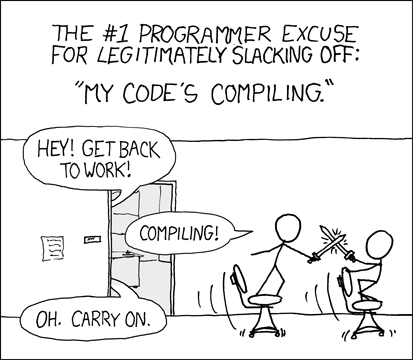
blueprints and the new live coding system, dont make large engine changes, https://imgs.xkcd.com/comics/compiling.png
 scarlet birch
Going to have to add some code to the base character class I'm using but the pay off should be worth it. Rather than having each piece using a separate mesh and using master pose I can use that to take the parts and merge them.
obsidian lily
yeah I remember that from our convo before, but suppose I want to focus on reducing build times for code, what can I do?
grim ore
touch less, expose more I guess. Once your class base is done you can expose what you want to tweak to the editor itself and tweak them there at runtime or design in the editor
it's not horrible if your machine is decent and you don't go touching parts of the engine. If you are just working on your project module your compile times are not an issue
obsidian lily
yeah I don't plan to mess with the engine (knock on wood), but I also don't imagine most of my time will be in BPs. I'm thinking of like building substantial new pieces of architecture, and the process of figuring out what that architecture should be, what the apis are, the actual implementations of all that - it's sort of "tweaking" but not in "change this easing value" kind of way
grim ore
yep it wont be bad plus with live coding it's fairly quick to reload changes in the editor
plush yew
Ok, I got the stairs working finally --- added a plane over them and set it invisible --
obsidian lily
nice
plush yew
ya, thanks for the help
obsidian lily
ok cool, thanks @grim ore
plush yew
@grim ore thanks to you also
 next badger
@stark marsh I'd recommend you to change the name
obsidian lily
jesus. re: live coding how the hell does that even work? pretty amazing
 flat idol
its dark practice
obsidian lily
I guess you have the program running in memory, and you have some kind of diff, and in games there's a natural stopping point between frames to swap the new stuff into memory, but man, I can't imagine the nightmare of edge cases
grim ore
https://molecular-matters.com/products_livepp.html is more info on it
next badger
is it enabled by default btw?
 celest creek
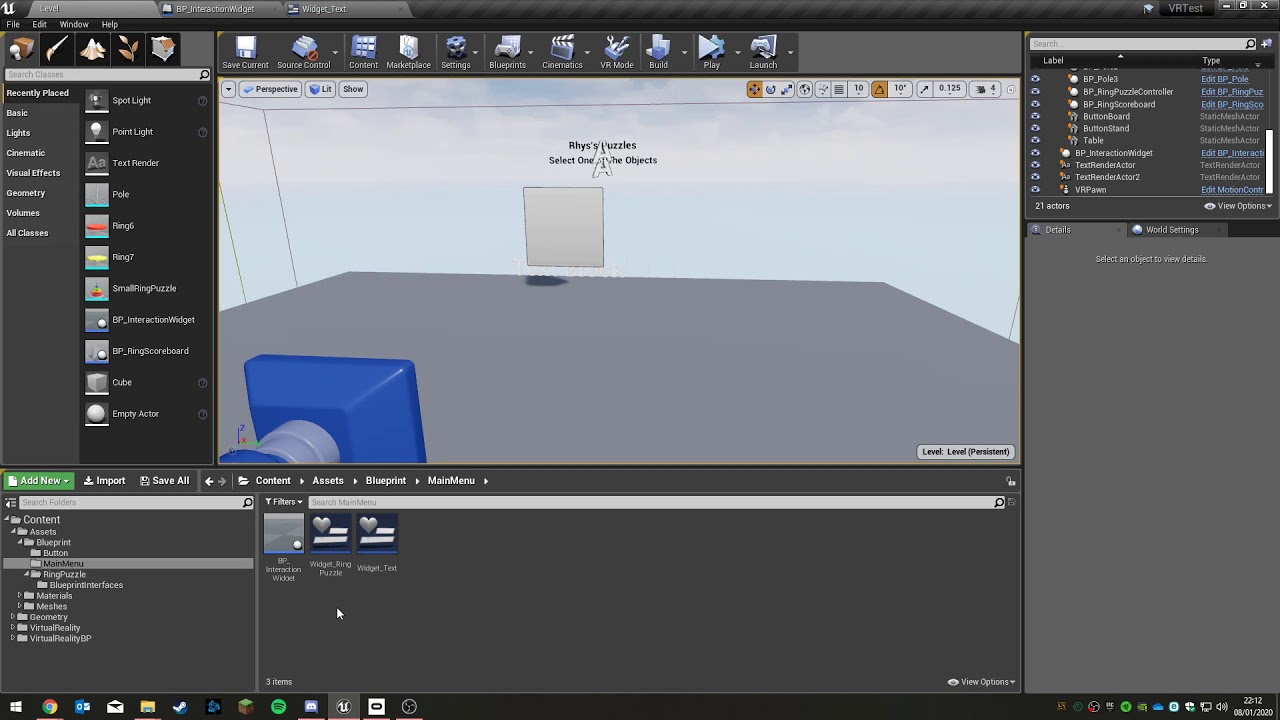
Hey, so I'm in a situation where I need collisions (am currently using overlaps) for my pawn... but my pawn has 3 sceneComponents for movement reasons.
How can I make collisions work on a staticMesh that is not the root of my actor?
next badger
@gilded lichen why do you have two bools?
next badger
i mean, it should be "is hovered" and you set it false when it's not hovered
also you have 2 controllers...make sure you tracking them both
gilded lichen
it changes when you press the trigger
grim ore
heh I couldn't figure out the problem, I don't know what was expected to happen and you didnt explain 😦
mark it as works as intended and move on!
gilded lichen
well
when the hand is moved towards and off of the button object, it jumps forward. I just want it to stay where it was
starts here
grim ore
so moving the right hand onto the object causes it to move location is the issue?
 mellow turret
is there a way to change the decal component size at runtime
gilded lichen
only when it jumps forward suddenly, that is what I dont want
regal mulch
Hm, the Timeline looks weird to me. Not 100% sure if that's the right setup
It looks like it jumps every time you re-hover
This part, every time your Timeline ticks, it adds something between 0 and -100 to the StartLocation
This doesn't lerp from StartLocation to NewLocation
Try putting start location into A and calculating EndLocation with StartLocation - 100,0,0 and putting that into B
@gilded lichen
Might be desired though, but not sure if this causes the issue
regal mulch
@mellow turret Well, the component has a variable DecalSize, did you try modifying that?
gilded lichen
I fixed it with a bool as getting the location needs to happen once. Thank for your help anyway!
 regal mulch
Could just grab the Location on BeginPlay
Not need for the boolean then
@odd yarrow Depends on why it doesn't play.
gilded lichen
jesus, thanks
mellow turret
just checked the header file, I thought the variable was private since there wasn't a "SetDecalSize" node in blueprint., thanks
 odd yarrow
@regal mulch I simply dragged and dropped, and it won't play at all
regal mulch
Does it play if you preview it in the content browser?
 rotund scroll
hey guys, for foot IK for a humanoid skeleton, has anyone figured out a good way to move the mesh below the capsule?
odd yarrow
not at all
regal mulch
Then the import is already not working. Make sure that you read up on what your wav file needs to have to work
regal mulch
Not 100% sure about audio stuff but there are some codec settings I think that have to be correct.
But that's just a wild guess.
plush yew
Once the shaders are compiled, do they need to re-compile evertime a project is opened?
grim ore
they should not unless your cache is messed up or your change your renderer or shader model
flat idol
this usually happens when you setup a game map in project map settings for the editor. in this case editor will try to stuff every asset cache into a limited size of boot ddc, and you're already hit the limit, so it doesnt fit.
i'd recommend you to create an empty map that has no gamemode set, and set it as default map for the editor to open with.
flat idol
maybe it will clear this boot ddc and the shader recompile just go away
I'm not talking about an empty project, but an empty map for your project, and set it as default editor map in the project settings / maps.
plush yew
Oh -- ok, lots to learn yet
 rapid acorn
Anyone use Ambient occlusion on just parts of a scene? I want to use a mixture of light baking and AO for different objects but can't find an easy way of controlling AO
AO lust gets applied to everything
*just
flat idol
It's a screenspace effect, but in the material you can feed something into the ao, maybe try a 0 or 1 const perhaps it will ignore ao on those surface.
Never try just guessing
odd yarrow
@grim ore Do you know why my imported wav's won't play ?
rapid acorn
I'm looking into baking AO into vertex alpha, but was gonna try for something simpler
grim ore
There is no way of knowing, they should work if they are supported. You could try sharing a wav and we can try and take some guesses
 fathom glade
I'm having a hard time with the sequencer, none of my objects will seem to animate in it, are there any known issues that cause this?
 fierce tulip
lol
grim ore
plays fine here, just quiet
odd yarrow
damn
grim ore
seems a bit long for the same sound tho
odd yarrow
it should be playing tho...
grim ore
yep it plays fine here, its just a really bad wave
 flat idol
did you see any errors or warnings while import this wav to the editor?
odd yarrow
No
grim ore
yep thats the wave how it should look
grim ore
did you turn off your sounds in editor perhaps?
fathom glade
sorry I didn't mean animate I think more key framing? i try to move an object from left to right in two different frames, but it just doesn't want to move
odd yarrow
nope
fathom glade
scrubbing through, the object never changes it's position
grim ore
then it's not the wave its your project/settings/pc
in the content browser click on view options on the bottom right, turn on engine content, then filter by sounds. look for the compile save/ok sounds and try them
flat idol
i have import both wav files and they both play in my editor too.
maybe the new audio engine is bugged
grim ore
try the included sounds or hit compile and see what happens lol
flat idol
https://github.com/EpicGames/UnrealEngine/blob/4.24/Engine/Config/Windows/WindowsEngine.ini#L4
AudioMixerModuleName=AudioMixerXAudio2
You can try close editor, comment this line out in editor/config/windows engine.ini then try restart editor maybe it will just work
odd yarrow
it works
but don't know what the issue was
exaclty
I was playing with the world settings > audio
fathom glade
odd yarrow
and it wrks now
fathom glade
does anyone know how to fix that?
the y changes values, but the mesh doesn't change position when I scrub through even with keyframes
wary wave
presumably because it's loading
 lilac wedge
forgot what a certain node was called. It has two float inputs and an alpha input
wary wave
I normally get a black window when it's doing that, but Windows works in mysterious ways
fierce tulip
lerp
wary wave
^
gilded lichen
but beforehand it was instant, only on second play will this happen.
lilac wedge
@fierce tulip Thank you 🙂
grim ore
@fathom glade IF you select the item in the Track View does it show the path for the transform like this?
gilded lichen
@wary wave I've just closed my project and loaded it up again and it was instant
wary wave
odd
fathom glade
@grim ore no it doesn't, seem to be there like that
gilded lichen
now its instant all the time?????
grim ore
might have to just remove it from the sequence then and rekey it
fierce tulip
@gilded lichen sometimes it needs to recalculate/render/process stuff
fathom glade
I keep trying, but it doesn't seem to be working
It's also a childed sequence I'm working in
if that makes any difference
I'm watching the tutorial, and he does it pretty much the same, it's so easy for him
I'm grabbing the same static mesh actor, and everything
grim ore
you don't have anything stopping it from moving right? its set to movable and you have no scripts running on it
fathom glade
I'm not sure if anything would stop it from moving, but I did set it to moveable, and static. I tried both, I don't think this project has scripts to stop it as it's a project from the online learning portal.
grim ore
yep it should move then 😦
grim ore
my only thought would be to draga simple cube into the level then add it to sequencer and keyframe it just to test
and that is weird
"have you tried turning it off and back on again" does tend to work more often than it should lol
fathom glade
I should have done that, crud oh well. I did press the alt key a few times randomly, and I clicked on it after that
who knows, thanks though
grim ore
Glad it's working 🙂
fathom glade
🙂
grim ore
atleast it confirms you are not crazy
fathom glade
haha, that's always good
plush yew
https://cdn.discordapp.com/attachments/663256294710575144/664612265437298699/Capture.PNG
Does anybody know why my viewport tab isn't showing
 fierce tulip
you closed it
need to reinstall ue4
(just kidding)
think you can re-enable it in window
 wheat dirge
so i just installed 4.24, and trying to open a blank project i created I get an ue4editor.exe - entry point not found error. The description of the error says " the procedure entry point LeaveCriticalSection could not be located in the dynamic link library api-ms-win-core-synch-l1-2-0.dll" any one know what part of my computer i need to beat with a hammer?
 white canyon
Anyone have experience with Networking BP's? Or Fog or War?
grim ore
@wheat dirge looks like a windows issue 😦 all the posts seem to point to missing/corrupt windows files and windows 7
or an out of date windows, not the latest updates/patches/etc.
wheat dirge
@grim ore yea i saw that and also something about dx12 which my Graphics card doesnt support
grim ore
are you running windows 7?
grim ore
did you see this one about HOTS having the same issue? windows 7 patch https://us.forums.blizzard.com/en/heroes/t/cant-play-missing-dlls/4538/10
also you can try running the editor itself and skip the launcher to see if that helps
 grim ore
where are you trying to change them at
odd yarrow
all of them
wheat dirge
@grim ore that link you posted about blizzard.... apparently i have the updated windows 7 already installed
odd yarrow
I want to make a sound coming out from a specific place
grim ore
@wheat dirge damn 😦 my last guess would be to try running the editor directly skipping the launcher
wheat dirge
i will try that
 royal sluice
@odd yarrow There should be tutorials on youtube on how to do that. MatthewW may even have made one.
fierce tulip
pff, havent done any leveldesign/ regular modeling in a long time
grim ore
@odd yarrow well those settings themselves are controlled by the "Override Attenuation" option on the sound in the instance
grim ore
but it depends on where you put the sound
 grim ore
ok so in a sound cue
odd yarrow
yes
grim ore
did you check the checkbox that I mentioned above?
grim ore
odd yarrow
@grim ore Thanks mate;.
native adder
@grim ore Im going to be honest, im stuck
grim ore
how is your blueprint set up right now for moving?
grim ore
and what does your screen look like, is this from the side or top down or etc.
I tested earlier to try it out on the side scroller 2d and came up with this for example
grim ore
fierce tulip
< makes a material with blendmatattribute
< sets up both attributes
< vertex paints mesh
< nothing works
< stares at material for 5 minutes
< baffled
< suddenly realize both mat attributes had the same textures.
grim ore
this in the side scroller 2d character makes it rotate the character to face the cursor based on the fact its from the side
so you can see it's just checking the Z to see where it is and flipping the character based on that but it seems like you want it to rotate like a spinny knob
native adder
Ye
Probably with a max rotational speed so it has a slight jiggle when it comes to a resting rotation
grim ore
well that would be more in how you do it, probably a lerp or something over time
native adder
Lerp?
grim ore
so is this a character or a pawn?
native adder
Char
 blissful trail
am i the only one who has an issue with epic games launcher lagging ?
specificly on the unreal engine library tab
fierce tulip
nope
 mortal sequoia
Anyone have a fix for crashing? As soon as I open 4.24.1 with ray tracing, it crashes.
I have an RTX 20160
plush yew
Hi folks: I have the ArchViz character in my scene, Hes really moving too fast, so I clicked on him in the world outliner, then in the details, scrolled down to the Chracter Movement Walking, and tried to change the max speed to 55 from 165, when I hit enter, it reverts to 165, Any idea what I'm doing wrong?
I think about wether one should prioritize RAM or processing on some occasions lately
F.e. right now for a typewrite sort of effect I need to iterate over all character of a string and add them to a text box.
One could either go a head and make an arrays of the characters of the string and add them or one could do a for loop with the length of the string and get a character by index and add it
The first would increase the needed ram by an average string size of 50
which even if there are plenty strings does not seem to be much
but still would be more ram intense
the second though could theoretically need a bit more processing to get a substring on each iteration, not sure how much though
odd yarrow
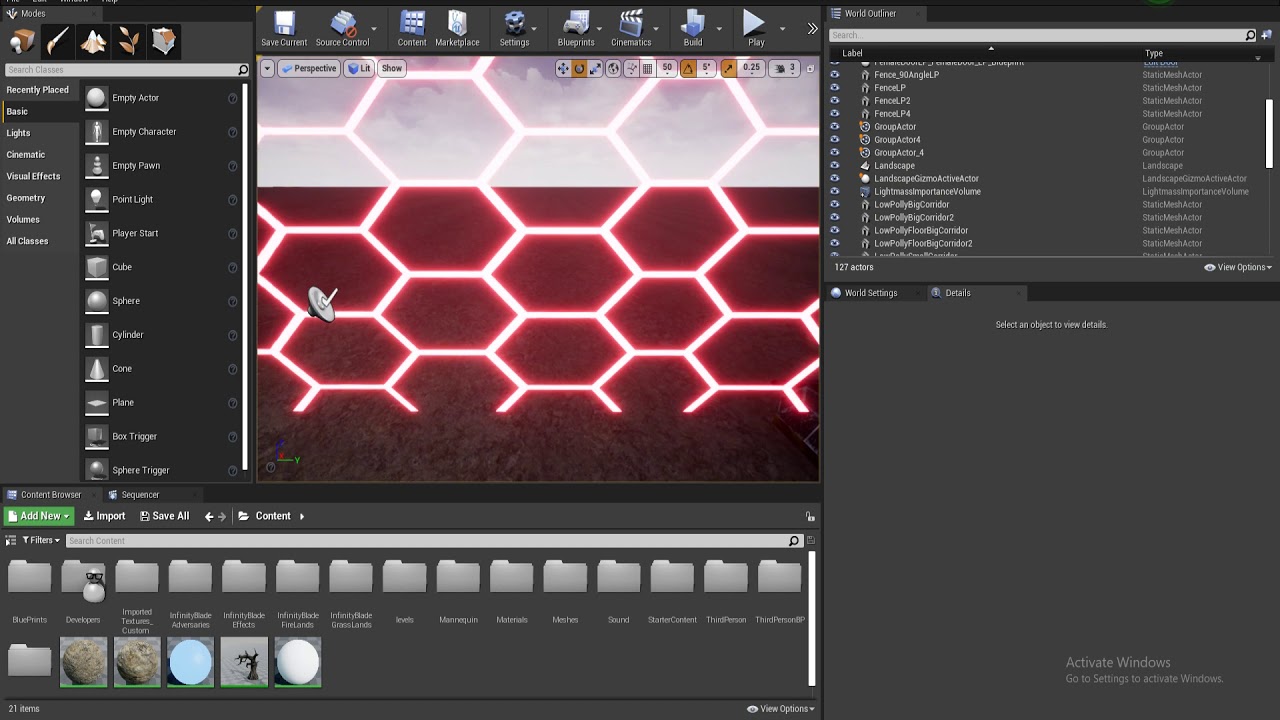
how do i fix
this
problem
when I move the character or mouse the texture
goes noisy
and like stretches
idk igf u can notice
on the hexagons
grim ore
Anti Aliasing? try disabling it in project settings or a post process volume to test
 versed spear
My unlit material is dark. 😦
plush yew
I have the archvis character in my scene, but he walks too fast, so I created a blueprint, and then went into edit the blueprint - his max walk speed was set to 165, so I turned it down to 55, re compiled and tried it out, no change, so I went the other way, set it to 1200, recompiled, no change. Not really sure what I am doing wrong
can someone please point me in the right direction
odd yarrow
@grim ore It's not that, doesn't change anything. But do you understand what I mean by distortiot?
on those hexagons
grim ore
I saw it yes, could also be motion blur
odd yarrow
I have those on default
they're deactivated
i don't have any of the post process effects
grim ore
😦
I do see it but my only guess was motion blur and anti aliasing causing it, #graphics might have more help
odd yarrow
like when I activate motion blur it's even more noisier
grim ore
@plush yew no you are not crazy it does it here for me as well, it must be locked as the other speeds are fine
normal burrow
could make the building larger
odd yarrow
fixed it
apparently you have to check the motion blur and set it to 0
if unchecked it applies an automatic value i guess
grim ore
Ah hah found it @plush yew
it's a default only setting is why you cant adjust it in the world. make a Blueprint out of the arch vis character or make a new BP with the arch vis character as the parent. Go to the character movement component (this is actually an arch vis character movement component), then go to the arch vis controls section and you will find Walking Speed
you can only find the Arch Vis Controls in the blueprint itself as defaults only due to how they exposed them
normal burrow
how is the new introduction to ue4 series going matheww?
grim ore
paused due to work right now but still trying to work on it lol. working like uh 18 hour days right now for the last 2 weeks due to the other dispatcher being on vacation
but I keep finding more points to make sure I cover so all good 🙂
normal burrow
Thats good and damn 18 hour days
grim ore
I think it was 18 might be uh less I lose track after a dozen lol
normal burrow
lol, it all starts blending together after awhile yeah
grim ore
all that matters is tomorrow is the last day of it 🙂
if I can get eyes on it I can hopefully do some of it this weekend after wrapping up 2 small courses
normal burrow
sweet, looking forward to hearing how it turns out
grim ore
looking forward to actually doing it
normal burrow
yeah lol, I have been busy on other things outside of ue4 and am looking forward to returning momentarily as well.
grim ore
It's nice to get away sometimes, makes you refreshed and want to get back and boy do I want to not do real work right now lol
odd yarrow
My sound goes off after I get out of the Cue radius, and it doesnt turn on when I come back
 sullen sonnet
Can someone help me out in #level-design
 oblique stream
Question about optimization. Since Im not sure about LODs or how to make use of them atm and I'm not a c++ guy, want to know if its better for rendering to put an entire building and everything within (containers,physics objects, light switch bps), into a single blueprint vs placing the buildings static mesh into the world and all its contents directly into the world(outliner).
IS it better to make a bp that houses everything or should I place each thing individually into the world?
normal burrow
believe its better to have less actors when you can
oblique stream
in the world outliner, or in a bp?
normal burrow
I don't know enough about lods to say but, believe they work on a per component basis?
an actor bp would be a single actor yeah
I think you'd have to use one actor per static mesh in world outliner
unsure how lods work with lighting tbh as well, if thats a consideration
oblique stream
I spoke with an epic instructor and he said that objects arent rendered if your camera cant see it. Wondering if bps are handled differently than static meshes.
normal burrow
would not expect that sort of thing to be built into static mesh actor and not the component you'd use on the blueprint
 loud knoll
is there a place for dev hardware discussion?
Anyone that is running the AM4 platform for Unreal Dev PM me I dont want to bother the world with questions.
normal burrow
most hardware discussion goes to #lounge @loud knoll but what specifically about am4? Water is fine
loud knoll
@normal burrow I just got a 3950x going to build the system tomorrow but I am wondering how VS intelisense runs on it or does it disable it?
normal burrow
It runs the same as on anything. Unreal isn’t great with intellisense. You’d want to grab VAX for better experience
loud knoll
VAX another IDE?
normal burrow
Visual assist x is a plugin for visual studio
normal burrow
Have not yet upgraded?
loud knoll
they got 77 in stock from the AMD factory down the street in the silicon valley here and they had a waiting list for 40 of them so I got one before they ran out again.
No I just got home from buying all the gear
normal burrow
I just grabbed a 3950x at retail price too
normal burrow
Ye
plush yew
Just selected the VR template on 4.24, editor's probably stuck in shader compiling at 39%. Anything I miss?
It's been like this for about an hour.
 safe rose
@normal burrow wtf, they just came back into stock?
and why a 3950X after your 3970X?
Oh, thought this was #lounge
normal burrow
(Just found it at retail and figured to grab for processing power)
plush yew
A little help here though rip
 exotic thicket
Is it just me or is control rotation a bit... weird? I was trying to make use of it as a test for something that can roll, but that seems to make it so that yaw and pitch inputs are then completely off
Both pitch and yaw inputs for the control rotation seem to be relative to world?
 thorny perch
im upping my old render rig 🙂 will be a nice 2970x with a rtx2070S. Good for "playing" and compiling!
dim plover
How would you do a socket to socket attachment? For like skeletal mesh to skeletal mesh.
exotic thicket
Looking at the code for the control rotation stuff yeah doesn't really seem like it concerns itself with orientation at all... I gotta wonder if some games just completely skip using control rotation, or if there's some other way to make use of it
Mostly wondering because pretty much every single example is using control rotation so that kinda makes it look like that's what you're supposed to do :)
 rancid lynx
Is get all actors with tag much faster than get all actors from class? Or are they both dangerous for performance?
Id imagine its much easier to run through a list.
 zealous spear
Hello, can someone help me fixing a bug?
abstract relic
No answer can be given to an unasked question
zealous spear
I was expecting that
So, I don't want to leak something
And I want you, the one who can help me to go in dm and message me
exotic thicket
The problem is that nobody really knows if they can help you unless you describe your problem
zealous spear
Maybe if you ask in dm what's the problem I would say, hah?
abstract relic
Personal help is a service
zealous spear
Told you I don't want to leak something
exotic thicket
If you're concerned about leaking something you probably should be asking your coworkers for help instead
abstract relic
Do not ask for public help. Ask your coworkers
grim ore
You don't want to leak something however you are willing to ask random strangers for help. 🤦
abstract relic
No one wants to break ndas
normal burrow
Crystal ball breaks NDA?
 severe meteor
anyone has any experience with getting screen readers to work in UE4?
 grave nebula
For split second I thought you are asking about shipping to an E-Book using Unreal.
severe meteor
heheh, not sure how you'd pull that one off
normal burrow
Lol death you probably read it like a normal person would
grave nebula
Crystal ball breaks NDA? They do and it is the first thing you need to ward off, when starting development.
exotic thicket
You would probably have to integrate your project using the accessibility APIs provided by the OS or the screen reader software in question
severe meteor
that would require manual labour for every possible screen reader though? 😦
exotic thicket
Hard to say, I'm only vaguely familiar with this
severe meteor
https://docs.unrealengine.com/en-US/Engine/UMG/UserGuide/ScreenReader/index.html
This seems to be quite a good solution, but I can't find the place on where to put that configuration (or at least, where I thought I had to put it it apparently doesn't work)
Explains how to enable 3rd party screen reader support for your project.
I did manage to set my widget up so that it'd be found by the reader, but currently all of UE4 isn't recognised by it
(using the default Windows 10 narrator since that was the easiest option to test)
plush yew
Anyone know why my Unreal Editor is stuck at 39% Initialised for the last 3 hours
4.24
grave nebula
It is likely doing its engine things in the background.
plush yew
I'm trying to open the VR template with mobile and scalable settings. Should that fail?
It explicitly said that the VR example is for desktop and PSVR
I think it's simply unable to compile something in the background
With that, I'd ask for pointers on how to approach Mobile VR.
 simple ferry
hey will there be UI in unreal engine 4 in future
bcz many of the people cant use widget layer easily very tough to learn
exotic thicket
I thought the widget thing was not that hard to learn
Although I have used similar tools before so many concepts were familiar
 honest vale
how is it hard?
 tawdry lily
hey will there be UI in unreal engine 4 in future
@simple ferry
What do you mean by that? How would it look?
I have seen quite some UI implementations and I think that Widgets is one of the easiest to get started with
 cloud cobalt
UE4 has two UI frameworks, Slate and UMG, plus third-party stuff like Coherent if that still exists
UMG is what Epic Games use so it's rather decent
Slate is the lower level that UMG uses, it's C++ only and it's what you use for editor plugins
So overall you have some options 🙂
exotic thicket
Does anyone use ScaleForm these days lol
cloud cobalt
Some poor souls probably still do, though with Flash going down for real, probably less now
 terse surge
i wish they make a UT99 version for 2020
 glacial pecan
is it possible to get the number of draw calls from within a blueprint?
terse surge
can never forget the old days
bring back the flipping and side strafe and instagib CTF
bring back the character but better Graphics
i just wish
 timid jacinth
@glacial pecan
Use an event tick and use the float "Delta time" or something like that
honest vale
@timid jacinth what has that got to do with draw calls? 🤔
glacial pecan
@timid jacinth for draw calls??
why would adding LOD levels require a lightning rebuild?
 copper flicker
someone above had a question about get all actors from tag vs from class. I'm curious too... is it faster to get all actors from TAG?
 digital anchor
probably not
exotic thicket
Feels like it should be as it would be a string comparison but frankly I have no idea
digital anchor
string comparisons are slower than casts, and TAGs are FNames, which are fast, but still, all actors with tag does exact same as all actors from class except it also does a test for tag, so its (negligibly) slower
C++ version is templated, so it should be much faster than BP version
glacial pecan
@digital anchor even nativized blueprints?
dim plover
Do people use nativized blueprints? I thought it was too buggy.
wary wave
I would not use them, they are unreliable
exotic thicket
Interesting that the cast is that fast... I was always under the impression that casting was slow but I guess not
wary wave
uh
you know what the Media Player is, right?
it plays videos, from disk
it can't open Twitter or whatever
fierce tulip
lol
wary wave
you can't
honest vale
Overview of using the Web Browser widget to create in-game web browsing functionality.
wary wave
ooh, there IS a web browser now?
wary wave
"This feature is still in development and is considered Experimental."
"Unreal Engine 4.10"
D:
wary wave
other games probably use third party tools
 midnight gate
well whats the 3rd party for ue4
digital anchor
if you want to open outside of ue theres LaunchURL
wary wave
that would open it up in the desired browser outside of the game, yeah
midnight gate
ah thank you ill try that
yes i want it ouside the game
ugh my ui things are vibrating
im spoked
yay i fixed em
thank you for help
wary wave
👍
plush yew
what is the name of the node used to bring a photo image into a material
wary wave
in future, rather than just trying to use random nodes, it's worth looking up what the feature actually is before coming in here and complaining that it's not working :p
@plush yew - you mean a texture sample?
plush yew
thanks
plush yew
If I need to scale a texture, what node should I be looking for? -- probably the equivalent of the texture coordinent and mapping nodes in blender
wary wave
...texture coordinate
plush yew
Thanks
Heres the problem I am trying to resolve, note the size of the boards on the floor -- for scale that room is 30 feet wide (almost 10 meters)
wary wave
you should be UV mapping it appropriately
plush yew
Heres the shader
wary wave
otherwise you can multiple tex coords by a scaling factor
plush yew
Ya, the problem that I am running into is that I am not sure how to do either of those things in UE4 and im having trouble finding a reference
wary wave
you don't UV in UE4, you UV in your 3d app
the latter is just a texture coordinate and a multiply
plush yew
Ok, that piece is unwrapped already
plush yew
Hang on, I'll pull up the uv map from blender
wary wave
no point showing it to me, I don't do that stuff
plush yew
oh, ok, thanks
dim plover
Is there a way to open two tabs of animation sequences/montages on the same skeleton? It blows my mind that the default behavior is single tab only.
wary wave
I don't think so, not without two editors open
dim plover
Do you think that's strange that it would single tab? Or is my workflow strange?
wary wave
no, it annoys me too
 wary birch
Can't you open another one using python?
dim plover
Probably, but at that point, it might be easier to just change the editor source.
I won't complain about this again, but this is just such bad behavior that they probably had to go out of their way to create. Especially for a program that opens assets in separate windows by default.
plush yew
I hate to keep bothering, but I cannot figure out how (as in what nodes to use) to multiply the texture coordinate by to scale the material I have here -- can someone please either point me to a reference or clue me in?
plush yew
@digital anchor something along this line
 sudden agate
yes
 rustic imp
why does a umg widget have a mouse button down function but not mouse button up?
 crisp sleet
Use mouse hold?
 boreal topaz
Good Morning all. Looking for a simple piece of advice on what im doing wrong here. Attempting to use a boxtrigger on my door to play the matinee OnClick. It registers when I do OnActorBeginOverlap but i cannot get the OnClick to be recognized/registered
its a tad messy but thats just me trying everthing i can think of to make it work
rustic imp
your screenshot is barely readable
 zealous cloak
How should i respond to statements like "people who only use blueprints aren't really programmers"?
cloud cobalt
By ignoring them 😛
zealous cloak
I mean not to have all features of cpp is also a benefit
As long as you work as it is intended in blueprints it works perfectly
You don't work with stuff, that isn't supported with blueprints.
rustic imp
even if his statement were true what does it matter if you're a programmer, engineer, artist, or potato peeler, as long as you do what you do
zealous cloak
I try to to my best,always!
zealous cloak
It's more that I'm not able to write more complex lines of code without support. I always loose the scope of projects. It just goes beyond my mind.
boreal topaz
sorry.. unsure how to replace the previous image with the new one. i dont want to make a duplicate
zealous cloak
#blueprint would be better for that ;)
boreal topaz
okay ill take my question there. thanks
rustic imp
but if blueprint suit your needs, there's no reason to write complex code that would do the same, except if the BP way is unachievable of course
zealous cloak
Except you are the only person in the team who has unreal experience!
I come from the HCI research field, so unreal for fast prototyping is genius
I would love to learn more cpp, but it's hard if you have no mentor person.
rustic imp
well if the person saying you're not a real programmer or developer can't do it themselves, why are they commenting on it in the first place
you could start learning from some tutorials
or since you know bp you can think of it in bp first and look at the code from those nodes and learn a bit fr omthat
zealous cloak
Super tiny team and it's more like. Oh in unity I can do this and how real coder would do it
I don't wann adapt, learn sth new, so I avoid unreal
exotic thicket
I've been programming almost 20 years and I still rather use BP because I'm lazy lol
rustic imp
the problem with learning c++ in unreal is that it's probably better to first learn c++ basics on their own and then step over to unreal
cause it all builds on top
zealous cloak
@rustic imp that's the reason the best way would be to have a mentor person. Ok my job is fucking good paid! For doing literally nothing except the things I can't do with bps
 upbeat tendon
my ExponentialHeightFog seems to be far too thick, even with a fog density of 0.0005 and fall off of 0.15
zealous cloak
Learning little by little. I'm only aware of Java and a bit c#
rustic imp
you can not use blueprints if you want, but kano is talking about the opposite, they only know bp, no c++
plush yew
if they want to not use bps then they will inevitably have to learn
they chose to learn bps
upbeat tendon
not sure what the best way to use ExponentialHeightFog is really,
rustic imp
I started with unreal by following some of this guys' tuts, I had a few years of c++ experience before though so idk how it is for a beginner https://www.youtube.com/user/TLXNA

YouTube
My Game Projects and Unreal Engine 4 Videos. Visit my blog and more game development tutorials over at http://www.tomlooman.com or follow me on Twitter https...
zealous cloak
Ok in my team are 3 coders 2 unity only and me ! They don't like unreal, because bps are just wierd and different
plush yew
then dont use bps lmao
rustic imp
that's just a stupid suggestion
plush yew
how so
rustic imp
they clearly want to learn c++, but just don't know how to get started on their own
rustic imp
of course you can, but that's not the point is it
zealous cloak
@rustic imp they don't want It i want, but little by little not getting frustrated
rustic imp
yeah by they in that sentence I meant you want to learn, they as in he/she
zealous cloak
Åh ok
 paper crest
paint spline mesh? yes or no? 😄
 dim merlin
anyone around know some more about RVT or VT ?
issnt it true that Runtime Virtual Texture is supposed to be editable at runtime?
honest vale
aye
dim merlin
@honest vale to me?
honest vale
runtime VT is supposed to be editable I think
dim merlin
so why do i need to set my actor that has a VT to static ? (no movement)?
it looks like its being cached upon beginplay or even in editor, i need it to update at runtime. (e.g. like a road tool ingame)
 fierce forge
how i can change this to box collision ?
 pseudo grotto
Hi, I have this problem, would anyone know how to fix it?
LogInit: Display: LogNavigation: Error: [/Script/Engine.RecastNavMesh] found in the DefaultEngine.ini file. This class has been moved. Please rename that section to [/Script/NavigationSystem.RecastNavMesh]
zealous spear
hello, when i try to package the game it gives me an error
i tried even installing visual studio things
and still nothing
 spark sonnet
Check the log
zealous spear
I will send it to you Sebb
pseudo grotto
I can't find the folder that mentions my error
dim merlin
@fierce forge create new component (add component) and drag it on the scene component
 hexed dust
What's the best and most efficient way to place let's say 1000 skeletal meshes with anim bp on a level?
honest vale
like, randomly or at specific places?
rustic imp
@pseudo grotto you're probably opening an older project in newer engine? just do as the error tells you and change it in defaultengine.ini
whole quarry
@zealous spear u need this log: C:\Users\mrale\AppData\Roaming\Unreal Engine\AutomationTool\Logs\D+Epic+Games+UE_4.21\UBT-NightmareTheGame-Win64-Development.txt)
hexed dust
I've been thinking about converting Skeletal Mesh to Static Mesh and baking some animations to vertex animation
But maybe there is another way
hexed dust
like, randomly or at specific places?
@honest vale some sort of 500 x 500 battlefield
zealous spear
when i try to package my game
hexed dust
Of the same units
pseudo grotto
@rustic imp I try but I don't know where to find that file to change the name
rustic imp
you can try this maybe for performance reasons if you're spawning the same skeletal thing https://docs.unrealengine.com/en-US/Engine/Animation/AnimationSharing/index.html
@pseudo grotto just go to you project folder and then under config
hexed dust
Ah, thanks. Haven't used it yet. Probably could be a solution
 sly coyote
So instanced static meshs still cant be assigned unique materials or am i missing something thats been added for this?
pseudo grotto
Ok @rustic imp I changed it. Now let's see if it works. For now, thank you very much for answering and helping me.
hexed dust
@sly coyote If we are talking about animations, I suppose you can pack few anims into a one material
sly coyote
Nah, i mean actual materials on the mesh...example a modular city buildings blueprint i created, i slap down 4 of them and change the material on any of them and all 4 get changed
Where if i used normal static meshes only the one i changed gets changed
hexed dust
I've read somewhere that there was some new additions in 24 or 23 that can give the opportunity to spawn thousands of actors. But can't find it in release notes atm. Was there any improvements?
sly coyote
They made it so instancing of static meshes was automatic
hexed dust
Ah
sly coyote
But only if the static meshes are identical
hexed dust
And skeletal meshes not?
pseudo grotto
@rustic imp It officially works. Thank you very much, really
sly coyote
I actually rewrote that modular building tool and plan to take advantage of exactly that peter
:)
Though working with instances was a bit easier tho
2 things i would love to see someday...unique materials assignment for instanced static meshes, and being able to change the editible variables of child actors bps nested inside blueprints...
 naive glade
I got a strange bug in 4.23 with hierachical instances, they cast shadows in baked lighting even though the component is set to movable and cast shadows is turned off. can be easily reproduced
 verbal oar
hmm, tick box error, report it to epic on their stie IMO, good find
needs toggle to activate in their UI
via their UI*
will block shadow cast and importanmce altoghether
so should be ignored
ignore lightmass and baked=y in that case
no shadowcast
zealous spear
Hello, i have an error when i try to package the game and i tried even to install visual studio c++ things
verbal oar
<-
verbal oar
learning trouble shooting will repay itself double in the lng run, but i dont code so i would miss it
i had to model, but bugs are understandable for me with my Intro to OOP
not always the code, should be a symptom with description, that is a key
but the eror lg itself could be confused, with its output and just spits, i didn't downlaod
i ran mods and developed for UT 2k3/2k4
so i mean im not einstein and a lot has changed, UE4 is a beast
docs are intense if you need them to be
multitudinal
geez, thse updates are tempting lol, i'm in the process of collecting assets in working prototype form for 2 projects and i keep wanting to upgrade, i think 4.24.1 will be the last update so i can get the idea of new tech like landscape outline tool buder and Chaos, but still be friendly on Mid-level and team updaters
most asset makers on EMP could update to 4.24.1 soon, i think i have 23 updted and working but it's not canon, yet
gilded lichen
Hello, how would I make a certain part of a skeletal mesh interactable to the motion controllers on the VR template?
Meaning when the players wants to grab the bar of a table, it will rotate the whole table.
verbal oar
add component lined to BluePrint tag? not sure if natively supported, only one possibility
linked*
tag bone or socket, and BP tag link
useful and possible, might be easier with a new way tho
gilded lichen
Im a bit confused by what you said, sorry
verbal oar
ah, in the skeletal mesh i suppose it has bones or sockets, a BluePrint with teg to link the 2 together (the way triggers used to work) is wirth a tag function link so that once tag with bone nomenclature, the tage would replicate the desired functioin with compnent indivisive of the overall animation of sekeltal mesh
gilded lichen
oh ok, thank you
gilded lichen
🙂 Thanks
verbal oar
np m8
thats the old way of saying it, i think tage and compnent keywords in goole to search documents (docs) for tutorials is Ok
tag* grr
new system, old modder
llol
 sharp wadi
Everytime i tried building UE4 it ended up running pretty slow and useless, lagging a lot. My hardware is: http://dpaste.com//3N69C74, so 2 questions. Is there any pre built binary i could just download or deb for ubuntu? Compiling it takes so long.... and what can i do to make it run more properly? On this same computer on windows UE4 runs perfectly.
verbal oar
CPu upgrade is pretty important, with mutithreadass, else, i can't think of existing firmware or patch atm
threads*?
i only got a quad core so i feel ya on that
want 6 core with HyperThread
12
threads
8 can do nice too
picture a plumber witrh 4 lbs @ 10lbs presure, and t4he other with 12 pipes @ 10lbs pressure, the pressure on flow is less with 12 pipes
so 4 pips, vs 12
pipes
lol Gladys Night ffs
i missed an enumerator in example so
ok then
grim ore
@sharp wadi no there is no pre built binary for linux, you will have to make it yourself. With that CPU it should take about an hour tho if you just let it go which is not horrible
grim ore
secondarily it should run fine on that machine assuming you have the geforce card being used, as it's linux I have no idea if you have optimus support and can force the Nvidia over the intel
fine being subjective of course but I have less of a machine that I am using now and I get 60fps in a new third person template for example
sharp wadi
optimus is an old thing and i have the propretary drivers installed. Applications like blender here have access to my gpu
how can i know if unreal is using my gpu?
grim ore
https://wiki.unrealengine.com/Running_On_Linux#Nvidia_Optimus its an old wiki but it has some tips
sharp wadi
Im really glad to hear its really possible to use unreal engine with my hardware on linuz
grim ore
your hardware is far from poor so if you have it set up properly it should be fine
sharp wadi
grim ore
yeah I can't give much support personal but I think we have #linux that might be able to verify your stuff? I got as far as getting it compiling on my chromebook but the darned thing is 32bit so I had to give up lol
 kindred tulip
Hi, does anyone know of any good resources online to help debug editor crashes please?
Having a consistant crash when opening a particular mesh or blueprint in the editor 😦
sharp wadi
okay... thanks for the help MatthewW
 left citrus
when adding a blueprint to the sequencer, which has a skeletal mesh component, I'm unable to run animation tracks on it?
and the field is yellow
am I trying to do this incorrectly?
 lofty imp
i had an idea today, and i was wondering if it was possible
you know how racing sims can use 3 monitors side by side for the cock pit, is it possible to do something like that but for an mmo where the game is focused to the middle screen, and the side monitors are used for UI (inventory etc)
obsidian lily
of course it's possible
there are lots of practical reasons you might not want to do it, but as a prototype, yes, and possibly as an option that isn't required
 jovial pollen
I was wondering if anyone could help
So I have a script here that shoots and destroys the actor it hits (which is an ai) but when the ray cast hits the ai it doesnt destroy the ai
lofty imp
@obsidian lily thank you, yeah i wouldnt make it mandatory, just an option for players who have multiple monitors be able to choose 1 or 2 extra monitors and the game would stay on the main screen but the ui can be dragged off to side screen
jovial pollen
This is the script I got for it
Also the chase script doesnt work either and both are setups I use a lot
On see pawn cast to player object = player pawn exec pin = ai move to as player = target actor on success = destroy actor actor = player pawn
lofty imp
@obsidian lily think that would cause performance issues?
 candid basin
Hey fellas
I recently got ue4 because I've been planning a game for a while
but I dont know where I should start with it
jovial pollen
Ffs
candid basin
should I start with the combat mechanics and health/stamina or the movement and physics
jovial pollen
Start with the map...
 shell jacinth
Can someone please tell me how to reset Landscape Spline Materials?? I moved my material sadly on one landscape spline and now every landscape spline has the same material -.- i mean wtf
Hope someone can help me ...
candid basin
are you being serious? No offense
jovial pollen
Yes I'm fucking serious, everyone who makes a games starts with the map
candid basin
if you say so brother
obsidian lily
@lofty imp I'm not really the one to ask, but yes definitely. First of all, in a 3 monitor setup you're pushing a lot more pixels, and depending on how the whole thing is setup, your camera is pointed at a lot more geometry. Then I imagine various driver issues basically because multimonitor games aren't really a thing, so the tech for it isn't going to be bulletproof
candid basin
love it
cloud cobalt
@candid basin Start with the core game loop - movement, etc, in an empty level
lofty imp
i agree with stranger @candid basin
jovial pollen
^^^^^^
cloud cobalt
Make yourself a fun game in an empty level with no enemies, and then expand the gameplay with level design, enemies,
lofty imp
your map is going to be an ever evolving thing
cloud cobalt
And then you can furthger expand with objectives, contracts etc
 silent zodiac


 obsidian lily
@jovial pollen I don't know why you acted that way toward @candid basin, but it wasn't cool. If I were a mod, I'd smack you for it
no need to be hositle, we're all trying to learn
sweet relic
Had me looking for the report button
jovial pollen
I'm sorry but he acted sort of hostile to me by saying "are you being serious" when I was trying to hrlp
Help
jovial pollen
That doesnt fix it does it
candid basin
hahah
 final monolith
Hey guys, have a question about preview of light in editor, I dont know if it is a bug, but it seems my volumetric lightmaps show only when i hit Play button, here are the examples
this is the one from editor view
this one from playtime view
jovial pollen
Wtf lmao
candid basin
you clearly werent trying to help either @jovial pollen
jovial pollen
Uhh
obsidian lily
I didn't interpret Yones as being hostile, I thought he was confused because your answer wasn't in the format he expect nor did it have the content he expected. Then you started calling names