#ue4-general
1 messages · Page 600 of 1
 storm venture
In some specific cases, an asset can be "reimported", which will of course not work if the original file was deleted or moved
 exotic cave
Well I mean - for material packs on the Marketplace, is it better to include both?
I'd like to not add the extra gigabytes in space required, but I don't know the ecosystem well enough yet to know what other devs like to have.
storm venture
I've seen some content creators include the source files in their marketplace packs, but some others don't bother. Personally, I like to see the source files included in a separate folder labeled Source or whatnot, but UE4 allows us to export the .uasset back to a normal format for usage outside of the engine
exotic cave
That is super useful, thank you.
storm venture
No problem, and welcome to UE4 😄
 scarlet birch
You can't always guarantee the export from the engine will be exactly the same. So, you might want to keep the source just in case.
exotic cave
I will always keep the source in my master files, it's just the size of the download I'm worried about for end users.
scarlet birch
Ah,
exotic cave
This is a set of diffuse and normal maps for over 50 terrain layers.
scarlet birch
You shouldn't have source files in there, unless as said above it's an asset you're selling
storm venture
I believe you have the option to include .zip files in the marketplace pack if that helps
exotic cave
They're 2k textures, all have both diffuse and normal, so it's several GB just as is.
I mean, I have more maps than that for all of them, but have found terrain usually is fine with just the two 🙂
I might just distribute the .uassets and see if I can integrate a supplementary download for licensed users who want the source files too, that would be optimal but could be hard to set up I suppose.
scarlet birch
I only half read. I can't see most people wanting the source files in your case. I doubt it's worth the effort.
exotic cave
UE kind of feels like a breath of sanity
storm venture
I suppose you could omit the source files and state on the product page that source files can be obtained by emailing your support email with a copy of your receipt? I've seen some creators do similar things to that before
exotic cave
It's a sound idea and I'll explore it!
Mostly I have to get everything ported and tested first. 🙂
Also, I can't seem to find the default Landscape Material mentioned in the tutorial, is there an easy way to find that somewhere online or whatnot?
I've been able to set up my own small multisplat material via the tutorial but would like to actually see the default best practices one.
 upper iris
4.24 have a collision bug?
 abstract relic
The lovely checkerboard? It’s in the engine folder
 fervent sigil
sort of following question from before: when you create a "skeleton" for the weapon (or rather, a single root bone from what I've seen),
where should I place it? I can see many weapons put it at the end of the hilt, I thought to put it at the beginning of it though. Does it even matter?
storm venture
If it's not in the StarterContent folder (included when making a new project) then you could check the Learn tab in the launcher, they might have a copy of what you're looking for
abstract relic
Basically where ever the pivot point needs to be
fervent sigil
yeah I know that, trying to understand any reasons to want the pivot point where I've seen it.
storm venture
@fervent sigil I prefer the pivot of weapons to be where you would hold it
scarlet birch
Middle of the grip, and put that at origin.
abstract relic
At the tip of the hilt? Slap that person
fervent sigil
lol
middle of grip (=where you would hold it) make sense I guess when you think about rotations. I think anyway ^^
abstract relic
Yep
storm venture
that spot is good because when you attach it to the player's hand, you zero out the location and it will snap to exactly where it needs to be
fervent sigil
btw is there a way to create a skeleton from the mesh? or do I need to create a bone (even if just 1) in the blender app?
abstract relic
Always with the good questions
fervent sigil
Is that sarcastic? sorry for that if so :S
storm venture
i know you can create sockets on a mesh, not sure about skeletons though
fervent sigil
oh cool, thx then ^^
And I might be confused but isn't armature the bone hierarchy?
abstract relic
Never tested it myself, take it with a grain of salt. The armature’s coords becomes a bone
scarlet birch
If you're going to go to all that trouble take a look at the docs first and the static mesh pipeline stuff. You can go ahead and add sockets or whatever at the same time.
abstract relic
If you have that disabled it (should) complain about zero weights
fervent sigil
"all that trouble" - if you're referring to using blender, I actually made the weapon in there so it isn't much.
And yeah I'm aware of that actually, physics meshes as well ^^ but thanks 🙂
abstract relic
It’s a good question
fervent sigil
High Tide - I'm not entirely sure what you're talking about. I have only the mesh, and I want to create a skeletal mesh, without adding any bones (it's not really any trouble, I'm just trying to understand if its' possible). You said it is, but I need an armature; what does it mean then?
abstract relic
Bones are just points. When you look at a rig, it’s a visualization of those points
But what differentiates a skeletal mesh is the influence of those points. Vertex weights
A root bone has 100% weights with all other bones fall under its hierarchy.
scarlet birch
A root bone has 0 weight
abstract relic
If you set the armature as the root, unreal will treat it as a root bone
 normal burrow
yea it maps unweighed vertices to root. root will have weights in that case
abstract relic
Noted
upper iris
Guys how do you do custom collisions for meshes having Windows??
fervent sigil
well.. yes, but when you export it into fbx it's put into it's "bones" section (I'm just assuming, I'm not aware of the format), together with the influences you're talking about, so on import UE knows it's a skeletal mesh and creates one accordingly
"if you set the armature as the root" isn't armature the hierarchy of bones? if I don't have to create it in the modelling app, where is it? or am I confusing it with something else?
 jolly steppe
Hello everyone. I'm new and have a question about Unreal Physics assets.
 plush yew
I've made a stamina system for my game. When the character sprints the stamina goes down. When it goes to 0. My character will walk and when that is happening the value will raise again. And my charter will be jogging again and will be able to sprint. I have no idea how to turn this into UI can anyone help?
 honest rune
Is there a token such as {Version} that can be used in the Project Displayed Name value of project settings? I'd just like the window title bar to include the build number without manually specifying it each build
plush yew
Private dms are fine if chat gets cluttered so please msg me
abstract relic
Heh. Not quite understanding your confusion. Generally the armature gets removed as root bone, with some authoring. Hence the original stipulation.
normal burrow
msh if you tried it, you'd understand it
plush yew
I am very new to unreal just started today
abstract relic
Tldr: If there’s no root bone. Unreal will yell at you. Root bone tends to be the origin point of armature unless you set it otherwise.
jolly steppe
I'm having an issue where I can't shrink the physics asset any smaller for this character I made. I made her in Blender. She should be about 5 foot 4 inches. Is there something I'm doing wrong when exporting?
fervent sigil
@normal burrow mm I'll try and report back in a few minutes then, hopefully I'll understand everything
honest rune
Is appending the version number to the window title at runtime the only way to automatically include the current version number in the window title?
fervent sigil
@normal burrow I just did, and the only warning I got is about the size of my bones being too small. Which I understand, although daggers are small it's not my fault 😛 but I assume that isn't what you were referring to.
Or did you mean something else when you wrote "tried" ?
fervent sigil
if by armature you mean a single bone then yeah, that's what I did. it works great (at least the import process).
 bitter iris
Could anyone help me with this "Assertion failed: LODIndex >= 0 && LODIndex < 8"
 river magnet
does anyone know how to port multiple projects together
jolly steppe
Anyone have a solution to my issue I posted above?
 zealous cloak
If I had an array of vectors to ensure a location doesn't get used again, Would It be quicker to line trace and detect an object versus check the array at 10,000 or say 1,000,000 members
 remote tide
I'm getting "failed to save" on everything in my project, anybody have an idea how to fix this? It says nothing else so no clue what the problem is
scarlet birch
99.9999999% of the time the project is open in another editor instance.
But, guessing you already figured that out.
 sleek spear
changed a landscape material. would you say this is normal?
 swift spindle
if your landscape is massive... yeah unfortunately.. especially if you have a lot of exposed params
remote tide
@scarlet birch I don't think so? I only have 1 instance of it in task manager as far as I can tell, if that's where it would be
I've also realized its only certain folders in the content browser that wont save
Or maybe not, one is way smaller though, just end it?
sleek spear
@swift spindle but i dont remember such numbers before 4.24
unless i dont remember correctly
and the compilation of so high numbers happens quite often i think
 blissful trail
https://gyazo.com/675e05fe3a497f4b0ea6ed6487f03bab is there a way to disable placing blocks when it is being overlapped ?
cos u can place blocks inside of blocks
swift spindle
@sleek spear yeah... just did a test between 4.23 and 4.24 .... its quite a lot worse in compile time...
 pallid talon
Does anyone know where I can download the GPU rendering for 4.24?
 sage tree
Is there a way to change what plugins are active by default in UE4? I really dont want every project starting steamVR.
 spice canopy
@pallid talon do you mean the GPU light building?
 dark rune
@carmine garnet why is it not worth
Is it not rather convenient in ensuring players don't get stuck on each other
 quiet token

Bug Fix: Fixed a memory leak in Instanced Static Mesh reported from UDN.
Release notes for Unreal Engine 4.24
normal burrow
Good job
quiet token
anyone else spend so much time wondering why their instanced meshes take ages to bp compile despite framerate being high well there u go.. time to upgrade
 carmine garnet
how do i use unreal engine
 normal warren
alt-f4
 honest vale
I concur
 nova jewel
^
honest vale
basically: google it yourself instead of asking low effort questions like that
 ruby robin
Guys, is it possible to set asset thumbnail from a texture asset?
fervent sigil
Is there a regular schedule for epic live training or a place where they announce it some time before?
 vale bison
can I discuss the problem about the component here?
 supple totem
hey all, how do I draw debug on a two bone ik node? Checking the debug box doesn't seem to do anything. I assume there is another step?
plush yew
Hi! I want to know in which ways am i limited if developing for mobile platforms? can i use fps or tps or any other assets from marketplace? is there a limit for character animations? thank you for your answers
 drowsy kite
Hey guys, I have problem related to coordinate system.
I want to rotate a sphere on a axis.
i am making axis , by taking unit vector between two points , and angle is being calculated by taking the direction of those two point and taking a dot product , from i can take angle.
I want to set the rotation to sphere, problem is , I am not able to compute to which axis rotation should be applied,
Like in some cases yaw becomes pitch , and in some cases yaw becomes roll.
it all depends from which position i am trying to rotate the sphere.
Basically we are trying to create a Globe , which can be rotated using mouse , in any direction.
Need some guidance.
 thick herald
I know next to nothing, so this probably isn't a thing. Use world space instead of local, so the axis always remain true?
 hard quarry
Can I use a procedural mesh for a spline mesh?
jolly steppe
Hello, I've been trying to fix this issue for a few hours now. I don't know what's wrong with the physics asset on my rig. I'm trying to scale the capsule on her head down but it won't get any smaller than it is.
 thin tendon
Does anyone know of a solution to the limited number of texture samples I can have for a terrain material? I would like to use a lot more then the 15 or so unreal limits me to
 digital anchor
set textures to shared sampler @thin tendon
@jolly steppe you probably exported without 0.01 scale
find a blender to unreal tutorial it will explain better
jolly steppe
oh a problem I did in Blender then? Alright, I'll try to fine a tutorial.
I followed one and thought I did everything right 🙃
thin tendon
@digital anchor thanks mate
plush yew
does anybody here know why i cant call a cast to a certain blueprint?
no idea what could be the issue
weird, i fixed it be recompiling the bp
drowsy kite
@thin tendon you can share texture samples , just change texture property to shared or wrap.
plush yew
Is there is an offline installer for it
drowsy kite
Hi guys, to the previous question , i found this link , can someone make me understand this . https://answers.unrealengine.com/questions/474606/rotate-an-object-from-point-a-to-b.html
plush yew
Is there is offline installer for unreal engine
 runic iron
@jolly steppe When exporting animated assets this is what I do in Blender:
-Make sure you applied scale and rotation (ctrl+A in object mode iirc)
-in the scene settings put units to meter and the scale factor to 0.01
-when importing in UE4 choose a scale factor of 100
jolly steppe
Now I think I have a new problem ._. Do I have to redo my animations because I set Units to .01?
runic iron
Btw I'm not really familiar with physic assets but can't you select the capsules and scale them in UE4 ?
jolly steppe
Yes, but they were too big and I couldn't scale them down
well
I guess they were too small technically
but I got that fixed now but it seems like I have to redo animations
drowsy kite
@jolly steppe it seems like you are using cylinder physic assets. are you changing the size from primitives ?
runic iron
Did you put the 100 scale factor when importing the model in UE4 ? @jolly steppe
runic iron
Cause if you have blank anim files that's probably the issue
Your models are too tiny
drowsy kite
runic iron
Ok try reimporting with the 100 scale then
drowsy kite
@jolly steppe are you doing this ?
jolly steppe
I've just been clicking import all and leaving everything at default.
runic iron
When importing there's a "uniform scale parameter" or something like that, default value is 1
Put 100 instead if you chose meters + 0.01 in Blender
jolly steppe
but the physics asset stuff fixed after I set the unit to .01 and scaled them up
oh, alright, I'll try that
 lapis vine
Heard that 0.01 in Blender is not good for certain uses like simulation/physics etc. Have you tried to use Unit of centimeters?
jolly steppe
I just want to do this stuff the right way : / I don't know what the right way is.
lapis vine
Yeah, I know... 🙂 Saying that the 0.01 solution is frequently used.
jolly steppe
trying that now
runic iron
Didn't have any issues with it yet
jolly steppe
and after that I'll try ryobg's way.
runic iron
But if there's a better way without all those scaling shenanigans I'd be interested lol
jolly steppe
I have my model scaled where I want her in Blender so it'd be nice if that would transfer over to Unreal.
lapis vine
I'm using an fbx plugin which does something similar automatic. Haven't tried yet that approach, so... can't confirm. At some point would be nice to try it out though.
runic iron
With the above workflow I have the same scales and no anim problems, without the scaling I had some issues
Ah ok
Never tried centimeters though, I'll give it a go
lapis vine
I think you are on 2.7x? I know about some changes after 2.80 so...
runic iron
Oh ok centimeters was actually a preset for what I've put manually lol
Yeah I'm still on 2.79b, need to upgrade soon
But I recommended this workflow to some people here using 2.8 and they were able to import their models with working scale/anims
lapis vine
Yeah, I think so its kinda of preset. Point is though its likely you are still in 0.01 scale, so I can assume some flt rounding kick in in certain situation. Of course, if you had no problems in practice...
Yes, its okay really. Its common advise.
jolly steppe
doing that method, the scaling issue with the physics asset seems to have returned. but I scaled her back down to where I wanted her in Blender (she should be 5 foot 3 inches or 5 foot 4 inches)
sorry, American here x)
lapis vine
What you did exactly?
jolly steppe
I set the unit in Blender to 0.01 but I kept her model and armature at the same size.
and in UE4 while importing I scaled up 100
runic iron
Did you put metric too ?
jolly steppe
let me check
runic iron
Also did you apply transforms ?
lapis vine
Also I'm not sure whether this scaling shouldn't be done before any asset created as it might rescale the model?
runic iron
Ok try to do that
@lapis vine I basically model/anim and then at the end change the units then apply rotation and scale
So far I didn't notice any issue but maybe it can mess some things
I don't use advanced physics/simulations like you mentionned so maybe this destroys some props that I'm not aware of
lapis vine
Well, keep in mind. If it works - it works.
runic iron
pretty much lol
jolly steppe
Yeah same issue. Perhaps I did apply transform.
runic iron
erf
Model is well scaled at least ?
jolly steppe
Yeah
 forest totem
Hi friends! How to exclude Character/Actor from PostProcessVolume effects? ty
jolly steppe
however, the issue seemed to be fixed when I put blender Units at .01 and scaled the model and armature up and in UE4 I left the scale setting alone.
but then I have to redo animations : /
runic iron
Uh that's annoying
Can you manually scale the capsules ?
I'm not really familiar with the physics assets
jolly steppe
I guess they're so small that I can't scale down anymore.
runic iron
In UE4 I mean
runic iron
You can't access them in a browser or something ?
jolly steppe
That's what's happening, lol
access the capsules in a browser??
You can see I have no problem scaling it up but it won't scale down.
runic iron
Sorry wrong word lol, I'm a non native speaker
jolly steppe
ah, that's ok.
jolly steppe
alright
I don't see a way to scale there.
@lapis vine Did you say there was a plugin that fixed all that?
or something
blender plugin?
lapis vine
Yeah, but is paid. Are you doing only Blender to UE, not the other way around?
jolly steppe
hmm... it might be both. idk. for now, just Blender to UE
lapis vine
Ok. Did you rig to UE's mannequin?
runic iron
That's weird cause my little prototype characters have their physics' assets capsules scaled fine
jolly steppe
no, I made my own rig
runic iron
Even though I don't use them at all ingame
jolly steppe
it might be because I left the models and armature at the same scale in Blender. I notice when switching the units to .01 the dimensions shrink (which makes scense)
I think UE4 thinks my armature is smaller than the mesh
lapis vine
Quite possible.
Why not start from fresh with simple assets and see how the workflow will go?
runic iron
gtg rn but if you still have issues and can share your blend file send me a DM, I'll try to take a look at it
Good luck !
lapis vine
No, no something small. Like a box or two with two bones.
Make your scene (0.01 meters, 100 on export or try centimeters) make the asset and then export.
jolly steppe
Alright.
lapis vine
If stuck also you can check out one of the recent streams from Epic. It was for some basic workflow from Blender to UE (biped animation export to UE and custom rig).
jolly steppe
before I try making the ultimate box man, I wanna try changing to centimeters really quick.
lapis vine
Don't forget to measure the actual size in Blender as well in UE. These should match.
jolly steppe
1.5 cm
jolly steppe
I exported her in UE before I read what you said.
what do you mean by 100 units?
in the unit scale?
lapis vine
Well, if you are in Blender in Unit:centimeters. To get one meter its means your box should be 100 units in Blender, no?
jolly steppe
Like this?
hard quarry
How can I use a procedural material to follow a spline?
lapis vine
No.
Unit system: centimeters
Unit scale: 1
@hard quarry ask in #graphics with more elaborated question.
jolly steppe
ah okay. I think this is how I originally had it set up, but with imperial unit system.
lapis vine
Imperial units... ghh...
jolly steppe
I'm American, lol
lapis vine
Yeah, okay. No time for this war.
lapis vine
So 100 units cube (fresh scene), using centimeters with scale of 1 and you get how big in UE?
 fierce tulip
lapis vine
fierce tulip
lapis vine
I have to test this when at home, for once and forever.
jolly steppe
no, I didn't start fresh yet. I'll do that now.
but in UE she was normal size and the physics asset was still doing the same thing.
lapis vine
Step by step 🎶
Figure out the scales first.
plush yew
hi, anyone know of a way to drive a morph using an audio file?
jolly steppe
well this seems to work. I was able to scale the capsole on his head down.
 vital cosmos
After building lighting, a couple of objects appear black under a lighting when they appeared normally before. When I move the light slightly, the object gets lit up correctly again
anyone know why this is the case
normal burrow
If it’s static, moving should clear light map texture on it
vital cosmos
well the light is stationary but the objects are static
normal burrow
Static object is what I meant yes
vital cosmos
how do I fix the lightmaps then
normal burrow
Would take screenshots, not sure but might be easier to do identify
lapis vine
@jolly steppe So what is the conclusion?
jolly steppe
I'm about willing to pay for that plugin, lol
lapis vine
What happened?
jolly steppe
I've been trying to figure this out for 2 days : /
lapis vine
Just made one quick test. New Blender scene. Set Unit Length to centimeters. Made 200 cm cube, exported as fbx with scale of 1. And what I get in UE?
2m cube!
 tender flume
Is there anything i can do if one thumb doesnt follow the animation?
lapis vine
It works @jolly steppe At least this for static meshes.
tender flume
I have hair bones.
Should I change it to a static mesh?
Then redo it from there for the animations?
jolly steppe
the problem is the armature I think
tender flume
Huh
jolly steppe
sorry, I was talking about my issue
jolly steppe
I can't scale my physics asset down. My model is the right size but I think the armature isn't.
This is what happens.
tender flume
Maybe the armature is the issue
lapis vine
I just tried new skelmesh with the same scene settings as above. And while the meshes are okay, the armature is scaled down. I don't have the time to play with this anymore tho.
jolly steppe
ah, well thanks! I don't get why the armature scales down : /
 left citrus
Is there a way to directly sample a particular bone's animation curve values? For instances where a bone might be driving another system? Because I'm to the point where storing the animation data as metadata on the bone is more feasible than actually accessing the animation data - this seems backwards. Is there a way to do this outside of an animation blueprint?
 plush whale
Hi everyone , Here with some issues regarding the Sequencer.
Whenever we record in-game with it, it all plays nicely and the preview works well. However, when I put it to render movie or play for preview, everything goes wrong and the car or tank fly's off , and i do not know whats the reason for it and what should i do!!! I will provide with 2 videos one when i press play , and the other from the sequencer .
if any one can know what's the problem with this ?!!
 humble ridge
plush whale
humble ridge
plush whale
i don't know just , start a new project with unreal vehicle advance , the same problem with the sequencer recorder !! this happed when i export to movie or hit the play .
maybe i did something wrong somewhere , but i follow this tutorial https://www.youtube.com/watch?v=vHeRBCNVBok&t=3s
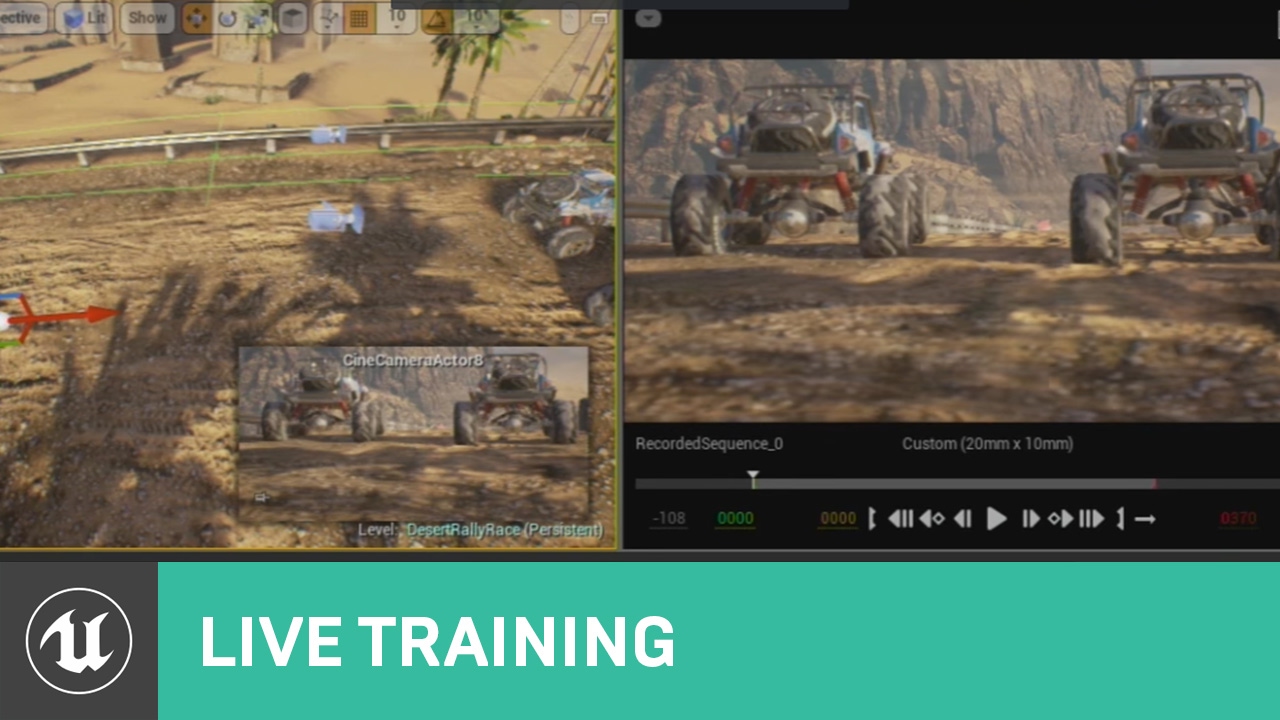
Announce Post: https://forums.unrealengine.com/showthread.php?112732
With the release of 4.12, the Sequencer Editor has been pushed out of experimental and has received quite a number of improvements since its first appearance.
In this session Wes Bunn walks through those ...
hard quarry
Has anyone of you ever worked with procedural meshes and knows how they can follow a spline?
 wary wave
it's pretty difficult to strictly debug them, unfortunately, you're just going to have to output the material at various steps and work out what's going on
left citrus
yikes.. got 3 custom nodes each with several hundred lines in em
wary wave
that's probably not a great way to work
 pseudo grotto
I need to ask you one thing about media materials in BP Widget, which is the right channel?
left citrus
how would you suggest implementing a compute shader? I was trying to keep as much of the process in standard UE nodes and minimize the amount of raw glsl I wrote
 sudden agate
three lines and hundred custom nodes is much better 
left citrus
or should i just ditch the material editor and go full glsl?
normal burrow
Glsl is an option?
left citrus
hlsl, my bad - been on a few different projects recently
jolly steppe
Problem is pretty much fixed but I'm going to have to redo animations now : (
 neat rune
hey guys I'm trying to get a proper youtube thumbnail in my post on the unreal engine website, but to my surprise all of the videos I see on the forums have this

is it possible to have an actual youtube thumbnail?
normal burrow
Hair is weird, if you look at that with performance measuring it’s interesting
normal burrow
Yeah
More of a comment on hair though
Looks good, it’s just confusing to me how edges of hair take more processing to get that sheen
jolly steppe
Thank you! I'm still trying to figure out how to get it right. I don't like how it bunches up.
You can see the bends
runic iron
@jolly steppe Since your character looks a bit anime maybe this can interest you https://github.com/pafuhana1213/KawaiiPhysics

GitHub
Simple fake Physics for UnrealEngine4. Contribute to pafuhana1213/KawaiiPhysics development by creating an account on GitHub.
English readme here https://github.com/pafuhana1213/KawaiiPhysics/blob/master/README_en.md
jolly steppe
oooh that looks cool!!
lapis vine
@jolly steppe Have you fixed the import scaling? I just did one more trial and all seems okay. Mesh + armatures are scaled correctly.
jolly steppe
What I did was set the blender units to .01 and scale the armature + mesh times 100
but now I have to redo some animations
which isn't that bad, but I think that actually made my hair look better??? maybe not, idk
lapis vine
I see. I think this is okay approach. With regard to scene I just used Unit length of centimeters and then export/import 1:1 scale.
runic iron
Yeah I realized that my 100 unreal scale factor came from the fact that I changed the units to centimeters once I was done modelling
So changing the units at the end scaled down my model by 100 and I needed to balance it. So putting centimeters from the start and importing with a factor of 1 is the correct workflow
jolly steppe
OH! I'm also using centimeters
lapis vine
Yes, seems most easy way. Not sure about existing assets, but as a start seems most feasable.
jolly steppe
I have a few animations so it won't be to bad to redo them, but is there a way to make those animations work?
lapis vine
I can't tell. I would check what is your scale currently. Switching meters -> centimeters and vice-versa should not change anything, but if you change your scene scale, it may do something.
You have to play around a bit. Even if your current asset is not okay, next ones will be better 🙂
jolly steppe
I had to change the armature and model scale
I increased their scale by 100 and that's what messed up animations but it fixed the other stuff.
runic iron
Do you have scale tracks in your anims btw ? Like when you insert a keyframe you do it for rotation/location only or scale too ?
jolly steppe
Yeah
runic iron
Cause maybe this can do some weird stuff with the units change/rescale stuff, doesn't seem likely to me but you never know
 light thunder
Why is this saying it is static? I can't see where static is applied to any of the components on the blueprint...
AttachTo: '/Game/Spline-RopesHosesCables/Demo_Scene/UEDPIE_0_Demo_Scene.Demo_Scene:PersistentLevel.hose_yellow_C_0.spline_mesh' is not static (in blueprint "hose_yellow"), cannot attach '/Game/Spline-RopesHosesCables/Demo_Scene/UEDPIE_0_Demo_Scene.Demo_Scene:PersistentLevel.hose_yellow_C_0.NODE_AddSplineMeshComponent-2' which is static to it. Aborting.
Is it because of the weld right here?
jolly steppe
probably. the weird thing is it looks like a lot of the bones are animated correctly
Her hair's like super thin, lol
This looks sooo cooool! 🤣
 glad quail
Hey does anyone here know what Transition Interrupts do in an animation state machine? I need a way to snap out of a state and I'd rather not have to add an extra flag that gets reset. Does it literally just interrupt the transition or does it interrupt the state with a transition?
 nimble viper
Hey everyone! Im trying to use custom depth to make a post process apply only on the character. when im using a lerp or if i keep getting an error with PostProcess0 or customdepth, thankyou 🙂
left citrus
what's the error? @nimble viper
nimble viper
with the if node
left citrus
^
nimble viper
wow wasnt missing much thank you a lot !! :OOO
pallid talon
Question - to use Loushuang's GPU Lightmass, I need to use a bithub 4.24 version or will this work with the direct install from the Epic Launcher?
light thunder
I'm looking for a way to extend a spline mesh real-time, there are plenty of tutorials that involved building them BEFORE runtime, but I can't find one that shows you how to take a world position and use that to EXTEND a spline
nimble viper
And you why all object are not affected by the post process, my character is, but now the fog is and sun is affected by the post process ? any way to remove the post process from the sky?
pallid talon
@normal burrow Thanks!
I don't see his name on the list.. . Also, is "Graphics" appropriate for this question? This is more of a technical, install, rendering question.
abstract relic
Yes
Make a sphere mask ogavec and make the radius big, just not big enough to hit the sun
tender flume
Why is my character smol?
Wipe it @hidden aurora
So you rip the Spacebar key and just wipe it
That's what i do
 serene birch
rip isn't the correct term
lapis vine
I burned one kbd with water last year.
serene birch
"carefully remove it"
lapis vine
Spilled on the mcu ⛈️
serene birch
the space bar in my short experience is the worse though
serene birch
it's a lot harder to remove it because it's so huge and well attached
normal burrow

lapis vine
Safety? lol
 vagrant burrow
Anyone else seeing this weird yellow wireframe on light BPs? Is this a 4.24 thing?
serene birch
🌩️
lapis vine
5v man? Not gonna do anything.
serene birch
are you using some light profile?
vagrant burrow
Nope
 hidden aurora
im so sad
tender flume
What can I do if my character is small once i import it in UE4?
serene birch
could be a visualiser for it, which would be neat 😛
make sure you are using the correct scales
tender flume
Like very small.
serene birch
your 3D modeler software might have a notion of "units" you can customize but UE4 ignores that at import, by default
lapis vine
@hidden aurora Best is to dry it for a day or two and check again whether it works. Or put it on a bit warm place to speed up.
tender flume
I used it on Blender.
What's the default size?
I put the armature at 1.000,1.000,1.000
lapis vine
Ugh... not Blender again. That whole afternoon we talked here about it.
tender flume
That's my hope to get it fixed
but it didnt.
so then i reverted back to default settings
abstract relic
Scene unit > metric > cm
serene birch
but if you use a different scale, blender should put that info in the exported model files and you can ask UE4 to rescale the model at import
tender flume
Wait. Can I actually see the scale of the mesh?
serene birch
there's an option for it in the model import settings, somewhere in transform I think?
 serene birch
I don't know blender enough 😛
 sweet relic
If you look at the mesh properties you can see the actual size in cm as well
 abstract relic
Always make it 1,1,1 first of all
You’ll get collision issues
And set your scene unit to cm
tender flume
Huh but the mesh is really in
sweet relic
it shouldn't matter
hidden aurora
I FIXED IT I THINK
lapis vine
If you are willing just scroll up todays talk about Blender and gonna find some setup recommendations. @tender flume
 normal burrow
is 6.32cm fine?
lapis vine
Maybe its a plank?
normal burrow
exactly, i have no idea lol
abstract relic
Maybe a pencil
sleek spear
there seems to be a problem with 4.24 i cant exactly put my finger on it though. but scene loading times and are much higher i think and more shaders are being compiled every time i make a change in a material. i havent seen numbers like this in previous versions:
anyone else has similar observations?
sweet relic
If you just installed 4.24 it will take a while to compile the engine DDC shaders
sudden agate
there is a new Sky Model, which needs to be taken into account for materials
 dire panther
plush yew
dire panther
plush yew
anyone ever get an error like this? I cant open any project
it just started doing this for no particular reason
 crystal bone
Probably the quixel bridge
It doesn't support 4.24 yet
Delete the unrealenginepython folder from plugins
abstract relic
If it’s the quixel bridge. You’re in for a fun time
They use an older buggy version of python
Branch
Do once
Flow control
 vivid narwhal
set input game only
sleek spear
@sweet relic @sudden agate but it recompiles all those 40k shaders all the time, every time i make a change in a material
sweet relic
hmm, does it recompile all the shaders with a specific material? what happens if you create a new material?
plush yew
theres someway to disable all debug lines draw from traces?
abstract relic
You do so in the trace node
abstract relic
I would make a public var that basically toggles debug mode
Let’s check console commands first
Nothing popping out for me in console
Type help and it’ll give you a list
plush yew
theres this macro
but im not finding it code
Hello, can please anyone find out why my cook failed? Here is the log
 fallen wing
Hi guys! I really need this. Please send me all the tutorials you have, I haven't been able to find any to help, if not, please may you explain to me? I am very new to Unreal and I know that it's stupid of me to want to make this right away but somebody's going to take the idea and I am eager.
I would like to play a gamw like this but multiplayer, i feel like I have seen aa bunch of multiplayer tuts already but how would I execute a game like this?

Leave a like if you enjoyed today's video! Lots of love!
Become a Dawkbro!
http://www.twitter.com/dawkosgames
http://www.twitch.tv/dawkosgames
https://instagram.com/lewis_dawkins/
USE CODE DAWKO AT GFUEL CHECKOUT FOR A DISCOUNT! https://gfuel.ly/31AcTEM
Discord: https://disc...
 dim plover
I search Udemy first for tutorials, it's pretty decent, I guess.
fallen wing
thank you
sweet relic
abstract relic
Ideas have less value than a penny. You don’t need to worry about that
dim plover
But, you're not going to have a fun time with multiplayer. Or learning in general.
abstract relic
Just focus on learning
fallen wing
ok, thank you
runic iron
I wouldn't recommend starting with multiplayer
plush yew
in about 2 years you will be able to start with multiplayer
after learning the engine
🙂
fallen wing
Yeah ok thank you
:)
does anyone have a starting point? I try and look for these all the time but i just find a tutorial on how to make a cube move ect then they don't go onto more elaborate things, does anyone have a course that will get me on a really good path?
abstract relic

Learn common workflows in a series of easy-to-follow, modular videos. Browse courses by topic, author, or industry, check your understanding with built-in course assessments, and earn skill badges as you complete courses.
 polar hawk
or is it Unreal Academy
fallen wing
thank you
 proven wharf
I have a completely screwed project - I can't remember exactly how it broke, but I essentially can't open the project without unreal crashing - logs just complain about not being able to open one of the build dlls. I fixed it last night but then none of my C++ classes were in the project anymore. I tried rebuilding outside of Unreal after that and that once again broke the project. I want to scream but I have no mouth.
runic iron
No source control I assume ? 😦
proven wharf
Yeah I haven't done a lot but I figured I'm likely to keep breaking the editor one way or another
Would be nice to learn how to recover from this, since all the source is still there
plush yew
delete all folders except config,content,source
and try build the project
if crashes
ure doomed
dim plover
Russbo, you sure the logs complain about not being open of the dlls?
The error should be at the end. Not at the top.
proven wharf
hahaha
Lemme pastebin
One sec
Windows GetLastError: The operation completed successfully. (0)
Failed to load 'E:/UnrealProjects/RocketRushTest/Binaries/Win64/jeff/UE4Editor-RocketRushTest.dll' (GetLastError=1114)
ModuleManager: Unable to load module 'E:/UnrealProjects/RocketRushTest/Binaries/Win64/jeff/UE4Editor-RocketRushTest.dll' because the file couldn't be loaded by the OS.
IME system now deactivated.
Engine exit requested (reason: EngineExit() was called)
Slate User Destroyed.  User Index 0, Is Virtual User: 0
Preparing to exit.
Cleaned up 0 splitscreen connections with owner deletion
Didn't even need to pastebin - that should give the info
It's just complaining about not being able to load the file but I think the issue is deeper than that
sweet relic
E:/UnrealProjects/RocketRushTest/Binaries/Win64/jeff/UE4Editor-RocketRushTest.dll
this path seems strange
proven wharf
It's the right path
sweet relic
i have never seen a "jeff" subdir in project binaries
dim plover
Hmm, that seems pretty weird. Does this build in VS fine?
sweet relic
ya but "jeff" shouldnt apper under Binaries/Win64
proven wharf
I think what broke it might have been that it seemed to freeze compiling one of the C++ classes I added, so I force closed Unreal
Interesting
I'm gonna delete the folders as suggested above
sweet relic
try right click on your .uproject file and do GenerateProjectFiles
dim plover
The Jeff thing is pretty weird, but if it was auto-generated, it's probably fine.
Delete your Binaries/Intermediate folder. And regenerate, yeah.
Then build again in VS.
And never compile with the UE4 editor open. Disable HotReload when adding a C++ file from the UE4 editor.
proven wharf
It worked fine before it got munged
Now do I want to compile in Unreal or Visual Studio?
dim plover
Never compile from Unreal unless you use the Live++/LiveCoding plugin.
proven wharf
Right that could have screwed something for sure
Also kind of annoying you can't compile with Unreal open...?
dim plover
Yup, it's pretty unfortunate to work with.
Usually the issues from compiling with the editor open aren't like this, though.
proven wharf
Yeah that's almost certainly due to something getting broken after Unreal froze and I force closed it
I've come from messing about with Unity and got cold feet about performance down the line in my project - figured Unreal would give me more opportunity to tweak performance
Didn't realise it would be a downgrade in terms of usability lol
so after removing those folders, the jeff directory is now gone, but I get the same error about not being able to load the module
I didn't build the solution using VS first though, I opened it in Unreal. Figure I need to build it in VS?
o
The solution doesn't work either now hahahah
 cloud cobalt
Always build from VS
proven wharf
So I clicked yes to this before and it created all the folders anew
My issue now is that I can't build from vs because the solution doesn't seem to work properly
proven wharf
So I deleted all folders apart from Config, Content and Source
With Solution and UProject in the root folder
cloud cobalt
What's wrong with the solution
cloud cobalt
Regenerate it
proven wharf
how doth one do this?
proven wharf
Don't believe so - this is the first time I have had to do this
cloud cobalt
Fairly routine stuff
cloud cobalt
Build it and you'll be fine.
cloud cobalt
Not much wrong that can go bad at this stage tbh.
cloud cobalt
Yeah.
cloud cobalt
Cool, so
 grim ore
maybe nuke it and start over if nothing is in there at this point lol?
proven wharf
I will soon if it proves too hard Matt, it's useful seeing how I might recover a project in future though
grim ore
does he need to really do that tho if he is not using source build?
cloud cobalt
Care to show us the log from compiling in VS to confirm ?
That's completely unrelated @grim ore
Yes he does
proven wharf
It's already set to Development Editor I believe
cloud cobalt
What's the build log like ?
jolly steppe
@runic iron @lapis vine Thank you guys so much for your help btw. I'm reworking the animations now it's not as bad as I thought it'd be 😅
proven wharf
Just building again, will paste in. I saw nothing obvious
cloud cobalt
Nex step if the log is fine is to launch as debugger by clicking the "Local Windows Debugger" green arrow thing next to the build settings. If that doesn't work, it's definitely an interesting issue.
grim ore
awww oculus hand tracking for UE4 will not be available till next year 😦
proven wharf
 cloud cobalt
Yeah it's fine. Try debugging.
cloud cobalt
Okay that's actually fine
proven wharf
"Unused" doesn't exist
cloud cobalt
Right click your game proejct in the solution explorer and hit "set as startup"
Retry
Perfectly normal error
proven wharf
Right looks better so far this time
cloud cobalt
Wait to see if it loads
proven wharf
Editor is loading
Alright sweet looks like it's one of my classes having an error of some description - I thought it might be something like that
I dunno what the actual issue is
abstract relic
🍻
cloud cobalt
Well, that's weird.
You can try compiling in DebugGame Editor and retry (don't forget to go back to Development Editor after)
But I'm skeptical it's a code issue at this point with basic UE classes
cloud cobalt
What's the call stack like now ?
cloud cobalt
Okay
Looks a lot like your compiler has a problem
I'd suggest updating it, and make sure to "verify" UE4 in the launcher options for the engine, too
This is not a project issue
proven wharf
Even though this manifested after a bad close of the editor?
cloud cobalt
I don't see how the two could be related tbh
proven wharf
Okay
cloud cobalt
I've honestly never seen something like that
proven wharf
Yeah I have a habit of breaking any tool I use
When you say update the compiler - it's included with VS, no?
cloud cobalt
Yeah, it's VS you should try updating through the VS installer
plush yew
@crystal bone thanks that worked!
cloud cobalt
Not like, install 2019 or anything, just make sure it's the latest 2017
proven wharf
Yup, grabbing an update
grim ore
so random question but the new .24 Animation Layers, would this be useful for like swapping out entire animation sets based on something external (weapon change, etc.) rather than 1 graph with booleans determining the animation set you should be using?
proven wharf
Okay updated
grim ore
heh. "Using Animation Blueprint Linking" documentation example (4.24) references the Animation Starter Pack for the tutorial but that asset pack is not updated for .24. Oh epic... you guys are silly 😛
 nimble moat
https://i.gyazo.com/85a8351672f37971cc5002e4188acce8.png best way to interpret this into a level? (the colored sky and ambient colors(?))

 late verge
hello! i'm currently watching a tutorial on the sequencer. i've added a Cine Camera Actor to a camera cuts track. the camera should have a dropdown with options, but i don't see it on my end. this is what it looks like on his screen:
scratch that
this is what it looks like for him
the top is my screen but i don't see those options
sweet relic
@late verge Press the +Track button on the CineCameraActor1 and add the CameraComponent as a track
cloud cobalt
Did you rebuild first ?
cloud cobalt
Make sure to verify UE4, and after that I'm officially out of ideas
proven wharf
How doth one verify UE4?
late verge
@sweet relic aha that's close! i don't see a dropdown below the CameraComponent however : (
sweet relic
@late verge press the "+" next to the ComeraComponent and add it's property tracks
cloud cobalt
@proven wharf
sweet relic
alternatively you can press the little ◆+ button next to actor properties to add a key/track the the sequence
proven wharf
okiedokie trying
nimble moat
can i use any HDRI for ue4?
proven wharf
I don't think it's gonna fix it haha
I'm gonna try removing the class where that error seems to occur
plush yew
@nimble moat You could use a post process volume to simulate the effect of the color, the new atmosphere light scattering also offers some options for absorption to achieve certain color gradients
late verge
@sweet relic which one of these options do i choose?
nimble moat
thanks ill look into it, im looking for a bright color mix with fog and bloom
sweet relic
@late verge it depends; just add whatever properties you want to animate in the sequence
late verge
got it. thanks!
proven wharf
God this is taking yonks to verify
late verge
@sweet relic where are the actor properties again? trying to find the ◆+ you speak of
sweet relic
the details panel when the actor is selected in the level
when you have a level sequence open there will be a little button next to animatable properties that will let you add a key the current time/vaule
proven wharf
@cloud cobalt nope, screwed
Verified UE4 which took a year
If I remove the C++ class, it should still work, right?
I tried excluding from the solution but it still included the source file in the build
sleek spear
@sweet relic now i applied a new material on the landscape and it compiled 10k shaders
i have the layered materials enabled, they dont seem to work properly
 wet robin
How do I spawn an emitter like an explosion when my projectile hits another object?
grim ore
use the spawn emitter nodes?
 regal hollow
proven wharf
regal hollow
proven wharf
@cloud cobalt Okay got the project back up and running - I removed the problem class and I'm now going to recreate it
wet robin
but what and where would I hook it up to?
grim ore
in the event where your projectile hits another object, have it spawn it?
sweet relic
@sleek spear hmm, ya landscapes can cause a lot of shader compiling... what about a blank material applied to a static mesh?
wet robin
I have this to spawn the bullet in the character blueprint
sleek spear
@sweet relic i will check after i compile a couple of thousand shaders more 😛
swift spindle
there does seem to be a problem with terrain shaders atm
sleek spear
@swift spindle what are you observing? 4.24?
wet robin
@grim ore and this is the bullets blueprint
swift spindle
basic terrain.. small.... 40k + shaders... on an almost blank material... 4.24
sleek spear
@swift spindle yes, me too
and it happens every time, even with slight changes to the material, right?
proven wharf
So I really have to shut Unreal every time I want to compile in VS?
Is there a smoother workflow than this?
swift spindle
there is hotloading now... but if you need to do a full compile...
proven wharf
I don't really know whether I need to do a full compile. For instance I want to test incremental features I add to my class
Every time I make a small change I want to compile to make sure it works
sweet relic
@proven wharf here it helps to compartmentalize your development between c++ and blueprint
ie: any stuff you want to iterate on do in a blueprint
and foundational/expensive stuff in cpp
proven wharf
I kind of felt like I wanted to add a whole bunch of functionality in C++ that I could then implement using blueprint
Like all the fields I need for my class
Functions etc.
 rocky slate
hi
sweet relic
Ya, it just takes some practice to know what *needs to be c++ and what can be blueprint
usually I will create a C++ class and have a blueprint that inherits from it to do incremental development on
rocky slate
trying to learn unity can someone tell me how i can make an event like here at 52.57

Developer Relations Technical Artist Alan Noon shows you the basics of building a side-scroller, using Paper 2D. You'll cover creating sprites, flipbooks, tilemaps, basic movement/abilities, creating obstacles, and a simple UI using the UMG UI Designer.
Announcement Thread: ...
grim ore
@wet robin it looks like you have a Play Sound at Location node already set up to play the sound when it hits you can just do a Spawn Emitter at location node at the same location to play the particle effect
proven wharf
"trying to learn unity" hahahah I keep nearly making that mistake after playing with it for a month
rocky slate
@proven wharf lol what do u mean
proven wharf
unless Unreal has some feature called "unity" I'm unaware of... that would be really confusing
wet robin
@grim ore would I place that before it or after it?
proven wharf
:^)
grim ore
@wet robin depends on when you want it to play. you can try both and see what works better
proven wharf
I know literally nothing, I'm starting out hence why I'm here lol
rocky slate
haha welp we are in the same boat
grim ore
compiling UE4 does have a unity build option so..... technically yes
rocky slate
what videos have you been using to learn, any 2d side scrollers ones would be of interst to me
interest
@proven wharf
proven wharf
I haven't thus far, I just grabbed an exemplar project and started poking it
I'm doing 3rd person 3D so used the example project
Making comparisons to Unity
 granite token
You can make a keyboard event but first you need to add it as an input. Is that the question you had?
proven wharf
Seeing what it takes to implement the same features I did in that (so much in Unreal is built in to things like Characters that I had to implement manually in Unity)
rocky slate
@grim ore you seem infromed on it could you tell me how i can make an event where i press a button to activate something
granite token
First, go to project settings, input
Add a button mapping
Then, you can reference that button event on any event graph
rocky slate
rocky slate
im in project settings 1 sec
granite token
This is the equivalent of adding an input in Unity
It's very similar workflow in both engines


 proven wharf
Just wanted to create an object which I could populate in constructor or whatever
Engine just shits itself and crashes
But the integer variables and related are fine.
rocky slate
thx @granite token btw sorry its just ive never coded a game before haha took me 2 days to go through that hr video
granite token
That's fine take it slow. Unreal takes a while to get into even for people experienced with other gaming tools/engines/environments.
proven wharf
I find it interesting that Stranger didn't see my syntax issue earlier, unless it's not creating an object here that's the issue but something within that object...
rocky slate
thank you
proven wharf
I also find it strange that VS doesn't flag up what I've done as an error and compiles no problem
I'll post this in cpp now I've figured out that it's a code error.
storm venture
can someone give me a hand, im following this tutorial: https://forums.unrealengine.com/development-discussion/blueprint-visual-scripting/4023-make-character-semi-transparent
but my character is not transparent
Unreal Engine Forums
Build powerful visual scripts without code.
granite token
Did you set blend mode to translucent?
storm venture
yup
granite token
What happens if you set opacity to a constant 0.1?
storm venture
he goes slightly darker than the previous picture
granite token
What happens if you set opacity to constant 0
storm venture
sorry, i see what you mean
granite token
Should make it disappear unless you have a weird issue somewhere
storm venture
compiling shaders is taking a bit
granite token
Maybe your editor is not in a shaded view? That screenshot you have looks kind of odd
storm venture
correct it was unlit, good catch
so when opacity is 0, he's invisible
but only if his child is hidden
but the tutorial instructs to place a child with some small tweaks
granite token
Ah there you go
granite token
You're using custom depth?
Might need to turn a setting on for that in project settings
granite token
That may or may not be your problem
Make sure to follow all the transparency stuff on the left side of the screen
sleek spear
@swift spindle looking forward to 4.24.1 but will they notice it?
granite token
Oh hey what's wrong with that?
storm venture
but the tutorial is supposed to deal with the demonic expression on his face
he's scary lmao
swift spindle
@sleek spear we need to report it to them
storm venture
the tutorial is supposed to remove any overlapping opacity within him
granite token
I see
swift spindle
with reproduceable bugs
granite token
Now I get why it's using custom depth
storm venture
on the child? yup
granite token
Darn
storm venture
and then checked to do custom depth pass
sleek spear
@swift spindle i will try to
granite token
I'm pretty sure there is a custom depth setting in project settings
storm venture
i checked but i couldnt find one
rocky slate
so when i press q should i take damage
storm venture
my only guess is the Z-Pass stuff but i dont think so
rocky slate
ill test it 1 sec
granite token
Custom Stencil is disabled by default, to enable go to Window > Project Settings > Rendering > Post Process > Custom Depth-stencil Pass and set it to Enabled with Stencil.
You don't need the enabled with stencil part
You just need enabled
I think it is enabled by default though... so this could not be it
rocky slate
@granite token hmm doesnt seem like the healthbar is updating
granite token
You need to make the healthbar update I'm assuming
Unless your healthbar is constantly changing
storm venture
yeah it's already enabled
granite token
Darn
storm venture
such a weird issue 😦 i have raytracing enabled and im praying thats not the cause
sleek spear
@swift spindle though i cant reproduce it
rocky slate
not really sure how ive followed everything and tested everything and it seems to work soo far and for him aswell
granite token
@storm venture One thing you can do is clamp opacity? Does that help?
swift spindle
@sleek spear is your material a material instance ?
granite token
Other than that maybe someone else who knows graphics can help ¯_(ツ)_/¯
rocky slate
well thank you anyway
granite token
@rocky slate your HUD rendering code needs to update
sleek spear
@swift spindle yes, but i am trying to make a new scene and reproduce it in order to make a bug report
storm venture
@granite token clamped it between 0.25 - 0.5 and still no luck 😦
granite token
@rocky slate Your HUD is drawn every frame but you need to either tie it to your health value, or when your health value changes you need to tell the HUD to change the healthbar
sleek spear
@swift spindle can you reproduce it in a new project?
rocky slate
grim ore
is this on a slider or a text?
granite token
Tyler, that's very odd. Child object should not be showing up if render has been disabled. Can you try hiding the child and tick render custom depth on the parent?
sweet relic
@storm venture Im not sure that scenetexture is valid outside of a postprocess material
storm venture
@granite token didnt make a difference 😦
sweet relic
How to author and blend custom Post Process passes with the Material Editor.
storm venture
@sweet relic thats weird, i think it should, i followed someone elses guide and they used it successfully
heres the guide for reference: https://forums.unrealengine.com/development-discussion/blueprint-visual-scripting/4023-make-character-semi-transparent
Unreal Engine Forums
Build powerful visual scripts without code.
granite token
What does it look like if you just have the parent?
storm venture
it looks like the demonic face guy i showed earlier
granite token
Ah
storm venture
opacity works as normal, but normal means teeth and eyes
storm venture
yup, that didnt change anything
granite token
¯_(ツ)_/¯
granite token
Tutorial seems like a workaround I hope they haven't patched it out or anything
@rocky slate Is the cast working? Drag a Print String node out from the Cast Failed in that screenshot.
sweet relic
@storm venture im not so sure, from testing here a scenetexture node returns garbage data when not in a post process materia
 ruby folio
Anyone know where I can get that cloud material setup that Ryan showed off recently?
granite token
@rocky slate If your cast fail prints, you know something is wrong
storm venture
@sweet relic thats weird, so if it needs to be in post process, i probably cant use this technique then
because i need it to work on just this human
sweet relic
@storm venture you would make the effect part of the post process
the point of using custom depth is to allow you to constrain effects to certian object
rocky slate
@granite token sorry ive turned off ny oc already because i have school tmr, i aprreciate it ill save the message so i will know where to go tmr <3
granite token
Good luck
sweet relic

Make a character invisible in Unreal Engine 4, with a stealth-game distortion effect in the silhouette. Custom depth in post-process is used for high performance, eliminating the need for any translucent material.
Get project files: http://cbr.sh/od53nz
Nodes screenshot: htt...
storm venture
interesting, ill check it out, thanks!
digital anchor
scenetexture works on translucent materials
except a few options
and also except custom depth, since 4.23 i think
maybe related to this one: https://issues.unrealengine.com/issue/UE-82587
granite token
Oh huh I had that problem but I just assumed that's what that setting does
 dire parcel
hey, I’m using soul city assets pack. I’m trying to light up a sign how can I achieve that?
the sign that hangs on the side of the building
just trying to light it up red
 light vigil
What would cause functions defined in a function library to not show up for me inside one of my classes?
 kindred viper
not having UFUNCTION defined usually
light vigil
this is a blueprint function library defined in actual BPs in this case
kindred viper
uh I've never used them, but the two things in C++ that allow it are UFUNCTION and BlueprintCallable in the meta
not the actual meta. I should stop calling it that
in the params
 fathom glade
I'm following a beginner tutorial that is using a culling volume, I was wondering how the culling volume determines the size of each object? Is it from the volume of the object? How would I be able to tell the size of an object normally?
kindred viper
each object has a Bounds
remote tide
I'm having trouble saving and not sure if this would be considered a second instance of the editor, is it safe to end the smaller one or are there supposed to be 2?
 fervent apex
So who won the unreal film jam contest? I've heard nothing about it
 hoary locust
@fathom glade It's measured by the bounding box
 grave marsh
Does any one know how to fix this? Its the triangles on the hair some of them are dark and some are light.
 somber quail
looks like double sided geometry
make sure the cards don't have thickness and only the material is double sided
grave marsh
the material is double sided. What do you mean by "cards don't have thickness "?
somber quail
it looks like z-fighting which could occur of the hair cards are actually made up of duplicate geometry that have had their normals flipped, do the triangles go away if the material is made single sided?
normal burrow
yea, a triangle can exist on each size user619, turning off double sided would tell you if the triangles are there
normal burrow
looks enough like z fighting to me tbh
somber quail
it's hard to say without seeing it in motion
dire parcel
i am trying to change the camera so its facing the other way, and every time i click play another side scroller player comes out not the one i placed
somber quail
Sounds like you havent set it to auto possess
and/or have another player start somewhere
grave marsh
It looks like this if the material is not double sided
somber quail
definitely double sided geometry
grave marsh
How do I fix it?
somber quail
that's not a second player spawning, that's your collisions being broken by the looks of things. Switch to collision viewmode and zoom out to find the offending mesh
your character is spawning inside a collision mesh and being forced outside its bounds
dire parcel
alright i will try that now
appreciate it
i added another player start @somber quail
and now it fixed that
but now all i want to do is change the camera
somber quail
is your editor set to start at current camera location?
somber quail
then rotate the pawn?
 open eagle
Should my player pawn class be in public or private folder?
normal burrow
doesn't matter if nothing else reads your module @open eagle
but cpp goes to private always, if you have one. header is the question
 manic pawn
public/private folder split is so pointless
 gleaming lotus
Is there any way to find out which index I'm looking for (without previously assigning the int) whilst using hierarchical instanced static meshes?
normal burrow
only if you know it already
somber quail
you could attach a text render component to every spawned instance for debugging
gleaming lotus
Really just need a 'find index by component' node 😛
gleaming lotus
Or just the component itself
normal burrow
the instances on the thing are just matrices
gleaming lotus
This is for a basic prototype I'm working on. I'm trying to cast at one instance and delete it in runtim
normal burrow
i think
gleaming lotus
Yeah thats what I figured too
normal burrow
just kinda gotta keep track of it, and when you remove, you deduct one from each above it
gleaming lotus
I could compare every single mesh in the hierarchy until I find the right one...
probably a terrible idea.
normal burrow
your better maintaining the list yourself tbh but you mentioned hierarchical instanced static mesh component, which i'm a bit unfamiliar with
gleaming lotus
Yeah, I think so too - was just hoping it wouldn't come down to that.
abstract relic
still a little confused at what you're trying to do
gleaming lotus
So I've got some randomly placed objects in the scene
These are all instanced
I want the player to be able to remove instances by just clicking on them
Problem is that I am not storing their indexs
normal burrow
yep
abstract relic
there you go
gleaming lotus
Yeah I know that, I'm trying to find the specific index of the instances though
abstract relic
line trace >>> get array item?
gleaming lotus
 tight needle
um can you see my msg's
normal burrow
There may be something in the hit result?
abstract relic
hit results should be enough
normal burrow
I know that you can have physics on the instances. maybe the hit result exposes an index?
abstract relic
standard gets
normal burrow
ah okay ^
gleaming lotus
What does this do? I looked at documentation for this earlier and I dont really understand it.
normal burrow
out hit hit item what, idk tbh
manic pawn
that looks like split struct pin was used
gleaming lotus
Yeah
manic pawn
so all property names in it are prefix with the variable name that was split
gleaming lotus
but what does the 'face index' value mean?
normal burrow
so hit item int?
gleaming lotus
ignore the 'out hit', its just when you split a struct it also splits the name and joins them together
manic pawn
you want hit item to get instance index from instanced static mesh
gleaming lotus
yes sir
normal burrow
ah HighTide was right yea
manic pawn
the face index gives you the face index when tracing against a triangle mesh collider
normal burrow
didn't know you had a hit result to work with haha
gleaming lotus
Yeah thats used for terrain, right?
manic pawn
I'm not sure what a real world use case would be
normal burrow
hm
gleaming lotus
Either way, I'm not sure how I can store an index for each instanced mesh
maybe with maps?
normal burrow
nah grandma
gleaming lotus
adding and instance returns its index, so I could map that to the transform?
manic pawn
hit item gives you the instance index