#ue4-general
1 messages · Page 598 of 1
 rocky radish
hmm
i cant find the problem, if i see anything wrong i'll tell you
that's odd, i just redone the exact blueprint you did and it worked
 copper elk
hmm
rocky radish
try maybe restarting the engine
rocky radish
is the parent visible or not?
rocky radish
try making another animation, but just copy the fade in animation and reverse the keyframes
and see if it works
rocky radish
well, i'm afraid i don't know whats the issue
copper elk
did you get the set visibility in the animation
rocky radish
yes
copper elk
o ok
rocky radish
try making the fade in object already visible and only run the animation when you click the button
and remove the set visibility
copper elk
wait a second
the button isnt connected to anything but the widget...
OOOO
I think I know what the issue is
rocky radish
ok
copper elk
ok so I have this weird thing
rocky radish
yes?
rocky radish
any idea where it could be?
copper elk
I dont press anything, nothing I just sit there and it disappears
hmm
maybe the same widget
I was thinking its the fade in animation
rocky radish
check where your remove widget nodes are
copper elk
where I have set visibility collapsed I was thinking that for some reason it would collapse the whole thing
rocky radish
make it hidden and see if it works
 storm venture
anyone know what causes this spotchy effect? im using ray tracing
copper elk
the remove from parent nodes aren't interfering with anything
rocky radish
try just removing the set visibility to hidden node and see if the animation will play
cuz if it does, you can just set the image opacity level to 0
rocky radish
like
rocky radish
yes
copper elk
I already removed it long ago
rocky radish
oh
rocky radish
no problem
copper elk
I decided to set the Zorder instead of setting visibility
but the widget still disappears
rocky radish
only solution i can think of right now is making another widget for the fade out
rocky radish
well, if i can think of anything else i'm gonna tell you
copper elk
thx
also the disappearing widget has nothing to do with the anim, as it wasn't used and it was disconnected but the widget still disappeared
 supple vault
If I compile a win64 executable on one computer, should it be able to run on a different one (different CPU etc)?
 weak peak
hello again all, iv been away for a few months
am i tripping or is quixel raelly free now for all unreal users!?
😮
that sounds like way to good to be true
is there a catch?
 wispy zinc
Catch is that final product/render has to be done in unreal. So not for use in other engines or DCCCs
No catch from what theyve said if you're using in unreal, other than the obvious that you can't repackaged megascans assets and try to sell them as your own, or make a placeholder app to sell them.
Has to be in render, game, or app done in unreal
 chilly gale
Not sure how best to word the search, I'm looking for a tutorial showing how to add a character to an FPS controller. I brought the RPGUI interface asset and it default character is a First person character, I wish to change that to a first/third person character but fist I need to add a character it
 hoary silo
 plush yew
This seems pretty roundabout but I'm trying to get the angle that my character is looking to either the left or right. Dot products are great but they're always positive. So instead I guess I could compare my forward vector with a right vector and check to see if the difference is over 90 degrees
Actually, that works pretty well. I just need to throw in an extra condition about angles greater than 180
 sweet relic
@plush yew wouldn't the best way to do that comparison be a dot product though?
plush yew
Yes, but a dot product can't be negative, right? So if I look to my left 20 degrees then I'll get the same info as if I were looking to my right 20 degrees
because as far as I understand dot product just gets me the angle between two vectors, not a rotation to reach the other one
 lyric timber
trying to build UE4 with Flex... help?
plush yew
It looks like getting a cross product could help since that would return a sign that would immediately tell me whether I was looking right or left but I've never worked with cross products
sweet relic
if you just need left/right and you dot-product the look vector against the right vector anything >0.5 will be looking toward the right
plush yew
yeah that's what I'm doing now and it's working pretty well I think I'll leave it this way
plush yew
contrary to what I just posted I'm somewhat familiar
either way we're going to need more information before anyone can help
plush yew
@south oracle
 dry merlin
Need a complete course on iClone, ZBrush and Mag Designer, telling you.
 ornate ice
Good night people anyone here can help me solve a rotation issue around rolling a cube?
I got it almost done
just missing a thing
 lyric bane
trying to make a function on a timer for my AI
i want the timer to reset on hit
if after a certain amount of time has passed and the AI hasnt been hit i want him to execute the "Stand up " function
is there a way i can make it so the function only plays if the timer gets to 0?
so each time the enemy gets hit the timer will reset to idk like 5 seconds.
if hes un touched for 5 seconds then he will stand back up
 south oracle
@plush yew what
 manic tulip
Solved my problems easy. Dont mind my last post, I just need my beauty sleep.
plush yew
hello can someone help me please
 tawdry summit
Hey! If my bug report ticket has been marked "By Design", does it mean it's not gonna be fixed/changed? Does anyone know?
plush yew
does anyone have totorial to tilt shift post prosess?
tawdry summit
Well that's disappointing, my whole program was based on something they've changed in one of the versions. 😞
 normal burrow
It happens sometimes
 distant valve
How can I manage to create a top-down camera? Not click-to-move, that's not what I'm trying to do. I'm using a Third Person Character template, but pressing WASD moves the camera.
How can I stop the camera from rotating?
distant valve
Uh... where?
normal burrow
Set this to absolute instead of relative
Character
ThirdPersonCharacter I think
Spring Arm*
distant valve
I... don't know where it is
I can't see it under ThirdPersonCharacter
Is it in Class Settings?
 analog sigil

Testing the volumetric plugin live
Download TestProject: https://drive.google.com/file/d/151-pJ7-W7y0uTB-quN6hIKkMFpGfORCy/view?usp=sharing
#UE4
 thin tendon
Does anyone know if there is any documentation for the new steam stuff in 4.24? I want to retrieve the player's steam name
storm venture
how do you move multiple actors in sequencer?
 dim arch
add them to seperate tracks
they need their own transform track, possibly you can group/parent the actors to one dummy and use that as the transform track
 fresh geode
@grim ore thank you so much for helping! 🙂
copper elk
@thin tendon you can add Advanced Steam Sessions to your project, and drag out a node called get player unique ID and off of that, just do get player name, connect it with some widget text and it will display the playername
I can send you some screenshots later during the day
But not rn sos
thin tendon
@copper elk Thanks mate. I already have Advanced Steam Sessions and I'm trying to get rid of it to use the inbuilt steam stuff. The goal is to remove all plugins from my project
 toxic olive
Hey everyone sorry for this question is death stranding graphics like ue4???
 worldly raptor
dim arch
worldly raptor
dim arch
you need to open the pawn and set hidden in game
 humble ridge
Hi guys
anyone know what is causing this deforming on my blend spaces
thats my additive settings
seems to happen every time i make a aim offset blend space
Seems like its the center pose
But cant quite work out why its doing it
 regal yoke
Hello
humble ridge
lol
Hi
turns out i can use a different center look and make it additive to get it to work properly.. seems odd though
 royal lance
Hey! i seem to have some issue with all my brushes dissapearing randomly when i rotate a new brush around a bit, i cant seem to control Z back and i cant seem to select them either, does anyone have any ideas??? unsure if this is a common issue.
 subtle dune
Hey guys, me and other people from my team after upgrading to 4.24 started getting a bunch of problems with collision detection(such as collision not being detected at all), as well as with Apex destructibles, seems like there are much more problems apart from these. Has anyone been getting anything like that?
 swift spindle
Always wait till .1 release. They always fix a tone in that one
 wary wave
or just stay an engine version behind entirely
 abstract relic
Or at least till version bugs are known
 alpine zephyr
have anyone here implemented his own FFT water simulation ?
i am trying to do this tutorial https://www.keithlantz.net/2011/10/ocean-simulation-part-one-using-the-discrete-fourier-transform/
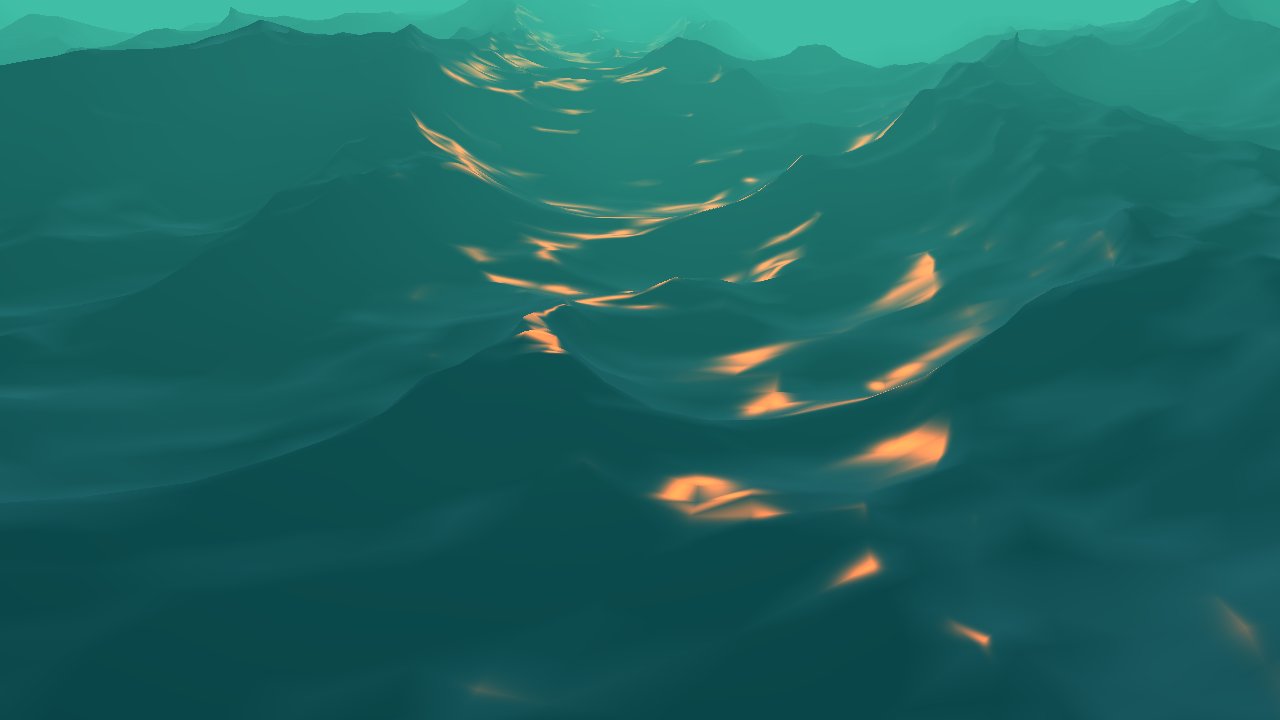
In this post we will implement the statistical wave model from the equations in Tessendorf's paper[1] on simulating ocean water. We will implement this model using a discrete Fourier transform. In part two we will begin with the same equations but provide a deeper analysis ...
but the math killed me
 cloud cobalt
Look up gerstner waves
alpine zephyr
gerstner waves is not easier. plus it doesnt look that good
cloud cobalt
I'm pretty sure it's easier than Fourier of all things
alpine zephyr
FFT look so real and all games now use it
cloud cobalt
Sounds like you're gonna have to either learn the math, or get an ocean plugin
 grave nebula
@alpine zephyr Which part exactly are you having complications with ?
alpine zephyr
is the yellow part being multiplied by the exponent ?
and in pink is he multiplying the two summations or what he is doing exactly ?
cloud cobalt
The pink part is summing for all values of two dimensions
alpine zephyr
and in the other image where u expains the function of h
he wrote it in two terms so i am not sure if he meant to multiplies them or what
cloud cobalt
It's two sums, so you need to sum for all values of n, then do it again for every value of m.
grave nebula
You gotta familiarize yourself with basics of complex number and Fourier series as well as initial work by Jerry Tessendorf in that field, otherwise it will be a painful experience for you all along.
alpine zephyr
the other image he multiplied the function of height (h) by its h0 how can i do that in blueprints ?
cloud cobalt
This isn't going to be a Blueprint thing
cloud cobalt
I mean, Sea of Thieves's water is CPU-bound and i'm skeptical they did it in Blueprint.
grave nebula
no
alpine zephyr
how can u do it in general (from programmer perspective)
how can u multiplie h by h0.
if h0 is old h
so i am required to store h twice
Sea of thieve's is made using unreal ?
cloud cobalt
Unreal with a lot of changes on top
grave nebula
512x512 blueprint version runs about 10 times slower than compute, and is entirely bound by render thread
alpine zephyr
i know BP is bad. i generally like to do it in cpp
but as i am new to unreal i find BP is good to introduce me to unreal.
cloud cobalt
Implementing FFT ocean simulation is one hell of a way to get an introduction, tbh
alpine zephyr
hahaha.
i figured that out xD
but i am too committed. i want to make a pirates game
multiplayer one xD
grave nebula
@alpine zephyr It is okey. I was introduced to UE4 nearly the same way and been in your position some years ago. It is a good time to get yourself familiar with the topic instead of trying to mindlessly reproduce the code from formulas.
cloud cobalt
Did I already asked if your work could be on marketplace some day @grave nebula ?
alpine zephyr
well even if i fail which 90% i will. i would learn a many great things
grave nebula
Unlikely Stranger.
cloud cobalt
Well that's too bad 🙂
@alpine zephyr Basically my advice would be to start things really one at a time. Full ocean sim is not where you want your first step to be, just like you don't start space exploration with a Saturn V
And I wouldn't dismiss Gerstner waves either while exploring the topic
grave nebula
Yeah, there are quite a lot of alternative and easier approaches to start with.
One can get a quite decent ocean, even if mathematically challenged 😛
alpine zephyr
so where should i start. ?
abstract relic
Says the guy who managed to do it 😜
grave nebula
That does not dismiss the fact of me being mathematically handicapped. I failed miserably at math yesterday and few people here are witnesses. @alpine zephyr Start where every ocean starts, that being at GPU gems chapter 1: https://developer.nvidia.com/gpugems/GPUGems/gpugems_ch01.html
NVIDIA Developer
cloud cobalt
Do try various ideas too, from Wind Waker's ocean tech (which imho looks fine today) to the more modern implementations
grave nebula
I personally adore research work of Chris Wojtan and Stefan Jaschke in the area of water simulation.
alpine zephyr
that link is super awasome ! @grave nebula
plush yew
help me, my level has been destroyed, the level bound is huge and i dont know why please help
alpine zephyr
@grave nebula @cloud cobalt thanks u guys.
grave nebula
o7 Have fun! That is pretty pleasant field of graphics to work with.
alpine zephyr
what is this summation ? what i am summing W(X,y,t) about ?
 lapis vine
Take your time.
grave nebula
@alpine zephyr It is a sum of all waves.
alpine zephyr
where do i get Di and Ai from ? are they randomelly generated?
and in (x, y) X wi what does this part supposed to mean ?
 glacial pecan
level sequence has a playback setting "pause at end"... I can get it, but how do I set it? anyone know?
oh, I should have asked this in #blueprint
grave nebula
Di. is a direction of signal, denoted I. You set it somehow. Either directly, or as a function of i. There is no (x,y) X wi part. The part reads dot product of direction vector and position vector, and multiplied by frequency(wavelength) .
Likewise, Ai is either set explicitly or made as a function of i.
alpine zephyr
thanks again @grave nebula 😄
 dim merlin
Hi, so is it common (and even possible) to fix a character z position to world offset on terrain?
 runic iron
@alpine zephyr Don't know how much realism you want but there's an explanation of Mario sunshine's water https://blog.mecheye.net/2018/03/deconstructing-the-water-effect-in-super-mario-sunshine/
Which still looks quite nice today imo https://www.youtube.com/watch?v=xeQFDNdSltI
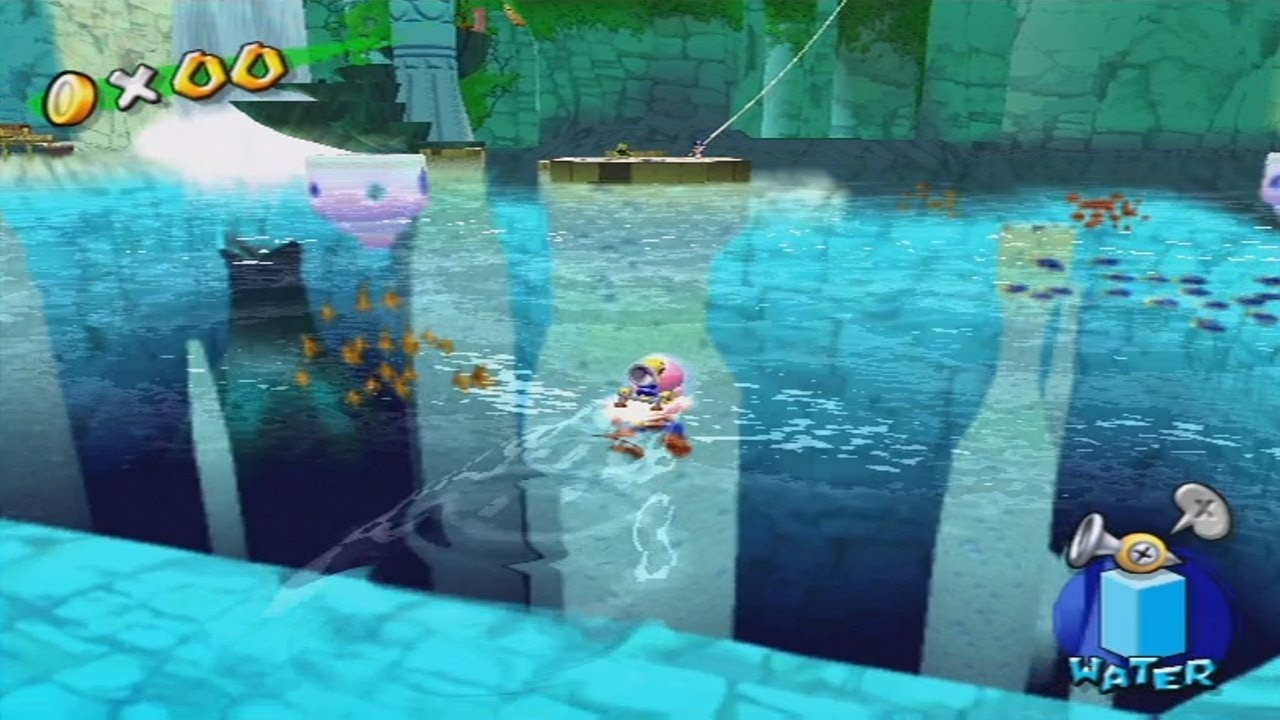
Video voted least likely to get 100 views, and most likely to get 1 Million views.
plush yew
i have a character that i want to switch between player control and ai control, what's the best way to go about this?
i'm trying to store the player's aicontroller onbeginplay but since its autopossessed by playercontroller and not aicontroller it's just lost from the beginning
or wait, can i like possess using the aicontroller class reference or something?
all im trying to figure out is how to possess by ai at runtime
so basically
how to possess a character with an aicontroller in case it gets unpossessed by the playercontroller?
@green flame you must know, please help me
 dusky inlet
Deathrey,as someone who wasnt done much work in the field of GPU programming (did a Vulkan engine with cascaded shadow maps once, with some help, but that's about it), where would one start implementing more complex systems like these?
Is it just a complex material calculating displacement that you slap on a plane, or is it something you drill into the engine code for?
 pearl sonnet
either way
cloud cobalt
@dusky inlet As far as water goes, the more advanced systems aren't going to be a simple material. It doesn't have to be engine code necessarily
dusky inlet
thanks, but I think I formulated my question wrong: what kind of object is going to 'be' the water? No matter where the calculations take place (c++, blueprint actor, material, CPU or GPU etc.) - is the result primarily used in a material's displacement node or is it not even a material you are using, or not a plane, or something else altogether?
cloud cobalt
Ah, sorry
Tessellated plane + particles AFAIK
But it's more than just displacement
dusky inlet
in what sense? Reflection and refraction etc.?
cloud cobalt
Well you probably want stuff like flow maps, etc
You could spend the next 10 years doing state of the art water rendering and not be that close to reality
dusky inlet
oh yeah definitely, I'm just wondering about the process
but that's good to know already, I sometimes see some UE4 tech art stuff with people I think of primarily as artists talking about buffers and the likes, where I think of low level frame buffers in gpu APIs, but they are talking about scene-to-texture capturing and the likes. So I'm never quite sure how complex the technical application itself is
cloud cobalt
There are many levels to rendering. People who talk of buffers and APIs are usually working on delivering rendering features, tech artists work above that and use the souls of rendering engineers to build nice-looking water
dusky inlet
lmao yeah, that's what I started to figure
ornate ice
People is it possible to rotate a child object?
I'm trying to rotate an object but seems to be like blocked by the parent
 edgy halo
@ornate ice Quick and dirty method: dont make the object a child, grab the parent components transform and set the object's transform to the transform of the parent every tick.
ornate ice
@edgy halo gonna try that
Hey anyone knows how to print the range from 0 - 10 during a timeline length?
how to put it
like I want to display
every number from 0 - 10
in a timeframe
ahhh complicated to say
 grim ore
so 0 1 2 3 or 0 0.1133 0.23344 0.34455 ?
grim ore
using a timeline?
ornate ice
yes
but I only want to use the timeline
for the time
not use the part of the actual function curves
so if my timeline takes 1 sec to run
I want to see all the values from 0 - 10
in 1 sec
if it takes 0.5 sec
they should be less spaced out I believe
so If I plugged in a rotation based on those numbers
lets say
0 to 90
grim ore
so if your timeline is 10 seconds every update it should print out the current time elapsed between 0 and 10. If your timeline is 5 seconds it should print out the current time elapsed between 0 and 10
ornate ice
in a timeline of 1 sec it would take 1 sec to make the full 90 deg rotation
grim ore
generally that sounds like you want a lerp
timeline is X seconds with the update outputting a float of 0 to 1 and plugged into a lerp for whatever you want between whatever and whatever
you can also map a range if you want
ornate ice
but I would have to keep modifying the last key frame to always match the time
right
I wanted to avoid that
grim ore
?
ornate ice
why you mean?
grim ore
you just wanted the values, what you do with that is up to you
grim ore
the timeline has a float track of 0 to 1 over time
grim ore
you can then just map your 0 to 1, or o to 100 % to any other range of numbers
grim ore
you have to have some form of track in there or else your timeline will go on forever
ornate ice
not exactly cause the timeline will only run for the time you set
but the track is not needed
thats my point
I want to get the same output of the track
without the track
grim ore
so you just want to start a timer at some point for some random amount of time and track it
you would have to modify the timeline to change the time so changing the end keypoint as well doesnt seem like much more work
grim ore
if you just want this to be a function instead that is variable then you would have to use something other than the timeline or modify the playback speed to adjust it with a variable
 vast pine
Wut
Fresh dl of the engine and bam
Wish I was home to research it better this is my best current option
grim ore
@ornate ice if you did something like this, where the timeline track is 0 to 1 over 1 second, you can adjust the playrate before playing and scale it up or down to any other duration
@vast pine is this a fresh pull of the master branch or a version branch?
ornate ice
ohhhhhh @grim ore that sounds like what I need
grim ore
a lerp instead of the map range would work as well with 1 less thing to set up but the end results should be the same
plush yew
im trying to load unreal up and this keeps happening, can someone help please
grim ore
you will have to install the debugging libraries from the launcher (go to your engine version, click the drop down, options) so we can see what is actually crashing
plush yew
kk one sec then
grim ore
but seeing as how it's a video crash I would make sure your card supports UE4 and the drivers are sort of updated
ornate ice
@grim ore Thank you very much! that was exactly what I needed
grim ore
yay 🙂
vast pine
Yeah fresh pull Matthew
Ran setup
Ran the generate
Compile project 4 hours later
This 🙂
Tool chain says 4.23 and 4.24 which I found strange
 copper flicker
does anyone know how to get some AO visible when using the new dynamic GI solution?
it kills SSAO, and doesn't replace it with something similar or anything.. visible..
is there any way to have both post processes running?
grave nebula
Thing is, that it is the AO.
 dark rune
where can I get a simple sword/machete melee anim for my default mannequin character?
is it included in any anim pack?
edgy halo
Hey guys, ive attached HandMesh to my controller with a physics handle, but all the bones are ragdolling and not acting as they should. how do i avoid this? its rather creepy tbh
copper flicker
@grave nebula that's what I'm worried about
that they simply do not allow AO with GI
cuz the new GI is supposed to be AO
except it's not..
it has some global effect, but locally there is no AO at all
I guess it only works with baked lighting?
are u trying to do some modeling? 😄
 tender flume
Why does my character keep falling through the floor?
I still cant find a solution.
copper flicker
because of collision issues..
copper flicker
check your collision
😄
guys, I've just repackaged my game in 4.24.... and the exe does not start
anyone else has had this problem?
it packages cleanly, no erorrs
I even forced it to do a full rebuild
I have no plugins.. it's a simple BP project so far
nobody else has this problem??..........
 timid jacinth
is the project upgraded
copper flicker
what do yo mean? converted?
timid jacinth
ye
copper flicker
I don't understand your question....
it's not possible to start it without converting fist
first
timid jacinth
cpp or bp
timid jacinth
are there any bits of obsolete code
copper flicker
how should I know...
😄
everything works fine in the engine
packaging works fine... in theory
timid jacinth
hmm weird
timid jacinth
have you tried on another pc
timid jacinth
i have no idea sorry
you should report it as a bug
and ask for help on the forums after
copper flicker
it's been already asked on the forums
timid jacinth
ah okay
copper flicker
I don't know about reporting bugs..
in my experience with Unreal, it's a waste of time
nobody works on those bugs
but I guess if it's a legit bug, they will figure it out
meanwhile I guess I have to go back to 23
: /
 lone tapir
Guys, is there any way to get a 2d audio that is playing at the level and fade through pressing a button on a UMG? 🤔
sweet relic
You should be able to fade the audio source volume on a timeline.
the new audio mixer stuff might have a better way but i haven't played with it much yet
cloud cobalt
@copper flicker Is it shipping ? Development ?
"Packaged game doesn't open" doesn't strike me as a typical engine bug
(Also it works for me on 4.24)
lone tapir
@sweet relic Hum, interesting! But unfortunately I still can't make 4.24 run on oculus quest.
vast pine
Rebuilding maybe something last run gimped
copper flicker
@cloud cobalt I added raytracing, and then removed it, and added GI, whcih worked
so I forced recompiling shaders a couple of times
other than that... same project
cloud cobalt
So is it a development package or shipping ?
copper flicker
what's weird is that the engine does not error during packaging
I tried both
both fail
😄
cloud cobalt
Cool, so what's the log from development ?
cloud cobalt
I mean, get us the log so that we can tell you what went wrong
cloud cobalt
Dunno how that would help you, tbh
cloud cobalt
No log, can't help
copper flicker
oh, nvm, his log link is broken
sorry about that
but he also pasted the log, and there was nothing obvious there
cloud cobalt
Saved/Log/ProjectName.log like usual
copper flicker
I already uninstalled 4.24 and wiped out the previous folder
oh, it was in Saved
it's dead
: <
sorry
cloud cobalt
I mean why even talk about your issue here if you just removed everything entirely ?
cloud cobalt
You'll have to go back to 4.24 some day and you'll have ther issue again, so...
copper flicker
and since I dind't find anything online, just that 1 guy..
not sure.. maybe they find the problem and fix it
in fact I don't really need 24, maybe 25?..
cloud cobalt
Pretty sure the problem is on your side :/
copper flicker
pretty sure it's not
cloud cobalt
You have 0 information on your own problem, so I'm not that sure 😛
copper flicker
I didn't do anything particularly bad....
cloud cobalt
That's not the point
I'm just saying "game doesn't run" is very rarely an engine issue
copper flicker
it's possible that something that was legit allowed...in 23 is not allowed anymopre
anymore
cloud cobalt
There are thousands of possible reasons
copper flicker
Stranger, if the engine packages without errors, and then the exe doesn't start, that's 100% an Unreal bug
cloud cobalt
No, that's nonsense
cloud cobalt
The packaging log is for packaging
If your game causes a crash immediately, it's not a packaging issue
If your game tries to use an asset that you forgot to package, it will also package fine and crash immediately
copper flicker
not sure if it crashes... it just doesn't start
cloud cobalt
If you package and give the game to a friend without the VS redist it will also not start
There are thousands of reasons
One of them is "engine bug"
copper flicker
no, there are no missing used assets
I have a few yellow warnings about missing assets. but they are not in use
and are not a problem for 23
uhm..... what do you mean about the VS redist?..
cloud cobalt
Anyway, I don't care if you think it's an engine bug. I'm just saying this line of thinking ensures you won't fix the issue if it's on your side
copper flicker
wait, so any unreal game that you ship you have to ship it with some VS package?..
it won't work standalone, without any extras?
I never shipped one so.. dunno
copper flicker
ok, so.. one can make an installer out of all this?
cloud cobalt
But you told me "if it packages and doesn't run it's an UE4 bug, 100%" so now I have doubts 😛
copper flicker
yes, it should be... according to my logic
cloud cobalt
Most people use stores, like Steam or GOG or Itch or... so the installer is not a concern
copper flicker
ok, so it handles all the extra packages?
cloud cobalt
It installs the things you tell it to
dim merlin
so is it common (and even possible) to fix a character z position to world offset on terrain?
 dreamy talon
guys does anyone have experience to export asset from Houdini to UE4 that (shaders) materials will be convert properly? without rebuilding materials from scratch? thanks
 hot grotto
what's a good way to open a map that has a lot of stuff? I am trying to open a big map I made like 1 year ago but the computer is like freezing (can't even move mouse cursor) even tho I can see it slowly making some progress (cursor moves some mind later). I open the map for the first time since I moved my project to another pc. I know memory ram plays a role (16gb) but is there any other way to open a big map without freezing whole system? it's been like that for 3hours already
 cerulean nova

Does anyone know how to use the brush for photoreference like in this image?
info only says : BP_CameraOverlap that can be used to overlay photo reference on the screen, match up the camera perspective, and then draw shapes into the world based on the reference
normal burrow
interesting
it looks like its in a release note going by the picture's url, have you consulted the release notes?
grim ore
enable the landmass plugin and look thru the sample content included with it
it's funny how you copy and pasted the part after "The Landmass Plugin provides examples of using Landscape Blueprint Brushes as well as a Blueprint called BP_CameraOverlap that can" rather than the entire line that tells you where it is
grim ore
I like how they are moving stuff to be self contained in the future rather than making people go back to the content examples to learn from (which most people forget exists lol)
normal burrow
what does that mean though? self contained?
grim ore
plugins can contain content as well as the plugin code itself. So when you enable the plugin and go into the plugin content folder you find the code for the plugin as well as example maps and blueprints on how to use it
normal burrow
ah i see
thats kinda lame though because you can't like delete stuff out of plugin dirs right?
i mean thats fine for engine plugins, yea nvm not really an issue there
grim ore
yep for engine plugins its fine and I doubt it would package the non code stuff into a final project unless you reference it directly
grim ore
you know what would be neato, if the content examples had a change log
 edgy moat
how can i disable input for a certain key
 frosty bloom
With a boolean and a branch node
 serene birch
if (requirements not met) then just ignore it.com
ornate ice
@grim ore do you know how to rotate around a vector point?
like that
having a vector point being that little circle
how can I rotate the cube like if that vector
was the pivot
hot grotto
is there a way to find duplicate stuff you have in your content at your project?
ornate ice
@frosty bloom it must be calculated in realtime
so I cannot modify the actual pivot point
normal burrow
agreed, that would be neato (matheww)
frosty bloom
Put a scene component at that location and parent it to the cube @ornate ice
 spark sonnet
Is there a way to find all elements in a string array containing a certain substring? Like find and findstr in batch. With blueprints
normal burrow
yes, but not in node form
spark sonnet
Oh. How then?
The find and contains doesnt seem to work
or cant they have spaces?
Ok I figured out a way but It wont find everyting. It only finds the first element and only with the first letter
Yay I got it to work. I used the Contains node for strings and it somehow worked
 fervent sigil
I'm trying to use Spawn Decal at Location, but I just can't see it. There are no errors in the world, and I can't even find it in the world outliner when pausing the game.
Am I missing something? is there something else I'm supposed to do?
fervent sigil
I set the orientation to -90 and size to 1000 on all axes.
Before I did that I added a decal actor to the level so I matched it to that
 unreal comet
How can you make this warning in the top left go away? It's ruining my screenshots lol https://i.gyazo.com/43a1fd4b4c23f1f046fda406136d2b4d.png

 next badger
@unreal comet do not overlap them
but you can disable those messages
type DISABLESCREENMESSAGES in console
fervent sigil
@next badger any tips for me? 😐
unreal comet
I'm in taking screenshots in the editor though. That command doesn't work in the editor 😦
I guess I'll just fix the overlapping shadows lol
 jovial shuttle
does anyone know how to make a signpos thing? like, when u go up to it and press like idk, f, then text appears on the screen saying something
next badger
@fervent sigil
 cyan cargo
Anyone know of tutorials to get the synesthesia plugin working or a tutorial for 4.24? I activated the plug in but dont know how to access LoudnessNRT, etc
next badger
fervent sigil
k just tried that. I see the debug box, I don't see the decal 😐
in your case - do you see the decal in the world outliner if you pause the game?
 sick dawn
Hi guys, trying new 4.24 version, and got an info when trying to convert my 4.22 project:
ERROR: The platform name HTML5 is not a valid platform name. Valid names are (Win32,Win64,HoloLens,Mac,XboxOne,PS4,IOS,Android,Linux,LinuxAArch64,AllDesktop,TVOS,Switch,Quail,Lumin)
we are not using html platform...
any idea?
I know in 4.24 html is an extension but how to disable that info?
fervent sigil
@next badger got it. It seems decal size is not scale. I set decal size to the default (128, 256, 256) and used a different node to set scale. It's working - thanks!
next badger
it is size...in units, same as debug box
glad you solved it
fervent sigil
mm you're right; when changing the decal size in the level editor the size changes. but only when I used the scale in blueprints it worked.. weird, but yeah as long as it's solved.
 jagged sigil
Hi, can you import rigs into unreal engine from blender/cinema 4d?
abstract relic
Yes
runic iron
If you have some animated model in Blender make sure to apply all transforms, put units to meter and a scale of 0.01 in the scene's params. Then when importing in Unreal put an import scale of 100
next badger
it's not the rig...it's a skeletal mesh
runic iron
Also Blender adds a root bone with the armature name when exporting to fbx so careful if you do root motion
next badger
control rig is the tooling for animation
runic iron
There's a fix though for that, you can edit the fbx exporter to prevent blender from adding the bone. But only care about that if you use root motion
lapis vine
🤔
alpine zephyr
@runic iron thanks. i just saw ur mention that link is helpful.
runic iron
Nintendo loves using texture scrolling for water. The general idea is in this vid https://www.youtube.com/watch?v=8rCRsOLiO7k

Let's dive into Super Mario Galaxy 2, and explore how a small team at Nintendo pushed simple developer techniques to their limits to make something that still looks good today.
◆ Twitter: https://twitter.com/JasperRLZ
◆ noclip.website: https://noclip.website/
◆ Visit S...
They used the same idea with different adjustements in quite a lot of their games
 nimble moat
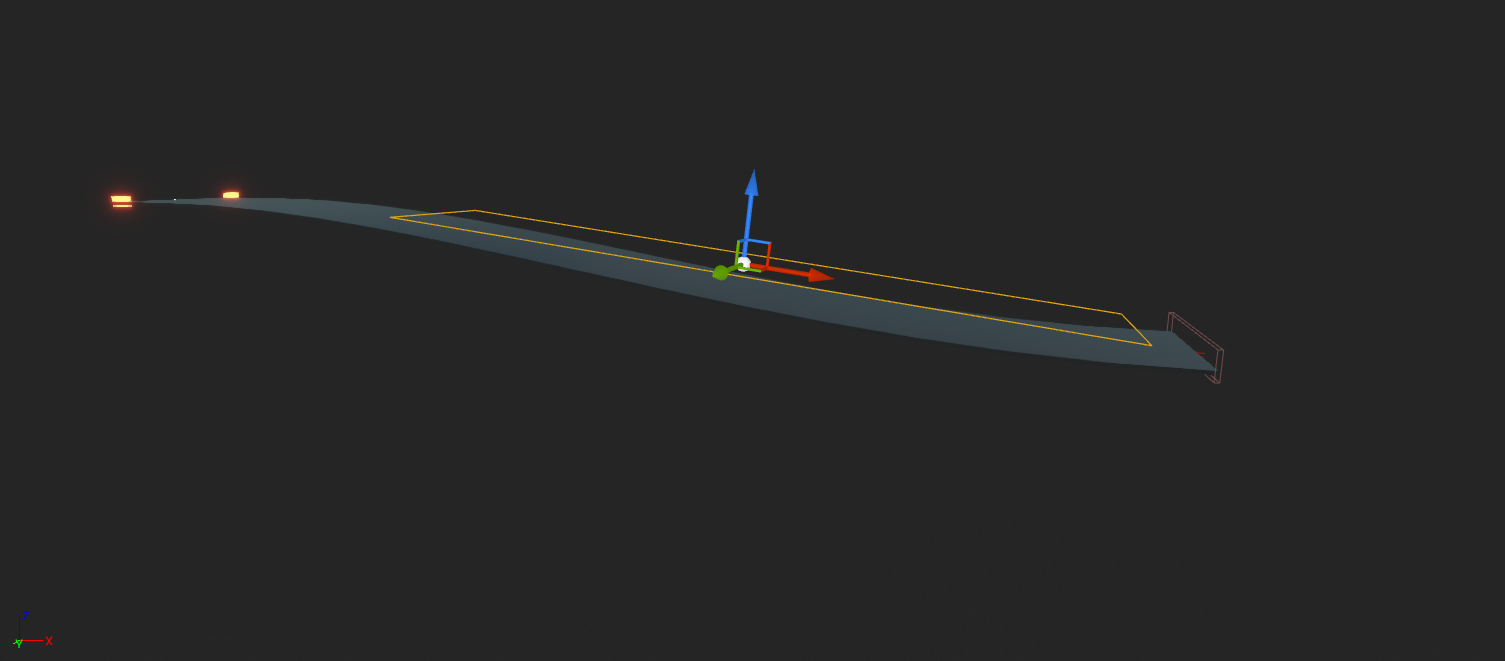
i need a box collision thats the same shape as the platform, what would be the best way to do it?
(basically i have items spawning inside a box collision but as the platform is curved they dont spawn on the floor)
 vivid narwhal
can't you just use the collision data from the platform
nimble moat
Yeah im just unsure as to how, the collision on the platform is perfect
https://i.gyazo.com/803b5d4925050116738c9d6f2b2ba8af.png this is how im spawning items using box collision im just unsure how to transfer it over to using the platform collision

 jaunty quiver
Any one know why the AddComp button behaves differently than the BP or c++ equivalent function.
 stoic moth
hello, for some reason if i import a skeletal mesh from Blender 2.8 and want to add a socket to it in UE4, the socket is very huge, what am i missing on the FBX export settings ?
abstract relic
You can just add the socket in ue4. Reimporting isn’t needed.
stoic moth
in UE4, it creates it as huge as in the picture
i never create the socket in Blender
but when ue4 adds it .... it's very big for some reason
abstract relic
Is scale proper in blender?
stoic moth
yes, those are the default add basic shapes
i just parented them to test a skeletal mesh
abstract relic
Not .001 or something yes? 😜
vast pine
So I take it alot people had trouble compiling datasmith?
 spice canopy
@nimble moat bounding box is not the collision but you could choose points within a box above the platform, trace down from them and spawn where the traces hit the platform.
nimble moat
that would actually work, thank you!
 hoary locust
how should i interpret a shader complexity like this?
 tawdry lodge
does Hellblade 2 still running on UE4 ?
runic iron
@stoic moth I had some issues with scale when I exported anims. Maybe this fix will work for you too : before exporting put Blender' scene units in meters with a scale factor of 0.01.
Then when importing in UE4 choose a uniform scale factor of 100
@tawdry lodge I think they didn't communicate about the engine yet ?
stoic moth
ok will try
nimble moat
@spice canopy worked perfectly, thank you
runic iron
We'll probably hear more about it at E3, the announcement was quite short too but I don't remember seeing the UE4 logo
Godfall announced yesterday uses it though
tawdry lodge
no there isnt any logo
godfall looked ugly in the trailer
from what I remember atleast
normal burrow
scale in blender should be .01
metric and .01
is centimeters, which is what you want for ue4
and i was scrolled up, so thank you dimy lol
runic iron
Lol
@tawdry lodge For what it's worth this site claims that they use UE4 https://www.dsogaming.com/videotrailer-news/ninja-theory-is-working-on-hellblade-2-will-be-using-unreal-engine-first-in-engine-trailer/
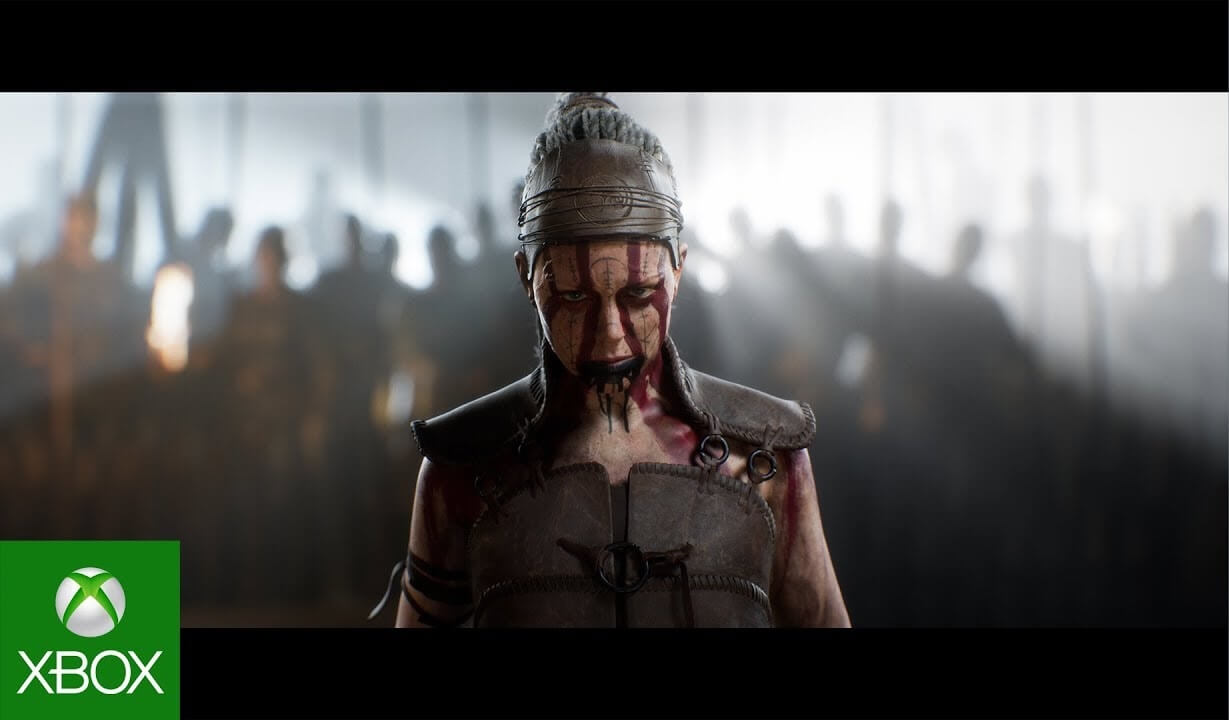
Hellblade 2: Senua's Saga will target next-gen platforms, and you can find below its first in-engine trailer.
tawdry lodge
👌
runic iron
Well confirmed https://twitter.com/UnrealEngine/status/1205311442557243392

Senua’s Saga: Hellblade II is revealed! We couldn’t be more thrilled to support Ninja Theory in continuing the story of Senua, one of the most impactful and authentic digital humans ever made. #UE4 https://t.co/E2xkzFgqx3
Likes
200
 Twitter
swift spindle
Twitter
swift spindle
dang that's intence
spark sonnet
Hey guys. How can I change this icon? I've changed the windows icon but this doesnt change
 mystic island
Anyone know a fix for this?
spark sonnet
So when I package it, it will show my icon?
next badger
yep
spark sonnet
But not when running it as standalone?
spark sonnet
alright. Thanks!
tawdry lodge
@runic iron thanks
Nice to see Hellblade running on UE4
first one got strong visual
grim ore
I am actually playing the 1st one right now thru xbox game pass. The raven puzzle mechanic is quite intriguing I need to duplicate it
nimble moat
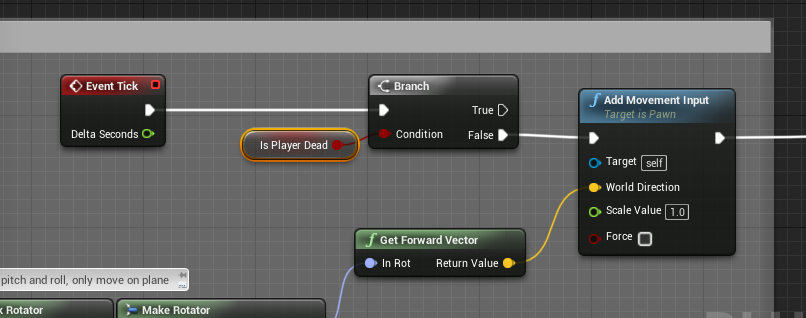
How can i stop my character from slowing down when i turn? my character should always walk forward but if i spam A and D it almost comes to a stop
https://i.gyazo.com/728857c881931ca54ee6495659239672.png some more info
 spark sonnet
How can I get the third word from strings? Like ignore the first two words in each string
 surreal anchor
I'm trying to learn how to make interactive furniture that players can sit on can anyone point me to a video or something where I learn how to do this
 languid aurora
Hey everyone so I have a problem. Every time, I try and do anything in Unreal Engine (4.24) or any version, my engine just hangs then crashes
grim ore
@spark sonnet look at the Parse into Array node from a string
spark sonnet
Hmm that could work. Why didnt I think of that (: Thanks !
grim ore
@languid aurora it looks like it might be trying to compile shaders and getting stuck. Perhaps your firewall or anti virus is preventing shader compiler from running
languid aurora
I gave it permission get through the firewall
I haven't changed my antivirus. It just started happening all of a sudden it's quite odd. Suddenly this problem started
grim ore
it was just a thought. I think its lightmass that uses the network not shader compiler worker. if you expant UE4Editor in the task manager when that happens does it show the shader compilers firing up?
the other alternative is if you updated your GPU drivers recently. The latest Nvidia seems to be having issues with ue4
languid aurora
@grim ore I'll bet that's it! I did just update my Nvidia
Is there any work around for that?
spark sonnet
Is there a better alternative to switch on int? I got 1-60 integers :/
 mossy nymph
always, but kinda depends on what you want to do
spark sonnet
I need to set a widget buttons position depending on the integer, or alternatively I can set visibility but doubt thats any easier
mossy nymph
or you can use a panel that positions them automatically
spark sonnet
Could you elaborate?
mossy nymph
there are different panels in UI
they each have their own way of lying out child elements
spark sonnet
Oh wait. I just found insert child at That could probably be used
mossy nymph
horizontal box will do it left to right, vertical top to bottom
spark sonnet
Its a grid of 5x12
mossy nymph
uniform grid and grid panel will take row/column coordinates
spark sonnet
That could work
mossy nymph
5 rows, 12 columns?
spark sonnet
yes
mossy nymph
for (i = 0 to 59) add child to uniform grid, set row to i/12, set column to i%12
spark sonnet
How would I do that in blueprint?
mossy nymph
literally like that
spark sonnet
Oh
mossy nymph
i assume you're creating the buttons as you go
(that was pseudocode, not c++)
you do a for loop from 0 to 59, loop body creates a button, adds child to uniform grid (which returns a uniform grid slot reference, from which you can call setrow/column)
spark sonnet
Do I need a new widget with a button?
mossy nymph
yes
spark sonnet
Ok
mossy nymph
unless you want to do slate in c++
mossy nymph
its the underlying system that UMG wraps around
i do recommend you expose on spawn either 2 ints for row/column or 1 int for index on the ButtonWidget
and connect those when spawning them, that way buttons will know their "address"
spark sonnet
I will
I just hooked everything up but its not adding anything to the grid
1S is a button inside the same widget
Is that the issue?
mossy nymph
yeah, no
you need 59 different button references
thats why you really need to spawn them
spark sonnet
Oh
mossy nymph
you don't use insert child at
spark sonnet
with which node do I spawn them?
mossy nymph
you use add child to horizotal grid, and to use it you need a horizontal grid panel in designer which is a variable
createwidget
mossy nymph
yeah, sorry
spark sonnet
but this still doesnt work
spark sonnet
Where can I set that?
mossy nymph
and call setrow, setcolumn
mossy nymph
index / 12 for row
index % 12 for column (remainder after division by 12)
a.k.a. modulo
 mossy nymph
looks like it should work
spark sonnet
Its not showing anything
mossy nymph
provided shelf widget is actually something you can see
uniform grid is visible
and few other nuisances like that
pull a EventPreConstruct node
and plug its output into the for loop
that way you'll be able to see in designer the effects of what you're doing
spark sonnet
That did something yeah
Looks messed up but it worked
So why does that work but not the other way ?
mossy nymph
PreConstruct with branch checking for design time
is a good way to populate fake child widgets so you can see what you're doing
i have no idea what that for was connected to
spark sonnet
Its connected to an interface event that I know is working
spark sonnet
Stopped at all the nodes
mossy nymph
one possible explanation
you created that parent widget, called the interface event, then created another instance of the parent widget, without calling the event that ended up on top
spark sonnet
But this isnt an issue now. Now I actually just need to set one of them visible or to a different color depending on the 1-59 integer
mossy nymph
which button is different
spark sonnet
The button that should be different is the int I clicked on from a list
Its an array with 60 ints
mossy nymph
so you have an array of ints and a button grid?
horizonal grid -> getchildat(int) -> cast to button widget -> call event on button widget that sets the visuals (that you need to add to it)
also, stash the last selected int into a variable
so before you do that you can access the button that just stopped being selected in the same manner, then call an event on it that undoes the selected visuals
spark sonnet
The cast is failing
mossy nymph
yeah, that shouldn't happen
spark sonnet
Target is grid and index is the int
mossy nymph
index you got from... interface event?
mossy nymph
if the buttons are there at the time you call it
sure
i also hope you created those buttons only once
spark sonnet
I do
mossy nymph
or you'll have few layers of them one ontop of another
spark sonnet
But why is it failing to cast?
mossy nymph
i have no idea what you did there shrugs
 mossy nymph
any accessed none in your message log?
spark sonnet
no message log
mossy nymph
would be something like accessed none trying to read property user widget from node cast to shelf in ubergraph <BP name>
 mossy nymph
connect the output of getchildat to that print
at least get some useful information out of it
mossy nymph
so there is no child at that index when that is called
spark sonnet
I tried setting 1 as the index to but same result
mossy nymph
0 is the first one
mossy nymph
UMG has tons of stuff to watch out for, i probably won't guess it like this
spark sonnet
I get prints from both the int and the grid. And there is a child at that position
mossy nymph
got any other options for getchild?
spark sonnet
oh
Its got 0 children
I used get children count
So where are the children located then??
oh wait. I think I know why
mossy nymph
no clue, check from dropdown that lets you select instance to debug if you have expected number of instances of each widget
spark sonnet
Nvm
It doesnt have any children
But then I dont get where Im adding the children
Well. Thank you for your help @mossy nymph Its very much appreciated and I just have to figure out the rest tomorrow. Its almost 4 in the morning (: Thanks again!
surreal anchor
I'm trying to learn how to make interactive furniture that players can sit on can anyone point me to a video or something where I learn how to do this
 uncut osprey
Is the new UE wiki actually a thing being worked on? Or has it just kind of been forgotten
plush yew
does anyone here have contacts with one of the admins in the blender discord group, one of my younger relatives logged onto my computer the other day and started shit-posting a substantial amount of cursed images, maybe let the admins know it was a misunderstanding?
@tough berry ^
 tough berry
<= forum mod.
 steel patio
Ah, that old chestnut 😂
 sacred mica
Hai unreels i need help when is use flipbook in side scroller it's always crash pls help (unreal engine 4.24)
normal burrow
Log file
hot grotto
what's the best way to trigger a widget in sequencer?
 ripe saffron
If I have a persistent level and streaming levels, what level do actors/decals get spawned into?Is it into the level they are spawned from?and Is there a way to move them into different levels?
 digital anchor
they are spawned in the level they are placed, spawn actor function can override the level they are spawned, not sure if its possible to move to different levels
ripe saffron
thanks for clearing that up!
@digital anchor hmmm..I cant seem to find any level pin on the spawn actor function ...does this need to be done with C++?
digital anchor
yes, only c++ (through the FActorSpawnParameters parameter)
ripe saffron
ah ok ...thanks again!
 atomic hull
guys installed-build fails again.
BUILD FAILED: failed, retries not enabled: AutomationTool exiting with ExitCode=1 (Error_Unknown)
 shrewd shuttle
Hey can i get some help with toggling objects in the map? I want them to appear when i enter a mode by pressing a button and then disappear when i toggle it off again
any idea on how i can do this?
abstract relic
Blueprints that declare functions to define an interface between Blueprints.
 tame cosmos
Has anyone had an issue with the new Sky Atmosphere from 4.24? When in Play mode, my fps drops immensely, when it's just in the view port it is absolutely fine.
tame cosmos
Hi, I believe it is as it is available for all to download now. I'm just a regular user (not tester) so I imagine if it's available to me it must be ready now
ripe saffron
Pretty sure it ll be buggy like any new software version release .... wait for a point release
tame cosmos
Oh Okay then
It might also not be helping I'm using the default scene, maybe if I construct the Sky Atmosphere from scratch (as shown in the tutorials) it might give better results
ripe saffron
yeah maybe ..I am no expert but usually 0 releases of software come with loads of bugs
tame cosmos
A very fair point. Thanks guys
plush yew
@ripe saffron thanks
dark rune
I want to add a decal to a human mesh to make it look like a blood spattered zombie. Any tutorial on that?
 heavy flicker
Anyone know why I keep getting an empty scripts folder in my root folder structure? I am using 4.23
 ionic sorrel
anyone else else experiencing a lot of crashes recently?
 willow void
hey can anyone help me to a tutorial for a beam fading over a emissive material ?
 upbeat cliff
@willow void Not much sure if there is a tutorial, but maybe CameraDepthFade node will help. It basically creates a gradient being 0 the nearest point and 1 the far point (you can set how much far is the far point)
it can be a starting point for fade the material when the player gets close enough to see it
willow void
Thank you :DDD ill give it a go @upbeat cliff
 dawn gull
Hey I have this blueprint actor and I want to make it so that I can change the static mesh for just one of the planets in the details panel how do I do that? Please ping me
tender flume
I think the difficult part about game development is when bugs arise gg.
I spent almost 5 hours just to find one node was missing.
hot grotto
can i attack a widget to sequencer?
 cosmic agate
Anyone know how to track down why the editor gets stuck loading my project? Project compiles fine
languid aurora
Hey everyone so I have a problem. Every time, I try and do anything in Unreal Engine (4.24) or any version, my engine just hangs then crashes
 crude vessel
@plush yew you try the 4.24 landscape brush functions?
abstract relic
For all those getting crashes please get your logs from Saved/log
fervent sigil
how can I select the target of the gameplay debugger?
languid aurora
@abstract relic It doesn't technically crash per se, it just hangs indefinitely. I wish It crashed out, so I could get a log
I guess by "crashed" I mean, I have to nuke it via the task manager
plush yew
@crude vessel not yet, only landscape stamps pack from the free content, it's pretty good
crude vessel
so you can take those stamps
and use them with the new blueprint brush function
so you can move them after the fact
if you wanted
plush yew
oh snap
willow void
@upbeat cliff Figured it out :D this allows me to have transparent/beam flowing light and control both the colours :D

its abit ugly but with alot of tweaking and adjustment anything can work :D
abstract relic
Throw a time and/or sine to the colour multiple and have fun
 stray smelt
anyone know if any of the Paragon assets pack has the VFX created for the game? or are they inside their respective character download?
 silent thistle
How do you see the world position of a static mesh vs the local position?
abstract relic
Not sure if they meant set
 lofty knot
what are the programming languages that can be used on unreal engine?
could anyone answer me?
ok, thanks
abstract relic
(Though I’d argue bp is just a visualization of cpp)
 tawdry sierra
Im loving the new features so far! I hope we can texture the planet surfaces.
normal burrow
Yeah everything boils down to cpp
 versed spear
So is the memory footprint of a given map based on the actors within the map and the assets those actors reference?
normal burrow
Define footprint
versed spear
well say I have a character that can change skins and those skins are referenced by the actor. Would all those skins be loaded into memory on map load?
normal burrow
Yes
Unless they are soft references
Think of it this way mattxor
When the actor exists, those things need to be loaded before they can be referenced
If your talking about textures though, gpu memory is different
But objects for these things will certainly be loaded
versed spear
So for instance say I had 3 class's a character could be. Would it be memory efficient to make these actors separate instead of having one actor that can be all of them? I see what your saying about the gpu textures could go in and out of memory as they are needed?
 thin hemlock
Did the default C++ classes change? I updated my project from 4.21 to 4.24 and noticed when I created a c++ class it now has constructors and destructors
normal burrow
A texture object on cpu can exist without its texture data living on the gpu
Mattxor it is really up to you on organization but I don’t see the split up being super beneficial specific to memory usage
Soft Path/ Soft ref is the proper way to reference assets by path without loading them
Hakai created through wizard?
thin hemlock
Yes
versed spear
I am asking because I noticed the gpu memory profile has been going up as I add more skins. I will look into the soft path and see if it helps. Thank you p@t
thin hemlock
I should preface that I chose none to where it’s just a default class, but I don’t recall default C++ classes having that extra fluff
normal burrow
Aah idk tbh, I’ve not used that in a long time. I just new text doc
thin hemlock
As well as no F prefix
normal burrow
Ah yes None is a USTRUCT
Perhaps you meant Object for base?
You’ve got to pick it from the list
thin hemlock
It’s the very first option, I’m not at my PC anymore so I’ll have to look again here in a bit
normal burrow
You can see a list of classes separate from the topics found on the front of the wizard
Object is the top on that list
 dim plover
Hakai, it's been like that for awhile now for the "none" option.
 fiery scroll


 grim ore
yep I just ran into that issue trying to log into the launcher
yaaay
We will provide an update when we have more information, thank you for your patience.```I guess no work today!
 fickle zephyr
Can’t wait to read about this on r/talesfromtechsupport
 wild kestrel
Looksl ike fortnite live event killed login servers
@grim ore and everyone :p remeber that you dont need laucher to run UE4, you can run UE4Editor.exe in enigne folder or open uproject file in your project directory
copper elk
I have a slider with text next to it but Im not sure how to set the value of the text to the value of the slider
as this doesnt work
"RSSlider" is the Slider
wild kestrel
Btw this never happened durring prevoiues live events so perticipation must be massive
copper elk
and this is the text's binding
wild kestrel
you atleast see %?
 somber egret
Hey all, trying to do some USD research and development. The unreal engine USD plugin seems like it just doesn't work on macos. Can anyone else confirm this?
 pine mulch
Hi guys, I'm having a really strange issue with the procedural grass. For some reason my grass spawning perfectly in the editor, in PIE, when I launch from editor, but when I package a build, I get no grass. Does anyone know what's up with that?
 next wedge
each time i re-target this animation bp, its all good except that right hand, dont
know what's the real deal..I tried moving some bones in hierarchy in UE4 but cant move them.. is just fixable with Maya/Blender or this has a stupid easy solution? I basically want to replace my mannequim stuff with some paragon characters
I have the same exact problem with Belica Paragon character
grim ore
@next wedge in the skeleton for retargetting in the options menu at the top left you can open up the retargetting options
by default most bones wil retarget to the skeleton, you can try changing it all to animation and then retarget and see if it helps https://docs.unrealengine.com/en-US/Engine/Animation/AnimationRetargeting/index.html
grim ore
have you tried debugging
copper elk
no
grim ore
why not?
copper elk
I did the same thing for on value changed but it still didnt work
grim ore
the first question is does that actual event work
put a print string in the middle of it and see if it prints out every frame something
grim ore
yep
copper elk
nothing
grim ore
then the event is not being called
go back to the text binding, clear it out and then set it back to that event
make sure to keep the print string in there until this gets fixed
copper elk
to the on value changed?
grim ore
just an fyi if you override the value anywhere, set it by hand, the binding will not work
grim ore
you have this event set to run every frame and to update the text in that text block right?
copper elk
binding yes
grim ore
ok you have 2 ways of setting it there
you need to fix it
you need to bind or you need to set, you cannot do both
copper elk
I removed the binding the number is there but doesnt change
Ik I connected this event just now
grim ore
ok so does the print string print out?
next wedge
@grim ore That was it, ehehe, much better now
grim ore
so now it's just the on value changed for that slider and when you slide it nothing prints out?
copper elk
yes
grim ore
maybe you have more than 1 slider or something else? I just tested and it should print out hello on each slide
every time you move the slider it should print hello even if the text doesnt update. if it doesnt then this event is not hooked up properly
grim ore
then your code is not correct somewhere
what does your designer look like for that widget?
grim ore
yep not worried about the text right now if your slider is not updating
do you only have this 1 widget?
copper elk
yes
grim ore
add another slider anywhere for testing in that widget, hook up the on value changed event up to just a print string, and see if that works
I can say that your code on the value changed should work, it worked for me in testing
and the on value changed is the better way to do it instead of the binding since it will only update when it changes
so your code is sound, something else is causing the issue
copper elk
ok sorry for the long wait
I was afk Ill try it now
It didn't work
the new slider doesn't work either
Ill try it in another widget
grim ore
if the new slider doesnt work your widget is fubar lol
copper elk
if there is an error in the widget but it isnt related to the slider will it still work
spark sonnet
Hey guys. Is there a way to add buttons to the grid in this order? I have a way now but its not placing in this order so im wondering if there is some logic I can change to make it
wild kestrel
Slate (ultimately UMG) has cacheing system that allows unchanging to not need to do refresh on every frame
wild kestrel
you sure you putting right widget on the screen?
maybe issue is somewhere else?
@spark sonnet add children to grid widget in right order
grim ore
if it's an ERROR and not a warning then no it will not work, the ERROR is preventing it from compiling any new changes
copper elk
o ok
hoary locust
does anyone know why the if node in materials is complaining about non-float value if I plug in for example PixelDepth (even if I mask out one channel)?
spark sonnet
The issue is the logic for adding it @wild kestrel
This is what I have now
The grid is looking like it should but the positions are wrong
wild kestrel
what do you mean by that?
spark sonnet
I mean that they dont get placed from top left* corner ->
They get placed in another order
So integer 0 is not in the top left* corner
I mean left corner**
copper elk
OOOOOOOOOOOOOOOOOOOOO @grim ore THX ITS FIXED
how can I make a slider only be able to go within a specific amount
as in I dont want it to go below 1
so how can I set the minimum
spark sonnet
You can use a clamp
 rancid juniper
hey, im trying to play my packaged game, but i keep getting this error. i don't know what it means. can someone tell me how to fix it please.