#ue4-general
1 messages · Page 587 of 1
 opal berry
 radiant fox
what do i do with the object
 azure shore
ok I give up
radiant fox
no
 nimble moat
 molten path
hey so this is the first this happens to me
when I click on actors
or anything really
I cant move them
it just outlines them
radiant fox
@nimble moat 
nimble moat
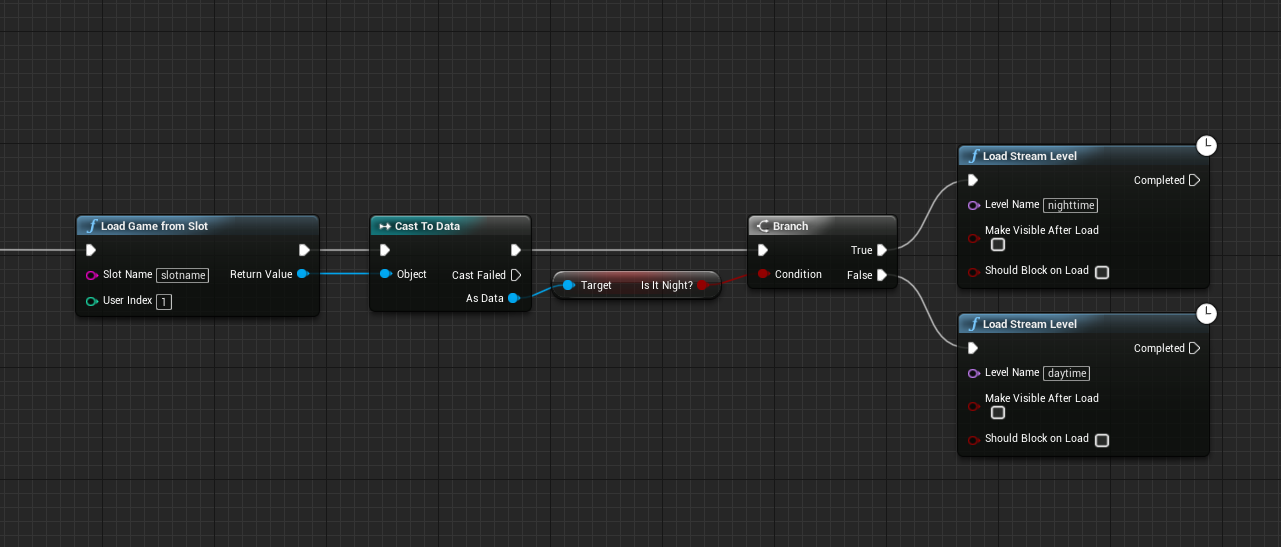
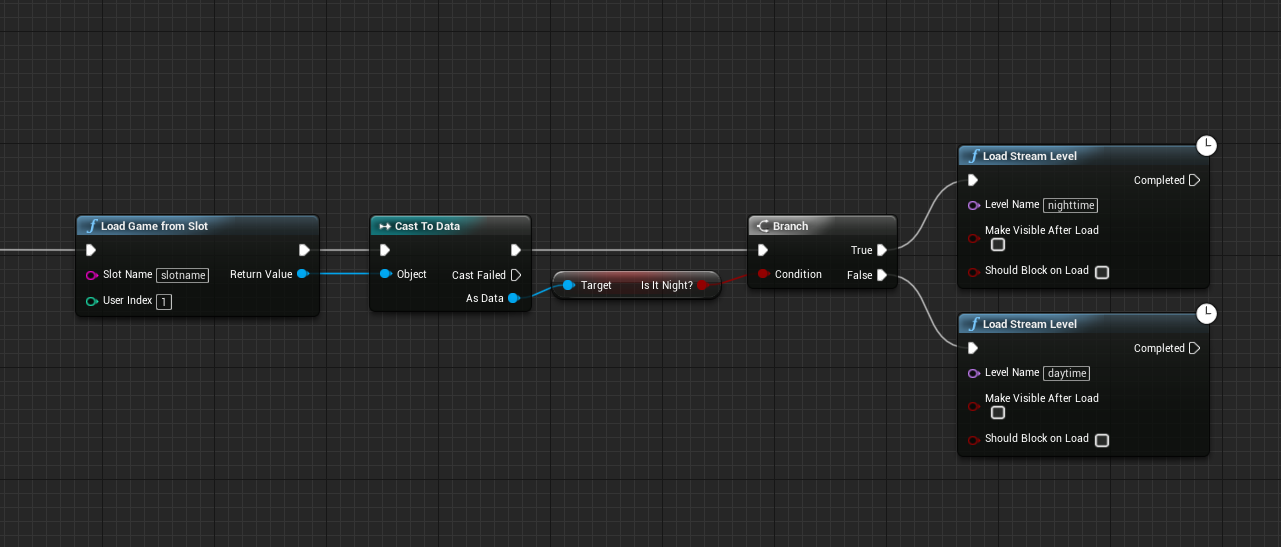
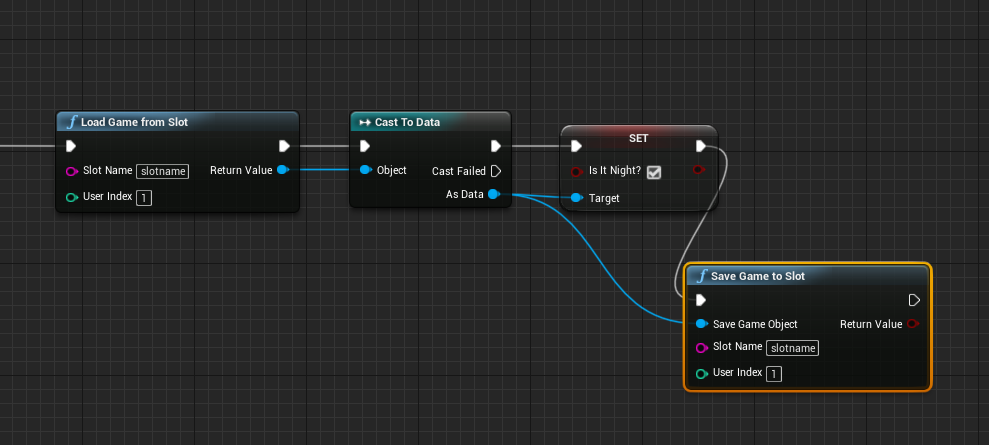
the slotname is your savename dont just set it to night1 you will wanna use it for something else
also set the 0 to a 1
radiant fox
oh okay lol
nimble moat
also is that line your setter?
as in, is that the line that tells the game whether its day or night
molten path
anyone know how I can fix my problem?
radiant fox
No... but i have 0 clue how to explain it
nimble moat
well whatever you are using to set the 0 & 1 for nighttime make sure you also use Save game to slot (if not it will not save obviously)
 timid jacinth

 molten path
https://cdn.discordapp.com/attachments/225448446956404738/650390547269419008/unknown.png if anyone knows why I cant move the actors in my level, itd be great xd
 nimble moat
perfect @radiant fox
radiant fox
okayyy
nimble moat
now whenever you wanna check if its nighttime just load game from slot, cast, get is it night
radiant fox
okay

 deep grotto
@timid jacinth How are you doing the networking rn?
 radiant fox
did i do this all correctly? @nimble moat
radiant fox
ok lol
 gaunt tide
How many types of trees, grass, and bushes do you guys normally use in your open worlds?
 glacial lantern
Dylan do you know why this node doesn't work at all?
it doesn't send any information to "Event Anydamage" or "Event Radial damage"
I've gotten bullets to send information through both "Event anydamage" and "Event Pointdamage"
molten path
anyone please?
I cant work on my project until I fix this
When I select stuff, the icon to move them doesnt appear anymore
gaunt tide
Did to try switching them to stationary objects than moving them?
nimble moat
move the pivot @molten path
gaunt tide
@opal berry I wish I could help
 nimble moat
np
deep grotto
@opal berry With animation bps there's two parts
the anim graph and event graph
the eventgraph updates all the parts you need for the animations
e.g. speed or if there's aiming
then the anim graph blends the animations together
gaunt tide
Omg finally loaded the Kite Demo trees into my tiled landscape and still hitting 100fps+
 wary birch
Hey guys, I would like to create some scene and sell them on the marketplace to make me a bit of pocket money, but I'm not really sure what kind of scene I should do. I mean, I have a lot of idea of course, but why kind of scene would you buy guys?
gaunt tide
I would go ask that maybe in the marketplace chat
wary birch
Oki
deep grotto
@timid jacinth Hmmm interesting, have you tried posting in the multiplayer chat?
gaunt tide
Well ig my character no longer interact with terrain. They spawn above the terrain and fall right through now...
All I did was add trees xD
 abstract relic
Anything below 4.24 is stable
 dry merlin
That's a darn good question, I havem
not dealt with that before.
@autumn crystal In C++, and I don't mean unreal you would generally get the Window Context and test for a out of focus message, you might try Unreal Documentation and see if they have something similar.
 vivid narwhal
I'd seriously consider using C++ for that
dry merlin
@vivid narwhal Is there a Unreal version of that or do you just use straight Windows C++ to get the window?
vivid narwhal
There must be a better way to find the right debug on AI nodes? I've gone through every single one and it's still not showing me the debug
 normal burrow
You likely can't do it then upside down
nimble moat
you know what right, if youve used blueprints for so long its familiar enough to pick up easily
 teal tulip
How I missed that ?
normal burrow
wrong channel hev?
nimble moat
^
gaunt tide
^^
teal tulip
wops
dry merlin
@vivid narwhal Blueprints builds into C++ source in the back end, you should have a .sln in the source you can load up anyways I would think. I always do C++ projects to I can mix both, but I haven't used straight blue prints ever.
@autumn crystal Are you using Windows, Linux or Mac?
normal burrow
believe your wrong though upsidedown name
gaunt tide
I use straight blueprints mostly because of quick prototyping than eventually go to C++
dry merlin
@autumn crystal Why cant you use Visual Studio on Windows? Low RAM?
normal burrow
to compile your own project using the launcher 16gb should be fine
dry merlin
@autumn crystal I bet I know why. Go to Settings, go into APPS and then select features. Select .Net 4.0
dry merlin
@autumn crystal Once The .Net 4.0 is INstalled try installing Visual Studio Community Edition 2017
Visual Studio Uses the .Net Framework
C++ is installed via selecting during installation
you also select the Unreal Components During install
@autumn crystal The problem is your probably not selecting the proper components during installation of Microsoft Visual Studio
@autumn crystal I'm trying to figure out why Visual Studio Wouldn't Run on Windows with 16GB ram
normal burrow
no reason the installer should fail. if your trying to build from github source or something upside down you don't need to do all that. as far as window focus i think its clear theres no way to do this. without c++ fillin
dry merlin
@autumn crystal What version of Windows Are you running? 10?
nimble moat
yall are like me, wont settle until you know why something wont work, i like yall
 grim ore
its definitely possible it doesnt run and it can be software related. For example there is a node.js debug variable that will prevent the VS installer from running
dry merlin
@autumn crystal Ahh I know why its your factory version. The initial Windows 10 had a defect. The updater would not update properly to the latest windows 10
@autumn crystal I had the same problem
vivid narwhal
@dry merlin was your reply to me in relation to debugging?
dry merlin
@autumn crystal It would get stuck in the update because of the registry entries and so would keep trying to upgrade but fial
 vernal thicket
Questionnnnnnnn
normal burrow
but yea matheww brings up a point. though it sounds like your able to install, just does not work yea? either way i think this is the key to getting focus status
vernal thicket
If I'm making a multiplayer game is it a bad idea to use an actual weapon actor and a projectile actor, can I reference them back to a specific character?
As an example: If bullet kills enemy, add exp
vivid narwhal
@vernal thicket you can add them as child actors
dry merlin
Go into windows update, I bet, just a hunch, it's failing on some of the updates because you have first version that came out in the factory defaul
vivid narwhal
@vernal thicket for example, when my archer fires an arrow, they use a Bow_BP (not actually caleld that but yolo) that spawns an Arrow_BP
grim ore
as it stands now tho to answer the question you would not be able to detect lost focus in windows in pure BP without some exposed nodes in C++ or using a third party plugin.
dry merlin
default I mean
normal burrow
yea "stop pinging me" would sound like your out of luck
dry merlin
Check your windows version with what is listed as the current windows version.
 worn granite
I guess @autumn crystal could be called "Rubiks"
nimble moat
anyone got the white windows taskbar?
worn granite
Bet you would prefer that, right Rubiks?
vernal thicket
@vivid narwhal yeah I get you bro, I'm just struggling to figure out how to reference something, I'm trying to check a variable inside my character blueprint when the projectile hits an actor
dry merlin
I'm just guessing, but, you probably are not running the current windows version
nimble moat
lmao
abstract relic
Oh lord. This is pinging hell. Have mercy on the dude
vivid narwhal
@vernal thicket That would be a Cast or an interface
nimble moat
@autumn crystal nice name
vivid narwhal
@autumn crystal why stop pinging
grim ore
woof.. guys... he literally said he didnt want help on this you could stop lol
vernal thicket
@vivid narwhal I've referenced all damage related queries etc inside the blueprint of the actor taking the damage (zombie char), but I need that reference inside my Player character. Could I cast inside my player character and get a variable from the projectile on hit or something?
vivid narwhal
@vernal thicket basically if you're doing a projectile, you can take the "other actor" from on actor overlap, cast that to the overlapped actor (such as the player BP) and then pull a node off the blue dot and get your varaible 🙂
grim ore
@vernal thicket if you have not watched this video you should watch this video https://youtu.be/EM_HYqQdToE
dry merlin
That is because to detect a window you do need C++
vernal thicket
Thanks guys really appreciate it
dry merlin
as far as I know
Yeah I got that, sorry for the problem man, sucks. I have not heard of this problem and I fix all kinds of issues
normal burrow
ree you can build on clang too
but yea msbuild is just like this tiny program that invokes things
 lapis vine
That plugin opportunity. lol
normal burrow
don't plugins require vs tho?
dry merlin
I can offer one suggestion you might try. Do a registry clean with a certified program. Might fix the issue. Could be a jacked registry
lapis vine
If prebuilt? Hmm.. yea
dry merlin
Yeah, try the prebuilt MSVS it does download components
normal burrow
i didn't know prebuild was an option. cool
vernal thicket
@vivid narwhal Sorry I'll shut up after this just making sure I understand lmao. So my projectile will hit zombie character, and I want that to reference back to my Player Character, if I take the other actor from actor overlap that's going to be the overlapped character i.e the zombie and it's going to send a reference back to the zombie char and not my player character?
lapis vine
I don't think, well for some plugs - out of ue mp is okay.
vivid narwhal
@vernal thicket I was about to show you mine as an example but then I realized I made my damage blueprint graph super complex
dry merlin
Well you would think not, but that was my problem with initial Windows 10 the registry was jacked and to get it to upgrade I had to fix the entries. Took forever to figure it out
grim ore
lol one of the commits in the .24 branch on github is "Updating employee list with new (correct) list from HR"
vernal thicket
@vivid narwhal Haha understood, maybe there is away under hit to send the reference somewhere else
normal burrow
yea no need to go on about it ree, if you don't want to install it, i don't think you have options on determining window focus
grim ore
ah that list reference is in regards to credits for the .24 release... if they are doing that and adding in the community contributors I think its coming soon
normal burrow
if you can't run it* rather
vivid narwhal
@vernal thicket This would reduce the CharacterBase_BP's hp by 1 every time the arrow begin overlap of the CharacterBase. I dragged off the "As Character Base BP" to get the variables I wanted
dry merlin
I can tell you that is not the case. I know from experience. I am guessing your right, but, the initial windows 10 had that problem that was my issue and a number other peoples issues to
lapis vine
Well, I was saying its opportunity. That is, somebody else make it for you.
dry merlin
But it seems to me your reporting a current OS Build so your right. Wish I could help I hope you figure things out
worn granite
Jack/josh, what about #blueprint while we use this space to troubleshoot windows for the next two weeks
vivid narwhal
😂
normal burrow
ree, you need to first find a plugin on marketplace that does what you need it to. if it exists, you'd need to hope it comes pre-built after you buy it.
lapis vine
Yeah, or just from out of the marketplace.
vivid narwhal
go on Fivrr and pay someone to make it for you instead lol
lapis vine
Most likely. Don't you have buddies to ask for this?
normal burrow
sol then  it would be pretty easy to make such plugin if you hired someone
lapis vine
Sure it is
vivid narwhal
yep
normal burrow
it gets complicated with packaging
dry merlin
So I have a question. I have a dedicated hardware server and I am needing to begin by developing the Unreal Dedicated server. I have it diagrammed in flow chart and what the dedicated server will do, but I am finding the Unreal Documentation to be not adequeate to discuss everything available in the server target.cs Is there some REALLY good C++ tutorials on this?
lapis vine
It's a ue plugin, what so bad?
vivid narwhal
marketplace blueprints have custom blueprints written in C++ all the time and they work in other engine versions*
dry merlin
That you all would recommend?
normal burrow
start with source control ree, if computer b runs unreal horribly, but it runs.. then that makes the situations far less complicated
lapis vine
Ugh.. no, no. The idea is there is c++ dev familiar with ue on other machine, which makes for you an ue plugin. You install and you are good to go.
normal burrow
yea but packaging, idk..
vernal thicket
If I'm casting to a projectile from my character bp what would I use for the object wildcard?
lapis vine
Well, if non ue mp vendors make them, why not?
glacial lantern
Can anyone help me get this node to work? It doesn't send information anywhere (when connected obviously)
normal burrow
ryobg you ever buy code stuff from mp tho?
i may be wrong but i think it only delivers source
lapis vine
From mp I think I did... But I got also from outside the mp.
Yes, that's why. From mp you can get I also think, only source builds, but from not-mp sources you can get prebuilts.
vivid narwhal
justgotta spend those days making your custom blueprint node REE then import that file to your main PC
@vernal thicket can you rephrase that? my brain is doing a big dumb dumb
normal burrow
would be easiest if that computer you can just svn or git your project on it, sync the dlls in
lapis vine
Aah, yes TrueSky comes to mind.
vivid narwhal
think of it as baked
normal burrow
this question is not worth answering
yea
point is, it will work
you'll have to build your thing every new engine release
makes a dll file that the engine loads up
vivid narwhal
at that point I'd just not update the engine tbh
molten path
Hey just wondering, is there a way to transform a .kmz file (google maps) into a level or something of that sort?
grim ore
look at the engine plugins right now. same thing.
vivid narwhal
I don't really know how to explain it beyond that it's not a "file", it's complete. You'll have to stick it inside a .uasset such as a blueprint but once you have it in another computer it'll run without needing visual studio
molten path
I'm trying to make this into a map that I can use in UE, does anyone know how I could do that?
vivid narwhal

Blender Artists Community
I created a video showing how to import KMZ files, the format used by Google 3D Warehouse, Google Earth, and Google SketchUp, into Blender. The links are at: http://forum.irakrakow.com/viewtopic.php?f=19&t=182 The KMZ file is Google’s standard file format for models crea...
molten path
@vivid narwhal thank you c:
vivid narwhal
go from KMZ to Blender then as a mesh into UE4
note I don't actually recommend doing it that way, it's quick and dirty though. It'll work.
vivid narwhal
yeah
molten path
oof nvm it's not really working
his link is dead
it'll maybe work with maya, Ill check that
vivid narwhal
http://blender3dvideos.blogspot.com/2010/02/import-google-earth-kmz-files-to.html here'sa rehost of that video @molten path
Download blend files with imported models from Google 3D Warehouse and Google SketchUp 7. The KMZ file is Google's standard file format ...
at some point you gotta google things on your own bud
molten path
@vivid narwhal still though, 2010
normal burrow
you just build the c++ project
lapis vine
Man... can't remember your name anymore.
normal burrow
it makes files in bin folder
like any tutorial on how to build c++ for ue4 is relevant here
https://wiki.unrealengine.com/An_Introduction_to_UE4_Plugins @autumn crystal
building it as a plugin will probably be most versatile in terms of packaging
vivid narwhal
So I'd really like to recreate the damage zone affect in MMOs like this one, but I can't work out how to get the material to highlight the edge of a mesh a different colour to the bulk
nimble moat
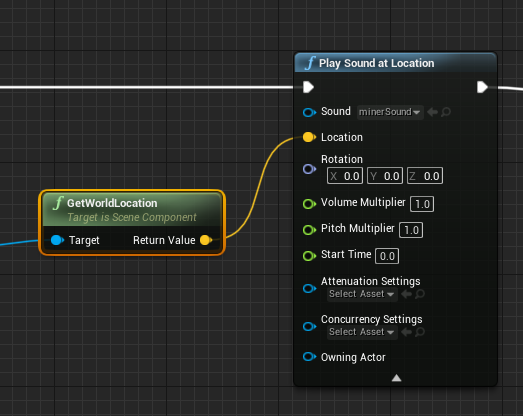
https://i.gyazo.com/e6f0345b00754e4f12bf7df18df36e17.png a way to reduce how far i can hear this? i seem to be able to hear this literally all over
 vivid narwhal
Attenuation
Attenuation IIRC is how far you can hear something and the volume over distance
nimble moat
ah thanks, will look into it
normal burrow
I know the answer for this question jack
but am blanking out on the name of the node
nimble moat
id be greatful if you could remember
normal burrow
Fresnel
vivid narwhal
I mean you've narrowed it down to being possible
normal burrow
fresnel might give you the effect
nimble moat
urghh that looks way outta my knowledge
vivid narwhal
Ah you're doing it wrong
you need to use Spawn Actor From Class that'll create the projectile
gaunt tide
https://gyazo.com/da49adb966ef532ff5a00a6ffd4d0f12 Gotta love KiteDemo content..
 vivid narwhal
vernal thicket
vivid narwhal
vernal thicket
@vivid narwhal I've got the spawn actor under my Weapon actor
vivid narwhal
Annoyingly the material editor is perfect but the actual decal isn't
So you're spawning the actor, then what are you trying to get from the projectile that you need to cast for?
lapis vine
Could be something about how its lighted?
vivid narwhal
Googling it, it looks like I'm using the fresnel wrong
vernal thicket
@vivid narwhal sec
@vivid narwhal this is my spawn
It's under my actual actor, I want to send a variable back to my thid person character when the projectile hits the AI
normal burrow
ah jack if its flat it wont work
vernal thicket
I was hoping to do it under my thid person character as I figured if I cast from the actor itself it would send the same variable back to all characters sharing the player character blueprints?
normal burrow
if the capsule mesh is.. pivoted around zero..
vivid narwhal
there's a way to do this Joshy and I know it just my brain is doing a fail
okay so
lapis vine
As I said ask in graphics, I'm also a mat noob.
gaunt tide
'
normal burrow
normal burrow
lol 😓
vivid narwhal
There's two ways.
You can spawn the projectile as a Child Actor of your character, that way you've got the parent data there and ready to access. For saying "you hit" or whatever.
The 2nd way is to tell the projectile BP it has a source, and to make that source the actor, then cast back to that owner to give the hit detection.
I don't see why you wouldn't use the first option but there's 2 I can think of immediately
normal burrow
thought you could go with spaghetti or my arrow drawings lol
i tend to stack nodes like bricks
lapis vine
Tetris in bp 🤔 This will blow up people.
vivid narwhal
That's kicking up an error Pat
normal burrow
gotta make the lines shorter so they run faster
gaunt tide
Should I make a lightmass importance volume for every tile on my landscape?
normal burrow
lets hear the error
vivid narwhal
so it wouldn't work if I had Absolute World Space to Local World Space, for some reason
Local Space*
normal burrow
are you using transform position or transform vector?
 mint thunder
Do you guys know how to use parallax occlusion with decals? When i rotate them they get skewed
i've been on it for many hours and i can't get it working at all
vivid narwhal
transform position
normal burrow
that would work if your uvs are set up planar'ly jack ( tried to make it legible more )
if you click the model in content browser, then press teapot button in the preview there. you'll be able to work with the actual thing
i think skewing is the point of parallax larry
vivid narwhal
I'm so glad I don't have to teach kids anything to do with material editor beyond loading PBR textures
normal burrow
I like it, but would appreciate a hlsl option beyond small little custom node text entry too
vivid narwhal
oh don't get me wrong, it's powerful. It's just. It's math-based art and that confuses me
normal burrow
I suck at reading formulas and stuff more than material editor
vivid narwhal
Fresnel definitely is the effect/look I'm going for. Just a shame it doesn't work with decals.
mint thunder
there are lots of stuff that don't work with decals T_T
 grave nebula
Math-based art is still better than art based math ><
lapis vine
@vivid narwhal Really, gonna say it for 3rd time, ask in #graphics
Oh, one of them came
I personally prefer, that mat editor having a hlsl/glsl code. Maybe previewing at code line or so. These nodes are more confusing.
vivid narwhal
@grave nebula there is art based math?
grave nebula
Not that I am aware of, but who knows, what bright future holds.
vernal thicket
@vivid narwhal You're ideas a lot better, I'm currently spawning the projectile from the weapon actor, but if I spawn it from my character blueprints I can access it that way, thanks bud
vivid narwhal
Look mom I'm helping
gaunt tide
Now if only these Kite Demo trees didn’t have so many meshes so I can build the lighting for my map...
vernal thicket
@vivid narwhal you're making me realise how all over the shop my blueprints are, i've got access to this that and everything else here there and everywhere 😅
vivid narwhal
I find there's at minimum 2 ways of doing anything
vernal thicket
I have no idea why I was spawning the projectile from the weapon actor bp, I was doing most of the code from my player character bp already, even asking if enough ammo 😬
abstract relic
There’s always a way. And there’s always a better way. But never a best way.
vernal thicket
^^ +1
vivid narwhal
There's always a wrong way too
 forest totem
can someone help convert to UE4.22? https://wiki.unrealengine.com/Replay_System_Tutorial
vernal thicket
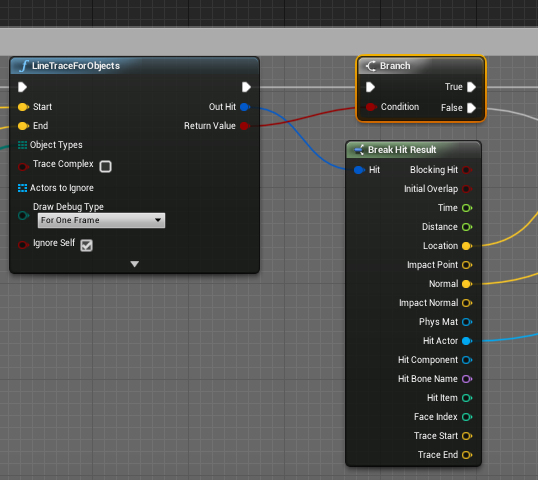
@vivid narwhal Do you know how from here I get a reference to whether an actor was hit or not? Do I make hit result then break hit result?
nimble moat
is it bad practise to leave traceforobjects on event tick?
vernal thicket
Depends what you're trying to do haha
I'd do that if I was making a weeping angel game
 minor flint
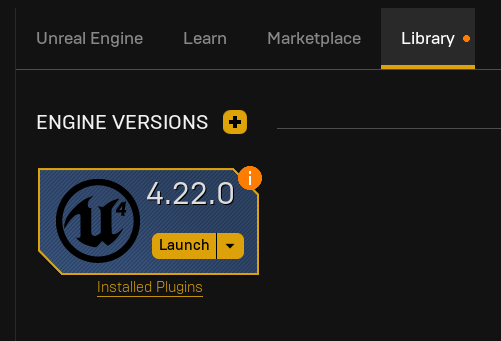
okay, how do i install unreal engine 😐
nimble moat
click the arrow top right and install?
minor flint
that is after i click on it
vivid narwhal
@vernal thicket yeah you break hit and then pull off from Get Hit Actor
vernal thicket
@vivid narwhal I have to make hit first though then break from that?
 vernal thicket
I'm being difficult though and taking damage inside my actor blueprints
minor flint
so, any ideas?
vernal thicket
Did you click the Arrow? I can't see your cursor
The arrow with the down symbol in
minor flint
okay fine, here
vernal thicket
Can you click that 4.23.1?
nimble moat
@minor flint google it, itl be the easiest thing in the world
minor flint
i did, thats what takes me to the first image
vernal thicket
I remember it not being as simple as that tbf, but yeah google i can't remember lool
nimble moat
same lol i dont install it everyday
minor flint
i tried google, epic games makes me user their shitty launcher, thats lagging on its own home screen
the unreal engine installer asks if i want to remove epic games launcher because its already installed, because there is not standalone UE4 its all 'epic'
but epic won't install UE4
nimble moat
have you had it installed before
minor flint
its not istalled, not that that matters, they won't give me a option to uninstall
vernal thicket
Oh
normal burrow
@vivid narwhal
vernal thicket
Go into library I think theres something in there
minor flint
they won't give me any options at all
nimble moat
i was literally about to say same thing ^^
minor flint
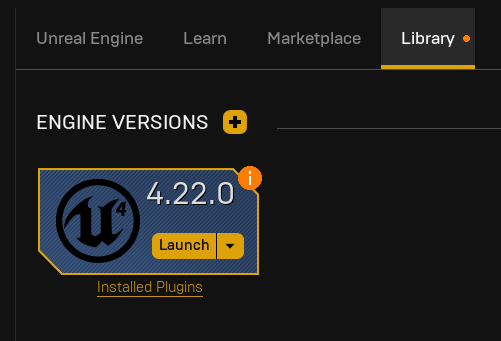 minor flint
blank, just them trying to make me install fortnite
nimble moat
no library AFTER youve clicked unreal engine on the left
vernal thicket
No, I'm still trying to figure it out
nimble moat
whats exactly the problem, sorry didnt read all of it
vernal thicket
I'm trying to return a variable to true
nimble moat
which variable
vernal thicket
I'll explain
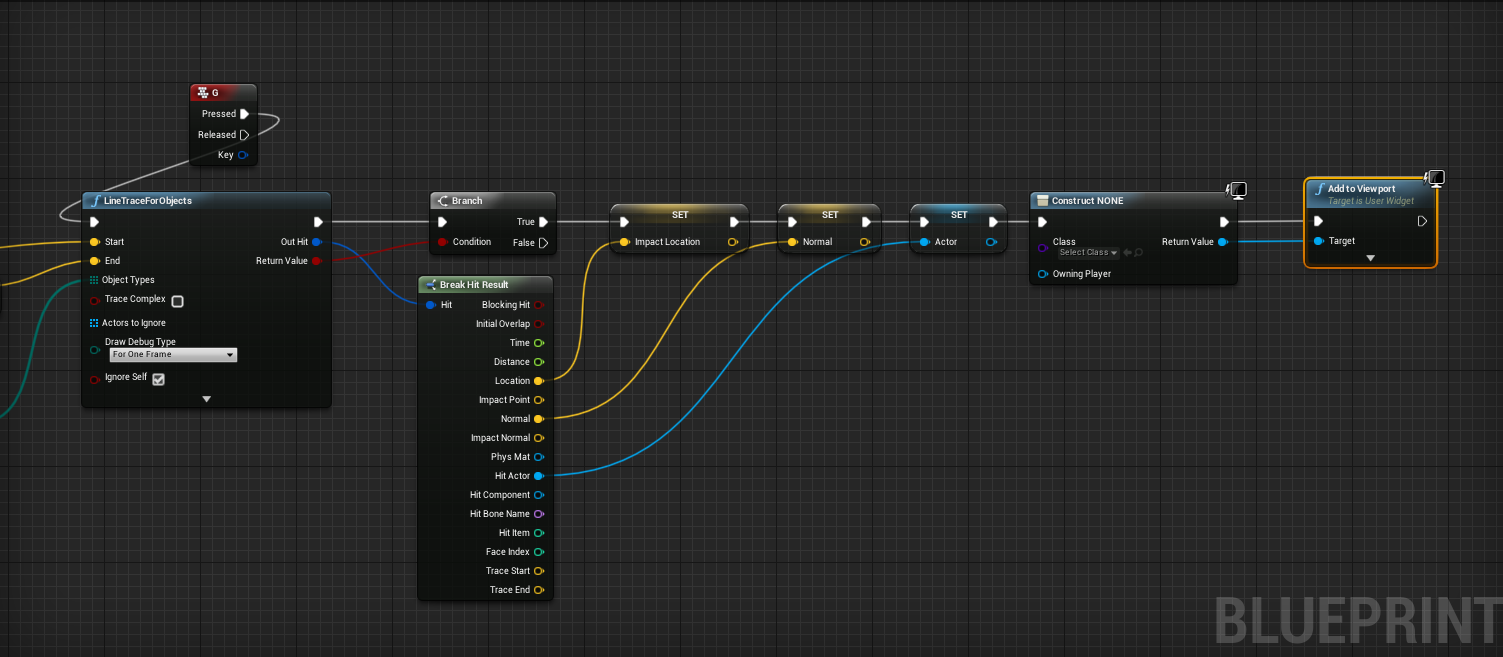
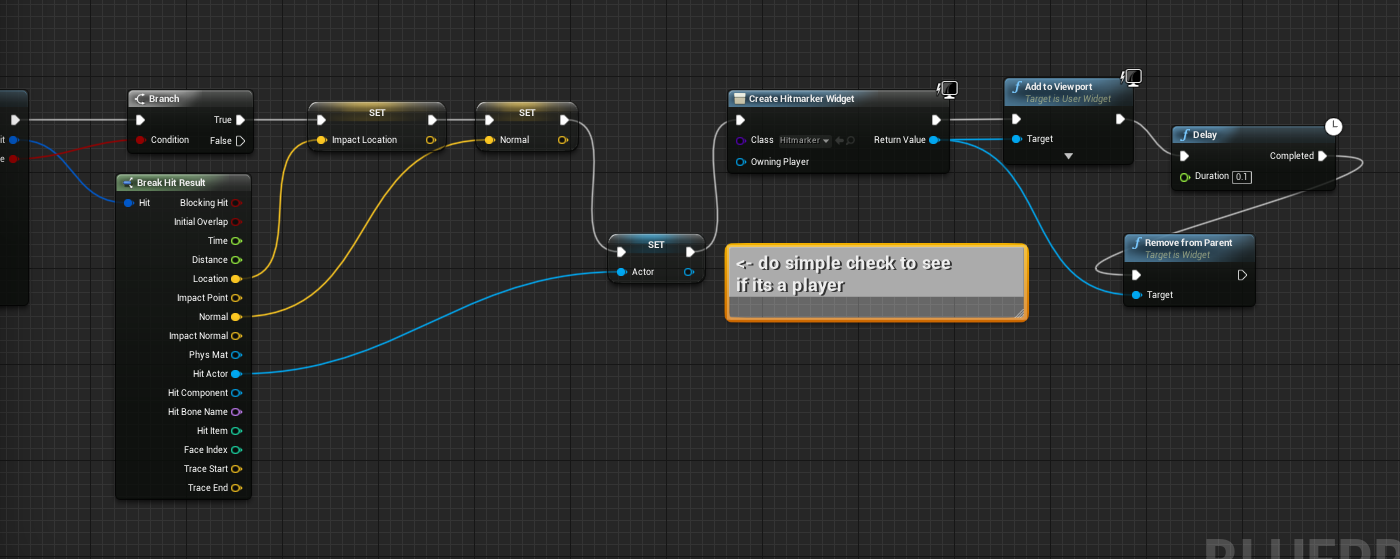
I'm trying to create a hit marker
All my on collision stuff is inside my enemy blueprints
But I want to return a variable back to my third person character based on whether an actor was hit by projectile
So I'm trying to do it from my Spawn projectile inside my third person character like Jack suggested
vernal thicket
The only thing is i've ran into now
I've used a function to fire a gunshot from my weapon
And what I was going to do is set a variable named Hit to true to activate the widget, then delay for 0.5 secs then set that hit back to false, otherwise the widget will get activated by the Hit variable and get stuck on, but you can't delay in functions 😅
nimble moat
that doesnt seem like the best way lol
when the actor hits you lwant to do a custom event or function that spawns a hitmarker on location
like this, only not in run time and to capture location on hit
vivid narwhal
When your AI tree tries to run everything at once
Sorry @vernal thicket where did we get to?
nimble moat
ai scares me
vernal thicket
@vivid narwhal bloody hell 😅
I'll screen shot
I'll show you where my codes are and maybe you can figure it out
I'm trying to set widget to visible then hidden based off a variable (trying to create a hitmarker)
nimble moat
ohh thats mega easy
vernal thicket
So this is in a function in my player character atm
nimble moat
check if looking at actor and if player clicks and actor is still hitting other actor show hitmarker
vernal thicket
normal burrow
@vivid narwhal had some errors but yea this is a flat plane with freshnel on it
vernal thicket
Can you see that forgot to crop?
gaunt tide
When your AI can smell you
vivid narwhal
You're my hero
vivid narwhal
Oh there are somany errors there I'm hungry for them
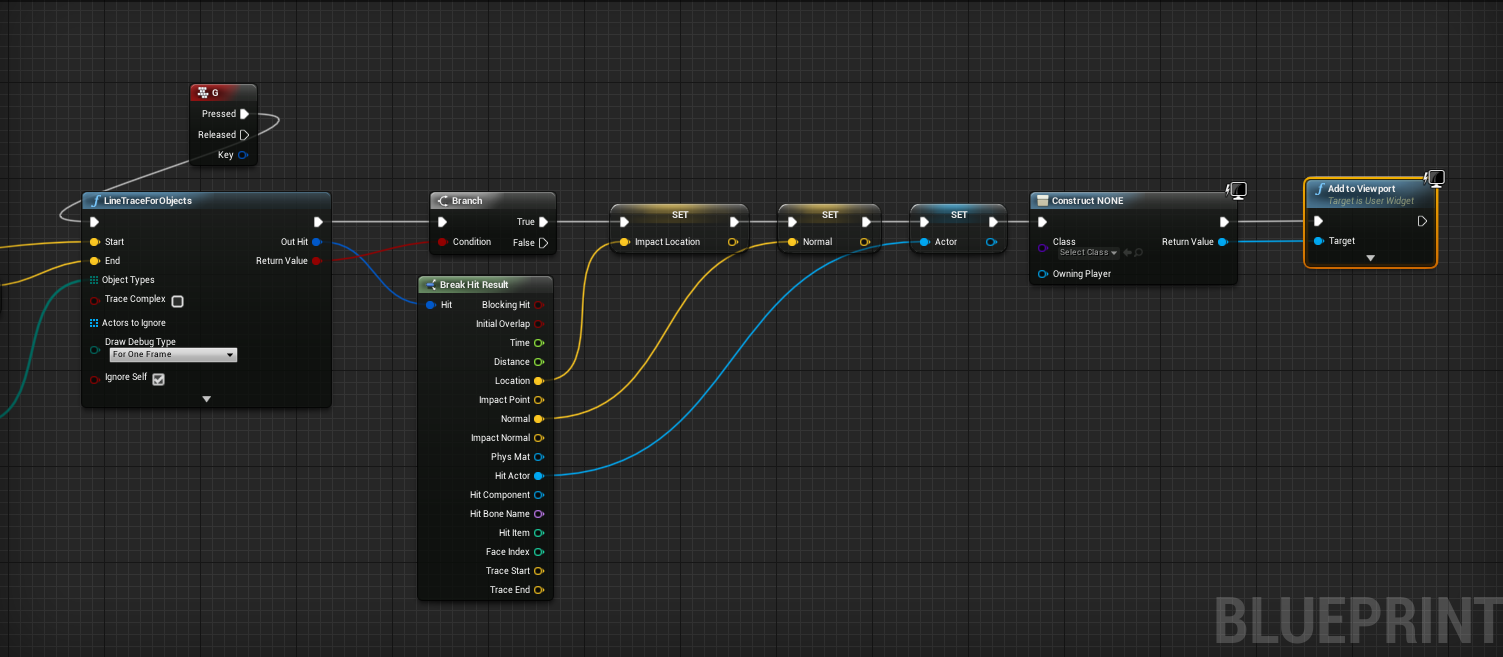 vivid narwhal
You're trying to make a hit result from the actor reference which achieves nothing.
You need to fire a hit result inside the projectile BP then relate that hit back to the owner
normal burrow
https://blueprintue.com/blueprint/t4l0hesf/ jack (copy and paste)
vernal thicket
Right
It's because i've been awkward
This is where my AI gets a result from collision
nimble moat
wait, why are you using line trace for hitmarkers because that will be inaccurate right?
vernal thicket
I'll try what Jacks saying quick
nimble moat
yeah just drag a pin off and create widget hitmarker then delete after 3 seconds or something
vivid narwhal
@normal burrow I just finished recreating it lol
vernal thicket
I could've done it under the Zombie_Char, my issue was I didnt want the information to go to all characters using the same blueprint in a server
vivid narwhal
Are you firing a Trace in the projectile?
vernal thicket
No
vivid narwhal
so when a projectile overlaps the zombie?
vivid narwhal
so. Doing it your way (Which is a tad confusing)
Character (X) fires a projectile (P) and the zombie, (Z) checks if it's been hit.
Z casts to P to see if overlapping object is P.
You now need to drag off P and Get Owner, since it's a child of X. Now you can tell X that Z has been hit
vernal thicket
Jesus christ I should've watched some more tutorials 😂
vivid narwhal
Yeah Josh you're overcomplicating things imo
vernal thicket
Right
I used the information inside the zombie blueprint because it's not simple
I have several collisions on my zombie that react differently by being hit by the projectile
I'll quick try what you said last though
So jack like this?
But obvs true
vivid narwhal
I think (And I think this is Dylan's idea?) is that if you just drag off a Get Player Character Node, cast that to your player Character, and inside that turn on the hit marker widget?
Now you've confused me
nimble moat
hes confused me also hahahahaha
vernal thicket
I've confused myself lmfao
nimble moat
since i made my version ive just been 360 no scoping things
vivid narwhal
Do you know how to create custom events Josh?
vernal thicket
Yeah
vivid narwhal
Okay, try this. Drag off the Hit Actor, Cast to to projectile (What's hitting the zombie) now create a Get Player Character node and Cast that to the player character BP.
Inside your player BP, create an event called whatever (hit marker Widget) etc.
Now back in your zombie,drag off the cast from character BP and fire off Hit Marker Widget
That will get the zombie talking to the character, then you can do whatever you like with that event when the projectiles hit the zombie
vernal thicket
The only issue is I'm going to have a lot more than 1 Zombie BP hahaha
 vernal thicket
Where are you performing that from?
nimble moat
from the fire button
nimble moat
yes
vernal thicket
I've made things more difficult though as I've not used a line trace
I've used a projectile
Surely a projectile has some kind of hit result though
vivid narwhal
you could add collision to the projectile that will have hit/overlap data
vernal thicket
I do have a collision on it
nimble moat
thats what i was thinking
vernal thicket
Can I get it from that then?
nimble moat
and would be more accurate
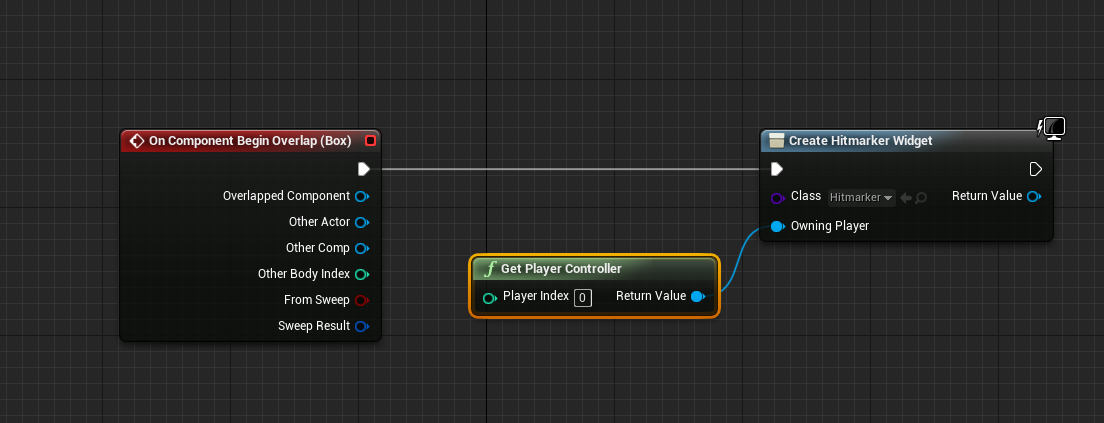
yeah and once projectile overlaps enemy create hitmarker widget
vivid narwhal
Yeah that'll do it
vernal thicket
So from the return I need to reference the collision and break hit
vivid narwhal
way less complicated than your original plan
I'm not even sure if you need to cast to character to add widget, or if you can just add a widget without giving it an owner
nimble moat
you shouldnt have to break anything its just a simple collision
vernal thicket
true
vivid narwhal
if you click on the collision element in the preferences panel if you scroll down you'll get "on component begin overlap"
nimble moat
if bullet box hits player box then draw widget
nimble moat
yes, why are you pulling it off spawnactor
vernal thicket
I have no idea, I'm trying to reference it inside my character
 vernal thicket
I'd have to do it inside the projectile blueprints
vivid narwhal
yeah it needs to be inside of the projectile BP not pulled off it
vernal thicket
The only issue is can I use that in multiplayer?
nimble moat
i guess i mean hitmarkers are only client sided
vernal thicket
Right okay dokay!
Damnit
The reason I wanted a variable is because I've got the hit marker inside my main hud, should I just make a new widget specifically for the hit marker?
nimble moat
yes
vernal thicket
okay thanks lmao, thanks for being so patient
Right, it's finally working lmao thanks guys
nimble moat
im emotionally invested now can i see a vid of it working or
nimble moat
looks good lol
vernal thicket
yeah i'm happy 🙂
opal berry
@deep grotto So if I wanted to add more to the third person character how would i do it
nimble moat
in the blueprint
vernal thicket
I was originally aiming down sight but jesus christ unless you get the AAA gun meshes it's not pretty
^ Also that's why I kept it so complicated, coz I wanted to keep parts of the mesh coming off like so
Anyway thanks Jack and Dylan really appreciate the help, hopefully I can help ya'll one day. I'm off for the night, laters
nimble moat
laters
vernal thicket
🥱
opal berry
@nimble moat my character movement is in C++
 misty creek
@opal berry Open the Visual Studio project and you can edit the character's movement from the character .h and .cpp files depending on what you are changing
 kindred viper
I wouldn't be changing the core character .h/cpp if I were you
opal berry
No u don't get what I mean
I am talking about the animations that correspond with the code
How do I like make an new binding for like crouching and more
vivid narwhal
never start working on AI. You won't stop. ):
kindred viper
unless you get to the point the AI does the work for you.
vivid narwhal
shush that's my PhD thesis proposal
kindred viper
I wanted a PhD but I hated the idea of saying "Hit I'm Marc Rogerson, fud"
thats and they took away our ability to get a degree in this country without paying unaffordable fees.
vivid narwhal
I'm not sure if you want to say Hit MarcRogerson when you're marc Rogerson
I paid a fortune for my Master's and I would be at the same point if I just taught myself for 4 years
kindred viper
the masochist in me says "mmmmm", but the logistical side says im too old to fight now :p
yeah I decided to just study on my own. Self-taught and had the advantage of doing it my way instead of some boring, 3 years out of date way, like in Uni :p
vivid narwhal
jokes on them because now I teach 3 year old of date stuff!
kindred viper
do what my old college did. Just pass everyone by giving out the answers on a disk to everyone. (I didn't take it but everyone else did)
vivid narwhal
Christ
kindred viper
thats when I quit teaching there. The whole system is a business now. Not interested in people. Just making sure they get funding.
vivid narwhal
Since I just started, but I'm absolutely shocked by how quickly kids are kicked out of school
nimble moat
easiest way to make a material that flows through rgb over time?
kindred viper
what do you mean by flow?
nimble moat
i made this using a pointlight and timeline function and id like to do same with a material only im absolutely rubbish at materials
kindred viper
im not a material guy so I can't say the optimal to do that but there are Time nodes, Panner nodes or even custom HLSL nodes that you could use. Cycling the RGB output should be as easy as a +/- calc on the final colour

 plush yew
So did anyone develop a dragon flight system or contorller yet
forest totem
can someone help convert to UE4.22? https://wiki.unrealengine.com/Replay_System_Tutorial
vivid narwhal
well I think I'm finally at a point where I'm happy to say I'm in alpha
nimble moat
congratulations 🥳
 uneven fractal
why is ik so bloody complicated
you would think it would be simple to move a foot bone up or down but apprently not
nimble moat
im also struggling with things that should be simple but arnt
like why sound isnt stopping when the actor is destroyed
nimble moat
urghh
kindred viper
its easy tho. ref the sound on the actor it belongs to, then stop it in the actor destroyed event
uneven fractal
nimble moat
its a bit more complicated because i dont actually know which actor is going to be destroyed (if that makes sense, im using line trace to find the actor then destroy what im looking at)
uneven fractal
just cast to get the sound then
nimble moat

this made me laugh more than it shouldve
(fyi i have photoshop i just need placeholders)
vivid narwhal
Is there.... Is there a limit to action mappings
kindred viper
I would imagine there is if you can dynamically create them.
vivid narwhal
none of these break points are triggering
normal burrow
can you even breakpoint an action?
vivid narwhal
I can't think of any reason they're not working
kindred viper
not sure if you can. It would make sense to be able to, but just break one step after
normal burrow
i think of those more like the parameter pins on a function or macro or sub graph
vivid narwhal
even if I put the Break on LOS Enemy it doesn't trigger it
kindred viper
did you enable input on the player controller?
vivid narwhal
tried a hello world print string, that works. So the bug is deeper. Which is a shame. I wrote those blueprints 2 1/2 years ago
plush yew
Does anyone know why my meshes stop rotating after 360 using the rotating movement component? Last time i used them they rotated forever.
Is it some new thing in the engine? I tried to find some settings but no luck.
nimble moat
that doesnt sound good anyway to let it go past 360 degrees
kindred viper
or 359 specifically
plush yew
ahh
i mean full rotation
after one lap
revolution
Is this the wrong place to ask? Do you have any recommendations what channel I should ask this about?
nimble moat
what are you trying to achieve
vivid narwhal
would be simple with a timeline
vivid narwhal
0 to 359 and set the timeline to looping?
 swift spindle
@vivid narwhal it's most likely your inputs are being consumed somewhere else
vivid narwhal
Checked it with a print string and the inputs are working fine, just something in my old blueprint has broken
swift spindle
dirty it and recompile I guess
vivid narwhal
dirty it?
swift spindle
move a node around 🙂
vivid narwhal
Thank heck these blueprints are commented because I can barely remember how it works
vivid narwhal
50 minutes for one bug. Turns out I just missed a socket when I changed my meshes over 😂 thankfully all my old code still works in this version
 atomic meadow
hello, I have a question, does anyone know how to fix this shadow? i am using ue4 4.23, rtx 2070. https://i.gyazo.com/3f3353fbc16a9258b2d7b7f7756860bd.jpg
 vivid narwhal
I'm assuming that's baked lighting?
atomic meadow
no
swift spindle
raytraced shadows and world displaced materials still have issues
you also have some overdraw issues on your planes that's making it look a lot worse
better cutouts will help 🙂
vivid narwhal
do you want a quick fix or do you want the right fix?
atomic meadow
i want to just fix xd
 scenic robin
Does baked lighting is actually bad ?
Btw @atomic meadow You can just disable the shadow if you use the foliage tool for this
vivid narwhal
quick fix is to disable the shadows on the foliage and bake lighting
 left citrus
when using a custom node and setting the return type to float 1
is this a float 32?
left citrus
is there a way to force one or the other?
gaunt tide
I can’t bake the lighting at all in my tiled landscape.
left citrus
the custom script is designed to combine bytes into a 16 bit number
gaunt tide
Always fails regardless
grave nebula
You don't need to / want to do what. It is handled by Unreal depending on the platform.
gaunt tide
Should probably remove all the foliage than build the lighting than place the foliage huh?
left citrus
so if I try to return a number > 255 the engine will accommodate accordingly?
grave nebula
It will depend only on platform, for which shaders are being compiled. For most, it is 32 bits. For some, 16 bits
 noble sentinel
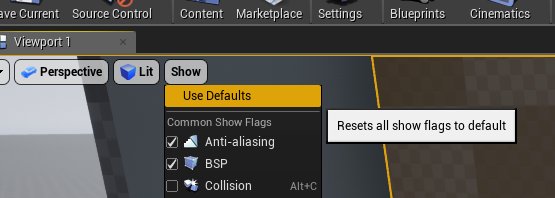
guys, why is that square in my viewport, and also why is it that i cant move the camera or selecte anything with the viewport???
nimble moat
try resetting viewport settings
noble sentinel
ok ill try
nimble moat
show > use defaults
noble sentinel
actually i just restarted the engine and it fixed itself
thank you thought, Is still weird and have no idea how it happened
 sharp crest
still alive but going to sleep gn
swift spindle
@noble sentinel this happens occasionally if you drag a tab around and it does not refresh the snapping points display.. you can normally fix it by just moving a tab again
 tribal steeple
I have an issue with grass being invisible after a distance. The grass only appears when I place down a material and is not in the foliage menu. I found the asset in the content browser.
How can I increase the render distance?
 blissful trail
does the tick event cause lag ?
nimble moat
depends what you put on it
 strong mesa
Made some nice progress today
 undone plaza
why is everything so slow if i add a tree?
blissful trail
nimble moat
eh
blissful trail
i have a heap of custom events
this is the whole thing im not sure if fps will be very good tho
nimble moat
all that is on event tick?
blissful trail
most of it
nimble moat
i would imagine its having an impact
blissful trail
if i have the window open when i try and play the game fps drops below 40
nimble moat
you can test it
blissful trail
i usually get 120
nimble moat
are you able to unhook those custom events and have you game still open?
blissful trail
?
the custom events are for a keybinding system i just made
so u can bind keys ingame
nimble moat
you can test how much of an impact its having by using the stat command, run the game with them hooked up, run the game without them hooked up
while in game press the tidle key and type stat game and screenshot
nimble moat
theres a difference but not much, whatever is causing your fps isnt that
blissful trail
hm
nimble moat
i think i may know why
this happens to me also, do you play with the pop out window?
nimble moat
oh, for me if you have a blueprint open thats quite big your game will lag, but if you close it or minimise it the lag completely goes
blissful trail
that might be the 40fps issue
so when i have the blueprint open my fps goes to 40 but if it isnt it goes to 120
nimble moat
https://i.gyazo.com/cff1902d8dff41ebb2fd5915af4c135b.jpg
https://i.gyazo.com/629990a522a63f6c781c890d1e5a8ac6.jpg


i have 30 fps if the blueprint is open and behind the game, i get 100+ if the blueprint is closed
nimble moat
@autumn crystal that doesnt seem very efficient
 crude vessel
Anyone here use copy pose from mesh? I got a semi-success but one mesh of the set is slightly off, and yeah I checked the vertex weights.
blissful trail
im having an issue rn with autosave i have like 5k textures and autosave is taking forever any way to speed it up ?
kindred viper
turn autosave off
swift spindle
it should not be taking to long unless your editing all 5k textures at once lol
it's more likely your system is underpowered or your not segmenting out your content properly
kindred viper
my statement still stands. Autosave is the devil. Set a timer on your phone every 30 minutes and decide then if you want to :p
 plush thicket
anyone know how to fix the light leaking thru the door there?
no overlapping UV's btw
that's out of the problem
swift spindle
anything that has a light behind it should have some thickness
so single planes often have light leakage
swift spindle
try upping your lightmap resolution on the offending areas
 ripe saffron
Could be reflection captures
plush thicket
@swift spindle lightmap resolution only works for baked lighting though no?
I need this to be a real-time light
baking it fixes the issue, but
this needs to be a real-time light since the door opens
nimble moat
when you complete an amazing 3d model but it has 125,000 verts and faces
gaunt tide
Oh damn lol
 plush thicket
@nimble moat if that's for a game asset i would recommend looking into smooth shading
you can achieve the identical look with like 100x less verts
gaunt tide
For whatever reason light building is failing constantly because of the meshes or volume size required by my trees.
nimble moat
@plush thicket sounds good ill look into it thanks
@plush thicket sorry for ping, would i look into ue4 smooth shading or would the modeling program export with smooth shading? thanks
plush thicket
export with smooth shading
nimble moat
ah, thanks
plush thicket
@nimble moat here's a perfect example of smooth shading
the cylinders in this only have like 24 faces
but smooth shading makes it look perfectly smooth
nimble moat
yeah that looks amazing, giving it a try now thank you
swift spindle
@plush thicket look into your shadow bias and slope in your light
swift spindle
just search in the light itself
nimble moat

700 verts
down from 125,000
naturally a bit jagged around the edges but dropping 124,000 verts over more round is way worth it
swift spindle
remember you can also use LOD's if you really must have that smoooth edge for closeups
nimble moat
i have never messed with that in ue4
swift spindle
it's really easy to do
nimble moat
i read online that the average asset anyway is 5000 verts, how true is that?
nimble moat
what would say is a "good" vert count (i know it would be hard because would depend on model but)
swift spindle
I've made amazing things with only 30 verts....
and other things that need 60000 verts to look ok
it totally depends on what it is
and how much screen space it will use to performance ratio
nimble moat
i need to redo all my game models now ahahhaha
swift spindle
in the end.... it's always a toss up between performance / usability and how it looks
look into UE4 lods
nimble moat
i will do 100%
nimble moat
its 3:20am now will probably be a tomorrow thing
swift spindle
but move 4 meters away.. and they are 10k verts
swift spindle
30 meters away.. and they are... 12 verts
nimble moat
would you need seperate 3d models for that or ue does it auto?
swift spindle
UE4 can do most of it for you
using LOD profiles
but depending on what it is.. you might need to tweak it inside of ue4
nimble moat
so it will auto make my model a blob i dont need to actually model a blob
swift spindle
or make it in your modeling package
it's a lot better at things then you might think
nimble moat
yeah, ill have a quick look now actually
 static raft
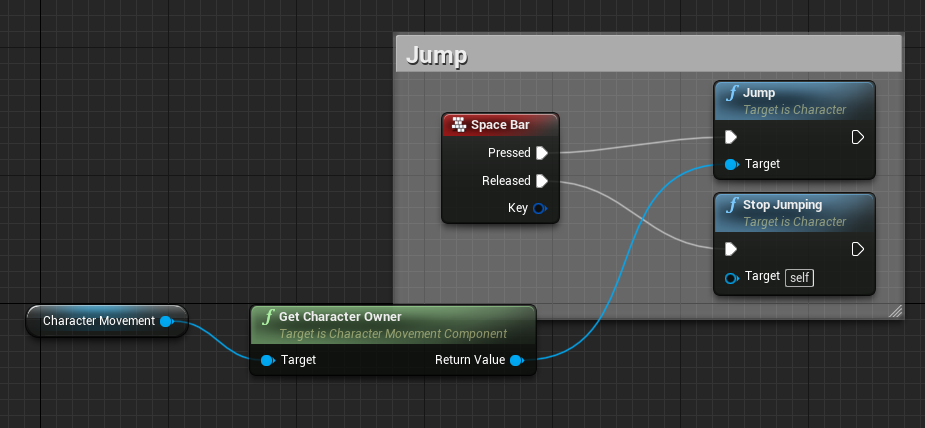
Hey, I have an issue with my CharacterMovement Component. The jump seems to not work. After debugging things will execute after the jump node but the actual character I'm calling it from won't jump at all. I have checked gravity, constraints, physics simulation etc. and nothing seems to make it work. I haven't changed any value from the default.
I'm simply inputting space bar and using the Jump node on pressed and nothing happens.
nimble moat
screenshot?
static raft
Its a TAB key input inside the character blueprint in the event graph linked to the Jump node
literally the most simple setup I can think of to do this and it usually works
but this time it simply doesn't
I can manipulate the character with launch and stuff like that
but jump will simply not jump
although it won't crash and itw ill still execute afterwards
nimble moat
might mean a target issue
static raft
and how could I check that out since the editor tells me everything is in order?
plush thicket
i can't find where the shadow bias setting is @swift spindle
swift spindle
nimble moat
is it a standard character blueprint @static raft
swift spindle
the search bar is your friend 🙂
static raft
@nimble moat yes, unmodified and unaltered
linked up to a controller inside a game mode etc.
nimble moat
ive no idea then if its a normal ue4 starter blueprint
static raft
I had this other wierd issue as well on the same project, before doing it the simple way I wanted to separate inputs to the controller and the actual logic in the character and communicate via interface.
but for some reason when I call the interface function for Jump from the controller and inside the Character the node Jump executes, it crashes telling me "Inifnite Loop"
deep grotto
@static raft send a screen grab of how you're doing it
static raft
gimmie a sec
nimble moat
@swift spindle do i need to edit BaseEngine.ini for lods?
deep grotto
@nimble moat Lods are done by opening up the model file in ue4
nimble moat
yeah i thought that, yet the documentation says to edit the base engine file
deep grotto
Which documentation?
nimble moat
How To use the Automatic LOD Generation system in UE4.
nimble moat
yeah i thought exactly the same but official documentation was telling me to
swift spindle
the documentation is..... "a guide" at best
in the case of this... it's written for people upgrading engine version
this is old news
nimble moat
you know whats weird, out of all things optimization is the most satisfying things to me so, today has been a good day
deep grotto
@nimble moat You should fine they are the engine defaults
so you can just skip that step
and the rest should work
swift spindle
good to hear man
nimble moat
yeah i did ive already done lods for 2 models
swift spindle
now goto bed
nimble moat
nah im playing with lods for a bit lool
22k verts to 3k and model looks look the same (ish)
swift spindle
now I have to go scream at my lods
nimble moat
ahahaha
static raft
So @deep grotto Here's the interface
this mah controller
and this is the character
implementing that interface above
nimble moat
1500 verts to 100, although the model is ruined lol
static raft
and whenever I try to do it through interfaces
I sometimes get an infinite loop and sometimes not
and I have no idea
why
it honestly feels like I broke the project somehow since not even jumping works
nimble moat
https://i.gyazo.com/c54e3c1404bc845a0a7bbe1d4b7393f8.png this not work for you?
 swift spindle
there is also edges and other stuff like that
static raft
why are you getting the owner
nimble moat
i just realised im an idiot nevermind me
static raft
I mean the bp you are in is already the owner of the component
but yeah
it won't work
and code executes after it
Here is the crash
nimble moat
@swift spindle why are lods so good, also can i change distance (lods dont actually seem to be working in game(unless they are working really really well and i cant tell))
 coarse turtle
I'm running UE 4.23.1, everytime I retarget either a skeleton or a bulk animations, the editor crashes.
swift spindle
lol
the defaults are pretty good as long as your actual scale is good
turn on wireframe mode to see it easy
 dim plover
Korvax, someone else had that problem too.
The guy said:
Deleting the mesh and the physics asset will leave you with the skeleton only, if you retarget the skeleton in UE4.23.1 then you will not crash, but if your skeleton is parented with your mesh, then you will 100% crash
and then later, parenting the mesh with the skeleton
that seemed to work for me
the literal only way
this is a seemingly common issue with a lot of UE versions across the board, after checking the forums, the devs seem to be fixing this problem with almost every other version
yeah i dont think its working because no matter how far away i go it looks like the same lod0 model
swift spindle
are you clicking apply after changing them ?
blissful trail
so my ue4 just crashed and alot of assets are missing
they show up in windows explorer but not ue4
swift spindle
@blissful trail looks like you lost the references
blissful trail
anyway to fix that
swift spindle
need to save more often / use source control
blissful trail
yeah i saved and it crashed :/
blissful trail
so i lost 10k assets
swift spindle
its almost always user error
ok... there's your problem
why were you adding 10k assets in one go
nimble moat
10,000 assets?!
blissful trail
yes
nimble moat
have they been importing since last year
swift spindle
I'm just gona let you know now... almost any system would shit itself trying to do that
swift spindle
then you should have been saving as you went
blissful trail
like i did 100 textures at a time
nimble moat
what kind of project needs that many assets
swift spindle
also.. you should not need 10000 assets in a project
in world of warcraft only has 24k assets...
blissful trail
oof
nimble moat
i feel like your doing something wrong
blissful trail
is it possible to drag the png files/wav files into the content folder ?
nimble moat
yes
is there a way to see current lod of an object or see a liveupdate of its verts/tris etc
swift spindle
yes
in the asset viewer
top Left
will say what lod it's on
you can view lod change there
and change to wireframe
nimble moat
that wont update in real time will it though (i cant actually see if lods are working in game)
swift spindle
this is realtime
nimble moat
hmm so it is working however i see 0 difference, lods really are amazing
 gleaming wharf
plush yew
gleaming wharf
plush yew
4.23 missing starter content when making a new project
is this normal or did i do something bad lmao
nimble moat
you did actually select the project with starter content right lmao
plush yew
1 sec
i cant change this
its stuck on no starter content which is weird
because on other versions its fine
nimble moat
hmm there might be an option to install it when you install the engine not sure
nimble moat
yee something wrong lol
nimble moat
true dat
 neat forge
What would the object pin go to if Im casting to a characters component? Player character isnt working?
nimble moat
get player controller?
neat forge
That isnt either
nimble moat
i forget the name its something like get owning pawn or something
deep grotto
@static raft Right now it seems like it's doing an infinite recursion jump seems to call jump again
Pretty sure the jump node should refer to character not "BP_Character Pawn"
like this
 dull oyster
Im not specialist in the blueprint, i have done only one , for character posses. From yt tutorial. I realised since few weeks since im pressing play and then T to run my character through my map - the random sphere appear in random place in the map - usually somewhere near the character. It looks like some kind of joke but its not. It doesnt bother mme, but im curious why the hell unreal engine wants me to have that sphere everytime i click play and T. Can someone explain me that? XD that sphere is not movable, and doesnt appear outside the play mode
next posses - sphere moved like meter away
abstract relic
I’m going to guess you have a sphere in the character bp or have a function that spawns the mesh relative to the player
 thin tendon
Hey guys. I have noticed that in my game when harvesting resources it lags on the first hit. This is because of the remove instanced actor node. Does anyone know of a way to achieve resource harvesting that doesn't involve replacing a foliage instanced actor with a scripted BP on the first hit?
kindred viper
dont remove it. disable it and change visibility if you can. Then use an appropriate time.
and preload what you need to spawn. have a buffer for it
thin tendon
Thanks I will give this a try
swift spindle
anyone have experiance with speedTree LODs here ?
lapis vine
I have as much as to make it available and tweak it, lol. Too new to ST.
swift spindle
the lod system is irritating with unreal.. especially with the smooth transistion
seems to average it over way to long a distance
some odd stuff
dull oyster
@normal burrow i cant select it. Cuz when im in the posses mode i cant use mouse , cuz i run with the character and mouse is attached to his movement.
@abstract relic this is the only blueprint i have , i guess there is nothing about sphere
abstract relic
Open third person bp
dull oyster
@normal burrow i think i could select it when im in the play mode before going to posses but.. sphere appears only after the possess
u mean this ? its basic bp i think from standard unreal third person project
abstract relic
Lovely. Gotta make sure it wasn’t anything silly first
dull oyster
@abstract relic ok 😉 i must admit that its funny though
just random sphere appearing in the random place in the map XD
abstract relic
Check that construction script too
Next silliness would be to check your level bp
abstract relic
In blueprint drop down menu
abstract relic
Awesome
You can pause pie by pressing the pause key on your keyboard. Then you can look in the world outliner
Now I must tap out. The sun is going to rise sooner than I’d like
dull oyster
ok, thx, goodbye 🙂
normal burrow
Me too, that’s what i was gonna suggest. Click the sphere find it In outliner
dull oyster
@normal burrow i tried, but when i click on anything during that "pause" my mouse dissapear
normal burrow
F8 in play mode
normal burrow
Heading to bed but maybe your outliner is in edit world
abstract relic
Type in Default Pawn in the search bar
dull oyster
i deleted it, went out from play mode, went back and its still there xD
abstract relic
Of course
dull oyster
i typed pawn, nothing there
normal burrow
Check view option on outliner too
dull oyster
ok i found it
@normal burrow @abstract relic : D
ok fak it , i dont understand it, its not important, u guys can write what else i can do, but im gonna go sleep 😉
bye 🙂
normal burrow
Delete the pawn before possession
That sphere be the default pawn
Camera inside
Get pawn-> destroy
abstract relic


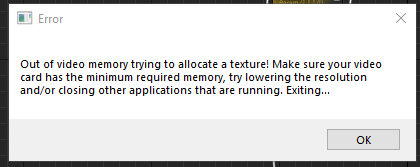

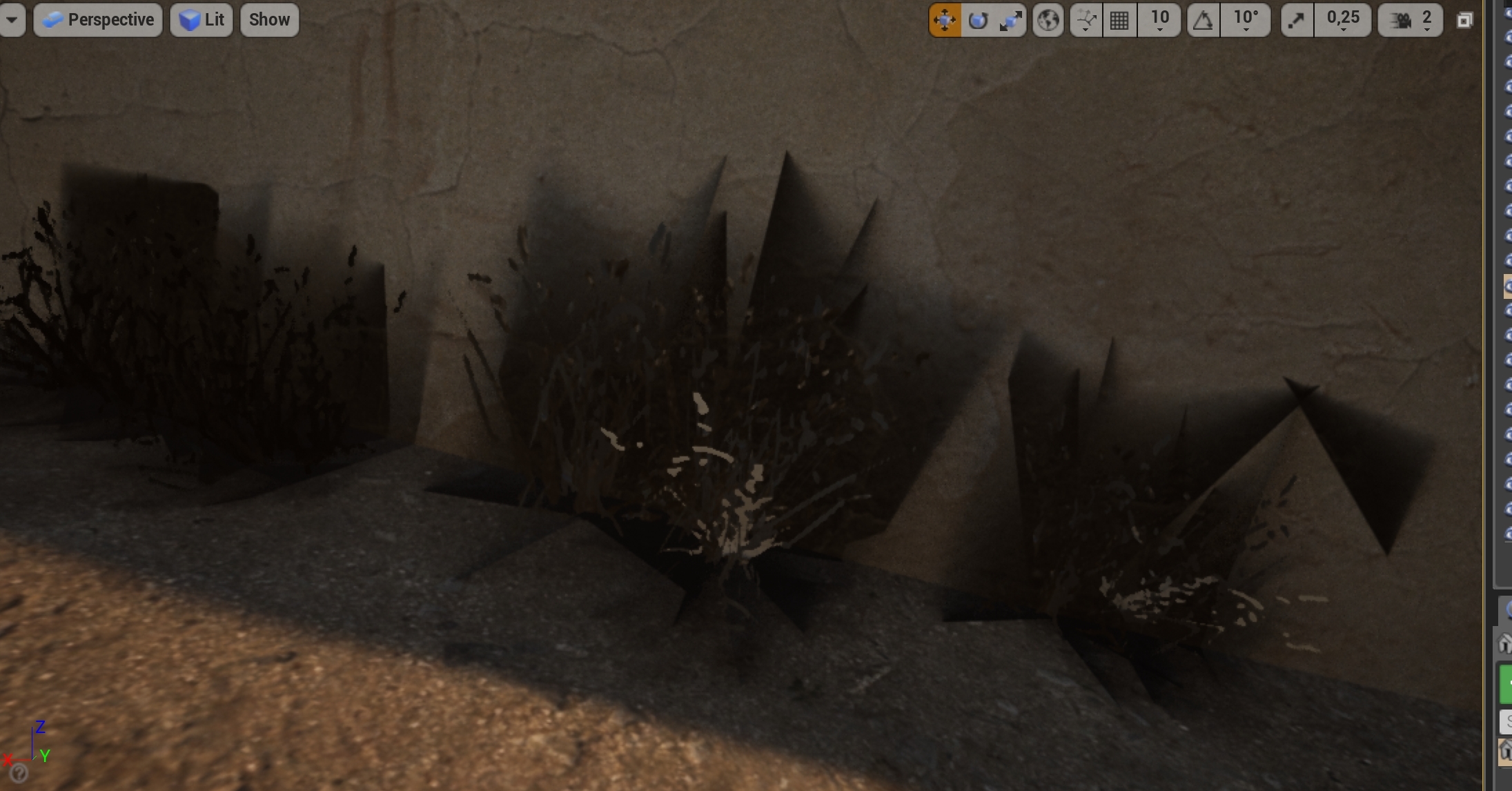
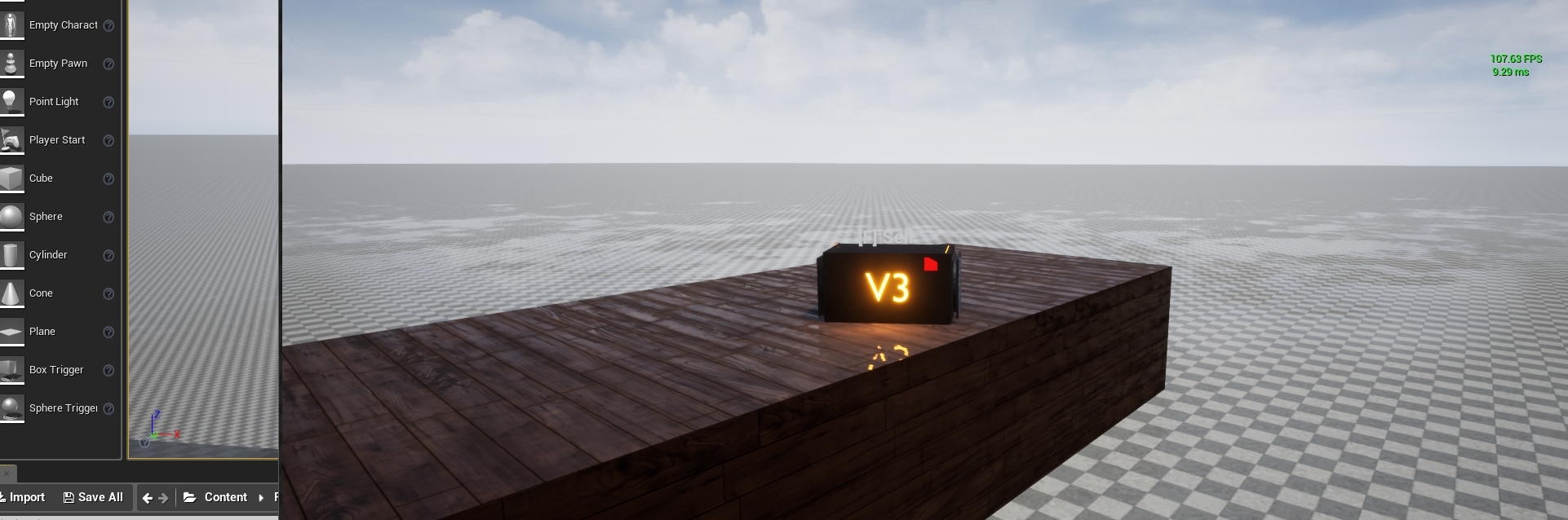
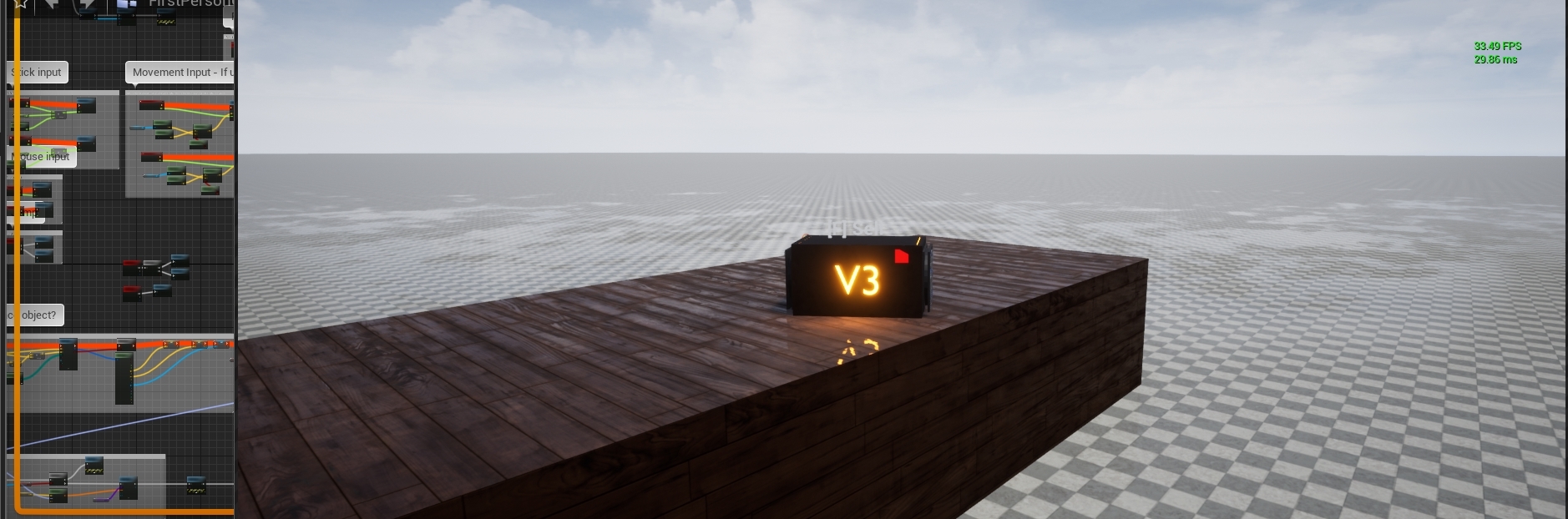
 normal burrow
-> possess
vernal thicket
Anyone might know why my character bends at the hip and floats when on simulating physics?
I've got several collisions on the character to respond to being hit in different locations
 regal mulch
On the character or on the physicsasset?
vernal thicket
On the actual character
I found the easiest way to dismember the ai was to add collisions to the head, body etc that respond to the projectile, but I feel like its hurting the set physics
When I set simulate physics they just bend at the spine and float around lmao
They bend like this
 tidal totem
That looks like it would work well for a horror lol
vernal thicket
Lmao, It doesn't look good in game
That's him dead simulating physics though, not quite the ragdoll I was going for
plush thicket
anyone know why my lighting looks DRASTICALLY different in play mode vs editor?
what's going on
plush thicket
F3 doesn't do anything 😦
unfortunately @vernal thicket
I know for sure it's either my Skylight or Directional Light
is there some setting that differs the preview between editor / play mode?
that i'm missing
or is this some bug?
vernal thicket
@plush thicket I don't think it's a bug, look through your lighting settings to make sure it all looks normal
You're not adjusting lighting on begin play or anything?
plush thicket
nope
vernal thicket
Why not try deleting the skylight & hitting play, then if it is that or is not you can just undo delete?
plush thicket
I checked online and they said it was a bug where they had to copy everything over to a new level because of an error or something like that
but i seriously hope that's still not an issue in 4.23.1
vernal thicket
Hmm? I've never experienced anything like that tho i've been using editor for a long time
plush thicket

reddit
Posted in r/unrealengine by u/urammar • 11 points and 21 comments
this dude has the same problem as me
4 months ago
vernal thicket
Have u tried doing what he said? copying it all?
plush thicket
no, because that would break a lot of blueprints
and I would have to manually re-link everything
this CAN'T be an issue in unreal engine
why is this even a thing
an industry standard engine having such a janky ass issue like this
vernal thicket
Have you tried atleast copy and pasting the lighting ?
UE4 still has the issue where it deletes your map and says failed to load, map was saved with a newer version of the engine.. that shits been going for years lmao
vernal thicket
SWeet
plush thicket
there HAS to be a "refresh" lighting setting
is there a "refresh" lighting setting somewhere?
or like
reload lighting cache
it's probably a light caching issue
or something
vernal thicket
Yeah most likely, is it all good now?
plush thicket
yeah
what causes this to happen is tweaking my exponential height fog
so everytime I do that '
I have to delete my skylight
and re-import it
so dumb
vernal thicket
Oh yeah I didnt think, the height fog can cause a few weird issues