#ue4-general
1 messages · Page 574 of 1
 frank escarp
 cedar snow
tell me about it
frank escarp
- headroom, thats 6 miliseconds
frank escarp
and thats absolutely on the fking limit
so 6 ms
per frame
i optimized the shaders a ton
but even optimzed as fuck wasnt enough to reach the resolution i wanted
while at 6 ms
if i could bump it to 7, it would be better
but i need all that huge headroom
cedar snow
it's insane that almost empty shaders have ~700 instructions in forward
frank escarp
mine had 150
cedar snow
i don't understand
frank escarp
in forward
cedar snow
wtf
cedar snow
did you blog/share about the optimizations
frank escarp
rip lighting code
cedar snow
i only remember you gutting the engine
frank escarp
my meshes are essentially unlit + lightmap
but yeah, even that gutted it just wasnt possible
cedar snow
but you actually disabled the lighting path in shaders?
frank escarp
i could have left it with the lower res, but not so sure of that
yes i did
its basically unlit with lightmaps
and cubemap/skylight
it completely skips all dynamic light. All of it
cedar snow
what did you do for shadows?
frank escarp
no shadows
cedar snow
not even contact shadows?
frank escarp
my characters had a sphere attached to their feet, and this sphere had a material with a shadow
so basically blob shadows
 grim ore
yay blob shadows
frank escarp
patch still isnt alive
due to how much of a fking pain ps4 patchingis
specially when you need to pass QA
cedar snow
frank escarp
but its been done and ready for a couple months already
at the end i didnt leave the 120 fps, but just used the optimizations to bump resolution on the 90 fps that was before
cedar snow
ping me if you ever write something about your changes
 hasty solar
Anyone having problems with opening projects when using megascans? Two of my projects have become unable to open..
cedar snow
i would welcome a nice blog post 😄
 viscid hawk
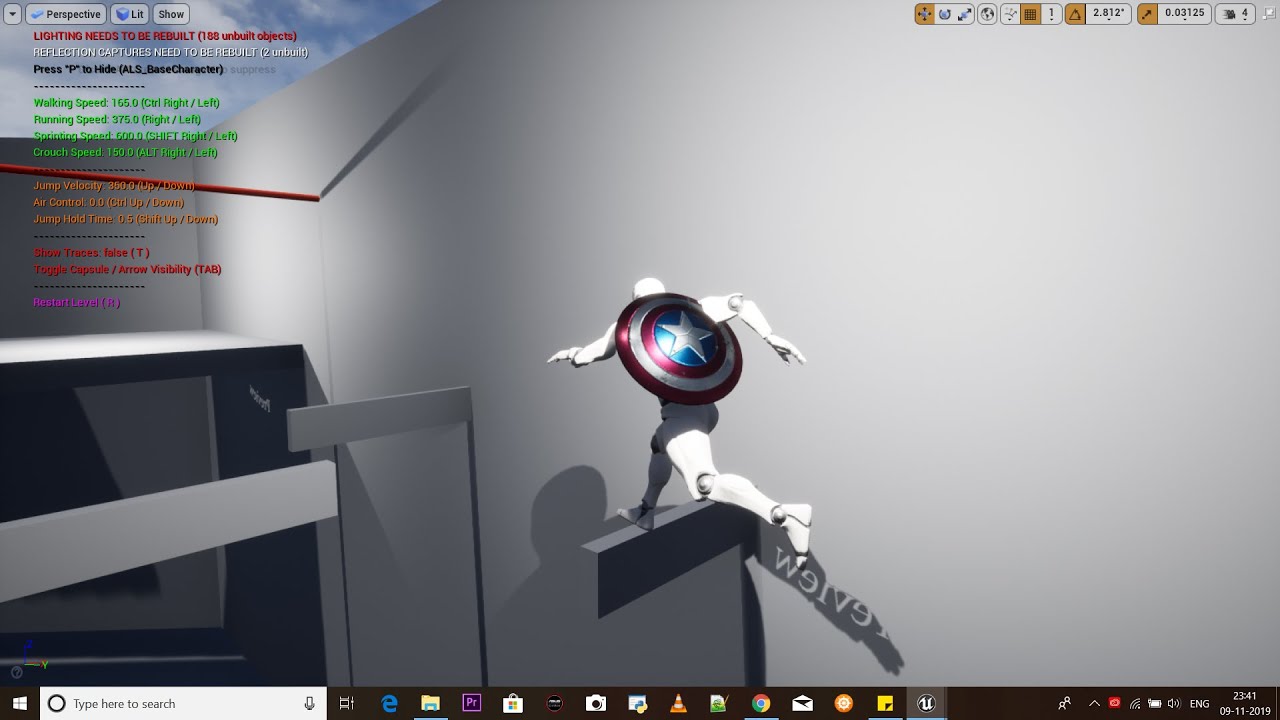
This is a WIP project that I and a friend of mine have been working on for two months. Right now it features a freerunning system, shield's ricochet and enem...
 vague sable
does anyone here use hardware cursors in their UE4 project? how are you getting the .cur / .ani to be included in the packaging? my hardware cursors work while playing in the editor, but not when packaging even though I define folder their are in to be included in project package settings
https://www.reddit.com/r/unrealengine/comments/7o1oec/anyone_had_success_with_implementing_custom/ Google is leading me here with no solution 😞

reddit
I have setup a custom hardware cursor according to the tooltips but I keep getting the error: LogHardwareCursor: Error: Failed to load cursor...
I tried using a .png instead of .cur/.ani and also doesn't work when packaging but does in the editor
 true leaf
sooo now about 1 out of every 4 times i test my game with 'Play' my entire PC locks up and i have to reboot and my main map file is corrupted/deleted
this is fun
grim ore
@vague sable ok so I got this working for me in 2 of 2 ways lol
1, do you have it set to include any other directories in the packaging options? I do and that works for me
vague sable
@grim ore as in, not the Slate directory?
grim ore
2, I manually copied it next to the Paks folder like it would be in the Content folder locally and it found it that way
vague sable
@grim ore could you post a screenshot of your package settings for additional folders?
grim ore
in this case I have a folder called Cursors in my project that has my file in it and I am forcing it to include it
vague sable
ah I see
I'll try that
maybe Slate was being ignored because it's an internal project thing somehow
grim ore
I know it says Slate will be included but....
nah it specifically says it should be lol
grim ore
i can say it does work for me. the other alternative is to add the .png/whatever directly to your project after packing and that seems to work as well but should not be needed. I bet you just assumed Slate would be included which is what caused this issue (and I assumed it was as well)
I can't give you a screenshot as print screen removes the cursor lol
 summer verge
Does anyone else experience the crash reporter taking forever to show the call stack? Been sitting here for 10 mins while it’s still thinking.
true leaf
wait.... why are my game files randomly corrupting then i press Play
like my sound effects
each time i press play its like a 0.1% chance that any file goes corrupt
is my SSD bad or is it an unreal issue or
 kindred viper
@true leaf might be time to clean your project, migrate it if you can, get rid of the temp files/intermediate etc
 strong mesa
hey guys , i want a tutorial that does rifle functionality without doing checks every frame
 polar plank
my item classes are being corrupted somehow, this is the 2nd time now that all of the data input into them has been cleared
Has anyone ever experienced anything like this?
 merry gazelle
I'm create flying vehicles that follow a spline. I was just wondering if creating a long spline spanning beyond a large landscape (into the distance) would have a performance impact?
vague sable
@true leaf test your drive https://crystalmark.info/en/software/crystaldiskinfo/

Crystal Dew World [en]
About CrystalDiskInfo A HDD/SSD utility software which supports a part of USB, Intel/AMD RAID and NVMe. Standard Edition Shizuku Edition Kurei Kei Edition Download System Requirements OS Windows XP/Vista/7/8/8.1/10Windows Server 2003/2008/2012/2016/2019 Architecture x86/x64/A...
summer verge
@polar plank did you change the structure of the data asset?
polar plank
Yes actually I did, that would make sense if that caused it
strong mesa
@grim ore it shoots Once every given time , i had this working with Timeline but i just don't like how there is many checks every frame that are completely useless
summer verge
In my experience, Changing the structure in any way can result in data loss
polar plank
Yeah it's just strange because some of the items are fine and others have data loss. Oh well, that sucks lol
summer verge
Probably depends on what changed and how the data asset is serialized
 severe ibex
Back with another pontification. Can you compare two images in UE4? presumably just a black and white image against another? And get some sort of percentage or score for the difference?
polar plank
As in returning a value?
summer verge
@merry gazelle distance is probably less of an issue than number of spline points. Our project uses splines that go thousands of km with no issue. Keep in mind there will be precision loss without rebasing
severe ibex
Yeah, just not even sure if it’s a thing one can do
merry gazelle
@summer verge kl thanks 👍
grim ore
@strong mesa is this a repeating rifle? You could use timers or something similar but using a tick might be fine if it's high rate of fire and you account for frametime.
 crude vessel
Am I doomed if I still don't know what a dot product is?😿
grim ore
yes. yes you are.
summer verge
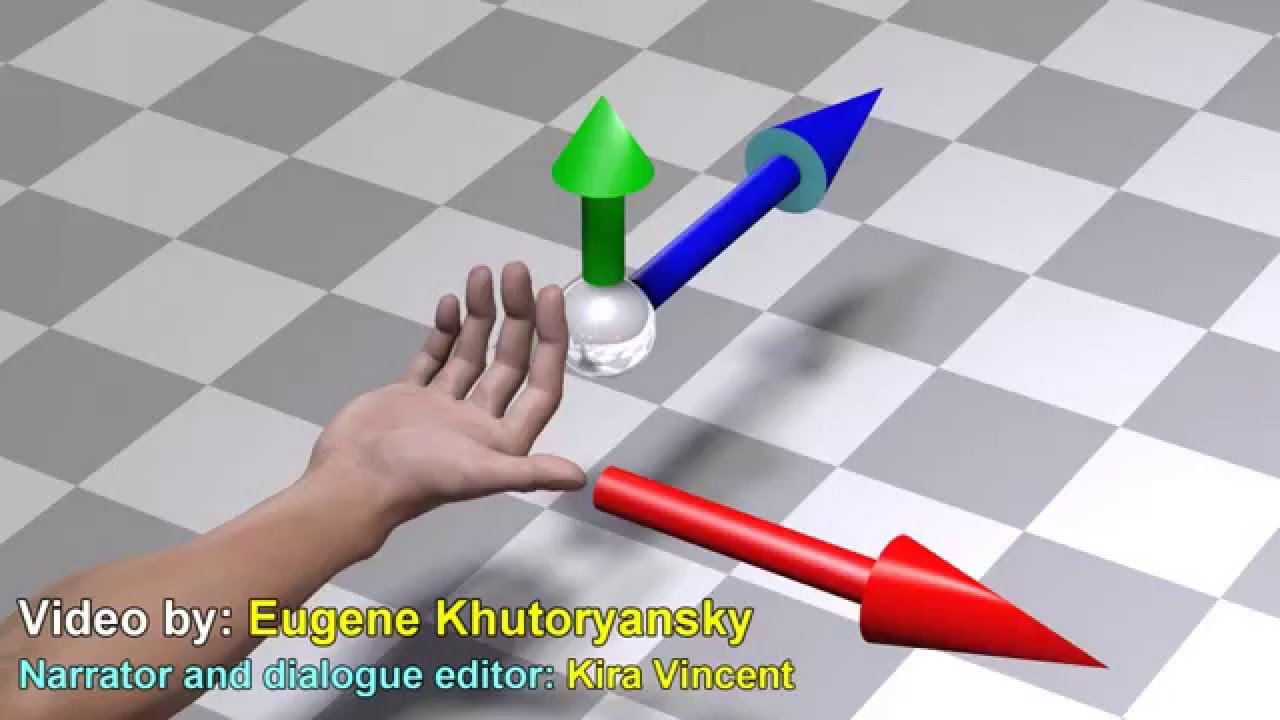
Visual interpretation of the cross product and the dot product of two vectors. My Patreon page: https://www.patreon.com/EugeneK
strong mesa
i don't want to get too technical but when i use delay the first bullet starts late and when i add an extra fire node right before the delay it makes it so that the player can spam firing
summer verge
@strong mesa not sure how you can build any sort of bullet or weapon component without using tick. Even if the weapon itself isn’t ticking, the bullet (when moving) needs to tick for location changes. Imo delays aren’t a good thing to use on weapons anyways
An easy way to do weapons is to keep track of the last time fired, on tick, if the player still has the fire button pressed when the time between is up, fire again
^not a perfect solution but a good place to start
strong mesa
i actually did it with delay but since you said they are bad i assume the lag or overshooting i was getting is because of the delay node it self not the code
summer verge
Most likely yes
vague sable
if I have cursor enabled, how do I let the resize window cursor appear as it normally would with any other app?
another question sometimes when the window gets focus it locks the cursor to the view area even though I don't have any code set for that?
strong mesa
Well , imagen a tracer gun , then think of how fast and you need to check for every single bullet
summer verge
You can do the math in tick. Tick gives you delta time. Even if your tick rate is lower you can calculate how many bullets you’d need to spawn
 shy socket
Can someone just give me a push in the right direction. I want an animation where an npc is taking grip of me and taking to custody. Is there some rigged animation for more actors or some sort of tool in ue4?
strong mesa
how do i control tick rate though
summer verge
@shy socket not sure exactly what you’re asking. Check the UE Marketplace for some standard animations that work with the default mannequin
strong mesa
@shy socket https://www.mixamo.com/ Look for Tutorials on Mixamo on YouTube
summer verge
@strong mesa you don’t control tick. They system does depending on the performance of the machine and how your game works. But you can use that to calculate what you need. Let’s simplify this: say you have a tracer gun that fires 5 rounds a second. In Tick, if delta time is 1, you know you need to fire five rounds and can space them out appropriately
shy socket
@strong mesa oh thanks man!
summer verge
CPU performance shouldn’t matter in terms of if you can spawn the bullets or not. You just use it to calculate how many to spawn over a given time.
 nova harbor
Wait... Is that the WTF IS- YouTube guy? @grim ore if so. I just want to say. I love you.
 abstract relic
Yes, it’s him. The hat gives it away.
abstract relic
Don’t forget to bring your offer of tomatoes
strong mesa
how did you know
 sly coyote
i just wonder why Epic doesnt ever shout out Matthews efforts
the guy has literally video documented the whole engine for them
sly coyote
idk, ive been watching for a pretty long time, and to me it seemed like Matthew was just trying to be helpful at first and it became a project so much larger than he ever intended and now its a fountain of neverending knowledge
 normal burrow
would be a cool idea for them to feature matthews work yea. he's eclipsing rama
strong mesa
I agree with you guys
vague sable
I want to setup widgets to display where "black bars" normally would be when resizing game window like in these screenshots, any tips on what the anchor/detail values would need to be to get this effect?
in play preview I can get a texture to float to the left side of the window, but I want to make it its right side stay where the black bars would begin instead
 mossy nymph
bars are just constrained aspect ratio on the camera
camera actors have it on by default, camera components don't btw (or vice versa, can't recall atm, its weird)
but if you use a monitor that has the same aspect ratio as your camera, you won't have any black bars
or turn the constraint off
vague sable
so if I use a camera component I have have constrain on without black bars?
mossy nymph
you have a boolean on camera actors and camera components
constrain aspect ratio, or something very similar to it
if you turn it off, no black bars
vague sable
well, I do want to have things reliably in view, but if I could have the width infinite without black bars I would be happy
mossy nymph
same effect if you set the resolution to match that of your monitor
vague sable
but that would only solve the problem on monitors exactly like mine?
mossy nymph
point is, if you were configure it to take that space of the black bar on your monitor
it wouldn't look the same on a 16:9
and that is 32:9 eyeballing it
vague sable
well, I'm confused 🙂
mossy nymph
on 16:9 it would either be flattened to a single line, or take half the screen, depending from which side you do the calculation
vague sable
I'd still like to figure out how to align textures so their right side is exactly at the edge of the black bar start like I can with other tools
mossy nymph
ok, you have a 32:9 aspect ratio on your monitor, right?
vague sable
it's 16:9, but again I want it to look good at any aspect ratio
like if game is run in window mode resized
true leaf
lmao wow
i realized i had a huge race condition in my game this whole time ..
i was spawning a unit for my player, calling Possess on the server and then calling an 'Init' function on the server that got repped to that player
INSTEAD Of using the 'on possess' event on the unit bp
vague sable
my camera is 16/9 1.77777777 but I still see black bars in fullscreen 🤔
mossy nymph
that aside, you put your widget in a horizontal box along with a spacer, make the parent widget self hit test invisible
set everything to fill and just adjust the ratio
fill ratio*
is one way to do it, probably simplest
vague sable
tried to do that, similar problem still
doesn't scale with window? and doesn't hug the edge of the black bar
grim ore
@sly coyote to answer the question Epic has acknowledged it yeaaaars ago, I got an epic dev grant 🙂 I also do contract work with them from time to time for stuff like notes and the online learning stuff. The project actually is still much smaller than I want it's just at some point I am running into parts of the engine that I don't have enough experience with that I just can't cover it correctly yet.
vague sable
going to give up on polishing the black bars with some textures for now it's taking too much time 😔 I'll make a list of all of the issues I had when I finish project for sure
@grim ore in your project, does the resize window cursor show up properly? it doesn't for me even if I disable custom hardware cursor but have cursor enabled in the player controller
it works right with Fortnite
grim ore
never had an issue with resizing here as long as the window has focus
merry gazelle
@grim ore If I ever take over Epic as CEO I will give you some of the Chinese investment money for sure lol
Or some Fortnite money atleast 😅 😅
 thorn dew
@grim ore I wanted to thank you for all your helpful videos. The videos have saved me headaches and hours of searching other places. The way things are explained makes things so easy to understand.
grim ore
🙂
that's the goal so yay
@vague sable for the most part you can't get rid of the black background, the void on a camera, as far as I know. I could swear I saw a "fix" for this somewhere but can't find it now. For the most part that is irrelevant as you would not constrain the camera but would set up your UMG overlay to display your main game screen the size/ratio you want it then set up the surrounding borders to fill in the remaining space once it gets out of whack. You can for example use a horizontal box as your main UMG panel and then put an image on the left, a size box in the middle, and an image on the right and set the size box settings to what you want like min width or max height etc. You do have to be reasonable to some extent tho as a game that is 16:9 that you force to 16:9 is going to be really weird on a 32:9 monitor if you do this. This is mainly for mobile devices where your assets are fixed and you have "slightly" weird ratios like 16:10 or 16:11 on taller devices. For the most part you can always get around this by just having your UI account for this by centering all your assets around an assume play area and having extra borders in the background for left/right. I guess this is mainly an issue for vertical content in a widescreen display honestly but if you just plan the game around 16:9 with the vertical playfield in the middle you can get what you want
vague sable
lol I launched fortnite just to test how it did window stuff and won
@grim ore it has got to be possible, I'll keep trying to find a way, but I'll wait until after the jam if I decide to continue with UE4
with Defold doing this is super easy
but UE4 has a bit more advanced UI system, that makes it seem harder to figure out
grim ore
yeah it's just the way UE4 handles cameras due to deferred rendering
I think Unity you can change the color or event assign a material as well but I never approached it like that personally, I just designed the UI to the most common denominator and used scaling based on height and let width handle itself
kindred viper
something that can be frustrating with UI and windows is how it handles the dpi scaling. The UMG is sound, but if you let windows handle things, it gets a bit shaky in different window modes
grim ore
😦
I don't think you can ever always win unless you maybe hard code results for every possible one
like what do you do when someone wants to run it over 2 monitors and one is 32:9 and the other is 16:9....
kindred viper
Start spawning second windows and watching things break.
anyone know how to do a full Transaction rather than the shorthand version? ie. with Context, SessionName, PrimaryObject.
``` if that helps plush yew
Hey all, I am a new student to Unreal Engine 4 and have done barely any work in game engines. I am about to start a large project in UE4, but I don't know whether I should do a C++ course first. Should I learn C++ separately from UE4 or should I learn minimal C++ only for small game development purposes?
To add, the project I am working on includes some terrain quadtree LOD which i expect will be difficult.
crude vessel
I don't know i this helpful to you buy Humble Bundle has a UE4 pack with some blueprint and C++ stuff aimed at UE4
grim ore
C++ in UE4 is normal C++ plus MOOOORE. If you are new to C++ it might be better to learn C++ as a language then learn how UE4 uses it. Like mentioned above there are some cheap learn C++ courses for UE4 on sale now so maybe look at those. There are of course many free general and ue4 specific C++ ones as well out there on the YouTube.
plush yew
That sounds like a good idea. Im gonna try to get a good foundation of C++ before i see UE4's application of it
vague sable
I guess floating UI to the corner of the actual view is not so easy either? 😔
I just want a camera with a guaranteed area of stuff it can look at and then have UI on top without it bleeding into the black bars
grim ore
@exotic lion when you install UE4 you have the option to install templates, you might not have
 exotic lion
They were there last night, I was prepping for the jam. I even opened a few to see which one I wanted to go with.
grim ore
eep. might want to check to make sure if not maybe try repair if they show installed
 storm venture
hey so my character's Z velocity is always 0 when theyre going down slopes, is there a reason for this? is there a setting to disable it?
exotic lion
Okay repairing didn't bring them back so I'm gonna have to just roll with it until can locate the page that lets you download them separately.
@storm venture https://forums.unrealengine.com/development-discussion/c-gameplay-programming/1480085-z-velocity-of-pawn-is-0 this might have the answer you're lookin for
Unreal Engine Forums
I have a setup in which the character can alter its mode of movement. At some point i try to read out the velocity of the character (Capsule) and was surprised to
 ionic sorrel
omg the size of my frames are huge on my flip book timeline, how do i zoom out from this?
vague sable
can we constrain the editor viewport?
ionic sorrel
I tried the standard ctrl+mousewheel, doesnt work
closed the flipbook and reopened reset it to default, but I can only zoom out and not in
vague sable
any tutorial for using window borderless for windowed mode like fortnite does? so I need to be able to move the window, close/maximize/minimize from ui elements
I have a borderless window
I want to be able to do the things at top right
interestingly even fortnite breaks when you scale things down too much
shouldn't be that way... the UI needs to be smarter
vague sable
https://blueprintue.com/blueprint/1eutnsik/ useful site
BlueprintUE
true leaf
UGH.... TIL the animation blueprint can actually affect your characters movement controller and can prevent movement
talk about spaghetti design ...
is there a way i can make it so my animation blueprint CANNOT affect my characters actual movement.... ? so it ONLY does the literal animation ..... ?
im using LayeredBlendPerBone
oooo i think that is what 'root motion' means ... ? no ?
 stiff spoke
is there a way i can make it so my animation blueprint CANNOT affect my characters actual movement.... ? so it ONLY does the literal animation ..... ? @true leaf
true leaf
i think its this root motion check box messing me up
going to test my hypothesis
A look at how root-based animation is handled within Unreal Engine 4
true leaf
nope that wasnt it lol
my animation montage which is being blended-by-layer to my animgraph is causing weird stuff...
its making my character movement = 0
when i play my animation montage my char movement velocity gets set to 0
ONLY because the anim montage is playing ..
(and i know this because i disconnected the anim montage play bp once and tested )
so why in the world would that happen.. that is so weird
stiff spoke
Blend space or animation to play by click?
 unreal comet
How can I fix this simple collision for my stairs? https://i.gyazo.com/783f321cd6fbaffbb76de3a57434415b.png
 true leaf
stiff spoke
true leaf
stiff spoke
@unreal comet The collision came by default with the object where you added it?
unreal comet
Yea the stairs are from an asset pack and I noticed the issue with the collision blocking me in the room below hahaha. How do I remove or fix it?
stiff spoke
How do you want it to work so that at pose 0 you put the same thing as laying 1 @true leaf
Maybe to remove you have to add another collision @unreal comet
vague sable
trying to package the ActionRPG sample, I get PackagingResults: Error: Missing UE4Game binary.You may have to build the UE4 project with your IDE. Alternatively, build using UnrealBuildTool with the commandline:UE4Game <Platform> <Configuration> I need to build something with VS?
unreal comet
Complex collision looks fine but simple has that bug/issue
vague sable
the samples are awesome to study
unreal comet
Will setting it to Complex be a bad thing? If not it fixes it. 🙂
stiff spoke
Take a screenshot of the interface of your object @unreal comet
abstract relic
All stairs are ramps in the world of collision 😉 it’s a low poly model, using complex isn’t going to have much performance impact
unreal comet
Here is what it looks like when I set it to complex. https://i.gyazo.com/7d34edd1ec4a6d453f301e24f3a34d18.png

Perfectamundo 🙂
I'm still new to level development and stuff. I didn't think the collision would matter but I thought I'd ask incase somebody said, "NO IT'S A TRAP! IT'LL KILL YOUR PERFORMANCE!!! REEEEEEE!!!!" hahahahaha But in all seriousness though, thank you guys for your help. 🙂
stiff spoke
So you have solved your problem? @unreal comet
 fathom glade
Can anyone recommend some great tutorials for beginners here?
I'm brand spanking new and wondering the best place to start.
abstract relic

Learn common workflows in a series of easy-to-follow, modular videos. Browse courses by topic, author, or industry, check your understanding with built-in course assessments, and earn skill badges as you complete courses.
vague sable
@fathom glade the projects you can download from the Learn tab has been useful for me to poke around in
fathom glade
Thanks! I'm on my way now. 🚅
vague sable
I assume this is because I'm using vs2019?
 cursive dirge
vs2019 works with recent ue4 versions
you may miss c++ toolchain tho
vs installer doesn't install it by default anymore
vague sable
I opened the project in vs2019 and built it, do I need to manually move the files?
cursive dirge
no idea on that one
vague sable
so I am missing CrashReportClient-Win32-Shipping.target somehow
I don't know what to do to disable CrashReportClient
works now 🙏
a shame the ActionRPG sample also has the window resize cursor issue
this doesn't happen with borderless windows with UE4 for whatever reason though
 dim arch
does anyone know what the average input/output latency of pixel streaming is
 void oar
Hello everyone, I'm new here and after using search engine to find an answer to my question, I will still try my luck here.
I've been using Unity for awhile and wanted to explore how UE works. I mostly focus on making up level using assets from different sources. I'm surprised how almost every action I take lead to Rendering Shaders, freezing my PC for increasingly long period of time. I wonder how a studio building an actual game can work with this. This is personally driving me absoluetely insane and wanted to know what are the work around professional are using. I can't believe this is normal workflow. Thank you
plush yew
Hi,
compiling shaders, (I think this is what you mean) is a process unreal uses to pre-compiler shader code, and happens in a number of occasions (for instance, you have imported some new asset, changed rendering settings, but most importantly, you have changed a material).
Once the shaders are compiled, it is not necessary to do it anymore unless you make changes that specifically affect that shader.
Freezing happens when you perform some specific actions that require the compiling shaders to be done in order to be valid. You will find you which are those as you get familiar with the engine.
Aside from those isolated cases, shader compiling is completely asynchronous and proven your CPU can withstand it, you are free to use the editor and anything else!
void oar
Thank you Eugenio for you answer. For the me freezing happens mostly when I select an asset or move an asset to my scene or sometime move the assets within the scene. The more I have, the more occasional actions would gets compiling number to reach thousands and take minutes while PC becomes unusable.
It is a very frustrating experience when coming from Unity and was hopping a find a workaround
Considering my PC is average, I recon you need a monster for this not to happened.
 warped tangle
There's really no workaround for shader compiling
void oar
I see that now. I don't think my PC is meant for UE then... 😦
warped tangle
I wouldn't say that UE4 requires a "monster" to function. Shader compiling is a part of the workflow...and yes, it is a CPU hog lol
warped tangle
I suppose the fastest CPU on the market at any given time?
 trim ginkgo
There is a program that looks for compiling shader process and automatically lower their priority so the computer doesn't hang...
void oar
@trim ginkgo Thanks Sarkan, you would have a link to this ?
trim ginkgo

GitHub
Contribute to AdrianJMartin/FixUnrealShaderPriority development by creating an account on GitHub.
void oar
thx
trim ginkgo
I have the same problem, it doesn't completely fix the problem, but it's more manageable
void oar
I will try this, thank you
trim ginkgo
you're welcome
 quaint atlas
i just switched to unreal from unity as well. it took me several minutes to compile the thousands of shader's. my computer is similar in spec to a ps4/pro. for my unity project it was extremely slow to load and run after switching to hdrp
vague sable
is there a more convenient way to do this now? https://www.youtube.com/watch?v=DXK1pdvBUAM
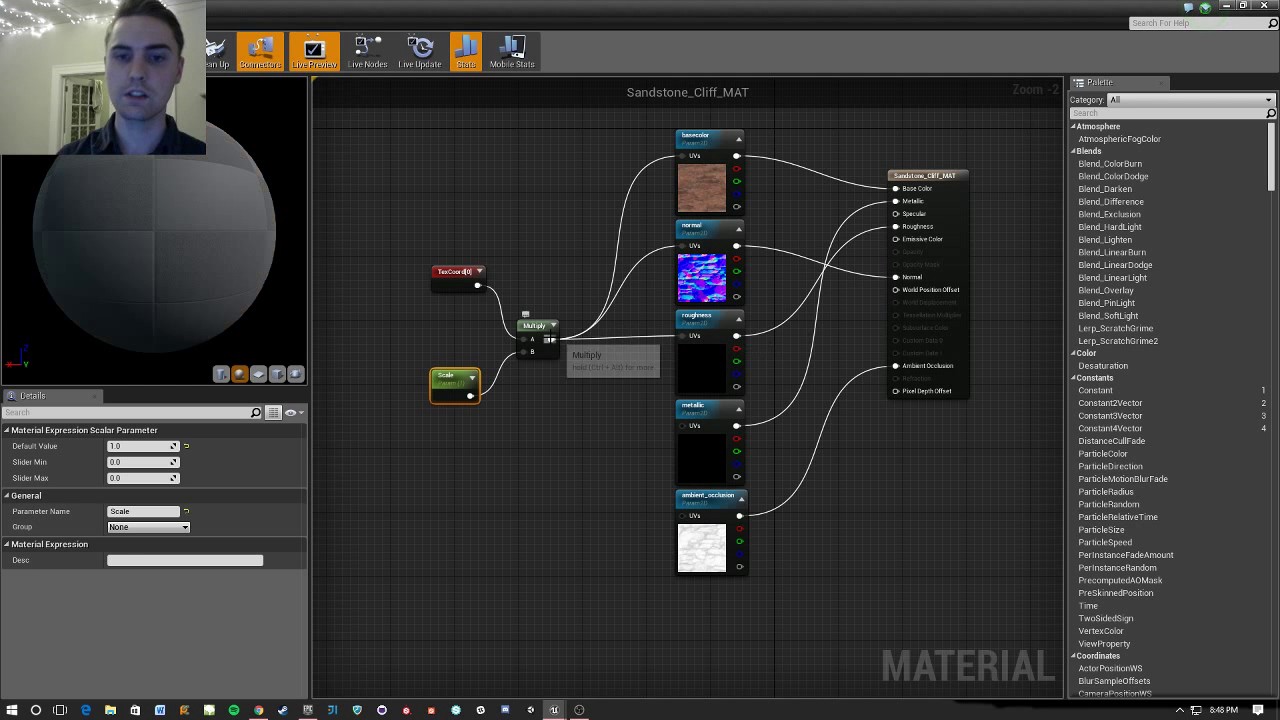
A quick dive into scaling materials' UVs so they fit better for your static mesh needs! If you have a good idea for a Quick! How To video or have a question ...
warped tangle
Not that I know of
vague sable
how can I view the log at will?
when I used megascan stuff from bridge I now get an error when I build the project A file/folder may not match any of the following : CON, PRN, AUX, CLOCK$, NUL, NONE, COM1, COM2, COM3, COM4, COM5, COM6, COM7, COM8, COM9, LPT1, LPT2, LPT3, LPT4, LPT5, LPT6, LPT7, LPT8, or LPT9.
 lapis vine
LPT... really? 😂
 dim merlin
Hey, so anyone knows its possible to update a VT at runtime?
 tawdry lodge
yo guys noob question, where this fog come from ?
I have disabled my height fog and even by deleting it it stays
 hoary marsh
Have you also disabled Atmospheric Fog?
tawdry lodge
I have none in my scene
I only have post process height fog and meshes
for now
I dont remember ever encountered that problem
 honest vale
you have exponential height fog there
honest vale
iirc fog doesn't really respect the visibility setting, but if deleting doesn't work either 🤷♂️
honest vale
could be a post processing effect too
plush yew
sorry for getting back at you now @void oar
For the me freezing happens mostly when I select an asset or move an asset to my scene or sometime move the assets within the scene
This operation should hardly ever result in shader compiling. There must be something fundamentally wrong with the scene or the project setup that has nothing to do with shaders! I believe your freezing problem is not due to "constant" performance either, but rather something that happens when you perform the mentioned actions. Something not normal. However, in general, try these things which will help you get a higher framerate
- Disable real time rendering (top left drop down menu of the viewport)
- Use unlit mode to edit the things and rapidly toggle for preview, should be alt+1/2/3/4/5/6 for the various modes
- disable the shadows and the post process (however, this is almost only affecting your GPU)
- use the engine scalability settings (but beware, for a beginner, they will affect a lot of things that you are not aware of, and compromise your scene preview!)
tawdry lodge
Seems like my problem came from the materials applied to the SM's... I dont understand why but I changed it and it is fixed now. Thanks for the help anyway
 rapid lion
Guys i need help with ai, something troubling
 rough cedar
Can UE 4 export the UV layouts it creates? Its own UV layouts that are auto-generated with the Source/Destination Lightmap Index. I'd like to have the exact same layout in Blender, since I want to project and bake a shadow onto the exact same textures and UVs, and there's a ton of textures since it's an actor merged from many other meshes
Wish I could, never worked with A.I.
rapid lion
well do you still want to hear the problem with it?
rough cedar
I guess, if you want rest of the channel to take a look at it and possibly help~
rapid lion
which channel is right for it?
 hidden aurora
Is anyone also having trouble while compiling a project that uses advanced steam sessions plugins ?
I get loads of errors when compiling
I’m using unreal 4.22 and blank project just with the plugin
abstract relic
Yes Mustelidae. Simply export the fbx
rapid lion
never had that problem Retrosen
rough cedar
When I do, I can't find that auto-generated layout on any image in Blender's UV editor
hidden aurora
I don’t k ow why but I can’t compile any project with that plugins it gives me a lot of errors
Blank projects also
abstract relic
Got to verify the obvious. Are you selecting the desired uv channel in blender
hidden aurora
It’s really annoying
rough cedar
Oh Goood. I'm silly. Thanks. Phew. Been selecting them somewhere else. Thank you
abstract relic
👍
rapid lion
guys help me out, did i do anything wrong, ai stopped roaming around after 5 sec
im making the ai roaming around and when the ai saw me, he start chasing me
 fierce tulip
abstract relic
fierce tulip
abstract relic
Though that one is easy. Delete the top ai move to node
Or rather set the destination
dim merlin
Hi, is it possible to e.g. Trace the world displacement Z of a surface that has it?
like having a snow layer and get the Z of the snow, rather then the terrain Z..
 cloud cobalt
Remove the source files, generate solution, compile
dim merlin
@radiant haven just close editor and remove it in /source
or do what @cloud cobalt says, but its the same 😄
 radiant haven
@dim merlin no doesnt work
cloud cobalt
Did you compile ?
radiant haven
still there
dim merlin
did u rightclick > generate project files?
radiant haven
?
cloud cobalt
Remove the source files, generate solution, compile
radiant haven
plush yew
Hey all, can anyone help me pls, I'm trying to buy a new monitor for game dev (unreal) while still trying to use it for some gaming, stuff like ark survival etc and I'm trying to find a good budget ips display and came across this one, you think it will be ok? https://www.displayspecifications.com/en/model/5796c5b
What type of monitors do you all use when doing unreal engine stuff?

DisplaySpecifications
Specifications of Lenovo L24q-10. Display: 23.8 in, IPS, W-LED, 2560 x 1440 pixels, Viewing angles (H/V): 178 ° / 178 °, Brightness: 300 cd/m², Static contrast: 1000 : 1, Dynamic contrast: 3000000 : 1, Refresh rate: 50 Hz - 75 Hz, sRGB: 99 %, Weight: 3.09 kg. Lenovo L24q-1...
 patent ibex
so looks like there is no default way to localize input binding names?
cloud cobalt
No
They are names
They are not for display
You need to associate these names to localizable text variables
 stone oar
@plush yew Too small, 23.8" with that resolution. I have 30" 2560x1600 and the PPI matches standard 24" 1080p screens. With that you would probably need to run it on 1080p to get big enough text (and play games on full res?)
patent ibex
@cloud cobalt thought i'm missing something and it's buried somewhere deeper. thnx
stone oar
Multimonitor setup is very handy with UE4, because it uses many windows. My gf use 2x 24" 1920x1080 for productivity and I use 30" 2560x1600 + 23" 1920x1080 screens.
merry gazelle
Question: Is it a good practise to move marketplace assets out of their default added folders into a more organised custom created set of folders? For example I would create a folder for "Blueprints" and move all BP 's from different asset packs into that new folder.
Also if I do move assets from their default marketplace imported folder, will files be overwritten (or will they duplicate) if I re-add the same pack to the project later?
plush yew
@stone oar don't have a high budget, I will look into going 2x 24" at 1080 but on the technical side would the above monitor been fine apart from scaling? For gamedev and basic gaming?
stone oar
@plush yew I haven't used any screen with that physical size and resolution. It's from common good brand, IPS panel and cheap enough (166 € here). I can't see any negatives immediately, but I would check couple of reviews if I would be buying one.
true leaf
Has anyone ever experienced a project getting corrupted such that everything seems to work except the server actually doesn't Rep anything to the client ?
I found out my ssd with my engine and my game had bad sectors and was corrupting data
So now everything works perfectly and the client can even call methods on the server but the server never like.. auto-reps anything to the client after possession
😓 so I'm going to try and rebuild the engine and game files I guess after I repaired the SSD
But good Lord what an adventure ...
I'm guessing that this has more to do with my engine installation than anything
 sand spear
Hello guys,
There was a link to the website to the academic partner of the Unreal Engine 4, but i can't find them any more... anyone knows link to them?
 lament star
Is it more efficient to use casting or interfaces?
 strong fossil
ok im having a issue with my project i open it and when it reaches 73% it closes and doesn't open
 uneven fractal
efficent in what way?
uneven fractal
tbh I'm pretty sure the difference is trivial when it comes to performance
literally anything else is lower hanging fruit loops,ticks,overlaps,arrays, ect
lament star
I don't think I get what you mean
uneven fractal
it doesn't matter if you use interfaces or casting because the performance is neligible compared to most other operations
lament star
I see
uneven fractal
one reason to use interfaces is to avoid casting trees like this
with an interface you could just use one interface call and implement it on the actor types
instead of checking each type
uneven fractal
generally I would use casts when you only need a single cast
strong mesa
how heavy is calling an event in unreal ?!
cloud cobalt
Not at all
strong mesa
is it as heavy as checking with a branch ?!
cloud cobalt
None of these things are heavy
 dim plover
Than a simple branch? Yeah, it's probably... heavier... but it should be really, really negligible.
cloud cobalt
@strong mesa You can't be worrying about that in Blueprint. Literally anything is more costly - get your game done, have players, then worry about whether optimization is needed
cloud cobalt
That's dumb
You'll rewrite every part of your game 10 times before it's done
Worry about optimizing the final code that players like
strong mesa
not if i Write right in the First place
dim plover
It's not even realistically possible to optimize the things you were talking about anyway.
strong mesa
speak for yourself bro
cloud cobalt
For the record I optimize game code for a living
It's literally my job
So hear me out : don't do it yet
strong mesa
why
i would like to soak all your advices since you have experience you are willing to share
cloud cobalt
95% of amateur game projects fail, mostly because, well, it's a giant pile of work
Even commercial projects don't get to release, most of the time
Those who do are rewritten entirely multiple times
Optimizing the first version of your code is 99% going to be time lost
When your players will tell you "this mechanism sucks, remove it"
Or when no one plays the very optimized game that you didn't have time to advertise
Get your game playable, then optimize it
Wanna know how many lines of code I deleted in my released game during development ?
180,000
The actual game is 120,000 lines
So we basically wrote every single line three times
 old fulcrum
hi, may i know why my umg button automatically fires release button while i am still pressing the button?
strong mesa
but i'm coding in blueprint
fierce tulip
lol
cloud cobalt
@strong mesa Why would Blueprint be any different ? Imagine doing every graph 3 times instead.
This will happen, for reasons I outlined earlier
strong mesa
I don't think you can compare line Code To BluePrint Code !
cloud cobalt
Why not ? It's the same thing.
 tall pendant
mfw i read: optimization first...https://media1.tenor.com/images/1808f11c5cbe69016d6ef7f8c3397a81/tenor.gif?itemid=5564467
 cloud cobalt
Anyway, you can keep wondering on every node if it's faster than the other if you like. I'm just warning you the stuff you're optimizing today will be irrelevant before people get to play it.
 azure shore
hey can anyone help with making the bullet line effects from a shotgun
its hitscan but I want to have like the light line bullet effect
strong mesa
use particles
azure shore
yeah I mean like how would I make the particle effect
strong mesa
ok so i havn't done this before but i know that a partical effect can kill itself upon overlapping
azure shore
muzzle flash might actually be better for this
azure shore
since its a shotgun and it fires 6 line traces from the camera itd probably be more trouble than its worth
yeah Im looking at some but a lot look kinda ugly tbh
strong mesa
muzle flash is different from a bullet line effect what exactly do you want
fierce tulip
both are same basics, just differently set up
azure shore
sheriff I just said muzzle flash might be better
maybe the effect might not be too hard to make
strong mesa
they're both easy
and you would use particles for both
search YouTube for weapons particle effects
plush yew
hello guys, linked my ue4 account with github and want to download the source engine, but don´t have acces why?
azure shore
ok I cant do it
strong mesa
@azure shore Ok , Here We Go
rough cedar
Got another issue now. Mobile Preview has no shadows (I am using CSM) and it has this big red message telling me that appaently CSM shadows from stationary directional lights is disabled. Why, how might I fix it?
strong mesa
@azure shore The Break down is that you need a line for each bullet , so every time a bullet comes out a particle spawns in order to represent that bullet , it would be a good start adding a Spawn Emitter at location node at the end of the bullet firing code
 lyric bane
https://gyazo.com/3f4e900257492469a79b12984ad80a18
working on setting up replication for my game. this function is being called by an Anim Notify. but the issue is. i have multiple players using the same character, the function is being called for each player using that character everytime it goes off. example, if player one hits the reset notify. it will happen for players 2 3 and 4 also

wondering if anyone had any ideas
azure shore
yeah I think I know how to script that but idk about the effect itself
 rigid void
Is it possible to enable ray tracing on older gtx cards like a GTX 960 or GTX 970
strong mesa
the effect itself would be a blane that is stretched out and has a yellow / orang don in the middle
azure shore
yeah I just dont know how to make that myself
strong mesa
i will give it a try
azure shore
and it would need a fancy sort of animation/effect of the light moving across it
strong mesa
not at all
azure shore
how will it not just look static then?
strong mesa
you can add movement to a particle system
azure shore
yeah but would that work for each shot which is going in a different direction to go the right position and all that
strong mesa
Exactly
you set it's direction to the same line trace vector
and it spawns moving and it detects if it hits
 blazing shore
Hey all. I have a serious problem I hope you can help me with. My project won't open. There are no crash logs, or any error messages. When I open the uproject, the loading banner opens per usual, once it reaches 100% it goes away, and nothing happens...
I tried opening the same project (legacy version) offline from the perforce depot, on a completely separate drive, and does the same. So I suspect it's not a project specific error.
azure shore
sheriff I still dont entirely know how to make that effect though
plush yew
I am still having some problems with this ping pong enemy. So how do i make my enemy move in x axis where ball is going?...
strong mesa
i saw someone using some sort of prediction system before
maybe you could search that
 edgy halo
so i was trying out some physics stuff and suddenly UE had swalled 12gb of temp memory and crashed my program, wtf? lol
 stray smelt
anyone had issues launching epic games? I'm just stuck at "please wait while start your update". I've tried disabling defender, make firewall exception, run as admin, reinstall etc. but still nothing.
i'd make a thread on unreal answers but they're not sending me the email confirmation code...
blazing shore
It loads for me, and I just logged in my account with a auth code.
I'm still having the issue with my project not loading.
As posted above ^
stray smelt
it's not the project. I can't even get past epic games launcher. It's been like this for 3 days now
blazing shore
If anyone can help me with that, that would be awesome 🙂
Yeah I know, the launcher works fine on my end.
 sweet relic
@stray smelt: have you tried launching the editor directly from the binary?
on windows under C:\Program Files\Epic Games[ENGINE_VERSION]\Engine\Binaries\Win64\UE4Editor.exe
stray smelt
I can't do that anymore as I uninstalled I've lost that folder. I need to update the engine anyways
sweet relic
ah i see. have you tried re-installing the launcher?
stray smelt
that's what I did. Still gets stuck the same place
sweet relic
hmm, maybe firewall settings/av is blocking the connection?
stray smelt
I disabled defender and created rules to allow all connections to the program
 chrome aspen
Hello
sweet relic
hmm, maybe at the router/network level?
chrome aspen
guys is there a way to draw pixels in game, i mean i have this game idea where the player collect colors then draw on screen
sweet relic
you could also download/compile directly from the github repo
@chrome aspen:
https://forums.unrealengine.com/unreal-engine/marketplace/1635746-megagrant-iliad-intelligent-layered-imaging-architecture-for-drawing
Unreal Engine Forums
Hi everyone !
Our small company Praxinos ( https://www.praxinos.coop/ (https://www.praxinos.coop) ), based in North-East France, is currently working on the UE4
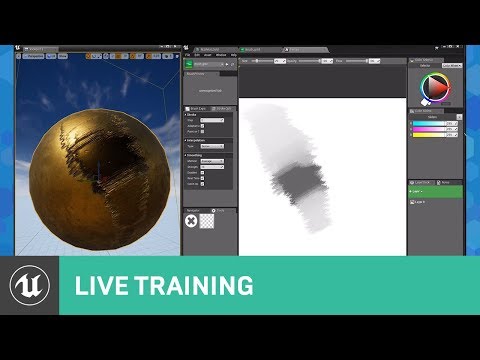
Developed by Praxinos, ILIAD brings drawing capabilities directly into Unreal Engine, enabling users to edit textures in engine, in real time. You can create...
chrome aspen
god bless you sir thanks alot
i will make agame about ray tracing for the gem XD
JAM*
plush yew
why is not enemy moving to ball location
i have trying to do this shit full month so i would be fk happy to get this ready today
stray smelt
@sweet relic fixed it by using opendns. still haven't received that email code tho
guess some issue on their part. was working yesterday
sweet relic
@plush yew : Do you have a navigation volume in your scene?
plush yew
yes
sweet relic
also looks like you are only setting the x for the target position
sweet relic
hmm. ok I think that the move to actor node is meant to be called on an event rather than on tick
as it is a function that can take time to complete
plush yew
okay, it doesnt have to be that blueprint. I just want to know how to make enemy that moves with ball
and i am getting angry, because i find no help anywhere and i dont understand this moving stuff
sweet relic
ah i see. i believe the move to location or actor node tells the AI controller it's target location then the AI controller uses the pawn's movement component to actually do the movement.
alternitively you could set the actor's location directly
for a better explination of the AI locomotion system look here:
https://docs.unrealengine.com/en-US/Engine/ArtificialIntelligence/BehaviorTrees/BehaviorTreeQuickStart/index.html
This guide shows how to use Behaviour Trees to set up an AI character that will patrol or chase a player.
plush yew
i am not making fk ai
or behavior tree
people say dont make it
its just pawn that moves to other pawn in x axis
sweet relic
in that case you can just set the actor's location directly
plush yew
what do i use to do that?
sweet relic
that should work to set the pawn's x location to that of the ball object
abstract relic
Well yeah, you set z to 0
plush yew
oh okay
sweet relic
^ maybe use the actor's current y and z for the other channels in your makevector node
sweet relic

What are Lerp Nodes in Unreal Engine 4? Source Files: https://github.com/MWadstein/wtf-hdi-files
 sweet relic
np
plush yew
i made it move smoothly with event tick
but how to make movement speed bit more random. It shouldnt be perfect because enemy needs to fail at some point too...
sweet relic
you could create a variable that will modify the amount added to the lerp?
fierce tulip
yes
 weak granite
So do I have to buy a Mac computer to make an IOS game? Seriously??
cloud cobalt
Yes
weak granite
Can’t I just make it on my pc then submit it on my iphone idk how this works
cloud cobalt
Also you need to pay a fee to release Mac games on Steam now
weak granite
-_-
cloud cobalt
Welcome to the world of Apple shitting on developers
strong mesa
can i run a timeline noed on lower ticks ?
weak granite
What about android devices? I could build it on here then just submit it with them?
cloud cobalt
IIRC Android asks for $25
weak granite
Not bad
dim plover
I think you can develop the iOS app on a PC, you just need the Mac for... packaging?
 fierce forge
why here is so darkness ?
 sudden agate
you need a skylight
cloud cobalt
Is this dynamic lighting ?
fierce forge
@sudden agate i have a skylight
sudden agate
make it dynamic
weak granite
@cloud cobalt @dim plover Thank you
grim ore
whatever you do don't google hackintosh or cloud building for IOS apps. There is definitely no way to get around having a physical MacOS machine for doing IOS dev.. not a single way.
sudden agate
#thanksApple
grim ore
you do want physical devices for testing tho, phones/tablets/etc... Trying to dev for mobile without any mobile devices is crazy nutso
grim ore
you will also have to maintain a dev account yearly so keep that in mind if you want to invest in MacOS or IOS dev
normal burrow
Hackintosh Deadpool
Make sure you do it legitimately though. If you’ve got integrated intel graphics or amd video card you may be able to get OS X in there. Don’t steal anything of course
shy socket
How can "event hit" Hit more actors at once ? Is "cast to" the only solution?
chrome aspen
collect all actor into one array and iterate
 light thunder
here's a semantic/clarity question - If you were talking about whether a unit could see, and NOT whether that unit COULD be seen, what would you call it - UnitVisibility? I'm talking about various stages of visibility, like weather, cloudy, foggy, hazy, (but not using weather)
plush yew
can i add trigger volume to pawn
shy socket
@grim ore You are THE Mathew Wadstein? U have a yt channel right ?.
light thunder
@plush yew Why do you want one? I don't see why you couldn't though
plush yew
i found way to do it
how to make this enemy realise that its moving
i want it to play animation when moving
light thunder
DId you watch the livestream on beginning with AI?
They show you how to make it "know" it is looking at something
plush yew
i want enemy to play animation when it moves to ball direction
but stop it when not moving
light thunder
If you can define a precise WHEN, that means you can use an EVENT, and not use Tick, which will add up to performance loss when used incorrectly
Tick is great for testing something real fast
Have you watched that video and understand interfaces?
light thunder
What is it doing exactly?
 gilded lichen
Hello, what would be the best way to get a reference from an object on a different blueprint. I have a bridge that opens and closes, I have a variable that will tell me when the bridge opens and closes. Then I want a car to wait on one side of the bridge and wait for the variable to be false. But I'm struggling to get the reference from the bridge to the car.
 marsh swallow
Might anyone have a tutorial or guide (my googling terms are turning up nothing) on how I would create a little damage post process/vignette?
 uneven tundra
I've been procrastinating making an environment for a while now and with the great news and this amazing new opportunity it feels like I don't have an option to say no. Im thinking about this as a concept. Is there anyone that can say how easy/hard or if its a bad concept to start out with? https://imgur.com/gUB4cgX
 warped tangle
@gilded lichen you want an event dispatcher for that
your car would subscribe to a "BridgeState" event on the bridge, and when the bridge opens/closes you call the dispatcher
You may want a trigger volume before the car reaches the bridge so they can essentially query the bridge for the current state, and subscribe to the bridge state change event
gilded lichen
thanks for the help, how would I subscribe on my car?
warped tangle
one way would be to have a trigger volume on the bridge. Once a car begins overlap, you could fire off a function that lets the car know the state of the bridge (bridge up, bridge down, etc). Then if the bridge is up for instance, on the car bp you would bind an event to "bridge down", so when the bridge finishes moving down it can fire off an event dispatcher saying "bridge down", then the car could move again.
There may be a better way, but that's how I would handle it. You would need to pass a reference of the bridge BP to the car BP on overlap, so the car can bind an event to that specific bridges' "bridge down" event
 upper heart
@lost tree Please don't post the same question in multiple channels. #audio was the correct choice.
 lost tree
My bad sorry
 green lake
a bitta stupid question boys, but do you know how can i cut this part there to fill the ramp in place
That's CSG
 wary wave
really carefully
I would replace the floor with multiple brushes
overlapping brushes is a bad idea
subtracting can also cause problems
green lake
What if i export it later on, the overlapping parts will be cut then
 sage pelican
Any clue how to fix this nan crash from my blueprint animation? https://pastebin.com/LLdhfkQE
 kindred viper
a bone contains a NaN value. Gonna have to fix that. Its doing an ensure to make absolutely sure there are no NaN values in bones. So fix that it should work
 charred dew
is there an official unreal engine discord as well, or is this the one?
dim plover
As far as I know, this is it.
kindred viper
this is as official as unofficial gets
charred dew
aah good, doesnt really matter, once this is UE4 related
i'd like to know the name of the feature that shows all materials in the scene as a thermal view, which indicates the performance of each shader
i just need the name for it
i am looking for an alternative for unity
kindred viper
https://www.youtube.com/watch?v=EbXakIuZPFo has loads of tips btw. But you can check here too https://docs.unrealengine.com/en-US/Engine/Performance/index.html and https://docs.unrealengine.com/en-US/Engine/Performance/StatCommands/index.html

This in-depth presentation from Unreal Indie Dev Days 2019 outlines CPU and GPU-related overheads, identifying bottlenecks, and how to plan optimization stra...
How to identify performance problems and fix them.
Console commands specific to displaying game statistics.
charred dew
i do know how to make my shaders perform very well, tho i'd like to visualize the changes if possible
thats why i am looking for a similar solution for unity
thank you for the help @kindred viper
 maiden swift
 supple totem
hi all, how do you poke the mesh in PHaT?
haha weird sentence
but I can drag with shift right click
poke is supposed to be ctrl click but nothing happens
ohhh got it, had to boost strength to like 10000
 next badger
I have a question about UE4 Project categories. They are broken in Launcher?
now I only have "My Projects", and no Samples or my custom categories.
wary wave
I have something really weird going on
I can't see my project C++ classes in the editor
I can successfully add them
but I can never see them
they're BlueprintType and Blueprintable, of course
next badger
where you can't see them?
wary wave
anywhere in the editor
creating a new class, they are not in the class list to be a parent as an example
dim plover
Someone else had that issue today.
next badger
even when making a bp class?
supple totem
delete solution rebuild imo
wary wave
they're also not visible in the content browser with 'view C++ classes' enabled
I deleted the entire project and resynced
supple totem
oh wow
dim plover
Maybe you can ask @polar sonnet if he found a fix.
supple totem
i would maybe start a new project, and see if you can see new C++ classes there?
wary wave
google doesn't seem to come up with much
dim plover
What version are you on, btw?
wary wave
4.23 launcher
supple totem
figure out if it is at project level or pc level
wary wave
I have umpteen projects on this machine, I use UE4 for the day job, they're all fine
this is a project issue
other programmer has no such issues
wary wave
I tested they were being compiled too, put a deliberate error in, and it failed to compile
but it's just not visible
cloud cobalt
Sure you build in dev editor @wary wave ?
wary wave
yeah
I'm talking to someone in #cpp and it looks like it might be an issue with the uproject file
verifying atm
 weak cypress
is an i5 enough for unreal?
 glad anchor
help I can't export "game" for android
 polar sonnet
I did not work find a work around. Not yet, I think my unreal project is just super borked at this point
wary wave
thanks for letting me know, I'll ping you if I solve it my side
polar sonnet
Appreciate it
wary wave
@polar sonnet - found the problem
my local project file was malformed and missing the module information
you want a block in your project file (by default it is after Description) that looks like this;
"Modules": [
{
"Name": "MegaJamGame5",
"Type": "Runtime",
"LoadingPhase": "Default",
"AdditionalDependencies": [
"Engine",
"CoreUObject"
]
}
],
polar sonnet
Wow, it's exactly what I expected. Something broke behind the scenes
wary wave
I suspect a bug
polar sonnet
What version of Unreal are you using?
wary wave
4.23
strong mesa
does having a child blueprint class of a child blueprint class allow me to use the smallest child as the same parent actor like it's parent could do ?
abstract relic
The child inherits from the parent. So yours will inherit from the child-parent and it’s parent
normal burrow
my brain has a hard time with both of these statements
 limber mantle
ue4 downloading stucks at 72% , help me please
normal burrow
do you have disk space?
 sharp crest
Having an issue with painting foliage.
I painted a lot of foliage (100k+ including all meshes) and not for some reason I can't paint the foliage that's used anymore. If I add new foliage meshes then it works but not the old ones.
Any idea why this is happening and how to fix/prevent it?
normal burrow
If your not out of space on your hard drive its downloading to artist, and its just failing at that percent frequently for no apparent reason. maybe try a reboot
limber mantle
yes i did a reboot, clean epic install but nothing is working ....
plush yew
Hey all, not sure if i should ask this here but i had a question about the trueskys to UE4. I am basically making a massively scaled planet that has no loading screens and everything is realtime. A feature of this project i am working on is a realtime planet weather system. Basically a player orbiting the planet and someone on the planet would be able to see that current weather event (say a dust storm on a dry planet) is truesky a viable option for something like this? or are there other options for ue4
 reef aspen
Hi All! My character has a long tail that is using simulated physics. However, when I strafe the tail goes through the character's mesh (body) and it really looks bad! Is there a way to stop the tail from going through the body?
The tail is being simulated through the physics asset with just the tail capsules having physics set to 'simulated' - video of issue below.
Please help!
https://youtu.be/zxpR4GEm5e4
 plush yew
Cull distance does not work with ActorFoliage. :/
glad anchor
Can someone help me I have problem with Android SDK
plush yew
@glad anchor install android sdk
Android Developers
Download the official Android IDE and developer tools to build apps for Android phones, tablets, wearables, TVs, and more.
plush yew
I don't know, it's been a while since I installed
glad anchor
cuz I have everything SDK related installed
but as I checked there were just files in %appdata% and don't rly know which to locate
glad anchor
Can someone dm me who knows how to solve that problem?
marsh swallow
what are u doing? @blazing shore
importing a mesh? making a new file?
apparently something its trying to create is that file name.
blazing shore
@marsh swallow Importing assets via Quixel Bridge.
 ancient lotus
anyone have any idea why my anim state machine wont run my WeaponIdle/Run state? ive checked and HasWeapon changes to true in game however it always runs the normal Idle/Run state
marsh swallow
ahhhh. i suppose its possible someone may have named an asset that, but someone else earlier did say they think the new plugins broken. not sure if thats a fact tho.
blazing shore
@marsh swallow Okay got ya, I'll keep that in mind. I would rarely get that, but I guess since the new update it's more apparent.
marsh swallow
@ancient lotus connect it to your idle/run and see if it triggers.
also usually u would anim blend your weapon equips with the middle spine or something.
not full on change the entire state altogether.
if you mounted a horse or something u might change the state.
ancient lotus
my idle/run is a NOT of HasWeapon. that would be a better idea, im very new to working in the animation blueprint atm, any recommended tutorials out there you would suggest for separating the lower/upper body like that?
marsh swallow
yeah in the idle/run itself
you would run a bone blend
and u can change the anim on the blend by an index. so different types of weapons have different anims
you then choose the bone to blend and how deep in the chain to blend it.
ancient lotus
thats not a bad idea. so a blend space for however many weapons that need their own animation?
so you can swap between what animation in the blend space depending on the weapon
marsh swallow
exactly
you just get the anim instance, change the int variable reference and that changes the index
we have 10 different weapon types in our game and each weapon type is mapped to an index when setting it up in our DT so when equipping it, the state changes
ancient lotus
i like that idea, will be doing that for sure. also fixed the above issue, kinda derped. thanks man
 mint sequoia
How do you get widget components to draw in screen space? The widget just turns invisible
 merry cape
Anyone else having issues with Megascans and Bridge? I set my Project Location as Content → Enviroments → Megascans but instead it creates a folder just in Content called _Cpt_Trotter_Documents_Unreal_Projects_GameName_Content_Envicoments_Megacans So it's creating a folder that should be the path
mint sequoia
Think widget components are broken in 4.23 for screen space 😦
Well thats OK, made a hacky solution that works just as well
 pulsar furnace
morning
merry cape
Hey Fear
pulsar furnace
Hello Trotter.
vague sable
@blazing shore report the asset that is causing the issue so they can fix it
https://gfycat.com/hardformalcatfish what setting did I accidentally set that is making the terrain components disappear when not super close? I tried making another small terrain and it's not happening with that one and I tried to compare their details but there was no obvious settings different

also how do I set the distance for when terrain component lods activate? it's not obvious to me..
 neat forge
Can anyone help me with replication?

Replication of health/death is messed up and Im not sure what Im doing wrong, Im a noob at replication
normal burrow
@vague sable , @spice scarab has a similar issue I think
not sure how to fix it but maybe they'll know
ancient lotus
@neat forge
example but with hunger/thirst. im assuming your using an overlap event, when the overlap event is triggered do an authority check to make sure your running on the server, from there simply call your take damage function on the actor that is hit, in the take damage function check if your health is less than or equal to 0, if so then call your function to ragdoll/die. make sense?
edit: derp heres for health and adding to health via a med kit, it shows how to replicate your health
https://www.youtube.com/watch?v=rJA2KBK1jgU
then the second video shows using a take damage function and dying. its a simple concept, if needbe i can make a blueprint example (not sure if your c++ or BP, havent watched entire video)
https://www.youtube.com/watch?v=UHT8fDlcoq8

In this video we setup the base for our health and doing some code improvements. We will be setting ourselves up to take damage in the next video.
Download to med kit:
https://www.dropbox.com/s/mon9i77u2piuc15/P5 Health and Bug Fixes.rar?dl=0

In this tutorial we will be setting up the base for our TakeDamage function and implementing our simple dying system. This will be changed in the future to allow for re spawning.
ancient lotus
apply force, you may be able to use a projectile movement component to do what you want. depends on what your trying to do with it
 spice scarab
Any of you guys have any idea when 4.23.2 is coming out?
ancient lotus
isnt it going straight to 4.24?
spice scarab
Oh..
Was just waiting for this to happen: https://issues.unrealengine.com/issue/UE-81742
But I guess it's in 4.24 then. : )
 regal mulch
Has anyone ever encountered the issue that in a packaged game, some users just don't have specific keybindings?
And it's not about some random letters another keyboard doesn't have, it's literally keys for firing/shooting
stiff spoke
The trace channel removes a lot of lives to the character but only when it is pulled from the hips to the bottom, why?
dim merlin
anyone knows its possible to paint vertexes on landscape (in runtime) ?
 oblique tangle
any1 know how i'd go about replicating the air vent crawl from the arkham games in a third person template?
 ripe flax
Hey guys I am trying to get into Unreal Engine and blueprints with making a VR game, but I have a really hard time finding any good VR resources. Is it just that there is almost none?
 brittle gulch
Can we zoom / unzoom without the mouse wheel in orthographic view?
stiff spoke
In game? @brittle gulch
brittle gulch
No in editor @stiff spoke
brittle gulch
what's the clicks / shortcuts?
I tried with Alt + right click, cltr + right click, etc... all possible combinations but I just succeeded with the mouse wheel.
I'm asking because I usually use a wacom instead of the mouse, so I don't have wheel.
(just in orthographic views, now in perspective)
stiff spoke
OK
 tame bluff
How do you texture your model when you import it the model doesn't show any textures connected to it?
stiff spoke
How do you texture your model when you import it the model doesn't show any textures connected to it? @tame bluff
plush yew
How to make actor reference if actor is not yet in game
my ball spawns when user starts to game so its not there all the time
patent ibex
was anti-aliasing method selection moved somewhere from post-process volume?
cloud cobalt
Yeah, project settings
patent ibex
so the only way to change it per map is console commands now?
plush yew
how to put my ball as target there if ball spawns
how to make that enemy know what ball to follow
 midnight tree
SOMEONE HELP ME
I want to setup a scene using megascans in UE4, BUT can I use Blender for some megascans assets to fix them or strictly UE4?
oblique tangle
Anyone know if it's possible to make my anim flip smoother and more natural in engine, or is it just a case of needing to animate better?
gilded lichen
Hello, what would be the best way to make a car that stops behind another car or before a bridge. As at the minute I have several points that the car will move to using a timeline and does a check to see if the bridge is up or down to determine when to cross the bridge.
wary wave
todays game is called "yo, where the fuck my input at?"
any suggestions for debugging character / controller not receiving any inputs?
this seems to happen to me in UE4 periodically and it drives me insane trying to debug it
 grave nebula
Version: mouse being over certain hidden widget/elements.
wary wave
good idea, but don't have any UI yet
just a map, a character, and a controller
MOTHERFUUUU
it's a focus issue
editor window isn't taking focus by default
fml
wary wave
it's an actor reference, it can't
plush yew
Well how to do what i want? @wary wave ...
wary wave
probably an actor class reference
then to spawn an actor in the world, using that class
midnight tree
😱 if only Epic buy SpeedTree for UE4....
 midnight gate
I ABSOLOUTLY CANNOT USE UE4
it keeps crashing
every 5 seconds
why
can i just do something
why does it crash so much
wary wave
@plush yew - that's a class reference, you need to spawn an actor
you should probably follow some basic tutorials
honest vale
getting all actors of type on each tick sounds like a horrible idea
why don't you do that inside the ball's tick function instead? 🤔
what's even going on there
you iterate through some actors and get their position and then offset that and set self's location to that?
why continually set self to some location?
abstract relic
Throwing nodes in till it sticks 😜
honest vale
what exactly are you trying to do?
plush yew
enemy that moves ball direction
it worked before because ball was in scene'
now it spawns later
honest vale
moves towards ball or moves directly on top of the ball immediately?
plush yew
moves in x axis with ball.
honest vale
begin play is only called when the actor starts acting in the world
exactly once in the actor's lifetime
plush yew
what do i then use if tick is not okay too
honest vale
so if you want it to move always during the gameplay you need to do it in tick
 drowsy perch
Hello everyone
honest vale
but for the love of god do not get all actors of type in tick
drowsy perch
Where can I find tutorials to make my own environments with megascans in unreal engine? 😦 Can't find anything on youtube explained step by step
honest vale
have a variable that references the ball
rapid lion
how do you pause the sound when the game start?
fierce tulip
@drowsy perch https://www.youtube.com/watch?v=LNn2d-PRFlA
Megascans Merges With Unreal Engine 4 - Scans Now Free!
Find out more info HERE: https://www.learnarchviz.com/post/quixel-joins-unreal-engine
Huge news for the arch viz community today, and other industries that use Unreal Engine 4 from Epic Games. Today, Quixel and Epic Gam...
google is your friend :)
drowsy perch
@fierce tulip thank you!
rapid lion
cant find anything on google, anyone know ?
fierce tulip
nothing in the 108.000 hits when you google "ue4 pause sound beginplay" ?
 leaden relic
Is there any way for lighting to ignore the normals directions of an mesh?
glad anchor
Hey i have problem with sdk please help
cloud cobalt
Ask questions
plush yew
glad anchor
Well i have installed android strudio as well as sdk but idk which files i need to locate for android sdk under platform settings
rapid lion
Thanks @fierce tulip
abstract relic
Just add a verify node
 granite latch
Hi all, is it possible with UE4 to use an image plate and a matching HDRI to do i.e. car shots? With offline renderers it's a common thing but I'd like to do something similar in real-time.
plush yew
@abstract relic who
CMON how to get this fk actor from content browser to this blueprint
target
 worthy flame
is there a node for a float to stay like this for a set period of time, i got the float value to stay, i just need for it to last a certain time
wary wave
@plush yew - please follow some basic tutorials
just mashing nodes together hap-hazardously without understanding what you're doing is going to get you nowhere, and since you're missing very basic knowledge it's almost impossible for people to actually help you
 undone cedar
my unreal engine crashing and i dont know why
cloud cobalt
What's the call stack in crash reporter ?
undone cedar
its just loading at 95% then its disapears without any crash reporter
oh lol i launched third time and now its not crashed ok nvm :D
abstract relic
Are you sure it actually crashed?
plush yew
how do i get the sidebar back where i can edit size of a brush?
undone cedar
yes 2 times it disapeared and i have 2 folders with crash logs, it was updating project to new version
fierce tulip
@plush yew check the "window" options
plush yew
thank you, its back
plush yew
next problem, if i edit a brush it doesnt realy edit it
midnight gate
help im trying to code my ai to find a object on the map wich is the carrot
worthy flame
you need to locate the carrots position, and then in the ai you need to get the move to and hook it up to the carrots positon. im not sure how to do it. but this is one of the ways
midnight gate
well thats what i tried to do but as you can see it failed
wary wave
ah, need an online subsystem plugin ^_^
hidden aurora
It so **** amazing to see my youtube recommend videos full of devlogs, i love to follow the developemnt of small indie devs
 meager cypress
cloud cobalt
meager cypress
cloud cobalt
Sounds like you didn't properly cook your packaged game
patent ibex
I remember there was custom project settings system introduced, tho cant find remember what release it was to check release notes
Any hints?
regal mulch
You mean custom stuff under the ProjectSettings in the editor?
patent ibex
Yup
Something like UCustomSettings was introduced and i cant remember what exactly to coreectly Google it
regal mulch
I'm pretty sure if you google what you already wrote here you find a wiki entry


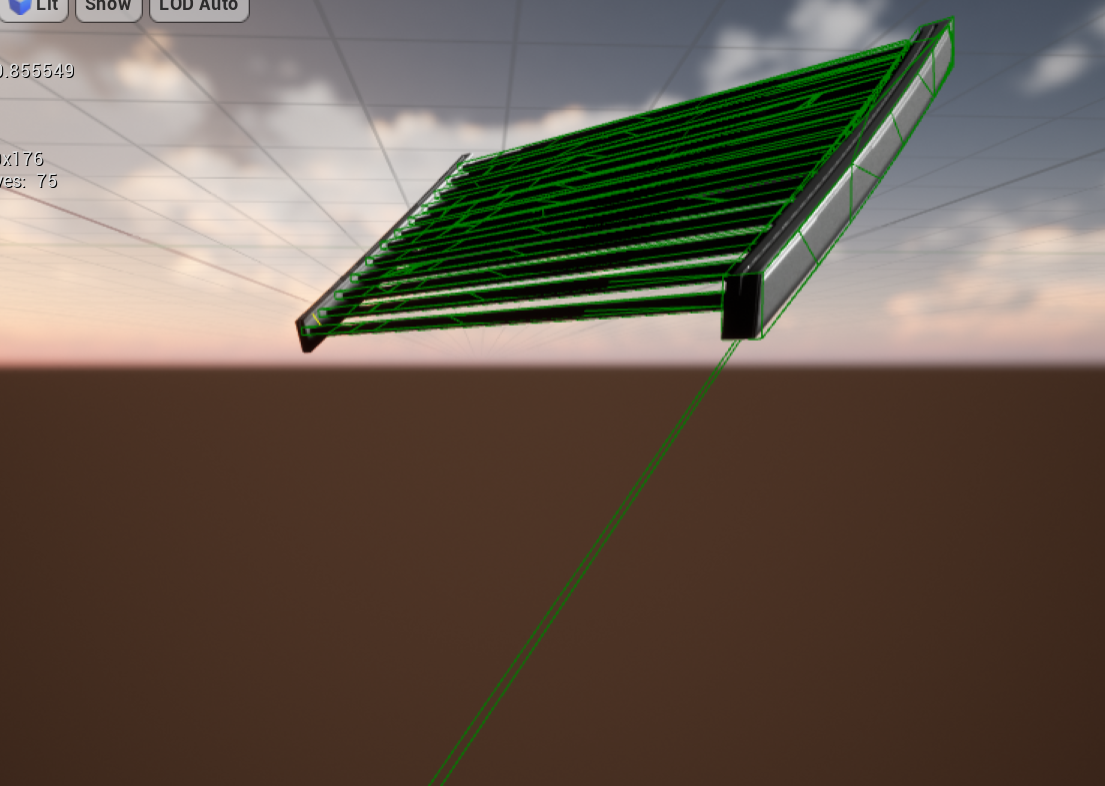
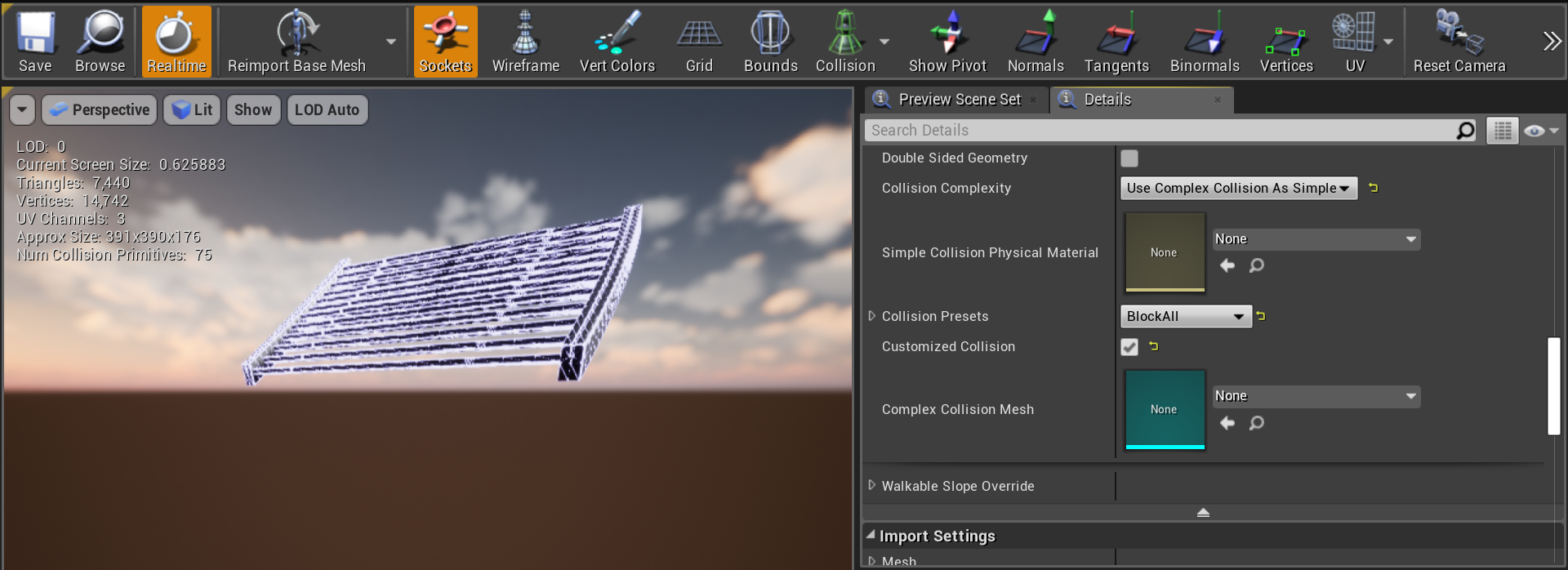

 regal mulch
And that option to create these already exists since 2016
patent ibex
It was possible to do that for a long time i believe, but in some version not so long ago more convinient way was released
cloud cobalt
Does anyone has the mouse cursor jumping to the upper left corner of the current monitor when starting an UE4 game ? Not play-in-editor, but actually launching it (right click uproject -> launch game, debugging with -game, etc)
It happens to me even in a new "basic code" UE4 project with 4.23 or 4.24 and has been for some time, but it's weird
Basic code hides the cursor, but you can see it for a bit, and when you close or alt-tab the cursor is in the corner.
Weirdly enough I don't believe ::SetCursorPos was called.
It also only happens when the game has focus at launch.
Seems to affect every UE4 game I have on Steam too
 magic sluice
hey, for brand spanking new blueprints or c++ would be better?
cloud cobalt
Blueprint
patent ibex
found what i was talking about - UDeveloperSettings
wary wave
wtf, this springarm is completely borked
wary wave
if I unplug literally everything in the BP, it has a default length of 1200, but the distance check still comes back 2400
glad anchor
I am asking for help since yesterday on this matter but noone helped so far and it kinda pisses me off
Well i have installed android strudio as well as sdk but idk which files i need to locate for android sdk under platform settings
plush yew
I cant edit a brush
wary wave
put a new arm in with a default length of 300 - printed distance check is report 2600!????
WHARGARBL
aggressively deletes components
warped tangle
@glad anchor if nobody has answered your question, either they don't know or you're not being specific enough. Getting angry at a community that isn't paid to help you is kinda insane.
I don't know what your issue is, but I'm gonna assume it's related to android. Did you follow the android quick start docs?
When you installed android stuff, did you use the installer included with the engine?
worthy flame
thank you
warped tangle
👍
 quiet meteor
Hi, Im getting tons of BP errors when playing the sample scene of Digital Human, and only getting single digit FPS, is this normal?
 primal harbor
Log file open, 11/16/19 20:49:10
LogWindows: Failed to load 'aqProf.dll' (GetLastError=126)
LogWindows: File 'aqProf.dll' does not exist
LogWindows: Failed to load 'VtuneApi.dll' (GetLastError=126)
LogWindows: File 'VtuneApi.dll' does not exist
LogWindows: Failed to load 'VtuneApi32e.dll' (GetLastError=126)
LogWindows: File 'VtuneApi32e.dll' does not exist
anyone have any idea why this happens?
and how i could potentially fix this?
cloud cobalt
These are not errors.
primal harbor
the entire project is crashing when trying to play on stand alone mode
what is it then stranger?
primal harbor
call stack?
 lost ember
Does anyone here use multi-user editing?
primal harbor
also, lemme get back to you on the debugger
lost ember
How to you enable/disable a plugin on the multi user editing server? 👀
primal harbor
@cloud cobalt sorry to bother with this but any idea on how to use the debugger thing? its a blueprint project and manual log check is not giving me anything specific that i can find
cloud cobalt
If you have a crash you should have a crash reporter window opening with the call stack
primal harbor
it doesnt show much. want me to copy paste what comes up?
LoginId:2a97a465495ab9a601fb8c89a6de9cdc
EpicAccountId:d476c28bdf9b44938f5c948834d8488e
Unhandled exception
UE4Editor_Engine
UE4Editor_Engine
UE4Editor_Engine
UE4Editor_Engine
UE4Editor_BlueprintGraph
UE4Editor_BlueprintGraph
UE4Editor_CoreUObject
UE4Editor_CoreUObject
UE4Editor_CoreUObject
UE4Editor_CoreUObject
UE4Editor_CoreUObject
UE4Editor_UnrealEd
UE4Editor_UnrealEd
UE4Editor_UnrealEd
UE4Editor_UnrealEd
UE4Editor_UnrealEd
UE4Editor_UnrealEd
UE4Editor_UnrealEd
UE4Editor_UnrealEd
UE4Editor
UE4Editor
UE4Editor
UE4Editor
kernel32
ntdll
i have no idea what these errors relate to
wary wave
that's not 'errors', you don't have debugging symbols installed
cloud cobalt
You need to install the engine debug symbols
wary wave
so you can't see the problem
marsh swallow
Anyone have a tutorial the might be able to shoot my way, googling has proven useless 😂 I am trying to setup a post process damage vignette i think. A red ring around the screen flashing
wary wave
install them from the launcher, in the engine version
marsh swallow
@primal harbor its from the launcher. It an option you install on the engine
wary wave
although if this is just a precompiled project you've downloaded 90% chance you can't fix it anyway
primal harbor
thanks, and @marsh swallow i think you can do that with camera setting as well
worthy flame
how to give gravity to actor, when i simulate physics the thing just goes flying and it doesnt fall
warped tangle
did you install using the codeworks for android 1R7u1 installer in the engine folder?
@glad anchor
@worthy flame if it goes flying, it has physics and if you haven't changed the default gravity, it has gravity
the issue is more than likely a collision
worthy flame
how do i make it so if its in the air it falls down flat?
primal harbor
tick the gravity oin the capsule component?
and add gravity on the character movement?
glad anchor
Nope i used android studio and under skd manager i downloaded it
@warped tangle
worthy flame
i just need it on a actor not the player
warped tangle
per the docs, you should be using the codeworks installer included with the engine
primal harbor
oh. it should be the same with normal actors too.
warped tangle
I think it's in the programfiles/EpicGames/{engineversion}/extras/android/
@worthy flame no clue what you mean by that. If something simulating physics going flying off all crazy it's generally a collision issue
it's colliding with something, or inside a collision, which will cause it to go haywire
worthy flame
for example I want a cube to fall from the sky on the floor
warped tangle
so you place a cube, select "simulate physics", and play, it should fall. If it doesn't just fall, you have a collision issue somewhere
primal harbor
ooooh. is it a static mesh?
warped tangle
I should clarify. If it doesn't fall, but goes flying off fast in a random direction, then you have a collision issue
worthy flame
ok, figured it out
lapis vine
Why I should log twice per day in the ue webpage... grrr...