#ue4-general
1 messages · Page 565 of 1
 pulsar badge
 sacred sun
@thorn hazel The ior input in blender and the ue4 fresnel inputs seem to behave differently and im not sure of the math going on in them.
 thorn hazel
but usually the IOR value is used to make materials realistic
IOR=index of refraction
sacred sun
ior values are for translucent surfaces. i don't think the term is quite right for the amount of frensel on an opaque surface.
pulsar badge
Is there anyway i can hide the stuff in UE4 so i can do a video?
 abstract relic
such as
pulsar badge
that
im in full screen
i dont want that stuff on the top
and the little x y z box thingy on the buttom left of UE4
abstract relic
 grim ore
is this just so you can use the default pawn to fly around?
abstract relic
 plush yew
grim ore
plush yew
grim ore
never thought of recording the viewport lol, always just played it heh
plush yew
I've got a number line that I need to divide by ten but only on one axis
 normal burrow
i'll admit matheww i had no idea of that option too
plush yew
But the divide node divides both at once
grim ore
I knew about game mode, its how you hide the widgets. never thought you could hide the toolbar... I always use it
normal burrow
yea i didn't know either/or 😬
plush yew
Is there a way I can divide only the horizontal value by ten? going off of the texture coordinate?
sacred sun
there a node called something like break 2 components. then you do the operation on one of the components. then there's the append node to recombine.
grim ore
yep look at the break out float 2 components from the tex coord then do your stuff the make float 2 into the texture sample
plush yew
Thanks @sacred sun I also found a thread that says I can switch to a multiply 2vector node since texture coordinates are basically 2vectors anwyay
grim ore
yep texture coord are just UV/XY, its just a float 2
normal burrow
you probably want multiply and not divide btw
abstract relic
everything are just a set of numbers in the end 😛
 spice scarab
normal burrow
spice scarab
normal burrow
dunno how its supposed to look kausemus
spice scarab
Been wondering about this for a year now. Once in a while getting back to it.
Well... The grass ain't supposed to be flying around.
If I press "Play Game" it goes away and everything is normal.
wait... I'll take a screen
About the same spot but gets "fixed" after I start the level. But few people who've been testing my game in steam (closed beta) have had this come up when they play.
normal burrow
what engine version
spice scarab
Not sure if Unreal Engine reverts back to the unsculpted version of the terrain somehow (in some spots it feels that way) or if it forces some low level LOD that destroys everything... or both.
4.20
but has been around since 4.18 at least.
plush yew
I'm so close to being done with this randomized sticky note. I'm able to assign numbers to certain parts of the note, but now I'm realizing that my numbers are too large for their sections. Is this something I should handle in my texture making software, or can I scale the texture down within UE4?
normal burrow
multiply by 10, add one (for x) (assuming your uv map on the mesh goes from 0..1, multiplying by 10 makes the zero slot go from 0..1 where adding one makes it your one slot)
plush yew
forgive me, I've practially never worked with textures, this is clearly not what you told me to do but I'm not sure where I'm supposed to be multiplying and adding
normal burrow
what does your mesh look like if you just plug texcoord directly into UVs?
plush yew
I'm trying to apply unique numbers to each of those four marked sections
if I plug the texture directly into it I get a squished number line going 0-9
the reason I'm multiplying and adding the text coords is to get an individual, unique number from the numberline texture
my issue right now appears to be that that texture is larger than the slots I'm trying to plug it into
normal burrow
hard to tell whats going on there, but your texcoords in the mesh are something to consider
if you've got triangles for each number there, you gotta know the uvs at those vertices to size anything into them
plush yew
I have a sticky note mesh, and I have four areas of that mesh that I'm swapping with a number texture. Right now the number image is larger than the areas I'm inserting them into
spice scarab
p@t: Someone in the internet told me to "Try "removelandscapexyoffsets" and "grass.flushcache" but those didn't work for me. I guess my issue isn't with the grass but with either landscape collision or lods. It feels like it reverts to the unsculpted heightmap version if the PC is having a hard time. Making everything float in certain spots but in certain spots everything is still fine. I've found no posts regarding this and it's annoying since my game is almost finished but the levels with landscapes keep doing "this" (the thing above) on lower-end-PCs.
I guess I have to export all the heightmap, grass, dirt and flow data and then recreate the map with those and see if it helps.
justplace it in the same spot so that I don't have to replace every mesh n' so on.
plush yew
normal burrow
@plush yew look at the note and then look at texture sampler. it looks like your note is just using 0..1 for the whole thing. get your three on the texture sample where it is on the mesh
plush yew
This might help. I have a number texture I want to swap into the orange and yellow slots. But the number is larger than the slot. Do I scale the number down in my original image software or is there something I can do in UE4 to scale the number texture down so that it fits
normal burrow
it matters if you've got triangles there, if you must have a plane of uv 0..1 for your note then you gotta resize and translate like your doing
and i'm not coming up with much kausemus
can't find much in terms of bug reports
spice scarab
@plush yew I would also suggest you expose a lot of parameters and make a material instance so you can try out your material in real time.. try to find that sweet spot where the number would fit. But it also seems like your post-it needs more triangles or better UVs.
p@t: Yea. Same. Such pain!
Thanks for searching for it anyway. : )
plush yew
Well, I'm able to view the material in realtime already my issue is I don't know how to get that "sweet spot" The 3 is appearing exactly where it is supposed to on the mesh, it's just very large. Is there a paramter that I can expose that'll let me resize it?
normal burrow
a guess would be something to do with bounds. i'd recommend trying a newer engine though as they rewrote stuff significantly in that area
spice scarab
That's what I meant. Expose those numbers you multiply etc.
Hold 1 and left click for magic.
and hold 3 and left click for vector-type param.
The picture has two ways to make the thing. The connected way seems better.
This way you can scale things the way you like but... I would still suggest you look at the UVs of your post it note n' all that jazz. 🙂
P@T: Yea I think I should update... It's always just a bit scary. 🙂
Which patch had these updates?
Should I go straight from 4.20 to 4.23 ?
plush yew
I'm sort of lost on the looking at UVs thing. The UV of the note is just a 3x3 grid. I've exported the UVs into gimp and assigned slots based on the grid
The numberline texture is not based on the UV though, which might be where the problem is
spice scarab
Yeah.. I was thinking you could bake each needed number inside Blender or whatever...straight to the mesh. Make different pictures for the same post-it.
plush yew
oh no, that's why I'm using atlasses. I want the number to be truly random and I don't want to make 10k number textures
spice scarab
So you have a grid of different numbers?
and you cant the material to choose one from the grid?
 spice canopy
Hey why not just use decals?
spice scarab
Yeah decals could work but I guess if he has some 3x3 grid of different numbers its easier that way... once he gets it working.
spice canopy
Yeah once it is working it is would be better than decals probably
plush yew
I couldn't figure out how to get them onto the mesh. I know performance on this scale is irrelevant but someone last night suggested I do it this way to save resources
My initial plan was to just make a layered texture and slam four separate numbers onto the note
spice canopy
Yeah decals I heard are less performant
spice scarab
I think the "dust particles" in some UE-learning-pack... Was it the subway one... had a particle that had 4 different particles split in 4x4 grid inside a material.
plush yew
but in that case I'd still me making like 40 textures, so I'm using this atlas
spice scarab
Yeah good call. 🙂
plush yew
yeah this technique seems really cool. Part of the reason I'm still pursuing it despite the headaches is that I could use this for other applications. Like numbers on jerseys or something. Maybe decal sheets too
spice scarab
But I guess you figured out how to change the number but you just needed to scale it correctly?
plush yew
Yeah the number changes how I need it to and it gets placed where I need it to it's just very large right now
spice scarab
well then it's your UV
just go to the post it and make seams and UV-unwrap it so that you have a large clean area and the picture should be nice and clean as well?
It's hard for me to grasp why your image would bend like that if you've set your UV's correctly.
plush yew
spice scarab
Maybe also subdivide the post-it to have some more vericles... sometimes things act weird if there's not enough "plane to cover."
Oh ok..
plush yew
spice scarab
Use "in power of 2" always.
plush yew
second image is my UV
spice scarab
I mean... The numbers... Would be better if they would be in a grid and not in a line.
Like 4x4 grid with 2 empty slots.
plush yew
I can do that, I'll resize the image too while I'm at it
spice scarab
and the image to power of 2. Like 512, 1024, 2048....
plush yew
is it just more efficient storage-wise?
spice scarab
Would go with 1024x1024 4x4 grid with 2 empties.
No the "power of 2" is what Unreal Engine needs.
plush yew
I meant grid vs line
I did it in a line so that I'd onyl have to change one float value to change the number
spice scarab
If you click your texture it shows some warning that your image is not in power of 2.
It's just better to use 2,4,8,16,32,64,128,256,512,1024,2048,4096....
always square.
At least you know you are "doing it right" and there's one less thing to ponder about "if it's this thing".
And yeah... Have even squares in your post-it.
And more squares.
The middle part of your Post-It is clearly bending your texture.
plush yew
Can I add more squares to the UV without changing the geometry?
spice scarab
You need perfect squares. 🙂
Yeah.
It blender you'd press Ctrl+R in edit mode to splice it up manually a little bit more.
without touching the seams (those red lines you've made before you unwrapped your model)
plush yew
Alright I'll try changing that, I was fine with the bending since the numbers are supposed to be "hand-written" but I guess having more control over the warping couldn't hurt
spice scarab
And remember that UE treats everything in triangles. So all of your squares turn into triangles during the importing.
Yeah it's not nice if the texture itself bends in a way that one can see the pixels bending.
I'd rather make those changes to your new 4x4 number grid!
plush yew
Yeah I'm working on the grid right now. I'm pretty bummed about not having them in a line anymore. It's going to be a pain to write out a whole formula for number assignment rather than just incrementing a float by .1
spice scarab
SOA Academy presents another tutorial on how to randomize textures, this time with UE4. Download the materials used in this tutorial and practice: http://bit...
Here's some "grid + material"-information.
In the video the guy always picks one out of 16.
So basically what you are going for but with very different end result.
plush yew
oh wow this video is pretty cool
spice scarab
(didn't actually watch it, just seemed that it might have something similar)

Intro to Unreal Engine 4 Create a free account and get Unreal Engine 4 on the link below: https://accounts.unrealengine.com/reg... Navigation: LMB = Left Mou...
and here's another one...but in this one it flips thru many images in single image fast to make an animation. Still might have some useful nodes!
For choosing the correct grid number etc.
plush yew
Thanks these are great resources
spice scarab
Np. Now I'm getting back to trying to fix my own problem. Have a good one! 😄
plush yew
My note isn't intended to be a grid but I might be able to translate this over to it, good luck with your problem. I'd try to help but it's over my head
spice scarab
Nono I meant that your numbers are in a grid.
plush yew
Yeah I'm arranging them into one. The scale will still be an issue though but if I try to line up the size of the slots on the note with the size of the grid sections then maybe the scale won't be so off
spice scarab
So the "grid" I was talking about was this. I didn't mean your post-it-note is on any grid or anything. : )=
plush yew
Yeah I know I'm almost done arranging them this way
But even in this grid format, when I take a section of the grid and apply it to a section of the note it will be too large
spice scarab
Fix the mesh first.
and then use the scaling method perhaps!
But having clean meshes, clean UV's and clean images that go to the power of 2 helps a lot.
So first do those and then perhaps material-scaling magic with appends, adds and multipliers.
The one I linked has saved me from some issues in the past. Like moving and scaling an image to the correct position because the mesh had shitty UVs.
->
sacred sun
using a 2:5 or 5:2 texture for the flipbook would be way easier than having blank spots.
plush yew
Does grid orientation have something to do with storage efficiency?
spice scarab
@sacred sun Yeah my fault. Told him to make it square because it's what gets thrown everywhere and all the examples I've seen with flipbooks have been square. :
For example if he wants to use mipMaps and scale his textures to smaller size inside the Engine later when optimizing, I think the square is the way to go.
sacred sun
there's not going to be a significant change in the size of the texture based on the layout.
spice scarab
nodding
sacred sun
if you have to add a bunch of instructions to optimize mip mapping your trade off is a higher instruction count
 tepid veldt
Hey guys
i am sitting in a exam
and we have create a roguelite game using wwe raw vs smackdown IP
do you guys have any ideas?
abstract relic
Don’t cheat 😉
 weary basalt
tepid veldt
weary basalt
tepid veldt
ok sorry
 errant tundra
Is there a way to differentiate between 2 PIE windows in a non-multiplayer environment? Implemented an auto-login within my game for testing, but want both PIE windows to login under different accounts without having to manually login to both. Auto-login works, just only works with one account at the moment because I don't know of a way to tell the two PIE windows apart. It works with one PIE and one standalone client, but just trying to see if there's a way to get it to work with 2 PIE windows. Thanks in advance for any help. Other than a C++ function to maybe get window title or something.
 frail pewter
lol I am trying to export Fortnite's character master material and it still fails because of thisLowLevelFatalError [File:Unknown] [Line: 3630]
MaterialExpressionMaterialFunctionCall /Game/Packages/Fortress_SharedMaterials/Base_Material/M_FN_Character_MASTER.M_FN_Character_MASTER:MaterialExpressionMaterialFunctionCall_14: Serial size mismatch: Got 28, Expected 70
0x00000000764b2cf2 KERNELBASE.dll!UnknownFunction []
0x000000000153276e UE4Game-Win32-Shipping.exe!UnknownFunction []
Bruh
abstract relic
Looks like you need to adjust anchor point
abstract relic
Those are alignment
Anchor points are at the top of the details panel. Above xy sizes and such
abstract relic
Detail panel. Not hierarchy
You know what. Here ya go https://docs.unrealengine.com/en-US/Engine/UMG/UserGuide/Anchors/index.html
Using Anchors to keep UI Widgets in fixed locations based on different aspect ratios.
 blissful trail
ty ill have a look at it
normal burrow
@errant tundra you might have luck in #multiplayer
errant tundra
@normal burrow I'll check over there - thanks. Thought I'd try my luck here first cause it's 2 single player PIE windows. Just trying to automate some testing is all
normal burrow
ye, not saying you wont get some luck here either. just might be next place to check
plush yew
Help
normal burrow
Where
plush yew
I think there are Key Commands
Pressing R Allows me to scale
but what key could help me rotate and move
abstract relic
If you can type help, you can type anything if you believe
normal burrow
Try nearby keys or google
plush yew
nevermind figured it out
errant tundra
@normal burrow Fixed my issue by creating a pure blueprintable c++ function that gets the PIE Id. FYI to anyone wondering how to differentiate between 2 PIE window instances.
normal burrow
Awesome👍
 dark rune
whats the difference between a Function and a Macro
been seeing tutorials use these but have no idea
 cloud cobalt
In C++ ?
 lapis vine
Function is like: many pacients go to see one doctor
Macro is like: there is one doctor for each pacient
 idle garden
Hi, someone knows how to fix this ?
lapis vine
How to fix division by zero?
idle garden
yes
lapis vine
Don't do it. Go to your Blueprint and see why it is happening. Either fix the code there, or make sure the conditions which makes it happen are not occuring.
dark rune
@lapis vine ah i see
lapis vine
Hmm... You sure? 🙂 Just replace doctor with "the code being in the function/macro" and pacients with "the code who calls them"
dark rune
good now i fully understand
also what does the "Eslate" in Eslate visiblity mean
plush yew
Does anyone know how to achieve this in Unreal Engine without the Voxel plugin ? Also, if possible to configure it to use procedural generated asstets for the trees and rocks and whatnot so that each one looks different ? Any documentation on how to setup such a thing ? I am using blender and ue4 so the assets and the procedural generation scripts for the assets will come from blender, I am mainly interested into having not different biomes but different weather that will transform the map. I also would like it to be not resource expensive (I'll be using low poly style graphics for the assets and the entire art direction) So I am asking this because I guess I'd have to maybe create a low poly UE4 shader first but I don't know if this would be the correct pipeline, basically I don't know what to do in what order. Make the assets first ? Make the map first then the assets ? Make the shader first then the map after with the assets following those ? If anyone knows let me know. https://www.youtube.com/watch?v=AiW01rR4tr4
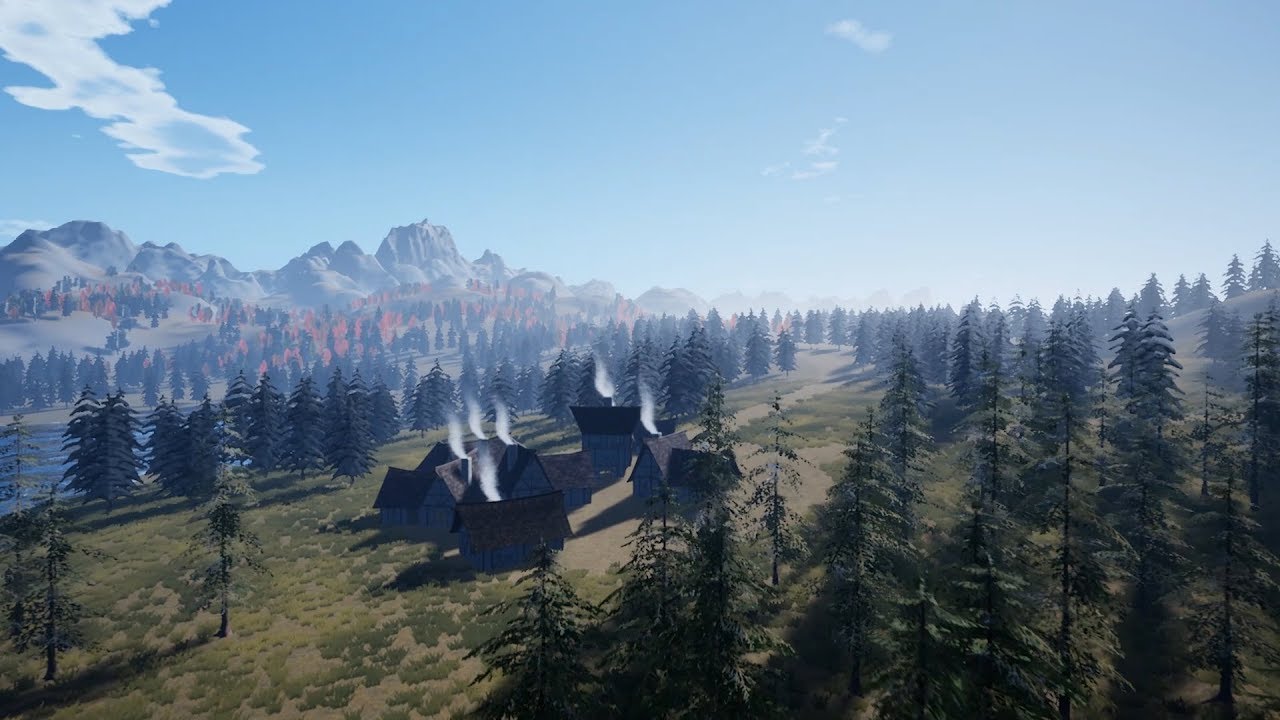
Incognita is a project I made in Unreal Engine 4 to experiment with procedural generation. It features a 64 sq km of area with biomes, along with other featu...
Also, if I make the shader in UE4 can I use it in blender so that I can preview the way my assets are gonna look inside the game engine without having to export them outside of blender ?
 wary wave
that's a lot of questions that would be easier to answer if you describe more what you want to achieve
plush yew
Well, a low poly battle royale with a big map but proceduraly generated every game for everyone
😄
wary wave
gotcha, so we're talking runtime map generation
unfortunately, the first answer is "if you need to ask, you're probably out of your depth"
plush yew
I havent seen anyone think of this and I'd love to play such a game so I decided to take it upon myself lol
wary wave
but the first thing you want to look at are procedural mesh components, and traditional landscape generation techniques
I wouldn't even worry about assets for a while yet...
plush yew
Also the art direction would look somewhat like this I hope this can be setup in unreal engine. Like do I need to make a shader for this or its just blender work ?
plush yew
But what I would like to do is to make it somehow like make blender procedurally generate low poly trees based on some values I give as an input if that is possible or even better make Unreal Engine do that instead since it needs to do it everytime a new game starts so instead of me having to model 20 tree models I'd have the engine do the job on the go for me on the server side or client side of things
And have this happening for the map and the rocks as well
cloud cobalt
No, you will have a much easier time doing 20 trees in Blender
And please, avoid multiplayer for now. You're talking about very intricate stuff already, none of this is beginner level
Multiplayer makes everything much harder
Basically x5 development time
plush yew
But it cant be a singleplayer battle royale right ? I need to think of it as a multiplayer from the start 😄
I can use my own computer as a server I guess
And test out stuff
plush yew
Hmm, but if I would like to do it, what should I look into ? I haven't seen any documentation about how a battle royale server network is made 😄
Is there anything I could read ?
Specifically on the subject
cloud cobalt
You haven't seen tutorials on stuff that take hundreds if developers years to do, is that right
plush yew
I mean, its not fancy graphics, I guess it will not be that hard right ?
Maybe alot of programming code on the network side of things lol
@wary wave any other advice about my questions my dear ?
I am reading upon the procedural meshes at the moment
I'd really love to jump into it
cloud cobalt
Multiplayer is just a whole lot harder. Some stuff becomes downright impossible
Any game is really hard, so start small
 oblique tangle
Yo could someone give me an opinion on this? I'm trying to figure out when this animation state would be triggered where the player does a fancy flip in the air - Would it be an AnimMontage or would it be easier to just tie this to a certain Z velocity and speed the player hits? Any response would be greatly appreciated, cheers!
wary wave
@plush yew - honestly, just start at the beginning
I would also consider picking up either a noise generation plugin or one of the BP function libraries
plush yew
That is what I am doing I am starting with the basic stuff first
wary wave
because you're going to need those to do any kind of terrain generation
plush yew
networking later
wary wave
you're not even ready to think about gameplay stuff
terrain generation in itself is an enormous task
there's a reason hardly any games do it
plush yew
This is why I am gonna do it lol 😄
Cause I like hard tasks
Its just documentation I need to read nothing rocket science afterall
So you say terrain generation is indeed the first thing I need to take care off right ?
I thought the same, first take care of the map then take care of the rest
wary wave
I would put it on parity with rocket science :p
plush yew

wary wave
a considerable part of what you want to do isn't going to be documented
wary wave
by working out what they needed to do step-by-step from scratch
plush yew
Oh I see. Well I'm gonna try to work hard on it then until I get it
cloud cobalt
Basically people who do this have 20 years of experience
I don't so I steer away from that
wary wave
I dabbled with it, but didn't get very far
I did get some basic landscape generation running, but it was hardly optimised
...but I also didn't invest a colossal amount of time into it either, tbh
plush yew
What do you mean by optimised ?
lapis vine
Nothing can substitute the personal experience. Banging your own head - the best way to learn.
plush yew
Do you mean as in results were not satisfactory or do you mean that it took alot of resources to have that happen ?
cloud cobalt
The latter
wary wave
^
cloud cobalt
Terrible performance basically
wary wave
landscape systems do all kind of stuff under the hood to handle level of detail in a manner specific to landscapes
plush yew
Then how does minecraft do it ? And minecraft also does it on the go
wary wave
my system did not have any kind of LoD setup
plush yew
And minecraft was built by one guy
cloud cobalt
Minecraft is entirely custom built for what it does and still does it bad
UE4 is not build for that
wary wave
Minecraft is a voxel data structure with a very simple isosurface generation algorithm
and yeah, the whole engine is built around it
plush yew
So you're saying that by using the Voxel plugin with UE4 the performance would be more better ?
cloud cobalt
Impossible to say
What we're saying is that procedural landscape is not easy
And we haven't done it so we don't even know exactly how hard
 serene birch
making minecraft in UE4 shouldn't be too bad
plush yew
No Man's sky had such a thing and that was like way more complex
wary wave
it barely runs, doesn't really generate playable worlds, and looks terrible
serene birch
if you know the techniques
plush yew
Well that is what I'm looking for @serene birch but with low poly graphics instead of squares lol
cloud cobalt
NMS also displays stuff 10 meters away tops
plush yew
Like not really that big of a deal
 waxen raven
Yeah though a chunk of that is headaches with proc gen itself.
wary wave
NMS is again, a project made by experienced professionals with a fat wad of money
using an engine 100% built for purpose
wary wave
lol
plush yew
Well this is why I want to make my own battle royale lol cause I hate how the ranking system works in pubg and I dont like CoD or Fortnite or any other game besides pubg so I want to make like a trully competitive battle royale that is also optimised to run on potatoes unlike the other games.
and with mechanics similar to cs go like competitive gameplay
easy to learn hard to master
plush yew
I will probably kickstart it or something after I have a prototype that is working
cloud cobalt
Especially the "runs better than Fortnite" part is not happening
Fortnite is made by the people writing UE4
plush yew
Oh, right! lol I forgot
cloud cobalt
They know better than you how to run it fast
 fierce tulip
and editing ue4 to make it work better
wary wave
the graphics aren't the problem
plush yew
That game looks like its straight from the 2000's and runs like a dead horse
cloud cobalt
You won't do better
fierce tulip
runs fine for me, and.. the way you say that kiiinda shows how little you know though.
wary wave
it's pretty much guaranteed that you won't, tbh
fierce tulip
so again, start small and just having fun experimenting at first.
plush yew
It runs fine for me as well but the requirements for me seem to high for the art direction they have
cloud cobalt
You still won't do better
waxen raven
Graphics are stylized, that's a design choice. But really multi is the kicker
fierce tulip
thats because of what runs under the hood
(near) everything is destructible, many many actors, multiplayer.
waxen raven
^^^
cloud cobalt
By the time your game is playable, requirements will be different too. Think 3yeqrs from now
fierce tulip
lighting
wary wave
making a procedural landscape system is just going to make the performance even worse
¯_(ツ)_/¯
waxen raven
They invented new replicating techniques that opened up the genre didn't they? I might be off there.
wary wave
didn't invent anything new, just implemented better solutions in the engine
plush yew
Well it would do it on the loading screen @wary wave not in real time 😄
before the games start
wary wave
yeah, no
plush yew
Like minecraft does it lol
wary wave
Miencraft does it all the time
cloud cobalt
Yeah procedural landscape will prevent you from using the fast lighting to start with
plush yew
yes because the map is infinite
My map is finite, it would only have to generate until it reaches a certain size
So it would only generate the entire map when you start
wary wave
you still need to render it
plush yew
like at loading screen
wary wave
Minecraft is technically only rendering it
cloud cobalt
Look, you're getting solid experienced advice here. You probably should trust us, or stop asking :)
wary wave
you are not going to get the same performance out of a run-time generated map as you would a statically, hand-created one
plush yew
Oh, you mean that lighting can't be baked so everything would have to be real time ? like ray tracing stuff ? lol ?
wary wave
no
it would by dynamic, yes
but not raytracing
if you don't know the difference, then I might suggest you are very out of your depth at this point
cloud cobalt
Dynamic looks worse, performs worse.
plush yew
I understand what dynamic like is, it's real time stuff right ?
Like real time shadows and lights
plush yew
You guys are awesome, I am learning so much lol
wary wave
I'm assuming you've never made a game in Unreal (or anything) before?
plush yew
So isn't there any way for me to bake it ? The terrain would be procedurally generated, yes but it would still follow some rules, especially for the assets
wary wave
no, there is literally no way to bake anything
plush yew
I haven't made a game before, I only did modeling and sculpting
wary wave
right
plush yew
so this is new stuff and beautiful to me
wary wave
go make something like Space Invaders, then come back
cloud cobalt
Procedural and performance are mutually exclusive .
plush yew
Oh my I see
Now I feel stupid lol
So it will take a huge toll on perfomance if I want it to use this technology
cloud cobalt
And years of work
wary wave
you say 'use', but you actually have to make it, heh
lapis vine
You can try with procedural backyard or something 😛
plush yew
what is that ?
cloud cobalt
If you're new to this try doing a single player platformer for a month to see how far you get.
wary wave
I've been making games in Unreal for 15-16 years, and I wouldn't make a serious attempt at landscape generation unless someone was paying me to do it, lol
cloud cobalt
You'll learn a tom
plush yew
I guess this is why there are no youtube tutorials about it
Cause its too complex
and you cant explain it in a tutorial lol
wary wave
it's too much work for a youtube tutorial, small individual steps might exist
but also 90% of what you want is code
which isn't going to be a video tutorial
plush yew
Yeah I saw that but those things are too generalised
No one made a tutorial about what I want to create lol
wary wave
you start with the generalised stuff and piece it together
plush yew
Also, I dont know programming
I dont even know how to work with Bps
I guess I need to learn that as well right ?
wary wave
Unreal does not use C#
plush yew
Oh right, that was unity
wary wave
(not for anything you will ever touch, anyway)
plush yew
And code is more optimal than blueprints in UE 4 right ?
lapis vine
Why not try with some UE tuts using Blueprints? Have fun firing paint balls. See how it goes.
plush yew
It runs faster
wary wave
code will run faster, yes
cloud cobalt
It runs faster after a few years of writing it
wary wave
but that's a moot point until you learn how to write decent code
plush yew
I mean like does it help with the cpu toll if you have code or not ?
wary wave
technique / implementation is much, much more important than language
cloud cobalt
It helps when you're experienced and just crashes the editor before that
plush yew
I see, sounds like fun and cool. I guess its more beautiful cause this way you know exacly how things work
Unlike in blueprints
cloud cobalt
Nah
You still work over millions of lines of C++ in the engine
You just write text instead of doing graphs
plush yew
I don't like that cause it sounds like years
I guess I'll stick with graphs then lol
But I still need to learn C++ for being able to work with the blueprints right ?
cloud cobalt
It is years yes
I'm a decent C++ programmer, I went through engineering school and a decade of experience
Still learning every day
wary wave
I had two years of formal education, and I don't consider myself a particularly proficient programmer
cloud cobalt
And no you don't need C++
wary wave
(heck, I'm a designer by trade 😄 )
plush yew
Then what do I need to learn ?
plush yew
Is there like a visual documentation in order to understand blueprints ?
wary wave
I would start with Blueprint if you're working in Unreal
plush yew
Yes but I don't know how to use them
wary wave
and right at the beginning (console applications) in either C# or C++
plush yew
I look at them and its like chineese to me
plush yew
Like X, Y, Z, stuff and I don't understand what those values do lol
wary wave
make very very small things
there are newbie tutorials out there
a good first game to make is Breakout - start right at the beginning, and implement one very small thing at a time
e.g. a paddle that the player can move left and right
cloud cobalt
Games are many different jobs and no one is good at 5 different jobS
Like are you a good fighter pilot ? I'm not.
Pick your job and try working around the stuff you dont know
plush yew
Hmm I could just watch this https://www.youtube.com/watch?v=kizLxVSb1V0

Enjoying this series? Make an entire Battle Royale game with me on Udemy for 90% off: http://bit.ly/uroyale Any questions? Heres my twitter: www.twitter.com/...
Lol, just found it
wary wave
you're probably not ready for that
plush yew
At least it can give me an idea about how it works
wary wave
not that I would trust such a tutorial anyway
cloud cobalt
Looking at popular game genres, the singleplayer platformer type game is the best compromise of "stuff people still play" and "easy to make"
Not that doing a commercially viable platformer doesn't take years of work by multiple people - it does need that
But at least you can do something fun alone
cloud cobalt
Depends if you include stuff like Hollow Knight
If you're an artist, a Hollow Knight type game seems approachable to me
wary wave
hence the almost - there are exceptions to every rule of course
cloud cobalt
No multiplayer, no complex UI, no 3D movement, not a whole lot of gameplay features
Lots of great art
wary wave
yeah
you can get a long way with simple (but polished) gameplay mechanics and solid art
 runic iron
Still great control and tight gameplay though, nothing too hard but lots of parameter adjusting prob
wary wave
I suspect Hollow Knight is a lot more complex under the hood than one might think
cloud cobalt
Half of the gameplay is still a great game, like you can remove the sword skills and charms and it's still good
serene birch
I think Hollow Knight isn't complex under the hood
wary wave
even games like Super Mario World have a surprising amount of depth under the hood
serene birch
Celeste probably is a lot more complex
they have a LOT of rules for movement physics
cloud cobalt
It probably is complex because it has a lot of subtleties
serene birch
Hollow Knight seems very simple in that regard
runic iron
I think it's simple to code but hard to balance
serene birch
yeah
cloud cobalt
HK still has the downward parries, wall jumping etc
wary wave
Mario's camera movement is pretty nuanced, as an example
cloud cobalt
^
wary wave
so much polish in that implementation
you could do a one hour presentation on just how Mario's camera works 😄
cloud cobalt
Having seen the code for one of the Mario games at some point in my career, it's mind-boggingly large.
plush yew
Yeah I know but a platformer it wont make you a million dollars from selling cosmetic items lol. I want to monetise my game by giving the players the oportunity to make cosmetics in a similar fashion on how Valve did it with Dota 2 and Cs Go, like a workshop. This way I dont have to worry about creating them myself (only if I want to); I can basically let the community come up with new stuff lol then make profit. Everyone is happy, players get new content, creators get a fair share and I get a small share as well. That is a succesful business if you have a good battle royale game that is also popular. That is why I decided to go with a simple art direction so that besides the great performance people will easily be able to submit new cosmetic assets in the workshop more easy since the pipeline would only require basic Blender knowledge and asset optimisation from both the creator's side and on my side.
cloud cobalt
You won't monetize your first game.
wary wave
aye
runic iron
^
fierce tulip
lol
wary wave
and I would worry about actually being able to make a game before actually being able to make money, haha
if you want to make money, you're barking down the wrong career path
plush yew
Meh, I tend to think that having a good monetisation strategy at the beginning is the best rule in concepting the way you make your game.
wary wave
(also good Battle Royale games cost a lot of money to run too)
cloud cobalt
Money in indie games never really was a thing, and it's getting much worse by the minute - if you need money, get a job.
cloud cobalt
For what it's worth I've released two games by myself, and I've yet to make more than two months of pay from that
5 years of work -> 2 months worth of pay
And we sold more than the average indie
We probably wouldn't sell as much today
plush yew
This is why I said you need a good monetisation strategy at the start lol
Otherwise you will lose time
cloud cobalt
Yeah, you probably know better about that than I do
plush yew
I don't I just saw how other people do it 😄
cloud cobalt
That's because you don't know how to monetize, unlike April here 😉
plush yew
yes exacly, cosmetics are microtransactions
wary wave
an online game with MTX costs a lot of upfront money in the first place
so as a small indie you're probably doomed
plush yew
wich is why alot of games today use the free to play model
runic iron
yeah but an attractive online game is almost impossible as an indie
plush yew
lol I don't
runic iron
And cosmetics and such need artists
wary wave
I wouldn't attempt a free-top-play game without a good several hundred thousand dollars in the bank
runic iron
^
plush yew
I'm just saying this is what I saw the big games out there are doing
cloud cobalt
The dirty secret of microtransactions in free to play is that you won't sell a single microtransaction before your game has a million players.
plush yew
they usually come free to play and monetise heavily on in-game microtransactions
usually from assets
wary wave
server infrastructure, advertising and economists all cost serious money
to hit critical mass you need to really spend
runic iron
Some big MMOs made by big companies struggle to get attention
wary wave
*most
plush yew
well yeah, that is the problem. You need alot of money to make alot of money lol
cloud cobalt
Welcome to games
wary wave
making games is expensive 😄
plush yew
Like this would work if as you guys said the game would be available in the most countries and the servers would be great and stuff wich requires alor of money and a game first lol
cloud cobalt
If indies made money back on average, Activision would be doing indie-style games, but they don't make their money back on average
wary wave
aye, would be much lower risk
(but it's high risk because most games simply don't make much back)
runic iron
i'd say success of an indie is like 20% quality of the game, 30% marketing and 50% luck
cloud cobalt
We're all deeply aware of microtransactions and marketing because it's become the #1 skill to get your game to make back 5% of what you spent into it
"Commercial success" or "successful business" is not stuff you hear a lot about
cloud cobalt
PUBG was a full decade in the making by people who knew the concept was good
They invented the genre
wary wave
PUBG is like the third iteration of that game, heh
plush yew
Actually H1Z1 was
wary wave
no
plush yew
the first
wary wave
PUBG came way before H1Z1
cloud cobalt
Guess who did H1Z1
wary wave
same guy, haha
wary wave
also no
cloud cobalt
The point is, PUBG or Minecraft were first-to-market in their genre, at least first with a viable game. They made big, neither of them expecting as much
wary wave
"Player Unknown's Battle Royale" was the ARMA mod
cloud cobalt
If you're doing a Battle Royale game, you can't beat that because you're, well, 10 years late to the party
Fortnite beat it by throwing 300 people at it for years as soon as they scented the money
plush yew
Oh
cloud cobalt
Literally Epic killed their other game, took their just-released-but-commercially-failed game
Put the en tire company on it
Made Fortnite Battle Royale
runic iron
with massive crunch
cloud cobalt
And that made them money because they were fast enough to catch up with PUBG
 ripe saffron
and now we use fortnite engine 4
runic iron
lmao
 wary wave
Fortnite took years to develop, Battle Royale oddly enough did not
cloud cobalt
So, want to emulate PUBG or Minecraft ? Just be the one in 10 million to invent the next game genre after trying for a decade - like both PUBG and Minecraft.
wary wave
but still, manpower, money, and the fact the base game had already had years of development
plush yew
Its funny how Dota started out as a game mod, Pubg as well lol
cloud cobalt
^ faster path to a working game
wary wave
the majority of successful games you've ever played have their roots in mods tbh
games are iterative and risky, but modders don't have the same constraints as commercial devs
easier to build upon existing success than to invent a new wheel
plush yew
Dayz started out as a mod as well lol
wary wave
DayZ and PUBG are closely related, historically
runic iron
And then you have companies like GF which have been blessed with a best selling IP lol
plush yew
Now I dont feel like making a battle royale anymore Stranger is right, 10 years late and too much time until it would be ready
runic iron
Great decision lol
ripe saffron
although it might be back in fashion by the time you finish making it 😛
runic iron
Just check the resources you have (time, money, experience etc) and build a game around it
Don't make a game that'd take you more than 3 months to complete imo for your first game
serene birch
Epic moved their employees around to Fornite BR
after it made big success
the BR mod was supposedly made by like 2 people there 😛
wary wave
more than two, but yeah
serene birch
using the whole Save the World as a foundation obviously
wary wave
it was surprisingly cheap and quick
when I was working on Vigor we prototyped a BR style game on top of what we had, took something like three weeks 😂
runic iron
I mean they had the GA plugin and many resources ready
serene birch
Fortnite BR is basically the CS of HalfLife 😄
wary wave
...but we already had an open worldish multiplayer shooter
cloud cobalt
@plush yew Look, 200 games are releasing on Steam commercially every single week, last I remember. Pick the intersection of what you can do, and what you love. Childhood game on Gameboy that you loved, etc ? Try that instead of chasing the latest commercial success. In this market, products of love seem to be something that gets at least a bit of money. We spent 5 years on a realistic space sim, got less money than we would have spent as a real company, but at least we loved it, and it sold much better than the average new release.
plush yew
Right, and at least you have something to show up in the portofolio and gained alot of experience
runic iron
We need more BTU, make one pls
cloud cobalt
If you're an artist, showcase your art and put a bit of game around it.
fierce tulip
whats a portfolio? :p
ripe saffron
I have been a year and some months on my first game so far ... fulltime a year. I do have 20 years vfx experience though(which hopefully counts for something) ... It is a game of love and hope it makes some money but honestly I am not holding my breath.
ripe saffron
originally it was going to make lots of money .... but I changed my mind after joining the slackers discord
fierce tulip
lol
runic iron
lmao
ripe saffron
or a potential multi millionaire
runic iron
Check this vid, it's nice https://www.youtube.com/watch?v=z06QR-tz1_o
if BR are still a thing in ten years DM us, we'll pay you the opportunity cost lol
ripe saffron
I think like Stranger said...just try to make something you love
plush yew
I love battle royales
lol
but the one I have in mind, the ones on the market have too many flaws lol
ripe saffron
well also bear in mind love and a game you can handle..if experienced devs games have flaws then ....
cloud cobalt
I mean, I'd love to build a shared-world submarine game where you travel realistic distances and communicate with players and explore the sea floor. Feel free to to that if you have the $$$$ and team I don't.
In the meantime I do other stuff I love doing
plush yew
Like imagine a battle royale with parkour, weather that affects your character and the map and that also changes dynamically while you play, in real time, also a nighttime daytime system that also changes in real time depending on how long the game lasts, where you are able to pet animals and use them as pets for example use a wolf as a pet until it dies, real time physics. Basically a battle royale with rpg mechanics and a great leaderboard climbing system, highly competitive with alot of stuff to do lol and alot of customisation from the cosmetics.
runic iron
Having constraints is good too tbh, force to think around them and be creative
ripe saffron
yeah you should be able to knock that out in a month
plush yew
Like snowing in real time and the snow appearing on everything and turning the whole game visuals into a snow wonderland where you need to light fires and wear alot of clothing to survive
you know, like a survival battle royale 😄
crazy stuff
cloud cobalt
Having ideas is a problem for no one in the industry, having ideas that work within your budget is
Ideas are literally worthless until you can execute on them
ripe saffron
^^
plush yew
yes I know, its super hard to do what I just said without millions of dollars to invest
I'm just saying that sounds to me like an excellent game
And I would pay to play it lol
oh and where do you put that everything would be randomly generated every game, basically you would have a different landscape every single game
combine this with the randomness of battle royales an you get a never boring experience lol
cloud cobalt
At some point you'll probably realized that some of your ideas are contradictory, too
plush yew
why ?
cloud cobalt
Like "procedural" vs "runs on a potato" are contradictory
cloud cobalt
"RPG elements" and "Battle Royale" is contradictory too
You don't want to fight someone who completely outguns you based on time played
plush yew
Rpg elements as in weather that affects you
wary wave
problem with procedural and BR is that loading times will be huge and your market size is reduced due to high performance requirements
cloud cobalt
And "random levels" in multiplayer is rarely considered a great idea because level knowledge is a core multiplayer skill
Just my 2 cents
plush yew
Well, adaptation is the most important survival skill, if you can adapt to an ever changing landscape then that is what being competitive is about to me 😄 like hardcore competitive stuff
I see the randomness as a challenge not as a disadvantage
Playing the same map over and over again its quite boring and predictable
But yeah @wary wave that is a problem lol 😄
sadly no idea is perfect 😦
ripe saffron
something I noticed since I started developing ...what you think is fun doesn't always translate when you actually play your game ... I have spent months and months just trying to make it balanced, progressive, not boring and keep it somewhat entertaining . This was quite a big surprise to me.
plush yew
Yea I guess so. For example having weather affect your character may sound good on paper but I may actually not like it when playing the actual game. You can only tell that when testing
It also depends on how much impact you wish that mechanic to have on the gameplay
you can make it have little to no impact or you can punish the players for ignoring it
its all about fine tuning it until you get it just right
Like not so bad that everyone thinks only about it but also not so weak that everyone ignores it
So you can have like you fighting against the enviorment and other players at the same time, wildlife attacking you, the enviorment being harsh when it snows or when it rains
It would make the experience so much more fascinating to me that way
ripe saffron
yeah balance is really difficult even in a simple game
plush yew
Yeah, even harder is to implement features like the ones I mentioned and having them work flawlesly in multiplayer and also I guess there would be so many variables in every single game instance at a time that you would need very expensive servers that are also fast lol
Like if the weather variable is affecting 100 players at a time in a single game instance on the server and its also affecting the enviorment in certain ways and the animals then the server has to calculate each one of these changes in real time for everyone everytime and there is also different pings and packets that need to be synced and then there are hundreds of other game instances running at the same time and all of them contain a random generated map every single time that the server has to be programmed to know how to use it no matter how the map is generated lol. so much work
fierce tulip
<_< when ue4 4.16 does not have the material analyzer
plush yew
I could probably write a book about it
And sell it to big studios lmao like a big game design document for a battle royale
dark rune
can i take this and have a friend "Launch Game" without having UE4
plush yew
And I could write every single thing I have in mind lol
fierce tulip
@dark rune nope
ripe saffron
need to package
dark rune
@fierce tulip aight fair enough
was to be expected
but if he's running the packaged ver., can I be running it thru the editor in "standalone game" and connect with him in an online environment
 pseudo parrot
is the forum down? i'm stuck on a looping login page
 dark rune
@pseudo parrot open it in incognito
What do i do with this build error
where is AdvancedSessions.build.cs
 austere hinge
anybody working on distance matching?
wary wave
"distance matching"?
austere hinge
yaa.. to blend animations properly..
 supple totem
hi all, does anyone know if it is possible for a sound to ignore time dilation?
 rotund scroll
time dilation is global, so no
supple totem
hmm, trying to let my music keep playing when time slows
may experiment w/ speeding it up to counter the dilation
 dim plover
I don't know how the audio stuff works, but with a DeltaTime and TimeDilation, you should be able to effectively ignore it.
wary wave
individual actors can have custom time dilation values
audio does not use delta time etc
(because it is inconsistent)
supple totem
yeah may look into custom time dilation - global is so nice tho because it handles particles, physics, etc. etc. w/out me having to worry
thanks for input all
wary wave
well, maybe the actor with the audio can use custom time dilation, and everything else global
not sure if that will actually work, but it's probably worth trying
supple totem
ooh good idea, will try, thanks
wary wave
it'll take less than an hour to test, and potentially save lots of time later 😄
supple totem
👍 ⏲
cloud cobalt
#work-in-progress
fierce tulip
"import rotation"
in mesh viewer
i suggest doing it on the 3d app you have when possible tohugh
 pulsar kraken
cant even find that option @fierce tulip I guess maya it is. lol
 cerulean nova
I was wondering how to make a grid system for a landscape like in Age of Empires? 🙂
i mean ue4 has a "grid" system in the editor if im not mistaken and u can use nodes like "Snap to Grid" for example but is there deeper documentation somewhere ^^
wary wave
every time you do something with coordinates, round to the nearest X
job done (more or less)
pulsar kraken
If it is the root component it does not allow you to rotate models?
wary wave
root component cannot be transformed
cerulean nova
i might have overthinked the stuff... instead of realy creating a grid i just make the objects behave like there is a grid...with collision checks...yeah...
pulsar kraken
wary wave
whatever is at the root has the same transform as the 'actor transform'
if you need to scale it, use a scene component as the root
if the mesh uses rigid body physics it must be the root, so you will need to scale the mesh outside of UE4
pulsar kraken
what about placing array points inside the viewport area?
I see the option to manually put XYZ but it doesn't show the array points
wary wave
...array points?
you mean that array of vectors?
those values have no relevance to the viewport
they are just an array of vectors
you probably want to place sockets in your mesh asset
pulsar kraken
 proud hedge
Hi! I want to make animated puddles. I have a finished texture with puddles in it and I want to animate it with a black/white mask of the puddles + prodecural noise shader. Now the question. How can I add this noise to my texture to give my puddles a little bit motion?
grim ore
this might be a start depending on what you want https://docs.unrealengine.com/en-US/Engine/Rendering/Materials/HowTo/AnimatingUVCoords/index.html
 midnight gate
hey guys, I'm replacing power supply on pc, do i need exact amount of pins connected with gpu??
cause psu has 6 pin cable and gpu has 8 ._.
midnight gate
cant i use some kind of adapater
cloud cobalt
Technically it might work for some time just by plugging it, but the PSU not having a 6+2 socket means it can't deliver the power expected by the GPU
So you're looking at a video card shutting down during games
midnight gate
well its not for games its for 3d rendering and big photoshop files
 manic pawn
inb4 it explodes
midnight gate
i tested
well it says the video card is not conected
probably cuz i didnt connect enough cables right?
or is it more likely to be the wrong ones?
plush yew
i need some help with very basic AI
I want my AI to follow other actor in Y axis
How to do that?
pulsar kraken
somewhat new to unreal... following a hover tutorial and was wondering how to port a normal blueprint to pawn
 junior cedar
hi i am trying to build 3D models of houses from their dwg maps files in real time that can be manipulated in VR environment i need help in this regard.I have built the VR environment in unreal for a pre built model but i dont know how can i generate a model from map files in real time . Any help would be appreciated. thanks
 delicate needle
Don't know what I am missing here, but I can't play a couple of MP4 videos in unreal engine. It gives an error and says to check the output log, but there is no message there.
 icy mulch
Hey quick question I'm making a Horror Game A second version about want a spirte Cranberry Meme will I get in trouble or anything just curious
grim ore
Unless you own everything you are putting into a project then yes you might have legal issues. That's about the only real answer we can give.
@pulsar kraken a pawn is a blueprint class. If you mean change the class for your blueprint you can in th class defaults in the top right. If it works? We can't say
icy mulch
@grim ore I'll be using free asset and models from turbosquid and free 3d and a remix of the song want a spirte cranberry
delicate needle
I'm for sure hitting up against some sort of bug. I cannot get even the Epic provided "mediaexample.mp4" to play in my mediaplayer. I get an error "the media failed to open. Check output log for details" - but the output log shows no errors.
 signal bone
Anyone knows on what version the plugin Noise Simplex Master can be used?
grim ore
What is the parent class for your Ball Actor @plush yew ?
 warped tangle
@plush yew I'm assuming BallActor doesn't inherit from Pawn?
 regal mulch
Not understanding that warning means they have bigger knowledge holes
warped tangle
Hey, don't jump ahead Cedric
regal mulch
@signal bone Not really, don't even know the specific plugin
regal mulch
Is that from mindgen or so? @signal bone
signal bone
@regal mulch its a plugin for making minecraft like terrain but it doesnt have enough documentation
@regal mulch i dont think so
grim ore
@plush yew when you created your blueprint for ball actor, what was the class you chose (the parent) when you created it
regal mulch
@warped tangle I don't jump ahead. It's just experience:D
warped tangle
I know lol
regal mulch
@signal bone a link maybe?
warped tangle
And you know I know lol
grim ore
That would be your issue then, you need to use a Pawn or something that inherits (a child of it) from pawn.
signal bone
https://github.com/devdad/SimplexNoise @regal mulch

GitHub
- This is a clean, fast, modern and free Perlin Simplex noise function.All Public Functions are BlueprintCallable so they can be used in every blueprint. From DevDad and Dedicated to you and Unreal...
regal mulch
Does the sensing not allow to sense actors?
warped tangle
I don't think so?
regal mulch
Sigh
plush yew
i am just trying to make my AI to move in y axis to where ball is
grim ore
what is "your ai" ?
plush yew
ping pong player
regal mulch
@signal bone uplugin file suggests 4.10
But you will have to recompile it for whatever you use and try
grim ore
you would have to change your ball to be a pawn to use what you are trying, which might not even do what you want, or rethink what you are trying to do another way and not use AI
for example on tick move towards to the location using a lerp
signal bone
@regal mulch recompile it?
regal mulch
@signal bone Will a plugin has to be compiled for the engine version you wanna use
signal bone
Im kinda new, how do i recompile it?
plush yew
@grim ore ball is now pawn but ai still doesnt go in y axis where ball is going
grim ore
do you have navigation set up for your AI to use?
like i mentioned earlier AI might not be the best idea for this goal
signal bone
@regal mulch how do i recompile it?
 vague plume
Hit the gear button on the top left or hit play @signal bone
grim ore
are you just trying to move one blueprint towards another blueprint? setting actor locations using lerps would let you smoothly move it
plush yew
@grim ore can you help me in DM. I show what it needs to do
grim ore
I don't use DM's, they scare me
plush yew
oh okay
vague plume
Or if you hit play i believe it compiles any that need to be compiled
signal bone
but it still doesnt work
grim ore
but it seems like there are tutorials out there to help you with what you want to do, I know there are pong examples out there
vague plume
@signal bone terrible screenshot quality but it works
signal bone
but how that helps me with making the plugin work?
vague plume
Don’t know what the issue you have is. Just saw message asking help recompiling
 zealous cloak
can someone give me a hint on how i can realise a watering can? does the object spwan the water particles as long my can has the right rotation?
looked for a tutorial, but cant find any usefull
plush yew
signal bone
@vague plume i need to recompile a plugin to make it work in the version i use
plush yew
i want it move there in y axis
grim ore
https://docs.unrealengine.com/en-US/Programming/Plugins/index.html assuming you put the code for the plugin in the correct folder and you have a C++ project it should allow it to compile when it opens up
If the Plugin contains modules that have Source folders (and .Build.cs files), Plugin code will automatically be added to generated C++ project files, so that you can work on developing the Plugin alongside your project. Whenever you compile your project, any Plugins that have source available will also be compiled as a dependency of your game.```@plush yew As Mathew said, you may want to do this without the use of AI
grim ore
you can pretty much download the entire plugin and extract it as is into your plugins directory and it should compile the next time you open it
grim ore
thats a compressed folder, you need all the files inside of that inside your plugins folder
grim ore
correct
grim ore
yep. You should rename it to remove the -master BTW at some point
might be too late if you already did the compile 🙂
and I just tested and it compiled fine on 4.23
signal bone
crap
grim ore
you should recompile it yes
grim ore
what does the log show when it was trying to build?
signal bone
could not be compiled try rebuilding from source manually
grim ore
the log itself should show/have shown something
where it has show log, you can also check the logs folder
grim ore
why cant you check it?
signal bone
it doesnt compile
grim ore
you have a log folder under saved/logs
signal bone
where?
grim ore
I am using VS 2019 with the 4.22 C++ toolchain and it compiled fine in a BP only project using UE 4.23
in your file folder where your project is
do you have visual studio installed?
grim ore
sure the version
signal bone
whats the most estable version then?
grim ore
what are you using now
signal bone
4.23
grim ore
and I said above I was using UE 4.23 and it works. the plugin was designed for 4.10 so it should work on any version above that. What version of Visual Studio do you have installed?
grim ore
that should work then. Do you have the C++ toolchains installed? have you compiled unreal engine C++ projects before?
signal bone
Uh, i dont think so
grim ore
well all I can say is with a properly set up visual studio the plugin compiles and works fine in 4.23
delicate needle
Okay, I'm super stuck. My project refuses to play nice with "MediaPlayer" actor. If I create a blank project, reference a MP4, and play it with the media player, it works as expected. In my project, the Mp4 won't load, and I don't get an error in the output log. Super confused and stuck.
 light coyote
@delicate needle send screenshots and for sure someone will be able to help.
delicate needle
light coyote
What does the output lofg say ?
delicate needle
and here it is working in a new blank project
@light coyote - Nothing! Thats the problem!
light coyote
You are getting an error,,, select the tab,, botom, on top of content
plush yew

What is the AI: Move To Actor Node in Unreal Engine 4 Source Files: https://github.com/MWadstein/wtf-hdi-files
delicate needle
@light coyote - NOW, I'm getting an error! Honestly, it wasnt saying anything before!
plush yew
is that what i want to do
delicate needle
et editor for MediaPlayer /Game/Movies/NewMediaPlayer.NewMediaPlayer
LogMaterial: Display: Missing cached shader map for material Material_2, compiling.
LogContentBrowser: Verbose: The majority of assets in the view are of type: FileMediaSource
"
LogAssetEditorManager: Opening Asset editor for MediaTexture /Game/Movies/NewMediaPlayer_Video.NewMediaPlayer_Video
LogSlate: Window 'NewMediaPlayer_Video' being destroyed
LogSlate: Window 'NewMediaPlayer_Video' being destroyed
LogAssetEditorManager: Opening Asset editor for MediaPlayer /Game/Movies/NewMediaPlayer.NewMediaPlayer
LogMaterial: Display: Missing cached shader map for material Material_2, compiling.
LogContentBrowser: Verbose: The majority of assets in the view are of type: FileMediaSource
"
 marsh swallow
How might one go about.... Swimming on the surface and being locked on the Z plain so they cant go up or down.
grim ore
@plush yew that is using AI, AI would be for things like characters. You simply want to move and object it sounds like in a direction. You would get the current location, add to that location the direction you want to go, then set the location of the actor to that new location.
plush yew
i am newbie in this thing so can you give example if it doesnt take much time @grim ore
 stiff spoke
Do you know singer NAZA? @signal bone
plush yew
@grim ore https://www.youtube.com/watch?v=zy7LcHPxVfU this one?

What are the Simple Move Nodes in Unreal Engine 4 Source Files: https://github.com/MWadstein/wtf-hdi-files
grim ore
Set Location is what you want, you are not moving as moving would require AI and Navigation generally
light coyote
May i try a newbie explanation? I tend to remember struggles, and i may say something helpful.
What is the objective ?
grim ore
you could for example use the "Set Actor Relative Location" and give it plus or minus on the Axis you want it to change and it would move that much in that direction.
it looks like he is simulating ping pong on a table and wants his character to move left or right based on where the ball is at
abstract relic
Might as well continue the theme of posting your videos 😜

What is the Set Actor Relative Location Node in Unreal Engine 4 Source Files: https://github.com/MWadstein/wtf-hdi-files
light coyote
@grim ore Like when the game starts(that they are on opposite sides),,, or am i not understanding something?
grim ore
ping pong table, so 2 sides, the ball is moving from one side to the other so the player that is supposed to hit the ball needs to move on the same axis as the ball (Y i think in this case) so they are in front of the ball when it gets to them.
I think this is the goal based on the conversation so far but he is trying to use AI to move
grim ore
there is a picture back 42 minutes ago lol
light coyote
AI is what i forgot.
@plush yew Get only gives you data, Set changes data,,, so you want to Set Location, to change location.
A vector3 is used as a location in this case.
But if you search Set Location, you will find quite a few options, and you will be like WTF!! wich one should i use ?¿?
You have one wich represents world location. meaning numbers can get very big.
There is another one, and its one of the most usefull, RelativeLocation,,, because what ever you change, is relative to itself,,, so the actor acts like the center of the world.
That is why in Relative you normaly use smaller numbers, and its great cause you just type how much you want from X Y Z from where he is.
Then there is Local, but dont worry about Local,, i belive it applies to child objects in relation to there parent.
 orchid sable
Wondering if anyone can help me figure out how to debug this further. Upgrading from 4.21 to 4.22 or 4.23 causes this very long LinkerLoad loop (hundreds of them further down the stack)...crashes our game on load.
Been working on figuring this out since 4.22 came out and just cannot get any further
oops sorry for double pic
signal bone
@stiff spoke uh, i dont think so
@grim ore i tried to make a new project with the plugin and still doesnt work
stiff spoke
@signal bone OK
 polar talon
grim ore
polar talon
grim ore
@signal bone so for visual studio what parts do you have installed? Have you followed any setup instructions or checked out the log to see why it is failing?
grim ore
I know you don't, you are missing a lot of basics for programming and picked a hard concept. I dont know if I can make it any easier 😦 Your goal is to move the player to where the ball is only on the Y axis correct?
plush yew
yes yes
ball comes, enemy moves and when its closer to it, it uses paddle. I know how to do that but not how to move enemy
@grim ore
 thorn topaz
Is there a way to tell which version of the engine a .uproject file was last used on?
grim ore
if you open the .uproject it "might" refer to the engine version
thorn topaz
only thing is engine association
light coyote
Begin play it only happens when it starts to exist.
If you do it on event tick(every frame), you will be setting actor location every frame.
You dont want to be setting him to a fixed position every frame cause he will not move, nor you want to be moving him by a certain amount every frame, cause he will not stop moving.
You are looking to create a Custom Event i think.
That way you can call it.
The custom event will have your logic, and when a certain thing happens that can trigger it, you call it from there.
This is just a understandable solution.
 pine vessel
Hello, do we have caustics effects of gems in UE4? like diamonds?
I'm looking at a video and trying to figure out how they did it here is the video
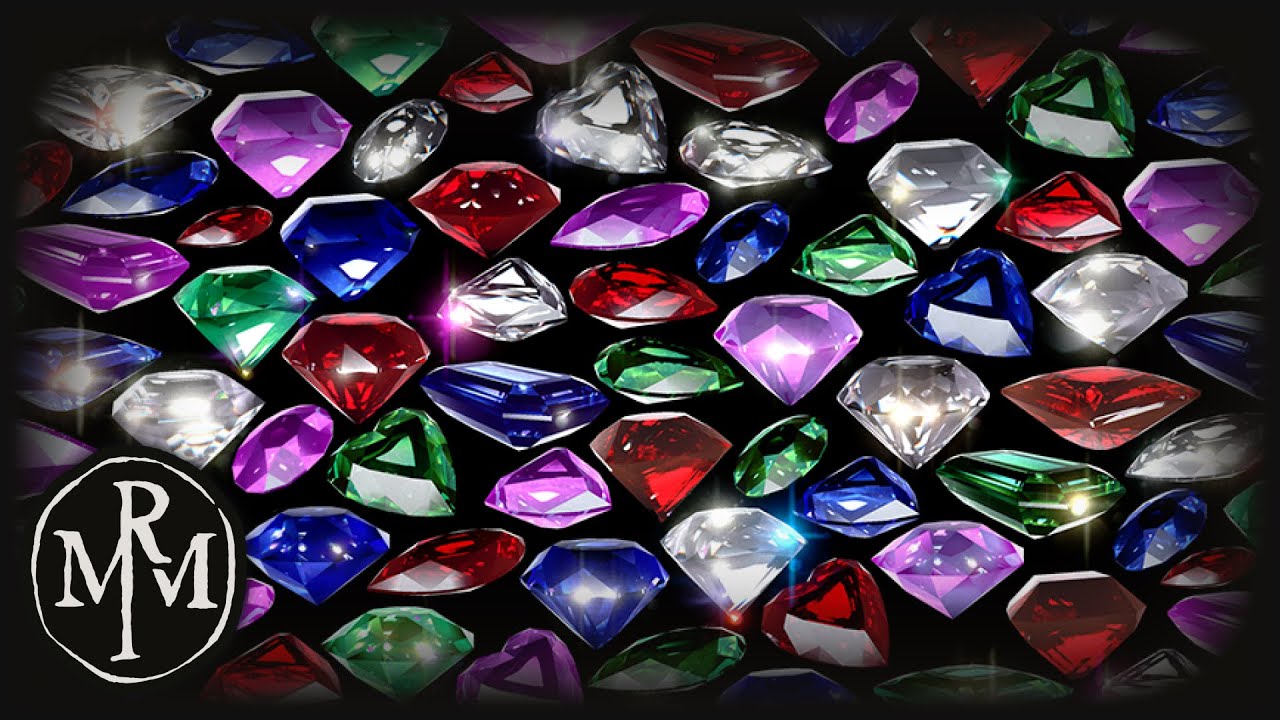
"The audio had to be muted because of an automatic copyright claim. The video was meant to be enjoyed along the classical song "Palladio: I. Allegretto by Ka...
 unreal comet
I have a friend who's packaged game crashes when it saves to file such as when saving settings. Any ideas on why his does this? Nobody else has this issue
light coyote
@pine vessel I see that they have used a mix of lets say artificial, and natural.
Artificial beeing the one that follows the diamond, and natural the one that doesnt.
Artificial may just be an effect added on that location, or an actual light that moves and fathes,, however first seems more likely.
But you want to look at custom lens flares i belive.
grim ore
@unreal comet is it saving to the local directory? if so where is his local directory it might not have permissions to write to it.
 spare kernel

 pine vessel
what about the reflections inside the gems? not just the flare how do I achieve something like that? @light coyote
light coyote
@pine vessel You will definetly have to dig in to Refraction.
 glass imp
Hi, I would like an NPC to rotate in the direction of an enemy, doing this by using the locomotion system, which allows movement and rotation. How can I tell the NPC to rotate only? If I use "addActorWorldRotation" I see the char rotate, but its instant, not animated
If I use Move to Actor, it also walks, while I want only to rotate
dark rune
hi, I can't package my game after I used the Advanced Sessions plugin for multiplayer. It gives errors. Please help
 velvet fern
why isn't there sorting functions for vault items?
pulsar kraken
is there premade landscape materials with lots of layers anywhere?
abstract relic
Brushify I believe
pulsar kraken
guess thats a plugin
 tiny vigil
Lol
abstract relic
If it’s premade, wouldn’t that be the definition of a plugin
grim ore
you can try the landscape demo learn project, it has a landscape and materials and layers
pulsar kraken
a plugin is a software addon used to enhance capabilities of an application. premade? sure
thanks @grim ore
@abstract relic thanks
normal burrow
but does it plug in?
pulsar kraken
@normal burrow true.
light coyote
@glass imp I see you just changed name, im confused xD.
The answer to what you are asking can be to add a rotator component to the bluprint, or is something like that the name of it.
Or.. in regards to your issue,,, the issue is that you are seting a rotation, but seting just does that, it changes it to be something else.
The key to your issue are two things.
- Use a lerp node (LerpRotator), to allow you to switch values between its current rotation, and the end rotation.
However, lerp will only interpolate between the 2,,, the alpha input will tell it by how much, how many steps, subdivisions,,, interpolations
You can think of it as a percentage shared between A and B, with the total amount beeing 100% - Use a timeline. Timeline can be considered a temporary event tick. There is where you produce the float track that you will use as your alpha for the lerp node, and its update output to set the rotation in all those in between steps so it actualy smoothly rotates.
This is just cause i thought you may want to know,, its easyer to add that component😅
But when you want to rotate something from its current rotation to an arbitrary one, its a way to do it, you just need to feed it the right things.
unreal comet
@grim ore its saving inside his packaged game inside the save folder. It may be named something different but I cant remember what it's called off the top of my head.
grim ore
his folder might be somewhere you don't have permission to write, such as program files, which could cause this issue?
glass imp
@light coyote thanks for the answer. I see a "Rotating Movement" component
should I add that and act on it?
I need him to play a certain animation while rotating
I guess this should be a problem everyone has, like when you have a stationary NPC, but you want him to rotate and aim at something
glass imp
AI, its an NPC
light coyote
@glass imp You probably want to look at blackboards and behaviour trees.
You can also do it via bluprint, but the behaviour tree is more specific to do just that, behaviors,,, or in other words, states managment.
But yes, it can be a bit confusing.
glass imp
@light coyote I know behaviour trees, but the questions is not how to reach a certain decision in the AI. It's just to rotate the char.
light coyote
there is look at in the behaviour tree
glass imp
do you think behviour trees have specific function for rotation?
light coyote
regal mulch
You want to rotate it over time or via root motion?
light coyote
This is in BP,, top is to turn char, and bottom is in terms of animation or something.
Use look at as keywords
glass imp
that's a nice function
 burnt galleon
Just looking for a quick bit of advice. I'm wanting to make an infinite runner style game. I'm looking to have a road with randomized woods/buildings etc alongside the road. I've watched a few tutorials and they mostly suggest spawning in actual meshes but I'm curious if that is the best way to go about this. I'd like to have curves and hills/valleys so using a spline seems to make more sense but I'm not sure if that's really necessary. What do you guys think?
glass imp
used to calculate the vector of rotation
regal mulch
@burnt galleon Well, this is kinda a setup out of multiple things
You can do both
Whatever fits your desired result
glass imp
@burnt galleon infinite as in "infinite" or as "64 km will be ok" ?
burnt galleon
Actually infininte. I'm scoring off of distance traveled and a few pickups that add or multiply parts of their score.
glass imp
make it a round world, and change the other side of the planet while running 🙂
burnt galleon
If I do the actual square mesh setups I've seen it seems pretty easy to randomize certain parts. Is that feasible using splines or am I just really misunderstanding this? I'm really trying to keep performance in mind as I'd like to release this on mobiles.
glass imp
or make it round world and the world rotates,. not the player
burnt galleon
To clarify what I'm trying to do. It will be a highway with randomly spawned obstacles and I'd like to have random forests/gas stations/ towns spawn along the path. Since it would only ever have a few "chunks" loaded, should I be worried about performance? Do splines offer a performance boost?
I'll dig in and research how to actually do this, I just want to make sure I'm on the correct path.
light coyote
@burnt galleon A friend did one, totaly randomized, and i belive it was running in squares, it was decent size halls, and it did a quick 90 turn,, it was actualy pretty cool, and infinite.
@burnt galleon I dont know the answer in terms of performance,, but i dont think is a big deal.
burnt galleon
@light coyote Thank you. I'm in favor of using the squares because I think it'll be easier but I'd like to have slow curves/hills/valleys (mostly to break up line of site and repetition) implemented and that made me think a spline would be a better alternative, but I'm at a bit of a loss with how I would add randomization to that spline.
unreal comet
@grim ore ok thanks. I'll let him know. I hope that fixes it. Thank you
velvet fern
Is light building multi-threaded?