#ue4-general
1 messages · Page 555 of 1
 median island
lol yeah
median island
You're good! keep 'em coming
 kind dew
what are your camera settings?
 celest ice
how to check it??
 celest ice
kind dew
celest ice
kind dew
try ticking use pawn control rotation
 lusty carbon
Lightmap question: So I have an Archviz scene with a lot of objects. some of them get up to 2K lightmap res. Yet my Pack Light and Shadow Map Texture Size is set to 1024. How then, is it possible for the engine to pack 2K lightmaps into 1K textures? And another question is, current UE4 is creating 290 individual lightmaps when I bake, which seems like a lot. And also which takes a LOT of time (hours) for just the Preview mode. am I better off cranking up the overall lightmap resolution to 2K or even 4K for less maps? What am I getting wrong?
kind dew
@celest ice Awesome have fun! fyi i googled "unable to look up and down unreal" and that was the first result. Googling may save you time in the future!
 celest ice
@kind dew LMAO
kind dew
you just do one then the other one
 buoyant viper
how?
 buoyant viper
nvm seen iot
kind dew
i feel like im missing something?
 grim ore
@kind dew what does that item look like in the blueprint graph?
 grim ore
what is the parent class for this?
 ornate ice
Hey
ornate ice
anybody know how to detect if the controller connected is a PS4 or XBOX?
grim ore
is it an actor? I am not seeing a scene component in the list
kind dew
yea it is. According to the docs navModifier components have to have basic shapes as the root component
 fierce tulip
@celest ice marketplace/learning tab on launcher.
grim ore
I gotcha I just cant replicate how yours looks in my engine
and I have no issue rotating it. Yours does not seem to have a scene component object as root which would cause the issue
grim ore
I create a BP actor, added a nav modifier, added a static mesh component, replaced the default root with the static mesh, no issues here
kind dew
oh
lusty carbon
anyone?
kind dew
so when it said it has to have a basic shape as the root, it doesnt mean the object type 'basic shape'
oh wait
no mine can do that too
thats just default
static mesh being an obstacle
if you deleted the nav modifier you would get the same behavior
grim ore
what are you trying to get it to do? rotate the actual modifier?
 grim ore
yeah I just set mine to null for testing
kind dew
right
but i delleted the nav modifier
in that gif
thats just cause the cube has "blocking all" on so it creats an obstacle
grim ore
ok so it works like expected here, I have a cube as the root object and when I resize it the nav modifier it using it's shape for the modifier bounds
celest ice
is there a way to make an application out of the project??
grim ore
let me add a new area and test lol
kind dew
if you make the cube "no collision" then it will use your nav modifier
if you have blocking all then it wont
grim ore
yes it tells you that in the tooltip
it should still use the nav modifier info, it just uses the collision on the root as the bounds for the modifier
kind dew
but doesnt that defeat the purpose cause if its on blocking all then nothing could walk through it?
thats actually interesting
so if i have a cube with block all, and put a nav modifier on it that lowers the cost to navigate, then ai will prefer to run into and collide with the cube? lol
lusty carbon
Does it make sense to set lightmap res of an object to a non square number? (275 instead of 256 for instance)
buoyant viper
@celest ice How did you group your Blueprint? https://media.discordapp.net/attachments/225448446956404738/634775628968886272/unknown.png?width=937&height=528
 grim ore
@kind dew ok so try this. Go to your cube or whatever, I just used a box collision for example so it has no visible thingy, and change its collision presets to custom, query only for the collision enabled, world static for the object type, then overlap for all of the response channels
https://i.gyazo.com/b27e561a3d26fb5d8517dc10bd049cb4.gif I think the key is that the collision enabled needs to be set to something other than no collision or else it wont return valid when the nav modifier is trying to find the bounds for that object
after than you can set the collision responses to anything, even ignore it looks like, and its fine
 midnight tree
Hello, I am new here, is this official discord channel for Unreal Engine?
kind dew
okay give me a second ill try that out
grim ore
this is the un official bastard child discord channel for Unreal Engine
there is no official Discord channel ran by Epic Games
but we have more fun here since we can do what we want within reason 😛
midnight tree
Are there other Unreal channels, like bigger and stronger?
grim ore
You can try like the GDL discord but I dunno if its bigger or stronger, this one definitely smells more so we win on odor 🙂
 fading aurora
if i wanted to control a materials reflectivity
kind dew
epic does push this one as well
fading aurora
would i use a constant node into the reflection channel?
midnight tree
Whut? Why punish?
midnight tree
🤔 I am loosing my mind, ssorry
midnight tree
I am kind of new to unreal, are there good tutorials?
About the engine.
I am a 3d artist and want to use it for presentations and bluebprint stuff.
kind dew
plenty all over youtube
just search for what you need, google if you get stuck and if you really really get stuck then you come here
midnight tree
Should I know some basics or something?
kind dew
youtube basics
google them
there are like a thousand tutorials
theres no basics that someone can just type to you
you just learn the engine by using it
and watching tutorials
midnight tree
I know, but are there approved by this channel and modern tutorials that are fine to watch?
kind dew
there are more "getting started with unreal" videos than you can count
no
the ones that have a lot of views and likes
 stone oar
Hundreds of videos in youtube, Epic and others. Easy to follow them if you like video teaching, but there is very few text based tutorials for unreal in addition to the documentation
fading aurora
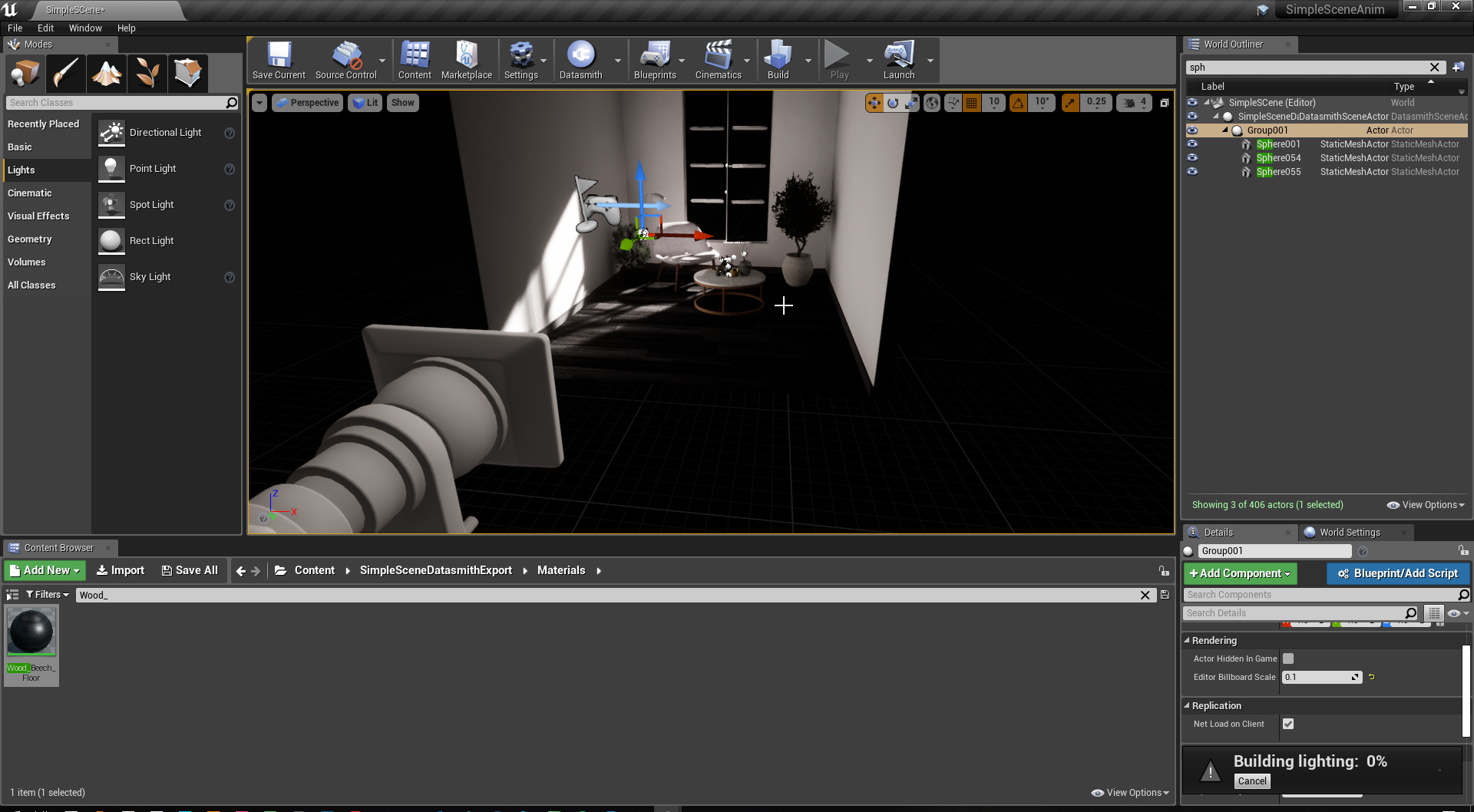 fading aurora
im totally confused
where this light is coming from
lol
ah ok fixed it
just needed to rebuild 🙂
kind dew
@grim ore i knew you would fix it thank you so much
works like a charm
learned alot about nav mesh components today lol
grim ore
it sorta works like a charm..
kind dew
uh oh lol
grim ore
I was trying to get it to work with odd stuff like a stairs static mesh and it really really really does not like when you try and use a mesh for bounds lol
using just like the box collision should be fine tho and resizing it
lol
kind dew
oh okay yea i see
im trying to make a road with splines, and i want it to spawn these nav meshes along the road spline so i can just make a lot of them that npcs will naturally prefer to travel on with out manually making a lot of nav modifier volumes
grim ore
makes sense and it does seem to work with the basic collision shapes, even a capsule seemed to work on it's side
kind dew
awesomeeee okay back to work thanks again
grim ore
yay 🙂
 light coyote
@grim ore Hi
Do you know why the hell is my smartphone not recognized in the Media Player ?
Am i missing something
?
Ive been messing about with a few things, and cant seem to get it to show up.
Tryed with a regular cam aswell, and accepted some android related agreements on the project settings, and i cant seem to find anything in the docs.
kind dew
without road preference: https://gyazo.com/df2208057e5c4ea77ea64dc4ffb1ec24
workin great mathew 🙂
light coyote
@grim ore Im trying to do it in an image in a widget, made matetrial to be UI,, on an example in a doc was not used, but cant get it to show up anyway in the brush of the image unless its a ui matt,,,
Is the emulator 100% needed ? (i was hoping unreal had something to solve it, or it will error me for it)
I have everything ok as far as i know, my only issue is i cant get to select the device in the Player.
@grim ore Yes
grim ore
did you enable the android camera plugin?
grim ore
hmm.. I did a video on this in 4.18 when it was released so I know it works, I and used my device directly
but I used a media player asset on a plane in the world using a normal material. have you determined if its just not getting the image or if its not showing it?
light coyote
grim ore
i dont know if it works in the editor just during play
light coyote
No i have not checked if its because im trying to do it in UI.
I thought so, but anyway, i cant even get the device to show up in the player. soo.. i dont think i can recognize it via BP
grim ore
did you check out my video on this plugin?
light coyote
And i tryed launching aswell.
Yes, i did, have about 4,5 pages with stuff
grim ore
hmm. well did you try it in the world on a media texture/material just to see if the camera is working in the first place?
light coyote
but as they are so many variants in terms of devices, tipes of inputs for the player, so many combinations,,
grim ore
yep which is why the plugin does that generically based on just front or back and lets you iterate thru them
light coyote
Ill try that in a min in a separate project, need a cig
grim ore
at the worst I am installing android again on this machine and will see what might be broke lol. The goal is to get a camera to show up in UMG?
who didnt install Android as part of the engine and completely forgot? this guy lol 🙂
light coyote
Blueprint Runtime Error: "Accessed None reading structure Url". Blueprint: ThirdPersonExampleMap Function: Execute Ubergraph Third Person Example Map Graph: EventGraph Node: Open Url
Blueprint Runtime Error: "Attempted to access index 0 from array CallFunc_EnumerateWebcamCaptureDevices_OutDevices of length 0!". Blueprint: ThirdPersonExampleMap Function: Execute Ubergraph Third Person Example Map Graph: EventGraph Node: Open Url
At least i got an error this time
@grim ore What do you mean by your last two coments,,, what is it exactly what needs to be installed ?
That is what im not sure if needed anything else, and is why i was accepting sdks and stuff from project settings.
What is the basic setup for this to work ?
grim ore
no I mean I didnt have NDK or the android stuff installed for me to test here lol
and yeah index 0 should be the expected error if you are trying to test in editor
light coyote
ahh, fuck, ill launch it
Do i need to have the camera open, or the exact one im aiming for ?
Does it matter if the phone is locked or unnlocked ?
grim ore
well the phone has to be unlocked in order for the app to be running
and then its just up to how you told it to find a camera and use it
hah my sample project crashes the editor... this is not a good start
grim ore
you are missing a source in the media player, you need to create a new Stream Media Source
grim ore
the source is where the media player gets its content from, if you look at the bottom of the media player it has no source
you need to create a new Stream Media Source in the content browser
and then your media play will have access to it since its the only one it should default to it
so then when you tell it to set the url to play it will play the stream from the url which is the camera
light coyote
Ive done the source, it shows on the player as having something,, still cant selecet device from it like in the docs, but im not sure if its a must,,, but still cant seem to find the device
grim ore
i dont think you can select the device in the media player unless its an actual fixed device. the editor does not know about the android camera as that is at runtime not design time
so it should be working for me but my camera isnt giving permission for some reason lol
yep there we go once i gave it permission
so if you didnt know when the device is connected you can go to window -> developer -> device output log and then select your device in the drop down in the bottom left
this is basically ADB LOGCAT but in the editor, you can see the android logging
for me this was the important part D/UE4 : FAndroidCameraPlayer::EnumerateVideoCaptureDevices D/UE4 : Camera supported D/UE4 : Camera permission not granted D/UE4 : IMediaPlayer SetGuid: D206B9FD45046321574B73B485AF9C09 D/UE4 : FAndroidCamera::Open(vidcap://rear) - D206B9FD45046321574B73B485AF9C09 D/UE4 : FAndroidCamera::Close() - D206B9FD45046321574B73B485AF9C09 D/UE4 : [2019.10.18-18.35.46:838][128]LogAndroidCamera: Warning: Failed to set data source for URL vidcap://rear
i didnt have the app asking for camera permission so it was not given access to the camera. I went into the app info in android and gave it camera permission manually and then it showed output the next time
the code you have looks like it would work fine as long as you have that missing streaming source fixed in the media player. I tested with both a material in the level and that little floating thingy you can see on the screen is a UMG widget with just an image on it using a UI Material that just feeds in the video texture
all my button does is iterate thru the webcam devices in order so I could go between back and front to test lol oh and puts the name of the device on it so I can see which one it is
 sleek bronze
how easy conceptually is it to add two-three abilities on a character...? Like apex.
light coyote
I got lost in what you last said.
Developer tools--- OutputLog
Developer tools--- DeviceManager
??
grim ore
oh eef, you have an older version of the engine
yeah its not in that version 😦
you would have to manually do ADB LOGCAT and look for the errors if you still have them
light coyote
4.21.2
I have 4.2, dont know why did not open in that one
grim ore
they added the log to the engine in a later version
light coyote
Ok, ill make the same thing in 4.2
grim ore
but the plugin does work and you can get the camera output into a UMG widget, I did test. I am using .23
light coyote
Is 4.22.3 ok ?
grim ore
4.21 would be fine you just dont have the log. Did you give your app camera permission in android?
light coyote
@grim ore Ok thanks for the testing, at least i know it can be done and if it doesnt work i know it can be done,,, thanks a lot man
From the phone you mean ?
grim ore
yes the app needs permission to use the camera
you can have unreal do it with a popup and the right nodes, or you can do it manually on the phone in the app settings
Like on my phone for example I had to turn it on.
light coyote
You are going to kill me Xddddd
grim ore
and after it's on if you relaunch it the permission should work and the camera should show if the rest is correct
light coyote
Or im not understanding what you mean or im missing something.
The camera app needs permision from itself ?
buoyant viper
What is the name of an Object that could be placed in the world true C++
grim ore
the app needs permission to use the camera
buoyant viper
I would like to create a minecraft like block system
 ebon spindle
My First Steps Text working with trigger box! If player walking in to the trigger you see the text!! If out, text gone!
light coyote
@grim ore Are you using any camera app that is not original from the phone ?
(Or im not understanding what you mean or im missing something.
The camera app needs permision from itself ?)
Am i just getting confused now ?
grim ore
your app, your unreal engine application on the phone, needs permission to access the android camera system
you need to either use the Request Android Permissions node in Blueprints to ask for it and allow it or manually change it in the app settings on your phone for your ue4 app
ive got some more code that might help lol
ok so this when it is ran will see if you have permission to use the camera, if you do it will get the first camera and set the media player you have set up to use that camera
fading aurora
is there a way to get my light changes
grim ore
if you do not have permission it will ask for permission to use the camera, wait 2 seconds, then check again.
fading aurora
to actively show without rebuilding every time?
grim ore
change your lights to movable and that will calculate them in realtime
this is a performance trade off so if you want to change them back to static before building later you should remember to do that
but static is not the same as movable in the end as static will look different based on other settings (UV layout, bounce lighting, etc.)
fading aurora
how do i change them to movable?
light coyote
@grim ore Thanks for the help man. But yoou are going to kill me.
Remember i said i wanted to read QR codes, accessing the camera. This is.. omg
My intention was to access a plugged phone whith the project beeing in windows. But now i realise part of the misunderstanding.
This is 100% working on android right? is not accessing the camera from a windows project
grim ore
click on the light, click on the movable button next to mobility (under transform)
fading aurora
perfect. t hank you
grim ore
@light coyote correct this will not allow you to use the camera on a phone like it is a webcam on the computer
light coyote
OMG xDDDDDDDD
ebon spindle
Free for use! Maded By Fatlesss!
light coyote
I thought they where things that i was getting very confused on why
grim ore
lighting is very hard, check out 80.lvl for some guides from artists
light coyote
@grim ore I need a brain brake, and some food. Thanks for time and patience man, ill do a few more things, but i dont think ill look back on this till tomorrow,, need the pillow rest chat. Thanks again.
grim ore
🙂
 delicate needle
I'm using 4.22.3, having a strange issue with my Action Mapping/Axis Mapping config. I have a DefaultInput.ini with a bunch of ActionMappings and AxisMappings, but they wont update inside the project settings, only thing that changes is the Axis config. Importing it, or placing it in *project\config\ does nothing.
Hmm, seems like there is an + behind the line in the config, is that a comment out?
Maybe it was made for 4.23 and the formatting has changed?
grim ore
I "beleive" the ones with - are ones it removes and the + are ones it adds. I think it was designed like this so it could update older templates and such as time went on, if you notice the default input has the - lines in them and they have less data than the + ones later on with the same key names
but the basic formatting should be the same in older and newer versions in the last few years
is your project reading from the defaultinput.ini or is it using another file?
delicate needle
I believe so.
grim ore
it should say for sure at the top of that screen
 opaque salmon
I'm getting a silent crash on editor start up on all projects, where might editor logs be?
delicate needle
DefaultInput.ini
grim ore
my other thought is maybe the importing is crashing on another line? the axis configs are at the top with the mappings at the bottom and it reads it in line by line
delicate needle
Thats kinda what I am thinking, look at this screen shot
Look how it only has 1 action mapping and 1 axis mapping
delicate needle
I deleted it! Thats how those two showed up, before nothing.
grim ore
which makes sense
without the + it is not adding to the array of input its just setting it
yep just tested it
delicate needle
grim ore
notice how the only input in there is the last one
delicate needle
Okay, thats the orig file.
grim ore
yep dropped that into my project and https://i.imgur.com/7gJaOVm.png
grim ore
sec
delicate needle
(grabbing phone)
grim ore
grim ore
tell them its not nice to block imgur lol, trying to save bandwith on the server
delicate needle
My boss's friend is the IT guy who does the work for free dinners. We had ransomware virus earlier this year, so now he's overreacting with the firewall settings...
grim ore
oy but understandable
delicate needle
By the way, sharing this info with the entire group. V-Ray for unreal has an interesting feature that has been a HUGE help with my baking process. It allows the baking of individual StaticMeshes without baking the whole scene. I've only started learning it this Monday, and I already have my entire interior looking pretty good. Before, it took me much much longer.
 storm venture
i'm looking to swap my 1080 for a 2080ti, anyone have any specific models to recommend or words of advice on this leap?
grim ore
doing it for a good reason?
my only recommendation would be to make sure to get the right cooler style, open air or blower, based on your case or what you have now.
I went from one to the other and had to redo some fans in my system to accommodate for the heat
 sudden kestrel
Is there a way to use hdri instead of sky sphere?


 tropic pilot
isn't there any "podium with a button" mesh in the starter content? i feel i've seen it befor in UE
 iron glacier
Hi everyone, has anyone encounter any problem using the experimental plugin "Actor Sequence(Experimental)"? It says it might not work as intended but it seems to be working fine at least in editor.
fierce tulip
means its better to not use yet in production, as it might have errors, or might never be finished, that sorta thing.
 barren bear
Not sure if this is the proper channel but I'm having an issue with the shadows on one of my objects within the engine
has anybody else come across something like this before?
looks fine in all my other software

 vale silo
@gleaming narwhal I posted a question to the thread about training stream on 24th 😉
 midnight bolt
is there a way to batch import files? with the exception of import one, save one, continue. if i try to import in bulk my UE crashes, but if i do it in smaller quantities it works just fine
 pearl wigeon
are linecasts and spherecasts supposed to trigger twice
pearl wigeon
nevermind, i fixed it like this
the out hit kept on giving me two parts, the first hit and the end hit but i only wanted the first hit
geez what's with the giant white box above it
 mossy nymph
sphere trace will return all hits, there can be 500 of them
its not a "start and end hit"
you just happened to have two of them
as for those being ordered in any particular fashion, i wouldn't ever rely on that
pearl wigeon
i don't mind if they're not ordered, that isn't important for what im using them for
i just kept on getting "None" instead of an actor name
i have a giant list of class names directly to the right of the screenshot, and in case any of the hits have the correct class types in them, it'll trigger what I want which is to change the crosshair from a normal crosshair to a hand
mossy nymph
not a great way to go about doing it
you'd be better off having IInteractable or IPickupable or w/e you want to call the interface
pearl wigeon
wouldn't that still need a raycast
mossy nymph
it would
but they can also have a PrimitiveComponent on say, InteractableCollision channel
Interactable object type*
then it would be as simple as SphereTraceForObjects, provided with Interactable as type
instead of having a huge and bug prone list
pearl wigeon
huge? maybe
bug prone? it's just booleans
mossy nymph
now imagine adding a 100 more there
 plain egret
Noob question here, Is it possible to add already made animation to an existing skeleton with animations? For example i have a character with many gun animations but if i wanted to add a melee animation from the Marketplace, can i do that?
mossy nymph
also, this creates a hard reference to each of those classes
which means loading that controller? BP loads all of those classes checked there, as well as anything they hard reference
even if you had say, 15 total interactables, but only 6 of them on the current level
pearl wigeon
im making a reaaallly shit game
everything is on one map for starters
i don't add what isn't necessary, and if I stop using something i'll delete all references of it
mossy nymph
thats no reason not to try to make the code better
pearl wigeon
i don't even know how you would make it not hard references then
mossy nymph
if all your interactable classes were using a primitive (say staticmesh) component that is of a custom collision Object type
and nothing else was using that collision Object type
you can just do a trace for that type, and sphere trace will return only the hits that are actually interactables
and you wouldn't need to reference any of them individually
pearl wigeon
is that what line/sphere trace by profile is for?
mossy nymph
profile is a configuration that includes the ObjectType, as well as collision responses
and yes you can use that too, its just a tiny bit more involved
and more restrictive, since that would lock all your interactables to have the same collision responses
as in you couldn't have a large one like a barrel or a chest that you can't walk through with your pawn, and also a tiny one like a health pack that you really don't want to have block responses to the pawn
pearl wigeon
alright
so how would i go about actually setting object types to something like "interactable" that then the line/sphere trace checks for and ignores everything else
mossy nymph
then you edit your interactables and adjust their collisions to use that object type
pearl wigeon
so create a new trace channel or object channel?
pearl wigeon
and then do it like this?
mossy nymph
yeah, you can adjust individual responses if you need to
pearl wigeon
gonna create a new preset as well just for ease
mossy nymph
that also simplifies handling of your SphereTrace for cursor, as you're only interested if the Return Value is true or false
not what you hit, since if you hit anything, its interactable
 tribal steeple
How good is the built in coding language?
kind dew
c++?
tribal steeple
Blueprints yes!
So hypothetically if I wanted could I make an open world RPG with them?
 abstract relic
Yes it’s possible. Not ideal for something of that scope but still possible.
abstract relic
Primarily performance. But honestly if it’s a passion project, I wouldn’t be too worried about optimization. Just know it has its limitations on that front
 swift spindle
so... not to be that guy.... but whenever someone says openworld RPG.. and is most likely 1 person... all I have to say is this... scope and view the credits on your fav rpg 😉
abstract relic
one of the reasons why you shouldn’t worry about it 😜
tribal steeple
I’ll be honest it’ll probably suck
Or never be finished
But
It should be fun so why not try?
abstract relic
I like your attitude! 👍🏼
tribal steeple
😄
 tiny sonnet
I need help with something, when I added a level into my project. Everything seems to work in the editor, but in viewport/play/launch, the character/scene has litterally 0 light.
 mint sequoia
The Alt+C command to show collisions, is there a console command or a way to execute it during PIE in new window
 stiff spoke
Hi
 steel patio
@mint sequoia I haven't found a way yet, but in the mean time, you can use pxvis collision to render collision. It will destroy your FPS though if you use terrain in your level.
 oblique tangle
anyone know how i would check my player's z velocity in game while playing
just to check some stuff out
 sudden agate
get velocity of the movement component
 fervent kernel
Upgraded to 4.23 and got one of the worst bugs around
mint sequoia
@oblique tangle @sudden agate GetVelocity() in Pawn/Character works too
FVector APawn::GetVelocity() const
{
    if(GetRootComponent() && GetRootComponent()->IsSimulatingPhysics())
    {
        return GetRootComponent()->GetComponentVelocity();
    }

    const UPawnMovementComponent* MovementComponent = GetMovementComponent();
    return MovementComponent ? MovementComponent->Velocity : FVector::ZeroVector;
}
It'll return the movement component's velocity unless you're simulating physics on the root component
 hexed dagger
can someone tell me how did this guy make his own textures, with what program and how did he create his terrain/map?

It is a Indie free horror game ,so if you guys ant to try it for your self ,the link is in here : http://gamejolt.com/games/hotel-remorse/56793
abstract relic

hexed dagger
so he used substance?
celest ice
hey guys how can i make the character hold the gun??
 radiant haven
how can i make settings
fierce tulip
by setting them up 🙂
 tender flume
Is it possible to make a small RPG 3D game like Legend of Zelda gameplay but 3D?
By just using blueprints?
I find blueprints easier than having to code.
fierce tulip
yups
tender flume
Are there any places for tutorials like something that has wiki tutorials?
Other than YouTube?
fierce tulip
and in the chance that you do find a bottleneck trough using blueprints, you can always improve them, or hire a coder/code yourself to optimize those aspects.
there are, but only if you break it down to the smallest aspects.
Camera tutorials, modeling tutorials, animation tutorials, etc
dont expect a full zelda-like/rpg tutorial
tender flume
Not a full-like
Just a half-baked
so I can understand how blueprints works like.
I always had interest for game development but just didnt get to it yet because I felt like it would be too difficult, then I discovered blueprint on UE4. Phew.
 bleak wadi
better start small though
tender flume
Yep, thats what im doing.
My plan is to get a third person controller working with the basic animations.
fierce tulip
hehe.
I would try to write down what you think you need and see if there are tutorials about it.
Im sure even googling "ue4 rpg top down tutorial" or something like that would give you some video content.
tender flume
The concept is a simple RPG game test project for me to learn and improve overtime.
Thanks @fierce tulip 
fierce tulip
just have fun with it 🙂
buoyant viper
@fierce tulip Sorry for a mention, But any ways to debug render issues? Like flickering of cubes
fierce tulip
while technically you should not @ an admin unless part of the conversation or moderation thing..
its best to make a video and show it in a channel most relevant to it.
tender flume
For me, the most fun would be to see the concept done by myself and with the help of tutorials.
buoyant viper
Well iv'e posed a gif a few times but never got any reponse
Been stuck witht this for 2 days now...
fierce tulip
you might be better off trying #blueprint and I dont know a think about bp's.
buoyant viper
it's not realy BP related
Had the same issue when i made it using C++
I tought that thay might been the issue, so i converted it
But nope
bleak wadi
is the blue cube thing procedurally generated or something
looks like it doesnt draw some triangles on the edges of the screen for a moment
@buoyant viper
buoyant viper
Yea blue ones are generated
bleak wadi
do you have some logic to cull triangles out of screen or something?
 bleak wadi
i dm'd
 cloud cobalt
Depends which one, really. The Link's Awakening's remake could be done in two years by a team of 10
Of course it's still never going to be one person's work
bleak wadi
basic top down movement seems like a good challenge for someone starting out
cloud cobalt
Basic top down movement is an engine template so it's not much of a challenge
tender flume
@tall pendant But the game concept just consists of third person controller and basic animations, attacking enemies to earn gold and purchase at a store with a small objective task AI.
 tall pendant
if you think so.. go make it. 😄
cloud cobalt
"attacking enemies" is... more work than you realize
cloud cobalt
"attacking enemies" means
- 3D animated enemies that have varied animations, health, etc
- weapons that have animations to attack the enemies
- a combat system that works well enough
It's months of work already here
bleak wadi
excluding the enemies moving around and attacking back
tender flume
Okay, so a easier concept is:
- Third person controller
- Breaking objects? So destruction simple kind of.
bleak wadi
destroy actor spawn actor coin
cloud cobalt
Much simpler
tender flume
Oo.
But I'll get the basic functionality of the third person controller done first.
cloud cobalt
By the way, every game developer strugges with scope, the size of the project
bleak wadi
👍
tender flume
So, that would consist of basic animations. (Jumping,Sprinting,Walking)
I think if you have a passion for game development, it's better to start small but not too small. Just give small challenges in your own project scope.
bleak wadi
and multiply development time estimates by 3
tender flume
Would this help me out in the future though if I mastered game development in a few years?
bleak wadi
you wont master it
tall pendant
passion wont solve the problems you are encountering tho
bleak wadi
you'll just get comfortable with the basics
cloud cobalt
"game development" is 200 different jobs
bleak wadi
if you work hard
cloud cobalt
You can master one, not 200
Aim for small games - look at successful indies and you'll find that they do one thing, very well
bleak wadi
quality over quantity
cloud cobalt
Most of the indies you know are 10 people already, too
tender flume
Quality is important.
As an indie, the only way you would be able to attract audience is by the quality of your project.
cloud cobalt
That simple goose game that everyone's heard of right now has 8 main devs, as many more in voice acting, and around 50 people total with production support, console supports, marketing, and so on
Dead Cells is a 10 developers team
cloud cobalt
More
tender flume
500?
tender flume
What about a game like Cyberpunk?
cloud cobalt
About 300-500 too, for about as long
 plush yew
Anyone wanna chat? Come in general
cloud cobalt
Basically if you're one or two people doing a game, take a Dead Cells or a Hollow Knight or a Goose game, aim for 10% of that
tender flume
Goose game?
cloud cobalt

It's a lovely morning in the village, and you are a horrible goose. Out now on Mac, PC, and Nintendo Switch.
tender flume
So a game like PUBG would take like 300-500+?
cloud cobalt
I mean, look at the credits 🙂
tender flume
Yep. I saw that. q-q
 hybrid scroll
Can I setup the editor so that on startup it opens the last map I had open instead of the "Editor startup map" (from settings)?
bleak wadi
yes
hybrid scroll
how?
buoyant viper
https://github.com/devdad/SimplexNoise anyone that has used this?

GitHub
- This is a clean, fast, modern and free Perlin Simplex noise function.All Public Functions are BlueprintCallable so they can be used in every blueprint. From DevDad and Dedicated to you and Unreal...
hybrid scroll
@bleak wadi Got it. Thx
plush yew
When I scale my cube my material scales as well how do I stop that?
plush yew
@sudden agate How do I triplanar texturing?
bleak wadi
i bet there's a tutorial for that
 gray coyote
Dont know where to post but if i get world creator for unity and make something can I export it to unreal?
tall pendant
I dunno how the special Unity version works. But you could export straight to UE4 when buying the standard version from their website directly.
gray coyote
I know I just would prefer not spending 150 euro for the standard if i could do the same using the unity pro version for 80
I tried looking online with to no success
 dawn gull
Hey, so I am installing two plugins externally not from the epic games store, and I get this message
If I press yes I get this
And if you say no it never launches
 dim merlin
@dawn gull seems those plugins are from a previous engine version. u should get proper versions for the plugins, or fix the errors yourself
radiant haven
Can someone Help me With sound classes... My Sounds are WAAAAYYYY Too low and want to change the Volume
dawn gull
@dim merlin Oof would trying to find newer versions work too?
Arggg there is no newer versions and putting the project to an older version would take forever and ruin some of the code
light coyote
you have no material
stiff spoke
Do you know how to compare the score of online players?
celest ice
@light coyote i tried to put the "color" in the material but it didnt show
you can see the color material in the lower part of the ss
light coyote
@celest ice Look in the middle of your ss,, you have no material applied to the mesh
put texture in material,,, put material in mesh
celest ice
aw...
how to put texture???
i dont think it was given with the file
where can i put the material??
@light coyote
light coyote
the texture is the thing you tried to put and did not work
evrything opens in unreal engine, doubble click
look in the propertys of the mesh, you will find it
celest ice
light coyote
also,, use google and youtube,,, they are your best friends for this
light coyote
propertys is the details tab you are in
abstract relic
A How To Guide for using different aspects of the Material Editor in Unreal Engine 4.
light coyote
details are propertys you can say
 misty bobcat
Can you specify a little more?
 fierce tulip
hehe, can tell its a saturday
fierce tulip
might be accidental masked+dither or translucency for the hair, but also applied to whole body.
also, whee weekend. im off.

 torpid osprey
Hi everyone, I was wondering is there an easy way to turn off lenz flares on just 1 emmisive material?
tender flume
Masked fixed it, it was on translucent.
celest ice
how to add animation thats already provided a 3D object
tiny sonnet
I need help with something, when I added a level into my project. Everything seems to work in the editor, but in viewport/play/launch, the character/scene has litterally 0 light.
 mint thunder
Hey guys i downloaded Luoshuang's GPULightmass and i'm getting invalid device symbol error
any help would be appreciated on how to even approach on solving this issue
grim ore
have you read thru the forum thread and is this a supported version of GPU and engine?
grim ore
are you not using the .23 version on .23?
mint thunder
the plugin has 4.22.0 as the latest version. I ran the 4.22.3 and tests had been made till 4.22.2 which was running correctly.
grim ore
well the official plugin stopped at .22 yes, there are branches that support .23 if you intend on using it on .23 on the forum thread
that assert error is when trying to allocate memory for the ray trace assuming you are using the .22 plugin so I dont know if that helps much
mint thunder
i'll check the 23 as well thanks
 gloomy helm
Is there a way to make a skeletal mesh update/play animation in the editor viewport?
 sand whale
 cosmic matrix
Hello,
I m trying to make a custom foliage type to put custom data in BP.
But after trying to extent foliagetype and instancedfoliagetype in BP i can still not use my custom class and only the default one is show in editor:
Anyone got a solution or tell me if i missed something?
Thanks for answers if any.
@gloomy helm Simply change the animation in the editor
gloomy helm
It won't play until you run the game though
cosmic matrix
You want to see anim in editor right?
 manic pawn
open them from the window menu

 copper elk
can someone help me please
cloud cobalt
Ask your questions
copper elk
hi, so I'm trying to make a perk system like in Dead By Daylight, but a bit more simplified. And I have a problem right now, how can I get the perk child and attach each image of the perk onto the image in the widget then add it into another widget?
Ik I just had to copy and paste it
basically
lets say
I have widget no. 1 and no. 2
no. 1
has a scrollbox, in which I would like all my perks to be in
no.2 is the child of the perks
e.g name of perk, image of perk
so I have the name of the perk part done
now I just need the image
here is what I have so far
no.1
no.2
and like I said the name of the perk works
but when I try to add the image, the texture doesnt appear and the perk child is duplicated
in the scrollbox
ok, so the texture is now applied but the child is still duplicated
meaning, it creates a few perks that I set but all with the same texture, but then it creates duplicated of the previous ones except now they all have the same name but different textures
its because of this, but Im not sure how to get it to create one perk with a set texture and name
 chrome cedar
hey guys 🙂 unreal crashes everytime I wanna open my project... is there anything I can do to rescue it? I don´t wanna rebuild the whole level..
 thick herald
@chrome cedar check your projects saves folder, inside should be autosaves.
chrome cedar
so I pick a .umap file and open that one? cause I just tried that and rlly nothing happened 😦 it doesn´t wanna open it
 opal coral
Anyone got any suggestions on how to change settings on 20+ assets in one go? I have some destructible meshes and they all need to have the same settings, but changing it on all 24 of them is very time consuming. Some of them aren't accessible via blueprint scripting
abstract relic
(Going off memory here) Highlight assets > right click > asset action > bulk edit
opal coral
@abstract relic Brilliant, thanks!!1
chrome cedar
ah it worked now 🙂 thanks for your help!
cosmic matrix
Anyone got answer for my problem?
radiant haven
NOOO
mint thunder
does anyone know how to solve this error? UE4 basically uses Luoshuang's GPULightmass plugin but aborts imediately(or uses preview settings)
copper elk
anyone got an answer to my question?
 severe ibex
@copper elk honestly no. I might be some use if I were more awake, best to post that in the BP thread though, someone who knows their stuff will have you there
light coyote
@copper elk You only need one foreachloop
If the two arrays have the same amount of items, you can just use one to determine how many times it will do the loop, and use the current index in the output of the loop to get the item at the same index from the other array
@copper elk From your last pic, remove a node loop, the sequence, and the two make arrays
 solar latch
Hi anyone know why are they some label cant be pressed
They are not highlighted whats the issue?
Nvm found the issue
light coyote
@copper elk Input in your widget should not be an array, should be a regular var
 fierce forge
can i make a foliage to be on just a landscape layer ? (like grass foliage on grass and not on rock , Dirt , Road etc)
 teal tulip
Baking light with a GT 740 probably you end before with the CPU baker
@fierce forge can be done but right now I have no idea how, check google
fierce forge
i searched on google and i find something but i don't understand
copper elk
@light coyote wdym input
light coyote
wdym ?
light coyote
remove the 2 make arrais
light coyote
i gess
copper elk
its in the first one
as in the one that has the scroll box
the mother widget I guess u could call it
light coyote
why does your object of that class ofer you the posibility to plug the 2 arrays ?
copper elk
because I need a texture and the names
light coyote
yes
light coyote
drag from the other array and type get
copper elk
is that it?
light coyote
in theory yes
light coyote
no worries
midnight bolt
is there a way to filter content browser by unsaved only?
copper elk
@light coyote I got one more question though
everything works
but I want to make the perks actually affect the player
so how would I do that?
light coyote
What has to happen to activate the perks ?
Click on them ?
As soon as they appear on UI ?
copper elk
so
you get a list of perks
and you click on them to equip them
so lets say there is a perk that makes you walk faster
how would I do that
light coyote
instead of images, make them be buttons,,,
you need another array of buttons, and the array of images you have, is used to set the brush of the button with it
copper elk
they are buttons...
light coyote
If each button and text is a wideget like you have,, simply make the event on clicked get the var text, and use the text to know the ability to use
light coyote
I dont know how you have your things distributed, or where you are doing what
copper elk
yes
light coyote
button
light coyote
that will make the images be clickable
light coyote
remove image,,, place button instead
copper elk
there is an image
light coyote
remove it
copper elk
there is a buttno
inside the button is a box
in the box there is an image and text
just like I want it
y would I remove the image
it works fine
light coyote
create a on clicked event in the bottom of its details
copper elk
yes
I already have it so the texture from the pressed perk is copied to the perk image (if that makes sense)
I've got this and it works
now I just need a setup for the system to know what the perk does
light coyote
if you have the button, the image, and the text in the same widget
you can just frag from there and set it
no need to get all actors
copper elk
its fine I know what Im doing
that part isnt in the same widget
its in a different one
light coyote
if it does not appear on the var, go back to designer side, top right, click make variable
well i dont
light coyote
i dont know what you are doing there, but some thing does not look right
copper elk
the part where I have "get all widgets of class" the part that I want to get is in another widget
it is right
everything works
light coyote
check up in google what event dispatchers are,, you will want them i gess
copper elk
want them for what?
grim ore
do you actually have a "perk" system set up? or is this all just pictures and words
 olive yew
Hello guys can someone help, im noob and wondering how to aply material
Hello guys can someone help, im noob and wondering how to aply material
plush yew
Hey does anyone know how i could make my character movement like this (I already have animations)

Added a simple flight controller, camera shake, footIK, new sounds and other small stuff. Testing it in wonderful LandscapeMountain... If you want to support...
copper elk
@grim ore sorry for the late response
no I dont
its like you said
just pictures and words
I sort of have an idea of how it could be set up but Im not sure about some parts
grim ore
you will probably have to do like suggest, learn about event dispatchers, so when a button is pressed your character can be listening for it and will know which button was pressed. You need to design a system that holds the perks, a class or object or struct or data table something that holds all the data you needs for this perk then you would assign the button which perk it has (maybe using a unique ID so you can refer to the perk info in other places) and the player would track which perks it has as well as which buttons they are assigned to or the button can track this if needed. Then when the button is pressed the player would hear about it thru an event dispatcher then look up which perk was activated and do something.
If you have alot of time and C++ experience the gameplay abilities system was designed for this
copper elk
this sounds like a sh*t ton of work, thx for the reply I will keep you updated on my progress if u like, but I'll definitely need some help
as I'm not very good with UE4, and I learn only through messing around and watching tutorials, so its not easy
grim ore
it is a ton of work, like a ton ton
even if you hard code the stuff it's a ton to make sure it works at the basic level
there are some videos out there with skill systems so there should be some stuff to watch
plush yew
so when you change the mouse cursor via the player controller enum it only makes a visible change after you move the cursor which is really not good
Alright I do a trick where I get and set the mouse position to update it, seems to be one of the workaround methods for this
 digital badger
Anyone here know UE Viewer / UModel and can spare a minute or two?
plush yew
having a very, very weird issue on UE4.23.0. if I use a newly compiled binary (DLL) of my game, I have some animation jittering when rotating the character's movement with my mouse (3rd person). using WASD as movement does not cause jitter however. if I instead use the older DLL that was also compiled on UE4.23.0, there is no jittering whatsoever. comparing my Git history, I have not made any changes that could technically break anything, not to mention that my old binary is on 242kb, while the new one is on 238kb, despite compiling the exact same source code when doing a "git reset".
could this potentially be a compiler bug? I am on VS2019 at version 16.3.5
digital badger
Trying to use the following AES key on my own project, but UModel doesn't like it for some reason.
grim ore
yes @plush yew
there is/was an issue with vs 2019 and the latest C++ compiler toolchain that was causing issues with math and things like some nvidia stuff not compiling due to changes. the fix was to force it to use the older .22 c++ files
grim ore
trying to find more info on it but my installer is updating here
plush yew
i have just not noticed it because I have not really done any C++ work in the last month or so
ah okay
grim ore
plush yew
jesus christ it makes sense now
grim ore
plush yew
my "default" speed is 350, it could suddenly dip to 286, then randomly go back to 350 with enough rotation
it's most likely that faulty math
grim ore
I think they fixed it or patched it as I can't find the 14.23 tools anymore but if you had it before it might be an issue still
oh nope its there just not where I was looking lol. anyways I know you can force it to the older .22 tools and maybe even just uninstalling .23 will fix it
plush yew
grim ore
when it compiles in VS check the output log and it will show you what it is compiling against, see if your's shows .23
grim ore
I know I had issues due to it and the fixes in the threads (buildinfo changes and project changes) does work. I have no idea if that is the issue tho lol
plush yew
quite a breaking change to remove typeinfo.h
grim ore
and yep that pull request has more info on it/fixes
plush yew
but oh well, languages gotta evolve
grim ore
hopefully it fixes it for you 🙂
plush yew
I'll try it tonight :D thanks a lot for giving the right pointer towards it
I literally couldn't point out where it was happening
i guess that's what I get for running "arch"
 neat forge
Does anyone know how "ark survival evolved" handles its flying ai? I want to do something similar
grim ore
just hopefully it works, I randomly ran into the issue a few weeks ago 🙂
plush yew
i definitely think you're right about it. if i compare them i can see:
Old DLL: C:\Program Files (x86)\Microsoft Visual Studio\2019\Enterprise\VC\Tools\MSVC\14.22.27905\lib\x64\msvcprt.lib
New DLL: C:\Program Files (x86)\Microsoft Visual Studio\2019\Enterprise\VC\Tools\MSVC\14.23.28105\bin\HostX64\x64\link.exe
just random stuff in the PDB, but it does show the msvc version
grim ore
Cool at least it's a possibility that it's the compiler
 vast fossil
hey guys I bought a project in Market place and the project is broken, doesnt work and it even requires a plugin that costs 20 euro lol which is not mentioned on the sales page. Is there a way to get a refund ?
mint sequoia
Is there any epic marketplace content that has footstep particle fx?
kind dew

Unreal Engine
The aim of the Unreal Engine Marketplace Guidelines is to make obtaining and distributing great Unreal Engine content easy and beneficial for everyone.
vast fossil
thank you
kind dew
I am trying to smoothly transition character to the correct location and rotation to play an animation. And this is happening: https://gyazo.com/f3ea17e8da44eefa9379fa210a7fd3c0

So hes supposed to be sitting on the red box. I am using a timeline to set his location and rotation to equal that of an invisible box thats a child of the red one. As you can see it looks like the transition is working correctly, then he snaps back to his original rotation as he plays the animation. Any ideas?
kind dew
he always sits in the same rotation
vast fossil
hmm
kind dew
yea i tried to 180 the cube that he sets his rotation to, same result
vast fossil
this video comes to my mind, maybe it can help ur nodes

Hi, in this video we're going to make "Mark" move to a specific location and facing in the right direction, and then play an animation avoiding him to move u...
kind dew
yea ive seen this
vast fossil
ah ok
kind dew
i dont like it cause he hard codes the rotattion
im trying to make something that can have multiple animations
vast fossil
I havent dived in the animation phase deeply yet so I dont know much 😦
 frank silo
Anyone happen to know where the Brush settings are for Geometry placing in UE 4.23?
grim ore
@frank silo do you mean the geometry editing mode in the modes panel in the top left?
frank silo
Actually just found it.
grim ore
ah, you can also change that once it is in the world by clicking on it
but you have to have the entire brush selected, not a face/vertex/edge
 waxen ingot
Anyone good at organization/management who wants to help in a Game Development team?
 weary basalt
If your looking for talent, please use the #looking-for-talent channel.
plush yew
Unsure where to put this so Ill ask here: Any way to speed up the import process? Im trying to import a very large file and its taking a very long amount of time.
It is 450 MB tho so that may be the issue, just wondering if there's an easier way to import something thats large.
 warped tangle
is it a mesh? That's huge
 pearl shoal
So, does anyone know when are we getting 4.23.1?
frank silo
@grim ore Is there a hotkey to select the entire brush?
warped tangle
Shift J I think it is @frank silo
 thorny owl
guys is there a way to disable shader compiling completely? im working on project recording VR device position/rotation and then export to other software. So i dont care about the material/shader, but sometimes when i changed some settings, ue4 is freezed for compiling shader. And i have to wait like for hours for the things that i dont care...
Can i disable shader compiling?
 raw elk
Did Epic enable the Chaos mesh fracture tools in the editor for 4.23.0? Or do I still need to compile from source
I have the plugin enabled; but I don't see the editor button , and I just want to make sure I'm not missing something. I remember with the preview releases after Preview 1 I think you had to compile from source to turn it on, but I'm not sure if they just hid it behind a setting or something for 4.23.0
warped tangle
you have to compile from source
raw elk
ah, damn. Thank you
plush yew
@warped tangle Its a LOT, not sure how much
But I turned down the resolution and its finally finished uploading :P
 crisp fable
guys im going to pop a flinstones chewable, get into my leather jacket and do some coding
 vocal flume
Im trying to attach a static mesh to my skeletal mesh. But when I click play the whole truck is thrown violently across the level. Truck=Skeletal Mesh.. Flatbed=StaticMesh
This is my setup..
This is the truck + flatbed combo Im trying to achieve..
warped tangle
they're colliding with each other
either set the bed to have no collision, query only, or set it to ignore whatever object type the skeletal mesh is (probably physics actor or something)
@vocal flume
warped tangle
go to the collision settings of the static mesh that you're attaching, and set it to custom, then you can set the collision response per object
vocal flume
Amazing!! That was it. The collision was set to simple collision that was like a box around the static mesh. Changed it to complex and it started working..
Thank you sir!!
vocal flume
It worked out anyway 😄
warped tangle
these settings
yeah until you try to do anything physics related on that object and get the error telling you you can't run physics sim on things with complex collision...
vocal flume
I’ll keep this in mind. Just in case it breaks when I put objects on it..
sudden agate
install the debug symbols first
 blissful trail
how do i do that ?
fierce tulip
@limber lynx before asking that, please contact the lead admin.
Also, please read the rules next time.
radiant haven
Hello I need help with Volume Slider
it wont apply/ getting louder
I drag it up, apply nothing
I drag it again down, the music gets quieter
so I think I need a Value for the float to work
I think my current Slider Value is just one, how can i change the max value?
Using A clamp??
 sleek spear
is there a way to make particles react to an audio file?
 dry shuttle
@sleek spear I haven't done this or even thought about it but what if you add some kind of impulse when the audio is playing the will add force the the particles. I wouldn't know where to start on that but might be worth a shot.
sleek spear
@dry shuttle yes i see what you mean but this will get very complex. i mean i do this with after effects and with blender very easily, to have the amplitude of a frequency range control a parameter, any parameter actually, so i though of trying to do this with unreal. but it may not be possible yet
dry shuttle
Im not sure if it's possible or not as I have never seen it done. I just thought maybe it would be an idea of how to do it and get you going on it
sleek spear
@dry shuttle yep, got it. thanks
dry shuttle
Cool Hopefully you can get something to work as you want
abstract relic
What are we looking at
oblique tangle
Not the minimap in general, but the way the buildings are constructed in it
 wary wave
looks like render target + depth buffer
or just render target and dedicated 3d scene with materials that work like a depth buffer, but yeah
oblique tangle
oh so something like this


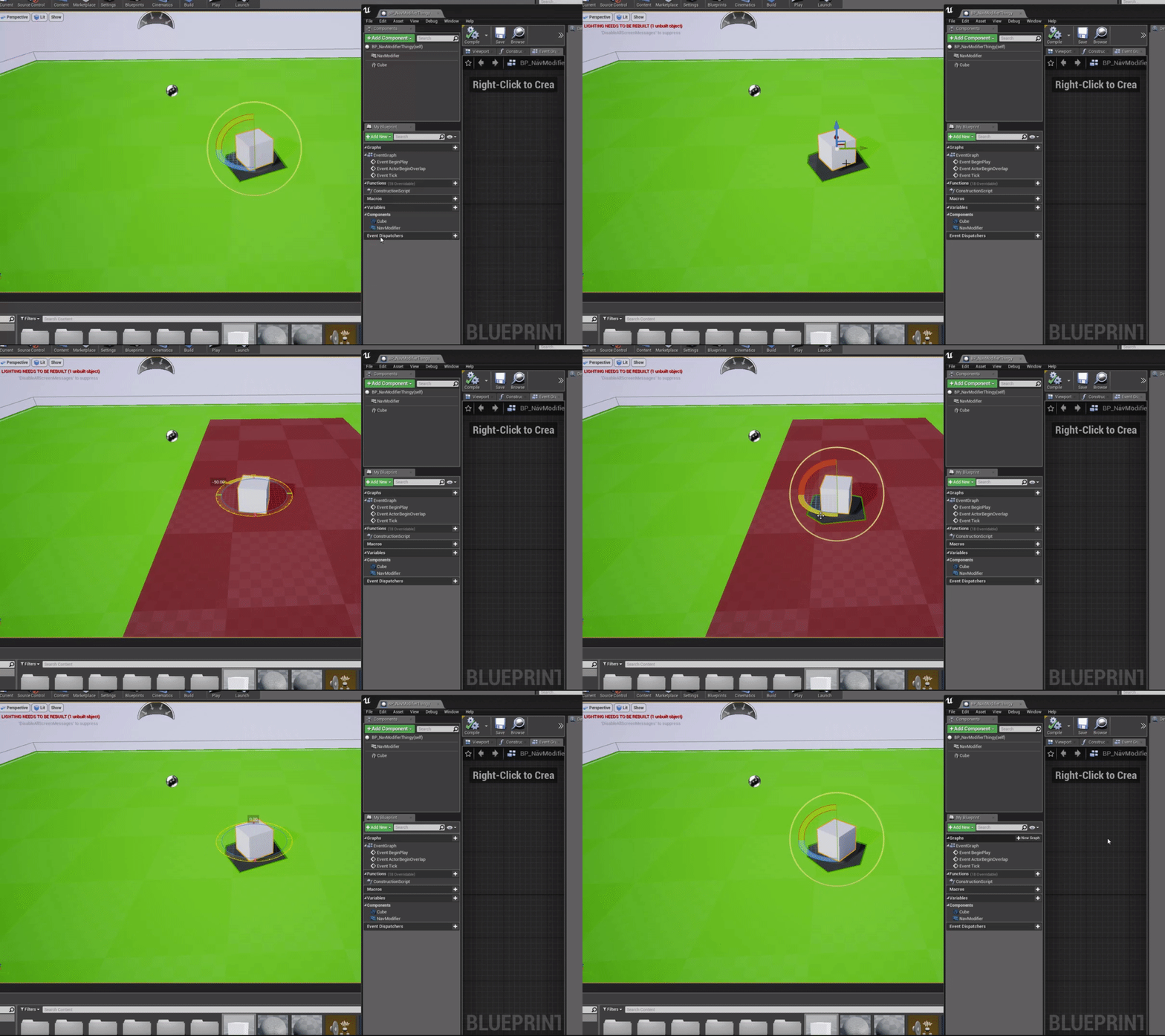

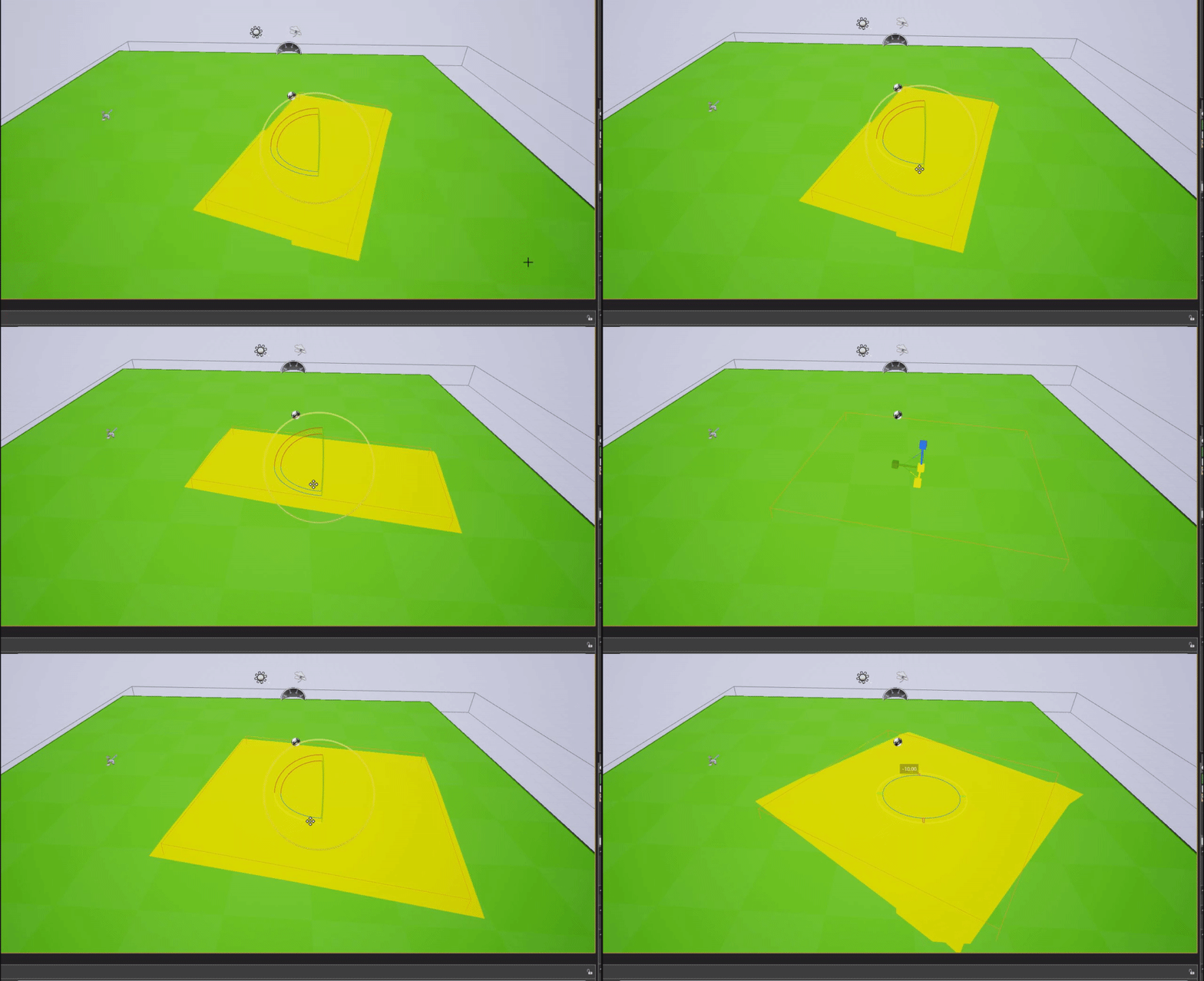


You can use the depth buffer with a bump offset function to map textures to the geometry in your scene. Very handy for dynamic UI elements, character damage effects, etc...#UE4 #gamedev #indiedev https://t.co/6KFjpo7vwA
Retweets
323
Likes
1664
 Twitter
wary wave
Twitter
wary wave
not really like that, no
vast fossil
guys I want my character to walk towards an object when pressing a key, is that the same as the AI folow player tutorials ? Because I want my own character I control to do this.
 steady owl
Finally figured out how to duplicate maps without any errors: in case it helps anyone else, just make sure the .umap that you want to duplicate is NOT currently open
Otherwise it'll throw a few ensures and errors
plush yew
hello guys
I need help
for my game I want to make auto updater but I don't know how
can anyone tell me or send me some tutorials?
cus I searched on google and found nothing
I need this cus when I make update peopel to get it-the game won't be in steam so don't suggest me steam auto updater
digital badger
Set up an SFTP server on digitalocean or AWS that hosts game files. Make a custom launcher that checks client version against server version. If the server version is higher, then download the update and install. If the version matches then launch the game
If you need someone to make it for you, hit me up
@plush yew
manic pawn
you won't find a tutorial for creating something like that...
it's quite a complex piece of software
 left epoch
anyone knows how to setup the mue
cause i'm having issues
right now 3 pcs are in a vpn
we can interact
but can't see the servers
i mean we can ping
access stuff by interact
but can't do nuthing with mue
plush yew
auto updater for game like a file-why to not find somethig? @manic pawn I found but for c# I need for c++ cus ue 4
grim ore
the auto updater can be written in java for all the game cares, it's a separate program that is ran before the actual game.
plush yew
well if you hold down lmb the mouse cursor changes to default and also the ishovered state does not trigger
ok
so can you send me tutorial or guilde to make it in c#? @grim ore
vast fossil
guys I need a UE4 staff member to help me with a refund. The owner of a project I bought cant migrate other versions so he is gonna refund me but we both dont know how the process works
left epoch
i figured out my issue
it's a pretty rare thing
i use a mikrotik router for a openvpn server
i had to setup the vpn clients to be in a bridge
 cerulean nova
Why is copyright so complicated?
cloud cobalt
It's not really
cerulean nova
if it goes into Creative Commons and fair use i think it seems pretty blurry
cloud cobalt
CC are licenses, they're quite clear cut
Fair use is... not something you want to rely on for your game
cerulean nova
lets say im a crazy fan of a movie and want to make a multiplayer game ... that doesnt cost anything and makes 0 income because i just have fun with the game and hope people have fun too...
its not allowed right?
cerulean nova
yeah its so sad ^^
Because the movie had a couple of games but always singeplayer and pretty bad ^^
cloud cobalt
It's a movie, so it's extremely unlikely
cerulean nova
Yeah but thats like writing a wishlist for Santa... it wont ever get there
plush yew
arent there probably a bunch of marvel fan games?
cloud cobalt
Illegal ones , Sure
cerulean nova
i guess its the same with mods who use original car models Mercedes... Sure they are there nobody does anything but its not licensed ^^
i def. dont wanna do anything that could get me into trouble
plush yew
Play the latest games from the category - Spiderman Games. In addition, every day we try to choose the best online games, so you will not be bored.
stone oar
@cerulean nova For trademark things I can recommend this Epic's video: https://www.youtube.com/watch?v=4A4t2bleTR0 It has great stuff about how makers of Grand Theft Auto series modify car models just enough that players recognize them, but they can go without license.

Copyright and trademark laws are often complex and obscure, especially regarding their enforcement in video games. Canon Pence, Epic's general counsel, will ...
Also, you can also ask. They might even give a model to you. I was working with B2B software and needed a model for a farming equipment from the manufacturer who was a client of us. They sent me a model and said "this is the same model we sent to farming simulator guys". So, they asked and that manufacturer was happy to give them a real model of their farming equipment, not just their approval to use their farming equipment in a game.
 quartz reef
Off-topic Question: I'm using particle systems from the Unreal Effect Cave - P_Dust and P_Snowflare and the single particles aren't visible when i drag them into the level. The "outlines" are visible in the editor when i select the PS but it's invisible else. Any suggestions how to fix it?
 hard quarry
Unreal Engine allways freezes and says this is an infinite loop? Any Ideas why?
stone oar
@hard quarry I think that input is read once per frame, so while's looping condition is true when X is pressed and while is looped run indefinitely on that frame. Input is not changed to false until next frame, which never happens because the while loop is never completed
hard quarry
thanks @stone oar how would you solve this?
Do I need to have all the logic in the Event Tick?
But what about big projects, where many Buttons are used? Doesnt it get messy?
stone oar
@hard quarry Depend on what you want to do and how often. If you want something to run every frame, then you could set a boolean value when X is pressed and run that thing on Tick if that boolean value is true. If you want to run that thing independently from Tick, then you can use a timer
hard quarry
You really think I can use a timer her? I dont know how long the player will hold the button?
stone oar
I don't know what you want to do when player holds a button down.
plush yew
@quartz reef maybe some missing texture references?
quartz reef
@plush yew the particles play in the Particle system menu so i think every reference is correct
The PS is just not visible when dragged in the level 😦
stone oar
@quartz reef Is the emitter in your viewport? Unreal doesn't play a PS if you can't see emitter. I had similar problem with a snow effect and emitter placed on very high.
Fix was using "Fixed Bounds" or something like that, but that was couple of years ago.
plush yew
@hard quarry you definitely need some way for that condition to be ever be false. it is basically just a: "while (true) {}" right now.
without a break
 safe forge
Does anyone know if theres a way to control the direction of a panner node outside its node functions?
plush yew
Imo its impressive that UE4 successfully imported this 😂
5 million triangles
Yeeeeaaaah
safe forge
ooof
radiant haven
CHESUS