#ue4-general
1 messages · Page 554 of 1
 median island
your uvs are probably wacky
 midnight gate
@grim ore help
median island
The uvs of your level geometry. What do they look like?
 radiant haven
the what?
median island
hm, I would study up on UVs. Those are necessary to texture anything
 grim ore
@midnight gate with what? I suggested you add a print string node to the cast failed and you wont
midnight gate
but i did
radiant haven
grim ore
is that connected to the cast failed?
midnight gate
how do i connect it to cast failed
radiant haven
midnight gate
you dont uv map with egde split
grim ore
the same way you connected it to the cast success/execute wire. drag off it and type print string
median island

Learn how to SPICE UP your 3D models in BLENDER by applying IMAGE TEXTURES to them! Want to follow along? Grab the tutorial files here: https://www.surfaceds...
midnight gate
falk pres a to select everything until its all orange and then w and select smart uv
i specialize in blender
median island
You have to setup your UVs in order to make textures work.
midnight gate
there is no cast failed node
radiant haven
 cloud cobalt
What does your UV map look like then ?
If you don't know what that is, you don't have one, so textures won't work.
grim ore
You have a node called Cast to FirstPerson, it has two output wires. One is the sucess/execute on the top which you are using and the one below it is the Cast Failed.
midnight gate
midnight gate
@grim ore it wont work
radiant haven
@median island AHHH
grim ore
you did it correctly with the print string before, you should be able to do it with a print string again. Drag from the Cast Failed, and when it asks for the node type in print string and use it
midnight gate
i dont know ill just go shot myself
this is too hard
no one has a node setup that will work
grim ore
well when you don't learn anything before trying and dont want to try learning then yes its going to be hard
midnight gate
ill g ofigure it out on my own i guess from a new file from scrach
grim ore
there are hundreds of videos and documentation out there for learning blueprints that you skipped
midnight gate
im usaly amazing at learning but this is imposible
eveyrone juts says you click that button and plug that BUT WHY DO I CLICK THAT BUTTON what does it do
no one tells you knowlage
midnight gate
if you can find one id be glad to see
ive spent all 2 days watching youtube tutorials
grim ore
how many of them are on the way blueprints work? the flow? the way nodes work and are connected?
midnight gate
all of them
thats what tutorials exist for
but none of them actualy tell you why we click that button and make integer instead of boolean
i dont even know whats the difrence
grim ore
well I know the official documentation covers that for sure and the blueprint sections like https://docs.unrealengine.com/en-US/Engine/Blueprints/Scripting/index.html cover flow and the way nodes work but I dunno what else you need if you read and watched all of this
midnight gate
okai lets try reading i guess this is gonna take a while but thank you
grim ore
learning to program takes more than a while
radiant haven
but not visual scripting
grim ore
but again I know there are documentation and videos out there that do explain why you do things and what things do in the engine
visual scripting is programming
grim ore
if you dont know what a boolean or an int64 is you are going to have issues learning visual scripting just like you would a grandpa language
radiant haven
thats not programming
Boolean are for conditions and Int64 is uhhhhhhhhhhhhhhhhhhhhhhhhhhhhhhhhhhh... idk xD
grim ore
just because blueprints cover the crappy part of programming for you does not make them any less programming. you still have to design and implement your systems for your project to function.
radiant haven
i like taht u program propability with int64
grim ore
it's not that, it's when you get introduced to the concept of programming stuff like variable types can be confusing in any programming environment. Blueprints don't hide the fact you still need to understand how systems work and logic and flow.
sheesh the setup dependencies for .24 are up to 11gigs now lol
 prisma spindle
I'm upgrading my game to UE4.22.3 and noticing that our foliage is completely unshadowed, but only on the first load of our game (and only in PIE). The only thing I can think of that's unique about our use case is that we stream in our levels but I have to imagine others are doing the same thing as us. I'm upgrading from UE4.21 ... Anyone have any leads for me before I do a deep dive?
Broken Shadows on Foliage
midnight gate
where do i do a new game mode thing
grim ore
you create it in the content browser by creating a new blueprint and selecting Game Mode Base. You set it either in the project settings -> Maps and Modes or in the World Settings -> Override Game Mode for the level
 fervent sigil
Is there a way to separate blueprints for server/client? I want to create some screens for my client, but I don't want the server to even have those blueprints...
grim ore
technically when you build out you can have it ignore/not package/not include directories so you could have that enabled for your server build
fervent sigil
@prisma spindle If you didn't do it, I would delete all intermediate directories.
btw, I don't know what you're making - but I already want to play it
@grim ore mm might be good enough. Where is that setting?
grim ore
check under project settings -> Packaging and look at the advanced stuff under the packaging section. I would also assume you might be able to automate this with the project launcher but I never looked into it in detail
is there any good reason to not have them on the server?
I could see not having them on the client lol
fervent sigil
I can see some settings there, but yeah it seems to be global. I do see build configuration, but I seem to be missing server configurations in there? e.g. I have Development and Development Client, but no Development Server?
and regarding not having them, well it started with my having to waste 2m when I pressed play and saw some errors, then realized the errors are thrown on the server instance.
To be honest I don't care that much about it, but I would about the other way around; that is, I don't want server code to exist on the client. I already have a cpp module that is server only, just not sure what to do about blueprints.
grim ore
ah, well you can use the dont include directories option in there and point it to a folder that includes "server only" stuff
then just make sure you enable/disable that when building out the server or the client
fervent sigil
oh nice. And I also checked out the project launcher while we were talking. Great thanks
 pearl python
hi
fervent sigil
It means the server will always have the extra client code though, right?
Won't it make the dedicated server unnecessarily larger, as it will include client files, which can sometimes be quite large?
grim ore
thats a good question tho, it looks like with server side #if is used for C++ but I wonder if it strips out BP stuff the same way
midnight gate
help im back
i started from new file just to figure out the coin systems
it wont show me anything
grim ore
#multiplayer might have more info on this one @fervent sigil I have not completed a full MP project let alone got to the stage of optimizing it 😦
fervent sigil
cool, I'll try that. I'm pretty sure the cpp directives don't cover the BP btw, but perhaps there is a way. And thanks!
grim ore
I did have the same question tho so I am curious heh
yeah stuff like print strings are removed from shipping builds so I wonder if there are BP directives to remove server side only stuff but then again how does it know the client is not a listen server
midnight gate
why wont it show me any numbers what did i do wrong
fervent sigil
Well different settings (listen server / client) have different builds and it is detectable in cpp. I'm just not sure if the engine does it in some way. I'll let you know if I find out though
@midnight gate want to explain a bit more what you're doing? why are you casting if you're not using the result?
And if it won't show you anything, it probably means the cast has failed..
midnight gate
im trying to learn how to do coins and score
 stiff spoke
Hello
 light coyote
@midnight gate
Get it to work with keys first, just to make it easyer.
Make diffrent keys do diffrent things.
And when everything seems to work, replace the keys for the overlap event you have, and make it more and more extense.
midnight gate
hmmmm
radiant haven
light coyote
@midnight gate
Also, if you are just learning for now, make all the logic in the level bluprint.
It is great when you start, to get the feel, and first steps to get going,,, but is not the proper way,,, but when starting is the best way.
With an actor selected from the level, you can go to the level bluprint, right click, and you will see CreateDirectReference... of the object you had selected
grim ore
do you have anti aliasing on, such as TXAA?
light coyote
@midnight gate
That way you can forget about casting, etc...
Get your first nice feel of programing with bluprints.
radiant haven
@grim ore ever played a plane war game
there u can see what it looks like
adn i want to redo it
midnight gate
im trying my best
so i made this work in a new file
my character blueprint right?
it just spams hello
the demon is tlaking to me
help
oh wait i fixed it
it was an event beginplay in my level bluprint
HOW DID THAT FIX IT
midnight gate
whats a junior
radiant haven
one that started UE
midnight gate
i sure did juts start
midnight gate
ok how do i do ui now
help i have another problem
i collect one coin and it starts counting them to infinite
 lusty carbon
Any ideas why Unreal is stuck on 0% when building lighting? in any level
(nothing complex, preview mode)
Seems like skylight radiosity keeps going on forever
 spark sonnet
Send a screen of the code for it so maybe I can help @midnight gate
spark sonnet
screenshot
midnight gate
i have like 3 blueprints
spark sonnet
Share a picture here
 abstract relic
Add a clamp node after coin + 1
spark sonnet
The code that is adding a coin
midnight gate
its in all of them thats the problem
maybe if i remove it from the level blueprint
spark sonnet
Is it a coin that you pick up?
spark sonnet
Just make the code in the coin actor blueprint
spark sonnet
Where is this code located?
midnight gate
okai i figure it out its the wigdet code issue
but i didnt figure out ohw to fix it
and this is my chracter blueprint i juts send
spark sonnet
Why dont you cast from coin actor to your character when the character collides with it?
midnight gate
okai heres the coin
spark sonnet
Good. From that node drag out from Other Actor and type cast to CharacterName
midnight gate
okai
 haughty knot
hey
just general game question
what are these like icons that show an objective that is beyond the screen?
like if you face away from an objective, there is an arrow on the edge of your screen pointing towards it
spark sonnet
No problem!
midnight gate
does anyone know how to have multiple levels?
midnight gate
its not there
i dont need to create new level i need to have mutiple levels
my issue
spark sonnet
What?
midnight gate
that if i pass lvl 1 i click on level up but then in lvl 2 i click level up i get back to lvl 2 instead of lvl3 because the level up wigdet is set to open level 2 instead of level 3 so the simple solution would be to create a widget for every level but thats retarded
midnight gate
yup
spark sonnet
Try this maybe

Leveling up a character is mostly found in grinding games or RPG games and most of the time these two genres intertwine to make a better game with more gamep...
midnight gate
thank you ill check this out
this seems to be the experience level up system i need like mario game you pass the map and play in a new more advanced map
spark sonnet
Thats what I said first
 pearl wigeon
don't ever bake textures in blender
spark sonnet
You want different maps like in mario
pearl wigeon
20 minutes later
stupid unreal engine not having support for the graphical effects i want so i have to bake it in blender
pearl wigeon
4096 because it's transmissive and subsurfaced
lower and it would be too noisy
this sample rate is just enough for the noise to not be horrible
midnight gate
theres denoiser.......
usaly 200 is allmost more than enough
btw try switching to branched path tracing instead of normal its gonna set a spesific amount of samples for things
for example 1 difuse x 5 samples = 5
2 difuse x 5 samples = 25
idk if thats right i dont have math in school
 viral fractal
why does the editor not boot up when running in Vulkan ?
lusty carbon
Help, Swarm Agent is stuck on 0% forever. my scene isn't that complex
viral fractal
restart ?
lusty carbon
Skylight Radiosity keeps loading forever
radiant haven
1826410,0
lusty carbon
I've tried to restart, deleted Saved and Intermediate folders, all that
viral fractal
damn its stuck at 18% initializing, cpu is at 100%, it uses 18gb of ram, nothign happens
median island
It might be rebuilding. That happened when I switched to raytracing
give it a minute or two
viral fractal
27mins now
median island
uh..
grim ore
we don't know how complex your scene is in terms of lighting or any changes you made or your PC settings. it could take hours
grim ore
did you allow lightmass access to the network when it asked for it?
lusty carbon
yea wtf is going on lol
grim ore
yep I was talking to sparks and you answered, my bad lol
grim ore
it sounds like it was just recompiling the shaders for the new platform
median island
❤
grim ore
you can't blame it for your machine, don't be so mean lol
grim ore
well change the checkbox back? it still has the other platform compiled
lusty carbon
So, my scene isn't complex in terms of lighting. It has a few thousand meshes, a very few set to 512 lightmap resolution and above. only directional light and skylight both static. importance volume in place. preview mode. It used to take 5 minutes and now after some slight mesh additions its taking forever, unproportionaly.
grim ore
and you can work you just can't see materials 😛
grim ore
you said it was open?
grim ore
which means you are in engine and should be able to change it back if you need to. Alternately you can shut it down and change the .ini file
viral fractal
no, it was intendet to be chnaged
grim ore
then you wait or buy beefier hardware 😦
viral fractal
but im very very surprised that this takes 1h
got ryzen 3900x, 64gb of ram, rtx 2080ti
couldnt find something beefier
grim ore
then it should not take 30 minutes
grim ore
I am doing the same, switching to vulkhan, on an i7-2600. I will let you know how long it takes to get to editor from launch. I know my 2700x at home only takes about 6 minutes for a full shader compile at the worst so a 3900x should be as quick if not quicker.
 fierce tulip
is this the preview shader thingy?
 fresh hatch
high performance pc for gaming 
nasa pc for unreal engine 
viral fractal
preview shader ?
grim ore
changing the default and targetted RHI for windows I assumed
fierce tulip
that should only take a few minutes tops
viral fractal
i would expect seconds, but few minutes would be fine
1h... not so much
5.3k shaders left
grim ore
seconds is not going to happen on pretty much any machine due to what has to be done
 fierce tulip
odd, for one client I need to switch between basically every shading model, and I do so occasionally for anything I make for the mp
grim ore
once the initial cache is done it's quick, it's the initial DDC creation for each platform that is an issue
fierce tulip
though I think they changed the way it does it in .22 or .23
viral fractal
on my engine i can switch from dx12 to vulkan and back in 1min xD thats whyx i didnt expect this here
fierce tulip
still only minutes tops for near-end-of-production projects
 cursive dirge
it shouldn't take hour+
unless it's some big project
like, if you do that on the kite demo, it could take hours
fierce tulip
that would only happen if i.e. there is only 1 uber-shader with a gazillion static switches and very poorly managed instances with uncountable amount of mutations.
grim ore
his initial 30 minutes was just the shader compilation for the engine (18% and 45%)
yep so 8 minutes here on a i7-2600 with 10gb ram to go from DX11 to Vulkan on 4.23. You definitely have a glitch in your machine.
viral fractal
lol i just tried, i can really switch between dx12 and vulkan and back in under 1 minute, while unreal is compiling in the background 
grim ore
my only thought is it's in power saving mode and not running at full speed or you have something else interfering like incredibuild
 tawdry hedge
Hey, does anyone know if it's possible to enable Raw Mouse Input in UE4?
viral fractal
i only have quixel bridge, deezer music, discord and vivaldi open in background
grim ore
another thought is windows defender causing an issue when compiling shaders but even then it's not that large of a magnitude more with it on
viral fractal
and a modified cryengine for ~2min to do the test i said xD
grim ore
my first thought is don't leave cracks for light to come thru
grim ore
it looks like you have walls/floors/ceilings set edge to edge
like literal polygon edge to edge
grim ore
any reason your ceiling does not cover the tops of the walls?
or why the walls don't go farther, and clipping should be fine in this case (overlapping the outside edges)
median island
There's a couple things you can do. 1, increase the lightmap resolution of your walls, 2: reduce the static lighting level scale, 3:snap your uv's verts to lightmap pixel bounds.
 fierce forge
how i can resolve this ?
grim ore
#3 helps a bunch from what I have seen
 unreal galleon
Alright thanks
fierce forge
the pickaxe is not collide
unreal galleon
I'll have to go figure that out
grim ore
unreal galleon
ty
grim ore
@viral fractal so 12 minutes to compile the shaders in engine for me here on this low class machine. third person template project ~5800 shaders. If yours is taking as long as you say something is wrong with your machine or engine setup.
fierce forge
how i can resolve this ? the pickaxe is not collide
https://cdn.discordapp.com/attachments/225448446956404738/634456820798193664/unknown.png
 grim ore
you will have to figure that out based on how you are handling your pickaxe
is this when its being swung? are you just holding it?
 kind dew
I am unable to Add a component in my bp which has Object as its parent. Anyone know a work around? I think its odd i can spawn actors but not add components to them
median island
an 'Object' is not something that actually in the world
it has no location and so can't have children
kind dew
right
im not trying to add a component to the object

i have a spawn actor. and i want to add a component to the spawned actor
median island
What if you add a component to the parent blueprint and attachtocomponent to attach the new component to the actor component
grim ore
definitely weird, when you type static mesh what happens?
grim ore
holy hell that is odd
since you arent adding a component to a component but another actor you spawn in it should be fine, and is fine if you do this from an actor bp lol
weiiiiirdbug
kind dew
dang thats not what i wanted to hear lol
i wanted to hear "your dumbass forgot to press the add component button"
grim ore
are you doing the spawn actor from inside an actor component?
kind dew
no this is just an object
 subtle glade
hello, does anyone know a good source about Flipbook textures? I want to use my animation of of an ocean for terrain.
 grim ore
damn that bug is 3 years old lol
kind dew
oof
grim ore
well I can't even call spawn actor from an object soo... are you sure this is an object?
but even then if the goal is to deal with actors the construct node is not really a good way to do it. I think this is just a weird bug you have to work around. Might have to fix this in C++ with a custom function or have something else, another actor in the world, that can do this process for you 😦
kind dew
okay well theres more info to the problem
so no its not an object its a c++ class that im using for async
becasue if i do this in a normal actor in the world
then the game freezes up for a sec
grim ore
😦
kind dew
ill figure something out thanks guys
 surreal laurel
I'm using the BP_Sky_Sphere and a day/night cycle blueprint that contains a directional light component. I'm having a hard time assigning the light component to the Sky Sphere BP's directional light variable. It seems to me that it doesn't work because it is not it's own object in the world outliner. How would I reference the directional light within the BP to use in the Sky Sphere?
stiff spoke
Hi
the problem of when you ammo ammo and it adds to all the weapons of the level when it is necessary that it does not add that to the weapon that you hold
grim ore
so the sky sphere wants a directional light, not a directional light component.
so you need to change the variable type in the sky sphere BP if you are changing that blueprint to use a light component instead of a light actor
now since these are both separate blueprints you are going to run into other issues.... so you might need to change anything that refers to the directional light in the sky sphere to refer to the blueprint that you now have this directional light component in and also get the directional light from it to then plug in
surreal laurel
@grim ore I've tried creating a directional light component variable and making it public, but when I view the drop down list I don't see the component from my day night BP listed?
also yes I figured I need to overhaul all other references in the sky sphere to make sure it works correctly
grim ore
correct you won't since the directional light component does not exist in the world, the parent blueprint does. you would have to pick that item in the sky sphere drop down and then inside the sky sphere get the component out of that item in the drop down and do whatever
seems like alot of work without much gain
surreal laurel
unfortunately i'm not at the level where I can rewrite the Sky Sphere (or something similar) on my own yet, so doing it this way will help keep things moving on my project :/
now that I think of it though, maybe I should copy the sky spheres code directly into my day night BP and keep it all in one place. The problem/confusion I see with that is managing all the additional assets that the sky sphere references
grim ore
I was able to get it to work by duplicating the sky sphere BP, adding a new variable for my blueprint actor that had a directional light component in it, setting that variable in the editor to the blueprint in my world with that directional light, then adjusting the code inside the editor to use the blueprint and the component in it instead of the directional light actor in the world
 shell compass
I'm having a bit of a personal crisis here, doubting my every organizational decision.
Up until now I've created, added and managed all widgets like main menu and modal popups and so on in my GameInstance.
... but should I have done it in HUD instead? Seeing as how even a dedicated server has a game instance, and how in a splitscreen game you might want a modal popup for every player and not only both at once?
And my GI is growing rather monolithic by all those widgets alone, while the HUD class is starving
viral fractal
so, now editor doesnt open at all anymore
grim ore
there is no wrong or right place but you are finding a good reason to maybe use something else. HUD is a "good" place when doing multiplayer because each client has access to their own unique HUD (and most UI should be player only). I don't know how split screen works for that tho lol.
you could have put it all in it's own BP that is spawned locally for each player, you could have put it in the player controller or the player character, etc.
I will say I had never thought of putting any UI related code in the GI tho
shell compass
The GI was the first instinct for me cause then I could have it persist on screen even through absolute level loading.
grim ore
gotcha
kind dew
i know splines are a good way of making AI routes. When people use landscape splines to make a road, do they also make their patrol splines on top of that too? Or is there away to navigate an ai along a landscape spline
grim ore
I think the question are landscape splines accessible outside of the landscape?
and I think the answer is no lol 🙂
surreal laurel
@grim ore I'm feeling a bit dumb, I can't quite figure out how to access the directional light component from the variable I made
kind dew
Haha okay thanks Mathew
surreal laurel
the BP with a component is being accessed in a different BP through a variable. so i've dragged the variabel out to the graph but i'm not sure how to access the component within it :/
median island
oh...
surreal laurel
ya :/
median island
https://docs.unrealengine.com/en-US/BlueprintAPI/Actor/GetComponentsbyClass/index.html
Try that specifying your light type
Get Components by Class
median island
YOu could also jus tmake a function on your node that returns the light
yeah
the function idea is probably easier
grim ore
if your variable is of type BPContainingDirectionalLight and your Directional Light Component is called DirectionalLight inside of it you would just drag the variable into the the editor like you mentioned and then drag off of it and get the DirectionalLight variable
median island
grim ore
look on the bottom left, you have a variable list
so you have a variable in that BP called DirectionalLight that is the component
surreal laurel
yes, following
median island
Oh yeah, those get added as variables huh?
surreal laurel
So it seems like having the names set up properly on the components is important
grim ore
inside your BP for your sphere, drag in your directional light BP (the one with this component), then just drag off it and get the Directional Light variable
names don't mean anything, it could be scoobydoo and you would then just get the scoobydoo variable
surreal laurel
lol got ya
grim ore
Directional Light BP in this case is a variable of the blueprint that is holding my directional light component
and my awesome light is the name of the directional light component in it
 grim ore
your ui is not high enough on the Z order and I bet the underlying touch UI is interacting with it
when you add that button UI to the viewport what is the Z index you are putting it at, if leaving it at 0 try a higher value like 1000 so it's above the touch input
surreal laurel
Perhaps the issue is that it is not a Directional Light BP, but just a regular actor BP? When I pull in the variable and drag off the node, the component is nowhere to be found
median island
You'll have to cast it as your blueprint type that contains the component you want to get at
grim ore
ah
yeah you want the variable type to be the BP type so you dont have to cast
no reason to keep it as generic actor unless you like casting or want more than just that one type in there
surreal laurel
ah okay
 knotty citrus
try to set it to 1000, 10000
get the same result, still error
grim ore
😦
surreal laurel
I'll just cast it then
grim ore
that is weird, it looks like your buttons are letting the input go thru or your touch input is above the buttons and are getting hit as well
surreal laurel
For the record, the community support on this discord is hugely helpful and much appreciated. I wish I knew enough to give back.
median island
dodoo add a mouse move event for those and don't do anything?
grim ore
@surreal laurel it would be more efficient to have the variable of the correct type so you don't have to cast
grim ore
you should be able to just change the type in the variable list and not really have to worry about anything else
surreal laurel
you mean change it from generic to directional light, or change the variable within the BP sky sphere?
 grim ore
if you disable the touch interface what happens?
knotty citrus
if i disable it, it works, but i can't look arround..
grim ore
ok so which node did you add the "1000" to the add to viewport?
was it your main UI if you are using one or just the buttons?
knotty citrus
i use "mouse for touch" in project setting
surreal laurel
Well if I change the Day Night BP to a Directional Light BP, I could plug it straight into the Sky Sphere BP without having to change anything, no?
 tough marsh
is there any hotkeys to pick the asset next to the current one you have selected?
surreal laurel
@tough marsh in the world outliner, content browser, or viewport?
knotty citrus
in my horizontal panel
tough marsh
Content browser what im doing is level desgining and instead of having to select dfferent assets by clicking i was wondering if there was a way i could just say hit spacebar and it will pick the next asset beside the one i already have selected
 gilded igloo
Hey yall, Suppose I want to duplicate a certain wiget inside my wiget bp, so it will be in a specific place in the heiarchy, can I even do that (inside the graph, midgame) ?
grim ore
you should be able to use normal controls when doing that, arrorws to navigate and ctrl/shift to multi select @tough marsh
knotty citrus
ad 1000 in add to viewport too, still error
surreal laurel
@tough marsh besides navigating the content browser with the arrows keys i'm not sure
radiant haven
are there good space game tutorials?
gilded igloo
I mean, there is the spaceship template...
 rotund scroll
yeah star citizen just released its own "how to make a star citizen game" tutorial
 neat forge
I am getting an error when saving?
wow its cause I had another window open lmoa
Didnt realize I opened it twice
grim ore
pick one thing, one tiny thing and learn it well 🙂
 tidal cosmos
Anyone knows when 4.23.1 will be released?
 spice canopy
If you want to make a space game, watch out for gimbal lock!
 honest rune
.0
surreal laurel
I'm going a bit crazy. Just can't get a hang of the simple things - I have a BP with a public actor variable, with a different BP plugged into it, yet I can't access the second BP's variables?
Still stuck on the day night cycle thing
In other words, 'Generic actor BP 2' is plugged into BP 1 via a actor variable, how do I access 'Generic actor BP 2's variables?
grim ore
the actor variable, what type is it?
is it of type actor, if so you need to do actor -> cast to the actual type -> variables
if the type is the actual type of that actor, like BP_blahblah, then you can get the variables directly
surreal laurel
ok I see that works, but I was trying to avoid casting?
I'll take a stab at how this works and someone can correct me - Casting is needed to access variables/functions within a generic variable, but if the variable is a specific type (say directional light), then you can directly access it's main component without casting?
https://cdn.discordapp.com/attachments/225448446956404738/634495011743858706/unknown.png looking at this picture you posted earlier @grim ore

 maiden swift
Anyone have advice on displaying build numbers in packaged builds? There's no Blueprint node (that I've found) to get the Project Version property from Project Settings, so I'm wondering if there's another way to go about it.
grim ore
that would be correct @surreal laurel , an Actor has no variables in it, its just a generic actor. Your child of actor, your specific blueprint class, has all of the variables so when you talk to your variable reference you need to make sure its the correct class (casting to it from generic to specific or the actual variable is the correct class already)
spice canopy
@surreal laurel if you need to access functions without casting from generic actor, you can use Interfaces. But variables... I think you have to cast. Unless you use interface functions as getters :)
surreal laurel
@grim ore So a generic actor BP has no specific class itself, and UE always needs to be told what you're trying to access within it via casting? And specific class BP's are themselves that class so there's no need to cast?
@spice canopy thanks thats good to know. this is definitely Unreal 101 but i'm learning
spice canopy
Casting doesnt change what class your actor reference is, but it changes what class it is being TREATED as
grim ore
There are some good videos on this out there but basically its like asking Hugh Jackman to use his claws as wolverine when he is actually just hugh jackman
you would need to refer to hugh jackman as wolverine, treat him as wolverine, so he can use his claws
surreal laurel
So is using a generic actor BP to contain a big chunk of code with a bunch of different components a bad idea, since you'd have to rely heavily on casting? should I instead break up a big BP into smaller class specific BP's?
spice canopy
Which is why if the thing being cast is NOT the class or a parent class of that class then it will fail the cast (invalid)
So you know how all dogs are animals but not all animals are dogs?
Cast to dog succeeds for wolves, terriers, poodles, etc but fails for cats, tigers, leopards, etc.
But succeds for animal class
Fails for pasta class
As well as spaghetti and lasagma class
Succeeds for generic dog too of course
surreal laurel
@spice canopy I think the confusing thing for me is that a generic BP exists amongst all the class specific BP's. It functions the exact same but behaves more like a container of specific classes?
spice canopy
But then you only get access to what variables are in generic dog class and not anything mutant poodles have as functions or variables
I am late to the conversation. Let's get specific about what you are trying to do
surreal laurel
it's like having spaghetti class and lasagna class and ravioli class, and then just a generic PASTA class..
Thanks for the interest, i'm trying to code a day/night cycle and incorporate the BP_Sky_Sphere
surreal laurel
the DayNightBP is a generic actor BP, and the Sky Sphere requires a reference to a Directional Light object, which means I *can't directly drop my DayNightBP's directional light component into it
so I figure, i'll just create a new variable in the Sky Sphere for an actor, and drop the DayNightBP in there, then in the editor grab the component I want
spice canopy
It wants a directional light actor and not a directional light component, right?
spice canopy
Ah okay. Doesnt work meaning it has no effect or that it throws an error?
surreal laurel
It just doesn't see it. If plop the sky sphere into the scene and click on the drop down list for the Directional Light public variable, nothing shows up
surreal laurel
because the light i want is tucked away as a component in my DayNightBP
spice canopy
Yeah
So the skysphere BP that comes with the engine seems to only know what to do if you give it a directional light that has been placed in the level
surreal laurel
I'm sure MathewW is relieved to get a break from schooling me on this stuff lol
spice canopy
It has been programmed to know how to do it that way
surreal laurel
right, so I thought i'll make a new variable for my DayNightBP and get the DirectionalLight Component that way. And I don't mind re-coding all the references and stuff
but I didn't want to do it via casting, which seems like the only option since my DayNightBP is a generic BP
spice canopy
So skysphere is still a bit of a mystery to me but I think you will either have to code your own skysphere or for your daylight BP instead of giving it a directional light component then give it a reference to a directional light actor
And then both the skysphere and your BP can be referencing tbe same directional light actor. Would that accomplish what you want to do?
So then your daynight BP would not habe its own light but can be set to use an existing light
That is outside itself much like how the skysphere does
You will need to make the variable that references the light actor to be public (click the eyelid next to it in tbe daynight BP so the eye looks open)
surreal laurel
That would definitely accomplish it, If I rewrote the skysphere directly in the daynight BP then it would be all good. Rewriting though is last on the list since it'll take a good amount of time, but maybe that's what it will come down to
spice canopy
Then you can place your daynivht BP in thenlevel amd in the editor details panel set its directional light variable to the one already in the level
surreal laurel
I think I'd like it better if the light actor was a component, so it was an all in one package sort of deal
spice canopy
Ok. The way i am describing is less encapsulated but probably less work and easier
 light vigil
Custom Variable & Function Categories are collapsed by default, is there any way to change that so they expand by default?
spice canopy
But having it all in one would be aqesome for level creators
surreal laurel
Yeah, I want this baby to be robust. It's all based off a 24 hour clock, so ideally I could set timers for events like lights/sounds/weather just based on entering a time of day or a range
Okay, i'm going to try to re-write this bad boy. Is there any way to copy a blueprints content from one BP to another? complete with variables, functions, etc...
spice canopy
You can copy and paste nodes. Not sure on vars
Might be easier to duplicate the BP class and then remove what you dont need and make changes from there
I gotta go now
Will be busy. Lemme know how it goes
surreal laurel
@spice canopy Thanks for the help, really appreciate it 👍
spice canopy
One more thing before i go: I am aware there is a marketplace item that probably does what youre looking for and also a plugin I think that might be free that does similar. if you can find an open source one you could figure some stuff out by looking at the code there.
 lusty night
 sleek bronze
Silly question, can you run more than one "play" instance? When testing a game
or testing a scene, perfectly example is running to play modes for a multiplayer game to see if things spawn/react appropriately?
 mossy quest
I'm very new to unreal and I'm having a uv problem. By default, its already on the best uv channel and I've adjusted the LOD. I've cleared all the other errors this way, but these 2 objects are not cooperating. Everytime I adjust, then rebuild lighting it tells me to re-adjust 10.6%. So I re-adjust and same message. Should I just scrap the 2 items and replace them with something else? Or is there something else I'm missing?
grim ore
@spice canopy didnt hijack, I had a stupid emergency at work so was gone 🙂
how are you redoing the UV's? i assume it is warning about overlapping. @mossy quest
@sleek bronze in the drop down next to play is the # of instances to launch as well as if it's listen or dedicated for the server type
mossy quest
@grim ore yes it's an overlapping issue. I'm looking at the channel, then adjusting LOD til all the sections look separated. Like I said before, it's worked with all the other errors, just not these 2.
grim ore
are you doing this in UE4 or in your DCC program? If you are just moving stuff it's possible you have 2 identical faces (like opposite sides of a cube) on top of eachother and don't realize it
but this can also happen if your uv's islands are super duper small and at that point you might need to just ignore it
 midnight bolt
can i apply one material to all these slots at once?
mossy quest
In UE4 and I think you're right. Theres gotta be something I'm not able to see.
midnight bolt
these slots are actually different objects, so i want to find out how can i apply one material to selected actors
mossy quest
@grim ore what kind of performance issue would I run into by leaving the error and ignoring it.
midnight bolt
https://blueprintue.com/blueprint/yjaizaa-/ this says 4.20, i have 4.21 but i dont see blutility in experimental
BlueprintUE
- Make sure Blutility is enabled under Experimental2. In content browser go Add New > Blueprints > Blutility3. Make the parent class "AssetActionUtility"4. Make a new function called "Apply Material To Static Mesh", paste these nodes in, compile and save.5. Now you can selec...
grim ore
@mossy quest its less of performance and more of an issue when building lighting where it might come out bad
midnight bolt
i think i was in different section of éxperimetnal':)
midnight bolt
hmm, the bluetility above doesnt seem to work for me
 plush yew
midnight bolt
plush yew
midnight bolt
is there any website that shares files for sample bluetilities? not the code, but an uasset i can drop to a project
surreal laurel
Trying to make a debug HUD, currently I have a text box with a binding and am trying to connect it to a variable from another (generic actor) BP. I am casting to that BP in the widget graph but am not sure what to link to the "object" pin of the Cast?
plush yew
How can I transfer a project from one preset to another? Say I work on a level with the third person preset for convenience, but later wanna go the VR route
sleek bronze
@plush yew copy and paste it through explorer
then paste it to whatever project you need it in under that projects content folder
plush yew
Thanks!
 warped tangle
migrate?
plush yew
ue4 doesn't have ue4 doesn't have enough permission to save :/
 blissful trail
where do you ask for feedback on a blueprint ?
i made a blueprint and i want to ask if there is anything wrong with it
kind dew
okay i got a wierd problem and ill take any tips on re doing this cause god knows theres probably a better way to do this. My issue is that im spawning in an actor that have a nav mesh modifier on it. everthing works fine, but if i modify the rotation of the modifier at all, then it breaks
These settings: https://gyazo.com/938cc1598f4f43d2afb23398ec82c825 give me this result: https://gyazo.com/cd18c9a462b33c085093fe11c8c27562


but these settings where i connect the yaw: https://gyazo.com/a2596dc4952ded438c4a0ab3ab8c8000

gives me this result: https://gyazo.com/0da7ce50ee17f3cf42fa2872e16dc380

 patent vortex
blah I spent all day working on this scene on my laptop and the editor just hangs indefinitely (left it for 15 minutes) its not that underpowered! It has a i7 8750h 😦
kind dew
@plush yew https://gyazo.com/e9b8eefd36fbd80ed62f264af5450533 thats basically it, just left out the for loop and event begin play node
 plush yew
@kind dew try changing "World" to "Local" in Get Rotation At Spline Point
kind dew
nope same thing unfortunately
plush yew
:/
plush yew
if you can help me, thank you
kind dew
is your hard drive full?
light coyote
@kind dew i have never done what you are doing there.
But.. what happens if you simply type in some Z rotation ?
kind dew
same thing unfortunately @light coyote
i would right-click the example map in file explorer, and see if permissions got changed when it was full
light coyote
Have you tryed adding to that Z you get from your spline, float + float, and then plug the resoult ?
plush yew
all permissions are in full control @kind dew
kind dew
no but if i rotate it in the editor and it doesnt work, then that means its not the value of the yaw thats breaking it, right?
kind dew
no
im trying to make a road generator
so you make a spline
and it spawns a nav modifier along the spline that lowers the cost to navigate on it so ai will prefer to walk on the road
light coyote
A plane ?
kind dew
cube
basic shape
but
if the modifer is not custom, as in if i just use one of the built in modifier types, it can rotate just fine
sounds like a bug right?
light coyote
I know i had some troubble with spawning, or teleporting a pawn, the reason beeing, i could not just simply rotate the actor,, for some reason i had to use the GetControlRotation from pawn, and set the rotation from there.
Maybe similar issue ?
light coyote
Have you tryed setting its rotation, on bp editor or however posible,,, and after, spawn only by location,,,, just a testing idea
Im just curious aswell
light coyote
I think you get where im going,, to see if the rotation of the nav pink square stays on another only position
kind dew
i tried that
yea totally
but i cant set the rotation anywhere
basic shapes dont have that exposed in the deatils panel i guess
light coyote
Make a bp?
 light coyote
Hmmm
Fak
Wait, you said it is a bp ?
Cant you set default rotation there ?
Inside the bp
Change its default one to test
light coyote
That is anoying
kind dew
yea imma fill out a bug report
it has something to do with the class
if its a default class it works
i mean the nav area class
light coyote
In the bp, when in the graph, up left, class settings,,, have you had a look to see what is there ?
Compare yours with default inside there, the class settings
kind dew
well actually
just tested
none of these work

like if i create a class that inherits from them it wont work
 errant mist
Hi guys! Does anyone know if its possible to connect to Win64 dedicated server from the packaged client on Android?
light coyote
@errant mist no idea, never done that
kind dew

but if i choose the built-in ones like that then itll work
oh wiat
thats a lie
none of them work
you cant rotate any of them
light coyote
Compare, with yours.
But.. i just remembered something,,, wasnt there an option in the nav mesh you had to enable, or something like that,, that unleess you had that thing or feature, you had to calculate nav mesh again to see the changes,,,, or am i wrong?, i belive i remember something along those lines
light coyote
Have you tryed to rotate, and even if its not working, calculate nav mesh again ?
kind dew
god idea
good*
ill try
nope even that didnt do it
but i do have the setting on that automatically builds navigation whenever you make a change
i need to hear what papa mathew thinks
 solar latch
Hi anyone know whats the problem , map just dissapear
light coyote
Character loads before floor beneath it does
Look up when falling to see if map is there
Spawn point may also be the problem
@solar latch
solar latch
@light coyote looked up, there was no map loading at all and i changed the spawn point axis so it would be higher than the map with no luck
light coyote
Are you streaming that level ?
solar latch
meaning?
light coyote
Open the levels tab, up left in windows, and put it in the top right, aside the tab with the stuff you have in your level/s
You will see the levels you currently have, by whatever level you have open,,,, opened level, is persistent level
Is there more than one level in the levels tab ?
solar latch
nope just one
light coyote
Well it should load
solar latch
then why is not loading , lol
light coyote
Show levels tab
solar latch
@drifting adder gimme a sec
 tame delta
There's no simple "stretch to power of 2" in UE4 right?
It pads to the right and bottom, but I can't even see an option to center the texture
 raven cliff
@solar latch Just guessing, but check the collisions on the character and/or landscape.
solar latch
the collision is fine @raven cliff landscape just dissapear
raven cliff
Got 'Hide in game' accidently checked?
surreal laurel
Trying to make a debug HUD, currently I have a text box with a binding and am trying to connect it to a variable from another (generic actor) BP. I am casting to that BP in the widget graph but am not sure what to link to the "object" pin of the Cast?
 hollow junco
Hey y'all, basically I'm building a dart blaster sim, and essentially I need to be able to swap bullet types at runtime, and have the mesh to update during runtime, but not of the bullets that have previously been fired. So set the mesh of an dart as it is spawned and have it stay that on a per instance level, so that future darts shot aren't affected by it
surreal laurel
Basically I just want to get a variable from a BP to show up on my screen is all.. but most of the examples on the web use the PlayerController BP or the GameMode BP, not a generic actor BP
 pliant yoke
there are no lights enabled in this scene
why might my models appear lit?
skysphere? that refers to a light that is disabled
also.... in the area of the map without the lightmass importance volume, the models appear properly shaded
does anyone have suggestions? kinda puzzled
hmm.. gonna try changing the environmental intensity
 wary wave
they are not lit
pliant yoke
why are they not completely black if there are no lights
the only thing that is properly shaded is weird stuff, like the backs of some meshes and the meshes outside the lightmass importance volume
i can't figure it out
also it takes like 20m to build lighting on this computer so i'm kind of falling asleep
and idk if it's even a build problem
any ideas?
wary wave
emissive in the material
pliant yoke
the trees in the foreground are outside the lightmass importance volume and are properly shaded. in the background are the bugged ones
the ferns are only shaded properly on one side everywhere
cloud cobalt
Well, do you happen to have static lighting here ?
You mentioned building lighting
If your only light source is a moving sun, remove it
fierce tulip
also almost looks like inverted normals/values
pliant yoke
ohh it could be normals
idk why normals would only affect half the models though
the only light in the scene is the directional light right now
cloud cobalt
So - do you have static lighting ? You mentioned Lightmass Importance Volume which only applies to static lighting
pliant yoke
!!
cloud cobalt
It just looks like your trees are statically lit, which explains awful build time
And the look
pliant yoke
should i avoid static lighting in UE4?
cloud cobalt
Do you understand what static lighting is exactly ?
Static lighting is unmovable lights on unmovable objects
It's a great tool - highest quality environment lighting, highest performance
If your light source moves or turns, it's entirely pointless, though
pliant yoke
ah ok
i didn't realize it didn't work with moving lights hm
so it is very old school
that explains why it just broke
 tall pendant
lol
cloud cobalt
It's not old school - it's for non-moving lights
Okay, it's a bit old-school because it doesn't work with moving objects
Stationary is a better variant
pliant yoke
what is stationery vs static?
cloud cobalt
Read the doc ! 😛
wary wave
yeah, there's quite a lot of documentation on the subject that should describe the key differences in reasonable detail
pliant yoke
ugh i'm so tired of reading docs i just want people to explain things to me
light coyote
@solar latch open the levels window and show it here,,, you can open it from the top left tab called widow in the editor,,, open it and send a screenshot of it please
wary wave
people did explain things to you, by writing docs :p
cloud cobalt
^
pliant yoke
thatnks for the help... staticc lighting is probably the oslutiong
cloud cobalt
No harm done
In any case, if you only have moving lights, just disable static lighting for the level.
It's an option in world settings, IIRC 🙂
fierce tulip
https://youtu.be/_8IK2XQ9HEs
dont know what it is, doubt its that useful (for me at least) but I love it.
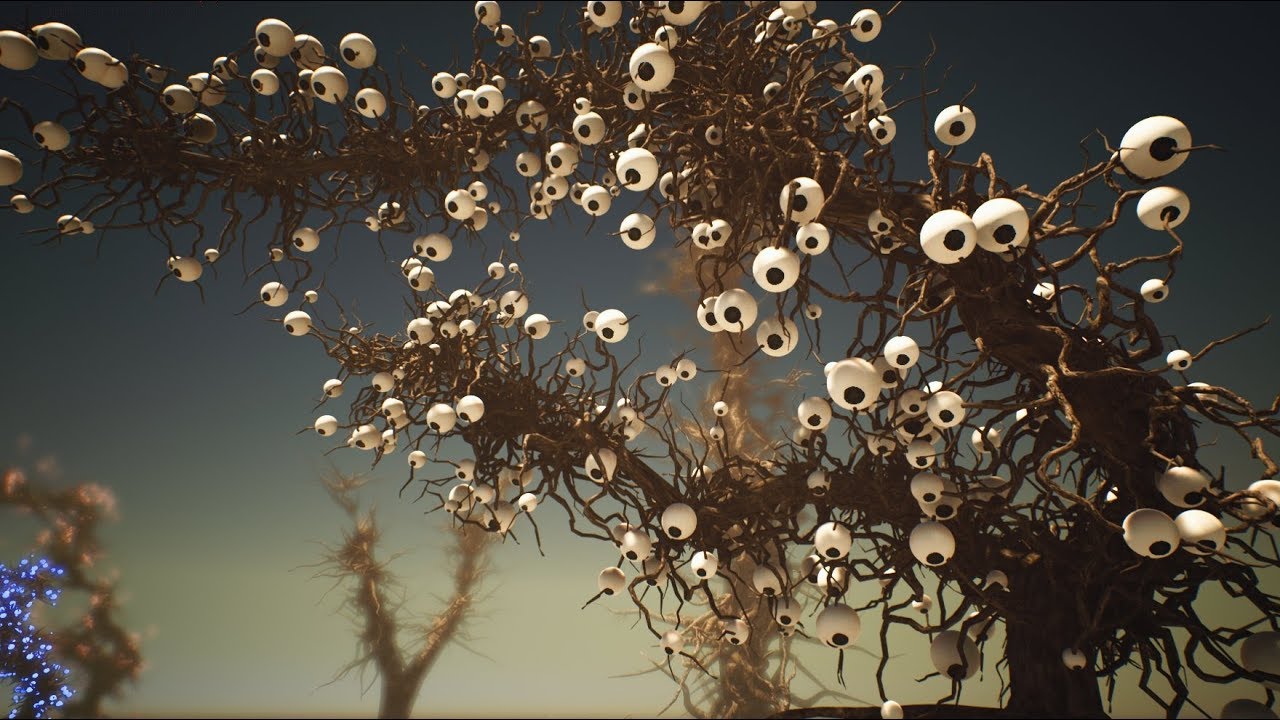
Work in progress 1st Test: tree eyes opening and following player movements. https://forums.unrealengine.com/unreal-engine/marketplace/1672843-biogrowth http...
I always wanted a ghibli like tree that looks at me all cute and calcifiery
cloud cobalt
Looking good
 opal berry
Hello I am a unity developer but I am thinking of switching because I have been told that C++ can offer better optimizations then C# my only draw back is the 5% that Epic take
does it really affect your profit that much
cloud cobalt
Sigh
Depends on your business
Unity can be more expensive
And I wouldn't move to UE4 because of optimization
You can make C++ code extraordinarily fast, but usually only when you're great at C++, good at assembly, and very experienced generally
tall pendant
Firstly, thats a odd reason to switch. People say a lot often w/o making a point.
 regal mulch
That and most of the time, games are fine with the generic optimization
tall pendant
And why is 5% a drawback?
cloud cobalt
People think Unity is free
regal mulch
haha
tall pendant
lol yeah
abstract relic
Why assume you’ll make a profit regardless?
cloud cobalt
Yeah, the elephant in the room is that 90% of UE4 games don't pay any royalty
regal mulch
Also, the 5% are really your smallest issue.
30% Steam (if you need steam). Taxes (which are the endboss) etc.
And if you make enough, you can still get Epic to give you a custom license /shrug
cloud cobalt
VAT + Steam adds up to 45% in my experience - before your own taxes, and UE4 🙃
tall pendant
besides. it's 5% of your rev. So the math is simple enough how it would affect for profits. Ofc there are other factors to take into the calculation.
 weary basalt
In other words. Its expensive to make games (that succeed).
fierce tulip
<_< I tried so hard to make a @cloud cobalt things comment, but.. I am failing.
(related to topic)
tall pendant
Also: depending on how far the project is into production. It might be (to put it very polite) not the best idea to switch to a different engine.
abstract relic
“Your wisdom is out of this world”?
weary basalt
Yeah changing engines part way through is a pretty rediculous adjustment.
Pick the right tool for the job.
 normal burrow
(Which is never unity, if performance and or hitchless gameplay is desired)
plush yew
Hey guys, maybe a silly question.
When i dismount from an airplane and thus spawn a new character it inherits the roll of the plane.. like his back is crooked. Yet inherit roll is turned off. Any ideas?
 waxen raven
Are you inheriting a spawn position witb the roll?
plush yew
I dont think so. Its a spawn actor from class
it does inherit the player controller en that one has roll
 dim arch
hey, looking for some kind of plugin which can do pose estimation of webcam data and pass it as an array of vectors to an actor
anyone know of one? I am thinking of using a tensorflow plug and configuring it but dunno if theres a solution out there already
wary wave
that sounds an awful lot like Kinect...
light coyote
@dim arch I dont know if you heard about this, but the most similar to that that i know is using kinects or ps cam
I belive it gives prety decent resoults
 velvet fern
why don't new windows open as new tabs by default? most people i see dock the windows in tabs. at least there should be a checkbox
this is like the days when firefox first came with the tabs idea

 digital anchor
youre playing, stop playing
errant mist
Hi guys! has anyone tried developing for Oculus Quest?
 hexed dagger
how do you disable the motionblur?
errant mist
The question is - does Quest works with default VR Template - especially controllers positioning
hexed dagger
in UE4
errant mist
@hexed dagger switch it off in post processing (it can be either in your camera properties) or standalone PostProcessing object on the scene
hexed dagger
ok
 celest ice
@errant mist can u help me out too?please?
errant mist
sure, ask
celest ice
im actually following a tutorial for making an fps game .. i did everything that was said by the video but still i dont hear sound
errant mist
seems you missed something. may be your actor doesn't receive mouse/keyboard input, so event is not happening
celest ice
i have actually sent the ss above, can u have a look and tell me whats wrong?
errant mist
don't see anything wrong. check your input section in class defaults for your pawn or where this code is placed at
hexed dagger
@errant mist can i ask you a question
errant mist
probably you are just not hitting this even
celest ice
input section????
hexed dagger
how do people get those sexy textures and high res, also, how do you make theese cool maps with unreal engine, i believe it's limited and kinda hard to do those on there.
 plain tiger
@hexed dagger Have you seen 'world machine'? the basic version is free https://youtu.be/EE92pBXTbl0 its helps create a nice landscape, you can program how it should do that.
!! Read Description !! ♥ VIDEO LIKE GOAL: • 15 Likes ♥SUBSCRIBER GOAL: • 150 Subscribers Hi guys, today I am starting a new series of my workflow of using Wo...
What am I missing to get 'onclick' working? this is what I do:
new project
blank, no starter content
drag cylinder into scene
convert to blueprint class 'Cylinder_Blueprint' (save)
open level blueprint
if I bump into the object, the text is shown, but if I click (or hover over etc) it, it wont work?
viral fractal
where does unreal save log files ? or does it at all ?
 hoary mason
[projectdir]/saved/logs
midnight gate
help
im trying to figure out a level system
and unlock level stuff
how can my player unlock levels after complete?
and how can ui change to open lvl 3 insted of lvl 2 when i complete lvl 2
 boreal topaz
i had a cube in my game and it was behaving perfectly. added a static mesh and now it falls through the floor?!
midnight gate
probably cuz the plane the floor has no collision i asume physics idk
median island
A giant mesh that surrounds your scene.
 fading aurora
okay, so its just an HDRI backplate essentially
median island
A skylight simulates image based lighting from all angles
median island
Oh, that may have been misleading. You were probably talking about a BP_Sky_Sphere right?
the thing that the editor puts in the default scene?
That one contains a mesh for the sphere itself
but it also exposes a bunch of settings that affect the lighting of your scene
wary wave
yeah, some people do make blueprints that incorporate a whole load of global stuff like that, and there is more than one Epic example that does the same
median island
So I guess the main difference is that the sky sphere controls the direct lighting in your scene from the sun and the sky light is all the indirect lighting
wary wave
some sky sphere blueprints will also incorporate the sky light
 ebon spindle
median island
ebon spindle
median island
I would grab a free content pack from the marketplace and start messing around in the editor.
You a developer or artist?
 delicate needle
I noticed in the editor that at times my archviz interior scene will temporarily load a lower quality lightmap, eventually loading the correct higher quality once I move in closer, or just wait. What is this, and how do I control, mitigate this?
plain tiger
@ebon spindle https://www.unrealengine.com/en-US/onlinelearning

Learn common workflows in a series of easy-to-follow, modular videos. Browse courses by topic, author, or industry, check your understanding with built-in course assessments, and earn skill badges as you complete courses.
patent vortex
So my editor just crashed and when I attempted to load back in two of my maps run these errors Failed to load map! D:/Unreal/AdvancedArcher/Content/Archer/Levels/PLevel00_v01.umap appears to be an asset file.
plush yew
hey guys
check this out : https://youtu.be/BhpPJKFv1iQ
"There's a severe gas leak on floor 9 in sector 6 and an explosion is imminent." Sign up for an early access invitation at https://jangafx.com/
fading aurora
@median island ty for the info sir
median island
Sure, just nerding out really :-p
 loud knoll
@median island it is a good example to study it was one of the first things I dove into as I wanted to figure out how to make th sun bigger, and also wanted to figure out why Epic put a bug in default content
solar latch
@light coyote found the solution it was my landscape not added into persistent level . Thanks!
light coyote
@solar latch Cool, but if you opened the level in wich the landscape is, you make it the persistent one.
Streaming levels is important, specialy in open worlds.
I just wanted to see what you had.
Have a look at how all of these level things go together.
solar latch
@light coyote will send u a picture later im not in front of my pc
Yeah , but in my case i need it to be one big level so i made one master and added jt all into one persistent
 cursive walrus
hi there. i was wondering if its possible to connect another upper body slot to override the upper part of the full body? so that it wont stop its upper body animation
 serene birch
I noticed that skylights have a "Cast Shadows" option, how does it work technically?
 pastel lake
Hi.
I'm trying to export the splat map from a terrain object into another format, either as a texture or as vertex color data in a mesh, ultimately so I can import this data into Blender, recreating the terrain material with my own shader.
Is this possible? If so, how do I do this?
nevermind, after an hour so of looking I've just worked it out 🙂
median island
With colors active, this should save out your mesh with it's vertex colors
This should save out the textures
pastel lake
@median island I just exported the layers as b/w pngs, I can't find that panel with colors, weights and textures you have there
celest ice
hey can anyone help me out with mouse input please??
median island
sorry 🙂
celest ice
i really need help rn
i made a basic fps game and the tutorial didnt had the mouse input so i want to add it in my game
pastel lake
@median island oh right, it's a terrain object so all those are greyed out. I have all the data I need as a png anyway. Thanks 🙂
serene birch
I'm just wondering how they compute the skylight shadows 😛
celest ice
it just used normal movement with keys.... not with mouse
median island
It's basically gi shadows
median island
They're similar to ambient occlusion, but not...
serene birch
in real time?
median island
no
serene birch
it works well even with movable skylights and meshes
median island
unless you have ratracing
serene birch
I don't have raytracing either, but the option DOES something
median island
you might just be seeing the ambient occlusion
serene birch
so, the model AO texture? possible
 grave nebula
@serene birch DFAO
serene birch
I'll test around that
median island
no, it's the real time AO in the engine
serene birch
DFAO then? ok
median island
you can test turning it off in your pp volume
These two are with/without cast shadows in the skylight. AO is turned off
celest ice
i still need help tho..
grim ore
IF this is a FPS have you opened up the FPS template to see how they handle mouse input?
celest ice
my UE4 just crashed so i'll send you guys a ss so that ya'll can figure it out
in a moment
grim ore
it is very complex, bitmaps are full of 0 and 1's and if you don't load them in the correct way you open a portal to hell 😦 It's scary
fading aurora
amen
celest ice
light coyote
@grim ore
Hopefuly quick cuestion.(regarding what you just said)
I want to be able to analize QR codes from images.
Do you have a straight answer towards if you know if its totaly posible to do so via blueprints ?
grim ore
it should not be possible out of the box with BP right now 😦
midnight gate
help
grim ore
you can get video and capture in from android but there is nothing designed to process the QR code right now
fierce tulip
there are plugins that can do so i think
grim ore
^^ but yep maybe a plugin
light coyote
Ok, not out of the box.
But is it posible with existing nodes ?
fierce tulip
@midnight gate ask in #blueprint and please refrain from asking the same question over and over.
midnight gate
swy not level blueprints difrent levels that are unlockable
fading aurora
quick question
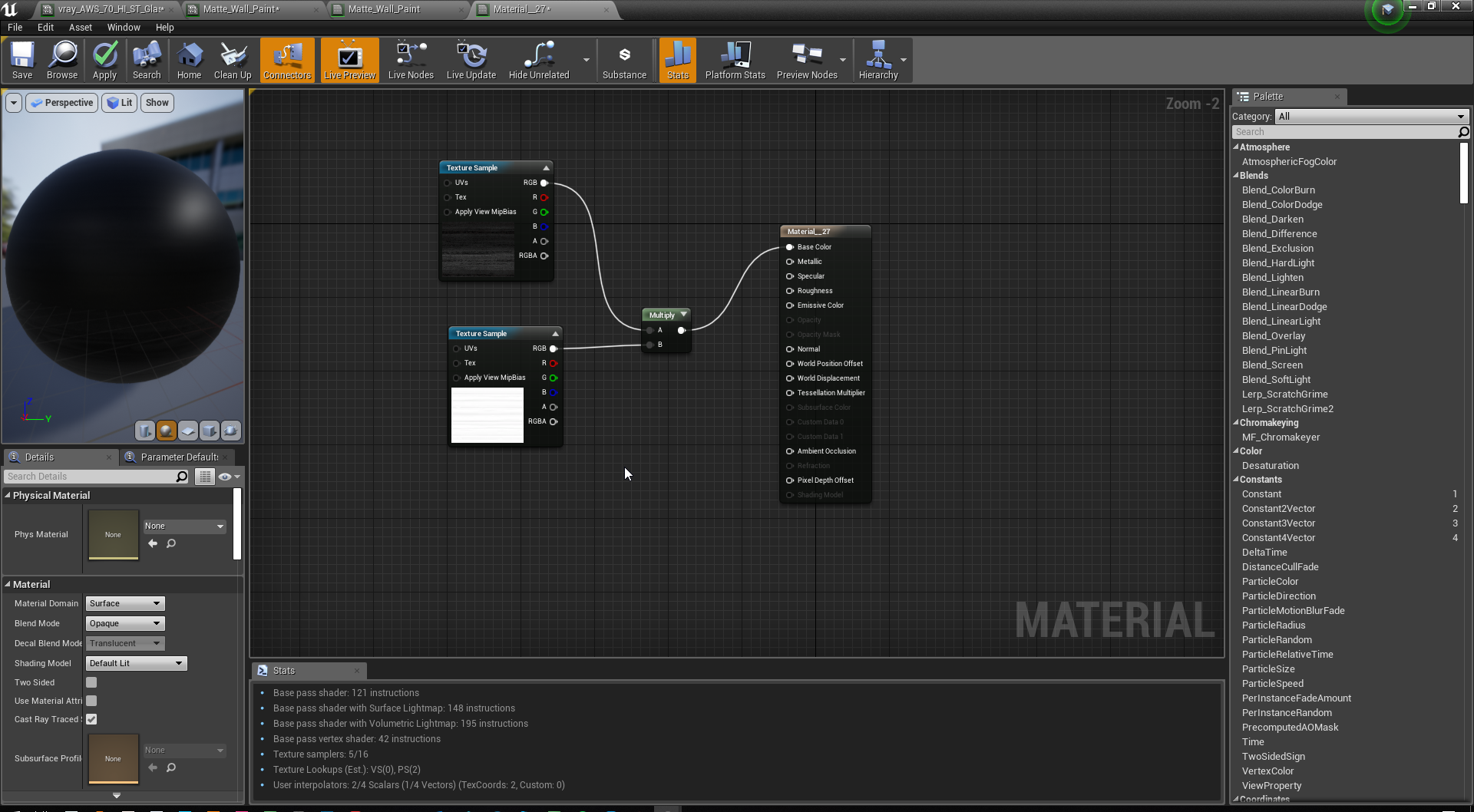
is this the proper way to load in bitmap?
obviously that is an AO multiply over the base color
median island
it's better to put the ao into the ao slot
celest ice
median island
that way the engine uses it properly
celest ice
light coyote
@grim ore , @fierce tulip , yes, i know they are 2 plugins,, but they dont give me all i want, and they are about 50E each :/
grim ore
@light coyote if you bought one of the plugins that did it yep or if you implemented it yourself using one of the AR SDK's or any other C++ library
fading aurora
oh shit theres an AO channel
celest ice
@jagged nexus
median island
🙂
fading aurora
im so used to multiplying it over like in other DCCs. Thanks Feral
median island
Yup
celest ice
what should i be doing for the mouse input
fierce tulip
50 bucks sounds cheap if it works.
light coyote
@grim ore I am just going with the android camera plugin, and from there, i want to make the screenshot, and analize it,,, however. that is my plan, unless anything better comes up.
celest ice
yup
light coyote
@fierce tulip I dont find it expensive, but not cheap either,,, all info for qr formulas regarding precision and all of that is in wikipedia,,, but my coding expirience with real code is limited.
celest ice
ahh idk things by there name so what do u exactly mean by fps template??
sorry
i just started UE4 8 hours ago
 misty creek
The default ue4 fps template create a new project and under the blueprint tab select the fps template
misty creek
You can add the template to your existing project if you want
celest ice
misty creek
I think it is called add content pack
celest ice
misty creek
Add feature or content pack
celest ice
epic store right?
misty creek
What? I'm not sure what you are asking?
When you click on add feature r content pack what does it bring up?
light coyote
@grim ore found your video on the android camera plugin, and have the docs open. I really apreciate your videos.
celest ice
@misty creek this
ahhh!! im hella confused
@jagged nexus is there anything i could add in the event graph ??
something like input mouseaxis
cool.. thanks man
kind dew
okay lets try this again
so last night i was talking with @light coyote about this. but basically I can't rotate objects with nav mesh modifier components on them.


 fading aurora
ok i have a question
if i want to load in a fresh bitmap
without replacing one of the default bitmaps
how do i do that?
median island
in a material graph?
fading aurora
yes
median island
just drag the bitmap from the content editor into the graph and it will create a new texture node