#ue4-general
1 messages · Page 553 of 1
 plush yew
btw id use goemetry instead of static meshes
 fierce tulip
lol
 night burrow
Ok what's the difference?
plush yew
Yo guys, when i dismount a plane that is "rolling" and spawn a new player char. His back is bent as if copying the roll from the plane. But inherit roll is disabled. Any idea?
fierce tulip
id make it in a 3d application instead of brushes or seperate meshes.
plush yew
with goemoetry u can take a big box and use smaller geometry to put a hole in it
night burrow
Oh I have more point control right?
plush yew
also you can use 1 box with walls to make a room
i find that stacking static meshes messes with shadows
some would be brigheter than the one next to it
night burrow
I'm trying on geometry box now
plush yew
also with geometry at top left where ur landscape stuff is the last one olets u edit further
like make angles drag one side out to left or right
u can essentialy make a rectangle with a cube on top and triangle roof on both out of just 1 geometry cube
plush yew
yup
night burrow
ok thanks
plush yew
also when i have day and night cycle my grass and bottom of character is lit trough the landscape at night while landscape itself stays dark
any1 know how to fix that
my landscape material is from brushify and day/night is from goodsky the built in one
 light coyote
That is because the backface of geometry is transparent, you can see trough it, like when you go inside a wall in a game, and you can see the outside.
Making your material doubble sided will solve it, but is expensively unnecesary.
Best way, a cube with the cheapest material you can make.
Just put a color for now, but a 16px by 16px black texure would be ideal.
Use that cube to cover the bottom of your landscape.
@plush yew
plush yew
okay thanks
light coyote
When you have it ready and working, in the material parameters, make it opake and unlit, that way it tells the engine is not an object to wich light bouncing of it will be calculated ever.
@plush yew
 wary wave
fucksake, reroute nodes take the piss 😐
once you have a few of them, getting them to actually connect properly is an absolute nightmare
light coyote
@wary wave why ?
wary wave
they don't connect properly
light coyote
Just asking
wary wave
you end up with links that refuse to go input->output
so I end up with outputs connected to outputs
light coyote
?
Can you send screenshots ?
I played with that a bit, not much.
But i dont know what you mean, and i am intriged.
 lusty carbon
Is there a way to build a collusion volume inside ue4? for a staircase for instance, without going back to my DCC?
with a bsp brush for instance
 cloud cobalt
Double-sided faces is hardly super expensive
@lusty carbon Add a blocking volume, or use the convex collision tool for static meshes
wary wave
or just use google for a change
light coyote
@cloud cobalt its unnecesary expense if that is the better way of saying it
wary wave
@light coyote
plush yew
Yo guys, when i dismount a plane that is "rolling" and spawn a new player char. His back is bent as if copying the roll from the plane. But inherit roll is disabled. Any idea?
cloud cobalt
@light coyote I mean the cube won't be noticeably cheaper.
wary wave
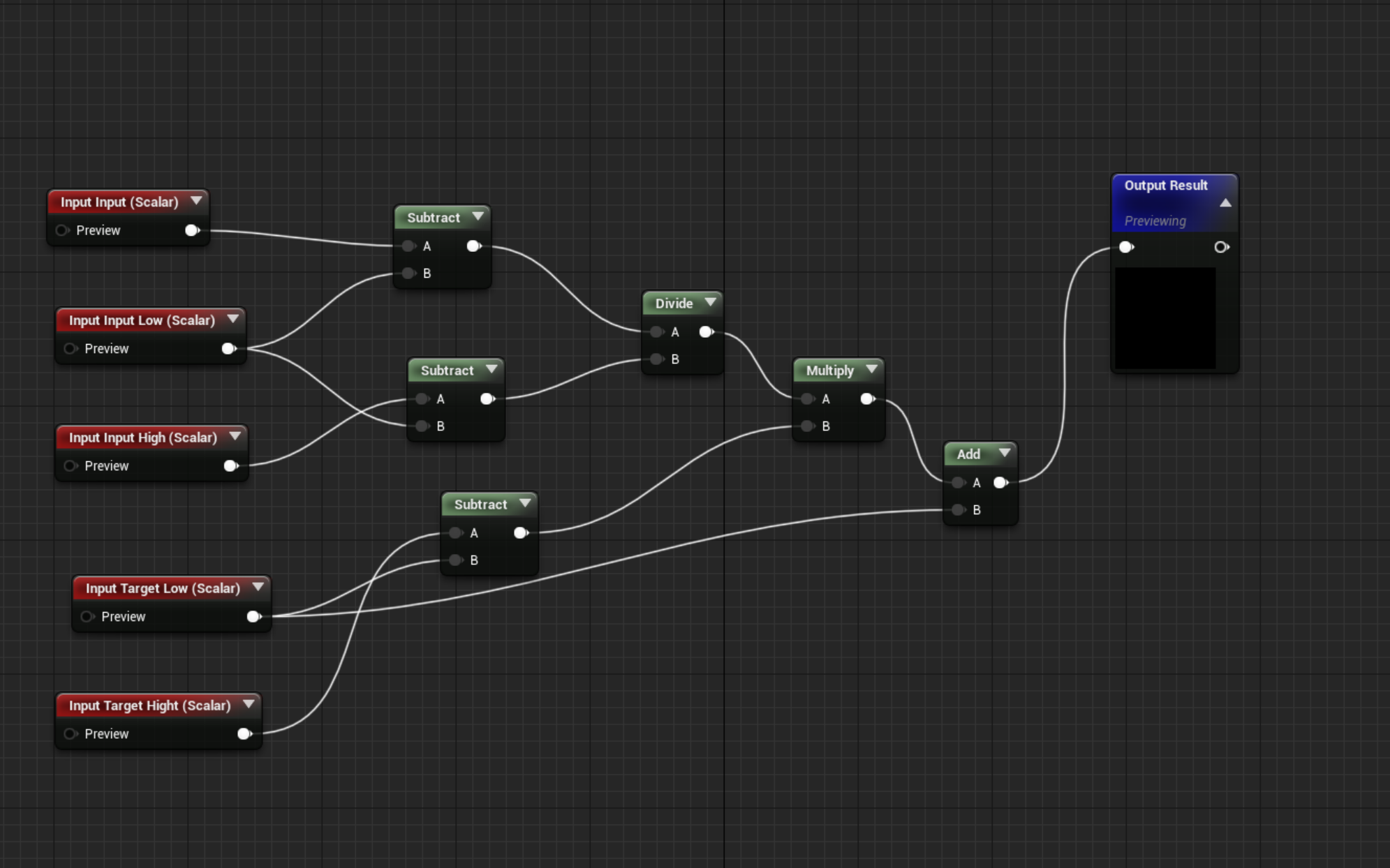
nodes one the right, when connected to the main group on the left cause the links to screw up, now I have an output of an array add, going into the output of an array add....
in fact, everything off the screen to the left, all of those output nodes are now going into the output of the two nodes on the right I connected to the main graph
wary wave
I don't know what more I can possibly explain
 radiant haven
can u make an "APP" not a game with bp?
wary wave
err, and what is the difference between an app and a game?
wary wave
yes, but what is the difference?
the question makes no sense
a mobile game is a mobile app
¯_(ツ)_/¯
light coyote
@wary wave
Ahhh got it, yes ok, its happened to me aswell,, if it gets anoying maybe a custom event just to make it look pretty for the time beeing ?
light coyote
Ahhh
wary wave
it's a very large function
light coyote
Breake it into smaller ones ?
wary wave
I have done
light coyote
Omg
wary wave
my screenshot shows an example of one of those smaller functions
light coyote
@radiant haven
Yes, and its pretty satisfactory.
Im doing one for my fathers business.
I write csv files in runntime, use a Drive folder synk in the desktop when anything changes, and working on some more features.
Good thing is that you can make it preety, relatevily easyly, thanks to Unreal :)
radiant haven
cool#
u know smth about physics?
wanna make realistic plane physics
and procedural generation
light coyote
Have a look at DCS world game
radiant haven
whats that?
light coyote
A teacher of mine had some kind of involvment in that simulator i belive.
He did some radar and art stuff, he worked at the military, wich also helped.
It is a hard core war simulator.
radiant haven
uhm ok
light coyote
Like, crazy...
light coyote
No no, i can help if i know what to answer to help, no prob.
But im working on some stuff myself, and time is the issue. :(
I was saying this in case you had this in mind, so that you knew the competition you have.
This simulator is crazy, if you are able to play in lets say, expert mode, you can literaly drive the real thing.
They use real manuals from the planes themselves.
radiant haven
ok?
light coyote
I can help if you get stuck on something. But in terms of getting involved in a project, no.
So what is it?
A project ?

How to render millions of polygons with Hierarchical Instanced Static Mesh in Unreal Engine 4. Optimize draw calls, reduce CPU overhead, avoid common mistake...
You will not regret a single second of this video.
It is a must for procedural instancing large areas.
cloud cobalt
^ and it's useless now IIRC with the auto instancing in engine
light coyote
@cloud cobalt i dont know what that is, or stands for.
cloud cobalt
The engine does instancing automatically now, as of 4.22, when it is possible to do it.
light coyote
The video shows other very usefull things to know, it is a very very good video. Usefull info.
 regal mulch
@wary wave While a game is an app, you usually say "app" to things like "Out of milk" or "Duolingo" where everything that is a game is, well, a game.
So I assume they meant if you can make a standard app, outside of the game area, with ue4
Where I would suggest: No. As there are a lot better frameworks for that
 digital anchor
almost useless, luoshuang said HISM scales better with a huge amount of objects
regal mulch
Right, :D my random shizzle still applies though I guess
regal mulch
Right, but you wouldn't do a shopping list app with ue4
cloud cobalt
@digital anchor Yes, since HISM doesn't need to upload the entire thing on the GPU beforehand
regal mulch
Or maybe 🤔
 normal burrow
Best shopping app ever
light coyote
@cloud cobalt
But everything, is an instance of the real thing as far as i know.
The real thing is code, info in the build, wich is copied to temporary memory when it runs.
I think that what you mean is that it automatically does the hierarchical kind of instancing when possible ?
digital anchor
instancing in this context means rendering multiple meshes in one draw call
 grim juniper
3D shopping app with Michael Bay explosions and special effects 
light coyote
@regal mulch
I know is not meant to do proper proper apps.
But i do belive that there is some case of something in wich it could be viable,, but yeah, smartphone memory is to sacred to waste xD
In my case im doing a simple app to feed my fathers company needs in terms of organizeing, and yeah,, doesnt matter if its not super optimized,,, it only runs office kind of programs.
@digital anchor so yes, hierarchical instancing.
If its painting another instance, but it allready has the right material.
Does it make the full call ??
cloud cobalt
Instancing = the technique of rendering multiple meshes in one draw call, as Takain said
HISM = explicit instancing in your project (older tech, works well, slightly faster at scale, needs to be set up)
Auto-instancing in 4.22 = automatically does the same (similar performance, slightly slower with large amounts of meshes, no setup)
The same constraints apply to both
light coyote
@cloud cobalt instancing is making a temporary copy of something.
That is what an instance is.
cloud cobalt
No, that's not what instancing is in this context
light coyote
The instance is one single object.
3d objects may have various elements in them that may seem like diffrent objects, that does not mean they are diffrent objects.
cloud cobalt
Geometry instancing takes your 157093 individual meshes in your level, that share the same geometry and material, and then proceeds to only render it once.
light coyote
@cloud cobalt
I am making clear what an instance is.
Because instancing is not the technike of rendering multiple meshes in one draw call.
Rendering multiple meshes in one draw call just means that those meshes are beeing treated, by whatever means, as one.
That is why there is only one draw call.
Not because that is what instancing is.
Just wanted to make that clear.
cloud cobalt
In real-time computer graphics, geometry instancing is the practice of rendering multiple copies of the same mesh in a scene at once. This technique is primarily used for objects such as trees, grass, or buildings which can be represented as repeated geometry without appearin...
" geometry instancing is the practice of rendering multiple copies of the same mesh in a scene at once"
cloud cobalt
You're thinking of instances as the programming concept.
We're talking about geometry instancing here
It's just how the technique is called - it's how UE4 calls it, it's how Wikipedia calls it, it's what I called it when I implemented it once
You can argue that the name for the technology is improper if you want
wary wave
technically you could have 'one geometry instance', but it would be pointless and saving you nothing
light coyote
Yes, name needs extra thing.
Because if you lets say, spawn an object.
You are instancing geometry.
You are doing the proces of geometry instancing in a game.
What is getting mixed up here and is what im trying to say, and is why i sent that duper usefull video i highly recomend.
Is that the instancing you are refering to is making a ton of instances of some geometry, and with whatever means, clumping them together so it to be treated as one, and not the ones you created.
You can see that feature when you use UE brush for painting grass geometry in your landscape.
You had a tiny little grass geometry, and kind UE atached them all together in to one single object to paint them all at once.
cloud cobalt
Yes, it is that instancing
I simply told you UE4 uses instancing tech automatically now
light coyote
Ok xD
It pissed me off you said it was usseless when it is not!! , its super important.
cloud cobalt
Well it is kind of useless to use it now, yes
wary wave
it's not useless, you get a lot more fine control over the instancing behaviour
I used it for mechanical moving parts in one of the other projects we have here, it has hundreds of meshes, but with HISMs I have a lot of control over how it gets batched and how the instances themselves behave
light coyote
@cloud cobalt
What i understood by this conversation, is that there is a new way of attaching instances in the editor. Is that right ?
All i know, is that hierarchicaly based instancing is parent based instancing i belive.
That is how they make it be one thing only.
wary wave
UE4's mesh instancing is automatic and happens at run time
cloud cobalt
No, there isn't a new way of doing things
wary wave
unless you manually batch things yourself using foliage, ISMs or HISMs
light coyote
Ok nevermind xD, everything is ok.
I think we both where trying to say something, but coming from diffrent directions. Collision was enabled 😅
 midnight bolt
Hello, what is more "according to art of UE", having one master material that can have multiple options like wind, or make master basic and master special material?
Or in the end it won't really matter outside of engine compilation in editor?
light coyote
Balance is the key.
However you wish to get it.
You can have a material able to do anything.
But maybe you have a wall, a basic wall, wich hardly needs any of the features.
Normaly you would have a material for simple solids.
One for simple liquids.
And then some others that have very specific features.
And yes, complex solids, complex liquids.
If what you are sort of asking, is if its worth to make a master material for all to, lets say, only have that one in memory when drawing the frame,, i still dont know the answer,, but i belive is not worth it for some reason, and i belive no one does that.
If you figure out why, please let me know
🙃
@midnight bolt
fierce tulip
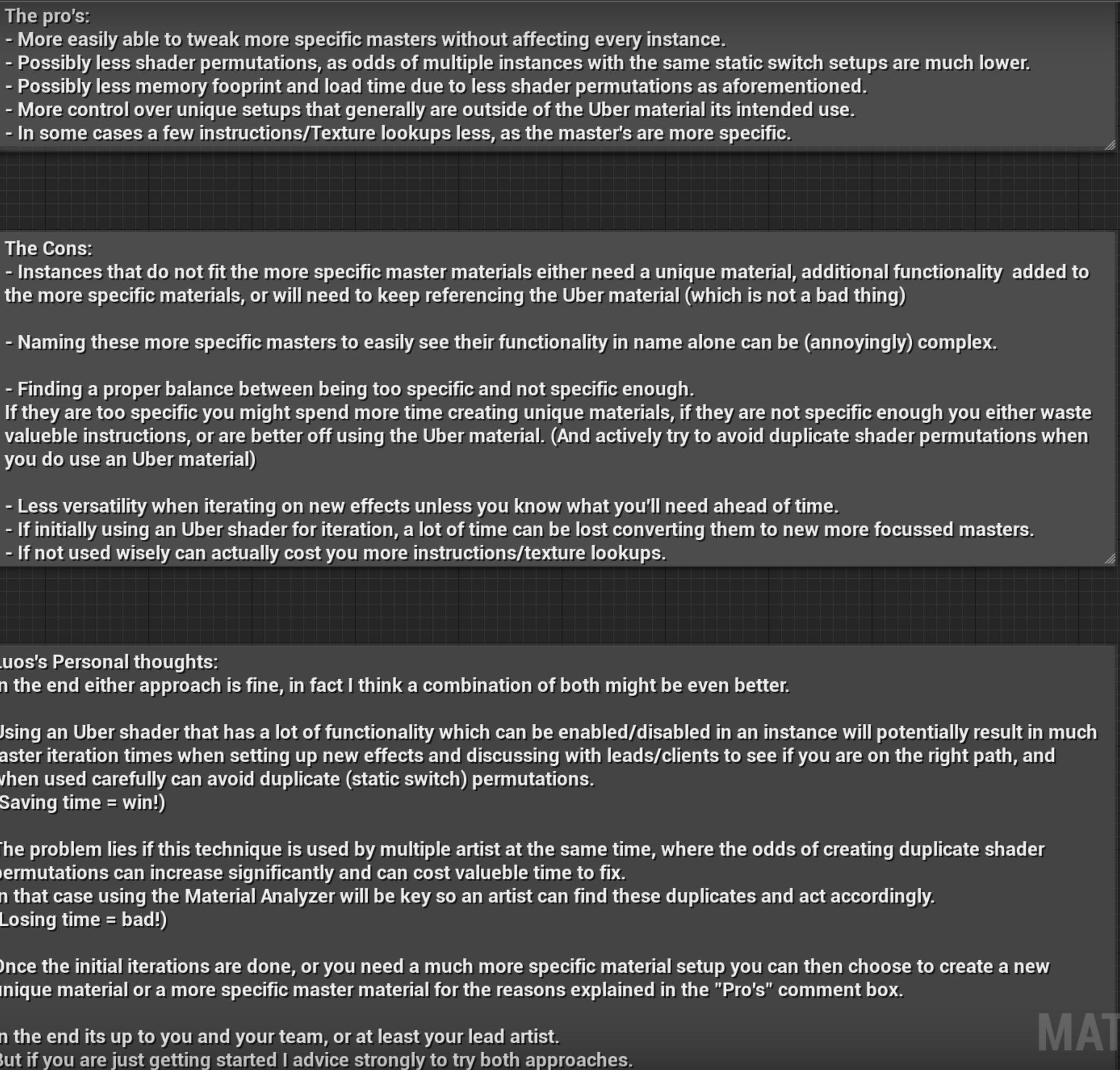
actually redoing a learning project for vfx artists to show both pro's and cons of one uber material and multi-master materials.
cant go into too much detail, but this is what I wrote about it so far.
https://i.gyazo.com/668aac023e2350ecd93bf4fd7c2cadde.png

its about using multiple master materials.
needs type fixes and rewriting, but since @midnight bolt asked.
note to self, need to mention disabled enabled variables and static switches that ue4/material analyzer still sees and records.
midnight bolt
Thanks, will read into it
fierce tulip
https://docs.unrealengine.com/en-US/Engine/Rendering/Materials/ExpressionReference/Parameters/index.html read up on the static switch part
Expressions that expose properties to Material Instances to be overridden in child instances or modified at runtime.
 knotty verge
does anybody know why everytime I run UE4 editor an open levels it seems to like duplicate another running instance on my task bar that just continues taking resources until it lags so bad I have to exit an then force close the .exe multiple times to finally close out?
wary wave
it's probably compiling shaders
 hexed dagger
yo i'm new to UE
but what I don't understand, is how do people get such good materials/textures
do they create them themselves or?
an example of a game: Hotel Remorse
cloud cobalt
Yes we create them
regal mulch
One lonely little artist makes them all.
cloud cobalt
Substance is a very common tool these days for material/texture work
So you can look into that
hexed dagger
substance?
 abstract relic
Substance Designer and Substance Painter
hexed dagger
so where do i download it
abstract relic
Google it
hexed dagger
i can't find anything about download
abstract relic
Really mate?
cloud cobalt
Substance
normal burrow
is that thing still on steam?
abstract relic
It is
normal burrow
nice
abstract relic
Something something no more perpetual license 😜
 frank tapir
Guys I am getting an error when I am trying to access other getters from GetWorld(), its saying "pointer to incomplete class type isnt allowed". I am using "GameFramework/Actor.h" and "GameFramework/Controller.h"
and also I am using visual studio and its not giving suggestion when you type a variable/methods
frank tapir
I am not getting any error/warning when I am compiling my code in UE4, but I am getting the error message in visual studio
I just added "Engine/world.h" and now I can access all getworld methods, ( was trying to access "GetFirstPlayerController() which I can access now" but I still cant access GetPawn
 ember notch
Is it better to use normal UE4 Online system or Advanced Session (plugin)?
cloud cobalt
@frank tapir This is a very well known issue with Visual Studio
ignore the error list window
ignore Intellisense, and get Visual Assist
It's been like that for half a decade and will likely stay that way for some more time
light coyote
@fierce tulip ohh, ill read that,, thanks
frank tapir
Oh! Didnt knew about that :3 , thanks, i'll try visual assist
cloud cobalt
@ember notch Advanced sessions uses the online system
It just exposes it to BP
Mostly
ember notch
ok if i use this blueprint can everyone join this server or do i need to make a dedicated server option with the Create Advanced Session Blueprint?
cloud cobalt
Sessions and dedicated servers are unrelated
Doing dedicated servers or listen servers doesn't change your session system
plush yew
satan
so riot games was acquired by tencent?
like unreal engin
So I was making a game originally with 4.23 source, but roadblocks i can't remember made me start from scratch with the normal 4.23 build. Now I am wanting to use Chaos as it is integral to one of my core mechanics, but I have significant progress in the normal 4.23 build. Will opening the project in the source version to enable chaos destruction be possible?
ember notch
@cloud cobalt Do you know what is the different between Public Connections and Private Connections?
 grim ore
if you are using the release version of 4.23, source or launcher, the project should be compatible @plush yew
@plush yew Riot has been owned by Tencent for quite a while
grim ore
and Tencent is a share holder in Epic Games
plush yew
yes
Okay cool thanks @grim ore . I'm assuming chaos works in the release version of source.
Tencent is Evil Corp
 honest vale
lol
grim ore
I had to download the 4.23 zip file to get Chaos to compile but yes it does work. The git version wouldn't work for me
plush yew
Huh
light coyote
@fierce tulip I read it now,, i had to go before just as you where writeing that, i was waiting to get back.
The wonder i have, if anyone knows, is that:
If a matterial is loaded in memory, and the next object intended to be drawn shares the same material,,, does it actualy make the draw call ??
fierce tulip
yup
light coyote
Im gessing yes,, because unless it compares
xD ok
Its a shame, but this is how it works i gess
fierce tulip
though there is stuff that can merge content with same materials, yada.
but thats often discussed in #graphics
light coyote
yes, i knew that,,, but i was not sure about the other
 fierce tulip
1 unit = 1cm. so if its units/second..
 kind dew
okay yea that helps now i just need the other half
is it /second?
ah yes it looks like it is cm per second
normal burrow
cm/second or meter/100 seconds, do wish forces were not in grams.
light coyote
They are unreal units. UU
But they have made and UUnit be equal to 1cm.
And the unit for time is pretty much a standard, seconds.
You can change the(UU) distance units if you want. In world settings i belive.
 warped current
hey guys, i have a super noobie question about how to start figuring this out in unreal engine 4
you know how when you go into simulate, you can move objects around and have like the cursor and manipulator
Is there a way to set up a blueprint where it would do that in game mode
or some google search terms for me to start researching on this topic
because everything i search for tends to talk about how to move things inside engine not how to make it into a function inside a game.
grim ore
so something like... https://80.lv/articles/runtime-transform-gizmos-tool-for-ue4/
light coyote
ok, mathew beated me XD
grim ore
the item you are looking for info on is normally called something like the transform tool
technically UE4 calls it the XXX widget where XXX is transform/rotation/scale https://docs.unrealengine.com/en-US/Engine/Actors/Transform/index.html
warped current
That transform gizmo is really cool but it's a plugin right to help outside of the game?
to have more intuitive manipulation?
with transform/rotation/scale?
could that be used inside the game as well? like when you're playing the level?
grim ore
did you read the article or look at any of the links it has?
one of the videos shows exactly that
warped current
yeah i read and looked at the videos
he said that he's trying to make it into runtime
but it's not out yet
i dont think the plugin itself is for the runtime yet
light coyote
put what mathew said on the Bazar,, on ue shop
If you dont want to do it, you can just buy it
warped current
i'm trying to figure out how to implement it myself into runtime?
But these links do help me a lot with beginning to research on it
since i wasn't going anywhere initially
so thank you!
light coyote
well look at the show mouse cursor node.
at making the X Y Z tool itself
maybe use raytracing to tell you the object you are touching
and use nodes for just that, location, rotation, and scale
grim ore
the page was just an example and yes it does runtime. There is another plugin that does runtime. There is also the VR controls in engine that work in runtime that could be torn apart to work the same.
warped current
Awesome! Thanks @grim ore and @light coyote
 stiff spoke
In my game I have a problem. The problem is that when you pick up ammo for your weapon it adds to all the Gun that are on the level whereas it should add to the weapon that you do not have all the Blueprint of the Gun
Please help me
 sly coyote
@warped current we're all mostly all, gamers here...its safe to just say "objects placement like the sims"...pretty sure we'll immediately know what you meant 😁
grim ore
@stiff spoke well first you need to make sure you are doing it right. We can try and help with that but without any real information (blueprints, code, processes) we can only guess. how do you give ammo to your gun(s)
stiff spoke
OK
But otherwise it's simple when the character collides with the Blueprint that adds ammo ammo +50 ammo
sly coyote
Nathan i can only assume, you have a currently equipped weapon variable on your charecter right?
stiff spoke
By this information you can do nothing?
grim ore
are all of your weapons using 1 ammo variable that is on the character and not on the gun?
grim ore
you said you add +50, what do you add that to
sly coyote
On your charecter for a multiple weapon system you might have a Weapon myCurrentlyEquipped
Do you have something like that?
Are you calling add ammo function on currently equipped weapon when you collide with your pickup
 surreal laurel
I've got a question about day/night cycles & light source temperature for anyone who can help
but I can wait till you all are done with your thing
sly coyote
The variable for ammo is on weapon bp, and you call your add ammo on the currently equipped weapon on pickup...very hard to tell what the issue is without seeing the blueprint set up for your ammo pickup and function setup for adding that ammo
Even a screenshot would help
stiff spoke
Wait screenshot @sly coyote
 subtle sparrow
i thing is better to put the variable ammo on the gun so you can have small ammo or shotgun ammo , so you cant mix them up
stiff spoke
Yes the function that picks up that adds ammo is created in the gun
surreal laurel
Alright so i'm basically trying to sync my light source temp with a day/night cycle. Sun goes down, color gets warm. The way I imagine this working is by either pairing the rotation of the light source or the clock function i've created with the light temp. I want the the temp value to change along a curve, similar to how a timeline would function. Unfortunately I'm too new to know what approach to take. Can anyone help?
sly coyote
You put the function that adds ammo on the gun, The ammo pick up itself passes it a variable with how much to add tho right?
stiff spoke
What is there on the right??
grim ore
@surreal laurel you can create a curve in engine, set its values to the floats you want for the light source temp. Then you can check the curve for the value you want based on the rotation or clock time percent (like 0 time is 0% on the curve and 23:59 on the curve is 100%)
surreal laurel
Great, I'll play with that a bit, thanks
sly coyote
Sorry nathan, you cant be helped unless we see what your actually doing with the bps...theres about a million different ways you can handle an ammo system and pickup system... adding ammo is a very basic set up that should only consist of a weapon with ammo variable, a ammo pickup with amount of ammo to increase, and a variable on the player character that stores the currently equipped weapon...onoverlap with ammo pickup you cast other actor to the player pawn, then a get currently equipped weapon node, then isvalid node, then if valid, call addammo on Currently equipped...
If all weapons in your stage suddenly have 50 more ammo...then something went horribly wrong with your setup
stiff spoke
Please wait screenshot
grim ore
@surreal laurel something like this https://i.imgur.com/4kGb5BC.png where you put in the time/value you want to check against, map it to a 0-1 range, then feed that into a curve which is set to a 0-1 range with the values you want between it
sly coyote
Hey mathew, your channel on yt is a wealth of knowledge, you sir are the hero we deserve...sorry shameless fangirling
surreal laurel
@grim ore That's perfect! I was in the middle of putting that together and about to ask a question lol, but you answered before I had a chance
Oh wow I had no idea you were that youtuber... i've literally been watching your videos every day
sly coyote
You all need to sub to mathew channel...the thing just spews with knowledge
Like next level shit
stiff spoke
OK
sly coyote
Ive been binge watching him... So much to learn
 waxen raven
You just made me realize why his picture looked so familiar lol.
Now what's the channel link so I can remember better.
sly coyote
Lol weve all secretly been fans and you guys didnt notice its "the" mathew lol
surreal laurel
Yeah no joke, aside from the Unreal Engine documentation itself, his channel has been the single most helpful source of information for me
Thanks Mathew hope we didn't scare you off lol
sly coyote
🕵 <---mathew right now
I asked him a question the other day then after digging through his channel i found 3 videos describing what i needed in extreme detail
With multiple way to do it and examples done with me in a slow easy to understand way
waxen raven
Nevermind, yep he's wtf is. Amazingly good stuff.
sly coyote

YouTube
This channel is dedicated to exploring Unreal Engine 4 and the Blueprint programming language that it uses. You can think of it as a companion to the API doc...
The encyclopedia unrealica
waxen raven
A man who does it for the love of the game clearly XD.
 serene birch
bookmarked for later
 gilded igloo
hey guys! does anyone know how can I duplicate widgets inside a UMG?
using the graph?
warped current
@grim ore oh wow! You're the wtf is guy? I've been watching your tutorials a lot to learn Unreal
Awesome stuff!
They are really helpful thanks for making those videos!
 delicate needle
@grim ore - Is the BEST!
grim ore
was in the car on the way home from work, didn't scare me off 😛
sly coyote
We are just sharing our love and appreciation
grim ore
@gilded igloo like duplicate it at runtime? or in the designer
waxen raven
Eh... do it, prison has more time for making educational content.
Depending on country of origin XD.
(joking)
grim ore
lol I keep the phone off in the car, I am home now
sly coyote
Sometimes we have unsung heroes and i personally cant stand it when people dont know just how wonderful a person theyre talking to actually is
Youre a treasure to the unreal community and must be safely wrapped up and protected from uv light sources that can damage you
stiff spoke
Please wait screenshot
 neat rune
hey guys is there a channel similar to promo I made a tutorial and I wanted to share it with the community
plush yew
I'm currently following a tutoriel about textures. At a moment, the guy create a "scalar", pressing i don't know what button... His node looks like it :
 plush yew
Mine is different (specially the details panel)
grim ore
@plush yew a Scalar is a float, or a single value. Does his have other stuff like a name? if so his is a parameter scalar
neat rune
@grim ore thank you, I'll put it on work-in-progress because I'm kinda new to making tutorials
grim ore
right click it and covert to parameter or look for scalar parameter in the list
if his does not look like that, his is not a parameter and its just a single constant or float, so if he did the shortcut its HOLD 1 and then left click on the graph
i realized your screenshot was what his looked like and you probably did the scalar parameter instead of the constant lol....
plush yew
You're right, I did the scalar parameter and he does a constant scalar
grim ore
the other way to know what they were doing is look at the Material Expression name, Material Expression Constant means he is using a Constant node
stiff spoke
By that you can help me
grim ore
it's annoying how float vector constant and scalar are interchangable in materials but it's the way HLSL is done 😦 it's the same issue with RGBA and XYZW
waxen raven
You know I actually saw scalar defined by an ai math base class that suddenly made sense of a lot of Unreal terms.
stiff spoke
I took this picture on my Phone
plush yew
@grim ore Yeah, you're right too ^^ I din't get it simply because lack of experience with the textures nodes... Thanks sir 😉
stiff spoke
Sorry
grim ore
materials are.... fun lol
gilded igloo
@grim ore u know how to move wigets in real time :p
grim ore
runtime during play or at design?
gilded igloo
play
grim ore
I have 2 videos on that lol, you can change them using positions if using a canvas panel or animations.
it's just like changing anything else you just have to have a canvas panel as a parent to "move" them by position or else you are just adjusting alignments and anchoring
gilded igloo
sorry, i ment COPY wigets 😑
 plain egret
Not sure if this is the right place to post this, but does anyone know of any good skeletons on the marketplace that have like half decent throw and catch animations?
grim ore
you really can't copy anything natively in the engine at runtime since they are all spawned from base classes 😦 You would have to create a new one then copy the values from the old to the new manually
stiff spoke
What?
gilded igloo
alright, thx a tan man! appreciate it, 4 real
grim ore
you can create a function or macro to do it for you so you can re use it tho
gilded igloo
ye, I think ill do that!
stiff spoke
OK then?
grim ore
have you pasted any screenshots of your code yet @stiff spoke ?
stiff spoke
Pasted?
grim ore
allowed us to see them in the channel, shown them to us, uploaded them somewhere and shared a link
stiff spoke
No
 zealous cloak
does unreal have a tool for system settings or settings in general? like button mapping,...? im in a train and googling is a bit tidious
or how would you set such a thing up?
 median island
Edit menu->Editor preferences->Keyboard shortcuts
zealous cloak
i mean ingame
median island
oh lol
sly coyote
Or edit->project settings if you mean ingame
median island
you mean like a menu system in which you setup game hotkeys?
median island
yeah, like zeth said
zealous cloak
so i have to build a menu for all of these?
plush yew
@grim ore HOLD 1 and then left click doesn't work for me (I have a french keyboard so maybe that's why...) And in the drop down menu, I see scalar parameter but not the scalar constant that I want... Where is it please ?
zealous cloak
and the user can set them and save them?
median island
Yeah, I don't think ue4 gives you a menu like that
waxen raven
No it doesn't, I would think tying to custom events would do it though.
zealous cloak
is it correct if i spawn a widget directly in the viewport for that and my menu is operatable with the mouse?
would that be a common way to realis it?
waxen raven
Offhand I'd probably just use a switch and set it to an enum of some form. But that's on a two second thought.
zealous cloak
a simple yes is enough in that case 😄
waxen raven
You could definitely do it by button click in a user interface.
Seems a bit annoying as it would still be the same as a preset.
zealous cloak
just trying to get an idea for concepts in unreal 😄
median island
I like your name 🙂
gilded igloo
🙂
Hi again! I was wondering, is there a way to change a PART of a text? so it will be like - "YOU HAVE blank HITPOINTS" and just 'insert the hp in that blank spot...
gilded igloo
what do u mean by a replace?
median island
you could write your string like "you have <value> hitpoints"
and then replace "<value>" with a number
gilded igloo
how do I do dat?
median island
in blueprint?
 jaunty haven
Hey Guys need help with udp socket
gilded igloo
yee
gilded igloo
bruh you are a literal genius
median island
from is "<value>"
gilded igloo
but like for real
median island
I can't tell if you're being sarcastic 🙂
gilded igloo
no, for real
median island
oh gotcha... 'for REAL'
gilded igloo
I didnt know that, so for me you are a genius 🙂
median island
who?
 magic epoch
This is the result of get current player count.
wtf does it mean lmao
umm why xd?
median island
aaaaaaaaaaaaaayyyy
jaunty haven
@magic epoch i think you need to put font for the rich text box. have you created the data table
magic epoch
no
jaunty haven
plesae create that and link that with this. and you will be good to go.
magic epoch
How? I have never do that before
jaunty haven
can you please follow this :- https://www.unrealengine.com/en-US/tech-blog/advanced-text-styling-with-rich-text-block

Unreal Engine
We explore how to work with the new RichTextBlock widget in UMG both as a UI designer and as a programmer while explaining how you can extend it with additional functionality using Decorator classes.
radiant haven
can someone help me I cant make a Sphere Collision bigger thatn 1k
stucks at here
wont go higher in viewport
 cosmic matrix
Hello,
i got a question:
If i do need to modify the engine source code
i must download the source code and build it by my self
Does that mean if i take this i can t got engine update?
thx for answers
 south ridge
No, it just means that updating the engine will be on you
median island
You may have to update your code with each engine update
south ridge
You will have to handle updating the engine of your code & rebuilding it yourself
Err
The code of your engine
Which can be as simple as re-downloading the engine and just building it from scratch
cosmic matrix
What does mean handle sry ^^
south ridge
Or sitting with a patch tool and merging changes from the previous engine into the new one
median island
Github branches for major version right?
So minor version updates can be pulled for your local clone of the engine
cosmic matrix
ok so you think it s something posible
median island
but major version updates will require you to pull the whole latest version
It is possible, but it usually requires work on your end
Sometimes version updates will break your code.
cosmic matrix
Oh ok
south ridge
It's possible. It's the only way I've ever been using UE4
cosmic matrix
ok thanks a lot for quick answers
 forest totem
How can I apply a material inside a cut cylinder?
 blissful willow
Mark the material as Two Sided
 supple totem
hi all, I can't find this inertialization node in my animbp node list
Animation nodes that blend multiple animations together based on a set of criteria.
I'm on 4.22... is it for 4.23?
oh damn looks like it is 4.24 perhaps
blissful willow
No problem 🙂
 violet herald
is this an ok channel to ask questions in? im new to UE4 and am stumped
 analog ether
Same here
I’m making a FPS multiplayer game, however there are multiple things that are hard to handle
violet herald
heck im just trying to make a character select menu
grim ore
you can ask any question in here especially if it doesnt fit any of the other channels, no idea if anyone can help tho
 gilded plinth
Is there anything that could cause DataTable asset entries to not remember things in its list? I have a skeletal mesh entry and sometimes i open up my project and the skeletal mesh item is empty so the path is gone. The ID name I typed is still there though.
surreal laurel
Alright I'm back, I'm trying to figure out proper BP setup and organization. I've read that the Level BP shouldn't be loaded up with code and events, especially with things that can be reused in other levels. So i'm leaving my day/night cycle and clock in the Level BP (so it can stay synced/accurate?) and moving all other functions (like door/sound triggers, etc.) into their own BP's. However, I need to reference the clock in other blueprints, and the Level BP seems very hard to get variables out of. Should I move everything into the GameMode BP? I also heard that the best way to set up global variables is to create them all in the GameMode BP and cast to it when needed. Is that a good set up?
grim ore
that is the reason to not use the level bp, the hardness of getting crap out of it. It's a leftover and should be avoided if you can. Any reason to not put your day night stuff in it's own BP that can get dropped into a level and can control itself?
and yes the game mode itself might be a good place for a "global" variable as it can be accessed from other places but that is something that should be unique to that game mode or the game/level itself if possible
surreal laurel
The reason it was in the level BP was because I thought that was the first thing initialized in the game and would make the clock accurate. Being new I sort of fill in the blanks with my own logic lol. I assume the day night code should go into a Scene Component BP class?
grim ore
well what is accurate to you? if this is a clock that you are keeping track of then you can start/stop it when you want
if I was doing something to handle day night I would put it in an actor class so I can drop it in the level, get it from anywhere if needed, and it can control other things in the level if needed light lighting or the skysphere
but it just depends on what is the day/night code. Is it just something that handles the appearance, changing the skysphere for example? does it also keep track of the time of day in the project, etc.
if you try and keep single responsibility in it's own container (an object, a class, a blueprint) then you can re use it if needed and changing out things should be easier and if something breaks in theory it shouldnt take everything out with it lol
surreal laurel
Super helpful, thanks
grim ore
after saying all that there is no one way to do anything so you starting in level BP and learning to try to break it out and do it other ways is normal. Iterating over and over is... game dev lol
 snow crown
it wasnt there when i looked on friday
looks like the branch was yesterday or the day before
 manic pawn
why is 4.23.1 taking forever tho
surreal laurel
@grim ore I've evolved the code quite a bit since I took it from a tutorial, it's been a good learning experience. The original setup was basically: Tick adds to Light Source Rotation (Pitch) > InRange takes Light Source Pitch and declares whether it's 'Night' or not > 'Night' triggers FInterp of Light Source Intensity > Not 'Night' Finterps intensity back to day light.
But after making a 24 hr clock, I've started re-writing the day night stuff so that everything follows along the time of day - sun/sky position/intensity/color, even things like lights that flicker on at a certain time, ambient sounds, weather, etc. Hopefully it turns out to be a good, functional system
grim ore
🙂
 gleaming creek
Split Structure Pin ❤
 ocean kayak
hi guys
how do I make map terrain with the pre-made game environments?
currently really new to Unreal
Links to videos that were helpful to you are also welcome/appreciated
gleaming creek
I didn't know about being able to split structure pins until recently, now I seem to use it all the time
ocean kayak
in lieu of personal assistance
gleaming creek
Can you elaborate on your question?
grim ore
I think we need more info on what you are looking for
gleaming creek
Do you mean creating maps using static meshes for terrain?
ocean kayak
I am working with a friend to make a ball-moving-thru-obstacle course style game
we dedicated different chunks of the process to eachother and part of my responsibilities involve creating the actual levels
That actually sounds right yeah
I'm not familiar with setting up static meshes
gleaming creek
Do you have someone making the models?
You might want to study some guides on level design, that's not generally UE-specific (though it's hard to find good guides on level design, I've found)
A good way to make levels is in two stages
ocean kayak
The goal is to edit using the pre-made ball-thru-obstacle course game mode
gleaming creek
- Design the layout of the level using really basic building-blocks, such as Geometry Brushes or really simple meshes
- Replace chunks of the block-out with the final assets
ocean kayak
My responsibilities include physically creating the objects and then working towards designing levels with level-design philosophies in mind
grim ore
should the level look like this http://i.imgur.com/zPI0pEt.jpg or like this https://i.ytimg.com/vi/kepga2pmAUk/maxresdefault.jpg or both?
gleaming creek
This is good because you can try out different layouts using geometry really, really quickly - you don't need to spend any time making the assets
Which allows you full freedom to design and tweak the gameplay until you get it right
and then only spend the time making the expensive final assets afterwards
ocean kayak
For reference, we've mutually agreed on developing a game inspired by things like super monkey ball and the like -
IE Empty skyboxes and geometric shapes that stay stationary relative to the skybox (They float)
grim ore
how the game is going to look will determine what you do. Landscape/terrain can give you a level and you could use splines to lay out roads for example. Static Meshes and Level Building could be used to make walls or roads by piecing them together like puzzle pieces
both ways are covered on the official UE4 website and documentation
ocean kayak
Awesome!
grim ore
I dont know if niagara is supposed on mobile yet, the docs will say so
or maybe it was consoles, to the docs!
nope I guess it's supported, they added switch in 4.21. the release notes in .20 say it suports opengl and metal just not vulkan
as for it it ok to use it, that depends on what you are using it for.
 halcyon adder
just some small effects nothing special i'll try it an test it on android i'm always thinking about the game size every MB should worth it lol
grim ore
yep and yep there is no way of knowing for sure if cascade or niagara is better especially on mobile without testing. Niagara should hopefully be the better option in the future as a long term goal atleast
halcyon adder
yeah I hope so ! I saw many fancy stuff made with niagara I like it so much
kind dew
I am trying to do research on how game devs simulate persistent NPCs in large open world games. I have been completely unable to find any videos, articles, or anything that covers the subject. If anyone here knows of a helpful resource it would be much appreciated. Feel free to dm me
 harsh tiger
i have an array with 9 characters. but i need to know if its a female model. i tried doing a check to see if the int is equal or higher than 5. but the doesnt work. an now i've added _girl to the end of the model names and used a contains on a string an that doesnt work consistently. any ideas?
manic pawn
save the output of the random to a local variable
bp graphs execute the entire tree of pure nodes for every input
so your random is being executed 3 times
harsh tiger
that would explain the numbers not corresponding to the meshes. thank you!
 and inefficient
harsh tiger
and inefficient
harsh tiger
that local variable has fixed it. thanks again
 lofty imp
sorry for the ugly blueprint had to do it to fit it all on screen
im working on a spotting function.. you look at an enemy, press Q and it puts a player name above their head.... and i plan to add a red dot to a mini map too, but the problem is i can only spot 1 person at a time, any suggestions?
grim ore
well you designed it like that
your do once does not reset until after you have seen and unseen a person
grim ore
ah
well the first issue I can see is you are having something else do something on something else
an alternative would be to say "hey you, do something" and then the you would do something.
in this case move all of the show widget, wait, hide widget code to the item that can do that (the character?)
now instead of your line trace -> do all this code you would line trace -> tell something to do all this code
and then each item would handle it themselves
this is a good time to learn and use blueprint interfaces for talking to stuff and asking it to do it, you would eliminate the need to use casts and expand what you can interact with
lofty imp
thank you ill look into blueprint interfaces
i had that chunk of code in the character BP
grim ore
yep but you are also casting to character and showing/hiding the widget which is a character which I thought was weird
makes me think all of your characters are character lol
lofty imp
yeah im still learning lol i managed to find a piece of code on google and tweaked it... i knew it wasnt correct but got it to work for 1 character lol
i managed to make it work for 2 characters but the first instance never hides visibility if you spot a second
grim ore
interfaces open up the ability to talk to stuff generically. You could line trace -> hit something -> tell something to show the health bar. Using interfaces if the item you are talking to can show the health bar it will, if it cannot because you never added that code then nothing will happen. IT won't care if its a character or a wolf or a box or an apple for example
and if you have that "show health bar" code in the class then it will handle anything you want for that, so it could do once -> show widget -> wait -> hide widget -> reset like you have now and it will do it for itself. You could tell 10 of them to do that and they would each handle themselves
lofty imp
that makes sense, i knew i needed to give each player their own just couldn't think of how, but i think i have a better idea now
i plan on having name tags and health bars above the players on your team, and have them always show up on your mini map, but enemy player tags, and dots on mini map on show up when spotted for a short period of time
grim ore
makes sense and should be easy to do like this
 open eagle
How can I make my TP character go back to his aim offset and look forward when ADS is triggered(right click)
I already have the camera part set up
 mint sequoia
For anyone who cares, the correct character mesh RelativeLocation.Z is -CapsuleHalfHeight - 2.4. So for a capsule half height of 96 the correct value is -98.4. Anything else and you'll be above or below the floor. The reason is UCharacterMovementComponent::MAX_FLOOR_DIST = 2.4f; is used to elevate the capsule off the ground to prevent falsely triggering floor penetration
normal burrow
Nice find
That’s just for things using character movement component right? (To get center)
mint sequoia
@normal burrow Yep, just CMC
@normal burrow Copy the text here and paste in the character's construction script, it'll add these nodes that tell you the correct location to use when you compile 🙂 https://hastebin.com/rerobamebi.sql
Haha I made a mistake, it should be 'unscaled', not that it matters if you don't scale the capsule and why would you (actually you specifically should not do that, CMC can't handle it)
 vocal flume
Im running into a weird issue.. my point lights stop working after an invisible line..
Not able to send video 😐
When I rebuild lighting the issue goes away but then comes back when I hit play
Lighting Quality s set to Production
mint sequoia
That reminds me when I was driving a truck at night rurally and I couldn't figure out the weird angle I needed to move the indicator lever at to toggle the headlights instead of sidelights 😛
Things got pretty interesting for a minute
Sorry to say I have no idea about your particular issue
Is there a light function?
Or IES profile (can you use those with point lights?)
What happens if you move them forward so they're not inside any geo
vocal flume
@mint sequoia That fixed it. It was touching the geo. Moved it like 2 units and it works perfectly now. Had a brain freeze.. been working on this for 13th hour straight.
mint sequoia
@vocal flume Great 🙂 And yeah that happens to me on a daily basis
vocal flume
😦 It is happening again.. If I move the lights a little bit, it works for sometime.. and then it starts coming back..
My Laptop's GPU drivers are updated
surreal laurel
I'm missing something obvious here - I need to get object location in an Actor Blueprint. The object is a cube in my scene. But it's not letting me drag the cube into the Blueprint. What am I missing? I'm new if that wasn't clear. Thanks
 warped tangle
What do you mean "drag the cube into the blueprint"
are you intending to have the cube as a component of the blueprint?
@surreal laurel
surreal laurel
So I was using the Level BP to make a day/night cycle, and was able to drag objects directly from the World Outliner into the event graph and get data from them.
Then I learned that the Level BP shouldn't really be used for that kind of stuff, so I made a new BP and moved all the code into that instead
 glacial pecan
@surreal laurel if I understand things correctly, in the actor blueprint, make a public variable of the object type you want to reference, and then in the world outliner, select your actor blueprint and then drag you cube from the world onto the variable
warped tangle
Level BP can directly get references to actors in the world
other BPs cannot without creating, as stated above, a public variable of that type and setting it explicitly in the world
surreal laurel
@glacial pecan did you mean to say select the cube in the world outliner and drag it onto the variable?
warped tangle
Make a variable of type Static Mesh Actor, click the eye or click instance editable, then click on the bp in the world* and in the details pane you'll see a dropdown and eye dropper to set that variable
glacial pecan
@surreal laurel yes, you need to select the actor blueprint first and lock the details panel in place... or just use the drop down menu from the public variable that will appear and list all of the objects that variable type is allowed to reference
or what @warped tangle said also works
surreal laurel
Okay thanks i'll mess with that a bit
stiff spoke
can not do that when I reload the balls of the Gun that it adds points to the ammo and that the number of added points this reduces to the max ammo
surreal laurel
@glacial pecan & @warped tangle Thanks a lot I get it now
surreal laurel
a public variable is like a little tray sticking out the window of the Blueprint that you can plop an object onto and access it's information
at least that's how i'll choose to think of it
warped tangle
you will absolutely need to do an isvalid before pulling any information from the referenced object, in case you forgot to set it or it got destroyed etc
@surreal laurel
@stiff spoke that's not code, show the blueprint of where you are settings the current round count/ammo available
surreal laurel
got it, I imagine that helps with debugging a lot
warped tangle
It's a must, you'll end up getting a lot of nullptr errors if you don't do it.
aka "accessed none" errors
surreal laurel
does the isvalid always come right after the variable reference node?
warped tangle
you can get a reference, right click, convert to validated get
surreal laurel
ah okay
warped tangle
let's say you want to set it's location or something, you would have the validated get before the set actor location or anything like that
 weary basalt
@stiff spoke You want to take away from the Reserve Ammo first, then add to the Current Ammo, this way you can control how much gets added to Current Ammo based on the remaining Reserve Ammo.
warped tangle
I mean....that should work, are you using bindings in the widget?
Yeah the way you're doing it isn't taking into account if there is less ammo in reserve than a full magazine
stiff spoke
Yes
warped tangle
I'm betting there's an issue in your widget
stiff spoke
Because it is necessary that for example if ammo 20 points in summer added it is necessary that the max ammo 20 points is removed
I even tried by print string @warped tangle
warped tangle
show your widget bindings
surreal laurel
@warped tangle Thanks for the help
weary basalt
@stiff spoke
warped tangle
^
Although the issue right now seems to be the reserve ammo isn't being updated, which I'm betting is a widget issue
Since his method SHOULD world, though it doesn't account for any edge cases
stiff spoke
All of your variables muddle especially in your code you do not use them all
What's the value of all variables? @weary basalt
 uncut osprey
I am just starting to get into using C++ in Unreal, but I'm getting this problem:
This compiles and works, but the IDE treats it like an error (as shown) even after compiling, so no predictions/autocomplete works
cloud cobalt
Not an issue, just Intellisense in VS being wrong, get Visual Assist for accurate in-editor warnings & autocomplete
uncut osprey
Visual Assist is good but is there no free fix to the problem?
weary basalt
@stiff spoke Thats up to you mate, if you dont understand what the values of these variables could be from their names, you might be in a little to deep at this point...
AmmoToConsume is simply a temporary variable, its value should simply be zero.
serene birch
well try to add the include for the UStaticMesh type in the cpp file
stiff spoke
I did not even create all these variables @weary basalt
serene birch
likely it compiles for you because Unity builds pick up the include from some other cpp file
but intellisense works with individual files
weary basalt
... this is an example of how you would set it up, i dont have your code mate.
warped tangle
@stiff spoke He's giving you a completely valid way of doing this, your way has a lot of holes and will not hold up to edge cases.
serene birch
it's not good practice to leave missing includes like that be solved by the unity builds because compilation can break randomly in a file when you change another
uncut osprey
Stof... you mean Unreal, right?
weary basalt
No he doesnt.
 rotund scroll
so taking photos of your screen and uploading them is the new way of taking screenshots? jesus
warped tangle
Don't even start lol
weary basalt
Unity Build is a feature that aids in speeding up compilation times.
uncut osprey
Ohh hehe
cloud cobalt
@uncut osprey There isn't a free fix for this, unfortunately Visual just isn't good enough on this.
uncut osprey
That's conveniently named
weary basalt
Well it merges files together, thus - unity.
Which means those merged files share includes.
Which means if you didnt include properly and the Unity Build decides to change the merged result, you could end up with a missing include error.
warped tangle
Assuming intellisense can keep up
serene birch
yes
uncut osprey
That was totally it, thanks
stiff spoke
But you have not updated the max ammo @weary basalt
weary basalt
MaxAmmo is a terrible name. It should be called ReserveAmmo as ive shown.
stiff spoke
OK
warped tangle
MaxAmmo would be better suited as a default value/initializer for ReserveAmmo
or a clamp max for refilling your ReserveAmmo
warped tangle
huzzah
stiff spoke
It works
 orchid bough
Hi everyone. Any news on a hotfix for 4.23?
honest vale
no?
orchid bough
heard rumours here and there about a hotfix release this week. Probably false then
rotund scroll
ah yes, very trusted sources, "here and there"
warped tangle
but if the internet said so....
orchid bough
not gonna mention names and companies... wouldn't ask if I didn't consider them trustable career peers...
anyway, just wanted to double check in case I missed anything.
Thanks!
 ruby robin
Guys, is it possible to set a texture as an asset thumbnail?
fierce tulip
it should
fierce tulip
it should not :/
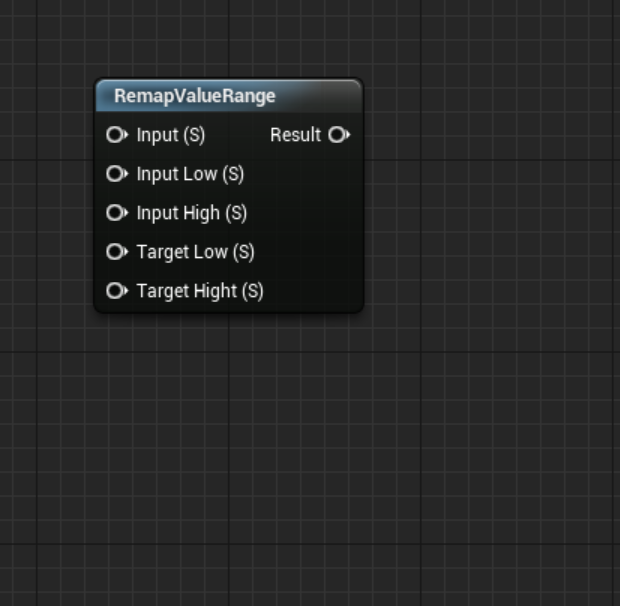
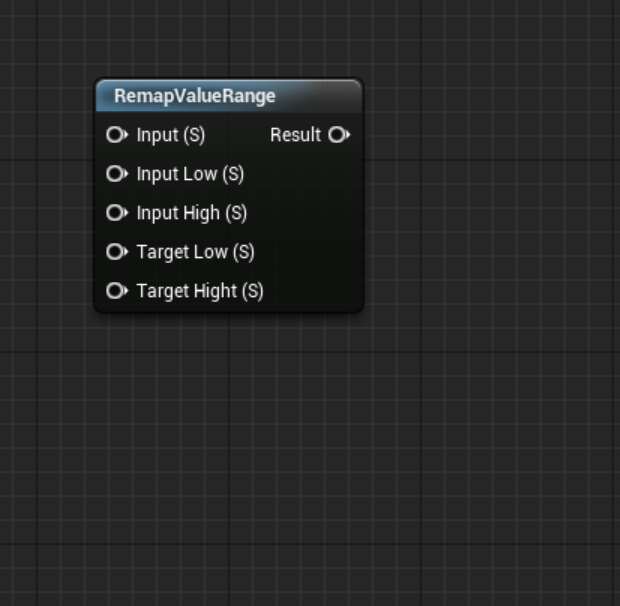
 hasty osprey
i opened another project with just starter content and it wasn't there either
fierce tulip
https://i.gyazo.com/344a4925bad9211002fcb4b5ba29d095.png
this is whats inside of it, so can easily create it
 hasty osprey
thanks👌
 silent chasm
hey guys , how do you load external files on runtime? for example you have a mod from mod.io downloaded what do you do after?
wary wave
you don't, generally speaking
if you do need that kind of support, as far as I'm aware you need to implement it yourself
hasty osprey
@fierce tulip what are the first five expressions in the picture called?
staticboolparam?
 fervent sigil
I'm trying to create a c++ project build with dedicated server, with different modules for server and client, but when I use TargetType.Server or TargetType.Client as the type for the respective modules, the projects won't appear in the solution after generating it from the .uproject. I also added the modules to the .uproject file.
What am I missing?
I tried to look online, but evereything is outdated..
hasty osprey
oh so they are just representations of where i should put my inputs then?
fierce tulip
yuz
they are used in material functions to generate the inputs (and outputs) you see when you place a material function in your material
 river bridge
Hello guys, I can't find sessions in game, do you know why?
oh god this is about hamachi. problem solved 🙂
fervent sigil
.. anyone? dedicated server buid? 😐
fierce tulip

Join Ari as he recounts the pitfalls, tips and tricks learned during Housemarque's first year of using Unreal Engine 4 for AAA development.
honest vale
-Long term we hope this replaces UCharacterMovementComponent and its networking system (ServerMove, ClientAck*, ClientAdjust*, etc).
@fierce tulip the reference thing is so true 😄
I think Squad suffers from that a bit
lusty carbon
Trying to build lighting. what's this??
rotund scroll
verify your unreal installation
lusty carbon
whatcha mean? yesterday I could build perfectly. now I can't
This solution saved my ass
fierce tulip
@honest vale havent seen it yet, going to watch it later.
 desert lava
Is it possible to extract whole scene from level with textures captured with lightmaps something like photoscanning the level.
wary wave
no
desert lava
What about software's like Ninjaripper 3D Ripper Dx
 faint cedar
Hey guys has anyone here worked with AdvancedSkeleton's face rig in UE4 before?
Or perhaps more importantly, LOD-based bone reduction [for faces]?
Because I have a pretty heft cinematic face rig with 200 bones, but during gameplay I need maybe 15 just to open eyes, mouth, raise eyebrows
but if I tell UE4 to strip every second joint from the eyes
It doesn't transfer the skin to the nearby joints
I get this BS
i.e. only the bones I left are animated, the rest just don't do squat, the skin transfered to the non-animated parent bone
(this is a blinking animation)
fierce tulip
@desert lava why do you wanna know?
desert lava
I need to know if there is any way to photoscan the scene so that it can be used as gltf format and viewed in web. @fierce tulip
wary wave
you can't do that
in other news, I have a blueprint function that is calling the super, despite not being told to 😐
 runic iron
Viewed in web, you mean something like noclip.website ?
fierce tulip
@wary wave ghost in the shell?
wary wave
it is, something of a problem, because it's removing a component I expect to not be removed
fierce tulip
hold a magnet near it, establish dominance
supple totem
Hey all. Why does the default mannequin face in the y axis, while x is generally considered forward in engine?
supple totem
Haha so there is no logic to it. "Just because"
Maybe it's common for anim tools to use y forward
rotund scroll
a lot of decisions on things are made "just because"
wary wave
normal, sane procedure would be to export with the axes switched as appropriate
..but no, the animations rotate the character 90 degrees instead 😐
rotund scroll
there's your error, you assume people to be sane
I see the first one so much
also this is solid reading on the same issue: https://www.stilldrinking.org/programming-sucks
 light coyote
@supple totem You may like this info regarding what you asked.
1 dimension is a line, 2 a plane, and 3.. yeah just regular 3d.
X dimension is alwais horizontal (in2d), while Y, is the vertical (like in any graph).
So the new dimension added to the 2d plane to make it 3d (to give it volume), will be determined by how you place that 2d plane.
In Unity you have to imagine the 2d plane to be your screen, and volume is the depth, that is why in unity, Z is away from the screen if in forward view.
In Unreal, the 2d plane is horizontal if on front view, and Z is upwards.
In Unreal, the 2d plane is the horizontallness of your world, wich i personaly prefer, and find more intuitive 🙂
supple totem
👍
rotund scroll
making Y vertical in 3D is obnoxious from an UX perspective
fierce tulip
when people speak of verticality in design I consider that depth instead of height quite often
thanks unreal engine :p
cloud cobalt
Let's not have a discussion on the merits of Z as height 😬
light coyote
XDDDD true, is relative.
But considering in 2d you work with X and Y.
And in 3d, you mainly move in the world horizontally, i preffer it really because of that.
 tall pendant
Germany, Italy and Japan ruined Axis for me.
rotund scroll
just as in 2d you have x as a horzional axis, x,y form your horizontal plane in 3d, with z being height
so why would you bisect your horizontal plane with a vertical alignment by having it as y?
fierce tulip
i think it has to do with sidescrolling vs topdown (while its used way before games, its a good starting point on why Z-axis can be depth vs height)
but, no time to discuss.
imma be busy
 pearl wigeon
I think it depends on if you're talking in world space or camera space
cloud cobalt
Hot take : Z as depth is the only correct answer in camera space, and Z as height is the only correct answer in world space, debate end.
cloud cobalt
Jinx indeed
median island
Stranger is the smartest human being.
pearl wigeon
Y'all ever just tangent space
rotund scroll
I agree but camera space is then just world space seen from above, always
pearl wigeon
Above?
cloud cobalt
The relationship between camera space and world space doesn't have to be anything particular.
rotund scroll
whether you want it to be or not sadly the case is such that most engines have to accommodate for both
pearl wigeon
Well of course they need both spaces
You need the camera space for rasterization
fierce tulip
@cloud cobalt Z is always upwards in 3d. regardless of cam/view/world/2dspace
rotund scroll
so a relation needs to exist
 fierce tulip
i do miss the z-up.xyz and y-up.xyz websites now.
pearl wigeon
Because a y isn't a z
cloud cobalt
Honestly I sometimes wonder how people treat the worldspace v viewspace difference of axis as something problematic.
rotund scroll
just gonna repaste this link here: https://www.stilldrinking.org/programming-sucks
wary wave
spamhammer
 light coyote
@median island That looks like a caramel toothbrush
median island
🙂
pearl wigeon
So can I just share small clips of my terrible game in #work-in-progress
fierce tulip
there was this anime that actually discussed the W-Axis
pearl wigeon
Time or spacial
fierce tulip

Dimension W (Japanese: ディメンションW (ダブリュー), Hepburn: Dimenshon Daburyū) is a Japanese manga series written by Yūji Iwahara, published in Square Enix's Monthly Big Gangan magazine (formerly in Young Gangan) since 2011 and licensed in North America by Yen...
wait, this is not lounge.
<_<
light coyote
Is that the dimension in wich cats allwais fall feet up ?
pearl wigeon
Oh that reminds me
light coyote
fierce tulip
yes, and peanutbutter bread always falls pb-side up
pearl wigeon
There's this animation program called cascadeur that's physics assisted
They did something on why cats always fall on feet
light coyote
😂
pearl wigeon
Cascadeur is cool and they've got a ue4 mannequin rig
cloud cobalt
Cats always fall on feet because they are extremely agile and turn around during their fall to face down
cloud cobalt
They have much better spatial awareness than us
fierce tulip
i remember hearing something about it depending on height, as they will flip again, and have to re-flip back to fall on their feet again.
at least, that was what I learned back in 5th grade or whatever.
pearl wigeon
If they're falling from so high that they have to flip multiple times
I think it's safe to say they won't survive however which way they land
Or at least do it uninjured
fierce tulip
true, was walking the dogs one time and suddenly right next to me a "thump"
cat fell on its back from 4th floor.
chaotic few hours where chaotic
wary wave
cats generally aren't heavy enough to badly hurt themselves through falling from any height
pearl wigeon
Heh he said chaos is that a reference to the ue4 chaos engine!? Was this conversation on topic after all!!!
wary wave
same with most smaller animals too
fierce tulip
this one had a broken pelvis, but managed to survive. recovery was 8 months though.
wary wave
they just don't hit a terminal velocity that's well, terminal
pearl wigeon
True but it could still be pretty brutal
fierce tulip
very weird owners too, didnt seem to care at all.
wary wave
no, but the two are related when it comes to whether the animal can survive the fall
fierce tulip
from axis to cats (caxis?) to terminal catacity
serene birch
they can still wound themselves badly
cloud cobalt
The impact energy is lower, that's for sure
serene birch
but they are at that weight were it's kinda not that lethal
fierce tulip
i love yo peeps :p
cloud cobalt
So it's less deadly
serene birch
I think they have higher risk of injury for relatively small falls (like 2 stories)
fierce tulip
though, the admin in me does not to mention this is unreal engine, and not lounge :p
though cats
¯_(ツ)_/¯
cloud cobalt
Also the same friction of the cat hurling through the air removes more energy at lower masses



 median island
They're actually talking shop more or less in Lounge
fierce tulip
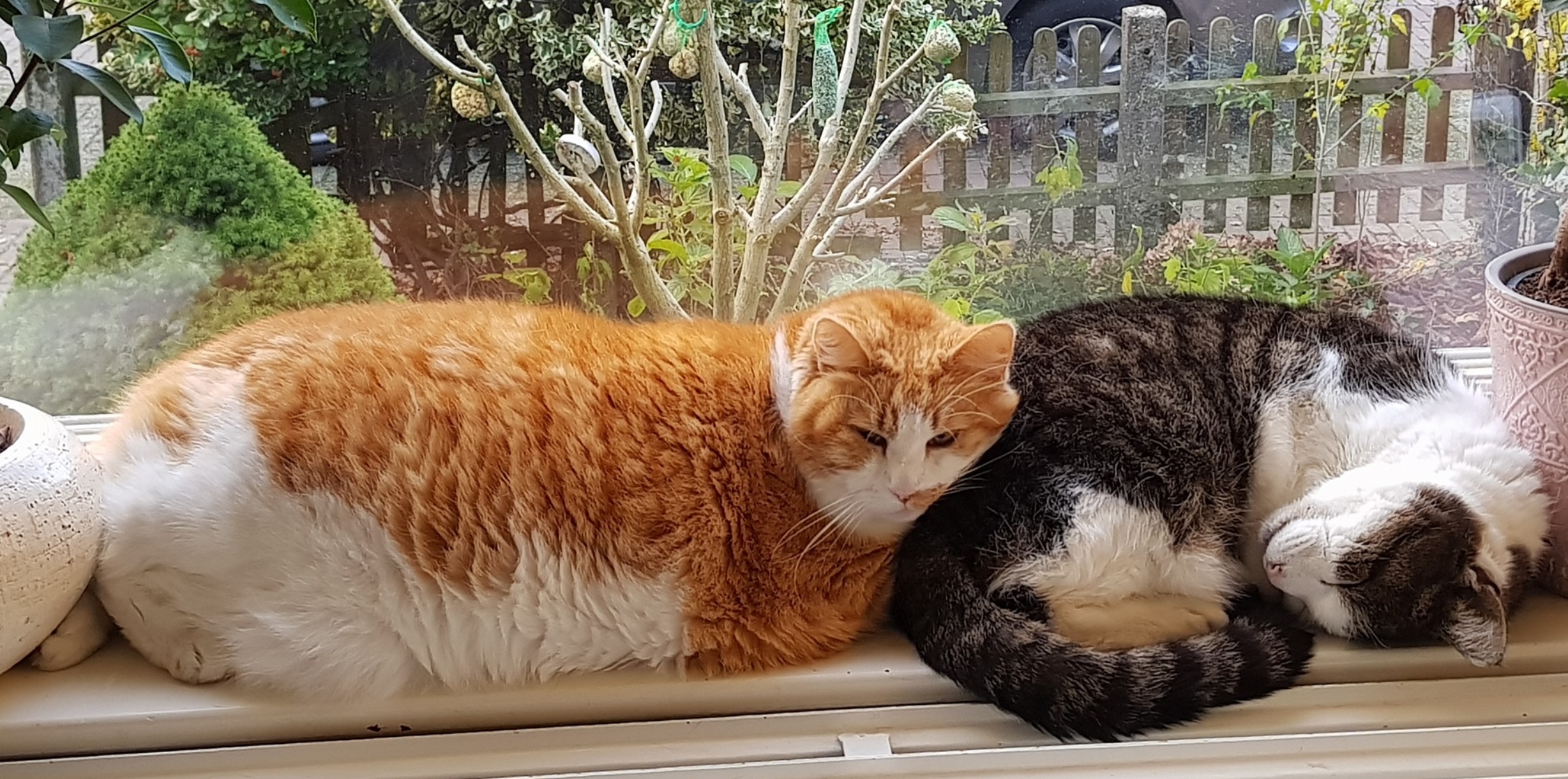
i try, but we have one catdozer. thing is enormous
pearl wigeon
Alright here's a ue4 thing
How do I disable an object from being involved in light building
rotund scroll
take it out the back
serene birch
make it mobile?
rotund scroll
and shoot it
tall pendant
@fierce tulip you have a maine coon breed? 😄
fierce tulip
no, more a main course one
tall pendant
hehe
fierce tulip
when Suus got him he was extremely overweight already
so all we can do is make sure he doesnt lose or gain too much
frank tapir
@cloud cobalt visual assist isn't helping at all, it just colored stuff for me which is more hard to understand ><
fierce tulip
https://i.gyazo.com/57c56142c3101d8e87a56c91cdf9f75c.jpg
keep in mind, the right one is also rather big compared to average housecat.
 cloud cobalt
@frank tapir The color is optional
fierce tulip
and mandatory if i fits, i sits
https://i.gyazo.com/f2783df2592f5e7a14531884f00ab0a6.jpg

 rotund scroll
I see fits is a relative term
frank tapir
@cloud cobalt I am still not getting the suggestion/ method name when I am trying to use GetWorld() :<
cloud cobalt
Sounds like World.h isn't included.
cloud cobalt
Does GetWorld() fails to complete, or the stuff after it ?
light coyote
@fierce tulip Prety cat,, and prety huge xD
frank tapir
The red line is on GetWorld() but I tried on UE4, the code is working fine
fierce tulip
@light coyote he still sounds like a kitten, which results in him able to get all them heart strings.
frank tapir
its just its not giving me suggestion! (i don't wanna learn all the functions and all its parameters)
cloud cobalt
Let's remind one important UE4 thing : C++ files are not compiled independently, they are merged together, and this behavior produces code that is wrong by missing includes, but still compiles
UE4 code can still compile though misses includes
Because another class did include the required class
frank tapir
oh, didn't knew that
cloud cobalt
VS has no way to emulate that behavior, obviously
Since UE4's UBT tool does it at build time
frank tapir
UBT?
cloud cobalt
Unreal Build tool
You can disable the behavior with FasterWithoutUnity = true in Build.cs - you'll have way slower full rebuilds (5x - 10x), much faster single-file-change builds (2x - 5x)
Doing so also guarantees your errors result in, well, errors
You can at least try it to ensure your includes are correct
frank tapir
Alright! Let me try that.
Btw I am using these header files
#include "Engine/World.h"
#include "GameFramework/Controller.h"
#include "GameFramework/Actor.h"
 patent apex
hello, shouldnt setting the maintain horizontal ground velocity to false change the velocity vector so that steeper ramps reduce the velocity?
frank tapir
btw stranger am I just suppose to add "FasterWithoutUnity = true;" inside my build.cs file? Or there are some other declaration I also need to do? (have never tried this)
ok. I added the above text and my project is still working fine.
cloud cobalt
Do you see VS building every file separately in the output log now ?
frank tapir
Actually it just said that build completed, no errors or warning. there was no log that it has finish processing files whatsoever
cloud cobalt
Er
You do compile in Visual, right ?
The variable is called bFasterWithoutUnity actually, with a b

 cloud cobalt
if it still builds now, one file at a time this time, your includes are correct
And in this case, VAX should work quite well
frank tapir
I meant that I can see the file building one at a time in the log, :3
oh nvm, its working perfectly 😄
Thanks a lot man!!!
lusty carbon
Trying to delete 6900 objects at once. UE4 freezes. any ideas to better do it?
 midnight gate
how do you even get 6900 objects at once
lusty carbon
Once helluva archviz project. don't ask
radiant haven
@midnight gate chow me your event fgraph
grim ore
when you hook up a print string to the Cast Failed does it print?
midnight gate
wheres the event graft and what is it
but print string looks uglyyyy
im using a wigdet rn
grim ore
print string is supposed to look ugly but that is not the point, does print string print from the cast failed?
we can't help if we don't know what is wrong. "i cant get the score to work" is not a problem that we can solve since we can't tell what is "working" to you
midnight gate
i dont know this is my second day using this program
grim ore
step 1, define the problem clearly
what is "cant get the score to work"
I cant see the numbers change? the numbers are wrong? I cant see any numbers? the program crashes?
midnight gate
the number 0 isnt there when i load the game and also it doesnt change when i collect coins
grim ore
ok, better definition of the problem 🙂
midnight gate
:3
grim ore
I would assume the 0 is not there because it has not "gotten" the score from the player yet so you would have to set your default to 0 more than likely in the widget to start with
but we dont know if it's even getting the number from the player which is why you need to put a print string on the Cast Failed
this will either print a ton of stuff every frame, or print nothing
grim ore
well... thats not quite right but it solves the second question, is it even working
midnight gate
yup
grim ore
you still need to put one on cast fails to see if the cast is failing or if this is never getting called
the correct way to do all of this is with debugging but I think that is beyond this right now and just print string debugging is the easiest way to get this solved
midnight gate
maybe i should just do it all over ;-;
midnight gate
but i did so much in here allready i dont wanna lose progress
grim ore
you have nothing hooked up to the cast failed, how is adding a print string to test losing progress?