
#ue4-general
1 messages · Page 552 of 1
 polar hawk
 fierce tulip
^
 stone finch
@polar hawk thx, ill bookmark it
fierce tulip
ya'all better be commenting on that page.
 torpid vortex
Unreal Engine
Unreal Engine includes basic mesh editing tools to correct small problems in geometry without having to fix them in the source package and re-import. These tools are particularly useful when fixes at the source would be difficult or impossible, such as when the source data or...
 visual belfry
Load Comments ^
stone finch
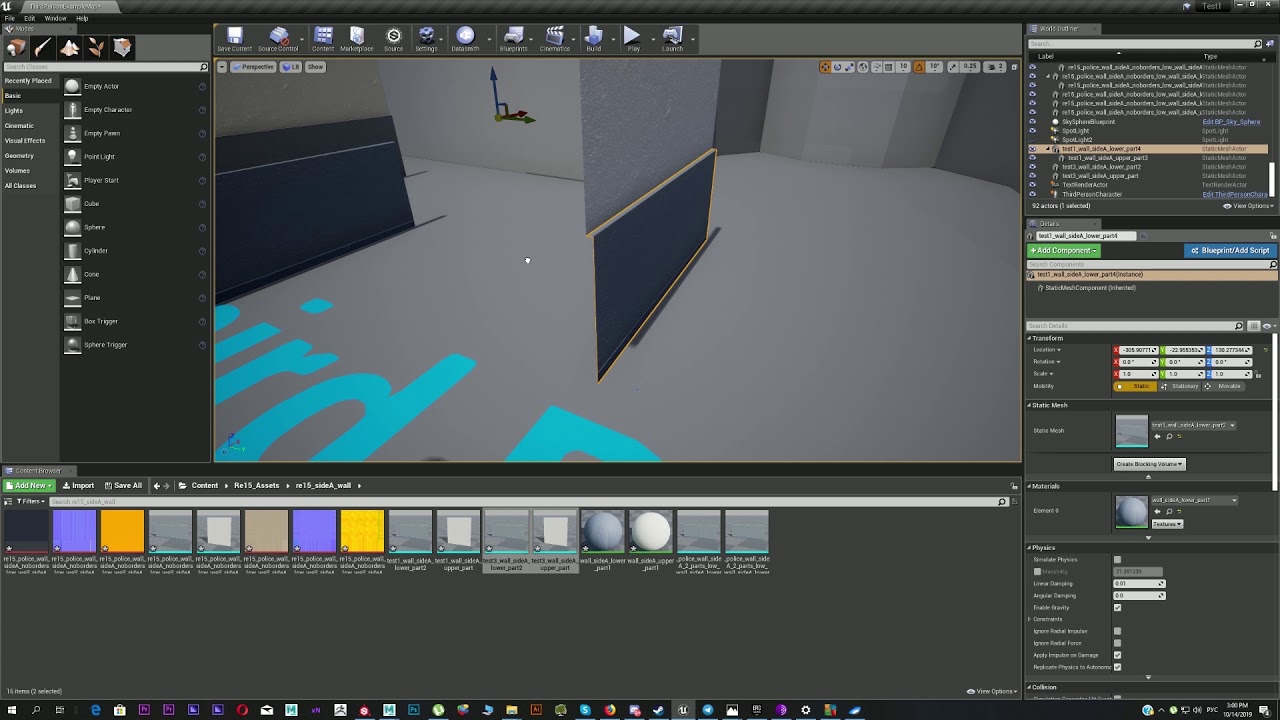
Guys here is the example video with snap problem, just cant get it, what I am doing wrong, why it wont snap to its own verticies
Support, like and subscribe! No commentary, No bullshit, only pure gameplay in HD! Specs: GPU: GeForce GTX 980 CPU: Intel(R) Core(TM) i7-4790K CPU @ 4.00GHz ...
and in the end you can see how it just resets pivot after action with object, forcing you to select it again
 shrewd shuttle
Hey my unreal editor is acting laggy all of a sudden, i was working fine yesterday
 shell compass
I had like 5fps in the Epic Launcher today, but the UE editor works fine
shrewd shuttle
launcher is fine for me but the editor
shell compass
Do you have two monitors?
shrewd shuttle
nope
shell compass
Check ctrl-shift-esc and see if there are multiple processes of UE4. See what uses most CPU and memory
stone finch
@shrewd shuttle Maybe RAM leak?
shrewd shuttle
what is ram leak
stone finch
@shrewd shuttle can you check this in task manager
fierce tulip
currently loads of issues with cortana, search, and some other stuff that causes cpu spikes.
could be anything
shrewd shuttle
i didnt change anything since yesterday tho, and it was working fine
but today when i launched it up, it is being a pain
fierce tulip
isnt that always the case with something that breaks :p
always worked fine before
stone finch
@shrewd shuttle I had this when I reimported from older Unreal to a new version, it lagged as hell, until I cleared RAM cache with software
@shrewd shuttle Check your RAM usage when Unreal is opened and your CPU usage in Task Manager to try find source of the problem
stone finch
@shrewd shuttle and CPU as Luos mentioned?
shell compass
Tried simply rebooting?
shell compass
Something with max fps maybe?
shrewd shuttle
hmmm
everything else runs smooth, only ue4 lags. I have pretty good specs so i dont think my hardware is the issue
 somber quail
what are your specs?
UE is pretty ram hungry
my 16gb RAM at home doesn't cope too well
shell compass
Shouldnt use more than 2gb in normal circumstances
 regal mulch
Depends on the art assets
shrewd shuttle
theres nothing in the level, i started up a fresh new blank level and its still laggy
shell compass
4.23?
Could it be that it's trying to do raytracing, but the 2060 is a bit too weak for that?
 serene birch
you don't stumble into raytracing in UE4 😛
shrewd shuttle
yeah i dont think it enables it by itself
tried both versions of engine 4.22 and 4.23, still lags
regal mulch
Well, 16GB should be enough to open an empty level without lagging
If it does lag, then you have a problem
 median island
Is it everywhere in the editor or just the level?
shrewd shuttle
everywhere in the editor
regal mulch
Laptop or Desktop?
median island
What if you turn down the scalability settings? Are they still n epic/cinematic?
shrewd shuttle
wait, im losing fps in all programs wth, getting 5 fps in games
median island
Oh snap
regal mulch
Laptop or Desktop?
shrewd shuttle
laptop
regal mulch
Power plugged in?
shrewd shuttle
yeah
regal mulch
Yeah it's most likely a throttle thing of the laptop
regal mulch
Check if something is taking more from your resources than it should?
And restart he laptop just to be sure
.>
shrewd shuttle
Yeah if that doesnt work then ill try to check all my drivers
shell compass
@polar hawk I've usually been doing stuff similar to your styleguide on github, but in your GenericShooter project you're using a structure with an Addons folder and things separated into subfolders there, and you're using a lot of BPs derived from UObject and then Create Object from Class inside other BPs.
Was just curious if that's still a practice you advocate, and if there's any guide or resource where one could learn more about that method.
It's not something I've seen anywhere else, but maybe it helps make things less brittle?
shrewd shuttle
I got the GeForce update and it seems to have fixed the issue. sorry for the inconvenience
polar hawk
@shell compass Its the best nightmare scenario
I do not advocate that method because I would not trust anyone to use that method of doing things correctly
Because it can get super jank, super quick
The situation changes completely when you can write C++
Generic Shooter was not allowed to use C++
Therefore, you get that
shell compass
Gotcha.
 orchid sable
Anyone else having trouble logging in to Epic Launcher after that fortnite event?
 cloud cobalt
Everyone
 proven wagon
My light broke: non of the sources except skylight (need to set above 100) is visible. also there are blurred sun on skysphere. It happens on all of the maps. What can cause this?
 copper flicker
@stone finch yes, what happens there is as expected.
keep your assets at 0 0 0
ok, question for the world
this is a supersimple AI that's supposed to test pathfinding speed
and.. pathfinding is by default incredibly slow
is there any way to optimize it?
 wary wave
not easily in blueprint
copper flicker
I just realized there's nothing else wrong with my AIs
it's just.... pure SLOW pathfinding
wary wave
an optimised solution would run pathfinding in a separate native thread, and as much info as possible would be pre-cached
copper flicker
even on Simple Move To
wary wave
reducing your navigation down to Dijkstra's can go a long way to making things cheap
copper flicker
Dijkstra is slow tho
I thought this is recast
which is supposed to be fast
at least in Unity, it's really fast
1000 agents can easily path around a simple world at 60+ FPS
in Unreal, I have serious problems with 100
O o
wary wave
eh, Dijkstra's algorithm isn't slow?
wary wave
it's probably already using A* under the hood, which is more expensive
also are you sure your performance cost is actually the pathfinding?
copper flicker
I tried open-world pathfinding, it's even slower
well, look again at the example
there's nothing there, only path finding
otherwise, I love Unrea;
UNreal'
wary wave
that doesn't mean the pathfinding is expensive
copper flicker
crap........
wary wave
have you actually profiled anything?
 dim plover
I actually don't really know what you're testing with that BP.
copper flicker
I mean... Unreal's recast tools, a lot more powerful that Unity's
uhm.... good point, I don't really understand profiling.. the proper way 😄
I just made the world's simplest AI
and ran it
wary wave
I'm willing to bet the problem isn't the pathfinding, but the movement
wary wave
character movement is expensive
copper flicker
wtf..... I never thought of that
wary wave
that's why you use a profiler
copper flicker
but.. I kinda need Character Movement for my AIs
dim plover
A lot of people create their own CMC. It's unfortunate.
wary wave
rolling a custom movement component is pretty common, yeah
copper flicker
oh crap.. that's really bad news
copper flicker
I was thinking it's coded in C++ by Epic.. so it should be pretty fast
if I come up with something like that in BPs...
wary wave
it's not fast, because it's generic
wary wave
it has umpteen billion features you may or may not be using
dim plover
If you don't use multiplayer, it should be pretty easy to write a movement component for your game.
copper flicker
hmmmm... this is pretty terrible coming now
I already have a ton of work done for this AI
and at a glance, there's only C++ content on youtube
you think it's even worth trying making a custom cahracter movement in BPs?
wary wave
you can't make one in BP
copper flicker
haha.. ok
I can't make one in C++ that's certain
and the pathfinding system works with character movement
like Move To
 tame delta
When attempting to ship I'm getting weird errors like :
Error: DoesPackageExist: DoesPackageExist FAILED: '/SecmaVR/DefaultMap' is not a standard unreal filename or a long path name.
"SecmaVR" is an old attempt at making a plugin, I've completely moved it out of the engine, and no file/folder has that even a similar name in the engine OR the project.
I don't know why the project still tries to access this DefaultMap thing at this point, any idea on how to clean this up?
I know both EditorPerProjectUserSettings.ini and Engine.ini in the project mention those file paths, but I don't want to just cut those lines off considering they're indexed. Thinking there might be a cleaner way in editor?
dim plover
Are you packaging from Unreal Frontend?
dim plover
It's possible that the launch profile references the old map. I have to clean them up everytime I rename (maybe move?) a map.
tame delta
@dim plover How do I clean it?
I guess I haven't tried the usual deleting "Intermediate" and "Saved" yet
Welp, deleting those folders didn't work
dim plover
UnrealEngine-4.21\Engine\Programs\UnrealFrontend
Profiles are there.
tame delta
When you say frontend you mean the editor right?
dim plover
No, I mean the Project Launcher.
tame delta
Oh
My bad, don't know what that is
I just do that 🤷 https://i.imgur.com/bQxcIRC.png
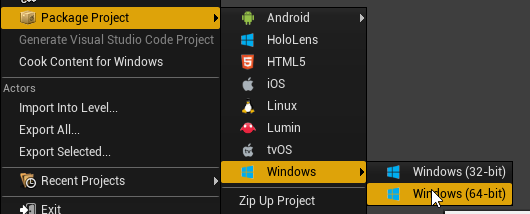 dim plover
Oh, I didn't fully read what you said. You should probably just delete those lines from the .ini's.
tame delta
I guess those lines were in the Saved folder, deleting them didn't fix the problem, but it did remove those references
So I'm fully confused now, don't know why it's trying to access this
 vast fossil
branch node gives error when connected to another blueprint class variable
anyone know a fix for this ?
dim plover
@tame delta , Can you look at the .inis in your Config. It's probably somewhere there.
vast fossil
and the most funny thing is, the game itself works as I intended
which drives me mad
dim plover
Post a picture of your weird branch node.
 elder temple
Hi! Has anyone had issues with a packaged/editor project not utilising enough resources while not reaching max FPS?
vast fossil
tame delta
@dim plover Grepped through my project folder, only (meaningful) file that matches is Content/DefaultMap.umap
And it does have a reference (in the binary file) to World'/SecmaVR/DefaultMap.DefaultMap'
No idea how to remove that, or where it comes from
dim plover
If deleting the node(s) doesn't work, maybe it's because your Event Tick and that stuff are intermingled.
@tame delta And it does have a reference (in the binary file) to World'/SecmaVR/DefaultMap.DefaultMap'
What binary? The .umap? I don't really know how to fix that sort of thing, if you're implying it's corrupted with a bad reference.
tame delta
@dim plover I think it's referencing something that's not there, but somehow this doesn't cause any issues except for when I'm packaging :/
I've reloaded assets, looked through the reference viewer, there's nothing showing up from SecmaVR
And yes the .umap sorry, typo'd
dim plover
Uhh, I'll just take some guesses. Have you tried rebuilding the level, specifically the geometry. That fixes up bad references for me, I think.
tame delta
@dim plover Didn't look like it's doing much when I do "rebuild geometry (this level)", problem isn't fixed
I can't do Build either
No error message or whatever, just tells me "building failed"
Oh no nevermind "Build" works sorry, it's just that old popups come back up when new one appear
I don't know what "DefaultMap.umap" is anyway, it's not appearing in the content browser
 warped tangle
@vast fossil That error means it's trying to reference a null value. Make sure you're validating variable before doing something with it to avoid those errors (and handle the variable not being set for whatever reason)
 grim ore
you can use the "Is Valid" nodes to make sure a variable is valid (exists and is not null). You can also right click a get variable node in the blueprint graph and "convert to validated get" to do the same thing in one node instead of 2
warped tangle
Showing where are you casting and getting that error would help
Have ya'll ever had actors randomly snapping to the nearest actor, or the ground, randomly....constantly. This is when moving things in editor and/or PIE time
Yesterday it even snapped to a nearby Character, and while I was holding the mouse button (just moved it 1 unit), it was moving with the animation as though it was attached to a bone
Oddly it only affects moving an actor, but not an actor component (I can move spline points etc no problem)
 midnight bolt
Any idea where i could find a coder to write simple parser? Here is a sample

Two objects in .map format, and equivalent in ue4
Sounds simple, a lot could be done via search and replace, but some values needs to be reversed
 delicate needle
I'm testing out baking with vray, and in order to distribute the the bake to slaves, it seems I will need unreal engine installed on each and every slave. Anyone know of a quick way to deal with this, having messed with vray for unreal plugin?
My guess for now is to copy / paste the "UE_4.22" folder, and work from there.
midnight bolt
i dont know about vray, but for UE swarm, you don't need the unreal engine installed on other pcs, just the swarm files
delicate needle
@midnight bolt - yeah, I've used swarm before and that was super simple, right.
 echo trout
Has anyone used ndisplay to open a game(build) on 2 screens(1+extended)? Without the use of Nvidia Surround.
 ornate ice
Good morning folks
I wanted to ask, is there someone here who knows a lot or it has good knowledge of Materials and Shaders in UE4?
grim ore
There are a few people here and more in #graphics, might be good to ask the question if we can help
ornate ice
oh I'll go there then 🙂
vast fossil
@warped tangle @grim ore ok ive found it although it doesnt make any sense whatsoever, setting the nodes like this works as intended without errors, I need to cast it (although I get the note that I dont have to) and I need to set the Velocity in a variable, then recall it to the branch.
warped tangle
You don't need to cast since you're explicitly getting a reference of that type
vast fossil
if I remove the cast I get the errors
grim ore
we never saw what you had before so we can't tell you why it was not working
vast fossil
I mean I put the is valid node in the beginning of the node, if that makes a difference
warped tangle
Also...Just throwing this out there. Doing a "get all actors of class" on tick isn't a great idea
vast fossil
 warped tangle
If you absolutely must get all actors of class, do it once on beginplay/whatever event, and store the reference to a variable
vast fossil
I need the tick to retrieve the velocity every tick
warped tangle
But you don't need to get all actors every tick
vast fossil
yea true
warped tangle
get it once (on beginplay for instance), save that to a variable
vast fossil
where should I put the tick ?
grim ore
chances are you were seeing the tick event fire before the item was valid because this item was begin play before the ball was you are trying to get
warped tangle
^
grim ore
so the question is what are you trying to do and why
vast fossil
I see
warped tangle
^^^^^^^^^^^^^
vast fossil
my purpose of this node is to play a sound when the ball hits the ground
warped tangle
wait...really?
grim ore
any reason the ball cannot do that itself?
vast fossil
I have to use a doOnce node because even hit can trigger 2 times
median island
There's an onphysics hit event
vast fossil
but then I have to reset it
so my logic was, reset when the ball goes down
so I retrieve the Z velocity
when it goes - it should reset
@grim ore I didnt think of that lol
warped tangle
Still not sure why you are even referencing something else. Even IF you wanted to use Tick to use the Z velocity to reset the Do Once, why can't that be done on the ball itself? rather than get all actors of class and all that
vast fossil
Ill try that
grim ore
you should always try and keep ownership of stuff in places where it should be. If you were to move this ball somewhere else, another level for example, and wanted the sound to be made you would have to recreate the other code which means the ball is tied up to the other object
vast fossil
lol
warped tangle
Yep, the ball should handle all ball related things
grim ore
a simple thing off the top of my head, no idea if it's smart, would be to check on collision with another object and if it's your "ground" play the ground sound, if it's the racket play the racket sound etc. You can use physics materials for this for example and physics hits or collision checks depending on how you are doing movement
warped tangle
I think his issue is the hit firing more than once
but even a simple delayed reset on a do-once would probably work fine
grim ore
it shouldn't? but if so make ayep delayed reset or do once with a timer to reset the do once
grim ore
I think if he fixes it in the ball it should fire correctly, if something is "hitting" twice there might be something else to look at
vast fossil
I dont like delays because it can vary when fps drops ect, but its good for testing
grim ore
you can do a timer instead of a delay
warped tangle
yeah timer would work fine
grim ore
play sounds -> timer for 1 seconds -> reset boolean so you can play again
vast fossil
the hitting 2ce is an on component hit problem afaik
coudlnt find a solution besides doOnce
or arrays with already hit balls
but thats takes alot of nodes
warped tangle
Seems over-complicated
grim ore
welp try and figure out the cause first, you might not need this if you diagnose the cause
ball hits something -> plays sound based on what it hit
you could even use something like an Overlap even with a fairly tight collision object around it and use the on overlap to fire the sound so it only triggers in theory once
vast fossil
yea that could work too
but the sound would trigger before it impacts
I think I did try this before
warped tangle
hence the tightly-bound collision object
vast fossil
and I had to place the overlap a bit higher then the ground because sometimes it wouldnt trigger
grim ore
make it 110% of the objects size so it just wrap around it for example
and if it's got no collision channels besides overlap it should not interfere with the actual collision
again just ideas, I would assume using normal physics hit events if using physics should be enough
median island
The benefit of that is that it will make sounds with other surfaces as well automatically
grim ore
^^ yep using physics materials are neato
vast fossil
first time I hear this
ill look into this
thank you
its been like months since I start and I still need alot to learn 😄
thank you for your help guys!
grim ore
it will be years and you will still be learning 🙂
vast fossil
yep 🙂
grim ore
I am going to try and figure out AI avoidance today for someone if I can find the time, always learning 🙂
warped tangle
like EQS?
median island
Technically the hit event IS the physics hit event, but you can test for the phys mat when it occurs
grim ore
no just simple avoidance like 30 people trying to funnel down a tunnel
warped tangle
I haven't played with it much but there's a crowd manager type thing right?
grim ore
there should be yep but I guess setting it up is what needs to be figured out. A couple people have had this issue before so I figured I would look into it and see if I can figure out the crowd manager
median island
He said with heavy sarcasm
warped tangle
😁
 gilded igloo
Hey guys! so I wanna make a complex root of menus in my game, anyone knows an elegant way to do that? maybe a source to learn this? if ya do, thx a tan!
gilded igloo
ill try.. thx!
 glacial pecan
man, the more I use Unreal, the more hidden restrictions and rules I find 😦
median island
lol
serene birch
classical limitation
warped tangle
The more I am on here, the more limitations I find out about that I never knew about lol
 digital anchor
isnt a C++ restriction that classes must begin with a letter, must be the reason
glacial pecan
the engine had a hidden restriction that no mesh could be named NONE as well until I reported it... it's just so much weird stuff
or rather, I think the restriction is still there... only now Datasmith renames any mesh named that (since 3D Studio Max very often imports models and skips naming them)
fierce tulip
same a while ago if you named a folder Wolf, it could not be packaged.
this because it was the project name of switch prior to it being announced, and messed something in folder naming accidentally
 tall pendant
gonna try name a folder prospero in near future releases
on second thought they'll prolly use a different name...nvm 😄
 scarlet birch
@vast fossil
If you need various sounds add a physics material check / switch or use tags
vast fossil
@scarlet birch Nice thank you
scarlet birch
And of course scalars will be different for your use, this is what I used for a short ball game I did
vast fossil
did u have any issues like ball sound triggering 2 times ?
scarlet birch
That's why the timer check on the switch is there. Sometimes with physics you can get collisions really fast together. You also need to setup concurrency. on the audio.
vast fossil
I see
scarlet birch
Playing with the pitch and force can work too
stone finch
Guys plz, check my video on snapping it is available only by link any way I can make snapping pivot point easier for myself?
Support, like and subscribe! No commentary, No bullshit, only pure gameplay in HD! Specs: GPU: GeForce GTX 980 CPU: Intel(R) Core(TM) i7-4790K CPU @ 4.00GHz ...
 lofty imp
i want to make my character only move from the waist down when walking. so only its legs are animated when moving, i want everything from the waist up to be stiff
any tutorials to recommend?
grim ore
you would use a thingy that tells only X bones and below/above to animate and the rest to not. I ... uh... trying to find that node, its in the anim BP.
it's used when blending 2 anims together like aiming with the upper body and moving with the bottom
ooh thats what you can google
Layered Blend per Bone?
lofty imp
thank you :]
scarlet birch
You may have to try different values to get it right, depending on how the animations are setup. This the setup I use most often, I probably copied it from somewhere.
 magic epoch
Hey guys, does anyone know how much it would cost to get a open world zombie map designed?
fierce tulip
not enough variables or limitations mentioned.
therefore anywhere from a few dollars to a few million.
prolly closer to the latter
magic epoch
oh, I was thinking around $40 + royalties!
fierce tulip
hehe
magic epoch
lmao
 waxen raven
Don't forget to specify currency with that XD. Hate to find out it's in Argentinian dollars.
 abstract relic
That’s less than an hour’s worth of work 😜
fierce tulip
1,000,000USD = 361,900,000.00 ZWD
waxen raven
Just make the world size about 100 unreal units. Done in no time.
6 zombies, and call it zombie royale. XD
fierce tulip
open bedroom zombie survival game
waxen raven
Lol probably smaller than that to be fair.
grim ore
well designed is open for interpretation as well, it could be a simple drawing of the level
waxen raven
Or Fortnite, new beginning, given the promo stunt. Got to give them, well done.
 tawdry sierra
I need quick help. Ive enabled ray tracing and now my project crashes. How can i disable it with the config file?
grim ore
r.SkinCache.CompileShaders=True
r.RayTracing=True``` in the DefaultEngine.ini file ? ember notch
How i can do it that the widget are on the screen and if the screen is bigger that he move correctly?
warped tangle
anchors dawg
ember notch
thanks
tawdry sierra
@grim ore there are not there in the defaultengine.ini
lofty imp
thanks for that gif @grim ore that made me laugh
grim ore
I just opened up mine under projectname/Config/DefaultEngine.ini
is your project saving to another .ini file? You won't know without opening it tho lol
I renamed my file and it unchecked the raytracing option in project settings -> rendering so that is at least the default place for it
gilded igloo
Hey guys! so I made an axis mapping called 'turn' which is mouse X, but in the right conditions, it just doesent work, when my cursor is in the right corner of the screen and I move my mouse right - the Axis mapping still returns 0, whenever I click any button on my mouse this problem fixes itself, like its some kind of an update. anyone knows the problem and or how to solve it?
 covert ivy
Hi ! I'm plannig to make some floating islands, a bit like that : https://www.artstation.com/artwork/PmbwBr

ArtStation
Some environment I made to learn how to use particles and MASH to scatter vegetation within Maya.
fierce tulip
and? :p go on!
ember notch
Can i remove this launch screen or is this not allowed?
covert ivy
I was wondering about texturing : What is better in terms of performance : To make a 4 or 5 layered textures (because I would need so) and to vertex paint directly in UE or to make a single big texture on blender with all the layers that I want and bake it into a single texture with UV into blender then export it into UE ?
ember notch
If i remove the UE4 launch screen is this not against license?
covert ivy
@fierce tulip Sorry I speak english a bit bad... It take me time to translate 😆
fierce tulip
no worries Falco.
you might want to try and ask in #graphics to get more detailed answers.
(though the layered approach does give more modularity/versatility)
@ember notch hmm, i think there is some info about it somewhere. one sec.
covert ivy
I think both methods are advantages and inconvenients but I would like to know much
I'm going to #graphics, ok 😉
magic epoch
hey guys, does anyone know what quixel megascans is?
I want to get the pro version for $40/M, does that include all assests?
covert ivy
@magic epoch Texture library with high quality scans
 gilded plinth
Peeps, you know how when you open your skeleton in UE4 and view bone hierarchy you can see the bone orientation (the transform) with the red blue green axes. Is there any way to increase the size or length of those axes? Just for visual purposes. They're too small for me to see without getting really close to them
fierce tulip
@ember notch when in doubt, ask on forums/answerhub
 maiden swift
@ember notch You are not required to include the Unreal splash in your game. In fact, you have to get approval from Epic to include it.
If you decide you want to include it, see this page: https://www.unrealengine.com/en-US/branding
grim ore
@maiden swift so the funny part about that and the question is that is the launch image for mobile which epic provides so........ do they still need to do it 😛
maiden swift
@grim ore Oh weird. Epic provides a splash for mobile projects?
grim ore
Last I checked they did... now you are making me question my sanity
maiden swift
If that's the case, I assume they still need to submit a trademark license form.
 hushed wasp
getting into UE4 😄
fierce tulip
good luck!
grim ore
yep those are the splash screens provided for mobile.. I am not crazy!
so if they are set by default can epic get mad if you don't ask for permission and use them... 🤔
hushed wasp
not new to game engines nor 3d world but UE4 is the most advance engine i ever had opened, thankfully its not that far from 3D softwares om lot of ways. make it eazy to work in for me 🙂
grim ore
read alot, watch alot, read alot more. play around. spend a year or two doing stuff then come back to ask questions 😛
grim ore
oh that's not everything, thats just learning to navigate the editor
hushed wasp
thats not realy 2y learning streak 😄 navigating the editor 😄 hehe
good thing is that there is big community around UE on youtube
grim ore
I dunno the editor is pretty sneaky with hidden features
 stiff spoke
Hi the world
hushed wasp
true but with so many people pooling tutorials you can find almost anything
fierce tulip
<_< we need more people who instinctively go "whoo tutorials" hehe
grim ore
almost* anything. Some of us keep the good features a secret until we need to show them off and people are like "OMG that is so awesome why did I not know of that" and we can get our 5 minutes of internet fame!
shell compass
@grim ore your tuts have been a godsend. Tyvm for them 🙂
grim ore
🙂
I've been super slacking on them the last 2 months but I swear I had a good reason... I was playing video games!
shell compass
Feels like there's not much stuff left to cover though!
abstract relic
There’s enough in there to keep the viewers occupied for awhile 😜
grim ore
there is soooo much left in just pure nodes, then add in doing stuff with them like more advanced AI and UI stuff
and I have literally not even started on animation or effects 😦
whooo lifetime of work.... lifetime...... 😿
abstract relic
Animation could use some tlc actually
grim ore
so much of animation is technical it's scary
I mean art is art and it's a skill but knowing how to implement animation stuff the right way is so technical to get it looking right
hushed wasp
That why iam not planning to learn everything :D like some people want to know it all and end up not knowing anything fully
 normal burrow
animation is life yea
ember notch
Can I send a game publish form and publish my game today for example?
grim ore
@ember notch which form for what?
normal burrow
the main thing with animation and unreal engine: always make sure that lightning bolt is on any node that takes any pin except for execs.
shell compass
Looking through the ActionRPG example project. Sometimes it feels like Epic themselves don't know the best practices.
Here's the first comment in ActionRPG.h:
// We don't want to include "Engine.h" as that pulls in too many classes we don't need and slows compile time
grim ore
that's the node that says run this super fast right? the lightning bolt?
shell compass
And what do they do right after? That's right.
#include "EngineMinimal.h"
#include "Engine/Engine.h"
ember notch
Formstack Form - Release Form
grim ore
@ember notch I would assume that is fine, it;s a notification of release form so you are letting them know you are releasing it
and the page says when the time comes fill it out sooooo yep
ember notch
thanks for your help 😄
 kind dew
trying to use a library function i made, its not showing up in my blueprint though. The BP im trying to call it in is just a plain object class bp, is that why? Can only actors call library functions?
grim ore
blueprint function library?
grim ore
I believe that is correct, atleast it is in my testing
ember notch
Can anyone maybe help me with this question? #epic-games-store thanks
normal burrow
@grim ore lightning bolt means the pin parameters being read from can be done so in multi threaded nature
if you don't see a lightning bolt and there are pins, that and everything leading up to it (essentially the whole anim bp) will run on game thread.
where animbp is largly coded to not run with a lot of haste. it'll kill performance easily compared to having bolts
(its confusing because nodes that take no parameter pins have no bolt)
and thank you High Tide for giving me reason to ramble about animation 😂
 hallow oracle
So I want to make a game where Essentially you play as a weapon master, and you fight with more then 1 weapon kinda like Noctis in final fantasy xv or Erza from fairy tail for example. And I want to know if it is possible to set something like this (Check image, may have to hold phone sideways) up, or if it will be way too complex) to be possible. (On a side note Nis are just monsters in the game to avoid confusion, sprites used are not mine)
In case you didn't noticed I am a huge kingdom hearts, final fantasy and Yakuza fan. The combat control layout works like a mixture of kingdom hearts and yakuza (cuz you had to press triangle to perform a finisher)
This is just a glimpse of the combat system, there is much more then you see here. 😁
fierce tulip
readable font be nice hehe
normal burrow
its cool cause theres so much information in such a little, condensed space
were you asking a question sakuri? you can do pretty much anything as long as its logically sound
 merry gazelle
I haven't been tinkering with UE for a while and I guess I forgot how to use the timer. Am I using the wrong node or something? At the moment print string doesn't fire at all
abstract relic
You are making a new timer every tick
merry gazelle
ah ok, I tried using beginplay only before but I guess I changed something as it works now. Thanks 😄
 zealous cloak
is it ok to ask for help in the more active blueprint channel instead of VR-ar or umg?
 weary basalt
If your question is Blueprint related, sure.
If its not, then no. As you would be offtopic.
zealous cloak
if i can solve it whit bps^^ just dont wanna spam my question everywhere, but its frustrating if youre googling for two days 😄
weary basalt
We have a no spam #old-rules. Keep your discussion to a single channel.
zealous cloak
ok asking here for help in one specific topic and referring to the specific channel is ok?
normal burrow
how many times?
weary basalt
You can ask where it might be relevant to post. But seriously, it cant be that difficult.
Have a read of #more-resources and look at all the channels and their descriptions. Choose one that is the most relevant to your question.
 ruby ocean
Hey how come my only export options are .copy and .t3d?
grim ore
its the object you are trying to export
 neat forge
If I want to merge two actor BPs, are there any downfalls performance-wise of making the parent class to what Im merging it to in the class settings?
ruby ocean
@grim ore yeah I just figured out what my problem was. I had to export the skeletal mesh. I’ve been exporting shit from the Ark devkit for a while now and I couldn’t even think to do that lol
 trail loom
How to save player data\variables in steam multiplayer?
neat forge
if you copy and paste that into google this comes up https://www.youtube.com/watch?v=QzAeVzQz0nY seems like itll answer your question.. lol

Learn how to save and load player info in this UE4 tutorial. Have any tutorial suggestions? Leave a comment below and I'll see what I can do! Love developing...
hallow oracle
@normal burrow I was asking if the mechanic was possible, but if your saying that as long as I can put it in a way that makes sense then I guess you answered my question.
 plush yew
does any1 know how to get this node https://gyazo.com/2dc842983e38ff9ae4e611c3d5349753

i cant find it in ue4
grim ore
Material editor, click on the graph, press and hold the 1 key on the keyboard and click with the mouse
then you can right click that node and convert to a parameter
it is a constant parameter, or a single float
it's a float that has been changed into a parameter so you can adjust it in an instance
Vector1 if you want to get even more technicalish lol
 plush yew
ohh
grim ore
if you don't intend to use this in a material instance you don't have to convert it to a parameter
plush yew
okay thanks a lot
grim ore
You can also right click and search for Scalar Parameter but scalar sounds so weird
plush yew
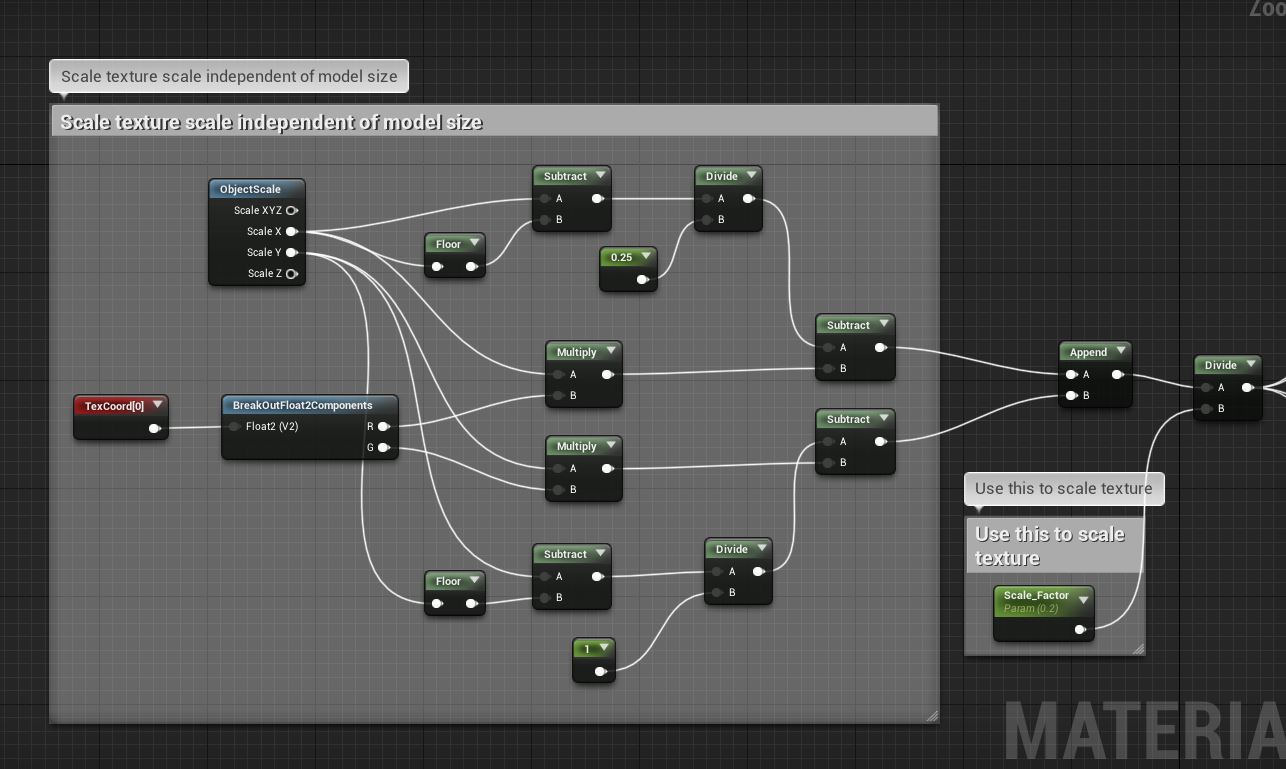
can you also tell me how to fix the height tiling as it stretches when i make it taller with width and length tile
grim ore
so to keep the tiles the same size even if the mesh it is on is larger?
plush yew
yes
grim ore
what you need to do is use the texture coordinate node and then adjust the U/V tiling on the material. here is an example https://forums.unrealengine.com/development-discussion/rendering/10485-having-some-world-constant-uv-scaling?18819-Having-some-world-constant-UV-scaling=
using the World Aligned Texture is another way to accomplish this
plush yew
with this i get a texture so small id need a microscope to see it and when i make it bigger its just 1 color
grim ore
those were starting points, you would need to adjust it to fit your goals since we can't see your textures or objects
change the divide by 100 to something like 1 or even remove it to see if it gets bigger. the divide is there to help resize it
plush yew
okay so i got it to work but same thing if i make box wider it works if i make it taller it does not
grim ore
we would have to see your material to make any guesses but the U and V, or X and Y of the texture coordinates is what controls the tiling. It sounds like one of them is not being set properly
 vocal flume
Do you guys know how much I would benefit from CPU cores? Trying to decide between a Ryzen 2700X and 3600X
 grim ore
I have a feeling the issue you are having is your item is not scaled uniformly, 1x1x1 or 2x2x2 or 3x3x3 etc.
if you need it to be fixed no matter what you need to look into the world aligned texture stuff
it's alot more work to do that as you need to account for all 3 sides but it basically makes the texture appear the same in the world like you were putting a sticker over the item no matter what the size is
@vocal flume CPU cores when in the editor will be for offline stuff mainly, so building lighting, compiling shaders, those types of items. Compiling the source, etc.
I can say I went from a 6 core 5820k to an 8 core 2700x and I enjoy the extra cores/threads when compiling source and in the editor when loading stuff up. I plan on going with a 3900x when I can find one affordable locally for more cores lol
plush yew
i suppose having a node to choose from stretching and tileing would be too complex to have 😄
but ill look into that world thing
thanks
grim ore
its not as bad as I make it sounds it's just more work sorta lol. https://i.imgur.com/aXkkgUD.png
you put the texture object (not texture sample) into the world aligned texture node and it spits it out. You can plug in a vector 3 into the Texture Size input to change the size of the texture in the world.
there is a Texture Aligned Normal node you might need to use for Normals as well
like I said not "bad" just more work
 hollow nacelle
does anyone have any input on the thought of using clion as an ide over visual studios?
 open eagle
I am trying to cast to my hud from my character when I die to open the death widget but execute on owning client still executes it on everyone even If I have dedicated server checked and 2 players In PIE window
plush yew
Very strange, in Blender my front star shows normal and other stars an inverted normal. In unreal Engine it acts the opposite way, what is causing this?
hollow nacelle
@plush yew it might be that your normals are flipped in blender. but you have back face culling enabled so it looks like it's rendering normal blender. but it's not. select all the faces of the middle star and hit ctrl + shift + n. it will recalculate for you.
plush yew
Hmm I am confused on back face culling then, is that not showing you how the normals should look in other applications? And that did fix it, thanks
hollow nacelle
@plush yew it's because if you have back face culling enabled it will show both sides of the mesh. it's enabled by default, it's not something you did. there is a button on the top right of the viewport somewhere that has the setting to enable or disable it
plush yew
hmm ok, also in unreal engine I want to super zoom in on parts of my mesh but then the camera starts blending into the mesh, is there any way to fix this so I can get really close with camera without it going into my mesh?
hollow nacelle
@plush yew hmm that i don't know. but i'm sure it will have to do something with the camera clipping or something like this. I would start by selecting the camera and looking at the properties. i'll try googling and let you know what i find
open eagle
Can anyone help me with my replication issue
I am trying to cast to my hud from my character when I die to open the death widget but execute on owning client still executes it on everyone even If I have dedicated server checked and 2 players In PIE window
hollow nacelle
@plush yew
i saw this post https://answers.unrealengine.com/questions/370870/model-close-to-camera-is-clipping.html
basically he went to edit->project settings-> general settings
There was something called "near clip plane" and he changed that setting
He mentions though that it didn't work for him at first but when he restarted it worked. so if it doesn't work for you right away try giving it a restart as well and see if that works out for you.
plush yew
@hollow nacelle That is exactly what I was looking for and did infact require a restart, great!
hollow nacelle
@plush yew glad that worked out for you man 🙂
grim ore
watch out on that near clip plane, too small a number and the editor and other stuff goes broken
plush yew
how so?
Also my player has overlapping UV's, how should I fix that?
Is sphereoverlap for actors heavier than just checking an array of characters and using the get distance to node on all of them? I'm just checking to see if my archers are risking friendly fire by shooting at their targets
 plain tiger
Unreal 4 engine needs an epilypsy warning, there are too many lines blinking and flickering fast. I am prone to migraine, and fickering lights increases the chance to get an attack. I am not talking 'some pain in the head', I am talking https://youtu.be/qVFIcF9lyk8

Migraine visual aura spoils a summer afternoon. To learn more, visit http://mayocl.in/2yXjlvh.
To recreate the flickering: just place any object on a gray floor, and watch the red/green/blue arrows, they will flicker at the border.
Why.
Example of the flickering: https://youtu.be/bsyQUujogFo?t=125 observe the red/green/blue arrows: inspect their borders

In this video we take a look at how we can place and manipulate objects within our level using Unreal Engine 4. Having said that, we cover effective use of t...
The border with the black is not stable! I am not kidding: this flickering will induce an attack.... Why Does It Flicker. How do I make the flickering stop. I cant use this software if it constantly flickers.
6:40 in the clip above is another example; the border between the blue and black is NOT STABLE... it flickers! why!
plush yew
Answered my own question, it seems significantly faster to do a distance check using the distance to node rather than sphere overlap
So I have a dark cloth texture, multiply it with an even darker color, and somehow my material is a glowing brighter grey, tf is happening here?
grim ore
@plain tiger I personally do not see the flickering at either spot you mention. Generally the flickering would be due to z fighting (2 pixels at the exact same spot) and that just generally cannot be fixed in the editor.
If it's a black issue at the borders perhaps turn off shadows in the editor?
plain tiger
@grim ore Will try that
its at the borders with black yeah
z fighting sounds plausible
grim ore
@plush yew perhaps you are seeing specular or metallic highlighting since both are at default values? alternately you might have auto exposure/eye adaption causing it to brighten up in that area.
And to answer the earlier question if you have your near clip plane set to too low or 0 and restart the editor you will find all of your game icons (the widgets in the editor viewport) will now be flat and quite a few objects will not render correctly
plush yew
This is the only time my material has glitched like this so i feel like its not the auto exposure, and ill try adding a scalar for metallic and specular. What should I have my clip plane set too?
grim ore
probably as low as you need it before it goes crazy lol, it's your project I can't say for sure (I never mess with it) but setting it too low is noticeable so if you restart and your viewport is weird... you went too low lol
plush yew
Adding a metallic scalar and increasing it does fix the issue, weird
neat forge
Is anyone familiar with the asset custom movement? Im trying to fix this twitching, when climbing side to side the animation rotates for a short second. I have it merged with als https://gyazo.com/40be59024e4f66e9072d00c80993d6d7
grim ore
0.0 and 0.1 clip plane so I think 0.1 and higher is fine, you can see the issue with 0.0 https://imgur.com/a/L9QhHJt
like I said it's super noticeable when it's broke lol
plush yew
@grim ore Also I can leave it non-metallic and adjust the specular to zero
plain tiger
@grim ore Disabling show->lighting components->dynamic shadows did not reduce the flickering, but disabling anti-aliasing worked: no more flickering at the borders 🙂
grim ore
yep I assumed it was the specular based on the band on the left side (it defaults to 0.5) @plush yew
plush yew
ah, weird it defaults to a non-0 value
grim ore
@plain tiger that is good to hear and that would do it 🙂
yeah most of the defaults are non 0, you can mouse over them without an input and it will tell you
@plain tiger what resolution do you run your desktop at and is DPI scaling enabled?
 low spruce
that flickering is from how temporal aa works jittering the screen, some things like editor gizmos and such can make it visible
plain tiger
@grim ore 1920x1080, dpi scaling is at 'low' 100 percent (96 DPI(Pixels/Dots Per Inch)
hmm
grim ore
damn I was hoping it was a weird UI bug with windows 😦
grim ore
nah I was hoping it was scaled and that was causing it lol. Making your pixels more visible basically so you could see the AA in effect 😦
I might not notice it because I run at 1440 here I bet
vocal flume
Just finished texturing one of my assets and moved it to UE4. Thought of checking the shader complexity..
The transparent parts are in the very bad scale..
Any way to bring it to green without sacrificing the opacity?
Or is this fine? There’s going to be 50 to 60 of these trucks in the scene
 cyan merlin
@vocal flume its probably refraction
also please take screenshots rather then pictures of your screen
 sudden agate
this is normal
translucen pixel need to render atleast twice. first the things behind translucency and then the translucent material itself
 thin tendon
Is there a way to add new variables to the game user settings config file? I am working on custom keybinds. And for each keybind there is a variable called stored key. I want to store and read this value from file. And would prefer for it to save to the user settings config file
So it would add bind1 = "Keyname" etc for each bind
neat forge
https://youtu.be/WvJIwqLRTTs Does anyone nkow why this is happening? When I jump in climbing mode my skeleton like removes and my body ragdolls? This wasnt happening earlier.. Not sure what I did.. So tired lol

Sometimes it doesnt even happen the first time
tame delta
Hi, is anyone familiar with the error
LogPackageName: Error: DoesPackageExist: DoesPackageExist FAILED: '/SecmaVR/DefaultMap' is not a standard unreal filename or a long path name.? (Trying again in case someone has a clue). It happens when I try to package the game.
This file (/SecmaVR/DefaultMap) doesn't exist anymore, and as far as I can tell isn't referenced anywhere. Somehow though, DefaultMap.umap still seems to reference it...
Any idea on how to debug this?
Oh. Deleting that file worked I guess
 wispy zinc
 crude nova
Hi all, I see that a lot of people have trouble with Ikinema. Does anyone get any answer from them ?
fierce tulip
dont know the gist of it, but apple purchased them a while back.
quite a few people with perpetual licenses noticed their license got "expired" suddenly, and response time since has been a clusterf.
Seems login doesnt work for some people either.
 dim dragon
For testing game-feel and stuff, I grab transforms from empty scene components and mess with them until I find the values I like. Is there a way to make like a dialbank or something that runs outside of the viewport preview where I can mess with these values?
I've got some midi stuff so if I could drive test values with that it'd be perfect.
 wary ferry
looking for info on alembic meshes and if they are usefull for getting high poly meshes into the engine better than when using fbx. I have tested it with one high poly so far and it seemed to work pretty well, but before I build a pipeline using only alembic I want to make sure that I am not missing something critical due to lack of experience.
fierce tulip
@wary ferry people active in #graphics might know more.
@crude nova as I dont know the full gist of it, i'd suggest to contact someone who has been dealing with the current shizshow?
i'll dm you a twitter account of someone who extensively used ikinema and now has to trash months and months of work.
crude nova
That will be great, thank you
fierce tulip

Apple may have recently acquired UK-based motion capture company IKinema, based on evidence from company filings and information shared by a...
 drowsy nova
Does anyone know where can I get some sample project or a video tutorial on forward shading?
somber quail
Bullet Train was the first forward shading demo afaik
 dim arch
til metalness param shouldnt really be 1 because almost all surfaces have dust or dirt on them which reduces the effect
drowsy nova
@somber quail where can I get it
sudden agate
wrong. metallic should be either 1 or 0
drowsy nova
I am noob to Ue4
sudden agate
but you will get intermediate values anyway because of mipmapping
somber quail
There are always edge cases where a value between 0 & 1 is valid
dim arch
why would a mipmap change between 0 and 1
fierce tulip
while its true that its either metal or not, when dealing with corroded, dusty, filthy, or rusty metals, you might need a value between 0-1
serene birch
a material is either 0 or 1 in metalness
sudden agate
^
serene birch
you only want intermediate values to simulate some material blending
fierce tulip
though, thats often where masking comes into play
serene birch
but because rendering if a value that isn't 0 or 1 is rather wrong, you don't want to have too much of it at all
serene birch
the problem is that the metal/roughness workflow uses the metalness as a "mask" to say of the albedo texture means diffuse or specular color 😛
fierce tulip
i think guns and roses clearly wants to make perfect metal in their scene :p
serene birch
so when you use a metalness "inbetween", you are forced into rendering two layers of materials, one diffuse and the other metallic that use the same color for their diffuse and their specular
dim arch
usually hwen I am texturing I use painter and adjust the roughness to get the desired effect
but technicallyI should be modifying roughtness and metalness
serene birch
roughness map is the "magic" map where you not only can basically do anything and it works, but also has the best impact in terms of visual effect 😛
somber quail
If there were no situations where you needed to use a grey metallic value, why does the input accept grey values? Why doesn't it just get clamped?
serene birch
because having transition values is worth it rather than forcing hard cutoffs 😛
dim arch
stylistic choice, but before I thought it was a non-PBR configuration, but it can be more physically accurate
sudden agate
thanks to mipmapping and bilinear filtering you will receive intermediate values anyway
serene birch
yeah
crude nova
For those who have to deal with Ikinema, I just go an email about some "IT restructuration" and they will get back to me in TWO FUCKING WEEKS
tall pendant
metalness being straight and only 0 or 1 is a myth
same is true for no spec maps in ue4 btw
But by any means do what you please.
sudden agate
cloud cobalt
There is a point to specular values or maps, per the UE4 doc itself
The most common case is water
It's just rarely the best parameter to control a material
serene birch
reading the docs, specular most common use case seems to be to bake cavities in the texture 😛
fierce tulip
the more time I spend with specular, the more I love playing with it hehe
serene birch
Commonly, if we modify Specular, we do so to add micro occlusion or small scale shadowing, say from cracks represented in the normal map
cloud cobalt
AO does exactly that
serene birch
BaseColor = CavityOldBaseColor, Specular = Cavity0.5
cloud cobalt
So if you use an AO map, it basically plays with specular indirectly too
serene birch
well you can compute an AO map for the bigger detains, and bake an AO map for the tiny details in the specular
I don't think AO map has effect on specular
well I don't remember it
which i why I saw people put the AO texture in the specular channel 😮 (after multiplying it by 0.5)
tall pendant
@fierce tulip exactly. in a similar way (perhaps not that obv) you get more out of your mats when having non binary metalness hehe
sudden agate
ao definitively adjusts specular output
AO is just visible in the shadow, so it isn't that obvious
 lusty carbon
nice, thank you!
 grave nebula
You would still be getting intermediate metalness values, no mater how you author your metalness maps.
 left citrus
Hey guys, when importing textures with an index in their names - they all come in under a single file, which seems to have all the file addresses as source files? is this the expected behaviour?
and is there any way to force them importing as separate maps?
 whole quarry
do you have a screenshot of that issue?
wary wave
12,228x2048, what?
how peculiar
I guess by default the import tools recognise this as a flipbook sequence
 dawn gull
(sorry to interrupt)
Hello, I am making a game with planetary gravity. I managed to pull this off with these two videos:
https://www.youtube.com/watch?v=l2J45z6aoJQ
https://www.youtube.com/watch?v=ZMQWq570dQU
I have modified the gravity code only a little bit. I was wondering if there was a way to get this working with multiplayer
(Also may I mention that I added a capsule so that might make a difference but I don't know.)
Please tag me, because I only have a little amount of time before I have school right now.

Use Blueprints to create a pawn that can be controlled while moving around a planet while maintaining correct camera orientation! YAY!
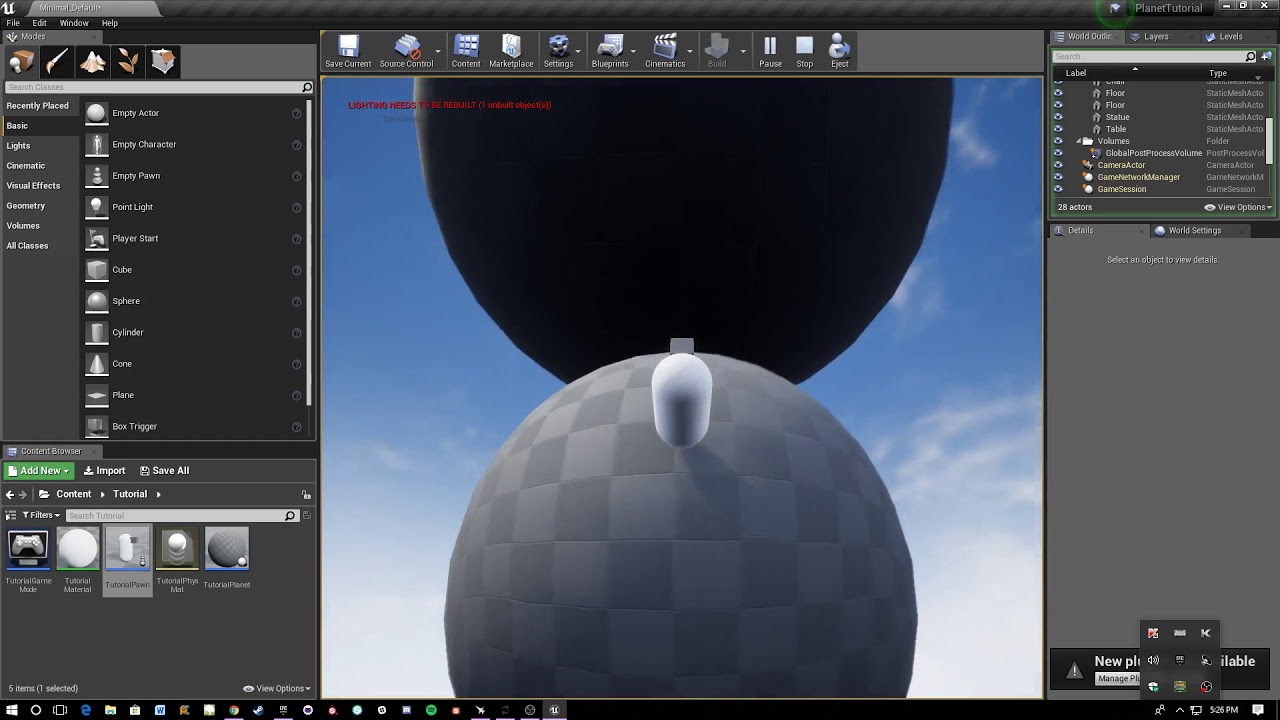
How to move smoothly between multiple planets while staying up right relative to the closest planet.
left citrus
@wary wave ahhh actually you might have solved it there... I think it's automatically put them into the uv spaces
given uv tiles are indexed in that exact format
weird that it would do that though.. didn't think UE4 had native support for UDIMs
 honest vale
experimental UDIM support came with 4.23
 fierce forge
why when a actor is spawned , him have like 10 g ?
left citrus
ahhhh smashing @honest vale makes a lot of sense
 sacred sun
@fierce forge the carrots are colliding with the ground and simulating physics.
sacred sun
the video looks like they are being spawned in ground. hit alt+c to check that the collisions arent overlaping when they spawn in
fierce forge
where i check with alt c
sacred sun
if you click that with the editor window in focus it will show all the collisions.
fierce forge
the collision are ok
sacred sun
weird then idk
fierce forge
😦
sacred sun
could you be spawning 2 in the same place?
fierce forge
nope
 mint thunder
Hey guys does anybody know about ue4 lighting to ask some questions pm me
 stray marsh
Hey guys . Can anyone tell me why my meshes are black after light baking ? I already set up my light map res to 1024 and stuff like that ...
mint thunder
send me a screenshot @stray marsh
sacred sun
you could test with one or two carrots and run a print string off the on hit/begin overlap events. if you are colliding with something that can tell you which component or actor it is.
 dawn vessel
Just a small Q.
Does anyone know if Fortnite uses Actors as the foliage around the map? Rather than using the Foliage Tool to place instanced static meshes?
Wouldn't placing actors as the foliage be rather... Expensive?
dawn vessel
I can make Instanced Static Mesh Foliage be interactable too.
But I just thought using Actors to do foliage wouldn't be cheap.
honest vale
Epic does some really funky things with fortnite anyway
I think the tree shadows for example are decal based too 🤔
or at least I rememer seeing something like that
wary wave
actors can still use instanced meshes
sacred sun
fortnite is probably the reason we can use actors in the foliage tool now.
honest vale
which epic's marketplace character assets have a done animation blueprint?
I'm watching a stream and it seems that Paragon's Shinbi or whatever has animBP at least
dawn vessel
@sacred sun Good point.
Actor Foliage would make sense
Just disable tick on actor and should be good honestly.
 exotic lion
Anyone know what the yellow means ? XD
 silent chasm
I wish I knew too, and how to disable it 😄
exotic lion
what even is it?
wary wave
editor trying to connect to Epic's servers
exotic lion
THat's what I thought but I've been using their sites all day and playing a little Batman Arkham off the launcher so I figured that wasn't it
fierce tulip
you might have blocked the engine accidentally
exotic lion
Let me guess, windows firewall or some crap?
fierce tulip
either that, or a very tech savvy rodent in the basement
exotic lion
I'm gonna repackage see if it comes up again
Okay, before when I paged, I renamed a map, said it couldn't find "untitled" which is now "MainMenu" this time that datarouter thing yellow text didn't show up
But The game launches just fine and loads the template map when I hit host game. So far it's working. idk what that was about
Oh no, nvm it's now showing at the END of the build log....wtf
I wonder if it's because I'm trying out that Advanced Sessions plugin.
Oh, it was the privacy usage data option from Epic's Editor preferences
 sly coyote
@grim ore , sorry to ping, is there a way to set the variables of a datatable by parsing a text file outside of the editor...example if you used your datatable yt tutorial...what if i wanted to define the variables in a text file outside of the editor to populate the table...feel free to link me a tut if you already have a yt vid on this topic.
My exact use would be, if i make a card game but i want to define the info for name, abilities, power/tough, colors, ect in plain text, in a textfile ...to then load them in to populate my tables variables
 grave osprey
Hi. Do usually unreal late paying payout (i am seller at market).
Or this is a national holiday ?
 brave salmon
my steam isn't connecting to the game in standalone. could it be a authentication issue? should I use a key somewhere, even if I'm added in steamworks?
ornate ice
Hey people good morning
median island
Morning 🙂
 atomic ivy
Is there a TimeSynth UE4 example project up somewhere I cannot find the one they used for the stream ( https://youtu.be/qaOGv0gNSms?t=3101 )? I'm particularly interested how Dan Reynolds made the "high intensity volume mod" melody volume adjustable at runtime.
ornate ice
I wanted to ask if having both an Skeletal Mesh and Static Mesh on a BaseInteractable BP is bad for performance? I want to use him as base for Static objects like potions or weapons, and also to make from it NPCs using the skeletal mesh
like this
is it bad that every Interactable has both empty components even if only one of them is actually used?
 azure shore
hey Im making springpads and Im using launch character for them, how would I make it so it launches in the direction theyre pointing?
its fine for if theyre uprightt then it launches you straight up but idk how to do the direction thing
oh up vector exists
hrmm still cant figure it out
ah, multiply by float does it
thanks guys 
 lusty night
Is FTexture2DArrayResource what i should go to if I want to add a 2d texture array to a material?
grim ore
I don't believe you can have arrays in materials, is that what you are trying to do?
fierce tulip
someone showed texture array thing in 4.24 using uvw-space.
grim ore
yeah I read that an old PR is finally being merged in .24
fierce tulip
interesting for sure.
grim ore
i am not an artist and I just skimmed over it but I guess the intention is it allows you to not have to do multiple lookups when using multiple textures, like on landscapes. almost like full resolution mip maps. Way over my head on what it's for but I guess it's a nice thing for projects that need it
 potent patio
Hey I am very new to unreal engine and I can not select the details thing and change as the entire thing is greyed out. Does anyone know why and can help me?
digital anchor
you are playing
potent patio
What do you mean?
potent patio
thank you
lusty night
Thanks its good to know that they have it in ue4 because i need it
grim ore
well it's not in yet
fierce tulip
was looking for your post on discord, but my search-fu is lacking today.
grim ore
well by in I mean it's not in a release yet 😦
I mean in theory the new launcher and template system is in dev-editor but I wouldn't call it in yet
sudden agate
 fierce tulip
wondering if it would have any advantages for pewpewpews
sudden agate
it gets rid of flipbook-related mipmapping issues
 sudden agate
it should be faster than flipbooks, since you dont need to calculate uvs anymore
maybe higher memory cost
deathrey is typing, answer in a few seconds
fierce tulip
ikr
grave nebula
At the cost of re-doing whole thing conventional way, when you realize, that you do not have arrays on every platform just when you entered last phase of development and crunching as hell.
grim ore
.24 is going to have some neato stuff but I am really curious if its going to hit december or not now
sudden agate
currently merging dev-rendering into my master, because i couldnt build the new water material on master
the most exciting feature for me
grim ore
master has been a pain in my ass the last few weeks I gave up on it 😦
first it was chaos stuff then the VS 2019 C++ toolchain upgrade causing issues then it's HTML5 being put into it's own platform causing issues now lol
how hard is it for a hundred people to keep all their code synced up and working, i mean really.. gosh... 😛
 manic pawn
do the new texture arrays allow creation of a texture array from a set of texture assets at runtime?
ember notch
Why UE 4.22 Plugins don't work on 4.23?
sudden agate
because 22 < 23
grim ore
you can compile the plugin against .23 and fix any issues or wait for the author to fix it and upload a new one 😦
fierce tulip
lol
 haughty knot
hey do any of you know what this menu is and how can i make one
like custom in engine widget of some sorts?
ok nvm i figured it out
brave salmon
I know I'm already late with this issue, but still can't find a solution:
UATHelper: Packaging (Windows (64-bit)): LogEngine: Error: Failed to load '/Script/Engine.NavigationSystemV1', falling back to 'NavigationSystemBase'
Am I missing something? should I rename every entry of NavigationSystem to NavigationSystemV1? like [/Script/NavigationSystemV1.RecastNavMesh] ?
haughty knot
editor utility widget
grim ore
I see a #legacy-physics channel
 radiant haven
Someone experience procedural planets/landscapes?
whole quarry
Thats a weird question to ask?
 harsh tiger
in my scene i have the same blueprint placed around the world multiple times. but how would i go about getting a reference for the blueprints near the player?
whole quarry
Measure the distance between the player and the blueprints could be an answer
 spark sonnet
This works great to get the nearest actor @harsh tiger
harsh tiger
@spark sonnet can the "nearest" reference at the end be set into an array?
that could be perfect
harsh tiger
the first method isnt returning null. so i might have to try the get overlapping actors
ember notch
@grim ore What i need to do that my plugin work in 4.23 i heard they changed something in uplugin?
grim ore
@ember notch you could change the version it targets inside but there is a chance it just won't work due to engine changes.
ember notch
i heard you need to add a option in uplugin config if you don't do this then plugin don't work 🤔
grim ore
well if you heard it from somewhere they should have more information, did you open up your .uplugin file and look at it?
ember notch
I want to convert this to 4.23 https://www.unrealengine.com/marketplace/en-US/slug/appodeal

Appodeal is a publisher-first, light full-stack ad monetization solution. Its one SDK integration approach gives access to all major mobile ad formats and 60+ ad demand sources.
grim ore
if you go to the support page for integration it looks like the plugin itself is available in source form
yep you can use the source version from the web site and not from the marketplace https://i.imgur.com/gd9M79J.png
ember notch
link? i have limited internet
grim ore
its on the web page you linked me, and if you have limited internet its going to be an issue its 500MB download
 cursive walrus
would it be possible to get skeletal mesh reference from bp weapon?
ember notch
@grim ore I have 30GB internet but thank you for your help i will download it from the webpage
grim ore
@cursive walrus anything is possible, what is the BP weapon and what skeletal mesh?
cursive walrus
@grim ore bp base weapon. is an actor. for whatever weapon i added. so i add the reference to my primary and secondary.
what i want is to get the skeletal mesh info from those weapons i prepared.
grim ore
so the BP Weapon is a blueprint and inside of it is a skeletal mesh component?
grim ore
you should be able to just get the component directly then
then get the mesh that it holds
blueprint -> get component -> get property on component (mesh?)
replacing component and property with the correct names of course
grim ore
I can't, I don't have your blueprint or know how it is set up
where are you trying to get the skeletal mesh at?
cursive walrus
ok. it goes like this
when player is spawned. he gets primary weapon. so it spawns actor and set to primary weapon for reference
grim ore
you are setting a refernence to the weapon and saving it as Primary Weapon. Get the primary weapon variable, drag off it and get skeletal mesh (assuming this is the name of your component), then drag off that and get the mesh (assuming you want the actual mesh the component is using)
mint thunder
can i get rid of these artifacts completely? This is production bake
static lighting level scale 0.5
indirect lighting bounces 50
sky lighting bounces 100
indirect quality 10
smoothness 2
exposure is on 10 and emissive from HDRI is doing this smooth white light on the stairs
grim ore
dont know how to do what, I just said what to do
cursive walrus
alrighty thanks
 chilly tundra
Hello! Not sure if this is the right place to ask this question so feel free to lemme know if not--
Does anyone know if it's safe to reset MatchState from InProgress or WaitingPostMatch back to WaitingToStart? Would that have any weird side effects?
Basically I'm not looking to restart an entire level exactly as it was (ie: player dies, reset); I'm more looking for the best way to structure something more like a dungeon crawl with multiple rooms, where each room is a distinct puzzle or session. Right now we use MatchState to govern a room "starting" and "ending", I'm debating if we should keep using that and reset it between rooms or if we should be tracking our own state variable.
 mossy nymph
just seamless travelling back to the level should work fine
chilly tundra
Would that be similar to what AGameMode::RestartGame() does? O:
grave osprey
How to make collision work on skeletal mesh who is organic creatures ?
ember notch
How to export a game to PS4?
tall pendant
by becoming reg. Developer with both Sony and Epic + getting a devkit from Sony after the process.
ember notch
If someone want to publish a game and he is not 18 do he need to publish this game on parents name?
tall pendant
I'd suggest make your game first, then think about consoles.
ember notch
@tall pendant It's finished
tall pendant
Then you have to get some info ready. like company reg. number, tax numbers etc
also a setup company mail and a fixed ip
plush yew
Hello everyone.can l put 1 material for LOD 0 and more of that for another LODs?
grim ore
that's a good question, does your other LOD have more than 1 material slot?
plush yew
No i think
I want my big asset like tower, have more quality as game run fast, but i don't know what can i do to solve that issue
grim ore
you should be able to do that, each fbx (lod level) should have material slots. normally you do it the other way, lod0 being the highest quality has more materials and then you lower it down if needed to the minimum at the lowest quality
plush yew
I know that, i want LOD 0 have 2 or 3 material and LOD 1 just have one material with less quality
grim ore
yes you can do that when you create your mesh and it's LOD's in your DCC program
plush yew
Aha
Thanks my friend
I have another question, may i ask?
What's the best way for have big asset with high quality as much as low draw call?
grim ore
fake it all in the texture or just not much you can do. You can check out stuff like the infiltrator demo to see how they did the outside part of the demo
#graphics might have more detailed info
azure shore
hey how would I make linetraces go through enemies but still damage them?
median island
multitracebychannel
azure shore
Id like if there someway that if I fired a shotgun at two enemies in line with each other, theyd both take damage, preferrably the back enemy taking less damage if possible
median island
Although I don't think that compensates for spread.
azure shore
well, that wouldnt really help then
median island
you could spawn a quick cone collision and detect all hits within that cone
then use a distance factor to cull anything out of the gun's range
azure shore
I am actually using a cone for close range headshots but it seems pretty awkward to use
median island
I think it will be. Otherwise you're shooting multiple rays within a mathematically calculated cone.
 versed spear
Everyone having font issues on 4.23?
ember notch
I have a strange bug if I create a server on PC it's work and if I do this on Android then nothing happens (I use the normal UE4 Online System) 🤔 🤔 🤔
I need really help with this
fierce tulip
i know there is an option in ue4 to disable the auto-renaming copying variables to name_1
but cant find it ffs
ornate ice
Hey is it better to make every object have an interaction sphere collision, or have a collider like this for interactions?
ember notch
@fierce tulip Thanks for your help, maybe the optimization size options are a problem 🤔
https://docs.unrealengine.com/en-US/Engine/Performance/ReducingPackageSize/index.html
How to reduce the size of your packaged game.
 molten agate
im lookin for someone to help me
gilded plinth
Anyone have an opinion? I have bunch of skeletal mesh clothing pieces for my avatar. The character will auto "equip" them when they generate an overlap event. I'm wondering what the preferred way to setup the components is? Should I have skeletal mesh components for the max number of clothing items at any given time and then swap in and out the actual correct skeletal mesh into any one of those components?
or a good link for me to learn would be great. I could also have 30-50 skeletal mesh components and have them not visible until i need them but that seems like a bad idea : /
 vague plume
@ornate ice I use a line trace. Picks up only what’s moused over. You can then make an interface and have it so (say e is input event “interact”) on press E line trace and get a hit actor if any where hit (limited reach), then cast to interactable interface and trigger interact pressed event. If it’s not interactable it fails. If it is you can create custom logic on that blueprint
ornate ice
One Question Epic
vague plume
Shoot
ornate ice
Does your NPCs and Objects Share the same interactable parent
or how do you differentiate your NPC from an object like a potion
vague plume
Go to (I think) class settings
vague plume
Custom depth render?
ornate ice
how can I differentiate an static mesh(the object) from a skeletal mesh(the npc)
yeah I have a PP material that outlines whom I'm interacting with
vague plume
Components? You can output hit component from the actor
You can output hit actor
And to filter. Just put that actors logic inside of that actor
My interact interface just passes on the interact event to the actor I press e on. My actor does very little for interacting
open eagle
Im using linetraces for my gun but How do I check if the linetraces are hitting a character's head, I tried bone name but that dont work
vague plume
@open eagle put a hitbox around the characters head and hit boxes on their body. Make sure the mesh and capsule aren’t triggering the linetrace hit and only hitboxes are. Then on hit you can return the component hit and if it’s the head hitbox your set to go.
vague plume
You could adjust either the components or the linetrace node
open eagle
what would I do for the components
vague plume
Do me a favor and screenshot the expanded physics section on a component and linetrace node
vague plume
Collision*
Memory is a bit dull atm. Getting paid to stand around and freeze my 🍑 off :p
open eagle
sorry I'm still confused what you're talking about
vague plume
Right hand side
open eagle
vague plume
Trying to remember
open eagle
vague plume
Expand collision. Little down arrow
open eagle
vague plume
That’s physics
open eagle
open eagle
vague plume
👍 one second
HEAT!!!
Uhhh finally
Ok let’s see
Ok just to make it quick and easy
Your trace channel going into the line trace
It has some things in its array.
Those things also show up in Object Type on collision presets
 queen blaze
anyone know if pano capture has 16bit png support?
open eagle
So should I add something to the array
vague plume
All you need to do is set it so it’s using a custom preset then change the object type. Then make the trace only filter for that object type
open eagle
what should I change object type to
I have an Idea
Should I make capsules for all of my character
and attach them
vague plume
Try physics object or whatever it is
open eagle
PhysicsBody
vague plume
Yey
Try setting hitboxes to that and your trace to filter for that
Pretty sure it’s not ideal, should work for now though
open eagle
@vague plume Can I make tiny little capsules for legs and chest etc and disable the capsule component collision?
vague plume
I don’t know about disabling capsule component collision... sounds like a bad idea to me
Hence why you set the hitboxes and a filter to something else
 tribal frigate
how can I change projectile velocity vector on contact?
need to make pong ball not get stuck at back of play area
 next badger
get collision hit, break hit event, get necessary data, apply new velocity
Event Hit
this only works for physics objects ofc
 summer elk
Cables are going crazy whenever I import new asset lol
https://images-ext-1.discordapp.net/external/k2N7PdBq-tPBCOyFXcqa0O56n-nkJPXHLEp7Or2FaFM/https/i.gyazo.com/ac401a2144acef53e5340321ab26649e.gif

 royal osprey
can i ask question here with pictures?
?
okey ive been having this one problem with character selection and its probably really easy to do but i cant do it like what xD but here
so basicaly when i pick a character it must change here right and so in my character selection menu i want it to select that character but not start the level but when he clicks it it will save in game so he can go back and click start for the next level
but i know i must make an on click thing but im not sure what to put there
thin tendon
I want to make a startup video for my game. Does anyone know what codecs I have to use for audio and video to get it to actually play properly?
thin tendon
NVM figured it out
regal mulch
@royal osprey Actually, character selection is not straight forward, at least not in all scenarious.
The "DefaultPawnClass" should already NOT be set at that point, as this is for spawning it automatically.
Also, please name your classes better.
"dino" should be "BP_Pawn_Dino" or similar.
royal osprey
okay sorry for late replay power went out @regal mulch
i will name my characters better soz
so basically i will set my default pawn to none
lusty carbon
Is there a way to quickly toggle ALL materials in my level on and off?
As in swapping them for a default world grid material or something?
wary wave
why?
lusty carbon
why? I want to take a look at my bake without the textures on
fierce tulip
viewmodes
wary wave
just use the lighting only view mode?
wary wave
or just use the widget in the editor viewport
fierce tulip
I almost did an alexander
wary wave
haha
fierce tulip
alt 2 to 6
 scenic carbon
Are folders(.vs, Binaries, Intermediate) in project files safe to delete? it take a lot of space.
wary wave
if you don't know what it is, don't delete it
you realise binaries is where the actual executables are 😂
plush yew
so i exported a character from ue4 that i got on the marketplace to mixamo where i got animations but when i try to import those animation fbx files i get this https://gyazo.com/ee10c2da96f34cc34e4f474ed7640d39


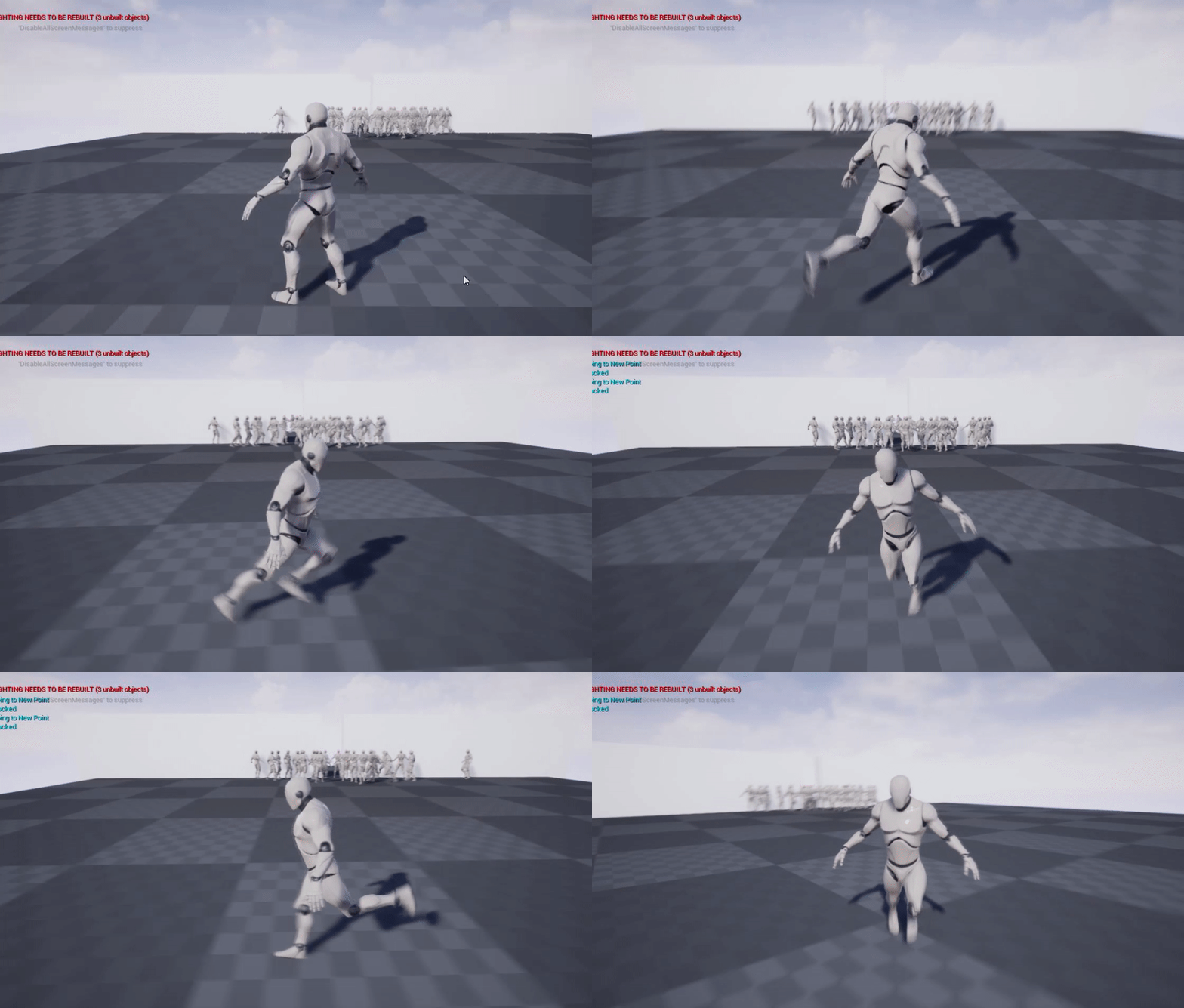


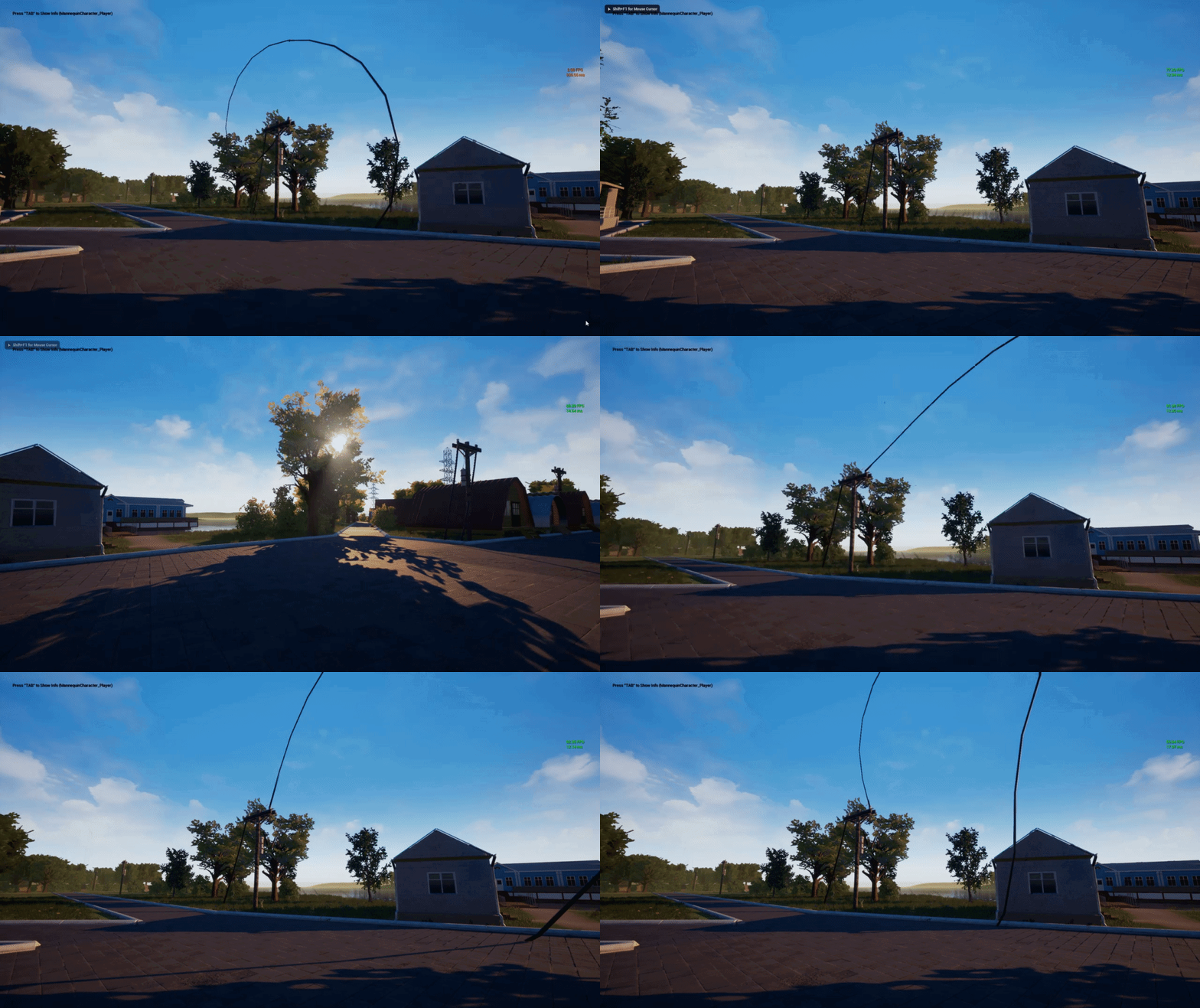
iv done that many times before and it has never happend
wary wave
FBX looks invalid
lusty carbon
Is there a way to build a collusion volume inside ue4? for a staircase for instance, without going back to my DCC?
with a bsp brush for instance
 night burrow
Hi, I have a really basic question I failed to get an answer from on the web.
Whenever I'm scaling a mesh it scales on both opposite ends. Is there a way pull and scale only one side?
fierce tulip
click the tiny lock button thingy
wary wave
anyone had problems connecting reroute nodes before? I can't seem to connect my graph up because it's insisting on connecting my outputs together, rather than connecting both ends of the graph to the input 😐