#ue4-general
1 messages · Page 551 of 1
 dim plover
 shadow portal
Hey, not sure where to ask this but its a pretty general questio so: Are TextRenders really expensive? Is there a more efficient way to show text in world? I'm considering putting the text into my Textures and mapping them onto my surfaces, but that means I can't change them super easily at runtime. Thoughts?
 radiant haven
HOW DO I do probability
*I want taht an Event (Trigger) is causing idk by only 30%
and tzhe other 70% I want to do ...
 leaden mauve
If it's only by 2 choices, you could make an ENUM
"Yes
Yes
Yes
Yes
Yes
Yes
Yes
No
No
No"
radiant haven
exact
BUT I think He will run every Branch
so every of these gonne be 100%
cause UE will run every single of them
 heavy tundra
Hey guys I need help : I bought a character and when I rotate a bone from the skeleton and compile or save it returns to it's main position
 neat forge
Cant you do the same thing with a clamp?
neat forge
Oh I see
dim plover
So why can't you just use an int from 1 to 10?
radiant haven
well I am not so experienced with Variables when and how to use them
but ok thx
But funny construction isnt it 😄
 dreamy lake
was about to do a screenshot as well xD
radiant haven
yeah and nodes like these ihni
neat forge
Thats what Im using for my loot drops lol
radiant haven
neat forge
? ihni?
radiant haven
@dim plover int64 or normal
dim plover
That's something for you to decide. 🙂
neat forge
You can use an int64 node
radiant haven
whats the difference?
dreamy lake
Could also use this if you just want a chance based thing no ?
neat forge
Normally people use a float when it comes to probabilities
radiant haven
but i cnat get it into a bool
neat forge
Why not?
radiant haven
dim plover
RandBoolWithWeight is a little more convenient, sure.
radiant haven
what does Ranodm FLoat in Range do?
dreamy lake
Outputs a random float in between two values
neat forge

What is an Integer in Unreal Engine 4 Blueprints? Source Files: https://github.com/MWadstein/wtf-hdi-files
He has a series on variables
And many other things
radiant haven
got it likje this
neat forge
That should work
neat forge
Yes
radiant haven
yeah but I need to say "Do Once"
neat forge
If its within the percentile it will return true
 shrewd gust
Anyone have issues with gamepads/controllers? The gamepad works in editor but not in game, I have buttons mapped and even checked with a blueprint. I tried the starter projects too, doesn’t make any sense to me
It’s a Logitech f310 which is USB and has XInput
 light coyote
 faint juniper
Can unreal be set up to incremental save ? so that the next autosave does not overwrite current?
 harsh field
Is it normal for a built from source build of UE4 to always need to build a project on project creation?
I always get a module missing error when I try to open it after creation.
 dapper idol
So I enable Ray Tracing and did all the stuff from tutorials, but when I opened the world all these big shadow-patterns where there (they're even worse up close) and I have no idea how to fix it
and after some time this error occurs. Can someone help me, please?
If this is the wrong channel for that kind of problem please correct me.
 next badger
@harsh field it is normal to build a project on project creation if that project is c++
it's not just for source build
harsh field
I read somewhere that UE4 when downloaded from the launcher will automatically build for you, but the source build requires a manual action.
next badger
oh you mean that...no...generally ue4 builds project for you...even the source one
harsh field
hold on ill show you what I am talking about
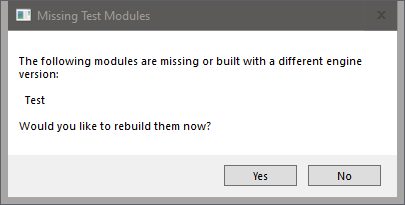
I created a project "test"
and I get prompted with this
harsh field
No it does, I am trying to ask if this prompt is normal or if something isn't working on the project creation process
When I create a project, VS command tools opens up but nothing happens
next badger
@neat forge try ask #aec-visualization they are common to raytracing issues
@harsh field this prompt is normal
neat forge
I think you meant that towards @dapper idol ?
next badger
as for "command tools" - never happened to me
@neat forge sorry, have no clue how i tagged you
neat forge
hahah
harsh field
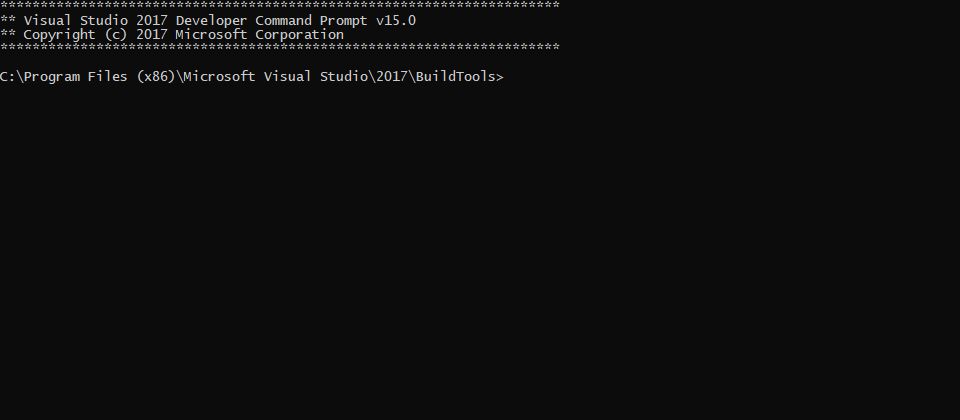 next badger
@dapper idol try ask #aec-visualization they are common to raytracing issues
harsh field
Thats what happens on project creation
next badger
@harsh field that's not normal, you may ask #engine-source and #cpp
harsh field
Alright thanks
dapper idol
okey thank you
 heady lynx
@scenic ibex np mate, hope you get it working!
 scenic ibex
I didn't at all
I have the input I have the camera bobbing up and down and I just want a crouch idle assigned to the keybind. But it's whatever. probably would be easier to code it so i'll just take another 40 hours to learn some more code so I can watch the mannequin squat
 patent tusk
Two things I'm wondering about. Firstly I'm finally moving on to making the foliage for my scene, that said since I'm doing a Breath of the Wild study I've noticed interesting things. One thing they do is mixing in little flowers into the grass, however it's only up close that you see them and they are only the blooms, there's no stalk. Seeing as how costly transparency is, is there another way to make a model like this? It's literally just flower blooms mixed in with the grass, swaying in the wind the same way, but no flower stalk. Given that it's only rendered at a closer look I could see Nintendo using transparency, but wanted to know of there were other opinions.
Secondly, I'm likely to need culling, I'm curious if there's a way to change how things are culled, either an actual fade out rather than the strange pixelated thing Unreal does, or have things render under the landscape and "grow" up from underground when coming into view, or the opposite when going out of view. And honestly I'd like the same for the LOD's. I'd assume this is something more for the coding side or maybe something the blueprint system could do? But this far I've only found a couple of posts of people making Unreal do this, but with no actual explanation on how. (Apologises for the text wall)
 gray lava
hi how do i get permission to post in the looking for work section?
 covert ivy
Anyone used this dialogue system built (it was a free content product of September) ? : https://www.unrealengine.com/marketplace/en-US/slug/blueprint-dialogue-system

A versatile dialogue and scripting system built using Blueprint/UMG and actor components
 meager mica
Hey guys. I'm having some trouble with building in editor. It hangs on "texture streaming" for quite a while. Additionally, I have a message saying metal shaders can't be used because x code is not installed. A quick google search tells me they're related but nothing tells me how to fix it
I have xcode installed and the engine runs smoothly overall, but building is extremely slow
 vast fossil
Whats the difference between connecting custom function wires to each other and using a flow control sequence ?
 mossy nymph
@gray lava check for pinned messages on that channel
gray lava
ok thnk you
 sudden agate
btw. ue will get a new ui design in 4.24
 thick herald
level streaming / world composition that sort of thing
 lament saddle
I would hazard to guess that Space Rangers (circa '03) would reduce its level of simulation of offscreen AI to something like a board game that updates every X seconds, and only simulates the local system in full fidelity, and has a way to translate the "board game" to a sensible full sim (and vice versa) when you jump across star systems. (Disclaimer: my experience as an actual game dev is nonexistent.)
As an aside... I actually played a fair bit of Space Rangers II back in its day. It stoked my nostalgia for Star Control 2 and I remember it having some pretty weird quests...
 noble barn
After merging in 4.23, we get this error message which I can't figure out where it comes from
"Command line error D8049: cannot execute 'C:\Program Files (x86)\Microsoft Visual Studio\2017\Community2\VC\Tools\MSVC\14.16.27023\bin\HostX64\x64\c1xx.dll': command line is too long to fit in debug record".
Has anyone ever seen that or knows where to peek to figure that out?
 vague plume
For having a bunch of out of system ai I’d probably set up something to update all the out of level ai at once every so often (as it’s not noticeable if you only update it once every 10 seconds or so) and only use basic data from them and otherwise just save them down (if day you have them as unique ships with unique interiors ect), such as just have ship name, location, destination, travel speed. So if you were to imagine a bunch of dots on a graph and every 10 seconds or so update their location until the reach their destination, then create the ship if it enters the players area execute another event somewhere else to pull up a bit more data to see what the ship should do next.
Something like renzu said. It just simplifies the offscreen stuff and doesn’t update it very often. If it’s an absurd amount of stuff you could probably even set up a nested array and then update one of the nested arrays of object every second, keeping the number of updates low to avoid spikes but consistent.
radiant haven
How do I make Settings
like with a swithc I can turn On Off The Y axis of my controlls
next badger
@noble barn clion?
@radiant haven make widget, set options, save them in Game User Settings
or user save game
or in cvar
radiant haven
ok
 storm venture
anyone know of a way to add an offset to the player's control rotation?
neat forge
How can I speed up the last half of a montage?
 magic epoch
Hey guys! Im making a FPS/Racing game for android. I need a few people to help create 🙂 (May be a fps game, or may be a racing game.) Thanks
Most likey a fps game
 abstract relic
#looking-for-talent xdlovez, read pinned message there
magic epoch
Sorry
shrewd gust
@noble barn does that file exist at that location, I’m curious. I’m only using 2019 community with 4.23
 neon tapir
Hey all, I just started using UE so I'm following along with a tutorial on how to make an rpg game on youtube. While it's really nice and I'm getting a good idea of game dev in general, it does feel like there is a lot of boilerplate/duplication, I was wondering if there are some resources available on how to reduce this and/or organise a UE project as I guess that might be related?
 cursive walrus
hi. how to i change the set skeleton which is already imported from marketplace? bec i already have animation blueprint. and they are both same ue mannequin skeleton. but it doesnt work. unless i export mesh then reimport then select ue mannequin for it to work.
 misty creek
Delete the one you want to remove, when it asks if you really want to delete it click on the replace drop down box and select the skeleton you want to use, then you can click yes you want to delete it
 blissful trail
heady lynx
blissful trail
heady lynx
So this little fugger, is it available in c++?
next badger
@heavy tundra what is "apply bone"?
 grim ore
@heady lynx It has to be available in C++, C++ code backs every BP node. Mouse over the node and it will tell you which library/function area it is and you should be able to find it from there. Half the time if you have the source included you can double click to pull up the header as well
 heady frost
Oh man that would have been useful to know 3 days ago
I was looking for ways to detect if a HMD was enabled and did not know about "UHeadMountedDisplayFunctionLibrary.h"
blissful trail
how long does the unreal engine logo stay on the screen for on android 9 ?
its been like that for 3 mins
 spark sonnet
Hi. I am using Set View Target with Blend but when doing that its not getting the actors camera but using a "camera" attached to the center of the mesh. Any reason why it doesnt use its real camera?
blissful trail
it took about 30mins to launch and 5 mins to startup on mobile
 open eagle
Is there an online subsystem that I can use for XBOX games and PC games as a multiplatform Service
blissful trail
nice
spark sonnet
Nice models. Did you make them yourself?
 runic iron
@open eagle This maybe https://dev.epicgames.com/en-US/services

Epic Online Services
With Epic Online Services, we're making it easier and faster for developers to successfully manage and scale high-quality games. As a game developer ourselves, we've tackled numerous hard problems over the years. With Epic Online Services, we're sharing the fruits of our labo...
runic iron
Good luck for the next parts 👍
magic epoch
Thanks man! I added muzzel flashes planning to create custom models and publish this to android 👍
spark sonnet
Whats your game about @magic epoch ?
magic epoch
@spark sonnet Hi, I am making a mobile battle royal fps game. Maybe steam too.
 warped tangle
keep it up @magic epoch , nice work
spark sonnet
Cool. Whats different from your game compared to the other battle royales? Any special stuff? 🙂
magic epoch
I want to make it have zombies instead of players
warped tangle
try to duplicate the asset and see if the duplicate saves
spark sonnet
Ah. So its singleplayer?
magic epoch
yes, or maybe a mix between players and zombies. You have to figure out witch is what and kill the zombies
blissful trail
yep
magic epoch
@warped tangle thanks
blissful trail
it saved when i duped it
warped tangle
I'm guessing that asset is corrupt. I've had that issue in the past and not sure what causes it, somebody with more knowledge may be able to shed some light
blissful trail
it happened to like every asset lol
warped tangle
are you using source control?
 dense gate
Do you have another engine instance running?
warped tangle
or that ^
I've had it happen to a random asset, having it happen to multiple/all is another issue
dense gate
Or if you've selected Launch Game (in case you've been testing multiplayer)
dense gate
Check your task manager if you accidentally have another engine instance running
dense gate
That isn't normal
blissful trail
i only have 1 window tho xd
magic epoch
Does that zooming and muzzle look good? I made the pistol auto and I am curently adding a switch for my rife to semi auto!
dense gate
Getting an SSD is so good for UE4 it's unbelievable
dense gate
That's a big yikes
 fluid stag
dense gate
fluid stag
dense gate
Usually an SSD is great for UE4 due to random read/write speeds
HDDs are really slow for those
Disproportionately slow
blissful trail
it takes 10 minuites to compile 1k shaders
dense gate
Are you using a core 2 duo or something
blissful trail
i5 3470
dense gate
Ah
blissful trail
gtx 1050 ti and 12gb ddr3 ram
dense gate
Yeah, not having hyperthreading makes shader compiling rather slow
grim ore
the hard drive is less of an issue for compiling than the CPU speed
dense gate
I'm on an i7-3632QM and 6k shaders compile in about 20 minutes
blissful trail
woah
dense gate
But I have an SSD and the CPU is 4C/8T
blissful trail
that would take at least 1h for me
mossy nymph
shader compile is CPU intensive, SSD wouldn't affect that much
dense gate
It affects it if the HDD is old
And by old I mean 5 times slower than the average HDD slow as is the case with the lad here
mossy nymph
30k shaders for me is about 5 minutes
mossy nymph
2700x
blissful trail
3 years- 4
dense gate
Though it might be if it's the only drive you have
blissful trail
its got 18gb storage left
dense gate
Empty up whatever you can me lad
Delete games you haven't played, clear engine versions you don't use anymore
blissful trail
i have but my steam library is evil
i have about 20-30 games installed all i play
like gta v, csgo, r6, geometry dash, etc
mossy nymph
time to get a NvMe and a faster CPU ^
blissful trail
i'd have to get a whole new motherboard
dense gate
Even a SATA SSD would significantly boost performance
blissful trail
becos i was stupid and brought a prebuilt
dense gate
Ye, I don't think 70-series have M.2 slots
Especially with an i5 that isn't a K
I think some high end Z77/X79 had M.2s, but I might be wrong
mossy nymph
the difference even over a sata SSD is huge
blissful trail
im going to get a job soon hopefully work 5h 7 days a week
mossy nymph
not for a shader compile tho, but for opening the project in editor...
blissful trail
ill probs get a new pc aventually
dense gate
Papa bless my dude
But if you can, try getting a SATA SSD
I'm with a 500 GB one, it's just about right for everything I need including a few games
Everything I need includes a compile from source and a project that's approaching 100 GB from including marketplace assets
shrewd gust
Anyone using gamepads? Mine isn’t working within the game but works within the editor just fine, it works just fine outside ue4 too. I’ve tried new projects from the templates and all of them have mapped input but no response in game. Any ideas? It’s USB with XInput
 thin tendon
@shrewd gust I found with my project gamepads was set up by default. And I was able to get them working everywhere except in my inventory because it won't let you move the mouse with the gamepad.
I tried using google with not a great deal of luck. Does anyone know of any good tutorials for doing custom keybinds the player can set?
I want to create a system like World of warcrafts. Where you can click next the eg jump button and a drop down menu shows all the available keyboard presses.
storm venture
well i got recoil working!
each shot will force the aim upward, and after shooting, the aim will automatically adjust itself back down to the original spot unless the player was already doing so.
it's a very comfortable combination of automatic and manual recoil compensation
 plush yew
On the right is my correctly materialled player, and the left and in the content browser the player is not correctly materialled, what is going on here?
 serene sorrel
anyone know what the epic update was for
storm venture
is there a downside to decreasing the project's Near Clip Plane?
 queen blaze
has any one use pano capture with post process? my 360 renders are blown out , how can i fix this?
 grave nebula
@storm venture Significant drop in z precision.
neat forge
How could I write a function to ignore all controller input if true?
next badger
Disable Input node
next badger
but it's per actor
neat forge
Can it be used in a function and then called in the actor BP?
I am trying to disable all input when in ragdoll state
next badger
it has 2 inputs, one for target actor you want to disable input for, and one for controller, that you want to remove control from
abstract relic
‘Tis a wonderful place https://docs.unrealengine.com/en-US/BlueprintAPI/Input/DisableInput/index.html
Disable Input
next badger
i think you can just hover the nodes and same text will be shown
thin tendon
When waiting for a key to be pressed by the player how do I actually save the key pressed? I can't find anything that lets me output the key
next badger
@thin tendon you mean "Any Key" ?
thin tendon
I tried typing anykey and nothing comes up. I need something that lets me output the currently pressed key
next badger
"Any Key" node
next badger
the issue, there are no "to string" method for this struct
thin tendon
Which can't be used on a widget but can be on the character controller?
next badger
inputs can be used on controller only
you can make an event dispatcher in controller and catch it in widget if you want
thin tendon
Thanks heaps for the help.
What Unreal really needs is something simple for widgets to output a key press
I mean they already have stuff to detect press but nothing to output it
next badger
well, you can't simply get keys there, cause widgets has focus
if they are not focused they have no input
thin tendon
ahh ok
next badger
also widgets have "navigation" implementation (navigation rollout)
patent tusk
So I'm trying to make a flower bloom without it's stem and without using transparency to hide said stem, it's just something extra to scatter around the environment in the grass and such. That being said I just have the simple grass wind setup for testing, but it's not making the flower sway, it's just kind of jiggling around. Is that because of the simpleness of the node or perhaps the model itself?
Said test model, jiggling around like jello
thin tendon
Is there a way to change what buttons Ui input mode use? I am working on custom keybinds and it works perfectly except for the space bar. Which for some reason clicks the focused button
 coarse citrus
Hi everyone I have been making tutorials but cant see something like resources channel here,anyway looking at rules I do not want to post it here(free ofc) if moderators wont let me so I guess I need this approval and where to post 😄
thin tendon
I have the space bar working now by going back over and checking everything to not focusable but for some reason the R key won't set
 tardy grove
E:\Programs\Essential\Unreal Engine
"install path is too long"
...tips anybody?
can't even install
 fierce tulip
that the whole path?
tardy grove
yes
fierce tulip
any weird letters/fonts?
tardy grove
no thhat's as you see it from ezplorer window
fierce tulip
can you make a screenshot of the path before install attempt, and the error?
i know its probably as you say, but need to be sure
fierce tulip
that is odd O_o
tardy grove
kinda stupified, i can't put it on C drive, no room so...
i've tried with launcher installed on both E and C drive, same result, and only 2 drives to choose from
fierce tulip
does the folder already exist?
fierce tulip
"With the current build of 4.20 the folder structures max depth means you only have 50 characters to play with in the installation path."
changing "unreal engine" to UE4 or so
apparently been going on for a while, but still comes up recent
https://answers.unrealengine.com/questions/923235/view.html?sort=oldest
tardy grove
yeah i basically have the path below 30 characters for it to work ...
pretty stupid imo
magic epoch
I need a couple devs to help out with my game, anyone intertesed?
fierce tulip
@tardy grove first time ive seen someone having this issue. yea I can understand its odd to say the least.
tardy grove
i can't even install on the default install location on C drive inside my epic games launcher folder, because even that would be too long lol
fierce tulip
we dont really have a channel for test-recruitment, what you could do is perhaps make a post about the game in #work-in-progress and see if people want to critique it.
only thing on C:/ should be windows and drivers imho :p
fierce tulip
testing is certainly a talent yea
magic epoch
im not looking for testers, looking for programmers
tardy grove
install on C and it's all located in Roaming instead, with settings files stored in My Documents lol
fierce tulip
"hey I am autodesk 3dsmax, and I am an extremely complex program that can be modified by the user to the extremes!
Cant change paths for temp/base folders though, we will put those on C:/userstuff and you can only change them after installing. Remember though, we'll be writing to your c drive until you do anyways."
tardy grove
if you try to match linuz hierarchy to windows, i can see what programs are trying to do, but it doesn't translate like it should, and everything from a program should all be tucked inside the singular program folder on windows imo
fierce tulip
yuuuup
tardy grove
i have a tezt file somewhere that lists all the locations eztra files from programs are stored... idr off top of my head but there's 12 locations assuming 1 pc account -- not including actual install locale
 lusty carbon
Anyone experienced with Rhino to Unreal workflow?
thin tendon
@magic epoch Arms are easy. If you aren't great at modelling. Just grab an already rigged character. Put it into blender or max. Delete everything except for the arms and the skeleton
thin tendon
I'm currently working on stuff. But its easy as mate. If its epic character use max. If something else use blender. Just make sure to leave the arms and skeleton
thin tendon
about 5- 10 minutes
warped tangle
First Person Template also has arms to use
 stiff spoke
Help me for the prediction projectile with crosshair
warped tangle
what are you trying to do @stiff spoke , predict the path or figure out velocity?
warped tangle
Have you tried the Predict Profile Path By xxx Function?
stiff spoke
No
warped tangle
If you're just trying to get your shots to line up with the crosshair you don't need to predict projectile velocity
stiff spoke
My crosshair is widget
warped tangle
Are you using projectiles or line traces
stiff spoke
Projectile
I do not want to predict the speed of the projectile but the places where it will go
So?
 regal mulch
You have to trace once from the Center of the Camera forward.
And then take the SpawnLocation of the Projectile and the HitLocation of that trace.
That's the direction you need to fire the projectile.
warped tangle
^
stiff spoke
How Find the center of the camera
warped tangle
just use the camera location
stiff spoke
OK
regal mulch
Circle is your player. Red thingy is the Weapon with the Socket on the front where the projectile spawns.
stiff spoke
There I take out the projectile by an arrow which is at the exit the telescope of the weapon and the weapon is another Blueprint
regal mulch
Green is the linetrace from the camera location forward.
If the Weapon is an extra BP then this stuff should also be in the Weapon BP
You don't do the fire logic in the Character if you have a Weapon BP
stiff spoke
So?
stiff spoke
So the weapon should not be another blueprint?
warped tangle
He's saying it can be, you should put the logic for firing on the weaponBP
stiff spoke
Weapon is Blueprint?
warped tangle
you JUST said "weapon is another blueprint"
stiff spoke
Yes
warped tangle
So are you still having an issue then? Pretty sure eXi gave you all the tools you need
stiff spoke
I go try
magic epoch
hey guys, does anyone know how to setup touch controls for moving forward, left right and back. (joy stick?)
 sacred sun
@magic epoch https://youtu.be/XHHAjRVBc9Y
magic epoch
ty
thin tendon
With the remove and add axis mapping nodes, does anyone know how I can change just the input at the desired index?
I tried this but it doesn't work
I can remove just fine but when I add them back I want to add them back in the same order. Which doesn't seem to work
 scarlet birch
I don't think there's a built in insert. Instead of removing, use a placeholder of somekind and set that index of the array to it. If you remove an index and want to put a new value in at the same index you'll have to setup your own insert/sort.
stiff spoke
I did what I wanted to do but I used another method but the problem is that the actor is in the animation or he to the weapon and ready to shoot the camera does not do that rotation by report to the character
thin tendon
I tried looping over the entire thing. Storing each element in a storage array. Deleting the axis mapping. Then recreating it exactly the same but with the change. It still won't let me FML
stiff spoke
What are you trying to do? @thin tendon
thin tendon
Custom Keybinds for the players. I have the action mappings working. I'm now trying to get axis mappings working. But only setting the index I want
thin tendon
So if an input event has 2 different buttons to it. 1 for positive axis and 1 for negative axis. I want the player to be able to set each button separately when customizing thier keybinds
but still have it under 1 input event
plush yew
just by taking a quick look at the image you posted i dont see get input settings
thin tendon
Thats what the get axis mapping by name does
plush yew
oh i see it
sorry im in the train right now
did you try add action mapping with force rebuild keymaps?
neat forge
What is it called when your camera is half way in and half way out of the water and it looks like the bottom half is under and the top halfs out?.. I need to look up how to do that lol
fierce tulip
submerged?
 harsh tiger
anyone know what could cause this issue?
https://forums.unrealengine.com/development-discussion/android-development/1618942-new-error-that-i-m-completely-lost-on this didnt work for me unfortunately as it creates a new folder with unreal engine instead of unrealengine
Unreal Engine Forums
About 2 weeks ago my project packaged just fine.
I did some rearrangements on UI layout, optimized some textures I had imported and cleaned up some unneeded
thin tendon
This is what I am working with now. The issue is though instead of rebuilding the input event in the correct order. It rebuilds it in the same order and adds the part I want to change to the end. So I end up with an extra button bound to it
ok think I found the issue. Its not letting me actually delete all the buttons
It always leaves one
thin tendon
Shaders aren't compiled yet
magic epoch
When I try export my game to android, it just opens this link: https://docs.unrealengine.com/en-US/Engine/Tutorial/Mobile/SettingUpAndroidTutorial.SettingUpAndroidTutorial/index.html
dim plover
magic epoch
to android
dim plover
Nope, no idea whatsoever.
magic epoch
nvm
 dawn gull
Hey, I'm using Unreal Engine Flex and I am trying to compile my game but I always get this. Any help? (Also please ping me)
next badger
@dawn gull and the log says?
dawn gull
Ahh I havent used unreal in a while I forget how to get to the log. Is it the thing that is up right there? (Sorry its early in the morning)
next badger
also, i see a lot of flex issues
dawn gull
Dang i don't even have flex being used yet
next badger
you're using it by default since it's a custom ue4 build
dawn gull
Oh yeah, sorry
Dang it this is the worst timing ever
I have to go
I will be back in like 3 hours
plush yew
I am having some trouble with AnimGraph
 hasty osprey
quick question is it possible to assign particle systems to skeletal meshes?
 idle garden
maybe a new terror game? ahaha
@hasty osprey add a component 'particle system' to a mesh?
hasty osprey
idk what a componenent particle system is, can search it up tho
 ancient mesa
Hi everybody, does UE4 support HTML5 with WebGL on smartphones and browser?🤔
 manic pawn
no
they finally decided to stop wasting resources on that and deprecate the html5 platform
idle garden
@hasty osprey here?
plush yew
can anyone help me?
idle garden
what you need?
plush yew
I am having some trouble with AnimGraph
ancient mesa
Ok thanks @manic pawn
idle garden
That can be something
 haughty junco
Anyone free to answer some questions about multiplayer replication?
 oblique tangle
@plush yew what's wrong?
plush yew
the blend spaces is not working
misty creek
The question probably meant what is wrong with it?
spark sonnet
Where are you setting the speed variable?
abstract relic
Show us the blend space, the anibp, your state machine, your character bp. And what’s the issue. It doesn’t play? It stays on idle? Character doesn’t seem to animate period?
 plain tiger
I have a medical problem with flikkering lights, if I start a unreal project and place any object into the scene, the axis-thingy (red green blue) is flikkering like mad at the borders (at least 20 times per second)? Is that normal? Is there a way to not have it flikker? It looks a bit like a 'border conflict' between two meshes, where the texture cant decide which mesh to show up on?
plush yew
 scenic robin
Hi there I have some trouble importing a rigged "gobelin". As you can see from the screenshot the bones are like that, in the animation and also everywhere with the models but in blender the bones are placed correctly. So thats make a huge transformation to the goblin. He now looks like an alien. Anyone know how to fix that ?
tardy grove
@scenic robin you need to lookup hhow to convert from blender to ue4
scenic robin
@tardy grove Thanks you was right. I just found what I needed.
 modern sinew
Look at this storm someone made in UE4 https://youtu.be/ecerIIClbMA
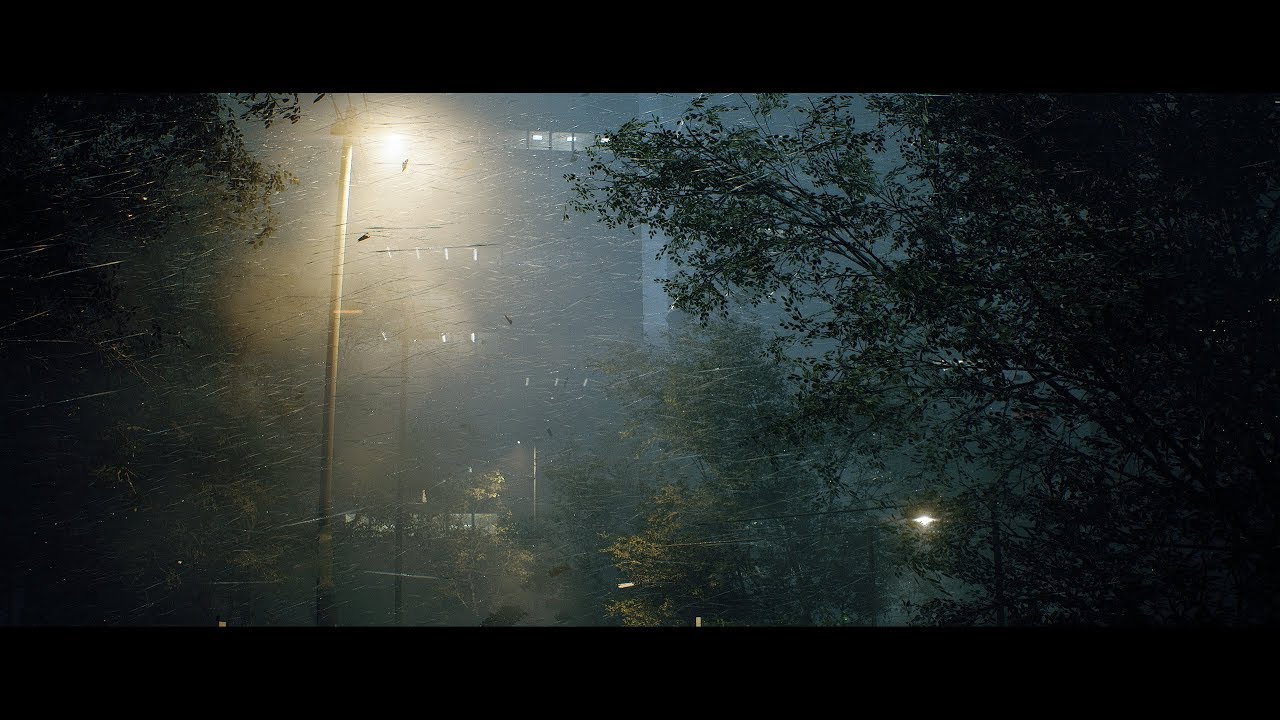
Unreal Engine 4.23 - Speedtree - Substance Designer (Sorry, no audio) UE4 Plugins : - VICODynamics by VICO Game Studio LLC - Custom Lens Flare VFX by Artyom ...
how
faint juniper
Has anyone had an instant random shutdown of their PC when using Unreal? I was sorting my animation graphs and my PC just instantly lost went off
faint juniper
OK, so I have loaded into Unreal after the crash and it has deleted my Animation BP
I have spent so long doing it
dim plover
Did you save periodically?
 ripe bloom
I've been trying to add a second layer of foliage to my landscape grass output, and it crashes every time i select the grass type to assign to the second layer. does anyone know if there is a work around or if im doing something wrong?
faint juniper
I clicked save manually like every few minutes and had auto save on
dim plover
Hmm, maybe autosave saved a backup. Also, I've heard people crash from/get screwed by autosave.
I personally have it turned off.
plush yew
How much does line tracing affect the engine? I was planning on trying to use Tick to draw a line every tick but Im unsure if thats a foolish idea.
faint juniper
I NEED a way to recover that.....if not I may aswell pack in the whole Game Dev thing, cause that is ridiculous.....I was testing a State Machine, possibly had conflicting Logic, and its crashed my system and deleted all my hours of work.....why continue if its just going to do that at random in the future?
Any ideas?
Is there a recover back up, or view backed up versions?
grim ore
check your saved and autosaves folder
and check to see if the file is actually in the folder or not in your file system
@plush yew Line Traces are a normal part of any game engine and are very light weight to do the actual trace. It's not uncommon to do multiple if not hundreds of them a frame if needed based on your settings.
drawing a trace from the player to see what is in front of them every frame is nothing out of the ordinary for example, let alone even one at each appendage for something like climbing
plush yew
So it shouldnt cause any issues if I do? (plan to use around 8 to determine whats around the player)
faint juniper
@grim ore The Animation BP .uasset appears to be in the Folder when using Windows Explorer to navigate to my Game folders....however it does not show in Unreal
plush yew
Working on a wind protection and temperature system
faint juniper
@grim ore also it has unlinked from anything tied to it in Unreal (character animations not working, Tposes etc etc)
grim ore
@faint juniper then when you open the project check the output log, it might be showing up as corrupted. If that is the case your Saved/Autosaves might have another working copy.
@plush yew there is no way of knowing if it will be an issue with your setup, you have to try it and profile. Line traces by design are not heavy and using multiples of them every frame is not uncommon
faint juniper
@grim ore How do I recover a previous autosave?
grim ore
Your Saved/Autosaves might have another working copy.
plush yew
Alright then Ill attempt it :)
faint juniper
@grim ore , Thank you,it looks like there is....im hoping nothing else has went missing too. Although, the "saved" version I found is far older than what it should be- I have lost a few hours of work now. I have autosave to like every 10 minutes and I click compile and save pretty much every change I make.....so constantly. How do I prevent losing work like that in future? Any ideas?
grim ore
Use source control to commit after major changes, find out the problem that cause the issue in the first place and fix it, use something like dropbox to be really annoying and have it auto save for you with rollbacks, stop working every so often and make a full copy of the project somewhere else in the event this happen, don't worry about it and hope it never happens again.
faint juniper
@grim ore I honestly have no idea, the only thing I can think of is that the logic in my Anim state machine , I edited the State machine flow, went to test it, and as soon is i tried to enter in to the animation my PC cut out
Thanks for your help and suggestions !
 sage tree
Where is a good place to learn where I should be putting my gameplay logic? Best practices are what I am looking for, working on a coop game, I know I can put things in the character controller, and I know a lot do that, but not sure its the best place.
grim ore
theres isnt much chance that UE4 crashing will kill your PC itself. IF you PC lost complete power thats a hardware issue there.
just bad timing
@sage tree there is no best practices for your game beyond what you decide is best for your game.
next badger
@grim ore i had an issue once when ue4 killed my gpu driver, so my screen went black...
grim ore
if it's networked there are things that just don't work locally VS server, you can check the networking compendium for that info. If you want to take advantage of systems that are in the engine then you should of course do that.
@next badger but did your PC shut down?
grim ore
I could possibly see UE4 pulling more power than your PSU can supply at peak load but again that's a hardware thing 😦
next badger
in cases when it can't provide enough power
magic epoch
Does the defualt third person camera have animation to hold a gun?
scarlet birch
Overheating can cause it too. Bad cooling can become apparent when you're hitting the chips hard compiling stuff.
grim ore
@magic epoch it does not
magic epoch
Can I make one?
grim ore
there is an animation starter pack that you can download that does
or you can make one of course
magic epoch
Im gonna make it reach behind and pull out a gun
next badger
@scarlet birch yeah, but overheating causes throttling, not shutdown
however may b true for a gpu
spark sonnet
Is Orient Rotation To Movementticked in the character movement? @magic epoch
magic epoch
Where?
magic epoch
Yeah its ticked
spark sonnet
Try unticking it
spark sonnet
Try checking Use Controller Rotation Yaw too
 earnest pawn
does anyone know a good tutorial on how to implement foot IK?
magic epoch
My walk animations are gone now
 open belfry
Anyone else having issues logging into their accounts at Epic?
open belfry
Thanks bro!
magic epoch
marketplace isint working eather
next badger
#epicsundays
manic pawn
my epic launcher is not even opening lol
next badger
Victor
magic epoch
@gleaming narwhal
next badger
#communitymanagersholidays
magic epoch
Is it down for a fortnite uodate?
 hearty igloo
is anyone else having the sign in error on the Epic Launcher?
next badger
@hearty igloo have you read this thread ...like 6 messages above at least
hearty igloo
@next badger yea sorry i see it now lol.
 potent parcel
If you're getting an Error 500 message, right click on the launcher icon in the taskbar's notification area and click Unreal Engine, it should take you to the Unreal Engine section of the launcher. At least that's what worked for me. The library subsection seems to be intact so you can access your projects.
patent tusk
Can anyone recommend a good tutorial or way to make a decent wind system? I've been using the simple grass wind for testing, but I need to work on something nice for my vegetation.
 chrome lintel
Hate the you tried too many times... like its our fault..... worst error text ever!
(login to forum or marketplace doesnt work
 next badger
yep, the flex is the issue
 viral sluice
Hi everyone,
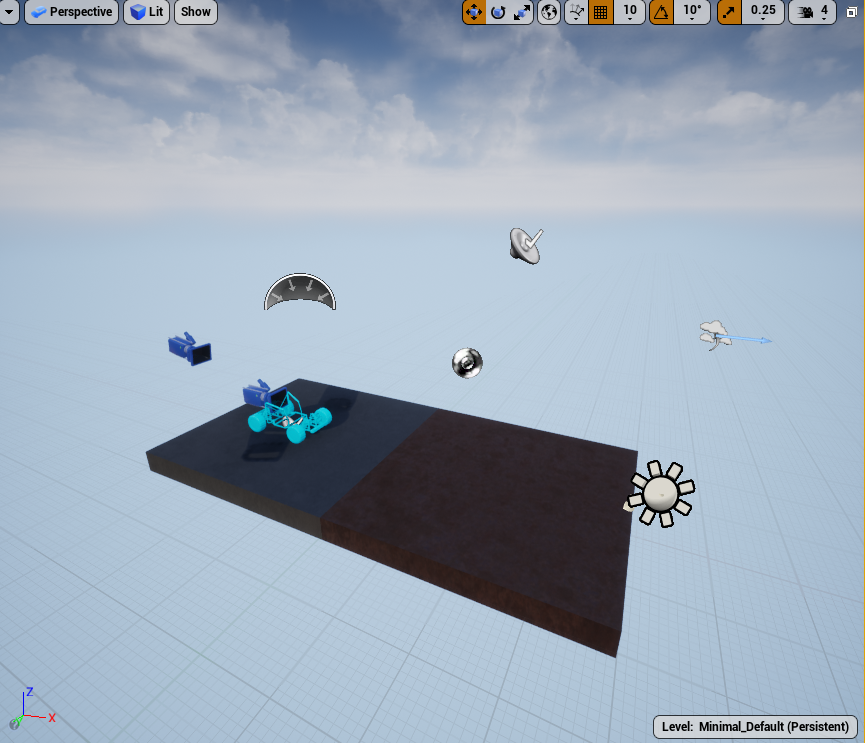
I wanted to migrate the vehicle advanced blueprint to a blank project to practice, but after making a gamemode blueprint, setting the vehicle blueprint as the default pawn and adding the input axis this is what i get:
https://imgur.com/wpY9ug8
Noone of the cars move and I don't know what to do. Seems like a vehicle is being generated wherever my camera is right before clicking "Play"
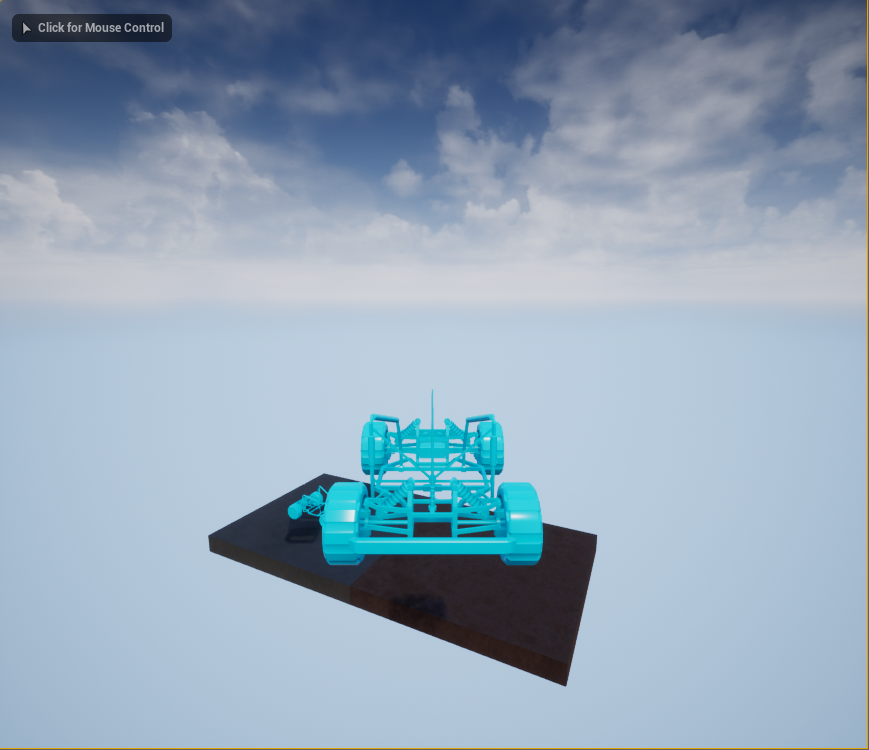 grim ore
you can always add the vehicle template feature pack instead of migrating, that would bring over the car itself
and if your game mode is set to spawn in a vehicle it would do that
and you said it is set to spawn in a vehicle soo.....
hasty osprey
say i want to flipbook this texture so it gets a spinning animation how would i do that?
viral sluice
What I don't understand is why doesn't the vehicle move. It stays in the air, it doesn't move forward and wheels won't rotate
next badger
@hasty osprey why not to use rotator?
dawn gull
@next badger So, how do I fix it? Because it would take a long time to transfer it over to regular again I think
next badger
no clue, it's a custom build
dawn gull
rip it was the latest i could find
next badger
you may ask #legacy-physics #engine-source #cpp
next badger
if you're not using custom code - just copy, then right click .uproject and change version
dawn gull
ok
next badger
@hasty osprey btw, your texture using not whole space, it's wise to use all of the UV space to not waste texture resolution
dawn gull
What would happen if I didnt copy it?
next badger
@dawn gull you may break it...just in case
dawn gull
Ok
hasty osprey
thanks i can try that too
dawn gull
If I copy it but dont paste it yet will that also work?
abstract relic
wanna risk it?
dawn gull
nah
dawn gull
😂 true
 near belfry
Anyone else managed to get into their Epic Account since the downtime? I just received an odd message from Epic support that seemed to disregard my login issue and stated only that I can't purchase through consoles ha
 knotty marsh
had to reboot but i could log in just now
faint juniper
Is there a way to limit Editor FPS? currently at 120, would like to bring it down to 30FPS to limit impact on PC
near belfry
Everything seems to be slowly coming back now- 30 mins ago I couldn't get into anything then got locked out, 15 mins ago most of the marketplace was showing 0 items and nothing was in my vault. It seems to be working on the browser now but the launcher is giving issues- may try restarting like you did
plush yew
do you think it would be easier to model the windows and create the glass material for it or create the whole glass material window in substance designer
next badger
@plush yew it depends on functionality
- will it be transparent
- will it be breakable
- how large will be glass to frame ratio
If it will be transparent it's better to make glass as separate mesh, apply a simple material to it with translucency
translucent materials are expensive, and do not write to depth buffer
*with exception of custom depth
grim ore
@faint juniper using t.maxfps XXX sets the max fps in the editor, you do this thru the console (`) key
 dim oriole
So Unity is heading for the scalable task -> worker implementation. How does UE4 scale when it comes to multi-threading? Is this something that can be answered for someone who uses BP only?
grim ore
certain things are multi threaded, they try and put certain parts of the engine on it's own if it can like animation or ui or game thread etc. (the docs have more info on what is what). As for BP it's not multithreaded unless the node is designed to work like that in the background (most are not going to be, they might be latent like AI moving frame by frame at the best) but there are plugins that can try and help with that adding in threading support. Anyone with skill can expose threading to BP if needed for specific tasks
 frank escarp
@dim oriole it scales like absolute ass
faint juniper
@grim ore Thanks again!
frank escarp
if you take unreal 23 and check the Insights profiler, which shows a very nice Thread view, you will see it inmediately
next badger
afaik only way to launch a new thread in BP is to add delay 0
frank escarp
unreal engine has 2 mayor threads
a game thread (runs all blueprints/gamecode), and a render thread (runs rendering)
thats it
next badger
mayo-thread
frank escarp
the rest is just "helper stuff", but they just help in some small parts, like physics or animation
next badger
also audio runs in a separate thread afaik
plush yew
yes it will be transparent but i want it to have that bump offset so it has a fake look on the outside
frank escarp
@next badger yes but thats a very small cpu cost generally
you can get bottlenecked on game thread in unreal extremelly fast in consoles
because all the AActor based code + BPs is singlethread
in the PS4 if you add like 10 ShooterGame bots, you start losing the 60 fps
plush yew
i mean ive already started doing it in substance anyways without making a model so it doesnt really matter now
frank escarp
multithreading game code is also not possible to do. Anything that touches uobjects/actors is unsafe
dim oriole
And what about the future? Is this something that Epic will look into, or not a priority?
What if I have multiple particle effects/alembic animations playing. Can UE4 distribute across 8c/16t CPU, or I will be bottlenecked?
frank escarp
particle effects are singlethreaded (yuck!!!) and alembic too
fierce tulip
same for niagara?
frank escarp
animations are parallelized (the normal skeletal animations)
i dont know @fierce tulip
i know that cascade particle FX are singlelthread
all the effects of a frame will "calculate" at the start
fierce tulip
you'd think with the amount of core/thread increases these last few years there'd be more than 2 threads.
aside some small things
frank escarp
parallelizing is hard
the entire AActor model just does not work with MT
nor it will ever work
thats why unity is going with the ECS stuff. In the ECS model, making things parallel is not just doable, its trivial
so trivial it can be almost automatic
fierce tulip
well, never expected they'd be adding virtual texturing, who knows what we'll see in a few years.
different beast, sure
frank escarp
yeah who knows
but for example, take the rendering
unreal engine rendering is single thread + helpers for some parts
the issue is the huge bottleneck on the single-thread
AAA console engines, like Destiny engine and Uncharted 4 engine, work on a "task based" model
where they create tons of tasks in the code, and their dependencies, and then a central system spreads the tasks over all the cores
next badger
5 is a good number
frank escarp
for example, on rendering. There are several tasks that have to be done
You have to check what objects are in view.
You have to grab the meshes/materials for those, and prepare their rendering.
you also do view check for lights,
you calculate terrain LODs
you calculate particles
etc
in task based model, each of those things are a task, and will get executed in multiple cores
current unreal executes all of those in-order in a single thread, and for some parts (preparing mesh rendering) it uses multiple cores for a bit and then goes back to single-thread
dim oriole
Sounds like something Epic should be concerned about going into the future?
PS5 8c/16t? One year until both Xbox and PS launches.
frank escarp
they have already improved it a LOT for 4.22
on the rendering side
the game side is still 100% single-thread
personally i think unreal work on a few critical tasks to be more thread-safe. For example spawning objects from multiple threads, or moving objects from multiple threads
even if it works like async-traces, which just do a parallel-for at the end of the frame, would still be a huge win
 cloud cobalt
UE4's gamble is that they can offer MT performance through implementing the biggest systems that might need it
And that developers who need actual threaded game logic will know how to do it themselves
frank escarp
yup
there are already ways of doing parallel-ticks
if unreal creates some sort of "thread safe command buffer" or similar, then a lot of people will just use parallel-ticks, even if its a super-advanced feature
hell, another possibility is to create more tick groups
frank escarp
for example, a PreParallel tick group
on that tick group, everything in the scene is read-only
cloud cobalt
We already have that with anim graph BP
frank escarp
so you use that tick group, and CAN do sweeps, rays/etc, but its all read only
you cant do actor set transform or similar
need to use the command buffer to enqueue it to execute after the tick group
something like that would inmediately parallelize easily 80% of the Character Movement logic
next badger
same as before?
magic epoch
It is missing alot of blueprints
next badger
@magic epoch templates?
magic epoch
Well i guess there is templates
next badger
sorry, i don't follow
That's how you make cars in ue4
then you can just migrate it to your project
plush yew
Hello I am trying to import a modelled rigged character to unreal from blender and if i import the mesh without the rig the shading works fine but if i import it with the skeleton the shading breaks, anyone know how i can resolve this issue?
plush yew
well the shading works if i import it to marmoset with the rig but ue4 not having it
grim ore
if they are from the UE4 store then you should be able to remap them to the UE4 skeleton if ytou need it for some reason, but why not use the supplied skeleton?
plush yew
its a custom character that was made in blender
fierce tulip
also, be nice if people read the rules <_<
also, #looking-for-talent if you need personal help stuff.
@plush yew best to show before/after shots.
plush yew
i want the shading of the left on the righ one
fierce tulip
hmm normals seem to break
 median island
Try the high precision tangents option in the skeletal mesh editor
plush yew
kk
 ember notch
In UE 4.23 ads don't work
next badger
are normals generated on import?
median island
Oh, Crow, I noticed that skeletal meshes automatically set sk normals to auto gen instead of import
plush yew
i changed it but didnt change anything
median island
oh yeah, like Alexey said
plush yew
do i have to close it and reopen for it to take affect?
ember notch
nobody will help me but ok
median island
I don't think so. What isyour Normal Generation Method set to?
plush yew
median island
try import normals instead
fierce tulip
import normals/tangents
plush yew
I love you guys!!!!!!!!!!!!! You are Awesome!!!!!!!!!!!!!!
THANK YOU FROM THE BUTTOM OF MY HEART!!!!!!!!!!!!!!
median island
Alexy got their first :-p
fierce tulip
@ember notch it may be the language barrier, but your questions barely look like questions, and are lacking in information to the point where nobody would be able to help you.
You'd need to give much more detailed description of the problem you are facing, what you already tried but is not working, and clearly state what kind of help you need.
alex was first :p
sends alex a cookie
next badger
refuses to take a credit, but takes the cookie
median island
Honestly I don't know why they default to generate for SK normals. I get that animation can mess up the normals, but most of the time I think people would rather import them.
fierce tulip
yea
same with reimport settings not showing anymore unless you tick something in options. (unless they reverted that recently)
next badger
Have anyone worked with vertex animation? (for static meshes)
median island
Only with material nodes
fierce tulip
for vfx yuz
next badger
no, i'm about stuff like plants growing
fierce tulip
same thing, more annoying execution :p
was working on a massive lotus, but had to halt it :/
next badger
Yeah, luos, have you used animation and then baked the uvs with the script?
or used the guide from Wiki?
fierce tulip
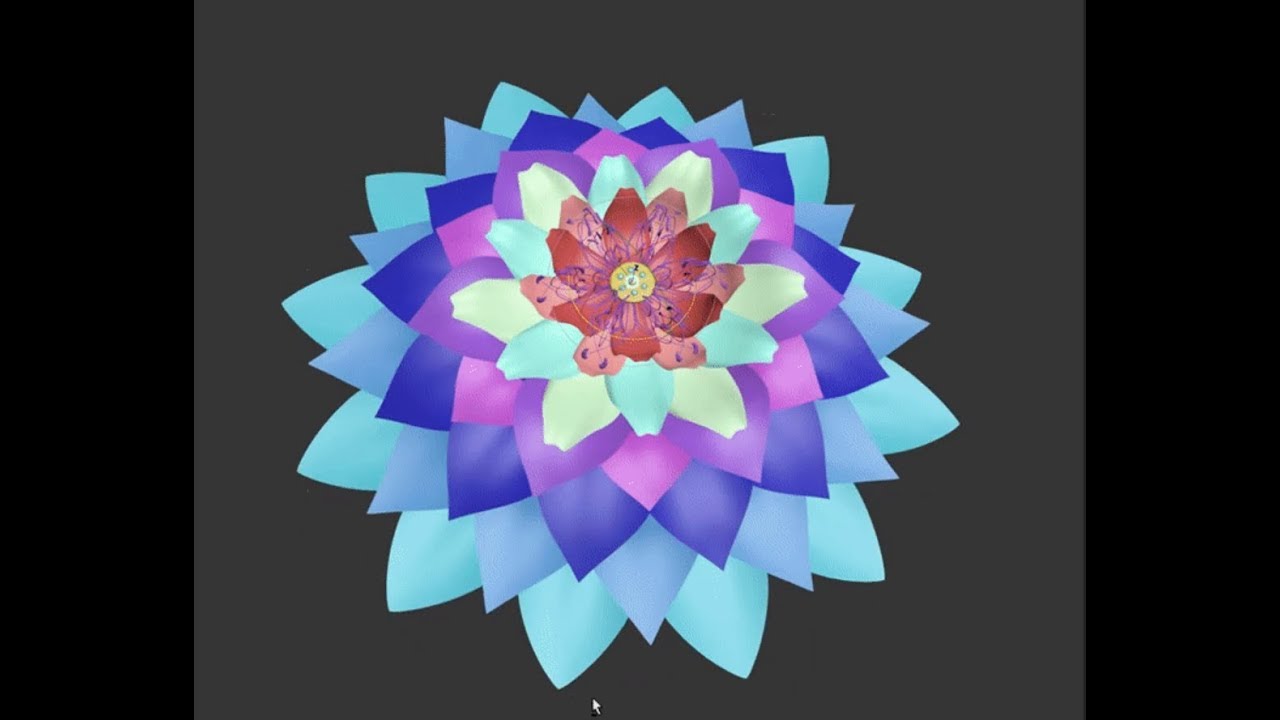
This is a personal UE4 VFX project. My goal is to make a massive effect inspired by Hindu lore. In the end I want this lotus to turn into a spiritual mandala...
yea, used that guide until it became second nature
well, mainly I use baking to texture. did use the bake to seperate uv's a few times though
waiting for the question :p
next badger
watching the video =)))
fierce tulip
guess I did not show it in that vid, but I did bake it all down to vert anim hehe
next badger
yeah, seems like you're using morph...
the issue i have a predeformed mesh that i need to grow -_-
the wiki guide only relates on UV
fierce tulip
morph just made it easier hehe.
do you have a vid/gif of the growing?
next badger
no, the transition does not matters that much...the issue is that mesh already shaped -_-
fierce tulip
i understand, but id like to see so I might be able to give better advice
IF i can give advice :p
magic epoch
yo lads what tf is epic doing, breaking signins and blacking everything xd
grim ore
lots of traffic coming into the epic systems due to Fortnite, not too much we can do about it but ride the wave till it's over
magic epoch
what is even happening to fortnite?
grim ore
something something event
grim ore
there is no $200 PC for unreal unless you get luck on a used site
magic epoch
I made this computer for 180 and it runs unreal amazinly
grim ore
then you shouldn't need to spend more on another? plus you have a list of stuff already then.
magic epoch
I sold this one
grim ore
should still know what parts were in it, do that again if it worked amazingly
next badger
3470 costs ~$90
and you still need mobo, ram, storage, gpu, psu, case, monitor, peripherals
dim plover
Monitor, peripherals, and software don't count, imo.
magic epoch
Nah man I got that cpu for $20
next badger
doesn't meant it costs that much
magic epoch
mb for $30 ram for $50 case for $30, $30 for psu
next badger
i got ssd 480gb for free...does it mean i can say $0
 kind dew
no if someone says "hey do you know how much a 480 gb ssd costs" you would not just say "oh yeah theyre free"
kind dew
woah pre owned processors?
magic epoch
yea
kind dew
interesting
kind dew
i wouldnt want a 40 dollar cpu, maybe like a 400 one new id be interested in if it was cheap
magic epoch
Its a xeon
median island
I'm hoping to snag a deal on the 2080ti on cyber monday
magic epoch
how much is 64gb normaly?
next badger
2 planks...around $800
kind dew
xeons dont really help me
next badger
there are cheap LPX ones now...just $300
magic epoch

eBay
Here I have 64GB Corsair Vengeance RGB Pro DDR4 3200MHz PC4-25600 CL16 QuadChannelKit 4x16GB for sale. Dynamic multi-zone RGB lighting: 10 ultra-bright RGB LEDs per module. RAM modules are sealed and new.
ik thats 4 sticks
magic epoch

eBay
Create and Customize: Choose from dozens of stunning pre-set lighting profiles, or create your own with virtually limitless lighting patterns and effects in CORSAIR iCUE software. In this case, the Supplier will inform you of any delay as soon as possible and will give you th...
wow jesus wtf is that link ahah
next badger
it also 16gb per module
magic epoch
i didnt even see that fuck
next badger
i think there are only 3 models on market, g.skill - 700-800, corsair - out of stock (never seen them in stock)...and i cant remember last one but it also was ~800
oh, that also not a #lounge
kind dew
oh my god that link scared me
 velvet fern
you need 16gb to contain that link
just to confirm. i can't use this as a collision mesh right? because it has a convex shape
next badger
@velvet fern just make 3 boxes collision in the mesh editor
velvet fern
takes time
next badger
it will be fastest collision setup possible
velvet fern
i have 7 other rooms
next badger
in mesh editor
velvet fern
can i export these as one ucx or do i have to export each one as separate?
next badger
You can export them as UCX...yet I still recommend to use mesh editor + boxes
velvet fern
mesh editor in ue?
next badger
yes
velvet fern
takes time to box everything accurately but ok
next badger
do you really need to make it accurately?
velvet fern
not really but it would save time in debugging
next badger
those collisions are only used for physics
everything else uses actual geometry (i can be wrong here but, it was true for me all the time)
ripe bloom
Does anyone know why when I add a second layer to my grass output and select the grass type I crash every time?
next badger
if it crashes -> file a bug report
 shy silo
simple question, does adding to a map that is affect the variable or do I have to follow it with a set?
 gilded plinth
Anyone have a sec to save me from an oft encountered headache? I have a third person template and I'm about to retarget the mannequin to my own skeletal mesh avatar. Thing is, I know once you do this it totally replaces the mannequin so all the animations work on my own custom avatar. This is great, but i'd like to somehow keep the mannequin and its animations intact. What do I need to duplicate to make this happen?
Is it enough to duplicate the mannequin skeleton and retarget to that? Will ask in animation also.
warped tangle
retarget the anim sequence/blendspaces? This will duplicate them (also if you retarget a blendspace, it will retarget the necessary anim sequnces for you automatically)
@gilded plinth
warped tangle
What I'm saying is don't retarget the skeleton, retarget the animations
yeah, if you retarget the blendspace, it will automatically duplicate and retarget the necessary assets
gilded plinth
Ok that makes sense, then I could just pop my new skeletal mesh into the third person bp along with the new blendspace and sequences where they need to go?
warped tangle
yep. You can also retarget an animBP and it should automatically duplicate and retarget everything it needs
gilded plinth
Basically I'd then duplicate the anim bp for my mesh so I can swap back and forth?
Should I just do the anim BP?
gilded plinth
Cool ya if that works i'd be all set. Might be a mess of duplicated files but oh well : ) There aren't actually that many anims that come with the mannequin third person anyhow
looks like 4-5 and then the blendspace, sequence etc
warped tangle
yeah, and if it doesn't automatically take you to the location where they duplicate to, it goes into the root folder
just FYI
gilded plinth
Cool. Retargeting is one of those things where there are 20 ways to get it wrong and 1 to get it right and it always takes a few tries : P
warped tangle
Once you get a handle on it it's really not too bad
plush yew
So Im trying to fire 8 line traces using a sequence node (in order) after event tick but it looks like its only firing the first one... why is that?
plush yew
1 sec let me grab it
gilded plinth
ya i usually just forget something and have to delete the mess whether it's a particular bone in the rig def or a translation option
warped tangle
lol
plush yew
Sorry or asking, thanks for the help 😂
plush yew
Yea. :p
gilded plinth
@warped tangle when posing for re-targeting do you have any opinion whether it's better to pose the custom skeleton or the mannequin?
warped tangle
eh it's going to be personal preference
I tend to do A-pose to T-pose as A-pose can be harder to match elbows
gilded plinth
@warped tangle ya, my character is A-Pose so makes sense to keep it but the mannequin has those bent elbows and slightly bent fingers
seeing if i can put my avatar as close as possible without modifying the mannequin pose
warped tangle
modifying poses for retarget pose doesn't affect the base pose
nothing you do is permanent
gilded plinth
yup totally but i assume the closer the poses for the retarget the better the animation is gonna look
correct me if i'm wrong : )
warped tangle
yep
 mild charm
Hey all, Im super new to Unreal Engine and I've already hit a weird snag. I'm trying to control two players with one keyboard, and they aren't moving right at all lol
Is this the right place to ask for help? I can't seem to find another channel specifically for help.
Welp, I'm on a time crunch so I'll just ask away and mods can delete things if they must: Every time I move a player left or right (using new L/R Axis inputs), instead of going straight left or straight right, they move in a circular pattern.
Here's a quick clip of the problem.
What's weird is that when I use the default third person character (with the normal axis inputs), it moves perfectly fine. It's my axis inputs...or...something about this player that makes it weird.
Thanks in advance for the help!! Idk what I'm doing and google has failed me on this one thus far
sacred sun
@mild charm #blueprint is the channel to ask in. you're probably going to need to share pics of the input settings and blueprints. you could make a post on answer hub and link it, just so that your post isn't taking up a massive chuck of screenspace with pic and videos and responses ect.
mild charm
@sacred sun Unfortunately, I made this post super hastily and didn't spot the #blueprint channel in time lol. I've decided I'm gonna go through the basics of Blueprints just to get started, rather than mulling over this very strangely specific issue that I frankenstein'd from various "how to control two players at once" tutorials lol. Thanks for the help though! I'll be sure to post it there if I'm still majorly confused (which I probs will be)
sacred sun
@mild charm now that I think about it. you probably just have orient rotation to movement checked and then are using the characters right vector to turn, rather than the camera's right vector.
neat forge
Every time I open the event graph to this BP it sticks me way far away from the nodes and its hard to scroll around and look for them cause its so far, how do I fix that?
sacred sun
make a random node where ever the bp opens to and move all the nodes to it. kinda wish the center of blueprint graphs were more clear, maybe there's some option in the editor settings I should look for someday. could also use the find/search. there's also bookmark system in blueprints too.
plush yew
How does one program two working swords which utilize both hands. For example, as of now I have one sword working in one hand with animations, collisions, damage dealing, and is a child class from one master sword class. What is a good way to implement the other sword, for both the swords to deal damage with proper collision and not just one sword to work, would I have to make another sword master class for my other arm?
plush yew

In this video we take a look at the finished project and step through each of the features that will be covered in this series. We show our functional Main M...
@plush yew #multiplayer
plush yew

While profiling a game’s runtime, we found that 40% of memory allocations were coming from a single function. The fix/optimization involves adding a single character
I assume the content in this article has already been covered by updates, right?
 drowsy kite
Hey guys , is there any way to do a portal like effect with out using a screen capture ?
sudden agate
no
sacred sun
you may be able to use a cubemap if the otherside of the portal is static.
 hallow oracle
Hiya! So I am going to be getting a pc to for developing and learning to develop games in the near future, (hopefully before February) and going through highschool I always wanted to make video games up til junior year where life hit me (won't go into detail) and then I contemplated what I wanted to do in my life ... What a waste of time that was ... Lol ... But anyway one of the things that helped me realize I still wanted to develop games was Dreams on ps4. I wasn't going to full on develop a game on there but more so use it to determine if I wanted too. And thus is how I got here, I made my decision. But that's not why I'm posting at the moment. I actually wanted to know about how logic/blueprint works in unreal 4. Because when I decided to look at some videos to learn a bit ahead of time (for which I never stuck around for, can't seem to find a good channel for that sort of thing) and I noticed that unreal 4 and dreams of this thing that looks similar, which I am going to assume is what the logic system is in unreal 4. So I wanted to know on a scale from 1-10 how similar these two systems are. 1 being not similar at all and 10 being a very similar or even the same maybe better then the other. I'm going to post 2 images for reference, thanks in advance for what you can tell me. Now I'm going to try to go to bed, it's about 2 30 am where I am. Lol
Oh and disclaimer, neither of these images are mine, just pulled them off of Google images
drowsy kite
@sacred sun thanks
plush yew
I'm having trouble getting my AI to aim their projectile arcs upwards. Rotate vector doesn't have consistent results. What should I be doing to get my enemy archers to aim upwards more? I can figure out the logic like adjusting based on distance and everything I just can't figure out what node I'm supposed to start with to get them aiming up
@hallow oracle here is also half past two in the morning
@hallow oracle I would give 1
warped tangle
@hallow oracle It looks like the picture of the game you posted is similar in concept to a node-based logic system. However. UE4, while it also uses nodes for scripting (coding/scripting) in the Blueprint system, UE4 at it's core is a code based game engine like any other. So I wouldn't think of it as "logic system" as much as a visual programming system, which is what it is. Each node is a visual representation of C++ code. One of the things I often see with people new to development, is people tackling UE4 like it's a game, and trying to "solve" or "win" the game (we've gotten used to having hints guide us to objectives, etc, in games). This is not the case. Just know that up front, and enjoy your journey.
@plush yew Just off the top of my head, either predict projectile path or suggest projectile velocity has a "favor high arc" bool that will attempt to "lob" it high up and hit the target. This may be what you want to use.
plush yew
thanks @warped tangle I'm watching a MathewW video on predict projectile path rn!
plush yew
Yeah I was getting ready to write out the formulas myself but that seemed way too involved for somthing that seems pretty common
warped tangle
I would almost be willing to bet suggest projectile velocity is what you want. Give it the point you want to hit, favor high arc, and use the velocity to get your rotation
plush yew
Hmmm I might use that but I think I want a consistent projectile velocity so I'm looking for the arc right now
sacred sun
gdc uploaded a talk on ai projectiles to yt a couple days ago which could be helpful. seemed ridiculously complicated to me though i just skimmed it.
plush yew
oh wait, projectile velocity has an input for launch speed, does that mean that I can keep projectile speed consistent?
Yeah it's pretty involved. Because after I get the arcs down I'm going to have to make sure it works for targets at different z values, and then I'm going to try to get prediction down on top of that
warped tangle
What it's going to give you is the velocity needed at the given launch speed, start, and end points
that velocity can give you the rotation you need to feed to the archers
Really you aren't going to be USING the "toss velocity" output, but using that to derive the rotation you need
plush yew
I see, it isn't immediately clear to me where I'll be applying that rotation though. do I take that rotation and apply it to the projectile?
warped tangle
Well if you want your archers to rotate up, so it looks natural (rather than arrows firing up when they're aiming straight), you could do a dot product to figure out the angle
maybe rotation from x vector? I'd have to try it
spitballing here
 honest vale
why not use toss velocity?
warped tangle
Again, if you use toss velocity, the arrows may fire up at ridiculous angles while the archers are aiming straight
my assumption is you're wanting to have them aim up and fire, more naturally
or you could use toss velocity directly on the arrow projectile
plush yew
yeah that's what I'm aiming for right now
warped tangle
I think that will give you the output you need regardless
may have to run it twice, once for the archer body rotation, then once at the end of the body movement to get the new velocit
velocity*
Just depends how realistic you want it to look (if they're at distance and you won't even see them really, then you can fake it quite a bit)
plush yew
Yeah I'll be considering a lot of that when LOD comes into the picture
hmn, the arrows are just dropping to the ground now. I can probabyl figure this out on my own though. I thought I'd just take the toss velocity and plug it straight into the projectile velocity then activate the projectile but that didn't seem to be it
45 minutes later
honest vale
you might want to lower lightmap resolutions if that's the case 😛
plush yew
How can I decrease the quality? >_<
cloud cobalt
Make sure you're not doing anything dumb, like statically-lit trees or vegetation
plush yew
Toss velocity is returning 0,0,0 even though the predicted paths are accurate
I had it set to 'trace full path' so nevermind that didn't do what I thought it did and was causing problems as a result
warped tangle
so it's working?
stiff spoke
I have a problem on my game that happens several times the problem is that sometimes when I turn off my computer certain Blueprint this even removes levels why and is there a way to recover them and in addition when from my computer I go into the file where are these blueprint or these level that disappear I see them but in the ue4 nothing
plush yew
I'm searching this kind of foliage : https://www.textures.com/system/gallery/photos/Rock/Sediment/117261/RockSediment0098_18_500.jpg

( upwards on the picture )
In clear, little twigs, brushwood which fall downwards a bit
 wispy zinc
Do you guys think Unreal is good for a 2D or 2.5D game?
stiff spoke
No solution for my problem?
plush yew
to cover edges of some platforms, exactly like in the picture
Anybody knows where I can find this ?
warped tangle
@stiff spoke Your problem sounds like an issue with your computer
 dark depot
that or not saving
warped tangle
^
stiff spoke
OK so?
 wary wave
it's not an Unreal issue, it literally sounds like you're not saving files?
why they would not be saved, I couldn't say
stiff spoke
If I'm doing save all
warped tangle
Basically it's a problem on your end with your computer
we can't really help yoou wwith it
 sinful osprey
Anyone know why I crash the editor if I don't disable my onboard graphics card? I have an intel 630 and 2070 maxQ in my laptop and I crash regularly if I have both active even though it's set to only use the Nvidia card. Disabling it prevents the crashes, but things seem to run a bit chunky. Not sure what the other card is doing in the background
 royal osprey
could anyone help me with character selection screen and so that when i pick that character it still saves all progress?
its a 2D character selection
 copper flicker
so save the game upon picking the character..
@royal osprey I think you can call a save game anytime you need.. why not from you character sel
royal osprey
how would i go about doing this ive got an idea in my head but not to sure
cause what i wanna do is select that character than they go back the start the level
sinful osprey
@royal osprey Check this out for some help on save games. It's fairly old, but I think it's still accurate for the most part. Keep in mind that GameInstance is persistent through levels so it's a good place to store data you want to move from a menu to a level for save/load. https://answers.unrealengine.com/questions/84785/tappy-chicken-score-system-for-multiple-maps.html?childToView=85031#answer-85031
royal osprey
thank you
 stone finch
Hey guys, hello everyone, I need your advice, I still struggle with snapping in UE 4 4.23
- I do everything like in manual doc and tutorials, I set pivot point to vertex I want and setting - set pivot offset, it remembers it, but If I move my asset it just reset it after any movement, I have to select this object once again and miracly its pivot point back again were I saved it earlier.
- In Maya I am setting pivot point on center - freeze transform, but when I import object in UE 4, the pivot point is just miles away, strange but I have no this problem importing in Unity, something to check in Import setting? I tried to look on option during mesh import, nothing specific.
3.When I am changing position of my pivot point in UE 4 with V + MMB, it highlights vertices for a sec and would to any vertices on any other asset object except on original, it take me time and struggle to set pivot point right and as closer as I can to vertex I want to snap by ALT + MMB.
It is so time consuming, I need help on this, I just waste a lot of time fighting with these pivots, more then on level building itself. Plz help
copper flicker
@stone finch send me your maya file
 night basalt
warped tangle
night basalt
warped tangle
Whats the issue pierr
copper flicker
@night basalt there are tuts on youtube, like this one

MY FB PAGE https://www.facebook.com/groups/UnrealMastersAcademy/ Hi Guys in this Tutorial we are goint to setup Projectile which spawn from the tip of gun an...
night basalt
thx 🙂
stone finch
update with issue 2, file contains world space info, and UE 4 use not Object Transform Attributes, but World Space params, any way to
@copper flicker give me a sec
copper flicker
just work cleanly.... set things at 0 0 0 in maya
I think it may be the FBX exporter that ignores your maya offset
meanwhile.. I have a surreal bug.
probably my logic tho... so I dunno how to explain it O o
my AIs move from Move State to Move State...... on Move To Location or Actor Fail or Move Finish.
thing is.... sometimes they move to another move state... while not finishing or failing
😄
stone finch
@copper flicker The thing is after using Freeze transformation, all bake softwares read mesh position as 0 0 0, Unity also reads pivot and object position from mesh param that were freeze transformed. And UE 4 using world space params, there must be a way in import options maybe where you can choose between world space and object space info
copper flicker
is your pivot at 0 0 0 in Maya?..
I freeze transforms all the time, no problemo
set your Maya pivot to 0 0 0
I have a script for that..
before exporting, I set all my piv to 0
hasty osprey
quick question why isn't the mat offsetting?
warped tangle
did you set a time and speed?
hasty osprey
yeah, the preview node on multiply is moving
the panner is just using it's default values, and the panning works when i preview the multiply
hasty osprey
oh ok, so i need to multiply it before multiplying it with the vertex normal then
plush yew
anywhere after ur texture
hasty osprey
thanks👌
 rustic magnet
do anyone know if this is a generally accepted way to do simple car physics, or is it just this guy? https://twitter.com/KenneyNL/status/1178806377822728193



A technical overview of my skateboard prototype: IT'S A GIANT ROLLING BALL AGAIN. (avatar model by @KayLousberg) #gamedev #unitytips https://t.co/XsPm9rLUM8
Likes
506
 Twitter
ie rigid body sphere physics object being pushed in direction of kart model´
fierce tulip
so, how would I go about adding a keyboard shortcut for the material instance "show or hide all material parameters" button? its not exposed in preferences, and not sure what to add to the ini to get it going.
drowsy kite
Hey Guys , I am using a Data Table to hold some assets for number of characters , So when I spawn the character from the list is it going to load all the characters assets .
How can i keep the reference of any asset and just the load the asset when needed .
stone finch
@copper flicker I made test 1 and test 3 examples, in Test 3 object is moved in scene, but its tranformations as an pivot are freeze transformed in Test 1 I just reset transformation on object, the thing is it does matter if i modify Pivot point in Maya itself, UE4 will just reset it to World Space values that were in scene with FBX
Test1
Test 1 in engine
Test 3, look at object params and world space values
Test 3 in Engine
Pivot point that was centered in Maya and freeze transformed was reset in UE 4
But the worst part for me if you want to move - snap this pivot point before Pivot -> Set as Pivot offset in UE 4, ill show it up, it will snap to any verticies except on its original needed object
wary wave
@rustic magnet - for a skateboard type vehicle + terrain, the sphere is a pretty nice approximation
it is not the way most people would do a wheeled vehicle, however
 sterile sinew
Hey all,
Can someone please help with the FaceARSample setup, in relation to importing a .mobileprovision file?
stone finch
Guys, really what I am doing wrong with snapping, it just dont want to snap to its own mesh verticies