#ue4-general
1 messages · Page 518 of 1
 midnight sparrow
Kind of is, the performance there is the key.
Especialy on oculus quest where you have android and some snapdragon processor from phone
 quiet rampart
this is the reason why i thought it was too expensive
midnight sparrow
to switch to forward shading you have to go to project settings and switch forward shading on
and then restart it and compile shaders again
But you cant use dynamic indirect lighting on directional light i have noticed
quiet rampart
well i think im gonna stick with not activating it since im not doign VR 😛
but i learned something 😄 Thanks 🙂
midnight sparrow
Yea i didnt expect you to, just wanted to inform you 😄 it probably doesnt make sense for PC games
quiet rampart
XD
midnight sparrow
I would like to show you the project. The lighting is little bit flat for now, i have to tweak indirect lighting intensity. Also its not perfect but it took me 14 days to do so im really satisfied with it. What do you think?
i thought it will post like an album, not retarded like this
 abstract relic
#work-in-progress is for feedback
quiet rampart
For what i see, it look good for VR
midnight sparrow
You are right, but i was just converstaing with Meurtdessus, i didnt even look that much for a feedback. There is no time to make it better anyway 😄
quiet rampart
Yeah i think it was more of a context sharing XD
midnight sparrow
The best part are the mattepaints in the background 😄 😄 that street, takes few hours to make and makes it milion times better than some hdri or so
quiet rampart
Yeah i know where you come from with it XD
quiet rampart
I struggle with this expression in english hahah sorry XD
I meant like... i understand what you are talking about ?
midnight sparrow
Great, maybe you said it right, but my english is not great eeither so i wasnt sure 😄
midnight sparrow
Czech, what about you?
midnight sparrow
lol just googled it
had no idea there are other french speaking countries in the world
im a dummie
😄
quiet rampart
hahha we are very little XD
midnight sparrow
😄 😄 just dumb not dummie
quiet rampart
WTH!!!!!!!!!!!
midnight sparrow
😄 😄 😄
midnight sparrow
Most likely 😄 well its 2:20 PM and ive got 2jobs so i should go to sleep 😄 😄 Good luck with kickstarter, see ya
*am
quiet rampart
Good night!
 sly coyote
did frogware ever release thier city generator? they announced last year that it would be out in march of this year, but its been crickets from them about it since
quiet rampart
never heard of it
sly coyote
not sure of the rule for posting links but search on yt for The Sinking City - "City Generator" Tech Demo
it looks like houdini, but thats been out for way longer
quiet rampart
Oh the sinking city... yeah i heard of it, the studio i work for did the cover art
Dont know for the city generator tho
sly coyote
that city generator was supposed to be released to the general public in march....
 fading river
is there a way to resize the playerstart player? or a tutorial on how to spawn something that's different size?
if I was going to do 1 unit = 1 inch instead of cm, don't really care about physics or things, just figuring if I design this house with 1 unit = 1 inch it would be easier math and it's just to walk around and look
 thorn hazel
I just made a sample texture and set it up
but I'm getting this type of tiling .. which looks ugly
I can ofcourse tune my base texture to make it tileable smoothly into all directions
but I'm wondering if I can do something in UE4 as well, without touching my base texture
 woeful wraith
you could probably do it in a material with 2 texture samples on the same texture, with offset uvs and blending
also looks like the dark lines might be from lighting needing to be rebuilt
 safe pendant
Im stock on a camera blueprint issue
I did a camera switcher in blueprint
i switch from different camera using Set View Target with Blend
One of my camera is inside a blueprint so i store it in a variable and i get it in my camera switcher
for some reason when i switch to this camera i can control it with the user input wish i dont want
my other cameras actor are not receving any user input
is it because the camera in question is inside a actor blueprint so by setting the view to this cam it creates some type of pawn
 carmine spruce
If I have a door
and want to make a Locked door
should I make a Child or should I make it in the Door blueprint?
 safe swallow
are you unlocking this door?
 warped tangle
Could be a child, could be a variable in the same BP that can lock/unlock it. Doing it without a child, you can make it instance editable and set it per instance
 serene sorrel
Do it without a child, just a variable
Is there a better way to attach a pointer to a uobject than UAssetUserData
carmine spruce
@warped tangle how do I make it so that its per instance variable of my BP_Door Blueprint
warped tangle
make it public
there's literally an option on variables called "instance editable"
 warped tangle
you would have to do a branch and check against the public variable to see if it can be opened or not. It's a fairly simple change
serene sorrel
And show/hide the lock mesh on the door, which is also pretty simple
if thats applicable
Rust just has a cube pretty much that extrudes through the door mesh, offset at a location that just rotates with the door when the parent is updated
if its a lock/key design theres no real interaction needed with the lock, but if its a keypad type lock you would also need to add some kind of UI-interaction
 serene sorrel
@carmine spruce you dont need the branch
 serene sorrel
nah im saying you dont need the branch, since you seem to want to set visibility on startup regardless
should just go begin play -> set visibility , and drag in that bool you aare checking on the branch
but if thats still not working, since its just a more optimized version of what youre already doing probably a bug somewhere
warped tangle
@carmine spruce The issue with how you are doing it is you aren't setting the new visibility correctly. If you look logically at what you are doing, you are branching on "Light On". If it is TRUE, you are Setting Visibility OFF . And if it is FALSE, you are ALSO setting Visibility OFF
As @serene sorrel said, if all you are trying to do is switch a rect light, just Begin Play -> Set Visiblity, and plug your bool variable in to the "New Visibility"
Also, where you may want a branch is if you are going to have more functionality between the true/false states.
And lastly, I'm assuming you are actually setting the bool per instance of the door in the world. If you aren't that's another problem you're having.
 noble tapir
Hi there, I am currently working on a project which deals with very large distances. At times, I am a 5+ kilometers away and have to zoom in incredibly far so that I can see things such as cars from that distance. The problem I am having is that the meshes seem to be flickering or like only half of the object will be rendered and the the other half will look like the terrain behind it, so basically wont be there. Is there anything I can do when dealing with these kind of distances?
serene sorrel
@noble tapir Sounds like a Zbuffer precision issue
@noble tapir you can play with he camera NEAR and FAR settings to get a better resolution for what you want
 wary wave
at these kinds of distances, I don't know if near and far plane will save you
 viral sluice
Hi, Is it ok for a newbie to ask for help in this discord?
 cloud cobalt
Yes
wary wave
yes, just be specific, and if possible, pick a suitable channel
noble tapir
@serene sorrel , hmm okay I'll check it out
thanks
@wary wave , hopefully it will T_T
serene sorrel
@noble tapir i just looked it up, you can also try r.gbufferformat 5 in console, maybe that will help
noble tapir
@serene sorrel oh sweet, ill try it
serene sorrel
@noble tapir when dealing with large rendering distances there are multiple techniques you can use, but in unreal engine its just easier to mess with the NEAR setting, move that as far away from camera as you can. It means objects very close to camera will be culled but often you can deal with that if its like a sniper zoom or something
viral sluice
I'm doing some exercises and I'm trying to make my character reduce the health of different enemies. The health is reduced if my character "is attacking" and is close enough while doing the attack. When I had only 1 enemy I just had to get all actors of class, set that class to my enemy's and get the index 0 so I can cast to my enemy and modify his variables. But now that I have the same enemy multiple times I don't know how to affect enemies that are not index 0.
noble tapir
@serene sorrel, okay yeah I tried gbufferformat, didnt see any change. But yeah okay I will definitely try that. I definitely dont need close objects
serene sorrel
@noble tapir theres also another potential issue when you move too far away from the origin (0,0,0), floating point precision and such but i dont think you would be hitting this issue at 5km
noble tapir
yeah, Im not seeing anything at the distances im using. Landscape is like about 16x16km I think
as far as floating point issues
serene sorrel
7 days to die suffers from this, when you move too far away from the center of the map everything starts to wobble and get jarbled
unreal engine has a "move to origin" type feature i think now but its not fully fleshed out from what i saw
yeah if youre using the default scale in UE, that should be fine i think
Seems unity has an issue at 5000 units from origin though, i thought it was further than that
noble tapir
HOLY shit
you are the best
it worked
even just setting near clip plane to 30 helps
pretty much gets rid of the issue, but if I see it again, I can honestly bump it up as much as like 300000, so I should be good
thank you so much
serene sorrel
indeed, look into the math as to why that is the case
will help you going forward
but generally speaking you want to put the NEAR as far away from camera, and FAR as close as possible, gives the vertex's the most precision
noble tapir
yeah thats what Im doing right now, definitely want to fully understand it before going forward haha
it doesnt seem like I can control far
serene sorrel
np bro, good luck with it
 tardy stump
Hi everyone! :) I have a question...
So I have my custom event declared with DECLARE_EVENT_OneParam macro, and I subscribe it using AddUObject() method. How do I unsubscribe? There is no RemoveUObject() method...
For the DECLARE_DYNAMIC_MULTICAST_DELEGATE there is AddDynamic() and corresponding RemoveDynamic(), but how about DECLARE_EVENT?
noble tapir
@serene sorrel Thanks 🙂
tardy stump
I posted it here, as I imagine other people might be as confused about this as I am:
https://answers.unrealengine.com/questions/917979/how-to-unbind-event-bound-with-adduobject.html
 blissful trail
the shadows are wavy but idk why
 sudden agate
too low lightmap resolution
blissful trail
oh that makes sense lol
 left citrus
How do you avoid gimbal lock on a camera? I've got raw transform data coming in from an external source, but when I rotate my camera past the 180 mark on the global z, the camera inverts
tis maddening
noble tapir
Im actually doing stuff with that right now too, what is your transform data in?
euler angles?
@left citrus
 rotund scroll
quaternions
which aren't supported outside of code
but maybe you can find some plugins somewhere
left citrus
I'm happy to go into code, it's a y up issue I think
transform data is coming in from maya
setting maya to have up Z solved the issue but isn't exactly a fix..
noble tapir
you will need to transform your euler angles into quaternions using the FQuat class
then you can use FQuats to set your rotation
noble tapir
no problem
 mighty field
If you operate using Rotators, internally they'll use quaternions for the math, I think
wary wave
they usually do, yes
but in blueprint this will not get around your gimbal lock issues
mighty field
Do you get gimbal lock of you add Rotators instead of manipulating yaw/pitch/roll directly?
wary wave
I believe you can't avoid gimbal lock in BP at all when working directly with rotators
I may be wrong tho
 static viper
it depends on the cases tho
we had it so far with things that were linear
car wheel
ventshafts
the solution was to use a hook and just use another rotator
this wouldnt work with a spaceship...
or underwater
left citrus
I tried the old "global z local pitch" but it was still borked
mighty field
can you post how you're doing it?
 placid arrow
with streamed levels, is it possible to show some kind of 'low poly' version of a part of the world that's not currently streamed in, in place of the actual, full thing? i thought this might be HLOD, but HLOD doesnt seem to want to export foliage, and in this case foliage is important.
wary wave
for things like trees don't stream them in
billboard them
for smaller foliage, stream it
 grave nebula
World composition allows baking whole levels into single mesh.
wary wave
not sure that handle foliage tho?
static viper
???
and you dont think compiling the whole mesh into a single mesh would be op???
that must be a huge modell
mighty field
I'm pretty sure that's how they do it in Fortnite
 proven wagon
guys, anyone know why is this happening?
placid arrow
https://magazine.renderosity.com/article/4623/take-a-look-at-unreal-engine-420s-proxy-lod-tool <-- @mighty field

In Unreal Engine 4.20, the new Proxy LOD tool, which was essential for shipping Fortnite on mobile, was introduced. The Proxy LOD tool provides massive performance advantages by reducing rendering cost due to poly count, draw calls, and material complexity. Proxy LOD also d...
thats how they do it in fortnite, with HLOD
but HLOD seems to disregard foliage, and in my case foliage placement is important for how it looks at distance
im not sure a billboard would suffice. at this point my best solution seems to be to make a mock of that part of the world using primitives, and export that as fbx
i suppose its worth pointing out, im not talking about traditional foliage like trees, i used the foliage system to place something that in any real world situation wouldnt be considered a plant
placid arrow
i suppose a billboard may work
placid arrow
when you refer to billboards you mean in the classical sense, yes? a shader that has a two-triangle quad with a masked material on it, which always faces the camera and is aligned to the plane it sits on?
static viper
a billboard is a shader yes
and it can always face the player
but you can also make a quad cross
with a 512 texture
mighty field
if the last LOD is a billboard, the HLOD will merge them all
static viper
that would still not hurt ue4 at all
placid arrow
hmm, these things ive placed are kind of cube shaped.
 inner cloak
the issue with billboards is the lighting .. it rarely looks ok in all situations
wary wave
they should look fine so long as they have decent normals
placid arrow
this will only work, if the user does not rotate around the objects that are being viewed
or they will seem like theyre turning too
wary wave
well, they should be in the extreme distance, so rotation should not be a problem
static viper
you are talking about objects that are miles away
mighty field

It is finally time to release the first version of the Impostor Baker tool! This is currently uploaded to github since I could not get access to the ue4 community server:
https://github.com/ictusbrucks/ImpostorBaker
Notes:
Currently for UE4.19 only. I have a 4.18 version th...
placid arrow
no, im not.
wary wave
octahedral imposters are an option too, yeah
placid arrow
im talking about objects in the middle of a lake that the user can swim to, and then when they get close, the real thing is streamed in
mighty field
octahedral impostors to the rescue
static viper
what is in the middle of that lake that needs a billboard lod
placid arrow
a large city?
 static viper
yee that definitly doesnt need billboards XD
i can count the buildings even
just make some lod cubes
placid arrow
im tempted to just go into that bit of level, place primitive cubes over each object, move the cubes into the base level, and if they have the right material, it would work
static viper
do it
placid arrow
by the time someone gets as close as in that image, the real things have streamed in
mighty field
just select everything and create a low merged LOD, no need to place everything by hand
inner cloak
A billboard is a snapshot of an object applied to a 2 triangle face, the billboard uses the colors from the snapshot, so the snapshot is during daylight, it will stay that way even at night .. doesnt look that good
placid arrow
i cant select them, because theyre foliage, @mighty field
so hand placement is the only way to put right my hack
when i made that place, i didnt want to sit there manually placing static meshes, or dragging out copies of copies from instanced static meshes
so, i made them foliage with collision and used the fill brush
so as far as ue4 is concerned, those buildings are foliage, the player cant tell 😛
inner cloak
lol Brain !!
mighty field
there must be a way. I highly doubt Epic placed all those trees in FN by hand
placid arrow
but, it seems foliage is a second class citizen, because ive tried all sorts... exporting selected stuff as fbx to then pass it thru simplygon... can't export foliage that way....
generally, nobody but me cares about doing to trees what im doing to these buildings
inner cloak
there is a foliage tool to help ...
placid arrow
when epic place a thousand trees, and then billboard them, theyre not designed that the player might go in and walk between them, theyre miles away
mighty field
dude, did you ever play fortnite?
placid arrow
no, but ive read up on that, they use hlod
inner cloak
afaik, billboards are part of the mesh LOD
placid arrow
for all the level architecture
mighty field
or the love of all that is sacred, check that link I posted
static viper
yep you can set billboards for lod
and i have worked with a few tress that did it
its pretty cool
placid arrow
hmmm
i did look at the octohedral impostors @mighty field
isnt it overkill for cube shaped objects? could just use a cube
mighty field
yes
inner cloak
check videos of game Hold Your Own ... huge amount trees in there
placid arrow
@static viper one thing ive found to be a pain with billboards though, is they cause massive overdraw if you use it too much. theres a setting, early z-pass, which seems to fix most of that issue in 4.22
mighty field
I just think it's kinda nuts you'll place fake cubes by hand in the places of the houses you painted on
inner cloak
All trees were hand placed using the instances tools
and after there has been a cleanup phase
static viper
i am not sure if that overdraw is a reeal issue
but i havent studied grass recently
mighty field
if you're going that way, why not replace the painted houses by hand-placed ones which have cubes as the last LOD?
placid arrow
im talking forests, but grass is an overdraw hog too
@mighty field also an option
hmm, im hungry. going to have some lunch and think about this 🙂 thanks all, back later
mighty field
@placid arrow, I tested something that could help you: it's possible to select the foliage actor itself and export it to FBX. You can then reimport it, use the proxy generation tools to create an aggressive LOD of everything combined, then fugde your way into using it as a replacement of the unstreamed level
placid arrow
thanks, i tried that and it didnt work as expected
mighty field
make sure to check "merge all meshes" in the import dialog, otherwise you'll get a ton of individual mesh assets
 boreal topaz
whats the recommended method to copying/duplicating a widget? I have a keypad widget that when you enter the correct code it will open a door. I tried duplicating it and when I enter the password the door never opens
static viper
why do you want to copy that widget?
 rustic imp
is there an asset that is just a list of strings? or do I have to make it myself
rustic imp
well yeah I know
I was wonderen if there's an asset that just has the array of strings
or if I have to make one
static viper
make a vriable
and then make it an array
thats you list of strings
it doesnt get faster.
boreal topaz
just copying the keypad widget, or should I just reference the same one
rustic imp
lol, I know how to do it in c++ myself, I was just asking if there was a standard asset that does exactly that
but I guess not
 grim ore
what do you mean by an asset?
rustic imp
like literally in editor the right click thing create new
something like static mesh / data table / blueprint, anything
static viper
there is note
grim ore
a blank data table would technically be that lol
static viper
i dont understand what stops you from making an actor called string list
that has this
rustic imp
cause how the fuck would I get the list from c++ code if it's a variable created in a blueprint, you get me fam
static viper
you are explaining this very bad X xD
grim ore
maybe even a data asset would do what you want
rustic imp
well, nvm I'll just make my own dataasset specialization from c++
grim ore
you might have to, we don't know what your use case scenario is so we are just throwing out ideas that might work based on what you are asking for
 frozen peak
Does anyone have an idea how I best design my settings button?
placid arrow
hmmm
i cant get my game above 45fps. i'm wondering if it's a bottleneck of my system, and my massively bloaty world.
my graphics card is from 2013, so that could be why.
static viper
what is it called
placid arrow
AMD R9 270x
i looked up a quick side by side comparison of it, vs what is supposedly the most popular card on the market atm, an older nvidia

Based on 704,674 user benchmarks for the AMD R9 270X and the Nvidia GTX 1060-6GB, we rank them both on effective speed and value for money against the best 621 GPUs.
static viper

Hi fast benchmark, spec I5 3470 turbo 3,6ghz this same performance like i5 4460 sapphire r9 270x stock 1070/1400mhz 8gb ram 1333mhz Win 10 - niskie=low średn...
placid arrow
according to that, any modern gpu would wipe the floor with my card which appears to be bottlenecked, the profiler says all the time is gpu time, mostly lighting and shadows, which ive toned down quite far.
i cant deny that part of it is lack of ability. i can play fallout 4 just fine on my pc, which looks better and has just as big draw distances.
admittedly, also different engine, and from the same era as my graphics card, give or take
@static viper interesting that the video there has upwards of 120fps. if you look at the benchmarks on that page i sent the average for fortnite with my card is in the 50s
it looks like the amd card just generally has random issues with certain games that maybe it shouldnt, e.g. WoW which is ancient.
static viper
this is just general tho
i dont know what you are looking at
but fotnite isnt a... easy to render game
grave nebula
Why dis peoplez are measuring performance of fortnite ?
 cloud palm
can I use LinearInterpolate to create a mix between two skybox?
cloud cobalt
@placid arrow First things first : run the game as standalone (right click uproject file -> launch), open console, enter "stat unit"
That will tell you whether the CPU or GPU is the bottleneck
placid arrow
i just got someone with a graphics card one year newer than mine to test, they get a solid 61fps the whole time except for a split second where it streams in a load of buildings
@cloud cobalt i do that as standard, the yellow and green lines are always the top ones, which are gpu and frame. so then i do ctrl+shift+comma and view the snapshot of the gpu profiler
that says its lights and shadowing... i only have one two lights, and only one of them casts shadows
its probably my fault for having an AMD 😛
cloud cobalt
So what's the gpu profiler output like, in detail ?
inner cloak
Anyone here using Mesh Tools by Mary Nate ?
placid arrow
i dont have it to hand, i'll capture it again later and let you know 🙂
hmm, if i click save on the gpu visualiser, where does it save it?
static viper
sort if after ms
placid arrow
theres a gpu profiler snapshot of the game at 'idle' with the player character just standing there. at that point it was running at 41fps
descending?
placid arrow
hmm.... DoF is a biggie. which i dont seem to be able to turn off.
static viper
this is basicly nothing.
cloud cobalt
Where's lighting here ?
static viper
wanna see a real graph? XD
placid arrow
so i was right then... my gpu is at its limit and i need to upgrade?
placid arrow
which is also proven by others being able to run at 60fps
static viper
they are nowhere of what i eat
placid arrow
wooo, i actually optimised my game properly \o/
static viper
lets do it for my game
static viper
you can stop the game after snapping with gpu
its a onetimesnap
mine are pretty heavy
but i have alot going on
placid arrow
i think perhaps i need to actually port my graphics settings system from mr boom's firework factory into this game, and configure my game to suit my hardware lol
static viper
having a settings menu is a plus ofc
these values tho look like mine
your game ms is low
base is around 3
placid arrow
yeah, i dont really do much in ticks
static viper
and you can go to 40
placid arrow
because it kills it all very quick
static viper
i do alot and i just have 13 or 16
viral sluice
Do you know another unreal engine discord where newbies like me can get help? I asked a question here but it got ignored probably because it was a silly question for a dev
static viper
it depends on how you optimize your code too
what did you ask?
maybe you met the wrong people
or at the wrong time
XD
placid arrow
well, i got my last game up to 60fps easy.... but theres a lot less going on there
but this game, its proving more of a challenge, what would i expect, its an open world.
i couldnt get it above 45fps no matter how i tried, and another guy bitched it was slow, and that if it was that slow on sale he'd refund it
static viper
i can agree on a few things regarding open world
its not rendering tho
we are pretty good at rendering large worlds these days
placid arrow
so i got some others to try, of varying graphics capability and basically, that and this here have led me to realise me and that guy have crap gfx cards.
its lighting the open world, owl
because im using dynamic lighting entirely, to get time-of-day effects
static viper
you are talking to a literally dynamic light god.
placid arrow
theres probably a better way to do that, too. right now, the sun actually moves, changes colour, its like the builtin one, just enhanced with a whole load of curves
static viper
i only use dynamic light ever
moving the sun around every frame is an issue
you could just look at skyrim how they do it
placid arrow
i used entirely dynamic light in my last game too and didnt struggle but that game was constrained to a 'box'
static viper
hey lerp the position every few seconds
viral sluice
I was using get all actors in class (to get my enemy class) and get a copy to get the index 0 of my enemy class so I could make a cast and deal damage to it, but I wanted to do this with multiple enemies using the same blueprint and also different enemies, so I needed to look for every single enemy I was hitting.
After no response and 2 hours of trying I used an actor class array and a for each loop and fixed it
static viper
and it still looks great
placid arrow
either that or their tick just moves the sun once every game hour
hmm.... im using a fork of the one that comes with the starter assets
i bet it moves every tick
i didnt even think to check lol
static viper
post your code and the question into #blueprint @viral sluice
the images will be important.
your hardware is decent enough
brain
you should be able to set something good up
and i would use a timer instead of tick
just a timer set to 1 second
depends on your tod system
placid arrow
oh dear, im such a clown. it really IS moving that directional light every frame
might only be by a fraction of a degree, but its doing it.
viral sluice
Ok, next time I have trouble with my project I'll add screenshots as well, thanks for the advice
placid arrow
im going to have it run on a separate timer and lerp it every so often
static viper
the lerp might be an issue
placid arrow
hmm, yeah
static viper
but i get where you are going
placid arrow
tbh i could just move it every second on a timer, if it only moves 3 or 4 degrees, the player isnt going to notice
it just needs to be the right arc size so that the player doesnt notice jumpy shadows
without it affecting performance
static viper
i think the main issue is that
every frame thing
you want it to be chill
the sun doesnt move that fast.
placid arrow
you know above, i said i never do anything on tick... i'd never have done this. looks like i blindly followed a tutorial and didnt consider the gpu cost.
static viper
i hear that alot
placid arrow
game time runs faster than real time though... otherwise you'd never see a sunset
😉
placid arrow
yeah
static viper
and they usually all run at different speed
placid arrow
im basically copying 99% of open world games that have accelerated day/night cycle
that way when a trader or whatever says "come back tomorrow" he doesnt mean youll have to take a realtime 24 hour break from your game to sell him that sword
static viper
your code should include some sort of realtime data
so something like 1 second
that way you can create 4 time zones
day noon night dawn
those should have a set time
or how you want it
placid arrow
if i have a dynamic light, like the directional light i use for my sun, does ue4 cache the dynamic shadows its generating?
so basically, while i dont move the light, theres much less cost?
and when i move it, i sort of invalidate the cache?
static viper
if the light is fully movable
placid arrow
seems that way from the symptom
static viper
there is a cache system yes
but i never seen any difference
it still updates everything
viral sluice
Do you know where can I learn about optimization, good practices to get used to, bad practices to avoid, etc for someone who's starting? I'm learning AI now but I have no idea about good or bad practices
static viper
you can ask seperate questions here
and show your code off
thats what i advise
most youtube videos cant be watched unsupervised
XD
grim ore
for #gameplay-ai there is #gameplay-ai as well 🙂
placid arrow
disabling movement of the sun doesnt seem to improve fps
grim ore
if you are using dynamic lighting you are going to have an fps hit, no real way around that especially if it's a larger scene. it's just pure power to handle that
most games even with a dynamic day/night system still bake most of their lights down to lightmaps
 molten birch
Hi everyone, I have a graphics optimization question. Lets say I have a mesh that needs multiple tiling materials ... Is it more optimized to have
Option 1: multiple material element slots with multiple materials
Option2: have one material/material slot with multiple material functions in the one material using a mask to separate them?
 fierce tulip
one material generally. the more material (slots), the more times a mesh needs to be drawn
viral sluice
For example, I've read somewhere I should avoid using a lot of casts, but every time I need an updated variable from another blueprint i have to use a cast, right? Or is there another way to get an updated variable from a cast that got executed once at start of the game?
inner cloak
I'm trying to know exact term for usage of Unreal, i know its mentioned to be free and if you money with a game, you share the income. What about working for a business that makes demos to present its products with an animation ?
grim ore
@viral sluice if you need to get an updated variable a few times then just do the cast once and save the result (which is already the correct type) to a variable so you never need to cast again you can just get the info. It all depends on how your getting the variable and why, there may be other ways of handling it. In general "casting" is not a bad thing, it is normal and you can't avoid it most of the time and that is fine.
@inner cloak it depends on how it works. If you are working for someone, consulting or contracting, and using UE4 for your work for them and they pay you then you are not the one who owes royalties. It also depends on the use case for UE4 on if it even needs royalties. the FAQ has more info https://www.unrealengine.com/en-US/faq
inner cloak
Based on the following, i should be OK i think: Unreal Engine 4 is now free to download, and all future updates will also be free. Developers of commercially released games or applications will pay Epic a 5 percent royalty on gross revenue above $3,000 per product, per quarter
oh ... just got this: Unreal Studio will be $49/month per license when purchased under an annual subscription.
viral sluice
So, I can cast once for variables that will never change and save them in another variable but I still need to cast every time I want a variable that's constantly changing
 celest hill
Hey, not entirely Unreal related but just wondering if anyone here has much experience with Speedtree for UE4? Having a bit of a headache trying to figure out how to re-name textures. i can't do it in engine because it then breaks to the connection with the ST file and I can't for the life of me figure out how to get a bit more control over all the files in Speedtree UE4 Modeller. Any suggestions?
 plush yew
can someone help with blender characters?
Im trying to get physics working
but the character just explodes
 rain venture
is it normall if the toe bone with ik roll go crazy when animation occurs?
a blender character rig to unreal
which it has ik foot roll
also, enabling "Preserve Local Transform" fixes the problem, but gives me a harmless error
Imported bone transform is different from original. Please check Output Log to see detail of error.
plush yew
I am not happy Northon detected my game as a virus :/
plush yew
IKR
When i told if he could download my game, He said norton blocked it, I've always told my friends norton is such a bad anti virus program
 real hound
Is there possibly a way to put 4 corners of a plane on 4 spring arms?
 honest vale
 autumn elbow
errrr....is it normal for the FOR LOOP node to have errors in it ?
static viper
show
autumn elbow
static viper
that is nooooot good.
autumn elbow
lol... bug
static viper
then i fear from experience with this but...
you are reallyyyyyyy fucked
but we can try
remove the loop
and the just compile
autumn elbow
you mean delete all the loops ?
autumn elbow
all the loops have that error
static viper
yee
your project was just destroyed then.
this is a self sustaining super bug i fought once too
autumn elbow
ok.. lemme try making a clean project
static viper
epic fixed a few things with it
but obviously not everything
is this project big?
like
in mb
static viper
thats good
autumn elbow
like 12 mb
static viper
take that video and all
and make a request on the bug tracker
this bug is very extreme
and i never found a fix for it
static viper
i cant find the stupid page XD wait
Enterprise solution for all your Social Q&A needs.
here
post it here
autumn elbow
ok cool thanks
static viper
upload the project
and the videos
and describe super detailed
this bug is very very serious
autumn elbow
kk
real hound
So I am trying to add some collision capsules and meshes to my player controller and its just not working at all, they are not visible. In short I want some things that are always there regardless of which pawn's camera I am possesing.
Can anyone guide me here?
 rugged wave
Hello together, i´m new to Unreal Engine and have some trouble understanding the whole Server / Client functionality and how it´s done (especialy because i´ve got 2 PC´s and one i can take as the host for my project).
I´ve done some Tutorials and created succesfull some litle projects. Now i wanted to start with my idea and the first project but i don´t know where exactly to start with. I want it like learning by doing.(Like should i start with the world, the character funktions or something else) Maybe there is someone who can help me with some advice.
plush yew
I want to publish as alpha version on google play store
Do i have to select Development and untick "for distribution" or should i select shipping and tick "for distribution"?
fierce tulip

As ex Web Developer I found really useful plugins that do support web languages. So I did decide to recreate the old demo from version 4.6 to 4.22. I did als...
 keen pawn
my dudes
does anyone know how to have fog
but i only want the fog effect
in say
1000 units in every direction
from its origin point
frozen peak
How can i make a video as my background in my UI
abstract relic
You want a fog of war? You’ll need to make it as a post process material.
This is a start https://m.youtube.com/watch?v=bs1ToI31B-o&t=537s
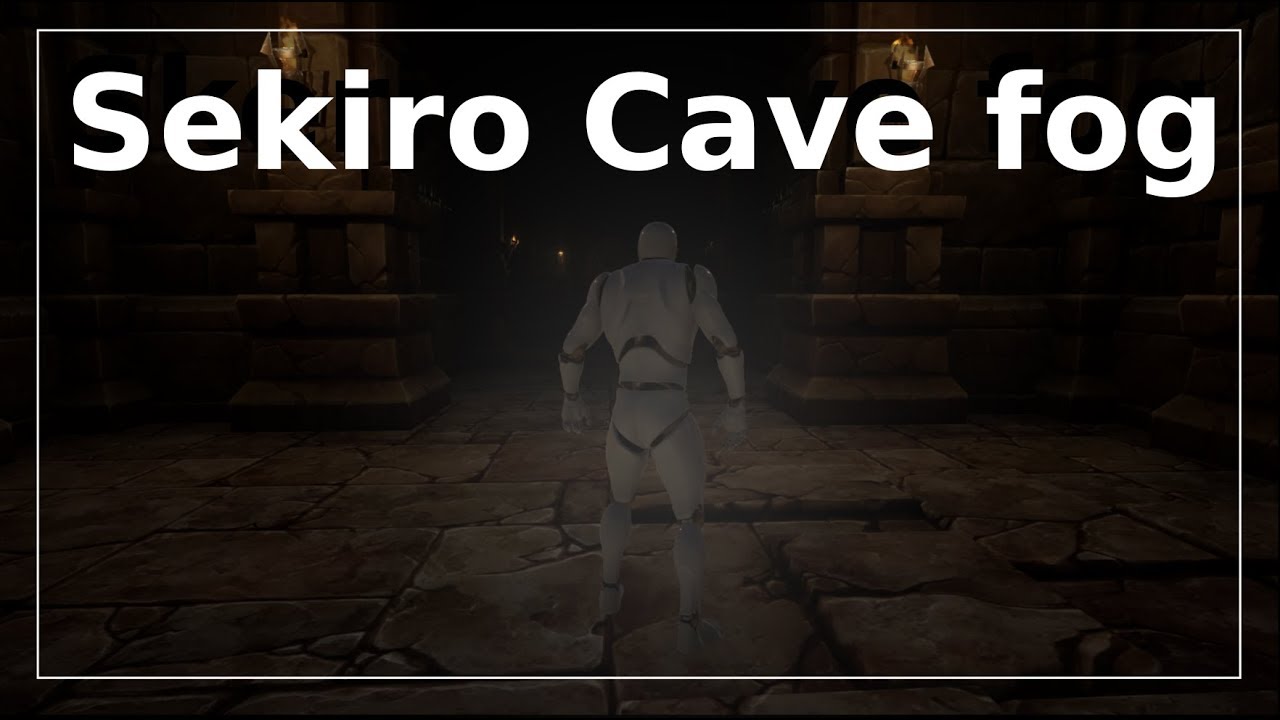
Project Files : https://goo.gl/jD94ge Hey Everyone, In this tutorial, I will show you how to make the Cave fog of war effect from sekiro shadows die twice. S...
keen pawn
nah i just want a box with fog in but not on the outside
but you say i can post process that
abstract relic
Yep
keen pawn
is it just a post processing setting?
abstract relic
You can use exponential height fog but that will be global. Volumetric fog but it requires height fog as well. Or use post process material, to which you can control its bounding box.
autumn elbow
This is coooooooooolzzzzz
autumn elbow
naaa.. i turned on the dots for fun.. its off by default
 gleaming creek
Why / how does your for-each loop have so many outputs?
autumn elbow
Its a struct
 light coyote
@autumn elbow looks prety sexy
autumn elbow
😄
gleaming creek
Never saw my struct arrays do that, must be some shiny new feature
autumn elbow
its split
gleaming creek
Huh, didn't know you could do that
autumn elbow
@gleaming creek
gleaming creek
Knowledge++
light coyote
@autumn elbow you mean that you have so many outputs on your forLoop because a struct can have multiple variable types in it right ?
gleaming creek
Only lets you do it if the combined pin hasn't been used
 manic pawn
split struct pin is best hidden bp feature
gleaming creek
Saves you a break node I suppose, messy if you aren't using all of the struct fields though
manic pawn
right click all the things or you miss half the functionality..
gleaming creek
Can you also hide the unused vars like in a break node?
 dawn gull
Hey, I have a plugin that installs to the engine, and it works with 4.22.3 How do I install it to a source built version of 4.22.3? It is using NVIDIA Flex
Sorry to interrupt
autumn elbow
The loop used to have that, but i dont know what happened to it @gleaming creek
cloud palm
If I import a picture from photoshop, can I use it as texture?
grim ore
yes it would become a texture when you import it in
grim ore
Anyone here used a RTX 2070 Super or RTX 2080 with UE4 and DXR? Curious about the performance. I can replace my 1080 with a 2070S but it's about 6 hours of driving to do it lol
cloud palm
btw, @grim ore I finish drawing my lines on my material.
grim ore
nice
grim ore
according to the internet Normal maps are as easy to create in Photoshop as Bump maps. Go to Filter > 3D > Generate Bump Map. This will bring up the Generate Normal Map dialog box which is almost identical to the Generate Bump Map dialog box.
but there are other programs out there to help
cloud palm
kk thx
grim ore
and I think there might even be a node to do it in UE4 materials but shrug
cloud palm
never tried RTX 2080, but people told me it is OP for UE4
 tall pendant
i wouldn't expect neat perf with rtx atm
perhaps next nv gen it's going to be acceptable
 torpid flicker
Hello, I'm a gameplay programmer with a decent-strong unity and programming background. I desperately want to make the change to UE4 but every time it feels frustrating (since in unity I can do anything I want but im not very familiar with the unreal practices and API). Anyone has any experience with doing the actual swap? Any advice? (apparently the official "from unity to unreal" tutorials aren't that helpful). I'm mainly interested in the coding perspective (C++, no blueprints)
grim ore
apparently they aren't helpful or you tried them and they aren't?
and if you are going into UE4 with the idea of no blueprints you might want to stick with Unity. Blueprints are part of the engine and even a game primarily in C++ will use blueprints for certain parts
with that said have you gone thru the UE4 Doccumenation for Intro to C++ ? https://docs.unrealengine.com/en-US/Programming/Introduction/index.html and if so what seems to be the hangup so far
torpid flicker
@grim ore I have tried them and they really touch the surface (getting familiar with the UI transition and the classes equivalent and such). I'm not saying I wanna stay away from blueprints, just that my main struggle is to get the hang of the C++ part
I was looking for something like code equivalence examples between unity and unreal for specific gameplay mechanic scenarios or such?
I dont know if such a thing exists though
 polar hawk
to learn ue4 c++ I highly recommend learning blueprints in-depth first
grim ore
I know there are a few courses out there on Unity -> UE4 but ^^^
Blueprints have C++ behind them, if you learn the engine you can always look at the code and go from there
beyond that https://docs.unrealengine.com/en-US/GettingStarted/FromUnity/index.html and https://learn.unrealengine.com/course/2436627?r=False&ts=637021701602442701 cover the basics but the core systems behind them don't translate well for a 1:1 this is this in each engine
grim ore
this is a new one as well that has BP/C++ on the learn channel https://learn.unrealengine.com/course/2814930
beyond that just like you would in Unity when learning figure out something to make and make it and when you get stuck we can try and help
torpid flicker
So I guess its worth sticking with blueprints for now
grim ore
Blueprints are programming, every node is C++ behind it.
torpid flicker
even for a main programmer
is there a 1:1 relationship when it comes to the API from blueprints to C++?
grim ore
you can type 5 lines of code in C++ and compile or just drop a node into the engine and hit play
polar hawk
most of what you're going to want to do in c++ can be done in blueprints and learning the blueprint way will let you learn the engine api and architecture much more rapidly
anything in blueprints can be done in C++
grim ore
anything in C++ can be done in Blueprints when you expose it as well 😛
polar hawk
most gameplay things in c++ can be done in blueprints
torpid flicker
@polar hawk thats what i wanted to know, if learning the blueprint "functions" helps learning the c++ api
polar hawk
yeah, very much so
torpid flicker
thats great
polar hawk
you still have class inheritence and all that nonsense with blueprints
object refs in blueprint are actually disguised pointers and blah
torpid flicker
how so?
polar hawk
yes you do have to do some memory management depending on what you're doing but most of the time everything is handled by the garbage collector
instead of things like stl::vector ue4 has its own types like TArray
light coyote
@cloud palm In terms of what you where asking before.
Look up see if you can get your hands on a program called Knald.
There you can get all kind of textures from a color texture.
torpid flicker
That sounds great
grim ore
it's pretty simple. this is the same as this ```bool AActor::SetActorLocation(const FVector& NewLocation, bool bSweep, FHitResult* OutSweepHitResult, ETeleportType Teleport)
{
if (RootComponent)
{
const FVector Delta = NewLocation - GetActorLocation();
return RootComponent->MoveComponent(Delta, GetActorQuat(), bSweep, OutSweepHitResult, MOVECOMP_NoFlags, Teleport);
}
else if (OutSweepHitResult)
{
*OutSweepHitResult = FHitResult();
}
return false;
}```
torpid flicker
thanks for the advice, Ill try to build some basic systems with blueprints
grim ore
so if you used the Node in blueprints you can just grab the code from the source and see how it works and bobs your mother you know C++
and it's got the same types of annoying stuff like shortcuts for common properties and all that fun stuff to remember
grim ore
no one should learn C++, it's a pox and a curse
polar hawk
everyone should learn c++
torpid flicker
oldschool c++ was better though
polar hawk
it'll give you a sense of acceptable sadism
torpid flicker
modern practices suck
Template oriented design is a readability nightmare
but thats another conversation 😛
thank you both for the tips
 brazen hull
tried to make a recoil system anyone see whats wrong? nothing happesn
brazen hull

I got it going from add control to this
so the add controler pitch input at the end goes to mouse input on axis look up
grim ore
okdoke and that input is going to be what if they arent moving the mouse?
brazen hull
bruh got no clue I followed a tutorial xd
grim ore
also that is weird because you are basically calling add pitch input twice in a row for no apparent reason
light coyote
@cloud palm In terms of what you where asking before.
Look up see if you can get your hands on a program called Knald.
There you can get all kind of textures from a color texture.
You need to reimport the NM when you first get it from importing the color map (diffuse).
But there you can get all the textures you need(concavity, convexity, curvature, normal, ao).
Note: Texture must be clean, no bright lights/spots, no dark shadows/spots.
This program is ideal when importing normal maps to get all textures you may need to proceed with propper texturing, as in substance painter you get provided with curvature(wich is sort of a mix of cavitys and edges(convexity)), and then you need to add a levels to it to sort of get what you want.
You can also get the regular AO if you import the mesh to the program. It will generate a complete AO, wich includes the texture oclusion, and the mesh oclussion.
Note: Cavities is similar to texture ao, in the sense that it is a cavity in the texture,,, so its more ocluded from light. But each one is a bit diffrent playing a better role in its purpose.
I like to think of AO and NM as two pieces each.
One piece is the texture piece, and the other is the geometry piece.
Ex. Maybe you have a table with rounded edges,,,, that would be the normal made from your high poly model,,,, but then you add more normal for the wood vains when you texture it.
(of course all detail could be geometry and projected from the high poly model, but is not necesary)
Same thing applies to AO.
If you get texture ao and mesh ao, put them both layer in multiply mode, you get your full ao map.
Important note: In Knald you have to flip the green chanel (y),, so that your normal is not flipped. The option is there in the normal texture tab.
light coyote
You can play arround with a post procces volume.
It has many many many things, some of wich are really really good.
Put a post process in your scene, and in its properties make it unbound(no boundaries, infinite)
Its set to be finite by default so you can have diffrent ones across levels/areas to get the kind of atmosphere you want.
There there are light and shadows related things, lots and lots of cool stuff in there.
 tawdry sierra
Im listening
light coyote
Have a look in your light source/s see what you can find, and look in the post process properties,,, you have to enable ach one of the properties to use it, and change value, as by default you wont see any changes.
Sugestion: Enable, change value and press cntr Z just to see what they do.
Its an easy mistake to play with it and then not know how to put things back to default value(some things are 1, some are 0,, some have a power)
light coyote
You can obviously delete it.
But you will understand once you start touching it.
You can literaly make things really good, or really bad, really easyly xD
I dont know if you will find exactly thet there, in the sense that is just what you wanted.
I know you can increase overall oclusiion of scene objects(soo.. oclusion, not of the object itself wich you imported,,, but of them as a group alldough they each allready have an ambient oclusion in them)
you can increase it, blurr it, sharpen it.....
tawdry sierra
alright then, thanks for the reply!
light coyote
🙂
brazen hull
anyone see anything incorrect on this? I am trying to make bullet holes
light coyote
I know what you are trying to do, but ive never done it
Are you using inverserotation to turn it 180 so the decal faces properly ?
grim ore
the easiest way to make sure they are lined up properly is using the hit normal which is the direction away from where you hit. you can use that to rotate your object so it's facing out away from the surface
 late olive
Hey if someone made a game with a cool idea you also happened to have? would it be bad if you decided to follow through with your idea? Even if you bring new elements?
brazen hull
ive tested that the decal work
grim ore
so making more than one first person shooter @late olive ?
late olive
I wanted to make a VR game where you control a mech
kinda like Steel Batallion where you got the controls and you're in the cockpit n stuff
There's already a game like that though
But it doesn't so far look like it has some of my ideas
light coyote
@late olive My opinion is go for it as long as your game is caracteristic
grim ore
what I am saying is there are already multiple games out there with the same idea, no reason you shouldn't make what you want
late olive
cool
I just wanna make a vehical simulator in general
Give the player so many buttons to push
light coyote
I am working slowly in a FPS educational videogame, i have no idea of the public response, but is something i want to do,,, maybe an absolute disaster, maybe people kind of enjoy it.
Im hopping the second xD
But if the project doesnt take years and years, and is caracteristic, go for it, no doubt.
late olive
neat
ironically, I Feel like developing mechanics may take shorter time than making the game look pretty
late olive
Yeah. Except I'm not really a big fan of low-poly retro looking games
light coyote
but yes, 4k culture ultra hd mega real does not help
late olive
while that would be way easier, I want to be proud of how it looks
as far as modeling goes, I think I can do better than retro/low poly. It's just a matter of how long it will take and how will I motivate people to help me, let alone find them?
light coyote
i suggest you dont go to crazy on the project.
so that in the worst case scenario, you learned a lot along the way in those months it toke
i mean, they are many strategies, the only thing i sugest is dont make it a years long strategy.
lower visuals very high polished mechanics/full game
high polished mechanics and visuals/demo(for crowdfunding or any funding)
high polished visuals decent mechanics/to sell the idea, the service, or funding
now a days, if you have extra cash, you can buy incredible assets that save you a lot of work
meshroom is a photogrametry software, and free (it can help aswell)
quiet rampart
Hey i was wondering, how costly is it to put a blueprint inside another blueprint ?
Let say to keep a drawer inside the furniture
grim ore
blueprint actors are a thing and nothing really extra you just have 2 blueprints
sorry lol, blueprint actor components are a thing lol
 severe ibex
Hey all, would anybody know a good discord server for 3Ds Max Animation?
quiet rampart
Im trying to make a drawer like yesterday and a way i thought to do it is doing a blueprint for each drawer (for the interaction) then putting them inside the whole furniture blueprint)
@grim ore
thorn hazel
I have a question please ..
when I'm in play mode.. I can't go under the bridge (pass through) .. even though height doesn't seems to be a issue.
what is causing this?
woeful wraith
collisions aren't right. probably want to use complex collision for that. you can click the "lit" button at the top left of the scene window and select player collision instead, that will show you where colliders are
brazen hull
https://gyazo.com/cc3658a17d32298b89b892a9381bce22 recoil only works on single fire and wont work at automatic anyone know how to fix?
midnight sparrow
Guys, after a project migration to a VR_Template project, the lighting just builds really fast and doesnt generate any GI. It just looks terrible :]
Any idea?
I had it set to preview, probably the issue.
So nevermind 😄
brazen hull
anyone know how I can loop my recoil so it dosent only happen when I press single fire?
 chrome ivy

wall/box weapon resting (for increased accuracy) should be fairly easy to make from here.
midnight sparrow
Nice, does that even happen in AAA games ? 😄
chrome ivy
But how is it done?
 sturdy elbow
@brazen hull in blueprints?
woeful wraith
it's using some sort of fancy IK rig is my guess
 stable grail
am i the only beginner getting aggressive with blueprints? 😄
serene sorrel
Anyone here using Chaos yet?
 brittle stratus
im about to rtomorrow do all the installs and compiling for a try at playing with chaos ....i might wait as i have othe rthings on go i want to finsih first
autumn elbow
@chrome ivy it's a physics object I think
One physics object colliding with another
 broken parrot
@stable grail I'm right there with you buddy
 idle haven
can i use translucency texture in ue4?
 radiant haven
video in an UserWidget possible?
broken parrot
@idle haven Texture no, shaders yes. Messing around with metallic roughness and opacity should give you the effect you want.
Thinking about shaders does anyone have a solid way of actually debugging values in shaders? I feel like I'm just guessing what's inside them when playing with world offset locations.
light coyote
Make an instance of that material
before making the instance, make the values you want to tweak a parameter by right clicking
You can now make changes to the instance easly
You can then, when happy, make them the default in the original parent material
 midnight bolt
how can i display small window with history of commands? i had it open somehow, but don't know how
typing first letters doesnt help
broken parrot
@light coyote That's barbaric. Thanks! I have to tweak stuff so I can actually see what's happening but should work.
midnight bolt
oh it's ctrl+arrow
dawn gull
Hey, how do I set up a model in Unreal Engine to be rubbery? (Yes I have NVIDIA Flex Installed)
I just need basic knowledge on how to use Flex and apply it to models.
 potent wing
Anyone know how to Disable movement then enables it? I can find Disable Movement but not the Enabled one
dawn gull
@potent wing Use the SetMovementMode node and set it to walking. That should work.
plush yew
is the new chaos system basically same as normal destructible mesh stuff
or does it have some insanely better functions and performance
idk if should update and look into it
looked and sounded like just some marketing stuff xD
static viper
you should update and look into it
plush yew
i mean if its kind of the same as the destructible mesh system then there's better things to spend hours on xD
static viper
the old one is gone.
plush yew
will my c++ destructible mesh code break?
static viper
ypu have c++ destructible mesh code?
plush yew
well yeah i recall having some master classes at least that destructible objects are based on
plush yew
idk 21 i think or something
but does it matter
i mean
is it still destructible
including code
static viper
we know since 19 that the destructable system is going.
plush yew
or have they just changed name
plush yew
performance is better?
static viper
much yes
plush yew
ill check it out then thanks
static viper
but you have to watch the videos
potent wing
@dawn gull thanks Bud
cloud palm
Is it possible to set a skybox, half dark and half light
or do I have to create a new skybox for that?
potent wing
I have a question, how do you bind a Text render to a Integer? I was trying to make a floating timer text.
Thanks
potent wing
Component, the timer variable and the text render component is in the same bp
grim ore
how is the timer updated?
potent wing
Event tick
grim ore
however it's updated is when you just set the text at the same time basically
it's not very efficient, doing it every frame, but it's accurate. The alternative is using timers set to every X.X seconds and doing it there for the timer and text update
potent wing
Prob i should send a screenshot, hol on
grim ore
well I get the basics unless it's some weird setup
potent wing
Nvm my PC fucked up
Okay so the thing is, the text render did not changed at all even tho do Set timer then hook up timer to the input
grim ore
yeah I would have to see screenshots then to see what went wrong
grim ore
yeah no you can't do that
you can't put a delay in a tick
and no where in therre are you actually setting the text on the text renderer itself just a variable called Timer Count. You can't "bind" a property to the text renderer text you would manually update it
if you are trying to do what you are doing here look into either subtracting the delta seconds from your timer value (it would be a float then and more accurate) or use an actual Timer class using Set Timer by Function/Event and have it called every second
I can show you the basics in a min
potent wing
i would be glad to,thanks in advance man
grim ore
so you are looking for something like this
and you call this when your timer is supposed to start
this takes it off the tick and moves it to it's own function that will repeat itself until you set your Done variable to true
basically whenever you set your done to false somewhere and you want the timer to start you call the "Set Timer by Function Name" node with the TimerTick as the Function Name (this function here) and 1.0 as the time and it will call this in 1 second
then it will do the same stuff you did before (check for done, check for overlapped, subtract 1 from Timer), then it will set the text on the text renderer (this is the part you had incorrect), then it will call itself again after 1 second to do it again
doing it this way you arent using tick or a delay on tick (which is not something you want to do)
plush yew
I had a problem -- I wanted to use the anim starter pack for a sidescroller example, but I cant figure out how to setup the jump animation
i can see that it will work In third erson example
using the character
but i dont know how it works fro side scrollers
(3d)
if anyone has a solution to this problem pls @ me
thank you
sorry to interrupt
everything in epic games is queued in ue4 library
potent wing
@grim ore Thanks alot man! That help me alot, you have no idea!
grim ore
yep yep, hopefully that can help a bit with understanding not using tick. Tick is fine, use tick. Using tick for stuff you can do in other places like timers is a good thing tho 🙂
tick and delay tho..... it's evil
 azure shore
ok I have a really annoying problem
why the hell would ue4 light a mesh PER POLY?
Im assuming I can only fix this through blender
static viper
show
stable grail
@broken parrot well i guess its much easier to get into ue4 at least 😅
azure shore
azure shore
can you not see the mesh?
static viper
i cant see what it is
but i see the baking errors
your resolution is very low
and it seems like your uv map is wrong too
azure shore
I could swear I did the same lightmaps thing as I did for other meshes
and actually it was working fine earlier on this too but its decided to stop working suddenly
static viper
sometimes you have to reimport the mesh under a different name
cloud palm
found a link that helps to generate normal map for mats
Online NormalMap Generator FREE! Create a Normalmap directly inside your browser! No Uploads required, completely client-based
if anyone need it
 coral shoal
is there a way to change the LOD threshold behavior just on one map using the same assets? Basically want some lods to extend way further than normal on one level in particular
 ashen steppe
Is there any way to edit landscapes at runtime yet?
light coyote
I know at least someone has done that
but probably a private plugin
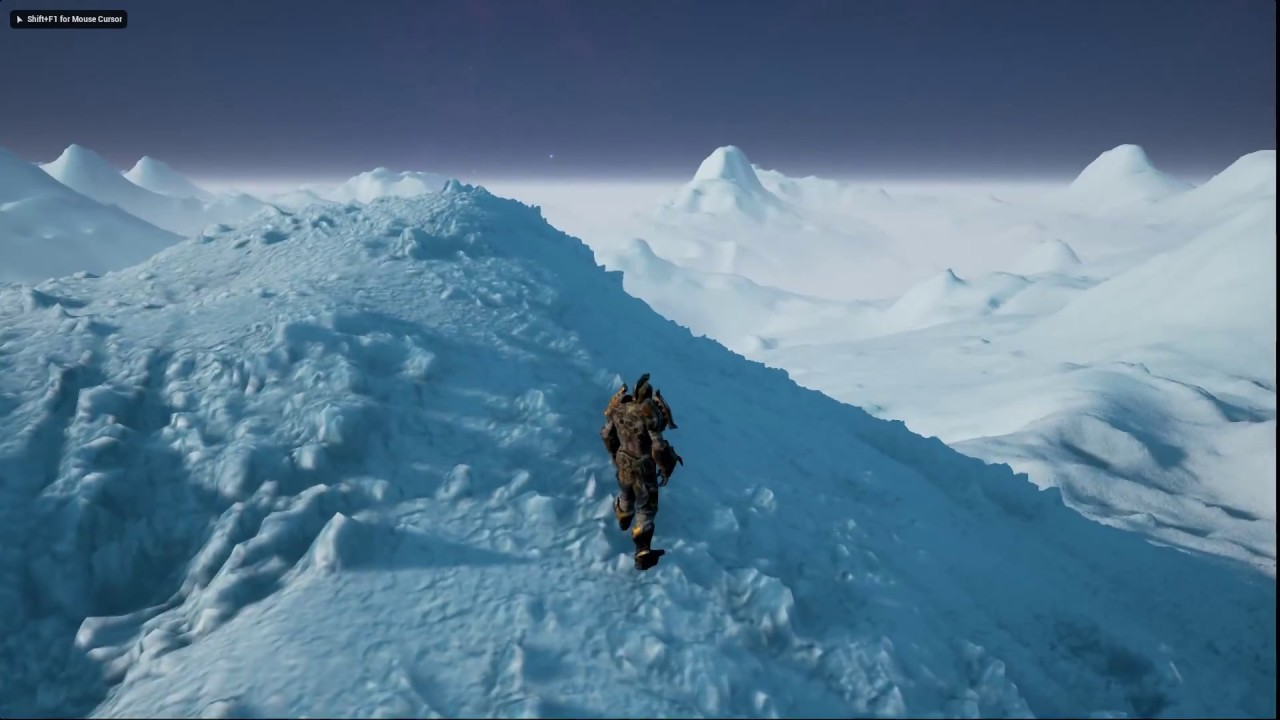
Added terrain modification support exposed through blueprints. The voxel terrain also supports tessellation for more detailed look. The snow rocks / shards a...
Look at this crazyyyy video
First coment says, shut up and take my money
oooommmmgggg xDD
 high sparrow
Is unreal engine compatible with dds file, every time I import it, it says fail, but I checked on the unreal engine website and it says compatible with the engine
plush yew
any advice for a total noob on how to make sure your games minimum requirements are low
is it even possible to have low minimum requirements in a ue4 game
high sparrow
nvm, think I got it
plush yew
wheres the "turning off graphics options" this guys talking about
in the engine
or just some good documentation on "how to make your game run on 2005 computers"
i dont give a fuk about graphics quality
cloud palm
I import a texture from photoshop, however when I apply it on a mesh, it looks super weird compare to the original image. Is their a reason for that, maybe I need to blend it before I use it?
@light coyote How did that guy make his material looks so realistic
u can actually see the layer of the snow
 cosmic matrix
Anyone see what s wrong with code below?
My material is bug
don t understand why (my texture is a 8x8 grid so uv a multiple of 0.125)
dawn gull
@static viper do you know how to set up Flex stuff? I already compiled it and loaded my project. I just need help getting things to be squishy. Any idea?
static viper
i do not knowö
azure shore
what the hell is going on with my lightmaps
dawn gull
dang
azure shore
yeah I put all the settings up
static viper
and show me the uvs
static viper
are you gonna show or not
brittle stratus
here we go at visual studio stage gettingthe components instaleld for unreal build then its chaos time hehe
azure shore
oh wow Im an idiot then
thanks for mentioning uvs, for some reason they were messing up but its odd because it was working fine earlier and I dont think I changed uvs
ok turns out creating lightmaps by default seems to screw up the uv
 halcyon flame
does anyone know why this basic spawn of an SM actor isn't working?
spawning in the player controller, using world location, have confirmed it's valid and right location with debug lines but can't see a thing.
cloud cobalt
Looks like you cast actor into component
halcyon flame
@cloud cobalt I didn't cast, I'm just getting the StaticMeshActor's StaticMeshComponent
cloud cobalt
Check the log, add messages in your Blueprint
plush yew
Hi guys. Packaging with "for distribution" enabled die not work
If i want to publish on google play. Do i need this to be enabled or Can i deselect it?
I have got shipping enabled es well
radiant haven
**Does anyone know what real compsition is???
brittle stratus
question and ill be back for more regarding the compiling for chaos ( i use win 7 and i get this )Package 'Microsoft.DiagnosticsHub.KB2882822.Win7,version=15.0.27205.0,chip=x64' failed to install. is it vital to compile with seeing how its a diagnotics program
61% then fails everytime so cant complete the vs studio instal as required
halcyon flame
@radiant haven in what context?
midnight bolt
can someone tell me which material function will remove black background for this neon texture here?
wary wave
you would need more than a material function, and your mileage may vary
radiant haven
@halcyon flame I wanna make a space game and uhm ask how do i make real size planets
wary wave
but you can component mask it and subtract as necessary
midnight bolt
would you happent o have an example?
for teture with transparent backgroundd, i just use emissive / translucent
halcyon flame
@radiant haven https://www.youtube.com/watch?v=XI9EsCuHHn0&t=794s

Alex goes over the process for designing an open world, sandbox-based solar system for space games using Unreal Engine's World Composition tools. Follow him ...
@wary wave do you know why my spawn actor is completely not working? just trying to spawn a simple static mesh actor at runtime, not working at all. I've tried creating other actors, doing this in different classes. it shows as valid and a debug line points at where I told it to go, but can't see a thing
 brittle stratus
here is the end of the line for the try to see what cahaops can do ..."Thank you for your feedback! We have fixed the problem in an upcoming release. Thank you for helping us build a better Visual Studio!"
so vs 2017 is a bust
the error is because i already ahve the package isntalled it wanted and its failing cause it cant figure it out lol
microsoft forever being a lovely experience
so you they need ot add you cant install this by the instructions they gave for any windows 7 users as ms says the issue is not resolved and wont be....
there goes half the user base of windows trying chaos
halcyon flame
in case anyone was wondering, if you're using set owner only see, the owner needs to be the pawn, not the player controller
@brittle stratus can't you use another IDE?
brittle stratus
ill have to get into migrating to alinux falvor again windows ten is not ever gonna be on a pc near me
halcyon flame
W10 is so bad it's shocking
brittle stratus
its the peeping tom crap im jsut sick of even nvidia tried doing it too
the bloat the ads i saw on others id be watching a game creator on youtube and hed be like of crap a popup from windows lol
and fact enterprise ten is now a subscription they are just drooling over trying that on rest of us and im not ever gonna pay monthly for it
midnight sparrow
Hey, i just packaged my archiviz project to oculus quest and it looks terrible. Its dark and the texture resolution is also terrible.
I dont care about performance for now, i just want it to look the best.
{I have 2ms/frame on my desktop}
Could anyone please point me in the right direction
 ivory gate
when i tray to build the unreal lightmass i get the error cannot open file mscoree.lib. Can anyone help?
ivory gate
wait who r u talking to @brittle stratus
brittle stratus
sk you about the mscoree issue cause i see a lot of vs 2015 stuff and which version of unreal cause it looks like trying to use stuff thats missing stuff not included in older vs 2015
 lilac wedge
is achiving a look like this in ue4 possible? in 3d, if so any ideas where to start?
ivory gate
i have vs 2019 and ue4 4.22.3
brittle stratus
thats why its trying to do or use something from a 2015 package and its missing in 2019 , thats a ms issue
halcyon flame
@lilac wedge check out the free chameleon post process add on from the marketplace
cosmic matrix
Anyone good with uprocedural mesh?
plz tag me if you r
ivory gate
so i should convert to vs 2015?
halcyon flame
might be a start in there.
brittle stratus
its hard to tell wiht out seeing like a log of your error really and hten thats the start of tracing back to what is missing andIF it can be brought into 2019
ivory gate
its when im trying to build the unreal lightmass becuase in ue4 there are errors and thats what its telling me to do
Severity Code Description Project File Line Suppression State
Error LNK1104 cannot open file 'mscoree.lib' UnrealLightmass D:\UnrealEngine-release\Engine\Intermediate\ProjectFiles\LINK 1
Thats the error in vs
brittle stratus
i havent used vs since like 2013 and i had used it since way back vc ++4 lol but id say if you install it and it hten needs parts a 2019 then you still stuck
see if you can find a safe place on net for that file and drop it in Projectfiles dir
or get second pc and install 2015 then you can simply pulls bits till you have it all
you need

Stack Overflow
I've created a new C++ project in Visual Studio 2008. No code has been written yet; Only project settings have been changed.
When I compile the project, I receive the following fatal error:
f...
lilac wedge
@halcyon flame ty but not really what im looking for, i watched a short showcase of the add-on but im not too sure if it'll give the effect im looking for.
brittle stratus
now that might be an issue in the code itself
halcyon flame
just a start I suppose
brittle stratus
missing quotes
lilac wedge
yhe i guess thank you 🙂
ivory gate
im going to repair it and see if it works
 vocal flume
Im trying to setup a vehicle inside unreal. I’ve finished modeling it in Maya. As per the tutorials I’ve seen, I have all the body parented to all tires. Question is.. can I have any translation values on these tires or should I freeze transformation on all the tires and the body? Right now I have no translation or rotation values on the body or the tires. Everything is zero. Is that the right approach?
halcyon flame
@lilac wedge I see the 10.0 effect showcase doesn't really give much on the line of what you're looking for. maybe browse post-process addons on the marketplace
lilac wedge
@vocal flume not too sure what you mean, depending how realistic you want your game to look you should give a variable to the rotation of your tires to have them update when the car is moving, so you could get the speed of the car and add a rotation to the tires accordingly. You should not have the tires be the parent as all child actors will also rotate.
vocal flume
This is my hierarchy
I froze the transformations on the car body
Not sure if i should freeze transformations on the wheels
lilac wedge
@halcyon flame ive searched for a few effect but as you can see im going for something complex that doesnt look like it can be done over a youtube tutorial or addon hahah 😦
just thought someone might have tried to do it before and has a good solution, was trying my luck
halcyon flame
@vocal flume the car body should be the root component. all of the tires should be in sockets imo
vocal flume
I got the hierarchy right. Just wondering if the tires should have any translation values.
halcyon flame
@lilac wedge certainly a preset in this would be close

Cel/Toon Shader Post-Process Material. Highly customizable with support for Emissives, Metallic objects, Custom Depth Masking, and more.
@vocal flume they should be at 0,0,0 in a socket IMO
lilac wedge
@vocal flume if you have imported correctly you shouldnt need to chnage translation values, not too sure what you are asking
halcyon flame
...how do you add a post process volume to a level?
lilac wedge
drag and drop? hahah
halcyon flame
from?
lilac wedge
@halcyon flame yhe that toon shader is more like it, think im going to have to get professional help to get it right as it seems way out of my league.
halcyon flame
@lilac wedge can I see a screen of your project, or a video? curious what you want this look for as it's a look I adore
lilac wedge
yhe if u give me like 5 mins ill pm u
 latent fable
Does anyone know why i cant change skysphere material
Did it :D
But now the sun is gone :/
Wonder why
abstract relic
Go into the original material. It is a complex asset with quite a collection of functions. The sun, cloud, colour temperature is controlled in there
broken parrot
Is a scene capture the with extremely large width but low resolution render target a big performance problem or does performance mostly come from render target size?
latent fable
Does anyone know why I'm getting this weird lens flare? (The one going down, the straight line.)
(The Sun Is an object now, Not a part of the SkySphere
halcyon flame
@latent fable did you get most of this as part of an asset pack?
 molten path


