#ue4-general
1 messages · Page 514 of 1
 mossy nymph
and here is where event dispatchers come into play
as it allows you to, indirectly, call a function on UMG without ever referencing it from your Actors/Objects
 glacial pecan
Ok... I just looked at Epic's ActionRPG example and they reference the controller in the pawn 🙂
but I totally get what you are saying about the HUD
mossy nymph
not saying its always possible to do it
but if it is
(the controller/pawn thing)
you definitely should
glacial pecan
I switched from a 3D hud to a 2D one and it felt very weird to add functionality directly to it, so I will absolutely create a class in between to delegate things now
I saw that there's a HUD class, but it's for slate?
mossy nymph
HUD derived classes are the ideal place to manage your widgets from
 brazen hull
sorry for repost but anyone got any good guides that still works on how to add usable weapons ?
mossy nymph
@brazen hull check out the epic's examples?
mossy nymph
it doesn't really matter where the camera is
first person mainly differs by having 2 sets of meshes, one with OwnerOnlySee and other with OwnerNoSee
and camera about where your eyes would be
(from third person)
rest of the stuff can be very similar
brazen hull
ok so it dosent matter if I for example follow a tutorial for a 1st person?
mossy nymph
it will cover most of the stuff you need just fine
brazen hull
cuz also ive been trying out some tutorials but they got very different character bp
so idk how I would use the weapon animations like hodling weapons also
glacial pecan
@mossy nymph thanks for all your tips! I noticed that there's nodes for Get HUD and Set HUD... I'd better get to work! 🙂
mossy nymph
start small, perservere 😄
HUD is autocreated by your PC
and class of the HUD used is one set in your GameMode
glacial pecan
ah, right
@brazen hull download Epic's ActionRPG example project... much to learn from looking at that
(it's what I am doing)
brazen hull
ok thanks will try
what is confusing me the most is the anim bp as his is like this https://gyazo.com/d50fce9633952a96fea6e05b5e89dc61 but mine is like this because I followed a different tutorial for walking, sprint etc

https://www.youtube.com/watch?v=jk7FY5KM9_E&list=PLM6ZWbxOgIqsCb3dUJRdYoUbyi_zFCOjs&index=3 the video ive been watching how to add weapons

Hello Friends i just edit my voice to make it high so some noice come from my mic hope u support thanks and in this video we just make weapon and setup weapo...
I understand the rest he is doing but idk how I would do this with my animbp
 meager stag
What's the best way to optimize a BP with a few meshes in it, some of which I might want to spawn in an instance, and some not?
I am currently doing instanced mesh actor in BP, which I can check to spawn or not when BP is placed, but is it the best route?
brazen hull
anyone able to teach/help me add weapons to my third person character project?
brazen hull
how can I get rid of the sphere ?
 static viper
thats a billboard
brazen hull
xd?
 lusty surge
@brazen hull to get rid of it you can try setting your weapon mesh as the root object but you don’t need to. It shoildnt appear when you play your game.
static viper
that might not be the issue
the ball is just a sign that an actor has arrived
the gun itself might be broken heavily
brazen hull
I got it from the epicgames store
static viper
well
was there a documentation?
you might want to contact the author about this
and what asset was it
brazen hull
fps weapon bundle
I had to reset back to the original before I added the weapon and shit I couldnt move or anything after ingame
you guys think this tutorial is outdated or? https://www.youtube.com/watch?v=6WCM9bZiPcQ

Unreal Engine 4 How to Add Weapon To Character I will show you how to add a weapon to your character in the video i used. -Character from Hero Character Pack...
static viper
its from when ue4 became free
so
yees its completly outdated
that channel is dead
brazen hull
any tips on tutorials I could use?
brazen hull
mp?
static viper
marketplace
 static viper
oh ok
brazen hull
any tips on tutorials where I can see how to do add weapons and make them able to shoot?
brazen hull
?
 static viper
then you should study the basic concepts first
like how the fps example works
and then a tutorial about reloading
if these are just skeletons
then there is alot todo
brazen hull
any good packs you would recommend?
as currently ive got all the walking animations and shit implented I just wanna learn today how to implement a weapon to my character
brazen hull
I want them able to shoot haha
static viper
that there is a skeletal mesh
the lilatic one
you have to look for tutorials about firing weapon then
particles
reloading
muzzle flash
something that isnt old
maybe 2 years
or 1 year
but not 4
 frozen peak
can someone speak german here and can help me with my problems in my ui?
frozen peak
I can try it
static viper
it ok to speak bad english
we have time
i dont even speak proper english XD
i leave away words sometimes
 hexed zephyr
Does anyone know why my imported mesh in ue4 appears like : https://imgur.com/ssPFoMB ?
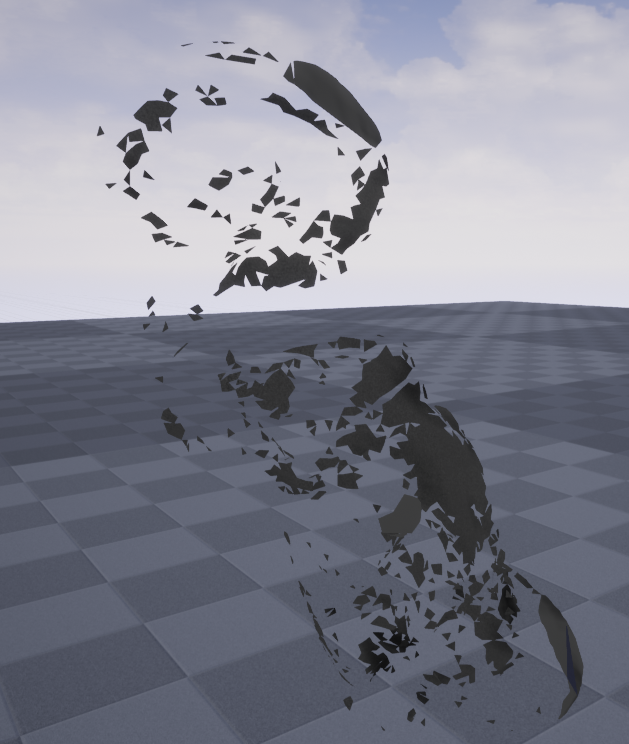 static viper
randomly
hexed zephyr
I tried triangulate and cleanup tools on maya
static viper
can you show me the mesh before
hexed zephyr
on maya it looks like https://imgur.com/xNsT65n
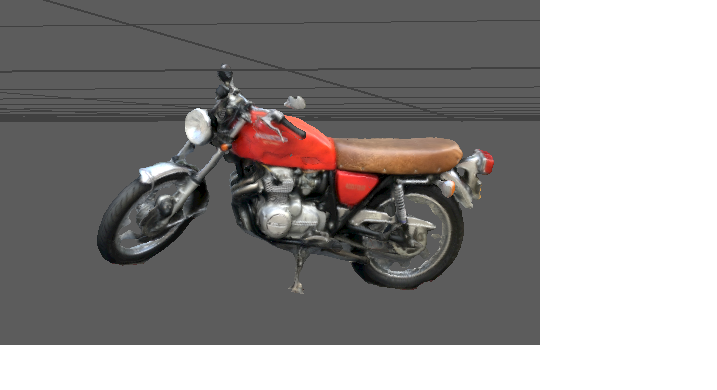 static viper
take a sculpting brush
like the first 1
and just sculpt a buit on it
it should fall apart
i saw this error before
hexed zephyr
thanks I'll try
 lusty carbon
Hey, im looking for a way to start rendering level sequence after X amount of frames into my game, 1200 frames or 40 seconds to be precise. (that's when something happens in my level and i want to start recording it)
other than pushing my sequence 1200 frames ahead and wasting those 40 seconds in both my time and file size, what's a possible solution?
hexed zephyr
@static viper sculpted a bit and turned off remove degenerate triangles on import and it worked . ty
 radiant haven
what is a keystore?
hexed zephyr
A place to store certificates for confirming a user identity , I guess within the context of UE4 its for confirming you are the true author when publishing to stores @radiant haven
radiant haven
can someone help me setting up my game with ads and for googe play
 keen wigeon
guys how to post on looking for talent ?
 tepid knot
Say talent to unreal bot
static viper
looks like the shadow resolution is low
and the uv set broken
for light baking you need proper uvs
static viper
the second is good
the panels are even spaced
that way the shadow map with a resolution of atleast 2048 can fill it up smooth
have you increased your resolution already
who told you that
go for 2k
and then share the results.
its baked
just go test for now
 low violet
So I need to learn unreal as quickly as possible, whats a good way in your opinion?
Also I am very experienced with unity so I don't want something that really goes from scratch
static viper

YouTube
This channel is dedicated to exploring Unreal Engine 4 and the Blueprint programming language that it uses. You can think of it as a companion to the API doc...
this youtuber
and then you need an idea.
tho
no forget it
low violet
An idea?
static viper
mathew always has examples
just recreate the examples really
that is a good start
low violet
My name is Matthew so we should be able to get along
brazen hull
gun wont snap to my model anyway to fix?
brazen hull
I tried but its like on the ground
low violet
@static viper Hmm it doesn't look like he uses C++ does he
low violet
Oh I want c++ though
low violet
Thanks
static viper
looks much better
nope.
its baked light
the only disadvantage is that its preset.
so you have to rebake alot
and no cool dynamic light games.
 silent frost
Afternoon all - If I have an array of items which I want to spawn in randomly (which it currently does) is there a way to have it so some are more likely to get picked than others? Or do I just add multiple elements to that array which are essentially the same?
silent frost
Yeah, in blueprints @static viper
static viper
lets go to that channel ^^
silent frost
Roger that
 plush yew
Is it allowed to use an app name that is already existing at google play store?
brazen hull
gun wont be picked up or snapped https://gyazo.com/6c896fd158e1e674920086cf531078b5 anyone know how to fix?

https://www.youtube.com/watch?v=A92j5QQzkos used this tutorial

In this small Tutorial I am going to show you how you can easily attach a Mesh to an Socket Link for the folder with the meshes: https://forums.unrealengine....
 quick wren
In Layers of fear the environment changes around the player for example if i walk through the door and go back through it everything is different, how would i be able to achieve this affect?
 wary wave
they're probably just teleporting the player
brazen hull
https://gyazo.com/7fdd8f7a330feebab2fcb11bc9179f08 atleast it works now lol

https://gyazo.com/011e344a73af607fc42c7f43738fa04e how can I make it stick to both hands?
 quick wren
any clue why this isnt working?
 spark sonnet
try casting from other actor to the overlapping target before teleporting
silent frost
@quick wren They are probably using Level Streaming, and a trigger to switch the maps out once you walk through the doorway.
 real hound
can you do grass painting (material driven) on a non landscape material? On just a regular static mesh?
 cloud palm
I know it is float by a vector but not sure what it dose
what is the node with a white dots in it?
static viper
you can do that with streaming levels
you can have them blend in and out
at will
really fast
 latent fable
is it possible to put a trigger box in an actor blueprint?
radiant haven
Has someone experience with Mobile Developement
@latent fable use a begin overlap
Has someone experience with Mobile Developement
 fast finch
Anyone got any clue why the editor is acting up like this? https://streamable.com/01nll

The object refuses to spawn anywhere else no matter what, and the box, which is the root, is seperate
 ruby wren
@fast finch If the component is created in C++, don't forget to attach it to the root component
 ruby wren
then use
MeshComponent->AttachToComponent(BoxComponent, ETransformRules::KeepRelativeTransform);```However, Im attaching the mesh to the root in teh parent class, and then setting the box component to be the root in the child class
That could be messing things up
Since the box isnt the root yet
Let me try something, then I'll try your thing
ruby wren
k 🙂
fast finch
That fixed the issue, thank you @ruby wren
ruby wren
👍 ^^
 light thunder
Can someone tell me why I can't make a hotkey in the user settings?
+Node=(Class=K2Node_CustomEvent Key=E Shift=false Ctrl=false Alt=false)
in [BlueprintSpawnNodes] block in C:\Program Files (x86)\Epic Games\UE_4.17\Engine\Config\BaseEditorPerProjectUserSettings.ini ... granted I"m doing this in 4.19 and 4.22, but it should work....I have restarted unreal as well, and the hotkey doesn't work
 autumn elbow
@brazen hull look up two handed weapon. Using a IK solver on the arm will have the arm follow the motion of the gun
 dawn gull
Hey can someone tell me how to get a reference to an object inside the level in the level BP?
I always forget how
 warped tangle
@dawn gull select the actor in the level, then go to level bp, right click and add reference to actor should be at the top of the list
dawn gull
ok
WHen I execute this code, it gets nothing for Get All Actors Of Class and I have the obkect in my map what am I doing wrong?
Please tag me I will not be able to respond rn but I will get back
warped tangle
@dawn gull is the overlapping actor set to generate overlap?
warped tangle
Come up with an idea and try to make it happen. Look up the documentation when you get stuck. Don't rely on tutorials to learn the basics
dawn gull
D a n g
brazen hull
anyone know how I can make the weapon follow the camera up and down? https://gyazo.com/473e07c31c5b48c6b363208d44892ccc
 dawn gull
@brazen hull that's a little more tricky than just normal first person. I would just say, break the back and make it move up and down with the camera, but because it is third person, if you look up in third person mode it will be scary lookin. Soooooo, not really? Try looking on stack overflow or github
spark sonnet
Here @brazen hull

Today we take a look at how we can use the player's control rotation to affect the position of the characters weapon. Doing this will make the player's weapo...
 light coyote
@dawn gull That is true may look pretty wierd
@brazen hull But maybe if what you move is the weapon only, maybe the conjuction of things following maybe make it look ok
What i mean is
Get the input that moves the camera, and play arround with values on setting the rotation,,and or direction of the weapon in relation to the camera
You can use node GetForward vector from camera
brazen hull
ok ill try tomorrow thanks
dawn gull
Here is an example of the back breaking in hello neighbor
light coyote
yep
I gess what you could do is,, set some public variables to set location and rotation of weapon in runtime(while playing), do tests to see if it would look ok,,,
dawn gull
@warped tangle what does "overlapping actor set to generate overlap" mean?
light coyote
@brazen hull If it does,, then take note of the position and rotation, and use lerps(lerp rotator/lerp vector), to lerp betwen the two positions depending on angle of camera.
Lerp uses an alpha to now where it is on the transition. Your alpha would be a value from 0 to 1, extracted somehow from your initial camera angle before transition, and the maximum camera angle in wich the weapon will no longer transition.
I dont think this ids the right way,, but im pretty sure is a way in wich it could work
warped tangle
in your actor, under collision settings, there is a "generates overlap" and "generates hit event"
warped tangle
no it should be enabled
warped tangle
I would put just a printstring on the overlap event and play with the actor settings until that fired
it could be your collision settings as well
dawn gull
It already does
I have a collision sphere
and when you overlap it is supposed to show and give it collision
but it only prints the string and does not show the bunny
dawn gull
The bunny event for showing it is not firing
when I play the game, and I see what the Get is sending, it shows up as null
it finds nothing
warped tangle
ohh, don't use get all actors
the actor that is overlapping is the actor that you're trying to reference right?
dawn gull
No
I have an actor the bunny that is invisible and has no collision
When i overlap a different actor the collision sphere it executes the get code and send string
warped tangle
I mean, to test, since you're doing this in the level BP, can you just grab a hard reference to the bunny instead of using get all actors of class?
 broken parrot
Does UE4 only use inheritance for all things or is it possible for composition? Two examples if I have a dynamic mesh function that needs to apply on a ton of static meshes what's the best way to handle this? Second is if I have 3 kinds of barrels that all do slightly different things is there a clear way to take an interface or something like a first class function in other languages or is there a better way to handle this situation? New to UE4 so trying to figure out it's limitations and how to organize stuff and how to avoid spaghetti.
 serene birch
you can use components to add to actors
that's a form of composition
you can create interfaces too, heck you can create them in 100% blueprints if I'm not wrong 🙂
broken parrot
Can you pass functions in interfaces or just objects/enums/primitives? Something like func explode(t explosion) where explosion is an interface for types of barrel explosions or is this the sort of thing you have to use base classes for and pass actors into inherited functions?
 ionic obsidian
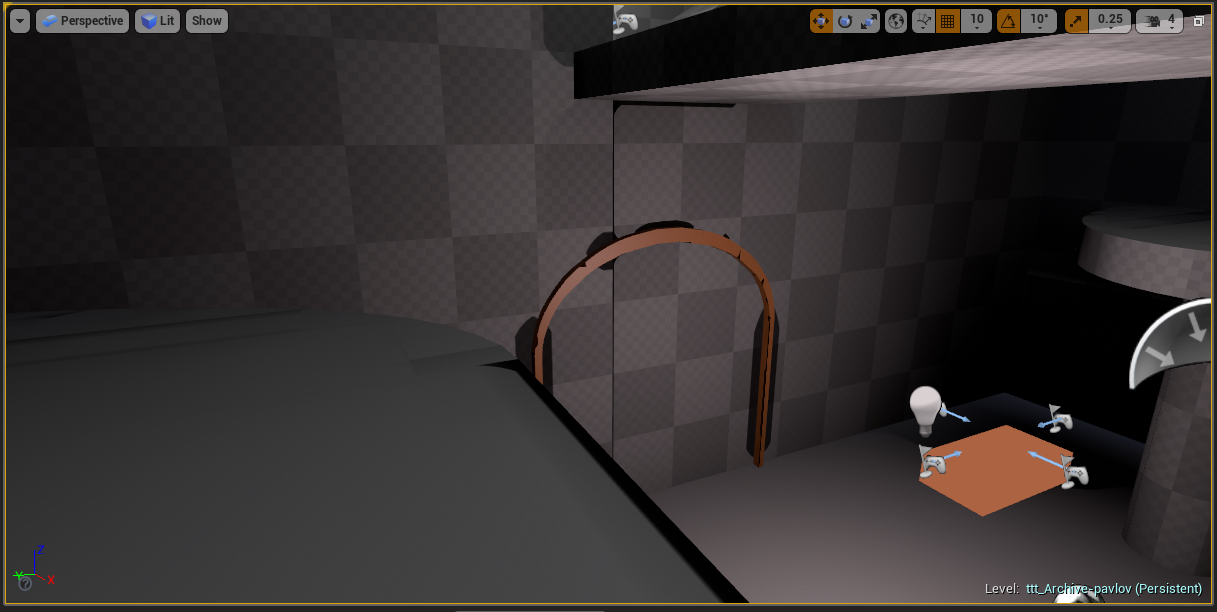
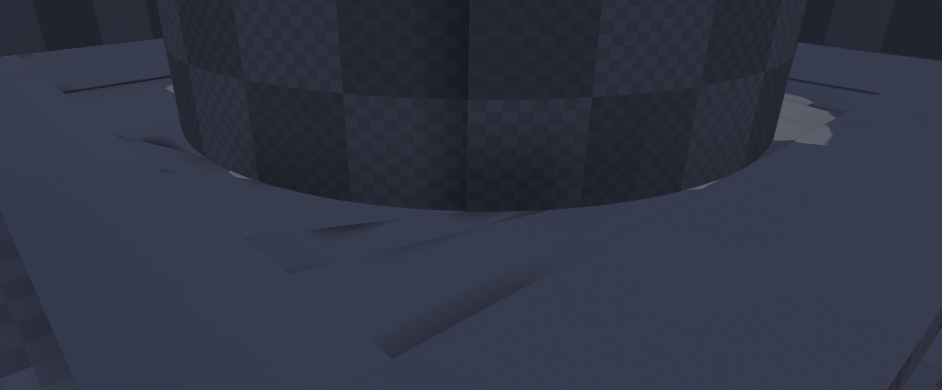
Does anyone know what is causing these really weird shadows and how I can fix them? https://i.gyazo.com/6eda3d73e123c48a348b829c96eea318.png https://i.gyazo.com/6cc3402f0b917d86fcc3ce00a10e78b3.png

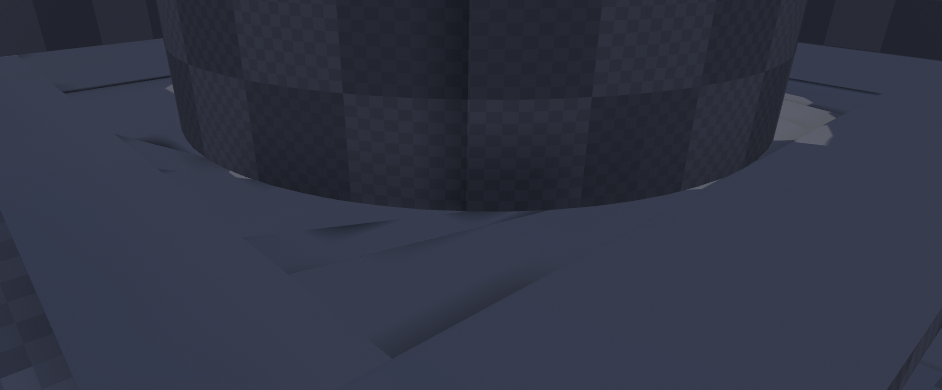 broken parrot
Oh this actor component thing is pretty powerful thanks. @serene birch
serene birch
you can probably do that in raw C++ but not sure it's the best thing to do 🙂
as for your shadows, it's probably that your shadowmap for the wall is far too low res
ionic obsidian
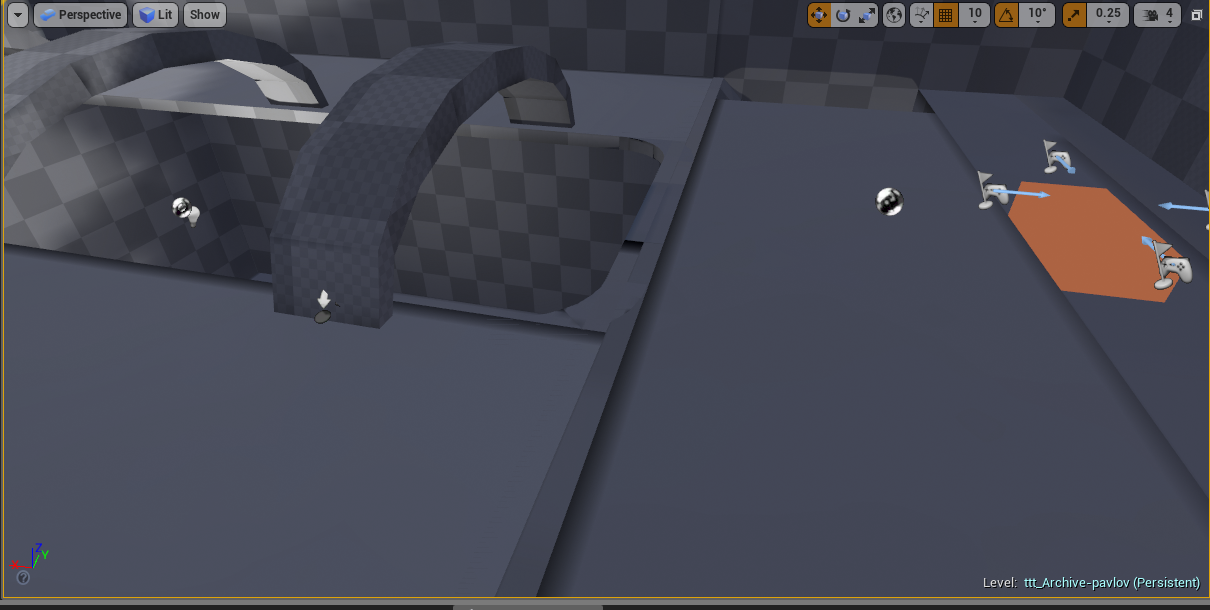
Do I have to change that for each thing or is there a global setting for it? Sorry, I am quite new to UE4, for level creation I normally use Hammer but I am trying to make a Pavlov map which is built on UE4 and for games I normally use Unity.
serene birch
well that was for the first scree, the second is more an issue with your lightmap UVs I guess
ionic obsidian
It has these kinds of shadows on every single surface
serene birch
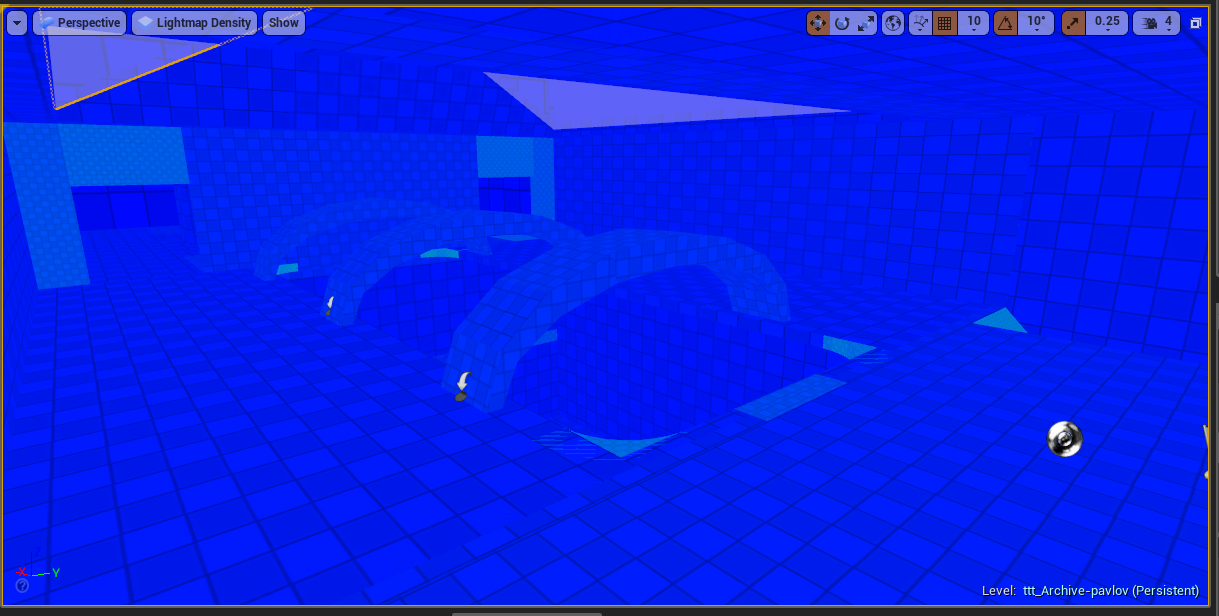
Explanations for the available View Modes within the viewports.
ionic obsidian
 serene birch
you basically want to tweak it by surface I guess
some might be too high res, others too low
ionic obsidian
I see the issue: https://i.gyazo.com/43da7c0c5eac93373e9dee71bed53957.png
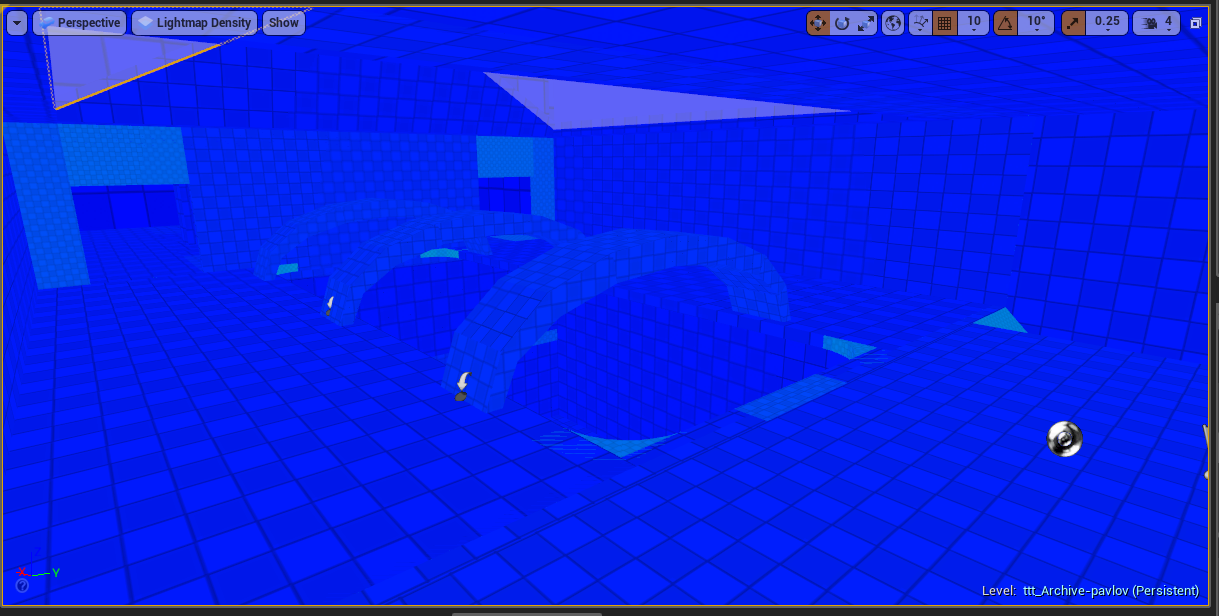
thanks!
ionic obsidian
Having now found out about this I have totally gone overboard and building the lighting has now taken 45 minutes for the first 68%
 halcyon flame
having an issue with too much stuff on the construction script - adding meshes from an array with random colors... I want this to run only when the object is placed in the world, not when it is moved... any ideas on this?
getting a huge stutter when I try to move objects and I want to be able to move them freely.
 gleaming creek
There's an option in the blueprint settings
that lets you disable the construction script from running while dragging
broken parrot
So after studying this a lot, I still dont think I have a good answer what is a overall happier path to use when it comes to actor components or base classes or if it just entirely depends on the situation. Is there a rule of thumb applied on when to pull each one out of the toolbox?
gleaming creek
Actor component is useful if you have a piece of functionality that you want to use across multiple, possibly unrelated classes
halcyon flame
@gleaming creek it still seems to construct about 4-5 times when I move it
gleaming creek
Basically the encapsulation vs inheritance discussion in programming
halcyon flame
and the main issue is that SMs I'm adding in construction all disappear as I move them.
gleaming creek
Also, actor components are a nice place to put code so it's self-contained and orderly
If you have some complex functionality, you can package it all up into a component so it's all in one place
broken parrot
Any other major things I can do to avoid other worldly demons from coming up and eating me as my blueprints get more complex? Any seems like a good idea, but ends up driving you nuts like template metaprogramming?
Just watched the epic talk about dragging in programming concepts into UE4, but kind of only covered the basics
gleaming creek
Arrange your nodes
There are keys in the editor bindings, unbound by default, to align nodes and straighten lines, use them
Sort pieces of functionally into comment boxes
If you need a wire in two place a bit away from the mode it came from, use one wire and split it nearer to where it's used
All that makes your blueprint code much more readable
halcyon flame
@gleaming creek can you think of a way to maintain the SMs that were added in a previous construct? being added as SM components
when I run construct without all the complex fn it loses stuff that it doesn't have by default
broken parrot
Any problems in the other direction where you make something too complicated via abstractions?
gleaming creek
Are you using instantiated meshes?
halcyon flame
you mean ISM? no, because there are different meshes being used
gleaming creek
Instanced static meshes are much more efficient than using individual meshes
Each mesh is different?
halcyon flame
I don't think it works in this case, I'm using like 450+ different modular building parts
gleaming creek
Can't reuse any? Ah well
halcyon flame
there would be some reuse but I don't think it really works in this case
gleaming creek
You can still instantiate any that are repeated
halcyon flame
true. my main issue is that I need to run some complex stuff but it only really needs to happen the first time
I wish the added components would save but after it reconstructs they are lost.
gleaming creek
Yeah, not really sure what to do about that
Maybe if you can make the construction script more efficient somehow
@broken parrot it's basically programming, you can always manage to over-complicate it 🙂
halcyon flame
I think I'm just going to add spawning of actual Static Mesh actors via an editor widget.
time to clog up the world outliner. and yes I'll put them in a folder
gleaming creek
Oh, so you have to click update?
halcyon flame
hm?
gleaming creek
Makes sense
An update button in the properties that actually builds the meshes
as opposed to having them run in the construction script
halcyon flame
that would be good, but again when I move them I wouldn't be able to see them, which ruins the whole point.
construct doesn't happen at play time right?
like when a level is loaded in real time
broken parrot
@gleaming creek Makes sense. Thanks for the advice, it's surprisingly hard to find a lot of guides on not footgunning yourself.
 carmine spruce
this is my blueprint, I want to TInterp the cube but it snaps to the next position instead of gradually getting there
the cube is a component of the scene
the root is Scene
autumn elbow
LOL...I like your name .. Read the Docs
autumn elbow
Timeline is better than a tick. Try that first
 dark depot
its a little more complex then that in the end do what works 😉
carmine spruce
where is TInterp really effective where Lerp is not?
and vis versa
because i am getting the same results with both and a timeline
dark depot
the need for a interp speed so its not a constant
carmine spruce
it accelerates?
dark depot
your getting the same thing because its doing the same thing
no its just not the same
carmine spruce
how are they different
dark depot
i would say read the docs it can explain it better then i
dark depot
on a timeline i imagine its case by case but timelines work different because you are feeding it the alpha
autumn elbow
Look up Matthew Wadstiens Vids on YouTube. He goes over it
dark depot
instead of it creating it based on the data
carmine spruce
anyone have an example of where they would use TInterp deliberately instead of Lerp?
dark depot
on tick
carmine spruce
what do you mean
dark depot
or where i dont have the alpha
dark depot
lerp works because you are lerping between A and B
carmine spruce
why is TINterp good for Tick cases?
dark depot
VInterp interprets that based on time and interp speed
carmine spruce
in contrast to...
dark depot
Lerp chooses a spot between A and B based on a float. Interp smoothly moves value A to value B, at the speed you choose.
its just what you are feeding it
that is what changes
carmine spruce
so you would use TInterp if delta was not present
dark depot
just keep uusing the engine you will start to see where its better to use etc
i mentioned ticks because i don't have many timelines anymore haha
 ancient lotus

 iron merlin
Hey guys, how would you guys handle projectile from AI that will be reflected by player and will hit AI? I tried this method but it seems long winded(?). Is there any alternative way on handling this?
 dim plover
You can use collision presets, if that's what you mean.
 novel spire
Is it hard if I want to enable a player to see another player's screen, in a multiplayer?
iron merlin
@dim plover I guess that would work. Thanks 😄
plush yew
My Pc just crashed when working on a project, now when I open Levels and blueprints the engine crashes, any idea how to fix this?
 fierce tulip
try to clear the project cache, revert from source control, pray to the potato gods
plush yew
🙏 🥔
✋ 🥔 🤚
@fierce tulip
Ehem do you mean the derived data cache? I found something that says it is located here by default AppData\Local\UnrealEngine\Common\DerivedDataCache
plush yew
so can I just go ahead and delete all the numbered folders?
btw I dont use version control >.>
fierce tulip
yea, though it will recompile all the shaders upon opening a project
and you should
plush yew
well, I backup versions but don't use any software for it
Sadly clearing the cache didn't solve it, there are some folders in the Saved folder that have stuff in them which makes me curious about if it would help deleting this stuff
wary wave
using light maps is (performance wise) often more costly than dynamic lighting and they require enormous amounts of file size
you only use them for visual fidelity
fierce tulip
or they go with fake shadows, and put everything in unlit
wary wave
nah, basic dynamic lighting with baked shadows should be cheapest
of course if you have multiple light sources it can get expensive fast
basically unless you have a fairly static environment and either want GI or lots of light sources, dynamic light is usually the best case
but yeah, as Luos also says, a lot of mobile games don't have lighting at all
you can get away with a lot on a small screen
 dim arch
anyone used datasmith? the exported udatasmith file from revit seems to import with a flipped X in UE4
 floral aspen
I am now getting a blue load bar in the top of the Epic launcher that never stops, any fix for this?
 amber girder
just wait til it finishes loading stuff from the internet i guess
plush yew
im trying to figure out what version this project was made in.. what type of code is this?
that is the .uproject file
 silver crown
Source build
silver crown
It means it's a source build
So can be any version
or even not a version but a mix of versions
plush yew
okay thanks
lusty carbon
I fucked with sourcetree again. lost a level
 cloud cobalt
Spend some time with a tutorial on Git, there's lots of content on the Web
It's not exactly easy to use
cloud cobalt
Which colors ?
lusty carbon
the pink
cloud cobalt
The branches ?
lusty carbon
yes
amber girder
just arbitrary colors i think
cloud cobalt
You have a master branch, but you are not on it
Which is very wrong when using Git
You should always be on a branch
lusty carbon
ok i managed to revert it
dim plover
What is the normal memory size of a game targetting PC?
amber girder
that entirely depends on your game and your assets
dim plover
Hmm... that's true. I'm trying to avoid loading too many things kept forever in memory.
Particularly Animation assets. They get quite big.
 honest vale
 cursive dirge
wish they made that chart like, "at least x GB" for each entry
as it would have put more meaningful data to you in this case
I'm surprised there are so many odd numbers on that survey for RAM too
like, according to that, 7GB is more common than 6GB
altho 6GB is all those old i7's
dim plover
I was thinking the same thing.
amber girder
was the spline mesh actor always so bad to use in the editor when you try to move the tangent points?
amber girder
a bit?
static viper
every tried to add collision to a mesh?
or a socket to a bone?
XDDDD
ue4 has far worst systems
amber girder
not yet, lol
another question, how can you add points/tangents to a splinemeshactor? (or its splinemeshcomponent)
amber girder
nothing
static viper
try again.
amber girder
i'm rightclicking ..., deselect reselect rclick, nothing
it did work with the spline component, but i want a mesh with it
static viper
show some pics
amber girder
basically i want to add spline points at runtime. but i can't even in the editor
plush yew
amber girder
yea, thats a spline. but it seems a splinemeshactor doesnt work that way
wait, Allow Spline Editing Per Instance. not visible for me since i just come from the c++ class...
sec
nope, not working. i made a BP from SplineMeshActor, allow spline editing per instance is set to true, but i cant select a spline point or tangent in the bp editor viewport and in the editor viewport i can change the tangents and the positions of the start/end but i can't add points
and the bad thing is i know exactly why epic does it that way...
 amber girder
in the bp viewport i cant change anything at all. i can select the whole spline, but can not edit
static viper
no you cant
in bp they are static
you have to place the actor
and the you can create the spline
amber girder
in the editor viewport i can select and manipulate the points but i can not add points
amber girder
i have it in the scene
amber girder
i just set the mesh to the plane mesh
if i right click i only selects them, no context menu. i did get the context menu with the pure spline
 grand spade
Hey there, is there anyway that when a object collides with another i can get information about the surface area of the area which is colliding to be able decide whether the target should be pierced or knocked back? or will i have to draw line tracers out from the point of contact to get a better understanding of the sharpness / bluntness of the part of the object
 bronze plinth
Is working with both Blueprints and regular code a mess ? I am still a beginner and currently am getting gud with blueprints
Is what I learn redundent once I get used to coding everything? Or when possible I should go for a blueprint implementation (if there isnt anything too complex)
amber girder
@bronze plinth i do everything performance critical in code only, other things depend on how much i reuse them
bronze plinth
Can you give me an example of something where performance is critical ?
(So I know what I should do in code and what in blueprints)
- Is blueprints knowledge translated into a bit of knowledge in the ue4 api ? like the functions are the same no ? Or I'd have to write them from scratch myself (i doubt it tho)
cloud cobalt
Yes, it msotly translates
You should usually work with both
Blueprint is perfectly fine for most use
dawn gull
Okay, so I am doing custom gravity stuff in BP and I have stuff working, but I want it so that I can make a parent to stay still, but make the others physics. Is that possible? (Sorry to interrupt)
bronze plinth
When I heard about blueprints I was like ew coming from a software engineer background (prefering to do things with code) but I am loving how easy blueprints are
amber girder
they're nice for prototyping but can get messy 🙂
static viper
blueprints are just a lengthend arm from code
honest vale
they're slow to do
that's my beef with them
typing code with a keyboard is way faster
if C++ didn't have headers it would be even faster 😄
static viper
everyone has different opinions on it and it mostly has something todo with their background.
code people just prefer code.
but it doesnt change a thing about logic
honest vale
typing is faster, that's an UX/UI design fact
static viper
you do the same stuff
dawn gull
And to inspect the code, copy all of this, and put it into your own project. It is inside a pawn

Pastebin
bronze plinth
I guess once I get used to blueprints and shift to coding I will be able to have an opinion on the issue 😄
amber girder
ok, a splinemeshactor/splinemeshcomponent is only one single splinecurve, you need multiple to fill a spine. now i get it
bronze plinth
Mmm yea ofc but wouldnt blueprints help out here and there ?
or they wouldnt be used at all
static viper
i am making first person singleplayer games with bp since 4 years now
i rarely need code
c++ code
bronze plinth
damn
static viper
if you know logic already then you can go do some hardcoding.
but blueprint is very friendly for pure beginners to learn logic.
fast low entry
bronze plinth
Another question,
Do games actually have a wind mechanic ? or everything is animated following a direction variable
bronze plinth
Like when you see grass swaying etc
static viper
yees
bronze plinth
Yea I see
bronze plinth
Would it be hard to do or is it already implemented in UE4 and i have to just config it
yea exactly!
static viper
there are tutorials and full packs on the marketplace.
honest vale
there's stuff on marketplace for that
static viper
its not easy tho
bronze plinth
You have no idea how satisfied I'd be to create a huge plain with a lot of grass (no trees just an empty plane) swaying with the wind with mountains far away
bronze plinth
yea I already got small projects in mind that would be easy to do yet fun and entertaining
I know that a rookie mistake is starting game dev thinking I can immediatly start working a huge mmorpg xddd
doing something like this would be unreal
https://www.reddit.com/r/unrealengine/comments/cojev2/achieved_very_satisfying_results_with_mesh/

reddit
640 votes and 56 comments so far on Reddit
what is this art style called ?
low poly ?
static viper
not lowpoly in artistic sennse
edges are smoothed
textures are detailed
i happen to know the dev
this is more cartoon
bronze plinth
its really beautiful
can you explain to me how exactly did he optimize it, I didnt understand the technicality
bronze plinth
Achieved very satisfying results with Mesh + Shaders (without transparency or shape mask) + LODs. 50-60 FPS with the very loaded world and so much grass around. Before had like 10-20 FPS max.
static viper
that wind
bronze plinth
yea looks amazing
sorry but I am an absolute beginner I know that masks for example in textures, lets you remove a color or display a specific R G B A (you pick which)
but how would using those improve performance
bronze plinth
Don't use mask in shaders to get shape of grass. Do it on mesh level.
Mmmm
 grave nebula
don't
bronze plinth
I see
brazen hull
@spark sonnet I tried your video but it didnt work for some reason
spark sonnet
What didnt work?
brazen hull
I tried to make it able to look up and down
spark sonnet
Can you send a picture of the bp in the animbp?


 spark sonnet
Have you tried whats in the comments?
brazen hull
yea just fixed that
didnt work either
fixed the float value thing that was connected to the wrong thing
spark sonnet
Hmm. This worked for me
spark sonnet
Are you using the right AnimBP for your character?
spark sonnet
Thats fine
brazen hull
I am using the correct bp ye
spark sonnet
In your characters mesh, check thats its got the right anim class
ok good
Is the character rotating?
or is nothing working?`
spark sonnet
ok

 shrewd lion
can someone help me with top down game ? i just have some questions xdd
honest vale
just ask, someone might answer
spark sonnet
Try copying it over to a fresh thirdperson template and see if it works there @brazen hull
Im gonna check if I did anything else than you on my old project
This is how mine looks
Did you fix that so its 360- pitch instead of pitch - 360 @brazen hull ?
brazen hull
nope
brazen hull
ehm
where do I set that again
well guys I found the issue hahaha
I set the wrong add to existing
I set it at translation
how can I make it turn in idle? https://gyazo.com/87a5c5c747d38882267556b90bbb1fdb to left and right without needing to move to turn

 gaunt void
hey guys
so im founding a little graphics and game studio with a colleague and we researched which systems to order today.
well be working mainly with 3dsmax photoshop after effects and the unreal engine. thats why we aim for a system with good ram and a good graphics card, also an SSd for faster stuff
is there someone with professional experience whos willing to give me some feedback onto the datasheet?
spark sonnet
Glad you fixed it @brazen hull 🙂
I think its this that needs to be checked
@brazen hull
brazen hull
thanks I will try it out
yea thanks a lot works now
mhm it disabled when I switch camera
when I press play it works fine then I change to first person and back to third it disables it
spark sonnet
You can set the variable to be true when switching
brazen hull
where xD?
 gleaming lotus
Is there any kind of 'cylinder' light component?
I want to light up a lantern, but the best way I've found to do it is 4 rect lights around it
honest vale
maybe a point light with a light function on it?
(do light functions work with point lights? 🤔 )
gleaming lotus
something like this, light emitting outwards
brazen hull
I am retarded cant find it
gleaming lotus
Light functions do work with point lights
but I dont want to have a pointlight inside the mesh
spark sonnet
In your event graph right click and type its name just like any other node @brazen hull
brazen hull
oh thought it was already there
found it and just press true?
or do I connect it to something
spark sonnet
You connect it to the camera swithcing @brazen hull
spark sonnet
You've already got it
light coyote
you can use the same project you used to texture the object,,, but tou want to make black the parts that will not emit light,,, basically just do a mask and the white area, will be where things happen
spark sonnet
You are untciking it after activating TPCamera as you can see @brazen hull
spark sonnet
np 🙂
gleaming lotus
@light coyote I'm already using emissive materials for my lights
Is there some way to make emissive materials radiate light?
static viper
in baked light yes
 inner cloak
Which chanel would be the best to discuss datasmith ?
bronze plinth
that looks awesome
 woeful thorn
Guys is there a way to disable a ChildActor? and then enable it in runtime?
amber girder
visible and hidden in game not enough?
or what do you mean with disable/enable exactly
fierce tulip
only if you enable it in the material
light coyote
but you have to build lights to see propper resoults
amber girder
is there a spline-ready mesh in the starter content?
light coyote
Its enabled by default as far as i know
fierce tulip
unless recent changes, it was not
light coyote
@fierce tulip Is the same as in phisics you can disable, gravity, or any other physics related thing,,, but in general if you use physics is because you want to use all phisics related things
Maybe is not, now you are actualy making me doubt
wary wave
emissive light casting isn't enabled by default
largely because emissive is used for lots of different purposes, but also because it takes a lot of computing time
light coyote
@gleaming lotus If what you mean by radiate, is to have dynamic changes,, like a candle would have some sort of dynamic light, cause it changes,,, then you need to make your material a dynamic material
@wary wave ahh ok, thanks ambershee
wary wave
as a tippy-toppy trick, I use it with my static skydomes to light scenes 😄
gleaming lotus
Think I'll just stick with rect lights for now as its looking actually alright
but thanks for the help
light coyote
niceee
fierce tulip
@gleaming lotus if you feel like experimenting
https://twitter.com/klemen_lozar/status/1033409819116359681



Dynamic lights are expensive, using sprites with a modulate blend material you can multiply screen colors behind the sprite and use depth masking to fake a light radius, cheap and can work surprisingly well. #screenshotsaturday #UE4 #gamedev #indiedev https://t.co/fNct4EYT...
Retweets
446
Likes
2259
 Twitter
light coyote
Twitter
light coyote
That is intresting
amber girder
Any clues how to solve this disconnection of the spline?
light coyote
lol
amber girder
apparently the lower part is bending over backwards...
light coyote
no idea, never done what ever you are doing there with a spline xD
amber girder
i just fed it some points and then create splinemeshcomponents with the output from the splinecomponent. the more i think about it, i probably need 2 splines to make it smooth, one for each side. but how to calculate that...
wary wave
hard to say without knowing more what you're doing
but how are you calculating the tangents?
amber girder
auto from the spline component. i use the SetSplinePoints function
and the debug looks just nice, no edges there
i mean, i kinda know why it happens (from a mathematical standpoint) but i dont know yet how to mitigate it
wary wave
yeah, you probably want to calculate the tangents
tangent length is probably the problem
 smoky nexus
may I ask a question or should I not disturb?
fierce tulip
go ahead
smoky nexus
don't want to be rude
When I launch the game, my player sometimes gets stuck in the ground, can't move and the model doesn't show.
sometimes it works and spawns correctly where the Player Start is
amber girder
do you get your spawn location from a linetrace?
smoky nexus
don't think so, no
amber girder
then maybe the capsule is partly in the ground (playerstart or networkplayerstart)
smoky nexus
Nope, I think its fine.
amber girder
can you show a screenshot of the editor viewport where your player should start?
 zinc rivet
it's really hard to make out how far above the ground that capsule is due to the colors lol
smoky nexus
you're right, but it should say bad size
amber girder
yea, but it doesnt stick in the ground
smoky nexus
I've also tried to put it high so it shouldn't be the problem
zinc rivet
and you still run into it?
smoky nexus
sorry?
amber girder
when it happens, you see your character in the world outliner?
zinc rivet
i mean, you still end up with the character in the ground sometimes with the capsule. up in the air
smoky nexus
I don't see my character when it happens
the character won't even appear, Lucien
its stuck in a specific location
zinc rivet
ah, misread, thought it was just stuck in the ground
smoky nexus
well, I can't move or anything and its stuck between the textures as you can see in the picture
zinc rivet
yea looks more like an issue spawning the pawn than with the location of it
smoky nexus
yeah
 misty creek
How are you spawning the character?
Are you just hitting play?
Or are running some code to spawn the player
zinc rivet
it's kinda weird that it happens inconsistently
misty creek
I know
smoky nexus
I use "OnPostLogin" so it won't have problem with spawning the second player because its multiplayer
I'll post a pic
misty creek
Are you spawning more than one player?
smoky nexus
Yes.
misty creek
Are they both spawning in the same place?
smoky nexus
sometimes they are and its working fine
light thunder
Help me understand this concept - Interfaces why does this message not do anything? I am executing the event, have compiled both blueprints and they both have the interface implemented.....
amber girder
collisionhandling -> Ignore collision
smoky nexus
Trying it, thanks
amber girder
@light thunder you're using the SKEL interface. i don't know how you even got that one 🙂 Look for one without SKEL
light thunder
no idea why it pops up
amber girder
the SKEL classes are only editor internal
smoky nexus
okay, so I've tried it and it does spawn the player but under the ground and the player's falling down
light thunder
I'm in 4.19 but that shouldn't make a difference right?
I tried taking it off of context but then it needed an interface target
amber girder
not really
smoky nexus
nope, still spawns under the ground
misty creek
What happens if you don't use that code to spawn the player?
Do they still spawn under the ground?
smoky nexus
the other player would join as a spectator
I mean, he'll just fly around without the regular controller and without the character model
misty creek
Try splitting the transform and adding to the Z location
See if that puts the player above ground
smoky nexus
Not sure how to do that
amber girder
@light thunder you never want to see any SKEL or REINST or HOTRELOAD classes inside the editor. if you do, don't ever use them. It could be a old bug in 4.19, but i never heard of something like this
light thunder
how do I access the correct one then?
amber girder
good question
misty creek
Drag off your transform and type break transform
You will also need a make transform node
Plug in the rotation and scale
But add to the Z for location
light thunder
@amber girder
amber girder
that should be the right one
smoky nexus
and I do that with Make Transform, right?
light thunder
If it is a bug, it's a bug, but just to make sure I am understanding the correct one, "message" is for when you don't have a target necessarily defined and want the event to fire on any object that holds the interface correct? And "call" is for specific objects that implement the interface
misty creek
Like this
smoky nexus
ah yes exactly, thanks
misty creek
I'm not sure how much you need to add though
smoky nexus
Just wondering, why does it happen specifically for this level and not other ones?
and, it still occurring
misty creek
It just happens for this level?
light thunder
@amber girder This all started because I was trying to get references to the Parent widget that held a widget switcher, to the children themselves - normally I use an "expose on spawn" to pass the reference of the creating widget, however, I'm not sure how to do that using the widget switcher, which is otherwise pretty handy....
smoky nexus
correct
maybe it has something to do with wrong collision?
I mean, I've migrated this level from another version and another project
misty creek
Does the collision work if don't use that code?
Have you gotten a character to spawn correctly?
smoky nexus
well, I use the same character. it happens only for the Editor's client
but not on the pop-up client
misty creek
Hmmm, I'm not really sure why that would be happening
smoky nexus
I've set up the Z value to a lot more and now it appears to be working
misty creek
Interesting
smoky nexus
Thank you very much
smoky nexus
pretty far, but shouldn't be a problem
misty creek
Well, glad I could help
smoky nexus
thank you kind sir
amber girder
@light thunder why don't you create the child widgets in the construct and expose the reference variable to the parent there?
 kind robin
Hello, i'm having a issue where my AI is staying at the location of "Move To" even without a wait node
I had the wait at 2 seconds but noticed it was taking much longer, around 5 seconds, so I removed the wait and the AI is still staying at the location for around 5 seconds instead of immediately moving once arriving
I have no idea what's causing this, my best guess is the AI cannot reach the point and after 5 seconds of trying it gives up and moves on
Ah that was it, I had the target points slightly too high in the air
 stable orbit
I have been encountering a really weird issue: I've imported an fbx into my project which is taking a long time to import stuck on 100% from the first time I dropped in. After about 30min it crashed and I get A new guard page for the stack cannot be created
 grim ore
sounds like it's too big to import into the default engine, what type of mesh is it? contents/size/etc.
stable orbit
That's when I realized that for some reason importing that was taking up space on my C drive where I installed my engine. I now have lost over 50gb of space and idk how to get it back, anyone knows anything?
The content is a bunch (500+ foliage meshes) of trees
I painted over my terrain and I selected the trees and went Export Selection
grim ore
oof. That might not be too usable
stable orbit
Is there a way of converting/exporting foliage?
grim ore
did it crash on exporting or putting it back into your project? it sounds like it exported
stable orbit
No it exported just fine
When I try to put it into another project in the editor it crashes after running out of space
Tried it a few times and everytime I import it I lose space until I close UE4
grim ore
gotcha good question. My only main though is to migrate out the actual map to the 2nd project
that would do it properly so you have 1 mesh per mesh type instead of a separate mesh per mesh
stable orbit
The problem is that I want to use the mesh with the foliage on it for AR which spawns the mesh into the scene. Because of that I can't use the foliage since It won't stay on the mesh outside the scene.
grim ore
once It's in the 2nd project you might be able to copy the selection then open the 2nd map and paste it in?
stable orbit
I was thinking of referencing the mesh from the scene inside my Blueprint but couldn't find a way for that.
grim ore
you want to spawn in like a landscape with foliage into the world?
stable orbit
Yeah kinda
grim ore
you should be able to put that all into it's own map and use level streaming to load in the map into the existing world
stable orbit
Will that retain it's size??
grim ore
it should retain everything in the map as is, it just loads that map into the existing world
stable orbit
Ok, sounds good I will try that tomorrow morning when I am back into work. Thanks
grim ore
hey I hope it works, It should based on what you are asking. Level Streaming basically lets you load in maps at runtime/design time as giant chunks of stuff.
plush yew
hm, i really want to start learning about procedural terrain generation, ue4 doesnt seem to have a lot of resources on it rn
Hello guys. Can i make an Screenshot in Editor (1920x1080) although my Laptop res is 1280x720?
I really want to learn how to modify the noise maps and learn how to tweak the procedural generation to make stuff like rivers and biomes
grim ore
@plush yew you can use the high resolution screenshot tool, its in the drop down in the top left of the viewport
grim ore
it will show you when it takes it in the bottom right, you can click the link
plush yew
Got it
inner cloak
I was working on a scene, editing models, on v4.22 and suddenly my scene lighting became full black .. and can't seem to get it back to normal .. anyone had this happen to them ?
grim ore
I assume you have restarted the engine since then ?
inner cloak
i did, yes
grim ore
beyond seeing your settings I don't know if we can guess. You have a ton of lights that need to be rebuilt but I doubt it would cause it all to go black.
inner cloak
i only have default lighting
grim ore
so this was a new map and then you added stuff. Definitely weird as your skybox seems to be gone
inner cloak
Skybox element is still there ..
grim ore
well I mean I don't see the skybox, no clouds and no sky
inner cloak
hmmm ... maybe you are right .. all i have is skylight
grim ore
yep I can see the directional light for the skylight on the model itself
perhaps you deleted the skybox which is why it looks like lights are gone?
in the content panel on the left you should be able to search for the sky sphere and add it back in
inner cloak
the skybox default name is ?
grim ore
it will be bp_sky_sphere
inner cloak
So weird .. grrrr
grim ore
so you have a sky sphere in your project already?
inner cloak
Does this count as sky sphere ?
i guess i need to put a new sky sphere in
Ah, i found a BP Sky Sphere blueprint, thanks. Only thing is its sunset colored lol
 hearty cosmos
does anyone here use MOCAP for game design?
inner cloak
i dont .. at least not yet
hearty cosmos
is there a category on this discord I can advertise my two xsens systems for sale?
grim ore
yes if you have the types on in the outliner you will see the skylight is a skylight, the sky sphere is a custon blueprint that "fakes" a sky with a material.
now the sky sphere has an option for the directional light actor it uses for the materal appearance, if you set that to your light and then rotate the light you can simulate different times of day
inner cloak
Thanks @grim ore i finally got it back, had to fix 1-2 things ... anyone know the default value for sun height ?
grim ore
in a new template it's "0.348239"
 odd steppe
i also got question. in a case of parkour. player character actually interacting with walls and stuff, even with other NPC's and this is already a Inverse Kinematics IK animation. can i still do FK animation and program it to behave like IK? or should i make IK animation instead? this question is about interaction a character and the object he touches to jump over. like on this video. IK is actually baked anmation and goes with 1 direction as baked, and FK animation is the animation that can keep player be on x0y0z0 coordinates but doing same moves while IK animation forces player to leave Zero coordinates and bakes all that https://www.youtube.com/watch?v=GsO042PWuS4

The most anticipated moment of this season of The Bachelor involves an impressive jump over a fence. We visited the Bolt Parkour and Freerunning Academy in M...
or i can do IK and just delete a key that makes character move away from zero coodinates?
but since i've been anayising, simple walk animation can be done as FK animation, but there's no interaction at all, kind of
plush yew
anyone have any ideas what the best way to implement this in ue4 would be? http://www-cs-students.stanford.edu/~amitp/game-programming/polygon-map-generation/
odd steppe
animations like combo of sword beating are also IK but. if it's done on air or if it's a sequense of animation that makes player go out of his original position due to interaction with objects (not walking) makes me think what it is...
amber girder
@plush yew RMC or PMC should be fine. depends on the size you want to achieve
 surreal gyro
So, when I press backspace, I can pause the game, but I can't unpause it. Here's the script
amber girder
RuntimeMeshComponent (Koderz) and ProceduralMeshComponent (Epic)
but the implementation should be easy, he even provided source 🙂
plush yew
awesome, thanks
amber girder
thx, i have something to read now 🙂
plush yew
now i guess i gotta figure out how to tweak all the generation stuff haha
amber girder
@surreal gyro check for backspace in your widget. it's probably focused and gets the input there
amber girder
there are c++ voronoi out there
plush yew
right now im just trying to learn the ins and outs of it
no plan for implementation right now, just learning
silver crown
oh ok 😄
plush yew
kinda wish there was just a straightforward tutorial for this like brackeys has for unity
amber girder
for gridbased approach check midgen's cashgen project
silver crown
It's not straightforward at all though - this technique
amber girder
procedural terrain based on noisegen rendered with RMC's
plush yew
cashgen looks great
amber girder
but calculation isnt very optimized
plush yew
i know its not straightfowrwad, but i meant just the tutorial like brackeys - wish we had something like that for unreal just to see how to get our foor in the door
obviously this is a very complicated and in depth subject, i just need to find my diving point to i can get started then start grinding away at the hard stuff
amber girder
yea. mine works quite well now, terrain alone (without vegetation) at ~90-100fps (when it is actually calculating/updating)
grim ore
@surreal gyro on your Backspace event make sure "Execute when Paused" is checked, also your name is a pain because you cant @autocomplete it
silver crown
I'd argue that for proc gen the game thread impact should be null, as you do everything async
plush yew
i dont have any implementation plans right now, but i do know that i wouldn't want 'infinite' generation, really just like a decent sized island
amber girder
i wish it were like this. but you have to update actors, thats main thread only
surreal gyro
@grim ore Is this better @surreal gyro
silver crown
wdym update actors
amber girder
my proc terrain is practically endless
so i calculate on demand
but since creating/destroying actors is costly, i update the mesh sections
amber girder
collision has to be updated too
silver crown
That can be done async too
But yeah I'm just arguing for nothing 😛
since creating/destroying actors is costly Could use pooling to help with that
silver crown
Why not a single actor with many components?
grim ore
@surreal gyro yep it auto completes now, just was an fyi it's hard to tag you the other way
amber girder
with child actor components? dunno, just started with full actors. didnt see a performance impact there
surreal gyro
Also, how would I make the button clickable when paused?
silver crown
Just actor components, not necessarily child
amber girder
the vegetation is way more expensive. trees and grass are killing my fps
silver crown
Using instanced mesh I suppose
amber girder
yep (common typo)
silver crown
HISM or ISM?
silver crown
I won't pretend it's easy
grim ore
@surreal gyro it should still be clickable even if the game is paused, it's possible you don't have an input mode set to accept UI
silver crown
First of all this won't work with collisions
You'll have to setup them manually for the instances you want
amber girder
so i would have to add my trees the old way. no big deal. dense grass looks better
silver crown
Yeah, what I'm doing is manually registering body setups for nearby instances
amber girder
atm i just watch on tick how much time passed and when i hit my threshold for 90fps i stop adding instances, lol
silver crown
right
The engine example of this is LandscapeGrass.cpp
Which is one of the ugliest file in the engine
cloud palm
How can I make a image from my game, do I use the sequencer?
amber girder
yea
 molten path
Is there any professional dev here that I could contact for a short interview?
It's for a school project.
grim ore
you use the "Show Mouse Cursor" node from the player controller to show the mouse cursor. You use the "Set Input Mode" nodes to set it to ui or game and ui to allow the UI input to work as well
grim ore
what nodes are you using?
surreal gyro
grim ore
you need a set input mode UI or set input mode game and ui to turn the input into UI
be aware setting it to ui only will not allow your keybinds to work like backspace so setting it to game and ui would be what you want
https://i.imgur.com/T9U2oGP.png are the examples

 storm burrow
My Particle is not getting lit. Any obvious errors in my material?
plush yew
can anyone explain how trainglae are made in the PMC component?
since it needs to be divisible by 3, I'm assuming it just creates edges by going [0,1] then [1,2] then [2,0]?
 abstract relic
Set it to unlit Janklasen
 thorn hazel
Where can I find information on Unreal engine measurement system
is it in meters ? or cm ? or something else?
I tried looking in Unreal engine documentation, but it is such a jungle, that so far I have not found it
 woeful wraith
unreal units are cm
abstract relic
Cm