#ue4-general
1 messages · Page 503 of 1
 zealous cloak
 light thunder
Why, UE, Why?
I keep getting a bunch of "unrecognized tabs" all over my blueprints, it's really annoying
 spark sonnet
Reset layout?
 scenic delta
what does "objs" in upper right corner means,is that total number of objects inside project ?
 radiant haven
can someone help me with adding footssteps without using animations/mesh*
 plush yew
how can I make the character rotate with an animation instead of just sliding on the ground?
 rotund scroll
you gotta make that animation first @plush yew
rotund scroll
in the locomotion graph you can set it up
plush yew
how?
rotund scroll
are you rotating on the spot or does your rotation require a distance?
plush yew
rotating on spot
rotund scroll
so if you add the animation in the locomotion, you can make a transition rule that says whenever the character's rotation changes above a certain amount, use that animation
then link it back to idle with a transition that says when the animation is done
 magic dagger
Any reccomendations to optimize UE4 for my Laptop. I prefer C++ to C# and would like to learn Unreal.
I use an Asus G751J
[Apologies with derailing the current conv]
radiant haven
lol
 dim plover
You don't have very many options with a laptop, do you?
You can get an SSD and more RAM at best.
magic dagger
sigh
 autumn elbow
hey hey... need some help...
anyone into vector math?
any nodes to help align the cubes ?
 uneven latch
Blueprints?
autumn elbow
yup
 wheat sphinx
<@&213101288538374145> I really need to get in contact with a Epic Staff member, we recently updated to 4.22.3 and all our actors that are created from Blueprints are randomly resetting their location this is seriously hampering our ability to develop the game as we are super close to a QA build. Any help is greatly appreciated. I posted here on the thread, at the end https://forums.unrealengine.com/unreal-engine/feedback-for-epic/115953-survey-there-s-a-really-really-terrible-bug-where-child-blueprints-get-their-variables-reset
Unreal Engine Forums
Tell us how to improve Unreal Engine 4!
"My actors are completely being reset as of 4.22.3. Pawns, Door Blueprints they are all reverting to 0,0,0 for their location and rotation you can view it occurring randomly on my devs twitch stream we'll go in to load a level and the actors are completely all gone and reset to a new position. The new position always be 0,0,0 this is completely new"
 ashen brook
Use UDN if you are a licensee with access
wheat sphinx
How do i get licensee level of access?
 upper heart
Pay money
wheat sphinx
How much is it? We really need help :/ this is seriously breaking our build
upper heart
It's pretty expensive., 50k if I remember correctly
wheat sphinx
How do they expect Indies to afford that :|. Ouch im so screwed....
It seems like they tried to fix it in a recent update and broke it from reading that thread in that 4.22 version
upper heart
I don't think they do. They can only provide support to so many developers.
 hybrid scroll
Is there an option to debug-draw physics constraints when simulating? Basically have those same lines and boxes that are visible when the actor is selected
but during simulation
 wary wave
always have a backup of your project before making serious changes to your build
upper heart
They are helpful on UDN tho, I'm surprised they find the time to answer so many questions with how successful Fortnite is
wheat sphinx
<@&213101288538374145> Is there anyone that might be willing to help?
We have backups we use SVN , that snot the issue the actors randomly reset themselves to 0,0,0
upper heart
Please stop pinging mods when I'm here talking to you already
upper heart
This isn't a moderation issue anyways
ambershee was suggesting reverting engine versions if it is a development breaking issue
upper heart
If you have source control yes
wary wave
if you're using version control it should be trivial to go back to your previous version
upper heart
You just go back a commit in your source control history
wary wave
upgrading to an unreleased engine version for a production project was just a bad idea to start with though
wheat sphinx
Well we've been in 4.22 for months it only started after the 4.22.3 hotfix
ashen brook
If not, stop what you’re doing and set up version control asap
wary wave
oh 4.22, not 4.23
wheat sphinx
o sorry lol
wary wave
4.23 should be stable
it should be possible to go back to 4.22.2
but if you don't have a local copy of 4.22.2 you will need to compile a new one from github source
upper heart
yeah you can downgrade hotfixes, they are backwards compatible
ashen brook
Yeah hotfixes should not break compatibility
That’s really strange though
You doing anything weird with your levels or actors that could be related to this?
wheat sphinx
Sorry im explaining this oddly, we are currently in 4.22.3. We noticed on SVN after the 4.22.3 hotfix it started breaking. It has been breaking in small amounts across all the levels since around June 21st. Its now extremely widespread to all our maps. Its only affected , the following actors. Pawns, Door Blueprints and Light Blueprints static meshes are not affected
wary wave
it is unusual, and if it's not just one type of actor, I would have expected to hear other people wit a similar problem
ashen brook
Any construction script or level-wide things?
wary wave
I would suggest it's something like a single or couple of BPs just having something broken within it it causing your issue
wheat sphinx
but their physical location changes between svn commits
wary wave
it won't be changing between commits at random, there will be code moving these actors
ashen brook
Do a project wide search for anything that sets position
wary wave
randomly losing location transforms seems unlikely
ashen brook
Breakpoint it and see what happens on level load
wary wave
I'm not going to rule it out though, to be fair it is not the worst bug Epic has managed to ship in a production build 😐
ashen brook
Hehe
wheat sphinx
o god lol, hold on im trying to get a video of it
from last, week showing 100 NPC's reset to 0,0,0 ontop of themselves
across different levels
i just did a project search nothing has that kinda control
ashen brook
- Does it happen in every level?
- Does it happen with every pawn class?
wheat sphinx
on the C++ side, still searching on the blueprint side
wheat sphinx
It seems to occur randomly on all levels, and it affects a few set blueprints within them 3 types of actors
upper heart
They are pre-placed actors? (sorry didn't read everything). I would just try replacing the actors if you haven't already
wheat sphinx
trying to find the video so i can explain it, just its preplaced
ashen brook
Getting a solid repro should be your first step
wheat sphinx
yeah, thats bloody hard since its so wide spread. What i notice is it occurs between level loads
When you load the level it just "resets"
upper heart
Right, yeah it could be hard. You can right click and do a replace at in the world to help a little. But yeah it would be tedious if you have complex levels
wheat sphinx
well hold on, im getting an example
upper heart
okay and how big are your worlds?
I've seen some crazy things happen when worlds get too big
(distance wise)
wheat sphinx
Would you guys be willing to let me package the project?
Take a look at it?

Heres an example
I go in to search for what happened to these actors notice they are all reset to 0,0,0 under the map
about a few dozen
All the actors always go to the same location no matter what map they are saved on, nothing is running on them to set their location it occurs right after the hotfix 4.22.3 from our SVN reverts backtracking when it started on the project
wheat sphinx
dam, :\
What causes it, do you know?
What caused it previously in engine versions?
upper heart
Pretty sure it's just caused by corruption. I'm sure I just reverted when it happened in my source control and kept on going
wheat sphinx
When you say corruption are you saying its SVN related or engine bug?
ashen brook
My wild guess is something is trying to set position on these actors during initialization to a spawnpoint or such that’s in a different level, and that different level isn’t fully loaded yet at the time
Accessed none on transform or vector returns a zero transform / null vector
Likely the hotfix changed something under the hood that led to a subtle change in loading behavior
Check your output log the next time this happens
If there are any warnings or errors, investigate
wheat sphinx
let me look for warning just a sec
i have my team trying to repo it all they've noticed is it occurs behind the scenes while the map is loading
the reset
ashen brook
If you are indeed using spawn points for these guys, validation of the reference/soft reference with a delay loop until valid might preempt this
ashen brook
In that case it sounds like something more low level
rotund scroll
has anyone seen a functional kuwahara filter function for 4.22? or a tutorial for one? I tried one for a previous version, which unfortunately throws me a lot of errors
wheat sphinx
o low level?
ashen brook
Are they based on custom C++ classes? If so check that they’re following the usual conventions for placed actors. Might be something missing in the constructor that usually doesn’t cause problems
I’m just grasping for straws now
wheat sphinx
Well thats the odd part, some of them are from C++ as childbp's others are as simple as a custom light setup BP with no parent but Actor
wheat sphinx


It will be random actors like this
that just show up under the floor at 0,0,0
But its only Blueprints that do it reguardless of parent
wheat sphinx
It could be our floor manager system but we ruled that out because all it does is set them to hidden or not hidden
it never changes their location
Thats the only BP that ever does a GetAllActors or Tag search
So last week, this guy reset to 0,0,0 on level load its so odd :|. Trying to engine revert to 4.21 now
IN the editor btw not a play session or anything
dim plover
@wheat sphinx, so even when you replace the actor, the new actor will go back to 0, 0, 0? If so, that means the map isn't corrupted, which is good.
I'm not too familiar with this, but I think that a hidden actor is somehow related to 0, 0, 0. I don't remember where I saw that, though.
Actually, I think I was wrong about the hidden actor thing, since I can't find it anywhere.
wheat sphinx
So you want me to try reverting to a map with its location broken? Try a replace opertion @dim plover on one of the assets that are reset to 0,0,0
dim plover
Yeah, just do a replace on one or a few and see if those ever get reset. If they don't, that's good.
I can imagine this sort of thing happening from accidentally HotReloading.
ashen brook
@wheat sphinx don’t revert to 4.21, all assets saved with 4.22 won’t work with it anymore
But reverting to the last working hotfix of 4.22 might work
wheat sphinx
Is it possible to download an older hotfix version @ashen brook
I only see, 4.22.3 not 4.22.2 etc
ashen brook
Not from the launcher, you have to compile it from GitHub
wary wave
I said it ages ago, if you don't have a local copy of 4.22.2 you would have to compile it from github source
wheat sphinx
crap yeah thats kinda out of the question we have like a dozen people on the team 😐
And i dont know how to build source
wary wave
it's the only option you realistically have
other than identifying and solving the issue
 icy mulch
I'm Trying to make my field like hyrule field from ocarina time how would I do that would I need a height map or what
plush yew
how important is it to optimize animations considering modern PCs?
 pulsar badge
Is there any way I can get arma 3 Cherno map which is modded into UE4?
 eager swan
2 different instances of ue? yeah, you'll probably want to make sure your pc can handle it. But its possible, and I havent had any wacky issues from it
 tall ridge
if i wanna open a second project it just closes the current project and opens the selected
tall ridge
i want to use old assets. im not that kind a pro to create every assets or bp again on my own
so i can check on the old project
i got it 😄
icy mulch
Is there a way to download asset from the epic store through phone and drag it to desktop
tall ridge
you cant drag. as far as i know. it will mess up everything. you have to migrate it into your project
icy mulch
Okay then is there a way to import. A picture into. A height map
light thunder
Is there a Set Material node that does ALL of the elements of a material?
 undone cape
@pulsar badge maybe, depending on the file format you have
 remote kraken
In my blueprint viewport, I can move things but when I hit compile it teleports to its original position and I can't move it again. Can someone help me with this?
light thunder
I have some different primitive components that have varying number of elements for their material...I want to change them all, whether they have one element or 10....is there a way do do this in BP ? AFAIK there's not a "get elements" node, or something I can put into an array and loop through
undone cape
@plush yew Well modern pc should be able to handle it but I would optimize every time i can just because it will be cleaner and you can handle way more stuff. But maybe you can explain more detailed what you mean especially?
light thunder
Also, I updated to 4.22 - what is causing the clouds to do this?
plush yew
@undone cape I mean, is LOD so important for animations?
light thunder
...so what does the "update" mean? I don't see any errors or even info boxes on this BP
undone cape
@plush yew IMO animations won't use much resources to run fluently as long they are clean and you are not running thousands the same time. But you should maybe try the result and check if there are changes in performance. sometimes you may even just turn off animations at a certain distance. Best to test it within ur project not sure if there is an overall yes or no 😁
pulsar badge
@undone cape does the assets come with it?
Or would just the terrain
I’m still trying to figure out how to do it
DayZ, arma 2, arma 3 has the same map trying to figure out how they did that
undone cape
@pulsar badge So you want to import the map from the game?
pulsar badge
Correct I want to bring it to Unreal
From arma 3
But I also want the buildings to come with it
undone cape
idk if the map is accessable through their folder structure in the game files.
But I believe without an fbx file you wont be able to bring it in
pulsar badge
Could I change the file to CBC
Fbx*
From something different ?
I just don’t know how other games are getting the same map
plush yew
I have a new 4k display and want to enable the resolution in Engine and project; I read many responses to similar discussions and didnt discern any clear way to clean it up.
undone cape
@pulsar badge well if they use the same engine its easy to use the same file. I cant tell if you can do it, dont know what file it is. But you can probably add their file in the same engine and export it as fbx 🤷
pulsar badge
Ok thanks
 vestal osprey
Hey I am new to making games is there anyone who will teach me I don't have that much money but I am willing to pay
 halcyon flame
@vestal osprey your best bet far and away is the official unreal YT channel for tutorials to get started
vestal osprey
I tried it but it's kinda confusing the only thing I really need help on is the blueprints
The other stuff I can figure out
halcyon flame
the blueprint intro series will be a good start
vestal osprey
Is it from unreal
halcyon flame

This video gives us an overview of the Introduction to Blueprints video series as well as jumps into a high-level overview of the concepts behind Unreal Engi...
vestal osprey
Thanks!
halcyon flame
yes, I don't know why this isn't part of a playlist but in reality there are a lot of these
some things will be outdated, a few nodes. don't get stuck if something simply won't work for you. just move through them. I recommend working along with tutorials in the beginning so you get in the habit of troubleshooting
undone cape
@vestal osprey I agree with @halcyon flame there are some really near tutorials out there. Also Unreal has some courses on their webpage as well which are explaining the blueprint stuff pretty well for starters.
https://www.unrealengine.com/en-US/onlinelearning
halcyon flame
yes and no. technically and practically the scripting (blueprint node work) is coding, but it's a lot more accessible. you can figure out C++ down the line if you like
vestal osprey
Ok
pulsar badge
@undone cape they are .pbo
halcyon flame
I should also mention that if you're serious about this, after getting your feet wet for a week or two, the Udemy course on Unreal Engine with Ben Tristam is a much better start in terms of learning architecture and design practices
 languid lichen
@vestal osprey If you're completely new to Unreal Engine you should try an "all-in-one" course like this one: https://www.udemy.com/unrealblueprint/
Udemy
Code your first game in 100 minutes with purely visual scripting. Unreal is used by AAA teams in games like Fortnite.
halcyon flame
https://www.youtube.com/user/UnrealDevelopmentKit/search?query=intro+to+blueprints
start here though

YouTube
Welcome to the official Unreal Engine channel! Unreal Engine 4 is a complete suite of real-time 3D tools made by developers, for developers. Create and take ...
languid lichen
And don't be afraid of the price, you can have it for a lot less.
vestal osprey
Got it
languid lichen
If you're interested go there: https://www.gamedev.tv/ you can find discount coupons for all their courses (and seriously, I think they're all great!)

GameDev.tv
GameDev.tv create online tutorials, teaching hundreds of thousands of global students to code the fun way - by making games.
light thunder
I have a component I"m moving against a wall, and my debug print shows it keeps jumping to world origin----it's been moved via a tick event using a line trace to set world location (from the end of the pointer) .....so why would the impact point suddenly be zero? i'm projecting against a huge wall
Looks good there -
I move it over a few inches and bam -
Unless it stops colliding, which would make the impact point be zero, but it's not even close to that
autumn elbow
How do I use Make Rotator from Axes
undone cape
@cloud nexus take a look in the config folder. there the settings are stored :)
plush yew
is unrealengine.com down?
undone cape
No just the project folder. All the files in there store some settings so you may just copy all of it or just go through it and look for the right ones :)
plush yew
If I cant rotate my mesh with my camera, should I pull my hair out trying to fix it, or just leave it as rotating on the x asis?
plush yew
so, I created a line trace in event tick and I want to debug it but when I turn debug lines on, it won't draw the line every tick
any idea on how to fix it?
it draws it, but not on every tick
plush yew
pls help
 gentle hearth
eager swan
gentle hearth
eager swan
@gentle hearth #looking-for-talent
 jovial venture
is this where i come to ask for help?
 rare dagger
yes, just make sure you post your questions in the respective channel
 covert ivy
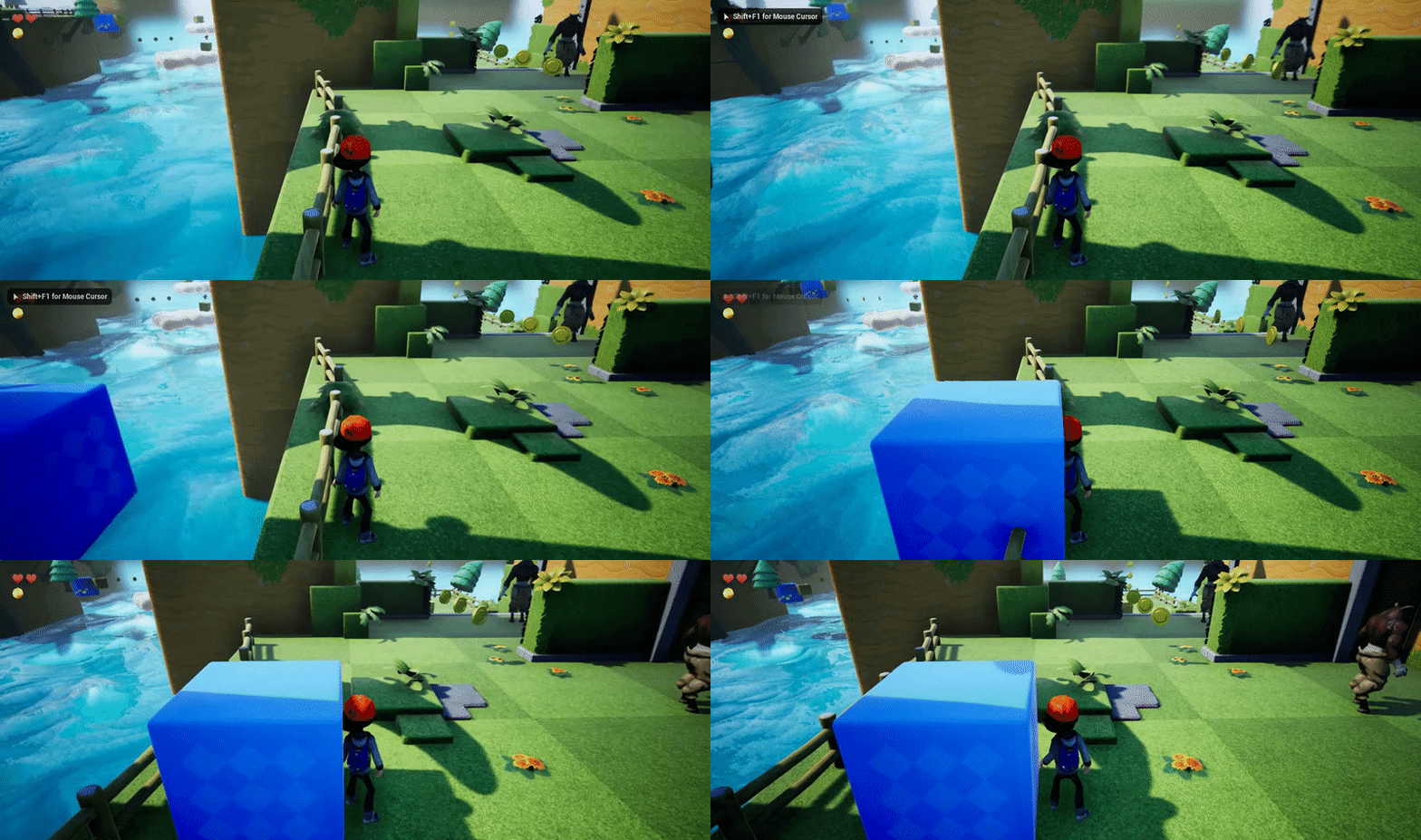
Hi ! Any ideas to make this more "smooth" !? :

I mean to smooth the jolts of the character when the box collides with him (and to prevent the character to go through the box, also) ...
 real hound
Does unreal engine round mesh vertices locations? Or rather if I were to find some offset values for spawning mesh vertices how many digits should I bother taking it to?
If I were to just predetermine them.
plush yew
@covert ivy Blueprint?
real hound
@covert ivy You could try setting the characters velocity and acceleration to the same as the colliding cube.
covert ivy
@plush yew
@real hound How so ? You mean in adding code or in changing a parameter in the options ?
plush yew
What's triggering this @covert ivy ?
plush yew
No :(
autumn elbow
Can I see ur bp ?
plush yew
@autumn elbow I have the normal amount of hair
autumn elbow
Hahahaha
plush yew
Have you seen mordhau’s pre-alpha raycasting debug videos?
autumn elbow
Good good
covert ivy
@plush yew What's triggeing what ? The collision ? I don't add a box collision. I thought it was useless because it collides anyway (see the gif) ...
@autumn elbow « OnHit event » ? So finlally I must add a box collision, I presume... 🤔
plush yew
@covert ivy Increasing "Vitessa Lecture" will smooth it out.
That is the rate of which the events fire
But that should also increase the rate at which the object moves
 midnight bolt
is it possible to force UE4 to automatically assign material with matching nameto static mesh from the material slot?
plush yew
@midnight bolt That sounds reasonable, simply load all textures and find their matching static mesh and apply them.
midnight bolt
that's manual
plush yew
It isn't manual if you code it.
midnight bolt
if :)
plush yew
That's what force implies.
covert ivy
@autumn elbow Mh, disable gravity changes nothing. I've just tested : https://gyazo.com/2c2925e9aad8dc409147698096700b03
 midnight bolt
well, i just want some sort of right click -> use material from content with matching name used for static mesh material slot
covert ivy
@plush yew Ok, I'll try
autumn elbow
Hey polo... ur character is just the basic 3rd person ya?
Ground is WorldStatic
What's the block... world dynamic?
plush yew
@covert ivy also check out your https://docs.unrealengine.com/en-US/Engine/Physics/Substepping/index.html
Explanation of what Physics Sub-Stepping is and when to use it.
OH
I just noticed what's happening @covert ivy
covert ivy
@plush yew You mean this parameter (at the very bottom down-right) ? Tt controls the speed of the objects moves but nothing else... I've already change it many times. 🤔
covert ivy
@autumn elbow Yes, it the basic 3rd person. And the block is a StaticMesh with a BP.
@plush yew Mh, in fact, I does'nt add a box collision because like I said, I thought it was useless because it collides anyway (see the gif) ... But maybe it must be one anyway...
This is my player in the editor :
plush yew
It isn't colliding until it hits the center of the model
Add a collision bounding pill
or box
covert ivy
( no box on the block Mesh I mean ! But the character has one however )
covert ivy
( I mean a capsulecomponent... but I don't know if it's really a box collision... )
plush yew
who cares, make it work
covert ivy
autumn elbow
@covert ivy i'll make a quick mock up and see if it does it in mine
covert ivy
@autumn elbow Thanks
@plush yew My collision box/capsule collision's size seems normal...
And anyway, even while extending the box, it does the same... 😕
 rare dagger
whats the collision preset of the moving box
plush yew
@covert ivy try turning on Teleport
light thunder
I have a component I"m moving against a wall, and my debug print shows it keeps jumping to world origin----it's been moved via a tick event using a line trace to set world location (from the end of the pointer) .....so why would the impact point suddenly be zero? i'm projecting against a huge wall
https://cdn.discordapp.com/attachments/225448446956404738/607731178920738839/unknown.png
Looks good there -
https://cdn.discordapp.com/attachments/225448446956404738/607731447410720780/unknown.png
I move it over a few inches and bam -
https://cdn.discordapp.com/attachments/225448446956404738/607731660758319104/unknown.png
Unless it stops colliding, which would make the impact point be zero, but it's not even close to that


 plush yew
@light thunder Try checking where your ray trace is outputting
I'm guessing it sometimes outputs 0,0,0
If that is the case I'd suggest you store a good output to a v3 variable
and if it's = to a v3 constant of 0,0,0 don't update the v3 variable
rare dagger
ah that already takes care of what i thought it was 😤
plush yew
@light thunder Let me know if you understand.
light thunder
@plush yew I figured out what is causing it....the axis of that panel isn't constant....it's "leaning"
covert ivy
@plush yew Just tested. It changes nothing either... 🙄
plush yew
@light thunder That's good but it doesn't fix your issue does it?
light thunder
good..but you can watch it disappear into the panel as it moves left
whatever value that is x or whatever, is not the same....we aren't perpendicular
not sure how to fix that
it doesn't matter if I make the angle from the linetrace perpendicular, or angle or not, it's all about where that panel is "leaning"
could hte panel be slightly offset?
@plush yew I've checked both absolute and world rotation in the BP actor, they are all zero....maybe somehow in the world?
although that shouldn't matter
plush yew
All I know is that (0,0,0) is being determined somehow and you have non (0,0,0) values sometimes
And any good programming language will allow its user to fix that issue.
light thunder
won't that cause glitchy behavior? I need to understand why this is happening
plush yew
If the rate is high enough it might not even matter.
plush yew
You need to Evaluate if the Raycast result is == to 0,0,0
light thunder
no change
light thunder
plush yew
One moment let me learn blueprint
light thunder
it was printing 0,0,0 always, so taking only one of them should still work
plush yew
it shouldn't be very difficult
light thunder
lol what? I'm going to sleep but I was trying to understand what is happening, it seems like the raycast isn't perpendicular, like it's slanted against the panel
thanks for taking a look at it though
 soft crescent
quick question, we have a local co-op game, and only one player can be controlled, is it because we're using the same player controller blueprint for both pawns
light thunder
you have to differient using get player controller and making sure it is assigned to the right player
also, you're doing replication correctly, right?
soft crescent
dont need it for local
light thunder
interesting, i'll hook it up tomorrow and let you know how it works
my only concern is, this isn't an "error", it is probably behaving the way it's supposed to, but i'm not figured out how to "align" it
plush yew
You need to do this for X,Y, AND Z
@light thunder
since it's specific logic
not array logic
using an array would take less evaluations and time but i don't know blueprint
 inner yacht
Is it possible to run execute command console on a dedicated server on all clients connected at the same time to connect to another dedicated server?
I have not been successful at all
 manic pawn
well first that's pretty simple, just put a multicast rpc in the game state that does it and make sure it doesn't run on the server too
and you should most likely be using server travel instead
inner yacht
I'm trying to learn why and I I like how you wrote server shouldn't run thank you
autumn elbow
@covert ivy can you do a test... put a box .. make it moveable.. check simulate physics
Put it in the path of the moving block
light thunder
christ why doesn't Epic support it's HLOD system..it's been like 3 years
autumn elbow
@light thunder is your trace actually making it to the wall?
Check your trace distance
light thunder
I've moved on to HLOD's to cook while I sleep...and unreal has always been an asshole about that system.....it keeps telling me HLOD isn't enabled in sublevels....and I literally opened up all of them and enabled it in the world settings and saved it
autumn elbow
Oh lol... have fun with that
light thunder
I've played with the distance added to the forward vector but it didn't seem to change anything
inner yacht
Does server travel work with ip? I tried and think it loaded normal map with previous ip instead of disconnecting current and joining new dedicated map
autumn elbow
Since u said u wall is leaning... maybe it gets out of range
manic pawn
server travel is meant to load a new map on the current instance and keep the clients
guess if you really want them to move to a new server it needs to be done manually
inner yacht
That's perfectly it
I'm struggling and I was told same to use server travel so I must be on right path
Prolly my fault how I wrote the question
I've tried for each node to do the work for me also problems
Thx for understanding...i will keep trying
covert ivy
@autumn elbow Ok, I test this. We need two blocks which cross together, alright ?
autumn elbow
Just a box in the path of the blue box


 autumn elbow
Lol... looks great... call it done.. package and ship
Don't sim physics on the blue block
soft crescent
wait so I'm reading that unreal for a local mp game with shared screen.. you cant use a gamepad and keyboard together since they both get mapped to player 1 by default?
Is this true?
covert ivy
@autumn elbow So now I have this : 2 box meshes which cross together + 1 simple box create from the Basic section in the Modes :

@autumn elbow I check your link...
autumn elbow
Ok...now set the white box to simulate physics
So that it is pushed by the blue..then go stand there
What you should notice is the jitter goes away
autumn elbow
maybe make it a bp
 haughty oxide
 autumn elbow
now make your character stand there with the box
 autumn elbow
hmmmm
covert ivy
I've watching your link.
« Problem is that playercharacters simply CANNOT be pushed correctly by other objects when they stand on the floor. The solution is to move them manually the moment the pusher collides with them. »
Mh, I don't really understand what he's saying... 🙄
 quaint swift
guys, I need your advice! Do games made by ue4 consume a lot of energy when run on android?
 tawdry mesa
Hello. Please, question to UE4 deep water gurus. Is there a legal way to change default engine's WorldGridMaterial? I mean like option somewhere, not just brute force change. Thank You!
undone cape
@covert ivy Hi, what he probably mean is that once the box is hitting the character the character should fire a movement event similar to your manual movement by input. So you would get the forward vector and "add Movement Input" and fire it till the overlapping stops
covert ivy
@undone cape Okaaay, I think I get it. I must add an event OnComponentHit and base the parameters on this, right ? :
undone cape
Yes exactly
covert ivy
Seems a bit perilous to me since I'm a beginner in prog and that this part of the code was already done but I see the principle. I'll try. Thanks ! 😉
rotund scroll
@tawdry mesa unlikely you'll find one unless you dig into code
but what's the issue with using world grid?
tawdry mesa
not really "issue", just wanna change to this or similar:
https://www.tomlooman.com/updated-mockup-material-for-unreal-4/

A while back I posted about a mockup material that would auto-UV and pick a color based on the vertex normal. Today I’ve updated this material to include some of the WorldGridMaterial features that come built-in with Unreal 4. What this adds is a checkerbox with camera dis...
there are also ones with grids with numbers. Would be cool if default one has option to swap
wary wave
I'm pretty sure there's a non-hardcoded reference to default material somewhere
would not be surprised if it's an ini setting
tawdry mesa
i did read after 4.20 it can be changed to other one manually without crashing engine
just... would be nice as editor appearance option, i think
wary wave
I suspect it's called something like Editor Default Material (emphasis on default material), but it may not be accessible through the actual editor options
 iron merlin
Hey guys, is there any other discord server that are active to help out with issues?
 floral aspen
Any suggestions to where I get some PBR materials?
covert ivy
@autumn elbow Awesome ! Thank you so much sir ! 😃
 olive heart
Just a quick question. I'm using UE4 at work (working remotely at home), but their projects require Visual Studio installed (installing the 2019 version), because otherwise I can't open them. I've followed a guidline how to proceed, but the tickbox for "Unreal Engine installer" is recommended to be enabled... but I already have the latest version UE4 installed.
So, is that option for those who haven't installed UE4 in the first place?
I'm In this setup window at the moment.
olive heart
Oh, alright, thanks for the confirmation.
 lusty carbon
I got a file media source playing in my level and it's too dark. how can I increase its brightness?
 cloud cobalt
How did you set the material up
lusty carbon
https://www.youtube.com/watch?v=7OEbO353_GM Exactly like here

In this Unreal Engine 4 (UE4.16) tutorial I show how to use the MediaPlayer component to render a MediaTexture onto a static mesh and play an mp4 video file....
tawdry mesa
@cloud cobalt , thanks for .ini file direction hint, i will look there
 dim dragon
wary wave
dim dragon
wary wave
I have a line trace by channel with the draw debug set to persistent
...but the line is not persistent (more like one frame) - anyone seen this before?
it's making debug very hard
lusty carbon
How can I stop collision boxes from triggering when the actor is invisible?
wary wave
turn them off
lusty carbon
how?
light thunder
When generating proxy meshes for HLOD's, I get a message regarding out of video memor but unreal is still using 29 gb of memory - does this mean it is actually still working on building the HLOD's, or is it stuck in some type of memory loop it will never recover from?
wary wave
@lusty carbon - just disable them when you make the actor invisible
like, literally turn the collision off
lusty carbon
I think you don't understand
I have a trigger box that is due to be visible after <something> happens. I want it to work but only when it is visible
light thunder
use IsVisible boolean @lusty carbon
wary wave
you're right, I don't understand, I don't understand what's difficult about calling the enable collision node at the same time you make the actor visible
light thunder
like this ?
wary wave
pretty much
though maybe on the individual components if needed
as for your problem, @light thunder - you're out of video memory, not system memory
I don't know if it will recover, but I suspect not
 teal dagger
Hey, slackers! So i'm a super newbie in Unreal, any youtube or other tutorials you guys could recommend?
 heady frost
There's a huge amount of content on the official unreal engine channel
teal dagger
Wait, they have a YouTube channel?!
heady frost
they do tutorials on various topics every couple of days it feels like
hang on, I'll grab the link
YouTube
Welcome to the official Unreal Engine channel! Unreal Engine 4 is a complete suite of real-time 3D tools made by developers, for developers. Create and take ...
teal dagger
Thanks! :D
heady frost
they also stream a lot of the events on twitch (they also stream them on youtube)
Another good place to checkout is the unreal academy at https://learn.unrealengine.com
 lofty wave
Sphere- and Linetracing doesn't work anymore. The end is always at position 0,0,0 😦
 fallen flower
What the- if you run a standalone game on a dx12 editor the standalone will be dx11
lofty wave
Can anybody please help me?
fallen flower
can you confirm the params?
lofty wave
Wdym?
fallen flower
debug or print the inputs to the block
lofty wave
I placed a block at 0,0,0 and the trace always ends at the block
fallen flower
is it tracing as expected
fallen flower
ya, you need to multiply
lofty wave
But 0*500 is still 0
fallen flower
and add to the start
Forward vector is a unit vector, so it is starting from the camera location in WS and ending at almost 0,0,0 in world space
wary wave
a distance
lofty wave
No i mean what number?
fallen flower
it should be (vector * length of the trace) + Camera Location
heady frost
the number is however many units you want the trace to cover
so if you want to trace a distance of 300 units, you would multiply the direction by 300
fallen flower
can you show the updated bp
fallen flower
np
lusty carbon
I have several of the same collisions spread in lvl. using a cast to my pawn to only trigger when pawn overlaps it. one of the collisions casts fails and ive no idea why
ideas?
it prints my fail string but it strangely works properly
lofty wave
Another question:
How can i check if the object that got hit by a trace is the one i want?
For example: I have multiple items that have different effects How do I then check if the glasses(example) got hit?
I know that i have to break the hit result and get the Hit actor but whats next?
light thunder
@wary wave it's Building hlods, it's a mystery but I just wanted to make sure that as long as I see memory being used that unreal is still actually working there's no real way to check progress and in the past I've let it sit for 8 hours with no noticeable change at all before finally giving up
midnight bolt
is there a right click context menu keyboard buitton? the one near win key does not work
real hound
ARe there any other ways to scale all vectors in an array by some float OTHERTHAN doing a foreach loop?
light thunder
@wary wave Unreal crashed again building HLOD's.....it runs out of video memory, despite me using a 1080TI....is there anyway to make HLOD's less incomprehensible...I've watch the livestreams but even after two years of it, there is still so little explained
wary wave
I know very little about it
light thunder
NO ONE knows anything more than "a little about it"
despite them building fortnite with them
wary wave
I'm not a level designer or an artist, so I don't exactly spend much time with those kinds of tools
 limpid turret
does anyone know what this node is, because the written tutorial I'm using never mentions it
heres the context
wary wave
landscape layer
 onyx cedar
Does anybody know the header file for FSaveGameData?
I'm googling it and for some reason can't find the documentation page for it
wary wave
the 'F' denotes that it is a struct
however a quick search indicates that that struct is not in UE4 by default
onyx cedar
ah ok
so that's the problem
got it thanks
i was trying to follow this tutorial http://runedegroot.com/saving-and-loading-actor-data-in-unreal-engine-4/
Guess I missed the part where they were using a custom struct to write the data with
wary wave
just double checking it's not in a cpp file, but yeah, it could well be a custom struct
and no, doesn't come up in a search
onyx cedar
ty ty
plush yew
Can anybody tell me if my textures have to be a power of 2 when i want to use Them as "background" for GUI (for an app)
wary wave
they do not
plush yew
Thanks man
onyx cedar
So I'm trying to save some serialized data to file.
bool bResult = FFileHelper::SaveArrayToFile(Archive, *SaveName);
SaveName is an FString.
If SaveName is "Data.sav" or something
Where does it go when it's written? Because I'm writing a file, and it says it's been written successfully, but I can't find it.
Should I be feeding that thing an entire path of where it should go?
wary wave
there's a saved folder in the game directory somewhere
onyx cedar
I'm looking for *.sav
Is it written as a uasset?
ok nvm, i specified a path and found it
also, if anybody is wondering, whatever you save is saved with the extension you give it, not "*.uasset"
spark sonnet
Is there a way to make this in UE4 as a material?
https://www.youtube.com/watch?v=Y6J4Z0bJv54
 wary wave
not really
that's a complex fluid simulation
you can do stuff with particles and various stuff baked out of 3d programs, but you can't do that in a material
 junior solstice
How to delete my actor from all players
spark sonnet
Would it be possible to make something similar in materials? Just smoke falling within the material?
 tepid knot
https://youtu.be/JOMEse32a3I @spark sonnet

Project Files : https://goo.gl/jD94ge Fake Volumetric Smoke Particle System in this Tutorial I will show you how to make fake volumetric smoke using few pann...
spark sonnet
Ooh. Thanks
 spark sonnet
You could use a different font or colors
 naive burrow
why do UE4 crash for me when i try to create a new landscape?
autumn elbow
UE does crash a lot, mostly when dependencies are lost or broken.
Maybe you don't have enough memory.
Maybe try turning off realtime in the viewport
naive burrow
i have 16gb dram so i think im good on the memory side
autumn elbow
Landscape too big ? Too dense ?
naive burrow
nothing edited except size set to 31x31
and what i mean with nothing edited is the standard settings when u geenrate a new landscape
 hidden aurora
Unreal crashing is a daily basics for me
 vale silo
@gleaming narwhal @elfin jacinth are going to see another preview for 4.23 or release is the next thing coming ?
 gleaming narwhal
@vale silo There will be another preview this week
naive burrow
and why cant i apply paint to my landscape?
there is nothing in the target layers tab
 dark depot
is it using a material with landscape layers
 light coyote
Hello.
I need some help on answering a certain cuestion i have wich is driving me nuts cause i cant seem to find the answer im looking for wich points me on the right direction to look for.
I want to be able to download, upload, and delete files o to my google drive acount.
Not during development, the end product, the exe, the game.
There is no server where the game will be hosted, no multiplayer. Just my game, and my google account.
Do i need an API in this case ?
Do google plugins in engine serve that purpose ?
What is in the standard google subsystem plugin wich is deactivated by default used for? What does it provide? (I cant seem to find information about it, is all about the google play subsystem(wich is another plugin), or new google plugins for ue4). And i cant find the documentation about it.
naive burrow
come on UE4 work properly please
light coyote
I really need someone to help me point at the right direction.
Is driveing me isane not knowing what should i do.
I dont mind learning, but i want to know why.
autumn elbow
You mean for archival, Richard?
 quartz reef
Does somebody know how to export a prefab from Unity to UE4 ? There is an FBX Exporter plugin for Unity but there are so many errors that it just doesnt work.
autumn elbow
Why not use the desktop app?
I don't use google, I use OneDrive...but it's the same.
It's just a folder that syncs with the cloud.
light coyote
@quartz reef check for obj exporter maybe someone created something similar.
I exported some meshes from unity a while ago, but i dont remember exactly.
@autumn elbow I really want to do it this way
naive burrow
how long is it gonna take for UE4 to compile 7k shaders?
icy mulch
I want to make hyrule field in unreal engine 4 how would I do that
quartz reef
Does the obj file contain all the Skeltal informations ?
light coyote
@quartz reef i would have a look for you, but i completly removed unity from my pc about a month ago. Didn use it anymore
autumn elbow
Google. 'google drive app sync'
light coyote
@autumn elbow google acount in general,,, but google drive web really
autumn elbow
Yup... get the desktop app. It's a folder on your desktop that syncs with the google drive.
naive burrow
Unreal Engine 4? should be called "Crash Engine 4"
UE4 crashes so damn often for me
icy mulch
Hello?
naive burrow
it's so unstable
light coyote
@icy mulch Man, it may be a lot of work that.
But i dont know how much you know when you say how would i do that. I dont really know what to answer.
icy mulch
I don't know to use a height map or sculpt my self cause ever height map I use it doesn't look good at all
light coyote
@autumn elbow I will look at that, see if there is any luck. Thanks.
But what you mean is that if i literali say store this here it will automaticaly upload ?
If that is the case, and it works, thank you very much
autumn elbow
@icy mulch Lookup Unreal Landscape vids on YouTube.
icy mulch
Cause I'm Trying do what crenzx does I wan the field to be similar but different cause my pc cant handle to much grass or it will lag like crazzy
autumn elbow
Yup Richard, it's just a normal folder on your desktop... with the drive icon. You can add, delete, move, copy, paste.. all the things you can do with a normal windows file folder.
Then it matches ur local drive and online drive. Syncs up.
naive burrow
jesus why is there always something in UE4 that doesn't work?
autumn elbow
So u have a copy locally and on the cloud
light coyote
@autumn elbow I mean, i have to test it anyway.
But in google drive, as soon as you do any change, it automaticaly saves.
naive burrow
now UE4 thinks that every material texture looks the same for me
autumn elbow
Yup.. give it a ago.
light coyote
Do you think that feature also exists on desktop version in this manner without having it open?
autumn elbow
Yea...that's the point of it.
I use the same method to backup LoL
And I use it to store source control stuff
MathewW here uses google. You can ping him. He is usually here.
light coyote
@icy mulch Look up mixamo.com if you have a 3d model of a character, you say where certain parts of the body are in your model,, and it will generate the animations you select from their extense collection. It will righ and weigh the model and do everything for you. I think you can have some fun with that :)
But if it doesnt work perfectly sometimes, is ok,,,, it is free to use, easy, and i think you will like what you can do with it.
icy mulch
Oh okay also does anyone have a island height map for unreal engine 4
light coyote
@autumn elbow i will give it a go, and if i have some cuestions i will ask here.
Thanks for the help man
icy mulch
@light coyote do you have a island height map for ue4 cause every height map I use does not turn out right
icy mulch
I don't have wifi to use can I use it on my phone
 lilac wedge
In my actor bp i have a run on sever function, The function works when when it is called from the event tick of the actor, but not from an other function that is sent from the player via blueprint interface..
light coyote
@icy mulch yes, i had one that you would like, but i cant find it
@lilac wedge what do you mean ?
plush yew
Hey! Was the retarget manager moved? I can't seem to find it. Engine ver 4.20, not in the Window menu nor the toolbar for skeletal meshes
I haven't done a full project like this in Unreal in a long time so some of the stuff that's been moved has been a little jarring for me like the navigation headers and the destruction
icy mulch
@light coyote oh okay can you make me a island height please
light coyote
@icy mulch what niik suggested may be more advanced.
But if you want to do it yourself, do this.
Search for mountain height map in google.
You are looking for an alpha texture, wich is a texture wich is in black and white. That is what you want, an alpha texture,, is a tipe of texture that is used for many things.
An island is like a mountain in a sense.
So that means that if you play with the size of the brush, the strengt, and if you want to go down or up, you can get intresting resoults.
Look for a texture that does not have any white in the sides of the image. White is where the things happen, the more white, the more it happens, so you want things to fade out,, so you want all sides of the image to be black.
lilac wedge
@light coyote I have an gun actor. When my player picks it up it can send a function over blueprint instance to the gun, that function is meant to spawn a bullet via the sever but it doesn't.
light coyote
the 3rd one looks ok,,, but you never know 100% untill you try it out by yourself.
lilac wedge
fire bullet one does not trigger on the client but does trigger if the sever does it
icy mulch
@light coyote it works but it's not smooth
light coyote
reduce the strenght
autumn elbow
@icy mulch http://www.lilchips.com/gallery.htm
Li'l Chips Systems - Game Developer Tools
icy mulch
light coyote
you oficialy just did minectraft
naive burrow
and UE4 froze again
i wonder when UE4 is gonna stabilize and stop freezing time to time
light coyote
@icy mulch That has to do with the resolution of your terrain
spark sonnet
When you get a good enough computer? ^
naive burrow
@spark sonnet ehm i think a 1070ti + ryzen 5 2600 + 16gb ddr4 3000mhz should be good enough for UE4
but i guess im wrong
light coyote
@icy mulch search ue4 terrain resolution or something like that,, for sure you will find an article or video
icy mulch
@light coyote what resolution do I need
naive burrow
Unity works just good with low end hardware
and UE4 is so glitched up rn i cant even close it with the task manager
UE4 is poorly optimized
light coyote
@icy mulch look for details on terrain and send picture.
spark sonnet
Why dont you use Unity then?
naive burrow
it uses up 6.5gb memory and i have a small landscape
light coyote
it may be the pixels of the image, but im pretty sure unreal manages ok
naive burrow
because im trying to make a map for ark but the wildcard being stupid chose one of the most unstable Engines out there
lilac wedge
@naive burrow this may be a few things, could be ur code that causes the crash in certain places or some things are not well optimized if u have a large project. ue4 very well optimized in my opinion
naive burrow
i have a small project and it eats up 6.5gb memory
light coyote
@naive burrow Man, you dont know what you are talking about
spark sonnet
I have lower specs than you and I have never had any freezes or issues on version 4.21.2
dim plover
It's not normal for a small project to take up 6.5gb of memory.
naive burrow
now it uses up 8 gb
this is a small project and it takes up 8+gb
the annoying part is that i cant even force close UE4 for some reason
lilac wedge
@naive burrow I currently have a map that is basically endless with near to real world size planets and im getting 1gb or usage, u must be doing something wrong
icy mulch
Overall resolution is 4336 4336
Components is 17 and 17 @light coyote
225x225 quads 1x1 section
naive burrow
if UE4 freezes one more time im quitting this project
i dont have the patiance to deal with an unstable engine
spark sonnet
But you got time to shit on it to people who enjoy the engine 😃
light coyote
@naive burrow You also have automatic saves that unreal makes just in case something goes to the drain, you have a back up project you can load and continue from where you where, weight may come from there too.
Tripple A company use this engine, every time more, and they are not stupid.
Unreal created an excelent business model, wich allows them to be on the lead, with the most powerfull engine on the market, and you can enjoy it at its full potential, no premium acount features, and all of that for free. Denada
naive burrow
is it just some coincidence that both Conan Exiles and ARK both have optimization problems?
dim plover
Yeah, lol.
light coyote
probably yes
naive burrow
both are big open world survival games and both is made on UE4
Rust on the other hand is made on UNit yand has no optimization issues
light coyote
team who developed it, and hardware running it
spark sonnet
You clearly prefer Unity so why don't you use that @naive burrow ?
naive burrow
because ark dev kit doesn support it
so guess im stuck with the world's most unstable engine
dim plover
Yup, too bad.
plush yew
lol ue4 is not that unstable
if you've ever had to work with CryENGINE you would not even say anything that remotely sounds like that
 hearty zodiac
HURR DURR ENGINE BAD
plush yew
I shudder at the memories
light coyote
@naive burrow Man, repeating that you are not changing anyones minds.
Do you like programming ?
plush yew
and honestly having made games in all 3 and a few smaller ones i can say ue4 isn't that unstable at all when looking at other engines if you're on a mid-high end PC
like it freezes up a bit when compiling shaders/etc but only for a few brief seconds and rarely actually crashes
light coyote
his pc is a brick with a welded ram card, that is why
plush yew
LOL
naive burrow
my pc isnt a brick
light coyote
two bricks
plush yew
I mean my friend with an i3 and a 1050 has been working on his game parallel to me while we're both on call and he hasn't had more than one crash
and his one crash was his fault
and that is basically a brick
so your pc is like... a grain of sand, not a brick
wary wave
@naive burrow - have you stopped to consider that Ark is the problem?
plush yew
the dust that comes off of the brick
wary wave
it's a terribly made game hobbled together by amateurs
plush yew
or your ue4 install is fucked
naive burrow
@light coyote you calling this a brick? https://pcpartpicker.com/list/hzqXCb
spark sonnet
😄
icy mulch
What's the good resolution to make it smooth ahhh
plush yew
this all sounds like a you issue BoostSimon, it's extremely stable for me and for most people here
naive burrow
@wary wave ive had problems with stock UE4 before
spark sonnet
Which version are you using?
plush yew
either your code is shit or something is fucked with your PC
or your install is broken/old old version
naive burrow
though that was on a potato pc but on the other side; Unity ran just fine on that pc
plush yew
yes, unity is designed to run well on low end pcs
wary wave
I use UE4 more or less every day and crashes that are actual engine crashes are pretty rare
naive burrow
im using 4.21.1
light coyote
@naive burrow yes, i did,,, it crashes constantly with the best current engine on the market
plush yew
helps that the default rendering engine is ancient, the new HDRP is just as heavy as UEs i find, but my computer is nothing super special and it still runs ue4 like a champ with barely any hiccups
also yeah that's not quite a brick but it's also not exactly anything super special
naive burrow
the best optimized and stable engine is Unity though
light coyote
nope
plush yew
why are you even here if your entire goal is to complain about ue4 and promote unity lol
also nah
naive burrow
Well Unity is better optimized than UE4
plush yew
nah, once you start including the hd render pipeline in your unity that performs and looks closer to ue4's graphical fidelity it becomes really heavy as well, and they're only now catching up features wise in some aspects
ue is optimized, its your project and those games that aren't lmao
naive burrow
well im off to play some ark and leave this unstable engine alone
hopefully it will behave properly tomorrow though
light coyote
optimization is not only improving pervormance in terms of weight to power ratio in the case of an engine.
optimization is anithing that makes anything easyer.
ue4, on all the things you can consider about an engine, has an absofuckinglutly incredible balance
naive burrow
@plush yew if it were my pc that was unstable wouldnt unity and other games crash often too?
spark sonnet
Then it could be the code
dim plover
Alex, how well does Unity's new HDRP perform in an actual packaged build?
plush yew
yeah, engine crashes that aren't the fault of some of my own poorly written c++ hitting a breakpoint or some out of date plugin are extremely rare for me and I find my workflow itself wayyy more efficient than working in Unity (considering that I brought a FPS game from conception to release in like 9 hours in Unity including art, it says something lol)
i think your code is ass
I don't know about the full packaged build, but I know in-editor it was giving my computer some grief when it was previewing
light coyote
sometimes some things are sacrificed in gain for others.
like mobile phones batterys.
size, durability, longevity, weight, price .....
considering all, what is in the market now a days, is what people want
plush yew
I packaged my last game with LWRP or the standard, not HDRP, IIRC
dim plover
Hmm, I would be surprised if Unity somehow magically achieved graphics on par with UE4's.
light coyote
Siome people say that node based programing is not programing.
To those i say, shut the bullshit up.
I tell them, that nodes in unreal are like libraries in regular code.
you save yourself from wrighting some stuff, and the mistakes that may ocurr when doing so, they are a function, a piece of code that serves a purpose allready given to you ready to use.
Nodes are the same in that sense.
So to those people with hacker complex i say, dont use libraries, or you are not really programing.
plush yew
ue4 crashes when I try to launch the game (non editor)
It's a whole new renderer, not just a magic update, Floss
icy mulch
@light coyote what resolution do I need
dim plover
Alex, I don't quite understand the full implication or meaning of that. Particularly in how it affects games made with Unity.
manic pawn
nodes is mostly inefficient programming
plush yew
Unity changed their entire rendering pipelines recently, which means the graphics work in an entirely different way. Node based scripted materials etc
manic pawn
so much visual noise
plush yew
With proper node based materials etc
LogWindows: File 'aqProf.dll' does not exist
LogWindows: Failed to load 'VtuneApi.dll' (GetLastError=126)
LogWindows: File 'VtuneApi.dll' does not exist
LogWindows: Failed to load 'VtuneApi32e.dll' (GetLastError=126)
LogWindows: File 'VtuneApi32e.dll' does not exist``` any ideas?Also, I'd say for my workflow blueprint combined with C++ (make my core functionality in c++, extend with blueprint) works the best
manic pawn
those warnings don't matter, ignore them
plush yew
I find writing blueprint to be extremely efficient for smaller features like the usable objects' actual functions, flickering lights, level scripting, certain things the enemies can do behavior wise, etc in my current game, but once blueprint gets bloated (ie. using it for a full game) writing it becomes really inefficient and messy
manic pawn
the most inefficient part is reading blueprint graphs
dim plover
So, pardon my ignorance, this would mean that games made with Unity using the new HDRP will have good graphics?
plush yew
And it is slow as hell in practice especially if you have a bigger game with thousands and thousands of actions on your ticks, 500 simple addition operations tested as for loops showed a dramatic impact on latency
I mean it depends on the artists and developers, but yeah
manic pawn
it takes much longer to follow all the wires and determine what is actually going on
than reading the equivalent 10 lines of c++
dim plover
Some of the BP stuff is not convenient. Like copying variables from one class to another. Or copying function parameters.
plush yew
The features of the HDRP are very impressive, but the performance isn't amazing. You can use it to achieve UE4-like graphics, with a bit of extra fine tuning
dim plover
And maintenance of the BPs is weird.
 dim plover
Thanks, Alex, for the info.
light coyote
you sacrifice some things, like in the example of phone battery
But to say samething is better or worse you have to take all in to consideration.
And its worst than best that experiment, it will eventially die.
But seeing unity implement it aswell, people doing it for web, as a way on teaching to children, and its beeing used more and more,,,, my bell says it is here to stay, unless something better comes out
plush yew
When a game is small scale it isn't that noticeable but I find C++ scales better, is neater, more efficient to write for bigger mechanics, more readable, has better performance for bigger mechanics while blueprint remains king for smaller features because of its iteration time and for expanding on C++ classes IMO
it is extremely useful and has great utility
It is real programming, people who say otherwise can fuck off with their elitism
 tall pendant
The engine has almost nothing to do with how good graphics look. Thats all on the skills of the developers using the techs.
plush yew
but it does have limitations and there are areas where C++ is advantageous that I feel like a lot of people who love blueprints tend to deliberately ignore them and pretend they don't exist, which just isn't healthy for the engine in general and really I think BP should stop being pushed by people as a replacement for programming because it just isn't, it is more like an augment once games get bigger and more complex
light coyote
@icy mulch sorry, send a picture
plush yew
It is an amazing learning tool and great for working with less intensive/complex mechanics but it just doesn't scale as well as C++
light coyote
This is how unreal sets it by default
Give it a try, and play arround
It may be a bit wierd cause some things are not intuitive, and i do not remember well since i last used it
give it a shot and see
 civic mantle
hmmm, can unreal only create on default subobject of each kind (so... just one UBoxComponent for example)? or did i screw something else up, bc unreal claims subobject is already set up.... kinda confusing ^^
light coyote
what do you mean by sub object ?
civic mantle
i am using CreateDefaultSubobject to add collision boxes
trying to add a head collision for crits and stuff, and unreal doesnt seem to like it
as 2nd box collision
comming from c++ ofc, not BPs. BPs everything is working as expected ;)
light coyote
i never heard of that
civic mantle
^^
 grave thorn
Hey guys, would anyone know how to hide the arrow. As im recording a video in f11
light coyote
isnt it better to add colision box from the viewer tab in the blueprint ? im asking
civic mantle
had probs with calling the onoverlapbegin if i don't initialize the collision triggers in c++
i will just try it on a new actor class then ;) and see if it works without everything i did so far on the NPC
grave thorn
@plush yew i am using sequencer. I just wanted to know how to hide the arrow since im recording the screen
light coyote
@civic mantle but, i mean,, in the viewer of the blueprint, select the colision, scroll down on the right side parameters, and click create on begin overlap event,, it will take you automaticaly to the blueprint with an event box
civic mantle
yea, adding multiple collision objectis in BP works. tested that first after the first "no reaction". but i prefer working in cpp, and it should work in cpp too, i just guess i failed elsewhere
tho atm i fear i broke the build ;) gonna reset it
light coyote
@civic mantle you can also create it by searching for it, or if you have it selected is easier, cause it appears up the search as you have it selected
Xd ok
civic mantle
yep yep, broke the build on that first fuckup ;) now lets see how the rest reacts
light coyote
XD
@icy mulch I will send you some 2k tileable textures so you can use on your landskape, meaning that they can repeat themseves side by side and you will not se the cut,,, they are seamless
they seem like one big texture
however, if they are to small, or you are from far away, or have a really distinguishable ting in them, you will see the tileing, th repetition
civic mantle
yupyup, was me fucking up, not unreal, as usual ;)
unreal just fucked up like i told it to ^^
 astral phoenix
is there some1 that can explain to me how ''Audio Volume'' works? the way i understand it is when a player go inside then there is some kinda sound and when the player leaves the ''Audio Volume'' the sound stops but how can i get it to work? 😃
limpid turret
is it possible to make an alphamasked landscape material? so for instance, each layer material is only applied to the alphamasked parts assigned to it
 indigo owl
anyone here good with replication?
So i Found out that the problem is a server/client problem but a very weird one that i still have not found a fix for.
Basically Who ever is in the lobby first can take damage from the turret all others wont take damage.
so if client starts the match and he is on the blue team he will take damage and the server wont.
if the server starts the match and he is on the blue team he will take damage and the client wont.
If a client starts a match and another clients joins which ever client started it will be able to take damage.
Do you have any ideas on that?


 light coyote
They are things you can do, like make the texture bigger the farther away you are to avoid repetition but without it beeing notizable,,,
You can also use the height map(alpha), wich gives you the diffrence of height points in a texture, to determine what is further up and what is further down. More white is more up, more black is more down. And you use this texture toguether with the concept of what parallax is, to displace the color pixels so it seems like it has volume, like it has geometry, like its actualy sticking out.
Parallax is the fact that if you are moving in relation to other things, the tings that are farther away move less, and the things that are closser move more. Think on how fast you pass a person while in the car, and how slow the mountain on the distance does in relation to you.
limpid turret
yeah, I've got the heightmap, its just knowing what to do with it that was the problem
so I just slot this into a heightblend?
light coyote
@limpid turret I know what you are looking for, and yes is the answer, but i think that what you want is to create two materials, or milty layer material or whatever,,, and then just paint with that mask in the brush, so, using that alpha.
That way you can guive more variety to how the diffrent layers or materials are applied
limpid turret
heres my current node group, I just slotted a heightmap in under the diffuse there. would that work?
thanks for helping with this btw
light coyote
No worries, but i wouldnt do that.
limpid turret
alright
light coyote
i would use it in the brush, you can put a bit here, abig chunk there, and it not beeing repeated
also, use the node TextureCoordinates
limpid turret
ah alright
light coyote
It will allow you to make bigger or smaller, or whatever your needs are
But one node goes for each set (diff,norm,rouh,met,....)
i mean, one node for rock with its correspondent normal etc..
limpid turret
yeah
ok so for some reason, the texture in the alpha brush keeps going back to default after I put one in
light coyote
ive had that issue, cant remember, give me a sec
limpid turret
cheers
limpid turret
the default or the one im changing to?
light coyote
is not that
light coyote
is your material layers i think
indigo owl
hey richard are u good with replication?
light coyote
show me your layers
@indigo owl what do you mean by replication ?
If its programing im ok, but only ok xD
limpid turret
take me out to dinner first
light coyote
press plus icon and show me
limpid turret
I can't, it wont let me
light coyote
i know you have to do something there but i cant remember
light coyote
yes
limpid turret
for the material yeah?
light coyote
yes
limpid turret
light coyote
you have to have both nodes
texture coordinates is to tile yor texture, but you still need landscape cords
i think is that
limpid turret
oh it just doesnt slot anyway, floats not compatible
it can only go in the UV
same with landscape Coord
indigo owl
sorry im back basically Who ever is in the lobby first can take damage from the turret all others wont take damage.
so if client starts the match and he is on the blue team he will take damage and the server wont.
if the server starts the match and he is on the blue team he will take damage and the client wont.
If a client starts a match and another clients joins which ever client started it will be able to take damage.
Do you have any ideas on that?
light coyote
i had a project and deleted it
@indigo owl I mean, cant you have a variable of the tipe, like players, or controllers, or whatever,,,, call it PlayerCurrentlyTakingDamage, for lack of a better name, and the first in lobby gets setted to it.
You have a function wich is doing tha damage thing
to the PlayerCurrentlyTakingDamage variable that has stored that reffernce
indigo owl
but u can shoot and damage each other
light coyote
im prety sure it can be done like this, but not exactly how, i have never touched servers yet
limpid turret
oh, it works with the default alpha masks, but not this imported one. so it must be an issue with how this imported
indigo owl
and to top it off, If u can be hurt by the turret and they guy who can be hurt is standing if front of u can the turret shoots at you then it will damage the other guy LOL
light coyote
cursor ?
limpid turret
say you open up a menu or widget or whatever, whether the cursor becomes free to move on the mouse or wherever it stays 'in game'
so like, in skyrim where when you open your inventory the cursor comes back on screen rather then being locked into FPS mode
light coyote
i think is looking it to the widget space
radiant haven
oki
light coyote
i dont know if is this one, but if you set it to lock, and show mouse cursor,,, when you play you cant go to parts of the editor, only on the game screen

YouTube
This channel is dedicated to exploring Unreal Engine 4 and the Blueprint programming language that it uses. You can think of it as a companion to the API doc...
this guy is just absolutly great
recomended chanel for learning bluprints
plush yew
So i'm trying to implement two core mechanics one is that the player can use magical weapons to defeat enemies and boss but you also use gems with these weapons to make the weapons more powerful.The other mechanic you can combine a element or a gem with a non element weapon but for a element weapon you have to use a gem because you can't use a element because it's already a element.
 frail jasper
Anyone run into this issue? https://answers.unrealengine.com/questions/861976/view.html here is the error Assertion failed: [File:D:\Build++UE4\Sync\Engine\Source\Runtime\Core\Private\GenericPlatform\GenericPlatformMemory.cpp
limpid turret
use the drop down arrow next to it and assign a launch method
 vague vigil
@naive burrow ark dev kit has memory leaks, it's not UE4 lol
plush yew
I think i may have fucked my project, any way to "clean out" a deleted plugin?
I added a plugin I found and enabled it, ended up finding out it didnt work with the newest engine, deleted it from my plugins folder and removed the ref from the uproject file, it was never used in the project but now unreal is throwing errors that it doesn't exist when i try to compile
civic mantle
tried the basic fix? deleting/renaming the sln file and the binaries, then generate VS file and rebuild on start?
light coyote
@plush yew does it say something like you want to recompile and after say yes it gives error saying do it manualy or something like that
?
light coyote
@civic mantle i need to do that for a pluguin to work on newer version.
Do you know about how to do that?
civic mantle
do what exactly?
light coyote
@frail jasper no
frail jasper
I added more virtual memory hope that helps
light coyote
i have a pluguin, that i putted in the plugins folder from UE4 editor
then it apears on plugins inside editor, i enable it, calls to restart, i say ok
but then guives compile error, asks me if i want to reconstruct, i say yes,,,, but then it says it was unable
or something like that
and the project wont open
plush yew
Turns out that when I deleted the plugins it didn't ever actually delete
civic mantle
sounds like a broken plugin to me ^^
plush yew
Even though it popped up that it was deleting with Windows and I waited until it finished, I went back and it just.. existed again
light coyote
aparently not, by what i have read
civic mantle
i usualy go for the std fix, and so far it "mostly" worked ^^ https://www.youtube.com/watch?v=5J4ocSzoDK8
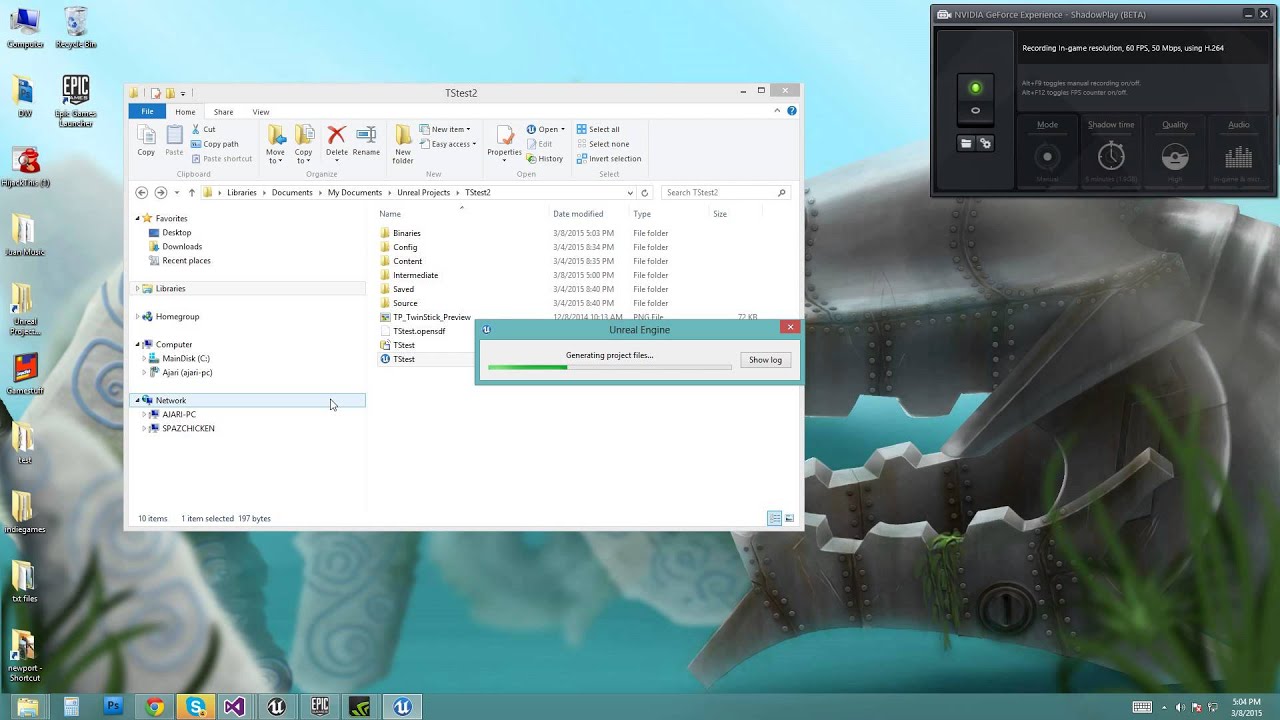
If you think your UE4 C++ project is corrupt or isn't acting right, hopefully this will fix it!
same i wrote above, but with a female voice and vid ;)
civic mantle
if that doesnt help... you actuallly need to bugger the plugin guys i guess. fixing stuff that doesnt work in 3rd party stuff is... tedious
light coyote
im going to give it a try
civic mantle
gl
 near hill
Hey guys, i have a few.upk files and i would like to open them. But my UE3 will crash without an error when i try. Has somebody seen something similar before?
spark sonnet
How can I set collision to not collide with other characters but collide with ground? Via blueprints
civic mantle
collision settings, overlap pawn and collide with the rest ^^ and no emphis, sorry, didn't work with ue3
spark sonnet
I mean with blueprint nodes, if thats possible
 upbeat tendon
Ive hit some key combo and now i can't level objects just terrain with a left mouse click
civic mantle
uh, well you can set own collision profiles in the project settings, and use em
spark sonnet
Oh nice. That could work
civic mantle
didn't find a way to access those collision settings during runtime somehow, only way i found were own profiles
spark sonnet
Hmm
civic mantle
there should be a set collision profile by name i think
civic mantle
as said, couldn't access those "tick settings" you got in the editor myself, so i used profiles ;) if there is a way, i don't know it
civic mantle
wrong node
Set Collision Profile Name
if you added an own profile, you can access it with that node
set collision enabled only works on std col. profiles i think
spark sonnet
What would be the name then? "Pawn" ?
spark sonnet
Oh, the variable?
civic mantle
edit > project settings > engine > collision then open presets
and add a profile there
spark sonnet
Ok, thanks
civic mantle
no idea why the collision presets can't be edited on runtime ^^ would be easier. as said maybe there is a way, but if, i did not figure it out yet ;)
hu, set collision response channel
check that node
spark sonnet
I think I got it. Used the default overlaponlypawn
civic mantle
didnt try it so far (obv, just found it) but it seems to be useful