#ue4-general
1 messages · Page 498 of 1
 plush yew
I suppose that's just the unfortunate nature of coding
where missing one ; can halt a project for months
 next badger
yeah
plush yew
ah ok
next badger
that's why epic made umg probably
plush yew
I just need a bigger monitor haha UE4 can get cluttered
I should consider a 3rd monitor, bigger than the others
next badger
Are you using small icons?
next badger
consider, they will save a lot of space
plush yew
and they're fine, just a little small
maybe, everything is already kinda small as is haha
next badger
oh, it's about physical size? not resolution?
plush yew
yeah
next badger
ok, then yeah, probably won't help
plush yew
hahah
next badger
remember first apple air retina...you can't see sh on those w.o upscaling the ui
plush yew
haha
or how about the first few ipods
we are spoiled now with modern iphones
but man, ipod screens back then were so small
and you had to use the touch rotater before apple switched to touch screen
 gilded plinth
Hey peeps, hoping someone could help me get deacceleration on controller pitch and yaw input. The pawn and character movement components only seem to have it on forward, back, left, right and up and down : /
 sacred smelt
How can I make or store dialogues using dialogue tree? XML files or using plugin? Integration with Twine?
 autumn elbow
@gilded plinth I think you have to use Timeline or LinearInterpet to ease in and out of the controller.
Interpolation
gilded plinth
i've tried about 10 variations of interps so far
the main conundrum is what goes into current and what goes into target
using let's say Mouse X or Mouse Y as your input
autumn elbow
Try Timeline. With Timeline you can draw your own curves
gilded plinth
i'll look into it! i haven't gone there yet
autumn elbow
so instead of 1 and 0, you want the values to travel between the 2, right?
check out all of Mathew Wadstein tuts on Interpolation also.
 mighty copper
I all I'm trying to get this glowing moving ember look on the skin of my character and am test with a few of the paragon characters, I like Steel so I've been playing around with his skin and textures... I started out with the 1st picture. but I got the 2nd picture. included is also the material setup I did...
Can anyone lend me a hand?
it doesn't move or anything like I think it should.
I got the burning ember material from the 3.3 of the Blueprint Communications tutorial from Epic. should have had this effect without the burnt look... but moving.
autumn elbow
so..should be glowing, right?
i think I saw a tutorial ... 1 sec.

This our study case to create cinematic ember and flame effect in UE 4.21. We decided to use Ue4 Matinee demo scene due to this scene is badass, and after we...
mighty copper
Sorry its from the content example, Blueprint Communications section 3.3 last section the wood when you shoot fire at it... looks like the above pic.
autumn elbow
something like that?
mighty copper
That is cool but no.
autumn elbow
not animated ember?
mighty copper
If you download the Content Example, Blueprint Communications section 3.3 from the learn tab. load map Blueprint Communications and go to section 3.3 and spray the wood with fire and wait for the fire to go away what is left is the above pic but it's a moving flowing burning ember look to it... I have no way to give you a gif or anything... closest idea I can think of for the look is from paragon master skins... here is one from steel... https://www.youtube.com/watch?v=bS4fJqQaDeU
Big thanks to Monuet for letting me do an overview on Steel's Master Skin he worked so hard for! Drop a like, comment and subscribe! https://twitter.com/Hast...
gilded plinth
@autumn elbow re your question. I'm not sure.
You have to check out the InputAxis. Print that float from the mouse x or y and you'll see the way the values work. it's not like a keyboard connected to movement input. it's different and much harder to figure out how to add an interpolation node
i haven't found a single tutorial from anyone who has done it : /
in a first person shooter no one would want this kind of acceleration or deacceleration because it makes aim accuracy impossible so it makes sense most people don't care about this. But i'm just trying to pilot a camera and keep the motion very fluid and natural
autumn elbow
@mighty copper https://youtu.be/enx6ShyKUL8

Senior Developer Relations Technical Artist Alan Willard shows us how to use displacement and tessellation in Materials as well as discusses implementing exp...
gilded plinth
All of Matthews tutorials tackle movement, but not rotation or turning
mighty copper
something like that, but not blobby the effect looks like it's coming from underneath the skin itself and isn't deforming it like on this video.
autumn elbow
Yea, you can turn those off.
I believe its just a noise texture multiplied by a constant (orange)
you can change the parameters of the noise to get the pattern you want.
and colors
mighty copper
see but the look I'm going for is exactly like the burning ember pic. tight and flowing so I was just trying to apply that material to my own... but this (1st pic) only turned into that (2nd pic)
and with no movement at all.
I want to keep the dark look but have the ember material emissive so that it looks like it's glowing from beneath the skin. unlike the master skin for steel I only am applying this to the skin, not the armor.
 grim ore
@gilded plinth what are you trying to get the mouse input to do?
@mighty copper panner nodes plugged into the materials you are using for the effect are what would make the material look like it is moving every frame.
gilded plinth
@grim ore woh hey! didn't know you were here : ) Right now i'm using a default pawn class and the movement component gives me acceleration and deacceleration on WASD movement no problem. But I want that same behavior on the mouse look so that when i stop moving the mouse for example it deaccelerates to stop instead of instantly stopping
mighty copper
@grim ore and that isn't working even though they're hooked up.
grim ore
are you sure that movement gives you deceleration?
grim ore
ok so this is not a character but a floating pawn, gotcha
gilded plinth
something like that yes, but it's the default pawn class which comes with a mesh and inherits the movement component by default so it's not the "floating pawn movement component"
i'm happy to work with anything that works though
autumn elbow
@mighty copper my content example is taking forever to load..lol
grim ore
ok yes the default pawn is a Pawn with a floating movement component on it
gilded plinth
grim ore
so you want mouse look to not stop when you stop giving it input but slowly stop?
gilded plinth
yes exactly @grim ore !
and also some accelerating when starting would be cool too!
grim ore
you would have to manually do that last part, maybe give it an impulse boost when the speed is below X on input
gilded plinth
for now any way would work for me but eventually of course i wanna find the most efficient way but i assumed it would be manual since it doesn't seem to be built in
grim ore
your first issue with using the default pawn is it's a C++ class so all of the default movement controls are in the C++ class
mighty copper
@autumn elbow I sent you a message.
gilded plinth
as you can see from my picture i'm just using the add controller pitch an yaw input nodes. For some reason "Turning Boost" does nothing on the MovementComponent
ah @grim ore if that messes anything up im happy to use a regular pawn and add the floating pawn movement, but then i don't get the convenience nodes like the "MoveForward" function. I would instead have to use nodes like "Add Movement Input"
grim ore
I was just point out the default pawn is a special c++ class, I don't know if it will do what you want
gilded plinth
ya so far it has, everything regarding keyboard movement is perfect. I'm just stuck on mouse pitch and yaw with this easing / deacceleration puzzle
i'm not sure why the floating pawn movement details section even mentions "turning boost" because i can't find any BP functions related to turning - this is kind of a side point
i don't even know how to turn with keyboard presses, let alone the mouse unless i use "add controller input" for pitch and yaw
grim ore
my biggest concern is using the input events in C++ and BP would double the inputs
gilded plinth
the issue is that unlike the movement input functions, the controller pitch functions aren't subject to the same acceleration features in the floating pawn details section doh
I wouldn't know how to tell if anything is doubling but i can check if i knew how
grim ore
well I assume it is doubling because you have input events in the C++ code and you have input events in the BP code, I wouldnt guess they would just go "hey we have 2 input events we should ignore one"
gilded plinth
well in the pawn details there is a checkbox for "add default movement bindings"
if you uncheck it, then you have to create your inputs manually in the project settings and bind them in blueprints
so in that sense, it is not doubling
grim ore
well that helps then
gilded plinth
ya i think/hope that solves that concern hehe
this section in the pawn details is confusing to me. not sure why base turn rate and look up rate are grey and how to even bind an input to TURN or LOOK UP. as I mentioned i'm just using controller pitch and yaw
grim ore
I came up with some really stupid ideas to do it, nothing built in that you can check a box that I can see. It's due to movement component not being tied to the visual part (the camera) movement
now the Spring Arm component does have lag options but I dont think it would really help for a first person
gilded plinth
hey i'm open to anything @grim ore I expected to have to do it w custom bp work. Ya this is for a first person camera for now. I may experiment with third person in the future.
grim ore
if you use the third person for the camera lag you can just check the lag options on the spring arm and it works
its camera lag tho, not movement lag
gilded plinth
not sure what you're saying. Should i create a spring arm for the camera in my 1st person pawn BP?
grim ore
the issue is you are trying to simulate deceleration when rotating the object, not really the camera right? ignoring that the camera is in the first person in this case
gilded plinth
i suppose i don't really care if it's the camera or the object. if it's just the camera that's fine!
all i'm trying to do is create a camera I can control and fly around very fluidly with this physics (deacceleration) like feel for both the movement (using keyboard) and the rotation (using mouse)
The camera is of course inside the pawn BP. I didn't show that in my images because i hadn't created it yet
grim ore
well I absolutely thing this is a stupid way of doing it but it's all my math stupid brain could come up with https://imgur.com/a/PtJP212
you are basically adding extra input when you stop adding input and lerping it over a short time (0.5 seconds) a short amount
I think the issue is like you said, you want it to feel very physicsy but this is not using physics is the issue
it would be best to make a pawn and give it physics and then add in physics for the input (impulse and such) so it reacts correctly
then there is no trickery you are flying a physics object with physics inputs
you wouldnt have a camera separate from the pawn at that point but you would have the inputs for the mouse apply physics to the object you are controlling correctly
gilded plinth
that's an awesome blueprint in that image, thanks! I'll re-create it in a sec and see how it feels.
I agree with you! I'd love to set the whole thing up with physics instead. why not! I wouldn't know how to do that off hand though so it'll take me research
grim ore
It's probably the most correct way to do this
grim ore
it is, you should see them fill up your threads and cores in the task manager when it compiles
autumn elbow
@mighty copper
gilded plinth
@grim ore happen to have a tutorial or know any that'd help me figure out how to do this with physics instead of relying on the movement component's acceleration features and the lerping/timeline hack you created?
grim ore
I don't. I would look into the methods of applying physics to an object like impulse and force and just go from there.
gilded plinth
gotcha cool.
@grim ore I guess one dumb thing I'm confused on is... in my current implementation am I actually moving the whole pawn blueprint inside the scene or am i moving the collisioncomponent? because i assume to work with physics i need to make sure i'm controlling, i.e. moving the collisioncomponent lol
 scarlet birch
@gilded plinth I only skimmed but for physics you'll want to tweak the drag and friction stuff until it feels right to you. Probably create a physics material too.
For the last part as long as you're moving the root component it's pretty much the same thing.
gilded plinth
@scarlet birch cool thanks. are those drag and friction settings in the physics material or somewhere else?
i'm experimenting w basic stuffs right now, like add impulse and it's really interesting but not doing what i need haha
scarlet birch
I think you want a normalized directional vector and then to multiply it by the force scalar for that impulse node.
gilded plinth
ill experiment, not sure what force scalar is since i don't see that node having any related inputs but i'll try everything!
grim ore
if you are going with a physics based movement you would use none of the built in movement components. you would literally be moving stuff around in the world by adding physics and rolling your own movement
 thorny locust
if I have 2 objects in unreal is there a way to have 1 object take the same position scale and rotation as the other object in my scene?
grim ore
in the editor or at run time?
both items have transforms so you can just set the 2nd to the same transform as the first either way
gilded plinth
Cool Mathew that helps a lot
MathewW do u think the InputAxis commands are still good to use? Just that of course they aren't triggering anything in the movement component anymore
grim ore
well the input axis would be needed to get input in from an outside source like controller or keyboard, you would then just use that input to determine which impulses to use for example
scarlet birch
There's a lot of little things you have to deal with if you go with physics.
gilded plinth
ya i'm worried there will be : P
scarlet birch
You have to manage all the forces and keep them under control
gilded plinth
ya, maybe i could just use physics for mouse pitch and yaw for Looking up and turning
and keep everything else on the movement component
scarlet birch
This is a pawn using physics movement. If you look closely you'll notice it kinda jumps when it goes over a bump. https://www.youtube.com/watch?v=Q7l4kRfWNQA&feature=youtu.be

Some tests on using physics for pawn movement.
grim ore
in the Content Examples project, in blueprint input, in the last room is a UFO using only physics to fly
scarlet birch
Oh, cool I haven't seen that.
gilded plinth
Are u talking about the flyingpawn project when creating a new project or something different in the content exampes?
grim ore
well It's using a third person camera setup so i didn't mention it before. It's also using tick for movement so it's a bit complicated
The Content Examples project, it is in the Learn tab in the launcher
scarlet birch
I really think you're going down the wrong path using physics for camera movement.
gilded plinth
fair enough, i'm open to any ideas! What I was discussing w MathewW is just that I'm trying to get physics like behavior on the mouse look
grim ore
thats the problem I think you are missing, you arent trying to get that
gilded plinth
so that when i stop moving the mouse, it slowly stops instead of instantly
scarlet birch
I would just emulate a curve to the rate the movement changes so it slows down or speeds up near the end of the movement.
gilded plinth
MatthewW I think that's what your blueprint does no?
grim ore
you are trying to get a pawn that controls like it is using physics, that means you are moving the pawn with the mouse
if you were to disconnect the camera from the pawn , so the pawn moves separate from the camera, you wouldnt want the camera to get out of sync I assume?
gilded plinth
i do want to rotate the pawn with the mouse yes, but i move it with the keyboard
correct, i'd want the camera to follow since i'm looking out of it
follow both location and rotation
grim ore
I guess its just wording that is getting me
gilded plinth
ue4 is weird with wording in that movement seems to mean changing location transforms
grim ore
like a camera following something else is different than if that camera was attached to the something else and moved with it
well movement in ue4 could mean a few things in context
like there is an actual movement component that helps you move something it is attached to
gilded plinth
in this case since it's first person i want the camera to be moved with the collision capsule which i'm controlling with my keyboard and mouse
grim ore
but you could just also "move" something by changing its transform in the traditional way
or you could use physics to push something to move it
you need to define where your camera is
gilded plinth
i assume that the default movement component on a default pawn is moving the collision component and of course any children like a camera come along for the ride
grim ore
is it separate from this pawn you are moving or attached to it
where if it is attached is it attached to, the root or a child component?
etc.
gilded plinth
camera is a child of the collisioncomponent
grim ore
and you need to understand that the "default pawn" is a custom C++ class that epic made, it's not a blank generic pawn
gilded plinth
ya, if i run into any problems with that i'll just go to the blank pawn and add collision and movement
grim ore
if you are using the default pawn class and adding a camera to the collision component then you would want to make sure you move the collision component so the camera can be moved with it as a child.
if you move just the mesh component then the camera would not move at all
gilded plinth
ya, that seems to be what's happening now since collision works
grim ore
ok lets try this then
gilded plinth
(btw sorry this has turned into a whole thing... i really thought there'd be some simple way to get my mouse to look around with this kind of physics-esque behavior since it's so easy and built into the movement components)
grim ore
thats the thing
movement component is moving a pre built multi thousand line object around using math
all the camera code is doing is rotating the object, not moving it
gilded plinth
ya
scarlet birch
Just change the camera movement/rotation speed manually when it starts to decelerate.
psuedo something like if camera was rotating at this speed and now it's slowing down then lets slowly decrease it even faster, and if it's accelerating then lets keep raising the movment rate limit at this rate.
If I understand what you're wanting to achieve.
grim ore
the issue is the way the movement component works compared to the way physics works compared to the way pawns work
he seems to want just a basic physics thingy that moves and reacts correctly but if you use the movement component that is not what you will get
https://imgur.com/a/T7Iiyzt this is a normal pawn with a collision component and a camera on it using physics to move the collision component around with the mouse and keyboard.
scarlet birch
I guess I missread. I though he just wanted the camera to feel like it was acelerating/decelerating.
grim ore
he does
along with the default pawn which uses the flying movement component and has code in it to allow acceleration and deceleration when it moves
he wants an object that you are controlling from a first person view that when you turn it or move it, it turns and moves and reacts physically so drag and friction when you release the keys
grim ore
i mean the physics could be faked which is what the flying component does but then you have to fake the camera moving the pawn and then fake its physics as well which is where it got funky
scarlet birch
You could just slap a first person cam on a physics pawn
gilded plinth
im open to all ideas hehe
MatthewW that latest blueprint looks great for full physics
 ornate hamlet
I have a question on the default skeleton. I setup epics MayaAnimationToolkit which funnily enough doesnt come with default content as far as I can tell. So the skeleton and mesh that every template project uses is not in there. Animations on the Marketplace all use the same skeleton as well, so where does one get that from and into the tools. I can't find anything on google
scarlet birch
sec.
grim ore
you can right click on the default third person mannequin in a third person project and export the asset out to a FBX, it's under asset actions
the mannequin FBX used to be on the wiki as well but now...
ornate hamlet
yeah I found some old threads with refs that no longer work
grim ore
I just downloaded it and checked it out in 3d viewer and it "seems" correct, no emblem on the chest but I think thats just the viewer
ornate hamlet
the emblem is just a normal map so yeah probably
lets see if it has the skeleton as well
grim ore
No DCC programs installed her or I would check lol, Guess I could import it to ue4 lol
gilded plinth
MatthewW in your last images, what kind of blueprint is that? I'm missing something super basic
grim ore
yep it's got a skeleton @ornate hamlet
ornate hamlet
yeah I am seeing it
grim ore
the last image is the settings on the collision component (sphere in this example)
ornate hamlet
now I just need to figure out how to use epics A.R.T maya plugin because in all their tutorials this is already setup
gilded plinth
grim ore
its showing the damping so the forces just dont keep throwing it forever
gilded plinth
sorry i mean that one. is that just a blank pawn?
grim ore
yes its a pawn, just a normal pawn as the parent
added a sphere collision and moved it to the parent slot
added a camera as the child to the sphere
gilded plinth
i wasn't aware you can delete "defaultsceneroot"
grim ore
added the code, changed those settings
gilded plinth
but it's absent in yours and your sphere has a different icon than mine. Mine has a house lol
grim ore
replaced it as the default pawn in the level to test with in the game mode
you can't delete the default scene root, you can replace it with something else that inherits from scene root, like a sphere collision
and I added a sphere collision component not a sphere static mesh component
grim ore
the sphere static mesh component would probably work as well, lets find out
yep it worked the same you just have a big ol ball for the pawn and a shadow following you lol
grim ore
well a sphere static mesh component also has a default mass so you have to account for that or change it as well, my settings where for the sphere collision (defaults to 40 not 110)
gilded plinth
"Invalid Simulate Options: Body (NewBlueprint_2.Sphere) is set to simulate physics but Collision Enabled is incompatible" when i exit play hmm
grim ore
yep you need to set it to a physics that is compatible like block all
or physics actor works as well
ornate hamlet
@grim ore yeah epics own maya plugin doesnt work at all with the method they are using to distribute it. Downloading and attaching the script as an engine plugin will break the folder structure the actual maya script expects...
amazing
gilded plinth
cool ya that worked
grim ore
@ornate hamlet I heard alot of issues with ART 1 and 2 lately so 😦
grim ore
there is https://www.jeremyernst.com/artv2
ornate hamlet
neat, but I am not going to bother with that 
grim ore
but I have heard not the best so far with stability right now lol
ornate hamlet
Yeah, rigging and animation plugins are sketchy at the best of times
but still beats blender which can't properly export FBX rigs and animations
grim ore
@gilded plinth note I used Mouse X as the input just because I was being lazy and could not remember the correct input axis that was set up. This was just for demonstration and should be cleaned up where possible.
gilded plinth
cool ya. im just there now so we'll see how goes. move forward side and up are working great
grim ore
Kinda reminds be of a hover tank lol
gilded plinth
i didn't realize u could just split struct pins in a node that's cool
so i have it all hooked up and it's close to doing what i want. I had to lock the x rotation so the camera doesn't roll around
but now when i move the mouse it pitches and yaws but it bounces back to the center
That's with the mouse input value multiplied by 50
you can see my mouse moving but it always bounces back to center
 still moth
hmm.. i need to figure out a better way to set up first person
 upper heart
Does anyone have a video on blueprint merging?
Can you merge conflict by conflict like with source code?
gilded plinth
@grim ore in case you didn't catch my last message, your blueprint is working perfectly except the mouse looking is bouncing back t center when i stop moving the mouse. I'm guessing because the input always goes back to 0 when mouse stops, that's why the impulse is going to 0. But maybe it's more complicated than that because there seems to be a hard limit for how far i can turn or look up.
let me know if u have any ideas for that
 bold rune
Anybody got a procedural mesh component rendering on Linux using Vulkan?
Mine just disappears and I'm wondering if it's just not implemented yet.
still moth
the only procedural anything im trying to work out is music
 halcyon flame
does anyone have a good understanding of mutexes? and can discuss briefly?
just want to make sure I've got it down
 ruby flume
Any insight as to what that green hex like thing is? Seems to be on the mesh, but can't figure out what exactly.
halcyon flame
@ruby flume what are you referring to?
ruby flume
The huge green circle(?) around the mesh.
It's visible ingame, and I have no idea how I managed to enable it. Happened after a crash.
halcyon flame
the dotted line green thing?
ruby flume
Yes.
ruby flume
Wish I could.
halcyon flame
if you restart the engine it's still there?
tick hidden on the different components to figure out at least what it's a part of
ruby flume
Did, it's tied to the skeletal mesh, but I can't really remove the mesh, as everything goes via it.
scarlet birch
Can anyone point to a current doc on how to get ProceduralMeshComponent working in C++. I'm close but I'm having a bit of trouble getting it setup.
I think I got it.
 tacit matrix
i have a gun i made in maya, how would i turn it into a skeletal mesh when putting in unreal?
 blazing pagoda
Hi, I'm having trouble figuring out steam subsystems. I have followed many videos and tutorials that have not helped. It works perfect in Standalone Editor. When i package the game and run it Steam never opens. I can't press shift + tab or anything. Does anyone have any advice on what could fix this or at least have some suggestions on where i could look?
scarlet birch
@tacit matrix import it as a skeletal mesh, assuming you skinned it in Maya
bold rune
@blazing pagoda you have to start packaged games from within Steam for the overlay to work.
It doesn't know it's appid otherwise.
tacit matrix
@scarlet birch ik this is a dumb question, but is there a vid tut or a tut about skinning it in maya?
blazing pagoda
@bold rune i don't exactly know how to do that with a development package. I have the test appid of 480 so i can use spacewars appid. Could you direct me to where i would need to figure out how to open a packaged game within steam?
bold rune
You need an appid from steam which means paying them the $100 application fee.
blazing pagoda
I have another game that i test with friends in multiplayer using the appid 480 and it works perfect without paying for it. Im using a listen server and not dedicated.
scarlet birch
Can we generate LODs for skeletal meshes in the editor?
blazing pagoda
@bold rune I'm sorry, I don't mean to argue with you. I'm just confused because your information seems to conflict with what I've seen in youtube videos and documents who use this appid and are able to test online.
 foggy cipher
pls help
plush yew
Idk
@foggy cipher what do you mean doesn't let you log in
does it say wrong password or what
if the launcher is just a black screen then try changing the resolution of the monitor its on, thats what I had to do on my laptop
plush yew
I have worked with sockets before very lightly
 brave birch
Okay so uh
plush yew
I use them for all of my items
brave birch
Yeah I'm using them to attach--
Ok so context first,
I'm making a VR MMO
We don't want the inventory opening to be accidental,
That could really suck
plush yew
yeah you're the guy with the flowers that didnt work in the shadows
brave birch
So you press a button on your controller and it brings up a panel along your arm
Yeah I am 😂
brave birch
But this panel is going to be parented or socketed off the hand
i have never even heard that word before
plush yew
sounds e z enough
plush yew
the sockets?
brave birch
Wait yeah those sound easy
plush yew
thats what im taying is easy
brave birch
But should I use a socket to attach the widget actor to the back of the hand for the button that needs to receive input,
halcyon flame
pretty straightforward, they're for mutually exclusive access in multithreading
plush yew
ive never heard of mutexes either
brave birch
Or should I just parent it
halcyon flame
it's like tagging out a machine when it's undergoing maintenance so that no one turns it on while you're switching the blade or whatever
brave birch
The future has the potential of mods for things like UI so I'm worried about that
Also performance
And I still have no idea what you're talking about Dingo
You're way out of my depth
💀
Sorry man
halcyon flame
if your drive tries to read a value while it's being written the system will crash
plush yew
me and performance do not mix. I'd just do a socket because it'd be easier for me to mess with. It's also easy to add variables like offset and stuff
halcyon flame
no
halcyon flame
multithreading allows you to execute multiple flows concurrently
brave birch
Those are really big words for me, man
If you're having this much trouble with it I am 100% out

You seem a lot smarter than I am
halcyon flame
so if you had some mega complex math that needs to be done repeatedly (or at once really) you can assign it to a different thread and it won't choke up the main execution thread
plush yew
MY big issue RN is textures. Speaking of being bad at performance, I tend to just make everythign geometry rather than textures. But that's become a problem because I'm putting in roman sandals. And I just cannot justify making all of these tiny straps geometry. So I can make it a texture, thats fine. But how easy is it to change the color of that texture in UE4?
ruby flume
@halcyon flame I found the issue, related to IKinema plugin, I am yet to figure out why, tho.
brave birch
Changing the color of a texture in UE4 is actually not that difficult, if I'm not mistaken
halcyon flame
just remember this if you ever put some serious math in your game. YT multithreading to figure it out. it's honestly pretty straightforward
brave birch
I'm not a pro but recently I've been uh
halcyon flame
@ruby flume awesome... kindof.
plush yew
Because I have geometry for like, leather shinguards. But if I chagned the color of those shinguards in UE4, which I can do, I'd need to also change the texture to match
brave birch
Brutally baptized in the waters of normal maps and uvs
And the wonderful world of textures 😒
plush yew
I'm so annoyed. I need to learn about textures now
in order to make my characters look complete
plush yew
My friend has told me
brave birch
Smart friend 😂
plush yew
how awful it was for him to learn
brave birch
It's one of those things, I honestly just want to find someone that's already good at it and just ask them to do it for me
plush yew
thats me with so much
halcyon flame
does his dad work for nintendo?
plush yew
modeling and logic? I can do that. Animation and texturing? fuck right off
brave birch
For me, it's light
And all the
complicated vocab
Words that I haven't ever heard of anywhere, before
It's like I'm learning a new language
And drowning in it
Wait so how do I attach the socket just to the left hand??
The way they got the left hand was by mirroring the right hand
in ue4

brave birch
I don't think it's rigged
This is the default one
It just has default states it's got modelled that it switches between
plush yew
sockets are skeleton based right? So you can just right click the left hand bone and add a socket
brave birch
Oh are they skeleton based???
plush yew
thats how I use them all
plush yew
my head socket starts at the base of the skull bone so I never need to adjust helmets, hair, or facial hair
brave birch
Getting UI on it's feet has been a backlog in and of itself, it's insane
I don't even remember where it started anymore
I'm two weeks in
I work for almost 8 hours a day
This is insane
Why can't UE4 be easy
;(
plush yew
every time I feel like I have a grasp on one subject another one pops up. It was smooth sailign until textures became relevant. Now I need to learn again. But that's fine. This is why people have teams, and this is my punishment for workign alone
brave birch
I love my team don't get me wrong
But they're everywhere
💀
All over the place
It's a bit difficult to work with it
But damn I better do my best
I'm scared of what will happen if I dont
plush yew
I just don't like working with other people
brave birch
Man, how do I affect only one hand...?
This is going to drive me insane
And yeah I hear that 😂
plush yew
unless our departments are entirely unrelated
brave birch
Especially in this particular field,
foggy cipher
@plush yew check the macos thing
plush yew
I don't work with mac so if you're having troubles there I can't help
brave birch
Rip
foggy cipher
damn
brave birch
Ok, well
I have again fixed my problem I think
I haven't tested it yet but I've stepped forward enough I don't need help anymore I don't think
Thanks guys
As always, super quick and kind!
😁
Best help community I've ever found
plush yew
I'm waiting for an index-level wireless headset to get into VR dev. So probably never
brave birch
The vive wireless adapter exists
And they have plans for the wireless index
iirc
so ¯_(ツ)_/¯
 cunning siren
So, when I build lighting.... everything that's not metal goes completely black... :S
 oblique sorrel
Is there any way to make the car in the default simple vehicle template not drift at basically standstill?
Tried playing with friction in the physics material, but even setting it to 50 000 doesn't help
 upbeat tendon
is it possible to keep re-importing tiled terrain, I am experimenting with worldmachine and i keep making maps to import the tiles, it would just be easier to have a re-import function
upbeat tendon
oh i found out how
sacred smelt
How can I make or store dialogues using dialogue tree? XML files or using plugin? Integration with Twine?
 lusty carbon
Hi everyone! Trying to wrap my head around the dynamic material instance thing. Why use a Create Dynamic Material Instance node when I can in fact just Set Scalar/Vector Parameter Value on Materials and it works the same?
 dusk steppe
Dynamic material instance allows you to change the material after runtime. You can set the parameters programmatically after your game begins. It's very useful - also depends on what you're doing. @lusty carbon
Hey folks, would I be able to get some constructive critiscm from you guys and gals?
Planning on getting into the tutorial world to help new devs not be so scared of game dev and to explain complicated concepts clearly.
Just need some feedback from folks that understand the content better than my mom.
Specifically looking at things like speed, clarity, jokes to actual useful info ratio, etc.
Thanks in advance. Your feedback is much appreciated.
Also, as UE devs, what topic(s) are you folks interested in seeing more of, if any?
UE4 - Replication for Beginners - Part 1 - Introduction https://youtu.be/16BvKb-OPOg

UE4 Replication - Part 1 - Introduction This video is the first part to a series of replication videos. This series is geared towards new developers that are...
lusty carbon
@dusk steppe I was saying, I can change the material parameters anyway as there's already an instance of the material on my mesh, without setting MID in construction script
so I don't get the difference
dusk steppe
Ah, if you have all your material instances created already, then yes. I don't see a point. The way I use it is, for example, I have chests that glow a different color based on tiers (1-7). I have 1 master material with exposed parameters and no other instance materials created - let's just say I like my content folder clean 😂
I have a data table that handles the data for the chests so based on the tier, it spawns the chest with whatever items for that tier and the dynamic material instance node uses my master material to create an instance material and used the data from the data table to colorize the chest.
That way in the future if I decided to add more chests, I add a line in an excel spreadsheet with the rgb values and I'm done. No need to create another material instance and go find the mesh and apply that material instance to that mesh. Hopefully that makes sense, would be easier to show than to type it out lol @lusty carbon.. Again, it all depends on the situation.
lusty carbon
Awesome . thanks @dusk steppe
dusk steppe
Np! ☺️
cunning siren
Is there a way to stop overlapping meshes from flickering other than to move them farther away?
I've got several small rooms sitting beside one another, and the seams where they meet flicker...
upbeat tendon
not sure how to ask this question, is it worth considering a radeon when working with UE4? i know epic has worked closely with nvidia but is that still the case?
 steel patio
Chemical, no. Z-fighting is an engine position precision issue. If they're in the exact same space it has no choice but to z-fight. The only thing you can do is move them further apart.
cunning siren
ffffff
How do you go about creating one big room without having UV mapping issues? I can't do it to where it doesn't overlap....
 wary wing
@cunning siren How big is this room of yours? Kilometres/miles across?
Can we have a screenshot perhaps?
 graceful coyote
hello 😃 I have a small question if someone can help. It is about AI
what I should put here to make the character who is using this AI follow the Enemey and not my character? maybe CastToEnemy but still the "Object" where should I connect it?
plush yew
Get all actors of class only gets spawned actors or im i doing something wrong
 mint sequoia
Can I just ask if anyone else feels like UE4's cloud solutions (or lack thereof) both in engine and third party are absolute rubbish
Like if you saw the worst pile of rubbish in the world, UE4 clouds would be jealous of that pile of rubbish
Its odd how they never developed Ryan Bruck's raymarched cloud solution into a fully featured ...feature
 cloud cobalt
Maybe clouds are hard
 spark sonnet
Pawn can just be reference toself. The Target actor can come from a cast node or from get all actors of class @graceful coyote
cunning siren
Can ANYONE here help me with a fricking zfighting issue?
I'm just trying to sit two blocks beside each other without flickering.
 weary basalt
@mint sequoia You dont like Trusky?
 storm venture
can i share the same anim instance between two skeletons?
 opal hornet
hmm
foggy cipher
I need some help aligning something
im trying to do zoom in for fps and its going weird
I zoom in and it looks like this
help would be appreciated
 junior solstice
http://prntscr.com/ol2dra
my grap event is running on the server but it doesn't appear if the clinet moves my object (Sorry for my bad english)
 foggy cipher
if anyone has a fix please put down and @ me so i see tomorrow
until then everyone stay safe and have a good night
dusk steppe
@junior solstice is your object set to replicated?
 lusty carbon
Got a VR project. Can't teleport around while holding a pickable actor cause its blocking my arc. ideas how to ignore it ?
plush yew
is there an equivalent to this in BP? https://api.unrealengine.com/INT/API/Runtime/Engine/GameFramework/UNavMovementComponent/GetActorFeetLocation/index.html
Returns location of controlled actor's
does this achieve the same effect?
cuz for some reason my camera position still goes up when i upscale the actor
even tho its feet remain at the same position
 dawn gull
Hey how would I do nametags in my game like in "Secret Neighbor"?

Sign-up at http://SecretNeighbor.com and Wishlist at https://store.steampowered.com/app/859570/Secret_Neighbor/ Secret Neighbor is a suspenseful Multiplayer ...
as shown in this video
Please tag me if you have an answer
 broken stream
Hi i dont know were to post this, but i do get this error if any one can help.
LoginId:ee0a1eed4848f4ffbd75379776aa555e
EpicAccountId:c6fc175fc2c84c5789f264e8d04407a9
Unhandled exception
msvcr120
nvtt_64
UE4Editor_TextureFormatDXT
UE4Editor_TextureFormatDXT
UE4Editor_TextureFormatDXT
UE4Editor_TextureCompressor
UE4Editor_TextureCompressor
UE4Editor_TextureCompressor
UE4Editor_Engine
UE4Editor_Engine
UE4Editor_Engine
UE4Editor_Engine
UE4Editor_Core
UE4Editor_Core
UE4Editor_Core
kernel32
ntdll
this hapand when i buld my light
dawn gull
Is it source built?
broken stream
the editor close then this come up and ask if i want to report and restart the editor
broken stream
hmm, what is that if i can ask
dawn gull
Ok, it does not matter if it is. But it is when you get the source code and build it yourself
do you have a .sln file for your project?
broken stream
were is that file
dawn gull
should be the same directory as your .uproject thing
like this:
i dont have it bc i have not made the vs files
broken stream
no i dont have it
dawn gull
ok
so
right click the blue circle (.uproject)
then do generate project files
tell me when it is done
(you need visual studio for this)
broken stream
oki have that, let me do that then
dawn gull
k
broken stream
hmm, what will that do if i can ask
dawn gull
it will make project files for visual studio so you can program in c++
and also compile individual things
broken stream
o okay
dawn gull
did it finish?
 exotic imp
@foggy cipher Hi mate, been away from the discord, erm, would help to see the blueprint where your adjusting the camera to first person from 3rd person, but to take a stab in the dark I would say it might be roll related on the transform. Question is how are you adjusting the camera? In my game at the moment I adjust the camera boom length to 0 from stock 300, then move his position relative to the rest (so the camera doesn't clip inside his body)
Probably not the best way, but it works for me - get back to me on it, maybe we can figure something out 😃
 fringe pivot
I'm having an issue sculpting the landscape, similar to this:
https://prnt.sc/hc01w3
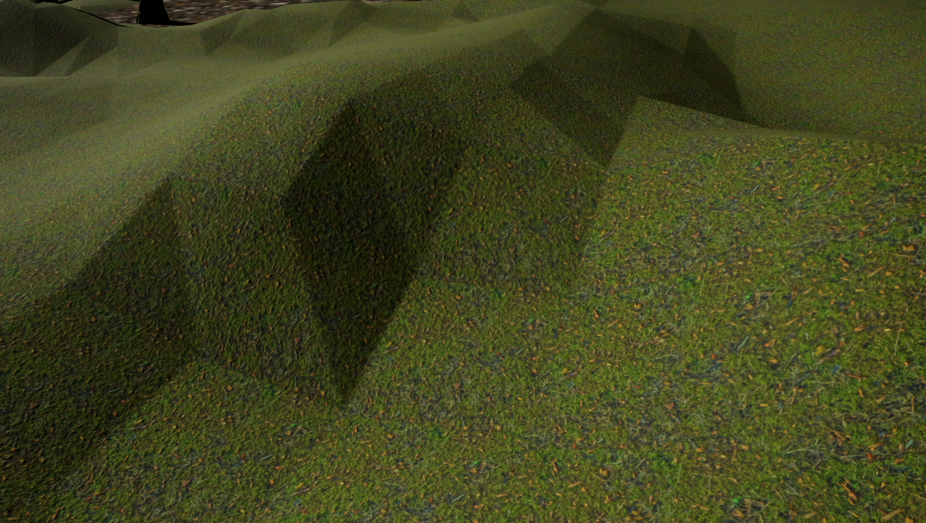
I can't get rid of those angular shapes
Any idea what causes it? I never had this issue before but it's a landscape I just imported from a 3rd party asset.
Smooth tool does nothing
exotic imp
Not my forte, but I think I had something like that before - I fixed my problem before by building lighting again, and it went away, but could be completely different
its almost as if theres not enough resolution undernearth
fringe pivot
Thanks but I have dynamic lightning
exotic imp
ah
grim ore
That would be my guess, what is this "third party asset" ?
fringe pivot
one from brushify
grim ore
is this landscape a static mesh? if so switch to wire frame and does it have any actual resolution to the underlying mesh (vertices and such) to support smoothing?
fringe pivot
it's a regular landscape Mathew
grim ore
what does the landscape size and resolution settings show?
or even in wireframe does it have enough geometry in it
 uneven tundra
Does anyone know if I need to flip my normals If I mirror a mesh with normals?
uneven tundra
I have made a floor section, and for some reason the main section, the one thats not mirrored, just looks different.
grim ore
well it looks fine, its not like its just giant faces but it looks like it has enough resolution to deform correctly
fringe pivot
grim ore
whoah why is it scaled so high up
yep its your scaling
you have the resolution but its now 200 times larger than default
fringe pivot
ahh I just copy/pasted it from the demo map
will try creating one from scratch
thank you
grim ore
a default landscape should be 100x100x100 with nothing changed
exotic imp
@uneven tundra could you post a picture?
uneven tundra
Yes
grim ore
you can always resize the landscape or resample it to a higher resolution if needed or yep remake it
uneven tundra
Its vissible both on the floorplates but also on the actual floor. Makes the seem very noticable 😄
If i go to unlit mode, there's no differance
exotic imp
Had to work out what I was looking for as theres lots of similar things in the picture looking different 😄 - your talking about the surround looking grey on the left yes?
exotic imp
the mirrored copies are pulling from the same material?
but then only part of the unit is different...
🤔
uneven tundra
Yes
Im not good at all with UE4
So It could be something else, but it has to do with lighting(i think) as it looks normal if unlit
exotic imp
did you already build the lighting?
2nd time I've suggested that in 20 minutes - thats getting weird
exotic imp
I just did a test and after mirroring I got a different shade of grey (just using the default 3rd person as that's what I had open) - the lighting pass fixed the different grey.
🤔
uneven tundra
Could it be the way I imported the materials?
exotic imp
shouldn't be, but shot in the dark, make your material 2 sided
uneven tundra
I think that fixed it dude
Ur amazing!
Oh
Never mind, zoomed out, and it was bakc...
uneven tundra
Its done in substance painter, I didnt use plugin but exported textures. Maby I should try the plugin,.
exotic imp
It shouldn't make that much difference, no experience here with substance
ah, maybe its the normal map. Disable the normal map in the material, see if the problem goes away
(disable 2 sided if you haven't already)
exotic imp
but whats weird normally when flipping with negative scaling, normal maps should work
exotic imp
Sorry, was looking away, so disabling the normal map gave the same problem?
uneven tundra
yes
exotic imp
🤔
uneven tundra
Im sure its some very rookie misstake.
exotic imp
probably something simple thats staring me in the face
in the diffuse texture, theres a setting for tiling, set it to mirror for both, does that change something in favor?
x and y tiling methods
still moth
hey, how would you go about making an FPS game where you have a body and a shadow, but can still see your arms without having to put the camera in the chest?
exotic imp
might be what your after - post by kreza
@uneven tundra have to get my head down for sleep now, still curious about your problem, I'll do some more thinking see if anything comes up
did you try the tiling methods already?
still moth
so, the proper way to do an FPS, and fake having a body is to have both the arms mesh, and a full body mesh together.. de-render everything from the full body except the legs so it'll fake you being able to see that you have a body?
but of course, render the shadow of the full body
exotic imp
From the post by kreza, yes all you will be able to see is the arms, no legs, but see a full body shadow with animations (and in multiplayer they will see the full body)
uneven tundra
After 've done that, do i need to press something to save it?
exotic imp
not sure if its the best way to do it though, I went with camera in the head, positioned carefully
@uneven tundra save once outside texture
still moth
i mean, seeing legs is a luxury, of course, theres no FPS where seeing the legs is absolutely a must
exotic imp
true, Ark: survival evolved doesn't even fake the shadow
exotic imp
even though they have the full body sitting there
still moth
do they put the camera in the chest?
exotic imp
they just have 1st person arms to the you (the player), and 3rd person to the other players. Cameras placed in the head
but then they are still using a modded version of 4.51 😛
uneven tundra
Thanks btw, much appriciated.
exotic imp
@uneven tundra no problem, shame I can't put my finger on the issue
uneven tundra
Im probably doing something very wrong.
 raven kernel
Hey I need a little help. Im trying to make a character creation level and ive started by allowing the user to chance the hair, ive set up a hud and it looks like its operative but nothing changes in play mode and i get an error "Accessed None" any ideas?
spark sonnet
Have you selected the right HUD?
raven kernel
yeah the hud appears in play mode
when i press one of the buttons to change the hair style nothing happens and i get an error saying "accessed none"
 viral fractal
👀
 calm widget
Do you have custom vertex painting on lower LODs?
do you have custom LODs at all?
tacit matrix
anyone know how i can make my static mesh into a skeletal mesh using Maya?
 abstract relic
Take your pick https://m.youtube.com/results?search_query=Maya+rigging
Enjoy the videos and music you love, upload original content, and share it all with friends, family, and the world on YouTube.
 wary raft
I was told I need a better Graphics card to run unreal engine. What would you guys suggest for my budget of 150
upbeat tendon
@wary raft these days no one is going to suggest something, personally i run a 32gb i7 with an nvidia 1080 with 8gb and i find it very slow
wary raft
I'm not gonna make anything very intense
upbeat tendon
i would say for your gfx card get an nvidia, but i've no idea what is in that case
wary raft
hm
 tall pendant
perhaps the gtx 1650?
upbeat tendon
for $150?
 frank escarp
@manic pawn i started to run unreal engine on my old 550ti
tall pendant
i mean i can run ue4 just fine with a shitty 960
frank escarp
and it ran
and the 550ti was a 150 euro card when it launched
modern x50 cards are several times stronger
upbeat tendon
will that base system run a gfx card?
frank escarp
its a prebuilt
upbeat tendon
i don't think it has a big enough power
frank escarp
probably shit PSU and shit motherboard
so gotta get a small gpu that doesnt need extra power
upbeat tendon
well that is one way to put it
tall pendant
the gtx 1650 is ~150€ yeah
 manic pawn
but did it "run" or did it actually give you a good experience
frank escarp
@manic pawn perfectly fine
manic pawn
🤔
wary raft
What does the gpu mean and is it expensive
upbeat tendon
it means an nvidia gtx card for you
but your computer won't be able to power it we are betting
wary raft
I'm not gonna make anything super intense
I just don't like unity so I wanna use unreal
upbeat tendon
you must be this tall to ride
i am importing my terrain from world machine and my laptop sounds like a vacuum cleaner
tall pendant
i'd think about the project and it's needs first. then decide on tech.
some projects are much better made with Unity tbh
upbeat tendon
what criteria ?
fringe pivot
wtf I can't paint or spawn foliage over the landscape
works over a SM but not on the landscape, why?
🇭 🇪 🇱 🇵
grim ore
@wary raft looking at the Docs site for that PC it has ~300w PSU and a free PCIE slot (But I can't tell if half height or full height), I think full. You should be able to run any PCIE only (75W TDP) card like the 1050ti series and possibly 1650ti (no experience with these). I can say that I run UE4 on a 1050ti at work and its good enough for what I paid for it.
grim ore
I assume that you linked the actual model you had, not the generic one? if so then yes the 1050ti might be a sweet spot if you can find one used
fringe pivot
@grim ore I was able to get rid of those geometric shapes in the landscape by recreating it with default scale, thanks.
grim ore
yay, I never realized scaling it could achieve that effect so it might be useful in the future if that is desired so I learned something 😃
calm widget
What bug?
 opaque salmon
what is a "1-x" node in material blueprints?
opaque salmon
ah, and "one minus"
 honest vale
it's not invert precisely afaik
Expressions that perform mathematical operations on one or more inputs.
Examples: OneMinus of 0.4 is 0.6
so it's literally "one minus the value you plug in"
whereas invert would be multiplying with -1, right?
calm widget
Seems legit, useful information i didn't know that. but correct me if im wrong, i think for most applications you could just consider it invert
honest vale
Example Usage: When the input colors are in the range [0,1], OneMinus has the same effect as what is commonly called "invert" -- that is, OneMinus returns the complementary color that when added to the input will produce white.
calm widget
and again correct me if im wrong. if your output is not 0-1 doesnt that break conservation of energy in the material?
unless it's like emissive i guess
fringe pivot
is there any way to increase output log verbosity? as for trying to understand why foliage is not painting in my landscape?
bold rune
The discovery that sphereGradient 2D renders differently on OpenGL to DirectX is very annoying.
manic pawn
you can use Log [Category] Verbose to increase the verbosity of a specific log category
bold rune
All my circular progress bars are now only 1 pixel thick.
Does anybody know of a plugin that adds a switch node based on renderer? I'd like to be able to specify different settings on OpenGL to Direct3D
spark sonnet
That depends
 icy mulch
What do you mean
next badger
@bold rune you don't need plugin, it's called Feature Level Switch
spark sonnet
how much grass, what kind of grass, how big is the map?
storm venture
can i share the same anim instance between two skeletons of the same actor?
bold rune
@next badger OpenGL 4 is SM5 so that switch doesn't work for distinguishing between OpenGL and Direct3D
next badger
@bold rune but...why? ue4 cross compiles HLSL to GLSL so they are the same on the same feature levels
bold rune
Except they aren't.
They aren't the same between OpenGL and Direct3D AND it depends which platform you're running OpenGL on. PC OpenGL is different to Linux OpenGL.
grim ore
technically open gl is open gl, the issue is the drivers and the card
 serene birch
bold rune
serene birch
bold rune
It doesn't matter if there shouldn't be. There is.
next badger
yeah, since ue4 is not officially supported on linux it's kinda rough road
grim ore
any way to use a texture instead of the node that is causing the issues so it's uniform across ?
bold rune
I'd settle for a platform switch.
Don't get me started on textures between platforms.
The compression is implemented differently and it screwed up a bunch of my materials.
 tall ridge
anyone out here have experience with the face ar sample? im stuck
still moth
ive been playing some quake the last week.. i only noticed i didnt have legs when i actually looked for them 😛
 snow thorn
i think they would get into the way while aiming
still moth
well usually legs are so far down that your crosshairs never reach them anyway
its just an immersion aspect
plush yew
why the fuck does my material look so different in the editor compared to my actual fucking scene?!?! Wtf
Like wtf?
Also in the scene the material is all blurry if you scale up the picture
abstract relic
LODs
plush yew
Is it only possible to blend per bone on anim montages, I can't use single animations for it?
@plush yew What are youre scalability settingsset to, above the viewport
dawn gull
Hey i'm still looking for an answer to my problem
dawn gull
I need to know how to make a holographic text above an item like in this trailer
Sign-up at http://SecretNeighbor.com and Wishlist at https://store.steampowered.com/app/859570/Secret_Neighbor/ Secret Neighbor is a suspenseful Multiplayer ...
(In BP please)
plush yew
So you could project the world coords to screen coords and on the 2d screenspace (the camera view) you can have widget elements appear, which change scale depending onr your distance from them
dawn gull
If you could DM this to me so I can reference this later
plush yew
There are other ways to solve this, but that is a plausible way to do it, some other way could be setting up items to have 3d widgets to be displayed when you are close enough
yeah I'll copy pasta it into your dm
dawn gull
Thanks
 fluid tide
Hi. Anyone know the reason, why after exporting from blender and importing a model to ue4 geometry looks fu*ked?
plush yew
Nobody onlineused to working with anims? It's been a while and I'm rusty
Gemoetry looks same
Smoothing slooks different
@fluid tide
fluid tide
Look at the butt stock
plush yew
Poly's look teh same, but the smoothing of teh poly's are different, put both on wireframe mode and compare them
plush yew
yeah I saw that, looks like smoothing issues to me honestly
the normal smoothing can look very different in engine and in the 3d software, making edges & surface shade differently, that is also how I perceived the difference between those two images
fluid tide
Yeah, no shit 😄 This part is in-reverse to previous parts...
plush yew
lol 😂 well there you see, 3d softyware can't be trusted completely 😛
I haven't used blender a lot, so I don't know exactly the workflow to get the normal smoothing you want, but I remember adding extra edges in zbrush has worked for me in flat low poly areas of a mesh, so near an edge an extra edge would break up the weird smoothing, halting it from making the edges look as weird @fluid tide
icy mulch
@spark sonnet the map is 100 and using a height map and I'm using the foliage free pack
fluid tide
I want it to look like in blender... except the grip lol
 hidden aurora
Go to the mesh and search for the imported data
Select import tangents ands normals, then reimport
hidden aurora
Worked?
fluid tide
<@&213101288538374145> Pin this mans message.
hidden aurora
Lol
spark sonnet
@icy mulch Use this grass. It wont lag
Free 3D model Low Poly Grass for download as fbx, blend, and upk on TurboSquid: 3D models for games, architecture, videos. (1309955)
weary basalt
@fluid tide Please dont @ the Moderators unless its urgent.
 dense patio
Has anybody found a fix to the spline + vertical locations problem? we are trying to make tank treads that work but having some odd issues. It only occurs for splines in vertical position. https://www.dropbox.com/s/cao7w3mkzgglzrg/predatorVsPrey - Unreal E 2019-07-28_22-48-39.mp4?dl=0

 thin tendon
Does anyone here know how to set up a steam braodcast so it actually shows on my store page?
 potent wing
does distance culling = view distance?
 halcyon hawk
re all in hello neighbor mod dragged obj into scene - pressed build - no obj in Play mode - what we did wrong? NEED LIGHTNING BUILD (1 object not bla bla bla) - i guess we rebuilt light but obj is still missing in Play mode
 left ridge
Haven't been able to sign into Epic Launcher or Unreal Engine.com since Friday
Keep getting messages such as
"Wrong password"
"Can't use one of your past 5 passwords"
"You're visiting our service too frequently"
 copper flicker
so I just discovered that if you duplicate a Map / Dictionary you break it..
 wary wave
define 'break'
copper flicker
probably needs at least a Clear
i mean its values are zeroed
and you can't assign any values
I removed all entires and created a new one
this works
if you just add a new entry, before clearing the map... it's gonna be an invalid entry
wary wave
weird
copper flicker
so this makes duplicating useless basically
you just have to recreate from scratch
wary wave
this said, why are you duplicating a map?
copper flicker
why not
I need 2 identical maps, with 2 different sets of values
upgrades and max upgrades
wary wave
sounds like you want a data asset?
copper flicker
btw, is there a good way to store a complex hierarchy?
I don't need complex upgrades for my game
but in case I did..
copper flicker
that's C++?
I guess maybe I could use a data table?
or not..
😄
that's for many values inside one key
wary wave
data tables are fine if all you need is a key + values
copper flicker
not for branching structures
copper flicker
oh, I need to look into it
I just found a quick video, it was getting into C++
so I assumed it's a code driven entity
entirely
😄
thx tho amber
 regal mulch
It was. They added a BP class for it at some point
foggy cipher
can someone help me with realigning my zoom in camera
its currently being like this and Im stuck
any help would be appreciated
foggy cipher
welp was hoping to get this fixed bytonight
foggy cipher
nvm
 latent moth
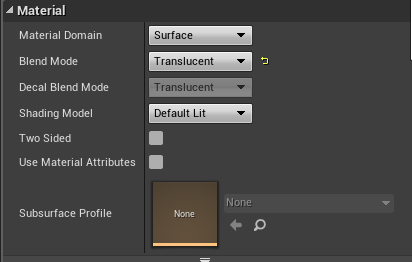
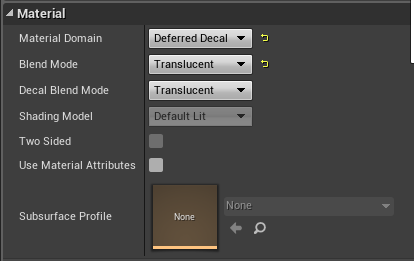
All, ho can you paint a decal over a transparent texture? I have a decal of a broken glass that does not appear on... glass :)
My glass: https://i.gyazo.com/6097eab901fccc0cc8f0dabbdf8133fb.png
My decal: https://i.gyazo.com/63259c3d9eb9640f9325b2d7d8dfab55.png
 wary wave
what might turn a spline mesh inside out?
I presume it's possible with the transform, but I can't quite see how?
wary wave
hmm, wonder if negative scale might be happening somehow
cloud cobalt
Splines are extremely touchy in my experience
Turns above 90° also break the mesh
Minor turns at close to vertical directions break the mesh (yay rotators)
wary wave
UE4's spline implementation isn't quite there
I saw someone had a native code fix a while back correcting all the twist problems
but I've never been able to find it since 😦
should have saved the page, hehe
the amount of times I've wanted to refer back to that damned code
 glacial pecan

Function library to remove twisting from splines and spline mesh components.
wary wave
yeah, I've seen the plugin
glacial pecan
Unreal Engine Forums
This is the place to show, share, and link to your stuff!
a native fix is in that thread
but it's very silly that Epic hasn't taken their time to fix it themselves
wary wave
aha, that's a good reference, thanks 😄
and yeah, it didn't look like a particularly complex fix
 loud kernel
Hey guys, any ideas on how to make a fog of war?
dawn gull
yeah @loud kernel if you have the starter content, there a lot of good default particles
for example: steam lit
wary wave
particles != fog of war
loud kernel
@dawn gull wat?! No, I want to make Fog of War for RTS game
wary wave
Fog of War is pretty complicated
there have been a number of discussions on the forums
dawn gull
ohhhhhh nm
loud kernel
@wary wave Maybe link to forum?) I can't to find.
 cursive dirge
open forums, put "fog of war" in search 😃
 rotund scroll
@wary wave am I wrong to think of fog of war is to have units carry visibility?
 radiant haven
Can Someone Help Me Creating Simple AI
wary wave
@rotund scroll - rephrase that?
rotund scroll
create an all encompassing shader on top of your map, then where you units are trace a line to a radius around the unit where the opacity then is 0
then make the same layer occlude enemy troops/structures/whatever
wary wave
"all encompassing shader" doesn't really make sense
there are a lot of different ways to do fog of war, but they all generally require the use of some kind of buffer
so you'd have to implement something custom in the engine to do it well
rotund scroll
all encompassing means it could be something you put in the world as a giant plane or just a screen space effect a la post processing
are you thinking of saving object states?
wary wave
post process would be the logical approach
object states don't need to be saved, but you do need something to actually write data into
(or read from)
stencil buffer is likely popular
wary wave
a render target is a kind of buffer
but drawing more than a few units worth of data into a render target would be slow
rotund scroll
well yeah but you don't need to write an additional buffer into the code
wary wave
and your render target would need to be very high resolution
you might be able to get away with full screen, but you'd need to update it every tick
which means you can't deal with a lot of objects
rotund scroll
or segmenting it into smaller sections that then only update when changed
it's an interesting problem
wary wave
if you have lots of small render targets you're still eating huge amounts of memory potentially
render targets are expensive, I would only use them if they're necessary
rotund scroll
surely render targets are only expensive when they update
otherwise it's just a static image
wary wave
you would have to update it every tick
but also expensive in terms of memory
render targets are not compressed in any way
 pulsar fractal
Hey, I made my landscape not thinking about the what would happen if the character went below the plane that the landscape was built with. Is there a way to move only this plane lower so that it is below my lowest point? Thanks
 grave nebula
Common approach to fog of war would be decoupled CPU and GPU systems, latter running at higher res. Both are in essence, 2d arrays, storing if cell is revealed or not.
grim ore
@pulsar fractal do you mean the green grid? that's the 0 place so no you can't move it. You can move your stuff, use G to hide it when working, or just disable the grid itself
pulsar fractal
@grim ore thanks, I did mean the grid. Can my character go below the grid with no issues? Such as the character being deleted because its considered outside of the world? This happened to me but its possible that it was something else I had set up that killed the character
grim ore
go to your world settings, go to the world kill z, and change it
you can make it lower then its not an issue or I think you can disable
 proper crane
Another guy DMing recruitment to people
PreslavAntonov
Seems like the ones that do this are all Russian
Aaaaand he deleted it 👏
grave nebula
Probably got a suitable candidate in the meantime ><
grim ore
No one ever recruits me for fun stuff, it's always world domination this and global destruction that
pulsar fractal
@grim ore Thank you 😄
grim ore
yepyepyepyep
 rain venture
does anyone know why when I import the rig gets duplicated?
they have different naming
UE4_Mannequinn_Base_SK_Mannequin_Mobile
and UE4_Mannequinn_Base_SK_MannequinMesh
what does this mean?
ah..... thats why -_-
proper crane
And he also... Changed his name...
 true leaf
Wow I just fixed a really annoying bug In my game
plush yew
Neat!
true leaf
I could never get particles attaching correctly (spawn emitter attached) and so I gave up and did spawn emitter at location on my units
But the reason why spawn emitter attached was broken was ...
I was always trying to attach the particles to Arrows on my actors
And arrows are :hidden in game:
So it was hiding new children too
Derpp
So now particle effects correctly bond to local space and things ^^
plush yew
Nice you fixed it, every mistake is a oppurtunity to learn 😃
I'm trying to figure out this issue right now, if anyone has any insight as to why it is happening I woudl appreciate some advice;
Currently as I attach a target actor A to another actor B, the AI that is targeting actor A stops generating paths, but stays stationary and performs ranged skills only. Why would teh attachment cause the Ai stopping to generate paths, it worked before so it wasn't always this, but I roleld back my settigns and this was still an issue
 jovial nova
Does Epic know about the 25% save bug?
plush yew
25% save bug?
raven kernel
Hey is anyone able to help me out with something?
jovial nova
basically stops at 25% save and locks up. Happens to me all the time. There have been some forums posts about it too. 😦
plush yew
25% when saving any file, or specific fiels?
jovial nova
saving levels
plush yew
even new empty levels?
jovial nova
haven't tested that
plush yew
test it, see if it is reproducable in a empty project
 woven cliff
guys is it still not possible to build certain room of a house instead of having to build the whole house ? just for light testing ?
 glacial yarrow
Hey boys. Czech users are reporting that they can't use their number keys because the default code they give is special czech characters. Shouldn't Unreal do that by default? Is there a way to deal with that in Unreal?
plush yew
In the editor or project settings, input settings, manually enter your number keys as default keys for those keybindings @glacial yarrow
Otherwise I suggest you download a secondary keyboard language and switch to it while using ue4, not the best way but should work in worst case scenario
grim ore
@woven cliff lightmass builds lights, if there are lights it's going to want to build it =(. For something like that you would use streaming sub levels for just the room if you want just that room or you could try creating a lightmass importance volume around just that room to speed it up. Since lighting is subjective to other environmental things when it works even isolating that one room might not be exact without the other environmental things around it
woven cliff
thanks @grim ore i was using lightmass volume it was helping alittle but not as i would expect it to be, thanks again for the answer ❤
glacial yarrow
I bind my input keys through c++ code instead of action mappings and it seems that I'm directly binding to US key codes instead of a more generic key.
grim ore
@woven cliff I wish there was a better answer, some stuff even in this day and age take what feels like forever to get done 😦
woven cliff
@grim ore iam working on a 3 floor villa, (editing it after 1 year of leaving it behind) so i wanna do better lightening but with so many assets around and so many lights around +exterior and landscape ( it was an optmized vr project) but build times takes 80 mins on medium on 4 machines for the entire place 😄
grim ore
I know that with the bigger stuff larger projects using sub levels is important for breaking apart stuff and making it easier to work with
more machines, harness the cloud for those 10 second build times 😛
woven cliff
true, since iam using this for arch vis only i haven't tried sublevels yet up till now 😄 i better give it a try tho thanks again man 😄
plush yew
Going to repost my issue in hopes of someone having an idea of what is causing the attach to actor to casue the AI to always fail the MoveTo;
I'm trying to figure out this issue right now, if anyone has any insight as to why it is happening I would appreciate some advice;
Currently as I attach a target actor A to another actor B, the AI that is targeting actor A stops generating paths, but stays stationary and performs ranged skills only. Why would the attachment cause the Ai stopping to generate paths, it worked before so it wasn't always this, but I rolled back my settings and this was still an issue
 civic cobalt
anyone else having this bug? https://i.imgur.com/Dg1Ss5M.png
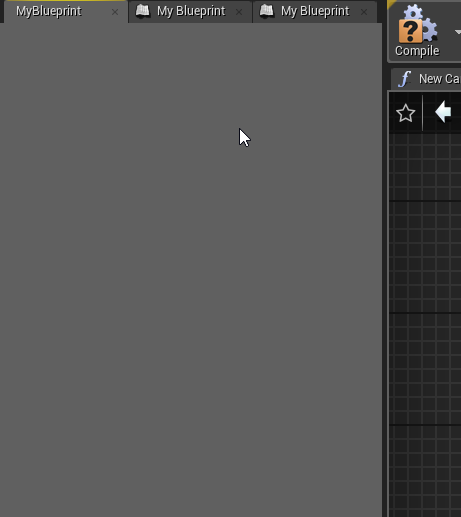
when i create variable, new blank MyBlueprint tab opens
plush yew
Yeah I've had that before, not sure why but it has happened on some projects @civic cobalt
civic cobalt
its just something i have to live with i guess
plush yew
Yeah, first time i encountered it was on a project in 4.7, and last time was in 4.20 , so I'm guesssing itäs low priority, it has never caused any issues for me though so the bug seems harmless at least
 zinc urchin
Hey, have anyone noticed debug collision points from trace getting huge if you lower camera fov quite substantially? It's pretty annoying and I don't know how to resolve it.
grim ore
autumn elbow
is there a way to get the Overlapping Actors/Components with out setting up the Events (OnBeginOverlap and OnEndOverlap) ?
grim ore
there are nodes for getting overlapping components/actors
you can even do shapes, think of them as like single traces and returning everything overlapping. box Overlap, Component Overlap, etc.
autumn elbow
I saw the node, 'Get Overlapping..' ... but then I have to run that on a tick to see if they overlap, right ?
grim ore
well you would run it whenever you wanted to check, if that is every frame then yes. At that point the events for overlap might be better
these are useful for stuff like I throw a grenade, it explodes, who is around me to get hurt by it
civic cobalt
https://i.imgur.com/Q9PTTBc.png is delaying beginplay like this is legit? Im spawning actor in a way that i cannot set variables on spawn.
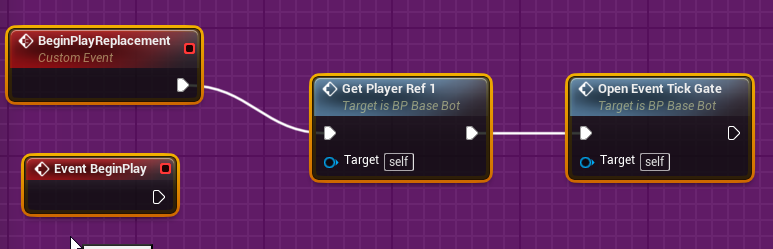
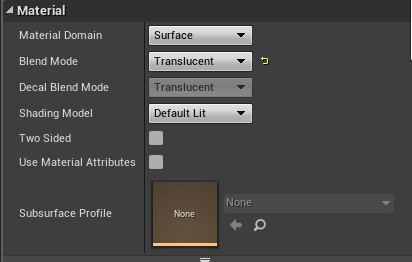
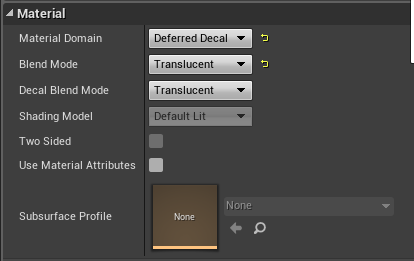

 grim ore
well you aren't really delaying it, you just aren't using it
is the event tick gate just stopping it from starting up?
civic cobalt
yes
autumn elbow
ahh i see. I'm trying to clean up my code, and make it more reusable . I have a set of snappoints, sphere collisions, and i would like to make setting them up easier. Right now, for every snappoint I add, I have to setup The Begin&End overlap. Anyway to speed that up ?
grim ore
You can always disable the tick completely, then turn it on when you want to use it. Might be "safer" than a gate
probably nothing quicker than setting them up unless you had a parent that had them already set up if that would work
civic cobalt
thank you @grim ore , i didn't know that. time for another of your videos lol
autumn elbow
Some object have 2 snappoints, some can have 8.
grim ore
yep I was guessing that might be an issue. I am sure there is a way to make it more "generic" and doable but off the top of my head 😦