#ue4-general
1 messages · Page 483 of 1
 upbeat tendon
 grim ore
ah if you are already handling changes to the game mode I guess keep at it would be best
upbeat tendon
i looked at the shootergame demo and thought i guess that is what i should do
grim ore
@rotund scroll it depends on how the collision is set up and the parent class. if its not a character then both collisions should happen in the correct spots
 rotund scroll
so they trigger simultaneously?
or does the subclass event supersede the superclass?
grim ore
well are we talking 1 collision item or 2 different ones?
I assumed you meant 1 in the parent and 1 in the child, separate
rotund scroll
the same collision component, but since collision events cannot be inherited, two separate events
I'm getting a bug where something triggers my collision events multiple times, and I am wondering if this has anything to do with it
grim ore
You should be able to inherit the collision in the child unless I am confused. Parent has a collision, when you have a child it can trigger any events from that collision and it will override it
rotund scroll
is there any way I can tell whether or not it's being overridden?
 spark sonnet
Hi. Why does this only work on some colors? This makes an outline with the color on the down left, but it only works on some colors
The other colors just makes it transparent
grim ore
@rotund scroll i dont think so, but if the event is in the child it is overriding the parent. If it is not in the child, the parent fires.
 upper wasp
Does anyone want to help work with me on my unreal engine project? 😃
spark sonnet
What kind of project?
upper wasp
an open-world character customizing, lewd project
Single player for right now, but if it gets a lot of attention, I'll allow an online group of 4 players.
only if we get advanced
Yeah, I don't want my game to end up like fallout 76
Brilliant,
We'll find out a way, I only need devs who are willing to do this kind of project with me, and are loyal
 plush yew
Is it about farting like your name suggests
grim ore
#looking-for-talent for that, put up a post
upper wasp
Nah
 dawn gull
Hey, sorry to interrupt but, I am following a tutorial (https://www.youtube.com/watch?v=1uPSAiD1LbI) and no Animations tab shows up in ThirdPersonBP/Blueprints/ the character guy and i need help
 grim ore
yes this is for an old version of UE4, what animation tab?
grim ore
it would be in the details panel when you click on the mesh
grim ore
his layout is just different, the tabs are still the same
dawn gull
Ok
upbeat tendon
unrealvs doesn't work with vs2019? is it still something under development?
 manic pawn
it's broken
upbeat tendon
seems so
plush yew
I wanna use VS Code
 indigo blaze
I believe we are meant to use 2017
grim ore
you can use any of those for actually using UE4 codebase, you don't need unrealvs. so yes VS Code, 2019, and 2017 all work as editors if you don't need UnrealVS (I've never used it personally)
 hushed hare
hey fellas
I'm making a game based off of the Backrooms
just started
I'm messing around with how the rooms will actually look
how does this look?
grim ore
it looks like a room
grim ore
that also looks like a room
hushed hare
Well does mine look close
grim ore
they are both a dullish orange/brown with walls and lights so sure
hushed hare
ok
dawn gull
I have done the tutorial for rolling, and it works but I have one, single, crappy bug. It is glitchy and resets to normal rotation when you stop moving
I will record a video to show what I mean
This is what the game is doing
 calm widget
Hey @grim ore i gotta ask, whats up with the tomatoes?
hushed hare
How do I make textures not squish when they tile?
Is there any way I can make it auto tile?
grim ore
@dawn gull it looks like you are rotating the object before moving ?
dawn gull
How do i fix this?
grim ore
@hushed hare you can look into making the texture world aligned for something like that, or adjust the material to use tiling on the UV that you set up
plush yew
How do you rotate the object?
grim ore
@dawn gull I dont know how to fix it, I dont know what your code is that is doing it. Chances are it's not something easily fixed since I assume it is rotating it so forward is forward when it gives it movement
dawn gull
Aw dang ok it's fine for the time being
hushed hare
Ok world aligned got it
plush yew
anyone knows if depth priority sorting is working in ue4.22 or still not supported?
hushed hare
unreal engine keeps hanging when I try to apply my material
plush yew
no one knows? well i guess i gotta dig the engine code to figure it out 😦
manic pawn
if you mean the render layers thing then no
hushed hare
I don't know what that means sorry fella
plush yew
@manic pawn yeah, thats the one. is there any other alternative or workaround?
manic pawn
I don't know of any
hushed hare
anyone know why an engine might crash when trying to apply a texture?
plush yew
Doing IK isn't really an option
manic pawn
IK?
plush yew
@hushed hare invalid reference to the material & texture?
Inverse Kinematics = IK
basically im supposed to move the hands away from the walls
hushed hare
The editor hangs no matter what change I make
All I did was change the input to the base color from rgb to just the red channel
wait no it worked
I think it might be because shaders are compiling
how do I make that stop while I do this?
 swift canopy
There's no brakes on the shader compilation train...
plush yew
only one stop at 45%
swift canopy
lol
plush yew
 manic pawn
meanwhile I'm compiling -107 shaders over here
plush yew
thats usual
 prisma palm
forgive me if I'm not in the right subchannel - feel free to direct me there if necessary:
Recently drag-n-drop into content browser has totally stopped. I tried a few solutions on google (most importantly: running in adminstrator mode, reinstalling) to no avail. Anyone have any idea what's up/how to solve?
prisma palm
ah no dice 😦
hushed hare
@grim ore thanks so much! the world aligned textures worked, now I can make procedural generation so much easier
 next badger
@grim ore dunno...delay it until ui is loaded...
grim ore
I am pretty sure it's compiling UI stuff at that point, engine required materials and such
next badger
for every new project?
grim ore
it shouldnt do it on new projects, its the engine DDC that is being created at 45%
unless your DDC is borked
next badger
so, this 45% is only for ue4 updates? then why not to bundle ui shader cache with the distro?
grim ore
that's a good question, no idea. the Boot.ddc is what is created at 45% for your engine when you first load it
hushed hare
What else is being built when I click the build button instead of building lighting only?
grim ore
you had it right, he was asking that
grim ore
basically the build button builds all the stuff under the build button 😛
mouse over the build button and there is a tooltip 😃
hushed hare
ok so if I don't have a navmesh or brushes then I can just build lighting only with no issues
got it
grim ore
if you don't have those you can just hit the build button and it will skip building those
 cursive dirge
^
grim ore
crap I am up to all the smart talks in Unrealfest now to watch, Mesh refactoring, lighting, animation. Oh boy
grim ore
nothing for rendering itself, just the mesh drawing pipeline refactor they are working on
grim ore
I like the ones from normal people talking about "hey we did some cool stuff" but now it's all the smart epic people going "we goobled the tranfluxistor matrix 4x4 retro angel and now we can turboflop the resistors in the pipeline 100 times faster"
so Unity launched Streaming Labs https://youtu.be/7Fl3BHsLBF8?t=28 which lets you stream in an editor and learn all web based without downloading/installing the editor. Anyone want to guess how they do it and how we can do it with UE4 because this is really cool
 stoic cobalt
hi could anyone help me with keying out particular grayscale values from the alpha channel, ive been stuck with it for hours now
hushed hare
Uh
Do they run the engine remotely and just stream a display capture to the browser, similar to how Vortex has server sided computers
grim ore
or check out this 2 part series that might help? https://youtu.be/jSHvARzCzXc @stoic cobalt

Unreal Engine 4 Tutorial
I dunno how they do it, I would assume streaming yeah but it's really responsive. I guess just streaming a video capture with input would work
was hoping for a cheesy way to do it with UE4 for training because that is really neato
hushed hare
knowing epic they would probably make separate tiny engine versions for each tutorial
grim ore
pixel streaming wouldn't work out of the box since you have no editor. multi user would work but it doesnt stream so lol
hushed hare
ugh my lights are messing up and idk why
grim ore
would be kinda cool to see some training stuff where the trainer can use multi user, people can join in to watch in real time in the editor but not muck with it
hushed hare
I have 2 rectangle lights facing away
all identical
I have 6 of these setups
some of them are showing errors
for overlapping or soemthing
others aren't
grim ore
the red lights with the X?
grim ore
I assumed this was in a material?
stoic cobalt
yes i mean in a material
but look
basically
this is the alpha channel
how could i key out these values
grim ore
have you tried the https://docs.unrealengine.com/en-US/Engine/Rendering/Materials/HowTo/Masking/index.html page @stoic cobalt ?
@hushed hare that is a restriction on stationary lights, you can only have so many overlapping. Change them to static or movable or move them so they don't overlap
hushed hare
Rectangle lights only face in one direction, so couldn't I have 2 facing away and as close as possible with no issues?
 deep basin
is there a workaround to use different colored highlight materials? Like green for friendly units and red for enemy units when selected?
hushed hare
Why are 2 of my levels quantum entangled
grim ore
@stoic cobalt there is also this post https://answers.unrealengine.com/questions/191185/how-to-mask-a-single-color.html which shows how to make a material function to mask out individual colors
stoic cobalt
this one might actually help
grim ore
rect lights still have an area of influence @hushed hare , you would have to change them to static or movable if you want them to work near eachother
stoic cobalt
if i would have these masks separately in rgb channels i wouldnt bother writing here
 cunning siren
How can I constrain fp camera pitch when jumping? I tried constraining it in the character bp using input jump event, but that caused the jump to be entirely disabled.....
grim ore
so you jump but the player can not look all the way up or down?
spark sonnet
Hi. What's the best format to use if I cant use fbx? Between these /
grim ore
so let's assume you said yes. The player camera manager has controls built in to restrict pitch/yaw/etc. You will notice that it defaults in a default FPS template to -90/90.
https://i.imgur.com/YqYRm8z.png is how your jump should look, I assume you want it to reset when you land. You need to also create a player controller to use a custom Player Camera Manager which means you need to create a custom Player Camera Manager as well and use it https://i.imgur.com/r1ohUzO.png. Then swap out the default player controller in the maps and modes in project settings for your new player controller and you should be done. Set the values in the set pitch min/max to what you want.
Alternately create a custom event inside of the player camera manager you created to handle "restrict pitch" and "unrestrict pitch" so you have 1 spot that can hold your default/restricted values and not keep those in your player itself. Then you can just have the player Tell the PCM to run the event directly after / before you jump / land
@spark sonnet soo... only the first set of those are 3d model files and you seem to be missing the .obj which is what I would recommend
cunning siren
I fixed it - the hair was clipping into the camera frame when jumping. I just moved the camera up slightly
GOod info tho, thank you
spark sonnet
Yeah I was thinking .obj too but its not here :/ Maybe its time to say hello to Blender instead
grim ore
is that the list of your options to export out to?
grim ore
you should be able to import an fbx then or obj, it's weird that list is not showing it
hushed hare
No matter what I name the level it says this
spark sonnet
I have to buy an extension to import fbx files. weird
grim ore
oh that is some other product not UE4 then
spark sonnet
yeah. Sorry for not specifying that
 visual belfry
world machine or something?
are you making terrain? unreal can import heightmaps from pngs and probably other image files
oh I read that reversed 🤣
spark sonnet
Whats best between dxf and dae?
grim ore
different programs
spark sonnet
But there are no advantages with one or the other?
im going to convert it to fbx later anyways
grim ore
I have no idea, every file format has plus and minuses
spark sonnet
ill try dxf
grim ore
even FBX has plus and minus depending on what version
 pulsar fractal
Hi, could anyone give some quick advice as to how to check for all actors of a class within a sphere trace? Thank you
grim ore
does your sphere trace return back an array of actors?
pulsar fractal
It does not it returns a single hit result
rotund scroll
is there anything a composite data table can do that a regular data table cannot?
pulsar fractal
I just found out theres a node that returns an array of hits, I'll try this node now. but when I print the object found from the hit result; it returns nothing while there is an actor in the sphere
 tame dust
Hi guys, first timer here. I am planning on using ue for visualization and was wondering if having multiple gfx cards SLI or otherwise speeds up the ue engine viewport in any way. Especially where RTX is concerned
grim ore
if you want more than one hit you need to change to the multi sphere trace trace then
then you get an array of actors and you can go from there depending on what you want to do with the ones you hit
spark sonnet
😃
grim ore
@rotund scroll if I remember right the point of a composite data table is it lets you swap out the data table inside of it or change that data but on the outside it looks like the same data table so you can just wire it up once
pulsar fractal
@grim ore What do i input for object types?
pulsar fractal
Im not sure where to grab that array input from
cursive dirge
why not glTF?
grim ore
@rotund scroll yeah I did a videon on this, its been a while tho lol https://youtu.be/2tdMAYF4Tu8
rotund scroll
@grim ore Thanks, that does sound useful. it does beg the question of how to swap the tables though... surely that's not going to happen during runtime
pulsar fractal
@grim ore Does the boolean of Ignore Self also ignore additional instances of the same blueprint? For example can i detect other dogs from a sphere trace from a dog
I just added every object type to the input array; still no results
grim ore
@rotund scroll no I beleive the tool is primarily for design time since you can't edit a data table at runtime anyways. You can combine differeing tables tho if they are the same struct so like you have an item struct for a data table, you make a weapon data table and an armor data table (both using item struct) you can then make one composite data table for all items adding them both to it for example
@pulsar fractal what are you trying to do? You can probably ignore the object types most of the time you would do a trace by channel
and if you are using the object type then that is referring to the collision object types set up in your project settings
pulsar fractal
I have an explosive barrel, im trying to make a sphere around it which will explode all other barrels in that radius when one is shot as if the explosion propogated
Ill check the project settings
grim ore
is it only the ones that it can see or anything anywhere in that radius?
you have a few ways of doing it but basically you need to get the correct array of hit results first, after that you can for each loop thru them to get each individual hit. after this you would break each hit result to get access to the actor. From there you do whatever you want. Hit Actor -> Cast to Barrel -> if barrel do whatever. Hit Actor -> Get Tag -> If tag is correct do whatever. etc.
alternately you could just use damage to blow up the barrels. Give them all receive damage events, have the item that blows up create damage in a radius around it and then those items can receive the damage event and do whatever
pulsar fractal
Thank you very much, my issue is really what you said im just not getting the right array because the other actors are not being recognized
grim ore
if the items are supposed to be around it and visible (not blocked around a wall for example) then use the MultiSphereTraceByChannel node
you can set it to ignore things like WorldStatic (your geometry) and only care about other things
which node you use and how you look for barrels just depends on what you are trying to do and how they are all set up
pulsar fractal
Thats great to know i wasnt sure exactly the difference between the trace nodes but now it makes sense. The barrel doesnt have a Collision sphere, im just realizing that its only component is a Skeletal Mesh. Im assuming thats my error
grim ore
that would probably be it
pulsar fractal
If i set up the collsion to BlockAll, will the trace recognize it, or is my logic backwarsd
backwards
grim ore
but even then I would assume your mesh would have a collision and it would hit that, the BP doesnt have to have a special collision
grim ore
I just tested and https://i.imgur.com/N5gMkZk.png returns back all of my objects in the world around it including the BP with just a static mesh and no extra collision https://i.imgur.com/hkdtvfs.png
pulsar fractal
Whats funny is I had the exact same setup
ignore self was ticked I just unticked it
could it be that i didnt add .1 to the sphere?
In the debug, the trace covers the other barrel I'm testing for though
plush yew
Anyone has any solution solving this particular problem?
https://answers.unrealengine.com/questions/168742/render-a-mesh-which-is-in-front-of-everything.html
Without scaling & moving the mesh in front of the camera?
grim ore
no the .1 is just something I did, it is not needed
pulsar fractal
very interesting
grim ore
so nothing prints out?
pulsar fractal
Correct
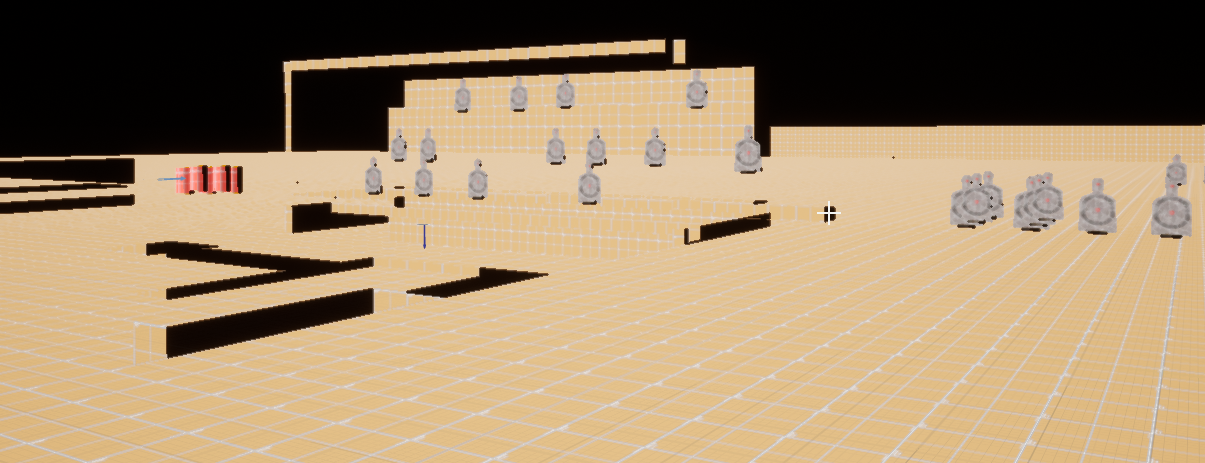 pulsar fractal
I find it strange that even after I tried it without ignoring self it still didnt print
grim ore
even something like your wall should print out I would think or a the floor. try it like 10000 for the radius
you should unhook your end or set it up like mine at the minimum to test tho
it has to move to count as a detect, it has to have some sort of a distance to trace
pulsar fractal
okay let me see
hushed hare
hey fellas
plush yew
@pulsar fractal you can do collision checks instead of tracing
or you need the hit location?
Because i see you don't use it
SphereOverlapActors
plush yew
if you don't need tracing i recommend using the less expensive method
SphereOverlapActors
pulsar fractal
Oh I see... so this node basically just finds the actors rather than all that hit data?
plush yew
Yes.
pulsar fractal
Awesome let me try
Amazing, works perfect. Thank you both very much!
Good luck with your question @plush yew , I wish I knew enough to help
hushed hare
fellas
lighting is hard
I set the lighting to movable so that it wasn't precomputed since I am doing procedural generation
this is what I get
what do I do lol
ok I made the lighting not so realistic instead
I literally made rectangle lights that covered the entire ceiling and floors
 latent flume
Hey Everyone. Quick question is anyone familiar with c++ and doing custom uobjects?
hushed hare
nvm that didnt work
 mortal tinsel
Should I make a cartoony looking low poly game in ue4
actually if astroneer and fortnite can pull it off my game can
latent flume
Yea. Why not?
The problem I am having I posted here including the source files if anyone can take a peek https://forums.unrealengine.com/development-discussion/c-gameplay-programming/1637415-uobject-cons-called-but-it-s-not-the-object-that-s-currently-being-constructed-with-newobject
Unreal Engine Forums
Hello I have some code that I have been trying to resolve today but I'm not sure. The code looks correct but it compiles both in the editor and in visual studio
 coral mortar
Can I ask a question here?
 dim plover
Yup.
coral mortar
Im trying to get a counter strike source level 1:1 scale in unreal engine (including the player) but this has become more and more confusing could you help?
dim plover
I know nothing about that. But if you had a more specific question, maybe someone else could help you.
coral mortar
I have the file and map working fine its just the scale I have off I don't understand the math conversion
let me expand
source engine scale : Maps, architecture and prop models use a scale of 1 foot = 16 units.
Skyboxes (which are 1/16th scale of ordinary maps) use 1 foot = 1 unit.
Human Character models for Source Engine currently use 1 foot = 12 units.
Unreal Engine Scale: 1 unit = 1cm
so I compared in both and it doesn't work
these are the same blocks on the same level to compare heigh
height*
note that in UE4 you can zoom in and see I have the map scale at 0.0274
the third picture confuses me because I think in counter strike source the head isnt included in the collision box
So i thought okay a source map is 19.05mm so in unreal cm thats 1.905 so 1/1.905 = 0.5249343832020997 so I set the map to that scale but its why too big the headache is also thinking would I have to consider how the character is using different units in the source engine so then Id have to convert a map to unreal scale while considering its scale relative to the player for a true 1:1 ratio?
You can google source engine dimensions
 strong fossil
hey does anyone know a trick on how to get my magazine in this gun to be apart from the main body because i can't select the magazine itself because its attached on the gun and i can't exactly select the vertices on it
 loud knoll
Question: In the Blueprint Class UI can you group select variables?
strong fossil
sorry i miss read
 dim arch
@strong fossil press tab to enter edit mode, go into face select, double click a face on the mag to select the element, then run a detatch operation
strong fossil
i double clicked it and it only selects 1 vertice
dim arch
@loud knoll yes you can assign variables to categories
Press L while hovering the mouse over the part of the bag you want to select. This will select all the geometry which is connected to the part under your cursor.
try that
or after it is selected, press ctrl L
strong fossil
tried it only selects 1 line i will show you the issue i am having
you can see the mag is in there but if i try to select the mag vertices the body vertices will be selected i need a way or something to just select the mag itself because its joined to the gun because it wasn't made like that
dim arch
if the verts are connected then you need to manually split them
strong fossil
thats the problem i cant because they are way to close to the gun
dim arch
then you have to select and hide parts of the mesh until you have what you want
you can use select by angle, or loop to get sections of the mesh and hide them, then it may be possible to select an element
strong fossil
alright thanks for your help i will try that
 near ibex
Hey i need help with something, i just imported a mesh i scanned from meshroom and for some reason it cut up the material into like 7 pieces. is there a way to combine them in blender?
 potent wing
This month's free assets on marketplace is awesome right?
cunning siren
Jesus man, I loaded up the Soul City map... Shaders compiling until retirement.
fml
loud knoll
@dim arch Yes so if you want to select an entire catagory and drag it into a BP is there a hot key combo for that? I already org'd the var's into catagories when I created them.
@dim arch for instance you created 20 health vars for location based damage system and you want to select them all to set a new default or if you want to drag them all in the BP to do something with them, I tried everything but it will only let me select one at a time. I even looked in the keybinds for the editor to see if I could set a keybind for it. no luck.
dim arch
you have to do them each, you cant select multiple variables from the variable list in bp
 cinder island
@strong fossil you can select the mag in object mode, goto edit mode, select 1 face then press L to select all faces ONLY on the mag
strong fossil
tried that and didn't do what i wanted it doesn't matter i made my own mag now and deleted old one but thanks for trying to help me
hushed hare
ah crap
I tried to add a plugin
it wanted me to rebuild
it failed
now
my project wont load
it gets stuck at 45%
help I just spent 2 days working on this
I don't wanna lose it
please someone help
 fringe pivot
delete the plugin?
fringe pivot
when shit like that happens I delete everything except the .uproject content/source and config
hushed hare
I did
fringe pivot
then regenerate vs files and rebuild from there
hushed hare
fringe pivot
is it a c++ project?
hushed hare
blueprint
this is the last thing in the logs
when I restart it, it always stalls there
so uh
I just made a new project and moved the config and content over
and it works
so problem solved I guess
 fleet otter
Hello all.. I am kind of somewhere between beginner maybe intermediate when it comes to c++. I really want to do something in UE4. But all the stuff I've seen on the internet in regards to 2D projects in UE4 has been negative... Am I wasting my time? I really want to make a cool 2D 2.5D rpg and since c++ is probably the language I know the most about at this point, I wanted to use an engine that allows it.. Should I back away now? if no, where do I start when it comes to learning UE4?
cunning siren
Dumb question but, if I wanted to send a test build to someone, do I need to send them the whole WindowsNoEditor folder, or just the game.exe?
hushed hare
@fleet otter I made a TINY 2D game in ue4 a while back, and it was a 75mb game. If you want your game to be small and optimized like most other 2d games, i would suggest going with unity or another engine
fleet otter
@hushed hare Ok. Aside from creating a game from absolute scratch. Are there any other engines that support c++ that are free or open source? I know with Unity you have to have pro to use c++
hushed hare
excuse me what the frick
my brand new project isn't loading either
uh
I don't know a lot about other engines lol
cunning siren
@fleet otter Godot!
fleet otter
@hushed hare should I just stop beign a scrub and learn blender then? >_<
hushed hare
idk
cunning siren
Open source, MIT license, and native C++ support
fleet otter
I wanted to do 2D because I'm good at drawing sprites, but I know nothing about 3D animation lol
I'll check Godot out
hushed hare
Oh great I gotta wait all day for the engine to rebuild I guess
fleet otter
@cunning siren wow, says no strings attached no royalties 🤔
fringe pivot
There are free 3D models and animation assets everywhere, you won't be able to create an AAA but for something small I'm sure you can achieve something without being a modeller/animator
UE4 learning curve is steep tho
fleet otter
@fringe pivot So I have heard. Kind of makes me wanna just go learn Python or something lol... But I really wanna do something in c++, but don't really wanna reinvent the wheel.
I was gonna use RPG maker, but I soon realized that in order to make a game using RPG Maker engine, that didn't feel like an RPG maker game... I would need to edit a lot of the source code, and I'm not a huge JS fan
cunning siren
Learn Unreal. Forreal. It's effing hard, and time consuming
but you'll be better off for it.
As opposed to using something like RPG Maker.
fleet otter
Paper 2D looks good, and really I wanna make something 2.5D vs flat 2D
but I've read that there isn't a lot of support for it, or it's out of date?
@cunning siren so am I better off just starting from the very, very beginning? Like youtubing "Learn Unreal from nothing"? lol
cunning siren
Udemy my man.
Steve Alehberi or something like that has two really good courses, one on C++ from the basics up, then Unreal from the very basics through packaging your full game. He's really good.
Or if you don't want to pay the 10 bucks, there are a lot of really good beginner tuts on youtube, for sure.
Just make sure you're understanding and applying it as you go rather than just typing what they're typing.
fleet otter
I'm decent in c++, I mean I know it takes years to master it. But I really just need to know how to use the engine more than anything. I've got at least the basics of c++ already, if not a little more than that. I'm actually majoring in Computer Engineering rn
But I've read just knowing c++ isn't enough because Unreal is a beast in and of itself lol
 worn granite
I take it you're comfortable working with std
fleet otter
as in the namespace?
worn granite
UE4 will have many (if not all) of the same constructs, but most things are different enough to trip you up
fleet otter
oh
worn granite
Additionally, gameplay code typically doesn't have to handle memory - a lot of macro magic though.
fleet otter
Really?
So many games are so memory intensive though, which is why game devs seem to love c++ because it's so memory efficient
worn granite
UPROPERTY()
AMyActorType* Actor = nullptr;```

vs

```cpp
std::shared_ptr<AMyActorType> Actor{};```UPROPERTY()? is that a built-in function?
 sudden agate
UE is not memory efficient lol
worn granite
And UPROPERTY is a macro

Unreal Engine
Reflection is the ability of a program to examine itself at runtime. This is hugely useful and is a foundational technology of the Unreal engine, powering many systems such as detail panels in the editor, serialization, garbage collection, network replication, and Blueprint/C...
fleet otter
so you don't use new or delete?
worn granite
Between the reflection, the alternative to std, the difference in memory management, and the size of UE4... it can be a daunting transition.
cunning siren
Did anyone know the answer to my Q earlier? About packaging?
fleet otter
you mentioned something about new though.. were you talking about pointer manipulation?
worn granite
in fact, new AMyActorType(...); will give you a handy warning/error
fleet otter
interesting... sounds like I just need to pick up a UE4 tutorial
The only problem is
I have ADD so bad, and if the tutorial is boring, I wont be invested.. which is why I was trying to find specific projects
_<
Like a 2D game, or even maybe like 2.5D doom or hexen lol, I'm getting nostalgic here lol
worn granite
You can skip the tutorials if you're comfortable with VS
Pick up VAX and figure that out
Find a roadblock and search ue4 c++ <problem>
fleet otter
actually
I compile my c++ code like a crusty hobo on the command line
I know nothing about visual studio lol
worn granite
If you're willing to jump into the fray using sublime/vscode/n++, without knowledge, you're a braver programmer than I.
fleet otter
Yeah I write code in n++ and compile with MinGW
worn granite
The main point is navigation.
fleet otter
yeah I know vs kind of packages everything for you in a project
putting .h files together and stuff etc
I'm sure there's more depth than that but
I just haven't bothered picking it up yet, because most of my c++ experience has been on a Unix machine
worn granite
Nah nah.
I've never used em, but I guess ctags are a good equivalent
The packaging .h/.cpp files isn't quite as important.
fleet otter
Well at any rate. procrastinating is getting me nowhere. I could sit here for days thinking about how I wanna make something and never do shit... any suggestions?
worn granite
Though, UBT requires the use of some sort of build tool.
Cmake, VS, etc
It can generate the files it needs too
fleet otter
well I know that VS has much more user friendly prompts and compiler errors than the command prompt compiler lol
worn granite
Well I'd suggest learning VS with more basic code, then following the C++ battery tutorial from epic. That'll get your toes wet, and you can dive from there.
Entrian Source Search is a full-text search engine for your Visual Studio source code.
fleet otter
So then, you write your UE4 code in VS and upload it to your UE project? or
How does that work
wouldn't VS get confused by UE4 syntax? or you just mean get practice in VS in general?
worn granite
Basic gist - write your code however you like. Change to the file layout (new/removed), regenerate the project UBT will expect. You can then invoke UBT when you want to build.
sudden agate
VS IS your UE code
fleet otter
to be clear we are talking about visual studio right?
fleet otter
ok
worn granite
IDK about this whole VS is your UE code thing
fleet otter
I guess I'll just mess around in VS a little bit first then... maybe make a pong game or something lol
is the free version of VS all I need?
worn granite
You're familiar with cmake?
You can use that if you like.
Though, UBT is more than happy generating whatever files (visual studio or otherwise)
sudden agate
BTW, is someone using VSCode? What extension do you use for C++ and UE?
worn granite
But if you go with Visual Studio, you can use the free version
Never had a limitation with it, in my personal experience.
fleet otter
so I guess what my question is... UE4 is the compiler for my code? regardless of what I write it in?
worn granite
You'll use UBT - Unreal Build Tool
fleet otter
and that will essentially package everything?
worn granite
Which will invoke UHT - Unreal Header Tool.
fleet otter
into a .exe or setup or something
worn granite
Eventually, the C++ compiler gets invoked. I think you can specify which, but on windows by default it'll use msvc.
You get your .exe and .dll files as you'd expect on windows (platform equivalent)
fleet otter
I see, I think mine is gnu or w/e
worn granite
Linux?
fleet otter
hehe
Well prior to may I knew nothing about Linux
love it though
I actually tried to remote into my schools Unix server via windows the other day.. I was succesfully in remoting in... but the whole transferring files thing didn't work to great... made me mad because I had to drive 30 miles to my school to get a file off my Unix computer lol
worn granite
I'm about to head off, here's something to look at https://forums.unrealengine.com/development-discussion/c-gameplay-programming/3268-how-to-specify-compiler-and-compiler-options
Unreal Engine Forums
For gameplay programmers writing C++ code.
It isn't plug and play, but if you're willing to dig you can probably have UBT invoke your compiler
fleet otter
Hmm
Does VS compile on its own, or is it too invoking a compiler, of my choice or otherwise
worn granite
You won't be able to use your gnu one, I don't think
Er.
C++ Team Blog
Microsoft Visual Studio 2017 supports several C++ compilers to suit a wide variety of codebases. In addition to the Microsoft Visual C++ compiler that many of you are likely familiar with, Visual Studio 2017 also supports Clang, GCC, and other compilers when targeting certa...
fleet otter
I'm just gonna try to start as small as possible in a project whatever I do, so I can learn the basics of UE4
fleet otter
@cunning siren I wish I could find that steve alhebari guy lol. Trying to find a good Udemy course to pick up
https://www.udemy.com/unrealengine-cpp/ think I'm gonna go with this one
Udemy
Unleash the power of C++ and Blueprint to develop Multiplayer Games with AI in this Epic Games-approved course.
oops sorry, meant this one https://www.udemy.com/unreal-engine-the-ultimate-game-developer-course/

Udemy
Learn how to develop, code and package a complete video game in Unreal Engine
 lusty carbon
I have a Character whose navigation around the level is for some reason heavily affected by the Frame rate. lower than X and he is bumping into walls and stuff. Help?
I don't recall that kind of stuff happens in games. how can I fix it?
 regal mulch
What is X?
Cause it's totally normal that this happens if the framerate is too low iirc.
regal mulch
Vehicle has their own class iirc
Character is more for humans
And similary shaped beings
lusty carbon
I know. made the decision cause dont need the extra complexity
regal mulch
But even then, 65 frames shouldn't really cause much
lusty carbon
it works just fine except for that issue
lusty carbon
CMC?
regal mulch
Where it splits the one move into, i think, 8 smaller moves.
If the frames are really low it could be that even this won't stop it from failing collision stuff
But you are saying it takes wrong turns so I would assume the error is in your code, rather than the Character and CMC (CharacterMovementComponent)
lusty carbon
how can the error be in the code if it works until certain fps ?
regal mulch
Specially if it's 65 frames
lusty carbon
Specifically if it's BELOW 65 fps
regal mulch
It could be that you are using EvenTick somewhere
And you aren't utilizing DeltaSeconds
lusty carbon
void AForklift::Tick(float DeltaTime)
{
Super::Tick(DeltaTime);
 glacial pecan
is there a different way to zoom other than the mouse wheel?
 autumn elbow
@fleet otter did you end up getting the udemy course? Your initial review?
 placid arrow
how simple would it get ue4 to load a non-cooked fbx file into a level at runtime from disk... theoretically
basically, allowing the user to load their own non-cooked assets into a level designed in a third party editor
not taking into account the awkwardness of materials, tetxures, etc that come along with it, which is a whole different kettle of fish
dim arch
you would need to add a file loader UI, convert the fbx polygon data into mesh data and spawn a staticmesh component on a new actor
it's not simple, but possible
https://orfeasel.com/creating-a-file-picker/ https://www.unrealengine.com/marketplace/en-US/slug/file-picker-ui-dialog
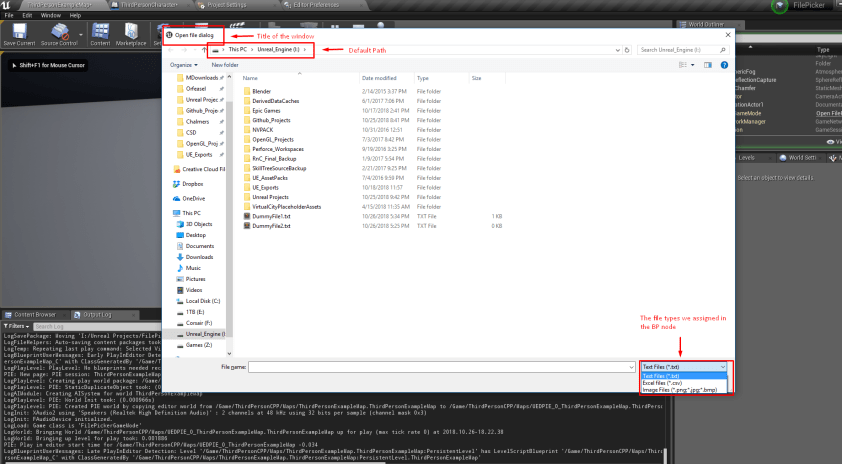
In this post we're going to see how to create a basic File Picker inside Unreal Engine. We're going to use the built-in tools that the engine provides and read a text file. Adding the required Dependencies For this post I have created a C++ project using the 4.20 version of t...
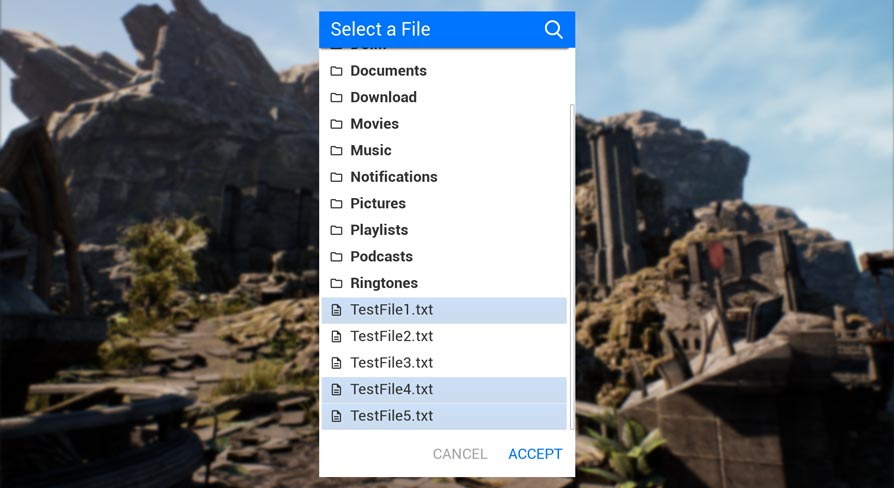
This plugin enables you to select a file (or multiple) directly through your UI. So it can be used on Android, for VR and even PC. Select a file from the File System and it returns the Path for your further usage in your application.
convertign FBX (FBX parser, output vertex and indicies, pass them into FMeshBatch struct which is part of static mesh)
plush yew
So I wanna make a Mob blueprint and read I should use a character blueprint.
It only has a capsule collision though that is inherited, I'd like to have a box collision.
Any way to use a box collision component on it so that it does block when it moves?
 wary wave
not in character blueprints
plush yew
What about using a pawn? I mean I possibly don't need any jumps and all of that
plush yew
yeah there only is a floating pawn movement component available and it does not have any gravity it says
dim arch
@placid arrow looking deeper, found this : https://www.unrealengine.com/marketplace/en-US/slug/runtime-fbx-import-asynchronous

Asynchronously Import FBX files in your Unreal projects, in runtime.
placid arrow
@dim arch many thanks, this is research for if its feasible as part of a level editor that is going be for a ue4 game, but the editor itself not based on unreal engine editor
 timber glen
Hello,
Question about Spline Mesh components. Does the engine look at them like seperate meshes which can have their own LODs, or does it merge them together in 1 mesh?
wary wave
neither
placid arrow
i did some research into doing it the 'proper' way, and its incredibly user unfriendly, and requires the modder have access to all the uncooked assets, which is against the licensing of my assets anyway
wary wave
they are separate meshes, and they do have their own LODs
though I'm not sure the LODs have value
they are deformed in the shader
placid arrow
so im going to build an editor outside of ue4, and load my levels as a text format... which in itself is feasible and ok, but allowing external models would be a pain it seems... my original plan was just restrict it to assets that come as part of the installation, which would work fine for 99.9% of levels.
wary wave
modders don't need access to uncooked assets
you can distribute cooked assets with a mod SDK
which is how games like Ark do it
placid arrow
yes, its still not user friendly.
i want a modding/level editor tool that any gamer can use
and ue4 isnt that tool imho
wary wave
if you want a modding / level editor that any gamer can use, mesh import tools aren't something I'd even be considering
timber glen
@wary wave oh, so its just a additive shader vertex offset for the spline deformation? So, the tiled meshes will be culled and LODed separately?
placid arrow
its fine for devs, but just watch a non-dev trying to use it for the first time 😄
wary wave
@timber glen - yeah, culled and LOD'd separately.
timber glen
awesome, thanks! 😄
wary wave
at the end of the day, UE is pretty well documented and there are a LOT of resources out there
dim arch
building an in-game editor can be compliated yes, but there are a lot of plugs which make it easy to glue parts together
placid arrow
@wary wave im on the fence about the ability to import an fbx at all, my first thought is it would be a pain, because just importing the fbx doesnt account for materials
wary wave
your custom tool will be half-baked and undocumented
dim arch
isnt efficient,but works
placid arrow
well, you're assuming my levels are umap's
placid arrow
each level of my game is represented by a ustruct which is pretty simple and can be serialised/deserialised as text
dim arch
does ark stream in cooked .uasset files?
placid arrow
the level editor would just need to work with that format, and yes it would take me a few weeks to get it working
wary wave
not sure what you mean by 'stream in'in this context
placid arrow
@dim arch iirc ark uses paks
it mounts them as additional content, if its doing it the official way
like a DLC
wary wave
yeah
wary wave
world state from the server, but no, nothing else is downloaded
placid arrow
do you mean as in level streaming, @dim arch ?
dim arch
not level streaming, streaming asset data in remotely
wary wave
no, it doesn't do that
it has some kind of janky thing with custom server textures, but I'm not sure that's even a feature
given how slow it is, I wouldn't be surprised if it's a render target and the pixels are being replicated 😂
dim arch
that's like the kind of system they had in CS, where it would download sprays and sounds when it conencted to a server I guess
placid arrow
lol, claws out
wary wave
I don't know if that thing in Ark made it into the final builds
nobody really used it
clients couldn't access it anyway
it was purely server admin stuff
dim arch
right
yea if you imported a FBX, you would need to replicate that data
if it was a multi-user editor
placid arrow
it wouldnt be in my case, completely single player game
with an editor designed for a single user sitting at a pc, not teams
dim arch
then it isn't too bad
dim arch
however, if you want to import an fbx, it would probably just exist in memory. if you wanted to finalize your newly generated content
placid arrow
 dim arch
then you would need some editor functions to cook it, and some client configuration to look for newly cooked data to load up
which would need engine modification
placid arrow
so the level and its puzzle are represented by 0-n horizontal conveyors, 0-n vertical conveyors, 0-n coordinate based overrides, an output sequence with timings and an expected sequence
also some other bits and bobs like machine positions, exit locations
but nothing that doesnt fit into a ustruct, except placement of props, e.g. those shelves and boxes
placement of props is the bit that may be complicated, and thats where i considered allowing user content... but it may be more trouble than its worth
the idea is that the level format should be downloadable via http, so it doesnt ever even need to touch the disk, it could come from e.g. steam workshop, or my website
this was intended to go in before release, but the guy who volounteered to do it is too busy, so it'll be done after
plush yew
i got a question
placid arrow
that level structure above is built by a pair of loops in C++ creating child actors, it isnt a umap
as its always a grid structure it made sense to me
plush yew
how would i merge the DynamicCombatSystem with AdvancedLocomotionV3
kinda wanna change up the movement and stuff
placid arrow
carefully? 😉 dont know, not used either. are they both blueprint based?
plush yew
yeh
they all are blueprints
cause the new asl4 is coming soon
and i wanna know how to merge it to the combat system
placid arrow
ive not even looked, but it sounds like a job for animation blends
placid arrow
i used that years ago to have one animation powering the model from the waist down, e.g. run/walk, and one powering it form the waist up, e.g. weapon swings and looking
plush yew
how tho ambershee
wary wave
Merging two things like that might prove to be a pain, I wouldn't know how compatible the animations are
plush yew
i seen others do it but im bad at it
placid arrow
you'd have to read the code thoroughly, understand it
wary wave
'How' isn't an answerable question
placid arrow
this is why i usually avoid prewritten code because eventually you end up rewriting it anyway
unless ofc its something huge like the engine itself
wary wave
you're just going to have to port features one at a time from one to the other
it will be time consuming
wary wave
good luck!
plush yew
ya
regal mulch
If you properly share your stuff via SourceControl
Then this shouldn't happen
Both same latest?
Your friends version suggests that they don't have whatever "Hair" is
Thus falling back to probably a UObject
And having the red pin to show what was there
plush yew
So I found out that when you use AI for a mob it uses the nav agent for collision checks of the movement or at least it seems so.
There is this option to toggle: "Update Nav Agent with Owners Collision" and the tooltip talks of a collision capsule which suggests that this works with a character blueprint.
So there does not seem to be any option to assign another collision shape to this function.
There are Nav Agent Radius and Nav Agent Height and the tooltip says it is a capsule.
So I think there is probably no way to use a box collision for AI mobs by default.
It would probably be better to use a character blueprint instead of a pawn then.
I just wanted to prevent clipping of body parts in obstacles
wary wave
you keep saying "for a mob", but I get the impression you're talking about a single NPC
plush yew
@wary wave I'm trying to set up an enemy blueprint
wary wave
right
plush yew
but for its shape a capsule collision wouldn't be the best option
still trying to find out how the ai nav system works
If it uses a movement component and takes collision into account, aside from the nav agent radius and height, I could use a floating pawn movement component with a box collision
maybe the enemy was an ex-cosa nostra though 🤔
 bright root
Hey, i am gettin this weird problem. When i import my mesh, certain parts are not smooth. As you can see the trousers are blocky but the top is smoother. Also the left glove is blocky. the right glove is smooth and everything else is smooth.
This happens with multiple characters all with the same trousers.... 5 are blocky, and 1 is smooth. but they are all using the same trouser mesh before import. i dont get it.
 pine fjord
bright root
pine fjord
bright root
no, the mesh itself has no smoothing, any material has the same problem. also i have the exact same trousers on a character but they are smooth on him
here are the same trousers on two different characters . same material
bright root
it isnt the normals. i explained the rest of the mesh is fine, the 2nd character trousers are fine. i imported and let unreal generate the normals.
here are the settings i used for each character, as i say this is a problem that only happens to some clothing, on some characters.
 faint cedar
Anyone know how to solve the "depth fog ruins translucent materials" issue?
this
where the fog is 1 the particles don't appear
faint cedar
if you are referencing translucency sort order on the component
that does nothing unfortunately
the post process is set to "before tonemapping"
if I set the material to masked it works of course
damn
bright root
@plush yew yeah, sounds fun lol. It was extra weird cos it was just 1 thing in the mesh, and was fine in another mesh. wierd.
yeah, strange, now i gotta reimport 9 characters and re-assign all their materials. you cant re-calculate after import i dont think...
normal now
dawn gull
Whenever I exit my simulation it does not do that "swoosh" sound and I liked it when it did that. How do I get it back if possible?
 boreal topaz
using blueprint can i have a 'scale' that measures an items physical weight
 verbal ice
Not sure where to put this, so general seems like my best shot: I know this is a long shot, but has anyone ever localised a game into Arabic here... specifically for release on Nintendo Switch? We've got a weird situation where, Arabic works fine on all platforms, but on Switch specifically, the text doesn't display right-to-left, even when that is explicitly set in the text, so is obviously incorrect. Every other platform displays it right-to-left correctly.
wary wave
that sounds very much like a bug
verbal ice
It does, yes. I was hoping that someone might have already had it and can guide with this 😃 It doesn't appear to show up in any of the forums or anything. Arabic and Switch make this a more... unique case
 quick ermine
urgh working with html5 so depressing
quick ermine
i need to find that all user can use chrome and could open their iframe simply hoo thats boring (im a graphist but my boss is simpleton)
i think i will just put my aset on web gl and basta haha
 cinder beacon
I need help in doing the landscape of mars
quick ermine
sorry i repost it here in case of hurry 😉
I think already a lot of people ask this question but i need to try: i a m doing an archviz simulation for an architectural entreprise and they want to integrate the ue4 project to their site in wordpress.I don't know how to do that and they don't have web designer .SO i try tio put it in chrome with html but i have 3 different result :black screen ,chrome shut or this message .If anybody see the message and know the answer can you help me on this channel or by personal response(for email my email is julien.durand789@gmail.com).Thks for the help i'm stuck on it for 2 days and it's difficult to understand
 steady owl
@cinder beacon What do you need help with specifically?
There are hundreds of landscape tutorials already around
What is causing you an issue?
cinder beacon
I need someone who is professional in UE4
Cuz i need to finish this project in 3 days
The man who will help will get payed
visual belfry
we still don't know what your problem is
cinder beacon
Finishing the landscape
 cloud cobalt
#looking-for-talent if you are offering a job, else ask accurate, detailed questions
visual belfry
adding materials? adding a heightmap? pulling in accurate heightmaps for mars?
"finishing" could mean anything
cinder beacon
Adding rocks , heightmap, and changing the sun light , the skybox
also maybe doing something to make the game fun
This is a project for the university
steady owl
Shouldn't you be doing your own projects in university?
wary wave
^
wary wave
maybe shouldn't have left it until you had just three days left
plush yew
while loop is giving me infinite loop detected error 🤔
wary wave
while loops will do that if you don't break out of them :p
cinder beacon
I’ve just finished my high school exams 🤓
plush yew
aaah so it needs something wired to completed?
cinder beacon
I’m 17 y.o
wary wave
needs a break out condition (bool)
plush yew
oh it does have one
wary wave
well, it's obviously not triggering, hehe
plush yew
visual belfry
please use Not boolean node rather than (== False) D:
(it won't fix your infinite loop issue though, just a style thing)
cinder beacon
Who will help
 brave salmon
damn this bug is so annoying already. does anybody know how make a search about it?
it happens in particular project, latest official 4.22.3
cloud cobalt
@cinder beacon #looking-for-talent if you want to hire a professional to do your work for you - probably will cost a three-digit amount here
The UE Discord is mostly for getting help on things you don't know how to do
wary wave
if they'll even do it
brave salmon
@cinder beacon try reddit. you could find people willing to work for free there faster
cinder beacon
Ok thx
plush yew
I just made the loop manually and it works now
btw the thing with the nav agent radius, by googling I found out that one should use a supported agent in the navigation system settings
also you have to set the navigation radius, height, etc. to the exact values in the character movement component
dim arch
you need to set them in your config.ini
for AA you can set that in project settings
as for that flag, you need to add a new section to your DefaultEngine.ini in the project called [/Script/Engine.RendererSettings]
for the editor, you need to set it in project settings or the conf file
 sleek sky
wth is this lmao
dim arch
which should work when you pack it too, as it's defaultengine
dim arch
if you put it in the conf.ini it should be the default when editor and game launch
also for AA, you can set that in project settings. which will be default on editor/game
another way is to add an actor into your world which has a beginplay exec command line, so it switches it on the first frame
 sick escarp
If I want to rename a c++ class without breaking the bond with the bp child(parent none problem) would I use this? :
+ActiveClassRedirects=(OldClassName="AActor_Test",NewClassName="/Script/YourProjectName.AActor_NewTestName")
In the DefaultEngine.ini
plush yew
Can someone help me in # blueprint?
swift canopy
Make a new renamed class, then do the reparenting.
sick escarp
What exactly do you mean?
Make a copy of the entire class with the new name and then reparent to that one?
swift canopy
First duplicate the c++ files with the new name, then use the reparent option in the blueprint editor menu.
sick escarp
I see, is that my only option or could I just reparent the blueprint to another class and then reparent back once I've changed the name?
swift canopy
That's how I do it. You run the risk of breaking connections due to missing data, but it used to be a lot more brittle at handling that.
cloud cobalt
+ActiveClassRedirects=(OldClassName="YourProjectName.AActor_Test",NewClassName="/Script/YourProjectName.AActor_NewTestName")
sick escarp
Is how I pasted it how it should be used? I've never used it before
Only the class names that are within the "" and the YourProjectName has to be changed right?
cloud cobalt
This is what I have right now - mind you, don't put the A/U prefixes.
+ClassRedirects=(OldName="/Script/Project.Old",NewName="/Project/Vesta.New")```"Old" would be for either AOld or UOld, here
"New" would mean look for a ANew or UNew class type
sick escarp
I think I just got a TIA
cloud cobalt
Once you've got the redirector set up, resave all actors or levels that use these classes
And then you can safely remove it
sick escarp
But what did you mean about the A/U prefixes, should I only use one A in the AActor_Test example?
swift canopy
Yes
sick escarp
Thanks
cloud cobalt
"YourProjectName.AActor_Test" is wrong, to be clear
Should be "YourProjectName.Actor_Test"
sick escarp
Yes, will try and hope for the best
That wasn't the only problem I got though. Before when I've renamed files I haven't gotten the "Warning CreateExport: Failed to load Outer for resource " but this time I had about 200 of them. All I should have to do when renaming files is "Generate Visual Studio Project Files" right?
And change the include paths of course
sick escarp
Yeah yeah
https://answers.unrealengine.com/questions/463310/warning-createexport-failed-to-load-outer-for-reso.html Didn't try to clear the cache since I had bigger problems but will try that if it comes up again
sick escarp
You need to create one
cloud cobalt
Rename the class, rename the files if you want to, generate project, change includes if you renamed the files, build in VS, set the .ini, launch, save all affected files, revert the ini change, relaunch to check that everything works.
sick escarp
👍 😊
 unborn matrix
Does anyone know how to add a soundtrack to steam?
cloud cobalt
Create a DLC
sick escarp
Didn't work 😫
regal mulch
Also not sure but Sequencer is limited to the Editor, right?
cloud cobalt
@sick escarp Need details here
sick escarp
The parent class got set to none and I got 225 Warning about not being able to load resources
Think I'm just going to duplicate the class once I've eaten. Should go a lot faster
 olive yew
steady owl
olive yew
steady owl
Fortnite is on mobile 😃
cloud cobalt
@sick escarp Close the editor and chekc the ini file
As long as you don't save anything, you haven't broken anything
sick escarp
I have, but it will honestly take longer, duplicating the class should take 2 minutes max
plush yew
say i wanna toggle mesh visibility 5 times in a row with a delay of 100ms, how should I go about doing that?
visual belfry
timer or delay node
plush yew
@visual belfry if i use delay node i need like 5 seperate toggle mesh visibility nodes, if i use timer then it loops infinitely
grim ore
set timer to call function that -> toggle visibility -> increase counter -> if counter is not high enough set timer again to call function that ->
dont use the looping, loop it yourself
sick escarp
Stranger I have probably spent over an hour trying to rename this class by now ^^
grim ore
you could also run a timeline that has events on it that you can use to trigger the toggle visibility
cloud cobalt
@sick escarp No details, no help
sick escarp
Well the problem is that I don't know what I'm doing wrong
cloud cobalt
Look at what the log says the class wasn't found, check the redirector for it
sick escarp
Would have been a pretty easy resolve otherwise
Unreal engine is great in many ways but It's really lackluster when it comes to reorganizing tbh
cloud cobalt
Look at the log
sick escarp
I've removed that copy of the project so I can't :/
cloud cobalt
Well if you're done trying, np
hushed hare
so uh I was thinking of a way I could make my level generation and I got an idea but I don't know how I'd pull it off
I was thinking I could make an array of 1's, 2's, and 3's and use that to generate the map
like
uh
it's easier to explain with graphics
so we have this array
each number is a room
and it just generates the world based off of that array
I just wish I knew how I could do it
I would probably have to have row arrays and column arrays
grim ore
if you want to break out C++ you can do a 2d array, if not make a struct with 2 arrays in it and use that
visual belfry
single array, get index with row * numColumns + col
hushed hare
Making the array is probably the easier part of the whole thing
I just don't know how I would generate from that array
grim ore
you can also do what he said ^ just offset for your column
visual belfry
then probably some sort of datatable enumerating valid options for 1, 2, and 3 slots
hushed hare
I'll remember this but for now I am gonna mess around with trying to generate from a preset array or something
grim ore
if array value = 1 , check valid spawnable thingies for value 1 and repeat for each value?
hushed hare
ok
OH I got an idea
I could have a generation actor
that moves to where the levels generate
then I do what you said
I don't even think I'd need a 2d array for that
regal mulch
If you have C++, make yurself some custom Struct type for that that converts back and forth for you
hushed hare
this will probably help
I would have to add an actor to each chunk that it uses to space stuff out
The more I think about this, the more I realize this is actually a lot easier than I am making it
ah you know
I hit a concrete wall
I can get past it with the 2d array
so more like a cushion wall
but ugh


 grim ore
neato
plush yew
If I keep this up, could i be a great indie dev?
grim ore
yep
sick escarp
Everything depends on your dedication and ability to challenge yourself
As with everything
I believe that you can become great at almost anything, IQ can stop you sometimes and only accelerate/deaccelerate other times
I actually believe IQ can hinder you from do certain things
I don't believe someone with an IQ below 100 could do what Elon Musk/Bill Gates could do just to name a few
Leaders yes but those are engineers
All I said was that IQ can hinder you from doing certain things a
plush yew
Last time i tried Unity i raged at it and quit
sick escarp
Because you would probably need a 50-60 year longer life at minimum to learn what they have have learnt
Timmichanga you either need a clear vision of a game in mind and really have the dedication or if you easily quit on things you need to scale down
Having a vision of a game that YOU yourself would want to play can really help you stick through annoying/boring times
 velvet latch
Does anyone know how to add more layered blend per bone nodes? I tried outputting this blend as a base pose in another layered blend per bone node but nothing works like that.
grim ore
I would assume you would feed that into another layered blend node before the final animation pose
velvet latch
It didn't work, that's why I'm asking 😛
I think I might know what the problem is though.
My new slot is in the same group as the torso slot, I'll try changing it.
grim ore
yeah I know I saw this somewhere but now I can't find which example it is in
hushed hare
bruh
my engine decided to crash instead of running ""my"" blueprint
I modified one I found on google
dawn gull
I am working on my game and I saw that when you do f2 it makes it so that the shiny stuf goes away, how would i permanently make it like that?
grim ore
that node exists, it just doesnt store data it just walks thru a 2d set of points basically
velvet latch
Isn't F2 the editor hotkey for wireframe mode? 🤔
dawn gull
no thats f1
velvet latch
I guess F2 is unlit then?
velvet latch
Hmm no idea. Sounds strange to use a game engine like UE only to not use shaders 😛
dawn gull
my game is gonan be cartoony
dawn gull
I just don't want the shiny because I think it looks too realistic
grim ore
you need to adjust your materials then
dawn gull
For everything?
grim ore
correct, or change the way lighting works in the engine
cloud cobalt
@velvet latch Stylized games like Rime or Astroneer are still UE4
velvet latch
Yeah that's what I meant. Just make materials to suit your needs.
cloud cobalt
@dawn gull You can stimply adjust roughness to make it higher
It will result in a look that has no shine
grim ore
well it's a viewmode debug mode is why, and I guess you can do "viewmode unlit" in a console command but it seems to have mixed results in shipped products
dawn gull
uhhh so i could make it in the level blueprint on beginplay console comamnd viewmode unlit?
cloud cobalt
No, that won't work in shipping
dawn gull
dang it
cloud cobalt
You also probably don't really want that
dawn gull
i do though
cloud cobalt
Nah, it's completely unreadable visually
dawn gull
i am just testing things out for a scene in theg mae
cloud cobalt
There is more to lighting than just "shining parts" - you can have a very flat look and still have AO, actual shadows, etc
Is there any game that looks like whta you want ?
dawn gull
idk not really
i want it to look like a drawling? maybe? because the textures are just not shining
sooooo i am kinda stuck rn
cloud cobalt
Like that?
cloud cobalt
That's an UE4 game with lighting
dawn gull
ok
this is the debug on
off
I am making a certain area that the colors need to pop out
cloud cobalt
Disabling lighting is like removing the seat belt from your car because you can't put it on
There are much better ways
grim ore
make new materials, changed to unlit mode, remove all lighting because why not, run it all in movable mode, profit 😛
dawn gull
😦
grim ore
the key being new materials is how you will accomplish this
dawn gull
that would take alot of time nad this is only a temp thing
dawn gull
mmmmmmmmmmmmmm how do i change the intensity on the skylight and what do i want it as
cloud cobalt
I'm just giving you pointers here - spend some time working on it
cloud cobalt
"does not work" is useless feedback
It could mean "looks bad", "doesn't change anything" or "my computer ate the dog"
dawn gull
it makes everything white
cloud cobalt
So try, like, 3 ?
cloud cobalt
Use roughness for that
dawn gull
:I ok
cloud cobalt
Skylight = useful for making the shadows less dark
dawn gull
ohhhhh i have an idea
cloud cobalt
Roughness = controls whether an object shines
dawn gull
i want debug even in shipping is that possible without modifying the engine
cloud cobalt
I don't believe so
dawn gull
d a n g
cloud cobalt
I mean, if you want no lighting at all, you don't need a game engine really
cloud cobalt
UMG is a tool for doing menus
dawn gull
i know thats why i am confused
cloud cobalt
🤷
My advice : learn materials, learn lighting
You'll find something that looks good
dawn gull
ok 😦
grim ore
https://i.imgur.com/U9VfIH4.png default FPS template with all the materials swapped to unlit, auto exposure disabled, AA disabled.

side by side of lit and unlit
dawn gull
ok that might work, but it would still take forever