#ue4-general
1 messages · Page 482 of 1
 thorn vector
 grim ore
the guide for other characters playlist did not work? https://www.youtube.com/playlist?list=PLAR8Kc1ZLLKZjnKI_idX7Ik7mN0VORSm_
 lethal breach
Anyone know why I can't apply the latest update to 4.22.2? I keep getting an error. I have tried disabling my firewall and updating, it does nothing. I've tried rebooting my PC, running in administrator, etc. Nothing seems to work. I have given it several days since the hotfix went out and I still get the same error, google seems to be less than useful in this situation.
The error I get
I clicked the link and followed all of the steps, even contacted Epic, but nothing seems to work.
 icy mulch
Is it normal for grass to lag when I added to much grass
grim ore
@lethal breach it's harsh but have you tried just uninstalling and then redownloading the latest version
lethal breach
I have not, I'm worried it'll erase my project, I am backing up today, so I planned to in the next day or two, I'll likely do it tonight.
grim ore
the engine is separate from the project assuming you created the project in another folder
at the worst it will delete your plugins if you installed any to the engine
lethal breach
Gotcha. They are all under my Github folder, so it should be fine then. I'll give it a shot - Thanks for the response!
 autumn elbow
@grim ore ... you posted a YouTube vid here some time ago about saving large custom objects. I think it was a GDC thing.. can you tell me again please?
 plush yew
This engine is coded by monkeys
why the hell was character movement for acceleration and speed reversed
Not talented enough to fix the stupidest of bugs
 versed spear
i can't even bundle my apks...
plush yew
8 months of trial and error to get flying ai to work, the speed was incorrect for the past 3 months till I found this little bug out today
 dry cloak
Is it possible to Import a png into UE4?
 blissful trail
is it possible to change the landscape material within the level blueprint
 brazen cairn
isn't .tga a texture file ?
 lapis bronze
#gameplay-ai is really slow
Has anyone had problems with the MoveTo task in Blackboard?
thorn vector
hi anyone can help me integrate advanced locomotion system into my project ?
i tried for 2 months now and no luck so far
i really need a helping hand
 potent wing
guys,how do i change a first person character into third person character safely without making any error? does changing the mesh right away is fine?
blissful trail
how do i detect if a object is moveable with a linetrace ?
 steel patio
If you can line trace to it then you can cast to it, then ask it what you want to know
 bleak steppe
Hello! Can anybody tell me which software to use to create displacement maps?? can substance maker come handy?
 tall pendant
pretty much any software can bake out heightmaps
true displacement maps (with overhangs etc) however not so much
 near trout
Would anyone have tips for stopping volumetrics from point lights in interior rooms leaking to other rooms?
thorn vector
anyone can help me integrate advanced locomotion system with my project i tried various method for 2 motnhs and 3 weeks now
i really need help
plush yew
does anybody have there game on steam yet?
 wet widget
I need a bit of help please, I'm new and still learning, and now I'm in the process of making my first ever game. I'm trying to make a static camera that dosen't move with the character, Is there a way to use a seperate camera instead of the one that is in the character blueprint ? Cuz I want my character to move but don't want my camera to move with him.
 rotund scroll
you could use the pawn class instead
add a player controller to it
and then have the player controller know about cameras in the level
wet widget
Okay I'll try it
 willow stump
Hey guys, what to do when there is a huge fps drop after placing a directional light in the scene
basically from 120fps it goes to 6
and I have no other directional lights.
 serene birch
You didn't lie, that IS a massive FPS drop XD
Check draw calls between the two
Directional lights are like very expensive to compute shadows for
willow stump
Is there any way to check the memory usage on screen?
but yeah the draw calls are fine imo
like this is the weird part
 manic pawn
how the hell is there stuff in here when I just started the editor 
 grave nebula
Don't question Thy Editor!
manic pawn
has anyone tried to fix the bp tab history yet?
you double click a node to jump to that function and then the back button does not work
it's the most infuriating thing in the world
the problem seems to be that it is completely wrong designed (it has a history per graph instead of a single global one that allows jumping between all blueprints and all graphs??????)
 opaque salmon
any tips on why a destructible mesh might just disappear after initiating destruction? Almost default settings and materials are set, made the destructible material extra visible for testing
doesn't seem to be much online for this issue, just various issues involving the chunks, not having the whole mesh disappear
 wary wave
the assertion failed line will tell you why
 cobalt turtle
this happens to stuff i don't even have in the project anymore
wary wave
the fact it isn't in the project is the problem
since the project is still trying to load it
cobalt turtle
how can i delete the reference to it? i am not using these at all
grim ore
is this a C++ project or BP project?
cobalt turtle
i use both, but i think the base was c++
grim ore
close the project, delete the build and intermediate folder, and re open it and see if it recompiles and can package
 kindred viper
http://iquilezles.org/code/tau/ Pi is dead. long live Tau.
Repository of productions, tutorials and articles of Inigo Quilez on computer graphics, fractals, demoscene, shaders and more.
 bitter iris
@grim ore Response to lastnight about the black screen problem.
I believe they're set correct
grim ore
@bitter iris What is your Loch map?
bitter iris
That's my main map people play on
grim ore
and you have no code moving players? that is a game map and when you hit play it just loads it in and you can play?
bitter iris
if i play without dedicated server ticked it works
grim ore
@cobalt turtle my only guess is there is more info to your log that we can't see that has the info that is what is actually wrong. Paste the full log to pastebin or look for more errors
cobalt turtle
i'll do so. thank you
grim ore
try it with dedicated server and on one of the clients open up the console and type open Loch and see if it opens that map
the only thing I could think is the dedicated server is not opening the correct map and then when you tell the clients to connect to the server they open the incorrect map but that should not be the case if your editor settings are like that
bitter iris
If I start Dedicated server, console command "Open Loch" it works
grim ore
all of this is from the editor right?
grim ore
you can but it should work fine this way
what map do you have loaded when testing this?
bitter iris
Loch
grim ore
well that eliminates that option lol
bitter iris
😂
Standalone works
o.O
I'm going to try a client from menu
Ahh its my menu.. fook
grim ore
yeah super weird because when testing here PIE ignores the server map and just loads up the other map I am currently in
bitter iris
Blueprint Runtime Error: "Accessed None trying to read property CallFunc_Create_ReturnValue". Blueprint: Menu Function: Execute Ubergraph Menu Graph: EventGraph Node: Add to Viewport
Blueprint Runtime Error: "Accessed None trying to read property CallFunc_GetPlayerController_ReturnValue". Blueprint: Menu Function: Execute Ubergraph Menu Graph: EventGraph Node: Set bShowMouseCursor
grim ore
oh
are you trying to run those on the server perhaps?
maybe the server is trying to load up stuff but failing and causing the issue, UMG/Viewport are not valid on the server
grim ore
are you seeing the error on the server? I would assume that would be due to the server coming up (no players connected yet, and then you are asking it for the first players controller when no player exists)
none of that should play on the server anyways and the server has no concept of UI
bitter iris
Those errors just come up in play in editor
I've had it working before so I'm confused on how I can go abouts settings up the main menu now
grim ore
well a menu itself should always be client only so you should make sure you restrict any menu code from running on the server
plush yew
grim ore
as for this failing I dont know when you call it but it's possible it's being created before you player itself so either remove the player controller reference as the owning player or have your player create it when it's alive
plush yew
imagine having ur admin privileges open like that
 weak gale
Hi, I'm struggling with something in blueprints and was wondering what channel would be best for asking those kinds of questions in. Would I be best off with the blueprints channel or is there a dedicated help channel?
bitter iris
Pretty much I have soons the game loads, it loads the menu through the menu.umap level bp
grim ore
@weak gale yes to both. There is #blueprint or you can just ask in here and see if someone knows the answer
weak gale
ah ok! Thank you!
 runic iron
Hey guys,sometimes the default character ground detection isn't fast enough and my custom character hangs out in the air for a second in his jump loop animation. The issue doesn't happen when I reduce the gravity scale.
Is there a way to make the default detection faster or do I have to make a custom one ?
weak gale
does it fix itself after the jump animation, or do they continue floating until they jump again?
runic iron
Yup everything works fine, after a second it transitions nicely to my landing anim. I would just want to reduce the little hanging in the air on the ground period. It's just during a second but it looks weird lol
 midnight bolt
Is anyone aware of free open source ue4 fpp game projects? I want to have a look at how people go about certain things
weak gale
What might be happening is that your anim tree is going from jump to fall to land, and certain jumps dont need that middle falling anim but it plays anyway due to it being the only place to go
Try setting up a branch that goes directly from the jump anim to land anim that is true when the jump anim is complete and ground detection is true
runic iron
I see what you mean, but it happens even when I jump from some height which gives the time to first transition from jump to fall way before the second transition from fall to land
weak gale
I see
runic iron
The weird thing is that when I jump in place it works perfectly fine
it's when I'm still inputing a direction when he lands that he hangs for a second
weak gale
are you available to voicechat? I might have a few ideas
runic iron
Unfortunately no 😦
weak gale
Cause I'd bet that its a problem with the anim graph
thats ok 😃
maybe theres a weird loop that is triggered when the landing to moving anim is triggered
im assuming there is an anim that goes directly from walking to falling in case the character walks off of a ledge?
because if so the event that starts that loop may still be firing when you land
Im guessing that if this is the case, the event that triggers that anim is set to not moving
 astral phoenix
Hey! is there any way to change sections to higher og lower when u allready made the landscape? 😃
weak gale
of course you can!
runic iron
Thanks a lot !
weak gale
of course!
astral phoenix
any1? :/
weak gale
sorry 😦
 faint cedar
Does anyone know if it's possible to have apex cloth which only collides with the mesh its on
i.e. ignores outside forces?
 latent moth
Is building from source still needed for 4.22 to run dedicated servers?
grim ore
source is required for dedicated servers, yes
 sturdy ingot
Do I type here if I have questions relating to problems with my engine?
latent moth
Thank you @grim ore I was hoping that with the recent steam changes it wasn't anymore.
grim ore
? steam changes
sturdy ingot
If anyone can help: I am having issues with my engine where Shaders never stop compiling. If I make a material and save the engine will crash due to compiling shaders. I know it is just my version of the engine or pc as I installed the engine on another machine and things worked fine. I have reinstalled the engine and the problem persists.
I am not sure how to fix this.
It must have happened after a update as this problem is recent.
grim ore
does it do this on a new blank project? Create new project -> Blank BP -> Make a new Material -> save?
sturdy ingot
let me double check
yes it does
it seems that this happens with all projects even empty ones
grim ore
when it first started up did you give it permission to access the network like it asked? compiling needs access to the local machine and I have seen issues before from that
but it should not cause the crashing, any crash logs?
they might be right tho, your machine might be out of date on the drivers
sturdy ingot
i didn't see anything regarding to permission to network
there was nothing on startup regarding the permission to access the network
grim ore
well at this point you need a crash log or error report or something to try and narrow it down, alternately look into changing the video drivers but we have no idea if that is causing it. Technically compiling the shaders is 100% cpu but displaying them is GPU so shrug
sturdy ingot
alright
 mental kettle
I just found a bug where you can't select the face of a BSP mesh in the geometry editing mode D:
It was working an hour ago, ehh
grim ore
hit the T key on your keyboard and try again
grim ore
Click on the Settings button on the bar, you toggled Off Translucency selection
mental kettle
Yep, thank you man
sturdy ingot
So that's awkward @grim ore there are no crash logs
 hard steppe
Hey guys not sure if this is the right channel. I am wanting to pause the game to pull up menu/equipment screen with character playing idle animation. Question is what's the best way to handle it in a nutshell? Do you suggest level streaming? I tired to handle it under character bp but I can't pause the game(so enemies don't attack) and play the animations. Any advice? And going for FF15 menu style
icy mulch
Can some one generate a landscape
icy mulch
I'm looking for a height map that would have like a island
cobalt turtle
hey hey
my final scene doesnt appear when playing my built version
it works on the editor tho
any clues why this might happen
the game just closes when transitioning
no errors or warnings while packaging
plush yew
How do I make a game like For Honor but sci fi themed and with a wider range of combat options and guns in 3 days with the help of terrain generation algorithms and neural networks to do most of the modeling for me
What if my life depended on it
lmao
its multiplayer
Do you know what For Honor is
Except in my mine its sci fi combat with no sword
There is a halo themed energy sword maybe
Lol
not exactly
What's replication
Lol
oh
So btw
I wanna do it in C++
 cursive dirge
sure, do everything the hard way 😃
I mean, if you haven't done any of this before
you are really jumping to the deep end of the pool
plush yew
what if I use both
cursive dirge
c++ is not that hard but it depends on your background
plush yew
But mostly cpp
cursive dirge
all I'm saying, do small prototypes and projects for mechanics, learn the engine, learn multiplayer
and then try something like that
 abstract relic
Geez. What crazy crap can you make if you can prototype that in 3 months 😜
 whole quarry
oh this is gold
 thick herald
iron pyrite?
 hidden heart
Unreal Slackers is more like Unreal Shit Talkers now
cursive dirge
it's weekend
thick herald
Should be able to knock out a few prototypes over the weekend then 😄
plush yew
whats the thign called where you can work with others on same map ?
multiplayer level editor thingy
the new update
 bleak widget
end of weekend in Vladivostok )
abstract relic
Provides step-by-step instructions that will get you up and running using Multi-User Editing for your Project.
Art doesn't make the game. I say as an artist 😛
cursive dirge
those mechanics probably rely a ton on the animations tho
you can't make it feel good without them in place
 normal burrow
It works not so well without lan nedag
plush yew
good or bad stats?🤔
 mossy nymph
meaningless stats
plush yew
lol
 storm venture
quick question:
A is a parent of B. B is a parent of C.
Does plugging C and A into this return true?
rotund scroll
by the power of transitive property... yes?
I mean you could test it as well
would probably be faster than asking 😄
storm venture
yeah i figured.. i need a way to find a direct parent
rotund scroll
why not just plug b in instead of a?
storm venture
i have a Master_Item which has children for each type of item, Master_Weapon, Master_Food, etc.
I wanted to make sure that a chosen item (ie Food_Item_01) is being put into its proper Master_X class
i can do it other ways, i just liked the idea of checking for the direct parent
rotund scroll
so I'm not sure where to ask this, but has anyone ever heard of a rule for how long a given subtitle stays on screen? in relation to word count or otherwise
storm venture
personally, i read the subtitle slowly and use however many seconds it took me
rotund scroll
yeah I think that it has to be taken into account that the subtitles stay longer than the dialogue
but how much longer?
especially when it's consecutive
storm venture
not sure if you've checked this out but it seems to be pretty in depth: http://www.permondo.eu/volunteers/introduction-to-subtitling/

-This introduction to subtitling has been written by the Mondo Agit agency- Subtitling is a type of audiovisual translation that has its own specifications, rules and criteria. The first thing to d…
grim ore
yep look into proper subtitles rules like for the ADA and such
rotund scroll
nice! will check out that link. found this as well https://bbc.github.io/subtitle-guidelines/#Timing

This document is intended to serve as the basis for all subtitle work across the BBC and to guide subtitle creators and developers.
storm venture
haha, i never realised subtitles had so much depth to them 😛
grim ore
yep yep stuff like "the recommended subtitle speed is 160-180 words-per-minute (WPM) or 0.33 to 0.375 second per word. " is in there
grim ore
there are people out there who handle subs professionally for video content, Alexanders wife is one for example, same with gaming
rotund scroll
35 characters per line, max 2 lines seems like a pretty good indication as well
appreciate the help!
 spark sonnet
Anyone here who could help test if my multiplayer game is working? Very quick
rotund scroll
you can test it with yourself
 amber tangle
Anyone have a pointer where I could start with this core dump I'm suddenly getting?
ue4 assertion failed: !geventdrivenloaderenabled || !defaultdata || !defaultdata->hasanyflags(rf_needload)
No hits on the web that seem relevant, not sure what exactly went wrong there
no other errors in the log, it basically loads, displays that, and goes away.
spark sonnet
How?
bitter iris
was there a cull change in 4.22.3? 65000 cull was what i was using, now 25000 cull is the entire map..
cursive dirge
4.22 in general has reworked rendering
bitter iris
super annoying
now i have to go through an change all my culls
Okay its not my culling. its the engine
Standalone is fine but editor is showing everything
why
 jolly lichen
Can anyone reccomend a pipeline of training for VR gun mechanics? So far I've seen rigging and such to make the gun, but to implement it into VR animations with a mag and what not, I'm totally lost
 glad brook
Unreal got no tutorials
 full falcon
This intro is terribly written, and read. Or neither, just terrible on its own merits.
I wonder if anyone watched this, and then approved it.
Then I wonder, was it a 'Great, exactly what we are looking for!' type of approval?
 real mesa
I imported a .PNG, but how do I get it to show on the screen?
lapis bronze
@real mesa
https://www.youtube.com/watch?v=kYxGC0WV0Uk

What is a Slate Brush in Unreal Engine 4 Source Files: https://github.com/MWadstein/UnrealEngineProjects/tree/WTF-Examples Note: You will need to be logged i...
every UI tutorial on youtube covers that somewhere
full falcon
This academy official intro is complete garbage. I mean, it imparts some knowledge. Barely.
I should say its terrible for academy.unrealengine.com, promoted from the EGL.
Its of completely average random video quality
 grand canyon
No debug symbols? Madman
 midnight mantle
random question; what attracted you guys to UE4?
abstract relic
It’s pipeline. Reducing compartmentilation of overarching departments.
And it’s shiny
 weary basalt
^^ Pipeline is a big one and also the fact its open source was a major attractor.
tall pendant
but it's not open source 😛
 meager topaz
i love this
normal burrow
Yet it’s not closed source
 split wedge
i got the combo box to fill with supported resolutions how can I make it so that when i click on a resolution it changes?
 sudden agate
use On Selection Changed
 errant mist
Guys! Can someone help with profiling? What is "World tick time" -> "Self" ? I just can't google it anywhere. All the inclusion times are really low (all about 3ms summarized), but Self is like 9ms and I just can't find where it comes from
it happened after updating project from 4.19 to 4.22, and I'm fighting the performance for about a month already, and still haven't succeed :/
 crude knot
hello good day guys I need to hire someone to develop Gerstner Waves I have ready the equation I need someone to add physics please send me a private message to those interested
 lusty carbon
I have a VR menu widget with widget interaction line and I want it to disappear once I open the level (by clicking Start button). how?
 left citrus
Does anybody know how Geometry Caches are loaded/paged within the sequencer? When scrubbing quickly on a larger alembic, I'm getting pretty consistent crashes and 100% crash rate if I import from frame 0.. I presumed the frame 0 because it's loading the WHOLE cache in, but I see no reason why it would need to load the entire thing?
I'm on a 2080ti and I get "graphics drivers crashes" type errors.. however the cache isn't enough verts to cause concern usually..
wary wave
not the foggiest, but showing the crash error message may shed some light
I wouldn't be surprised if it does load the whole thing
lusty carbon
is this correct?
cause it won't get rid of the widget interaction in my hand once desired lvl is loaded
wary wave
if you open a level nothing after 'open level' is going to be executed...
lusty carbon
So how should I do it?
wary wave
but I would seriously consider order of execution when implementing things
well, I don't know what you're doing, so I can't exactly say
lusty carbon
I said it before. ill say again
I have a VR project with a separate menu lvl. got widget interaction on my motion controller
that means a laser beam coming out of my controller to press buttons and stuff
wary wave
gotcha
lusty carbon
I need it to disappear once lvl is loaded
left citrus
wary wave
well I would have the menu itself handle all the menu functionality - either the widgets, or if it's an actor
left citrus
Funnily enough, the crash at 0 only occurs when we have a camera in the camera cuts track (I wondered if generating the little thumbnails along the sequencer required it to sample the alembic several times (forcing it to fully load?))
when that one happens, I get this and no UE4 crash error, it just hard crashes to desktop
lusty carbon
@wary wave that is exactly what I am trying to do in the image.
changing the order of execution with the open level in the end says cast failed
I feel I am doing something wrong with referencing the widget interaction in the first place. do i even need to cast?
wary wave
ah @left citrus - that video driver crash is a known one, and it's a pain in the arse
it is related to thumbnails but Epic has never solved it
it seems to happen spontaneously on certain hardware configs
left citrus
@wary wave ahhh okay, at least it's a known bug, I can take some comfort in that! I might jump into the engine source and try to strip out that thumbnail generation..
wary wave
@lusty carbon - you would probably want to cast, yes
lusty carbon
what am I doing wrong then?
wary wave
I'm not sure exactly, but I guess it's because you're loading a new level and then just opening the menu again
 wheat fulcrum
I mean
what is it?
is it a literal controller, the player character, what?
if it's a literal controller, you may want to get the player controller
or rather
lusty carbon
It's a widget blueprint event graph
I am trying to make the widget interaction component disappear once button is pressed and level is loaded
that simple.
wheat fulcrum
have you tried getting the player controller?
lusty carbon
it says cast would always fail
lusty carbon
sudden agate
MotionController is not a PlayerController
lusty carbon
umm does anybody know how to cast to a motion controller ?
sudden agate
motioncontroller is prolly a component, not a controller
serene birch
is that the default Motion Controller BP from the "demo" assets for VR? if so it's basically just an actor used to display your virtual hands if I remember well
lusty carbon
@serene birch Exactly
serene birch
with some code for handling grab and motion and the like
lusty carbon
It's an actor yes.
serene birch
your error seems to imply you are trying to cast the Player Controller
you'll need to find the Motion Controller actor another way
lusty carbon
nonono scroll up
lusty carbon
which image?
wheat fulcrum
I wonder if the controllers are children of the pawn 

 lusty carbon
As I said, scroll up.
lusty carbon
This is the only setup that doesn't show a warning or an error when compiled
but fails to cast
what am I missing here?
wary wave
characters owner isn't going to be a motion controller
so that cast is guaranteed to fail
serene birch
but it compiles fine at least 😃
wheat fulcrum
MotionControllerPawn is your VR Pawn. When the Pawn is created (on Begin Play) it spawns two instances of MotionController_BP, one for the Left hand and one for the Right hand, and attached them to the MotrionControllerPawn. The MotionController_BP contains, among other components, a Motion Controller component, which is the link the the physical motion controller for your system (if you have an Oculus, that would be the Touch controller).
lusty carbon
ok. I'll make it clearer: What in the world do I need to plug into the Object slot?
wheat fulcrum
so if that's in the BP for your pawn
serene birch
look at the Motion Controller blueprint and the like
serene birch
pretty sure they "register" themselves to a variable in the Pawn or something
wheat fulcrum
yeah
if they don't, then just add it in
so like
man
this is why I don't fuck with vr
wary wave
this is nothing to do with VR, not really
serene birch
yeah
lusty carbon
didn't get a solution. im only more confused now
wheat fulcrum
I'd say stream less polys
 dim arch
would it be a good idea to split it up?
dim arch
the polycount is kinda fixed, it can be split up though
wary wave
sounds like it can probably also be optimised
wheat fulcrum
did you recreate the surface of the moon?
dim arch
no, a city
wary wave
I was about to say 'two million tris is a small city'
wheat fulcrum
you're a god
dim arch
well, my colleague did it, we are working on the smart city project in tencent
dim arch
but the data is being streamed in as a meshcomponent, meshcomponent doesnt have any LOD functions, not sure if it has view culling etiher
pretty UE doesnt cull mesh faces if they aren't in camera, just mesh objects, right?
I mean the renderer will draw only the triangles it sees, but it needs that whole mesh in mem to read from
serene birch
the GPU will do the culling but it has to do it by triangle
maybe once mesh shaders are used 😄
you should consider splitting the full mesh into smaller "meshlets" I guess
so allow some culling to happen
dim arch
yea I figure the perf will increase if it has a smaller mesh it needs to cull
sudden agate
Whats wrong with with rendering a whole city as one mesh?
If Unreal cant handle it, then Unreal is shit 
dim arch
I figure people are gonna have a lot of problems with dense meshes now all the film guys are using unreal
I think also limiting the camera pitch will help, because if it pitches towards the horizon you have to render millions of buildings
serene birch
I don't think the engine is the issue here for a streamed mesh
the GPU is the one that will have difficulties 😛
dim arch
most 3d map viewers have a limit on the view pitch because of that
serene birch
yeah, though UE4 has some form of occlusion culling that can help with that anyway
dim arch
well there is a hw limitation, but also the render path and LOD/Culling functions can be optimized
serene birch
though it would required the world to be split in the first place
dim arch
its possible to split the world, probably will need to do it by block, because if we make each building an actor it will hit the actor limit
problem with OOD, need to use some kind of data orientated thing, because the actors will bloat so much
serene birch
there's an actor limit?
dim arch
I heard there is yep, either way all the unnecessary data per object will bloat out too hard
serene birch
you probably can just have a single actor holding the map meshes as individual mesh components anyway
dim arch
right
not sure if toggling component visibility, or creating/destroying them is a good way of culling them though
I guess once they're all components the ue4 view culling will improve compared to one whole mesh
is there any documentation about the culling system ?
nv, found it 😅
Product documentation including reference and guides for Unreal Engine 4
serene birch
yeah that page describes all more or less
@lusty carbon as far as I know, you are probably using the MotionControllerPawn which is the player pawn
if you look at this one blueprint you'll see it has two variables you can use :
so, just get those variable values from the pawn 😃
dim arch
I guess the culling system is efficient enough, so if I cant reducethe triangle count, I will have to disable rendering features to improve the framerate
serene birch
to get "performant" big maps, you'll probably want one last thing UE4 does on baked levels
making big "LOD" meshes for long distance models
though doing it in runtime? not sure how to
dim arch
you can build a SM object during runtime
its just a matter of moving the LOD pointer to a new address
but the LOD isnt too useful, as it's all box geo already, cant simplify it any more
serene birch
you probably want simplified meshes for the long distance to lower triangle count 😃
hmm
dim arch
maybe billboards
making each building a billboard at a certain distance will probably be more expensive though
serene birch
the thing is UE4 doesn't limit itself to lods for landscapes, it also makes big merged meshes and lod that 😛
 astral spindle
hi, i was wondering if it was possible to use unreal engine with a rtx in the 2nd slot of my mother board
dim arch
its 4 verts and a texture or 8verts
@astral spindle do you mean dedicate a GPU just for one application?
you can use UE4 with 2 RTX GPUs if that's waht you mean
astral spindle
@dim arch yes, cause i am planing to get one but i will put my old gtx titan as the display card but want to use the rtx as the procesing card
dim arch
that I am not sure, you can't make a GPU array of different GPUs, having them run independently may be possible but I dont think so
on my laptop I have integrated GPU and a Nvidia one, so guess it's possible
left citrus
me again... "setup.bat" in the engine source downloads a bunch of files. Say then the download is interrupted (hypothetically speaking), can anybody think of a reason it would refuse to recommence? Just sits on checking dependencies for ages, then "downloading, 0% 0 mib/s"
where's it downloading files to I might try cleaning the half downloads out
 woeful sparrow
anyone have tutorials about particle system and abilities????
does anyone have this??
anyone have??
bitter iris
youtube
Enjoy the videos and music you love, upload original content, and share it all with friends, family, and the world on YouTube.
left citrus
"Checking dependencies..." for almost an hour
 neat ruin
Can I set the good quality rendering for an animation if my my GPU barely handle the lit mode? I mean just to wait for frame after frame rendering
lusty carbon
How do I use these?>
sudden agate
those are probably cubemaps
lusty carbon
how to use them?
sudden agate
look at the material
lusty carbon
how to apply this to my sky?
sudden agate
by setting the material of your skybox to your sky material
lusty carbon
There's Skylight and BP_Skysphere
sudden agate
you only need the mesh of the Skysphere, not the BP itself
the BP is heavily wired with the corresponding material.
lusty carbon
Can't seem to apply those materials to my sky.
Raildex can you be more specific ?
I have a scene with the default BP_Sky_Sphere.
sudden agate
you only need the mesh of the Skysphere, not the BP itself
lusty carbon
You're only confusing me instead of being helpful bro
What do you mean "you only need.."??
There's already a BP there when I made the project.
Do you want to instruct or toss subtle clues around?
wary wave
chances are nobody in here knows anything about that marketplace asset you're using
the blueprint probably has some kind of setting
(which will update the material)
lusty carbon
I am using the default sky sphere blurprint that's all
wary wave
the Unreal one?
lusty carbon
And those marketplace assets are some SkyHDR materials
Yes the unreal one
not Godot one
wary wave
those textures are probably not compatible
lusty carbon
not compatible ?
wary wave
they are probably intended for the supplied mesh and blueprint in that folder
lusty carbon
It comes with Brushify pack. from UE4 marketplace. From Free for the month section
They've got to be compatible.
nevermind though. thanks
wary wave
that screenshot you posted above has a sky mesh and material in it
the textures are likely intended for that mesh, and will be mapped to it's UVs
lusty carbon
If you're curious what I did: I changed the Static mesh and the Material in the default SkySphere BP and it works
to the ones in my previous screenshot., yes
That's what I was looking for
wary wave
okay, so you're using the Brushify mesh and material in the Unreal skydome
lusty carbon
yes
wary wave
is it intended to work that way?
wary wave
right, in which case I assume that blueprint is probably doing absolutely nothing now
since it mostly exists to control material parameters in the supplied default sky material
which probably don't exist in the Brushify material
lusty carbon
I've no idea.
I'm no pro. but I follow common sense. I click the sky, I see it's a thing called BP_Sky_Sphere. I then go ahead and replace the skydome mesh and material with the ones I got with Brushify. and it works.
wary wave
you could probably have just dragged the Brushify sky mesh into your map
and removed the UE4 blueprint
 frigid epoch
should the spikes be disconnected after i extrude them to save on the poly count or will that cause problems?
I've been doing that for a while but havent noticed anything wrong with this way
 shell harbor
(this is unreal engine, not blender)
But I don't think poly count wont be a big issue hahah
serene birch
it's an interesting question in regards to using the model in UE4 (or probably, any other 3D engine) though 😃
 copper wing
hello
i have a question
like has anyone ever built their own game and released on steam?
wary wave
lots of people
copper wing
i mean in this server
copper wing
yes
i was wondering, after releasing your own game, do you get the final build added onto your steam account? and do game devs beat their own game?
wary wave
No, it isn't automatically added to your own account (but you can give accounts access manually)
and some people do
a lot of people are sick of seeing the thing after 2+ years working on it, hehe
copper wing
well yea since they know the ins and outs lol, i understand, and when you say it isnt automatically added to your account, do you have to have another steam account as a dev?
and then have it added to your main account?
copper wing
oh ok, thanks and i will read that link,
copper wing
oh thanks, is it possible to make one now or wait till you are close to publishing a game or while you work on making a game?
 regal mulch
Packaged Linux Server: Warning: Hitch on async loading of StaticMeshComponent /Game/Maps/Level_.......; this export was not properly precached. when ServerTravling seamless from old to new map.
 frank iron
hi, I have a question, how do i reduce forward motion of my characters, in an endless runner game when they jump ontop of a moving vehicle?
regal mulch
Anyone ever had that and knows why? Don't even know how I would "properly precache"
copper wing
oh ok thank you for helping me @wary wave i totally appreciated that
wary wave
np
copper wing
i been wondering that for a while lol
 thorn topaz
why are our project function calls missing from the crash log?
Assertion failed: Pair != nullptr [File:g:\ue_4.22\engine\source\runtime\core\public\Containers/Map.h] [Line: 476]

UE4Editor_Core!FWindowsErrorOutputDevice::Serialize() [d:\build\++ue4\sync\engine\source\runtime\core\private\windows\windowserroroutputdevice.cpp:79]
UE4Editor_Core!FOutputDevice::LogfImpl() [d:\build\++ue4\sync\engine\source\runtime\core\private\misc\outputdevice.cpp:71]
UE4Editor_Core!AssertFailedImplV() [d:\build\++ue4\sync\engine\source\runtime\core\private\misc\assertionmacros.cpp:101]
UE4Editor_Core!FDebug::CheckVerifyFailedImpl() [d:\build\++ue4\sync\engine\source\runtime\core\private\misc\assertionmacros.cpp:439]
UE4Editor_ff2
UE4Editor_ff2
UE4Editor_ff2
UE4Editor_ff2
UE4Editor_CoreUObject!UFunction::Invoke() [d:\build\++ue4\sync\engine\source\runtime\coreuobject\private\uobject\class.cpp:4643]
UE4Editor_CoreUObject!UObject::ProcessEvent() [d:\build\++ue4\sync\engine\source\runtime\coreuobject\private\uobject\scriptcore.cpp:1464]
UE4Editor_ff2
UE4Editor_ff2
UE4Editor_ff2
UE4Editor_ff2
UE4Editor_Engine!FTimerManager::Tick() [d:\build\++ue4\sync\engine\source\runtime\engine\private\timermanager.cpp:602]
UE4Editor_Engine!UWorld::Tick() [d:\build\++ue4\sync\engine\source\runtime\engine\private\leveltick.cpp:1627]
UE4Editor_UnrealEd!UEditorEngine::Tick() [d:\build\++ue4\sync\engine\source\editor\unrealed\private\editorengine.cpp:1618]
UE4Editor_UnrealEd!UUnrealEdEngine::Tick() [d:\build\++ue4\sync\engine\source\editor\unrealed\private\unrealedengine.cpp:403]
UE4Editor!FEngineLoop::Tick() [d:\build\++ue4\sync\engine\source\runtime\launch\private\launchengineloop.cpp:3967]
UE4Editor!GuardedMain() [d:\build\++ue4\sync\engine\source\runtime\launch\private\launch.cpp:168]
UE4Editor!GuardedMainWrapper() [d:\build\++ue4\sync\engine\source\runtime\launch\private\windows\launchwindows.cpp:145]
That would be UE4Editor-ff2.pdb right?
manic pawn
yeah
thorn topaz
ez fix, thanks 😄
lusty carbon
Is World settings a per - level setting?
 visual belfry
yes
lusty carbon
I can't delete foliage
 shell compass
It's so satisfying to come back to some BP mess you made earlier and be able to vastly simplify it by applying what you've learned since back then
But at the same time you can't help but cringe at your old mess and how clueless you were back then
Back then: Cast everything! Now: Interfaces!
sudden agate
Back then: Interfaces!
Now: Components and Event Dispatchers!
shell compass
Those are nice too!
One can get by on just using casts, but there's a whole world of tools that makes more sense to use in the right place. And it's awesome when you learn about those and when to apply them
regal mulch
int32 GEnableMacroUVDebugSpam = 1;
static FAutoConsoleVariableRef EnableMacroUVDebugSpam(
    TEXT("r.EnableDebugSpam_GetObjectPositionAndScale"),
    GEnableMacroUVDebugSpam,
    TEXT("Enables or disables debug log spam for a bug in FParticleSystemSceneProxy::GetObjectPositionAndScale()")
    );
How does one again set this to a default value? Ini?
Cause it's on by default which is annoying
Also does someone know where the ProjectLauncher profiles are stored?
 slim elk
Sorry if its the wrong channel, but, apart from Unreal Academy, what other sources would you recomend for learning more about UE4 (specially mid-advanced stuff for a programmer with experience on C++ and other engines)
thorn vector

Unreal Engine
Bolster your projects with this month’s free Marketplace content. Add explosions, start building with environment sets, or create a first-person story adventure!
this month free assets is out
 boreal topaz
whats the best way to restrict an area I can drop a specific item
like I want to drop this rock on a scale. and nothing else can be dropped on the scale
serene birch
define "dropped" 😄
like
you probably coded the "drop something" code
so just code it to refuse dropping more if there's already a rock there I guess
 tardy sapphire
Do you guys know how to send commands to an Android device from the PC? Imagine I press F on my keyboard and my character on Android jumps.. is that possible?
wary wave
you'd need some kind of client / server setup
tardy sapphire
Any leads, maybe smth in Unreal documentation? 😃
 tight salmon
Hey guys, I created Blueprint class derived from C++ class and when I change C++, the BP does not reflect the changes.
serene birch
might need to restart the editor
tight salmon
In constructor I set rotation and location of Camera, but it does not change it in BP.
I tried Asset Actions > Reload.
boreal topaz
@serene birch using inventory and want to drop my rock on this scale, but I don't want an apple or anything else to be placed on the scale
serene birch
but is there physics? can an explosion knock away the rock or the like?
do you want to prevent an explosion sending an apple on the scale too?
it's kinda tricky 😄
tardy sapphire
Found this plugin @wary wave https://www.unrealengine.com/marketplace/en-US/slug/socket-io-client

Real-time networking library Socket.IO Client available for easy use in Blueprint and c++.
Do you think it'd solve the problem?
wary wave
no idea
plush yew
lol this plugin is free
GitHub
socket.io client plugin for Unreal Engine 4. Contribute to getnamo/socketio-client-ue4 development by creating an account on GitHub.
boreal topaz
@serene birch no explosions, no Michael bay
tardy sapphire
Its free on Github but the same guy put it for 8 bucks on Marketplace
Which is weird lol
Why free on one site and priced on another
serene birch
then I think you'll want to have a variable in your "plate" actor that says which other actor was dropped on it
and refuse to drop another if there's one already
 errant ice
Does anyone know if Virtual Texturing will be a thing in 4.23 ?
grave nebula
doubtfully.
errant ice
Because someone mentioned it's already in the dev branch: https://forums.unrealengine.com/unreal-engine/feedback-for-epic/1618618-virtual-texturing-feedback/page2
Unreal Engine Forums
I thought It would be nice to have such thread, as VT is on the horizon.
I wanted to mention that this is by far the most anticipated feature for me since
serene birch
might be present, experimental/partial
errant ice
Would be so cool
serene birch
well present in an experimental or with partial support only
kinda means it's not a good idea to use it in 4.23 😃
errant ice
At least they are working on it. I can also remember that there is already VT for baked lighting 🤔
cursive dirge
@grave nebula why do you say that? haven't people tried this on source built 4.23 already?
of course it'll be experimental first
like about any new tech
cursive dirge
ah
@grim sinew you've used this, right?
but yeah, if it's not merged in yet, it may as well miss that target now
it's actually pretty rare that Epic includes anything new after they've split the branch already
grave nebula
My bad, was merged 20 days ago.
cursive dirge
ah ok
 grim sinew
Uhh... hi! Yeah it'll still be experimental of course like anything new but... far as I can tell it's almost feature complete. Only a few PVT things they need to add in still.
cursive dirge
so how's the tooling itself? you have tools on the editor to assemble the atlas for it?
and it works for regular meshes now, right?
not just on landscape?
grave nebula
PVT tooling is quite easy to work with, but seems incomplete. Some crucial things were missing at the time I tested it. Not sure about regular VT.
errant ice
So if it was merged 20 days ago VT will probably come out in experimental?
 quick ermine
Sorry to disturb you i have already post an question like that but i have some issues with the htlm5 export.I export it it goes fine with an iframe to view it but i want to put the file on the word press web site of my society.IS there any possibility with code or another to put the htlm5 project on wordpress (so the user can click on a button and boum he can see in a frame the 3D space .Thanks for the answer and sorry my english is bad 😃
 steady owl
Is it normal for garbage collection to cause fairly noticeable hitches every now and then when playing in editor?
Not much going on with my game, just a few AI and myself in a small map
It hitches every now and then (never after a particular action) which gives the impression of a sudden movement input change, but in fact it seems to be from GC Mark Time on the game thread
Is this normal for PIE / development builds? I'll test a shipping build now to verify
I see some solutions on answer hub say to run -NoVerifyGC but would this not mean that GC doesn't run at all for a game which would cause all memory to eventually be used up?
Surely for a simple game with not much going on, it shouldn't cause such a hitch? (the hitch is only really felt when moving input left or right as it happens, causes the input to "snap" forward too far after the hitch ends)
grim ore
the easiest way to answer this is to package and test it outside of the editor, let us know if it happens
and no I would not say that is "normal" but PIE is not representative of final performance, it will always be worse. We also have no information on your machine or current running processes so you could have something like a slow HDD flushing out stuff with anti virus causing issues
steady owl
Thanks!
Cooking the shipping build now
Running a high end machine with a M.2 drive and no other running process other than UE4 (almost nothing else installed on the machine) so I don't think it's that
It does seem to be commonly reported though in editor so I'll see if it happens in game
 dim plover
For me, lazy loading some particular assets while PIE causes noticeable hitches that aren't present in a packaged build.
steady owl
Can you define a common situation where you'd lazy load something - is it intentional or something UE4 does?
dim plover
Just whenever I call the Asset Manager's RequestAsyncLoad (or whatever it's called). It's actually only on some particular assets.
grave nebula
@steady owl GC hitching, in PIE, editor, or packaged, is in any case not normal.
steady owl
Found this from Rama which is exactly what I'm experiencing
And there are many other cases that I can see of people reporting
I believe I remember it on past projects- it's only really noticeable when you are moving your aim and it happens
It's not like a 1 second hitch or something, just a jolt in your input
I definitely ruled out any gameplay code or camera shakes at this point and it does seem to be the GC after running the profiler
But the game is extremely simple at this point, with very little going on
May be intentional though
Or at least an expected thing in editor
I'm testing with a shipping build now to verify, it's been driving me crazy for months
Always was that "bug" I thought I had in my input code 😄
 spiral crest
sorry to ask this question here but and i know that you made a guide for that
but is there someone i can ping(mention) in #virtual-reality
to help me
 cunning siren
Hey guys. What is the typical size of a character in Unreal games, relative to the default capsule?
Should I scale down the mesh, or scale up the capsule?
dim plover
Well, 1uu (Unreal Unit) is 1cm.
spiral crest
sorry to ask this question here but and i know that you made a guide for that
but is there someone i can ping(mention) in #virtual-reality
to help me
cunning siren
Yeah, I know that it's 1:1 in cm, but the character is from Mixamo, just a placeholder. lol
So I'm not sure of the dimensions, tbh
grim ore
@spiral crest we have no idea what you are asking in here about
@dim plover well you do know the size of your capsule so you can go based on that
 velvet latch
If you're talking about at here or at everyone, don't do it.
grim ore
@dim plover you can also in the orthographic views (top/side) hold the middle mouse button and drag from 1 point to another to get a size
sudden agate
@cunning siren the default character capsule has a size of about 1.80m.
grim ore
lol I mean to tag chemical not floss 😦
cunning siren
What size is the default capsule?
grim ore
all of this only matters if you are using human scale items so if you are doing all the props and you don't care, make it whatever you want 😛 within reason of course
spiral crest
@velvet latch no don't worry
cunning siren
Well it's a human character.
I just resized the capsule to 188 half height.
Sound about right?
grim ore
humans range in size so that doesn't matter 😛
spiral crest
@grim ore you mean you didn't understand the question right?
velvet latch
Does anyone know if there's an easy way to get rid of the gun holding pose from all the animations in the official Animation Starter Pack?
Or if there are any other animations that would fit the UE mannequin for simple prototyping. Like taking damage and death animations because those don't exist in the starter content.
Oh I see. But then those would end up in T pose, no?
Right.
Can you just copy and paste the rigging from another animation to those parts?
Anyways I'll experiment, thanks for the suggestion.
grim ore
you can make a new animation asset in the editor as well from the default stuff or just go ragdoll for the deaths lol 😛
velvet latch
It's just for quick prototyping anyway, I just code 😛
grim ore
for prototyping then does it matter if they are holding a weapon lol
I keep forgetting if the IB assets use the default skeleton, if so steal animations from there
velvet latch
IB?
 keen stream
hey, my project started to not want to compile out of nowhere, i was just testing by compiling c++ code and launching the standalone game preview while suddenly it said it needed to compile some dll. then it said it couldn't delete something. i closed the editor and now when i try to open up the project, i get a boatload of messages in a window i can't close. i can't compile the project in vs because it throws 90 "unable to find mspdbcore.dll" errors, about which i couldn't find anything useful / that worked on the internet. any help, PLEASE?
all of this without me doing anything
grim ore
sorry IB = Infinity Blade assets that epic released for free on the marketplace
@keen stream did you try restarting the PC?
keen stream
yeah, twice
velvet latch
I'll check them out thanks.
grim ore
and are you opening the project with the .uproject file or the SLN file?
keen stream
if i open the .uproject it bombs me with a window that i can't close that's full of corrupted modules
grim ore
delete your intermediate and binaries folder in your project and try again, it should try and recompile them
if you get the same error,s maybe your engine became corrupted
keen stream
already tried that but i'll do it once more
yeah i know but if i try to recompile it or the project it gives me those stupid errors
grim ore
ok so then if you restarted and deleted intermediate and binaries and the error is on compile we would have to see the errors messages during compile
keen stream
aight i'm building it rn, if it gives out the error again (which i think it will) i'll post it here
 calm widget
Anyone know why ue would not generate lightmaps for an object? Import options generate lightmap uvs checked, it creates the channel but it's blank, and object is black after baking.
No, the uvs seem proper i think
I could generate the second channel in blender but i'd prefer skipping this for 20 ish objects, cause i did just notice it's the same on many of them. Some dont even get the second channel after reimporting
cunning siren
How hard would it be to get a guitar hero gameplay clone as a widget?
grim ore
@calm widget does it show proper mapping for UV0 in the mesh editor in UE4?
you can always use UV0 if you have it set up properly, you don't have to have a separate light map channel
grim ore
weird and it doesnt generate the UV1 when you tell it to?
calm widget
No, tried reimporting rechecking the settings on many different meshes and most of them just stay at channel 0 not even creating a second channel. One object did create second channel but it was just blank
grim ore
super weird. Does UE4 still try and use a 2nd uv channel for the lightmap then or does it stick to the 1st channel because the 2nd doesnt exist?
because that looks ok to me, I would assume if it only has 1 it can't use a 2nd and should atleast use that one
calm widget
I think in the case of the object that created the scond channel it tries to use that one, but after baking that object is pretty much just black
grim ore
yeah which makes sense if it has no valid uv channel. do the ones like this one atleast bake our right with the default channel since it doesnt make the 2nd one?
might want to take the time and put an answerhub bug report up with the model if the engine won't generate it, or toss it up on here and someone might be able to see if they can figure it out.
calm widget
the ones without a second channel seem somewhat properly lit. im not sure how this relates but i had a lot of problems with other meshes that when i added a baked normal map to them the lighting went completely crazy. So i dont use normal maps any more
grim ore
oof. this is way over my experience level with art but it does seem... off
calm widget
quite old pics. i got new models, they're so simple anyway so they dont really need normal maps so i skipped them. but i guess ill just submit a bugreport and maybe generate the lightmaps in blender. thanks : )
 wind siren
is there a best practice for sky backdrops using equirect images? I've tried a few times and it ends up looking bad. Just a sphere with the texture applied? When I try an HDR or DDS cubemap it looks like crap.
calm widget
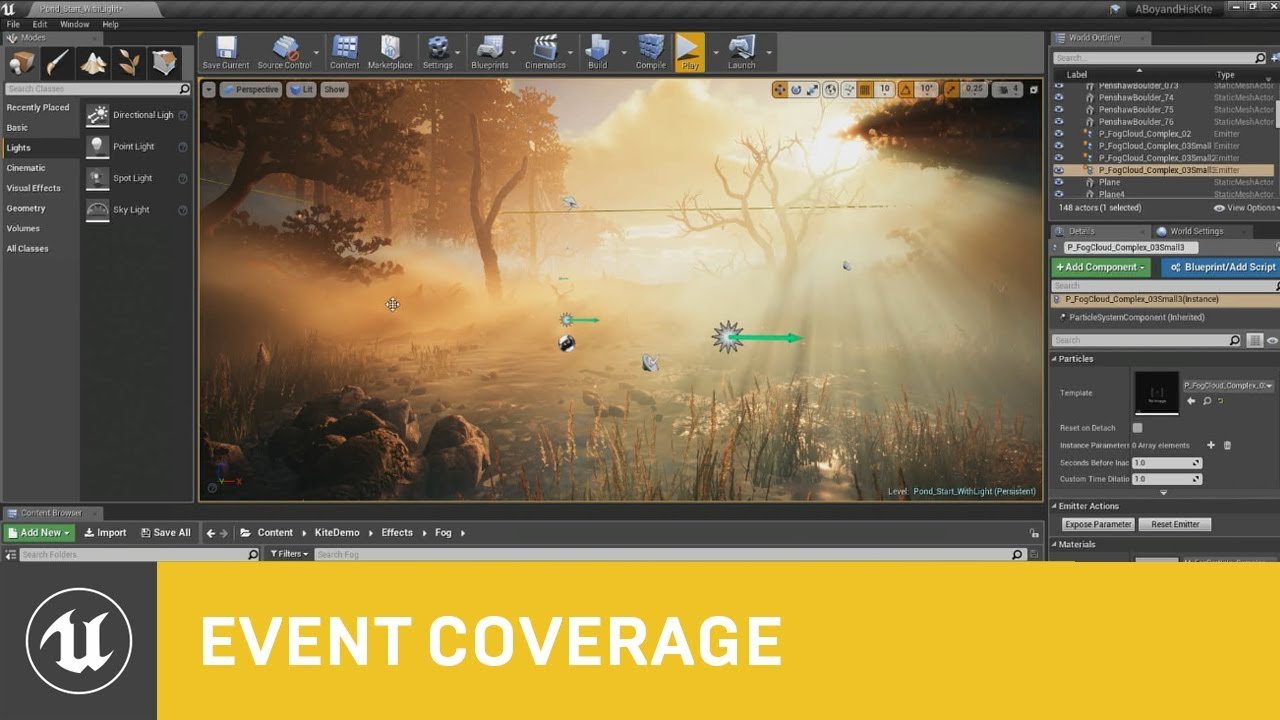
This session by Epic's Sjoerd De Jong covers the latest improvements to Unreal Engine's Volumetric Fog and lighting features. Within a beautiful nature scene...
this one explains hdri with lighting etc quite well
not really in depth but anyway
wind siren
thanks! It seems like every technique has a "gotcha" that ends up killing the situation. HDRs limit the resolution, DDS cubemaps have bizarre edges, etc
I've built up this huge collection of equirectangular projection skies and every way I try to use them ends up failing. Maybe I just need to keep grinding away at it.
calm widget
Hm, well i just tried using a hdri from hdrihaven. It seemed quite off after importing it. Doesnt look proper at all. But the starter content hdri's works quite well. maybe some import settings? not sure
grim ore
There is a panoramic plugin to support the 360 stuff but I dunno if it works for this 😦
keen stream
i'm back with my issue, these are the errors it spits out for no reason really...
can't compile the engine or the project
velvet latch
Why does changing the rotation of a joint in one animation sequence change them in all other ones? I don't get how the UE4 animation editor works and there's no documentation anywhere it seems like.
grim ore
that error is related to the command line compiler not being valid, try reinstalling the C++ tools for your visual studio version @keen stream
velvet latch
grim ore
are you sure you didnt change your target type to something other than win32/64 ?
keen stream
i didn't do anything
literally was testing something, went afk 10 minutes, came back, pressed play and it broke
nothing changed, not even the mouse moved
grim ore
well first something changed, even if you didn't do it the drive might have gone bad and ate the compiler
and I would say uninstall all versions of visual studio and reinstall 2017 assuming you are using 4.18 or higher
grim ore
I am sure you could hack it back together if you wanted, when you first start compiling it shows you which directory it is using for the compiler for that build session you can go in there and make sure the file is there and if not find that file somewhere else and put it in. or fix up your environment variables to only point to the correct folder. Maybe even rebuilding the VS solution file from the .uproject might point to the correct place.
wind siren
sigh. I got it working, was fighting with the colors forever, turns out my skies looked like crap because I was using them to light the scene... and I forgot to turn off auto exposure. Chalk up another hour of waste to that wonderful feature.
(More than an hour to my own stupidity)
grim ore
yay that's good to know they work tho
and yes auto auto exposure seems to be a biggie for people in here 😦
wind siren
It is absolutely critical that you turn off MipMaps and compression in the texture itself, too
then you can just stamp the equirect texture on a sphere with a 2-sided unlit material
make the sphere big enough so it doesn't interfere with actual landscape stuff, lock it to your camera x-y, and you're set
steady owl
Ok so tested my garbage collection hitch problem on a shipping build, I can't seem to notice it there but when profiling on the development build (using stat startfile which adds the big red letters PROFILING WITH GC VERIFY ON) the hitch does still happen. I then tried in the default Third Person template and the same spike does happen (though less- it's a 32 ms spike vs a 42 ms spike in my game)
So my question, if this hitch is to be expected in both PIE and development builds, how can I get an accurate fps chart in a shipping build of the game?
Since the console isn't available there
grim ore
make your own FPS counter?
manic pawn
use a test build or compile the shipping with stats enabled to track the hitch
steady owl
Fps counter is fine, I want the chart that I can open in the session frontend
@manic pawn Test isn't development right?
The other options are greyed out for me
manic pawn
no it's an extra config
steady owl
Ok thanks I'll look into it
manic pawn
you need to be using a source build for it
steady owl
Ahh
I'll leave it for now, would just love to be 100% sure that the hitch doesn't occur in Shipping
I'm assuming this happens in most UE4 games since it does happen on the default template
manic pawn
there's probably a cvar you can set to turn the gc verify off
steady owl
Yeah there is
grim ore
track frame time, if frame time > whatever print message?
manic pawn
which seems to be responsible for it
steady owl
Is turning it off not a bad idea as you should have GC on in a game right?
Or maybe it's just a small part of GC that's causing the hitch
According to UDK docs: While working on performance you should always have GC Verification turned off, otherwise you can expect massive hitching in Release builds at least every 30 seconds or so
manic pawn
the gc verify is an extremely expensive operation (far slower than the gc itself) that verifies that gc didn't end up with nonsense in dev builds
steady owl
Ah so it's not really intended for the actual game client?
manic pawn
turning that off isn't the same as turning off gc
steady owl
It's more to help debug / in editor?
manic pawn
no, it would never run in shipping
steady owl
Ahhh
Ok that answers a lot of questions then
And explains why the hitch occurs even in development build when using stat startfile
Thanks a lot!!
Mystery solved after months of tiny annoying hitches now and then 😄
I'm sure there's a way to run stat startfile with gc verify off
That should give a more accurate chart, using -NoVerifyGC while launching
Not sure if it gets re-activated when you run the stat startfile though
manic pawn
doubt it that wouldn't make any sense
grim ore
it sounds like even if it did there would be a message
steady owl
Yeah the big red letters usually show up when profiling saying Profiling with GC Verify on
I guess they are there for a reason
As it's a bad idea for accurate numbers!
I just always thought it meant that was general GC
Thanks for the help!
 pale estuary
Hello ! Is UE4 good to make a 2D game ? like old japanese RPG ?
grim ore
if you spend the time and effort yes UE4 can make a 2D game like old japanese RPG.
If you wnt to spend less time RPG Maker or Unity are better suited for 2D out of the box.
 polar hawk
you're trying to invert the vix?
cunning siren
Like, by default it's mouse move up, camera move down
I want to invert the way that works, so mouse move up camera move up
polar hawk
wait what, default is inverted?
grim ore
do we mean the camera in the game? when playing?. or the viewport
if you mean in game, you are making it go up or down so just invert it (multiply the axis by -1)
polar hawk
yeah you got this
grim ore
the vertical axis input
if (in whatever FPS/TPS mode) -> multiply input axis value by -1
you have a mouse move input event, it should give you an axis value as on of the outputs. then you feed that into your whatever to move the camera/player/pikachu. you want the opposite to happen so you feed in the opposite value by multiplying it by -1
cunning siren
It's set to orient to character movement. I understand the idea of -1 axis, Ij ust don't know where to find that particular var
D:
grim ore
https://i.imgur.com/ZilFEFY.png from the TPS template
 cunning siren
Sorry I'm dumb guys. I'm trying to do it in blueprint lol
keen stream
i'm back, i have "repaired" and reinstalled the c++ toolchain and now it's even more broken. the projects in the solution are unavailable and when i generate the visual studio project files i get this pile of crap
grim ore
you have an input for when you move the mouse, it's called LookUp. When it is called it gives you an axis value (-1 to 1.0)
you want to opposite of that so just multiply that axis value by -1.0
cunning siren
So, I've got that set up in the C++ class, and it works correctly on the TP controller.
But when in FP, it's inverted
grim ore
@keen stream we can't see the entire error but I would guess it has to do with the project/folder name
keen stream
i know, but i can't make the window any wider than that. it's pretty useless anyway
grim ore
you can scroll over and copy the entire thing
keen stream
Running C:/Users/Radu/Documents/UnrealEngine-4.19/Engine/Binaries/DotNET/UnrealBuildTool.exe  -projectfiles -project="V:/GitRepos/joc-dev/textx3Menu.uproject" -game -engine -progress -log="V:\GitRepos\joc-dev/Saved/Logs/UnrealVersionSelector-2019.07.01-21.36.08.log"
ERROR: UnrealBuildTool Exception: System.IO.DirectoryNotFoundException: Could not find a part of the path 'v:\gitrepos\joc-dev\saved\logs\unrealversionselector-2019.07.01-21.36.08.log'.
          at System.IO.__Error.WinIOError(Int32 errorCode, String maybeFullPath)
          at System.IO.FileStream.Init(String path, FileMode mode, FileAccess access, Int32 rights, Boolean useRights, FileShare share, Int32 bufferSize, FileOptions options, SECURITY_ATTRIBUTES secAttrs, String msgPath, Boolean bFromProxy, Boolean useLongPath, Boolean checkHost)
          at System.IO.FileStream..ctor(String path, FileMode mode, FileAccess access, FileShare share)
          at UnrealBuildTool.UnrealBuildTool.GuardedMain(String[] Arguments) in C:\Users\Radu\Documents\UnrealEngine-4.19\Engine\Source\Programs\UnrealBuildTool\UnrealBuildTool.cs:line 623
https://i.imgur.com/FWkxs99.png @cunning siren
 cunning siren
Does this override the CPP?
grim ore
I have no idea what your CPP is but this same concept applies to CPP if you are handling your input in it
check if in whatever view mode you want to invert controls -> if in that mode multiply the input by -1.0 -> pass to input handler
cunning siren
Okay, I think I can do this in CPP. Why is it inverted inthe first place though?
That doesn't make sense
grim ore
check your default input settings in your project
cunning siren
mouse y is set to 1.0
grim ore
yep that's the opposite of what people are used to
cunning siren
tf are people used to?
grim ore
most people are used to inverted, -1.0 multiplier
cunning siren
So people are used to mouse moving up = looking down?
grim ore
yep that is the method for flying
cunning siren
Sweet jesus that'd make me sick.
grim ore
pull down to go up
cunning siren
Okay so regardless of my thoughts on that - it's doing the opposite.
The 1.0 is set, and it's doing look down when move up
as if it were inverted.
grim ore
welp you know the solution to the problem just have to get your inputs and outputs set to how you want them when you want them
 dawn gull
Hey, sorry to interrupt, but I need help with a project I am doing. I am making a game where my character is a sphere but I want him to roll, and i need the game to be third person.
grim ore
create a new project with the rolling ball template?
dawn gull
I can't because I tried that and it made the camera move with the ball.
dawn gull
Yes, like the guy is moving and rolling but the camera stays the same rotation just follows him and moves up down and around when the mouse does, which is third person.
grim ore
definitely confused here 😦
grim ore
do you control the camera at all? does the camera move at all?
dawn gull
yes
it is third person
the character is just invisible with a default sphere because I am too lazy to make a model
you control the camera
Sorry about the confusion
grim ore
so if you control the camera what is wrong with the third person template?
dawn gull
i just need the ball to roll
grim ore
so you want the rolling ball template but with the 3rd person camera that rotates around them and you move with the mouse?
dawn gull
yes, but it sounds like it would be easier to just make the ball roll in the third person template
Maybe?
grim ore
it mgiht, or you can move the camera stuff from the third person over to the ball template
the issue with the third person template making the ball roll is the third person template is a character and the ball is a pawn so you would need to remake the entire character since you do not want the character component
dawn gull
Ah, thats annoying. Ok how do I move the camera over to the rolling ball?
cunning siren
Question: Do you have to create a class for each object in the world? Say I have a bedroom full of stuff - does every item in the bedroom need to have a class?
grim ore
you really can't since the mouse look for that uses the character component for rotation
grim ore
ok so you can make it work it just needs tweaking
dawn gull
Ok
grim ore
Add the 2 axis input events like they are in the TPP project, https://i.imgur.com/RuHNtBf.png and then copy the code for mouse from TPP like this https://i.imgur.com/kLezZim.png and make sure the "Use Pawn Control Rotation" is checked on the Spring arm as well like it shows


your biggest issue is you dont have proper direction control and your springarm angles are not set properly
it might be easier to just use the TPP template and fake rolling a ball if it's just for looks
grim ore
Third Person Template
dawn gull
oh
grim ore
since it sounds like you want the third person controls the way it works you just want a ball instead of the character?
dawn gull
if i can change the texture of the ball, sure
because it is just a ball, with a texture. no custom models
grim ore
well thats up to you, you can make a custom material with any texture
dawn gull
yeah ok
grim ore
dawn gull
i just want the ball as the default sphere with the default size i can figure out the texture stuff by myself
dang
ok
Thanks i will use this
yeah that looks exactly what i need
bad english
That looks exactly like what i need
frank iron
how do you stop a 2d sound being played when a button is clicked?
grim ore
you stop the audio component the sound is playing from. If you are doing something without an audio component, like a fire and forget, then you cannot
dawn gull
ok later i gtg
frank iron
@grim ore where can i get the audio component?
grim ore
how are you playing the sound?
grim ore
that returns an audio component. Promote it to a variable. you can then use that variable later to stop it
frank iron
Thank you Mathew, it worked!
grim ore
yay stuff worked
dim plover
Press Briefing Room? Press Room.
cunning siren
If you're looking for a premade solution on that, you could probably re-use a courtroom asset
Good way to get on a list somewhere haha
Personally, I'm looking for a rock show stage model. But the only good one is hundreds of dollars.
Wish I could model 😦
cunning siren
What would be the BP call for "if input is coming from left thumbstick"?
grim ore
it depends on what the left thumbstick is
either action or axis would use an input event if you set it up in inputs.
alternately if you are using an axis input you can check for the axis value any time using the appropriate node for it
being a left thumbstick I would assume an Axis Event and you can check it's value every frame if you want and see if its > or < than your input range and that should indicate some input other than stationary
cunning siren
Well, what I'm trying to do is set Max Walk Speed in CharacterMovement to 450 if moved by the keyboard, but leave it at 600 if moved with a gamepad.
I want a "sprint" key on the keyboard, but pressure-based on the gamepad.
grim ore
set up 2 different inputs then?
JoystickMove and KeyboardMove, whenever the events are fired set the appropriate max walk speed
really weird 2 different control types tho
cunning siren
How do you even access Max Walk Speed in bp?
grim ore
it is in the character movement component
cunning siren
I know that, but I don't see a way to access it.
grim ore
 rotund scroll
or as in a boolean comparison?
rotund scroll
semantics
cunning siren
Nah, I'm mis-explaining. I need some sort of switch that says "if x,y, or z is pressed, do this"
rotund scroll
you're looking for a switch then
grim ore
yes that would be an or fed into an if
drag off a boolean, type or, profit
https://i.imgur.com/pfnWgRa.png if it helps
 calm widget
Hey, sorry to pitch in again. So made the lightmap uvs in blender. Imports successfully
But baked lighting looks like this
grim ore
holy hell those uv's lol
calm widget
well, they're lightmap packed
grim ore
yeah that's gonna give bad results from the looks of it 😦
calm widget
It should, but that was the problem i was having.. or still am. That it wont for some reason
grim ore
I can't tell but is there even any space around each UV island in the ligthmap one?
Are you actually having any problems not using the lightmap channel and just using the UV0 channel?
calm widget
there's space between each one, small amount tho
 sharp cradle
How many AIs do you guys think unreal engine can handle? AI like Total War units for example, in my case fps goes 30 as soon as I reach 200 on screen together
calm widget
not sure i understand the question
grim ore
if you dont use the generate lightmaps option and you just use UV0 for the lightmap index does it work?
calm widget
hm, not sure how to do that? the source lightmap index is 0, and destination is 1, i tried change destination to 0 but it resets to 1
grim ore
that is for generating. under General Settings is the Light Map Coordinate Index value. That is the one it uses for the light mapping
calm widget
right, i just figured. building now
grim ore
I would assume on the ones that can't generate a new one it would be set to 0 and use the defaults
but the fact it can't generate one at all is a definite issue in the main UV map for some reason 😦
It might be smart to toss the mesh itself into #graphics and see if someone experienced with Blender or other DCC's can figure out the core issue
 junior solstice
http://prntscr.com/o982os
What should I link as a reference
 grim ore
@junior solstice you should link the item you want to move forward, a pawn in this case from the look of it. We don;t know where this is or what you are doing.
calm widget
that would make sense, but every object i tried this on seems to have the same issue, as far as i know it doesnt matter how the lightmap uvs look as long as they dont overlap. normal uvs dont overlap either so i dont really see what could be the issue with them. but i'll definately put it in graphics and see if someone got a clue. i have 2207 objects in my scene with overlapping uvs and they seem to be fine too
grim ore
@junior solstice but my guess is you are trying to call an input event directly which would be weird as well
overlapping UV's are just an issue if you want accurate lighting. if you don't care about the parts that are overlapped and the error does not annoy you, you can ignore it.
calm widget
yeah, im fine with it, cause its just for my foliage, but it seems to bring a great delay to building. or maybe its just writing all that to the log
any way to flag such warnings to be ignored?
rotund scroll
you can turn off warnings in the message log
grim ore
You could always just fix the overlap 😛
it looks like you can force them off in your .ini as well 😃 https://forums.unrealengine.com/legacy-tools-unreal-engine-3-udk/udk-programming-and-unrealscript/95253-any-way-to-mute-particular-warnings-in-the-logs
I never knew you could do that, so +1 to learning. I always just assumed you fixed a problem when it happened lol
calm widget
i dont fix problems, i hide and cry 😄
grim ore
holy hell lighting is hard. mucking around with stuff for lighting and default settings on the default chamfered cube look like ass
we need like 5 livestreams on how lighting works in the engine and how to get proper looking lights!
 upbeat tendon
I am wondering what the best approach to extending the player start locations
grim ore
make 100 of them at random spots in the map?
welp looks like todays goal is to make a simple cube look good with static lighting in UE4 😃
upbeat tendon
i was thinking about creating a blueprint of a spawning area, meshes etc, somewhere to manage if a spawn is active etc
grim ore
if you handle your own spawning then yep making a custom "player spawn area" BP sounds like a great idea
upbeat tendon
what it be to create an actor and use an array of player starts ?
grim ore
if you have a default pawn in your game mode and any player starts in the level and don't override anything in your game mode then it will pick a random one to spawn in.
upbeat tendon
that i have control over,
grim ore
by player start I mean the ones that come with the engine, not any custom ones
upbeat tendon
i was wondering if i should extend the code in player start or create an actor to manage multiple spawns
grim ore
if you want just set the default game mode default pawn to nothing and handle it yourself
either one works. I would use a custom one since it gives the most control and I dont have to override the game mode
upbeat tendon
i extended the game mode to handle my character selection, now i am working on the game logic
rotund scroll
@grim ore what's the relation between super and subclasses when it comes to events related to inherited components? if a collision box has a collision in the superclass, and the subclass also has one, how does the triggering happen?
upbeat tendon
so i wanted to activate, so some bool that the game mode can check to see if active