#ue4-general
1 messages · Page 476 of 1
 sharp pelican
 grim ore
You can ignore that are
Error
Again spelling
That error is because macros are not running properly. You did not spell category correctly
sharp pelican
😮
oh my god ;w;
OH MY GOD IT WORKED
one miss-spelling and the entire system gets fucked up >_<
Wasn't this much typing in unity ;w;
grim ore
there probably was this much bakery in the unity however autocomplete in c-sharp works a lot better than the autocomplete in c plus plus for the unreal engine code base
sharp pelican
I'm learning C++ cuz I thought people would hire me -- if i put it on my resume
grim ore
If they want a c plus plus programmer than yes of course that's going to help. of course if what you want to do doesn't involve cplusplus it really doesn't matter
grim ore
Well unity cab make games and it's c# so shrug
sharp pelican
goverment job
grim ore
Oh. Python then for that
sharp pelican
I'm pretty good at python '_')a
but i havent used it in like lol almost 2 years
I got a B+ in my python class
grim ore
Python is for data and government is data. For like real work python tops the list of wanted languages and hell ue4 can use python for editor scripts
Not trying to be negative, just being realistic. C++ is a pain in the butt and if you really don't want it for a good reason it might not be worth the effort. If you have time and want to learn then try and pickup c++ outside of ue4 then learn the ue4 process for it.
sharp pelican
I find it easier to learn by making games
If you were wondering what I was doing -- I was hardcoding a mesh
 visual belfry
right, but UE4 brand C++ is very particular compared to C++ used in most other jobs
grim ore
Hard coding is bad mmmkaay.. expose it to bp lol
And ue4 c++ is the devil if the devil was the person who you hated most combined with tests combined with sour cream and with just a bunch of hornets for good measure
sharp pelican
why do they use C++ for video-games again
sharp pelican
I'm doing unity tommrow -- can't do this bs this weekend :/
grim ore
Times change c++ is good and all but things improve. Unity and their new c# stuff makes very optimized code for example
 brazen forum
Hey guys. I'm pretty familiar with setting up animations in the animation bp but less familiar controlling animations in c++. Does using animation bp mixed with playing animations through script work elegantly? Or does it mees up the whole flow of the animation bp and the states? Do transitions still work too?
 open root
Hello, I am brand new here and I would like to ask for a help about screen space reflection. Which group should I pick 😃
, please?
 idle haven
whats the best way to make road like that for unreal engine 4? i have substance apps, zbrush and blender.
i cant sculpt it inside unreal engine
grim ore
why cant you sculpt it in UE4? ignoring that i guess make the landscape in zbrush and make some textures in substance for it.
looking at the road itself there is no reason it couldnt just be a single texture using the appropriate methods like world displacement to raise/lower the parts designed in the texture maps
grim ore
the small details are not small details, they are textures
you use tesselation and world displacement to move the vertices of the mesh around based on the texture information
idle haven
so best way is to use substance and spline tool
grim ore
from that marketplace link https://streamable.com/02mn3
idle haven
Thanks !
Best way to make puddles is decals with custom alpha texture and set low roughness?
or i can use vertex painting
grim ore
depends on what you are doing, you can use vertex painting for puddles or just have it part of the material
grim ore
it looks like you can't do vertex painting on splines so that is probably out
idle haven
How can i disable static lighting to use only realtime light?
 next jetty
look in project settings, under rendering I think
it'll take a while to restart the editor since it needs to compile most shaders again
idle haven
And i don't need to build my lighting when i'm not using static lighting ?
idle haven
when i build my light all shadown gone
 tawdry quail
can you change the occlusion culling method at or before runtime?
idle haven
me?
tawdry quail
no no, sorry I meant it as a general question
tawdry quail
uhm, no
 plush yew
Change settings on skysphere - turn on 'colours determined by sun position' and drop sun height below 0
 shy canopy
Sorry if this is the wrong tab, im new here, but my controls do not match up when i change my camera view. how would I make the controls match the direction of the camera. (example: if I change to a camera slightly to the left and hold forward I begin to move diagonally)
 storm venture
@spark dawn If you go into the CharacterMovement component within the character, you'll see the Air Control parameter in the details panel under Character Movement: Jumping / Falling
 hidden aurora
Replication is my weakness
 kindred viper
then focus on your weakness, as you have recognised it, and it shall be no more your enemy than yourself
fuck that was a good one. saving for later
hidden aurora
Dann that was inspiring
"then focus on your weakness, as you have recognised it, and it shall be no more your enemy than yourself" @kindred viper ,2019
kindred viper
yeah every now and again my teacher brain activates and motivational quotes occur
 dim arch
hey I had a bug earlier, using a box trigger
onoverlap event returned "ThirdPersonCharacter" when the player walked into it
but using == Object returned false
any ideas what can cause that bug?
 gilded igloo
is there an AND function for Execs?
dim arch
comparing the class returns true
execs run sequentially so idk how you would use an and gate
gilded igloo
what are you comparing with the == ?
try comparing the "other actor" and not "overlapped component"
dim arch
yeah, its comparing otheractor, returning the thirdpersonchar actor in the world. What I compare it with is an object reference of the same class, but it returns false
if I get the class of the actor in the world and compare that it returns true. however I have previously compared a world actor with an object ref and it returns true
 gusty dune
Goood afternoon game developers
gilded igloo
im not that good, this was all the help i could give :/
sry
good afternoon @gusty dune
gusty dune
Does anyone know where I could find an up-to-date guide/tutorial on learning how to do grid based movement?
I'm trying to recreate something like fallout tactics/Age of Wonders
gilded igloo
anyone knows how can I call a function from a different BP class?
gusty dune
Would an event dispatcher not be suitable?
gilded igloo
whats an event dispatcher?
gusty dune
It's a system you can set up in a blueprint that will trigger an event/function in any other blueprint with the correct event
Can you give some context on what sort of function you want to call?
dim arch
then you need to rtfm
gilded igloo
how do i reference a class?
dim arch
you aren't refrencing the class, you need to reference the object. the class does not exist in the world
a class create objects of the class' type
gilded igloo
ye that i know...
i want to activate the function from a different place
just so i wont have to write everything again
is this what we are doing?
 abstract relic
Blueprints that declare functions to define an interface between Blueprints.
dim arch
yes, either get all actors of class, or use an interface
you still need a reference to the object to call the interface on it in the other class though
dim arch
you need an instance of the blueprint to call a function on it afaik
dim arch
watch the blueprint communications video, it's the easiest way to figure out how BPs talk to eachother
gilded igloo
where is the bp communications video?
dim arch

Announce Post: https://forums.unrealengine.com/showthread.php?101051 This Training Stream takes a look at Blueprint Communication. We find that Unreal Develo...
gilded igloo
thats 2 hours!
dim arch
you arent gonna learn ue in a day buddy
kindred viper
that will save you thousands if you carry on with UE dev.
kindred viper
I would just quit with that attitude tbh
may as well
no point pissing into the wind for a fad
kindred viper
good ! I know what I said sounds harsh,. but its true. Dont waste your time if you dont want to do it. It makes no sense. But if you do, then that video will take you far
gusty dune
Just going to chime in
kindred viper
yeah im brutally honest mate. If you want me to pander and lie to you I can. best twitter voice. You can do it. You dont need to put in the effort. You can do it by skipping the basics. You are the master of your own information and dont need help from others or documentation.
gusty dune

Just do your work kid. Subscribe: https://goo.gl/GHcBHa Instagram: https://www.instagram.com/NewAge_Visuals Our Digital Media Agency: www.newagevisuals.com *...
Best advice he got was to quit
kindred viper

This video and the MotivaShian channel were created by LaBeouf, Rönkkö & Turner: http://labeoufronkkoturner.com From #INTRODUCTIONS (2015) by LaBeouf, Rönkkö...
gilded igloo
this chat really aint helping out.
i was asking for help i got the other thing
nevermind
kindred viper
if you aren't seeing the positive of what we are saying, then perhaps this will say it better. "JUST DO IT !"
gusty dune
I'm happy to help but I needed more context
If you're communicating with another blueprint that's unique, or if there are several of them, in which case you can use an interface, cast, or event dispatcher
kindred viper
trying to get a reference so he was pointed to the BP comms training video. But doesnt want to watch 2 hours of stuff :p
gusty dune
But I'm still learning two of those so I can only help with one
kindred viper
he was getting help. taking it is the next step
I remember sitting through the BP Comms video and at the end I thought "this is gonna get linked so much". And I was right. It's been a staple of help in the community
 safe rose
@gilded igloo They were helping you out. That video may be long but the information in it is priceless and any new UE4 dev should watch it as soon as possible. In your case, your issues would be resolved immediately after watching this video because the information it provides is exactly what you're looking for. After watching the video, if you still don't understand some parts, then come back and ask questions. But you're asking a question that if you took some time (to watch the video) then your understanding of the "complexities" with blueprint communication would be elevated.
It's a basic question that almost every newbie has.
kindred viper
I think we should sit here for two hours and discuss it.
safe rose
And that video provides those answers.
gilded igloo
see Marc, Thats how you say this without making people rage
safe rose
It will not only help you out in your current issue, but help prevent future ones as well.
gilded igloo
thx @safe rose
safe rose
👍
gilded igloo
ill go watch it when i have time.
kindred viper
sorry I didnt realise you were a fragile soul. I apologise and hope that all your falls lands on pillows
kindred viper
you ignored people helping you. You waste their time and then flippantly disregard the info. That is not a desire to learn. That is a desire to be walked through it all, hand in hand, so you do a little mental processing as possible. I know this, I've been in dev for decades. I've taught devs. I've seen the malaise, the lack of will, the laziness. And it is just a waste of time
im all for helping people, I do it daily and have done for many years. You have to help yourself first
its ok though, you will either do it or not. I guess its no skin off my nose.
gilded igloo
telling people that they are fragile souls is definitly not helping
I appreciate every single person helping me here, and i know i cant understand most of that, but at least im trying man
so pls just stop it
kindred viper
well if being asked to take help you were asking for is being mean... FML im in the wrong universe
believe me, I wasn't being mean. I was trying to push you
gilded igloo
but now u are.
kindred viper
if I wanted to be mean, I can get visceral. Ask people who link to my social media :p
gilded igloo
if this wasnt mean, i dont want to see what is.
kindred viper
ok if I offended you, I apologise, if you think I was being mean I apologise. But if you can't take criticism, GTFO now. That is perfectly good advice.
 weary bridge
The mean of 1,2,3 is 2
gilded igloo
thx @plush yew i will
dim arch
you know what they say, give a man a fish, and you feed him for a day. teach a man to fish, and you feed him for a lifetime.
if you want to learn to use the engine you need to know the basics inside out, otherwise you will just ask for help each time you hit a roadblock
safe rose
@spark dawn yo, don't be silly
gusty dune
Teach a fish to be a man, confuse fish
safe rose
If people are taking the time to ping you and ask you what your issue is. Just ask your question 😃
dim arch
Build a man a fire, and he'll be warm for a day. set a man on fire, and he'll be warm for the rest of his life.
safe rose
or just go to #multiplayer and ask
Right, so go watch some networking tutorials
Read networking docs
Learn about RPCs
Otherwise, you aren't being very clear on what issues you're having
"it just doesn't work" could literally be anything
kindred viper
its probably the funsicle interface smoking the serial induced hit results of a traced poon jobbie. You know how it goes.
 ripe coral
Can someone help me? My animation montages dont get played. The output log says, Playing a Montage (AM_Attack_Axe) for the wrong Skeleton (Aurora_Skeleton) instead of (SK_Mannequin_Skeleton).
 dim plover
I think, look into animation retargetting.
kindred viper
^
gusty dune
Happy, apologies if this is obvious
But have you checked the montage that's being played? It might be hooked up to to a different skeleton
dim arch
I wish there was an autorig tool like mixamo but for the mannequin skeleton 😭
kindred viper
there is

Allright Rig is a plugin for automatic creation of character rigs and working with character animation in Unreal Engine 4.
gusty dune
Marc do you work for a studio?
kindred viper
Not right now
ripe coral
@gusty dune OMG. The actor blueprint tried to played the animation of the old mesh. The new animation which got retargeted to a different skeleton was in a different location with the same name, so I never spotted it 😄
THANKS
plush yew
HI Folks, Im an independent 3D artist, I work in blender and I am looking to add the ability to walk through my architectural models to my offerings. Im told UE4 is the way to go, so Here I am, where do I start?
gusty dune
Happy to help 😄
grim ore
kindred viper
probably the archviz project
plush yew
Cool -- but even before that, what do I download and install?
kindred viper
there some older information on this subject that is probably too old to use these days, so I would only search in the past 9months to a year if youcan
plush yew
ok, that makes sense
grim ore
so the first link has information on downloading and installing https://docs.unrealengine.com/en-US/GettingStarted/Installation/index.html and you never even got that far ... uh... good luck
plush yew
ok, thats cool
kindred viper
http://unrealarchviztutorial.com/ here is another site that is offering specific tutorials
plush yew
thanks
 sullen mesa
Need some help or guidance folks... I am having trouble with my model, i have it Maya and rigged and skinned it, i have exported it and set the skeleton etc, bones all appropriate etc, but for some reason, retargeting does not work... any help would GREATLY appreciated
kindred viper
pretty much what you would use an an Archviz professional would be what you do your archviz in. The importer takes care of the rest. As far as walkthroughs and presentations go, its not like making a powerpoint. Expect to go into the realms of programming (through blueprints) and knowing the workflow for assets in both the engine itself and the datasmith importer
@sullen mesa lets see the skeleton
sullen mesa
i'll to import it again, i deleted it all again to try all over
kindred viper
ack ok 😃
sullen mesa
i'll have to...
sorry in maya or UE4?
granted it doesn't have anywhere for a couple of the bones that maya puts in
kindred viper
I guess in UE4. Doesn't really matter, was just needing to see if anything looks wrong
honestly haven't seen anything go wrong with retargetting unless there is multiple root bones or a hip + root combo that might confuse stuff
 rose glen
i dont get it, i cant find a solution on google
the struct is defined in the "NewTestObject" header
 flat idol
Forcas, just close the editor, do a build in VS then open again, see if that fixing the issue
rose glen
i did
gusty dune
Does anyone here know anything about the Creator game engine? As in, if it shares any similarities with UE4 at all
flat idol
But does it compile? Check on the output window, and use only the output window. The error box is not compatible with UE.
========== Build: 1 succeeded, You're looking for this
rose glen
Nope
flat idol
That still is the error list, look for the output view instead, that is going to tell you whether it succeeded.
The error list is for the unintellisense that is broken so don't pay attention to that.
flat idol
Ok that' is not succeeded indeed. It is probably missing the anim sequence class from the includes, add it and check again
Also make sure you're always including the neccessary headers
#include "Animation/AnimSequence.h" Try that
rose glen
i had #include "TestingStuff.h" which includes all the headers
i removed it and i added the animsequence and animntage.h
still same error
im pulling my hair
flat idol
You mean you just added them to your struct and class headers both, and it still is not compiling?
Also, if you have the class and the struct defined in the same .h file, would you just move the struct before the class def, so the compiler will find it?
rose glen
my goal is to make a struct to be used where ever i need it by including the header
so i created a UObject and had the struct in its header
do u think thats the reason ?
the UObject ?
flat idol
I think the problem here is with the order of defines. You try to use the struct in the class, but the compiler has no knowledge about the struct at that point. You can try cheating with forward declaring the struct, but that may not going to work out always. It's beter to put your sturct to a common header you will be including everywhere (eg your project main header, or this newobject thing) it should work out nicely.
The UObject is just a class, it has no relation to the definition of a struct (except if you use the uobj in the struct) so don't worry.
flat idol
Umm i think you should be able, but i'm uncertain actually :) You got me
rose glen
hmm, u got a point with compiler not knowing
but how can i set what is to be compiled first
 warm timber
just add the struct in an empty header and include it wherever you need
 rotund jacinth
Has anyone here had users report issues with windows scaling and unreal engine? Scaling works mostly as expected here but we have a player who is getting their game cropped instead of scaled.
flat idol
@rose glen It's the order of things. You declare the struct first, then the class. If you include this header to something else, it will be declared before the content so that preceeds correctly. If you're in the position headers including each other, just start forward declaring things, and put your include in the cpp instead that may work out if you're lucky :)
 ocean wind
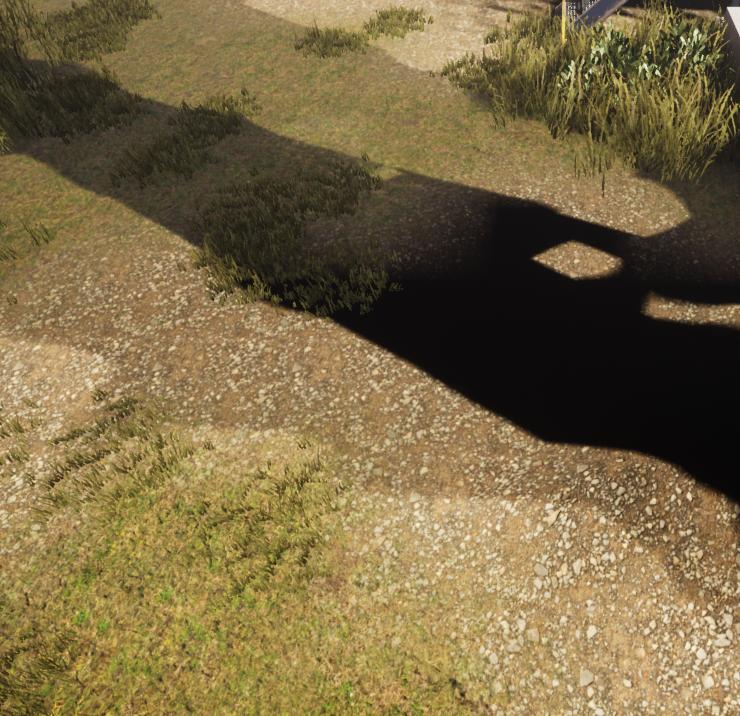
Got an idea why my shadows look weird on a certain painted landscape material?
That's after building my lighting
before it looks fine
Yup 4.22.2

it looks fine until it hits that certain material
Ahhh crap..
Well thanks anyways man!
The issue is that it's due to tomorrow 
Oh well I'll find a solution
Smart!
I'll probs try to fix it with that
plush yew
packaging the project shows some plugins that other unreal engine versions use in the output log
?o.0
gusty dune
In terms of avoiding high costs of original assets whilst also not being an artist, does anyone have any suggestions for visually displaying armour on a character model
Oh as in I have access to basic character models, such as from Mixamo and theAdobe character builder
But no way of adding armour to these characters, aside from buying an armour asset pack or sculpting my own
(Am a university student on my summer break, so no money XD)
warm timber
We are all in the same boat @gusty dune
gusty dune
I was using the second system recently on a project, when I was working with a 3D artist
The only way I know how IF I already have the armour assets is to spawn actor components to sockets and hope that the scale and rotation is uniform among all models for that socket
The issue I had was assets coming from three different artists that each made their own pivot points and non uniform scale
Our art lead quit halfway through the project
I wasn't the project manager XD
I was a junior designer
I am now, yes 😅
I can't model good looking armour, so they'll be boxes. By by golly they'll be consistent boxes!
That's a ruddy good idea
Thank you, I'll give it a go sculpting something simple in Maya as I have some additional course learning materials for the summer
I believe that was the plan, but the character artist took some time off, so the person making armour did it by guesswork on the base UE4 mannequin
Oh it was an absolute travesty, the university has some great content but that particular module was in need of some additional moderation
If you give 20 students the task of making an original game demo in the space of 2 months, without repercussions for lack of attendance or a clear set of team leaders
Well, it ends in chaos
The leaders were meant to be the third year students, so whatever way it panned out I would still remain a junior until next year
Still, there's a lot that can be learnt from these things
The biggest error the team made, myself included, was over scoping the project
Trying to implement a random loot system, random stats for dropped equipment, abilities etc in 2 months was just crazy
Oh I got the marks, but thank you for the advice 😄
I wrote an 8 page reflection to try and salvage some marks, as the project itself performed poorly
 wary wave
student projects always grossly overestimate what is possible
plush yew
@plush yew lmao literally the first paragraph of the guy
Do you know that painful moment when an action is taken inside your game (for example the player presses a button) and all of a sudden you need to turn a light on, open a door and this turn into a Cast-To fiesta?
blueprint interface my man
bruh
I like the dispatchers
gusty dune
Is it just those three we can use to communicate between bps?
Without making a physics based rube Goldberg machine in engine
In my two years of UE4 I've only come across casting, interfaces and dispatchers
rose glen
@flat idol i tried to declare the class before the UCLASS where the struct is used. did not work as well
oh man i miss c# lol
flat idol
i tried to declare the class before the UCLASS What does it mean? You want to forward declare your struct before the class, not the other way around actually.
gusty dune
Ohh I follow now, thank you
I'm currently nose deep in an animation blueprint so my mind is a bit distracted
rose glen
i forward decalred the class that hold the struct before the other class
class UNewTestObject;
UCLASS(BlueprintType)
class TESTINGSTUFF_API AWeaponBaseCPP : public AActor
how do u forward declare the struct ? because i tried "struct FAnimationStruct;" before the class. it gave me an error that the struct is not defined. seems thats not the correct way to forward declare a struct
flat idol
Forcas, the uobject has nothing to do with the struct, that doesnt help you there. Just move the struct into the header of that uobject, include this header in the weaponbasecpp actor class, and you should be set from there. Don't foreget to also include the header of the anim sequ in the uobject's header as the struct will be looking for it. But other than that it should work. You are also welcome to bring #cpp related questions to cpp that's always a best place to find solutions to problems like this and far beyond.
rose glen
@flat idol it is in the header of the UObject. with animseq and montage headers
this is the header
 royal dragon
Hi, does anyone know how to use mesh socket snapping in UE editor? I have enabled socket view but I don't know how to activate snap. https://youtu.be/1Wjc40lDP7c

Here you can see the Modular Pipe Set working on Unreal engine 4 with the Socket Snaping functionality and some material variations included in the pack. Get...
flat idol
Forcas, it is looking good, now you must include this header in the weaponbase actor header, remove the forward declare attempts from there and just use it as usual.
rose glen
@flat idol well thats the case i had at the start.
ClassA : struct in a class header
Class B : ClassA header included
use struct as a variables in calss B
Error
flat idol
Well that's supposed to work so i'm assuming there is something else with the header compilation (UHT) process that is messing up the generated outputs causing invalid class defs in the result. In such cases you can just go thru these classes, make sure there is an appropritate newline between stuff so they won't be interpreted as one line or something where it isnt applies, then save all close VS, press generate project files for your project, open up again then compile. It is supposed to compile, and give you the expected ========== Build: 1 succeeded, result. If it still does not, just copy the first two-three entries from the output window what the error might be.
rose glen
@flat idol thanks for your time man
i might just recreate them
or just copy them to another project
flat idol
Chances are there is nothing wrong with your current project, but uht/ubt is messing up the compilation process because something is not clear for them. Just make sure you code is in line with epic standards, there is enough ; comas and all. Put F and A, and U before the class and struct defs where it is meant to be used. Things like that can cause errors, but once fixing them you get a clean output.
Also, re/generating the project files won't hurt.
plush yew
Hi when I last tried to package I had issues because no internet and it was repeatedly trying to send info to epic, any way to disable this?
 native creek
Could anyone recommend me an Animation guide please ? (Books or video tutorial series) Thanks
rose glen
UE4 Animation ? or 3D software animation ?
 misty stone
Virtus has a tutorial series on it iirc
native creek
I actually finished that series
 spark sonnet
Is there a simple way to get nearest actor from player in blueprints?
 dense gate
After porting my project from UE 4.19 to 4.21, cloth lags behind the rest of the skeletal mesh, any way to fix it?
Depends on your HUD and inventory implementation
If you're using a simple array for the inventory, communicate the "selected" index to the HUD
 sudden agate
by making icons
dense gate
Add some curves to your UMG scale and play/reverse sequences on the selected/unselected item (icons)
 thorn topaz
If you make a free mobile game that generates ad revenue, is 5% still owed to epic?
 sly roost
@spark sonnet try to ask the same question in the #blueprint channel. Might have better luck there, you and I. Would also like to know how to do that.
dense gate
It's all profits I believe, so yes, as long as it passes the (IIRC) 3000$ quarterly total
spark sonnet
I'll try there
wary wave
@thorn topaz . Yes.
plush yew
So my cook has been stuck on the last thing for 20 minutes. No idea why because it's not at all a complex material and has given me no problems so far.
flat idol
Your pc might be out of ram and struggling with the entries to compile. It will probably finish but may take a very long time.
rose glen
@flat idol , i was able to solve my issue
 high musk
hey guys why can't i find my classes inside of unreal when i try to reparent a blueprint ? even though i can see the .h and cpp files under source in visual studio ? i tried recompiling and even genereated visual studio files and restarted unreal but still the same issue ? does anyone know how to fix this ?
plush yew
dont think its ram but thanks for suggestion
dim plover
I have no idea what I'm saying, but maybe it's the GPU RAM?
 obsidian nimbus
looks CPU 😛
plush yew
nah its ok - it suddenly gave me a load of entries on the output log so maybe it was just stuck on that entry while it did a load more crap
flat idol
The memory use is not constant, upon cooking/compiling it will go up to the upper limit, then falling down to the depths - then it will repeat. On a timeline graph you would see this better tho it was not open to look at past events. But it's ok then, just keep in mind ram is usually a problem with this process in general.
Floss, no the gpu ram is not involved in cooking, that's purely a cpu torture
 steady coral
anyone got a suggestion on how I can separate trees and grass in a material that uses CustomStencil?
plush yew
maybe you are right about memory
flat idol
memory compression - that sounds like a neat feature
plush yew
very old pc
 lament oxide
So I've done a quick google and is there really nothing I can do about the default character capsule component?
I would really like it to be a box
wary wave
you can do whatever if you use native code
lament oxide
at the very least I want the character to not bounce off objects
wary wave
otherwise you're stuck with a capsule
plush yew
What do you mean bounce off?
lament oxide
if the character is going fast enough they will bounce off objects
I assume it's just because the character is going at such a high velocity and I'll need to find a way for the character to significantly drop it's momentum when impacting an object
plush yew
box collision u mean?
lament oxide
yeah I'd much rather just not have any of the potential issues that a capsule collision presents
plush yew
yes
box collision
u mean
well can't you just add a custom collision component and turn off collision on the capsule?
theres literally a component named
box collision
you searched or you came directly here
lament oxide
I did a quick test of trying to replicate the collision of the capsule component in a box collision and the character will drop straight through objects
dim plover
You might have some problems with turning off the root capsule component collision.
plush yew
but you can always make it small, make its children larger to compensate then add box collision enclosing it - any catch to that?
dim plover
And the AI related stuff uses the root Capsule.
lament oxide
apparently replicating the capsule collision on anything but the default capsule collision causes issues
dim plover
You might lose all your collision stuff. And if you make it too small, the AI related stuff will use those "bad" numbers.
lament oxide
so I have everything set to the physics and collision settings of your inherited capsule and the character just goes straight through
plush yew
well in any case that shouldn't happen.
dim plover
I'm pretty sure, if the root component doesn't block an object type, none of the child components can block that object type.
plush yew
so I'm a little worried about this cook. My 'cooked packages' is going up, but so is my 'packages remain' even faster, so my 'total' is actually going up lol
Unless 'cooked packages' is no measure at all of the total cook
ok
plush yew
thats very vague you need to go into much more detauk
detail*
we dont know the ins and outs of your project
 hoary silo
When I shoot the portal via line trace, it spawns the actor where the trace hit, and if I shot a trace on the edge of a wall, the actor (portal) sticks off the side
I couldn't think of a way to make it so it stays within the edges of the wall
plush yew
so you are going for a system like in the 'portal' game
hoary silo
exactly
wary wave
I assume you're not actually doing any test other than the initial trace
therefore that is your problem
you need to test all four corners of where the portal would be
hoary silo
How would I go about doing that
hoary silo
yeah
plush yew
maybe a decal would be good for that? I haven't used them myself I don't know if you can add stuff like collision on them
hoary silo
you cant add collision on them, and the decal would cut off around the edge, but thank's anyways
plush yew
Oof says can't find file for asset a lot during cook I think partly because I exported some blender fbx files with different names to blend file
plush yew
so I cooked the game whatever tf that means. Is that cook 'saved'? Meaning that when I package it will use the cook even if I package next week?
anyone recommend any tutorials that lay out the basics of visual scripting and the engine in general that aren't really long?
actually i hate this prick i prefer ainsley
 toxic wagon
Is it okay to delete .uasset files, references be damned, or does that run the risk of screwing up my project?
Specifically I wanted to clean out some materials and models
visual belfry
delete them inside the editor though.. it'll search for references
(and let you add those references to the to-be-deleted list)
visual belfry
the first time it should pop up a bar on the bottom
 last kite
yeah it works, but in PIE you have to hit ~ a few times while the PIE window has focus
wary wave
anyone with some decent math knowledge who can help me out with a material mask I'd like to set up?
 rotund scroll
I don't know what you classify as decent
 grave nebula
math is myth. Nobody knows it.
hidden aurora
Define decent lo
wary wave
haha, well I want to do a material mask where I can mask out everything that's behind a transparent plane from the camera perspective
think of it like a 'magic window', I guess
rotund scroll
so like an inverse occluder block
wary wave
kind of
I could say, render pixels behind the plane red, and those not blue
this would be a world space material
not something like post process
rotund scroll
scene depth?
grave nebula
Write transparent plane to custom stencil, in a material in question, check if there is a custom stencil value and if so, mask it.
wary wave
nah, not scene depth, I want specifically to have a mask
grave nebula
Plane is defined analytically?
wary wave
what do you mean by analytically?
grave nebula
with an equation ? or it is an actual geometry >
wary wave
equation, yeah
grave nebula
Solve Ray/Plane intersection for ray between camera position and mask receiver fragment position. If intersection happens at distance less than distance between camera and fragment, the fragment is occluded.
wary wave
that doesn't sound like something I can do in the material editor
grave nebula
Why not ?
wary wave
how would one work with fragments?
hidden aurora
How is the lighting going?
grave nebula
https://www.scratchapixel.com/lessons/3d-basic-rendering/minimal-ray-tracer-rendering-simple-shapes/ray-plane-and-ray-disk-intersection p0 is your plane origin in world space. n is your plane normal in world space. l0 is your camera position in world space. l is CameraVectorWS times minus one. @wary wave
wary wave
cheers
though it seems overkill for what should surely be little more than something not unlike view projection?
grave nebula
that would only apply if plane is axis aligned, in particular, aligned perpendicular to camera space Z.
wary wave
right
grave nebula
I think there is a mat function for this already, VirtualPlaneCoordinates or something.
You can use it in receiving material, supply your plane origin and normal, plane size and then boxmask it regularly.
wary wave
if there is, I've never seen it, but that would be awesome
aha, so there is
also a object aligned verison
yeah, this looks like exactly what I want, I think
thanks!
plush yew
hmm weird I am getting cooking errors, most were assets whose file path no longer existed as i deleted the main asset, however I have this weird error where I have some blueprint called 'Test' that i cannot find either in the content browser or in a file search
 low trail
Hey guys, it's ok to have the capsule component like that with that character? or should i change the shape to match the character? (and if so, how?)
plush yew
well you could at least make it smaller vertically and stretch it
along direction of arrow
ripe coral
Hey how do I place a map into my current project world?
I just clicked on the map and it loaded it and displayed it. But my player is not there and I cant control it anymore
I just can control a free moving camera through the map
plush yew
Well are you using same game mode?
plush yew
https://docs.unrealengine.com/en-US/Gameplay/Framework/GameMode/index.html stuff does not carry over across levels generally
Overview of the Game Mode and Game State
plush yew
You need to tie your level setup to your game mode
Only the stuff specific to the game mode (and game instance and state) will carry over across level, if your character is not part of your game mode it won't be the same in other levels - unless you are using some unreal default thing
ripe coral
I have my gamemode in the world settings and it is still there
plush yew
So just repeat what you did, or find a way to make your character specific stuff (eg what it looks like and how it moves) work in every level
What game mode is it
A custom? Or one of the UE4 ones (which you may have adapted)
ripe coral
UE4
Arpg
I customized it so it doesnt count down etc. anymore. I just wanted to use the combat system.
low trail
@plush yew But it's necessary to reshape it to match my character? or it doesn't matter really?
plush yew
There was this discussion earlier. It depends how accurate you need the collision to be. If you dont need a lot of accuracy, just make the capsule fit the character as close as you can. If you want more accuracy you should use some other type of collision. But apparently some people were having issues with that
ripe coral
Is this even the right method to implement EDIT: map into a level, just by double clicking it?
low trail
@plush yew ty!
@ripe coral check that
select your game in the outliner and check that
ripe coral
I downloaded a map file and migrated it to my current project. Then I double clicked on the map file in my content browser (it loaded) and displayed the map. But now everything else is not working anymore.
I will check that!
plush yew
no idea then
ripe coral
@low trail I need to compile again after putting in the gamemode override or?
I just ask, because it takes ages 😄
wary wave
no
low trail
nope
low trail
btw you ask, does anyone know if it's possible to cancel compiling?
ripe coral
is double clicking really the right way to place a map?
low trail
@ripe coral you should have more than 1 option
the idea is to select the one you used on your previous map
ripe coral
I selected the one of the previous map

I just clicked on this file. maybe it starts something like a showcase mode?
low trail
i mean in the game override thing i showed you
 ripe coral
ahh maybe I know
there is no player start object on this map
maybe this is why gamemode cant proceed.
How do i place a "playerstart point"?
low trail
ripe coral
Yes
I saw now. that the gamemode object gets created but doesnt proceed to spawn the player etc.
low trail
so try draging your map onto the new map
ripe coral
how?
just really dragging it into the map space?

How do I drag the map in the bottom right corner into this map?
low trail
@ripe coral I checked and maps cannot be dragged onto the scene, i don't know why i rememberd it was possible
ripe coral
Mhh so I need to find a way to implement it into the current scene
The map spawns multiple camera actors and has a newLevel_sequence maybe this is the problem?
low trail
@ripe coral Maybe you should check this
ripe coral
I check that
low trail
maybe your new map is missing your level settings
ripe coral
Nothing is in there.
I dont know. My gamemode just doesnt work on this map. If I create another sample map from UE4 everything is working just fine. But not on this map.
It spawns even my player controller
but not the actual player
bp_playercharacter
Found the solution
low trail
try to get more info about the map you downloaded then, mayber there's some info you are missing on how to import the map correctly
ripe coral
I just deleted the default camera actor from the map and the newmap_sequencer and now it starts just fine
low trail
Nice!
 low trail
Looking neat man.
ripe coral
Yeah just glueing parts of different things together to get an RPG as fast as possible together. I just want to have a simple rpg in which I implement figures of friends and family members and making a fun story of them 😄
Now I just need to find a good dialogue rpg system and glue it in this project to make fun of friends and family 😄
rotund scroll
that's a lot of work to troll your family
 ripe zenith
Hi, does anyone have any idea how I could record a playerstart actor with sequencer?
ripe coral
@rotund scroll yeah but will be so much fun when they play it on their phone 😄
rotund scroll
I respect the effort
plush yew
Hey guys,i got some problems with network replication
If i make it a dedicated server
It sends the function like x5 times
In clients
Do i need to get the ms to the game server in ordee to fix that or i do something wrong
Without dedicated server it works perfectly,on host and on clients
Do i maybe need to replicate the variables that control when the function is enabled?
visual belfry
what are you replicating? variable? function call? and how are you replicating it
plush yew
Add impluse
Not on pc right but i run 2 replications
1 replicated on server,sees if its on dedicated server and replicates asd impulse,and if its not on dedicated server it replicates on multicast
 latent flume
Hello. I have a question. I hope someone has experience or can tell me what's up because I tried everything I can think of.
hoary silo
👂🏻
latent flume
I have some C++ code that attaches a instance static mesh component to a spawn actor and it's called to create instances. It functions and on the spawner it calls the worker that does this to create instances. Everything works but after a while all the instance poof disappears.
It's not a collision problem which is the area that's its spawns, I disabled all collisions for the grass, set the culling, and even make sure the routine to add instances is turned off.

Shows what I mean it's fine the grass shows after a while at the end. Poof. No grass.
hoary silo
im not sure what your problem is, but someone else might know
latent flume
Yea. It's been a pain. I'm not sure because I think I'm doing everything right but it's not working. So, I must be missing something.
latent flume
I'm all ears
hoary silo
go into your static mesh, or your grass mesh, and search for "bounds" and set it to something large
Im not sure if this will fix it, but it is worth a try
latent flume
Yea. Definitely not that. It was worth a try. I was thinking it was something in the instance static mesh component but I don't see nothing about persistence.
 topaz hornet
anyone know why this ai is not following and instead is using the controls i use. i removed all controls from the ai blueprint
wary wave
@grave nebula - cheers for the help earlier, I'm definitely close to solving it;
 crisp fable
anyone know if its possible to rollback to 4.22.2?
wary wave
just need to work out how to eliminate the artefact behind the camera
@crisp fable - if you've migrated your project to 4.23 you're stuck with it
crisp fable
no im on 4.22.3
and i suspect a bug was introduced which i can do without
so i want to go back to the previous hotfix
wary wave
you should be able to pull 4.22 from Epic's github and compile that
I'm not sure if that will work though
crisp fable
ok
wary wave
assets saved in 4.22.3 might still not be backwards compatible with 4.22.2
 cobalt zodiac
Does anyone know how to blend meshes with landscape so that there is no seam. Ive been trying to wrap my head around this problem for a while now and I can't figure it out.
wary wave
I would use triplanar projection based materials on both and something like distance fields to handle the blending
I've seen methods that use dithering to try and blend the two without that, it looks good in screenshots but in motion it's really obvious and just looks worse than if it weren't blended
cobalt zodiac
I know that you need triplanar projection and world aligned uvs. I want to use distance fields and no dithering but I dont know how to set it up
And the blending is done where? The mesh texture or the landscape texture
wary wave
probably on the meshes themselves
 ancient otter
Is there a way to export maps with textures to blender?
cobalt zodiac
So with the distance field i can figure out where the landscape texture needs to be applied
Because it gives you 0 or 1 right?
wary wave
IIRC, you'll want to scale / clamp the distance field output to get a 0-1 range
but otherwise, yeah
cobalt zodiac
Nice thank you
And could i cast rays coming from the mesh to figure out what the landscape texture is being used on the edges of the mesh
wary wave
probably not
cobalt zodiac
Why?
wary wave
firstly because that information isn't likely to be accessible, but also secondly because it'll fail anyway when a mesh straddles a section where you're blending between two layers
it would be smarter just to make sure your triplanar materials just plain blend with one another
cobalt zodiac
But only one material will blend with the mesh
I want all the materials i have to be able to be blended with the mesh
wary wave
that doesn't seem realistic
theoretically you could try and use the landscape's blend weight texture in your mesh materials somehow
but you probably won't have enough texture samplers to incorporate all of the landscape textures into your mesh textures alongside everything else
(let alone the performance cost of doing so)
cobalt zodiac
The performance cost doesn't matter
 fleet cedar
Should map making and modding support for my project be something that I need to be considering from the beginning?
cobalt zodiac
If i can sample the texture somehow it will work
wary wave
you can't sample the landscape material from another material
cobalt zodiac
Can you do it with rays?
plush yew

NOT Unreal Dedicated Server 언리얼 전용 데디케이트 서버 아닙니다 Boost C++ Server A-Z develop 부스트로 처음부터 끝까지 혼자 자체 서버 만들었습니다 character eyesight(시야), move(움직임 동기화) , chat(채팅),...
unreal4 + boost c++ MMORPG Server
cobalt zodiac
What if i use this node and that function to know what is the material?
low trail
Hey guys
Any difference between these 2 ways?, (both work)
like, there's one that is better?
wary wave
@cobalt zodiac - landscape components only have one material
and even then, that's a blueprint node, so what you can do with that information is limited
 visual cape
hey everyone i'm switching from unity to unreal
i know some basics with the unreal API
and I was wondering
how could i make a first person knife
wary wave
probably the exact same way you'd do it in Unity
visual cape
I mean the programming aspect of it
unity uses C# instead of C++
I think I have a basic idea
wary wave
in which case I really don't understand the question
visual cape
alright
wary wave
the technique is the same, the language is largely irrelevant
 worn granite
Yeah now search how to do those things in ue4 C++/BP
 autumn elbow
Any have any experience saving and loading custom weapons and attachments ? What's the best way to pack the data?
 lament tusk
Hey ! I have a question for all you that know your away around unreal! I have an fbx with multiple meshes inside, I import the fbx and all meshes appear as they should, but when I go back to the modeling softwarer and add another mesh and then save the new fbx and reimport it, Unreal do not find the new meshes, what do I do wrong/ is there a way ti make this work :)?
autumn elbow
Can you delete and import again?
@lament tusk Did you attach the geos together before you exported?
wary wave
@grave nebula - got there in the end:
https://www.youtube.com/watch?v=xTPCvO-kLhg&feature=youtu.be
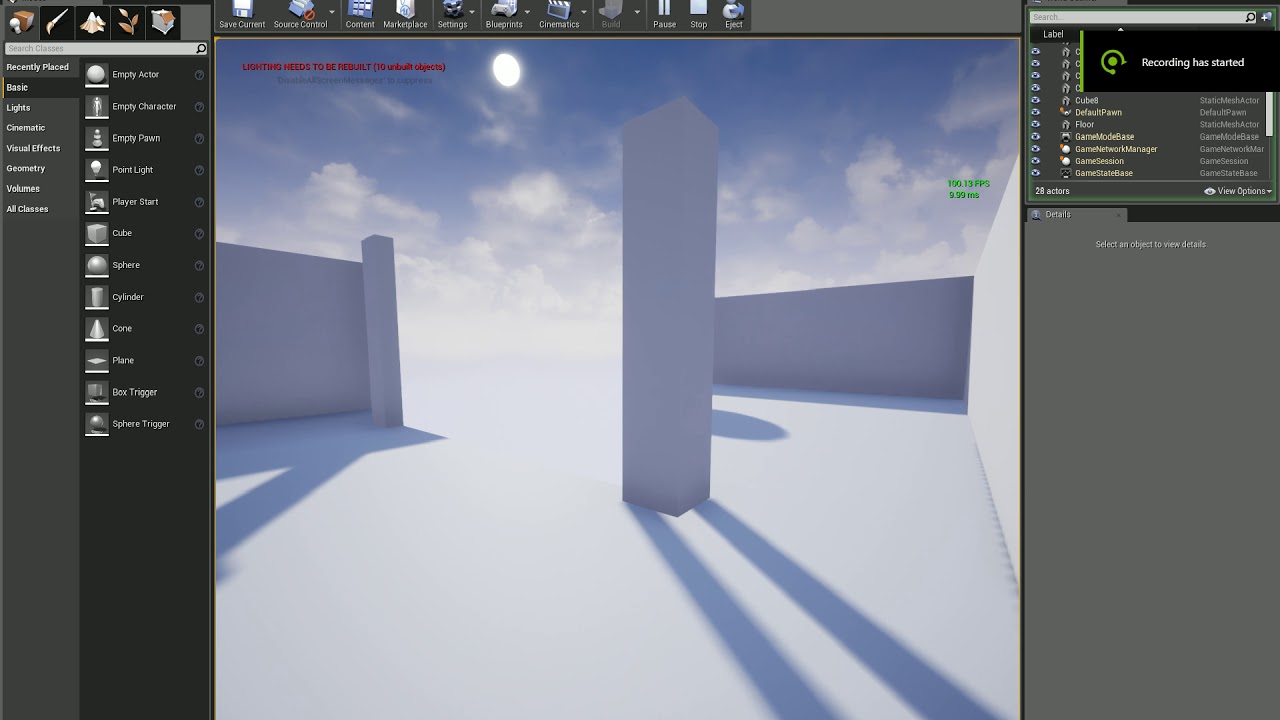
thanks!
had to ditch Epic's material function as it has a flaw in the plane UV coords, but it was a good place to work from
grave nebula
@wary wave yw. On a related note, you can add yourself to a pool of gentlemen, who consider that having custom depth/stencil done during pre-pass and accessible in base pass opaque materials is much required feature of a stock engine.
wary wave
hah, yes
I recall this was something we implemented back on Fable the Journey (the good old UE3 days)
plush yew
which function are you talking about and what did you do instead of it, @wary wave
wary wave
virtual plane coordinates
it has a flaw where it adds 0.5 to the UVs to center it at the end
which causes artefacts
so I wrote a different version that works from the top left of the plane instead
grave nebula
Doing the same for several objects needs at least a plugin. You can hack around with a depth only capture, but it is not really production viable, since scene capture's temporal jitter won't match the camera's and amazingly, depth only capture does a depth pre-pass. ¯_(ツ)_/¯
Also, pretty lame corner case, where you are seeing object through portal and at the same time its dynamic shadow beyond the portal. Latter would appear and disappear as the object becomes visible through the plane.
wary wave
I think I'm going to solve that by literally shifting the objects verts based on the view plane
but we'll see how that works out
stretchy mesh artefacts may be an issue
grave nebula
I think that would need stenciling a shadow projection pass to work properly.
That would mean only custom engine version.
or... two sets of objects using lighting channels. One set is masked beyond the portal and the other set is masked in front of portal.
wary wave
I'm not sure it would, but I'll find out when I eventually try it
 weary basalt
 modern sinew
How do you unlock and lock a mouse again? I looked in blueprints but there doesn't seem to be anything
because for the Edit mode in my Tycoon game, I need to be able to freely move the mouse around. I have it set up so that the camera onlty moves when you hold middle-click, but I can't see the mouse cursor
ripe zenith
Hi, how can I record a pawn actor in a player start with the sequencer?
 mint trail
how exactly does autosave and backup folder work for the project? I despise autosave in any software as it can sometimes create a point to which i can't return beyond by exiting etc. but in ue4, the autosave folder saves textures and other files?? And the backup folder, seems to be saving .umaps and level sequences except there's no indication on how they are created?
trying to google about gives me 5+year old forum posts with no answers
 dim merlin
hi, anyone knows there's any possible way to remove grass (spawned on material) ?
i think its not possible to paint materials at runtime right?
mint trail
@plush yew so thats autosave? its a separate save, doesn't replace your original files?
and from what i can understand, Backup is something thats created when ue4 crashes?
theyre still stored in the autosave folder, so, separate
id love to be able to trigger the backup myself
 dim dragon
Is docs.unrealengine.com misbehaving for anybody else?
I'm trying to pull up behaviour trees and though the URL doesn't reroute or forward, the frame that should contain the documentation loads the documentation's front page.
eg, i get this
This is kinda driving me crazy
ripe zenith
Hi, how can I record a pawn actor in a player start with the sequencer?
 ember shadow
Hello, was just wondering if anyone can help me import a animation to UE4?
modern sinew
How can I unlock the mouse from the camera? I remember there was a blueprint thing to do it, bujt I can't find it
@plush yew Thanks, and it helped a bit, but it's still not showing the cursor
But I don't want the cursor shown when I'm in first person...
ember shadow
Hello, was just wondering if anyone can help me import a animation to UE4?
i have a FBX file but when i import it, it comes to 3 things
2 skeleton meshes and one physics asset
 weak perch
any lads on right now?
ok
I made a 4.22 project
and theres been the hotfix thingy
can I just open the 4.22 version in the hotfix?
im installing it rn
4.21*
oof
wait
theres no 4.22 updates rn
alright
it uninstalled my engines lmao
hidden aurora
Be careful with upgrading from 4.21 to 4.22 ive lost one entire project


 hidden aurora
It doenst matters how old are you im 55
weak perch
for real?
hidden aurora
jk
weak perch
damn
anyone do arc vis in here?
ooowee
yeah im contacting some architect companies
decent
I did a job for a company in Maya
but I didnt realise how much easier it is in ue4
saves a lot of time
lmao
stills are all i need
its just for planning permission
cant stick a vid on paper oof
yeah
i dont know ue4 that well
yeah
like how easy the texturing is tbh
colour coding to ports
fuck me
gives my autistic mind a boner
😦
come back jack
lmao its fine
ill just redo it
how long till its out?
ah ill just use 4.21 then
 midnight bolt
Does anyone know any Android/pc app that would allow me to create "outlines" of my project? Something like mind mapping
 safe furnace
Ahoy, i am looking for information about how to make the Oculus Touch controllers function in UE4 like the do in the Oculus Home......? SO full finger movement on the Capacity Button aspects to move fingers individually! I would have thought this is native by now in UE4
grim ore
I am guessing this does not help? https://forums.unrealengine.com/development-discussion/vr-ar-development/103602-unreal-button-mapping-names-for-oculus-touch?131000-Unreal-Button-Mapping-names-for-Oculus-Touch=&viewfull=1 or is the issue that you want the hand animation itself handled already in engine
 dire cosmos
Can someone suggest me a tutorial / System to Setup Water Rivers on a Generated Landscape? Never done Water related stuff in UE4.
safe furnace
@grim ore Hi, yep i have come across that.
i was thinking that the Oculus Plugin would give you the hand animations for use
have to say i am lost
dire cosmos
The water can be very simple. So no river flow or Collision effects really needed. Just need to "paint" a river quickly on a Landscape for quick Level Creation.
grim ore
according to this page https://developer.oculus.com/blog/implementing-quality-hands-with-oculus-touch/ there are UE4 samples with hands and animation from Oculus themselves to download
 timber birch
Hey everyone, I have a question. How accurate is the editors FPS? 🤔
safe furnace
@grim ore yep, i came across that... cant get the sample file from GitHub
i signed in and so on with my Epic account and Git but the link is just 404
grim ore
well they work here, so it's not an issue with the repo
midnight bolt
@safe furnace i don't think the ue truly directly supports Oculus
I picked up a book recently from packt and i think the have tracking is covered there
With all the public plugins, i was only getting SteamVR support
safe furnace
@midnight bolt I dont know what you are saying..But thanks
midnight bolt
that it supports touch as vive controller, not a real touch
if you want oculus-oriented features, i think you need to code it yourself
if you find a way to use built in UE support, let us know
grim ore
well the vive controllers don't support touch on the buttons, and UE4 supports touch on the buttons for VR controllers so.....
midnight bolt
there is a steamvr plugin on marketplace, but yeah.. its steamvr
safe furnace
Yeah, I am sure Oculus is fully supported... Thats not what we are really discussing..
midnight bolt

Integrates Valve's SteamVR Input features in an intuitive and easy to use way for Unreal developers.
safe furnace
that might help
midnight bolt
that being said, your apps wont be accepted if they have steamvr functionality built in
on the oculus stores
grim ore
also UE4 supports the quest which is 100% non steamVR so the native Oculus support in UE4 is definitely not overlayed on SteamVR
midnight bolt
yes, with my limtied experience i was able to built quest apks and they do work, but all my controllers act like vive
grim ore
the touch controller?
grim ore
in a custom project or the default VR template?
midnight bolt
both
i even compiled a quest version of the ue vr expansion plugin, and it's still vive-like
but i'm a newbie to take it with a grain of salt
would be great if someone proved me wrong
grim ore
well I guess the question would be what is "vive" like
grim ore
so like the capacative touch events never fired?
midnight bolt
yes
safe furnace
Unreal Engine Forums
UVRF is ‘hand presence’ cross platform template including hands that are properly placed in space (per platform), properly animated, allows interaction with
just found this might help me out
hidden aurora
@plush yew yea but depends on the type of UI (style)
grim ore
I just tested the oculus hand demo on the quest, full capacitive touch buttons work fine https://gfycat.com/idlerecklesshammerheadshark with https://i.imgur.com/q2pDcxN.png @safe furnace @midnight bolt
 kindred viper
nice
safe furnace
@grim ore so what blueprint would i add that to? Motion Controller Pawn? (I started from the VR Template)
grim ore
for the full hands like that? you need the hands and the animations from the quest repo
safe furnace
ah.
grim ore
there is a left and right hand BP along with the animations and models an anim bp
safe furnace
you have the repo?
grim ore
I linked it above
safe furnace
ok cool i downloaded that
grim ore
it is the hand sample project
grim ore
change the release tree to whatever version of the engine you are using, I tested in .22
I am curious tho since I know the default vr sample has grib if it has bones for fingers as well
yep it does, I bet you could do some animation in the engine and add in finger and thumb support to the default template
safe furnace
yeah thats what i was looking to avoid..(Creationg the Animations)
grim ore
you won't be able to do it without animations unless you drive the bone position with kinematics at runtime, all the existing systems do now is blend between animations
safe furnace
yeah i would have thought this is all done already. like you just showd in your video...
grim ore
well it is in the oculus demo if you just want to use that as base or migrate over those files
safe furnace
kindred viper
Control Rig is the new VR fullbody++ solution if you ask me. It's not been talked about much at all but its in the engine now and its got an upgrade coming in 4.23 that is gonna make it blow up I think
safe furnace
so i have this folder open
@grim ore
HandSample?
TouchSample?
ok so HandSample got me the touch inputs working
grim ore
yes hand sample is the sample with the hands
safe furnace
ok I think i am good to Migrate some of the samples into my project / look at how they work
warm timber
Is there an OnAnimationEnds or similar event?
For instance, I want the player to cut a tree, from the logic I set IsChopping to true, that allow the transition in the state machine.
Now, how do I know when to set that variable back to false so it can get back to idle?
safe furnace
@grim ore thanks for the help
grim ore
@warm timber how are you playing the animation?
warm timber
@grim ore I just added a new state in the state machine
grim ore
you can add an anim notify to the end of the animation and then do something from that event in your main event graph in the anim bp
warm timber
that's exactly what I'm looking for but can't figure how
grim ore
which part? the anim notify or the event for it
warm timber
I mean, is it a node?
grim ore
addding the anim notify to the animation or the event for reacting to it?
warm timber
I just need an event that can trigger a signal when the animation ends playing
grim ore
ok so an anim notify, right click on the notifies track on your animation and add an anim notify
so add notify -> new notify and name it
then in your event graph in your anim bp you can add a new event with that name, it will be called AnimNotify_Name, and it will fire when that part of the animation plays
grim ore
i dont know what it is trying to do there, but that looks fine. use a print string after the anim notify to see if its a logic issue or it not firing
warm timber
Got it working, thanks for your help @grim ore
grim ore
so on the neato front https://gfycat.com/constantmistygrosbeak you can add a pointing animation to the default VR hands and template and have it work without too much effort 😃 All in engine, no external tools
@warm timber yay 😃
 frank iron
hi guys i want my character to jump higher ( quite a bit) but not be floaty. do i need to change the gravity scale or jump velocity?
or both?
visual belfry
start with gravity scale
I find 2x normal gravity makes jumps feel better
then play with velocity to get desired height
visual belfry
probably UU(cm)/sec but I don't have it open to check right now
frank iron
You know the gravity and velocity settings in project settings. Are they the same as character movement component ? @visual belfry
frank iron
@visual belfry ah okay. Does UE4 have realistic physics? So if I enter a jump velocity of 11200 I should fly into space
visual belfry
as realistic as you want them to be 😃
frank iron
@visual belfry 😂😂
kindred viper
I wouldn't say PhysX has realistic physics, but realistic enough for most use cases in terms of game physics engines. Sometimes the real math just cannot be accurate with a floating point factor of 6
frank iron
@kindred viper so it's only accurate to 6 decimal places?
kindred viper
@frank iron well the engine only deals in 6 places. PhysX doesn't. So the input data can be limited
what is interesting is there is a scene origin in physx that can help for larger physics sims by using the same technique as world composition in the unreal engine. Kind of cool
frank iron
@kindred viper ah okay I understand.
kindred viper
I think you put the false logic flow above the true logic flow so my brain is crying
remove from parent doesn't hide a UI. it removes it. I mean, in terms of destroying it, its not totally destroying it, but its as good as. SetVisibility is a better option if you ask me. Then you can keep states.
unless you dont want to keep the states, in which case yeah why not
just one of those "more than one way to skin a cat" things. If its not important either way, then either way works
yeah visibility is a better option then
it doesnt destroy the whole thing, it removes it from its parent literally. But its still got the widget in memory for re-adding.
its like cleaning up the instance, rather than the class
Now you have to help me by explaining why I just took 2 weeks off to play Path of Exile, and when I come back, I have a bug that wasn't there when I left. I cant explain it. 😦
nah just some UMG requiring a click at a point it shouldn't bullshit again. The usual.
its my event logic somewhere. It was fine when I left, but the last changes I made probably did something
 honest vale
wtf, editor turned on some weird-ass orbiting controls for my viewport
without me touching anything
how do I turn these off D:
kindred viper
the widget
because casting to itself will always return true right?
not sure what you are trying to get access to exactly
which widget?
you already stored that variable as it's widget type (or as a widget ref type), so you just drag from that. No need to cast unless you are getting custom members
no worries. I've been sick as hell past week, sent my brain into slowmode 😃
probably why im stumped as to why I screwed my umg up
its ok i'm balls deep into this. nobody can help me now :p
the logic is a bit of a mind fudge
the good thing is, I wrote it to be interfaced so extending it will be as easy as pie
 maiden sundial
How can i access the var LineThinknes with the class ATriggerBox ?
honest vale
has anyone ran into similar problems with navmesh in UE 4?
the green line should be straight without the bend
like the purple lines
the goal point is just on the edge of a tile in the navmesh
hidden aurora
Why i cannot use actos in structures?
dim plover
Is that your struct? I think you need to mark the array/property EditAnywhere, or something similar.
hidden aurora
I need to ad a list of certain actos
visual belfry
You can do it, just not in the defaults
hidden aurora
But i dont want to specify actors from scene
visual belfry
Data Assets or Data Tables look like they might be more appropriate here
hidden aurora
I am using data tables
visual belfry
And you're editing the struct in there? And not the struct editor window?
hidden aurora
I just need to make an array of actors inside a structure
The other way i though of, but dont know how to specify the actors
Because i dont want to use class
worn granite
#blueprint has some great videos in pinned you'll wanna watch.
You need to get a reference to live actors that exist in the world. There's probably 4/5 different ways to set this up.
The worst way you can set this up is by calling GetAllActorsOfClass.
hidden aurora
1 year or so
worn granite
BP only?
worn granite
Data asset.
Make a new blueprint, choose a parent class of type DataAsset.
Then, you can make a new data asset and choose it to be of your new BP class' type.
The DataAsset instances are red in your content browser, the blueprint classes defining the data asset are blue.
hidden aurora
Ill have a look
worn granite
Data Assets should be treated as read-only, they're effectively globals.
hidden aurora
Primary Datas Asset?
visual belfry
UDataAsset can't be derived directly in blueprints can it?
hidden aurora
I can make a custom C++ one
hidden aurora
Let me check
visual belfry
It's very simple c++ to make one as well
Just adding the member variables to the generated class
worn granite
I'm not saying it isn't easy
hidden aurora
Never used Data Assets before
worn granite
I'm trying to find suitable documentation so I don't have to explain it all :P
visual belfry
There is no good documentation for data assets :(
Data driven page needs a big refresh of content...
hidden aurora
This is harder than what i t hought
hidden aurora
In my weapon strucutre i need to have 2 arrays: Compatible Sights , Compatible Barrels both of them arrays of actors
But it seems that i need to use array of classes
But how do i acces the data without having to use spawn actor from class
worn granite
If you make them not be actors (their data/references being moved to a DataAsset), you don't need a class.
hidden aurora
But how
worn granite
But hey man, you do you. Try Get Class Defaults (you'll be disappointed)
Have you tried my steps to make a data asset?
hidden aurora
It seems that it may work?
worn granite
cool
Also you might wanna give https://docs.unrealengine.com/en-US/Engine/Basics/AssetsAndPackages/AssetManagement/index.html a look
Asset Loading and Unloading
this is what Primary Asset Data is for
worn granite
Engine version?
hidden aurora
4.22.3
worn granite
New object, reparent?
That's what I was gonna try but I have to build + make a project :P
hidden aurora
I made a new Data table, Each Attachment has and ID(index) . In the Weapon Structure i added an index array that stores the compatible ones
worn granite
Oh a new data table?
hidden aurora
Then i did this
worn granite
That'd work
hidden aurora
Yep
 celest merlin
hello
im here for one question
what is the minimum knowledge of C++ required
for me to do atleast
basic stuff in unreal engine
kindred viper
I had 0 knowledge of C++ before Unreal, so that's your answer :p
celest merlin
and what were you able to do