#ue4-general
1 messages · Page 475 of 1
 serene birch
this module might not exist as a .py file anywhere
but as a module directly added in C++ by the editor in the Python interpreter
 pallid talon
So it isn't really possible?
serene birch
unless the editor could export a kind of "api definition file" meant for use in external editors, yeah
pallid talon
Hmm, I'm surprised it doesn't exist.
 dim merlin
is eye adaption enabled by default? how to disable it?
 cloud cobalt
Yes, set 1 to min & max value in PP volume
 abstract relic
To disable it globally
cloud cobalt
That's just the default value though
 thorn topaz
Is it possible to use OnMouseButtonDown with a widget that is a button?
What's wrong with doing it that way? simple and gets the job done
That's pretty much the only way to do it through BP
 fringe pivot
Does anyone know a way to replicate height data from a landscape to another?
If even possible
abstract relic
What? As in heightmaps?
fringe pivot
@abstract relic yes
 surreal gyro
How do I get rid of one of Sonic's two mouths?
https://cdn.discordapp.com/attachments/221798806713401345/591079519838928896/unknown.png
 fringe pivot
Actually there is landscape tool that seems to to that, it's just it says "areas", I would like to copy/paste the whole landscape height data. Need to check how it works.
surreal gyro
@plush yew OK, same question, how do you remove his 2nd mouth?
abstract relic
Gizmo tool can do that psy . Whether you just want to copy/paste or export. https://docs.unrealengine.com/en-US/Engine/Landscape/Editing/Gizmos/index.html#gizmodataimport/export
Guide to the Gizmos available for modifying Landscapes.
fringe pivot
@abstract relic ahh cool thanks, will check that
 steady coral
Is there a way to split up the instanced foliage mesh?
I am using Unreal for Microsoft AirSim (research purposes, so I don't really know much about Unreal Engine), and they have a Post processing material that colors stuff based on the mesh instance (for semantic segmentation), but I would like to do one color for trees and another for (example) grass, however as far as I can see, all the foliage made with the paint tool ends up under a single 'InstancedFoliageActor_0'. Does anyone know of a way to avoid this without having to place every single tree manually?
surreal gyro
@plush yew uh, no
 sturdy prairie
So...is there better documentation for Unreal's C++ functions anywhere? I'm having a hell of a time just finding the functions I need to give a movement command to a cube. 😛
 light vigil
My static meshes generate nav mesh inside of them, any way to get them to not do that while still remaining complex collision, i.e. without applying a simplified box collider or the like?
fringe pivot
@sturdy prairie API reference is here: http://api.unrealengine.com/INT/API/index.html
Don't expect too much though, UE documentation sucks camel balls.
Unreal Engine API Reference
sturdy prairie
That's what I was already using, so yeah -- it must suck. How do people get anything done? O_o
Thanks though.
fringe pivot
you need to figure most stuff, googling code from other people helps, also VS intellisense
sturdy prairie
Well, that's...fun, I guess. 😛
fringe pivot
sometimes, most of the time is just frustrating
 hidden aurora
What do you guys think about the weapon info design, ignore the wepaon img
steady coral
50 number is?
sturdy prairie
For me, the 50 is unclear, and the text for the mode is possibly unnecessary and implies you need text and can't make do with an icon or on-gun effect.
hidden aurora
Yea i know
sturdy prairie
Personally I prefer a simpler HUD, so I might recommend a single or multi-bullet icon.
hidden aurora
I was thinking about that
sturdy prairie
And I'd find another way to represent your total ammo and/or clipsize, or at least another color. Right now the 50 is confusing.
hidden aurora
Thanks
sturdy prairie
Something like (30/30 | 50) with a visual separator might work, where the number to the far right is the number of bullets NOT loaded you have.
So you see that number drop each time you reload.
hidden aurora
The 50 drops when you realod
sturdy prairie
If the 50 drops when you reload, then it isn't "total ammo," which is what you mentioned it was.
Since when you reload your total ammo doesn't actually change.
steady coral
okay, so not total ammo then, but total ammo - whatever you have loaded
sturdy prairie
This might be my recommendation
hidden aurora
Yep
 visual belfry
I think attaching an ammo icon to the 50 would be fine as well in any arrangement
indicator that it's a global ammo count
 polar hawk
and
if you ever do the 30+1 mechanic
i.e. one in the chamber during a reload
/30 is meh
 manic pawn
(that mechanic is really weird and overcomplicated)
 pulsar fractal
I like @sturdy prairie 's pic a lot.. also guys quick question, if I want my main menu widget to have a background of an environment with some moving parts like leaves on trees blowing with the wind; can I just add this to the widget or must I make a level and build the environment in 3D rather than with art? Thanks
steady coral
does anyone know the answer to my earlier question? cause I might have found a workaround, but it's unnecessarily complicated
sturdy prairie
@polar hawk The problem with just the 30 | 50 is it doesn't make it clear how much of the CURRENT clip you have loaded.
hidden aurora
How can i represent burst mode with an icon
sturdy prairie
Multiple bullets, an explosion symbol, a x3, etc.
pulsar fractal
thats what makes sense to me
sturdy prairie
However you want to.
hidden aurora
And auto?
polar hawk
are you making some super tactical game where you need to know the max ammo of a mag
sturdy prairie
In most shooters I like to know how much of my clip remains without having to remember the maximum.
polar hawk
you know how much remains by how many bullets are shown
if you got 3 bullets left you know you got 3 bullets left
¯_(ツ)_/¯
sturdy prairie
But not how MUCH of my clip -- i.e. is it almost empty compared to full?
Because 3 bullets from a gun that holds 4 is at 75% power before reloading, while 3 in a gun that holds 100 is at 3%.
If you have a small number of weapons where it's easy to remember, that works fine.
But if I have multiple guns I want that information clearly presented.
polar hawk
I suppose
Battlefield has tons of weapons and they don't display that info, /shrug
the only games I know that where that info is critical don't even tell you that info and make you inspect your mag
but I suppose there is always room to innovate
light vigil
Is there anyway to make a custom derived class of StaticMeshActor, and have the engine use that by default when dragging a static mesh into the world?
visual belfry
just go super realistic and no numbers 🤷
hidden aurora
Smt like this?
 wary wave
most of the time you really only need the current ammo in the weapon and the total
manic pawn
what if you added a progress bar somewhere
to visualize how much of the current mag is used
then you only need one number
wary wave
the exception being when you have a system where rounds in the magazine are wasted on reload
hidden aurora
@manic pawn ive thought of that
wary wave
but that's only typical of the more hardcore sim shooters
manic pawn
the number itself could be the progress bar even
hidden aurora
Yep
 wary wave
in a normal shooter, players will rapidly learn what the mag capacity is, because they see it every time the weapon is reloaded
you need nothing more than XX / YYY
hidden aurora
The mag will change depending on wich type of mag is equipped
wary wave
if they have different mag types, then they'll know based on what they choose
they'll see what the full capacity is everytime they reload the weapon
hidden aurora
True
wary wave
I would lean towards showing less information in this case - too much information can help make a screen increasingly unreadable
(a common UI mistake)
hidden aurora
You mean like that
manic pawn
is the picture of the weapon even necessary
wary wave
probably not
hidden aurora
Not really lol
manic pawn
I guess if you have multiple
wary wave
you probably see the weapon anyway, in FPV view
manic pawn
to know which one to look at
hidden aurora
I can make a gameplay settings where the user can select to see or not the mag capacity
I think it looks cool
Clean
 maiden sundial
Is there a way to edit a static mesh in here ?
Wanna rotate it and scale it a bit up
Don't really wanna create a blueprint for this
Or editing every single instance
 grim ore
you would have to reimport it and adjust the translation settings when you do
 elfin jacinth

Unreal Engine
Express your inner director with our Unreal Engine Cinematic Summer event!
grim ore
@polar hawk lol you make my life easier man 😃 https://i.gyazo.com/69ed3d15fb300b2a28775ad3eb90e396.gif
hidden aurora
Now the ui looks better
 proper crane
Anyone know why my physics asset is being a little bit fucky?
It's finally getting into the realm of weird
 eager tangle
Hi. I have a markedsplace asset kit (character interaction kit) that have a ready save bp. There is debuging keys like 6 to save and 7 to load, when im tryning to add the same logic to my load button (onclicedbutton)in Main menu widget, it can't find the same nodes the kit is using for debugging:/ plz help!
 mellow turret
unload level stream doesn't get rid of widgets added to the viewport right, they need to be removed manually even after unload
grim ore
I would assume they would not unload as they are not actually added to the level
@eager tangle its possible the kit is using macros or something specific to it for the nodes, what do they look like in the working project?
eager tangle
Just a press key event, then load weapon function, load inventory etc
Im not at my pc, so i can't post screenshot:/
This it in the doc for the kit
mellow turret
thanks mat
grim ore
which nodes are missing?
eager tangle
?
grim ore
well you said you cant find the same nodes the kit is using for debugging
eager tangle
The Black ones, but just under all the event nodes he have the debug keys, but the nodes is blue then
grim ore
The Save Player Health, Save Player Weapons, etc?
grim ore
you can add a key input node, it doesn't have to be an input event
and those black nodes are collapsed graphs. You can select a group of nodes, right click, collapse them, and they get hidden by this one node
if you double click the node it just opens up a new graph with those other nodes in them
and I dont see a blue node for key input on those screenshots
eager tangle
So what to call in the widget then;/ none of thoes came upp in the widget
grim ore
they will not come up in the widget, those are graphs he created
eager tangle
No, it's under, dont shows
grim ore
I dont know why he does not show you what is in them, I think it might be the ones in the first picture called SaveWeapons, SaveHealth, etc.
what matters is you will not find the black nodes, they are not nodes in the engine they are a group of nodes that have been collapshed into a node to make it look cleaner
double click on those nodes in the example and you can see how he does it
eager tangle
I'll post a screenshot when i get home from work
Anyway i can't call anything from his kit to my Main menu widget:/
hidden aurora
no its not
proper crane
I'm not sure whats' wrong
hidden aurora
Look at that beauty
 radiant fable
vhs cassette label tier
manic pawn
someone has been playing factorio
proper crane
My ant has become butter
I'm still getting the issue where only one collision object uh, You know, uh... collides
This is clearly deeper than "don't scale it too high or low"
hidden aurora
Is it in the right pos?
pallid talon
When spawning an object via Python, how do I name that object during spawn time?
For example: sun_class = unreal.DirectionalLight(name='Test')
doesn't name it "Test" like I thought it would. Any suggestions?
 carmine scroll
@placid warren Nice one m8
really professional.
Reporting you and your group on the forums for those actions. Making sure people do not get involved with you.
Really not cool, and very rude.
proper crane
Pardon?
carmine scroll
Asked about payment for a project, got told to stfu and blocked 🙃
proper crane
Yeah, he seems to have no messages in this discord at all
proper crane
And also Stoqn Ivanov, I think has been PMing people with the job ads, not sure if that's alright
I got a random PM a couple hours ago
carmine scroll
Nope, its also not
proper crane
Want a screenshot?
proper crane
PM?
carmine scroll
Sure
 main willow
hey where would i go for technical support
 worn granite
Probs not here? Depends what support, and what for
main willow
is there any specific way I should go about debugging an UE4 game as a player?
worn granite
Meaning no access to the debug symbols or tools to debug with?
Pray they log everything and pull an all nighter plotting the output
(lemme help you here, nobody logs everything)
main willow
well im jsut a user yaknow
i have been using debugdiag
idk if im running the right ones but i have attempted to read the reports 😛
grim ore
as a player not much you can do but report to the dev what happened and how to reproduce it
carmine scroll
<@&213101288538374145> Can I ask a favour from one of you?
 weary basalt
?
carmine scroll
Are you able to delete posts in #looking-for-talent ?
weary basalt
Yes, you can DM one of us in the future, no need to tag all of us.
carmine scroll
Okay, didnt know the rules on that
weary basalt
Which would you like removed?
carmine scroll
thats why
Posts by Pistol Brute
Spamming paid/unpaid ones
and when I joined a 'Paid' one
and asked about payment
was told to 'stfu'
and blocked
main willow
@grim ore they all pretty much say buy a new graphics card, but i dont want to on m grandmas PC and the game crashes at the weirdest moment
carmine scroll
Something other people dont need to deal with
main willow
its something that i believe can be fixed, just the devs are lazyish
worn granite
Sounds like you've got a head start on debugging it :p
weary basalt
Ill remove his duplicates and talk with him about posting multiples in the future.
carmine scroll
Okay, thank you very much/
carmine scroll
🙃
grim ore
@main willow just because you don't want to do it doesn't mean it's not the correct fix
I couldn't play Trove on my work PC when it came out for example due to it not supporting SM5. I couldn't exactly go "Yo devs replace your rendering engine to support me"
radiant fable
is there a variable type that creates a dropdown list and their place in the list == an integer
 next badger
@cinder basin it says wher you could see the log
 static viper
anyone know how to fix :
Log.WriteException: ERROR: -createchunkinstall must specify the chunk install data directory with -chunkinstalldirectory=
next badger
@cinder basin for start i see
ProcessResult.StdOut: LogObj: Error: LoadConfig (/Script/Engine.Default__RendererSettings): import failed for bEnableAlphaChannelInPostProcessing in: True
 cinder basin
ok thanks
next badger
@cinder basin also...you are using Niagara on 4.20 ?
cinder basin
I think so yeah
next badger
that's a dare move...you better to get yourself a 4.22...niagara not yet released, and in 4.20 it was buggy as hell
cinder basin
alright I'll work on updating it
next badger
@cinder basin make a backup copy
ue4 generally makes it when updating the project, but just in case
 surreal flame
hey fellow nerds, i have a question, I am sure there is a way to create a base mesh which can be instanced somehow so when the base mesh is edited it changes all instances?
is that a thing? if yes, how do I get to that?
also, when using brushed to make stuff, they have collision, but when i make a mesh from the brush the collision is gone, what am i doing wring?
nevermind, just used use complex as simple
 bright aspen
Is there a hotkey for straightening pins in Blueprints?
hovering over and right clicking says "Q" but pressing the q key doesnt seem to do anything
grim ore
@surreal flame it is best to add simple collision and not use simple as complex as it's better for performance. You can do that from th collision menu once you open up th static mesh.
surreal flame
@grim ore thanks will do that, our meshes are veerryy simple though anyway!
Also another question, i try to give my character a ribbon trail, this should change color depending on the speed, I would like to have a "rainbow" ribbon so to say, so that the particle on a given position has the corresponding color to the speed the player had on this position
i got the color to change, but it changes the color of the whole ribbon, nur just the particles that are spawned right now, is there a way?
color over time with keyframes this does work, but ofcourse this aint corresponding to the speed
cant get this to work, with color over time and "keyframes" the ribbon trail has multiple colors depending on its life spawn, as it should be, but if i set the color parameter at runtime it always changes the complete ribbon color and not just the currently spawning particles of that trail :/
(in cascade that is)
 signal bone
Should i have my FBX model already with Outline for Cel shader effect
or use a post processing shader?
 woeful sparrow
 errant dagger
@cloud cobalt I found VS killer , its not CCleaner in my case, CCleaner works just fine, its another optimizing software called BoostSpeed.
cloud cobalt
Remove them both imho
 iron merlin
Hey guys, why doesnt trace work whenever i use custom made object types? I googled and it seems to be a known issue?
cloud cobalt
Probably messed up collision.
iron merlin
What do u mean? Because the trace dint even appear. Give me a moment to upload a gif.

I changed the object types to custom made for the value that passes it to multiboxtraceforobject's object Types. What i am trying to achieve is to make sure my trace will hit either AI or environment which can't be done using trace channel.
errant dagger
@cloud cobalt already done.thanks
 gilded igloo
can anyone explain to me in a nutshell what is a blueprint interface?
cloud cobalt
Gonna need context here
wary wave
Blueprints that declare functions to define an interface between Blueprints.
gilded igloo
thx
 ivory copper
One of the methods of communication between the blueprints.
 whole quarry
cloud cobalt
whole quarry
cloud cobalt
Might want to add a neutral gender option on there too.
That's a pretty good question tbh
That one is the one I usually see : https://thenounproject.com/term/gender-neutral/133748/
 serene birch
just make the gender option not a combobox but two checkboxes 😛
cloud cobalt
Whatever color works
serene birch
I mean in the technical sense of how they work
iron merlin
Btw does anyone know why my trace doesnt work?
 spring eagle
@iron merlin yea man. you missed a ;
 sudden agate
@plush yew i'd use Sex instead of Gender :P
some people are very insensitive when you call them sir instead of m'am
iron merlin
@spring eagle im using blueprint though. I stated the issue above. You can scroll up abit. Trace dint work when i use custom made object type for it.
Is there any alternative way to detect more than 2 channels for trace?
 regal mulch
@spring eagle Troll answers help no one. (:
@iron merlin If it works with one collision type but not with the other, then you might need to double check that setup your collision settings accordingly
iron merlin
@regal mulch the trace debug shape dint appear. I will check them again
spring eagle
@regal mulch yea didn't rly know he had an issue before since who scrolls in this chat? mb.
@iron merlin all else fails. start from scratch
regal mulch
@iron merlin What do you mean with "2 channels"
Traces are usually meant to trace for one channel
And everything that blocks it will react to it
Wait, since when is there an "x" next to previews?
iron merlin
@regal mulch but my object types cant work
@spring eagle it works if i use ue4 default object type.
regal mulch
So you change the Collision Type of whatever you are hitting to XY
spring eagle
do you have hitboxes on the objects you are using?
regal mulch
And you also change the shaped trace type to XY?
spring eagle
and collision enabled?
regal mulch
Cause I only see you changing the collision type at one place
iron merlin
The collision type is for the trace.
regal mulch
So what is not working then? The Collision isn't registering?
iron merlin
The trace dint show at all
regal mulch
Can you show the full code that produces the trace?
Not just the node
Cause changing the trace type shouldn't cause this
iron merlin
I dint use c++
spring eagle
all nodes man. show us all nodes
regal mulch
Nodes are code too :P
spring eagle
btw this trace you are doing is for the sword?
iron merlin
Im not currently on computer.
This trace is for an attack.
I will come back to #blueprint to post my codes
cloud cobalt
Looking good
 blissful trail
where would i look to hire people ?
cloud cobalt
regal mulch
Character has an "OnLanded" event
You could listen to that
And give the player a short window in which they can jump again to gain speed
 plush yew
Hey, does anyone know if I can enable Debug Line Traces when I run my game without the game engine editor. I'm currently trying to enable them when I locally test my client & server?
hmm , I Only know they are disabled for shipping and test, but maybe they only work for editor aswell 😦
nvm, line traces do work on client & server tests, I made the mistake somehow and called it on the server, where it is disabled obviously, my bad 😛
 true leaf
I have a question about arrays. I made this bp that adds a bunch of actors in an AOE to an array of units in a local var
Then, I ran a for each loop on the array and 'removed' each item that is 'invalid' according to params ...
 dim plover
Loop backwards.
true leaf
Well even if every one is invalid
wary wave
^
 lusty carbon
Got that update loop issue going on. any fix?
true leaf
Omg what a terrible bug that caused
Good general knowledge to know
That makes sense now
Ty
wary wave
then the next part of the loop goes to check index 6, but what's in there is what was previously index 7, and what was previously index 6 got skipped, hehe
true leaf
Riiiight
Yeah idk I haven't run into that in JavaScript or ruby much just ue bp. Anyways , I'll loop backwards or the other way to do it is use a second buffer array and add valid ones
Instead of removing invalid
Ty
lusty carbon
@plush yew that didn't help..
oh there is 4.22.3?
must be it then.
well apparently this update is 2 days old
I had some update loop issue prior to that
nevermind
 next cloak
Yo, anybody here using unreal.hx?
 twilit creek
hi, how to post anything in "looking for work" section?
 violet goblet
regarding "full body awareness"
does i have to split (material) a character into "head" "arms" and "rest" ??
dim plover
@twilit creek Check the pinned messages in the channel.
twilit creek
@dim plover how? me newbie
dim plover
It's the Pin icon in the upper right of Discord.
 boreal topaz
I have all of these pieces on the same X but for some reason they arnt aligned as you can see. is there an easy way to correct this?
thx
boreal topaz
in BP i want to have my OnCLick check a bool to see if its true or false before doing something.
I have the variable setup what do i need to add to do the check?
this seems to work. is this the recommended way?
grim ore
depending on what you are doing yes, there is also the flip flop node
boreal topaz
im having the player click a piece of a gun to detach it. once they detach it they should now be able to move onto the next piece
so i need to have it set another bool onClick also so its available
wary wave
🤔
grim ore
I think that is trying to update plugins and failing
@boreal topaz that looks fine then assuming you are going to do something off the false branch
boreal topaz
false pretty much will be they cant interact with the piece a nymore, which the bool does in the branch
 gleaming lotus
Any idea how to make a cable component less 'jolty'? This is me holding a fishing rod upwards while walking the cable goes crazy. I've disabled collision too, I dont want to disable gravity as I like it floppin when the player is using it.
For reference, this is how it looks normally.
regal mulch
@spark dawn Try to kill the Launcher and restart it
wary wave
I would not use a cable component for this purpose
I probably wouldn't use one at all tbh
gleaming lotus
Really? This is basically just a 'mini game' in my game, I wanted to have a fun little fishing rod with interesting astetics
Is there a way to make rope components only have relative velocity and not have the player's velocity add to it?
wary wave
I would have handled it as part of a skeletal mesh
cable components are a fairly quick / hacky particle based solution
so you can't really control their behaviour
plush yew
is there an option to keep the game running even if it's out of focus?
I know the editor has this option, to "Use less CPU in background"
but is there one for a packaged game?
 brave birch
Honestly,
I have no answer to that one
But amber and grandma, would it have been feasible to let the rope that goes out the end of the rod be a cable component, and the part within it be a seperate type of part?
wary wave
feasible, yes, would I do it, no
It would have all the same problems as the current line, but worse
brave birch
You think?
I'm really new to unreal but I have to manage a team workers for unreal now
So I really need to learn the gritty stuff
 karmic basalt
@plush yew IIRC, there is a function called to determine if we should be receiving input when out of focus. You can probably overload that.
plush yew
Hwllo guys.
I want to Upload an app to google play store. I just saw that there was an app released with the name that i wanted to use
Can i Upload tue app with that name or do I have to change Think absolut another name?
grim ore
just add happy or star or fantastic or something else in the title, the android app store is the wild wild west with naming
karmic basalt
You should be able to upload as long as the package name is different.
 buoyant socket
so i've updated all my drivers because of "d3d device is lost" but now it's worse
 snow jungle
01101000 01101001
buoyant socket
it crashes way quicker now
karmic basalt
No need to add anything else to publish. You may disappear down if there's too many apps that are more popular with the same kind of name though.
Also, for your safety, run a quick search to see if those apps may have copyright/trademark the name so you don't put yourself in legal hotwater. (Esp if the app is in the same genre/type as yours)
If so/ if they intend to, try to contact them to get express confirmation that you are not infringing on them. (You don't want a Mojang V. Bethesda on you)
grim ore
what video card and what type of machine? if it's a laptop is it plugged in
buoyant socket
gt 1030, desktop, intel i2 quad, 8G's of ddr3 ram
it's shit but gets the job done
i know for sure its a problem with c++
tried making some basic programs with c++ and they ended up crashing after a while with the same error message
(out of unreal)
should i just accept the fact that i have to restart every 3 mins?
grim ore
you shouldn't but d3d loss is normally due to something else wonky like loss of power or the device swapping from one to the other like with optimus
buoyant socket
i do have a 240w power supply, idk if that is a part of the problem
grim ore
240 isnt a ton but it's an older machine it should be ok. If it's old it might just be getting to the point where it's losing too much due to degredation
buoyant socket
i would def replace it but its a shitty proprietary psu made for a prebuilt hp
buying this thing was a big mistake lmao
i only had a budget of 250$ for this thing
unreal hasnt crashed yet
somehow
grim ore
might want to make sure power saving is off for the card in widows and it's set to max performance
plush yew
Thx @karmic basalt
@karmic basalt it is not popular. 5 Downloads and the company is very unpopular
buoyant socket
ive milked every bit of performance out of this thing, battery saving is off, cpu throttling is off, everything maxed
 merry gazelle
I want my game to procedurally evolve over real time (e.g. actors appear / disappear). It's singleplayer and I wondered if there's a good way to achieve this that also prevents the player from manipulating the date (e.g. changing system time/date)?
buoyant socket
nope nevermind i clicked into unreal and it crashed
karmic basalt
@plush yew You should be fine. Is their app any similar to yours?
grim ore
store the date when stuff happens, check against the stored date and current date and if anything feels weird (its going backwards for example) then do whatever. Alternately it's single player, who cares let them do what they want
plush yew
@karmic basalt its the same genre but it looks completly different and its not really the same
merry gazelle
makes sense, I could just add up game time rather than sync according to the realtime date. I was hoping to be able to trigger events at specififc periods (e.g. Jan1 2020)
karmic basalt
@merry gazelle , when you say real time, you mean player time or in-game time? If it's ingame, just add to game time.
merry gazelle
Ideally it would be player time but I don't think it'll be possible without some networking
karmic basalt
If you want player time, the best you could do is compare timezone to some sort of server to prevent someone playing with their computer time. Or just don't. Missing an event in a single-player game is annoying.
merry gazelle
yeah, to be fair I woudln't even call it a game. It's more of a "simulator" that procedurally generates maps. It's got physical collectable "keys" associated with each map thats generated. A big part of the game is discovery and I want events that are actually missed by players (e.g. supernatural stuff)
lol I don't even know how to explain it 😛
boreal topaz
i have a piece on a weapon i want to turn when clicked. would animation be the easiest way? it just needs to turn about 90 degrees once
 sudden widget
Hello there.
Not sure if this is the right place to ask but let me know if i should put this somewhere else. So, I'm working on a Third person perspective shooter project and I'm facing an issue of "Screen Tearing".
On "Full Screen Mode", Tearing is quite easily noticeable which is making this feel way weird.
On "Windowed Borderless Mode", Tearing is minimal but then the mouse sensitivity starts behaving awkwardly while aiming.
So here is the question - "Is there anyway to reduce screen tearing without using V-Sync?".
Here is my system configuration :-
Processor - i7-4770K
GPU - Nvidia GTX 1070
RAM - 16 GB
Monitor Refresh Rate - 60 Hz
Unreal Editor version is use - 4.22.2
grim ore
@boreal topaz if it's just a static mesh you can rotate it easily, if it's a skeletal mesh and you want it to rotate with some animation then yes you should do it out of engine as an animation
fringe pivot
Guide to the Gizmos available for modifying Landscapes.
I'm stuck at this, where it says "press the Export Gizmo Data button", ....but that button doesn't exist
Am I missing something or is it just another outdated documentation?
plush yew
@karmic basalt nice, thanks, I'll look into it
grim ore
how old of a driver?
buoyant socket
using 399, so from 2018
 ocean elm
I'm a bit tilted, I couldnt't understand why all my lighting build had only 1 bounces of GI instead of the 20 I set inside the world settings. It comes from the materials, those with textureparameter2D won't propagate lights in the 4.22 ... Hope my hours lost will help someone ...
yes the exact same scene is working on 4.21 and not on 4.22
Didn't saw it on the release note
my bad
serene birch
it's called using V-sync
like, it's meant to remove tearing and anything that removes tearing is a form of v-sync
ocean elm
well
I'm sad I didn't found this article sooner
Unreal Engine Forums
Hello guys,
I have an issue, when I try to use Parameter Texture Object node in Unreal 4.22 from material editor.
When I use the node it breaks the volumetric
I'm tilted
 grave canyon
time for day 2 of ue4
right now i'm trying to make a C++ third person movement input system
pallid talon
does anyone know why my spawned object via Python does not have its name changed with this line?
sun_class = ue.DirectionalLight(name='Sun')
grave canyon
i'm reading the docs and trying to make sense of stuff
if i do setactorlocation in a physics body will it deal with collisions or will it just go thourght stuff?
visual belfry
@grave canyon https://api.unrealengine.com/INT/API/Runtime/Engine/GameFramework/AActor/SetActorLocation/index.html 😃
Move the actor instantly to the specified location.
see the Teleport and Sweep parameters
and there's also CCD you can turn on if you want it to affect other objects on the path
 lofty hollow
Is it hard to turn off chromatic aberration?
visual belfry
no
do you want it off completely? or toggle at runtime?
drop a post process volume in the level with infinite extent and there's a chromatic aberration section under Lens category
lofty hollow
nah im just wondering for a game Im playing, it has chromatic abberation on and you cant disable it
it wouldnt require a lot of work for them to disable it right?
lofty hollow
why does it even exist
human eyes are not a camera lense
I dont know a single person that likes it
serene birch
well human eyes also don't produce hexagonal lens flares ¯_(ツ)_/¯
 rotund scroll
bokeh*
serene birch
I don't like it much either but it's kind of OK as part of a "shake cam" effect
 kindred viper
I have stated that lens flare is pointless for years. I mean, it only replicates an error in cinematography, not a feature :p
kindred viper
if you were replicating that sure
serene birch
supposedly r.SceneColorFringe.Max in the UE4 console could be used to bloc it
lofty hollow
isnt it mostly battlefield that has lens flare and blinding sun?
serene birch
Unreal 1 had glorious lens flares everywhere 😎
 serene birch
setting r.SceneColorFringeQuality to 0 might also work to turn off the effect
lofty hollow
Chromatic aberration effect that simulates the color shifts near the edges of real-world camera lenses.
yes
 ember notch
How I can see north, west, south, east?
boreal topaz
@grim ore its a static mesh, whats the best way to rotate it with a lerp so it just doesn't jerk into the new position
 smoky escarp
hey guys I was looking at the shooter game project and I was wondering how does the collision on the map is generated is it done by hand or with some UE options ?
visual belfry
I already have significant chromatic aberration because of a strong glasses prescription, hate it when it's artificially added outside of temporary effects
@ember notch needs more description, what are you trying to do? a minimap with NEWS maybe?
ember notch
No i only want to see where is north and south
 spark sonnet
With a compass?
spark sonnet
oh
visual belfry
you need to define your own mapping between +X,-X,+Y,-Y to N,E,W,S
(I suggest not mapping any of those to Z because ...reasons 🤣 )
character movement component will be unhappy with you trying to enforce that
ember notch
I want to know where is South because I build a big map
plush yew
whats the point of creating sockets when bones can be used in the same way?
visual belfry
sockets can be used on static meshes as well
boreal topaz
watching a video on animating static mesh and it says to use Matinee, is that legacy or is there a replacement
plush yew
i suppose so
visual belfry
I see some mentions that sockets are only updated if something is attached, but bones are always updated
plush yew
@boreal topaz yes matinee is legacy, sequencer is the replacement
boreal topaz
TY
wary wave
says more about the person who told you that than the icon itself...

The raised fist, or the clenched fist, is a symbol of solidarity and support. It is also used as a salute to express unity, strength, defiance, or resistance.
that's this fist
clearly
visual belfry
I'd worry much more about it for the core iconography of your game, but for a character where it totally makes sense? not much issue
wary wave
but yeah, it's an anti-fascist icon
visual belfry
ALTHOUGH it is exactly that symbol 🤣 which might lead people to draw conclusions you didn't want if they are familiar
wary wave
yeah, it's basically identical
visual belfry
if you fill in the palm/wrist gap though...
 digital anchor
🖕
 subtle arch
Hey guys, how can i proportionally resize an image in ue4? (like when you hold Alt in Photoshop)
@plush yew Thank you man!, the scale option did the work too 😄
plush yew
ive tried googling this but no luck. what does a collision box do on its own? does it have its own tick that constantly checks for overlaps? would disabling one do anything with regards to performance?
 ripe coral
Hey I have got a problem. I retargeted the animation blueprint and the skeletal mesh of character model A to character model B. After this, all animation just got played fine, I successfully replaced a character model with a different one while still be able to play all animation. But for some reason, when I add the new mesh to the existing player object, the animations dont get triggered, only the walk animation.

Where do I find this?
Like this=

Everything in the animation blueprint is exactly like in the blueprint of the old model. I retargeted it, so I think everything should have been correctly transferred or not?
I did that too
I dont see it too. But it is also not in the original blueprint. Where should I look for it?

maybe this?
It is in both the old and my new blueprint
 obsidian nimbus
you made a copy of a symbol w/o knowing what it meant?
ripe coral
This is in the animation blueprint.
Im really lost right now. Because both the old and the new blueprint are identical
 boreal topaz
how can i rotate a static mesh with onclick
ripe coral

Yeah but the state machine of the old blueprint has not too.
This is the state machine of the functioning blueprint https://gyazo.com/18c0415700aaa25c9f5e2e749f9cf88e

yeah
mhhhh this is bad
Maybe renaming the mesh to the old one does it
I found something else which is maybe interesting

Plays animation from code using AnimMontage
dim plover
There's a BP PlayMontage node.
ripe coral
Ahhh okay thanks guys. Now I finally have atleast a direction
grave canyon
i can't find how to make a camera active 🙃
ripe coral
Because the animation which dont get played all start with AM (probably stands for AnimationMontage)

@dim plover Do you know where I can find that? Is this in a animation blueprint or in an actor blueprint object?
dim plover
It's in ActorBlueprint.
So, you would put the Montage slot or whatever in the AnimBP, and you would play it with the Actor BP.
There are some YouTube tutorials on the subject, I'm pretty sure.
abstract relic
It should be noted, animation montage will only be activated through bp or cpp. It still needs to be set up in the anim bp however
ember notch
How to fix this?
gleaming lotus
I tried to add a C++ class to my BP project and now I get this when I try to load it up
ember notch
How I do that he does not move so funny anymore?
gleaming lotus
and this
ember notch
Please help
cloud cobalt
Better physics ?
ripe coral
@HighTide do you know how to set it up in animBP?
I think I found it!

This is in the actor blueprint
dim plover
There's a "better" PlayMontage node for Characters. It has the OnInterrupted, OnFinished stuff.
gleaming lotus
@plush yew thanks
just rebuild it in visual studio yeah?
Thanks buddy, this is stressing me out lol
thought I tanked my entire project and last backup was two days (20hours) ago
ripe coral
@dim plover In the actor blueprint it calls the montage with the name AM_rolling. I made sure know that this animation exists in the animation blueprint and it exists! So what could still be wrong here?
gleaming lotus
backups daily not every 3 days, yep/
I'm in the process of rebuilding project, getting these errors, is this normal?
I've heard sometimes VS has issues with ue4
I heard it pulls up random errors like this
will do
grave canyon
stupid question but how do i make a camera current from the editor? or is there no way to do it
i tried to google but had no success
i have a 3d person camera component and i want to make it the current camera
i don't know, my editor crashed
day 2 of ue4 is being fun
gleaming lotus
ahhaah
@plush yew Rebuilding didnt work so I'm going to update and try again
thanks. I'd be lying if I said I wasnt clenching right now
grave canyon
i'm going to change my question
i have a camera component inside of a spring arm component in my player class instance
how do i get a reference to the camera in C++?
but they already exist
ripe coral
Okay still not working. I set up a node slot for the animation montage but it is STILL not working. WHY does https://gyazo.com/d0481f876cad823c99cf0776466f542d NOT play the animation montage. just whyyy. Is there some debugging I can do. Like showing if the animation montage even exists for the blueprint actor ???
the new "slot" https://gyazo.com/95f1ce5894a4bffd5c65622e8ae1a178

And here is AM_Rolling... completeley functional https://gyazo.com/713f599b60346e43ec7ebc0ac88aa536
 gleaming lotus
@plush yew You mind if I DM you? I just rebuilt it in VS and it succeeded, but I'm still getting the 'project could not be compiled' error popping up when I try and open the project.
dim plover
StartSectionName probably has to be not-None.
ripe coral
When I change the mesh to the old it works with this actor blueprint
I dont know now
Slowly I think the mistake isnt even on my side anymore
NOW I FINALLY found a difference
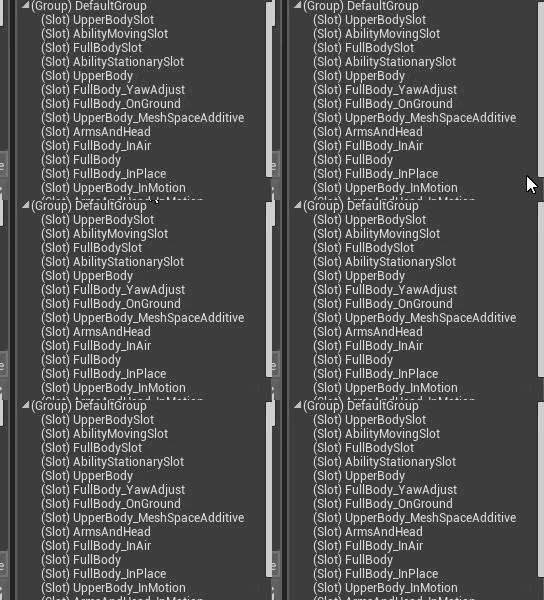
In my new animation blueprint there are a bunch of slot nodes. In the original is only one (the original works).
Now I cant remove these because they are referenced by other Animation montages god....
and animation montages seem like not removable too..
ripe coral
Can you just remove an animation from animation blueprint?
 weary hull
epic said when they will add the gpu lightmapper?
mellow turret
Im adding a child widget dynamically to a scroll box, i don't see any padding options, is there a way to add padding? or a way to make the child not resize to the parents width and center it....
dim plover
Pretty sure you have to use the Slot.
ember notch
When I drive he always moves funny please help
 topaz thunder
does anyone know were or how i can learn C++ for unreal? Just about every video i find on youtube is making project and advanced tutorials not vary useful. I know a bit of C# since i come from unity.
ember notch
Can someone help me?
dim plover
Probably Udemy.
topaz thunder
udemy cost money do you know a free way?
ember notch
Udemy = scam
 lapis bronze
youtube?
Udemy is pretty good IMO
i went through 2 of the courses there on Unreal
ember notch
They make in one week the price 200$ and in the next week 14,99$
lapis bronze
just dont buy the ones for 200$ ?
lapis bronze
Yeah pretty much, they're like the Khols of online learning websites
if you know what that store is
fake discounts galore
abstract relic
Don’t buy anything unless it’s “90%” off
lapis bronze

lapis bronze
well to be quite anne frank, C++ isnt exactly starter friendly IMO
topaz thunder
im aware,
abstract relic
$10 isn’t a bad investment for a 120 hour tutorial series
lapis bronze
i fully predict visual languages or node based systems will make it very easy, and just auto compile down
soon™
visual belfry
is your target audience the people playing those games?
obsidian nimbus
i would say 3 years and fail big on average 😛
lapis bronze
making MMO RPGs is like gold panning
i would never recommend doing it
obsidian nimbus
or more like try for 2 months and stop on average
 storm venture
does it hurt performance to have empty child actors on other actors?
obsidian nimbus
test the extreme and profile it 😛
storm venture
true
obsidian nimbus
add child actors on tick 😛
yea but you can say the same about UE4
a 10 man team didnt write this engine
also made with programs he didnt make himself 😛
i know what u mean tho
buckets of trash get released every day tho
sidescrollers do and i played a few of the good ones
none of the trash
altho i might have missed a few good games tho
something more fit for me and less fit for mainstream
owninator games is not a real catagory yet 😛
havent played any MMO in a long time, but friend of mine played a WoW clone instead of WoW
well it looked like a clone to me, dont have an eye for that stuff
but you will have your own framework by than and can replace the assets
you wil know it by heart and can operate it way better than any1
its a sculpter versus a character generator
you cant generate a character in Daz and call urself an artist
damn ur old!
lol 😛
market is bigger and more brutal now i think
but bigger also means more potential $$
thats still an option, but dont think 1 click mmorpgs are the biggest concern
ember notch
GTA V is running better then a UE4 game on my laptop xD but why?
kindred viper
because it had a $500m budget and was coded by some of the best in the industry vs whatever game you are picking on :p
visual belfry
Run Hardware Benchmark
obsidian nimbus
i can run fortnite 200 fps or 30
kindred viper
it runs 60fps in 4k for me. solid as a rock.
ember notch
You want a game? Make you own game engine lol
thorn topaz
So we're adding dynamic weather effects to our game. Say it's raining and I'm standing inside a house. How can I have it be raining outside but not inside the house. Currently, I have the weather VFX just attached to the camera which works great when you're outside but not so great when you're inside. Obviously when I'm inside, I can just raycast up to the sky sphere. I'm worried about the case where the fringe case of being inside but looking outside.
pallid talon
Does anyone know how to access the editor property of actors such as "DirectionalLight" via Python?
 limpid turret
does anyone know why i automatically possess my character in editor play mode but when i launch i cant possess anything
oh actually it seems i am possessing them, it just isnt letting me control them
ripe coral
Okay still not working. I set up a node slot for the animation montage but it is STILL not working. WHY does https://gyazo.com/d0481f876cad823c99cf0776466f542d NOT play the animation montage. just whyyy. Is there some debugging I can do. Like showing if the animation montage even exists for the blueprint actor ???
the new "slot" https://gyazo.com/95f1ce5894a4bffd5c65622e8ae1a178
And here is AM_Rolling... completeley functional https://gyazo.com/713f599b60346e43ec7ebc0ac88aa536
abstract relic
You left your section name as none. Also, you didn’t make any sections in the Montage to begin with
thorn topaz
IIRC leaving it as none just plays the first section
@ripe coral does the output log say anything of use when it tries to play?
ripe coral
I will look into it. But I dont get any errors
 split wedge
my launcher was working fine last night and today my launcher lets me log in but it freezes instantly after i sign into my account, is their a to find an error cause i have to task manager close it
i even uninstalled it
pallid talon
@limpid turret You can't control them because you didn't setup a PlayerControl.
limpid turret
i have though
pallid talon
If you're not controlling a character that you're possessing then you're missing something with the Control setup. Perhaps you haven't enabled input?


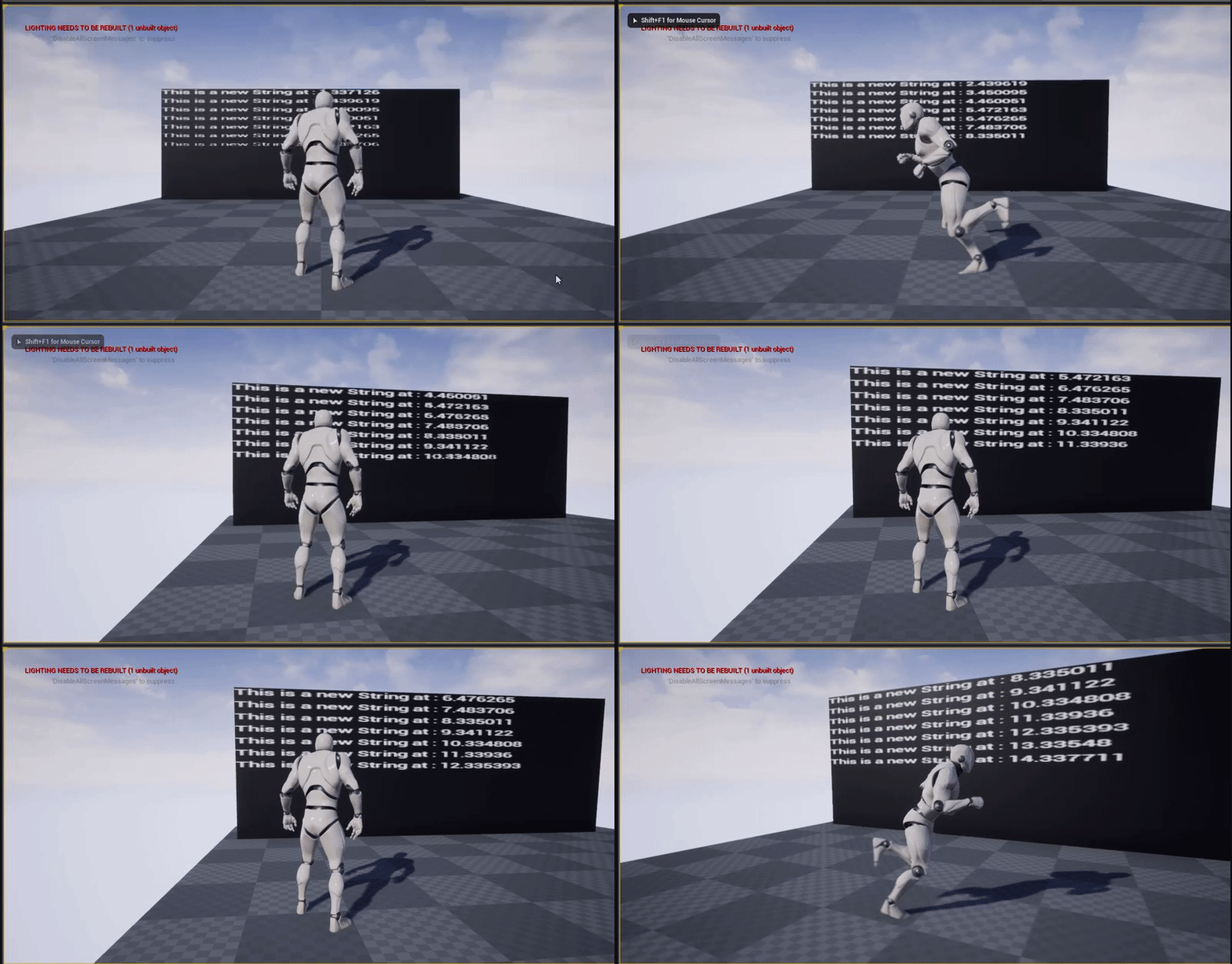
 limpid turret
nope, input all seems to be fine in the control BP
also, why would it work in editor but not in launch?
ripe coral
LogAnimMontage: Warning: Playing a Montage (AM_Attack_Axe) for the wrong Skeleton (Aurora_Skeleton) instead of (SK_Mannequin_Skeleton).
split wedge
ok i got the engine to open up but i cant get epic games launcher to stop freezing
pallid talon
@limpid turret Because at launch the game gets your Gamemode information to decide which input source to use. Your editor does not. Check your "World Settings" > Game Mode and see if you're overriding. Also check your "Settings" game mode and make sure you're pointing to your Player Controller blueprint or C++ file.
Setting > Project Setting > Maps and Mode
ripe coral
It seems to really have something to do with the mesh. Because when I give it another mesh, the original one, it works. But not when I switch to my mesh.
Mhh. nobody seems to know where the problem lies.
hidden aurora
Any ideas on why this isnt working
Or is there a way to get an array of all the data rows?
limpid turret
@pallid talon nope, still didnt work
 autumn elbow
@hidden aurora not 100% sure... but you have it already, no?
autumn elbow
@hidden aurora from Get Data Table Rows, drag out from the array pin and choose Make Array
@hidden aurora Have you seen this video? https://www.youtube.com/watch?v=a8jMl69alrg

Don't forget to subscribe! For more tips, tutorials and free stuff: http://www.ue4u.xyz/ Lessons plan: https://trello.com/b/iTdModlp/ue4u-tutorials Don't for...
hidden aurora
Ive just seen that one but isnt helpful at all
I think the function inst running at construct but dont know why
 sharp pelican
I have a question
wary wave
it's because you're trying to plug a data table row directly into a struct array
sharp pelican
Everytime I hit "play" it puts me into god-mode. But I want to play as the camera. Controller (which is looking at the cone)
Anyone have a idea why it's not swapping?
hidden aurora
Its only getting the first row
autumn elbow
@sharp pelican did you make a Character for your Controller
sharp pelican
Yeah
// Fill out your copyright notice in the Description page of Project Settings.


#include "Critter.h"
#include "Components/StaticMeshComponent.h"
#include "Camera/CameraComponent.h"
#include "Components/InputComponent.h"

// Sets default values
ACritter::ACritter()
{
     // Set this pawn to call Tick() every frame.  You can turn this off to improve performance if you don't need it.
    PrimaryActorTick.bCanEverTick = true;

    RootComponent = CreateDefaultSubobject<USceneComponent>(TEXT("Rootcompontent"));
    MeshComponent = CreateDefaultSubobject<UStaticMeshComponent>(TEXT("MeshCompontent"));
    MeshComponent->SetupAttachment(GetRootComponent());

    Camera = CreateDefaultSubobject<UCameraComponent>(TEXT("Camera"));
    Camera->SetupAttachment(GetRootComponent());
    Camera->SetRelativeLocation(FVector(-300.f, 0.f, 300.f));
    Camera->SetRelativeRotation(FRotator(-45.f, 0.f, 0.f));

    AutoPossessPlayer = EAutoReceiveInput::Player0;
    CurrentVelocity = FVector(0.f);
    MaxSpeed = 100.f;

}

// Called when the game starts or when spawned
void ACritter::BeginPlay()
{
    Super::BeginPlay();

}

// Called every frame
void ACritter::Tick(float DeltaTime)
{
    Super::Tick(DeltaTime);

    FVector NewLocation = GetActorLocation() + (CurrentVelocity* DeltaTime);
    SetActorLocation(NewLocation);

}

// Called to bind functionality to input
void ACritter::SetupPlayerInputComponent(UInputComponent* PlayerInputComponent)
{
    Super::SetupPlayerInputComponent(PlayerInputComponent);

    PlayerInputComponent->BindAxis(TEXT("MoveForward"), this, &ACritter::MoveForward);
    PlayerInputComponent->BindAxis(TEXT("MoveRight"), this, &ACritter::MoveRight);

}

void ACritter::MoveForward(float Value)
{
    CurrentVelocity.Y = FMath::Clamp(Value, -1.f, 1.f)* MaxSpeed;


}

void ACritter::MoveRight(float Value)
{
    CurrentVelocity.X = FMath::Clamp(Value, -1.f, 1.f)* MaxSpeed;

}
// Fill out your copyright notice in the Description page of Project Settings.

#pragma once

#include "CoreMinimal.h"
#include "GameFramework/Pawn.h"
#include "Critter.generated.h"

UCLASS()
class PROXIMA_CENTAURI_API ACritter : public APawn
{
    GENERATED_BODY()

public:
    // Sets default values for this pawn's properties
    ACritter();

protected:
    // Called when the game starts or when spawned
    virtual void BeginPlay() override;

public:
    // Called every frame
    virtual void Tick(float DeltaTime) override;

    // Called to bind functionality to input
    virtual void SetupPlayerInputComponent(class UInputComponent* PlayerInputComponent) override;

    UPROPERTY(EditAnywhere, Category = "Critter")
        UStaticMeshComponent* MeshComponent; //Can use "class" to declare it (to add a defention later on).

    UPROPERTY(EditAnywhere)
        class UCameraComponent* Camera;

private:

    void MoveForward(float Value);
    void MoveRight(float Value);

    FVector CurrentVelocity;
    float MaxSpeed;

};
Any ideas?
autumn elbow
Can I see your Pawn Bp?
hidden aurora
Is there a way to acces blueprint data from a class
sharp pelican
Hang on.
 flat idol
@sharp pelican you are put in simulate mode, because that's selected. Just drop down the play button and choose "selected viewport"
sharp pelican
This is the code (above)
😮
I didn't notice
but my keys are inverted
Postive (forward) negative is (back) in unreal yeah?
Maybe I am right but my POV make it seem strange
flat idol
Yes they will be used as a multiplier with forward vector, right vector, up vector. So you must set the keys accordignly.
sharp pelican
With the point of view it's hard to tell where up really is
autumn elbow
@hidden aurora
hidden aurora
But i need to get the data structure but thanks anywhay
sharp pelican
It's strange -- when I hit "W" it goes down. When I hit "S" it goes up?
void ACritter::MoveForward(float Value)
{
    CurrentVelocity.Y = FMath::Clamp(Value, -1.f, 1.f)* MaxSpeed;


}

void ACritter::MoveRight(float Value)
{
    CurrentVelocity.X = FMath::Clamp(Value, -1.f, 1.f)* MaxSpeed;

}```That seems right?
flat idol
Well if it is giving you strange results, i assume it is not right :)
It really is depends on what do you try to implement with this equation.
For me, the intuitive way moving in 3d is when i press W i expect the camrea to move the forward direction , and not on the world's Y direction (which is world's right i think)
autumn elbow
@hidden aurora
sharp pelican
I just noticed.
autumn elbow
use get data table row
sharp pelican
I'm playing as (blue) when I want to be playing as (red)
Do I just delete the controller or can I swap them out?
flat idol
Well i think the player start (blue arrow) will be automatically selected by the gamemode for you, probably because you are not alrady possessing the camera (red). In unreal you can only possess pawn's (and derivatives) so your camera thing (red) must be a Pawn or Character, there on the details you can select to be auto possessed by player 0 and it should be the player you will control in the game.
grim ore
what are you trying to accomplish in the end?
sharp pelican
On the engine graph (red) seems to be gamepad symbol and (blue) is what the camera is looking at
I want to play as the blue!
grim ore
and what is blue
grim ore
what is it? A character, a pawn, a texture, a rabid dinosaur
sharp pelican
Actor
grim ore
is it just a random static mesh you randomly put in the world?
ok, is this for a fixed camera or do you plan on moving it?
grim ore
we are getting off track. Lets see if I can summarize the proper way and try and go backwards
sharp pelican
grim ore
the player start will go into your game mode, find the default pawn, and spawn it in on game start
if you want a new player/pawn/character for the player to control you can replace the default pawn in the game mode for that level or in the maps and modes in settings
if you don't want to use a player start then you need to delete it, remove the default pawn from the default game mode, and then put in your own character/pawn in the world and set it to auto possess or manually possess it
or you can spawn it in and possess it
so what we need to do is figure out what your goal is in the end
sharp pelican
I will make short video. hang on
grim ore
sure but it doesnt change what I am saying
hidden aurora
Its only add the first row to the array
sharp pelican
When I start the game. It goes to the player controller symbol. I want to go to the camera.
If I delete the controller it spawn another cone in the air
I want to switch to the controller
Hmm wait I've got a new question
If I play the game in "viewport" one cone shows up.
However in simulated -- there just the one -- like how I want it? So why is viewport (play) spawning another cone?
grim ore
ok soo... again.. what is the goal here?
sharp pelican
i want to play as the camera-cone
grim ore
you want your player/character/pawn to spawn in and not the one the game is spawning in now?
sharp pelican
yea
grim ore
ok so is your camera-cone a blueprint?
sharp pelican
yea
grim ore
ok so it's parent is a critter, is somewhere in that parent chain a pawn or character or is it just actor?
it looks like it but I am trying to make sure
grim ore
in your project settings, is a maps and modes section
in the maps and modes it shows the default game mode and under that in selected game mode the defaults for each class
the default pawn in there is what spawns in using a player start, change that to your blueprint you want to be spawning in
then you can delete your copy of that blueprint in the world and just use the player start where you want it
this assumes the game mode is BP based, if it is C++ based you would change that part for the default pawn in your C class
autumn elbow
Do I need a different GameMode if I want to have 2 different Pawns?
sharp pelican
these aren't the same?
grim ore
the game mode controls the default pawn that is spawned in when a pawn in spawned in, that is all it does for the default pawn
the world settings overrides the default in maps and modes, so if you have something changed in your world settings that is what it will use
using multiple pawns is just up to you to swap out during game play, game mode will not change that
autumn elbow
i have 2 maps, how do I switch between pawns depending on which map is loaded?
grim ore
that would be a good use for 2 different game modes
use player starts for your player and it will use the default pawn in the levels game mode when it spawns in a player
autumn elbow
Coolz, Thanks, I'll give it a go
grim ore
you dont need it of course, you can have no default pawn and manually spawn in the correct pawn for that level if you want. the player starts and default pawns are convenience thingies
sharp pelican
It still spawns me as not the camera actor :I
grim ore
check your world outliner, do you have only 1 player start and no other pawns?
sharp pelican
what would that be under?
grim ore
the world outliner is the top right window that shows you what is in the world
sharp pelican
when i hit play this appears
grim ore
i dont know what is going on with your project, I cant see it or know how it is set up, but having a player start in the world and the default pawn set to what you want will spawn in that pawn when the project runs in the player start location. if you have no player start location it will spawn in the default pawn where the camera is or 0,0,0 depending on your settings
and how many of your critter blueprints are in there?
sharp pelican
1
grim ore
ok so how do you know that is not working?
it looks like your critter is in the middle of the screen
sharp pelican
Ok what if it is working and i'm just crazy ?
but if that is so: why is there another cube?
grim ore
i dont know what the other cube is, hit shift-F1 to eject when playing and then eject from the player and click it to see what it is
flat idol
There are at least two cubes in the world, one is the floor, other is the grey thing
sharp pelican
Wait... look at this
Two different views?
Why are there two views?
Maybe It does work?
I'm a noob when it comes to UE4 (so I don't know)
grim ore
thats 2 critters not one, you said you had one
did you delete the one you had in the world and just leave the player start or did you leave both
grim ore
if you are using default pawn and player start you do not need another one in the world before the game starts
you want it to play the red arrow, that is the correct way
sharp pelican
oooooooo
 upbeat tendon
is it possible to extend a timer?
grim ore
it doesnt need one, its just a placeholder
the player start is the place where the player will start when the level loads, it will spawn in your default pawn in that spot
grim ore
if you hit play right now and you have 1 critter in that spot then yes
autumn elbow
Whats the best way to Save an actor with attached actors... and have them load again
grim ore
UE4 has the Gameplay Framework https://docs.unrealengine.com/en-US/Gameplay/Framework/index.html which sets up a large amount of things by default in a project
sharp pelican
Alright thanks '_')a
autumn elbow
Say, I have a sniper rifle, and I add a scope, and a silencer. Then a add something else to the scope. I have a rifle with 2 attachments and a attachment with a attachment. Whats the best way to store this data?
grim ore
each item has an ID, you store the ID of the items to rebuild it later
my gun consists of Stock <12345> and Barrel <33414> and magazine <342345> and etc... all of those just point to data in a table or file somewhere
autumn elbow
Stored in a Array, or Map, or Struct
DataTables can't be written to, right? It's just read only?
grim ore
here is a video I just watched https://youtu.be/uAg1SETGhEU?t=1285 where he talks about how they handle it in the cycle and his experience. The time code is for that part but if you watch from the start he covers the other ways and problems
correct data tables are just data and they should refer to base or default properties. you gun is just a set of numbers and reference in the end. you can save out those numbers to a save game for example as a struct or array or whatever so you can recreate it later
 shut minnow
Side note, @grim ore your tutorials rock
autumn elbow
Thanks! I'll watch the video.
grim ore
thanks @shut minnow 😃
sharp pelican
Severity    Code    Description    Project    File    Line    Suppression State
Error    MSB3075    The command ""C:\Program Files (x86)\Unreal Engine\UE_4.22\Engine\Build\BatchFiles\Build.bat" Proxima_CentauriEditor Win64 Development -Project="D:\Unreal Game Projects\Proxima_Centauri\Proxima_Centauri.uproject" -WaitMutex -FromMsBuild" exited with code 5. Please verify that you have sufficient rights to run this command.    Proxima_Centauri    C:\Program Files (x86)\Microsoft Visual Studio\2017\Community\Common7\IDE\VC\VCTargets\Microsoft.MakeFile.Targets    44
I have no clue what this means?
grim ore
that error is that something else broke, you have to find the error above that
sharp pelican
Error (active) E0020 identifier "FMeshDrawSingleShaderBindings" is undefined Proxima_Centauri C:\Program Files (x86)\Unreal Engine\UE_4.22\Engine\Source\Runtime\RenderCore\Public\VertexFactory.h 626
Any ideas how to fix :I
grim ore
where did you get the source from?
sharp pelican
Errr...
Well
I typed this...```c
// Fill out your copyright notice in the Description page of Project Settings.
#pragma once
#include "CoreMinimal.h"
#include "GameFramework/Pawn.h"
#include "Collider.generated.h"
UCLASS()
class PROXIMA_CENTAURI_API ACollider : public APawn
{
GENERATED_BODY()
public:
// Sets default values for this pawn's properties
ACollider();
protected:
// Called when the game starts or when spawned
virtual void BeginPlay() override;
public:
// Called every frame
virtual void Tick(float DeltaTime) override;
// Called to bind functionality to input
virtual void SetupPlayerInputComponent(class UInputComponent* PlayerInputComponent) override;

UPROPERTY(VisiableAnywhere, Category = "Mesh")
class UStaticMeshComponent* MeshComponent;

UPROPERTY(VisiableAnywhere, Category = "Mesh")
class USphereComponent* SphereComponent;

FORCEINLINE UStaticMeshComponent* GetMeshComponent() { return MeshComponent; } //FORCEINLINE is like setter + getter
FORCEINLINE void SetMeshComponent(UStaticMeshComponent* Mesh) { MeshComponent = Mesh;  } //setting + getter -- setted

FORCEINLINE USphereComponent* GetSphereCompontent() { return SphereComponent; } //FORCEINLINE is like setter + getter
FORCEINLINE void SetSphereComponent(USphereComponent* Sphere) { SphereComponent = Sphere; } //setting + getter -- sett
};
// Fill out your copyright notice in the Description page of Project Settings.


#include "Collider.h"
#include "Components/SphereComponent.h"

// Sets default values
ACollider::ACollider()
{
     // Set this pawn to call Tick() every frame.  You can turn this off to improve performance if you don't need it.
    PrimaryActorTick.bCanEverTick = true;

    RootComponent = CreateDefaultSubobject<USceneComponent>(TEXT("RootComponent"));

    SphereComponent = CreateDefaultSubobject<USphereComponent>(TEXT("SphereComponent"));
    SphereComponent->SetupAttachment(GetRootComponent());
    SphereComponent->InitSphereRadius(40.0f);
    SphereComponent->SetCollisionProfileName(TEXT("Pawn"));

}

// Called when the game starts or when spawned
void ACollider::BeginPlay()
{
    Super::BeginPlay();

}

// Called every frame
void ACollider::Tick(float DeltaTime)
{
    Super::Tick(DeltaTime);

}

// Called to bind functionality to input
void ACollider::SetupPlayerInputComponent(UInputComponent* PlayerInputComponent)
{
    Super::SetupPlayerInputComponent(PlayerInputComponent);

}
Then that -- then it went all wacko on me
grim ore
so it sounds like your error might be somewhere else then, what other errors are there?
sharp pelican
only those two
Only after I created a colider actor did this happen.
#include "Components/SphereComponent.h" maybe it was after I added that
So you have no idea?
Should I try deleting the colider?
grim ore
maybe see what happens. i cant see your IDE to see the errors
sharp pelican
I didn't do anything :/
grim ore
and when you try and build it still errors out there?
sharp pelican
Yeah
I just deleted the class >
Okay when I remove the collider it fixes
What did I type that made it do that?
grim ore
so the code was bad in that class then. did you create it in the editor?
sharp pelican
I created a pawn in the editor
grim ore
and you called the Pawn Collider?
ok I had to do it myself to figure it out but uh where did you get the code from if you copied it?
sharp pelican
I typed it. I'm retyping it now.
Why is this one "red"? it says it doesn't match function type -- but it does to me... not if i typo'd
I super don't see it
grim ore
ok so one issue is class should not be before your properties, they should not be class UStaticMeshComponent etc.
second in the UPROPERTY you spelled VisibleAnywhere incorrectly
sharp pelican
_<
grim ore
and the error above again is a spelling issue
sharp pelican
really >_< I don't see
grim ore
macros, the () thingies, will give random wacky errors like this
sharp pelican
Which sphereCompotent is spelled wrong?
grim ore
well for your squiggly line error its due to you not having your sphere component include in the .h file
and what you pasted is not spelled correctly, Component
sharp pelican
grim ore
remove the class parts and it should error about SphereComponent being unknown
add in the header for it and that should go away
fix the spellings for it and that should go away
negative, the .generated.h is ALWAYS the last one
this will compile, it might not be correct but it will compile, ```#include "CoreMinimal.h"
#include "GameFramework/Pawn.h"
#include "Components/SphereComponent.h"
#include "Collider.generated.h"
UCLASS()
class CPPTPP_API ACollider : public APawn
{
GENERATED_BODY()
public:
// Sets default values for this pawn's properties
ACollider();
protected:
// Called when the game starts or when spawned
virtual void BeginPlay() override;
public:
// Called every frame
virtual void Tick(float DeltaTime) override;
// Called to bind functionality to input
virtual void SetupPlayerInputComponent(class UInputComponent* PlayerInputComponent) override;

UPROPERTY(VisibleAnywhere, Category = "Mesh")
UStaticMeshComponent* MeshComponent;

UPROPERTY(VisibleAnywhere, Category = "Mesh")
USphereComponent* SphereComponent;

FORCEINLINE UStaticMeshComponent* GetMeshComponent() { return MeshComponent; } //FORCEINLINE is like setter + getter
FORCEINLINE void SetMeshComponent(UStaticMeshComponent* Mesh) { MeshComponent = Mesh; } //setting + getter -- setted

FORCEINLINE USphereComponent* GetSphereComponent() { return SphereComponent; } //FORCEINLINE is like setter + getter
FORCEINLINE void SetSphereComponent(USphereComponent* Sphere) { SphereComponent = Sphere; } //setting + getter -- sett
};```
you don't need the class before the class type in your properties. so remove the two class parts
and you will end up with that above
sharp pelican
It says MeshCompontent is undefined lol
sharp pelican
Man I'm not seeing this spelling error >_<
grim ore
Component is not the same as ComponTent
sharp pelican
Zooming in ...
grim ore
this is what autocomplete is good for, make sure the headers are declared correctly and use autocomplete when typing
ok so...
when you do class Blah blah you are making a new class
sharp pelican
The header is wrong?
grim ore
your 2 properties above are not saying "use these 2 classes", you are saying "make 2 new classes called blah blah"
you need to remove the 2 class parts, the "UStaticMeshComponent* MeshComponent;" does not need class infront of it
remove the class and then your spelling error will show up
grim ore
ok I didn't say to remove the line
I said to remove class
literally the word class
instead of "class UStaticMeshComponent* MeshComponent;" it should be "UStaticMeshComponent* MeshComponent;"
then you will notice that line has USphereComponent spelled incorrectly
grim ore
yes
sharp pelican
I hate this
grim ore
you did not see that before because you were saying "hey I want a new class in there called USphereCompontent" and not saying "hey I want to use the existing class USphereCompontent"
diving into C++ with UE4 is not easy or recommended
diving into C++ is not recommended either but that's just me lol
grim ore
make sure your properties are spelled correctly then
grim ore
the vertex factory one is due to a macro failing more than likely
did you make sure the .generated.h line was the last include?
grim ore
paste your code again if still stuck, I have to head out shortly. I did paste above my exact working code if you need to compare line by line
sharp pelican
Yeah it's last
sharp pelican
SetupAttchment
grim ore
the 2nd you don't have the include for your SphereComponent so it has no idea what it is
sharp pelican
According the highlights they are all spelled the same
grim ore
again auto complete, let it spell it for you
sharp pelican
There like 100 things that pop out when -- the auto complete shows up
grim ore
yep and that's the way coding works
grim ore
you can click the item you want to auto complete or ctrl-space to have it fill it in
again again... is your SphereComponent header in there
in your .h
#include "GameFramework/Pawn.h"
#include "Components/SphereComponent.h"
#include "Collider.generated.h"```Yeah I did do that same error
I moved #include "Components/SphereComponent.h" to cpp
grim ore
I don't see the changes you make your code and you may be changing multiple things. for your age file I pasted above exactly what I have that works fine you can go line-by-line and compare if you would like
sharp pelican
Okay so paste this ```#include "CoreMinimal.h"
#include "GameFramework/Pawn.h"
#include "Components/SphereComponent.h"
#include "Collider.generated.h"
UCLASS()
class CPPTPP_API ACollider : public APawn
{
GENERATED_BODY()
public:
// Sets default values for this pawn's properties
ACollider();
protected:
// Called when the game starts or when spawned
virtual void BeginPlay() override;
public:
// Called every frame
virtual void Tick(float DeltaTime) override;
// Called to bind functionality to input
virtual void SetupPlayerInputComponent(class UInputComponent* PlayerInputComponent) override;

UPROPERTY(VisibleAnywhere, Category = "Mesh")
UStaticMeshComponent* MeshComponent;

UPROPERTY(VisibleAnywhere, Category = "Mesh")
USphereComponent* SphereComponent;

FORCEINLINE UStaticMeshComponent* GetMeshComponent() { return MeshComponent; } //FORCEINLINE is like setter + getter
FORCEINLINE void SetMeshComponent(UStaticMeshComponent* Mesh) { MeshComponent = Mesh; } //setting + getter -- setted

FORCEINLINE USphereComponent* GetSphereComponent() { return SphereComponent; } //FORCEINLINE is like setter + getter
FORCEINLINE void SetSphereComponent(USphereComponent* Sphere) { SphereComponent = Sphere; } //setting + getter -- sett
};``` into my h file?
It's saying this decloration has no storage class or type specifier
and your code didn't work when I pasted it :/
grim ore
Well my code won't work exactly for your class, my project is named different
sharp pelican
which parts should I copy then?
This is the problem
Should I add a Macro? it what it suggests..
grim ore
That's normally an error if the parts above it are bad. What's your code now before you pasted mine?
grim ore
You still have class in there lol
sharp pelican
wrong screenshot
It keeps tellin me --> identifier "FMESHDRAWSINGLESHADERBINDS" is undefined
I have no clue what that is...
grim ore
That is an error because it will not compile