#ue4-general
1 messages · Page 474 of 1
 cloud cobalt
 wary wave
it would mean spawning functions would have to handle blueprint classes separately from native classes
(they use the same checking function)
ooh, I think I might see the problem, it may be literally checking against AActor
cheers!
 primal prairie
Hey everyone, we have an issue with downloading our projects from git and things like this. We get all of the assets in the windows file browser, but none of them are in the content/file viewer in engine, meaning we cant do anything. Any suggestions? We have tried verifying and doing stuff like that already 😦
yeah we are :/
afaik
yeah it should work for us too 😄
it has done in the past
i will try and push a full version of the files again from blank and see if thats any better
thanks for the help 😃
 mossy mauve
My sequencer is recording a completely different camera. How do i force it to export the camera im currently in? I tried deleting other cameras, but no luck. Thanks in advance.
 thorn topaz
Does UE4 have a built in keyboard to enter text with a gamepad?
 proper crane
It's about the size of a player, but it doesn't scale down further
cloud cobalt
@thorn topaz No
thorn topaz
RIP
cloud cobalt
Gamepad keyboards suck tbh
And text input is rarely a core mechanic
(And on consoles it's a system feature)
 river scarab
general question: anyone else miss the search in UE4 to do fuzzy searching for blueprint/method/files? I wonder if that is something that other ppl also miss.

 regal mulch
What can I do against cook warnings where it can't find a package that I'm not using anyway?
Can I somehow find out where it's referenced?
 buoyant socket
everytime i use unreal it crashes after a while because it says the d3d device is lost
closing geforce experience helps, but it still crashes, just takes more time
cloud cobalt
Update your driver
buoyant socket
i've updated my drivers so many times already
cloud cobalt
Basically your driver keeps dying here, so it's either a driver issue or a hardware issue
buoyant socket
but i'll do it again cause new ones came out like 3 weeks ago
 sudden agate
@regal mulch right click on your content folder -> fix Redirectors maybe?
sudden agate
sometimes Unreal likes to put blueprints into the Packaging folders under Project Settings. Take a look there
regal mulch
Packaging only lists the 5 maps we currently use
I'll try and see if one of them links something it shouldn't
 thorn vector
hi anyone here have use truesky before
im thinking of getting a license
sudden agate
you need two Post Process Volumes
One for the outer and an inner Post Process Volume that is contained in the outer.
In the Outer you set a Material Instance where you see the drops and in the inner you use an Instance where you dont see them
Post Process Volumes blend the Parameters, not the Materials itself
 plush yew
Hi Unreal-Community! I actually have not much of experience with unreal but we have an internal project using TwinMotion. What I gathered so far is that it is based on Unreal. Apart from the great and easy ways to create scenes and content, would a skilled unreal developer still be able to utilize unreal scripting in such a project? (like I imagine the TwinMotion is "just" a layer on top of unreal, and you can still do lower level coding in it). Thank you for your help!
 waxen abyss
thankyou @sudden agate think i finally figured it out haha
 cosmic coral
Hi guys, quick question, i have attached a light component to the palyer charachter, which gets spawned in by the game blueprint, but the ligh does not render in the scene. any ideas why? when i just move a spotlight into the scene it works
also my charachter is lit, despite me deleting all ligh/skydomes etc
the background is black. can somebody explain it to me?
 sturdy prairie
Unusual question, perhaps. If you take a C++ character script and convert it to Blueprints, is there a way to see what's going on behind the scene? I was following a tutorial, and I'm a bit confused as to what is actually making the function calls and what is assigning them the variables -- I almost feel like I'd be happier if I had complete control over everything that was going on. 😛
 gleaming narwhal
Unreal Engine Forums
The 4.22.3 Hotfix is now live!
Feel free to discuss this release on the 4.22 forum thread (https://forums.unrealengine.com/unreal-engine/announcements-and
 ember cypress
😮
 cyan cargo
How do you write in a .csv for Vectors and RGB (or RGBA) for use in Structures and Data Tables?
I'm working with Structures and Data Tables for the first time, and just trying to get the variable formatting correct. Is there any online quick reference for this?
regal mulch
You could have a variable of that type in your struct
Make the DataTable
And export the csv file from it
Then check how it was formatted
 visual belfry
@grim ore looking at your render target thing from last night, does Find Collision UV require I have the setting in Project Settings?
?
there's dirty and there's "change project settings" dirty 😦
cyan cargo
@regal mulch Sweet thanks, yeah I see it now
 proper crane
Anyone know why I cant scale my collision objects low enough?
 frosty bloom
I would be very interested to know more details regarding the question Zeblote posted as well
wary wave
@manic pawn - I did a protoype game that did exactly that and noticed no problems 🤔
 grim ore
@visual belfry yes that needs to be checked as it adds extra options to the engine. also if you do a line trace it has be be a complex trace not a simple trace in the trace options
someone posted a C++ solution for it if you want to make a blueprint function library to add a node to do it against the material itself directly
visual belfry
found alternate solution of making the interface more obtuse 😄
it's Gameplay Value!
weird model question, but is this just an optical illusion? in the first image I have a one sided material (w/ inside visible), in the second I have it set to two sided (so inside is hidden)... but it looks like a completely different mesh
I guess it's consistent looking at the hex width on the Y axis minor ticks, but my head 🤦
grim ore
if that is a button it has a click event you would use in UMG
plush yew
In gmod when you press some button, then the object that was binded does some action, I want to track which button the player presses
visual belfry
same solution, you just have UMG report out to the game mode or controller or whatever you want to do 😃
plush yew
can i do it without widget focus?
grim ore
the click event.... does that not do what you want?
plush yew
Anyone else having issues patching todays hotfix?
grim ore
it took a few minutes to get past initializing but it worked after that here
 potent wing
Guys i have a stupid question
If i open unreal engine (and make game with it) through .exe instead of from epic launcher
Is that a problem?
Or is it fine?
cloud cobalt
It's fine
Plenty of approaches in UE4
So put it in UE4
Do a small additive material with the texture and you're good
sudden agate
Make it additive
cloud cobalt
Additive
 honest vale
so what's the problem
you might want to add some sort of fresnel masking there to hide the edge faces or so
cloud cobalt
So multiply it by 2 basically
sudden agate
Power of two
Depthfade
Multiply your emissive by itself and put Depthfade into opacity
Play around with fade distance
cloud cobalt
Alternatively, you can do a better-looking, much costlier method by using volumetric lights
plush yew
I have bind void on characterCPP OnAction. How now I can check when character OverlapBegin with collision (collision is in class switch trigger)?
I want make script like: when player was in sphere component (overlap begin in class switch trigger) and use bind OnAction: then do something
 hidden aurora
What kind of errors?
 quick breach
Error when i launch my project in UE4 it instantly crash
hidden aurora
Can you send an image of the error log
quick breach
sure
hidden aurora
It can be several reasons
 worldly bluff
can i run ue4.22.2 projects in ue4.16.3 ?
 dark depot
no
worldly bluff
is the third person character class in a c++ project is in blueprints?
grim ore
the base class for the character is in C++, there is a blueprint for it so it can be in the world as well
worldly bluff
you mean can i have it coded in blueprints?
grim ore
you can do it in blueprints, yes
grim ore
the Blueprint project is pure BP, the C++ project is both
 subtle arch
Hey guys, how can i change the size of this?, it is a score number value im getting for my hud, but i can't figure it out how to change the size of those numbers.
worldly bluff
thanks MathewW
grim ore
@subtle arch by HUD do you mean UMG widget or a HUD class object?
primal prairie
you have to adjust the font size in the widget
grim ore
^ , the text widget has the size variable
subtle arch
Lol im noob, i was changing the size of the green rectangle, but the size option for the numbers was more at the bottom. Ty guys
 feral canyon
must I have VS 2017 installed to compile UE4.22.3 projects?
I have VS2019 installed and I updated the compiler version from proj. settings and editor config
grim ore
you can use 2017 or 2019 for 4.22
just make sure the generate project files is ran correctly to target the correct version if you have both installed
feral canyon
when I am trying to generate the project it gives me this
UE compile button the same :/
grim ore
was your project set to use 2017 or 2019?
feral canyon
initially it was set for 2017. I updated the version from the project settings' toolchain and editor preferences' source code to 2019
grim ore
damn 😦 it should work, something must be set weirdly
I have both installed on this machine so I can't test it but my home machine has 2019 installed and I can compile projects and source in 4.22
grim ore
the only solution someone suggested I can see is make a new BP project in 4.22, set your editor preferences for source code to 2019 and then try again
"This worked creating a blueprint only project and changing the default settings to VS2019 solved the issue."
grim ore
i know its weird but if you make a new C++ project in 4.22 does it work?
feral canyon
tried that it won't work
I have a VS2015 version installed
temped to uninstall it
but it's very weird because it was working fine
I uninstalled 2017 just a few hours ago
grim ore
my only other thought is you have been using 2017 this entire time without knowing it and your 2019 install is not correct, not the full c++ toolchain and such
feral canyon
I can reinstall it I guess
grim ore
I know that I have 2019 only at home and it does work
feral canyon
well thanks a lot for taking the time and check with me
really appreciate your videos 😃 surprised to see you here
keep it up sir!
grim ore
😃
hopefully you get it working, it might be the 2015 install but that seems really weird if so
feral canyon
yeah very weird, will try to keep at it
just hit a repair on VS
, see if that helps
 loud knoll
did you take any other windows 10 patches?
feral canyon
nope
loud knoll
MS always had that wierd order of install thing with the xbox including VS I always try to stay a few years behind
feral canyon
😄 that's a smart thing to do lol
loud knoll
Yeah still rocking windows 7 everything is smooth
 silver crown
feral canyon
silver crown
feral canyon
can anybody check their VS installed packages ?
is it similar to mine or did I miss installing a C++ feature
loud knoll
I just deleted my vista / xp OS's a few days ago, I could travel back in time with my boot managers
I have tools that only ran on those OS's so I had to keep them around for a while
My 3d Maya performance is stil higher using Windows 7 I have test windows 10
grim ore
that looks fine here, my only difference is I have .net desktop dev installed due to a source build
even if it wasnt tho UBT would complain when it was trying to compile about missing stuff, not the wrong version
feral canyon
time for a clean install
loud knoll
scrub it down like clearn all the enviro vars, reg, etc
feral canyon
welp still the same issue so I am giving up and installing vs2017 back
loud knoll
right click in the window and you should see a clear log option at the top
loud knoll
output log?
 shut minnow
When I right click, nothinn happens
Message log and output log are different
It DID clear the output log, but the message log seems to be saving
Under Play In Editor, Message Log
loud knoll
you see the little clear button in the message log lower right corner?
loud knoll
that right corner area little tiny arrow?
wary wave
fun speculation time, something I may attempt on the weekend
for a multiplayer first person game, how would you consider implementing a wheelbarrow?
most notably the movement behaviour
shut minnow
Thats all there is, no right clicking available
feral canyon
@wary wave vehicle movement component 
wary wave
D:
feral canyon
wheelbarrows have torque, right?
 sullen wraith
wary wave
sullen wraith
wary wave
yeah, but it wouldn't be hugely significant, I don't think
loud knoll
if I have a message in that window I see a clear button at the bottom right corner if I dont have a message I dont see that button, I have my windows undocked
shut minnow
@loud knoll Ah yes the clear is there, however the editor still had an ass load of bugs (which I know I need to fix
I mean the Play in Editor
grim ore
@feral canyon weird question but did you try right clicking the .uproject and regenerating the solution files with only 2019 installed?
it does seem to respect the settings in the editor. I switched it to 2017 and generated and got a solution file for 2017, I switched the editor to 2019 and generated again and got a solution file for 2019
feral canyon
yes I did try that @grim ore
I just installed VS2017 again and it works now
thank you for checking
grim ore
weird you had to do that, in the solution file for the project what version of VS does it show 15 or 16?
loud knoll
@shut minnow So do you want to export that log so you can keep it or if you start the game again it should clear right?
feral canyon
16 now
shut minnow
@loud knoll No I don't plan on exporting it
loud knoll
@shut minnow are you trying to clear it while the game is still running?
shut minnow
@loud knoll Nope, just it keeps staking after, as in I will PIE then once I hit escape, the message logs stack it seems, thus causing slowdown. Its like it's not per session, its like scooping up all sessions and stacking. Hard to explain
I mean the easiest solution is to fix the bugs haha, but you know what I mean.
loud knoll
oh I see every session it keeps that set of logs
 fringe pivot
would it be possible to copy the height data from a landscape and paste it in a different one?
shut minnow
Indeed it does
grim ore
@feral canyon now this is funny.... Im using 2019 and building source and have it set to 2019 in the sln file but half of the project is building with the 2017 toolchain and the other half with the 2019 toolchain lol
 short onyx
I'm curious if Chaos would be super great on VR or if it's gonna do too much lag 🤔
plush yew
hotfix has me in a failing update loop due to incompatible addons; they are unused and i cant even uninstall them or the engine version.
grim ore
it would be fine on VR if you are using a dedicated headset and a powerful machine
short onyx
Hey Mathew, love your work, use your vids everyday ❤
grim ore
anything is fine on VR if your machine is powerful enough lol 😃
@short onyx glad to hear 😃
short onyx
yeah but it cost more on the GC if you use VR, so i wait and see if it's gonna do too much or just enough to not lag x)
feral canyon
lol @grim ore as long as it's compiling I guess you're good 😄
grim ore
well it depends on the VR headset, some are 90fps some are 72fps some are 120fps. Hitting those numbers are not too hard on a high end rig for example.
hell we ended up with Robo Recall running at 72fps on a mobile chipset in the Quest 😃 The engine if set up right can do wonders if you have the right people using it
short onyx
PC VR Headset is not 100% based on your GC and max framerate of the inside screen ? 🤔
grim ore
the biggest issue with PC VR is hitting your min spec at the right FPS. there are tricks using VR to get it to down scale for example or reproduction for missing frames
if you say screw it and build for high spec you can do a ton
short onyx
Well, i guess i gonna go learn more about VR 🤷
grim ore
steam VR in particular has gotten a ton of updates in the last year its kinda neat. You can basically ramp up a game to higher quality in the settings of Steam VR if your machine can handle it which is nice.
short onyx
Steam VR ? You mean Vive ? Or Index ?
grim ore
and then the new FOV stuff in the quest to basically blur the edges with lower quality to give more performance is nice
well Steam VR is a platform pretty much now, it can work with any headset out there that supports it so Oculus Rift/Rift S/Quest, some WMR devices, the Vive devices
 sharp badger
Any tips for speeding up a vehicle pawn? I've tried tons of variations of torque curves, RPMs, gear ratios, and mass but the vehicle is still very slow. I also tried adding a force or impulse but that was a bit unpredictable.
short onyx
Oh the thing with the hub that you can only see in the vr headset and everything ?
grim ore
yep but that is also the launcher for the steam VR set of games
so compiled against the steam vr plugin/libraries basically
grim ore
yea it's a bit weird out there now for devices and compatibility but the quality is just getting better and better in terms of what you can push to the headsets
and if you want to get really stupid you can just push your desktop to the devices at high quality lol
short onyx
Yeah but the price now..... It go pretty up pretty fast x)
Like the Index from Vavle that gonna come
loud knoll
@shut minnow you got me I looked all over recreated it and I cant remove them either but I dont have any errors in my project right now so the log is only one ling but that stacking thing is building for me too
short onyx
more then 1000$ (for the pack with the headset, controller and captor)
grim ore
yeah the vive index is ridiculous but you have stuff like the quest and rift s at $400 and the new hp reverb around that proce
short onyx
I think i gonna buy the Index, but i wait to see some real test to see if it's really worth the price
grim ore
it probably will for what it is but it is ALOT
I've had the vive, rift normal, and now have the rift S and Quest and the new stuff using inside out tracking so you don't need sensors is so much nicer
short onyx
I only have tested the Vive, it's really good and i like the controller
grim ore
the Quest is my new favourite to dev on now. Completely wireless even pushing to the device from UE4.
short onyx
I wish i could test all of them :/
plush yew
Yo hello guys
grim ore
Ahoy
fringe pivot
What skeletal mesh setting cause the player bounce when jumping over it?
grim ore
player bouncing off another player?
fringe pivot
no, it's not another player
grim ore
so its bouncing off another object? it shouldnt by itself unless your collision is odd on the other object
fringe pivot
it's an animal from an assets pack, weird.
grim ore
there is a Can Character Step Up On settings on collision components under collision that might be of use
fringe pivot
well I don't want the player to walk through it, I just want to remove the bounce
grim ore
I know that setting will toss one character off another so it might be that
 kindred viper
just sayin like...
grim ore
nope, I think everyone is out to lunch
 scenic mantle
i guess so
proper crane
Finally back from first exam, gonna try to solve that uh... Issue of not being able to shrink enough
scenic mantle
so lucky that finished college i never gonna miss that again XD
proper crane
I don't see any tab on the right where I can see how large my capsule is
I have all the usual settings, but nothing for scale
 manic pawn
@frosty bloom @wary wave this is the only change to physics stuff in 4.22.3: https://github.com/EpicGames/UnrealEngine/commit/a2f616aa0c4e2d727f3549a27ceb6e7abe7bf803
idk what a contact offset is, maybe that's what was causing things to jump?
proper crane
Yeah, so, I got a slight issue
I added collision to some bones in my physics asset
I clicked simulate, and...
One of the arms went rogue
short onyx
pretty long arm right here
proper crane
Why did this happen?
I haven't seen a tutorial where only one of the collision objects actually stick to the mesh, and one of them stretches the mesh's arm like a torture device
And this is why I like to get people to help me resolve things like size before I follow documentation
grim ore
the bone fell off because you now have physics on it and nothing to hold it onto, that is what constraints are for
proper crane
That's strange when the first bone seems to work fine
feral canyon
how do you guys difftool a blueprint ? 🤔
is there an option to make the BP human readable ?
grim ore
there is a diff tool in the editor but its meh. You can copy any blueprint nodes and paste them in plain text into notepad but that's not human readable.
and blueprints are human readable as is,it's pretty pictures
feral canyon
well I mean in git, how would one review BP code?
grim ore
you wouldn't 😦
feral canyon
ah damn
grim ore
there is an option for making blueprints text assets instead of binary but I have no experience with it and I have not heard much about it
feral canyon
yeah that sounds more to what I am searching
in Unity we can make .prefabs human readable
 versed spear
I am trying to clean up my cast to nodes. I placed the casts in the Begin play node and made references. The problem I am have is that when I take out the cast to from the code and use the references it does not work the same. I am trying to avoid cast to every frame. Any ideas ?
grim ore
yeah unity has the text serialization option but it's not really a thing for UE4
feral canyon
I understand. thanks!
grim ore
try the saving them as text option, I think it's in the editor settings, but I tried it once and got confused as it just duplicated the binary asset as text and kept both and I gave up lol
feral canyon
oh let me see
grim ore
yeah Editor Preferences -> General - Experimental -> Text Asset Format Support
feral canyon
oh yeah you have to manually rigthclick on it and export it as a text asset
and creates a .utextasset for that blueprint.
grim ore
yep hence the confusion on my part lol
feral canyon
well i'll see how they do it when I'll change jobs 😄
grim ore
only thing I could think is these are meant to be shared but not used
yeah Looking thru the source it just exports out the blueprint to json for some reason
 supple totem
hi all, I'm trying to get the 4.22.3 update from the epic store..., but the icon just says "queued" This is even after rebooting system. Any thoughts?
versed spear
ah I had to make a reference of the components not the cast to pin
visual belfry
are input events (such as axis firing every tick) guaranteed to be in a certain order vs Event Tick?
proper crane
"Switch the Physics Asset Editor to Constraints Mode using the Constraints button" This isn't where it shows in the pic, where is it?
wary wave
no guarantee of ordering
but input events should be before event tick
there are actually multiple stages in a 'tick'
Explanation of the ticking system used to update Actors each frame.
visual belfry
yeah, it sounds like they're triggered in player controller tick, so whenever that pops off in relation to other actors with input enabled 😦
wary wave
unless you're expecting input to be valid for a single frame only, this probably isn't going to be a problem?
visual belfry
no it won't be a huge problem
wary wave
there's also tick prerequisites if you need them
visual belfry
I was just moving the effects of my inputs over to event tick and wanted to understand the exact implications
wary wave
it is possible to specify if an actor is dependent on another
not much implication at all, I wouldn't expect a tangible difference
proper crane
"You need to make constraint files" But it doesn't tell me where to do it
grim ore
Where does it say this at?
proper crane
"Switch the Physics Asset Editor to Constraints Mode using the Constraints button" in documentation
grim ore
yes which page?
proper crane
This how-to will show you how to create a Physics Constraint Profile using the Physics Asset Tool.
grim ore
yep I had a feeling that was the issue, this is the older version of the tools before they overhauled them. This documentation is not going to work in a newer version
now when you open the physics asset it opens the new editor and it's all displayed on that one screen. the same rules still apply you just can see and edit the constraints easier
you can right click any physics body in the skeleton tree to add a constraint. if you click on any constraint the details panel for it opens with the options.
proper crane
This is why I don't like using documentation
grim ore
It's no more or less accurate than videos
proper crane
I'm not sure what You mean by "you can right click any physics body in the skeleton tree to add a constraint"
It really does speak true that a picture is worth a thousand words
and a gif is worth about 40 or more pictures
grim ore
in this case if the gif or picture was 3 years old like the documentation for this asset which is now out of date then no it would be of the same value
proper crane
Well, You got me there, but I just don't see where I can add constraints other than the constraints profile that seems to do jackshit when I create or delete one
grim ore
 little warren
guys question about interfaces, shouldn't interface mean if you implement it you HAVE to implement the methods in the interface ?
grim ore
you can also edit and change any existing constraints type and connections using the graph in the bottom left
@little warren no, for UE4 if you are using a Blueprint Interface a non returning function interface event does not have to be implemented. If you want it force implemented add a return value to the interface event and it will show up automatically empty
little warren
@grim ore I'm not trying to use it with blueprints, just C++
I have the interface implemented but am not implementing the method in it and I'm getting no compile errors
proper crane
So, should I link bones together that are connected?
grim ore
ah gotcha, yeah I don't believe it has to be implemented you just override it if you want to
little warren
damn thats really weird
hidden aurora
Blueprint Function libraries are so ******* useful
grim ore
I know I keep saying this but you really should do it. Look at how the default TPP character and asset is set up for a proper example
proper crane
If there's anything disturbingly interesting, connecting two bones that are far apart resulted in a sort of elastic rope bond
Alright, looking at the third person example just makes more questions
in my physics asset, adding a constraint from one bone to another would make a constraint object in both bones
But in this example, only one bone has the object
visual belfry
when you remove, if it's still referenced somewhere it won't be destroyed if that's what you're thinking
if it's not still referenced, AFAIK it does get destroyed
why not use something like Widget Switcher?
I've had bigger farts taking up memory than one off widgets 😃
I thought maybe you were doing notification popups and worried it'd build up over time
 warped silo
Are there any console commands for getting the name of the currently loaded level?
 still moth
aah, i havent been here for a while
grim ore
just keep in mind widgets are not destroyed immediately and can stack in memory till the next garbage collection
for widgets they normally stick around about 60 seconds
 sonic pagoda
got a really bad bug, set actor tick enabled to false during run time does not work
grim ore
you can watch it in the editor when testing, watch the # of widgrets available in the debug drop down then wait and watch them disappear
proper crane
...
sonic pagoda
was referring to another bug
proper crane
Ah
sonic pagoda
so setting actor tick enabled to false actually does work. the problem is if you had something runnning on tick that function never gets disabled
or de-registered , whatever you call it... and so it ticks forever
even though its set to not tick
funky
@grim ore tell me if im crazy, but if you have some time, set an actor to print a string on event tick, and then have a delay on begin play that after 5 seconds disabled tick (set actor tick enabled[false]) of course you know the node since you have a tutorial on it lol
and watch that print string still fire
proper crane
And while someone's at testing things, they should also find out whether Tony Hawk is latino
I'm not sure if it's just a spray tan
grim ore
@sonic pagoda so tick -> print string -> delay -> disable tick?
 next badger
@sonic pagoda when you SetActorTickEnabled it just disables the onTick event callback, basically not triggering anything every frame...if it was triggered - it still will be running
sonic pagoda
run the delay off begin play
sonic pagoda
@next badger so how does one disable the tick event lol ... this is terrible for actor pooling
grim ore
nope works fine here
sonic pagoda
no
you are missing the point
you disabled the tick
you got that right
but the event tick itself
is still firing
so just print a string like hello
next badger
tick event is the core engine mechanic
sonic pagoda
a workaround i guess is to just not use tick if it needs to be disabled at runtime, and just use a timer instead
 lapis bronze
even if you have tick enabled on an actor, if nothing is connected to it.. its not firing.
sonic pagoda
thats not what im saying
im saying, if you have a tick and you have an event firing off of it, even if you disable tick at runtime, that event continues firing
grim ore
the first screenshot you can see the prints ending
lapis bronze
hm well if what you say is actually true that might be a bug
grim ore
so yeah I get it working as expected, disable tick stops the tick from firing again
sonic pagoda
how about
you start with tick disabled (on the actor settings)
and then enable it at runtime
and then disable it
next badger
@grim ore the better example will probably making an event that was fired by the ticking actor, and another one has logic that printing string on that event
grim ore
well the event would only fire when the tick fires so it should be the same result
ill try the enable/disable thingy but I expect the same result
yep, nothing for a second, then enable tick and I get prints, then prints for a second, then no more
i mean the tick is just an event it either fires or it doesnt I would assume
next badger
i wonder how your log looks when printing the string 90 times a second =))
sonic pagoda
okay thank you... i must be doing something wrong again.. though... my code is awfully similar to yours, just a lot more things since its for gameplay
grim ore
full of print strings 😛
maybe something else is re enabling it? test it with is enabled like I did
visual belfry
same results, mine starts after 1s, then stops after 1s
you aren't doing any crazy delay loops are you 🤔
sonic pagoda
its a" simple "actor pool...
its just like, before returning to pool, disable tick
i will debug further, maybe the pull from pool event is getting fired more than once....
next badger
also, components using own tick queue
visual belfry
and the side effects you're seeing are directly from what's attached to event tick?
sonic pagoda
yes
im simulating gravity
and i get warnings telling me about adding force, which shows me that ive disabled physics before sending it back to the pool
but its still running the add force event on tick
next badger
@sonic pagoda what's your ticking group?
sonic pagoda
pre physics
yeah i just tested what you guys tested myself (on an empty bp) lol... and it does work as expected... idk ill figure it out,.. thanks all
proper crane
Uh, I do like where my rigidbody is going, but I don't get why even though all constraints and shit have the same settings, that only one bone is not falling through the floor
I'm just confused
next badger
don't forget to set up the substepping for physics, otherwise it will be framerate dependent
 elfin jacinth
Hey all - is anyone having an issue updating to 4.22.3?
grim ore
a few people have today, they say its stuck in queued. no problems here personally
proper crane
"Convert selected constraint to Ball-And-Socket, Hinge, Prismatic, or Skeletal" Uh... where's the documentation on this?
elfin jacinth
Thanks, Mat. I'm trying to track this down.
visual belfry
@sonic pagoda works for me..
visual belfry
retconned 😛
grim ore
I know for me it felts like it was initializing for longer than normal but it updated fine after that
sonic pagoda
i was having an issue with the launcher... where it also said there was an update, and then i pressed that and it just didnt restart
had to restart windows and all
next badger
@elfin jacinth tell the devs we want a legend for Operations chart in the downloads tab 😃
 visual belfry

 gusty dune
Has anyone got a moment to help out with a casting problem?
visual belfry
yes, why else would we be on the internet
gusty dune
The memes?
visual belfry
I.... fair point
gusty dune
:3
I'm trying to cast to a sword my character has equipped, to turn the box collision on and off
But don't know what to use as a reference in the cast
At the moment it's just a wildcard
sonic pagoda
he means this
where is your sword josh
is it in your character bp?
what you should be doing, is once equipped, you save the reference of that sword to your character
so that you can use that reference instead of casting
gusty dune
I may be a bit slow at the moment, apologies
My sword is a separate actor, I spawn the actor and attach it to the character on equipping it
sonic pagoda
take some pics, windows+shift+s and ctrl v onto here
where are you spawning the sword from
from inside the character bp?
gusty dune
I am, yeah
sonic pagoda
if thats the case then after spawning the sword, that little blue circle node, promote that to a variable, and boom you have your sword reference, that you can use anytime
right click, promote to variable
and then use that variable, you dont need to cast anymore since you have a reference to the actual object
gusty dune
😮
Hmm, I can't find the function in the sword anymore as it's a generic reference now though
proper crane
Alright, I copied the properties from 3rd person... example thing and my physics constraints are still falling through the floor
... yay...
grim ore
if you promote it after you spawn it, it should be a specific reference to that object and class
sonic pagoda
josh - drag off sword reference now, get box collision
gusty dune
I'm being an idiot here I think, sorry about this
Right I see what went wrong
That only works if it's from a specific actor, not one from a class that's a variable as well
My bad, thank you for the help, much appreciated 😄
grim ore
ah yes it wont know the class you want to spawn that way
so in that case you would cast the output variable to the right class or look into using interfaces to talk to the item generically and tell it to do stuff
gusty dune
That's a relief it can still be used with a variable, I was hoping to have a few different weapon types
Thank you
grim ore
for different weapons either use a base parent class like weapon and make children out of the types so you can still cast to the parent class and work with it or use a blueprint interface which is intended to work with things generically like that.
in the end of course there is a way to make it work, we just have to figure it out 😃
proper crane
This seems like the exact same issue that the blueprint had
Not sure why the leg tips pop out at the instant of simulation, or why they have no collision
gusty dune
That physics asset looks scary
proper crane
It does some weird shit that I can't explain
no one simulation the same
I mean, one time, the limbs started multiplying themselves for some fucking reason, I'm starting to think any program I download is just cursed
gusty dune
Did you make the model yourself?
proper crane
Yes
It is intended for a scary game
Horror... Would be a generous term
It's... not very serious, clearly, when I'm trying to make a physics asset for a goddamn ant wearing a fedora
gusty dune
ahaha
I love it already
Probably a daft suggestion,. but have you tried importing the model with less limbs, then adding them one by one to see if it's possible to pinpoint the issue?
proper crane
I don't think limbs are the issue
Limbs don't create collision
All the collision in this thing refuses to keep it from falling through the floor
It's basically a public hanging where the only collision item actually working is his neck
gusty dune
But I thought with physics assets objects will push other objects if they occupy the same space, it happened with me when I had too many AI. In the end if too many collided they would launch through the walls and floor
proper crane
Well, i was told again and again to use the "3rd person example", and in that physics asset, there are overlapping colliders, so Your guess is as good as mine
So it's either not that, or there's some super secret setting I'm missing
Cause I also copied all the applicable properties
gusty dune
Hmm
Is my general expression trying to understand this
Sorry Allen, I'm not too familiar with physics in engine yet
proper crane
To say the least, either: The "3rd person example" is fucking useless, or there's an important setting that neither the documentation or other people have mentioned
Like, uh... I thought all collision was supposed to uh, collide with things, but just like with blueprint, uh, only one collision object is uh, colliding
There's no settings for the objects collision in here, so I'm not sure what I can do
potent wing
@gusty dune for a second i thought that doggo was made inside unreal engine
OML am so stupid
proper crane
I been trying to do this shit for 8 hours a day for the past 3 days
gusty dune
I wouldn't even know where to point you for advice on all limbs except the head going limp
An exorcist that specilises in UE4?
proper crane
The head is the only one that works!
next badger
@proper crane can you show how simulate looks?
proper crane
The last image I shared was how it looks
next badger
oh...i see now
gusty dune
Could you show a screenshot of the settings of the head and then two of the limbs please
next badger
@proper crane is collision response checked for all of them?
proper crane
I do not have a setting called Collision Response
Oh, the meshes
Yes
It is checked
next badger
hmmm...it's spelled reponse for some reason
next badger
@proper crane no, i mean...in ue4...
proper crane
Yes Alexey, my "Collision Reponce" is checked in all collision objects
But when those capsules drop, they drop through the damn floor
blocks would have been funnier, but I probably shouldn't be making jokes
The capsules, uh, descend much farther than they should
next badger
when collision is enabled they should not penetrate the floor at all...
proper crane
What'd I say? Cursed. Just anything I touch
Name a game, If I've played it, I've crashed it by pure chance
It took me four days to beat outlast because I just kept doing the wrong things and getting into places I shouldn't have
But in all serious action... What is going on here?
next badger
@proper crane could you make a copy, and delete all the colliders in it except one? then compare 2 copies, the one that have part that falls through the floor and one that does not
proper crane
Cause I've been here for 28 hours in the past three days trying to make this physics asset, I've neglected Malixille, and now I'm getting someone else confused.
So, I deleted the head collision that was working before
And now it seems a different object I can't pin point is now the one collider that's working
next badger
btw #legacy-physics is the dedicated channel for this kind of things
proper crane
I'll move if You can help me summarize this shit, cause I don't know how to explain it as this point
It went from "How do I make a collider I can physically animate" to "Why does everyone's solution just cause a different problem"
It's not even a different one, this is the same one
Honestly, I can't even figure out which one is the working one anymore
potent wing
If the it was working before, then try to copy the blueprint from autosave folder
And paste it into your project
proper crane
I did not say the blueprint was working
I said my Physics Asset had the same issue that the people told me Blueprint would have if I tried this
potent wing
Ahh i see
next badger
What about the scale of the mesh?
proper crane
Pardon?
potent wing
I mean its sad man like you have this problem for 3 days and have not fixed it yet, wish you luck allen
proper crane
Ah, I thought HTE was some code
next badger
Ue4 tends to break on heavily scaled objects
proper crane
Scaled up or down?
proper crane
Uh, well, I didn't scale my mesh, but it was imported big
And, These capsules are pretty fucking big, so I can't see why there would be an issue
I mean, they are kinda scaled down to where they can no longer be scaled, but You could fit more than one player inside of the collider at this point
next badger
you are using body creation for the skeleton?
proper crane
The skeleton is imported
sonic pagoda
it could be self collision
if you havent chcked the Phat tutorial by epic games
i had to watch it twice at least
proper crane
When You're using Unity, You learn to not use dev tutorials
That mental indent will carry with almost any software afterword
sonic pagoda
not the case with unreal engine, you have to read the documentation
proper crane
I've already seen the documentation be outdated
next badger
@proper crane the body creation tool is the one that generates collision from the skeleton
well, you need to select the bones you want to have the colliders
proper crane
Where do I do that?
Y'know, like, only showing me the window, and not location, kinda like just not showing me the tool
next badger
in the physics asset editor
next badger
the green button "Generate All Bodies"
sonic pagoda
if those collision volumes are self colliding without proper constraints its going to turn into a helicopter
next badger
@proper crane but does it collide?
sonic pagoda
i havent messed with this stuff in a while, i gotta tell you, download some patience and watch the phat tutorial and replicate everything they say, 1 for 1
proper crane
@sonic pagoda You were wrong'
The auto generated bodies were the helicopter
I honestly can't tell if it collides, cause it just dun team rocket the fuck out of here
sonic pagoda
lol
gusty dune
This interface call (to a teleporter actor) wants a reference and I can't figure out what reference wouldwork
Any ideas?
proper crane
These sphere jokes are the only thing keeping me sane, this is really fucking painful to try to solve
hidden aurora
You need to specify a target
proper crane
@next badger Your suggestion... Kinda made it worse
That thing... I'm not sure how to answer
gusty dune
But there's only one teleporter, how would I specificy that as a reference?
proper crane
Nah, nah, I'ma record this for ya
gusty dune
@hidden aurora what should the target be?
sonic pagoda
@gusty dune you need those references again
you cant just call functions on other actors
proper crane
sonic pagoda
without referencing them
proper crane
THIS is the result of your suggestion
gusty dune
I've been up way too long with too much caffeine XD
I thought you don't need a reference when using an interface
proper crane
Yall just look at this ant... It's worth it
sonic pagoda
that reminds of how the term bug came about
potent wing
@gusty dune can you send a screenshot where this event going?
gusty dune
Yeah sure thing
First to the interface
Then to the Teleporter actor
The Teleporter actor is just placed in the world, not attached to anything
sonic pagoda
press T , run a line trace from your actor forward, on the hit you take the actor and then run the interface event on it
proper crane
sonic pagoda
proper crane
Good news: The collision works
Bad news: It's killing my GTX, and RUN
Just watch this clip...
gusty dune
Ah see that would work if I was near the Teleporter
sonic pagoda
you need a reference
potent wing
Okay the ant is...
gusty dune
Otherwise it would be an Event Dispatcher?
sonic pagoda
can not call functions on objects without a reference, unless you bind a delegate
yes
gusty dune
Thanks for your assistance this evening 😄
I finished my second year of university last week, and am trying to get into the fun stuff in UE4 again
sonic pagoda
congratulations
proper crane
@potent wing Beautiful, say it
No, but seriously, burn it in a fucking fire, can someone help me with this?
Ent go fell
proper crane
Can someone help me solve this?
I do not want to go into a fourth day of this
That'd raise the total work to... 38 hours
visual belfry
The main problem is your character falling through the world?
Except for the head?
proper crane
Yes
If I delete the head, than it will be a different random piece of the hierarchy
Basically, it only allows one collison object to collide with things
potent wing
Guys, if i download a font which it says is "Free commercial use" does that mean i can use it on my game and sell it? What about royalty free? What is the difference between royalty free and free commercial use?
next badger
@proper crane btw, since your collision capsules are huge, have you increased linear tolerance?
proper crane
What's that?
next badger
@proper crane Projection Linear Tolerance, is the value that determines how hard capsules connected
it should be around 5-10% of the size
proper crane
I don't know the size
 low trail
Hey guys, noob question: How can i uncheck that?
next badger
@proper crane it's in the Body Setup
proper crane
I only see radius and length
Would calculating the volume of a capsule with cylinder Pythagorean theorem work?
next badger
@low trail you don't need to, it's just a template for preview
@low trail main info shown in the lower left corner
proper crane
I don't really see any scale
next badger
capsule radius, capsule length
proper crane
I don't really know any formula for that
next badger
just set tolerance to 5% of the length
next badger
in the constraint settings
proper crane
Linear?
 winged crypt
Has anyone here used the free 'prototype weapons' pack from the marketplace?
next badger
@proper crane yep, angular is generally 180
proper crane
I'm assuming i do "<Length>*0.05"
next badger
well, for mannequin it is 5, and the capsule overall size is aroun 30-40
nope, 35 is the largest one
proper crane
I hope You know You can do math inside of the tabs where you set things like scale number
- is multiplication
next badger
well, i'm not sure where it will take length, since it's a variable of a capsule, not a constraint
proper crane
Well, it seems like the most efficient way to turn the length into 5% of its number
next badger
I'm just telling you that for this size of a character, it is set to 5 units (5cm)
visual belfry
@potent wing always always always try to find a license
was looking at several fonts the other day that were licensed for creating documents but not shipping as part of an application 🤔
next badger
@potent wing um...if you will use ue4 - just convert the font in to Distance Field, and ship the game without the font
distance fields are textures, so it's ok to ship even commercial ones
proper crane
potent wing
But that way im still using its fonts right?
proper crane
And this is the size of my ent boy
visual belfry
very much still using the font, just not in the most technical sense 🙄
visual belfry
where did you find the font? for example google fonts will pack the license file in the .zip as well as mention it on the page
visual belfry
yup thats it
potent wing
I still dont understand
next badger
Texture is a byproduct of a font, as logo, or pamphlet
potent wing
What does this do EULA .text do?
proper crane
Give You legal leverage
visual belfry
it should tell you how you're able to use the font
potent wing
"... May be downloaded and used free of charge for both personal and commercial use..."
visual belfry
does it add any other restrictions?
you're probably good to go, but I don't know what you're looking at so your judgement is best 😃
potent wing
Im not allowed to modified the font
proper crane
Yeah, I changed the linear tolerance to 5% of the cylinders length, and it hasn't done a thing
potent wing
Ah yeah i think im good to go
versed spear
lol why would a variable type of my character that is not even being used would cause compile errors when nativizing. Unreal never amazes me with what it can put me through.
next badger
@proper crane well...then the scale is the only path i see
proper crane
I'm not sure what to do with scale, all these collision objects are definitely bigger than your player
potent wing
Also i have a question here, so i have 2 level, 1 is a test level and the other one is main menu. How do i delete player start and my player character when im playing at main menu level? Because i keep getting errors
visual belfry
I have a separate game mode for my main menu, do you?
potent wing
I dont, how do i do that?
visual belfry
maybe you have some logic in there expecting to spawn a player, etc
you can set that dropdown to just GameMode or GameModeBase
potent wing
Yep im good to go
I simply create a blank game mode
And just insert it in
Thanks
1-year unreal engine experience, still have sooo much to learn
next badger
i think, gamjam pack has a menu etc with proper setup
potent wing
Im wonder how pro are you if you are using unreal for years and years
proper crane
Do You know any place I could scale the mesh down?
next badger
you are not...I've asked some Epic devs...they are only know parts of it
I wonder how much Victor knows
@proper crane yes, import settings...but you need to reimport mesh after you change them
potent wing
Victor burgos?
next badger
Lerp
proper crane
Alright, but I'm keeping this current import in case this problem is bigger than meets the eye
after about 38 hours, it's starting to get to me
Or... 30?
next badger
well, have fun...nap time for me
 true vector
when in the editor, i click validate assets, on the content folder. it finds 28 that cannot be validated, and i feel its throwing a break in visual studios
 narrow lagoon
Hey guys! Has Epic announce which date UE 4.23 release?
grim ore
requirements for what? UE4 then you should be ok for low/med
potent wing
I think so
narrow lagoon
Require for bug fix. This fix is target on UE 4.23. Hope I don't need to rollback to UE4.21😭 , if UE 4.23 release recently
versed spear
If I cast and make a reference to a variable from the cast does that reference change base on what it is getting set to or do I need to recast to get the new value of the variable?
I assume that I would need to recast to get the new value of the variable .
I guess a work around would be making a variable in the blueprint that I need the value in and cast to that blueprint and set the variable that way I can get the cast out of the tick and it is still updated to the correct value.
grim ore
probably 2 months for 4.23
 zealous cloak
hi good morning
potent wing
Hi good afternoon
 woeful sparrow
hiiii
 storm venture
is it overkill to have a hierarchy of blueprints like:
BP_Suppressor_01 is a child of BP_Muzzle_Master is a child of BP_Equipment_Attachment is a child of BP_Equipment_Master is a child of BP_Item_Master?
 modern sleet
Hello guys, could anyone help me with setting up the team enviroment for UE4 develop?
My question is, what is your experince with git so far and where do you store content (models, textures, etc..). Thank you for any input
 magic knot
PackagingResults: Error: Cook failed.
PackagingResults: Error: Unknown Cook Failure
build error
dark depot
are you asking for help?
plush yew
did the hotfix disconnect every god damn blueprint entry node from the rest of the function for anyone else?
oh fucking hell why did i update
everything is broken
thanks epic
potent wing
guys urgent, if i try to download an assest from the unreal marketplace on different computer, is that okay? if i downloaded on the second computer. can i like copy that assets file and paste it into my main computer?
storm venture
@potent wing from what i've heard, you can download it and use it as much as you want, the only issue is if you distribute it to someone else who is not on the team of whatever project you're working on, which is not allowed obviously
so if the asset you're downloading from a different computer is downloaded using your epic account, that's fine, if it's someone else's epic account, they would have to be on your "team" for it to be okay
potent wing
oh i see
there also 1 thing
i cannot downloaded it
beacause i dont have project to add
is there other way around?
also ue is not installed here
storm venture
sorry im not too sure, perhaps it's already stored in the local cache?
potent wing
thanks for the answer man
dark depot
not sure why you would want assets from the store without ue4 since they are uasset files
wary wave
indeed, would be largely useless
potent wing
i mean im on different pc (Internet cafe PC) i cannot download it at home because i dont have wifi
wary wave
right
potent wing
i could use my mobile data but its very limited
wary wave
then the best bet is to create a project on the internet cafe PC, then move the entire project onto something like a USB stick
potent wing
thats what im planning to do
wary wave
but if you don't have UE installed, it may be a problem
potent wing
but the problem is theres no UE instlled so i cannot create a project
that
XD
might as well download a free project and make it as a container
storm venture
i wonder if you could make an empty file with the .uproject extension and place it within a fake projects folder?
potent wing
you could?
storm venture
im not sure, just throwing ideas around, haha
wary wave
I think you'd need a legit project file
the rest is probably unimportant
will want a directory structure, but the content probably isn't read
potent wing
remind me what is the directory of unreal project?
dark depot
well i imagine it would just be looking for a content folder but i havent tested anything like this so idk
storm venture
So i was messing around with it and it looks like you need the project to be recognized by your launcher before you can add things from your vault to it, which means the project needs to be created or opened at some point i believe
wary wave
seems that way
wary wave
you're not going to be able to do it this way
potent wing
fuck me
i have a question
how do you check an assets's file size from the marketplace?
wary wave
You can't, I don't think?
cloud cobalt
You can't really
Especially the final ingame size
Since that's platform dependent
cloud cobalt
Don't think you can know that, no.
potent wing
because i wanted to know how many mbs that i needed to download this assets, if its low enought, i can download them at my home
cloud cobalt
Email the author
potent wing
i got 12GB of mobile data per month and its only 4 days, now i only have 1,8 GB because of downloading many assets from the marketplace
dark depot
your best best would be to ask somewhere with wifi to let you download ue4 i think
cloud cobalt
UE4 development is bandwidth intensive, you'll need to download more than 12GB later on when you're debugging issues
plush yew
Hi, i am sorry to ask this again (did so yesterday, and thought it is an easy question, but nobody answered so maybe its a stupid question?) We have an internal project using TwinMotion. What I gathered so far is that it is based on Unreal. Would a unreal developer be able to utilize unreal scripting in such a TwinMotion project? (like I imagine the TwinMotion is a layer on top of unreal, and you can still do normal unreal coding with it?). Thank you for your help!
cloud cobalt
@plush yew You'll need to ask TwinMotion devs or users
It's not really a stupid question but people here are going to be using UE4 and have no idea what TM does or how
potent wing
i can actually create a project from the learn section of unreal engine, lets hope i can add the assets into that project
I ACTUALLY CAN!!! XDD
cloud cobalt
Well yeah
regal mulch
Anyone know how the EditorUtilityLibrary is linked to the EditorUtilityWidget?
I would like to add a function to the system but I don't quite see how I can add my own library :x
plush yew
thank you @cloud cobalt will do
regal mulch
Guess extending from EditorUtilityWidget would be a way >.>
 lusty carbon
How can I trigger a door to open in my sequence at a specific time?
regal mulch
Also, freaking VS 2019 gets slower and slower and slower and then just crashes + restarts every now and then.
-_-
 dim merlin
Hi, my terrain seems to bright (on serveral projects) anyone knows i should build lightning if having dynamic only?
or whatelse it could be?
 serene birch
if you still have some "built lightning" left maybe you'll need to rebuild it to clear that but I'm not sure that's your problem
 normal jolt
Hey fellas.
Can anyone recommend some really good articles (and such stuff) on optimisation and working with lighting in particular?
 errant lintel
Hey there, curious to know if someone already made an intensive usage of Datatable to know if it can easily handle something like 100,000+ rows or I should use an another filesystem
wary wave
You can use it for a lot of rows definitely, but at that extreme I would probably consider an entirely different system
100k+ is an awful lot
you're into database territory
wary wave
I prefer two separate objects
no need for a skeleton when all it does is rotate
I don't see why not
just seems more flexible not to
waxen abyss
does anyone know how to make a Gaussian Blur as a post process material?
cloud cobalt
They are a few examples on the forums
You'll need a custom node with HLSL
Do note that UE4 has a gaussian blur already in Slate/UMG if you want to blur full-screen or rectangular shapes
waxen abyss
which option is better do you think?
cloud cobalt
Well, what do you want to do this for ?
 errant dagger
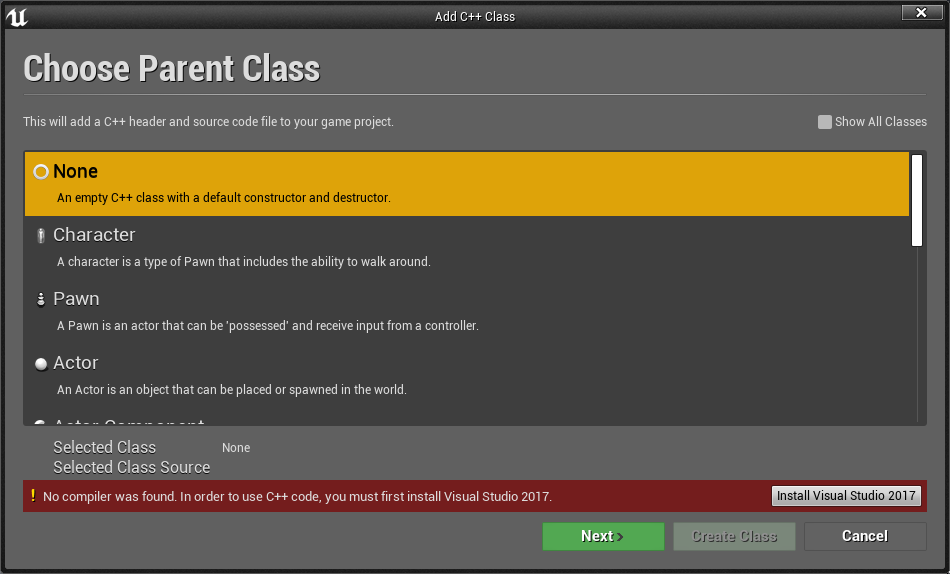
unreal editor doesn't see visual studio (already installed)
is it possible to fix it without reinstalling the vs from scratch?
cloud cobalt
What do you mean by "doesn't see" ?
fringe pivot
Does anyone know a way to replicate height data from a landscape to another?
errant dagger
@cloud cobalt https://i.imgur.com/XMgEhf8.png
 cloud cobalt
So, do you have VS2017 installed with the C++ component & Win10 SDK ?
And did you reboot after installing that ?
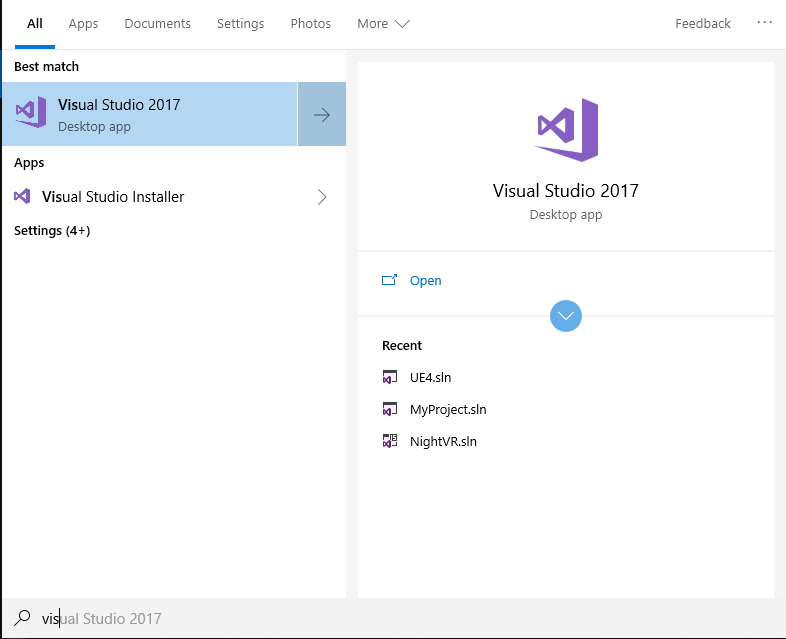 cloud cobalt
So you did install C++ support in VS 2017 ?
errant dagger
its worked yesterday , I think some soft like ccleaner remove some ue4 or VS stuff
vs2017 community was installed by ue4 official docs
cloud cobalt
I'm just trying to make sure you installed a C++ compiler too 😃
VS 2017 defaults to not having one
errant dagger
I did it many time since 2015
cloud cobalt
Try the "modify" option in the VS installer (it's installed with VS) to confirm you have the required components
If you do have them, then yeah, your "cleanup" tools might just have wrecked the system as they usually do
errant dagger
all components is already here
cloud cobalt
Probably need to reinstall then - and uninstall ccleaner
errant dagger



vs installer doesn't see installed vs too!
but vs is right here
I can build the engine from source
cloud cobalt
Remove ccleaner and reinstall VS 🤷
plush yew
Hello guys. Are "On clicked" events (widget blueprints) also working on mobile devices?
If des, is it enabled by default?
serene birch
ccleaner, more like cdestroyer
 dim plover
I use CCleaner. Is that bad/dangerous?
 deep basin
anyone ever encountered the problem that you start up your editor and the engine has cleared all project settings? gamemode reset to default ... and the worst part ... all collision channels deleted??
cloud cobalt
@dim plover "cleanup tools", especially those that affect registry, rely on assumptions that are generally true but not always
Removing "unused" registry entries is a classic thing that's completely pointless and can cause extreme harm
 hoary silo
I was wondering how I could control one camera, while looking through another
Im trying to create an aiming system for a true first person character
fringe pivot
Are DefaultGameUserSettings.ini values supposed to work when you launch the game from the editor (standalone) or just with the packaged game?
hoary silo
looks like packaged
fringe pivot
Can't make them work with the former
 potent kraken
Hello ma dudes, google is seriously no help and I'm getting upsetti here so thought I'd ask here 😃 So is there any way to distort a post process material by its UVs or something? You know how you can distort a texture map by running a noise or something through its UV input
Is there a way to do this for post process materials? Specifically I have produced an outline by edge detection and I wan to make it wobbly, is it possible and if so, any ideas?
 whole quarry
@potent kraken you mean normal maps?
cloud cobalt
@fringe pivot It's for packaged games.
wary wave
it would be exactly the same as you would with a normal material
cloud cobalt
Should work in editor, but only as a default for the ini
potent kraken
@whole quarry I'm talking about post process materials.
@wary wave Thing is with the texture maps, the have a UV input right?
wary wave
so do post process
potent kraken
But PP materials just produce a float that you plug into the emmisive
Wheres that? :0
potent kraken
Thought so, but how do I use that to distort my outline result? It literally spits out a float that I have to connect to emissive
whole quarry
you can use normal maps in post processing?
cloud cobalt
Normal maps are just textures
whole quarry
well... ye..
fringe pivot
@cloud cobalt ok thanks, it would be a paint to test stuff that way.
potent kraken
Are you saying I can use normal maps to somehow distort my post process effect? If so could you get a bit more into it?
whole quarry
yes, you can... just google normal and post processing
cloud cobalt
Normal maps encode a direction, so you might read the normal map to get that direction, and use this for distorsion
Like altering the screen UVs
potent kraken
Alright lets say I do alter the screen UVs, where do I plug that in then x_x Again sorry for the spam bois but Ive been at it for so long now
cloud cobalt
Well, PP materials usually read from the previous PP input and then output emissive color
So change the PP input UV
whole quarry
there is a normal pin in the meterial
cloud cobalt
Not for PP mats there isn't.
potent kraken
Thats my badboi right now, just spits out a float value I plug to the material, cant see how I can mess with the UVs
cloud cobalt
You have "UV" input on every scene depth.
potent kraken
I did meddle with it quite a lot and it didn't seem the way to go, as when I do, it will mess up with the edge detection algorithm. But if you believe thats the way ill def look into that more
cloud cobalt
So you could, like, use the R and G channel in a normal map, subtract 0.5 & multiply by two to get a [-1, 1] value for X and Y distorsion
And then you can multiply that by a constant and add it to the UV
Done
Constant would be the distorsion radius in pixels
You can do much better but it's a rough outline
potent kraken
Are you familiar with the outline/edge detection code?
It has multiple SceneTexture nodes, not 100% sure where I should do the addition
But I'll try again and follow your message, see if it gets me somewhere new 😃
cloud cobalt
Everywhere
Like, you want to physically map the screen to an UV grid that's not a plain rectangular grid
Somewhere you probably have a TextureCoordinate node - plug the logic between that and the rest
potent kraken
Yes I do actually, huh
lets see how that works 😃 Cheers my dude!
I feel theres hope again
MATERIALS ARE BUILT ON HOPE
cloud cobalt
Materials are mostly built on trickery and craftmanship
still moth
hey people
cloud cobalt
Sounds like it worked !
potent kraken
It did! I just have to play with the settings of the texture and all that
for a smooth deformation but BOI it happened
Thank you very much 😃
visual belfry
/o\ opened up my project this morning and started getting these errors in the log (it won't load all the way):
[2019.06.20-14.53.33:251][ 0]LogLinker: Warning: Can't find file '/Script/SixDOFMovement'
that is a plugin I'm using and it is in my projects plugins directory... recompiling didn't help 🤔
 karmic basalt
When profiling a VR project, is the FPS Histogram accurate? Even on an empty project, the highest I have seen the FPS go is 62 which is unexpected considering my workstation.
wary wave
62 is the standard cap for the engine
I would actually expect it to report 45
(45x2)
karmic basalt
Ok, so FPS should be doubled when profiling VR?
So that rating is actually a 124 FPS?
 tiny pier
Is there a way I can spawn particles in a ring? So I'd have like a pipe of particles. A hollow cylinder. Rather than just in a box, or on a plane, or a line, or a point.
sudden agate
I don't have to manually unbind delegates/Event Dispatchers, wenn I destroy the listener, right?
 small goblet
Quick question.... Wasn't there a site that allowed to copy and paste Blueprints onto it so that show it on the UE forums?
wary wave
BlueprintUE
BlueprintUE.com is a tool for sharing, rendering and rating blueprints for Unreal Engine 4. UE4 is a game engine which use visual scripting called blueprint.
dim merlin
Hi guys, is there any known issue or even bug that landscape materials (like grass) are really to bright in 4.22 ?
am really looking for this since this morning, so rlly need help
 pallid talon
Any PyCharm users out there? My "import unreal" module line is broken on my *.py file. The Module is missing. How do I get PyCharm to recognize "import unreal" ?
serene birch
depends on path/modules
pallid talon
@serene birch Is it possible to add a path for the Unreal Engine module? Do you know where the path would be?
pallid talon
Well I know how to include a module, but I can't find a source for Unreal....