#ue4-general
1 messages · Page 471 of 1
 visual belfry
 grim ore
nope just simply a new widget with a default canvas panel, drop an image in it, drag it around and lag
visual belfry
oof, was watching a streamer that copy pasted widgets and somehow they all referenced the same widget
tearing his hair out trying to separate them
grim ore
time to start installing older engine versions to figure out what broke, this is super not usable
visual belfry
that's the point where I just start a new widget blueprint from scratch lol
grim ore
I needed to work in UMG all day and this does not sparkle
 thick herald
Just want to say, UMG... pfffft ugh.
visual belfry
oof same behavior here, but it's still saying the same Image_58 so that's... sort of an improvement 😐
80->30fps
even if I just hold it still, that's nasty
go full coherent?
grim ore
yeah the details panel keeps redrawing here for me, something changed at some point I noticed it a few versions ago but never used it since
visual belfry
still a better option than direct slate derp
thick herald
I can't work out fitting things in things with umg. It's kinda weird, the way ue does it.
I've shelved using a scroll box for my editor widget. I was getting to frustrated at it lol
grim ore
it works a bit like XAML for C# stuff so if you had experience with that it was easy
visual belfry
my rules of UMG:
- Canvas for direct positioning
- Other panels for specific purposes
- List views are galaxy brain tier, but probably aren't going to be arranged how you want outside of a simple scrollbox
- always more size boxes and scale boxes than you think you need
I claim no responsibility if those rules suck and harm you 😃
slap those size/scales in like struts https://community.playstarbound.com/proxy.php?image=http%3A%2F%2Fi.imgur.com%2Fmq0FLDX.jpg&hash=cf1f8bf5cb7d2ed2c0761b4b09395af4
 thick herald
For some reason, I keep expecting spacers to work in a different way.
grim ore
the most important thing to understand for UMG is the parent controls the child.
thick herald
If you have children, you know thats not true.. 😄
visual belfry
understanding how slots work and are represented in UMG is good 👍
 manic pawn
what's strange about the spacer
visual belfry
and how you can usually edit slot placement from the parent and the child
visual belfry
a lot of widget types are at very different usability/customizability levels and it can be hard to tell at first glance
manic pawn
strange I've encountered no major blocking bug in umg at all
thick herald
It's just my lack of experience or knowledge on umg.
manic pawn
though there are things that could be improved
thick herald
I do with they would open up more options in the editor widget though.
manic pawn
like the replace with tool is quite 
grim ore
so 4.15.3 has slowdown but no where near as bad as 4.22 for dragging UMG in the editor. A big difference tho is a blank scene is 180fps on this machine and with a UMG window on a 2nd monitor in 4.15 I get 60FPS in the main screen and 120FPS on the main screen in 4.22. so I get better fps in general in the project in 4.22 but worse FPS when actually using UMG... lol
 latent fable
I just did everything at https://docs.unrealengine.com/en-US/Gameplay/HowTo/CharacterMovement/Blueprints/AnimBlueprint_Jump/index.html but now whenever i jump it just plays the walk animation: https://gyazo.com/f9b9e4d0e9beb35fedba519f4dc28ca4
Moving on in our Animation Blueprint setup, here we set up the conditions for Jumping.
 manic pawn
🤔 dragging a thing seems to work fine for me
grim ore
do you have 2 monitors?
grim ore
ok put the main editor window on one, open a umg window on the other
use stat fps to show the fps in the main window
drop an image or a combo box into the umg editor
then drag it around the editor window like you were moving it to a new spot, watch the fps
grim ore
yeah the details panel is updating every frame or something odd
manic pawn
it's probably cpu limited caused by something force rebuilding the details panel
which why on earth would you do that
it already live updates by itself
 boreal topaz
hey Matt great videos
visual belfry
need a 1080 so you can maintain a solid 40 fps while dragging umg widgets
grim ore
in 4.15 it's less of a hit, down to 60fps here, but in general you lose fps just having another window open on a 2nd monitor.. it's... weird
@boreal topaz 😃 thanks
grim ore
nope no gsync here, it breaks UE4 bad lol
manic pawn
it works properly in packaged games at least
but in the editor it syncs every time it draws a window 🤦
grim ore
heh
visual belfry
is it editor bitching time? I've got a few
manic pawn
never noticed this widget dragging slowdown tho
visual belfry
 grim ore
less bitching, more just verifying it's not just me with a one off issue 😃
visual belfry
 manic pawn
we generally build all the ui inside out with the auto layouts
visual belfry
how bout that hi dpi support \o/
grim ore
lol I chose not to get anything hidpi just on the fact it has always seemed not correct
boreal topaz
im having trouble clicking objects inside a capsuleComponent. is that normal?
manic pawn
does high dpi actually work properly in any program
visual belfry
much more properly than it does in unreal 🤣
manic pawn
I use 100% scaling on 1440p it seems to be the sweet spot
why would you ever disable mouse acceleration
 amber marlin
if you play shooters
manic pawn
every modern game already uses raw input
visual belfry
I do 200% on 4k, but with the setting for full res viewport which is nice
manic pawn
there is no need to ruin your desktop experience anymore
amber marlin
I play shooters with a wheel anyway
manic pawn
turning it off in windows will make using the pc suck while having no difference in games
 manic pawn
now I want to see someone actually playing a shooter with a wheel and not failing
manic pawn
yes but imagine how ridiculous it would be
amber marlin
doom 3 isnt doom
visual belfry
old doom would be a good candidate for using a wheel in a shooter
visual belfry
downshift-hadouken
amber marlin
he uses downshift for bait
because the buttons click
and shift up is binded
but shift down not
and he uses sound bait

Because the paddles are clicky af
if you want I can send a link
I dont play fighter games I just found this interesting
grim ore
welp its not a driver issue or a display issue, it could be a multi monitor issue but alas working with laggy UMG is on the plate for today. whooo!
visual belfry
do all of the templates (first person, third person) use the same skeleton with no minor differences?
boreal topaz
i have a cube and a skeletal mesh. both with the same bp. the onclick is only working for the cube. what am i doing wrong here
 flat gorge
I added footstep sounds to my character, I have them synced, but every time I press play the footsteps SFX is already running for a couple of seconds then everything goes as normal any fix? I synced the footsteps in animation bp
 shut viper
@visual belfry The answer is: it depends. If you have a seperate mesh for your first person view and your third person view (the one other people see), then yes you need seperate animations and skeletons for each model.
However if your game uses just one game model ("Third person version") then you only need one set of animations and the one skeletal mesh.
@latent fable can you show us the blueprints


 vale bison
anyone has alternative for this plugin that not use external service like vivox?
https://www.unrealengine.com/marketplace/en-US/slug/ultimate-voicechat-for-blueprints

Easily add voice input to your blueprint projects in less than 10 minutes.
 next badger
@boreal topaz is collision enabled for it?
next badger
That's skeleton mesh?
next badger
and it is visible in the Visibility Collision pass?
also, are click events enabled in player controller? or just touch events?
boreal topaz
both i believe
unsure about the Visibility Collision pass
yes click events and touch events
next badger
boreal topaz
the object is so small when i try to preview it,, i cant see
i usually have to scale it 1500
im wondering if the collision didn't scale
next badger
@boreal topaz 1 unit is 1cm, it's better to use proper scaling before bringing stuff to ue
but inport setting for scaling should scale up everything properly
boreal topaz
okay well im at a total loss for why i cant click this
latent fable
I just did everything at https://docs.unrealengine.com/en-US/Gameplay/HowTo/CharacterMovement/Blueprints/AnimBlueprint_Jump/index.html but now whenever i jump it just plays the walk animation: https://gyazo.com/f9b9e4d0e9beb35fedba519f4dc28ca4
Moving on in our Animation Blueprint setup, here we set up the conditions for Jumping.
grim ore
@latent fable do you know how to use the debugging test stuff in the anim bp? for toggling variables on and such
latent fable
@grim ore No i dont
grim ore
in the anim bp when you open the main screen it shows your current animation preview in the top left. In the bottom right it should say Anim Preview Editor.
in there it should show all the variables you have in your BP and you can click/toggle/change them to see a live preview
if you have one in there, I think is jumping?, that is what you use to transition to jumping animation you can toggle it on and off and watch what happens in the preview.
you can use this to atleast see what is going on by previewing. does it show in the preview when you toggle jumping that it is walking ?
boreal topaz
i tried visibility collision and i get a pink screen. is that normal
 light vigil
Hi everyone! My game hitches really hard the first time a projectile with a VFX system is spawned - is there any way to preload those assets?
grim ore
is it the projectile spawning or the VFX? and sure spawn one when the game loads somewhere outside of the world or during a loading screen or something similar.
light vigil
projectile is spawning, and it has a VFX component
latent fable
@grim ore it doesn't do anything when i turn the vars off or on
grim ore
that means your transition rules are bad then I would guess
 vapid narwhal
does anyone have an idea why custom nav mesh filters don't work? it's displaying fine on the nav mesh but doing a FindPathToLocationSynchronously displays still the shortest way, not around my custom area.
grim ore
also it doesnt look like you have any way to jump when walking? your jump is only from the idle state
 stray smelt
I've found a really nice plugin i'd like to use (prefabricator), although I find using plugins like that a bit iffy due to possibly being outdated at some point. If a new engine version is released and the plugin does not support that (yet). Is it possible and easy to update that manually by myself, or is that something only the author can do?
 heavy ether
anyone ever see shadow patterns like this before? Just a room corner.
grim ore
idle is when speed is nothing? so the default animation plays right?
grim ore
ok and your transition to Walk is when speed is > something right?
latent fable
yes i use blend space for it
grim ore
ok so a first issue is you have no way to walk and jump in that graph so you might want to fix that at some point
now when you idle and hit jump, you physically jump in the air but what animation plays?
latent fable
just the walk animation plays
grim ore
the walk or the idle?
latent fable
When I jump the walk animation plays until i land again when it goes back to idle
grim ore
I think an important thing to see might be your anim bp event graph, the graph where you get the controlled pawn and set your variables for that animation update.
next badger
@heavy ether that's lightmap issue, due to sampling some spots can be unlit, at it looks like that
grim ore
ok so first issue, you never set the is jumping so it can never transition to those rules
latent fable
so should i do something like
grim ore
the next one might be I think you are getting a velocity when you jump which is why it transitions to the walk part
latent fable
should i do something like When space pressed, is jumping [true], delay 0.9s (length of jump anim), is jumping false
grim ore
normally the idle -> walk -> run is all one blendspace that brances out to jump and such
latent fable
I don't know how to do jump in Blendspace
grim ore
you dont, I mean you have 1 blend space for idle walk and run and your graph would go from there to jump. if you followed that set of tutorials https://docs.unrealengine.com/en-US/Gameplay/HowTo/CharacterMovement/Blueprints/AnimBlueprint_Walk/index.html shows when you were setting up your jump
and https://docs.unrealengine.com/en-US/Gameplay/HowTo/CharacterMovement/Blueprints/Setup_2/index.html shows setting those variables in the player BP
alternately the third person template has an anim bp an blend spaces set up you can look at, it has a jump with animation in it and is a good reference for a basic anim bp
visual belfry
third person template is always my starting point for animation blueprints 😛
grim ore
alternate alternately you basically need to check for is falling on the character and set it in your update animation on the anim bp graph, you can see it here on the TPP template https://i.imgur.com/CE0nAqm.png
you might find referring to that template character and using it for a base is a good start. I personally ran into a few problems (needing a few checks for transitions) when using an Idle & a separate walk/run state in the anim graph rather than just one state that handles idle/walk/run in a single blendspace
 wanton slate
Where can I get all the characters from the Digital Human project? Because the only available character at the Learn tab is Mike
 radiant fable
latest ue4 update troubles?
on 2 computers my 4.22.2 update hangs today
 keen wigeon
Guys, can someone answear me(Idk if posting here is righ but), is it a good idea to take some exact code from UE2.5 Engine ( that responds for lighting/rendering over (BSP/StaticMeshes/SkelMeshes/etc ) and transfering it to UE.4.2 . Basicly i want to take Lineage 2( MMORPG ) Light/Render( i allready decompiled some part of engine that handles that) and transfer it to UE 4.2 . Is it relivant ? Or does it enough to hire some digital artist/designer, who would tweek neccessary settings by his eye . Thats https://pastebin.com/kWJLGqkc the amount of settings they have made , for custom light ! Please any advices would be appreciated ! thanks
 grim ore
a few people reported that issue the other day @radiant fable , restarting the PC seemed to help but beyond that uninstall and reinstall
radiant fable
thanks, did uninst-reinstall on work pc
tried a different tact here at home and shut down epic launcher, cancelling installs, then restarted epic GL and seems to be moving again
 sonic pagoda
can you override the blueprint update animation tick speed in blueprint
or only c++
 spare sun
hm. Lineage 2 was actually made in unreal. never thought about it
keen wigeon
@spare sun But what about question 😃 ? Its good idea to use existing code( that i dissambled) for ue 4.2. Or its better to hire digital artist, so he would do it by his eye ?
spare sun
you can try and copypaste this into the config, but I'm pretty sure most of it won't have any effect whatsoever
you'll have to tweak values by hand
heavy ether
@keen wigeon that's an INI file. That's configuration data for some custom components that they made. It doesn't mean anything to Unreal on it's own
spare sun
ue has been through a lot and UE2.5 is entirely different to UE4
I wouldn't expect compatibility between ue2.5 and ue4 config files
visual belfry
tldr no it's not a good idea
keen wigeon
@heavy ether Ofc its not , this configuration is loaded by Engine.dll/Windrv/Window.dll (Can't remember exact function name that Handles Rendering of Viewport ) , but it use this sort of settings. Thing is i was wondering about version compatibility, like if something( that those settings were relying on) are still in ue4.2 in some way. So its worth transfering it
heavy ether
none of that looks to even correspond to any settings i'm familiar with in any UE2 product i've ever seen, looks all custom
keen wigeon
Yeah it is custom, i could even show u how its used in UE2 to produce Lineage 2 Light, ofc its all still a Decompuled code, i hand't got time to fully fix the code so it would look readable and easy to understand. But that was the question is it worth it ? Like i want this light to be same in UE4.2 , i guess i still have to study abit functions that handle rendering of viewport in 4.2 - right ?
sonic pagoda
going thru the animblueprint cpp files i see no update function, does anyone know where it is
heavy ether
@keen wigeon you seem to be missing the point -- that is configuration data for Lineage2's engine. It doesn't have anything to do with Unreal, and if you plug that same ini data into any other Unreal project, it's not going to do anything
keen wigeon
@heavy ether i know that, but this data is relying on Unreal engine itself ! I dont know exactly how those processes are named - like Ray Tracing, light baking, and this values like HSVBSPLight are sort of matrix ( but they heavy relay on ue engine 2.5 itself). Question is - would 4.2 support this sort of things ? To implement same light color/Render over BSP/StaticMeshes/SkelMeshes etc. Or its just better to hire a digital artist to do this by eye !
spare sun
im confused
heavy ether
I suppose you could potentially try and re-create their system by matching something that uses those inputs, colors are still basically the same, but really I suspect you'd be better off doing it with whatever systems exist now instead of trying to jam together something that mimics a system written 20 years ago
visual belfry
4.2 is pretty old in itself, any particular reason you're sticking to that version?
spare sun
rendering pipeline is different but you can mimic it all. Similar options are there, but things like day-night cycle and wind will be up to you
heavy ether
@keen wigeon might be best to do some research on how to do day-night cycles and such in unreal currently, and then see if you can make sense out of that color data to do something useful with.
keen wigeon
@heavy ether I can show you a bit example how it works with those settings and without
https://i.imgur.com/HH2LiRF.png?1 thats an ordinary lighting , like if u load this map to any Ue2.5 engine it would be like it
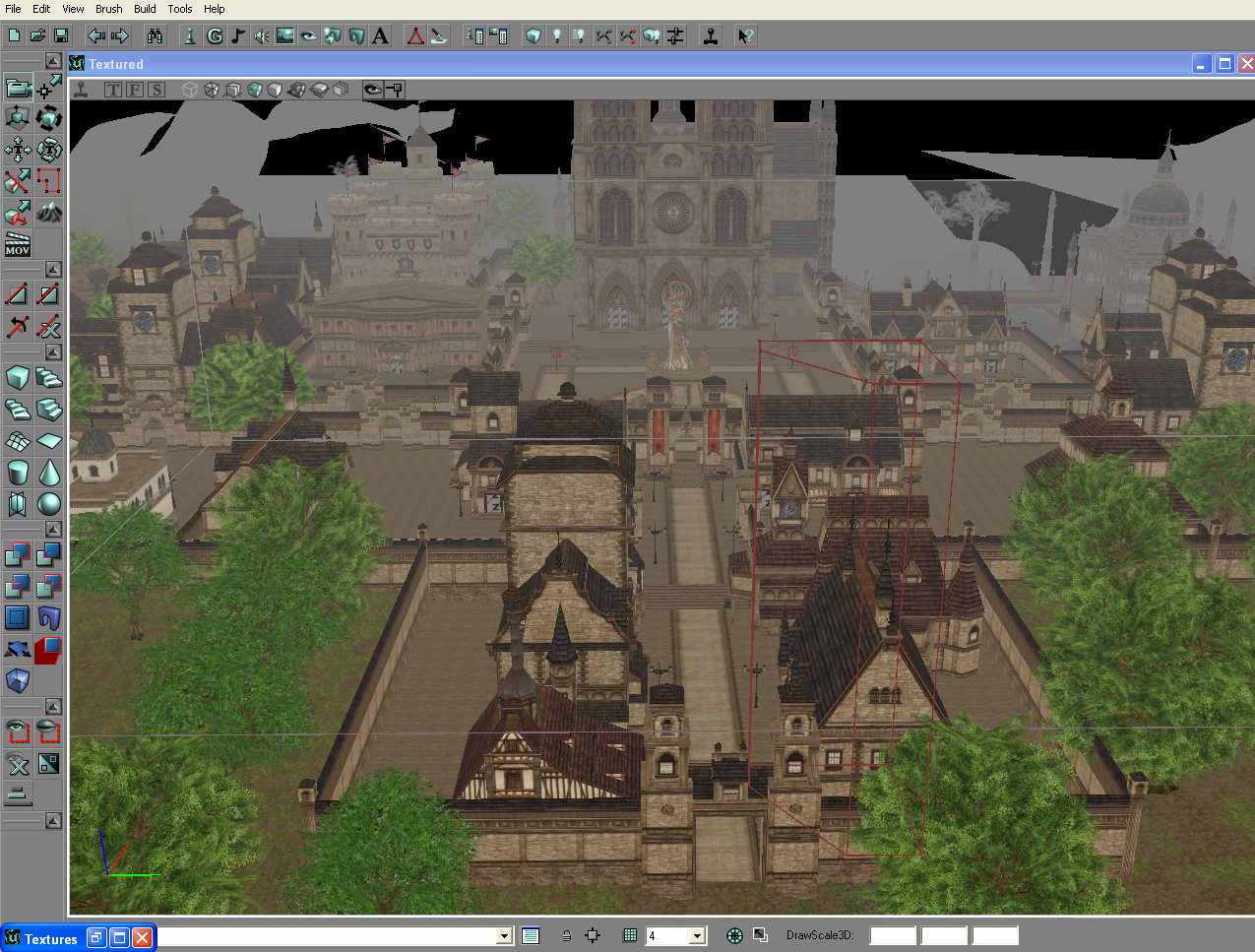 heavy ether
i know absolutely nothing about doing day-night light cycles in unreal
keen wigeon
and this https://i.imgur.com/4DkWFaR.png?1 is with those settings tweeked to 0
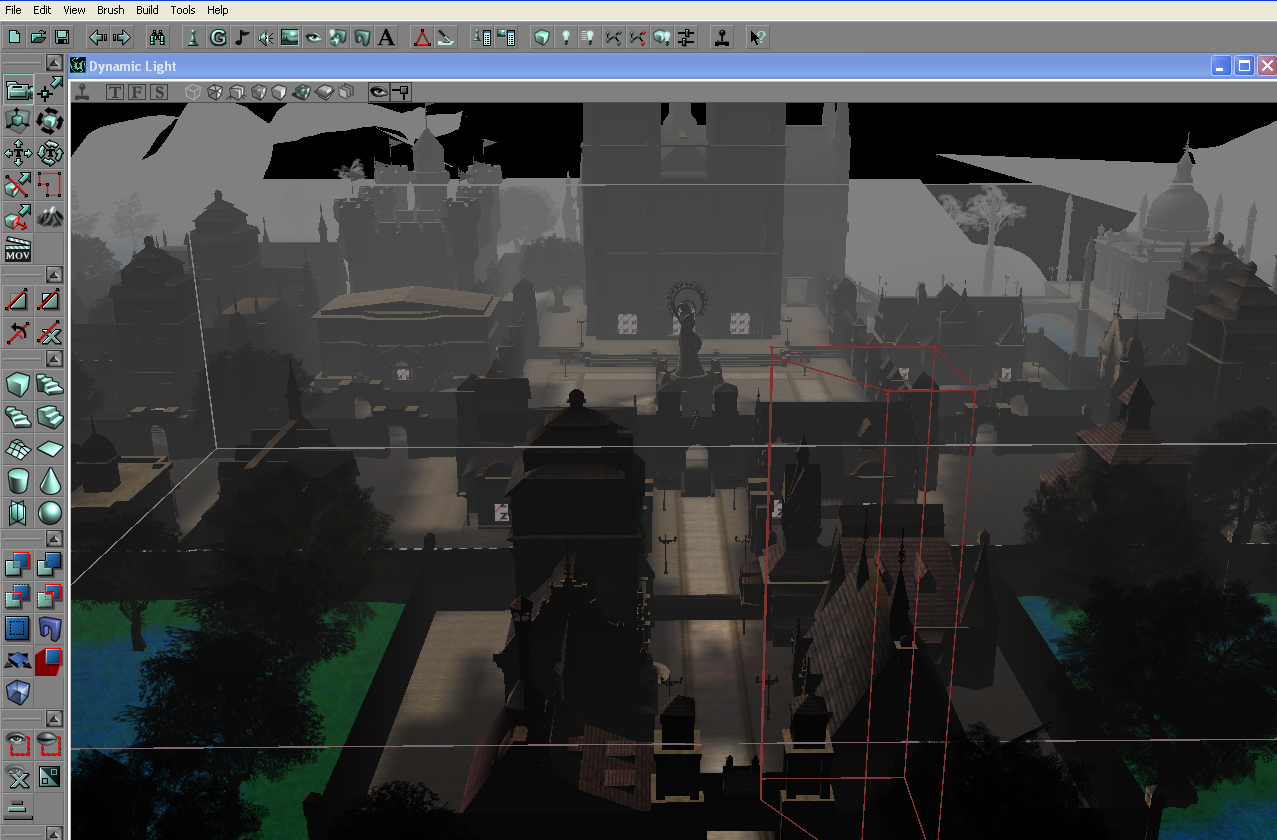
And this https://i.imgur.com/HQH9TZm.png is with settings loaded from configure file
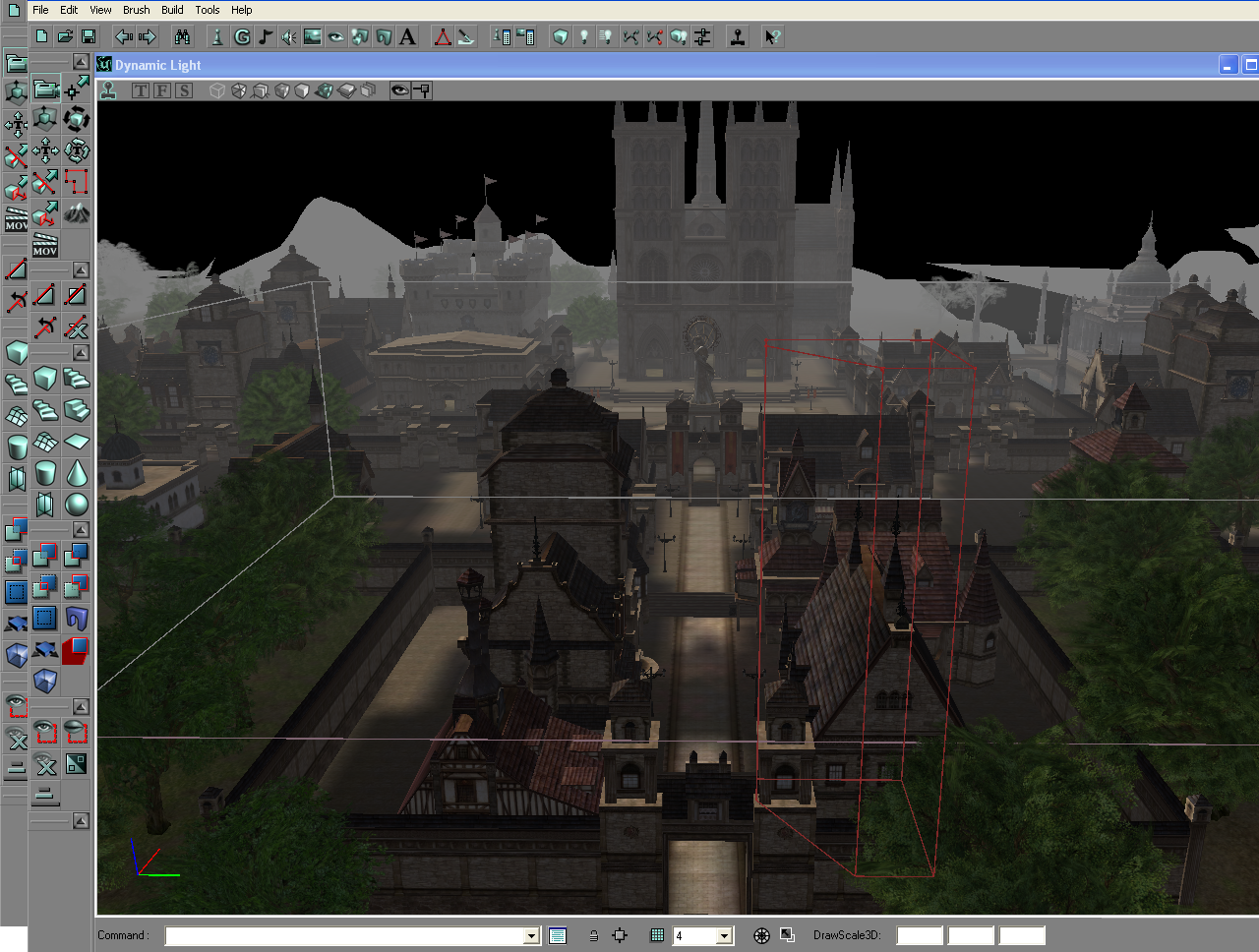 heavy ether
except that none of those settings exist in other UE2 games
keen wigeon
I didnt thinked about it as only day night cicle,
its more about the light colors how its rendering over objects
heavy ether
most of what i saw in that config file was referencing light colors apparently for time-of-day simulations
spare sun
hm yea
keen wigeon
I guess there is no analog of it in so deep/typical way
primitive way * i mean
for ue.4
spare sun
skybox color has a diff value for every hour so it gets interpolated I guess
keen wigeon
the reason i ask this, is that some guys tried to transfer Lineage 2 ( models bsp staticmeshes on UE4.2) and the result of it its far from what it was in ue2.5 https://pp.userapi.com/c841427/v841427333/4f5b9/rzlycgjqlkY.jpg
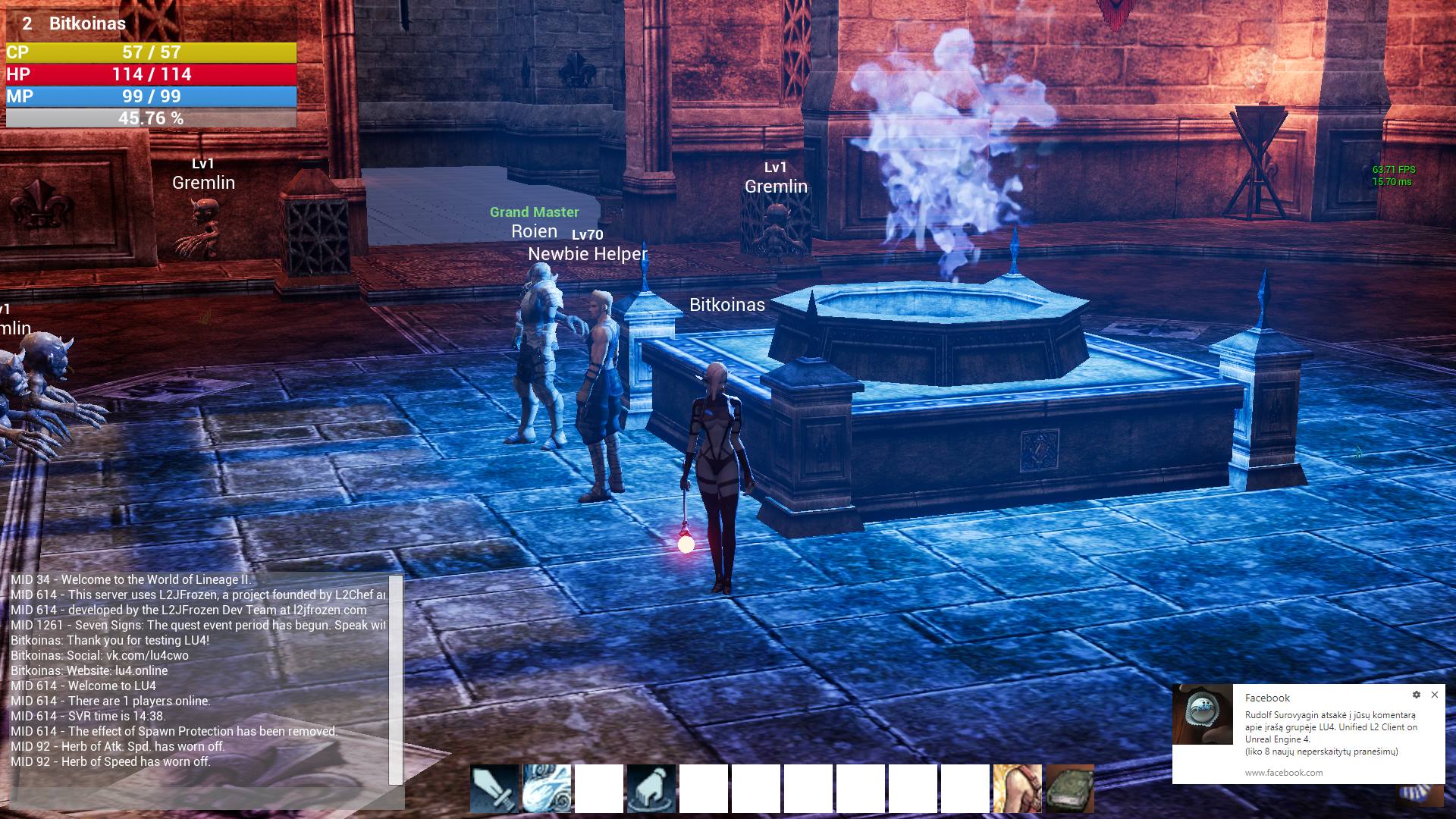
and i'm not 100% sure if tweeking light settings was the problem,
heavy ether
copyright issues aside, of course it's going to render differently, it's a completely different renderer. It's entirely possible that the L2 devs implemented a completely different renderer from stock UE2 also
spare sun
yep. And shaders. And postprocessing.
keen wigeon
https://vk.com/photo-125152707_456239445 yes it doesn't look even close to it
heavy ether
if you're trying to recreate that look, it's definitely going to involve a lot of artistic touches, not just some tweaking of light colors probably
keen wigeon
Can you suggest me what is the best way to solve this ? I dont want to transfer Lineage 2 UE2.5 to UE4.2 with all the bsp staticmeshes etc, i just want to have its render view
@heavy ether Like approx amount of things that could be affected ?
or a bit easier - who do i need to hire ) ?
heavy ether
i think before any of that, you need to have a clear definition of what you mean by "i just want to have its render view"
keen wigeon
Its u like u said before - recreate the look and all that is neccessary for that
 lapis bronze
you need a lookdev artist, some generalist extraordinaire
keen wigeon
this https://images-ext-2.discordapp.net/external/cfPXYsqh630IwEXLCTPff7665SkhlR-DzuLudyAnCp0/https/i.imgur.com/HQH9TZm.png?width=815&height=617 is the look
 spare sun
he's probably unsure whether unreal will permit this style due to differences in low-level code
lapis bronze
you should be able to make unreal4 look as shitty as that with some proper look dev
visual belfry
heh
spare sun
haha yea honestly if you just tune down like.. everything
keen wigeon
well question is ! could i do it for all , or just for 1 map ? like here https://pp.userapi.com/c841427/v841427333/4f5b9/rzlycgjqlkY.jpg some guyes tried https://pp.userapi.com/c850024/v850024987/102a9f/sCz-nJN4DSM.jpg not even close to the atmosphere that Lineage 2 gives u

I honestly don't want to make just 1 map that would look alike
sonic pagoda
wait i heard generalist extraordinaire
i felt that
someone cue the awwwwwww sound
spare sun
well first of all you have too many shadows
keen wigeon
@lapis bronze Well thats kind'a was my plan, to Dissable all new stuff that was implemented in UE4.2 till i get it close to what it was in ue2.5. Thing is i'm unsure if it right way, like with proper devs this "atmosphere/look like " could be rechead in different/maybe better way, even if it would be just by eye
@spare sun like were ? in ue.42 screen or 2.5 ?
lapis bronze
there's going to be no way to get it to be exactly the same sure, but you should be able to get very close
spare sun
also I think trees weren't entirely 3d in L2, but might be my memory
keen wigeon
@spare sun yes they are not all 3d,
heavy ether
what i'd probably think about doing would be to take enough pieces to make a small scene from the original art, since obviously people have that, then import it to unreal, build up materials that are as close to the original as you can, then toy with the post processing and other settings until you find something that sort of resembles it
spare sun
the lighting was most likely cheated on and didn't depend on position of the actual lights
except for effects
keen wigeon
@spare sun also those screenshot from ue4.2 was made not by me, there are some better like this https://pp.userapi.com/c636830/v636830850/503c9/PmXJWB9Va5Y.jpg , but yet ! its only 1 map ! and this one https://pp.userapi.com/c850736/v850736608/13034c/e7alnW0eIjA.jpg is not even close to what i had in UE2.5 editor(modified ) https://i.imgur.com/2ai8vZZ.png - that i managed to load Lineage 2 maps


 heavy ether
and if you're direct exporting objects out of the engine, i'd love to know what you're using for that, because i do happen to have permission to port a ue2 game, but i've never bothered to because none of the original asset data is available
keen wigeon
@spare sun yes about light your statement is very accurate and that something that bothers me, if ue4.2 u bake some map, and light and atmosphere would correspond, but then u go on other map, and it wouln't ! so it has to be dynamic right ? but how to properly do it , by working with low level render, or just tweeking settings for each map ?
@heavy ether i can explain that, its pretty easy and i can give tools or links if u want / even sources i use for modifing UE2.5 engine to be compatable to load Lineage 2 maps
heavy ether
a problem might be the original game had some engine mods that early exporter tools from the early 2000's all failed on.. but it's something i'd do if i had access to at least a large portion of the assets from that original game
spare sun
hmm no, you dont have to go low level for that
keen wigeon
About day light settings - this https://youtu.be/cpwUl45l7tI?t=160 video describe the process
Arena [01] for all Lineage 2 clients with geodata deMEV [E-mail: demev@ukr.net / Skype: demev.ukraine / Telegram: @deMEV] - карты для Lineage 2! / maps for L...
spare sun
you need to know a bit about materials and how they faked lighting in dem old days though
keen wigeon
Thing is the source code of 2.5 engine is availble, i can give some links if needed
spare sun
u bake some map, and light and atmosphere would correspond, but then u go on other map, and it wouln't
keen wigeon
@spare sun well that the question how to better do it, if possible maybe some links to articles, from were to start ?
spare sun
I don't think they had different maps per zone
I'm leaning more towards fogs and postprocessing
keen wigeon
They had seamless word(maps)
spare sun
are we talking about maps in terms of levels or maps in terms of parts of 3d assets
keen wigeon
like if u are closer to end of regionX_Y NESW , it load corresponding map
i guess terms of levels
spare sun
ue4 can seamlessly stream-in levels, see world composition
keen wigeon
in \map folder they got 15_20-26_16.unr around 200 map files
well i guess then its not problem
visual belfry
I can't imagine you won't spend more time emulating lighting than having an artist recreate it
spare sun
as far as lighting goes wasn't baked lighting all that the models had? Like no dynamic at all, except for effects/abilities
keen wigeon
@visual belfry Well then you tell me what this artist should do ? what his scopes of work, on what it would affect(globaly or just the maps themselfs) ? How much time it approx could take ?
visual belfry
you'll have to find one of those types and ask directly 🤔
keen wigeon
@spare sun yes baking was done in Unreal Editor,
spare sun
like it was literally part of the texture and thats all, so you'll have to fiddle with material settings to stop lighting from affecting it
keen wigeon
@spare sun i guess it was baked acording to that configure file , and problem is i'm not familliar with ue4.2 and the way it affects the texture/esp and other things , what do u suggest in this case ? like final thoughts - were can i read about this or look for ? Or maybe u know someone who could work on that ?
spare sun
haha, I suggest getting familiar with ue4 if ur porting a game to it, copyright problems aside. There's other more #graphics related discord channels, there's the official documentation and there's courses.
if ur searching for someone, you can always try #looking-for-talent
keen wigeon
xmm, but maybe u could point me to something/someone particular - like some article or guy who u know could handle this ?
Like in graphics there is some article that describes how UE4 Lighting is being rendered from 0 low level . Ofc i could look myself in sources but yet 😃 maybe some description is allready there
also 1 thing i forgett to mention, the baking data is actually stored inside StaticMeshes/SkeletalMeshes/BSP
 mellow turret
is the ue4 source code (from github) supposed to be really slow at opening the zip file/extracting, or is it my pc
heavy ether
you probably should get it with git, rather than downloading the zip
spare sun
prolly ur pc, just file extraction 🤔
@keen wigeon it's probably not as hard as you think, but I can't give any exact pointers as I never tried to recreate bad lighting. You will have to toy with materials and lighting settings inside the engine itself. And postprocessing, ofc - UE4 starts out with lots of it enabled and vibrant by default.
So smth like disable shadows, create lots of fog, reduce drawing distance, reduce sun saturation, add a global postprocessing volume and do some colors etc
mellow turret
yeah i will get it with git if I need to download it again
spare sun
sure, gl
 worn cape
i have slight problems, compiling my plugin ...
very often, it compiles, and says, everything is fine. it also does from unreal. but it does not put the new libraries somewhere.
i got around this by erasing the generated files, generate a new visual studio solution and rebuild that project
but that isn't the stone of wisdom !
any idea, what is going on ?
 plush yew
 wary wave
please stop pointlessly spamming that gif
 bleak widget
hi everyone! Is anybody know how to make a water material with shoreline for ocean and support level streaming? Searching for decisions inside Ocean project
 mint sequoia
What the actual shit? I start PIE in my game and oculus starts up trying to run in VR. My game is not a VR game and I don't dev in VR. How do I fix this
manic pawn
disable all the vr plugins that are on by default because 
mint sequoia
Holy crap their software is such rubbish
It's bad enough that every time there's an update i have no choice or I can't use the headset and it destroys the guardian settings require re-setup every time and often stops the headset working until I reinstall it
What monkey made this
Thanks @manic pawn
Yes
Lol
The Rift S is actually a really nice VR headset, much prefer it to the Vive
But wow the software is bad
 safe rose
@mint sequoia https://forums.unrealengine.com/unreal-engine/feedback-for-epic/1355927-disable-all-vr-plugins-by-default
Unreal Engine Forums
Now, I am a VR dev, and for the most part, it works just fine for me sometimes. However, I don't always work on VR games. And it's just a little annoying having
Maybe it'll happen on the two year anniversary
mint sequoia
Its actually really strange they're on by default
spare sun
I agree. The bloat is still.. saddening..
mint sequoia
Butwhocaresfortnitedoesn'tneedthis
Dunno if I feel happy about their success since its prohibited the development of anything unrelated
 grim juniper
Is there a reason the launcher isn't downloading updates at the moment?
next badger
@grim juniper i'm not sure, @elfin jacinth was investigating the issue
grim juniper
Ok
next badger
@bleak widget what's the issue, different chunks do no synchronize the wave texture?
next badger
@bleak widget Shoreline here: https://forums.unrealengine.com/development-discussion/rendering/1522892-shoreline-material-function
Time is global variable, so when you use one all the materials will have the same value. If you need to Desync them, you probably will need to implement material instance and feed a parameter to it.
Unreal Engine Forums
Hey guys, thanks to Alberto Mastretta on Twitter sharing the principles for his Unity water shader, I was able to re-create a shoreline function in UE4, and I
bleak widget
thx
next badger
here's more info on time in materials https://answers.unrealengine.com/questions/216425/how-does-the-time-mode-in-the-material-editor-work.html
 bitter oyster
when creating a merged actor, the save directory window ALWAYS defaults to the root ue4 path. on complicated projects, im wasting 10-20 second for every object I convert finding it's correct file location. is this customizable in any way?
next badger
@bitter oyster it should point to Game root, not ue4 root...are you on win?
 split wedge
Quick question, I'm using world composition and I have navigation mesh in the persistent level and enemies in sub level and their moving around just fine. My npc and his patrol points are also in the sub level but he is not moving around at all anyone know a fix?
next badger
@split wedge try Viewport - Show -> Developer -> AI Debug
 elfin jacinth
@grim juniper will NO file download?
split wedge
I checked the ai debug no error came up, but the npc is set up to walk to points on map not in ai just in blueprint
 near trout
Not sure where to put something about engine scalability: here a model can be seen in my level at Cinematic engine scalability settings for "Shadows" FIXED
and here it is on Low
elfin jacinth
I just tried to download a few different files here, and it worked.
grim juniper
What's the current latest version of the engine in the launcher? Is it 4.22.2 or 4.22.3?
elfin jacinth
4.22.2
grim juniper
I had restarted the launcher and it started verifying the engine without me doing anything. So I'm waiting on that at the moment, but it does say 4.22.2
I don't remember if it was 4.22.2 before I hit update the first time
Could also be something to do with plugins that have updates
When I hit update the first time it says 0 out of roughly 360 MBs iirc, but the downloads menu had shown everything as queued and nothing downloading
elfin jacinth
@grim juniper I have to take off - please DM me with the deets! 😃
grim juniper
Ok. The verifying just ended and now it's downloading the plugins like it should, so maybe it fixed itself
Looks like it was just for plugins. They're all downloaded now and it says Launch instead of Update
near trout
Fixed my problem by adding a physics asset made of capsules to the mesh.
 soft crescent
is there a good text based scripting plugin for ue4?
or did peopl stop trying to get C# working with latest versions
 dry merlin
I develop in Unreal and I do art if anyone is interested. Looking for a few people to work as a team.
Got iClone to.
Thought I'd show a few screen shots off
Ice with cracks
Ice
Spruce 4K bark, problem is this is the only tree with 300,000 polygons. In Speed Tree I can do 30 LOD's, but it was the only way I could get a real good looking pine was to do each needle then optimize.
 sudden agate
no
the pawn cannot inherit from Controller
you can only control one pawn at a time
 kindred viper
Controller = input. Pawn = looks. Thats how I see it.
I might put all input logic in a controller, but I might put it elsewhere too. there is no need for it to be in the controller specifically.
no its still the same from the old days in that respect
thats the kind of setup I like to go full parental heirarchy. BasePawn + BaseController with the common/shared functionality. Then HumanPawn + ElfPawn + HumanController + ElfController which are inherited from the base versions
kindred viper
I should hope so or I have been pissing into the wind since 2010
 honest vale
has anyone tried this? https://trello.com/c/ncpRUgyt/339-animation-sharing-plugin
Added a new plugin which implements an Animation Sharing system. The system is used for reducing the overall amount of animation work required for a crowd of actors. It is based upon the Master-Pose Component system, while adding blending and additive Animation States. The An...
Labels
Animation
kindred viper
no but I absolutely would if the purpose required it
honest vale
😄
I wonder what type of pawn epic is using for those mobs
probably not the stock character 🤔
kindred viper
well what is "out of the box" in unreal is not really what epic uses either. The Paragon characters, for example, had a completely different animation setup than out of the box. Using intermediary retargetting instead of direct like the editor does.
wary wave
I suspect they are stock characters in that example
doesn't mean the final game will necessarily use them as such, but it also pays to remember that Fortnite runs on dedicated server hardware, not client machines
honest vale
but clients still simulate them, right?
wary wave
to a certain extent, yeah
wary wave
people don't say these things for no reason
 cloud cobalt
Yes, it is that hard
As in, anyone can learn it, but it will take years to be fluent with it
kindred viper
I disagree with saying its hard to learn. It's harder to want to learn it, than it is to learn it. Once you have that will to do it, nothing can stop you.
Until you hit custom ASM routines injected into your code to do the memory management, and you cry.
cloud cobalt
It's not that hard, the problem is that C++ is an extraordinarily broad language that feels a lot like three different languages merged together
cloud cobalt
Depending on the period, background and skill of the author, tutorials on C++ can feel like different languages entirely
 tardy sapphire
How can I make a material that changes texture based on a constant value 1 to 4?
kindred viper
yeah I wouldn't go as far as saying it's an easy task, but if you have the will to do it, it doesn't seem to difficult. The times I have had, and will have, where I struggled to understand the concepts behind something in code, are the best times because I push myself to know. And with that comes the buzz from finally comprehending it or finishing something
cloud cobalt
@tardy sapphire Either use if, or linear interpolate
Using if is probably easier if you only have integer values
tardy sapphire
Not sure how to use If, how do you make it use a specific texture
cloud cobalt
You would use if on the result
tardy sapphire
Where do you connect to now?
cloud cobalt
You'll need three if nodes.
kindred viper
in that case I might go the custom node route to determine it
cloud cobalt
Do you really need the texture selection to happen during gameplay ?
If this is a developer / artist tool, just use a texture parameter instead
tardy sapphire
I wanna switch between them quickly, dragging random textures is kinda time taking
A slider would be a lot faster
kindred viper
yeah If you can avoid doing it in the material I would. But I like to do more complex "switch" style if statements in HLSL
Im not even sure its right as compiled material nodes have optimisation that custom node code doesn't have.
cloud cobalt
@tardy sapphire I'm just saying, this will have a performance cost for your players
Unlike a texture parameter
tardy sapphire
It's for editor, the object will be removed in the final run
It's a village layout
That I use to place buildings on top of
cloud cobalt
It's not compiled to C++, unless you enable nativization, which is quite unstable
And no, it's not really slower, depending on what you do.
It's really slower if you do something like iterate over all actors at every frame
But you need to profile first to actually see if you have a performance problem
plush yew
i see : )
wary wave
I mean, it is slower, but it shouldn't really matter because you should have plenty of space between frames to do things, and if you are running into problems you probably want to reevaluate your approach
kindred viper
the only time blueprint is really slower, if when you are limited to blueprint only and have to do workarounds that would take 5 seconds in C++ :p
cloud cobalt
Basically most of the time your Blueprint game logic will eat up 10% of your CPU budget
 rustic imp
what's the best way to transfer actors from one scene to another, keeping positions
wary wave
not quite an emulator, but something akin to a virtual machine I guess
normally it's compiled into an interpreted bytecode
cloud cobalt
It's a virtual machine with compiled bytecode.
kindred viper
its Flash :p
cloud cobalt
😱
plush yew
ty very much ^^
rustic imp
flash is dead
cloud cobalt
You wish lmao
honest vale
I thought it's the old unrealscript engine spruced up
kindred viper
you would think so but its still going in another form
kindred viper
the basis of Flash being a VM was always a point of contention, but you don't get other VM web interfaces getting the same attention. I know people did malicious stuff with Flash, but you can do that with Java too. I've written PHP that lets you execute written PHP code in the browser before. But Flash seemed to get the shitty end of the stick. I liked it though. Still wish I could use vector graphics tools in UMG. Even thought about adding it myself.
amber marlin
guys
how do I install a plugin?
help
im kinda high but Im not at work today and I wanna do this project
its gonna make everything more simple
cloud cobalt
Is it a source code plugin ?
amber marlin
ugh
can I send a link?
https://github.com/ue4plugins/StreetMap
im confused
I have these 

how? I cant enter
I think I dont have 2017, I reinstalled windows couple of days ago
okay
you mean vcredist right?
oh
Okay
I understand
thanks
cloud cobalt
Probably not, statistically
cloud cobalt
Well I mean, there's like 10 recipients a year and thousands of applicants 😛
plush yew
I am the one
Can you just take the money then run off or do they like expect a game from you
wary wave
I would like one dev grant to do, ahem, important cultural game research in Polynesia for 12 months please
 faint cedar
I can't find where the reference is coming from
obj refs name="NAME_OF_ASSET" doesn't help because the asset is deleted! q_q
wary wave
D:
faint cedar
What's the console command for seeing all the assets an asset references
like, not "what assets reference A" but "what does A reference"
cloud cobalt
@wary wave If I was seriously aiming at a grant I would release my boilerplate project code with menus, saves, online sessions, etc
I'd rather make games though
Pretty sure selling gamedev tooling is more worthwile today, but well
plush yew
i wanna toggle the visibility of a lamp of a truck without being on it
Lots of ways to do that
key event -> toggle visiblity doesnt work
Do you have a reference to the lamp?
nah
Are you using input action
no
Show bp
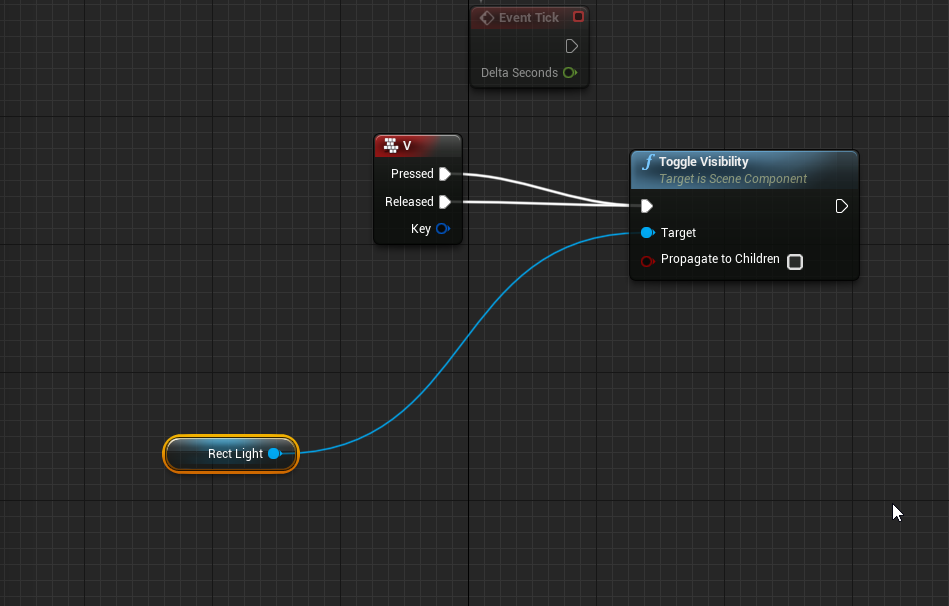
Does the 'rect light' have children which cast light, otherwise not sure, but if you only press the key then instantly move finger off won't it just turn off on instantly?
sudden agate
in what blueprint are you? @plush yew
plush yew
of the cube
@plush yew children?
Actor needs to have receive input
The actor with the bp attached
what is receive input? O_O
You need to tell the actor you have your blueprint in that it listens to input from player 0 (I'm assuming single player)
Look it up (auto receive input) use Google
cast to firs tperson controller?
No don't need that
It's in details panel
Look it up I g2g in a min can't explain from scratch
ok now it works..
though how di o do it manually @plush yew
 manic fern
Hey all, newly developing in VR HMD. Is there a way to still build/preview/simulate without having to Build and run on the headset each time?
wary wave
depends on the device
 tribal pebble
does anyone know why IMPORTED FBX ANIMATIONS have wrong interpolation in UE4?
like in unity it works
in ue4 it adds random interpolation frames where it shouldn't making the animations look floaty and not Snappy
as far as i have looked around its not based on if i use Maya or Blender ,but its just what ue4 does to animations dunno why
wary wave
I can't say I've ever seen a problem?
 digital anchor
it does linear interpolation between frames, thats what u mean?
can be disabled on the animation
tribal pebble
i mean for example
i make a 24 fps animation i import it in ue4 and it looks like trash unless i limit frames to 24 and then it looks a bit better
i dunno how to change character interpolations
since i'm using ue4 only for render i know how to use only the Cinematic Tool
 rose glen
Quick Question,
i have created an actor in CPP , now i want to make multiple
actors based on it
do i create a BP of the cpp ? or create child cpp ?
because iwas thinking creating a blueprint based on it will defeat the goal of using cpp for performance
 azure shore
.
rose glen
@azure shore whats ur material ?
azure shore
wdym
tribal pebble
@azure shore you need to add the color to the emissive
or mix it together
becuse adding an emissive value alone it makes it just white
azure shore
oh I thought it involved mixing the two
tribal pebble
try that
azure shore
a simple multiply?
azure shore
oooh ok thanks I should have known that
azure shore
thanks got it working but, how can I make like a sorta aura flare type thing where you cant actually see the mesh its on?
but I also want this aura to surround a pickup object which is solid
well not surround as such, still a normal sphere shape but you can see it through another mesh
rose glen
seach youtube for an "outline" tutorial and find the material you want to use
mix them together
for example this

Use custom render depth to draw outlines. Pawel's excellent article: http://www.michalorzelek.com/blog/tutorial-creating-outline-effect-around-objects/ Sampl...
azure shore
thanks
Ill have a go
oh, I'd really rather not do it with bps...
yeah this doesnt really look like what I wanted...
wary wave
an outline will need a post process and probably the stencil

Post Process using Custom Stencil and Custom Depth in Unreal Engine 4.9 and above to display a multi-color outline post process effect.
the technique is pretty much a given in UE4
azure shore
I already have this post processing thing for black outlines around everything
but can I not just have this sorta flare effect in the same place as another mesh?
maybe its particle actually?
wary wave
if you want to render it through things, you will need to do some kind of depth / stencil buffer effect
Tom's articles go through this technique in quite a lot of depth
azure shore
but I know how particle effects can go through things, Im thinking it might be that
so, this kinda thing but prettier
for this I just edited the default explosion
amber marlin
guys how can align meshes together?
perfectly that is
for example
a road without bumps but with elevation
I wanna join meshes perfectly
 carmine scroll
are you using terrain tools?
carmine scroll
I assumed he meant snap to the shape of terrain
or shape terrain to the road
idk
amber marlin
I cant do that with the default meshes?
like a plane?
or a cube?
its a road
terrain yes
with a smooth surface
plush yew
Hello guys !
carmine scroll
Hi
carmine scroll
whats the issue?
plush yew
so
i made Animation bland space for
walking / running
and i got my animation-BP setted up
but
the player stuck on the running animation
even if the movement speed is in walking animations value
max speed is 270
running
and my player moving on speed of 180 but performing run animation
 solemn loom
Hello everyone, I'm a bit confused about how physics works. I started a simple side scroller with starter content, created 2 blocks, checked to apply physics on them, constrained them to YZPlane and placed them one above other. Start the game - they fall, physics works as expected, they fall, a bit of bounce and then balance out. But then I jump on them with my character and here the wtf starts. Instead of just support weight of my character they start to clip through each other until either one of them bounce off screen or until both are laying on the ground completely merged. If I step off - one of them is pushed back out.
I tried to enable CCD on both of the blocks and on character. I tried to remove bounciness from the blocks, created massive material for them and so on, they still clip through each other when my character stands on them
carmine scroll
@plush yew post images of your BPs
is there also an idle state?
since if not, he'll always run anyways
azure shore
is there a way to set something to not recieve post process effects?
plush yew
@carmine scroll i will send it in DM
 thorn topaz
So I have my mouse hidden and I'm trying to set focus on a widget so I can interact with it with my gamepad but I can't seem to find a way that keeps the mouse hidden
thorn topaz
I am
carmine scroll
and set mouse hidden to true?
thorn topaz
If I remove the widget focus code, it works find
fine*
once you do keyboard focus, the mouse is always displayed
azure shore
is there a way to set something to not recieve post process effects?
thorn topaz
sudden agate
A model with Scale 0 still has render cost, right? Atleast the Vertexshaders do stuff, right?
azure shore
thanks
carmine scroll
as far as I know yes, @sudden agate
azure shore
guess its not exactly - simple
thorn topaz
so the widget can handle input
azure shore
yeah I wont be able to use that for what I want to do
so I have this post process that puts black outlines around all objects, but for these little emissive spheres I dont want it to apply to them
thorn topaz
So why won't a custom depth channel work for that?
azure shore
well these spheres are in a particle emitter
plush yew
yesterday i realized on what way is appropriate to use interfaces and i forgot by now
plush yew
nope
its idle
maybe he changed the keys mate
maybe he did that so this thing is walking forwards and the s key is -1 and use a different blendspace
one sec
carmine scroll
his also using a calculate direction node, which I wouldnt use for direction
plush yew
carmine scroll
but idk if that makes a difference
plush yew
@carmine scroll is there better way to get direction ?
carmine scroll
letme load unreal
yeah okay
I think its the calculate direction node
I just used it in mine and it makes walking backwards, moving sideways or something like that
it doesnt play the right animation anyways
plush yew
ok
carmine scroll
Make a direction var and set its value from whatever your left/right input axis is.
Then, you can get it, and plug it into direction, in the animation BP.
Thats a quick way, and should work.
Works fine for me, so, we'll find out lol
plush yew
Same 😦
carmine scroll
hmm
 dim merlin
Hi so, if playing in PIE fullscreen, would fps be the same as in game or packaged game?
carmine scroll
No
 restive seal
So, I'm having a strange bug, that doesn't show up in PIE
Could someone help me. I wrote up some info on the problem...
https://answers.unrealengine.com/questions/903280/meshes-disappearing-when-running-outside-pie.html
carmine scroll
Its not always that it lowers FPS. Sometimes the fps in PIE can be higher @dim merlin
 mossy mauve
How would i go about asking for help with Anti Aliasing? I didnt find a support channel nor do i want to spam here or anywhere else by accident. Sorry if its an obvious question.
 autumn socket
i unticked can walk off ledge
i doubt this is supposed to happen
anyone have an idea what i am missing?
 graceful coyote
@amber marlin you mean like this? did u fix it?
graceful coyote
hahahaha I know your pain
I will write the steps wait a moment
press (shift+3) then press (Manage) then press (Selection Tool) then press (Edit Splines).
After that, in your map <hold> (Ctrl) and press (mouse left click) anywhere many times as much as you want to make turns for roads.
press (All Splines) to make the road suitable to the streets. then on the (Details) press (Segments) and then scroll down to find (Landscape Spline Meshes) and press the (+) then on the next line press the (>) before the (0) so you can choose your mesh as cube or plane...
graceful coyote
well good luck 😃
graceful coyote
I missed one step as I remember, scroll down at the end and change one of the axis to Y-axis to make the streets right direction not in width
Forward Axis
graceful coyote
lol, you have it for sure, but it is hidden maybe due to the size of the menu(Modes), resize it to be larger. and take my note (Always use Youtube for these and when it is blocked in yourface then ask for it). this way makes you pro at the end.
ok so, Guys who can help me specifically to add (Admob) ads in my android project? I will help who helps me in this so much in the future 😉
plush yew
how can I switch the camera to the default character camera component?
I can not get the reference
graceful coyote
can you add details? if u have pics better too.
you want to use the camera for menu or something like this?
plush yew
I changed the camera using the set view target with blend instruction, targeting a camera inserted in the game map. but I can't restore the camera that was there before, always using the set view target function, because I can't select it
sorry I'm a beginner 😋
graceful coyote
I don't know if I got it well but check this.
https://www.youtube.com/watch?v=AOTRu6CxzpE

 restive seal
I'm having a strange bug, that doesn't show up in PIE
Could someone help me. I wrote up some info on the problem...
https://answers.unrealengine.com/questions/903280/meshes-disappearing-when-running-outside-pie.html
 feral canyon
anyone having issues with installing unrealVS for VS2019?? I have it installed but the UnrealVS doesnt detect it
next badger
@restive seal you're not using any dev code right?
 regal mulch
@feral canyon Had the same thing, was told it doesn't support it yet /shrug
feral canyon
Ohwell 😦
regal mulch
@restive seal That's a tough one. It could totally be due to a programming bug.
PIE doesn't mean that Package works.
next badger
the one from github works
regal mulch
Oh does it?
next badger
well, i haven't used it, but i've installed it on my 2019
@regal mulch it's under deprecated api
 mystic zinc
i wanted to code a simple function that returned a string element of a vector the code is fine in visual studio it doesnt give me the error underlining anywhere it looks like it should compile but when i do compile it it gives me the error
cannot find class", to resolve delegate 'string'
ive been at it for days it should be so simple
 shrewd shuttle
can some one send me a good tutorial for leakage stain decals?
next badger
@shrewd shuttle on how to place them ?
next badger
i'm only aware of the official doc, i've seen some videos, but they may be outdated
https://docs.unrealengine.com/en-US/Resources/ContentExamples/Decals/index.html
An overview of the Decals example level
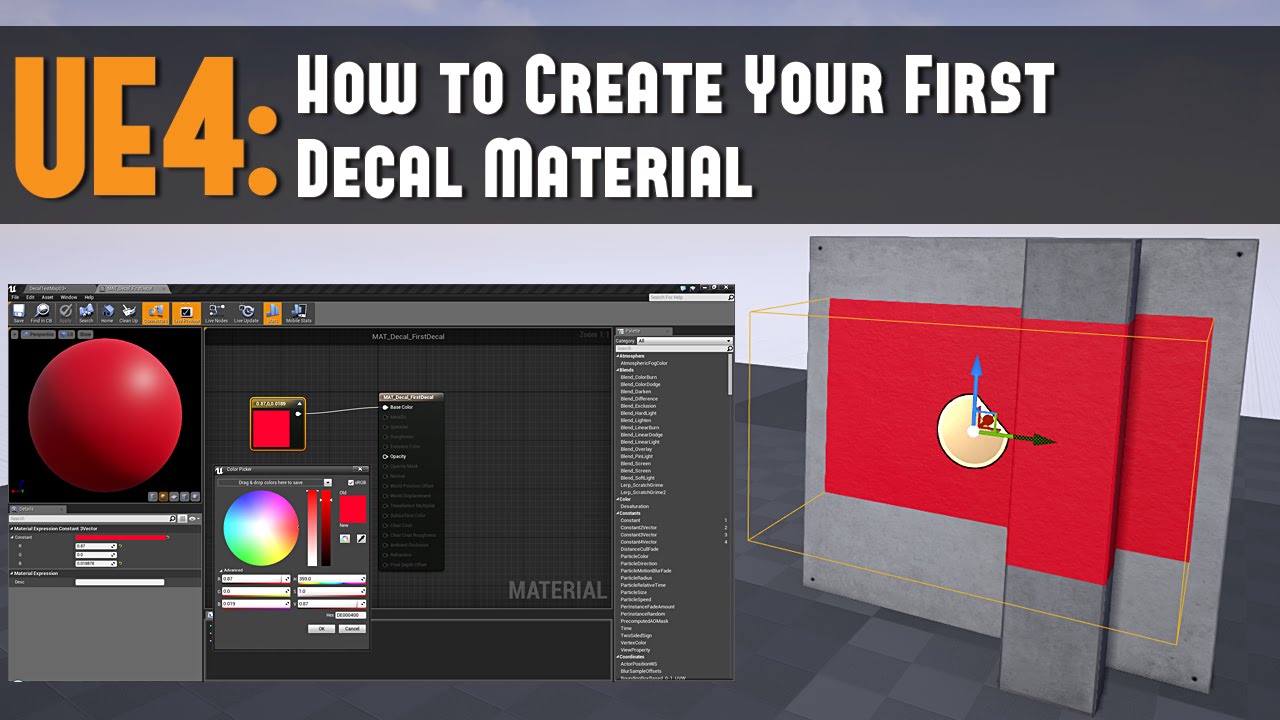
Full Blog Post with Notes and Images to Follow: http://www.worldofleveldesign.com/categories/ue4/ue4-decals01-your-first-decal.php Decals are materials that ...
 opaque salmon
probably more of a blender user error issue but I'm having a hell of a time getting ue to import a skeletal animation I made in blender and I've tried exporting using the settings listed here: https://wiki.unrealengine.com/Character_from_Blender_to_UE4 , made sure to save my dope sheet etc, I'm probably doing something dumb, anyone got any tips?
 ember notch
What i need to enter in the field ´Title´
shrewd shuttle
@next badger thnx
ember notch
What i can enter in the field? my publisher name? iBySnow?
light vigil
can I live tune variables defined in blueprint/anywhere at runtime in my game somehow? So I don't need to make one change, reboot, evertyhing, repeat?
In Unity I can just live tune stuff for example
 midnight bolt
is it possible to 'resize/extend' it to the left?
latent fable

I made my first main menu! It looks bad Right now, but i'll improve the aesthetics soon. If you have suggestions or feedback for it please tell me 😃
(also very unfinished)
next badger
@midnight bolt is that BSP brush or mesh? if bsp - use the edit mode
visual belfry
@ember notch your full legal name
 obsidian wasp
Is there any way to get the bounds of a mesh without spawning an instance of it? An Instanced Static Mesh Component with its Static Mesh value set to something doesn't seem to produce a Box Extent when plugged into a Get Component Bounds block.
next badger
@latent fable could you set a normal name? i see no reasons for it to be this way
obsidian wasp
@grim ore's video made it seem so simple to get the component bounds, but that method doesn't seem to work for meshes that aren't spawned into the game world.
Figured it out. Floor Mesh -> Get Local Bounds gives me what I need.
next badger
@latent fable you're nor Crush3r twink, right?
latent fable
@next badger Okay, i'll change it back, and what do you mean by "Crush3r Twink"?
its just so people know im really bade
bad
lol
😄
next badger
@latent fable Crush3r is "special kid"...i'm not sure if he's kid tho
latent fable
I have no idea what you are talking about lol
stray smelt
are there some weird requirements to using Recapture Sky for skylight? The issue was/is that lighting looks different (better) in-editor compared to in-game. I've tried to execute Recapture Sky at BeginPlay but it doesn't have any effect. The issue is probably related to that I have two sets of Skylights that show depending on whether it's night or day. I've tried both hiding and destroying the other skylight that should not be in use
or could it be caused by something else entirely perhaps. Left is editor right is in-game:
next badger
@stray smelt are you using eye adaptation in both cases?
stray smelt
@next badger you mean auto-exposure? there is only one post process volume here
next badger
yes, does it work in both cases?
stray smelt
I believe so. I can't see it behaving differently, although I don't really use it (i.e. both low percent and high percent are 100):
oh seems it might be due to min/max brightness
at least now it looks identical 😃
how come it's different in-editor and in-game with that setting?
i need to read up on what it actually does...
yeah ok the documentation answers that. Thanks @next badger !
 hidden aurora
Getting there,,
 fierce cipher
Hey, anybody else get crashes when their laptop is running on battery?
Mine can't seem to do anything while my lappy is on battery, just constant crashes, plug it in, works fine...
 flat idol
@fierce cipher Check on the power management settings of your OS, and set high performance for devices like gpu, cpu, that may help. Tho it could be something entirely different, a hardware issue for example. Use your lappy from cable anyways, UE will drain power rather quickly i expect, especially when you turn it to blowing on full power
fierce cipher
yeah I have it always on full performance hah
I mean, it would be nice to be able to be on the go and rock a few hours of jamming anytime. but yeah i guess game engines aren't built for runnign on battery
next badger
@hidden aurora why is the glock so small compared to hand?
 bitter iris
Hi all, so i want to have my own in game menu, so users can edit their own settings whilst in game instead of main menu, here is my code for it. sometimes the people testing wouldnt be able to use the menu properly
could i get some help
grim ore
what is "wouldnt be able to use the menu properly"
The only real issue I can see is you are putting in Null for the In Widget to Focus on the Set Input Mode Game and UI. The white wires are executed in order so you are trying to set a widget to focus before you actually create it.
bitter iris
sorry, tired, erm i meant they couldnt use the cursor properly to interact with the menu, and also the menu would overlap the options for instance
Okay so in which way should that have been
grim ore
you need to create the widget first. and no real need to focus. But what do you mean the menu would overlap the options? any screenshot or more info
bitter iris
ill make a gif now
 obtuse nest
apologies for the super simple question but how do I make it so that my viewport live updates lighting as I add additional lights?
bitter iris

So once i open the menu, go to options, if the user press K again (to open in game menu) it overlaps and then i loose control of the ui
grim ore
the lights need to be movable to be realtime
ok a couple things but the first should be making sure your order is correct for your menus
in your main panel, the root of the object in your UMG widget, you can set the draw order
or depth
bitter iris
the input priority ?
grim ore
you want to set the ones on top to be higher
 grim ore
sorry. the Zorder is what you are looking for
bitter iris
So it looks like it works slightly here
grim ore
but i think the bigger issue here is you are letting them open the other menu again when this one should be the only one up?
bitter iris
yeah
i need a way to stop the interaction of the in game menu once the options etc is open

as then this happens
grim ore
so for the first one
when you add to viewport you can set the ZOrder in the little drop down menu, the advanced options
so if you set the z order of the main menu to 0 (default) and the z order of the options menu to something higher, like 1, then whenever its added the options menu will always be above
bitter iris
is 0 what is placed ontop or bottom
grim ore
for the second issue, if you go down to your main panel in the options menu, the one at the bottom probably a canvas panel, and set its visibility to Visible instead of Self Hit Test Invisible it will now capture input and prevent anything from going behind it
read the tooltip.
higher numbers are on top, or more towards the screen, than lower numbers. 0 is just default
you could for example make backgrounds -1000, main menus 0, and then popups 1000
visual belfry
and lots of room for activities inbetween \o/
bitter iris
ahhh right okay
grim ore
yep if you ever start getting complicated UI's you start using larger numbers as "base" layers for UI
bitter iris
So when im in game, my in game menu should be 1, then my options in game should be 2 essentially ?
visual belfry
z order should be a float 🤣 so you can keep subdividing it without actually fixing anything
grim ore
sure, or 0 for the little 3 button menu and 100000 for the options menu
bitter iris
Okay so it works but this problem again
grim ore
well which one works and which problem is left
bitter iris
Well when I click K to open in game menu, I click options, it works fine, but soons I click K it pops over the options menu still, so then if i click resume on the in game menu, i loose UI mode on the options menu
 grim ore
well then if you are hitting K and it pop up above you didnt set the z order correctly
also are you creating a new widget every time you hit K, that might be another problem.
bitter iris
Yeah, K is the inputaction then > Create in game menu widget > add to viewport > show mouse cursor > set input mode game an ui
grim ore
if the z order is correct, and you block clicks on the bottom layer of the options menu, the problem is not fixed correctly but it should stop being an issue
bitter iris
oh wait i have a canvas panel and a border, ill try adding a zorder to the border
grim ore
the ZOrder is on the Add To Viewport node
thats sets the z order of the entire widget
the z orders on the parts of the widget set the order of the parts inside that widget
my test example, for example, does this https://i.imgur.com/2YVyPti.png
bitter iris
oh
grim ore
this just fixes the layering issue, it does not fix clicking behind the options menu
it also doesnt fix you creating a new widget every time you hit K
or allowing the player to hit K again when the options menu is loaded
bitter iris
just added 1 to the add to viewport and that fixed it thank you
oh boy
i think my resume is broken now 😂
 deep basin
what exactly is project in the hud class is doing? I want to project a world location to screenspace. When I was logging the location I was expecting its position to be negative x, when it is left from my viewport and positive x, when it is to the right. this is however not the case. it is often positive on both sides, which confuses me a lot
manic pawn
that isn't how this works
0 0 is the top left of the viewport, with x going right and y down
a position off screen will return an error
 thorn vector
anyone here have experience develop with character movement component?
 fluid terrace
Hi I have questions regarding unreal.
- Are the libraries/Functions found when using blueprints (listing when pressing left click) the same as the ones if you used c++ to program your game?
are the names, parameters, properties, and methods the same?
assuming blueprints use classes
the aim is know whether learning blueprints initally will make doing c++ stuff has one requirement which is only know how to write c++ code
digital anchor
blueprint nodes are C++ functions with some UFUNCTION specifiers, right click the node > go to definition to see how they were created
fluid terrace
it shows reading c++ symbols but nothing happens after
i've probably did it before but this happened and i realized it won't take me to VS
restive seal
@next badger No, no dev code for those actors
@regal mulch I checked out my last release from a couple months ago, and found similar problems with running Standalone Process, but not in Launch/Packaged Game
thorn vector
anyone wanna test my mmo next weekend?
rn im currently finishing weather system with rain season etc
next weekend primarily stress tessing
 gilded igloo
sure why not
thorn vector
i havent make a discord yet im gonna make it tonight after i got back from work
will update soon
thorn vector
yeah 2990wx rtx 2080ti(game dev) and 8700k 1060(gaming)
plush yew
Hello,thanks for add!
 woeful sparrow
 weary basalt
Ask your questions here man,
People arent going to randomly DM you
Also i was talking to @woeful sparrow
fluid terrace
hi anyone's familiar with this syntax
AMyActor::AMyActor() : TotalDamage(200), DamageTimeInSeconds(1.f) { }
deep basin
I know that the viewport has its origin at the top left, but there must be any way to find out, when an object is not in the viewport, if it is left, right, up or down, isnt there?
weary basalt
@fluid terrace Its a Member Initializer list.
 static narwhal
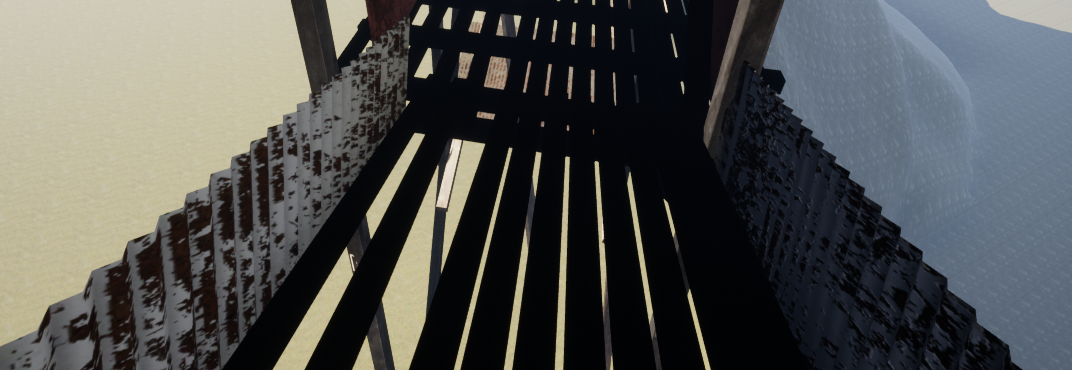
Does anyone know the perfect UV light map settings for Spiral Staircase? I’m having a hernia working through this 😢
bitter iris
Hey guys, so I'm running tests for my game, and ive had someone with a Ryzen 3, 8GB and a RX 470 get 80-100 fps on max settings. However another tester who has a i7 8700k, 1070, 32gb, is only getting 75fps just seems really weird
plush yew
Im i stupid,why cant i find how to blend only the hands
it must be something really stupid
regal mulch
Layered Blend by Bone?
plush yew
yeah i found what i was doing
i was mixing the wrong bones like an idiot
@plush yew its not super easy unless you switch to forward rendering where you can set exactly when to render objects. one trick in deferred (which is unreals default) is to set the material of the character as translucent and disable depth test on it. this will lose some quality on it though. google "custom depth pass" for other solutions. also dont forget you can have the object behind but extend its collision.
ember notch
How I make black panel like this?
plush yew
black panel?
ember notch
I mean this black backgroumd
plush yew
isnt it just a black widget image with some transparency?
wary wave
I would assume that is the case
 earnest crater
@ember notch do you want to turn the image into a widget?
Or make something like it
 latent moth
all, my player possesses a drone but I'd like for the sounds that are heard to remain the ones of the character, not the drone. Is that doable?
 brittle gulch
I've posted a topic on the forum, people responded, but when I click on the link, it brings be to that page :
How can I see my post back?
plush yew
brittle gulch
earnest crater
Maybe it no longer exists
brittle gulch
it's weird, I posted it a few days ago
earnest crater
Was it a general question
brittle gulch
I don't think so, or maybe it was, I asked what can be better usage for a dense forest, A cluster of several trees or individual trees,and asked for advice from people who already worked on a forest, how they handle it
earnest crater
Well it depends on what you want clusters are faster but individual is more unique
next badger
@brittle gulch check your profile for started topics
brittle gulch
I want a very dense forest, where the player's view is rapidly obstructed. To do that, I would have to place a lot of foliage, so I was wondering if placing individual foliage would really be the way to go. Maybe if I create some clusters, import them as static meshes and use that as foliage directly, it would be better for LOD and oclusion calculations
earnest crater
You could use the foliage with trees and change the density to your liking
brittle gulch
@next badger It worked, Although I can't see people's response
earnest crater
The page itself doesn't exist btw
brittle gulch
Yes, But I don't know if there wont be too much stress on the CPU to compute the oclusion and LOD of all that single piece of foliage
Yeah the page doesn;t exist it seems like, I can only see it from my profile, but without the responses
earnest crater
Either way It'll take a long time to build I mean it's really preference
brittle gulch
Oh okay, so I wont really gain much performance with this technique?
next badger
@brittle gulch HISM could do that...except the lighting can't be baked to it
 willow siren
Does anybody know why the camera is looking sideways? (it is set to use the character's control rotation, so rotating it in the viewport doesn't change anything); also moving the camera around works as it should, so it's not because the socket it's attached to is sideways; it's also sideways when connected to other sockets
brittle gulch
@next badger Okay not a prob, because I want to make a day/night cycle, so it should be dynamic
ember notch
@earnest crater I want to turn black case into the widget blueprint
earnest crater
Like the others said it's probably just a image with opacity
ember notch
No another option?
ember notch
I want a black case
wary wave
Please just Google it
earnest crater
So an image with opacity
plush yew
i literally talked to project borealis team and asked them about source files 3 months ago and they said nah
wary wave
This is so basic, most IMG tutorials will cover this info
plush yew
yeah exactly
wary wave
*UMG
plush yew
people dont search anything
earnest crater
That's all I do^
wary wave
It's a quarter of my job :')
next badger
@wary wave oh, hello, can you take a look on forum post issue: https://forums.unrealengine.com/node/1630569 ? was it removed or
latent fable
Does anyone know how I can hide my character mesh in the local client only?
next badger
@latent fable you meant among all players, do not show the mesh if the player is - host?
latent fable
yes
next badger
@latent fable that;s not great idea, cause you won't be able to run dedicated server w/o breaking it
still want to do that?
plush yew
uh its a standard thing in multiplayer fps games. it wont cause issues anywhere
next badger
@plush yew no, he wants that other players still could see own character mesh
next badger
@latent fable but when i've asked about the host you've said - "yes"... -_-
next badger
@latent fable it's ok
https://answers.unrealengine.com/questions/95043/firstp-shooter-hide-own-character.html
next badger
@latent fable nothing changed since...bOwnerNoSee and bOnlyOwnerSee
same variables in BP
ember notch
How I make a buy house system like in gta?
next badger
@ember notch with a lot of effort
afaik the house buy system is like whole web ui
with map etc
ember notch
If two players buy a garage, how I make that everyone get only one? So not that both run around in the same room
next badger
@ember notch assign garage id to one player only...i assume
latent moth
@earnest crater yes, you control the pawn, so your character stays on ground supposedly controlling the drone.
however the sounds come from the drone position, NOT the character position
for instance: the drone itself generates an engine noise
i'd like the noise heard from the player to be the one of the character, so if the drone goes away, the sound disappears too
ember notch
@next badger And I need a MySQL server right?
next badger
@ember notch well, if you will be making some kind of database - yes, but you could use, sqlite, or savegame object or...whatever you could implement
wary wave
@next badger -sorry, I'm not at a computer right now and won't be for a few hours
 ocean wind
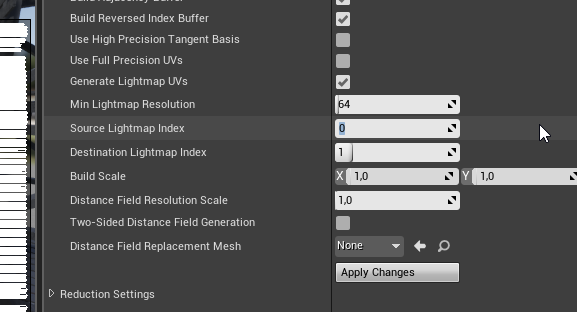
quick question, I'd like to have a different lightmap for a model I made
Getting something like this right now, I found that this is where I have to change the channel, Not sure how this works with the auto generation of lightmap UV's
 sterile heart
really want to know if any fighting game tutorial / online course around
next badger
@ocean wind source channel is one that already exist in the model UV, it is used to generate lighmap uvs from
target is, well the uv channel the generated uv's will be written to
you could preview the generated uv's in the viewer
@ocean wind it is always better to have uv'ed meshes for the LM generation

On this week's livestream, Epic Games Technical Writer Tim Hobson goes over some tips and techniques for creating custom lightmap UVs inside Unreal Engine 4,...
ocean wind
Ohh I see
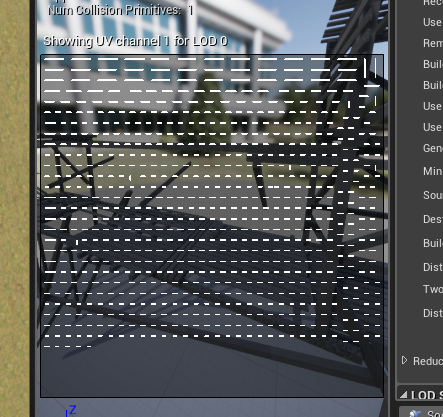
this is the one it generated but it looks like it's not using it at all
called Uvchannel1
grim ore
it might be using it, it just might not be usable based on the density of your mesh
ocean wind
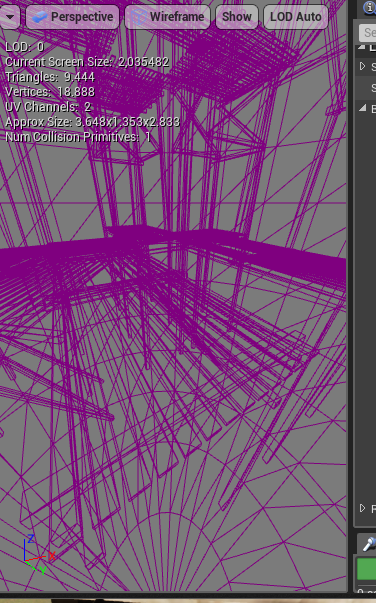
It's basically a bunch of planks that I unwrapped and alot of them are ontop of eachother
https://i.imgur.com/DylQrcA.png this is the unwrap I made
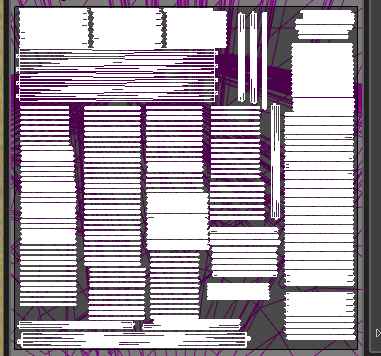
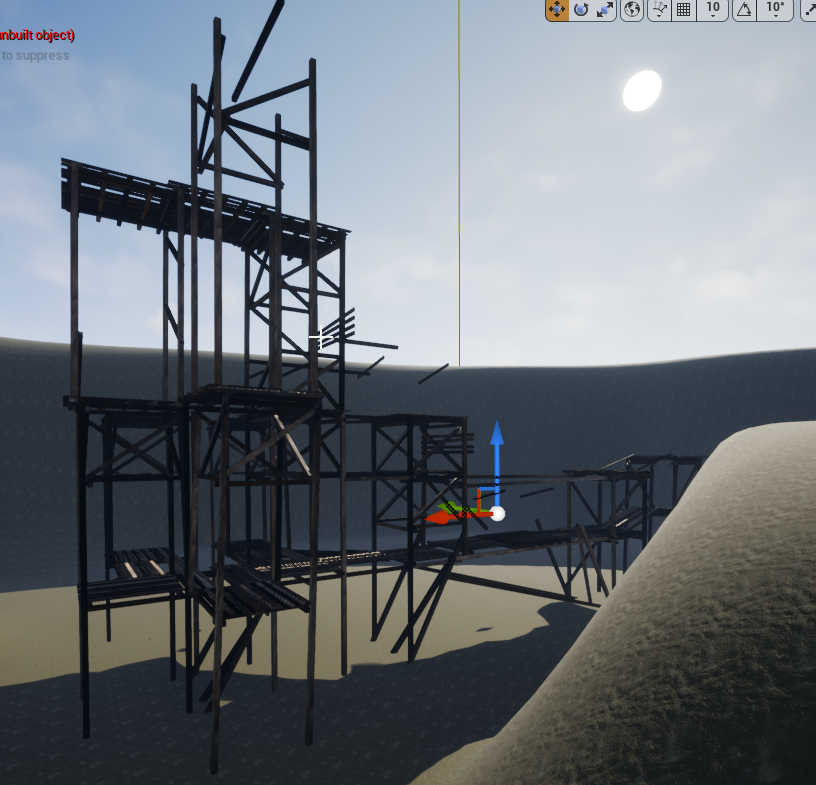 grim ore
https://i.imgur.com/kMyJfp8.png the Light Map Cooordinate Index is the one it is using when baking lights
and if you aren't getting the results you want you will have to unwrap it to get what you want or go about designing it another way. That item may be too complex and too high density to get any accurate results when unwrapping
ocean wind
Oooh I see, and what kind of lighting would you use on that in the end? static?
I'm after the best performance possible so I believe I want static, and with baked lightmaps?
grim ore
static is lightmapping and it depends on your scene and goals.
ocean wind
Light doesn't have to move, it'll just be a scene during one point in the day
grim ore
if you want static you need to possibly break that mesh into different parts with better quality light maps
next badger
@ocean wind it looks like you have a lot of separate polygons in the mesh, so when lm uvs are generated they setting a large padding between the pieces, this value depends on lightmap resolution, if you increase it, it should give you better results
@ocean wind
Setting Light Map Resolution or Overridden Light Map Res lower than the Min Lightmap Resolution used for a generated Lightmap UV will cause seams and potential light leaks once lighting is built. The Min Lightmap Resolution should be the lowest resolution you ever intend to set for this Static Mesh to ensure that enough padding is maintained between UV Charts.
in your case your meshes may have subpixel size uvs
 upbeat tendon
i've just created an interface when compiling i get error : GENERATED_IINTERFACE_BODY must occur inside the native interface definition
ah i think i found my problem
latent fable
Does anyone know how i can get a mesh and change it so it is only arms? (for fps)
grim ore
open the mesh up in a DCC program like blender or maya and remove the parts you don't want
ocean wind
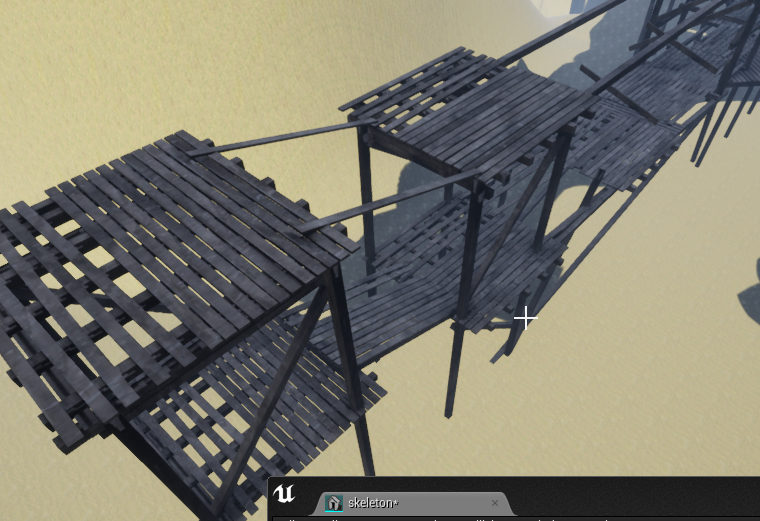
It just turns entirely dark now lol.. I really don't understand what i'm doing wrong
I also increased lightmap size from 64 to 16
now it works all of a sudden? 🤔
nevermind lol..


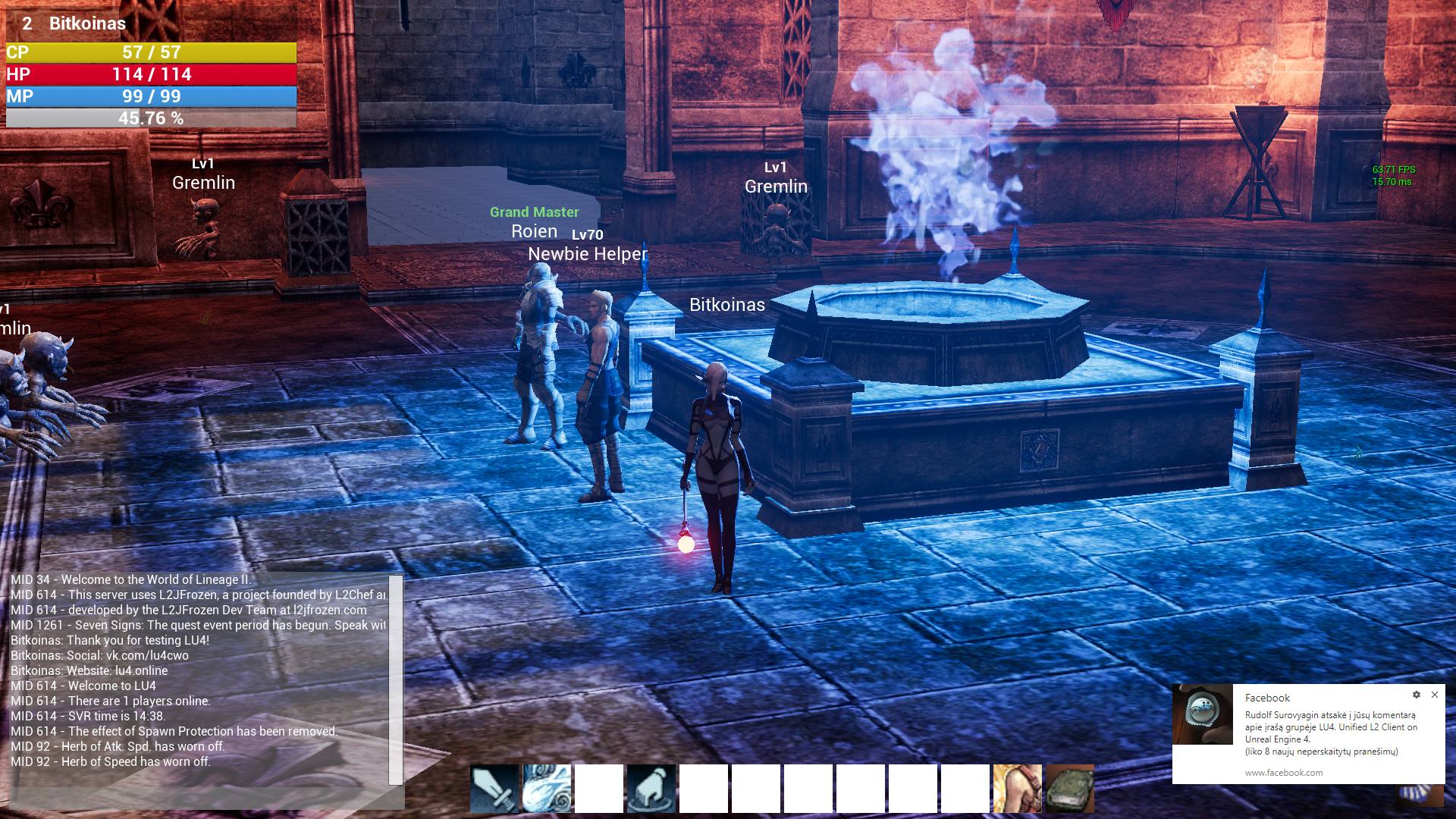
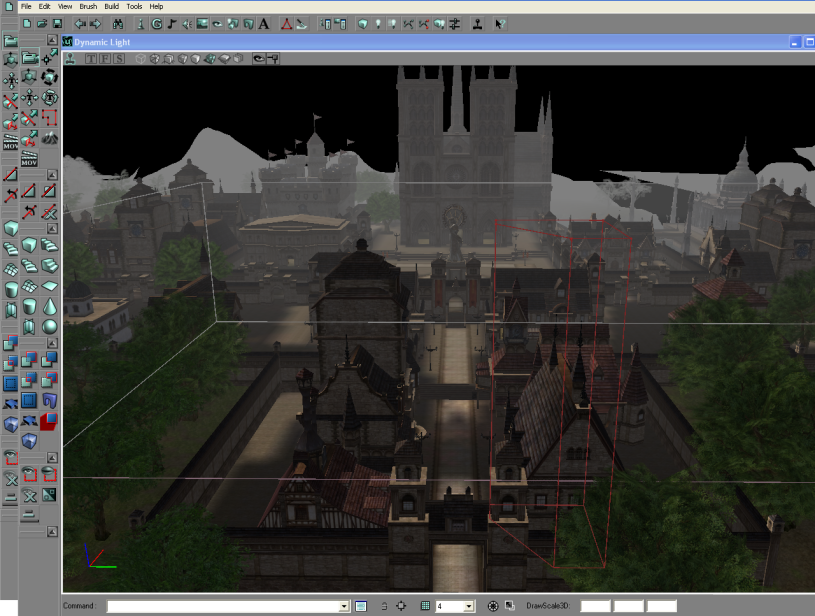

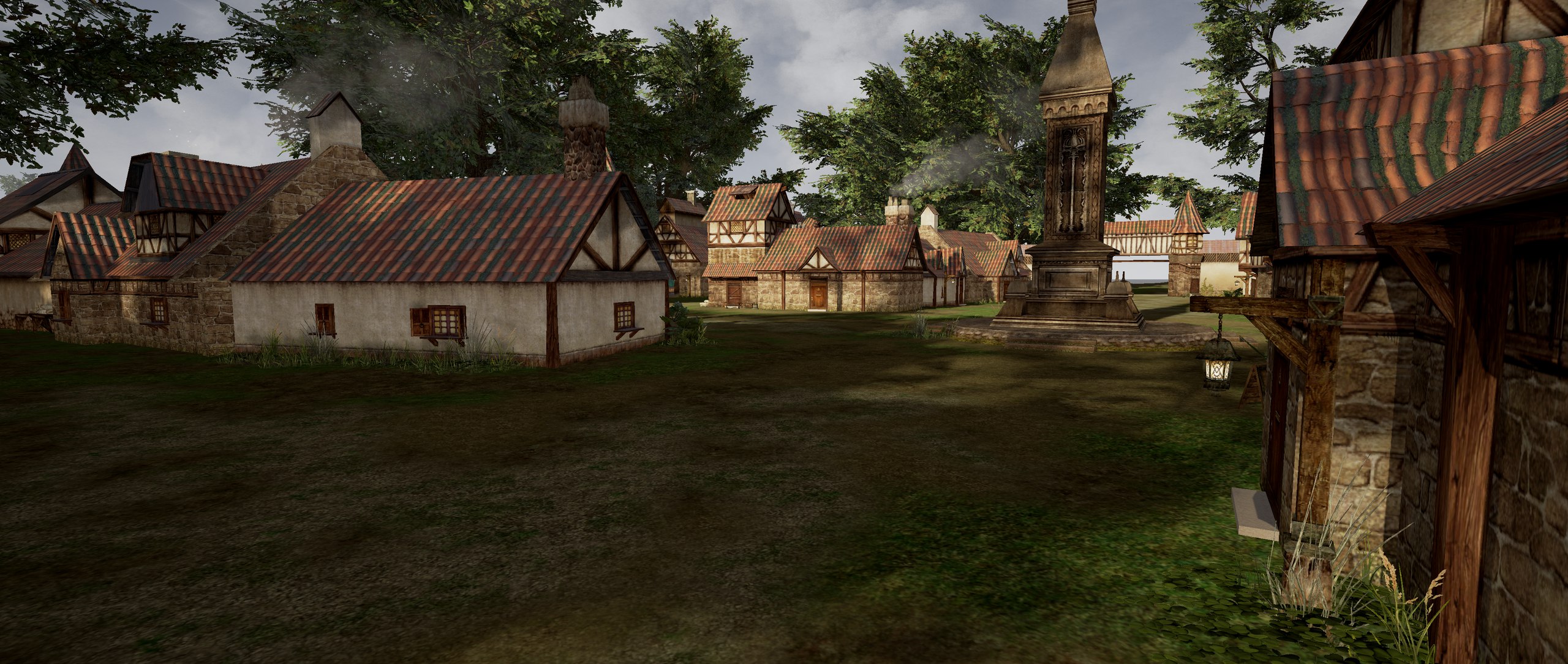
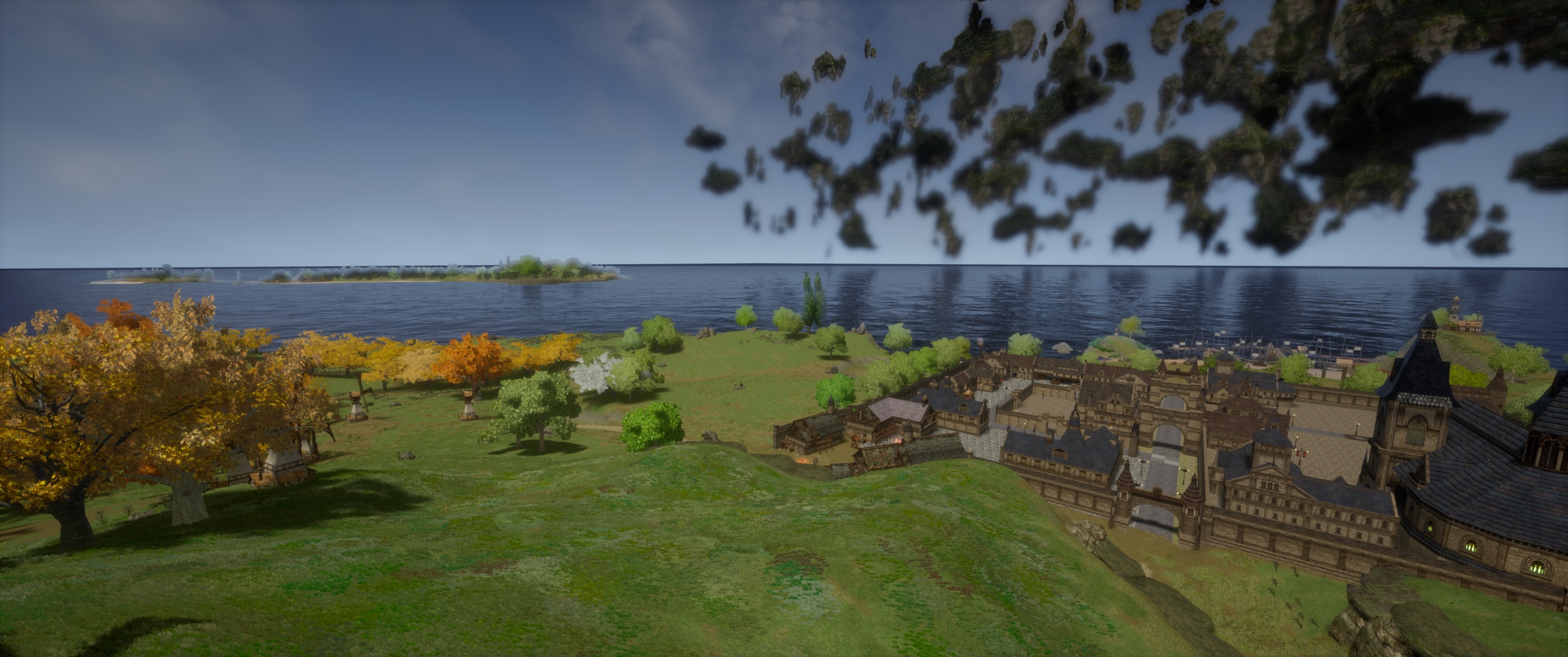


even worse this time
It's not detecting my skylight or any of my lights at all
grim ore
did you lower your lightmap resolution from 64 to 16?
ocean wind
Yeah, but even on 64 it gives me the same
grim ore
you just simply might not have enough room in your UV map for this item for a decent light map due to the size. you can try cranking the resolution up to 1024 and see if it helps but if that doesnt then you need a better uv map