#ue4-general
1 messages · Page 457 of 1
 sly lily
sly lily
sly lily
Like I said, worse case you could build it.
I think it's their github
You'll need visual as well in either case
Do have that installed already?
 fading tendon
Sorry, I thought you were talking to that other guy, I kinda ignored it. I'm probably not well versed enough to do that. I'm literally starting at square 1 with Virtus tutorials.
Yeah i got visual
sly lily
I did virtus as well
fading tendon
i just finished the 11 C++ fundamental videos
sly lily
I never touched the c++
fading tendon
I thought it was pretty necessary for UE?
sly lily
My game is alright with out, I'm still learning unreal.
fading tendon
Oh ok. I'd rather not have to learn code lol
sly lily
It helps deffinetly.
fading tendon
Yeah, Id like to have the capabilities
sly lily
I'm going to learn it at somepoint, but I'm going to learn unreal engine first
fading tendon
Yeah, im pretty annoyed by this installation debacle.
sly lily
But anyways, back to topic.
fading tendon
I'll try to find the link to the help page i was using
This was one of them
Maybe you can verify if I turned my firewall off sufficiently?
There's another.
sly lily
Hmmm, your dedicated video card barely passes. So imo you should be fine there.
How old is is the laptop?
Is it a fresh install?
Or have you had it for a while?
fading tendon
I bought the laptop refurbished from Newegg like a monthago
I just installed the Epic Launcher today
Everything is from today
 scarlet birch
@fading tendon Just leave it. It's compiling shaders and first run stuff. If you have a marginal system it could take a very long time. Just wait.
fading tendon
Alright, Thats what I was thinking. This thing was like $450 haha
Thanks fellas
I'll let it go over night
sly lily
Sleep on it ;)
scarlet birch
It's almost always at 45% you see that long pause.
 plush yew
can you explain monster ai architecture on mmorpg server?
 raw elk
Does anyone know why my landscape is invisible in raytraced reflections & translucency?
 dark depot
@raw elk its not supported
https://docs.unrealengine.com/en-us/Engine/Rendering/RayTracing scroll to the bottom to see what is supported or not
raw elk
oh, dang. That's a bummer :\
 surreal tundra
Anyone knows of any asset on marketplace that has a woodchip floor like this one, or something similar?
 paper kernel
Scaled up sand probably looks similar enough 🤔
 honest vale
why do people do weird feature requests on forums?
some dude asked for an auto rigging tool that rigs stuff to Epic skeleton
surreal tundra
Oki thx!
paper kernel
but...ART tool exists
 glad stone
hello
does UE4 standards to Y- or Y+
from what everyone says online, Y+ is for Direct X and Y- is OpenGL and UE4 uses Direct X yet it seems UE4 default is Y-
paper kernel
¯_(ツ)_/¯
 regal mulch
You mean axis coordinate wise?
paper kernel
glTF export seems to work on Y+
regal mulch
I should really read into that stuff one day hehe
paper kernel
it's all relative anyway
regal mulch
Ah, normal map stuff, then it's most likely Y-
glad stone
lol
paper kernel
iirc there is a blender version too
also, is there a particular reason why macros are not inherited?
honest vale
macros are just text substitutions done by UHT
what sort of inheritance do you mean?
paper kernel
ability to use the macro from parent
honest vale
the compiler doesn't work that way
 cloud cobalt
Macros are completely orthogonal to the entire language
They're just glorified search and replace, and they're as old as pre-standard C
honest vale
to add to that: macros are expanded before compilation
so they don't effectively exist at compile time
 iron merlin
Why did this happen when i tried to debug in vs?
iron merlin
I did it
cloud cobalt
So your project name is in bold, not the UE4 project in the solution ?
iron merlin
Oh okay thanks!
surreal tundra
i need to setup a material with these maps, anyone have any leads? have tried a bunch of different tutorials but don't get it to work
cloud cobalt
You need color, roughness, AO andnormal
Plug them into the material inputs called albedo, roughness, AO and normal
surreal tundra
that gives me this
wheras the material can look like this
whereas the material can look like this
 serene birch
well you'll want the depth + tesselation on top of that I guess
but a big part of the look you get is due to the environment too
cloud cobalt
It's never going to look literally like that with a flat plane or terrain
Substance artists love their displacement
But displacement doesn't really work for games
honest vale
use meshes
 grave nebula
From that point it is pretty self explanatory. Just plug in the maps. You don't need tutorials hand holding you for this.
cloud cobalt
You add separate meshes with the vegetation system
honest vale
make actual 3D bricks and debris
surreal tundra
whats the point of making a 8k pbr material with debris if i have to add it myself anyway?
cloud cobalt
None
honest vale
yeah 😄
surreal tundra
lol but the pic above looks dope
cloud cobalt
You won't
honest vale
good luck trying to do that in real time in UE 4
serene birch
a 8k map with corresponding tesselation won't be cheap 😄
cloud cobalt
UE4 simply can't do tessellation like that
surreal tundra
no i know haha but its for video so its okay
cloud cobalt
And tessellation has many, many drawbacks
serene birch
reminder that your game won't be composed of a single texture and plane (usually)
surreal tundra
but in their tutorials it looks amazing
cloud cobalt
Because they render it in Substance
plush yew

NOT Unreal Dedicated Server 언리얼 전용 데디케이트 서버 아닙니다 Boost C++ Server A-Z develop 부스트로 처음부터 끝까지 혼자 자체 서버 만들었습니다 character eyesight(시야), move(움직임 동기화) test
serene birch
find a new ground mesh with more triangles
cloud cobalt
Not game tech
serene birch
heck
plush yew
Self Server Development
Can you explain the monster ai server architecture?
serene birch
your texture is big enough you could use it as a landscape 😄
surreal tundra
haha okay yes but it still looks as bad
cloud cobalt
Find or create a new material that doesn't have debris, find or create debris as meshes, put the debris on the landscape
You're not getting that material to look right in UE4
Anytime you see displacement in a material, it's stupid
Well, it's not going to work in game tech, anyway
surreal tundra
its for video and it seems like such a quick way to get amazing debris floor
cloud cobalt
Sure, just not with UE4
cloud cobalt
It's not
surreal tundra
its sold on the marketplace lol
cloud cobalt
So how does it look like in the marketplace demo map ?
honest vale
sure you can do that if you have ridiculously high poly plane and tessellate and displace that
surreal tundra
same with megascans?
 glad gulch
Hey there. Is there a way, to breake down "Landscape Layer Info Objects" and import grayscale maps to define my materials on my landscape? Like.. Alphamapping?
surreal tundra
it looks like in the image above
 bright root
it will never look like that picture
honest vale
it will not run well
honest vale
you get better looks and performance with 3D debris done via landscape grass or foliage
surreal tundra
hmm okay
cloud cobalt
Enable tessellation on the material and tweak the scale in the project settings
But again, it's going to create all kinds of nasty issues
serene birch
it's fine to show off the ground alone mostly and will be impractical in a real "game", but if you aren't making a game that wants it's 60fps on normal consumer hardware it might be ok for you
serene birch
basically you do want a high detail mesh to have the displacement map not "wasted"
cloud cobalt
You cna also simply import the material in the demo map to your project
serene birch
yeah, just use the demo map assets directly 😮
surreal tundra
hmm yea maybe thats the best option
cloud cobalt
You will also need to tweak your project settings to push tessellation density
surreal tundra
okay, there is an option to change tesselation in project settings?
cloud cobalt
Yes, there is
 hidden aurora
Whats texture tesselstion
hidden aurora
I’ve heard of it but never knew what was tin
cloud cobalt
Tessellation is basically subdivision of geometry
hidden aurora
O think it adds detail to te textures to simulate depths
cloud cobalt
Tessellation just adds more triangles to geometry
Displacement is a feature of materials that moves vertices
cloud cobalt
Not that much, it's just difficult to control, doesn't exist on the CPU, doesn't exist during static ligthing
So it's useful for cloth, water planes, and that's basically it
Displacement maps require tessellations, too, but almost no one uses that in games
It's cheaper, simpler, looks better and more reliably to just add actual geometry
serene birch
I wonder if the VT will be smart enough to pick the right lod of the displacement map to fit with the amount of tesselation is done 😛
cloud cobalt
I hope no one's seriously trying to make tessellation a thing
If we're going with raytracing and in-engine triangulation from NURBS, let's do that
grave nebula
@serene birch VT will give you ability to sample specific mip in domain shader, but it is impractical to sample anything but LOD0 for detail displacement on terrain.
 rustic imp
if your build crashes with a fatal error, is there a way to see the callstack or something similar?
cloud cobalt
Yeah.
%LocalAppData%/YourGame/Saved/Crashes
You'll have a minidump that can be loaded in VS, and the .pdb for that release gives you the stack
rustic imp
ah ok, that's nice, I'll try that thanks
cloud cobalt
Try a Development package first though
Works just like a regular editor build with a nice log file
rustic imp
I made a DebugGame package
but when I open the log txt file it just shows something about dlls
on another machine than I'm developing on though
cloud cobalt
Did you run the prereq installer first ?
Should be somewhere in the engine folder of your game
You also need to install the Visual Studio redistributables for your current VS version.
rustic imp
The target pc already has visual studio on it, which is why I was surprised that the log file did not have that much info
cloud cobalt
Jus the prereq installer then.
If it's the same major VS release
2015 v 2017 v 2019
rustic imp
is there also a good way to send crashreports to a server let's say after the game is shipped?
cloud cobalt
Not really
Steam does it but only for X86 builds, which makes it useless
UE4 does it but i'm not sure what's the status of the crash reporter backend, like if it's public or not yet
serene birch
Steam crash report tool was basically abandoned by Valve YEARS ago, a shame
I've been looking into alternatives and didn't find much good really, the Steam client was a neat point to collect the crash dumps
cloud cobalt
We've inserted a stack collection tool ourselves
We ship with PDB and upload the stack on failed assertions
serene birch
no need to ship with PDB
well you need to upload a minidump then 😃
anyway, this is a lot of behind the scene work :/
 fringe sphinx
hass anyone got any helpful documents or videos for the procedural mesh component ?
paper kernel
it's pretty straight-forward, add vertices and fill triangles
fringe sphinx
i get that part but im trying to add some Perlin noise to it but not having anyluck
paper kernel
as a material or as a shape offset?
honestly, minor deformation is easier to do in material
unless your scale for the mesh is massive
fringe sphinx
tried both managed to get the material to work for detail basically im trying to build a procedural terrain but no luck
regal mulch

Guide to generating a procedural hexagonal island in Unreal Engine 4 using the Procedural Mesh Component and Perlin Noise.
Might have some knowledge for you
It's not very in-depth in terms of code though, as that's internal code of us
paper kernel
Just map the vertex location to UV space of the noise image, read the image value in that pixel, apply it to vertex on z axis with scalar
regal mulch
But should still be worth a read + the resources
fringe sphinx
awsome cheers
 sudden agate
How does a DataTable behave in regards of memory?
I want to store a large amount of data, which also contains UObject-assets (StaticMesh,SkeletalMesh etc).
Does the DataTable load things on demand or is everything loaded on startup?
regal mulch
If you just reference the actual asset it will most likely load it
I never had to load stuff on DataTables
But you could use the AssetID and load them by hand
sudden agate
Ah. the docs say to use TSoftObjectPtr in the very last sentence :)
 azure shore
hi, could anyone give me some pointers to set up an anime blend thing? basically I just want to animate the arms of my character whilst the rest is using it's main anim bp
 kindred viper
azure shore
kindred viper
azure shore
ah thanks
wait, isn't that just about transitions? rather than having different bones play different animations?
rustic imp
is there a way to hook into asset validation on import to check names and stuff?
regal mulch
I guess with the Factories that handle the import?
rustic imp
can you tell me a class name that I could use as starting point for research?
kindred viper
its more a concept than a specific class. Each actor that can be dropped into the world has a factory so things go smooth. Theres loads of info in different places. This was an interesting read for me when I looked into it though. https://orfeasel.com/creating-custom-editor-assets/

In this post we're going to create custom editor assets. In order to extend the UE4 Editor and add your own assets you need two classes: One class that contains the various properties of your asset One class (named XFactory where the X stands for the asset's class name) that...
that might be a little out-dated now. its been a while
or not
plush yew
?
cloud cobalt
It's doing nothing here
Your game thread is at 2.5ms, it's a complete non issue
Your render thread might be busier
cloud cobalt
Other threads.
 latent moth
ok
cloud cobalt
And in packaged obviously, not editor
sudden agate
How difficult would it be to do the following:
My Battle system is turn based.
Every major battle should have an easy-to-customize flow with certain conditions which are checked on every turn.
Now what I want:
The "Events"(Speeches, Party Member vanishes during battle, enemy calls for aid etc.) of the battle should be contained within the battle model itself and be done in a separate blueprint utility.
Each Event should consist of a set of conditions (Party HP <= 50%, The current turn number is X, GameInstance has X set etc.)
I could put everything into separate UDataAssets, but GameInstance-access would mean I need a separate UDataAsset for every Condition that accessess a separate variable
idk. something similar to this
cloud cobalt
@sullen wraith Rename the full project basically
 dim plover
Does anyone know where the Custom Launch Profiles from the Project Launcher are stored?
plush yew
I'm trying to do movement along the forward vector, so I'm changing the rotation in order to change direction however the mesh rotates but the forward vector is still in the same position??
 severe solar
Hi everyone :). I'm hoping someone can help me learn how to get cloth in UE 4.22 to collide with a character wearing the cloth, and environment? I've read the cloth docs, googled and followed this video: https://tinyurl.com/yxfg7gjx. A lot of stuff is for older versions of UE4, so I'm assuming somethings changed. I've also looked at the ContentExamples project where it works perfectly and I can't work out how they're getting the cloth to collide haha. Maybe someone can point me to a step-by-step tutorial? Thanks 😃
cloud cobalt
What's the problem exactly ?
 granite socket
ok
i watch this video how to set a car

For the full tutorial playlist: https://www.youtube.com/playlist?list=PLZlv_N0_O1gaz6eETtIxcmUDnqu5A-8At In this video, we setup a basic car using all the de...
and i dont know why all the input Axis get ignored
 vale silo
Is 4.23p1 coming soon ?
cloud cobalt
You should print something on the input event to ensure it's bound.
cloud cobalt
I can't watch the video now, but I'm sure you added an input axis binding to project settings, and then used that in your BP.
cloud cobalt
Have you tried printing the value of each axis on the Blueprint event ?
cloud cobalt
There's a print node, and you might be able to drag your axis value onto the print input.
That way it will continously print the axis input
cloud cobalt
Just the axis value each event gives you.
granite socket
not working
cloud cobalt
Are you playing, possessing an instance of MyCar, and using WASD keys ?
 sullen wraith
i've got a static mesh the big blue thing with all it's collisions disabled
i'm having issues as its not letting me right click anything
inside of it
is this normal?
is there a way for me to make the cursor "ignore" it?
cloud cobalt
@granite socket So are you actually piloting the car ?
cloud cobalt
That's not what I am asking
Are you in control of an instance of MyCar - what UE4 calls possessing ?
If you created a car I figure you should see that car in the game when you're playing
You just showed the editor so I don't know
plush yew
You should be
cloud cobalt
So what does your updated graph look like ?
plush yew
@plush yew savage
cloud cobalt
Yes daniel
cloud cobalt
After printing the events.
cloud cobalt
Show us the graph for the input, where you used the print node, to display the input state
Like I suggested you do
granite socket
that is all i have
cloud cobalt
So, print the axis value on one of your events.
If you don't undersand what I'm saying here, I suggest you try an entry tutorial to the engine
granite socket
you right
plush yew
how do i rotate an actor's forward vector, setactorrotation just rotates the mesh.. why tf cant i find anything about this online
 spark sonnet
the forward vector would always be the forward vector. If you want to change it you could just break the vector then from the axis you want to rotate type + float and set the rotation, then make vector again @plush yew
plush yew
Err probs better off directly rotating the vector
!
@spark sonnet but say an actor is facing east, and i rotate it to face west, shouldn't the forward vector be facing west then? that's how it works in unity anyways..
spark sonnet
yeah if you rotate and actor the forward vector will also rotate
plush yew
Depends on the order you do your logic
I can't remember the exact node I think it's rotate vector around axis or something
@spark sonnet but it doesnt, i'm moving my actor forward in the forward vector but if i rotate the actor he just starts walking backwards in the same direction..
spark sonnet
can you show me what exactly you are trying to do?
plush yew
Ah well if you want to rotate a pawn you need to use set control rotation
Your rotation gets overridden otherwise
vector right instead of forward vector but same principle
Even if your maths is correct, that won't work because you need to use set control rotation.
@plush yew set use controller rotation yaw?
Maybe but
Set control rotation
That exact name
Calculate the rotation you want and plug it in
what's the point of SetWorldRotation (Mesh) if SetActorRotation does the exact same thing?
@plush yew I cant find "Set control rotation"
Turn off context sensitive
ah
hmm weird, shouldnt it be in this context?
Yes but context sensitive us bad
Is*
regal mulch
Are you pulling off of a controller?
plush yew
@regal mulch what do you mean?
regal mulch
Well what's the context you are searching in?
SetControlRotation is a Controller function
So you gotta either do it inside a controller or from a controller ref
plush yew
I'm inside a character blueprint
regal mulch
Yeah then it's not the context sensitive search that's bad, but you are simply in the wrong class
plush yew
so what class do i need to be in order to rotate my character properly..
regal mulch
If your Character uses ControlRotation, then you need to do "GetController"
And use the return of that to set the ControlRotation
Cause as stated, control rotation is part of the controller
not the character
 abstract relic
Would love to see the helicoptering you’ll get from that bp logic you have there though 😜
plush yew
oh yeah, gotta fix that :d
abstract relic
Whoosh whoosh whoosh
 plush yew
what exactly does controller mean here?
regal mulch
AController is a Class
APlayerController is a Child and what your Player is basically represented by
The APlayerController possess the Character
Like a Puppet
plush yew
Think of it as an invisible facehugger manipulating your pawn
regal mulch
If you set "UseControlRotationYaw" to true for example, teh Character will not use its own rotation yaw but override it with the ControlRotation that is defined in the AController/APlayerController
plush yew
kind of a creepy way to think about it haha
regal mulch
That's why you have to change it on the Controller
Which from a possessed Pawn/Character you can access via GetController
plush yew
@regal mulch but so according to you what's the proper method for rotating a character that's moving in the forward vector?
regal mulch
ForwardVector is relative to the Character
No idea what that has to do with rotating it
But since you might use ControlYaw, you can just call "AddControlRotationYaw"
Basically what the default FirstPerson Template does
plush yew
because if i use setactorrotation then he doesnt change direction but keeps moving in the same direction but whilst facing backwards
so then it doesnt seem relative at all?
maybe my unreal is not working as intended then?
abstract relic
Just rotate the mesh not the actor 😜
plush yew
@abstract relic but that's the problem.. and setworldrotation(mesh) and setactorrotation do exactly the same thing for me...
abstract relic
Of course it would be, you are setting world space instead of local
sullen wraith
In my editor collision settings I've made an ignore channel, I've set this "blue shield" static mesh to that ignore collision, yet when I right click the planet, its being blocked by the object that should be ignored
any idea on how to fix?
hidden aurora
Whats new on the new unreal version?
sullen wraith
abstract relic
Regardless, go into the bp’s component and rotate it. You don’t need to hard code it
sullen wraith
plush yew
You need to set the other object to ignore 'ignore' maybe?
@abstract relic oh yeah i mean setlocalrotation (mesh), it does exactly the same thing as setactorrotation...
sullen wraith
@plush yew which other object?
plush yew
Oh I'm sorry I was too lazy to look at your project settings screenshot
plush yew
Well your spaceship thing doesn't ignore 'ignore' even though it has no collision and that's the project default.... Maybe change it to ignore ignore? Might help
omfg, i fixed my issue..
the problem wasnt setactorrotation, the problem was that i was moving in vector right instead of get actor right vector... 😅
sullen wraith
not sure what you mean bomb :\
plush yew
I might be wrong but under the drop down on your collision channel you have all left boxes ticked iirc correctly that's 'block' but I might remember wrong
sullen wraith
@plush yew left is ignore
hidden aurora
https://forums.unrealengine.com/unreal-engine/feedback-for-epic/109801-unreal-engine-4-deserves-clean-ui epic we need this
Unreal Engine Forums
Hey guys, first of all, thank you for the awesome product!
UE4 and its community are awesome!
Summary: This is a re-design of the UE4 editor.
So far the majority
hidden aurora
if you say so
 shell jetty
hey stream idea for Unreal Engine streams about automated testing
plush yew
@hidden aurora I agree, it should become an official theme
hidden aurora
Have the flat and normal theme select the one you prefer
Im trying to make one lol
Its hard cause every time i make a change i have to re open the editor
 worthy flame
im so proud of the health system i made
how can I resize/scale a mesh in BP's?
i am looking online but cant find much
plush yew
@worthy flame set scale 3D (mesh) ?
dark depot
make it a variable and it has a slider min max
oh wait you said vector im not sure
but you can just convert a Float/Int if its a uniform scale
hidden aurora
clamp each x,y,z float and then use the node make vector
 heavy ether
... ok, seeking general help here. I've been having a hell of a time getting lighting to look anything but absolutely awful. For some help, I referred to a sample level that I picked up somewhere, and I straight up copy-pasted it's PostProcessVolume, Skylight, Directional Light. This drastically improved my lighting. But, now, I'm getting a major color / brightness difference between In Editor and In Game views.
In editor, I have Real Time set, I have Exposure->Game Settings set (the postprocess volume sets exposure min/max to 1) yet i still see a pretty significant difference in color/brightness.
help?
 opaque salmon
anyone know why my swarm agent can't find the engine?
7:09:13 PM: Failed to determine engine directory: Defaulting to ../../../Engine/
7:09:13 PM: Failed to load 'aqProf.dll' (GetLastError=126)
7:09:13 PM: File 'aqProf.dll' does not exist
7:09:13 PM: Failed to load 'VtuneApi.dll' (GetLastError=126)
7:09:13 PM: File 'VtuneApi.dll' does not exist
7:09:13 PM: Failed to load 'VtuneApi32e.dll' (GetLastError=126)
7:09:13 PM: File 'VtuneApi32e.dll' does not exist
heavy ether
... i'm pretty sure that some sort of post process effect is being applied once in editor, and twice in game.. but i can't seem to figure out how. i could also be totally wrong about that idea
dark depot
@heavy ether have you built lighting or reflection captures
heavy ether
yes. have been trying to figure this out for most of two days now. 😒
dark depot
well most the time i have seen that the issue is not rebuilding reflections that is why i asked can you upload an image to show what it looks like in engine vs game
and by ingame views do you mean a packaged game PIE or gamview
heavy ether
PIE
i can't actually show off much of anything, but here's the wall, ceiling, door, that i've been staring at for 2 days.
... it may be possible that i'm getting an effect applied double in the editor but only once in game.. considering if i turn off postprocess with set showpostprocess it gets really bright
 next badger
@sullen wraith ...that UI...
 rotund scroll
@heavy ether double check to see you don't have two post processing volumes in a single level, or one in a level stream and one in a persistent level
alternatively I know there's a post processing component, so you could check if there's another one on the camera
beyond that it's anyone's guess given that there's no details about your project
heavy ether
there's really not much detail. it's mostly 4 walls a floor and a ceiling lol
there are def not two in the same level.. there are streaming levels, but they are never loaded together.. and i'm just playing with the sublevel right now.. so that's not it either... cameras have no post process settings set on them.. i'm just at a total loss for any ideas. i think i'm going to put on my UE4 t-shirt and go drink some beer for a while and hopefully the answer will pop into my head
i'm not positive that it's even postprocess that is doing it, but it seems most likely, considering it's affecting everything.
 bold wyvern
@cloud cobalt I apologize for getting back to you this late, but what do you mean by source control and preventing corruption?
 zenith flower
I'm overriding "Can Server Travel" to be true while in PIE, then i will submit bug reports for the next three years, if everyone joins in, we can have it fixed in a few months xD
// NOTE - This is a temp check while we work on a long term fix
// There are a few issues with seamless travel using single process PIE, so we're disabling that for now while working on a fix
Temp/long term fix/for now <-All lies
xD
what the ACTUAL FUCK
ITS WORKING JUST FINE?!?!
This is so cool!
(Havn't tested multiplayer, but hell, beats testing server travel in standalone)
bold wyvern
How can I use source control in order to prevent corruption of a project on a drive that I intend to work on in two different computers? Is there any other way to prevent corruption of data?
 viscid forge
Hello, I'm unreal engine newbie
i want to learn about unreal engine function
but how to learn unreal engine everyone?
what is ur method u learn unreal?
plush yew
Lots of beginner tutorials
abstract relic
youtube, unreal's doc, and good old tinkering
plush yew
I've got an item that relies on the hit event. It works fine when players walk into it but if it moves into a player on its own the hit event doesn't register. I don't know what I'm doing wrong, I seemingly have this exact setup in my main project and it works totally fine there
plush yew
Okay scratch that I guess? I swear I checked "generate hit events" multiple times but I guess I didn't. I had a video uploaded and everything I was going to start hitting the forums.
dim plover
Found the location of the Custom Launch Profiles:
/Engine/Programs/UnrealFrontend/Profiles
viscid forge
oh thank u for ur help~
During developing any games, if i cant understand the function, searching about that.
Is this method a good way?
 vital jackal
any ETA for 4.23?
grave nebula
4.23 will be released in just N weeks.
vital jackal
can't wait 
 maiden swift
My personal speculation is sometime in August, right before the next #ue4jam.
Previews will probably start in July.
But again, that's just my speculation. 😄
kindred viper
Does know a good HLSL tutorial on drawing lines between points? Im a complete noob with materials and I dont think I can do what I want with mat blueprints
 stray smelt
I've used this shader to make a material follow the camera: https://docs.unrealengine.com/en-us/Resources/Showcases/Stylized/Materials
What would I need to do to make it also follow z-axis? It's currently only moving "left/right" with my camera
plush yew
Is there a way for me to make an object semi-transparent after an input event? Like, what node in BP am I looking for?
Like stealth in WoW, where you hit a button and your character becomes transparent. Do I need to set a new material variable on my main BP to change those settings?
cloud cobalt
@bold wyvern Getting back to you : source control is the fastest and safest way to synchronize two work machines. It's way faster than copying the full project, it guarantees everything is copied like it should, it gives you an automatic backup if it's set up on a server, and it's also immensely helpful to get the history of your project
And it's also free for solo devs and small teams, so there's no reason to work on anything before it's set up really
 fierce tulip
@stray smelt there is screenpos material node that does both left/right and up/down, even follows cam when you rotate.
 woeful snow
How do you assign a surface type to an physical object (in this case, a player model)?
 river apex
Hi guys, I'm having a difficult time with IOS post process.
I've created a custom noise post process material and added it to the post process volume.
On PC it works, On android it works, on IOS you ask?
No post process AT ALL.
anyone know what am I doing wrong?
 wary wave
I didn't think mobile platforms supported post process blendables
wary wave
there is a list of supported features here:
https://docs.unrealengine.com/en-us/Platforms/Mobile/PostProcessEffects
It seems blendables were added at some point, but a lot of features are not available
river apex
yeah i'm actually reading this right now
if it says that blendables were added, does it mean it was added for both IOS and android?
 dawn holly
Hey everyone, I have a small question. Is there any documentation regarding some variable transfer across levels? (e.g. if player chooses color scheme in my main menu level it makes changes in the gameplay level) Thanks
river apex
@dawn holly read about game instance
wary wave
worthy flame
good tutorials to set up ai movement and animations with behavior trree?
 violet goblet
Unreal Cloth paiont + physics:
what is the problem when
a physics+capsule (leg) does not interact with clothing (at leg area)
but
when i grab for example the physics+capsule (arm) and drag it to the same area it does interact well....
i am super clueless right now :/
plush yew
know unreal well can I join blizzard?
river apex
@plush yew yes.
plush yew
ok
violet goblet
uhm.....ok ^^
river apex
ok
 dull cliff
Hello, everyone. I'm currently working on a asymmetrical horror video game for PC and consoles. I am here in regards to getting advice or help on how to create a specific feature I want in my game.In the horror game Until Dawn, you play as different characters and control their skills, abilities, and (most importantly) choices. Does anyone know a good way of replicating this in Unreal Engine 4? I'm using 4.20. Any help on this would be very much obliged. Please and thank you!
river apex
What the heck, I'm doing everything I can to make this video play on ios but nothing works!
I've hooked up a branch and 2 prints to the OpenSource mediaPlayer function with a MediaSource according to this thread here:
https://answers.unrealengine.com/questions/308362/play-a-video-in-ios-49.html
And Still it wont play
This is crucial, Does anyone know what the problem might be or when can I can more information?
wary wave
@dull cliff - I don't see what part of this would be a problem?
it's a very broad question, you need to be specific
dull cliff
@wary wave How can i Make a game with chocies that has effect in the game
 broken shadow
I imagine the core functionalities for such a game would be possess and un-possess, if the multi-character team is important
broken shadow
and as far as talent and skill trees and such go, a relationship being setup between a UI and a series of variables that inform the character what they can/cannot do
wary wave
Until Dawn characters don't really have talent and skill trees
broken shadow
o
wary wave
the whole game is a series of binary choices, more or less
broken shadow
OHhhhhhhhhhhh
wary wave
some cases trinary
broken shadow
Ok that's a lot different than what I was assuming, my first guess was something RPG-ish
wary wave
no, it's a narrative 'choose your own adventure' type deal
broken shadow
Oh that's the game with the stupid zombie-looking wendigos and a fetish for decapitation kills
wary wave
yup
broken shadow
lol
wary wave
Until Dawn (and it's successor Man of Medan) actually has it's own custom scripting languages and tools to handle the gameplay stuff
but at the end of the day, the cusp of it is that it's just a load of stored flags
set flag / variable X, make checks against it later when you hit branching paths
after that it's custom stuff in sequencer to bind the correct characters at run time and ensure they have the right dialogue lines etc
broken shadow
Considering what I was on about before I was reminded of what Until Dawn is, it sounds like RPG-esque talents and that kind of choose your own adventure story are not too different from each other structurally
Different use cases, but some similar concepts being thrown about
"A load of stored flags"
wary wave
not hugely similar, but some definite similarities
big pile of stored flags being one of them
 paper cobalt
my ue4 crashes completely when I want to open up certain animation blueprint
does the program make backups for blueprints by any chance?
cloud cobalt
Use source control software in the future, like perforce, Git or SVN, so that you don't need backups
cloud cobalt
It's pretty much software development 101, but unfortunately not everyone knows about it still
rustic imp
I'm surprised by people losing work all the time, stuff like git is like the best shit ever, and it's free
 flat idol
i'm not sure. uploading epic marketplace content to public site (git for free) could be a legal issue. you may better off going private with git
cloud cobalt
Git for free != public
Git is just software, you can use it on your own computer with no server, on a paid private server, a paid public server, a free private server
You can have a member of your team act as server with his working copy
It's decentralized for a reason
flat idol
GitHub Free now includes unlimited private repositories. good to hear
rustic imp
jup
cloud cobalt
Git is not Github
rustic imp
bitbucket also has free private repos
cloud cobalt
Gitlab has offered free private repos for half a decade
rustic imp
so many options
iron merlin
Private repos but maximum 3 collabs..
vale silo
Lol, how do game devs not know about source control?! 🤔
cloud cobalt
@iron merlin Still just Github
Gitlab's free offer is private repos with unlimited repos, collaborators, and 10GB max repo size
iron merlin
Yeah 10gb only
cloud cobalt
GitHub is 1
iron merlin
Isnt github 100gb?
cloud cobalt
No, it's not
rustic imp
but I mean, even if you use git locally without cloud or anything, it's still good for not losing work if you're working alone like the guy with the problem probably was
cloud cobalt
Yes, it's always better to use version control locally than not at all
You can always have your code, config, scripts etc on a free private Github/bitbucket/gitlab repoo, and the content folder elsewhere
Or just locally
vale silo
I'd use SVN, especially if one doesn't do too much of C++ work
Get yourself NAS and you'll have your server for source control
cloud cobalt
The tool doesn't really matter tbh
vale silo
Well, it's not cheap to pay monthly for an online service
And I haven't found spacious offering that I be ok paying for 😒
iron merlin
I guess if you know how to setup, then it's good
cloud cobalt
Github has LFS storage at $5 per month for 50GB, which is quite okay tbh
Kind of hate that it's LFS specific but well
cloud cobalt
SVN's fine too for content, though I'd never use it for code
SVN doesn't have any free hosting either
vale silo
SVN pretty much isn't offered as paid service :(
cloud cobalt
SVN isn't exactly something people use these days
rustic imp
We use a local SVN for our pure art assets and all the iterations and stuff, all the rest git for life 😛
vale silo
How many programmers on the team?
surreal tundra
Is there a way to tweak the raytrace denoiser??
I'm getting so much noise
And would love to have less
Lol
vale silo
On one project I had one programmer, on another one I had 4 of them and we never had any issues using SVN
cloud cobalt
SVN works fine, Git's just incredibly more convenient for programmers
vale silo
I see
cloud cobalt
Branching is absolutely stellar, history rewriting is something you can't live without after you use it once, and you have a large choice of interfaces
vale silo
Also back then it was all cmd line.. I am sure there something like TortoiseSVN but for git
vale silo
I mean, some nice GUI client
cloud cobalt
Yeah, Gitkraken, Smartgit, git extensions, Sourcetree are all various states of fine
cloud cobalt
SVN is fine for assets
Git's problem is that it sucks at content
It's absolutely incredibly at branching, but you don't merge content, so it's largest strength is made nil
honest vale
plus local history with binary assets can get humongous
you can help that with shallow clones
but then it's no different from SVN 😄
next badger
p4 is free up to 5 users still?
next badger
gitlab free tier is 10gb
honest vale
microsoft offers unlimited private git repos
if you want git https://azure.microsoft.com/en-us/services/devops/repos/
Get free private Git repositories and code collaboration in the cloud. Create Git pull requests and review code with Azure Repos, formerly on Visual Studio Team Services.
honest vale
I've stashed some toy UE 4 projects there
next badger
@honest vale unlimited in count, not size...still has a limit of 100gb and "polite" request to reduce it to 1gb if above
oh, you're about azure
next badger
github is ms too so
cloud cobalt
Github is still 1GB
next badger
We recommend repositories be kept under 1GB each. Repositories have a hard limit of 100GB. If you reach 75GB you'll receive a warning from Git in your terminal when you push. This limit is easy to stay within if large files are kept out of the repository. If your repository exceeds 1GB, you might receive a polite email from GitHub Support requesting that you reduce the size of the repository to bring it back down.
honest vale

Resource limits applied to Git operations
In uncommon circumstances, repositories may be larger than 10GB. For instance, the Windows repository is at least 300GB. For that reason, we do not have a hard block in place. If your repository grows beyond 10GB, consider using Git-LFS, GVFS, or Azure Artifacts to refactor your development artifacts.
how the fuck do you quote something on discord
next badger
triple `
honest vale
oh that was monospaced, I thought it was some special quote block that doesn't monospace the font
next badger
Discord uses Markdown...
honest vale
you can't remember everything 😛
serene birch
Discord is only discount Markdown :/
plush yew
Is this a channel for slightly nooby questions?=
cloud cobalt
Sure !
plush yew
So I've been messing around with the camera system and made the camera an independent actor from the player
I'd like to have spring arm-like collision on it but I dont really know where to start
Any pointers about how i should handle this?
 glacial shore
Is there any way to visualize the pivot point for hud images? If not then my mind is blown by lack of such a simple feature
Please let me just be missing an option somewhere
honest vale
@plush yew add a component to your camera actor to which you attach the spring arm and then attach the camera to that?
then you'd control the invisible "anchor" component instead of the camera directly
plush yew
Gotcha, guess I'll have to mess around with the parent c++ class
 crude vessel
With the unreal terrain system, what is the vertex color commonly used for?
heavy ether
good morning all.. still haven't come up with any good (or for that matter bad) ideas why my game is a different color in PIE than in Editor.. sigh. back to it today 😃
well, i did have a bad idea about it last night, i thought perhaps my HUD was drawing something that caused everything to wash out, but then i disabled my HUD so that did not turn out to be it
cloud cobalt
Tried with a new level ?
 atomic meadow
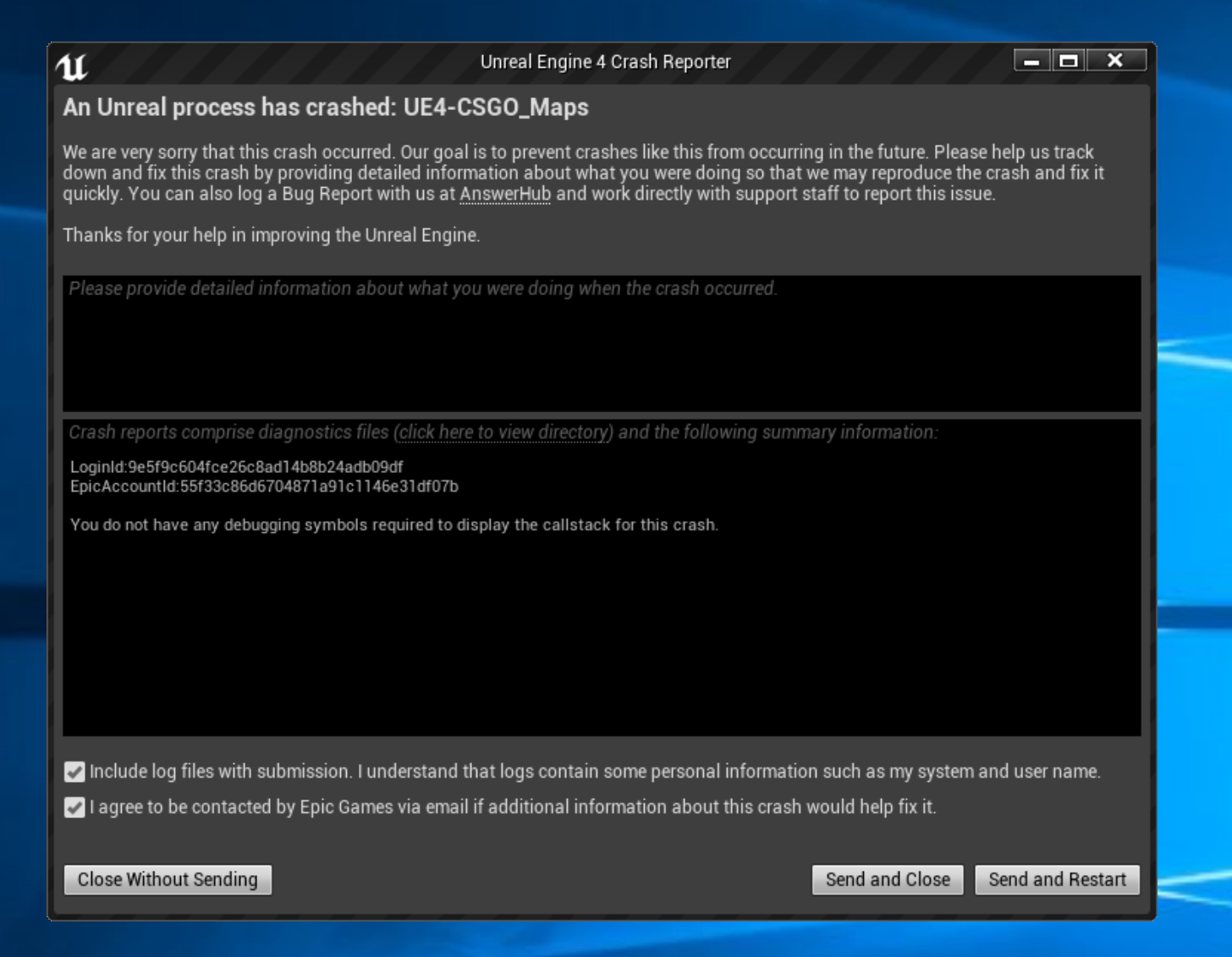
hello, could anyone help me because I have a problem with importing materials for ue4 4.16 + hammuer plugins, I also tried on other versions of the ue4 engine and is the same, i.e. during the import at different times, it comes crash, I have 16gb ram, i5 9600k, rtx 2070
fierce tulip
look at the crash report, share with hammuer maker.
 tardy sapphire
Can't delete empty folders in World Outliner... so irritating!!
atomic meadow
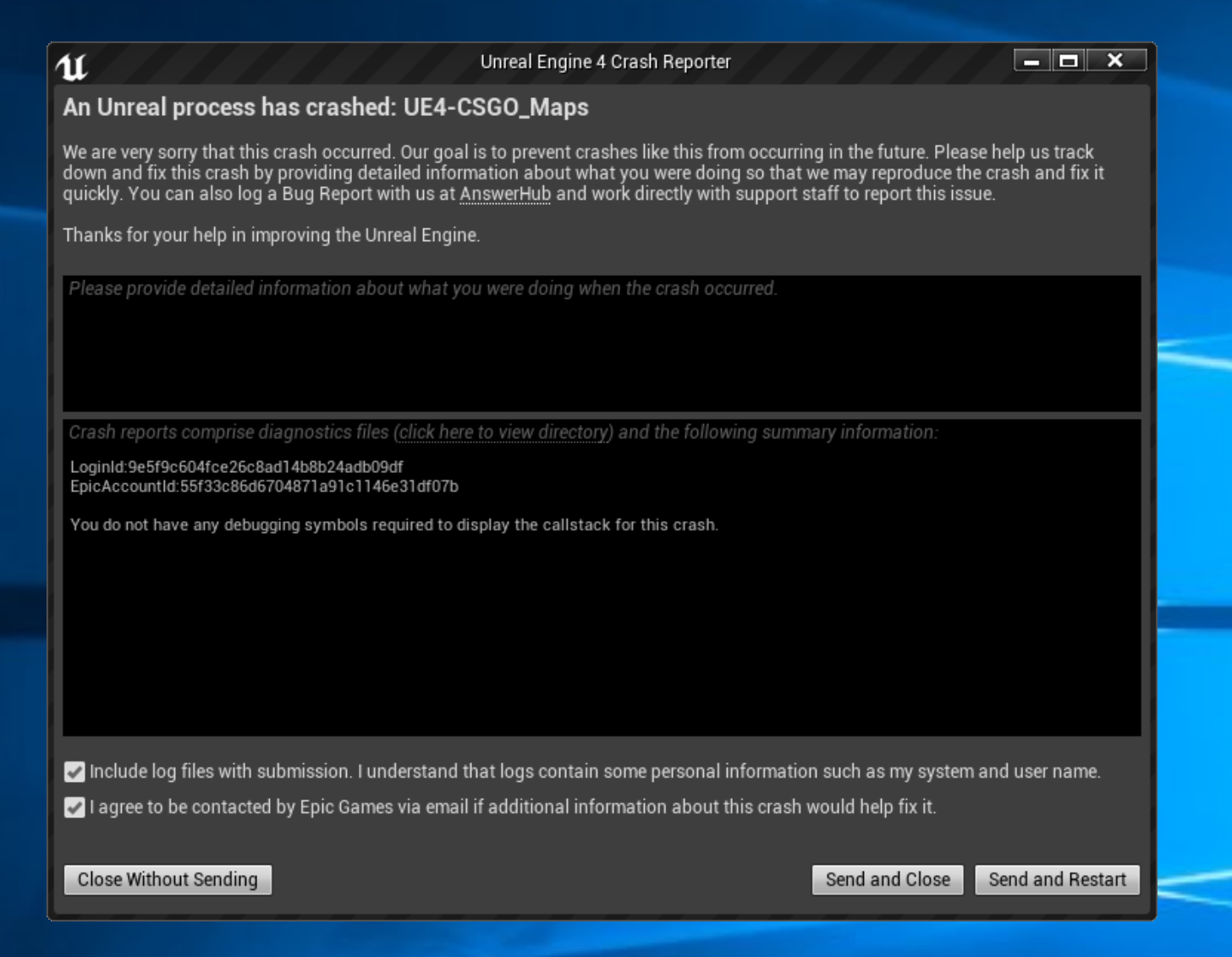 wary wave
empty folders might not be empty
rustic imp
@atomic meadow install debuggin symbols for your engine
cloud cobalt
@atomic meadow Might be a hammuer issue
atomic meadow
@rustic imp i try this nathing help
fierce tulip
that is not the crash report.
regal mulch
Welp, you will need the Debuggin Symboles for that Engine Version you have.
If it's an Engine-code crash it will show you properly, otherwise it will most likely refere to external code which then would be the plugin
cloud cobalt
Since the symbols are installed it's probably the plugin
plush yew
How do I make the pivot the pivot of the mesh rather than the center of the capsule?
regal mulch
The Pivot of what?
plush yew
the pivot of my character
regal mulch
Technically not possible
plush yew
the pivot of my mesh is on the ground, yet it takes the center of the capsule as pivot for the character
regal mulch
The Character's RootComponent needs to be a Capsule.
And that has the Pivot in the Middle.
plush yew
you cant change the pivot?
regal mulch
You can move the child components of the root component relative to it
tardy sapphire
@wary wave They are empty folders in the world outliner
regal mulch
But the Capsule itself stays like that
plush yew
@regal mulch my problem is that as i scale down my character at-runtime, it floats in mid-air because it scales from the center
regal mulch
Well you need to place the Mesh relative to the Capsule
And then scale the whole character
not just the mesh
plush yew
that's what i'm doing, scaling the whole character
and my mesh is positioned correctly
if it were to scale from the mesh's pivot i would have no issue
regal mulch
Something like squeezing the goomba should happen via animations of the mesh
plush yew
i need it for my mario character too when he shrinks down and then the capsule gotta shrink along with the mesh
in unity the pivot can be at the ground instead of the middle, idk why this is impossible in unreal?
regal mulch
It's not impossible but you are using a predefined class
plush yew
well yeah, there's no convential approach to this..
there really should be an out-of-the-box way for changing the capsule pivot
is there a way to call the isgrounded function in blueprint? that might solve my issue
like currently in unreal you cant scale down a character at-realtime without it floating in mid-air without messing under the hood of unreal.. that's ridiculous...
wary wave
like currently in unreal you cant scale down a character at-realtime without it floating in mid-air without messing under the hood of unreal
I mean, you can, and people do it all the time
plush yew
how?
wary wave
with the base character class, unmodified
you can scale the whole character, you can scale the capsule and the mesh simultaneously
you can do all sorts
it's kinda trivial
plush yew
i wanna scale the whole character
wary wave
then just scale the whole character?
plush yew
but if i do that it floats in mid-air because the pivot is in the center rather than the ground...
wary wave
no?
plush yew
yes..
wary wave
that sounds like you're scaling the mesh
 manic pawn
just setting the actor scale on our character works completely fine..
plush yew
nope the mesh's pivot is at the ground
i'm scaling the whole character whose pivot is in the center
 regal mulch
Cause otherwise we can only think that you are scaling the wrong thing
plush yew
I'm using set actor scale 3D
heavy ether
@cloud cobalt as soon as i add anything that isn't part of the default New Level, along with a postprocessvolume it starts appearing. seems that it's amplifying in game or muting the postprocess effects in editor somehow.
plush yew
regal mulch
That setup is wrong in terms of the Lerp
The Lerp has to move between two non-changing values
You are using the ActorScale which is actively changed
Save it to a variable before calling Play
And then use the variable
plush yew
i know it's wrong but since i want accelerated growth/shrinkage i'm just using a linear timeline rather than an exponential one so it comes down to the same result
changing the way i do this lerp wont fix my scaling issue
heavy ether
... and for some reason today, shader updates are taking forever 😒
plush yew
And just to be sure, I tested, still same issue as I expected
like it's logical, it scales from the center because the pivot is in the center hence it floats in mid-air @wary wave
plush yew
is your pivot not in the center?
wary wave
it's a character, so yes it is
plush yew
then why does your character stay on the ground? that doesnt make sense
you're scaling down and not up, right?
regal mulch
I mean, since it's just death stuff, scale the mesh then?
As said this should be an animation to begin with
plush yew
@regal mulch i already said, i need it to shrink mario as well

 plush yew
like when he goes from big mario to small mario
wary wave
fierce tulip
hmm popcorn
wary wave
I think scaling is not your problem, rather something else you are doing
plush yew
@wary wave hmmm... so ig in your case gravity keeps pushing down right? but for me it still thinks its grounded after scaling down and it's no longer touching the ground, very weird...
regal mulch
The way the CMC works it would put you into falling mode
wary wave
yes
regal mulch
So it can't really sit in the air
Try visualizing the collision capsule when doing it
And check if that properly changes
wary wave
yeah, for my video I unticked 'hidden in game' so you can see the capsule scaling properly
plush yew
if i move the goomba up in the editor then it falls down to the ground
@wary wave where is "hidden in game"?
ah found it
but cant uncheck it because its inherited..
wary wave
you should be able to uncheck it just fine
plush yew
oh
it was cuz i was in runtime 😅
why is it not falling down..
same issue with mario btw, not just goomba
wary wave
it's something you're doing in your characters
we can't tell you what it is at this point
plush yew
but you saw my code
wary wave
but I can tell you it isn't the scaling
wary wave
it's almost certainly your character movement code or something
plush yew
when i scale it down, the state is -1 so it doesnt do any movement input..
so therefore it cant be my movement code
plush yew
same issue with mario and here's that movement code
@wary wave
looks like i'm not the only one with this issue: https://answers.unrealengine.com/questions/287460/character-floating-after-scale-down.html
wary wave
That post is from four years ago,.I wouldn't read much into it
I don't know what to tell you, but scaling should work
I used the default sidescroller for my example
The tick function was the only real change
plush yew
wtf, i tried using your scaling code and now i dont have that issue either..
why does 1 not float in mid-air but 2 does... wtf
 keen stream
hey does anyone here know how you'd go about implementing the Steam Inventory service? more specifically using the GetAllItems function. the Steamworks documentation isn't of much help at all.
plush yew
@wary wave can you try scaling down to half-height using a timeline?
i reckon you'll experience the same issue as me then
sudden agate
@upper heart whats the problem?
 upper heart
I was just asking about the "Kb" vs "KB"
In editor it shows Kb but it seems like it really means KB
For texture sizes
 crisp hawk
If you only have one set of logic for a game, is there any reason to put it in the game mode rather than the map?
the persistent level i mean
i can imagine the use case where you might have a game mode that applies to multiple maps, but if there's only one map for a game, or each map has totally separate logic, is there a reason to use game modes?
abstract relic
I have an inkling you’ve misunderstood what game mode is. https://docs.unrealengine.com/en-US/Gameplay/Framework/GameMode
plush yew
@regal mulch i think i've found a bug in unreal
scaling down keeps you at the ground when scaling down using tick but not when scaling down using timeline
 tawdry maple
I have the problem that if I crouch under objects or destructible meshes and stand up my character glitches in the mesh
spark sonnet
you can make it so that you cant uncrouch if there is something above you @tawdry maple
tawdry maple
@spark sonnet you have any tutorial? or tipp for me
spark sonnet
you could have a line trace to check if there is something above you if true then dont do anything when uncrouching if false then uncrouc
Do you know how to make that?
tawdry maple
saldy no =/ this is my BP
the mesh is working it stills stay low, only my character animation stands up if I stop pressing the crouch button
abstract relic
azure shore
anyone know how to activate scripts only when a line trace is successful?
for example melee hitting a wall, the trace only goes a certain length from the player, and I dont want it spawning a sound unless it hits something
crisp hawk
@abstract relic actually you know what? i think i did kind of misunderstand. I did read that article a bunch of times, but i was thinking like the game mode was for the game logic, but it seems to be more about the state of the game or something
i guess i was just thinking all the stuff in game mode can just be kept track of in the persistent level since you can always just make things not replicate or run only on the server
azure shore
how would a custom event help me here?
spark sonnet
2 sec ill show you @tawdry maple
hidden aurora
A Plague Tale: Innocence is made in unreal?
hidden aurora
I really looked like unreal
spark sonnet
@tawdry maple This should atleast put you in the right direction
Wouldnt it be easier with collision on the melee @azure shore ?
cloud cobalt
@hidden aurora There really isn't such a thing as "looking like Unreal" tbh
fierce tulip
it was like that with prev. iterations of ue though. you often could tell it was unreal just by looking at stuff
azure shore
oh possibly sebb
fierce tulip
but ue4, not so much
azure shore
thinking about this the wrong way I guess
cloud cobalt
You could look at it and see people using the same art style tbh
Rime, Astroneer, Sea of Thieves are UE4 games and they hardly look like "UE4 games", which is they don't look like a blank scene 😛
fierce tulip
lol
spark sonnet
Try just adding a sphere or capsule collision to the weapon. Then if colliding with a wall it will make a sound
azure shore
yeah
spark sonnet
But I dont know how your melee mechanic works, maybe line trace could work
 cerulean nova
yeah in the new Fortnite trailer u could belive that its Sea of Thieves 🤔

X marks the spot in this cinematic trailer for Fortnite Season 8!
👆
azure shore
yeah this melee collision wont really work its constantly overlapping the player
cerulean nova
in the beginning
azure shore
idk if I could sort out collision types though
spark sonnet
you can make it only activating when pressed a button
but you could try with line trace
then from the line trace, get hit result and if blocking then make sound
azure shore
thats the thing idk how to do that I was asking about
is it the "blocking hit" boolean in hit result?
oh yes, seems to work just fine lol thanks
spark sonnet
nice
azure shore
oh, dunno how to do it for line trace by objects though
spark sonnet
you could use sphere trace
azure shore
oh this is weird - physics stuff can still move whilst in slomo 0
is there a good way to pause a game without pausing music and menu sounds? setting "is paused" stops all sounds
so thats why I was trying slomo 0
spark sonnet
use this node @tawdry maple maybe
 true leaf
Fortnite: Battle for Snazzaroth 😂
 worldly stump
anyone know how to create a socket for character?
i can't find a guide on youtube
they only show me how to attach to socket not creating one
spark sonnet
in the skeleton you can just select a bone ,right click and click add socket
worldly stump
oh so i need skeleton mesh
spark sonnet
not if its a static mesh
its almost the same
you can add sockets to static meshes too
spark sonnet
alright
azure shore
@spark sonnet I was saying I already tried that, but physics stuff still moves around
spark sonnet
what physics stuff?
azure shore
as in any spawned objects with physics can still move in slomo 0
spark sonnet
mine wont move when i set it to 0
The spheres are simulating physics but not moving when the time is 0
 indigo viper
Is there a tutorial on plastic deform for ue4
 dry shuttle
Hello all. I am wondering if anyone knows of a good tutorial for implementing console commands into the game. Not so much as the editor commands but commands for cheats. I want players to be able to set infinite ammo or life if they want to. but also check if they are an admin for a dedicated server.
 honest rune
I've got such a strange issue with importing some animations. When I first import them, they are bound to the skeleton but look all squiggly and mangled. Then I simply hit re-import on the animation (with no changes to the settings) and bam, perfect. wtf?! lol
I'm assuming something being calculated and exported in maya is incorrect or doesn't match with the skeleton I'm importing them to and re-importing causes whatever it is to be recalculated and fixes it.
Any ideas?
tawdry maple
@spark sonnet sebbheute um 19:11 Uhr
@tawdry maple This should atleast put you in the right direction
Wouldnt it be easier with collision on the melee @azure shore ?
__
I tried first with the collisions but didnt worked for the mesh character and destructible mesh.
I did your screenhot, I see now trace above my head and crouch string-print is blinking up if I press crouch button (c)
spark sonnet
I tagged wrong person sorry 😄
honest rune
I just can't figure out what Maya would be exporting incorrectly
tawdry maple
I have the problem that if I crouch under objects or destructible meshes and stand up my character glitches in the mesh
dark depot
do a trace up to see if the player can uncrouch
tawdry maple
yes he can
heavy ether
the point we are trying to make, Duck, is that you should check to see if the player should be able to before standing
tawdry maple
 steep garnet
Hi guys! I'm trying to create a static variable inside header file but compiler is complaining. The error is : "a static data member with an in-class initializer must have non-volatile const integral type or be specified as 'inline'". How can I declare static variable in C++?
 hardy flume
Where should I ask questions about selling my game
plush yew
here
hardy flume
Well just a quick question, when you get money back from game sales, how much money should be put aside for both improvement of the game and development of future games
azure shore
@spark sonnet it seems to be if things start simulating whilst paused or just before you pause
plush yew
i think there is no clear answer for that. It's always all about how much money is needed and for what. @hardy flume
plush yew
i think best is always to be just prepared some cash for that but be ready to use more. I dont know what would be good minimum because it's all about what are you creating, do you have workers and list goes on.
hardy flume
I guess if you're making Crysis 4, you'll need a much bigger budget than making Stardew Valley 2
plush yew
If you know how to do things alone it can be free too, but if you have many workers and you use money to plugins, textures, sounds it will cost much yes.
regal mulch
I'm pretty sure once you actually have you game out, you know what it cost to create it
So you also know what it will cost to extend/bugfix etc. the project
You can either be the person who pays out all the $$$
Or just keep paying yourself out your standard stuff
And keep the rest on the company for future
cloud cobalt
You probably should set aside a year's worth of living I guess
hardy flume
for myself or for the company
regal mulch
Yeah we have someone in our UE4 Meetup Group who made a relatively known Minigolf game
cloud cobalt
Depends a lot on whether the game makes $100, $10K, or $1M
maiden swift
It really does depend on the needs of your project and your business. The only answer I can give you is: put aside enough to pay your team, keep the lights on for at least a year, maybe more. Give your company a runway to work with.
regal mulch
And he put enough away to work for 3 years on something internal without having to actually earn money
Which is most likely the better idea. You can also watch the Astroneer documentation for that kinda stuff
hardy flume
can you link @regal mulch
regal mulch
They also just put everything into the company, bigger office, more people, more content
hardy flume
yeah I am
regal mulch
Link to the game? @hardy flume ?
 safe rose
I would say a decent rule of thumb... For the company: Keep 10% at the very least, if not 25%
rustic imp
he probably means the link the documentation
regal mulch
And the other 75%? :D New car?
safe rose
Well, if it's royalties, they go to whoever 😃
hardy flume
Steam takes 30 sooo >.>
safe rose
But if we're strictly speaking, actual paid employees, no royalties
rustic imp
you should probably invest something into the company next to having liquid cash as well
regal mulch
Well I'm kinda talking about what remains
rustic imp
make bigger teams, better work environment and such
hardy flume
@regal mulch I am a perfectionist and never think my game is good enough sigh
safe rose
If there are no royalties to distribute (other than steam/platform xyz and Epic 5%)
safe rose
Then company takes all of it, that's plain and simple
After one launch, you'll know how much the next one is going to cost
so set that amount, plus some buffer
rustic imp
a lot of people never think their game is good enough, but by keeping it to yourself for eternity it's not gonna make money / inspiration / get known
regal mulch
Yeah, if you are already living a good life with your current payout, I would most likely just keep everything on the company and expand that
safe rose
Pay yourself as a draw if you want, or just keep yourself on salary, maybe increase the pay
regal mulch
Idk what other think about it ,but I liked watching it: https://www.youtube.com/watch?v=tfUjl4owxTQ

Noclip rides a shuttle to Seattle to tell the story of a group of dear friends who left their jobs in AAA to create the space game of their dreams. The story...
Makes me hope that I can have that too one day
maiden swift
Costs are going to differ depending on what you want to build next. Conversely, what you build next may be affected by sales of your current game.
hardy flume
@safe rose is it ever a bad idea to form a company around the success of a game tho?
regal mulch
It's kinda the risky step you gotta take?
safe rose
@hardy flume Sooo...that's debatable
maiden swift
What matters is that you put aside enough of your net revenue to pay the team, keep the lights on, and invest in new ideas.
safe rose
I can use a perfect example for me right now
cloud cobalt
To clarify the cuts , your company probably makes around 50-55% of the public price, after VAT and Steam. Epic takes 5% of the post-VAT, pre-Steam net price, so you're ending up at a pretty exact 50% of the public price.
safe rose
My gamejam team decided we want to go full on production with our game
Instead of just forming a random company just for that one game
We decided to use an existing company (that one of us had) with all the right connections
regal mulch
To answer that, shouldn't you two define what "Success of a game" is first?
safe rose
Well, "success" is so subjective lol
regal mulch
As in, is it just a Gamejam "success" or actually already selling on steam?
hardy flume
Very subjective
safe rose
For me, if I can sell 10,000 copies of a game in a few months...that's success in my eyes
maiden swift
Of course it's subjective, hence why Cedric said you should define it.
safe rose
But for others... they may have some other random goals
regal mulch
That's why you can't just say "We had a Gamejam game" if Dasher asks about a game properly selling on Steam and building a company around the income of that
Hence the: Define it
safe rose
That wasn't about success though
That was just because we like what we had and wanted to make something better with it
regal mulch
Right
safe rose
But sure, that could be viewed as a success in some regards
In our minds, we thought we had something "special" enough to pursue
But he's talking like there's already some amount of success to some game he's published
regal mulch
That's also a good starting point, other games did that too, like the Box game
I would say however it's much harder to do
safe rose
I mean, Beat Saber is something like what happens when you have TOO MUCH success :)
You rename your company as Beat Saber games... and only focus on that?
regal mulch
And building a company based on a selling game (like Astroneer did) is much easier and more straight forward
rustic imp
tbh making a new company if you want to pursue it would not be that bad of an idea depending on where you found the company, since the worst thing that could happen is the company going bankrupt that did not exist before, but if you use your friends existing company, you could ruin something that's established, just my 2 cents though
safe rose
I don't get the whole reasoning behind naming studios after games. But I assume it's the same reasoning I had when thinking about forming a new company just for one game or not
If it's a one-shot, and/or royalties are involved, set ones. Then maybe that's a good way to go about it
rustic imp
if it's your first game of course or something completely different, if it's in line with what your friends company did before, makes sense
regal mulch
Well forming a company costs a bit depending on where you are
safe rose
Exactly
rustic imp
yeah that's what I said depends where you live and such
regal mulch
While we have the 1€ company in Germany, you still want to start with ~3-5k
And work the company up to 25k+
safe rose
I mean when I formed mine... over $2k to start and it's a simple little LLC
regal mulch
Yeah, that's just what hte company has as a base value. Doens't include costs for actually forming it
So it's not that straight forward. I would probably stay a freelancer if possible and only form the company if it gets close to something release worthy
hardy flume
So super risky, but it could benefit if everything works
regal mulch
That's kinda how gamedev works I think
safe rose
Just like anything else in life
regal mulch
You gotta invest and either it turns out good or you gotta have to live with it being wasted
regal mulch
If you can't deal with that, search yourself a steady job, work for someone else, and get a flat, secured salary
hardy flume
That's of course why you don't put all your money in that new company
Gives you a fallback
safe rose
?
regal mulch
I currently keep ~50% of my income on the company
To grow it to, in the future, hire someone and get an office to work on something internal.
That's something we gotta save for 6-12 months
hardy flume
@safe rose sorry I explained it wrong
Sustain yourself for at least a year+ you and use the rest of the percentage to start that company if you want to, and if the company flops you aren't in w terrible situation
A
safe rose
it just really depends
If you don't have ANY money?
Then yeah, save up
If you don't have any source of income?
Find a source first
regal mulch
Yop.
hardy flume
Yeah okay makes sense
safe rose
I was lucky enough to already have both
regal mulch
I'm still in the phase of saving up.