#ue4-general
1 messages · Page 448 of 1
 hidden aurora
 tardy sapphire
Guys how does automatic LOD generation work? I set up the LOD group as LargeProp, it works in the static mesh viewer but not in my scene.. what should I do?
 cloud cobalt
Define "works"
 paper kernel
@hidden aurora I did, selected objects
it doesn't understand the prefix and just turns it into a separate mesh
 azure shore
how would I like, detect how many ragdolls or decals are in a map at once?
I want it to delete old ones once a certain number is reached
paper kernel
keep a list somewhere
azure shore
I wouldnt know how for decals
not sure I even know how to remove them manually
for bps that spawn decals, I know how to set life span in there at least
tardy sapphire
@cloud cobalt Smart response mate thanks
cloud cobalt
@tardy sapphire Ask accurate questions, get accurate answers
Feel free to put out more detail so that we can actually help
cloud cobalt
I'm guessing that service comes at a cost
They've been clear they only support services that don't add a huge markup
 kindred viper
Not a fan of paypal and such myself. Always seem to have problems with it
 plush yew
Well why having a PayPal option when purchasing a asset over Epic Games
Then the should state "Not accepting PayPal", But hell no, The will have an option that don't work
cloud cobalt
If they have an option it probably works
 languid shard
paypal works
plush yew
PayPal have already blocked a account with 80$, And 1 with 20$, And If the block this one to I won't be happy
Well when I added card to the stuff to compleate purchase
I couldn't change to Balance
languid shard
its not Epic's fault if your Paypal accounts are flagged
plush yew
evem of I've changed it to preffer method
Is not flagged
Is verified and everthing, None problem
Is only on Epic it won't work
I've purchasing over it from other places WITHOUT this problem
 fierce tulip
then email them so they can whiteflag it
plush yew
I emailed Epic games
Guess what the response
"We do not accept PayPal currently"
All that was what the said
languid shard
in your country ?
fierce tulip
well with me it was "we'll whiteflag it" and no issues since.
languid shard
I've always paid with PP on EGS and the MP
languid shard
¯_(ツ)_/¯
plush yew
Having 70$ to do nothing with, I've been so happy to purchase the asset now I can't
I guess I will go back to Cryengine instead
cloud cobalt
Sounds reasonable
I'm guessing balance specifically doesn't work, but Paypal generally is a mess, and much costlier than credit card
plush yew
Ye, The been "Scamming me" On 100$ almost, Now I want to purchase the asset before the take those 70$ too
How can i put this 4 references into that target?

and can someone explain me what Gun Offset does? the one thats on the blueprint of the first person

 wary wave
my paypal got blocked ages ago and I could never undo it
I just use a debit card since there's no cost to using it online
 exotic thicket
 rotund scroll
could I ask anyone for a favor and show me their output log if they right click for the context menu in any viewport?
right now I am faced with this issue (right click context menu doesn't load) on 4.22.1 and I was wondering if I could reverse engineer it to function again.
 wary wing
@rotund scroll LogEditorViewport: Clicking on Actor (context menu): StaticMeshActor (Wall10) LogSlate: FSceneViewport::OnFocusLost() reason 2
Also using 4.22.1
 twilit hill
happens to me when i draw foliage with the foliage tool, just switch to mesh tool
 storm venture
hey is there a nav volume or setting that makes the AI try to get out of it?
imagine part of the ground on fire, the ai can technically navigate through it but they try to get out of it ASAP
 sleek spear
why does grass populate my landscape in blocks and only when i get really close? i use landscape grass type. i have setup culling and it works but when i reach near the edge of a grass block, only then does the next block appear
wary wing
@storm venture perhaps a combination of a Nav Modifier Volume with a high cost and an instruction to any pawns inside that volume but not currently navigating to move to a location outside the area? Any inside and already navigating should try to get out because of the cost I believe (at least so long as their goal is outside)
 drowsy ember
Ue does not has a vr template for c++, does that means i cannot develop vr using c++ even from scratch?
 grim ore
It's just a template and you can mix bp and c++. create the vr template and then add your code
sleek spear
can anyone help? look at the grass. culling works, but next block of grass only appears when i reach the edge of the current block. why is that?
storm venture
@wary wing that's the issue, the player is within the area :P
to put it in better terms, the player is essentially using an ability that forces any following enemies to take a few steps back and stay there for the duration of the ability
kind of like a shield bubble that hurts them so they get out of it until its gone
wary wing
Ok gotcha.... can you find all the enemies in range of your ability and tell them to move backward?
storm venture
i may have to do that
plush yew
I'm new here but I need some help how do i get impact location in the event graph I need it
wary wing
I think that plus the addition of some obstacle to navigation back in might be the way to go
@plush yew Impact location from a Hit event?
plush yew
yep thanks
wary wing
Like one of these?
plush yew
wait no
rotund scroll
@storm venture you can mark it down as a navmesh obstacle with a higher weight
that means the AI will still consider the path, but only if no other path is available
storm venture
i thought of doing that but their goal is within the area, so they wouldnt be affected by that
plush yew
im looking at a tutorail "BUILD SYSTEM - UE4 Tutorial - Part 1" and im at 1:58 but it wont work
rotund scroll
they would
storm venture
even though their goal is within the obstacle?
rotund scroll
then make an obstacle gradient
like where you want them to cross the least you just put the highest weight
if there are other paths those will be considered
wary wing
Gonna need a picture or something @plush yew
wary wing
I got the impression Tyler was more concerned about moving pawns that weren't currently navigating out of where they might already be @rotund scroll . Will what you're describing work in that case?
rotund scroll
ah I see
wary wing
@plush yew And what are you trying to achieve with this blueprint? Looks like you just need to hook up the transform to the spawn node
storm venture
yes pretty much
storm venture
basically a "you are not allowed to be in here, get out" area that can be placed on an AI
even though the AI wants to be in it
lol
plush yew
im trying to spwan a actor and the loaction it will spwan at is based on that vairable
rotund scroll
@storm venture so in this case if you are placing it, you can create a trigger that checks all AI actors in the volume and sends a delegate to them, which could then be used to modify their behavior
e.g. fire breaks out, fire trigger volume checks for AIs in its radius, sends an event trigger that they are burning
the behavior tree should then just have a branch highly prioritized with environmental effects that tells the AI to move out of the area
and then you can modify that behavior based on environmental data
e.g. what's the shortest distance to get out of the fire
or if you want to make them seem intelligent, what is the safest route away from the fire
but that's a bit more advanced
storm venture
interesting, i can try for that
wary wing
@plush yew looks like it should work to me. What does it do? Spawn the actor in the wrong location?
plush yew
well i dont really know my older brother was showing me how to make a building system and i mostly understand it ecept for that part and he just wort down the things i need
wary wing
It's difficult to know what's wrong without more some more detail on what you've done already. Do you know what sets the value of Impact Location?
rotund scroll
do you want to spawn it where the mouse cursor is?
plush yew
no all i know is it is ment to come with the base setting for a third person template but it just wont show up when i try to get it if it helps im useing version 4.22.1
@rotund scroll yes
sorry im new to unreal
rotund scroll
it's all good you just need to articulate what you want
plush yew
one sec
wary wing
@plush yew do you want to choose a location to spawn the small cube using the mouse pointer? Or spawn it where the player is looking perhaps?
wary wing
So spawn the cube where the player is looking, is that right?
plush yew
yes and i allready have an aim location
but i cant get it to spawn where i need it to
i have the script here
wary wing
Ok so that sets a variable called Loaction, but in the other screenshot you were using a variable called Impact Location. Should they be the same variable?
plush yew
yes
rotund scroll
where does it spawn?
wary wing
Change the spawning code to use the variable that was set after the line trace @plush yew
Loaction
plush yew
well the problem i cant get the actor to spwan
plush yew
I got it!! thanks a lot! @wary wingte and @rotund scroll
rotund scroll
👌
drowsy ember
@grim ore thanks
 copper flicker
Sooo... if I spawn my Player inside a Trigger, in Unreal the Player will appear as Triggered.
But after building, the game shows the Player as NOT triggered.
wtf.
 stray smelt
Any idea what is happening to this decal? It's a translucent material using dbuffer decal. It looks good when I place it manually in the level but looks like this in game. I'm only settting location and the rotation should be correct.
it kind of looks like it's wrongly rotated but it is actually 0,0,0 / same as when it works in level. it is correctly placed as well in terms of z-value
copper flicker
I mean in the game I would have to exit the trigger and then enter the trigger to count as Triggered,
is there any way to fix this?
rotund scroll
can you check the spawn order of the trigger? can you make the trigger delay before triggering?
or before activating
or likewise, can you make the player spawn delay?
copper flicker
hmmm.. good point
so the player should spawn a bit later..
after the environment
this is a problem tho, since the camera is inside the player
rotund scroll
alternatively you can use the GetAllOverlappingActors node OnBeginPlay in the trigger
and the just grab the player from there
copper flicker
ok, the thing worked fine tho, with a small delay
now I'm trying with a delay set to 0.0
works
😄
thx!
@rotund scroll 🍻
rotund scroll
👌
 heavy ether
hi all 😃 i'm doing a PIP sort of thing, where i'm grabbing the scene from one camera, and drawing it in the HUD in a small box. My results of SceneCapture are incredibly bright compared to the actual rendering, though. what do?
grim ore
does your camera have any post processing turned on or does the material have any?
heavy ether
the camera and scenecapture components have none. there is a postprocess volume that has a draw-mesh-outlines effect
auto exposure is disabled also
grim ore
that's weird, the only thought that is left is your material on the hud is brighter for some reason
heavy ether
i just disabled the one postprocess in case that was interfering, and no change
 winged crypt
If I delete a Config file, will it re-generate with default settings or with the ones that were previously set?
heavy ether
it would be perfect if i could get the exact same view as the editor uses for it's pip window when you select a camera 😄
grim ore
@winged crypt it would be the defaults
heavy ether
but it's so bright it's totally washing out much of the scene. none of the settings seem to affecti t much at all
grim ore
are you using a UMG widget/image/material setup or drawing directly to the hud object?
heavy ether
drawing directly to HUD from C++. The preview of the PIPRenderTarget in content browser is extremely bright ,so i think it's something to do with the SceneCapture 😐
grim ore
ah
heavy ether
hmm. if i switch it to FinalColor instead of SceneColor, I get something closer.
but that's too dark 😐
add a gamma of 1.5 to it, and it looks great
grim ore
might be the linear vs whatever the other one gamma space is
weird tho for sure 😦 scenecolor here is fine, final color is super dark (which is what you want but only because scene color is too bright...)
but I am using a material with the texture that is set to unlit as well so that might be why
heavy ether
mmm where is that setting
grim ore
its the linear color vs normal color space and it should be on the texture or scene capture but I can't seem to find it 😦
and when using a material instead of texture itself it's forced to normal color space
heavy ether
... found the unlit setting in material, toggled it and now doing a blue screen memory dump. Guess that wasn't the answer
wow blue screen dump takes a long time with 32gb
grim ore
wow... thats..... sucky 😦
heavy ether
i suspect that changing a material from lit to unlit while that material is in a running game might be a problem.
fierce tulip
a future additional to ue4 might allow for multiple blending modes. should be fairly easy to swap between em.
plush yew
hey people
kindred viper
Are you the real Sonic or the badly drawn one?
 primal prairie
anyone else get a crash when duplicating maps?
 dim plover
I recall seeing a bug report where duplicating a map with a landscape would crash.
If that sounds related to your problem.
hidden aurora
ban
grim ore
but free V-Bucks!
hidden aurora
noone cares about fortfail
 marsh swallow
Question. When changing engine versions from 4.20 to 4.21 or 4.22 the only error we are getting. which happens when opening or when cooking is this: LogDerivedDataCache: Error: Could not save memory cache...
Any idea why? lol Google seems to have nothing on this.
 manic pawn
everyone here should care about fortnite, it funds the engine we use
 pseudo swift
is there ways of adding physics to a regular project? So a cubes or a characters collision boxes can collide? or add gravity etc ?
grim ore
physics are always enabled, you just have to use them.
grim ore
click the checkbox on the object to turn on physics?
grim ore
yep it's a checkbox on any item that can simulate physics called "Simulate physics" in the Physics section in the details panel on the item that can simulate physics
pseudo swift
so which items can simulate physics? sorry i have 0 exp with physics and ue
grim ore
pretty much any actor should be able to simulate physics
pseudo swift
haha wtf this is ridiculous why havent i seen this
grim ore
well what are you trying to simulate physics on?
pseudo swift
alright, so this might a bit weird but im reseraching how to setup a string figure rig, imagine a ragdoll with strings attached to the hands and then when you pull the strings the hands react
ive been trying to build a rig like this with blender but its not working fully
im not saying im attempting to do it with unreal
the idea was to be able to automatically record keyframes while pulling controllers connected to the rig
to animate in an unconventional quick way
grim ore
there are physics constraint objects that can be used to simulate something like that
but you would basically be creating the entire rig in a blueprint while a rig in a 3rd party program should work better
pseudo swift
cause in blender i tried using rigid bodies and connecting them / controlling them with constraints
would the ue blueprint be massive?
grim ore
well it would contain all of the objects for each body part and however many restraints and controls are needed
pseudo swift
say its a skeletal rig of a character, would it be possible to connect 2 constraints to the tail bones of the arms and jiggle them?
primal prairie
I would probably learn some basics first before diving into it
pseudo swift
yea i dont think its even possible
pseudo swift
could you elaborate further on how the constraints would be hooked up to the skele mesh?
primal prairie
you can likely find it on the first page of google
pseudo swift
yea well its just 2 much fun talking to u guys
 fringe pivot
my character does not WASD after I added a new game controller, it can jump and also pan around with the mouse tho.
what's wrong there?
grim ore
a rat was chewing on your power cable for your keyboard and those keys are broken?
fringe pivot
perhaps
grim ore
it's literally as plausible as any other guess we might make. we don't know what your code looks like or why it should/shouldnt be moving with WASD.
is there any code in your controller to move them with wasd?
fringe pivot
default 3rd person project
class GAME_API AGameController : public APlayerController
grim ore
ok, but is there any code in your player controller to move the character with the WASD keys?
fringe pivot
yes, that comes with the template
grim ore
it shouldnt, the code should be in the player not the controller if it's the template
it also matters which template, BP or C++
fringe pivot
it's a c++ project, not sure what you mean with it shouldn't, the player movement with WASD is included in this template
I know shit about UE but I'm 100% sure about that
grim ore
the player movement is in the character , not in the controller is what I was pointing out. the default template does not even have a custom controller in it
how did you hook up your new controller to the character?
fringe pivot
I created a custom game mode, set it as default in project settings
In that custom game mode the controller is the one I created
actually the problem must be somewhere else, tried with the default controller and can't move either
grim ore
yeah I just tried changing out the controller with no issue here
fringe pivot
but it happened just after I changed that
grim ore
how did you change it?
and is it a C++ or BP game mode
at this point you should launch it in debug mode and make sure the player's input is firing for those keys
or check your input in your project settings and make sure they are still firing
fringe pivot
I created a BP from the c++ class
oh wait project isn't building, compiled fine last time I changed anything there tho
grim ore
ah. yeah made a bp from the C++ game mode, used that as the default. set the new custom game controller as the default. still no issues here 😦
fringe pivot
the fact I can still jump but not wasd makes it look really weird, considering I didn't touch anything related to the character movement
grim ore
for sure, which means maybe the input is getting overriden
grim ore
then one of the controller settings might have changed somehow where it uses rotation for movement but if you didnt change the character at all that is weird. does it still not work with the default controller?
fringe pivot
still happens with the default controller
pseudo swift
is this series still relevant or did alot of the physics/constraint stuff change? https://youtu.be/fkcFCwRGlLg?list=PLZlv_N0_O1gaHlJrP4F12Px7ceHw3PDq-

In this video, we discuss blending physics and animation. We also cover some more advanced options in constraints. A link to the wiki for further notes is av...
 subtle arch
Hey Guys., how can i get this node?
grim ore
look for the Transform Vector node, its probably changed apperance since this picture
it defaults to Tangent -> World but the details panel lets you change them
fierce tulip
yup
primal prairie
@pseudo swift looks old
a quick search came up with more recent stuff
Learn how to make a simple ragdoll physics system in Unreal Engine 4, useful in first and third person shooters. Topics covered: Blueprint scripting, physics...
subtle arch
it`s ok by default? or do i need to change it?
pseudo swift
@primal prairie interesting!
grim ore
you set that to whatever you need, it seems to match what you originally posted like that.
grim ore
Vector Transform is the name of the node, Transform Vector.
 sacred inlet
So I bought some uassets and it won't let me export into UE4
and they were made for UE4
fierce tulip
uassets need to be placed in the project folder, cannot be imported
they should be exportable once they are opened in ue4 though
though keep in mind that if the uassets are made in 4.22 it wont work in 4.21 etc
no backwards compatablabla
sacred inlet
hmm
but if I have the files
can I open in blender and then reimport or something
also how do I check what version they are
grim ore
if you bought some .uassets then ask the person who sold them to you to give you the source files, or to give you the correctly packaged project files.
pseudo swift
another physics question, https://youtu.be/yynUiwLfgMo?t=914 in this example, at 15:16, he drags the body around while its simulating. Could this also be done in the viewport while its simulating? I guess its only possible in the physics asset window?

Rag Doll Puppet Physics Asset Setup in unreal engine 4
is there also a way of attaching a constraint to a specific part of a character? how could I split up my character?
sacred inlet
if I downloaded assets from the store
how do I view the files
if I am using a custom build of unreal
 abstract relic
Download the standard build, migrate the asset from there.
pseudo swift
hightide do you have any tips regarding constraining different parts of same mesh?
abstract relic
Nope. I just make pretty things.
 limpid horizon
So I am trying to package my blueprint project, but it keeps saying I need Visual Studio. I've disabled all the plugins but it still asks for it. Nothing is using code. Using 4.22, any ideas? Thought it wasn't required.
 bitter iris
Guys on the Exponential Height Fog, can I call Extinction Scale
I'm wanting to use it for some sort of "view distance" fog
so i can put more of a cull on foliage
 hallow sleet
hey everyone i got a model off the market place and it is in pieces rather than fully together like the pictures and like the demo map, how can i export the full completed model to use in a different landscape?
 orchid sable
Are SaveGame slots supposed to go in AppData/Local/AppName/Saved/SaveGames in packaged build? I am having inconsistent results...sometimes it saves them in AppData sometimes in the Exe's local Saved/Savegame folder
 fast finch
@hallow sleet https://gyazo.com/7b34beea5c96e4022bd0f2f60b8191ef

Expand it and have "Combine Meshes" Checked
hallow sleet
where is that menu located cause all i see is static mesh
fast finch
can you screenshot what you see
This menu pops up when you import it
before you press Import all/Import
hallow sleet
it is only available as a whole in a demo map if i import it is different parts that so i can make it how ever i want but i dont want to do that right now
also i add it to the project from the library
trying to get screenshots but something happend and i couldnt control the camera or move around etc
here is how it looks in the presentation map
here it is in the mesh folder
in none of the folders does it exist like in the map file
fast finch
It would not make sense if it came that way
Wht if you want to add an extra door to the house?
or an extra window
you wouldnt be able to
if you didnt have the parts
hallow sleet
well then i need to see about getting a refund as its useless to me in pieces
fast finch
I believe there is a way
give me a moment
yeah
I know how
So first you need to select all the components in the scene
In the World Outliner, top right
gotta have them all selected
hallow sleet
done
fast finch
Then top left, you go window > Developer tools > merge actors
Ignore the settings for now, just press Merge actors and save it somewhere
it'll be made into a blueprint, which u can place anywhere
Hopefully that works
fast finch
its a big item
hallow sleet
it crashed
fast finch
Someone with more knowledge will have to answer this
but It might be possible to
Import the files to blender
hallow sleet
let me try a different computer as well
fast finch
Then export them as one mesh
 tribal lark
any recommendations for project management tools?
drowsy ember
Xmind is good
grim ore
as an alternative to merging you can also right click the selected meshes in the world outliner and selected Convert Actors to Static Mesh but... man..... one big mesh.....
I would almost suggest deleting everything in that map except for the meshes you want (the house) and import it in completely as a sub level just so you can maintain the culling advantage of multiple meshes
pseudo swift
anybody know if it is possible to keyframe this parameter inside the physics asset editor?
fast finch
@tribal lark can you elaborate?
tribal lark
like tracking tasks or stories
fast finch
Something like Trello?
tribal lark
I was looking at basecamp but it seemed expensive
I've used Trello before
is that common for indie projects to use as a project tracker?
fast finch
I mean, Epic uses it
So you know its not too shabby
Could also go the classic route of a google drive document
tribal lark
hmm
 lethal breach
Good evening everyone, has anyone noticed Breakpoints not triggering for debugging?
fast finch
@lethal breach Close the editor, Add a breakpoint. Press F5 (It'll build and open the editor once finished)
Breakpoint should trigger now
grim ore
I know hacknplan has come up before as a trello alternative for game dev
lethal breach
Will do Sendach.
pseudo swift
hey guys, when I capture my scene the simulation behaves different than if I just play it in viewport. Is there a way I can capture the simulation taking place in the viewport? There was a way with matinee previously but cant get it to work. Idk if outdated
no idea?
found it, just need to untick Cinematic Mode in the Render Movie Settings
hmm maybe not, unsure
 brazen forum
Hey guys. I just went through the process of making a dedicated server for my game. Part of that process involved switching my project's unreal engine version to the Source Build. So my question is after this whole process of testing my game with the dedicated server, do I just continue to keep my project's version as the Source Build as I am developing? When you make multiplayer games that use a dedicated server is it just normal to develop the game using Source Unreal Engine?
 weary basalt
Yes
brazen forum
Is there any cons to using the Source Build? For some reason I feel attached to the non source builds lol
I think I once heard that the source build is more unstable
grim ore
if it's the same tag/branch as the launcher build you shouldnt see a difference
the biggest con might be that it will take longer to get the next version since you have to compile compared to just downloading from the launcher
brazen forum
oh. so u mean that the process of updating the engine will be slower? @grim ore
when there is a new version of unreal
grim ore
yes assuming it takes longer to download and compile the new version compared to just downloading the new version
 harsh stag
brazen forum
harsh stag
brazen forum
Are you supposed to not open your source build project from the UE4 launcher? Because when I try opening it from the UE4 launcher it shows a ? next to the project and when I click on the project it it asks me if I want to convert it to the current version so I click skip conversion and then it asks me if I want to rebuild the project so I click no. But then the project never opens. When I open the project from the file browser however it opens perfectly fine without asking me to convert it or any dialog boxes.
grim ore
? means it's a source build, that is correct but it should still be linked to your source editor file in the .uproject.
so it's weird if the launcher doesn't open the correct version
 night tide
has anyone ran in to a problem with default mesh colours? i'v always had grey, but my partner im working with seems to have a teal for his default mannequin and any new actors he adds. it's not really hurting anything but its really odd and add s for some confusion
grim ore
teal was a very old version of the mannequin, you can also change the default mannequin color in the material
 viscid jetty
So I got this widget the A icon that I can move around. How do I detect what other widgets it's hovering over?
brazen forum
guys. When I create an interface in UE4 I notice it is a bit different then i'm used to. In Unity if a class implemented an interface the class must implement the methods defined by the interface, otherwise it would give you a compiler error. In unreal however I notice that It doesn't force me to implement the methods from the interface.
So how can I make it so that it forces me to implement the interface's methods?
grim ore
Interfaces aren't really set up like that in UE4, they are designed so they can soft fail by asking something to do something using an interface call and if it does not implement it then it just fails silently.
with that said if you add a return value (an output, maybe just a bool) on the function it will turn it into an automatically created interface function on the blueprint that implements the interface . It will show up on the My Blueprint tab under Interfaces
brazen forum
@grim ore "they are designed so they can soft fail by asking something to do something using an interface call and if it does not implement it then it just fails silently" So failed silently meaning that the game doesn't crash?
 eternal ledge
Hi, any ideas what this error actually refers to... im trying to open a copy of a .21 in .22 but i get this error come up...
Project files could not be generated. Log output:
Running F:/Epic Games/UE_4.22/Engine/Binaries/DotNET/UnrealBuildTool.exe -projectfiles -project="F:/Unreal Projects/Virtual Towers Online 4.22/VirtualTowersOnline.uproject" -game -rocket -progress
Discovering modules, targets and source code for project...
While compiling F:\Unreal Projects\Virtual Towers Online 4.22\Intermediate\Build\BuildRules\VirtualTowersOnlineModuleRules.dll:
f:\Unreal Projects\Virtual Towers Online 4.22\Plugins\Runtime\Substance\Source\SubstanceEngine\SubstanceEngine.Build.cs(132,45) : error CS0103: The name 'UProjectInfo' does not exist in the current context
ERROR: Unable to compile source files.
grim ore
@brazen forum correct. You can have say an interface for interactions with functions for say eat and use. a blueprint can implement the interface and only have the use function. If you then call the eat function using the interface message on that blueprint it will just do nothing and no fails/crashes. It's basically like going "hey paul" to the blueprint and it's name is actually "bob" so it ignores you
it looks like your substance plugin is not up to date in 4.22, there is a post on how to fix this on the substance forums or wait for the new update
brazen forum
thx mathhew
eternal ledge
followed them instructions and it still wont let me try .22.... says it needs rebuilding from source, along with loads of other problems... wish upgrading engines was easier.... 😦
grim ore
there is a download in that post for the compiled version that might work
 dark depot
eternal ledge
dark depot
eternal ledge
i had it updated anyways, but still cant get the project to upgrade
 summer turret
oh boy that happened to me had to restart the entire project
 silver warren
hi.. i moved some files around in a project. also changed the name if the default character, made sure its assigned in all project setttings. i spwan in as the character but i cannot see the character in the outliner until the game start happens.. how do i add my character back to the viewport and have the controller possess it when i run play?
it messed some things up when i moved things around and renamed.. it crashed because of a copy.. i had to rebuild a lot of things but i cant fix this one problem
fast finch
@silver warren Put your character in the scene, select them in the scene, search for possess and make sure its Player 0 - https://gyazo.com/3240fdcbd62cae72dcd99033a96299e5

 vast shadow
Has anyone ever seen this before? If I turn my "back" (the camera I'm using) to the sun in the editor, it goes black like this... any ideas? I've got a feeling it's an artifact of turning on RTX (it's not off.)
wary wave
ergh, the documentation pages are borked
the menu bar on the left hand side - you can't scroll it any more
making it basically useless
if you expand any long list you simply can't see the things in the list
 sullen wraith
when I get all actors of class, its making an array
i want to check a value for each one
into a loop?
 mossy nymph
with BP you don't have any alternatives
silver warren
@fast finch
thanks! after a lot of keyword reduction i was able to google up an answer on the unreal official
tardy sapphire
Why do these folders keep coming back even when I delete them? I don't them appearing in my level anymore. I am on 4.21.
abstract relic
You likely have a redirector in there. They’re invisible by default.
fierce tulip
^
"show redirectors" in filters will show them
there is also a seperate "redirectors" option in filter, only showing redirectors
 torpid compass
Blueprint Runtime Error: Accessed None trying to read property K2Node_Select_Default from function: 'UserConstructionScript' from node: Set Visibility in graph: UserConstructionScript in object: BP_Tile with description: Accessed None trying to read property K2Node_Select_Default
 honest vale
don't access none 😛
torpid compass
-_-
 nocturne sonnet
herro
 sudden agate
@torpid compass one of your select inputs is null
silver warren
this is a AI BP to get a companion character to follow me.. the 2d sprite doesnt turn its position with me when i turn.. any suggestions on how to make that happen?
pseudo swift
any tips on how I can attach the hands of two seperate characters? So if they both have physics enabled they fall together etc
basically connect one part of a skeletal mesh to another part of another skeletal mesh
torpid compass
@sudden agate what does that mean?
grim ore
so when you right click -> edit -> delete the folder goes away but then comes back later? this is in your world outliner yes?
 charred cloak
Is it possible to capture audio in PS4 ?
Audio Capture plugin only works for Windows
grim ore
you would have to ask in the official PS4 sub forum for that more than likely, on the UIE4 forums
 vale silo
when merging several static meshes, lightmap UVs get overlayed and not re-generated to properly fit new UV map (in both 4.21 and 4.22). Is it "normal" behavior or a bug that falls under "won't fix" category?
 severe ibex
I saw recently someone posted a link to the Epic documentation for raytracing, it was a PDF I believe, made mention of Path Tracing also? does anybody have the link?
 ripe coral
I started working with unreal engine for about 3 days and now Im wondering if compile times for like 10 minutes are normal ?
dim plover
That depends on your computer and the size of your project, but in general, no, that's not normal.
severe ibex
compiling blue prints?
ripe coral
When I make some changes in c++ classes it takes like 10 minute to compile everything
Blueprints take only about a few seconds.
dim plover
You have to be careful with your includes.
 livid haven
10 minutes for changing C++ classes in a module of a project you created 3 days ago sounds exorbitant. Is your PC a potato?
ripe coral
@dim plover I have only a handful of includes in it.
@livid haven But compiling after changing blueprints take only a few seconds. If my pc would just be bad, wouldnt this then take also longer?
livid haven
No, those are entirely different processes.
They are both, in a sense, compiling. But they're not an identical process.
 sharp crest
any idea why my HTML5 packaged game is stuck on this? @ me please
https://cdn.discordapp.com/attachments/375022315391549442/575365227957321738/unknown.png
 livid haven
When you compile a blueprint, it's creating bytecode that the engine has to interpret into actual instructions. When you compile C++, it's creating bytecode that runs on the processor directly and is meticulously optimized.
Also, you compile a single blueprint at a time. You do not compile a single C++ class or source file at a time.
(You can, but that wouldn't get you anywhere)
ripe coral
This is really interesting, didnt know about that. Thanks for that! I could only imagine that my hard disk is making problems. My intel core i5 processor should be fine.
8 gb ram.
livid haven
Processing speed and read/write speeds are typically the bottlenecks for compiling.
ripe coral
@livid haven "When you compile a blueprint, it's creating bytecode that the engine has to interpret into actual instructions." Do you know the type of the actual instruction ?
livid haven
I don't know your background, so I don't know if this is going to be over your head or not, but the BP bytecode is just its own encoding that the UE4 BP VM then has to interpret and then calls actual C++ functions.
ripe coral
@livid haven Guess then it is my hard disk. It had already problems in the past, where the read/write speed dropped hard for a period of time for unknown reason. It is really old, so this might be the problem. Gonna have to change that.
 frank escarp
livid haven
frank escarp
livid haven
SSD is best, even if it's just large enough for the source code of your game.
But binaries/intermediates/source are really what you want on an SSD, for build times.
Content/assets don't matter for building, but having those on an SSD will definitely improve boot times.
ripe coral
@livid haven I think this would be a brilliant idea.
Maybe a second operating system on the ssd and using it only for this purpose.
livid haven
I don't follow that last bit.
ripe coral
@livid haven Maybe this is a bad idea. Will definitely research a bit more about setting up a good working environment.
livid haven
Having more cores to process files in parallel and having a faster storage medium for source code/intermediates/binaries will improve your build times, broadly speaking.
Whether there's something else going on with your build times, hard to tell. 10 minutes for modifying a source file in a small project seems extreme.
 cloud plover
Hi is there a way I can see what engine version a .uproject file is?
pseudo swift
setup a hdri but cant get direct shadows to work/casting shadows on the ground, any tips?
got these to work better but idk about the imported meshes, how come they are not casting any shadows?
plush yew
I need help I have 4 actors and I have a build system but i need to make it so i can scroll through actors to build i hopw the image helps
 scarlet bluff
hey guys, so I converted my old project to the new version of 4.22.1, but after opening it the engine can't compile shaders. Everything works as normal, I just can't see materials. Has anyone here met with that yet? How do I fix it?
plush yew
Have you waited a while, could be slow
Try building lighting and/or saving the materials
fierce tulip
4.4 is so much faster ui/loading wise
plush yew
4.4 that's ancient right?
fierce tulip
had to test something on that version hehe
4.20 looks much sharper, but 4.4 is much more responsive
sullen wraith
anyone know how to get rid of this error, i cant figure out where the hell the "other" function is
livid haven
Try copying the contents of that function into another function, deleting OnMouseMove, and overriding it again.
In other words, try turning it off and on again. 😉
sullen wraith
ive tried that already :3
livid haven
Hmmm.
Did you also bind OnMouseMove via the details panel, in the Designer mode, of some widget?
That might have created an OnMouseMove event which is conflicting with the OnMouseMove function.
cloud plover
Does anyone know whats going on here? I have the .uasset files, but the assets are not showing up in the content browser
 sonic pagoda
this is the last and only warning i get before an engine crash
LogOutputDevice: Warning:
Script Stack (0 frames):
how can i find out what is in this script stack?
sullen wraith
my project is no longer processing
only errors im getting are
PackagingResults: Warning: Attempted to access Clouds via property ActorComponent, but Clouds is pending kill
numerous things pending kill?
anyone know how to fix.
sonic pagoda
you must have called destroy actor and still trying to access it somehow
@sullen wraith , pending kill means you called destroy on it, and the warning is due to the fact you marked it for destroy but are still trying to access it via reference or some value of it... so you could put an is valid node, as an "Easy" fix, before referencing the actor component if there is no other way to fix your issue...
brazen forum
Hey guys I am still trying to get used to UE4 interfaces. So I cama across this on the wiki//Don't call your functions directly, use the 'Execute_' prefixWhy can't I just call the function direccctly viaTheInterface->AnInterfaceFunction(); instead of TheInterface->Execute_AnInterfaceFunction(pointerToAnyUObject);?
sonic pagoda
how does a project work 100% one day, you save it, go to sleep, wake up , and then it doesnt work the next day?
 latent minnow
@sonic pagoda
sonic pagoda
LogOutputDevice: Warning:
Script Stack (0 frames):
 pure glen
I dont know how to fix that
sonic pagoda
where is this mystic script stack
sonic pagoda
i see al ot of these warnings RegisterComponentWithWorld: (/Game/AdvancedVillagePack/Maps/AdvancedVillagePack_Overview.AdvancedVillagePack_Overview:PersistentLevel.WorldInfo_0.StaticMeshComponent0) Trying to register component with IsPendingKill() == true. Aborting.
 random forum
Anyone have the link for the Unreal Engine code branch animation? Showing Tim Sweeney and the team develop the engine?
It's like an amazing animated infographic....
 midnight bolt
please give a simple info how to make such texture actualyl 'decal'. it doesn't have alpha. the white should be transparent.
 flat idol
Try desaturate the texture RGB, take 1-x, connect it to opacity. Alternatively you can edit the texture in photoshop and reimport with alpha in place. Pry the better approach.
 deep basin
hey, I am working on a third person shooter and added an aiming camera. when I switch to the aiming camera however and start strafing with my character the camera starts to stutter. does it need a springarm to not stutter?
midnight bolt
@flat idol do you have a tutorial for this? or a screenshot from UE, that would be the best. it seems fine with 'multiply' in photoshop
but i can't reproduce such effect in UE
flat idol
I don't think ever seen a tutotrial for this, but you can search the internet :) It's pretty simple, tho i believe reauthoring the texture to include the alpha is your best option. Especially because decals are already slow to compute, don't need to add more workload to it with procedural textures.
sonic pagoda
Wow so never name a backup with the number 13. You will curse it. My backup #12 works fine
 tame stag
wtf, my level works fine if i play it in the editor from the MainMap. But if i want to play it from any other Blueprint its freezed up. Help anyone pls
oh yeah, and standalone is also freezed up
 tawdry wren
Anyone know how to extract navmeshes from ue4?
grim ore
help with what exactly? we don't know what you have tried or how your project is set up so we can only guess at any possible issues. what is "freezed up"? Does the level just not load, does the project crash, can you simply not move your character, does it not spawn in the character, have you tried debugging it, can you eject when PIE and move around, etc..
tame stag
its a mobile project. Its not the editor freezing up or something. Nothing performance type thing. It rather looks like all the scripts are not working. Only if i play from the Level - Window its working
grim ore
so if the level is loaded and you are looking at it in the editor and hit play it runs like expected?
grim ore
so how are you trying to load it up when it does not work?
tame stag
so, you can hit play basically everywhere, like in the window of my character Blueprint. And if i try this its not working. In every other window, except if i am in the level window where you have a look at it. There it works fine. I don't know how to explain it , its weird..
grim ore
well when you hit play in the other windows it loads it up into a new window, when it does that it's not good?
tame stag
yes, but however, if i'm at the level window, Playing in new window works
grim ore
I've never heard of that error before, that is weird 😦
tame stag
since its a singleplayer game i think its nothing with possesing controller right?`
grim ore
ok on the play button menu in the drop down make sure it's not on spawn player at current camera location
in the main editor viewport on the main toolbar
tame stag
it is
grim ore
that is the issue then
you have no camera position when you are in the other windows so it will try and spawn you at 0,0,0 which is probably in the level itself
you need a player start or an auto possessed player and the play drop down menu set to default player start
tame stag
oh man, that works, thank you soooooo much mate 👍 👍 👍 💪 😃 😃
grim ore
yay 😃
grim ore
whoah.. when did epic soft launch the new learning portal
 worn spade
hoo Im bein ambitious today, Im gonna have too many questions. Working on making a homing dive kick. First step is I want to get all actors within a certain distance, and then select the nearest one. First issue, I want it to start this process when I press a button, but I cant plug my input action node to it.
summer turret
you can promote the overlapping actors to a variable and then plug in the exec to that?
worn spade
hmmm, looks like it, thank you
grim ore
anyone know when this went live? https://preview-academy.unrealengine.com did I just miss a post on it or did I stumble upon it lol
 cursive dirge
is it good?
IMHO the core issue on Unreal never was the lack of available tutorials (altho many of the official ones were often outdated)
API docs however...
grim ore
well its the normal academy stuff but with quizzes and badgers and xbox 360 achievements
and I am not ashamed to admit I learned something... the blueprint button on the toolbar has actual functions not found in other menus, adding multiple components from the level to 1 blueprint.... I had no idea that existed lol
abstract relic
Does it provide golden stickers?
grim ore
I haven't finished anything yet so still trying to find those heh
cursive dirge
they could gamify that, add forums badges for people who "graduate"
grim ore
I think that is the goal
abstract relic
Or hats 😜
abstract relic
Hat badges
grim ore
ah hah, the achievements are for each course
cursive dirge
I guess that's also a way for them to track how far people progress on each
grim ore
well... uhm...
all it counts is if you opened the lesson so.....
now I have 2 achievements lol
abstract relic
Fire the intern who made the achievement system
grim ore
you can't get the 100% tho on the courses with questions, you have to atleast pass the quizzes
abstract relic
Ah, not broken then
grim ore
but hey I got the achievement for my 2 courses so I think I am done for now 😛
grim ore
well not all courses have quizzes so just spamming the videos for now is free progress lol
summer turret
this is like cisco's netacad but for unreal, this is gonna help me sooo much 😄
grim ore
eep.... some of these questions tho ...
Press G to enable Game View.```the choices were Launch the Game as a Standalone window. Simulate the Game. Go into Play in Editor mode. Press G to enable Game View. and I will say the "correct" answer was not my first, second , or third choice lol
sacred inlet
anyone here have experience working with flex?
worn spade
Man my brains already stalling out. I think this will get the distance to my player as a vector? But Im burning out as to how to compare the vectors for the whole array and returning the smallest one.
grim ore
loop thru all items, compare the distance to a saved variable (default is like 100000 or a high number), if your distance is smaller than set that variable to that value. as the loop runs it will store the smallest value. when the loop is over you have your smallest value/object/whatever you can do whatever you want with
 cyan bough
Hello everyone. I have what I'm sure is a newb question. I have just started to learn to use 3ds max, and unreal engine.
I am having a problem importing from 3ds to unreal. When I create negitive space in my 3ds scene it does not get transferred over. Can anyone give me some advice.
grim ore
so I guess you would need 2 variables (lowest distance, closest object) or a map that can hold both or blah blah variables
worn spade
do you mean you cant walk into it?
grim ore
@cyan bough what do you expect it to look like?
cyan bough
I can import them as 3 objects and peice them together in world, but I can just import it as a single object.
Yes I can not walk inside of it.
grim ore
check to see if the engine created a default collision which would be a box
grim ore
double click the mesh when it is in the engine and check collision and yep you need complex collision created in the engine or to import your collision from max
cyan bough
I'm very new to this. Like a week of YouTube tutorials new lol. Is there any guides you could point me to?
Once I have done a thing once or twice I can go from there just need to be shown how to do it the first time.
grim ore
https://docs.unrealengine.com/en-us/Engine/Content/FBX/StaticMeshes mentions the collision stuff but otherwise double click the mesh, go to the collision menu at the top, remove the collision UE4 created (or dont create it when importing) then tell it to use a convex solution
cyan bough
I will give that a read, and a try. Thank you very much for your help. I started here this morning proud lol
cyan bough
Now I am to here
grim ore
you can technically also create your own collision in engine using like 3 box colliders for the walls as well instead of convex
cyan bough
That was a pian importing then placing each block lol
@summer turret my top bar does not even have that menu.
Maybe it's this datasmith thing. Says import form cad.
grim ore
its not, that screen is on the static mesh window and in the default editor so it should be there for you
cyan bough
This is what it looks like when I place it.
grim ore
double click the mesh in your content browser to open the static mesh window
summer turret
double click the "test23" in top right in the world outliner
sacred inlet
can someone help me pick up an object in third person
I made the blueprint but it isn't working
summer turret
@sacred inlet just share your bp and people will take a look at it
cyan bough
That just snaps my view to the object but my bar stays the same
summer turret
um double click "test23" down bottom in content browser like mathew said
cyan bough
Oh that is my mistake I was in the world outline. Sorry I am very new.
summer turret
yeah no that was my bad i forgot world outliner doesnt open the mesh 😛
cyan bough
That fixed it omg. So happy now. Tank you so much. That will make building so much easier.
worn spade
okay I thiiink this will return the nearest enemy. Is there some simple thing I can do to test it, like set their material to red or something
the mess if anyone wants to look
summer turret
yeah you can use the return value with "set material" node and change material to whatever
heres an example, ignore the other nodes
worn spade
I did destroy actor. alright, so it's getting the actors of that class. and it's running through this code when I hit the button. but it seems to destroy a random actor, even if they're not overlapping my collission. honestly better than I was expecting
summer turret
if it works it works 😛
worn spade
probably that part of getting all actors instead of getting overlapping actors.
is there a term for the white lines in blueprints? Im confused on why I cant connect certain things to get overlapping actors
summer turret
exec pins
worn spade
oh and getting all actors is probably generating different indexes for the array too, which is why it seems random. so I just gotta get "current index" from the array of overlapping actors.
 worn granite
Could set distance really far before you enter the loop
But, yeah, GetAllActors will definitely be a different order
Promote the return of GetOverlappingActors to a local variable (if you move this to a function) and use the variable in both places.
flat idol
why I cant connect certain things to get overlapping actors because it is a 'pure' function, which will be executed on each iteration of the for loop, and as ImmutableLambda have suggested, you should always promote (store) array results of pure functions to a local variable before iterating on them
There should be a macro for this, guess epic didn't realize the need for storing these arrays.
worn granite
For more info on pure vs impure nodes, go check for my pinned video in #blueprint
Probably watch it a few times, I made it very dense
worn spade
my brains gonna boil. promoting it to a variable seems to have done the trick, it now deletes the nearest actor, and only if it's overlapping my collision.
hallow sleet
I managed to merge static mesh actors but they lost collision
Is there a way to fix this?
flat idol
Isn't there an individual option for merging with collision?
worn spade
if anyone wants the finished result, getting the nearest actor
sacred inlet
not sure why I can't pick up objects, my pointer is hittingh
is grab component at location the wrong function to use?
or does that work the same as grab component
bitter iris
Hey guys, how would I go abouts calling and making the options affect the amount of the scale in the Exponential Height Fog?
grim ore
lol i sent feedback to the new academy learning stuff about videos being on auto mute and they actually just replied to me... sweeet
 jaunty ravine
 dim arch
at the DEV day in Shanghai, Mostly an interation of the GDC talks, and a bunch of new ones un Chinese
 remote rivet
quick question - is there a way to search for text inside blueprints? I have a rogue Print statement somewhere and for the life of me I can't remember where it's coming from. How can I find it without just opening every function in every BP and hoping I get lucky?
 elfin lily
you can search for print string, but i dont think you can globally search all blueprints
you will have to search each one with print string
to my knowledge
 azure rapids
Godamit, just missed the game jam submission, trying to figure out Itch.io submission - turns out I had it set to Draft. Is there anyway I can get this in still?
 jade wind
is any one can help me with "Layouter" its really confusing me
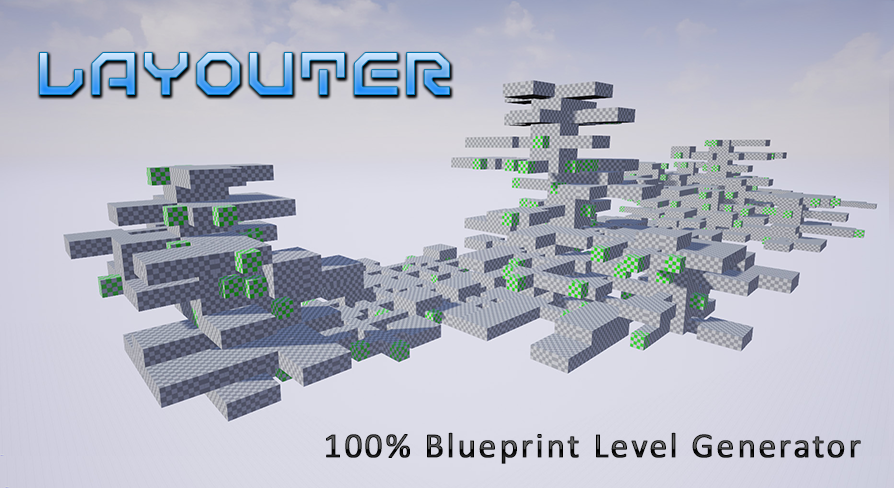
Layouter is a 100% blueprint tool that allows you to quickly and easily generate a maps layouts based on pre-definied segments.
silver warren
anyone have any projects they want to send me to work on audio inside of? im an audio engineer/sound designer learning the engine and want some real life projects to work with 😄
anyone have any tips on where to look for stuff like this or where to go to find people to collaborate with
i'm using fmod/wwise and in engine sound
pure glen
So I was able to make the fps controller from scratch. Now I want to rig up the arns and guns to it
Is there a how to guide that tells you how to rig it up?
 empty panther
Hi Guys, need help. My game crashes randomly when loading a level. Game has 3 levels in total. Menu, Level 1 and Level 2. It works like from Menu->Level1->Level2->Level1->Level2-> Goes on
[2019.05.08-04.59.24:770][438]LogStreaming: Display: Flushing async loaders.
[2019.05.08-04.59.28:842][438]LogWindows: Error: === Critical error: ===
[2019.05.08-04.59.28:842][438]LogWindows: Error:
[2019.05.08-04.59.28:842][438]LogWindows: Error: Fatal error!
[2019.05.08-04.59.28:842][438]LogWindows: Error:
[2019.05.08-04.59.28:842][438]LogWindows: Error: Unhandled Exception: EXCEPTION_ACCESS_VIOLATION reading address 0x96110000
[2019.05.08-04.59.28:842][438]LogWindows: Error:
[2019.05.08-04.59.28:842][438]LogWindows: Error: [Callstack] 0x00007ff77bd9de70 UnknownFunction []
[2019.05.08-04.59.28:842][438]LogWindows: Error: [Callstack] 0x0000000000000005 UnknownFunction []
[2019.05.08-04.59.28:842][438]LogWindows: Error:
[2019.05.08-04.59.28:853][438]LogExit: Executing StaticShutdownAfterError
[2019.05.08-04.59.28:900][438]LogWindows: FPlatformMisc::RequestExit(1)
[2019.05.08-04.59.28:909][438]Log file closed, 05/08/19 10:29:28
Can someone help me out please? Thanks
wary wave
there's literally no information in that log
 wet belfry
is it possible to change the content browser images representing your meshes and where would i be able to do this?
wary wing
@remote rivet Presuming (hopefully!) that you're printing to log as well as screen, open your Output Log. It will have the BP name in the prefix for your log message
empty panther
@wary wave yeah that is the problem.. I cant find any useful information in crash logs.. This is all I got.. It crashes randomly when trying to load levels... Its working perfectly fine in editor, crash only in build.
wary wave
if you don't have debug symbols installed, install them
 lusty carbon
cloud cobalt
lusty carbon
cloud cobalt
Nope
pseudo swift
Anybody know how to record the constraints in game? They work in PIE but not when their parent objects are recorded through the sequencer?
pseudo swift
im willing to pay someone to personally help me figure this out
pseudo swift
yea physics constraints
the red cube is the parent which one side of the constraint is connected to, the other is parented to the head bone
in PIE, I can control my character since it has physics by moving the constraints
but I want to be able to record it
when I use the sequence recorder and choose the character, I can record the simulated physics motion to a anim file, its just that its not fixed in place, i can provide another vid
this is the result of recording, i just need to figure out a way to fix the position similar to how it moves in PIE
any idea how I can keep the animated character in the second video from floating around?
ah but it doesnt even has physics so nevermind i need that for other stuff shit
then its back to trying to animating the constraints which seems impossible
 dim merlin
Hi, whats the difference between fabrik and twoboneIK ? whats the best one to use (both work here)
pseudo swift
and I cant copy paste keyframes from one sequence to another?
even if I copy the entire object I cant copy the keyframes from one transform track to another objects transform track?
deep basin
question to the experienced ones here.
How are you managing asset management and testing in larger projects? So, in a larger project, what tools are you using to manage assets, monitor values and trigger assets and events for debugging purpose? Like does offer ue4 something like that out of the box? or can you use a database, combined with some sort of (web)tool to do these things?
 mint sequoia
I'm getting very frustrated with Epic's current bug report system, I keep getting assigned to people who can not reproduce simple issues, Epic we need to be able to have our bugs fixed!!
These people are not qualified..
I now have two bugs that they can't reproduce and they are both simple
With clear repro steps
Whyyyyy..
One is very significant..
sudden agate
Unreal Engine Forums
Hi everyone,
Today, we are rolling out a new method for you to report bugs with Unreal Engine 4 to the Engine Support team, the Unreal Engine Bug Submission Form
welcome to my world :D
mint sequoia
The repro step is just 1. Make a third person template in 4.22, 2. Enable 'Run Dedicated Server' and set player count to two, 3. Move then stop and watch the other screen
That's it
Can't reproduce it
wary wave
3rd person template (and indeed none) of the demo games support multiplayer?
but what is the bug?
mint sequoia
Huh
Yes it does
The bug is that when you stop moving a simulated proxy slides
Its very apparent

 wary wave
none of them intentionally support multiplayer, it's just a side effect
wary wave
the nature of the base character class
looks like it's overshooting the final position and the simulation is taking a small amount of time to reset?
or 'correct' rather than 'reset'
I would expect this behaviour with a dedicated server
mint sequoia
Erm
silver warren
increase friction
mint sequoia
I think thats an issue with what you're picturing
Omg
Are either of you being serious
This didn't exist in 4.20 and prior engine versions
Its a bug
Don't be ridiculous
wary wave
I can't really see the problem from the video
mint sequoia
🙄 Maybe you can apply to their bug report team
wary wave
I can only see the reset when it snaps back into position
mint sequoia
Umm yeah, it snapping back into position is a bug
copper flicker
upclose.. you can see that it's resting
but if I ask the Is Falling of the Character Movement, it says... nope. it's falling
wary wave
that snapping is likely a result of something like the dedicated server tick rate being low
mint sequoia
Nope
copper flicker
oh, and btw, the cylinder is not moving, it's stuck in that pose
it's not sliding down for some reason
I can get it stuck like that pretty easily..
mint sequoia
Its a bug introduced into UCharacterMovementComponent::SimulateMovement
wary wave
it's definitely a delay between the simulation being corrected by the server
mint sequoia
0ms latency
copper flicker
anyting that we can do about it??
wary wave
I would be very surprised if it isn't
silver warren
increase friction
copper flicker
I was thinking maybe to DEcrease friction
wary wave
changing friction doesn't prevent the underlying issue, heh
copper flicker
hmmmm
mint sequoia
Simulated proxies don't calculate friction
copper flicker
I want that cylinder to smoothly glide over that bump
it's relaly weird how it gets stuck there
wary wave
@copper flicker - it's probably because the downward traces aren't finding a surface, ergo it's falling
but the cylinder is snagged on geometry, so physically it isin't
mint sequoia
The responsible code is on line 1729 (in that scope)
wary wave
our character movement component is so heavily modified I can't look into it here
silver warren
that could be the issue right there
silver warren
is it ticking in BP?
mint sequoia
Who are you talking to 🤔
silver warren
amber
copper flicker
ok, so I set friction to zero, same
in fact, my character doesn't slide just because its cyl friction is set to 0
and in fact.. I do need it to NOT slide
haha
silver warren
oh nvm, yes you 😄
pseudo swift
no one knows anything about ways of animating objects connected to constraints? if not just tell me if its not possible etc.
copper flicker
@wary wave yes, there is no surface below.. but I have no idea why it's stuck there. the collision doesn't seem to overlap
just a few pixels higher... and it's Not Falling
in pretty much the same psition
wary wave
I think in the physics engine it's adequate enough for the capsule to be at rest
copper flicker
oh crap... that is a possibility
wary wave
it's super edge case, but that looks like what is happening
copper flicker
but I CAN get this problem for just a split second
sudden agate
@copper flicker you are perching
copper flicker
I don't see why the phys engine would think my cyl is at rest... while it's in moevement
sudden agate
you can go off a ledge almost completely wihtout falling
copper flicker
yes
which is great but.... if the character is standing on a surface still, cuz it touches that surface....
it's not supposed to ALSO be falling
O o
oh. PERCH..??? I dind't know that's a thing
😄
sudden agate
wait , falling or not? you said it was not falling
wary wave
he means the character is "falling"
i.e. it's movement
but it's not actually falling in the physics engine, it's snagged on the geometry
sudden agate
ah I see
copper flicker
I think Perch Radius Threshold fixed the problem!!
wary wave
huzzah
sudden agate
¯_(ツ)_/¯
pseudo swift
is there another way besides the sequence recorder to automatically capture the location of an object into keyframes?
copper flicker
thx Gee Oooh Deeee... haha.. for this Discord channel man
it's saved my ass so many times
one can make a GAME.... with help from you folks
😬
pseudo swift
then maybe you save me ¯_(ツ)_/¯ i cant find a solution to this issue of animating constraints
copper flicker
I've never used Unreal with 3D anim so sorry.. : <
but if you need with 3D anim in Maya I can help
😛
help with *
pseudo swift
haha im blender and this issue is tied to ue but thanks xdd
pseudo swift
i mean i kinda switched to it since the 2.8 update, so i would say its doing better than ever
i mean technically 2.8 isnt released yet but its really nice
 rancid lynx
how do i control the blend percentage between 2 layers in a landscape material? it seems to blur 100 percent between the 2 nearest verts, but i would like to sharpen that up like 75 percent.
hmmm.. i bet ue4 doesnt save blend percent for each set of verts. is there a default landscape wide option somewhere?
pseudo swift
so my problem is that when i try to record the red cubes location with the sequence recorder it creates these weird doubles that are marked with a small lightning symbol in the sequencer? any idea what this is?
rancid lynx
so a 4 x4 png with two top black pixels and 2 white bottom pixels and a height map would get me a chrisp line i guess? ive no idea.
pseudo swift
ok so I narrowed down my problem to simply record moving objects which is grabbed by mouse during PIE, surely there's a way to do automatic keyframing?
pseudo swift
guys nobody has any idea how to simply record the movement of an object? any links tips anything? i scoured the entire web and nothing
kindred viper
sure. depends how accurate you want it to be, but you can keep track of the object location every so often, store it in an array, then interp between those values when you need to replay the movement.
pseudo swift
@kindred viper so while simulating, can I capture the location of a cube im moving with my mouse?
with capture I mean record it to a sequencer
 autumn valley
Is it possible to make a Frontend umap?
kindred viper
sure Carl
pseudo swift
and not through the sequence recorder? since that creates a spawnable actor instead of adding the transformation to my actual actor if that makes sense
how would i go about learning how to record the location of a cube im moving with my mouse to a sequencer?
kindred viper
easy. Get Cube Location -> Add to Array of Vectors
autumn valley
How can i get answerd
kindred viper
and dont think about it with sequencer
autumn valley
Answers
pseudo swift
Marc would you mind pming you to better describe what I would want to achieve?
kindred viper
sorry but I already told you how to do it
pm'ing me isn't going to help as im going to say the same thing
pseudo swift
alright well, im not experienced enough to follow your instructions
pseudo swift
is this something I would setup in the level blueprint?
kindred viper
no
pseudo swift
also, when you said "dont think about it with sequencer" then im not sure i understand what you mean, since I would need to record the cube moving up and down, and then have the same movement replayed when i restart the simulation again
kindred viper
ok that is a personal choice of animation there. Im a fan of manual keyframing but then I dont see a problem with sequencer if that is all you know.
My method wouldn't need to be used with Sequencer I guess as it records the data itself
pseudo swift
my problem is just that i would like to record the movement from dragging the object with my mouse rather than setting keyframes frame by frame
kindred viper
well consider this. You are in a frame based environment. Everything you do, is frame based. May as well use that
pseudo swift
yes sure,, but then lets say the object is being moved by my mouse, that creates many many keyframes, if captured by automatic keyframing, i cant do something like that by hand, and im simply wondering how i could capture something like that
kindred viper
why cant you do it by hand? I mean, do you have no hands?
pseudo swift
i would like to record the movement of these red cubes, which is not something I unfortunately could keyframe in a similar interactive way
kindred viper
ok lets think of it this way.
- You click on object with mouse.
- StartDrag occurs.
- You start a timer that calculates the location every (1 x delta seconds) and Adds to an array.
- Stop drag occurs and the timer is stopped also.
- Now you have an array of locations you can tell an object to travel between with Interpolation code
sounds simple that way right?
pseudo swift
haha yes semi easy but i get what you mean yeah
grim ore
sequencer supports auto keyframing, does it not work well enough?
kindred viper
yeah it should
pseudo swift
mathew do you refer to the sequence recorder?
kindred viper
I couldn't give an example of that because I dont use sequencer (or rather, haven't yet)
grim ore
I refer to the auto keyframing option in sequencer
pseudo swift
where can i find it?
here i used the sequence recorder option, which creates a spawnable copy of my selected actor and seems not to function well with my physics controlled character
grim ore
well I don't think auto keyframe is going to do what you want but its the icons to the left of the magnet on the toolbar to turn on auto keyframe and what it will keyframe. It doesn't just play and you move stuff but it will add a keyframe at the frame you have selected when you change an item
pseudo swift
hmm alright, did you see the video i posted just above with the character moving by me moving the red squares? I basically been trying for hours to record/capture this some way so i could redo it with many characters and then have them all dance the same way next to each other, any idea how i could capture that movement of the squares?
rancid lynx
when painting terrain layers is there a way to remove this wave between the terrain verts that run diagnally? when you paint horizontally or vertically, this doesnt happen, but when you paint a diaginal direction, you get this wave pattery, . is there a way to remove that ?
pseudo swift
omg i solved my issue with a workaround, i recorded the cubes with the sequence recorder which captures the movement, then I exported the cubes to blender, then I reimported and changed my constraints to the imported cubes, now it runs smoothly while simulating
rancid lynx
: ) Awesome
pseudo swift
did you solve the painting?
i can try help you figure it out
i think i did what you are trying to do
plush yew
i have a build system but i need help what is a good blueprint class to use because my current blueprint class (Regular actor) but i cant build on it
get rekt
 chilly wing
@final briar I think it is in your best interest to not advertise your "recruiting efforts" through DMs.
plush yew
default discord picture 
 unreal shore
🤔
plush yew
serious question
does counter strike source fall accelerates you?
my fucking god im a genius
genius.
plush yew
im talking about like when u fall does gravity exist
like do u fall faster how long u are in the air?
chilly wing
there is no "universal gravity" on source it depends on the object
afaik
I could be totally wrong
plush yew
oh wait i dont have nitro in this account
chilly wing
multiple accounts 
 chrome cedar
Hey guys 🙂 I bet this question has been asked many times and I´ve done some research but I couldn´t find anything that actually helped.. After building my lights in UE4 I receive messages that (in my case) 5 objects have overlapping UVs/Lightmap UVs. And the exact same objects have some weird (shading?!) issues. I´ve already unwrapped them 4 times now. 3 times with 3ds max and once with RizomUV. I assigned smoothing groups in max and exported them to unreal. I´ve also tried increasing the lightmap resolution (I´m at 128 now) and setting the building quality to production but nothing rlly helped.. it´d be amazing if you could help me fix these problems...
grim ore
do the items have overlapping UV's?
I know you said UE4 says they do but you said you unwrapped them a few times but did you fix the issue with overlapping UV's when you did it? If not have you tried letting UE4 create your lightmap UV's?
chrome cedar
in max or in rizomuv I couldn´t see any UVs overlapping. I even set the padding quite high to be absolutely sure there´s nothing overlapping 😕
so far I´ve always let UE4 create the lightmap UVs for me. I´m still not quite sure how to do that manually. that´s a part I still have to dive a bit deeper into 🙂
grim ore
that is weird then, if you are letting UE4 create them on import they shouldnt be overlapping. Have you looked at the UV's in UE4 itself on the model ?
and keep in mind "overlapping" does not have to mean edge to edge, overlapping in UV's is normal if you have similar faces such as a cube could have all 6 sides overlapping in the UV map
chrome cedar
ye that´s true. well.. on my first tries the lightmap UVs were actually overlapping in UE4. the last try I made where I already created 2 UV channels in max and set the destination lightmap index to the second UV channel nothing was overlapping. or let´s say at least I couldn´t see any overlapping
this is how it looks like
grim ore
is that the one with the 2nd UV for lighting?
chrome cedar
yea
grim ore
did you tell the mesh to use that 2nd uv for lighting?
chrome cedar
that´s the second UV UE4 created
grim ore
yeah it looks like you did, and that one says it is overlapping?
grim ore
damn. yeah your weird issues with the shading would be due to the lightmaps for sure but weird how UE4 created one that overlaps
chrome cedar
the other objects give me even higher values. my oven has lightmap UV overlapping by 50.8% even though I can´t see any in the UVs
grim ore
and there is no way to easily see the overlaps in UE4 😦
you are doing it correctly from what I can see, you might get more help in #graphics or the forums maybe it's a weird bug with your mesh
chrome cedar
ye you´re right.. just strange that I have these problems with 5 of my meshes 😦
grim ore
the top of the oven definitely looks like its using an overlapped UV, like the top and bottom are sharing the same space for some reason
chrome cedar
I´ll quickly check the oven again and leave the other one for now. sec
well the normal UV map looks okay. that´s the one I did. the lightmap UV looks rlly strange..
grim ore
unfortunately I am not an artist but I have a feeling it has to do with the mesh itself
chrome cedar
grim ore
wow yeah that's alot of faces
chrome cedar
yea
and the top left part of the second UV map looks rlly strange.. with these "rays"
grim ore
I am guessing that is the top for some reason instead of being a circle its super wonky. Is your source mesh correctly triangualated? no ngons and such
chrome cedar
it has only quads cause I heard that the game engine automatically triangulates that. is that correct?
at least it has no ngons
grim ore
the engine probably triangulates it but that might a source of the issue. again I am no artist but I always assumed the source should be triangulated.
also in your source UV on that stove you can kinda see your top part doing the same weird rays in the bottom left
chrome cedar
you´re right! that might cause the problem! I´ll doublecheck everything again and unwrap the whole part properly again. but still weird with the other object cause that seems to be correctly unwrapped or not?!
grim ore
yep I have no idea, just found a thread and people are saying both so lol
the unwrapping that UE4 did on the stove could definitely be causing that issue on the top and I have no idea why it did that 😦 It's probably something simple on the way the mesh was exported or set up but I am not skilled enough to even guess lol
well. I did guess but I think I am wrong so shrug
abstract relic
Engine triangulates for you. Just sometimes not the way you want it to. Better to do it yourself
grim ore
it seems like the average statement is quads or tris doesnt matter, the engine will convert to tris. importing as quads "might" cause an issue since the engine will have to guess where you want to split the quad so the shading might come out weird
what @abstract relic said lol
chrome cedar
oh alright! that´s good to know! ty!! learned something new again 😊
grim ore
it shouldnt be causing these weird weird weird unwrapping issue tho unless for some reason you have like floating faces or edges
plush yew
hey, can I somehow use profiler on a cooked dedicated server?
abstract relic
This goes unsaid but make sure it’s using the uv channel you made for the light map.
chrome cedar
yea
 marble saffron
has anyone else been getting a lot of messages from bots trying to recruit you for games that already exist??
just trying to see what communities these bots are targeting
severe ibex
on the subject of UVs, is it possible to just copy a UV channel to another un UE4? I have items all unwrapped for textures, nice and flat but forgot to put them in Channel 1 also but the auto unwrap often makes a pigs ear of it
fierce tulip
not really
also, those are some really poor unwraps for lightmaps
if the uv's for uv0 have overlapping/mirrored uv's then ue4 cant magically make them not overlapped/mirrored.
and a lot of those parts are so tiny you'd need insanely large lightmaps to even get apixel or two of light info
grim ore
you can tell it to use channel 0 if you want for your lightmap @severe ibex , you don't have to have a separate one
fierce tulip
^ but only if uv0 is inside 0-1, doesnt overlap, and doesnt have mirrored pieces.
grim ore
yep. I assumed that since he wanted to just copy 0->1
fierce tulip
ue4 can re-generate it to be within 0-1, but the other issues stand
severe ibex
@grim ore I know you can do that but doesn't it get all upset after the lightmaps are built?
I'll check now actually
grim ore
I just tested nuking uv1 and using only 0 and no complaints here
it might complain if the uv is bad of course, but assuming it's good it should have no reason to complain
I think it's just more along the lines that a UV map for texture and a UV map for lighting are not always the same so it assumes you will want one for each
fringe pivot
How do you move the character around the world via bp?
I tried SetActorLocation but seems to be doing nothing.
Do I need to mvoe the transform?
severe ibex
yeah that's something new to me, the idea that a lovely flat unwrap is not so good for lightmaps
grim ore
@fringe pivot set actor location should work to set an actors location to the new values in the node.
 radiant haven
hi guys can someone help me:
for modelling I am using blender and i made a chair and also UV unwrapped it
but in ue the textures are still stretched
what did i doone wrong
 coral shoal
you should look for stretching in you unwrap. blender has a visualizer for stretching somewhere
radiant haven
okay sry how??
severe ibex
Just checked and it was fine building lightmaps on uv0, no idea what caused the problem I was thinking about before