#ue4-general
1 messages · Page 441 of 1
 fringe pivot
 regal mulch
Da zoooooooooooooooooooooooooooooooooooooom
 manic pawn
that preview image is false advertising
 spark sonnet
How can I stop the movement for the specific actor? When I use this it stops all its child actors too
 wanton stirrup
Does anyone know, do shared collections work with GIT as source control?
 teal tulip
@primal edge the cursor does sexy movements
 primal edge
 🕺
🕺 thorny stream
Hey, whats the best way to handle per-level progression? Level Bp is nice but very restrictive so
 fathom bridge
You mean levels as in maps? Or player levels like my warrior just leveled up kinda thing
thorny stream
levels as in mapss
 still orbit
out of curiosity, would a game like "they are billions" would even be feasible to make in unreal engine?
fathom bridge
Do you want to know how to switch maps at runtime? in game?
 cloud cobalt
@still orbit Yes
fathom bridge
Cuz that is as simple as an Open Level node
thorny stream
no it's more like, Player has to do A, B, C before they can continue to the next level
I think the system i have currently is way more complicated then it should be..
fathom bridge
I see. You have a list of objectives and when they are complete, then switch levels
In a nutshell how does your system work?
 light oasis
Is there a good channel to ask about corrupt assets?
fathom bridge
Rather than tracking it on your level BP you can track it on your character or create a component in your character to store variables
still orbit
@cloud cobalt are you familiar with it? there are literally thousands of units at any given point
cloud cobalt
Just needs some careful consideration
thorny stream
So, my game has alot of objects, and they each have different states, and i was thinking of making a sort of Brain BP, that checks and updates the object states, but each sort of trigger will be unique to the level
Track it on my CharBP and see what level its on to check the unique triggers?
fathom bridge
You could, sure
Or have a 'level' variable on triggers abd have different behavior depending on the level
There are different ways to go about it
thorny stream
hmm alright, thank youu
 wintry forge
would it be easier to have rotating legs rigged/animated/baked in blender, or have them rotate based on programming in UE4? You move the legs manually in game with your character
fathom bridge
For a humanoid?
 wary tartan
In what channel should I post a question about gFur?
wintry forge
(tripod as in the tool, not some kind of creature)
 robust steeple
Can AiMoveTo node be used inside a function?
Or is it event graph only?
 random nacelle
with so many members in would of thought there would be people using voice chat
 cerulean sorrel
 haughty moon
https://gyazo.com/d51e4937e1a348df4f1e0c1280321ec2 whats this mean?

how do i get rid of this?
 coral patio
Anybody here who has worked with fur shaders or implemented characters or animals with fur (not hair cards, just the texture/shader) in Unreal? I'm trying to find a good shader setup for the body of a lion I created and want to make it look as realistic as possible.
 verbal vapor
hey i just got 4.21 waiting a bit on 22, anyway Im trying to open my project settings but the window wont come forward whats up with that?
 lime girder
 hidden aurora
@cerulean sorrel you need to specify a start spot and a new player
 next badger
@lime girder #virtual-reality
 twilit hill
anyone knows good write-ups about water (waves) mp replication?
 wary wave
you won't find one
...because it shouldn't be replicated at all
it should be using something like game time, which is already synched
twilit hill
yeah, i was thinking about doing that
world aligned with material parameters adjusted by the server in fixed intervals ...
wintry forge
Should I make my tripod (tool, not creature):
A baseplate with 3 sockets, which each attach a "rotating extension" that I can program to move based on input, each with a socket to attach an extending leg.
OR
A blender animation with the legs rotating (assuming there is a way to blend each leg rotating simultanously)
like in blender I can animate each of the 3 legs rotating, or like one leg fully rotated, one leg not rotated, another leg half rotated.
Do I need that specific animation to do that specific setup in UE4? or will UE4 be able to use an animation where all 3 fully rotate to properly adjust the legs to where they need to be
I am not sure what UE4's capability to represent all ranges of motion of a blender creation is
 swift rose
Ok I feel like this should be an easy fix but for the life of me cannot figure out how to fix it. I'm still very much a newbie to UE4. Right now my issue is Atmospheric Fog. It works lovely through the day time in my scene, but as night comes and rolls over, atmospheric fog disappears from the scene completely. I'm using Ultra Dynamic Sky for my scene, I even tried adding atmospheric fog under the Dynamic Sky BP but that didn't change anything. Is there any way to get this to work or is atmospheric fog limited to daytime? And sorry to pop in on your inquiry Squall, if I knew anything about that I'd try and help you.
spark sonnet
I can try to help you @swift rose in a sec
 round fox
is there any issues with the UE4 fire and smoke particle systems that come in the startercontent?
 placid arrow
They don't scale in size very effectively
Apart from that, nope, use them
IMHO, make a fire or smoke effect 10% of its default scale and it doesn't look so realistic because of LODs
round fox
ah, OK
placid arrow
Also they aren't very controllable
So if you want for example a jet of smoke or fire coming out sideways like a flamethrower you have to reengineer it
As the default one is built from flipbooks that simply aren't the right shape
round fox
OK
spark sonnet
Anyone who's got an idea why this isnt working? It worked once but not anymore
nvm. now it works for some reason
 green granite
hello, when i apply the water material to a plane, it looks like the second image, i want to try and make it look like the first image, which is what it looks like when applied to the landscape, any help would be appreciated, i tried uv unwrapping my plane but it still didnt work....
swift rose
I found a tutorial that helps show how to adjust that lemme find it again for you
https://www.youtube.com/watch?v=86pXo9-9axU They go over that stretching issue you're running into

Complete Tutorial with All the Notes: http://www.worldofleveldesign.com/categories/ue4/materials-starter-content-water-instance.php Using water material from...
green granite
omg ty i hope this helps!
swift rose
Me too XD GL
green granite
will this work with any texture/material?
fringe pivot
Hey guys can someone help me? when I spawn a large heightmap based landscape then I can't run my game.
There is no visible error but the camera appears in a corner and I can't move at all.
How can I debug that?
swift rose
Maybe? I can't fully remember the exact way they went about it in that tutorial.
And where do you have your landscape perameters set up @fringe pivot
Is your map below your kill zone?
You can go to your World Settings and under 'World' there is the Kill Z
To test if that's the issue just put it at a -(ridiculously large number)
fringe pivot
@swift rose thanks let me check that, didn't know it even existed
swift rose
Yeah it was one of the first issues I remember running into when I first got into landscaping XD
if you run into foilage not spawning when you try to paint it on, it can be because of the same type of perameters as well.
fringe pivot
that fixed it, thanks a lot
 scarlet birch
Is there an issue with instanced static meshes and navmesh generation?
 plush yew
Does anyone here have a third person game where you can pick up items? How'd you handle recognizing what items to interact with? I thought I had a good system but it's been acting inconsistently so I'm just going to rewrite it. I think it should be based on what the camera is pointing at, right? For some reason I was mixing camera angle with angle to the character
 dim plover
@scarlet birch Yes, I believe it's if the BP doesn't reference a static mesh. You can search this Discord and you should find the comments.
scarlet birch
I tried that first and didn't find it. I'll search again. I'm looking through how it works now, and think I might have an idea to fix it.
dim plover
search this:
Just set a freaking default value
scarlet birch
thanks
Yeah, I'm using BPs to generate the level. On reload the navmesh is only finding the first mesh or two per BP. After changing a few things I can get it to recognize the meshes if they rebuild. I could probably fix it, if that's the case, by just delaying the meshes being added.. I'm going to have to look at it more.
 halcyon flame
are pawns supposed to inherit player start yaw? because I have pawns centered at player starts, with 0 pitch and 0 roll, but they seem to not inherit the player start yaw
scarlet birch
@dim plover Thanks. I found it. I can refactor what I have and see if that works.
halcyon flame
the pawns seem to spawn consistently, with one at yaw 0° (aligned with player start), one at yaw 90° (treating PS Y axis as forward axis), and one at positive and negative 45°....
swift rose
I double clicked the 'water plane' to take a look at it, and it went from my landscape to this in the view port and everything I have tried will not go back to the level itself. I've even tried exiting and reopening UE4 T.T I don't know how to get out of this viewpoint. someone please help.
nvm, the one thing I didn't try double clicking was the landscape. I feel special >.>
scarlet birch
That didn't work.
halcyon flame
I'm good, the manipulator defaulted to world space after dispossesion even though it showed local space in the level editor
 glad quail
Quick question, I have written a save system in unity where I can get all objects in the current level that implement the serializable interface and then it can save and load their json strings into a master json string... this means that I dont have to create a master savegame struct and each object takes care of it's own save game logic before it gets written to disk... is there a way to make a similiarly flexible system using ue4's in build savegame system... I.E, each object takes care of it's own save logic but it's called and then written to disk by for example the GameInstance? or am I going to have to write a completely custom solution using FJsonObjectConverter or some other serialisation thing.
from what I can see, ue4 only supports writing a savegame with set properties to disk
halcyon flame
I do have a larger issue: sometimes when calling Create Player, no pawn spawns. a PlayerController, PlayerState, HUD, Camera, Camera Manager are all seen in the outliner for this player, but the pawn doesn't exist. using prints I confirm that BeginPlay is never called so the pawn doesn't even exist for a single update.
I'm also sure this isn't due to there not being an available PlayerStart because I've successfully spawned 4 players without moving 1P at all. can't figure out what causes this, but it happens around 50% of the time.
glad quail
I need to be able to register objects to be saved to disk that handle their own implementation
 kindred viper
@glad quail check this out. Its old but relevant info. https://wiki.unrealengine.com/Save_System,_Read_%26_Write_Any_Data_to_Compressed_Binary_Files
glad quail
Thanks
halcyon flame
further update, I see that this is a SpawnActor collision
oops. it gives me a warning in the log of "SpawnActor failed because of collision at the spawn location" so I changed the pawns spawn behavior to always spawn.
this clarified that the problem is the game sometimes tries to spawn pawns at PlayerStarts that currently have pawns on them... why would it do this if there are empty player starts available?
 gilded rock
anyone know how i can get my hitscan to be properly accurate on the crosshair? it just continually goes above and to the left, and even worse so when i aim down sights, hlep pls xxx
scarlet birch
For the navmesh issue I was having with Instanced meshes built in constructor, I added a begin play call to ReregisterAllComponents(); and that seems to have solved the issue, not sure it's the best solution. I'm going to test it in a packaged build before I call it fixed.
halcyon flame
are you shooting a ray out of the gun based on its world location?
 dapper obsidian
Hello. I’m wondering if anyone has ever had a problem as follows: I’ve installed the epic launcher, when I try to click on it to sign in it immediately crashes. No error message, just gone. It is not minimised, I’ve run as admin, and I have turned off antivirus. Any suggestions?
 hearty quarry
does your firewall(s) allow it ?
dapper obsidian
@hearty quarry I turned off avg and I don’t use a firewall
@hearty quarry can’t even get to the bloody log in screen before it crashes
hearty quarry
is your UAC (user account control) turned off ?
dapper obsidian
No I don’t think so
But I’ve installed with it on before and never had an issue
@plush yew ?
 daring tide
 shell knot
Hey everyone, an hour ago, the viewport of my editor started getting darker. Even when I open a material, the material viewport seems is darker too. Did I do something wrong? I can't seem to find the solution...
fyi I disabled the auto exposure in the project settings, but doing the same thing on another project didn't give this weird result
Never mind, i had to change the ev max and min in the parameters of my camera for the ingame part. But the viewport is still darker. I wonder if it's due to the 4.22 new renderer...
 blissful willow
How strong should a directional light generally be in a scene? It defaults to 10, but I've heard mixed things everywhere about how powerful it should actually be...
 shrewd shuttle
when i try to add a pack (SciFi Hallway) to any project, it says "Files from Scifi Hallway already exist in this project" even tough they are completely new blank projects
 wispy raven
nothing works :(
i'm trying to add a left right tilt to my fp camera
i found an easy solution but the movement is choppy
i tried like this and nothing happens
 trail mural
try add local offset
wispy raven
also, i tried removing the pawn control rotation from the camera and then, i added it on the spring arm
the camera breaks
and i have to do this
 rose glen
Does anyone know, why in grid first column is ignoring the mouse ? and clicking on it goes through to the game ? but not other columns ?
 hybrid scroll
Are there any plugins that extend the blueprint comment functionality? Like predefined types (BUG, TO DO), assignments to specific people, data created (Perforce revision number would be perfect). Anything that would make communication between team members smoother.
plush yew
hey, anyone knows how I can break my normal map that I just converted from normaltangent to vertex so that I can use the up vector?
I don't think the simple breakfloat3 works in this case unless I need to do something extra to make it work that way
 abstract relic
Use component mask. From there, you can isolate the channels
plush yew
that works, thank you!
 feral canyon
hey guys, can I use the UnrealVS extension on visual studio 2019? 🤔
 pearl sparrow
I remember someone mentioning a while ago that using blueprint function librarys excessively can be a performance hit on your project. Is that correct?
 delicate turtle
As always its probably best to benchmark, measure and profile.
 rapid gull
Every time I start my editor, my nave mesh moves just above or just below the floor. How do I stop this?
 steep mantle
@cloud cobalt how do i get the weird 1e+05 in divide node?
cloud cobalt
You write the value in the node properties for the second input
steep mantle
no not really
cloud cobalt
steep mantle
doesn't allow me to put 'e'
 fallen flower
1e+05 = 100000
@steep mantle
You should get comfortable with scientific notation
you'll use it alot
steep mantle
i found out the value
what i wanna knw is how do i put the 'e' as value
cloud cobalt
Write the value
steep mantle
do i need to use it
is the questoin
fallen flower
No, it's just a convenient way of showing large numbers, and software will often automatically convert large numbers to scientific notation.
 zenith flower
 fair pike
Having some troubles with game instances and variables; is there a way to retrieve a variable from a game instance without having to "cast" it?
Okay I realised I had to go to settings and manually set the game instance that is accessible
 worldly axle
hey guys i wanted to make something wich make spawwwn a widget and teleport it wheree i clickeed, thee wwidget spawn but he dont go at the expected position. Please help
 sleek otter
Has anybody found a way to fix the include .generated.h bug in 4.22? ive followed all the guides online, rebuilt, regenerated, deleted folders, added include folders in nmake, everything i could find and all it has done is made it worse, now every single generated.h is broken, I cant compile and i cant open the editor project due to deleting the folders, editor asks me to rebuild and fails and says try to recompile from source. Totally stuck in a loop here...... 😫
cloud cobalt
What bug
sleek otter
where visual studios is not able to find any of your header files, header.generated.h includes.
from all the info i read online, the bug existed a few versions ago and was apparently fixed but then i seen another post where its back in 4.22 and its happening to me
sleek otter
Severity Code Description Project File Line Suppression State
Error (active) E1696 cannot open source file "BaseCharacter.generated.h" RPG D:\UE4\Projects\RPG\Source\RPG\BaseCharacter.h 7
Error (active) E1696 cannot open source file "BaseCharacterGravity.generated.h" RPG D:\UE4\Projects\RPG\Source\RPG\BaseCharacterGravity.h 7
Error (active) E1696 cannot open source file "BaseCharacterJson.generated.h" RPG D:\UE4\Projects\RPG\Source\RPG\BaseCharacterJson.h 10
Error (active) E1696 cannot open source file "BaseInventory.generated.h" RPG D:\UE4\Projects\RPG\Source\RPG\BaseInventory.h 7
Error (active) E1696 cannot open source file "BaseInventoryItem.generated.h" RPG D:\UE4\Projects\RPG\Source\RPG\BaseInventoryItem.h 5
Error (active) E1696 cannot open source file "BaseInventoryItemStack.generated.h" RPG D:\UE4\Projects\RPG\Source\RPG\BaseInventoryItemStack.h 6
Error (active) E1696 cannot open source file "BasePlayerController.generated.h" RPG D:\UE4\Projects\RPG\Source\RPG\BasePlayerController.h
cloud cobalt
No, the output log window
sleek otter
oops
1>------ Build started: Project: RPG, Configuration: Development_Editor x64 ------
1>Creating makefile for RPGEditor (no existing makefile)
1>Parsing headers for RPGEditor
1> Running UnrealHeaderTool "D:\UE4\Projects\RPG\RPG.uproject" "D:\UE4\Projects\RPG\Intermediate\Build\Win64\RPGEditor\Development\RPGEditor.uhtmanifest" -LogCmds="loginit warning, logexit warning, logdatabase error" -Unattended -WarningsAsErrors -installed
1>D:/UE4/Projects/RPG/Source/RPG/BasePlayerController.h(127): error : Unrecognized type 'AOWSAdvancedProjectile' - type must be a UCLASS, USTRUCT or UENUM
1>C:\Program Files (x86)\Microsoft Visual Studio\2017\Community\Common7\IDE\VC\VCTargets\Microsoft.MakeFile.Targets(44,5): error MSB3075: The command "C:\UE4\UE_4.22\Engine\Build\BatchFiles\Build.bat RPGEditor Win64 Development -Project="D:\UE4\Projects\RPG\RPG.uproject" -WaitMutex -FromMsBuild" exited with code 5. Please verify that you have sufficient rights to run this command.
1>Done building project "RPG.vcxproj" -- FAILED.
========== Build: 0 succeeded, 1 failed, 0 up-to-date, 0 skipped ==========
cloud cobalt
Not the "error window", close it, it's wrong
See, you do not actually have an include error
You have a "not having bought Visual Assist" error
Your actual error is in the output log window (and will always be there)
sleek otter
wierd, i have a full version of vassistx
cloud cobalt
Just close the error window and fix your AOWSAdvancedProjectile error
sleek otter
ok, on it, will update in a min
thank you Stranger
i commented it out, now im getting to see other errors in the output, so mostly ignore the error list? its intellisense crap usually right?
yay fixed!!!! Thanks @cloud cobalt !! I was reading all kindsa crap last night for hours.
 latent moth
is anyone aware of ANY issues that might arise by setting a landscape vertical (y=90)?
wary wave
I would expect collision to go nuts
it's really not designed to be rotated, even if you can
 tropic oracle
likely nav mesh generation may run into issues if it's assuming projection onto surface has unique coordinates
as if you've turned the landscape 90degrees the same projection point could mean multiple points along the vertical
I'm speculating though
manic pawn
better than -763 though
swift rose
I cannot for the life of me get my water to not 'glow' at night
There is no emissive, and I set reflection multiplier to 0 and even metallic to 0 to try and combat it and still no dice.
I had it fixed I thought and now it's back to this again >.<
rose glen
i guess its reflecting the moon
swift rose
I don't think so. When I did have it working I hadn't changed anything with the moon at all, and the moon moves.
I had turned down the reflection multiplier and it had fixed it at one point but now it's not working
so I have no clue now
I even removed the reflection cube out of the equation for it to see if that was the cause and nothing changed
 sudden agate
@swift rose do you bake reflections? because baked relfections cannot be changed at runtime
swift rose
I have no idea. Maybe, how would I set it to have reflections be real time?
sudden agate
there are no realtime reflections unless you are using Planar Reflections
is your Water Metallic
?
swift rose
I put the metallic to 0 to try and fix it that way but it did nothing so I just set it back to .8
What if I set time of day to midnight when it shows no reflection in the editor at night and then bake it? Would that possibly work?
sudden agate
Do you have a Stationary Skylight?
sudden agate
the best would be to not bake anything at all
swift rose
I'm using Ultra Dynamic sky
the only time I did anything was when it said it needed reflections recaptured and I did that
but I have always had this issue with water materials it seems
whats most frustrating is I feel this should be such a simple and easy fix
Every game with a day and night cycle seems to have no issues with it's water reflecting at night properly. >.<
and there's absolutely nothing in google about water at night with a day/night cycle.
manic pawn
you'll need to either switch out the skylight or recapture it regularly as your day cycle goes on
swift rose
How do I get it to recapture regularly?
nvm. I found the settings and that has fixed my issue, thank you so much!!!!!!!!!!!!
This has been the bane of my landscaping days since the beginning >.<
sudden agate
I recommend using Cubemaps for the Skylight. You can lerp between them and they dont seem to be that costly compared to recapturing
swift rose
I may look into that. I'd just have to find a cubemap that would work.
sudden agate
you could capture your sky multiple times at different ToDs
There is a SceneCaptureComponentCube, which renders Cubemaps. You can save them as textures
swift rose
Hmm.
I'll have to look more into it. At least now though I know what's causing it and how to make adjustments, thank you both
 pallid compass
That is odd, not seen water do that before
latent moth
@wary wave and @tropic oracle we’re basically using this technique to make large cliffs that have caves. no real other way we could think about.
maybe we could in the end export all and generate meshes out of it, but rn it’s rather convenient to carve the right thing
quick example:
we can walk into these with characters, and couldn’t see any issues
you can actually even paint the mesh in this position which is really great... Also, nav mesh seems to work...
https://gyazo.com/ad481dc42242e1af827440529ff9478f

 hoary silo
For some reason, directx 12 ray tracing isn't working for unreal. Does anyone know how to get it to work?
AMD released ray tracing support for their cards, and I have a radeon480
pallid compass
u starting it in dx12 mode?
pallid compass
no idea then
most of its still broken afaik
ask in lounge as odd as that sounds
alot of lounge lurkers have played with it
hoary silo
Yeah, I will. But also if this helps: when I ran dxdiag, it said "DirectShow "wasn't working properly, so it just bypassed it.
If that tells you anything
twilit hill
eh, rtx raytracing even works on pascal .. so its just a dx addition anyway
 grim juniper
It's DXR, not RTX
twilit hill
i didnt even look into that yet in 4.22 😄 but good to know
currently trying to create a really really good visual inventory, something in between dayz standalone and tarkov ...
 frail river
Hey, has any one here done custom builds? I made a build and I want it to start with DisableAllScreenMessages but I can't figure out where to add it to do that
I tried adding the line in every .ini file I found in my build folder
Didn't work
kindred viper
frail river
Hmm but that's while in editor, what do I do if I already made the build?
kindred viper
the config is pre-editor. it should retain through to gameplay too. If you have a pre-built setup, you are SOL im afraid.
worth trying the config anyway tho right?
frail river
I would if it was there x3 It doesn't exist in my build folder, so I guess I have no choice but to make a new build
kindred viper
if it doesn't exist. create it
 coral shoal
is it possible to instance/batch draw calls for billboards the way you can with static meshes using instanced static mesh components?
 magic scarab
well I think i need a little help... Ive got a few blueprint actors that have somehow lost their parent. the parent class works fine, but when i go to reparent these children, there are no prompts for any other blueprint classes. only components, widgets, etc
frail river
Hmm, I created a DefaultEngine.ini in "WindowsNoEditor\CoralCavesBuild\Saved\Config\WindowsNoEditor" But no dice, is there any other location I could try adding the config?
kindred viper
yeah in the path from the image I shared
frail river
Do I create the whole path in the same place my .exe is locateD?
let's see
Didn't work,...well let's try pasting it in literaly every folder see if it bites, if not, time to make a new build
Nothing works, ah well, it's okay live and learn heh
swift rose
Anyone familiar with creating Landscape LOD's within the editor, more specifically how to get the material to apply to the LOD's properly? I want the LOD's to use the same material as the landscape but can't seem to figure out how to do this. I'm using a tiled landscape, and for the tiles not loading in right away the LOD's exist, but they are a grey/black coloring from a distance instead of the material I'm using for the landscape as a whole. Not sure how to apply otherwise.
pallid compass
landscape LOD is automatic
Assuming you are using the landscape system
and then it will mip the textures
swift rose
That's what I'm doing. I'm trying to do it again and set up right or whatever. hard to explain, it's just the textures are not displaying for the LOD's like they're supposed to. when I get done running through these if it's still an issue I'll screenshot to show what I mean
latent moth
where are conversation happening nowadays? answers.unrealengine or forums.unrealengine?
swift rose
I suppose the real issue is the glaring reflection. I've removed the specular and metallness automatically generated by the editor when making the LOD, but it still has that shining glare on it making it look more so like playdoh then it already does without it.
 dark depot
sure its not from fog?
swift rose
The reflection?
twilit hill
yeah in my case water always gets shiny and bright from the fog
swift rose
It's not the water
it's the LOD in the background I'm talking about
Here you can see just how stark of a difference between the LOD of the landscape vs landscape that's loaded in with the sun reflecting off of it at noon. The glare decreases as day moves on
I just need to try and control what loads in and have more closer to the player load in I think.
Just no idea how to do that
dark depot
oh that is a better picture in the first it looked just like what fog does
twilit hill
that sure looks like specular
dark depot
the back model isnt the terrain tool i take it but a second static mesh
swift rose
Yeah, but it's set to 0
I used the engines ability to make LOD's for it. and it created the material, it had specular at 5 and I put it to 0 and it changed it in the material view, but in game play nothing has changed even after applying the changes
So I'm at a loss as to how to fix it
dark depot
the default terrain auto LODs and doesnt make a second mesh is what im saying
twilit hill
cant u just load the landscape lod and check its material?
dark depot
are you sure its the right mat
swift rose
I'm doing a tiled map
twilit hill
nah she used a heightmap to auto generate, you can see it in the screen
swift rose
I had to make the LOD's through the engine.
swift rose
The LOD level?
That's what's on the right
the M-LandscapeStreamingProxy_0_LOD1 material it generated for the LOD
twilit hill
in the material properties you could check "is pure rough material"
twilit hill
otherwise no idea, i also use world composition, but i rely on the auto reduction of the landscape
yeah fully rough, maybe that does the trick
swift rose
No sadly not.
twilit hill
another idea would be to just reduce the normal map, or remove them
twilit hill
yeah, if thats not it, then its most likely related to lighting, do you use any post processing in the "current" level? maybe its a bit off in far tiles then
swift rose
I have post processing but I don't know how I would adjust that so it's effecting LOD's different from the rest of the map if that makes sense
twilit hill
depends if you have it only in the current level or ontop, the root thingy
swift rose
hmmm
I'll try graphics. Thanks. See if anyone knows what I can do to fix the LOD's XD
dark depot
hope you get it a fix
swift rose
me too lol.
twilit hill
now back to searching for inventory UI ideas 😄
 analog blaze
@wintry forge lmao bruh, i feel sorry for your eyes
about time you got visual studio code or something
spark sonnet
how can I set max distance for a line trace. I have a box to my character but I want the line to trace to not go further than lets say 500 to my character no matter how far away my character is
rapid gull
cpp or blueprint?
rapid gull
spark sonnet
hmm I could try using a forward vector
I have that in my gun @rapid gull but It wouldnt work in this
hmm ok so I got the distance now but now the line trace is rotating with the character. its supposed to go from the box to the character
rapid gull
You are going from a box in the world to the character?
rapid gull
Could you just check the distance between them and do something if the character is within x amount?
I am not super familiar with bp only used it for a short time.
I do know there is a GetDistanceTo node.
rapid gull
gl
spark sonnet
you need some animations I would guess @crimson fulcrum
then the best would be to make an AnimationBlueprint and make the animations play when a specific key is pressed
spark sonnet
oh wait. Are you just going to make particles?
spark sonnet
ah ok. So both animations and particles
spark sonnet
I like your idea. It's not too difficult to make if you know some basic UE4 . Are you new to UE4?
 crimson fulcrum
Well it just has the character and so other buildsmon it
spark sonnet
thirdperson ?
crimson fulcrum
Yes
spark sonnet
ok nice
crimson fulcrum
Yea im not a big fan of first
spark sonnet
I'll be happy to help you but we should do it in DM so we dont spam this chat
crimson fulcrum
Ok
 deep basin
Hi :)
Does anyone know how I can blend an animation montage with my regular walking locomotion?
coral patio
Anybody willing to help me setup a good shader for this handsome boi's body? :> I'm struggling with the roughness (it always appears to glossy) and if there's a better way of creating a shader for short fur in Unreal than just using a normalmap to simulate it... I'm always up for it! I'm just still relatively new to shading in Unreal.
 lavish gale
hello everyone! does anybody know how to render burn-in's from sequencer while using custom render passes? "final image" pass and no other passes seem to actually burn the burn-in? any ideas or help would be deeply appreciated.
 mental shale
Anyone understand why software cursors are locked at a certain framerate?
wary wave
they run at the framerate the game does
mental shale
mine doesnt
my game runs above 100 fps
while my cursor still looks around 50-60 fps
 zinc rivet
If it's a software cursor, is it possible that its location is being updated in a game logic tick at 60hz? @mental shale
As opposed to every frame
deep basin
I have a variable TSubclass<ABaseItem> Item
BaseItem has various childclasses which can be set via blueprint. How do I determine in C++ what the actual class at runtime of Item is?
 waxen salmon
anyone knows how to or know a video i can look up to trigger destructible mesh only when hit by projectiles? they trigger to be destroyed even when the player bumps against them
next badger
@mental shale Mouse Cursor is actually GPU feature

Stack Overflow
I'm thinking about creating a software with c++ targeting Windows 7 (using Windows api) that allows a second mouse pointer on the same PC, so my question is witch part of Windows is handling the
 hidden berry
hello all, quick question. i have assets for the HUD that i need to blend out the black background on, but keep the white part, how would i go about that?
 full sluice
i've set a goal for myself to use unreal a little bit every day, to build a habit
but im short on ideas
what should i try to make with the intention of learning?
 grim ore
what have you made so far?
full sluice
i have a character that spawns a trigger volume in front of him that damages other players
thats the only thing ive done on my own, i had the help of udemy to make a BotW maze game
and a game where you roll a ball around and collect crystals
 fast finch
@full sluice make classic games
grim ore
maybe start trying to learn the parts of the engine at this point then. Materials could take you years if you just try and learn the nodes themselves one at a time. Or stuff like the framework like the controller, the states, the modes, etc. If you want less learning the engine and more doing then maybe redo what you did already a different way. like if your character spawns a trigger volume that damages the other players can you have the other players spawn in a trigger volume that damages you?
full sluice
i think i have a few ideas now, thanks you two
plush yew
I'm at the point again where ALT is getting in the way. It's one of my keybindings in-game but it also appears to have some sort of meta functionality with the engine. How can I turn that off? Every time I try to test how my alt key is functioning in game I get booted out of the window
I don't even know what to google there, nothing I search comes up with what I'm tryign to do
round fox
Is maya or blender better for asset creation for ue4?
plush yew
I've heard maya is a smoother transition but I've been getting along decently well with blender
i didnt have the luxury of choice between the two but if they were both free I'd have started with maya
round fox
I mean all I have is the educational license for maya, so I think learning blender is better off long term for me.
plush yew
Yeah so far I've definitely had some snags going from blender to UE4 but I've been able to resolve them all cleanly
If you plan on using IK definitely write down that ue4 required the IK bone to be 1:1 overlapping with the bone it's leading. That caused issues for me for months. In blender you can keep the IK bone angled however you want, but UE4 must have it being the same. So my legIK bone is overlapping my foot bone on the rig. Which is fine for me because I have a separate leg control bone anyway, but it could get annoying if you don't use one
 warm timber
what's the proper and less expensive way to listen for key inputs?
plush yew
how're you doing it? @warm timber
warm timber
I was thinking I could listen the on key down even of the widget I want to close when ESC is pressed
But I need to close a bunch of them if they are open, and also if I'm not worng they need to have focus
plush yew
oh man, I've been having trouble with key down on widgets. I don't think I can help actually
off the top of my head I would add each widget you want to close on ESC to an array
 still moth
do animations first
plush yew
and then run a for each loop
warm timber
well that's the easy part, what I need to figure is from what component and method
still moth
i find it interesting how many indie games claim they want their crap to come out on consoles, but dont even come remotely close to actually implementing a UI that actually works with controllers.. or you get that thumbstick = mouse cursor BS
if someone plans on their game coming out on console, or even if they dont, they should learn to implement controllers properly
plush yew
I keep a list of controller inputs so that nothing is impossible and I keep a ps4 controller on my desk to get some perspective on how well it all translates. I think my game technically works best with a controller but I've only been working with PC inputs atm since it's the fastest and I do want it out on PC first before doing a port
still moth
i wasnt speaking about you personally, just a random thought
plush yew
Yeah I know, nw. I was just talking about what I've done since I agree
still moth
i also notice a lot of games, even console games come out with very poor controller schemes put together by someone who doesnt use a controller for gaming, because you get things like jump buttons on the bottom face button which isnt really useable when actually playing with a controller
plush yew
I did this whole wheel system to navigate menus and I was so proud of it then Apex Legends comes out and has the exact same thing that I had planned out. Its a good sign I guess
What do you think about people that use a controller differently than most? As in, I played on console for so long that I had no problem doing awkward grips to get inputs down, but most people probably don't stray too far from the norm
still moth
they'll put a major action button on the face button, but then something completely useless on a shoulder button where very important actions are better placed because you have multiple fingers for those top buttons, only one set of thumbs
still moth
yeah, i can play like that as well, but thats always the sign of a controller scheme made by someone who doesnt us controllers
plush yew
like, this grip is totally fine for me. But I imagine the average person would struggle
If controllers had buttons on the back side of them it would be so much easier to plan schemes
still moth
its fine for me as well, but thats something the grip angle on playstation controllers does well, xbox controllers its much more difficult, and its what youre more likely to find for PC gaming too
plush yew
Yeah I totally get what you mean. I try to keep that in mind when I plan everything out. my problem is the amount of inputs I have. If there were just like, two more buttons on each controller, maybe on the other end of the joysticks, I'd have such an easier time.
still moth
i think important movement actions, especially for adventure or RPG type games should be up top, less important buttons like reloading, activating things, etc on face buttons
if you wanted to add two more buttons to a video game controller, split the bumpers into two
plush yew
Yeah I use the left shoulder buttons as modifiers on my main project out of necessity. Right shoulders are combat buttons
wow I've never thought of that that'd be great too
still moth
i know bumper buttons are extra wide mostly to fix aesthetics along side the triggers, but you can fit two buttons in the same place
plush yew
my pinkies and ring fingers and sometimes middle fingers are just sitting idle in most scenarios so I figure'd if someone would put a button for them to press everything would be easier to map
still moth
well theyre not sitting idle, youre using pinky and ring fingers to hold the controller, i think if you tried to use them for buttons you'd end up pressing them accidently a lot
plush yew
Sony actually got a lot of praise for having their touchpad on the back of the vita. it was so nice for so many games. Then they took that tech... and put it on the face of their controller. Sony, I only have two thumbs, what do you want me to do with this front facing touch pad?
true
still moth
i can use my index finger on the touchpad very easily though and i do when i map it for PC games
in fact i can map the left side, right side, and top areas as three extra buttons depending on where i click
plush yew
I can reach most of the pad with my index finger, but then I'm unable to hit face buttons on the right or left side, depending on what finger I'm using
can the touchpad tell where you're pressing it down or do you just detect where the cursor is on press?
still moth
the problem is, xbox doesnt have a touchpad so most games will not be made to utilize it short of playstation exclusives
detect where the finger is when pressed
plush yew
thats an awesome idea. Would've been phenomenal on sony's part if it could natively tell where it'd been pressed
still moth
i know one of the PS4 driver software for windows has the touchpad mapped to left, right, top, and multi-touch clicks for four more buttons, but thats an exception, not the rule so a game shouldnt be developed expecting that functionality
i think ive finished doing enough test projects of my own that i can start building a single project to at some point, attempt to market.. ive already done animations, making materials, particle systems, some level building, creating weapons, applying damage, etc
plush yew
that's awesome, I'm still doing the groundwork of my stuff
before I make a dev forum or anything I at least want to have combat and inventories finished. I'm in the process of animating the combat and it's such a drag
still moth
i have a friend who decided he wanted to get into developing his own game and so he was going to learn a coding language and i'm trying to explain to him how if his goal is to make a game, that diving right into it with actual goals and using tutorials where available to reach those goals is probably the best way to go
plush yew
That's how I did it
still moth
like there is so much in C++ and C# that is completely irrelevant to making games, and some engines 😉 have their own languages built in
plush yew
I started dev to kill time, I never thought I'd get past the locomotion phase but I've been smashing through my goals
Yeah, if visual programming didn't exist I'd have absolutely nothing. I've tried learning coding multiple times in my life but I just can't stand it
So like, I know my method is inferior or whatever. And that's what all my coder friends tell me but I mean, what I have is better than nothing. And nothing is what I'd have if I had to do this all the old fashioned way
still moth
well, i think the visual scripting of unreal engine puts things in a light that isnt so confusing to beginners, and once they learn that, they know the basic fundamentals of any programming language and can easily look at something like a C# script and have a very good understanding of whats going on inside it
plush yew
yeah maybe the transition would be easier for me now
still moth
but, it could also be a crutch, being too easy, preventing people from branching out.. ive been using both C++ and blueprints in my own projects
plush yew
My issues rn are mostly animation based. For some reason when walking backwards at an angle my blendspace inverts itself? It's set up exactly the same as the content example, with direction and speed being the two axis
still moth
direction and speed are two axises, but it can be confusing where you put them, like all the way to the left or right may be backwards vs halfway between full left or right.. it depends on how you set them up
plush yew
Yeah I'm putting together a video for the animation channel to look at rn
still moth
ive had a bit of confusion with that at first
how is your direction scale set up? -180 to +180 or something?
plush yew
yep, I was excited for a second because I thought maybe I had 180, 180 but nope, it's -180 to 180
still moth
and your animations for walking forward are in the center?
plush yew
Yep, forward is right up the middle, backward is on the far left and far right, and left is halfway left at -90, while right is halfway right at 90
still moth
then the issue is clearly in your scripting of the animation
plush yew
that's what I'm thinking
still moth
do you have a screenshot of your animation blueprint graph?
plush yew
its a 1:30 video but here's the issue

As you can see, my blendspace is set up very similarly to epic's. But there must be a difference as walking backwards and at an angle on my graph inverts the...
yeah let me grab one rq
could also be an animation issue and I just don't have a grasp on the basic concepts. I'm gonna grab that screenshot now
plush yew
my l/r anims are at -90 and 90, should I swap those?
-180 and 180 have identical nodes
still moth
try swapping them
plush yew
Well now it works going backwards but moving forwards is inverted haha
still moth
invert those
plush yew
I might be inverting in the wrong area, if I invert them again based on what I just did I'd be back to where I started
still moth
it does seem like somethings wrong with direction
plush yew
maybe it's got something to do with how I'm detecting direction? I'll try printing what direction it thinks I'm facing
still moth
i remember i had a very similar issue to what you are having, i cant remember how i fixed it
but im about to start setting up animations right now for a first person shooter
plush yew
hmm its detecting everything accurately.
The last time I tried solving this I'd planned on making a second blendspace for backwards movement but I stopped because that's not how they're doing it in the content example, and that's not how they're doing it in any of the tutorials I've seen. So I figured It'd be better for me to learn what I'm doing wrong rather than come up with a roundabout solution. I'll try posting on the forums again I guess. Thanks for your help though!
still moth
im trying to see if i can find something
plush yew
Me too, it'd be great if you find something because I'm hesitant to keep animating just in case it's an issue with how I'm putting my animations together
plush yew
ooooooooooh
let me plug that in
this'd be big
do you happen to have a screenshot of their setup? I'm going to convert the right vector into a float
still moth
also, are you casting to the third person character you're trying to get speed and direction from?
plush yew
I'm using pawn owner
for those values specifically
do you have a link to the tutorial?
plush yew
I watch him a lot so that'd make sense. I set this up a long time ago
still moth
im watching other tutorials ,the way you have it set up SHOULD work
wait a moment
hmm, youre using tutorials for 3rd person camera 2D blendspaces where the character can move in directions independent of where the camera is facing, but in your video the animations are set up more for an FPS
plush yew
Yeah I have two different walk states, strafing and "free" mode
One is independent of the camera the other is always facing the same direction of the camera like in Gears of War
still moth
do you have separate blendspaces?
plush yew
yeah one for free movement and one for combat basically. I'm running into issues again because in the free mode it isn't currently possible to get to the point where you'd notice the inconsistencies. But now that I'm working on combat again it's an obvious issue
I keep going back and forth between the content example and my project and I can't figure out the problem
still moth
you copied the event graph of the sample project completely?
plush yew
I copied the layout, the animations and rig were made by me
oh the event graph
no, the one in the content example uses a slider rather than player input
but what I recorded was from the blendspaces and their blendspace behaves differently than mine
still moth
alright.. i was about to set up my own 2D blendspace using the animation starter pack from unreal since it does have a good set of basic FPS animations
plush yew
I'll try that too. The starter pack has strafing animations which is what I'm using
hmm, even in the content examples it's working right
not that I mean, even with the animation starter pack it behaves how it should
it looks like it's specifically my stuff that doesnt'
I thought maybe it was hip orientation but that doesn't seem to have anything to do with it either. Which is great because I need my hips facing a very specific angle
still moth
it could be an issue with your own animation then
yeah
if it works with other peoples animations and defaults then one could only assume its something with your own animation.. maybe the root bone is backwards or something?
plush yew
that could be it. I'm not sure what it is but I guess since I ruled out hip orientation I'll keep animating for now
maybe I'll make some really basic animations that mirror epic's and see if the problem persists
still moth
ok
fringe pivot
How do i execute a node only if 2 branch nodes output false at the same time?
still moth
how do they both output false at the same time? are they being executed by two different events or the same?
fringe pivot
different, but nvm i figured it out
 static hare
Does anyone know how I can remove the Bar that has the - [] and the X
Minimize maximize and exit
And the one that lets you drag it around yeah how do i get rid of it
 sullen wraith
im swapping my game from singleplayer to mutliplayer and have a quick question
this is inside my hud blueprint
how would I find the owning player?
as index 0 will get the first player in server no?
or is 0 local?
Also, i'm having issue with all my hotkeys, they only work when I'm holding down a seperate button? ie. left mouse button is supposed to do something
it only works if i hold mouse right as well
for some reaso
still moth
well now, that was an interesting workaround.. unreal engine gives some great animations in the starter pack for idle, walking, and jogging, but the animation that goes with the jogging doesnt go with the walking so i put the walking (rifle aimed) with the jogging (from the hip) together and layer blend per bone at spine_03 with a 1D blendspace of the aiming animation and got a composite that gives me idle, walk, and jog, all properly aiming
of course.. im going to be creating new animations out of the base animations with edits to the arms and head so instead of a hipfire, the rifles still going to be shouldered, but held a bit lower with the head up.. aiming down the sight will go to the normal aiming pose.. i do not like how in FPS games people go with a hipfire pose, then just so they can see their own gun they put the camera in the chest
wary wave
in most FPS games the arms are animated entirely separately, and use a different mesh entirely
plush yew
one of the reasons I went third person so fast. Didn't want to make a whole other set of meshes and animations
dim plover
You could do it this way: https://docs.unrealengine.com/en-us/Engine/Animation/Working-with-Modular-Characters
plush yew
I'm heading to bed but if anyone ends up recognizing what I'm doing wrong with my blendspace I'd love to hear it, just @ me. I'm putting walk cycles on hold for now until I can figure this out
still moth
whelp, just solved my own animation problem
when i used the animations that came with the starter pack and created a blendspace similar to yours with that.. it worked fine
fringe pivot
So the Tick() event does not fire when you pause the game
Wonder HTH will I resume it when the logic is there
Mmm figured it out
plush yew
Need programs for game files sharing. Git hub doesn't work properly, We have files more then 100 mb size. What can you offer , with instruction please!?
still moth
the issue i had was that the hip aiming thing isnt really my thing, people dont really do that, so i wanted to create a new pose from the basic ADS animation, and tried to blend that in with the rest of my animation so i can go between a pointing and an ADS animation.. what i eventually did was created a new pose as a 1 frame animation, set that to mesh space additive, and added a mesh space additive node to my animation blueprint and it seems to have done the trick
now that i figured out how to do an apply mesh space additive, i can utilize this to create my own animations based on existing animation sequences
feral canyon
hey guys I'm having troubles attaching the debugger in VS2017, I installed UnrealVS and when I hit F5 this error pops up:
I'm trying to manually attach to my project (CTRL+ALT+P) but when I hit Play from the editor nnothing happens 😦
spark sonnet
You can use google drive. Just upload the file. When its uploaded you can get a share link and then give that link to whoever you want @plush yew
sullen wraith
I'm not sure if anyone else knows what is going on, but I have some functions that use "right mouse" "middle mouse etc" for some reason they both only work when I hold down a seperate mouse button at the same time
i have no idea why.
this only fires if i hold down for example right mouse buttonf irst
if i hold left mouse button it doesnt fire, but if i hold any other mouse key, then left click it does
 dawn gull
Hello, Sorry to interrupt, but i tried to package my game, and i am literally done coding, so i am frustrated because it would not package.
Log:
 night bridge
fringe pivot
night bridge
fringe pivot
@dawn gull open VS, in the top right corner you will see a yellow flag, click there and update it.
Then retry
still moth
aah, visual studio
dawn gull
I dont use vs i use blueprint
fringe pivot
it doesn't matter, the engine uses its compiler
dawn gull
there are no sln files in my project folder
fringe pivot
right click the .uproject > generate vs project files
dawn gull
oh ok
"This project does not have any source code. You need to add C++ source files to the project from the Editor before you can generate project files."
still moth
wow.. youtube tutorials overall are just sooooooooooo bad
dawn gull
yup.
fringe pivot
@dawn gull in the UE4 editor FILE > Open VS
fringe pivot
oof
dawn gull
i made in the bp template
fringe pivot
sorry idk then, the only error I can see in the log you posted is the one about an outdated vs version
dawn gull
screenshot?
sullen wraith
if I hold down right mouse button, and then use left mouse, it fires the function, and does this
its supposed to work with just left mouse
however
if i disable show mouse cursor
it works every time with just left click
this only fires if i hold down any other mouse button
unless i have mouse cursor disabled
dawn gull
and do you not want to disable the mouse cursor?
dawn gull
hmm.
maybe try to make an image that follows the cursor, but the cursor does not show?
sullen wraith
not really ideal when there is already an ingame cursor
rather find what is going wrong and fix it
dawn gull
wait,
why dont you do a flip flop, for like, f or something, instead of making a hold down mouse btn?
still moth
hmm.. procedural midi eh
dawn gull
wat
sullen wraith
but its also not working for my camera functions
like
if i hold right mouse button then left click
it fires the left click function
but it wont fire by itself.
dawn gull
ok, i have an idea
does the right mouse button do anything?
important?
cause' you could make it do a sequence of doing the right mouse button, then the left, when you only press the left
sullen wraith
yes they both do
dawn gull
hmm
sullen wraith
i understand what you're saying, but that doesnt change the fact that there is something
which is breaking it
which is what im trying to discover
not after a work around
dawn gull
then i dont really know sorry! i dont know that much about how the engine actually works, but just how to use it.
and im not that good at debugging.
sullen wraith
thanks for trying, was hoping someone else had experienced this
 misty raft
Is there a ProBuilder / Sabre equivalent in UE yet?
regal mulch
You mean a replacement of the Brushes UE4 has?
next badger
@sullen wraith is "use mouse for touch" in project settings unchecked?
 proven oxide
Can anyone advise, 4.22 freezes at the end of building lighting
it just dies and locks up the editor
next badger
@sullen wraith also you may try to make custom mapping for mouse click and bind it instead generic click
proven oxide
anyone
sullen wraith
@next badger its disabled in settings
is that normal?
also I tried the custom binding, it still had the exact same issue
next badger
@sullen wraith yeah, should be unchecked
sullen wraith
yeah it's unchecked and not working :\
next badger
@sullen wraith are you using detect drag?
sullen wraith
im not sure what you mean.. it works perfectly. it's just that its not working
unless i hold down a seperate button
ie. if i have mouse right binded to the function
it would only work if i was holding down middle mouse at the same time
for left mouse, it only works when i hold mouse right
sullen wraith
very quick question, im not a math person but im having big issue
lets say I have 200 cakes
im setting the percent of the cakes i want to select
ie 50% would be 100
100 would be 200
how would I do this?
im trying the percent, but its just not working
tried this
and a bunch of other things
still moth
hey, any of you use that animation starter pack for unreal?
fringe pivot
@sullen wraith the / node should have the total_ships in the top input and spawned_ships in the bottom one
sullen wraith
have tried both :3
im going to try converting it to float 0.1
and then multiplying it
fringe pivot
I guess you are getting the wrong values in at least one of those nodes
 wary wing
The % node is a Modulo operator, not a percentage calculator. Looks to me like you might want Ships * Total Percent / 100
fringe pivot
debug them
wary wing
Modulo is this https://en.wikipedia.org/wiki/Modulo_operation if you're interested

In computing, the modulo operation finds the remainder after division of one number by another (sometimes called modulus).
Given two positive numbers, a (the dividend) and n (the divisor), a modulo n (abbreviated as a mod n) is the remainder of the Euclidean division of a by ...
sullen wraith
/ wont work
problem is i need to multy it by a percent
so if the "percent" is 100, it'll spawn %100 of ships
but if its 50, it'll only spawn 50
wary wing
I'm not sure I follow. In your example is Ships also 100?
A percentage is just a fraction multiplied by 100
sullen wraith
exactly, so im changing the percentage manually ingame
andim wanting to spawn that % of ships
wary wing
Is it correct that Ships is the total number of ships and Total Percent is the percentage of the total number of ships you want to do something with?
wary wing
So if Ships was 24 and Total Percent was 50, you'd want the output of your calculation to be 12?
sullen wraith
correct
wary wing
Maybe try writing the calculation out on a piece of paper. In that example Ships * Total Percent / 100 would be 24 * 50 / 100, which is 12
sudden agate
use regular floats for the percentage.
0.0 means 0%, 1.0 means 100%
no additional multiply/divide
100 * 0.5 (50%) = 50
wary wing
^ or that
sullen wraith
using integer currently 0-100 will a float make a difference?
sudden agate
you wouldnt be able to display 53.1 for example :P
(unless you multiply by 1000 and divide by 1000)
floats can be gradually incremented, integers not
fringe pivot
you just have the wrong operator, use int / int and it should work
with no decimals ofc
next badger
50/100 will be 0
fringe pivot
yes
next badger
i'd stick to ceil, cause 1% of 1 ship is 1 ship...
plush yew
does anybody have any good examples of load up screens saying made in unreal engine or created by (company) on a white background?
regal mulch
These are Startup Movies
Or similar name. Def "movies" though.
So you wann search for that
iirc you they need a specific format etc. and then you can specify them in your project settings.
plush yew
@regal mulch oh yeah im just trying to find a good example for one on a white background for reference
next badger
@plush yew https://www.unrealengine.com/en-US/branding logos on the right
 hexed sedge
I wonder if there's any way to cut soft bodies
still moth
hmm, purchase the rifle animset pro from the marketplace, or just use mixamo
plush yew
Is there a better way to build up splines other than right click on current spline point > duplicate spline point?
It's hard to get the smoothness I want sometimes without a lot of fiddling
fallen flower
@plush yew hold alt and drag maybe?
 sick escarp
Is it good or bad to create "guarded?" functions if I need them to be public but only want one class to be able to use them? What I mean by guarded is having a function parameter that's a class pointer that needs to be valid in order to use the function
sick escarp
👍
still moth
im back from a nice long shower.. back to doing unreal stuff.. anyway, itd appear the $60 rifle animset pro doesnt contain all the animations, or variations of animations that i am looking for, but i can edit the basic mixamo animations with their tweaks/settings to fit what i need.. like taking their walk-forward at 0, 25, 50, 75, and 100 speeds to flesh out a very smooth BS
too bad there isnt a way to just download their animation once, and tweak it as needed inside UE4
coral patio
Hey guys! Could anybody help me with setting up the shader for my lion's body in Unreal? I'm struggling mostly with the roughness (always appears too glossy) and the lighting (I get some weird artefacts on the body).
Like, I remember a node one could use to regulate roughness via a numerical value (but still using a roughness map) but I'm not quite sure which one it was or how to set it up. I'm relatively new to shading in Unreal..
still moth
@coral patio curious, howd you do the mane?
plush yew
No idea about lighting issue but you can just multiply the roughness input in the material
still moth
having never done an animation setup where you utilize a stop/start animation to make it look better, i am just going to assume that you set the animation to play in the anim blueprint when you are transitioning between animations and interp or lerp the character speed from 0 to your intended walking speed over the length of time that the stop/start animation is?
or should i play the animation montage in the character blueprint?
 split zinc
So im having some one build me custom meshes and stuff but real question. Can you use packs from the epic store and put them in your game then sell the game once you have a final product asking for a friend lol i'm not even sure on this one lol i haVE CUSTOM MESHS MADE FOR ALL MY WORK BUT NOT SURE HOW COPY RIGHT AND STUFF GOES INTO THAT
Sorry cap locks was on there lol
plush yew
Hey all. Whats the best way for a newbie to learn Unreal? C++ or Blueprint?
@coral patio Did you check out the Paragon assets? I think "Paragon: Zinx" (a kitty) could have what you're seeking
grim ore
@plush yew if you know c++, dabble in c++. If you don't then learn the editor and blueprints from the ue4 docs page or the YouTube page.
coral patio
@still moth I used hair cards. Each strand is made up of 3 cards. The shader is the hair shader from the digital human project (can also be found in Paragon assets) in which I just replaced the texture maps and tweaked it a bit so it fits the mane.
@plush yew Alright, I'll take a look into that. Might be that this is what I was looking for.
@plush yew I'll check it out. I already tried Boris from Paragon (that bear character) but that didn't really have what I was looking for.
still moth
hmm.. im attempting to retarget some mixamo animations, however it appears theres no root to the source animations to retarget, and the retargeted animations end up with my character like 30 feet off the ground.. though the animations are playing correctly
split zinc
need some one who knows how to use photosho ptodo me a fast sold i did not put this is looking for talent as its not really a job lol more like a two sec fav
 gleaming creek
Anyone know why I might get dependency cycle errors preventing blueprints from compiling? Even though the same blueprint worked fine in an older version of UE4
 worthy flame
hey I wanted to load a game on the launch button and its frozen now. Should I wait more or do something, ive been waiting for 10-15 mins so far
gleaming creek
@worthy flame You probably built an infinite loop
I don't see how there could be a dependency cycle here when it's a sample UMG widget referencing some other blueprints, which don't reference the UMG back... must be missing something
 opaque pilot
I am using ubuntu and wanna install Unreal Engine in it. So to clone its repo from github I made an epic games account, linked my github account with it. But it doesn't work. It doesn't let me see the private repo.
spark sonnet
what did you use to load the level @worthy flame
worthy flame
launch button
and its stuck on processing assets for windows...
cant even minimize the engine
cant interract with it
so probably only way to remove it is to task manager and then quit it
cant even cancel it
fuk it ill task manager do it
still moth
i really wish unreal worked with something besides only maya
 coarse osprey
@ @opaque pilot you need to accept the invitation in yout github
@still moth what do you mean?
gleaming creek
It should work with all 3D modelling programs
grim ore
I am assuming he means with live link
but if so live link has all the source code included so anyone can make the same stuff in any DCC program that supports scripting or interaction
still moth
what i mean is unreal in blender is so damn buggy, but blender works just fine for everything else
grim ore
then switch to max, or modo, or something else or learn how to use Blender with UE4 with the correct workflow
or fix blender to work better with UE4, the source is out there no?
still moth
right, because paying thousands of dollars for animation software is totally in my budget.. fantastic solution, why didnt i think of that?
still moth
bone rotations for one volkiller
grim ore
I spoke with many people at GDC this last year who use Blender and UE4 and make it work
dark depot
are you using 2.8
still moth
yeah
dark depot
did you watch the livestream ue4 did about the correct way to get an armature into ue4 from blender
its blenders stupid root system
 mental gulch
probably a stupid question but do you need an RTX card to do ray tracing in 4.22?
dark depot
one that supports it if you want to be able to see it
grim ore
You need a DXR capable card, so an RTX or a 10x0 series that is supported
mental gulch
so like a 1070Ti wouldnt work?
dark depot
it would
coral shoal
Trying to make an asset involving multiple different HirarchicalStaticMesh Components. The idea is that the user should be able to just add as many as they want when setting up the BP, to do that i thought an array of components would work. But, you can't "set up" those components inside the array data the same way you can if there's just a couple of components inside the bp itself.
Is there a different way to accomplish an asset where someone trying to use the asset in a map can "add" another instance component just on the details panel and change all the usual settings?
dark depot
nvidia released a driver so 1060 6gb + have DXR support @mental gulch
mental gulch
oh okay dope, thank you guys
dark depot
just remember its going to be alot slower then a 20 series card
will look nice tho hahaaha
mental gulch
yeah i want to get on it before its a requirement in games
dark depot
you have alot of time for that haha
mental gulch
ill be a hot commodity in 2-5 years 😉
dark depot
@coral shoal couldnt you just to a for each on the array and have it a struct that you expose the settings needed like the Models and other things you mat need
 unreal sonnet
You know how you can make a 3D Lightmap grid visually represent itself? I wonder how you could get a reference to the color of light at a particular point in a World.
coral shoal
thats a good idea, definetly an option. That said though each heirarchical instance component has like a hundred options and it'd feel like reinventing the wheel to make a struct for all those settings if i want to keep it as general as possible, which i'd like to
gleaming creek
UE4 is just bizarre. The dependency cycle is because I used a collapsed node. Convert it to a named macro and everything works again.
I'd consider raising a bug, but... eh, they never fix them anyway, I'll just work around it
coral patio
Guys, quick question - how do I move or copy something from one folder into another in the content browser? I'm trying to do that with a material by dragging it out of the folder into the hierarchy but that doesn't seem to work..
gleaming creek
Should just be able to drag, but make sure to fix up redirects afterwards
When you let go, a little menu should pop up giving you the option to move or copy
dark depot
or advanced copy
coral patio
Ahh, and @plush yew and - the multiply helped with the roughness problem and is exactly what I was looking for for the simple shader I was setting up!
@plush yew I took a look at Zinx and it looks pretty nice! I'd really like to know how they created that, though and if that's a good solution for what I'm trying to create (since I want to stay at a texture of 2k max for the entire body but that might make single hairs like in her case too blurry to actually distinguish).
@gleaming creek @dark depot Like that? Because I get that menu when trying to move stuff inside the folder but I can't get it anywhere else in the folder hierarchy. Like, I'm trying to get this eye shader from the Digital Human Bust folder into the folder for my lion.
coral patio
Oooooooohhhhhh, Okay! That changes a lot! Thanks
dark depot
😉
now you have just have the folder you want it moved to open and drag it in just like windows
grim ore
play a sound cue and set the cue to looping
assuming you want it to loop forever and ever
grim ore
it's part of the sound cue
worthy flame
found it
opaque pilot
I am pretty comfortable with python. So, I am planning to use python in unreal as the scripting language. Does it have any major disadvantage?
grim ore
python cannot be used in UE4 as a scripting language at runtime, it can be used to script utilities in the editor.
manic pawn
pretty much the only purpose of python in unreal is some enterprise automation stuff in the editor
dim plover
I may be totally recollecting wrong, but didn't they say they would ... extend BPs or something with Python recently?
I think it was another level between C++ and BPs?
spark sonnet
how do I make an AI hear my footsteps? Cant find any good tutorials online
abstract relic
ai pawn sensing component is a good place to start
spark sonnet
I have the pawn sensing component. Works great with On See Pawn but cant figure out how to use the on hearing
abstract relic
You need to add Noise Emitter on your target pawns
abstract relic
Yes
spark sonnet
Ok, I've added it now
How can I get the footsteps from my animbp to the emitter?
think I found out
Thanks @abstract relic ! 😃
coral patio
Does anybody know what that "Preview" watermark is for and how to remove that? I think that's also the reason for those weird shading artefacts/stripes.
grim ore
the preview is for static lighting, switch your lighting to movable or build your lighting.
coral patio
How do I build lighting again?
grim ore
build menu at the top
coral patio
Ahh, got it - Thanks.
plush yew
can I create widget and add to viewport via gameinstance?
deep basin
Hi, is there any way to convert a texture2D to an image?
grim ore
@plush yew yes you can, I just tested it.
plush yew
thank you I worked out the issue was on rep notify just before I reset the level 😃
grim ore
@deep basin are you trying to change the image that is on an Image Widget in UMG?
deep basin
yeah, I created a widget and added an image, which I know want to "fill"/change
magic scarab
would anyone know why my event begin play is suddenly not working after project close
event tick isnt being called
i am so confused
grim ore
@deep basin you would change the image on the brush in details panel or use the Set Brush from Texture if using blueprints
There are lots of reasons why it could not be working but we can't even start to guess since there could be 10 million begin plays in your project and we have no idea which one is not working. Have you tried simply restarting the PC and opening the project again to make sure it's not a weird issue?
deep basin
well, I have this eventgraph set up...
https://i.gyazo.com/32f10c4849ff40427b151d6e575cfcc7.png
I have no clue how to set it from here

the icon pin is the one in question
grim juniper
So there's this issue that's existed for a long time. I know what's causing it and how to fix it. https://issues.unrealengine.com/issue/UE-29433
 clever flare
does unreal engine have small amount of automatic LOD activated? cause when i move back the normal map seems to loose effectiveness alot. which is a thing i do not want on every object. is there a way to get rid of it? thank you
grim ore
@deep basin you would use the Set Brush from Texture node. plug in your texture and your image and done.
grim juniper
What should I do to report what I know about that issue to Epic? Answer hub post?
grim ore
This issue has been closed as 'Won't Fix' due to an extended period of time without updates. If this issue is important to you please let us know by posting on the AnswerHub or UDN, and Epic will re-open the ticket for further review.```so yes post on Answerhub or the UDN and reference this issue number
grim juniper
Okay
grim ore
@clever flare you can open up any mesh and see if it has any LOD's on it, it is possible when importing you had it auto create LOD's. Normally this just changes the mesh itself and not the material, you might be seeing the mip maps instead if this is an issue with your material
grim juniper
It's actually funny how simple of a problem it is
deep basin
https://i.gyazo.com/6a9150d7cf0f091269ce91972b742383.png
???
Sorry if my question seems weird xD
 clever flare
oh yeah i found it! thanks @grim ore
deep basin
and the icon coming from data and the one I get are not the same
 pulsar ledge
...Are tilemaps broken in Unreal 4.22?
deep basin
one is a texture2d, the other is an image
pulsar ledge
I'm having some really janky issues here with using multiple tilesets in one map https://gfycat.com/SoggyPepperyAlleycat
 grim ore
set brush resource to texture is not the same as Set Brush from Texture
deep basin
mhh, cannot find that node
grim ore
GoDot 3.1
 brazen forum
Guys whenever I make a custom gamestate class and hook it up with the gamemode class, the game freezes somereason when I press play. I have no idea y this happens.
I have figured out however that if I make a custom gamestatebase class and hook that up to the gamemode the game works. So idk why when I inherit from gamestatebase it works but if I inherit from gamestate it freezes.
Can someone help with this?
grim ore
do you need the extra features that the GameState has over the Base?
 serene oracle
i keed
grim ore
does it do this in a new blank level as well in your project?
It's definitely project specific, No issues here in a FPS template on 4.22 in a new or existing map
coral patio
Is there a way to reset the UI to a standard or something? I kinda messed it up and would like to restore it..
grim ore
Window -> Reset Layout or pick one of the presets
magic scarab
@grim ore lol i figured it out
LogGameState: Error: Mixing AGameState with AGameModeBase is not compatible. Change AGameModeBase subclass (BP_RPGGamemode_C) to derive from AGameMode, or make both derive from Base
grim ore
oh... did not know you could not mix, interesting to note.
magic scarab
yeah thats a weird one
coral patio
@grim ore Ahh, thanks!
random nacelle
hi guys i have question im working on my map now i am using world composition for it being so big what is the point for me to link like 10 map sections to a parent map ect will the render range load/unload ect will only work to maps that are linked ?
grim ore
https://docs.unrealengine.com/en-us/Engine/LevelStreaming/WorldBrowser World Composition has been designed to simplify managing large worlds. World Composition relies on a world origin shifting feature which, when used with distance based level streaming, allows you to create worlds which are not limited to the WORLD_MAX constant value hard-coded into the engine.
There are also settings for streaming distance as well as LOD's for the levels using this system
random nacelle
im not yet familiar
with lod and streaming distance ect
im working on piecing the map together and starting to create land scape ect
i kinda know what it means as i have watched a few videos about it but not yet used the settings ect
 alpine frigate
I wonder if someone could help me with a blueprint function. I currently have one that's set to store the currently equipped weapon variables, then switch to another weapon and update the HUD. The function returns no errors when I use it, but doesn't actually switch the gun
I'll show a screenshot of the blueprint. Apologies in advance for the spaghetti, I tried to squeeze into a 1080p width
grim juniper
I posted my solution to the "Add Adjacent Landscape Level" bug that I was talking about earlier! https://answers.unrealengine.com/questions/891287/view.html
grim ore
@alpine frigate F9 to set a breakpoint on the first node, the cast, then step thru it and see where it fails
alpine frigate
@grim ore Thanks, I'll give it a go
Frustratingly, it doesn't seem to fail, it calls the HUD update and everything
split zinc
Help how do i make this look so much less shiny lol
alpine frigate
I think my problem is more how the function actually works
plush yew
Are there any animators here who think they could help diagnose my problem? I put a 1:30 video together showcasing it compared to the content example
split zinc
Fix??
alpine frigate
@split zinc Increasing the roughness will reduce the sheen on the texture
plush yew
https://www.youtube.com/watch?v=L-Jele4KUTA
Something is wrong with my animations does anyone know what it is?
alpine frigate
@grim ore I managed to find the issue by stepping through it and realising I wasn't storing the variables right. Thanks for that tip 👍
 barren python
Anyone know how I would go about finding a center point (vector) of a different number of actors (at different locations)?
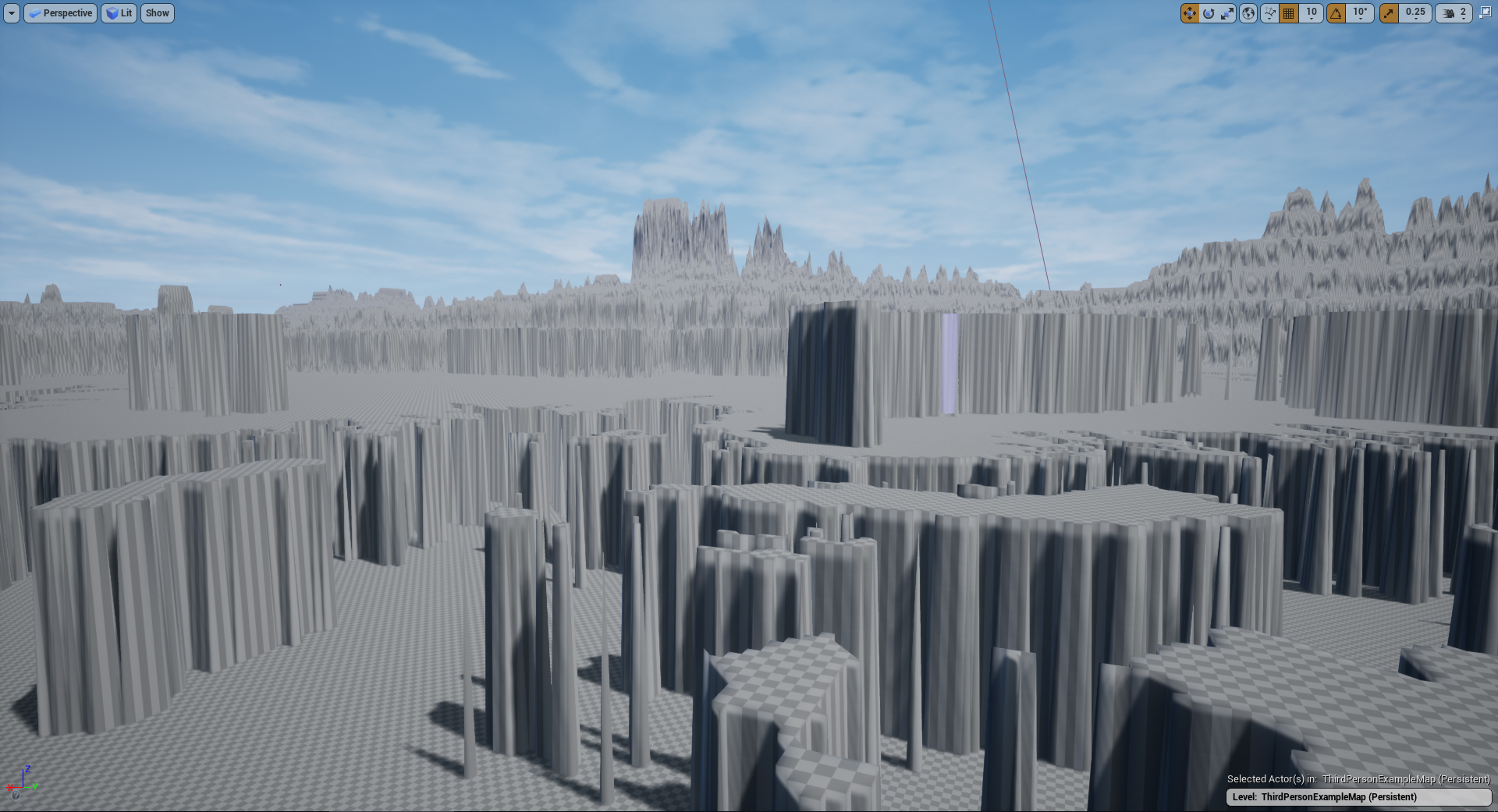 zinc rivet
what's the original heightmap look like?
fringe pivot
@zinc rivet
https://postimg.cc/k6t8ytbV
 zinc rivet
hm, looks like you've only got a couple discrete values for pixels, rather than a gradient. could that be the problem?
twilit hill
yep, not enough scale information
fringe pivot
idk, I'm clueless
twilit hill
a proper heightmap has thousands of grey scales http://i.imgur.com/FjI80.png
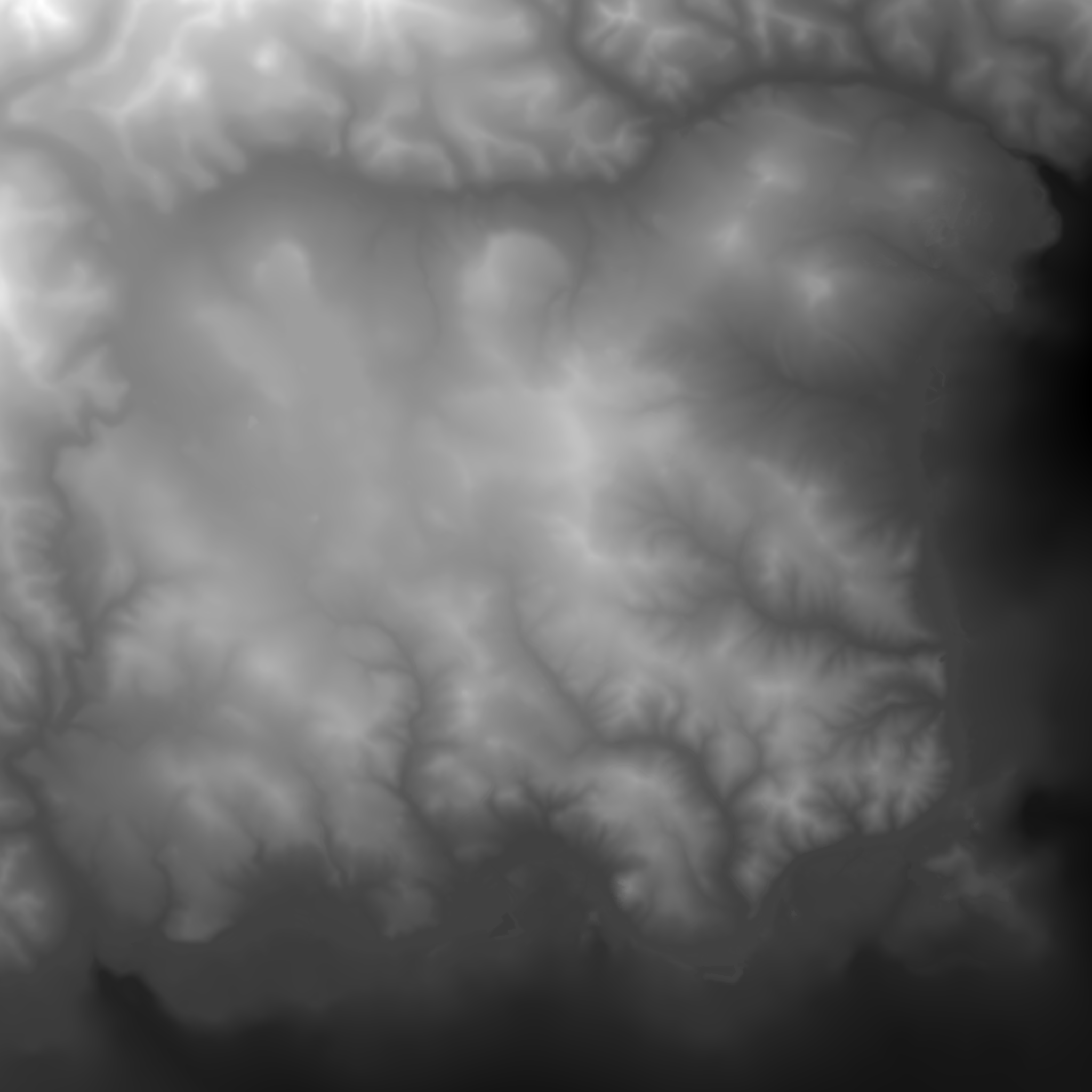
 zinc rivet
yea it looks like the values got clamped to like 4 possible values
which would result in only flat surfaces
fringe pivot
I don't remember where I got this one, but it happened to me before with images that are supposed to be working ok
twilit hill
no, that one you posted cant work, not now and not in the past
fringe pivot
ok let me try
 unborn matrix
Anyway I can turn the second UV around?
zinc rivet
but the problem is probably either the tool you're using to create the heightmap, or your export settings
unborn matrix
its turning my material 90degrees on the bottom
 sleek spear
hi im making a material function that has some parameters in it. i use this function in a material and the those parameters are exposed in the material instance without problem. but when i add the function again in the material, parameters are not exposed probably because they have the same name. can this be solved somehow? auto parameter renaming or something?
fringe pivot
@zinc rivet that one worked fine
I'm not creating them I don't have idea how, I just pick them from google to do some tests
twilit hill
i fixed yours, here
fringe pivot
@twilit hill thanks let me try
zinc rivet
that just looks blurred to me?
twilit hill
yeah, thats all it needed
zinc rivet
wouldn't that give you the same flat surfaces, with possibly rounded edges?
grim ore
@unborn matrix you would have to do that in the DCC program where the mesh was created, or you can possibly adjust it in the Material by changing the UV coordinates for the mesh in the material
twilit hill
no, blur creats gradations
fringe pivot
works great thanks!
how do you fix them?
twilit hill
just blured it a bit
fringe pivot
ahh will try that next time
zinc rivet
eh, but that kinda blur doesn't create a linearly interpolated slope
just softens edges
twilit hill
photoshop, Gaussian Blur with about 10px
the thing is - from what data is given, you cant make it any better
now it at least shouldnt look like minecraft
fringe pivot
I see, not a big deal, I'm just fucking around with this
zinc rivet
nah you couldn but it would take some fancy programming probably
rather than a simple blur
to put it simply-
top: what you started with
middle - what blur does,
bottom: what you probably want
twilit hill
blur is also including data from its radius, so all you could do is make it bigger/smaller depending on how much different shades of grey there are around it
zinc rivet
yea, you'd have to adjust the radius of the blur based on how much local detail there is
as well as the strength
and basically go over each color edge manually
to get something that actually looked decent rather than a flat blur over everything
worthy flame
how to stop a value from decreasing after it gets decreased by a delay and a trigger box