#ue4-general
1 messages · Page 439 of 1
 zinc rivet
 modern sinew
The other player
 dark depot
pong is the easiest you are going to get
 grim ore
make a game with a level that is a level and you run around the level finding coins. when you collect all the coins the door opens. when you exit the door you win.
zinc rivet
just make it 2 player if you dont want ai
dark depot
if you cant do that gamedev might not be fore you
you can also just set it to the ball location
with a delay
modern sinew
IG, but then it’ll be super predictable. Eh, never liked ping anyway
zinc rivet
make a game with stock starter assets where you kick a bunch of balls into net and count score
dark depot
well you asked for easy ideas
grim ore
I did that with the brick breaker game that came with QBasic. Made the paddle just move to the same position as the ball on the X every frame lol
modern sinew
That is. It’s just basically adding a timer to a tutorial
dark depot
then what are you talking here for open ue4
zinc rivet
"Help I want ideas for easy art. How's making a 10 foot tall sculpture of David vs Goliath for a first project?"
dark depot
nahh dont do that make an MMO much easier
modern sinew
They have a tutorial for the hard part tho
 wintry forge
hey guys should I do this as 2 separate objects?
Green = up and down movement, it makes the plate wobble/tries to get perfectly balanced with the ground
Orange rotates 360° horizontally to face whatever direction
Red rotates 360° vertically to aim at an arbitrary target
this is mounted on a tripod that does the same as the green but on a larger scale
should i just do it as 1 object with a big bone structure?
zinc rivet
@modern sinew if you want to make a more complex game, why not break it down into smaller parts that you can fit together later on to make a complete one? Figure out the pieces individually so you don't get overwhelmed
modern sinew
@zinc rivet well my current problem is not that my game idea is too hard to make, it’s that it needs a lot of assets
And I have no money
zinc rivet
you don't need assets to make shit man. Use placeholders
use free assets
they don't need to look good
modern sinew
To have a full release you do
Most of the gameplay is already done
But I can’t release it
Without assets
zinc rivet
really? let's see a playable game with placeholders first. Shitty animations, shitty models, make it work. Then buy assets to make it look nice.
saying you need to buy assets to make the game is an excuse
modern sinew
That would be at the end of build 3, “the combat update” Build 2 is like 90% done, and it’s the largest one, but it’s on hold until summer break
zinc rivet
you can make a hide and seek game using untextured spheres and cubes
wintry forge
tbh depending on the game a lot of work goes into making assets work afaik,
actually, nvm idk
with sockets and stuff its easy
modern sinew
Thankfully for my game, since most of the enemies are robots, it makes sense for them to be copy-paste
 heavy ether
So happy to be back using unreal again I'm going out wearing my ue4 t-shirt from the pre alpha days
modern sinew
Ooh
zinc rivet
+100 to productivity
modern sinew
Anyway, is Blender any good for making assets? I could probably teach myself it over the summer
wintry forge
yea it is
modern sinew
Yea
So do you think I can teach myself well enough to make good assets in 3 months?
zinc rivet
I dunno, do you think I can learn to draw in 3 months?
you'll definitely be able to make something in 3 months, but the quality depends on how easily you pick it up.
also depends on what those 3 months are. If you're just watching youtube vs spending 4 hours a day experimenting and modelling
you can make something basic within a couple hours easily
for some definition of basic
modern sinew
Sellable-game-worthy assets
zinc rivet
You're focusing pretty strongly on the money aspect of this. I recommend you forget about the money and just try to learn shit. That aside, "sellable-game-worth" is pretty damn subjective. Minecraft has sold millions, but I don't think anyone would claim that those assets are complex or difficult to make.
more directly, no you will not be making AAA game worthy assets in 3 months with blender
especially if you don't have previous modelling experience
modern sinew
I've used SolidWorks, although I know that's different
 broken shadow
You're looking down the well of something closer to 3 years of training for being able to reliably make high fidelity art assets.
Backing up Lucien here
 plush yew
Hello everyone, I’m creating a very balanced battle royal game and I was wondering on what you guys think if every gun in the game was good/high tier. For example in Fortnite there’s a legendary weapon mode, what if that was the actual battle royal mode. Good or bad idea?
broken shadow
Blender is a good program but with the admission that it's trying to be a lot of programs all in one.
 crimson fulcrum
Question
Does anyone know who naruto is first
Second how would I make clones spawn with a key function
Attackmove then plays animation
broken shadow
It'd be a more relevant question to ask who doesn't know of Naruto at this point 😄
If you're doing this in Blueprint scripting, SpawnActor is your go-to node for this
grim ore
Make key event in the player, spawn actor from class using your character class, done? Put it on a loop If you want more than one. Is this good? No but it works lol
crimson fulcrum
Lol
plush yew
Hello everyone, I’m creating a very balanced battle royal game and I was wondering on what you guys think if every gun in the game was good/high tier. For example in Fortnite there’s a legendary weapon mode, what if that was the actual battle royal mode. Good or bad idea?
broken shadow
Spawn Actor covers placing any kind of object into your game world, as well.
It could be a character, a bomb, an arrow, (these 2 objects being easily summarized as projectiles), a wall, etc.
crimson fulcrum
Ok
broken shadow
@ Savage - sounds like a question that would sit well in #design-chat - I take you just simply want a roster of weapons competitively balanced against each other, rather than having obvious "Tiers" to go through.
Each weapon represents a role rather than a power level
crimson fulcrum
Jelly I wish I could give u a badge or something on here for helping me
@broken shadow
plush yew
Thanks jelly that’s exactly what I want
 orchid rapids
Hey everyone, I am trying to use the Buildgraph to make a build to push to our artists, but I am unsure how to also include plugins, it would be helpful if someone knows how to include plugins in the generated .zip file
I am using the command at that is on that page https://docs.unrealengine.com/en-us/Programming/Deployment/UnrealGameSync/Reference
 deft surge
Hi guys! I have a question. So we are working on creating a pilot episode for an animated series we are creating. The series is fantasy based and visually its going to be more set in realism. We decided to give UE4 a shot since everyone had been talking about the new advancements. But I wanted to know if you guys had any helpful advice you could give about the vfx. We want them to look like cinematic vfx and not like video game vfx(like LOL or something). We are going to use Houdini but still have concerns about fluids and dynamics. The series is magic heavy so we want to make sure UE will work before switching to it.
heavy ether
@savage when everything is high end then nothing is high end
crimson fulcrum
https://youtu.be/C7OD4B0exlU I dont know if this is the right channel for this but
Could anyone tell me how to implement this with a key event and like a charge/hold

Some inspiration sparked me wanting to attempt this again without distractions of streaming. I have recorded the whole thing so far, but will take a while to...
 long dawn
Does building reflection captures usually take a while?
its been stuck at 0% for a while
 tropic oracle
anyone tested out UE 4.22 with Visual Studio 2019? Any issues so far?
this blurb on what to change found on the UE pages : https://www.unrealengine.com/en-US/blog/unreal-engine-4-22-released showing items to change in target.cs

Unreal Engine
Unreal Engine 4.22 is now available on the Epic Games launcher and GitHub. Push the boundaries of photorealism in real-time environments with ray tracing, capture live performances and composite them in real-time, and take advantage of the fastest version of UE4 with up to 3...
 severe seal
Anyone know how to import blender models with their textures to UE4 intact? im making a little project
 full sluice
which version should i be using? been learning with 4.20 but would it be better to make new projects with the latest version
 sullen wraith
I'm having issues, how can I check how many players are connected on the start of a match so I can assign a different team to every player?
plush yew
@heavy ether lol ue4 back in 2014 haha back when it was subscription based and there wasnt much documentation
now though is the best time ever to use the engine
heavy ether
@plush yew I had the alpha test as well as I was working for a studio that had source access at the transition between ue3 and 4.. that was a great time too.
 lethal breach
Good evening everyone. I'm working on importing a static mesh I made in Blender. I have a material that shows up on the model in texture mode with all the visuals I want. But when I import to UE4 all of the materials are reset to blank materials that just display white. Any ideas how to import the materials for my mesh properly?
The top photo is in Blender. The bottom is what happens when I import to UE4.
 cerulean sorrel
lethal breach
cerulean sorrel
lethal breach
What?
lethal breach
I know, that's why I'm asking if anyone knows why... lol
lethal breach
It imports 3 blank materials instead of the materials I made in Blender. They're obviously assigned as they work in the Blender Render and all. It's very strange. My last project in Blender worked when exported to UE4, but this is giving me all sorts of issues. lol
lethal breach
I'm not seeing a blender server...
lethal breach
I'm here. lol
lethal breach
Do you mean the Blender Discord? I'm already asking there, just waiting for a response.
lethal breach
Thanks
plush yew
Anyone know how to go about lighting with a completely procedural world on mobile?
 summer verge
Does the DX12 version of the engine seem really unstable for anyone else?
Ever since I've used the engine (starting at 4.18) running the editor or game in DX12 causes all sorts of artifacts and crashes regardless of the PC I'm on...
 turbid wigeon
why is my engine taking 170Gbbb
 wispy raven
 proven oxide
Gah! I am using the code from shootergame but my editor is crashing on mouse over the player pawn BP, any idea how i can work out easily what is causing it
turbid wigeon
what's in the log file?
proven oxide
let me get it
turbid wigeon
is it after updating to a newer engine version?
proven oxide
UE4Editor_Engine
UE4Editor_SectionNine!ASectionNineWeapon::OnEquip() [f:\development\unreal\sectionnine\source\sectionnine\weapons\sectionnineweapon.cpp:85]
UE4Editor_SectionNine!ASectionNineCharacter::SetCurrentWeapon() [f:\development\unreal\sectionnine\source\sectionnine\player\sectionninecharacter.cpp:689]
UE4Editor_SectionNine!ASectionNineCharacter::SpawnDefaultInventory() [f:\development\unreal\sectionnine\source\sectionnine\player\sectionninecharacter.cpp:577]
UE4Editor_SectionNine!ASectionNineCharacter::PostInitializeComponents() [f:\development\unreal\sectionnine\source\sectionnine\player\sectionninecharacter.cpp:85]
its after adding a gun to the character BP
in the inventory slot
The gun BP is baseds on the SectionNineWeapon_Instant
turbid wigeon
and you cna open the new gun bp without problem?
proven oxide
and its all about animations and such
I can open the gun BP with no problems
the crashing lines are accessing the onEquip call
turbid wigeon
this class inherit shooterweapon_instant (name something like that not sure)
?
SectionNineWeapon_Instant*
turbid wigeon
and you're stuck not being able to open the player bp, is that right?
proven oxide
/** is equip animation playing? */
uint32 bPendingEquip : 1;
no not even that
cursor over the playerpawn in the editor content browser and the game crashes after adding the weapon to the player
so not even trying to open the playerpawn
proven oxide
could it be as i have no animations?
turbid wigeon
can you get a clean playerpawn bp from a shootergame project copy or is your pawn class too customized?
could totally be the lack of equip animation
turbid wigeon
but you should have a "ACCESS VIOLATION" in your log if they're trying to access undefined variables
 cloud cobalt
Launch in Visual, reproduce the crash, look at the screen
Probably going to be in a method where this == nullptr
Or a highlightine line that says check()
 fringe pivot
what would be the parent of a widget blueprint that you add to the viewport?
 still moth
slowly i grind through rebuilding a blueprints script in C++
cloud cobalt
Did you profile it and found it to be a large performance hit ?
Do you have trouble maintaining it over time without text-based source control ?
If yes, then yes
still moth
i dont get a lot of the syntax for C++ scripts.. like, a lot of it seems completely unnecessary
like which world to spawn a particle system in.. uuhm, probably the one im playing in i'd imagine
cloud cobalt
C++ is not friendly or easy or generally better than Blueprint
If you're fine with Blueprint do BP
still moth
im trying to experiment with a performance hit between it and BP to test for myself and learn what the difference is and how they both work
cloud cobalt
The performance overhead of BP is real, but most people's games are small enough that their entire code has negligible impact
Don't go into C++ because you guess it might be faster
Your game will just crash instead
Finish your game, then profile it
 hard lintel
Does anyone know why my game won't generate Target.cs files in my Source folder? I keep getting an error when I try to generate visual studios files saying "UnrealBuildTool Exception: Expecting at least one ProjectTarget to be associated with project." But when I look online it seems its supposed to auto generate these?
cloud cobalt
Only when you create the project as a c++ project
It's never generated again, it's part of your code
hard lintel
Nvm, I got it to generate new ones. Somehow my source control tossed the files and then none of the C++ files were working in the game.
 regal mulch
Hm, I got a slight "problem" with Custom Stencil (outline) and Splitscreen.
Since the mesh of the enemy is the actual mesh (not a replicated version), you can't apply different stencil values to the mesh.
I need to to have two different colors though for enemies and teammates.
At the same time I need the local player not see their own outline.
How does one do that? I assume I have some freedom via making the PP of a Camera dynamic and adjusting a value.
 paper kernel
so team based coloring for outlines, and hide player self?
paper kernel
🤔
it shouldn't be all that different, but you would probably need 2 separate PP materials applied to the pawn camera
instead of global one
regal mulch
I already have one on the camera
Main issue is that I don't see how to properly turn off the effect for a mesh
I can't disable the pass, cause that disables it for all others that see the mesh too
Cause well, splitscreen means every mesh exists once
No local replicated copies
The only thing I thought about is having two meshes, one with and one without the custom pass.
And then having one OwnerNoSee and one owner only see
Buuuut, mäh
regal mulch
Yeah
That's how outlines are toggled when tracing something
Including Stencil value of the mesh and if it runs the custom deapth or not
regal mulch
The different colors can probably be achieved by giving one team stencil A and the other stencil B.
And then having these two as vector params and changing them to red or green depending on which team you are.
 wary wave
can you do some diddling with screen space coordinates in the PP?
since you always know who is on which side of the screen
regal mulch
I have 0 idea
paper kernel
yea but is the team always same of one side?
regal mulch
Remember I don't do shaders usually
It's more about enemy = red, friend = green.
In online you can easily give the replicated copies of the meshes a different stencil value.
In splitscreen you can't, so I guess keeping one value and changing the color per PP might work
Would technically also work for online at the same time
but man, disabling the effect for the local player's mesh is still a problem.
paper kernel
it should be doable with material params
wary wave
not so sure with regard to the local player
regal mulch
Well only if you, inside of the PP material, know what mesh you are looking at
paper kernel
then you just need to configure it during pawn construction
regal mulch
The only real solution I see is 2 meshes
wary wave
and because it's local multi they need to be rendered with respect to PP for the other player
regal mulch
OwnerOnly and OwnerNoSee
wary wave
two meshes might be the easy solution
paper kernel
@wary wave per camera pp
wary wave
annoying though
You're a per camera PP
and whilst that works for the camera
the meshes still render to both, no?
paper kernel
but yea if you got no experience on postprocess spaghettis, finding the color toggles could get difficult
yea, you just change the logic on each PP instance to flip the colors over @wary wave
wary wave
sure, but the player character is still an issue
regal mulch
That would mean the player needs a custom stencil value to be identified
So everyone needs a custom stencil value
paper kernel
player self needs to be thrown into separate stencil
now other way to disable it really
regal mulch
player self needs to be thrown into separate stencil
paper kernel
or custom depth
wary wave
you can't put every player into a separate stencil
regal mulch
This makes it a separate stencil for all
Gotta keep in mind every mesh exists only once in Splitscreen
paper kernel
not every player, just THE controlled player
wary wave
there are multiple players
regal mulch
I supposed to do what?
paper kernel
mean you only apply outline to objects that are closer or further than player
(to camera)
regal mulch
Hm, sadly I have no idea how to utilize that node
 grave nebula
@regal mulch You can just check which view post process applies to and flip the colors accordingly. Alternatively, if you are using mesh based outlines, you can check which view the mesh is being rendered into and change its color based on that.
regal mulch
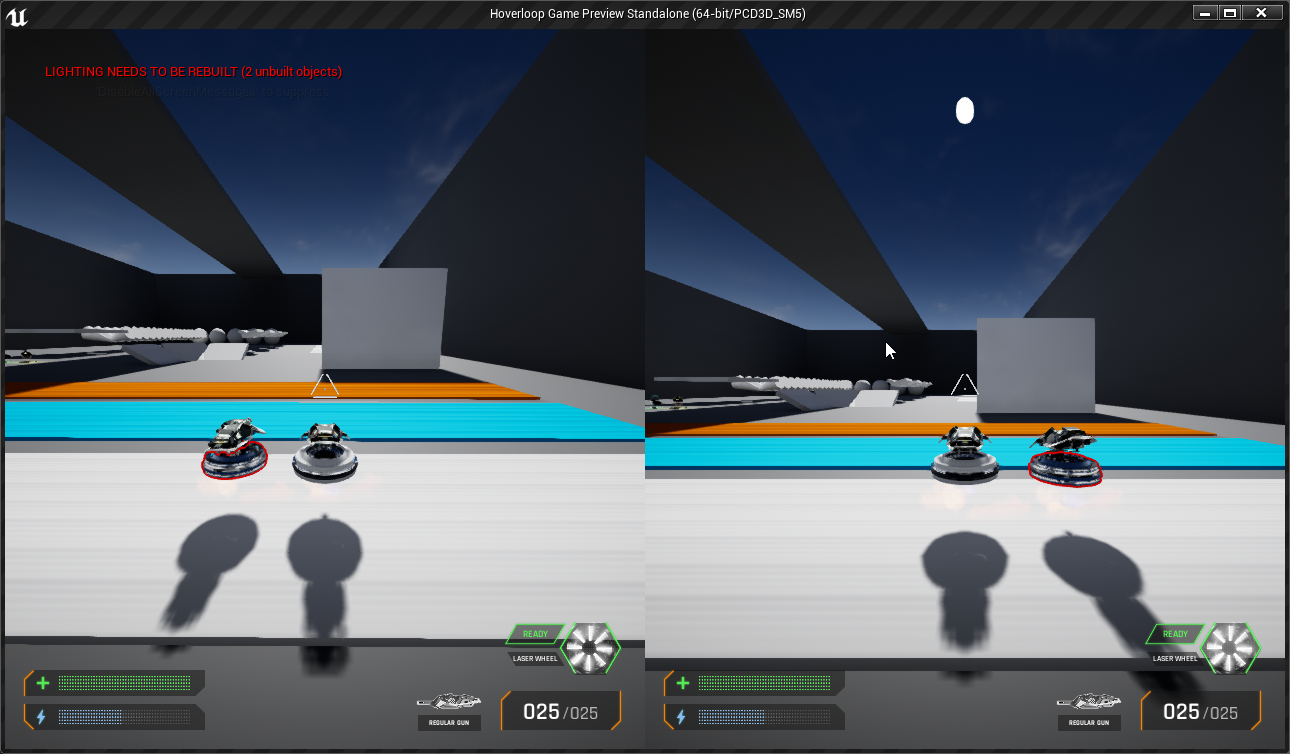
That's the owner only see solution
I will forward that info the shader person and maybe they can fix that up
 fierce rampart
Once I used the stencil buffer for something really dumb on a project, that being to hide anything that's outside of the level by using the stencil buffer as a mask and having the level geo draw to it.
paper kernel
disabling player outline using depth value would work on both, but it's rather annoying to calculate
- there is a minor feature that it wouldn't outlines for enemies that are right next to player
but I still think 3 layers with 1 team-param should be enough, as the layer settings are per mesh instance if I'm not mistaken
wary wave
might work
but I'm not so sure actually
you still have the problem where two players exist on one screen
paper kernel
you wouldn't be drawing outlines to those anyway, right?
wary wave
Player A will always have the same stencil value on both screens
paper kernel
right, I get what you mean
regal mulch
Can a Box Mask 3D help?
Sounds ugly but could I draw a box mask around the player? :D
paper kernel
sphere mask with gradient would probably be slightly better, but it would create the problem that enemy outlines would disappear when rendered near the player
regal mulch
Yeah
paper kernel
probably very minor issue that would occur only when enemy gets between player and camera
proven oxide
wouldnt a springarm deal with that issue?
paper kernel
spring arm has its uses, but collision should never be checked against moving objects
it can spazz out real fast
proven oxide
Is it possible to create a camera / capture that isnt rectangle? how would you change the shape of the capture camera ?
regal mulch
Mask it?
proven oxide
how!
regal mulch
The same way you mask everything in materials
paper kernel
post process material, you just multiply all the pixels with 0 you dont want to see
proven oxide
well i want to take a "camera view" and squish it down from square to rectangle but without stretching or changing the look, (ie a "mirror" effect
cameras tend to look square
mirrors are tall and narrow
if i use the capture it puts a square on the rectangle block
sullen wraith
Hey all, I'm starting to try to add additional players to my game, how can I make it so each player has a seperate "team" in their player controller?
have no experience with this so far and anything to point me in right direction would be appreciated
regal mulch
You would simply use an Enum (Enumerator) and create a variable of that in your PlayerController (and PlayerState so everyone can access it).
When to set that depends on your game. You could apply it OnPostLogin or on a button press "Join Team XY".
Actually lemme ask that in #graphics
plush yew
In my little project I noticed that for a material I made, the further I am with the camera, the less of the normalmap is "rendered", as in, normalmap detail "fades away" the further away I move the camera
Is there a way that I can customize this process for the roughness map exclusively? So I'd like the roughness to be only visible when closer to the camera, otherwise the "grunge" on the material of the roughness map gives a disgusting texture tiling effect in the distance
Example:
https://puu.sh/DfW2T/d3b18ba935.jpg
(Also I don't know why the lighting is so weird, with shadow "seams" evident, I'm using BSPs for walls and floor)
 wary wave
oh boy, Relative Transform in sequencer really does not work
 twilit hill
Boy is it just me or has the quality of marketplace assets lately shifted to terrible, they all are incomplete, never come with a full and accurate description and most of the time look like straight from 2006
 sudden agate
implying there were asset marketplaces in 2006
i haven't had problems with the MP.
But some assets really are low tier
sullen wraith
I'm working on my first multiplayer attempt for my game
window 1 works perfectly
window 2 wont move at all
what can cause this?
 restive fern
Muscle stagnation
sullen wraith
??
cloud cobalt
It's hard to answer this seriously
I guess it means your multiplayer code doesn't work ?
 velvet finch
need some help guys
on the top right
my camera,scaling,move,rotate tools are gone
i can't find a way to enable them back
i know for main window its
the hide viewport UI button
but for the static mesh inside i can't find this option
sudden agate
Because there are none
velvet finch
they removed it in the latest update?
sudden agate
they were never there
velvet finch
i'm pretty sure i've been using them in the last version
sudden agate
no you haven't
 dawn vessel
They don't exist in a Static Mesh Window
sudden agate
^
dawn vessel
Only in the main Window. Your viewport.
dawn vessel
No.
 spark sonnet
What could be the reason that this is always failing?
velvet finch
these things
velvet finch
weird
sudden agate
@plush yew maybe show the actual error instead of the path of the file that caused that error
sudden agate
you cannot snap things in it lol
Its merely a viewer
velvet finch
i'm an idiot lol
i looked at my old pictures and just facepalmed
idk why i suddenly thought it was there
sudden agate
@plush yew did you upgrade your project or is that a clean project?
try creating a new empty project
using any plugins or the like? Third Party stuff etc.
Could be an issue with outdated materials
well you surely have the version before upgrade
try migrating your stuff to the new blank project
Materials etc. first
well, not the best point to upgrade to a new version
 dim plover
I really have no idea about this stuff, but I have heard some people deleting their DDC with issues like this.
To fix shader problems from upgrading.
sudden agate
There is a derivedDataCache somewhere under AppData
Appdata/Local/UnrealEngine
somewhere there
cloud cobalt
"out of memory"
sullen wraith
where is a players index saved?
wary wave
not sure precisely, but I'm not sure you want to use it?
sullen wraith
@wary wave
like this is in the player controller
problem is when there are 2 players, only works on the first
sullen wraith
hmm
when i do a server test only player 1 works, player 2 cant move :3
thought it would be that
wary wave
have you actually written any multiplayer code?
from what I've seen so far, you haven't
wary wave
a lot, unfortunately
I suspect you're in for a world of pain, depending on how much you've done already
multiplayer is difficult
there's a network compendium pinned in the messages in the multiplayer channel that is a good place to start
sullen wraith
pretty basic game, hoping it wouldn't be to hard to implement multiplayer :3
wary wave
multiplayer is always hard except for the most basic event driven stuff
anything that moves or has timing instantly becomes problematic
sullen wraith
its kinda funny, like i cant move around on the second character, but i can still right click and do things
which both players see
which is pretty much the entire game
i just need to fix the movement
is it the player state where I save player variables?
and can i access the player state from blueprints?
wary wave
@sullen wraith - player state is a good place to put player important network information, yes
restive fern
;33
regal mulch
When calling "Quit" doesn't that fire UGameInstance::Shutdown?
Cause I can't get a breakpoint to call
Well apparently not
Neither BP or C++ call the breakpoint
Nvm, now it starts breakpointing again. Just restarted
(╯°□°)╯︵ ┻━┻
 silver relic
i have downloaded a free package with particle systems. but i dont seem to have the modifiers section. so i cant set them up. as seen here, https://www.youtube.com/watch?v=H7bSTwJF0v0& - does anyone know why that is?

Download from UE4 marketplace: https://www.unrealengine.com/marketplace/en-US/slug/particles-and-wind-control-system Hello! Please take a few minutes to fill...
oh! nevermind
got it 😄
👍
 rustic imp
is there an easy way to get rid of all redirectors?
cloud cobalt
Right click content folder, fix redirectors
rustic imp
oh shit, that works? I thought you had to do it on all assets manually
great thanks man
 long moth
what is best way to share a model in unreal engine?
i want to send my model + textures + material. (not full scene)
grim ore
so send that to another user to use in UE4?
long moth
got a file from my friend and it is "upack" . i have no idea how i can pack like this
yes @grim ore
grim ore
so you want to use his upack file he sent you or you want to create one to send him back?
wary wave
err, what is a "upack" file
 azure shore
can anyone help me get my ai thingey facing the direction of movement
I use a ai move to node and they just stay facing the direction they were before
long moth
@grim ore i want to share this with my friend. he is using unreal engine 4
cloud cobalt
Use source control to add it to his project
long moth
i cant access his pc.
cloud cobalt
I didn't mention his PC
The best way is to use source control and submit your changes directly to it
The second best way is to create a project with your content, send it to him
And have him migrate
long moth
so there is no way to export this model for other unreal engine users without source control.
i tought i can export somehow
cloud cobalt
You can
grim ore
you can use unrealpak to create a new pack if you really want to, basic instructions are here, https://forums.unrealengine.com/unreal-engine/announcements-and-releases/25359-unreal-engine-4-7-preview?p=316930#post316930 but you can always just create a new blank project and migrate over the mesh then send him the new project so he can migrate it himself to his project.
cloud cobalt
Create an empty project, migrate your asset there
Send the project
Then your friend will migrate back to his project
Simple stuff
Even simpler is source control since your friend will use it if he's not completely mad
long moth
thank you @grim ore and @cloud cobalt i will check it all.
btw srry for my bad english.
grim ore
It's no worse than my bad english 😃
long moth
D:
 manic pawn
nice the 2 missing videos from gdc are finally online
 frank escarp
@manic pawn link
manic pawn
don't have one but just check the unreal channel
spark sonnet
is that the only hud @sullen wraith ?
sullen wraith
nah there is another so trying not to overwrite :3
spark sonnet
ah
grim ore
@frank escarp https://youtu.be/tWVZ6KO4lRs and https://youtu.be/6T8LzaIq3Qs
spark sonnet
why do you need two huds?
sullen wraith
It's just merging two projects atm, in the end i want to get rid of the other
but its simpler for testing atm
spark sonnet
I see
grim ore
your game mode controls the HUD that is used. You can't just use 2 of them, you have 1 that is defined by the game mode for that level. Replace it in your world settings for that level or the maps and modes in your project settings for the default
 versed spear
I don't get why I can not leave UE4 running over night while I sleep. I wake up in the morning to it saying not responding in task manager. It will do this even if I just open the project and let it sit there. What a POS it is seriously.
spark sonnet
Why do you need to do that @versed spear ?
versed spear
I don't need to do that. I am just saying there is no reason for it to be not responding in task manager when it is using 0% cpu and 0% disk. It just sits there doing nothing while saying not responding. I like to wake up and go strait to programming. Now , I have to end task it load it back up. I am lazy person and it just gets me the wrong way when things act a certain way for no reason then on top of everything have to pay royalties for dealing with this BS?
 radiant haven
hello
versed spear
hi 😃
radiant haven
well I switched from Unity to UE cause Unity YoU NEED TO DO EVERYTHING
that was enough
;D
and wanna continue my game
versed spear
You will have more issues with UE....
cloud cobalt
You'll have worthwile help here if you ask precise questions
 abstract relic
 delicate scarab
does anyone know what's the idea behind the building system in fortnite? as in how does it work in order for the structures to always get destroyed and not stay in the air
radiant haven
@versed spear why?
versed spear
@radiant haven The devs of UE choose to develop unfinished features and expect us as devs to use their broken product and pay them for it.
You will be half way through your project just to find out that a feature that your using was abandoned or it was slapped together to never be touched again.
plush yew
when I load any map, I see this weird 2D thing. anyone knows how to fix? maybe its a hotkey I accidentally pressed?
sudden agate
@plush yew Top left corner of your Viewport
plush yew
yes?
sudden agate
set it to Perspective and Lit
plush yew
great, thank you
cloud cobalt
@versed spear And while that is accurate, it's also why UE4 has much more features too, some of them abandoned, most of them quite solid
It's also the result of a community that can push for features directly
LPV is the poster child for abandoned features, but people forget that a developer made it for a game and let the community use it, something Unity can't do by design
versed spear
Yea no engine is perfect. I am just suggesting that you keep your options open before you jump right in.
cloud cobalt
For sure. People have weird church-like behaviour about tech sometimes
Pick the right tool, etc
sudden agate
wants component-centric behaviour in UE
T_T
Having an Actor class really pisses me off in UE.
It's so bloated with bullshit
cloud cobalt
Hey, I like the actor class.
radiant haven
@versed spear that means what now?
sudden agate
@cloud cobalt i classified you as insane now
versed spear
If I were to look for an engine, it would be one that is royalty free.
cloud cobalt
Considering average game sales, royalty free doesn't look that good
radiant haven
And? What means that with ue?
cloud cobalt
He's saying if you're a millionaire you'll have to pay 5% of your earnings to Epic
radiant haven
@versed spear
versed spear
5% is a lot when your paying 30% to google and 30% to taxes.
versed spear
thats the thing. I have a problem with everything and we all just let them run us over.
radiant haven
so UnrealEngine is not a good idea?
versed spear
it is a good idea
radiant haven
but?
versed spear
but just be ready for issues
versed spear
getting months into projects just to find unfinished or abandoned features that you were using.
like i said i can not even leave UE4 running over night from a clean start up without it being not responding when I wake up.
cloud cobalt
There's actually a pretty great range of game engines today, from Unity to UE4 to Lumberyard to Godot. UE is the only one with a royalty model - If you don't think UE is worth the 5%, there are alternatives.
Personally I think the 5% is an amazing deal but everyone will have his calculation
Stores are a much trickier target because they take way more and do way less
And you can't go around them much
versed spear
I mean it would be reasonable to to pay 5% for a certain time. Not for the life of the game. See it is greed on their end and people need to see that.
cloud cobalt
You don't pay for life though
Only as long as you're making 3K per quarter
After taxes and refunds
Unity also demands money
If you make any kind of success
abstract relic
I’m just glad the engine doesn’t ask for 30% like certain stores 😜
versed spear
Hurts thinking about it hehe.
cloud cobalt
Epic demands money starting from 12,000$ a year, Unity demands money starting from 100,000$ a year so the values are different
versed spear
somone just posted something from warframe. I would check into the engine they use. Never have to pay a dime.
cloud cobalt
Unity also demands somewhat less money depending on your dev count so overall it's cheaper
grim ore
One thing to miss about Unity is this is on the company not the individual and not per title
cloud cobalt
Yeah, Unity costs 1.5K per user per year if you're in a company that already makes money from anything
Well any serious money
grim ore
its not even making money either "if you are a Legal Entity using the Unity Software (other than to provide services to someone else), your Total Finances are your gross revenues and/or funding (no matter what the source" as it counts funding as well
cloud cobalt
Then again it's quite cheap so people don't mind
grim ore
until you realize you are locked into using Unity once you start as it's all subscription based now 😦
They all have their plus and minus points, just have to find something that works for you 😃
cloud cobalt
Basically in a company situation, UE4 is only costlier than Unity if you break 50,000$ year for that game.
Below that it's cheaper
versed spear
The whole point is just read up on what your getting yourself into. It is nice to have places like this so that others can help you know what your getting into before you make the jump.
grim ore
in the end if you really have to worry about the cost to pay in royalties or license fees you will be making enough money to cover it
 hidden berry
anyone know how i would call a material function into a material? i dragged it in and check marked Material Attributes, but the last input on my material function keeps saying float not compatible with material attributes
grim ore
as I focus on education and not content work I have no royalties so +1 here 😃
versed spear
I am about to finish my first game so I hope things are not to much of a pain in the butt.
cloud cobalt
@hidden berry functions output the type you passed as output inside
If it outputs a float then you have a float
Mat attributes are a distinct type
Just drag it and use it as a float, since it returns float 😃
@versed spear It's pretty easy to pay the royalties tbh, not much nonsense
Getting on e.g. GOG or Epic is way more intense
versed spear
yea isnt it 4 times a year and I have to submit something before I even release my game? to much extra work on top of all the work I do. Right now I am solo because my business partner is living in another state finishing school. I hate jumping through hoops lol.
hidden berry
well the problem is, only the last part is a float, all the other ones arent
the last input says "In (TExt)" not sure what input that would take lol
@cloud cobalt
long moth
@cloud cobalt tried migrate thing but textures are missing
i have no idea how ppls can share contents for unreal engine (as offline)
im an 3d artist
i want to help a friend
dnt want to give obj or fbx file.. i want to give models ready to use
versed spear
the textures should be transferring during the migration.
try making a map and putting your content on that map then migrate the map over to the new project.
 worn sail
where can i ask something when i have a pb ?
versed spear
pb?
worn sail
problezm
versed spear
what kind of problem?
worn sail
it's not really a problem i would make something but i don't know how
I want to disable diagonal from my movement
versed spear
That would be blueprint channel.
worn sail
Ok thanks
long moth
@versed spear found the issue. looks like i need to press "SAVE ALL" button before doing anything :/
thanks to you guys, i feel better now @versed spear and @cloud cobalt
versed spear
That is why I love this community. We all do our best to help each other for free. 😃
 sinful mesa
A general question about UE cache Path="%ENGINEVERSIONAGNOSTICUSERDIR%DerivedDataCache", is it a good practice to place it in the project folder to not clutter other disks OR the stuff from this cache is shared between projects (for instance i use one asset lib between projects) and thanks to this i do not have to wait millienials for assets to be complied becuase it would use the cache data from this folder ?
sudden agate
it is shared between projects
 timber junco
Does anyone know how to add weapon kickback to a FPS in BP? I don't mean recoil, but kickback, like the weapon physically moving back. I've been trying it with a timeline and a set relative location, but don't think that it's the correct approach
 humble crow
In an action based game, meaning dashes, attacks all finely tuned, would that be based on a system of anim notifies or how would the overlapping of triggered events be based on? Triggering animation interrupts or saving an action if pressed at 50% through current action to play next. My friend thinks anim notifies are not reliable.
timelines could be abother way to avoid anim notifies but is that any better, since both systems will have to be playing
 kindred viper
you dont need anim notifies for that. I mean, it can help control the animations, but its not needed. There is a Anim Blending node that takes two animations and blends them. This way if you have the animgraph logic setup right, you can go from Anim A to Anim B with an interpolated smoothness that makes it look fluid
silver relic
i have a particle system. and its starts when i start my game. how do i make it so its already started?
kindred viper
I use that system for a dynamic fighting system I setup
humble crow
well specifically I'd look to use them for managing when we accept inputs. Like 1st 50% of an action no input, 2nd 50% be open to saving last input for next action, but also have the very last 20% trigger an animation interrupt and jump to the next action.
does that make sense? SO there are phases of any given action
kindred viper
you can logic flow that into it for sure
timber junco
Also, I just want to do it in Blueprints, not animation
kindred viper
the blend isn't static either. I believe it has the ability to connect a graph so you can smoothly do that at any point during the blend
or set the blend to only occur at a certain variable value
humble crow
I'll need to read up on anim blending. The whole animtree is not super clear to me in best practices
kindred viper
im not even sure on best practices myself. I Just jump in and hope everything works :p
humble crow
😄 yeah thats what I do, but its the main area of technical challenges for me
kindred viper

In this talk from GDC 2019, Epic’s James Golding, Laurent Delayen providet a roundup of all the latest animation features built for Unreal Engine over the pa...
 limpid turret
ive got a strange issue that im not sure where to put, but whenever I save current, my previous compile is stopped. so for example, when i compile and play without saving its fine but when i compile then save it doesnt work
it only seems to be affecting the UI though
sudden agate
Has someone tried Directory Junctions/ Hardlinks to share Assets between Projects?
Instead of having the same asset in every project, you can make a Directory Junction (Windows) or a Hardlink (Unix) that points to a single folder that contains the asset.
However, do uassets work between different versions?
grim ore
uassets are versioned so no they will not work between different minor version .XX, they just don't load up in your project/content browser
sudden agate
fu
lethal breach
Anyone know why my Blender Model has a hole in it when imported into UE4? There are only 4 vertices on the wedges in this center "circle"
Yet it shows up like this in UE4.
limpid turret
is it definitely closed? check the model in vertex mode instead of face mode
also check if the normals are flipped
lethal breach
It looks closed to me, even in vertex mode. Are all normals supposed to be flipped? None of my mesh has flipped normals. I'll give it a shot though.
Vertex Mode - Flipping normals and reimporting still resulted in a hole.
azure shore
any ideas why ambient dust might seem to not show up
limpid turret
heres a visual of my issue btw
lethal breach
@limpid turret Fixed whatever the issue was... Not sure why it was an issue, but it's working now.
limpid turret
nice
limpid turret
np
azure shore
guess not thats cool ok
 willow garnet
Guys what influence ram has in unreal engine
grim ore
some larger projects might need more ram for larger models and textures
plush yew
What context :p
plush yew
How do you control
plush yew
Is it player character
plush yew
You need to give way more detail lol
 deep basin
Hey, does anyone know what the C++ equivalent to the node "Perform Condition Check AI" is?
abstract relic
Set movement to Walking and make sure acceleration is high. Assuming you’re actually using character movement component
deep basin
Its a UBTDecoration node
worn sail
Ok thanks man !
azure shore
why does lighting go ugly like this
ugh lighting is so hard
any advice?
and yeah those are seperate objects
wary wave
or they need better lightmap uvs
 pulsar ledge
I just popped over to HaptX’s corporate office in Seattle to say hi because it’s only a 15 minute walk from school, and on their list of visitors, the last person there was someone from UE lol
 carmine umbra
Hey guys, So I'm working on lighting in my game before I go crazy building the level, I enabled light propagation volumes (LPV) and am using fully dynamic lighting, but my shadows are so dark! it's almost like AO isn't working or something, would anyone be able to point me in the right direction to brighten this up in the shadow areas?
even in a daytime scene the shadows are solid black
spark sonnet
Should I avoid using child actors?
carmine umbra
if you're making a porno then yes...
spark sonnet
(:

 haughty moon
hi i had a small problem with ue4 and i was wondering if anyone knew how to fix it
spark sonnet
whats the problem @haughty moon ?
haughty moon
its with foliage
im new to ue4
so ive made some foliage textures and stuff and put it into ue4
it looks nice imo but when i look at it in the direction of the sun light it is super shadowed
ill show you
this is it form one angle
this is it from another angle
haughty moon
no i havent
spark sonnet
try to build
haughty moon
that makes it worse
spark sonnet
oh, maybe inside the material?
haughty moon
if im correct its the foliage mesh having a self shadow on itself
okay so when i drag and drop the foliage as an object it still does it
spark sonnet
if you send the foliage I can look at it
haughty moon
send it?
spark sonnet
yes
spark sonnet
the foliage file
spark sonnet
dont you have an fbx file?
spark sonnet
how did you make the foliage?
haughty moon
i made it in blender exported to obj put it in ue
spark sonnet
yea the obj file
 worn granite
the raw mesh file is what I'd have asked for
carmine umbra
@haughty moon turn off "cast shadows" in the foliage details, 1. it'll get rid of the horrible shading, 2. casting shadows from foliage is one way to make your game run at 2 fps
haughty moon
ive tried that
carmine umbra
and its still casting a shadow with it turned off?
did you rebuild lighting after turning off?
haughty moon
it it dosent get rid of the shadows that the foliage is casting on itsself
carmine umbra
screenshot your details panel for foliage?
haughty moon
this is it when its not casting shadows
carmine umbra
and lighting is rebuilt?
carmine umbra
rebuilding lighting will remove old shadows
if you turned off cast shadows theyll still be there til you rebuild
unless using dynamic lighting
carmine umbra
right go to project settings under "edit" tab
haughty moon
yh
carmine umbra
and search for "force No-Precomputed Lighting"
tick the box
then rebuild lighting and see if still there
haughty moon
okay thanks
carmine umbra
bare in mind that's not a permanent fix
just to find the issue, as this will disable all your static lighting
haughty moon
um in project setting after i type "force No" it comes wit hno results
carmine umbra
sorry editor preferences
worn sail
when i used set max walking, my character slide
haughty moon
ok
carmine umbra
just search "force"
youll see it, i got the term wrong, i knew it was something like that
spark sonnet
what did you set the max speed to @worn sail ?
worn sail
haughty moon
carmine umbra
i cant check in my own engine right now as im packaging something :\
spark sonnet
did you mean to set max walk speed crouched ?
spark sonnet
ah
worn sail
but when i stop to walking my character was 'sliding"
carmine umbra
right i'm a retard, it's in "world settings" forgive me :\
worn sail
someone told me to replace with max walking
haughty moon
haha XD
worn sail
but it slide even more
carmine umbra
tick it then rebuild
carmine umbra
yeah
spark sonnet
still sliding @worn sail ?
haughty moon
ok
haughty moon
it wants me to restart the editor
spark sonnet
what kind of character do you have?
worn sail
sprites
carmine umbra
yeah you'll need to
worn sail
flipbook
spark sonnet
oh
worn sail
should i send u screen ?
haughty moon
um
spark sonnet
yes
haughty moon
build lighting only does nothing
worn sail
i send them here ?
carmine umbra
so the shadows are still there with force no precomputed lighting ticked?
haughty moon
yh
worn sail
@spark sonnet i send the screen here ?
haughty moon
yh
spark sonnet
You can dm me slycer
worn sail
ok
carmine umbra
maybe you have overlapping UV's or something, try setting light source, only thing maybe you could try is delete light source, add "directional light" set it as moveable, set sky light as moveable, see what that does
haughty moon
would it help if i told you that id i rotate the sun light the shadows move 2?
like if i make it pointing the opposite direction the shadows will switch
carmine umbra
that's because you still have dynamic lighting on
carmine umbra
im not an expert on this but if you're making an outdoor scene you maybe better looking into dynamic lighting, set it up properly before starting your scene, and personally I find it much easier to work with... I'm sure most of the pros in here will think im a retard
you need to set the direcitonal light as the target for your sky sphere
you can delete the sky light actor as well
haughty moon
im sure everyone here thinks im one
carmine umbra
hahaha im just tryna help a fellow noob
haughty moon
lmao
carmine umbra
this is a method for dynamic lighting, it's an experimental feature but is working great for me right now, follow this document on a new blank project and then add your terrain and grass, should help you out
for more info just google "UE4 light propagation volumes"
dim plover
Is it normal for UI code to be... tricky? Especially in Multiplayer stuff. Having to show the player property values that aren't normally replicated.
For me, the most hacky and confusing code is largely UI related.
haughty moon
@carmine umbra thanks for your help! i have fixed it by removing the sky light instead of the directional light
grim ore
since it's the blank template do you have a game mode, a pawn to use as the player, and the default pawn set up?
If you are merging the third person template you can just use the one that comes with that
pulsar ledge
So I'm following an old(er) tutorial and I'm seeing that the "asset actions > property matrix" isn't there
Is there somewhere else I'll have to go or is that renamed or something?
I lied it's there
I'm blind
don't mind me
 midnight mantle
is it bad that I want to create something, but can't wrap my head around coding/blueprints
spark sonnet
kinda 😃
midnight mantle
I watch the tutorials and I have no issues following directions, but I don't feel like I learn how to use them
that's my current issue with coding/bp
spark sonnet
I didnt either, but eventually I started to understand what the nodes did
midnight mantle
hmmm
spark sonnet
try using a template, for example the thirdperson. then try to understand what the blueprints says
 grim juniper
Out of curiosity is there a Discord plugin for UE4?
Like, so someone who doesn't do coding can use like Rich Presence with blueprints instead of digging into code
 icy mulch
Does anyone no how to switch between multiple ais to control
spark sonnet
yes @icy mulch you can use Possess
When I try to get animations from mixamo 😦
he is flying :/
icy mulch
@spark sonnet do you have a blue print because I have two ais following me
spark sonnet
Ill tell you in DM @icy mulch
pulsar ledge
Any idea why everything except my sprite appears to be visible in the camera's viewport, but when I start the game everything is black (except the character sprite), and after a few seconds the character's actor dies?
 fierce tulip
lol
pulsar ledge
Literally the only thing I just did is change the size of my tilemap and sprites

On the left you can see it deletes itself
 mental shale
yo
where are the default classes/BPs stored?
like, I want to see the OG actor BP
grim ore
@unkempt vault open the project, go to file open project, uncheck the checkbox, open another one, profit
pulsar ledge
OH
I know my problem
the player start is a different position from the actual character
mind blown
Okay mind unblown
I'm so confused. Now when I start the game it's just a completely black screen e.e
I feel like I broke something important but legit all I did was resize some thingssss
plush yew
Are you high or just drunk
dim plover
that's his sober
hidden berry
i just migrated the Advanced Locomotion System V3 into my project, how would i either make the mannequin with ALS already on it the default, or transfer the ALS to my mannequin now?
 zenith flower
(This is a server login based game, this allows me to blueprint all of the login/play logic, as if I was actually running a compiled Dedicated Server on the machine)
 onyx lily
Hey everyone, im just trying to get a quick render out of UE4, but im havig some issues with doing that. I exported out the maps from painter using the UE4 map config and when i bring them in UE4 i get what you see in the image. It looks super glossy and wet and i tried using a constant node and multipying it in the roughness but it doesnt change much at all.
plush yew
Metallic maybe? Idk. Plus graphics
spark sonnet
Any idea why this doesnt work? The progress bar wont change
still moth
if its a progress bar on the UI you have to set it to update with a variable you work out in the event graph, and that variable also needs to be a value between 0 and 1.. so you have to divide your current value by the maximum value.. so if its a health bar, divide current health by max health should give you a decimal value between 0 and 1 to use for a progress bar
spark sonnet
ah. its between 0 and 100
Think thats the issue
Ill try chaning it
yep. fixed it 🤦 Thank you @still moth
still moth
even at my novice stage i am still able to help others
pulsar ledge
I made unreal divide by zero, suck all the ram out of my graphics card and black screen my monitor
So today I learned don’t do that
dim plover
Dividing by zero normally doesn't do that, does it?
 hidden aurora
spark sonnet
hidden aurora
spark sonnet
thats like moving the recycle bin inside the recycle bin. Dont try it @pulsar ledge 😃
pulsar ledge
All I had was a healthbar that gets set to 0 but whenever I did that, the game told me I was running out of graphics ram
Then after testing that 4 separate times, my screen straight black screened permanently
zenith flower
I actually abused a divide by x, if x=0, then the result would be 0, which is what I wanted. But its not "proper"
 humble sun
Pretty Random questions but does anyone know if its possible to get profiling data either directly or converted to a CSV file? One of our clients is asking about that format for large amounts of profiling data.
i did find a thread about how to convert the stat file via the frontend command line but it only outputs a few lines of info. very little of the profiling data.
icy mulch
I need some help I want to have a health bar shown on my controllable ai follower cause i have two that are following me and when I press z I want the health bar to show at the character
 mint sequoia
Our artists, I suspect, have done something that is obscure - getting this warning spam
LogUnrealEdMisc: Warning: Heartbeat event firing too frequently (37.669 sec). This should never happen. Something is wrong with the timer delegate!
icy mulch
Hello!?
plush yew
Do you already have the health bar components or are you starting from scratch in terms of health bars
manic pawn
@mint sequoia this warning appears to randomly display in 4.22
 rough hearth
does anyone know any videos of how to add punching for third person game i cant find one if you know one pls @ me
still moth
how to add punching?.. you'd need an animation for it
rough hearth
ya but im still not good at adding animations that's the thing
abstract relic
Then start with how to implement animation
still moth
yeah, lots of video tutorials on adding animations to UE on youtube
rough hearth
all i need is a vid right now and i dont know with one i need to look at for like punches
still moth
you could probably just do a play montage node after the "punch" button is pressed and set a delay at the peak of arm extension to fire off a hitscan line trace to detect collision and cast damage
but probably best to use the animation blueprint
 thorny stream
Whats the difference between an Interface and event dispatchers?
pulsar ledge
yo yo, anyone know why when I try to connect to my IP, it just spams this error? https://i.imgur.com/0oZEdDP.png
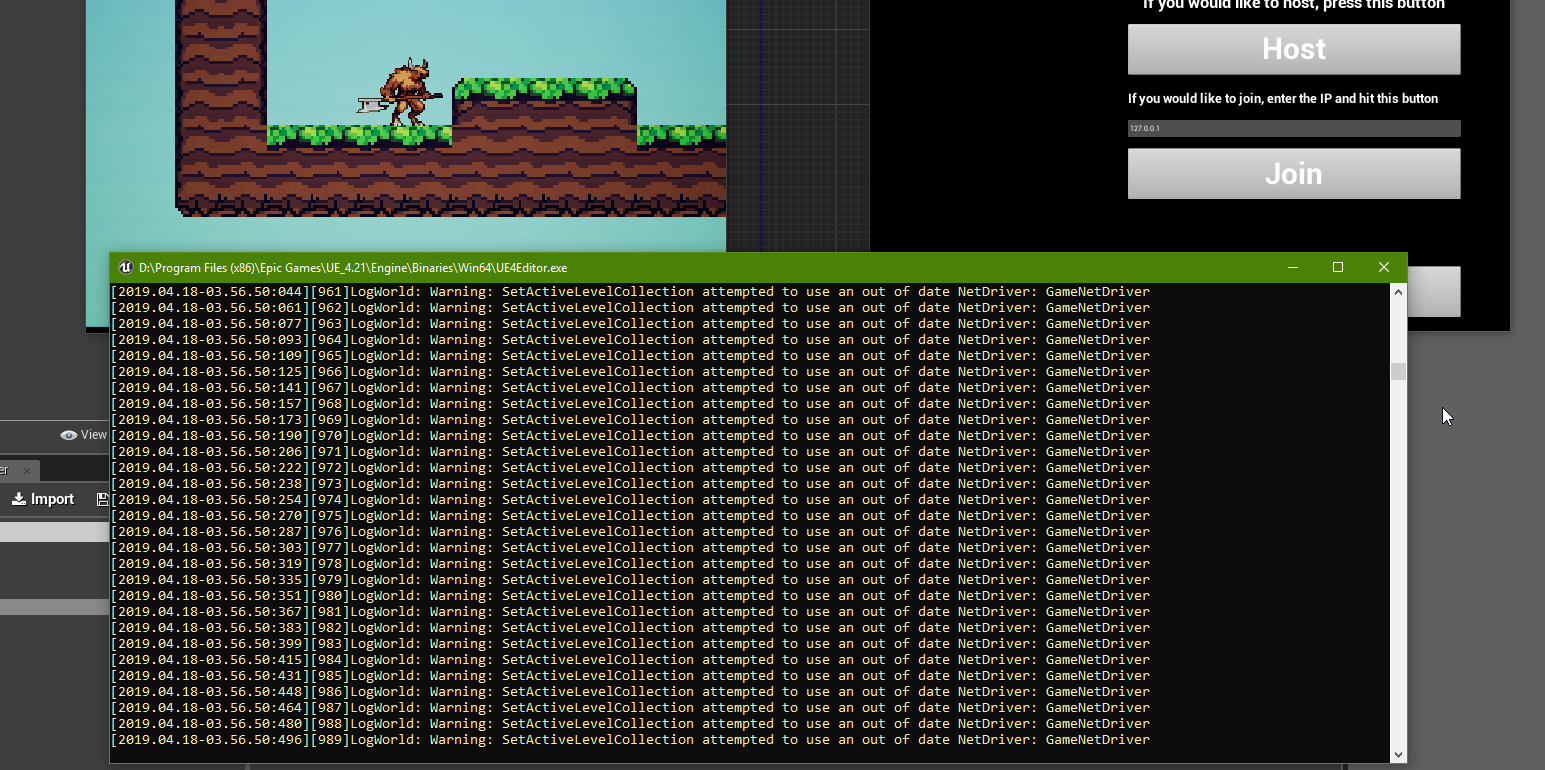
I'm doing straight p2p, no steam stuff
 unique fern
Hey guys, I am quite new to ue. I have a question about asset creation. is it better to use multiple materials per object or only one material with with all information in the textures?
Ofc only if I can one shader for the whole object
 jade wind
hello all so i making a side scroller for mobile and want to generate levels for it like this https://www.unrealengine.com/marketplace/en-US/slug/layouter-blueprint-level-generator
but this is for PC how can i do it for mobile?
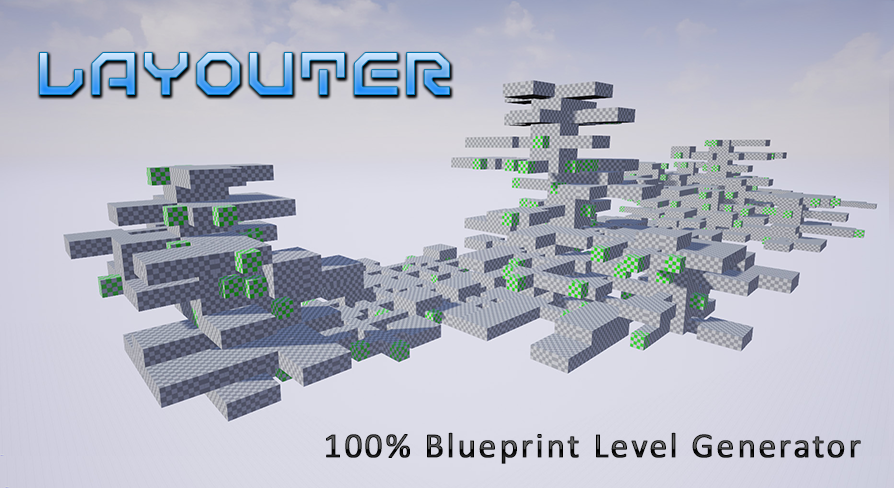
Layouter is a 100% blueprint tool that allows you to quickly and easily generate a maps layouts based on pre-definied segments.
 uncut vigil
if I duplicate a BP component it just adds 1 in the name. any way I can do it to add numbers not just a bunch of 1111s?
full sluice
visual studio for mac only really works with C# and cross platform stuff right?
how do mac users code in C++ with unreal?
cloud cobalt
CLion
full sluice
ah jetbrains
makes sense
looks like you can use xcode too
forgot xcode can do C++ stuff
plush yew
hey guys, thought I'd ask. I keep running into these nodes on ue4 wiki and I can't find a way to replicate them in my blueprint since the names don't match... please help a rookie
actually, just the SET node. I just realised what the other one is
cloud cobalt
Draw the variable and click set or get
plush yew
but what should I pick? theres a boatload of gets on the list and I feel like I went through almost all of them nothing matches the tutorial
oh... you just drag and promote to variable
ok that was easy... god I'm stupid sometimes
thanks
 dull wraith
So I'm thinking of following some of the virtus learning hub tutorial playlists to teach myself more about UE4. Where should I start (know some UE4 but all I've made so far is a small 2d Pixel Art Platformer for an exam)
deep basin
the best courses I've come along so far are the gamedev.tv course and the tom looman course on udemy
bet they currently have some 10 dollar deal due to eastern....
full sluice
can vouch for ben tristem, just finished his blueprints course
dull wraith
I've bought the Unreal C++ course, just wanted to do some UE4 practise today for free though 😄
(on Udemy)
full sluice
the C++ course is huge, but if you want something shorter his blueprints course is great
deep basin
yeah it is 60 hours, though you can almost entirely skip the last section, or (what I am doing) use it as an opportunity to become better at translating BPs to C++
And they make some suboptimal decisions in the last section, like controlling the AI Gun shooting wit the animation blueprint
dull wraith
I'm planning on studying Computer Science with Game Programming at Uni next year so that course will be pretty good for any free time I have 😄
 merry gazelle
Those damn artists! (I'm an artist :D)
deep basin
No, I love artists, you guys can do what I will never be capable of xD
dull wraith
Are there any engine-crashing bugs with 4.22 or is it safe to update?
deep basin
I experienced some crashes on refactoring my asset folders. but besides that its fine. And I wasn't able to upgrade most of my 4.21 projects
I personally like 4.22 I compile and work a lot faster with it, compared to 4.21. Whether it be due to optimized compilation, VS2019, the new resharper support for ue4 or a combination of any of those^^
deep basin
yep, unfortunately many of the nice free assets are not supported yet...
the infinity blade weapon set is supported though
dull wraith
True. Might stick with 4.18 for this project instead
 worthy flame
never had this problem before. but my landscape's basic texture doesnt show on the landscape. its just black
how to fix it???
worthy flame
nope
so i just do build lighting only?
since it doesnt show me that the light needs to be rebuild
ill try it now
didnt work
deep basin
mhhhh, then I don't know sorry. I suppose restarting the editor alo didn't solve it
*also
rustic imp
guys, would an SSD have any impact on light baking times?
rustic imp
memory bandwidth as in ram speed or what?
cloud cobalt
Yes
rustic imp
oh ok
cloud cobalt
I really don't see SSD inpacting lighting time much
rustic imp
I'm not really a hardware guy, but we're looking to upgrade one of our artists' pc for faster baking and shader compiling and such
cloud cobalt
Especially with the official engine Lightmass which is just incredibly slow
wary wave
rather than upgrade a PC, make use of Swarm and distributed building
rustic imp
we do that already
wary wave
most studios I work in have an extra PC with a fat load of memory and a multi-core CPU sat around specifically for this purpose
rustic imp
yeah, we're thinking about setting up an extra machine for building and swarming
wary wave
(also for shader compilation and code compilation through incredibuild)
it's fairly essential, even for a small team 😃
cloud cobalt
Faster shader compiling & faster light baking will require different parts too. Shaders will probably always be pure CPU, lighting is CPU right now with official, GPU with GPU Lightmass, probably only GPU with Lightmass 2
So think about that
worthy flame
when you buy something fro, the marketplace and it says create a project instead of add to project. it has the right version. HELP??
limpid turret
i still have no idea why this would be happening, but if i compile then play, my UI sliders work fine but if i save the project before that then they dont work
cloud cobalt
@worthy flame Depends on how the marketplace asset was set up
Create project + migrate
worthy flame
ok ty
limpid turret
figured it out, i had to cast to the character instead of getting a reference to it
dull wraith
That moment when UE4 crashes and you forgot to save 😅
regal mulch
Has anyone created their own Damage system for UE4 and has some references?
I'm so sick of UE4's build-in version.
Well mainly cause of the poorly exposed BP functions
limpid turret
how do you mean damage system, the actual act of being damaged or having health removed when damaged
regal mulch
The underlying system of point and radial damage.
UE4's build in system removes access to the DamageEvent struct for BPs.
Which I get why they have to do it, but it removes the ability to pass any sort of state information
limpid turret
sorry, i dont know
carmine umbra
@haughty moon no worries dude! had to go last night i was so tired, glad you fixed it!
worthy flame
how to fix the lag after painting?
still moth
whelp, since i finished up coding the line trace based bullet mechanics.. i think it's time i work on some other weapon types
limpid turret
i have an issue with my UI widget but it may just be because im using child blueprints, basically I have multiple characters whose health bars need to be on screen at all times, but they only 'fill' when you possess the character
heres the blueprints i use
wary wave
well, you're getting player character 0...
limpid turret
setting it to 1 empties the bar
wary wave
you need to pass in a reference to the character
'Get Character X' gets the character for the given player index
it is totally useless for you in this case
wary wave
you can't "get it in a number format"
you have to pass in a reference from somewhere else
paper kernel
Can I delay the destruction of actor?
or should I just use lifespan
if I want to add delay to it
wary wave
err, for what purpose?
paper kernel
like say, do scale to 0 over 1 second before actually destroying the actor
wary wave
have an intermediate function that does the scaling, then call destroy
limpid turret
@wary wave so do i just directly plug in the character reference into the object? because when i do that it empties the bar again
wary wave
are you actually getting a character reference from anywhere?
limpid turret


 limpid turret
yeah its a variable of the character im casting from
wary wave
okay, so if CharacterReference4 is a valid reference, it looks like it should work
limpid turret
well it doesnt
limpid turret
uh
i dont think i set it anywhere
but its now telling me this
the variable character reference comes from my HUD widget BP
wary wave
A) There's no point casting it because it is already that type
B) If you never set the variable it never has a value, ergo isn't valid
I think you probably want to step back and follow some beginner tutorials at this point
otherwise you're just going to go around in circles not understanding why things don't work
limpid turret
well thats the thing, i dont understand why it worked when the player index was 0