
#ue4-general
1 messages · Page 437 of 1
 somber quail
 modern sinew
Ok, @cloud cobalt , I told it to print the hit actor and it's giving me some very wierd results. When I walk up the slope (A TemplateFloor), it's still telling me that it detects the landscape, until I get high enough on the slope, and it tells me it detects nothing. Then when I hit the narrow top of the TemplateFloor, only then does it say TemplateFloor
Ok, yea. It's only detecting the slope on the small bit
 still moth
im back
 cloud cobalt
Don't tag random people
Use debug draw tools to show your trace visually
You will see what happens
modern sinew
I see a red dot on the ground. what does that mean?
fixed it
that's where the trace is
I split the pin and only offset the Z
still moth
isnt there a node specifically to get the terrain angle or something?
modern sinew
well no, we're trying to get the angle of any object under the player
still moth
couldnt you just measure the distance between your feet and their height relative to eachother and get an angle?
ok
for what purpose?
modern sinew
That would only work when moving
still moth
what are you trying to get your character to do?
modern sinew
get the slope for various things. For now, adding speed when sliding, and changing movement speeds when on slope
 dim plover
There are some YouTube videos regarding slope trace stuff. Particularly when discussing IKs. I think.
still moth
are you just trying to get a character to slide?
modern sinew
Well now it's detecting the field, it's just that what @cloud cobalt said would get the angle isn't getting it in any recognizeable form
1.0 for solid ground, 0.7-something on a 40 degree slope?
Don't know what it means :/
still moth
but why do you want the angle of the ground for a slide? you can just remove the friction/traction you have with the ground and let the physics make you slide over terrain
cloud cobalt
Hit result normal = direction of the gorund
dot vector it with (0, 0, 1)
Result = 1 for vertical, 0 for horizontal
still moth
there might be an easier way to do whatever it is he's trying to do
cloud cobalt
Maybe you're dot producting against the wrong vector
modern sinew
This here is giving me with 21.(something) on a 40 degree slope for some reason
It should output 40
 regal mulch
That's not how dot product gets converted
modern sinew
?
Well all the float stuff there is fine; 1 is 90, etc
but I'm not sure about all that stuff before
regal mulch
And the ACOSD result is the angle
A cosinus Degree
Inverse Cosinus Degree
Ever asked yourself at school what all that shitty math si for?
For this
modern sinew
That worked
and yea, I'm in calc now. It's not fun
Ok, but it's now giving me a positive number for the downhill as well
how can I change that?
I need a negative number for downhill
 dawn gull
Hi all. I'm making a game that's being released in May so i'm kinda stressed out, but i have a tesselated texture that i made as my landscape, but the chunks don't merge together so i get a line. How can i fix this?
regal mulch
@modern sinew This whole thing only gives you the angle between two vectors
This setup alone can't tell if it's positive or negative
regal mulch
@dawn gull Check #graphics
I would assume it's because you aren't doing world position stuff
dawn gull
k
modern sinew
if I get that I can tell which direction it's going
regal mulch
It has to be based on something they both have in common ( the chunks ) @dawn gull
@modern sinew It literally has a Length output
modern sinew
ok\
modern sinew
could it be Distance?
dawn gull
ok that eXi
regal mulch
Ah it does
modern sinew
ok
 vast fossil
guys my "Physical Material" file just wont apply to my game, anyone else having this issue ?
modern sinew
yea, so I'll take the distance right below the camera and the distance like 0.005 behind it, and see which is bigger
modern sinew
yea
regal mulch
Well then you can work with the forward vector of the player
regal mulch
You just have to remember that two vectors (normalized, so length of 1) have these dot product results:
- Same Direction -> 1
- Opposite Direction -> -1
- 90° to each other -> 0
modern sinew
ok
regal mulch
So if you find a pair of vectors that result in 1 for downhill (or uphill)
And -1 for the other direction
Then you know what direction the player goes
You can grab the "SIGN" of the value
To know if it's positive or negative
modern sinew
is this whole Trace thing how I can modify the jumps when I'm wallrunning to jump perpendicular to the wall instead of just the way the player is looking?
modern sinew
because the wall can be on either side
vast fossil
@regal mulch are you a dev at UE ?
regal mulch
Nope.
vast fossil
ah ok
regal mulch
Dev at Epic Games would be the proper thing, but no. Only people under the Epic Staff role (on the right) are from Epic Games.
Please DON'T ping them for support though (:
cloud cobalt
Because they're not here to get pinged
They're not paid to do tech support
They're here on their own time & terms
regal mulch
Same as everyone here :P so don't ping people from the list without any reason hehe
Check #graphics for material stuff
modern sinew
eXi, is x forward or is y forward?
 fierce tulip
x + is forward generally
regal mulch
In UE4 X is forward
modern sinew
NVM, dragged the player model around a bit and yea, it's X
regal mulch
Y is right, Z is up
fierce tulip
this can be really confusing when you have a platformer, a first person shooter, and a top down game and work on em at the same time
Z is up
modern sinew
In UE4, it is
fierce tulip
anything else is maya blabla
modern sinew
but generally, Y is up
modern sinew
Graphs, Minecraft, etc
regal mulch
It's a definition
There can be people making X up
¯_(ツ)_/¯
But in UE4, X+ Forward, Y+ Right, Z+ Up
Just remember it
Or check this:
Bottom left corner of the viewport
fierce tulip
it basically the difference when making a side-view and adding depth (z-axis) or top down floorplan and adding depth (z-axis)
depending from the original "plan" they made either Y or z up
regal mulch
Yeah but you usually go from X to Y, not X to Z when "counting" :D
So I do get why Unity has Y up
But well

 UE4 has shitty 2D support
fierce tulip
"There are two fairly reasonable ways to define a coordinate system for a 3D environment. Both build on the intuition we learned in school with graph paper, with X representing the horizontal coordinate, and Y the vertical coordinate.
If you think of the world from an overhead perspective (like Google Maps), then the location of an object on the map is defined primarily by its X and Y coordinates, and its height above the map by Z. In my intuition, this was the most sensible coordinate system for Unreal. This standard was earlier chosen by AutoCAD deriving 3D data from 2D floor plans, and continued with Autodesk's 3D Studio.
If you think of the world from the perspective of the screen, then X is right, Y is up, and Z is forward. If you further assume you're level and facing north, then that defines the other popular coordinate system. Historically, its use derives from OpenGL, which was derived from SGI's IRIS GL, and is logical if you're mapping a default observer in a 3D world into screenspace. Maya was initially developed for SGI hardware, so it took this path too."
- Tim Sweeney hehe
regal mulch
Yeah exactly
The second part is what I meant with "I can get why things like Unity have Y up"
fierce tulip
yea
regal mulch
Well Minecraft is a Game :P that hardly counts
Based on that you can list all kind of games
modern sinew
eXi, how do I find the y value for the height of my player?
Wait, I found the "Capsule Half Height"
that should be it
regal mulch
That's Z again
regal mulch
You can also try to get the actor extend
But yeah, the capsule works too
Ah sorry, Actor Bounds I meant
modern sinew
Now it's just constantly giving me 0
I don't see why
I didn't mess with the slope stuff
just grabbed the distance
sorry if it's a bit of a mess
nvm
my Set isn't connected
I found what else it is
it's using world location
Ok, so I grabbed the forward vector, how do I modify what I have there to include it?
so that the second (top) measurement is always behind relative to the player
ok
the problem seems to be that this here
Returns 0 for distance
instead of the actual distance
and I'm not sure why
Also, it's not showing up on the ground
 plush yew
I am getting overlapping UV's when converting BSP geometry to static mesh. Any ideas how to fix?
 dim merlin
Hi, anyone knows why decals standard have a transparency and how do i turn it off?
 lusty carbon
How to delete C++ class from my project?
cloud cobalt
Delete the class files, generate the project, build in Visual
modern sinew
@cloud cobalt Do you know why that trace is returning a distance of 0?
It's also not appearing on the ground like the other one
I'm trying to get it to stay always behind the player
cloud cobalt
Probably going into the source object, make sure to ignore the character actor
lusty carbon
deleting the class files is exactly the how to question
from within vs?
cause in unreal i cant
modern sinew
Stranger?
Something's screwing up in there, and all the fiddling I've done has only gotten me so far
Found out that it's giving me a distance of 0
but I don't know why
Do you?
 wary wave
He's literally just made a suggestion
cloud cobalt
@stiff sinew Delete the actual files on disk
.cpp / .h
Generate solution, build solution, restrat editor
lusty carbon
thanks
 gleaming raptor
What do you guys reccomend doing when you wanna get into game design ?
Mostly 3d games, not to big a fan off 2d ones.
wary wave
...designing games
The only way to learn really
If you want more specific answers, you'll need more specific questions
Generally speaking, as a game designer you won't get much say whether the game is 2d or 3d
modern sinew
Does anyone know why that trace is showing as distance 0?
cloud cobalt
Did you check what I told you ?
wary wave
But it's somewhat irrelevant, since the principles are largely similar anyway
fierce tulip
perhaps its hitting itself?
cloud cobalt
Did you ignore the character mesh ?
cloud cobalt
I told you that, then ambershee told you I told you that
modern sinew
Didn't know either of you were talking to me
How do you tell it to ignore the character mesh?
cloud cobalt
Google : 'UE4 line trace ignore'
gleaming raptor
I want to ultimately make a open world airship game but since that shit is quite a big goal when you're just starting out i was wondering if you reccomend something small and easy i should try making first to help me learn the basics.
No need to explain anything that has to do with actually doing it, just wondering what small project could help me get the feel of it.
cloud cobalt
Designing games and building games aren't the same thing
gleaming raptor
Sorry, my mistake :3
cloud cobalt
If you're alone, you need to learn how to build games, else your design skills will be completely useless 😃
gleaming raptor
Thanks for clarifying 😄
cloud cobalt
if you want to learn making games, well, try doing Pong first
Try doing really simple games
Try game jams maybe once you've got the basics, to see what you can prototype quickly
Take it step by step and be careful of large projects - these don't end well for small teams
modern sinew
Uhh, stranger, I think I did it, but it's still returning 0
gleaming raptor
Yeah i've seen that happen over and over again so im not really gonna attempt something to big, i am a dreamer but im also a realist so yknow.
modern sinew
Get Player Character -> Make Array -> Actors to ignore?
cloud cobalt
So print the hit actor @modern sinew
gleaming raptor
Thanks for the help dude, im gonna go do just that 😃
modern sinew
@cloud cobalt It's not even giving me "None", it's just giving me a blank
cloud cobalt
What's "a blank" ?
If no hit is returned then no hit is returned
Distance doesn't matter if no hit is returned
modern sinew
False
cloud cobalt
Great, so no hit was found, end of story.
There is no distance or actor to check if no hit was found, obviously
modern sinew
but why is it not hitting anything>?
cloud cobalt
Because the line does not intersect any geometry
modern sinew
Well yes, but that's not an answer to the question
What I'm not sure about is why this is hitting nothing
it should be pointing straight down
cloud cobalt
I can't help you there. Again, debug draw the actual line trace and check visually.
cloud cobalt
Google : "UE4 draw debug line"
modern sinew
ok
cloud cobalt
Please do this every time you have a question, fist. It's not like I don't want to help you, but you're not going to make any progress on your skills if you don't always start by searching.
modern sinew
ok
I told it to draw a line with the same variables, but it's not appearing
wait, now it is
but it's coming to the same place as before
as the other one
but the other one returns a distance at least
Wrong line
It seems that the error is coming from here
But I don't know why
Why is this not giving it the correct values?..
 abstract relic
modern sinew
abstract relic
modern sinew
No, the line trace is not where the problem is coming from
That block there is
for some reason the forward vector's not really returning anything
because I plugged it into a debug draw line and it gave me nothign either
still moth
well, i finally got my first C++ script to pseudo work in game
modern sinew
Ok, well, how would you do that bit? I'm trying to get a second Trace right behind the first, relative to the player
modern sinew
I'm just trying to get the x's and y's relative to the player..
cloud cobalt
That's not going to work that way. Spend some time with tutorials
 merry gazelle
look what I found lol
https://blueprintsfromhell.tumblr.com/
 still moth
ive been working with line traces all week
the one im working on.. uuh
using C++ and something aint right
the problem im having is im spawning the C++ actor to handle bullet physics, but it collides with the character firing the weapon, so i need to tell it to ignore the owning actor which is easy to do with blueprints by adding a node to the linetracebychannel node
 zinc rivet
TFW walks into bullet you just fired
modern sinew
Stanger, I'm trying to look up how to do it but nothing's showing up
cloud cobalt
I'm not going to be able to help you, this is just math. You need to be able to do basic vector math - adding vectors, etc
I'm not a math teacher
modern sinew
I can, but I don't know what to add
cloud cobalt
You're multiplying a vector by different values on different axis
So no you don't know what you're doing
still moth
the bullet spawns at the center of the camera, so "inside" the head of the first person character
modern sinew
I'm not multiplying a vector, unless you mean that I'm supposed to be
still moth
i could always get the forward vector of the camera, add maybe a meter to the front of that and use that as the starting point
im referring to my own issue redpandaz
zinc rivet
@still moth that'd probably be relatively simple, but you might end up with a situation where you can't hit stuff that's right in front of you.
modern sinew
Burnt, was replying to Stranger
cloud cobalt
forward = (1, 0, 0) rotated by the character's rotation
Do what you need based on that information
lusty carbon
@cloud cobalt I deleted the cpp class I wanted to delete, regenerated VS and now it won't even compile
project is gone
cloud cobalt
I don't see a compiler output
Only the worthless error window that you can close now and never open again
lusty carbon
what do u need?
 honest vale
open the output tab
cloud cobalt
I don't need anything, you need to actually compile
lusty carbon
lusty carbon
thats the class i removed
zinc rivet
yea, you're referencing it in StockMachine.h
lusty carbon
right
cloud cobalt
This is also why there is no "delete class" in UE4 - deleting classes can never be easy
modern sinew
Stranger, I multiplied it by the forward vector and it dissapeared again
cloud cobalt
I can't help you RedPandaz - i'm not going to be doing the math for you and give you the graph.
modern sinew
I don't need you to, but am I closer?
cloud cobalt
I have no idea, I don't know your project. Think by yourself, draw on a paper, draw debug lines to check everything until it works
modern sinew
I'm trying to have a line that is always just a bit behind the player
that is all
that way I can tell if it is a positive or negative slope
 misty creek
Try taking a look at this: https://forums.unrealengine.com/development-discussion/blueprint-visual-scripting/34830-line-trace-from-actor-location-that-is-always-in-the-same-relative-direction
Unreal Engine Forums
Build powerful visual scripts without code.
It isn't exactly what you are looking for but it should help
modern sinew
ok, I'll read up on it
Ok, I did pretty much exactly what they did and it's still not moving it based on rotation
It's still stuck to the world axes
modern sinew
so that it's verticle
*vertical
I don't want it at an angle
because we're using it to find angles
if the line is at an angle it rather screws that all up
¯_(ツ)_/¯
misty creek
So are you looking to find the angle of the slope that the character is on?
modern sinew
well, this second line, I'm using to find a second direction, and if it is longer than the one in front of it, we're going uphill, and if it is shorter we're going downhill
So I'm measuring the distance of both traces
the first gets the angle as well
that works
but it displays up and down as the same
misty creek
Hmmmm, I've never done anything like that but after a quick google something like this would probably be useful: https://forums.unrealengine.com/development-discussion/blueprint-visual-scripting/48174-tutorial-change-character-speed-based-on-hill-slope-angle
Unreal Engine Forums
Build powerful visual scripts without code.
modern sinew
pretty much all I've seen use two positions instead of line tracing
which only works when you're moving
But no, the line works
I'm just- It just- I can't seem to get it to stay relative to the player instead of the world
misty creek
Do the scene components stay relative to the player?
misty creek
When you are getting the forward vector it says the target is a scene component
Is the scene components rotation the same as the players?
modern sinew
the target is Camera
which is socketed to the player's head
or it should be
but yes, the camera's rotation is what I'm trying to fix it to
misty creek
Third or first person? I'm pulling up a project
modern sinew
First Person built in the Third Person BP
misty creek
Okay, I'll take a look at it
What is you camera set up? Do you have a spring arm?
I'm not entirely sure what it should look like but this is what I have going
modern sinew
misty creek
Okay, so that is what mine looks like.
When I'm drawing the debug lines what should they be looking like?
In the screen shot that I posted what is wrong with those?
modern sinew
I’m not sure, I don’t know how you’re drawing them. I showed you how I’m drawing mine
misty creek
Here is my blueprint
modern sinew
Maybe you can try and replicate that but I shows you of mine and figure out what’s up? I’m stumped
misty creek
Is that what yours looks like?
modern sinew
Currently? A line to the positive X of me. The thing is, I want it to be in front of me no matter which way I’m looking
misty creek
So you want to line to be in front of the character?
modern sinew
Yea
misty creek
@modern sinew I'm not thinking well today, so I would just suggest that you use a socket. Add a socket to your skeletal mesh out in front and then you can just grab that location.
modern sinew
No that-...that doesn’t work
misty creek
Why not?
modern sinew
Because the line is just a placeholder- I want a trace there
The line is just to see the thing
misty creek
Can't you do a trace with a socket?
modern sinew
Not accurately- the sockets move around with the animation
If I can just get it to input the relative player X and Y it’ll work
 grim ore
get camera -> get forward vector -> multiply by X distance in front of the camera you want to start at, use that as the line trace start. trace on the Z X distance? this does not work?
modern sinew
What I’m doing currently
@grim ore what’s wrong with it
Because it’s not generating a line
grim ore
well why are you taking your forward vector and reversing it?
grim ore
gotcha but then why are you subtracting large numbers from a small vector?
print your vector out after you get it and multiply it by -1 and see what it shows
modern sinew
Those numbers are just moving around the X and Z a bit
For instance, the player is 200 tall
grim ore
your math is all funky and I barely know math heh
modern sinew
I know it works for the bottom one
grim ore
you want to make a line trace down from a distance in front of the character right?
grim ore
ok so you need a point X distance in front of your character which is very common when doing a line trace, it's the end point of the trace normally, and this would be your start instead of your end normally
modern sinew
Well both the start and end have to be offset by the same X
grim ore
by X I mean distance variable, not the X direction
modern sinew
I know, but I am
grim ore
because I don't know how far away you want it
grim ore
are we eventually doing that now or are you doing something else now?
modern sinew
I’ll move it behind when we’ve gotten it to stay in front of the player
That’s just a simple translation
grim ore
can you get the line trace start point? like a normal line trace end point? basically this https://forums.unrealengine.com/filedata/fetch?id=1070953&d=1427038647
obviously replace the get actor rotation with whatever item's rotation you are checking for forward
in this example the end point is your starting point because it's forward a certain distance from the player.
then you can take that location and subtract your Z distance to get your end point Z distance down from that start point.
modern sinew
Here is what I have, what needs to change?
grim ore
all of it?
grim ore
you dont subtract a distance from a vector to make it longer or in another location, you multiply it like the example shows above
modern sinew
O...k?
How would you do this? There’s not much here and it doesn’t seem hard, but I’ve been stuck
grim ore
in the picture I linked the End will be your Start
lusty carbon
which uv map index of a mesh is used for the material? is it strictly index 0?
grim ore
then you can take that value that you are putting into end, drag it out into it's own line and break the vector to give you your X Y and Z. then you can subtract your value from Z to down down similar to what you are trying to do in your blueprint so far, then put that new value of Z and the old values of X and Y into your end.
https://docs.unrealengine.com/en-us/Editor/Content/Types/StaticMeshes/HowTo/UVChannels the default UV channel for a material is 0 but you can use other UV channels if you want using the texture coordinates node
modern sinew
@grim ore I am doing what that picture says tho
grim ore
ok
modern sinew
And it's not working
grim ore
must be some other weird issue then, might need to debug it and see where every point is at.
modern sinew
I can stick more Prints in IG
grim ore
sure, it might not hurt. might show that they are not in the correct place
when you used the info I gave you with multiplying instead of subtracting what did that do wrong?
modern sinew
multiplying instead of subtracting?
grim ore
sure, you said you were doing what the picture showed and the one I showed didnt have subtraction in it so I assumed you changed yours to the correct way
modern sinew
Mine doesn't either besides modifying the X value
grim ore
ah, ok
well at some point maybe make a new function or change it to better match the correct way and it might work better
modern sinew
wym correct way? I can't find anything wrong, but clearly something isn't working
grim ore
the picture I posted is the correct way to do a forward line trace starting at the actor location and ending a distance in front of them. Since you just want the end point you can use this code for your starting point and go from there.
plush yew
Hello everyone
grim ore
Ahoy hoy
 split zinc
Weird question. My friend ask if he could try the current state of my game. Is there a way for me to make a copy for him to try?? also i have known him for 12 years lol he wont steal it lol. is there a way to email it or even send a copy through discord
grim ore
package the game and send him the packaged version zipped up?
alternately if you are using source control, and you are using source control right?, give him access to your repo and let him download it and run it using the engine
modern sinew
@grim ore I put in literally the code that's there, just split apart in placed (Vector to three floats)
and it didn't work
dim plover
UUserWidget?
 still orbit
oh, wrong channel, my bad
grim ore
you are getting your actor location, then subtracting 200 from the X, and using that as your start. that means that the start location will always be -200 and not relative to your characters rotation which I assume is wrong.
modern sinew
ok
grim ore
the code I posted, the entire part that they use for the End, is putting that point 50 units forward of the character. That entire part of the code is what you should be using for your start which would put the start of your trace 50 units forward of your character
modern sinew
Well the good news, is it is now relative. The bad news is that it is not where it needs to be
Also, why is it at an angle?
I got rid of any x or y modifications
Changing the multiplier to 1 fixed that
Now how do I move it relative to the player @grim ore ?
grim ore
I don't know what your code is now so I don't know the answer.
modern sinew
got it to work anyway
For some reason when I'm falling tho it turns it to -90
I guess it doesn't affect it much anyway tho
lusty carbon
Packaging my project.. this is what I get when trying to open it
 remote rivet
@lusty carbon Sparks, try setting your packaging option to be Shipping Profile, and select the checkbox that says it's a Shipping or Deployment package. That should make sure it includes everything in the build.
split zinc
im missing some thing in this or dose it look good
its paint materal to apply to my land
lusty carbon
@remote rivet thanks I managed to fix it by deleting intermediate and saved folders and regenerating files etc
 tired cove
Hi guys, do you know how to do a multi project thanks to the new update 4.22.0 of Unreal Engine please ?
 fast finch
Would anyone know why this would be happening? https://streamable.com/ibrmy

Im using a pawn, they simulate physics
Trying to do multiplayer
 versed spear
What is happening? Are you talking about how the movement is not smooth on the second client?
 spark sonnet
Welcome @plush yew
plush yew
hey thanks dude
fast finch
@versed spear yes
I've followed a tutorial, however they use characters, and the movement is smooth by default. Im using a spawn, so Im not sure if some settings are not set up by default
plush yew
im planning on making a singleplayer/multiplayer first person low poly game
spark sonnet
cool
plush yew
im using blueprint
spark sonnet
Let me know if you need help 😃
plush yew
well im gonna start watching tutorials because if i started asking questions they would never end
but sure ill ask if i dont understand some things
spark sonnet
True. Thats what I did/am doing
A good way to learn would be to use the default Firstperson or thirdperson blueprint and look at the nodes to learn what they all do
grim ore
characters have smoothing built into the character movement is why, you might have to replicate your own smoothing code if you want to use a pawn. Any reason not to use a character?
grim ore
gotcha. yep might have to use your own prediction then 😦
fast finch
well
you think I can fairly make the capsule
fit the cube?
im gonna try
Meh its not really possible. Is it hard to replicate my own smoothing code?
wary wave
Not necessarily, but expect a deep dive in C++
grim ore
I've seen a few posts on smoothing code in C++ on the interwebs for pawns so might be able to use one of those for UE4
modern sinew
No
fast finch
@grim ore could you point me to some of them? Having trouble finding any
modern sinew
But I got it to work w while back
fast finch
Probably because I dont know exactly what Im looking for
 gleaming isle
no? Did you not need a line drawing relative to the player
grim ore
what about using a different movement component like floating ?
fast finch
I could add a floating movement component, but does it have the smoothing things?
that characaters have
Floating pawn movement component*
grim ore
I assumed so but probably not now that I look into it =/
fast finch
God the character system is flawed
why can you only have ONE capsule component, and not change it out to anything
And adding any additional collision components doesnt work
grim ore
yeah this seems to come up more often than it should. I don't think it's flawed because this is just something the engine provides you keep in mind, it's not like it's required.
fast finch
yeah just saying, could be done much better
grim ore
heh, most of the fixes seem to be basically just replicating rotation and location using RPC events every time it moves or tick or whatever. no actual prediction 😦
fast finch
isnt that what I would need to do then?
grim ore
well it is a way sure, it's just not going to solve any problems due to lag https://www.youtube.com/watch?v=WFAy5nYWCRE is one I was watching. I really don't know if it's a good idea or not #multiplayer would be a ton smarter on fixing this issue
fast finch
Yeah I'll try there, thanks for the help 😃
plush yew
any tips to create dream like atmosphere and dystopia like
?
grim ore
lots and lots of post processing
gleaming isle
I must be crazy because I thought he was looking for a line relative to the actor based on an offset and direction
fast finch
@grim ore best solution seems to be to ditch the player being a cube, and maybe making the player a spehre or capsule shaped to fit the character lol
grim ore
😦
fast finch
First time doing anything multiplayer or network related, this might be out of my depth
grim ore
I do wonder if they plan on making more movement components in the future. I know the issue is the CMC is tied to the Capsule as the base object
but like all the fancy math is based on a capsule so just replacing it with something else like a cube or a triangle introduces issues for the movement stuff
fast finch
Alternatively, you could choose the type of collision component for the character
that would be nice too
grim ore
I think you could cheat and do your own manual checking of your own collision stuff as an alternative
like have a box collision then do box checks every frame lol
but again it's working around the existing limitations so I dunno
fast finch
Collision for characater component can only be done by the capsule
it has to be theroot
Adding your own box component does nothing
grim ore
"built in collision" has to be done with it yes
it doesnt mean you can't manually check for your own "collisions" every frame and handle them
basically roll your own collision checking and handling lol
fast finch
yeah...
grim ore
it's lose lose either way
grim ore
goofing off with Niagara right now but I think I will look more into the issue as it seems to keep popping up and maybe harass any epic employees with the question next year at GDC lol
fast finch
I know an epic employee
Might as well pop the question at some point
I dont know if I'll be murdered in my sleep if I do however
grim ore
😃
fast finch
Damn, you dont know either huh
 versed siren
hey im having trouble getting a variable to stay consistent between levels, is there an event that allows me to set it to a specific value upon a specific level being opened?
gleaming isle
@versed siren I believe you can use GameInstance for this
versed siren
I toyed with the idea of making specific collisions to set the variable at the beginning of each level but that seems really overcomplicated
gleaming isle
If you create a GameInstance and create variables in it, they should be persistent between levels.
gleaming isle
create a blue print class that inherits from game instance
and in the project settings you can assign it to be used
at the bottom of maps and modes
 obsidian shadow
Hey, guys! I have a problem that SHOULD have simple solution, but I cannot figure it out for several days now.
Shortly speaking, I need a character with a horizontally stretched collision box (for an animal body), which would use character movement component. Having search throw the web for few days, I starting to think that it's not possible, which sounds ridiculous to me.
Should I completely rewrite UCharacterMovementComponent to achieve such effect? There'are almost 11k lines and it's like A LOT even without networking stuff.
 worn granite
Yes, but you needn't match it all
remote rivet
@obsidian shadow you may have already read this, and it doesn't offer a perfect solution, but this might help some - https://answers.unrealengine.com/questions/139279/wolf-as-main-character-1.html - It mostly discusses collision, but it's focus is on a quadruped character instead of upright.
obsidian shadow
Thank's for the replies! @remote rivet, aren't everything except the root capsule would be ignored during collision?
I guess, I've tried something like that before.
 ocean pulsar
Epic’s Online Services will they also host game dedicated server battlefield games?
 kindred viper
@opaque vector it looks to me like a plain old bait and switch. The bait being the animation to the "arm over shoulder" as if getting it from a backpack, with a direct switch, either through visibility (which makes sense to save time when respawning weapons) or actually despawning. The more I think about it though, at the pace of this game, despawning would probably be the wrong choice for performance
ironically, the client would probably keep a weapon "cache" as they aquire new items
gleaming isle
like rain on your wedding day
kindred viper
yeah spawning isn't expensive, but its considerable I would say. If you want peak speed and performance whilst switching between actors/meshes. Then visibility has that edge
@gleaming isle don't cha think? 😄
in computer terms, a cache is a storage area for things that need accessing quickly
like a buffered object, or weapon mesh, etc
yeah
do the spawning and despawning on pickup and drop of the item
 bitter iris
What steps would I take to reduce basepass and shadowdepths with dynamic lighting?
 fresh hemlock
Ay Ive been working on an Indie game for a good minute now and am realizing Ima need a team if Im gonna see this project to the finish
 hybrid scroll
Ehhh... Problem I have for the n-th time...
Is there a way to figure out what is consuming player input? can be BP, can be C++. Don't care.
Not "is A consuming input", but specifically, out of all my actors and widgets, where did my f-ing input go?
kindred viper
is your gpu an RTX card?
then yes that is how it will run for you in general
it might get optimised for more lower end eventually through DXR but don't count on it.
yeah I have a 1080ti overclocked and it gets hammered with any one of the RTX effects on
ambient occlusion is about the fastest, but reflections and GI are killers
the good thing is its useable for individual screenshots so you can make animations no problem 😄
fresh hemlock
I know how to do what Im doing @opaque vector its just coming along slowly
kindred viper
absolutely
I would imagine there is still room for external rendering though. Im not sure its upto the level of pro renderers yet, but there is no reason it cannot be if it takes off
I wouldn't worry about any of it quite yet. See what happens in the next gen releases. But use now to test things, get to grips with concepts and if you think its the direction to go, then fully invest in development
 smoky escarp
Hey guys I was wondering if I was the only one having the problem, on UE4.22 I import one paragon asset and then when I try to move one folder containing materials and fix up redirectors it work but once I re open the project all the textures references are broken. Am I doing something wrong ?
grim ore
I had some weird stuff happening moving things lately as well, materials all broken 😦
smoky escarp
i saw a report but it was from 4.17 and someone told in 4.21 it was fixed but even in 4.21 i had the same issue
grim ore
what you are doing should work tho
smoky escarp
ok thanks so will have to wait for a fix
grim ore
I was trying to test it on a test project but it soft locked on fixing up redirectors lol
bitter iris
Guys how can I edit the landscape LODs? LOD0 is way to big
smoky escarp
aha crap
 ember cliff
Quick question, how do I change the units so that 1m = 1 unit rather than 100 units? I can see how to change the appearance but I'm not seeing a way to change the actual units.
 frank escarp
you can
grim ore
in the engine? you cant it's 1 unreal unit = 1cm
frank escarp
@ember cliff but dont
grim ore
holy hell you can? but why lol
 paper kernel
it would scale everything
frank escarp
you can, but its a terrible idea for a few reasons
ember cliff
I'm aware of some reasons why you wouldn't
But I'm running into an issue with float precision
grim ore
... fixing redirectors loads up all materials in the folder and compiles the shaders... wheeeee 😦
paper kernel
yea 1cm with floating point imprecision is manageable
frank escarp
@ember cliff floating point precision is relative
ember cliff
cept I'm working with kms
frank escarp
it happens exactly the same way if you have 1 unit = 1 meter or 1 unit = 1 cm
becouse its just the number of digits you can save
so changing scale means nothing
ember cliff
...I'm aware
frank escarp
Unity runs 1 unit = 1 meter and has the exact same precision issues as unreal
at the same distance
ember cliff
My issue is that I want to change what the appearance is under the hood
Because it is translating it
by default
smoky escarp
so I must be bad at moving folders ?
grim ore
nah I think the engine just really really has to be handled gently when moving stuff lol
ember cliff
So, how can I make it so that for example 1 meter is 0.1 units rather than 100 units for example
smoky escarp
aha yes I may move a lot of stuff acutally since i'm trying to reorganise the paragon assets that I import since they messed up my project ^^
ember cliff
And no, changing appearance does not help
grim ore
yeah I had the TPP template break completely when I moved it all at once heh
smoky escarp
btw have you re opened the project because me everything worked until I re opened it
grim ore
I havent event gotten redirectors to clean up yet....
I moved one folder full of rocks from the kite demo and it did not like it
smoky escarp
aha
grim ore
I don't even think it can do it to be honest
it compiles some shaders then goes all wonky and churns CPU but disk and memory don't change 😦
smoky escarp
that's kinda what it was doing to me
when I finished with everything even fixing redirectors I was always left with some empty duplicates folders from the assets
grim ore
might be time to just make some sample projects and figure this system out. It's gont some quirks
yep same here when moving the TPP and I couldn't even fix up or delete the abandoned folders
bitter iris
On LOD Distribution is it possible to go below 1? Would be nice to do so, but cant do it from slider
grim ore
I wonder if the new advanced copy is a smarter way to get around this issue. Advanced copy the stuff into the new location then delete the old completely
grim ore
added in 4.22, when you drag drop there is a new option
smoky escarp
haven't seen it i'm blind x)
grim ore
since it literally duplicates it all as an option it seems like it might be better(ish)
smoky escarp
I will try that and if I managed to do something I'll tell you
grim ore
yeah I can't even get this project to work anymore I broke something bad lol
smoky escarp
ahh hope you have a backup
 pseudo swift
hey I have texture maps which end with D and N, I understand they refer to Diffuse and Normal, but then I have two more which end with S and M. I dont know how to use them with unreal, Metallic and Specular?
also do I plug out the RGB out or use a specific channel?
Im positive im using the two maps called S and M wrong
 sudden agate
those textures seem to be an old diffuse workflow.
Unreal uses PBR, which means metallic and Specular should be grayscale textures
fresh hemlock
Well I think I figured my thing out
 upper heart
Does anyone know if there is a way to check a player's drivers on startup? And if there is a list of blacklisted drivers for UE4?
pseudo swift
alright, is there anyway i can convert or use these textures? I have alot more of them and it would be great if I could use this type of texture map
fresh hemlock
Yea you plug em into the subsurface thing in the blueprint
spark sonnet
I am trying to get a variable from a pawn to its animbp but it doesnt work. Anyone know why?
 warm timber
Is to use the default gamemode a bad thing? why I am getting this gamemode not overridden! warning in the blueprints menu
fresh hemlock
Yo anybody know how to overlay two materials. Im trying to create a hair material and I wanna set up a standard hair mat with an opacity map and no emissive. But I want to overlay that material with an emissive material with a fresnel opacity
I want the materials layered so the emissive fresnel mat overlays the regular hair material
kindred viper
the new material system should cover that but I haven't really done much with it. I remember you can layer materials now though to save drawcalls
fierce tulip
if you mean the material layer stuff they made for paragon, thats already depreciated.
ember cliff
So I'm having issues with origin rebasing. I am under the impression it should solve graphical artifacts. Does it not?
Or am I doing it wrong?
Here is an example:
This is at origin: https://i.imgur.com/WJJkCcX.png
I can confirm that the "Event World Origin Location Changed" event is firing
fresh hemlock
Like can at I at least just color the fucking fresnel
fierce tulip
what a nice way of asking
fresh hemlock
Im upset okay please how do I color a fresnel in Unreal.
I have been trying to color a fresnel for over an hour now
its upsetting
fierce tulip
just multiply it with a color. bam. done.
fierce tulip
its not. then you are doing something wrong.
ember cliff
What color are you trying to multiply it by?
fierce tulip
white XD
fresh hemlock
I pale red
fresh hemlock
also what multiply do i plug it into
Fresnels only have exponentin, basereflectfractionin and normal
fresh hemlock
do you mean i should plug into a multiply then the color into the multiply?
fierce tulip
yes
fierce tulip
if you googled "ue4 fresnel color" you would have had an answer hours ago though.
might want to consider that next time 😃
spark sonnet
How can I make WASD controls? I am using it for a static mesh. I cant get it to move forward when pressing W its only going to one axis
fresh hemlock
I read the docs.unrealengine pages a lot its just sometimes when theyre several pages long like they are in unreal I just kinda get more frustrated because it makes something as mundane as a fresnel seems needlessly complicated. Im also just much more familiar with production rendering like renderman, mayamentalray, cycles, arnold etc and get completely freaked out by some stuff in Unreal because its very different.
fierce tulip
if you know all that, you should be accustomed to going trough documentation, and literally the first link of that google search was all you needed to know.
if anything as a gamedev or basically anybody using more advanced software searching the web for answers should be considered a main skill.
basically "ue4 + part of engine + problem" is more than enough to solve most problems.
its good practice, and can save time.
ember cliff
@spark sonnet Can you give a little bit more info?
spark sonnet
Ok so I am tryin to make a very simple drone so I need it to move with WASD keys. And I cant seem to figure out how
ember cliff
I meant technical details like are you using blueprints or if you have set up inputs yet
spark sonnet
I made a pawn I can send you a screenshot
this is whats inside the Pawn
And I need to move the mesh around like a drone
fresh hemlock
I am very used to going through documentation I just get annoyed sometimes because things seem much more roundabout then theyve been in the past or documentation will tell me things I may already know and go on and on about something I am already familiar with etc etc. I also just get tired after reading through UE4 documentation or any documentation sites like maya, blender etc. after a few hours of doing it to do things like diagnose broken imports which I was doing a lot today. The fresnel just kinda was that straw that broke the camels back and had me set off.
spark sonnet
The difficult part is to make W to always be the forward key
depending on the rotation
spark sonnet
but then it doesnt recieve any location input
 frosty bloom
We should have a #Beginner channel with tons of pointers to tutorials for different subjects
ember cliff
^
frosty bloom
Just came up with the idea, it's quite brilliant
ember cliff
I'm just being a complete dork not remembering how to do that
My mind is about as far away from that as it can be right now
spark sonnet
😃
fierce tulip
@frosty bloom its useless, they'll just ask in other channels where that channel is, or totes ignore it and ask the right questions in the wrong channels
frosty bloom
Grasping at straws. just feels like "Hey, google this for me" when I see it
ember cliff
regarding origin rebasing
fierce tulip
oh wasnt pointing at your or anybodies question, just general experience being an admin at a bleepload of places
ember cliff
I'm aware
I was trying to get a smooth transition into bringing my question up again. :p
fierce tulip
if they cant find beginner tips and tricks with google, they wont find a dedicated channel
you'll end up with
https://66.media.tumblr.com/279853dff8ae686406d647116457ae9c/tumblr_p5ecolXzzD1uq5bluo1_1280.png

 ember cliff
ouch
 fierce tulip
we've seen people trying to install ue4 on their phones trough shady websites <_<
anyways, im off. good luck getting an answer with rebasin. @ember cliff
ember cliff
thx
spark sonnet
I cant seem to figure it out :/
ember cliff
Have you done any programming before?
spark sonnet
yes
ember cliff
What kind?
spark sonnet
Python, arduino, c++, html
ember cliff
have you done anything with vectors?
spark sonnet
only in unreal engine with bps
frosty bloom
Google something along "Pawn movement" / "Input Component pawn control" / "Can't move my pawn UE4"
You can also look at any of the templates that comes with UE4, reverse engineer them and figure out how they make stuff move
spark sonnet
I've tried but the thing is that my pawn is just a static mesh
frosty bloom
Isn't the twin stick shooter a SM too? or flying template etc


"static Mesh" , "InputComponent" there ya go! 😄
spark sonnet
Allright. Was hoping there was an easier way, but thank you
this is just confusing 😦
 lucid agate
hey i am having an issue with my blueprint it doesn't want to delete the item from my inventory here is my part to delete the actor can anyone see anything wrong with this?
ember cliff
does the false portion of the branch run?
lucid agate
no not currently im just trying to test the inventory system it will use the item and add health but it will not make the item go away when i use
ember cliff
If you remove the branch does it work?
lucid agate
thank you for helping me first of all ive been stuck on this for an hour lol. and no it doesn't
however i just tried to connect the false of the branch to the set array elem and it deleted the item and worked but deleted all of that item from the slot
i wonder if it is returning the use item if false
ember cliff
quick question, what do you think that == node should do
lucid agate
it checks if the item is consumable if it is and if the use function is successful then it will work
ember cliff
ok good
lucid agate
should i use an and function instead
ember cliff
probs
because if the item isn't consumable and the use fails it will try to lower count
lucid agate
hmm that didn't work it acts the same
ember cliff
other than the branch not working, or the items not being setup properly in the first place I can't help you without more
lucid agate
I think i just figured it out i didn't set the item to say if the function was successful it was set to no. it worked out now i need to figure out why it is deleting all of that item from my slot
 abstract marten
@here can someone help me with a issue with my game?
ember cliff
nope
abstract marten
😦
ember cliff
no one is capable of that
abstract marten
danggg
ember cliff
also fyi you just tried to ping a server with 4k online people.
plush yew
Uhm, what is a .umap and is there a way to convert it directly to an OBJ?
ember cliff
Lucky for you, you don't have perms
plush yew
Or is there a way to like, recompile a .pak into unreal I guess?
i have all of the files, I’m just not sure what to do with them
Or in general are .uassests encrypted
abstract marten
i am having a problem with my walking animations.. whenever i walk it doesn't register my walking animations only when i click W a couple times, then it registers my animation, can someone plz help thanks
grim ore
@plush yew uassets are generally not encrypted they are just only used in the editor and are designed to work in specific engine versions.
 silver crown
Yeah copy paste
 glacial arch
Hey guys what is an average draw distance I should be shooting for when optimizing my open world game?
Tryna crunch some numbers
 spare steeple
i switched to 4.22 and now i have this deployment server launcher periodically making my cpu fan start making noise
is there a way to make that not start with the editor because ending the process doesnt break anything
 polar hawk
deployment server is just for ios right?
spare steeple
no idea
polar hawk
do you do ios builds?
spare steeple
no
polar hawk
I would straight up delete that file
just delete
Engine\Binaries\DotNET\IOS\DeploymentServerLauncher.exe
spare steeple
i did, hopefully it doesnt come back next time i build engine
 candid cove
Hey guys, so i'm getting a weird effect where its almost as if i have near-sightedness. Is there anyway I can change that? thank you
polar hawk
add a contact lens component to your character
candid cove
alright
kindred viper
naah use the C++ class AMonocle
polar hawk
also you might want to take your depth of field and like
turn it off
but also, maybe your world is just one big motion blur at 3fps
candid cove
shouldnt depth of field not affect the actual character lol?
candid cove
no the 3 fps is just cause unreal wasn't my main tab
i get 60 fps fine and its just cause im looking at the sun
im new to unreal so im experimenting with the visuals and just wanna know how to turn off that near blur
eh i got it nvm
 vagrant spindle
Is anyone interested in working with me? i know just about nothing on unreal XD
also looking to make a vr game
 gilded seal
*-/
oops
So, random question, how does everyone store their enums/structs things like that. keep all enums in one header, or make a header for each (if they are used by more than one class for something)
modern sinew
Does anyone know where a good terrain editor tutorial is? I can only find ones telling you how to edit the terrain
 wintry forge
Hey guys. So in blender I made an item with 3 'legs' that will let you manipulate how level the top plate will be with the ground.
Would I be able to just use the blueprint/coding to move the 'legs' on its axis to manipulate the level-plate?
as is, with IK bones in blender I can move the 'legs' and what is supposed to rotate does so, but Idk how itll work in ue4
 fringe pivot
What does the error in the tooltip means?
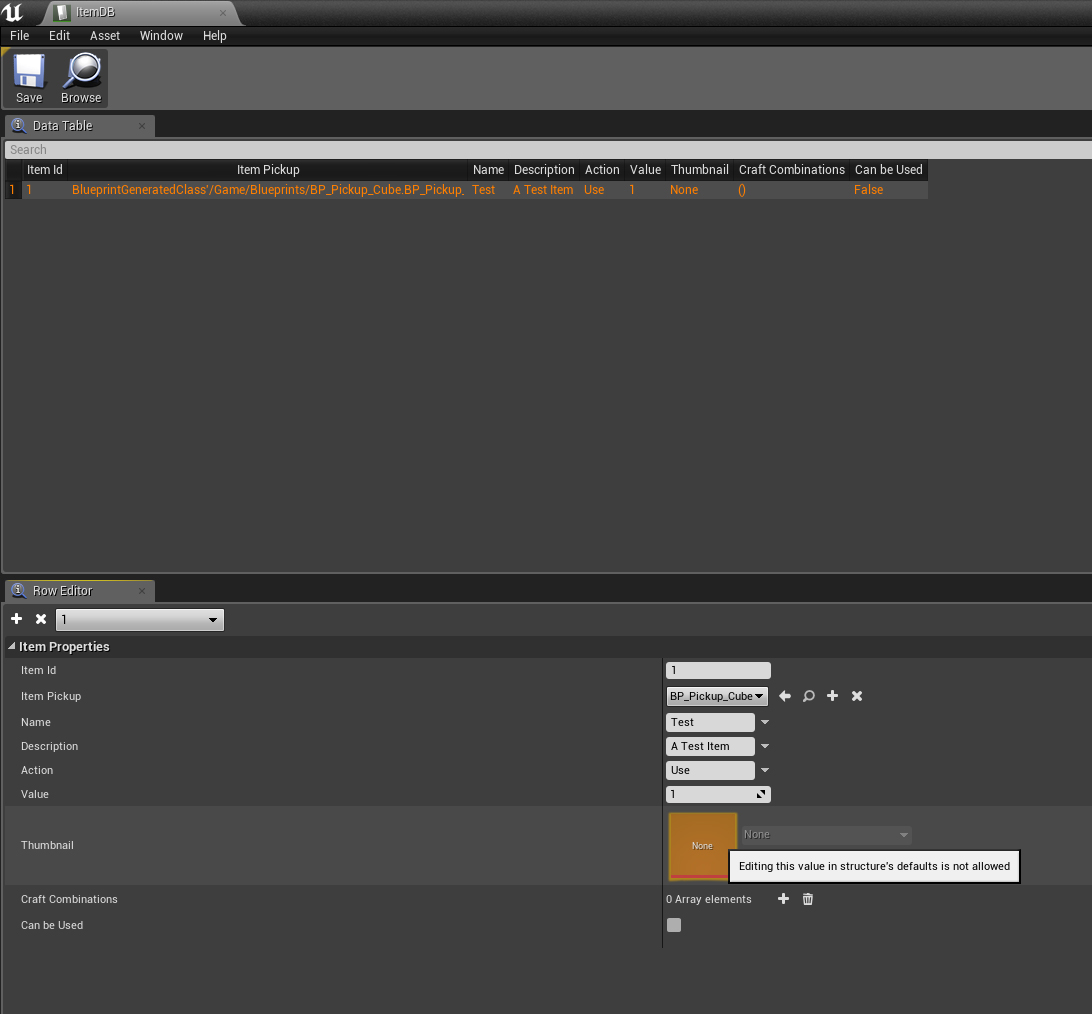
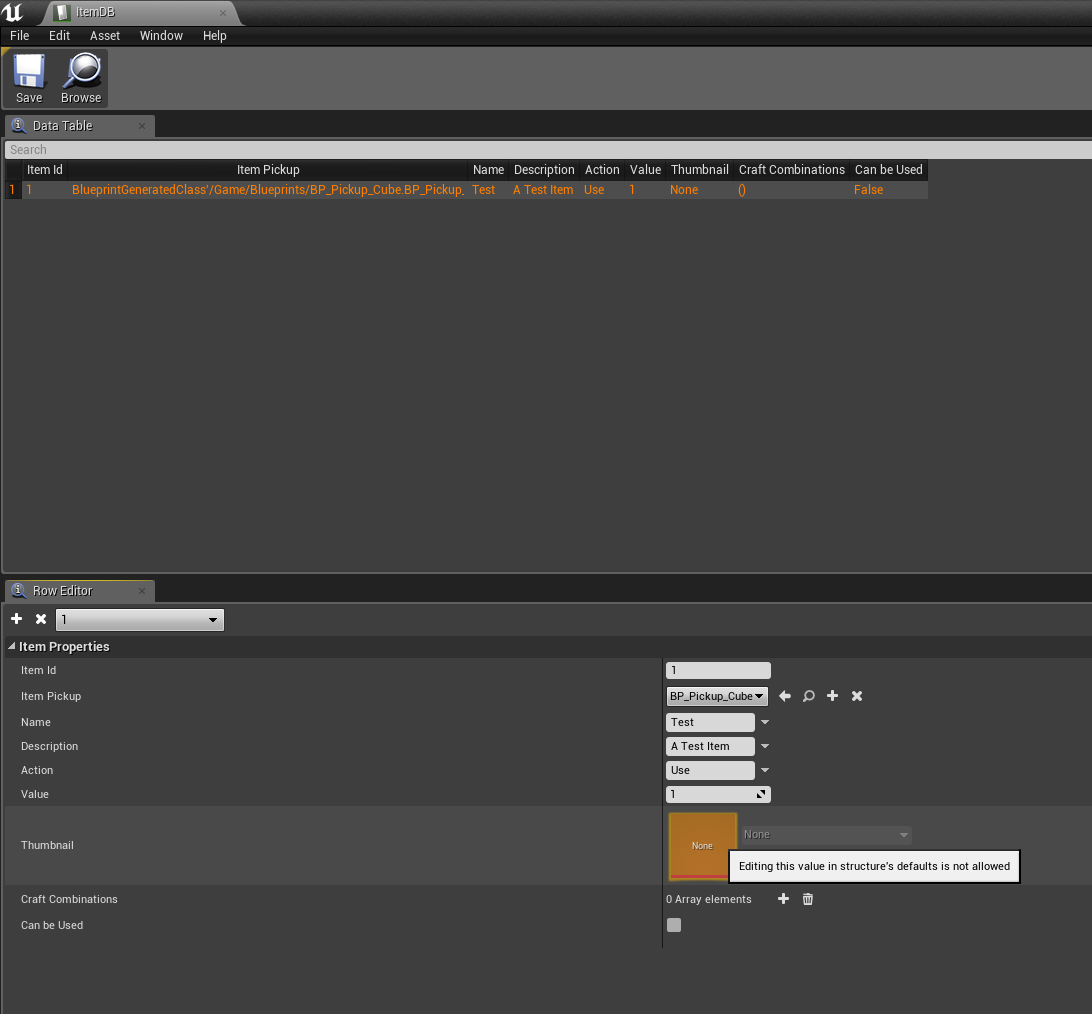
"editing this value in structure defaults is not allowed"
oh it's a visibility issue
however other properties are set to "VisibleAnywhere" and I can still edit them from there
why it's not the same for this one?
oh great, now the data table refuses to save
 tawdry osprey
@golden sierra Hello?
 dry moon
ya whats up
 vapid narwhal
Is there an option to capture the hardware mouse when capturing a video via sequencer?
 golden sierra
@tawdry ospreyare you trying to pm me?
tawdry osprey
was
 hushed monolith
Has anybody here seen this error before during a build?
C:\Program Files (x86)\Windows Kits\10\include\10.0.10240.0\ucrt\corecrt.h(128): error C2953: '_CrtEnableIf<true,_Ty>': class template has already been defined
I have a 4.18 project that I haven't touched in a while. Tried to do some work in it this week and now I get this all the time and can't build
It also happens in an older project which I know to be stable
Appears to be an issue with the Windows 10 Kits
hushed monolith
nvm. rebuilt solution and it's fixed
 sullen wraith
I have zero experience with multiplayer, working on a 2 player game atm. I have different "factions" I want to assign a different faction to each player
whats best way to assign value to a player and check if its different to all other players?
and how can I transfer details from a lobby to a game? ie player selected certain character
regal mulch
Given that you should utilize SeamlessTravel when performing ServerTravels, you could save it on the PlayerController of the Player.
 restive basalt
How is everyone tonight?
regal mulch
And then use "OnSwapPlayerControllers" (function in the GameMode) to move the data from old to new PlayerController @sullen wraith
@restive basalt Good, sun is shining. Just got my first coffee.
restive basalt
Good to hear, I'm the exact opposite - moon is shining, finished my last coffee
regal mulch
Yeah pretty much ~9 hours apart I guess :P
sullen wraith
how can I make it so only the actors of planet with a certainvalue are returned
is that it?
lusty carbon
4.22 + VS2019 -> failing to get unreal to load VS19 by default.. set it both in the editor and project settings
cloud cobalt
Have you re-generated the VS solution ?
lusty carbon
hmm nope
cloud cobalt
Did you expect the solution to magically turn into a VS2019 solution ? 😛
still moth
im attempting to redo a ballistics script and make it more accurate, more reliable.. what i am doing is taking a single line trace of a certain distance.. getactorlocation and getactorforwardvector multiplied by the velocity and added to actor location to get the initial line trace.. that wall works fine.. if a hit is registered, fine and dandy, if not, then it applies bullet drop and slows down the "projectile" by subtracting an amount from the Z axis, and reducing the "velocity" every time the script cycles
after the initial trace if it fails to register a hit, it updates the starting location of the line trace, and updates the speed, updates the "gravity" and cycles back through ever 0.1 second
the issue is that the gravity doesnt seem to be getting applied properly and there will be a sharp turn from the end of the initial line trace to the arcing line trace beyond that
regal mulch
@sullen wraith Yeah you need to filter them manually
sullen wraith
how do I do that cedric, my above screenshot doesnt seem to work
sullen wraith
this never hits the true branch
even when its over a planet with the same value
am I doing the array/loop wrong?
lusty carbon
Ya'll recommend moving my vr project to 4.22?
regal mulch
@sullen wraith Save the Array return to a variable first
And then loop over that
Otherwise it will perform the Rectangle Selection every time
lusty carbon
@cloud cobalt I need the automatic mesh instancing thingy
it's awesome for my drawcalls
cloud cobalt
So if t's faster move to it
lusty carbon
any obvious apparent drawbacks from switching ?
cloud cobalt
Plenty of bugs right now like for every UE version
Test your game in depth and check if it's good
I usually do a branch in source control and wait a few minor versions while working on the previous
tawdry osprey
Is anyone able to help me with somthing on Unreal engine?
cloud cobalt
Ask your questions here and wait for answers
tawdry osprey
Its a looooonng question involving multiplayer
cloud cobalt
 fallen flower
@tawdry osprey Ask. Don't ask to ask
tawdry osprey
???
modern sinew
Can someone help my figure out why my BP is creating a line based on world coords and not local coords?
It's literally the same code that for another line was relative
so idk why it's screwing u now
*up
fallen flower
actorlocation is world space though?
@tawdry osprey Just ask your question. If someone can answer, they will.
tawdry osprey
OK well my question is, I have a Matinee ready to play. how do i Play the Matinee to all Clients in my Multiplayer Game? I have a button that activates the Matinee but the matinee only Plays for that person who presses the button
Ive just put it in multiplayer again as well
fallen flower
A custom event that replicates multicast should work
tawdry osprey
@fallen flower Replicates Multicast????
fallen flower
so, create a custom event called PlayMatinee
tawdry osprey
Ahhh i see
cloud cobalt
Discussion ongoing in #multiplayer
Please don't multi-post questions
Because then it creates multiple discussions
fallen flower
Sorry, I didn't realise.
wary wave
what is faction?
sullen wraith
narrowed it down to the cast
it's not receiving the faction valeus
as it's printing "none"
@wary wave their team
wary wave
yes, but what is it?
sullen wraith
it's a plugin that saves a variable
tbh i think i fixed it
i changed it from the function get faction to just getting the value
fixed it:)
wary wave
if it's a struct as an example, you need to be careful about things like equality operators
sullen wraith
it's all fixed now
I'm having massive issue with my ai now though. 1-2-3 spawn fine
after that its extremely lag
\
pretty much all the code for my ai, it's not a lot
however when i spawn a couple its lagging extremely
like 1-2 fps.
thats how they spawn
anyone got experience with why it could be lagging?
ive tested it by removing the timer
and there is no lag
 fiery harbor
my content browser is broken
 dark depot
close it and open a new one under window/content browser
fiery harbor
and my UMG designer is broken:
it feels like the engine decided to not build some slate stuff, I just did a full engine rebuild 😄
but no crashes anywhere
the UI just misses a lot of stuff
modern sinew
Can someone help my figure out why my BP is creating a line based on world coords and not local coords?
It's literally the same code that for another line that worked
so idk why it's screwing up now
fierce tulip
@modern sinew if you keep asking blueprint stuff, please do so in #blueprint
modern sinew
Nobody ever talks in there tho
fierce tulip
¯_(ツ)_/¯
fierce tulip
yes, but you keep doing it
fierce tulip
but generally, if all of you move to #blueprint perhaps it becomes more active
fierce tulip
¯_(ツ)_/¯
dark depot
people are in #blueprint all the time if your thing doesnt get answered wait or try again in a more thought or question at a later time
sullen wraith
dam like, I appreciate help and all to man, but you've got a very entitled attitude @modern sinew
modern sinew
not really
fierce tulip
a question here and there is fine, obviously. but this channel is becoming more and more about blueprints, which it shouldnt.
So politely and humbly use the channels properly and i'll be a happy camper.
modern sinew
Can someone help with my problem in #blueprint
still moth
how would you guys implement simulated gravity based on 9.8m/s^2 into something that doesnt have physics applied to it?.. a calculation applied to the Z vector of an object over a period of time?
modern sinew
loop that constantly moves them that way?
still moth
i do use a loop that moves it 1/10th of my given velocity per second one every 1/10th of a second, i apply a loss of velocity by changing the amount added to the forward vector each time the line is drawn, but gravity is a rate of acceleration, not a specified amount subtracted each time, but its increasing to the point of terminal velocity
 languid shard
feature 👌
fiery harbor
this is a widget blueprint:
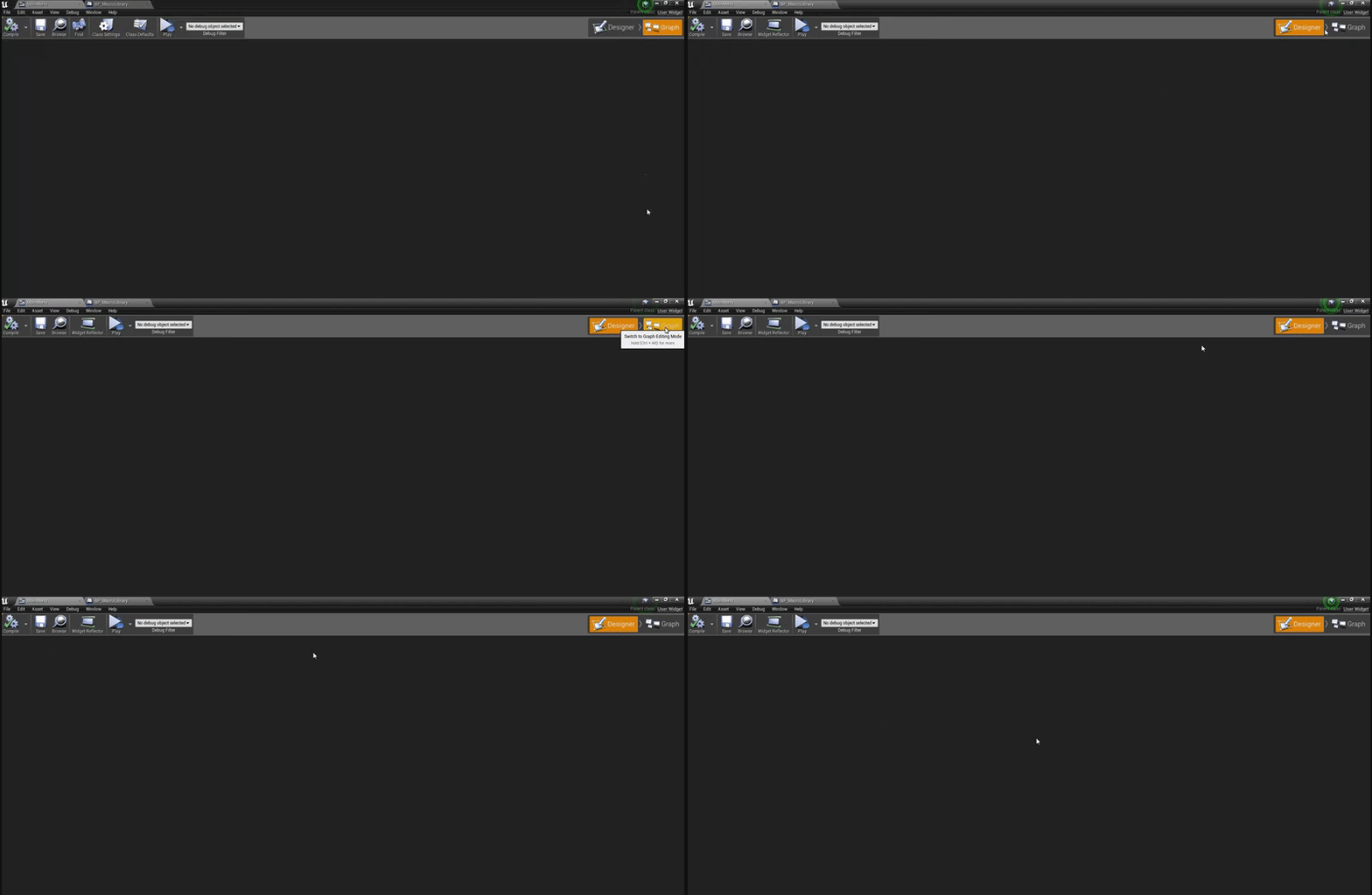

I don't see anything in there
I just did a full engine recompile again, that didn't fix it
I don't really understand how that can be broken
would appreciate any ideas
other blueprints work fine, just widget blueprints don't
every widget blueprint looks like that
 digital anchor
something in the view window menu was closed?