#ue4-general
1 messages · Page 415 of 1
 grim juniper

 ruby robin
Guys, where is Reference Viewer? Cannot find it in neither in 420 or 421
 wicked lantern
@grim juniper there is Epic Games 2FA for Google Authenticator
 wary wave
@ruby robin - right click on any asset in the content browser, and it should be in the context menu
ruby robin
@wary wave There is no Reference Viewer
It was there, I know, but since 420 I cannot find it there
wary wave
I'm in 4.20, and it's there
ruby robin
There is also no Size map(
 brave lark
heyo
brave lark
thats frakin weird
ruby robin
Looks like a bug to me. There is Reference Viewer, as well as Size Map in 4.22 %)
 glacial pecan
if you have a public variable that you can change in the editor, can you see the effects of that value reflected in real-time when you press Play?
 abstract relic
What? Such as printing?
glacial pecan
No, I mean, say I have object X moving at speed Y. Y is a public variable I can change from the details panel of object X in the editor. Will that reflect in real-time during Play?
glacial pecan
but does that update in realtime if the editor is in Play mode? that's my question!
 sudden agate
eh?
ah now I know what you want.
yes.
changes made during Simulate are immediately visible
glacial pecan
ah, only simulate? ok
sudden agate
ye
glacial pecan
ok... guess I need to double check with a non-VR project
 silver relic
i see this in a tutorial but can't find it in editor 😦
glacial pecan
because I can't see anything change in real-time in VR
only after I stop and then Play again
sudden agate
@silver relic its an input event
you need to assign an Input Action in the Input Settings of your Project
sudden agate
ye
silver relic
but, then what?
the tutorial said to do that, and then he goes to find the action event, pause
 plush yew
Does anyone know if they ever got around to adding an easy way to duplicate assets in the PhAt tool? I've got my left arm rigged up nicely and I'm trying to copy it over to the right side but the tutorial they have just says "we're working on a way to make duplicating easier"
I can mirror the capsules but their rotation looks like its off or something
silver relic
@sudden agate oh, i needed context sensitive off.
 proven oxide
Ok I have a load of classes made through the editor but they are not showing up on the classes list in the content browser
what do i need to do to fix it?
the content browser shows 5 items but i have 11 classes
What makes it show up in the content browser?
Also I have OnlineSubsystem installed but it cannot find Online.h
 copper flicker
guyz.... how do I stop Unreal from killing my BG sound or music? 😄
I looked at sound concurrency settings
and set the sound priority to max
 honest vale
unreal? The game?
copper flicker
and created a max concurrency asset for it
Unreal the Beast
the engine..............
O o
 regal mulch
It would be good to know when it does kill your music?
copper flicker
so basically, if a lot of OTHER sounds happen, my music, or bg sound will get killed
like if I shoot or pickup a ton of bullets
I want sound concurency to work for them, the bullets
but not to murder my main sounds, like ambient or music
😄
is there a way to force a sound to always play?
 glass ingot
my character is floating a little above landscape because of which it's movement is a bit broken. does anyone knows about it
silver relic
Why is my mousecurser not showing in this menu?
plush yew
u did it wrong
u gotta set the mouse corsur
hook it up t oview port
view port
and target to player controller
then u can see your cursor
glass ingot
What about character floating
plush yew
for?
glass ingot
my character is floating above ground
I adjust the auto floor as well as change The capsule in the foot in physics of character but no use
copper flicker
so.. nobody knows how to force audio to ALWAYS play no matter what?
plush yew
why not just drag it audio in the scene
 merry gazelle
Two questions 1) What settings can I use to add a white line border to a editable text box 2) How do I add a background color
copper flicker
error... haha
plush yew
this?
copper flicker
audio will stop playing if lots of other sounds play at the same time
merry gazelle
what type of panel is that? @plush yew
plush yew
its just a image XD
 manic pawn
just the the concurrency limit to something like 10000 and it won't stop anymore 
silver relic
@plush yew now it works. thank you. but firstperson seems to look around when i move mouse. and i have to click to release mouse.
merry gazelle
Can I move images under panels though? Like i want my horizontal box text to show above a color
copper flicker
zeblote, I did try that
manic pawn
are you sure all sounds are using this concurrency setting
plush yew
loop it
copper flicker
and stop on default settings
it does loop
the problem is that it stops... and restarts
it's not allowed to stop
manic pawn
no idea what it does when you don't use the same concurrency setting everywhere 🤔
plush yew
ah
copper flicker
btw, both 2D and 3D sounds have concurrency settings
hmmm.... but I don't want my sounds to stop on lowest priority
defaults are perfect
only BG ambient and music are different
you can't stop those just cuz you shot 10000 bullets
silver relic
it works @plush yew ! ❤
silver relic
i get the click to release mouse, but maybe that works when i pack it
silver relic
ok
copper flicker
anyway, setting sound conc is useless if I only set it on the bg sound
the other sounds will not know about it
it's weird...
basically.. that doesn't work
I found the solution
Sound Class settings - Always Play
 solar quarry
so I have a system where the AI chases the player. How do I make it so the AI loses sight of the player when the player gets behind an obstacle?
I'm using pawn sensing
 elfin jacinth
Hey all - we are seeing some issues with users purchasing and downloading Marketplace content - we are looking into this.
plush yew
oki tim
elfin jacinth
Looks like they are recovering now - if anyone sees an issue please let me know.
 grim ore
I don't see all of the marketplace content in my account without me paying for it, that seems like an issue to me 😛
elfin jacinth
thinks someone is trying to pull a fast one
grim ore
I would never try to pull a fast one, I would try and pull a slow one over time tho....
@solar quarry I have never used the perception system but this post seems to indicate you can check for if they can see you and then cancel the existing move and do something else in your BT. https://answers.unrealengine.com/questions/442884/how-to-tell-when-a-pawn-is-no-longer-sensed-pawnse.html?sort=oldest
plush yew
how can i have bad graphics when creating a game, its bit laggy
grim ore
@plush yew can you put that statement in the form of a question?
and if you mean make your editor run faster with lower quality, then https://docs.unrealengine.com/en-us/Engine/Performance/Scalability/ScalabilityReference and setting it to low is the answer
 scarlet birch
@solar quarry AI perception is pretty easy to work with unless there's some reason you'd rather use pawnsensing.
solar quarry
I have no clue how to do AI perception.
grim ore
well I mean the link shows how the pawn see event works for pawn sensing and how to do what you want
scarlet birch
I'm not familiar with pawn sensing, but the solution linked seems to check on a dely if it's seen the thing it last saw recently and then after a delay says it can't see it anymore. So there's going to be times where it shouldn't see something but says it still can.
I'm not familiar with pawn sensing enough to know if there's a better way, but with AIperception I know how to set it up so that delay isn't there
grim ore
yeah I worded it wrong, I assumed perception system was part of the sensing stuff but I guess it's different lol
scarlet birch
It's hard to find good info on either system.
grim ore
yeah it is. I planned on learning it but AI can be so complicated for a noobie 😦
I did the EQS system tutorial on the docs page and while it worked my brain imploded from how technical it was
scarlet birch
With AI percption you just add the components and then use the events.
solar quarry
@scarlet birch can you point me somewhere for setting up ai perception?
scarlet birch
For those of you who are wondering what AI Perception is – this is a really nice system in UE4 that provides an easy way for the enemy AI in your game to track hostile/friendly/neutral charac…
grim ore
lol I was just reading that
scarlet birch
There's one I used, might be rough it was just for testing something out
basically, it says , when perception changes on an actor, if it's the current enemy and we can't see them then make them no longer the current enemy, and if it is not current enemy but should be and we can now see them then make them my enemy. Should give you enough to see how to use it.
grim ore
I like it
 ember phoenix
is there an easy way to move an object in the editor so it just touches the other one without eyeballing it? e.g. I have a bowl and want to place it on top of a table so I move it close to the table but it might go inside by a couple of pixels or float a little bit. Is there a way to place it exactly on the table?
ember phoenix
hmm end doesn't seem to do anything for me (just kinda jiggles the screen)
I've imported the bowl from an fbx file
 misty creek
Do both object have collision?
ember phoenix
I use simple collision and click save but when I open it again it's gone
IDK why it overrides it to no collision
misty creek
Okay, so it looks like the problem is that your collision actually good down farther than the bottom of the bowl.
ember phoenix
hmm doesn't seem like it
the editor is not stopping me from moving the bowl further down closer to the table until they touch it's just that I never know if it's perfectly placed on the table or float a pixel above it or colliding with it
scarlet birch
The table's collision is probably above its mesh surface too.
ember phoenix
table is from unreal's starter content I'd assume it's proper?
misty creek
Collision won't stop you from moving object through it.
scarlet birch
proper is relative. I'd look at its collision.
ember phoenix
yeah exactly, so I wonder if there's a way to make it snap to place on top of the table
misty creek
If the collision is correct on both objects and it if it is flat with both the bottom of the bowl and the top of the table you should be able to use end to drop it onto the table
I suggest that you move the bowl higher over the table then hit end
That will show you if the collision is correct or not
ember phoenix
maybe it's cause I'm on a laptop but end doesn't do anything in regarding to move the object .. I'm looking into the keybinding settings to find it and change the key. You wouldn't happen to know the name of the command, would you?
search bar doesn't allow search by key only by command name ;c
I think I found something that might help me but it's hard to test it with the controls so far away. Object were huge when imported and I scaled them down so the controls are far away now. Is there a way to move them closer?
those RGB arrows are for the apple
can I move them at the apple's base or center or smth?
grim ore
you would need to change the pivot. you can temporarily do it in the editor by right clicking on it and changing it, you can change it correctly in the 3d program that created it, or if you have the source file you can change it when importing
also if you want to try and get exact change to the side view and then you can see the edges of the items in wireframe and put your item on the table easier
ember phoenix
I see
So I've downloaded a bowl of fruits but it came deconstructed (as you can see in the picture above), is it convention to create a new blueprint Actor and add a static mesh component that is each fruit/bowl and then place blueprints in the level or do I just drag and drop the static mesh I've imported itself? (regarding any object whatsoever, even the ones that come from from unreal on the side menu on the left)
And a follow up, how do you re-construct all the static meshes? I've got the bowl and fruits but placing them 1 by 1 in the bowl would require I place each fruit individually making sure none of them collide with one another or the bowl and so on. Is there a standard way of doing this or do I just place them by hand?
 cobalt scaffold
if you want to add functionality to the objects then you make them into an actor, just for dressing up the level visually you can drop static meshes
ember phoenix
Great, thanks
grim ore
the main reason in this case to make a blueprint is if you wanted that entire bowl of fruits to be re used after you put it together in this case
ember phoenix
but either way I put it together by hand placing each fruit individually?
cobalt scaffold
for that you would construct the scene inside a blueprint
yeah, most likely you will need to do it by hand, though you can simulate physics to more realistically place apples
grim ore
if the original model you imported should have been a bowl of fruit together it might be best to figure out why it did not come in correctly in the first place
cobalt scaffold
but that works only if you have individual object in the editor
there's a tickbox when you import to separate meshes i think
ember phoenix
hmm can't see that option
I've downloaded an fbx of these cherries for example
https://www.turbosquid.com/3d-models/free-max-mode-red-yellow-cherries/834553
Red & Yellow Cherries 3D Model available on Turbo Squid, the world's leading provider of digital 3D models for visualization, films, television, and games.
comes as a single file with some jpg's
when I import the .fbx I get these setting
which I keep as default but I get 140 models instead of a single bowl of cherries
grim ore
the down arrow under mesh
also the down arrow under miscellaneous
yep I tested with the cherry file, check combine meshes and you get 1 static mesh and 3 materials
ember phoenix
Well that makes a lot of sense... 😄
I do always get a "no smoothing" warning, is that a cause for concern?
It did import it as a bowl of cherries now, thank you so much
grim ore
and yeah the no smoothing is going to happen based on the original model, you can either fix it or ignore it (have to fix in the original model)
grim ore
it comes with the default material setup because it was not exported for UE4, you need to fix it using the supplied textures
those 3 materials need the textures corrected in them, for now its just a default color
ember phoenix
What does correcting them mean? Multiplying the colors by 255? Cause they seem to be between 0 and 1 rather than 0-255
grim ore
open up the cherry material
ember phoenix
yup
grim ore
it should look more like this https://i.imgur.com/G7IkBFW.png
i am using the textures that came with the model and using those instead of just a color
the default materials are just default colors, no textures, because the engine has no idea how they were supposed to be so it just gives you a generic color for each material
now I am not saying that material is "correct" as these cherries are not designed for a PBR workflow, you will have to figure out the right settings.
plush yew
Hello gyts I want to ask what is this for?
grim ore
but plugging the cherry-red texture into the base color and plugging the cherry-glossiness into roughness and specular atleast looks like cherries lol
plush yew
ember phoenix
I've imported all .jpg's but the red one (cherry.jpg) gives me an error when I try? Says "failed to import Cherry (material) but all other materials are fine
grim ore
it has the same name as the material is why, I renamed that file from cherry to cherry-red before importing it
 dim dragon
Collision channel isn't firing hit despite being setup appropriately with simulation generate hit events enabled, collision responses set to block all and collision set to query only.
Getting into the beginnings of hitboxes and trigger events, basically. I am very very confused as to why its misbehaving, when the character CapsuleComponent that comes as standard is working just fine.
 restive seal
@dim dragon Try setting that to query and physics
dim dragon
No change.
restive seal
is it attached to your character?
I've had problems with collision on things that are attached to characters
not sure if the character base class messes with that
Does anyone know if overlap only collision is supposed to block onject traces. Because I just had that happen.
dim dragon
Yeah, it is attached to a character. I'm hoping to use it as a bounding box to test for melee or something like that.
Might be better to trace, I guess.
dim dragon
I tried that already, with all the collision channels appropriately setup and got the same problem.
Mm.
grim ore
the character movement component and character is not designed to work with multiple collisions, that is going to be the issue
dim dragon
Ah okay.
Trace it is then.
I appreciate you sharing this information with me. I'm gonna note it down for later.
restive seal
np
Does anyone know if overlap only collision is supposed to block object traces. Because I just had that happen.
cobalt scaffold
you have trace responses set to ignore?
restive seal
overlap
was using UE4 default trigger preset, which is set to world dynamic, and overlap all object responses
is blocking object trace
plush yew
is there a way to see from the perspective of a character camera from within the blueprint viewport
 verbal wagon
I created a C++ class, and derive a blueprint class from it. I can set variable values in the instanced blueprint fine, but after a random time in the editor the value will be ignored (defaults to 0.0f). The only way to make it work again, is to restart the editor...but then the new C++ additions disappear until I hit the big Compile button..bringing all the variable entries back, but their values are all cleared to defaults.
Is this behaviour known at the moment? I can't make a game like this 😦
restive seal
what version?
I haven't experienced that, but I tend to stay away from C++ except for BP libs
verbal wagon
4.21.2
it's been happening since i started this project a few days ago, i brushed it off as teething problems at the start.
it's also been that i'll save everything, shut down my computer for the night, then when i come back in the morning a lot of the values are cleared, or missing until the code is compiled again.
verbal wagon
well, i'm writing my classes in C++ so i'm changing my own headers / cpp files, but nothing unrealy
grim ore
yeah and you are hot reloading (compile button in UE4) ?
verbal wagon
yep, hot-reloading is working fine
cobalt scaffold
not all that much when you change class declarations
grim ore
its not tho, what you are seeing is the result of hot reloading 😦
 shrewd shuttle
Hey, i am pretty new to UE4 and i am having trouble with movement animations, I had created a custom mesh and animations but decided to scrap them, i tried to go back to the default mannequin animations. and it isnt working. My character is just t posing
here are my mesh settings
grim ore
UE4 really wants you to have the editor closed, make your changes, then compile and reload the project or load it up in debugging. hot reload is.... problematic
verbal wagon
what? that's insane
grim ore
google ue4 hot reload problems and enjoy the read
verbal wagon
goodbye workflow then? lol
cobalt scaffold
changing cpp mostly works, and they are working on live++ integration which works better then ue hotreload
shrewd shuttle
need help guys 👆🏻
shrewd shuttle
where do i set it
verbal wagon
so strange, i worked in ue4 at AAA studio for over a year and didn't have this problem. is it a recent thing?
cobalt scaffold
i recall some people talking about a similar issue some engine versions ago
shrewd shuttle
@cobalt scaffold I set it to Thrid_person anim BP and compiled it but its still t posing
cobalt scaffold
do you have the correct anim bp or did you modify it?
or try looking at the original and try to spot where you went wrong
shrewd shuttle
Yes i do have the Correct Anim BP, ill just go through everything to sopt if anything went wrong
plush yew
anyone on Ryzen 1 series experiment / see a difference between cl14 and cl15+ ram?
where is character defaults
i need that "can crouch"
grim ore
that should be in the character movement component?
sudden agate
Is there an up-to-date list of useful UE4 forks?
 cold sentinel
Can anyone help me out in Animation?
plush yew
anyone seen this black triangle artifact on packaged VR project before?
happens in vr preview for VR template as well for some reason. But it doesn't happen in the VR preview of my main project lol
 topaz pebble
just got my RTX :O
 keen frigate
Oooohhh happy gaming, deving, rendering. 😃
 copper fable
anyone know the best way on going about bullet spread?
topaz pebble
just the second two :)
although i might check out some games for the heck of it
does anyone have a nice demo for RTX they can share?
 primal prairie
is it a bad idea to use sprites as 3d world space UI at all?
 tranquil bone
Anyone got any ideas on how to dynamically change saturation of an entire level, gotta finish a game jam
in 9 hours
and stuck on this
anyone got a clue cant figure it out
 dry moon
Post processing?
tranquil bone
yea
 ivory lance
Throw a post-process volume in the level, click on it, look for a checkbox called "Infinite Extent (Unbounded)". Check it.
Then look around for the color correction settings - you can totally crank all the sliders you want, saturation included.
tranquil bone
dry moon
What frog said
tranquil bone
im trying to change it dynamically thou
so the concept is the more you move and gain meters the colour is filled in
ivory lance
Ah. If you have a blueprint reference to the camera, you can change the post process settings on it. Play with its post-process blend weight setting, to make sure it's using the camera settings instead of the level post process.
dry moon
Oh there isn't really a super good way to do it, Epic said they plan to allow you to edit it easier
but is definitely possible, get the value, break it, and then make the value again and put that in the PP
tranquil bone
what do i get the vlalue of it?
dry moon
Forgot what it is exactly, just pull the pin and look for get
tranquil bone
This maybe?
ivory lance
Yeah it can be kind of annoying especially if you already have some post-process settings happening. If all the settings are default except the ones you want, you should be able to get like a "Make Camera Post Process Settings" node or something. then you can set the value you want.
tranquil bone
oh
ivory lance
Should be able to take the output of that node and do a "Make Post Process something-something".
tranquil bone
you can do thtat
omg
didnt think you could
i have no post processing happening
just need colour changing basically
ivory lance
Should work fine then - if you don't see any change, play with the camera's "Post-Process Blend Weight" settings. I forget if it defaults to using the camera's settings or settings from the level's post-process volume.
tranquil bone
@ivory lance
ivory lance
whatcha got?
ivory lance
Looks fine to me. I guess what matters is if it works or not :p
plush yew
So, are Epic games and Unreal actually tracking me?
 fierce tulip
yes, they even know when you poop
plush yew

This has just been flying around discord lately
Has mild language tho
So I was omega confused
regal mulch
Well, either you do some research yourself, or you believe every stupid thing you can find on the net
Up to you
 maiden swift
☝
regal mulch
The post itself comes from reddit and is the biggest bullshit i've seen lately
primal prairie
@tranquil bone can't you just make a really saturated post process and just blend the weight of it?
plush yew
Nevermind I figured it out
 sharp crest
Anyone tried the new Discord Store thing?
How do I get the ID of the Discord user that's playing?
maiden swift
@sharp crest I assume you're trying to integrate the Game SDK with UE4?
sharp crest
will this work?
@maiden swift hmm kinda?
just trying to get the ID of the Discord user
With Steam it automatically makes this the Steam ID
maiden swift
Well there's no Discord subsystem or Game SDK plugin for UE4 as far as I know. You have to integrate it yourself in C++.
sharp crest
Rip
maiden swift
Discord Developer Portal
Integrate your service with Discord — whether it's a bot or a game or your whatever you wildest imagination can come up with.
sharp crest
ty
Copy the contents of the lib/ folder to the best location within your project for DLLs. any idea where this is?
Binaries/Win64?
Edit: gave up and paying someone to do it lol, check #looking-for-talent
 stable coral
so.. if anyone wants grid 2 for free

Humble Bundle
For a limited time, get GRID 2 for free and keep it forever, courtesy of Humble Bundle! While supplies last.
 azure shore
ok so I have a little random room spawner thing set up, but spawning three rooms at a time seems to really lag it? is that expected?
if I just run forward with a straight path that spawns one at a time theres about half a second between spawning, and no frame drops
but a cross section that spawn 3 just kills it
topaz pebble
hey, what happened to the dev-rendering branch of UE's github?
 sharp kestrel
Any idea why this wont work? It seems find to me but it never prints "E Is Pressed" When I press E. I'm new by the way so don't be surprised if it was a simple mistake made my me. Thanks!
azure shore
whats the branch connected to @sharp kestrel
azure shore
does it start with a tick event
sharp kestrel
No
sharp kestrel
Im trying to make it so if the boolean is true (Its far behind it) U can press E
Can you not do that?
azure shore
I would personally just use an E key input to a branch
abstract relic
Make an input action. Go to project setting >>> input
sharp kestrel
ok
azure shore
if you just use that E input straight there
abstract relic
More for better habit
azure shore
just do this I guess
sharp kestrel
This is what the whole E press thing is connected to by the way (In case this helps)
Ok
azure shore
oh, so you have to already be holding E when you overlap the thing
pretty sure anyway
sharp kestrel
Thanks!
How can I make it so pressing E will only work if the Box is overlapped?
Nvm I found out
 tender halo
Hi im new to ue4 is there anyone who can teach me
abstract relic
YouTube. UE4 Docs, Udemy
sharp crest
someone warned me using @green flame
took me 5 minutes to figure out what server it was from
make it say what server

tranquil bone
Anyone know how to place grass on a certain texture in a auto material
sharp crest
@tranquil bone depending on how your landscape material changes textures, just put this in the value of your layer texture thing
tranquil bone
tranquil bone
I did this
sharp crest
look in my pic
sharp crest
no it isn't
sharp crest
connect grass to your layer blend
tranquil bone
yea i have
tranquil bone
Because its a auto material
sharp crest
then connect the auto part to it
sharp crest
connect your grass to the auto part if it uses that layer
tranquil bone
yea i have
sharp crest
u havent
tranquil bone
Wait i thought that was it
sharp crest

sharp crest
no
just liek
add an if
and if the auto is stone dont hjave foliage
if the auto is grass then have grass
tranquil bone
So are you meaning connect the texture coordinates to the if statement
sharp crest
my graph is a bit messy as u can tell 😅
tranquil bone
hmm can i send this to you into pm
 tranquil bone
im hella confused
sharp crest
lmao
 sullen wraith
is there a way to make it so when I resize a mesh, it's texture doesn't get stretched?
it continues to stay same size
tender halo
do you guys know any1 who can 1-1 teach me
sullen wraith
youtube
ryan laley is good

YouTube
Welcome to my channel where I talk about games, games design, and give tutorials on games development. I am a game developer and teacher of games development...
abstract relic
 upper quartz
hi guys, is anyone have exp of
if any function have EObjectTypeQuery param , and EObjectTypeQuery will be lost.
sullen wraith
when i make this any bigger then 1x1 the material gets stretched
does anyone know how to make the texture keep its dimensions?
while the mesh stretches
abstract relic
It's dependent on the mesh's uv. If the texture is seamless, you can fudge it by changing the uv's x/y. Otherwise, open up a 3d software of your choice and fix the uv.
tender halo
plzzz, some1 help me #7286
 weary basalt
If you want a tutor, make a job listing in #looking-for-talent
tender halo
im poor tho, i cant pay
abstract relic
google is your best friend
 dire torrent
Can anyone tell me what bandwidth games generally use per player in a game such as SCUM or UE unrelated, like Star Citizen or DayZ? I want to make a specific game but I don't know what kind of fees I'd be looking at
With landscapes how do I have multiple landscapes for one Map?
abstract relic
World composition would be a good topic to start for that. https://docs.unrealengine.com/en-US/Engine/LevelStreaming/WorldBrowser
dire torrent
Ok thanks. Do you know about what I'm talking About with bandwidth?
plush yew
how can i make system that i need press 2 buttons to make something
do i use float or what
i use shift and w
i just wanna know how i make two keys into one input
sudden agate
tender halo
how can i add a gun firing shoulder kickback animation
 fervent valve
Guys, how can I make the boss health-bar? I have already one on my character, but I would like to put it on my HUD. (I'm using the dynamic combat system by "ue4marketplace") paese help meeeee
sullen wraith
@abstract relic so you mean there is something in it's details panel i can change?
or has to be done in a 3d software
plush yew
@Icejaff scale uvs of material
Make material instance with one or two parameters to scale the uvs
If you go into material editor uvs can be seen on 'texcoord' node(s)
 wispy oyster
For projectiles with travel time and gravity, is it better to use OnHit or OnCollision events? Or does it not matter?
 noble marsh
hi, how make this,in bp actor?
 dim arch
so the top one is synced to the server, bottom one is out of sync, when I fall onto the platform the server teleports me to where it is?
@noble marsh easiest way is to search for "documentation actor" in the modes panel, place one in the world and then click add bp/script in the details panel, then you can create a new BP which has that actor as part of it
 frank escarp

GitHub
The C++/Unreal Engine 4 coding guidelines and techniques applied at Splash Damage - splash-damage/coding-standards
Coding Standards document from Splash Damage
very interesting becouse its compilable C++ code, not just a document
manic pawn
what's the [xx.xx] thing about, is there something meant to parse this?
frank escarp
yes
they are pretty good guidelines
basically Epic guidelines + extra stuff you also need
manic pawn
lol 80 chars in unreal
frank escarp
they also have a blueprint version of coding standards
that can be seen in bp editor XD
manic pawn
I don't think it's reasonable to even try that in unreal
that's like one method name
but that's a cool idea 🤔
frank escarp
they do say
try to limit horizontal space and use vertical layout
its not a hard limit
frank escarp
they actually go over it on line 307
manic pawn
this randomly stopped working at some point
wut
is this true?
what would be the point of inline existing then?
what this doesn't actually exist
frank escarp
you sure?
plush yew
I still have not been able to get a solution for this issue: https://i.imgur.com/OtdiACW.jpg
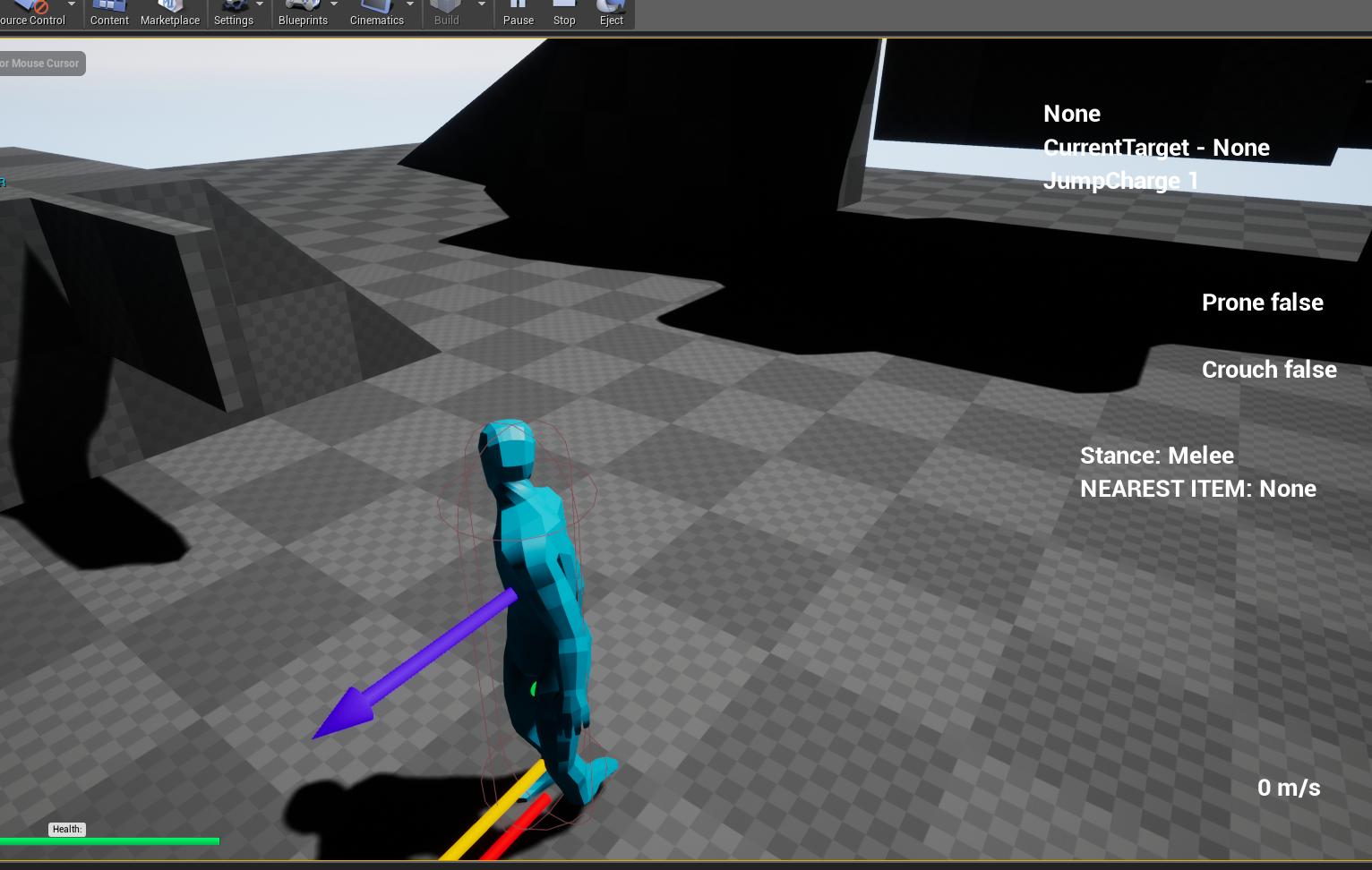
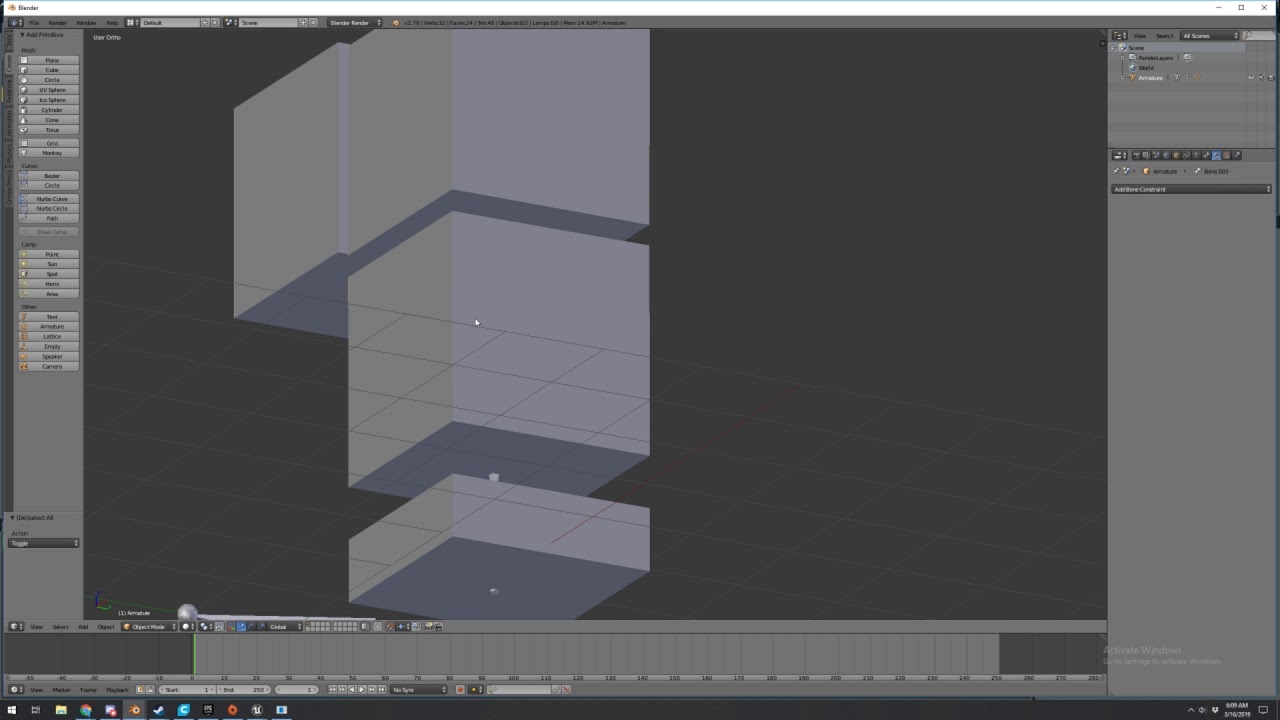
Is there anyone here who makes rigs in blender and then uses the IK system in UE4? Do you have this issue? Because I've had this for weeks and no forum has been able to help me. All threads related to this have resulted in dead ends. The foot snaps to a seemingly random location when IK is turned on. I've uploaded a video of my entire rig-making process since I think I must be doing something wrong: https://www.youtube.com/watch?v=PoUv1CSYWyc&feature=youtu.be
 proven oxide
Why isnt my system finding the engine its doing strange things like changing all the includes to ../../../../Engined/....
error : /Script/UnrealGhosts.UnrealGhostsProjectile's superclass must be /Script/Engine.Actor, not /Script/Engine.StaticMeshActor
huh!!!!
I change to AActor and it crashes with a critical error
Assertion failed: Class->Children == NULL [File:D:\Build++UE4\Sync\Engine\Source\Programs\UnrealHeaderTool\Private\HeaderParser.cpp] [Line: 5685]
I deleted all the .vs intermediate etc, then did a recreate project files and it just cannot see the engine includes
also how is it trying to force me to change my class?
It used to compile fine now its suddenly saying NOPE
tender halo
I have a third person game how do i make the camera move the character
 toxic fossil
Hi all ! i'm new here need some help with a game , try to combine 2 projects, from the first player and the simulator of the flight, separately everything works, but when trying to combine in one does not work out, tried to do as in lessons, enter and leave the car, work with the car, with the plane no, can any one link for some lessons pls !
noble marsh
why this not spawning?
wary wave
any number of reasons
but more important
A) Delay inside tick?
B) Spawning inside tick?
if it did spawn anything you'd probably lock up your machine
 worn granite
Eh spawning once every 2 sec isn't so bad
wary wave
it's not once every 2 seconds
worn granite
Tis
wary wave
it's inside tick
worn granite
delay
The internal timer handle is already set
Though here you get a cascade of increasing spawns until the 6th second where every 2s afterwards it spawns 3 things
It's probably a collision conflict
The bigger sin is making a spawner in the level BP
wary wave
huh, just tested it and that does work
worn granite
It's counter intuitive
wary wave
I assumed it would set a new timer every tick
worn granite
That behavior doesn't exist in native BP
plush yew
it doesnt?
wary wave
I was about to say - that wouldn't work that way in other circumstances
plush yew
😮
wary wave
this explains why delays can't be used in functions any more
worn granite
This is also why delays in loops effectively make the remainder of the exec line run once a looo
wary wave
they're essential timers now, not latent actions
worn granite
They always were timers?
wary wave
nah, once upon a time they weren't
worn granite
🤔
wary wave
IIRC one of the content examples still has a delay inside a function
...and it still works ported forwards
but cannot be copy+pasted into anything else
worn granite
After the delay node, anything actually execute?
wary wave
IIRC it was used to create a dirty recursive behaviour or something
I hated it
wish I could recall which example it was
worn granite
Me too
wary wave
I still avoid delays like the plague anyway, if you need a timer, use a timer xD
worn granite
Thatd mean BP has implicit lambda capability and I'd love to take a look
worn granite
Yeah being able to put the call backs in a node is just 💯
Even if you aren't waiting for a delay - look at GPA's wait for input node
 urban scarab
hay guys 😃 how do i get rid of the shining when there is no light source influencing ?
urban scarab
ah ok thank you 😃
merry gazelle
I seem to remember some news about Epic launching their own servers for UE games, does anyone know about this?
wary wave
I didn't hear anything about that
merry gazelle
I'm also curious about any similar systems to this
http://epicleaderboard.com/
That make it easier to implement some basic online functionality to my game

 sacred meteor
plush yew
sacred meteor
plush yew
what is that site for? @merry gazelle
merry gazelle
@plush yew It's a leaderboard system / API for Unreal engine
plush yew
what?
 deft sparrow
Has anyone else's Epic Games Launcher been broken since an update of a week or 2 ago?
plush yew
what leaderboard for what? @merry gazelle
 gleaming lotus
Just to make sure I'm not going insane, this here basically calls true if the 'endless timer' int is dividable by 60, correct?
grim ore
it does look like it yep
gleaming lotus
Cheers 😄
 hoary silo
Is there a way to make an object only cast shadows in another lighting channel?
 frosty copper
I think so! Just can't remember how exactly. Was either material related, or something in the object properties
Or I might be getting software mixed up 🤔
hoary silo
can you remember which one?
 willow stratus
sup cheese
hoary silo
hi
hoary silo
NO!!! NOT MY DAD!!!
willow stratus
can i add u and see ur past projects
hoary silo
I don't really have any past projects, but I can show you the one i'm working on
willow stratus
please do
hoary silo
okay!
willow stratus
😃
 bright siren
Yo anyone know how to get the menu where you can get player starts and geometry
bright siren
Like this menu
grim ore
that is the modes menu
willow stratus
Window > Modes
 bitter iris
is there any way to reduce the size of these when dealing with splines? its so annoying
grim ore
you can go into show -> advanced -> splines and it will hide those, beyond that tho
grim ore
yeah i know it makes them not usable lol
bitter iris
lol
grim ore
the billboard scale settings in the editor dont seem to fix it
bind a key to show splines tho and that might work, you can still move them after hiding the billboard icon
bitter iris
welp, ill just cope with it lol
grim ore
if you bind a key you can select the point, hit the key to hide the icons, do whatever, then use the key to bring them back when needed
bitter iris
its the whole idea of when im tryna move the spline is the problem
cause the landscape icon just blocks the road
grim ore
yeah select the point, hit the hotkey to hide the icon and the widget to move is still there, move it, then hotkey to bring them back
grim ore
if this was a BP you could change it, no idea why it's not working in general
bitter iris
i need to some how figure out a way to take a his res shot LOD0 of the entire map also
SQUAD has some actor that you place in either corner and its simple as that for them
 lunar bobcat
guess who's back?
wary wave
Slim Shady?
lunar bobcat
Nah me.
bitter iris


 waxen glacier
Everybody in the 313 drop a comment and a like and subscribe to me
(Eminem 8 mile rap battle reference)
wary wave
hmm, getting some weirdness with actor ticking
wary wave
heh
I have an actor that has:
PrimaryActorTick.bCanEverTick = true;
PrimaryActorTick.bStartWithTickEnabled = false;
but when I SetTickEnabled(true), it still doesn't tick?
lunar bobcat
ah you know what? I'll wait for some assistance
 dim plover
Did you call Super::BeginPlay? If you did override BeginPlay().
sharp kestrel
I have a Animation outside of my actor blueprint, how will I be able to reference that animation into the blueprint?
wary wave
@dim plover - have no begin play in this actor
lunar bobcat
Either Make Literal Name or Get a Ref I guess?
sharp kestrel
What do you mean by that?
lunar bobcat
I was thinking how you could reference your animation in the BP
might not work now that I think about it
soz my dude
sharp kestrel
ok
 inner yacht
Why might a camera not move when I Set its Relative Location? I Have a Spring Arm as the Parent. Worked yesterday now it stopped...
sharp kestrel
Is there no way for the actor to reference the animation that is not inside the actor? Actually, is there any way to put the animation in the actor?
wary wave
@dim plover - added both beginplay and tick, with a call to Super, but still nothing
WHY WON'T YOU TICK?
dim plover
Are you using a BP child?
wary wave
yeah
dim plover
Oh, then there's something wrong there.
wary wave
I've now got the BP child's 'start with tick enabled' set to true now
still not ticking 😐
dim plover
And everything else looks fine? If you really cannot find anything, perhaps try recreating another child BP and see if that one ticks.
wary wave
yeah, everything looks fine
don't want to create another child though, this actor has stacks of annoying dependencies
(not my system)
sharp kestrel
How can I reference my animation that is outside of my blueprint class using my Blueprint Class
wary wave
reference variable
sharp kestrel
Thats a thing?
wary wave
yes
dim plover
Is the actor placed in the level? Maybe that actor in the level has the old values.
wary wave
nope, still doesn't work
inner yacht
Call from parent
wary wave
@sharp kestrel - if you don't understand how variables work, you may want to do some tutorials
sharp kestrel
I know how variables work, I just dont know what a reference variable is
Well, most variables Ik
wary wave
then just use an animation sequence variable?
bah, time to dig into the Actor native source to try and work out wtf is happening
 sleek spear
i am exporting painted foliage as fbx from the file>export selected.
(btw obj export or right clicking on foliage and selecting convert "instanced foliage actor" to static mesh produces the same result, it doesnt respect foliage numbers and proper placement)
but then i cant import the file back into unreal because each foliage is imported as separate mesh and this is not very usable.
and i cant import the exorted fbx file with any software in order to join all those instances.
meshlab cant import fbx, blender crashes, 3d coat crashes reporting "out of memory" and zbrush crashes or behaves very strangely and result is unusable.
the polygon count is not extreme, about 1-2 mil. what is probably extreme for these software to handle is the number of parts/separate objects in the fbx (about 200k cubes for example)
so my question is, can i export foliage from unreal as one object somehow? and if not, what software can i use to edit those fbx files and join the parts? thanks
sharp kestrel
Why is this not referencing the animation properly so I can play and reverse it?
cobalt scaffold
hm
yesterday i made a class that sets the tick in OnConstruct
just tried it now for fun to try and change while it's running
i can disable the tick but can't reanable it
inherited from actor only
 desert jay
OMG, Animation just "clicked" in my head and now I feel like I can make my character do whatever I want!
sharp kestrel
k
azure shore
hey, so for my infinte random runner thing, how would I make it so that it can keep spawning lights (two per room) without it freezing?
its definitely lights, as theres no freezing in unlit mode
manic pawn
what are those buttons next to your bp pins
 zenith flower
buttons?
dim plover
But .000002 isn't < .000002, so it is rightfully false.
zenith flower
then explain this
The ONLY difference here, that I see, is that I compare to 0.0 and not 0.000000
dim plover
Hmm, well that's unfortunate. Also, I think he was talking about the magnifying glasses next to the pins.
zenith flower
Those are "watch" debug lists
zenith flower
Right click variable, watch
zenith flower
then set break point to where you want to "watch"
Anyways,
wtf unreal
btw, the comment is wrong
is not A-B < tolerance
that would be stupid for a nearly equal function
its A - B <= tolerance
I have an extra 0
problem solved
ALSO take note :
its the ABSOLUTE DIFF
so -1 or 1 could be equal to 0 with a tolerance of 1
 spring widget
Anyone ever had unreal disrespecting player start spawn collision settings? :o
plush yew
Heya lads! I'm new to UE4, thus I joined this server for tips n tricks. I want to build a 3rd person game since I wanted to start game developing at a much younger age and took some courses in school back a few years. Nothing special, just your typical 2D platformer engine, although U4 is a HUGE leap forward, I do believe I can pull it off. I'd also like to get some starter tips from an experienced dev here, basics really.
do any ue4 devs ever come to this server
abstract relic
Recreating an arcade game such as breakout or spacewars is a recommended warmup (just do it in 3D/2.5D in this case)
This will be your best friend https://docs.unrealengine.com/en-us/
fierce tulip
@plush yew nah, only unity people here
abstract relic
This is decent

raywenderlich.com
In this Unreal Engine tutorial, you will be guided through installing the engine, navigating the interface and creating your first game object.
Otherwise, jump on YouTube and have a field day with the tutorial there
plush yew
Will do High, thanks lad
 lavish quarry
Anyone out there Working with rtx in VR?
dry moon
I'd love to see the performance for that
lavish quarry
Yeah that's mostly my question lol, trying to see how much in the hole it would put me
lavish quarry
I do automotive vis with VR so it would be pretty worth it, just have to sell my boss on it
The ability to not have to worry about uv mapping is pretty next level
Currently only running a 1080 sli setup though in a VRED which is the current automotive VR software
And performance still sucks
dire torrent
I'm trying to get a quote for getting some servers set up. I'm not keen on some jargon. They're asking what hardware requirements are needed for "per game instance". Does that mean the hardware requirements to play the game for the player/client?
zenith flower
Pretty sure they are asking about the server
So, how much ram/cpu do you need to run a single instance
with x players
dire torrent
Right
zenith flower
The reason they ask this, is because they can split up a 48 core cpu , into smaller chuncks per instance
zenith flower
you need to profile your instance
You need to know how much ram your instance uses with x player, at peak usage
dire torrent
The network instance you mean just double checking
zenith flower
the server's side of things yes
dire torrent
Well if it's 150k instructions per Server what would your estimate be?
dire torrent
Code back and forth
zenith flower
and see how much cpu/ram is uses
dire torrent
The instructions sent to and from server
zenith flower
...............
dire torrent
🤷
zenith flower
if you haver 60 servers on a single cpu, you also have 60 times the I/O across the ram/network/hdd
 cloud cobalt
@dire torrent Per instance means per server
And yeah, you need to profile and get an idea of e.g. how many RAM you need
dire torrent
Well okay thanks
Just thought someone might know how much I would need with 150k calculations per server?
Like if the server uses 1/30th of a cpu how much ram ?
cloud cobalt
There is no such thing as a universal concept of "calculation"
And RAM has nothing to do with CPU
cloud cobalt
No, nothing at all
dire torrent
It needs the memory to compute
cloud cobalt
Okay
worn granite
Yeah but we don't know how much you need
You can do 150k calcs on the same set of data
Idk why but you can
cloud cobalt
You can write a program that uses 100% CPU and 50 bytes of RAM, and a program that uses 68768GB of RAM but zero CPU.
dire torrent
Well if I can fit 30 servers to a cpu how much RAM? 16?32?
cloud cobalt
How much RAM does your server uses ?
scarlet birch
This hurts
worn granite
... Stranger made my point too lol
cloud cobalt
Here's what you do.
- Profile your server on your CPU, estimate how many CPU cores it's using. If you have e.g. 8 cores and your game uses 50% CPU, that's 4 cores.
- Look at the RAM usage of your server.
- You now have the CPU usage and RAM usage of one instance.
I say profile but task manager is enough here
worn granite
Also
Take your max, ever, individually, of both
Add a buffer
Bigger buffer if you plan to add more stuff
dire torrent
If I use my cpu isn't that different from servers cpu?
worn granite
At what point can we start charging for consultation
cloud cobalt
Your desktop CPU probably has ~0.5x - 1.5x performance per core of your server hosting service, give or take
abstract relic
Only for 2/hr. Pick your currency 😜
cloud cobalt
This is where you would be looking at benchmarks of your CPU, your provider's CPU models, etc
@dire torrent My larger concern here is that you sound unequipped for server hosting at scale, no offense
dire torrent
Unequipped meaning less educated, yes
cloud cobalt
Not experienced enough
dire torrent
Right @cloud cobalt
 safe solstice
How do external anti-cheats tie into ue4? Like Battle Eye?
cloud cobalt
They have a C++ API with plenty of hooks into your game, and depending on what they do they might tie into the packaging too
safe solstice
Ok thanks.
dire torrent
@cloud cobalt btw that 0.5-1.5 sounds like a big difference
cloud cobalt
It is. Get benchmarks of your CPU, the one the provided uses, and estimate the per-core performance
But knowing your game uses 1 core or 7 is the first step
dire torrent
Benchmarking the server? Or benchmarking the client?
cloud cobalt
The server.
dire torrent
🤔
I guess I have to finish to 100% developed then?
How do other companies do it if they aren't done the game?
cloud cobalt
They estimate costs based on something realistic, like the server needing 2 or 4 full cores
And then they pay what they use
Games can need 0, 1, or 5,000 instances - whether it uses 2 or 3 cores is a detail
dire torrent
Does matchmaking servers use dozens of CPUs then if not hundreds?
cloud cobalt
Matchmaking is very lightweight
dire torrent
How so
cloud cobalt
Players connect to your matchmaking server for a few seconds every new game, and the processing load is trivial
dire torrent
But if you have 28 players each match and 10000s of players like in COD they must have a lot of cpus
So expensive
Like you can fit 40 matches on a cpu but there's still hundreds and hundreds more matches going on
 supple cosmos
Quick question! Having a tad bit of an issue.. Error: Please set UNREAL_HOME environment variable to point to the Unreal Engine folder. please tell me this is an easy fix 😄
cloud cobalt
Let's say matchmaking takes 6s and is needed every 10 minutes, that means each player uses matchmaking 1% of the time, so a simple 8-cores server can handle 8 * 100 =800 players if matchmaking needs 100% of one core per player
In reality, matchmaking needs less than 100% of one core (incredibly less)
Few games need more than one server
And few games have their own matchmaking anyway
worn granite
a matchmaking server is basically just "reconnect here, based on reasons"
dire torrent
@cloud cobalt so how am I supposed to test server usage from my own task manager?
cloud cobalt
Run your server, read the task manager line on your server process
 novel ember
any idea why an unlit, opacity-1 translucent material would look different than an opaque one?
supple cosmos
I got that first issue to work.. Now its saying it cant find MSBuild Executible >.<
 scarlet charm
hey does anyone know of a way to stream a webpage on an asset, say a TV in UE4?
abstract relic

What is the Launch URL Node in Unreal Engine 4 Source Files: https://github.com/MWadstein/wtf-hdi-files
abstract relic
That’s exactly what the node is for
scarlet charm
overlooked the first part of the video then, my bad
novel ember
hey, guys, i need some suggestions on how to achieve a certain effect, or rather how to refine it anyway
specifically i'm referring to the glowy sort of "reflections" in the seas lining up with the geometry of landmasses on the coast
scarlet charm
but how would i stream that onto an asset in engine though and not through the users web browser?
novel ember
i'm already somewhat getting there via making the seas translucent, although an obvious problem is that since there are big differences in elevation you can see "through" to the other side of the mesh
here's another example of the see-through
there's not a way to cull / occlude faces in that sense, is there?
supple cosmos
could someone help, i still cant run a bat that needs the msbuild path 😦
safe solstice
So, how does hiring people to make models and stuff for you work? If I want to publish a game with model's someone has made for me do they release the content to me or something?
abstract relic
That depends on the agreement of the contract you formed
safe solstice
Is there a place that explains how all of this works? I'm new to this.
abstract relic
Not really. Freelancing is like the wild west. The rules and procedures are made the individuals.
safe solstice
Ok, I just want to be sure before I do anything.
fierce tulip
you might want to google a bit about how contracts work with (gamedev)artists
scarlet birch
@safe solstice Unless you both agree, in writing, it is "Work For Hire" and the work meets the criteria for that the actual creator retains the rights to the work. https://www.copyright.gov/circs/circ09.pdf
tender halo
how to i aim a gun in a third person shooter, right now it only aims with keyboard movement
plush yew
@safe solstice in many cases under contract a company will state that any works done as paid work revokes the rights of the designs to the company as you were paid to do such tasks for them and their project and thus they have paid for transfer of the rights to their company.
@tender halo is the gun a platform that you're using or held by the player character? like is it a turret?
tender halo
held by character, im using one of the paragon assets
plush yew
so you can't look around with the mouse?
tender halo
no
plush yew
but you wish to add that control interface to the character so they can turn using the mouse?
tender halo
yes
plush yew
i'm only clarifying the question
tender halo
ive tried over and over and it still wont work
plush yew
 crude ivy
Hey so im following this video and I needed to get some textures that were free does anyone have any good website recommendations?
dim arch
there are some premium sites which have free textures
check the startercontent, or the free texture packs on the marketplace, substance/gamestextures/freepbr have some free ones you can download too
 pine warren
these are 3d sculpts is their any way i can render as same as they look in ue4 cell shading is good but can i render this manga style??
zenith flower
Does anyone know why ue4 can't handle negative powers?
proven oxide
Do you know if you can tell a matchmaking system to call remote API to spin up a new instance on docker to then transfer the players to?
the comms would be like Lobby:hey spin up a deathmatch for me Docker: Sure ip is 127.0.0.1 Lobby: hey clients connect to 127.0.0.1 - have a nice game
at the end of the game the match finishes and sends them back to the lobby
and the match spins down
plush yew
how do i make landing gear for scifi space ship
you can go inside ship too
landing gear like that in the photo
do i need animate it and how
 hollow parcel
Literally downloading new unreal engine version
the install is done
but the progress bar is on 83%
i wait 10 minutes
nothing
i restart the launcher
now i got this
doing nothing
it just stays there
anyone help?
cloud cobalt
@plush yew Well you'd model and animate it with a 3D modeler
 modern sinew
Is there anyone that can sorta walk me through setting up Visual Studio with Unreal Engine? Last time I ended up following a tutorial for 4.20 instead of 4.21
cloud cobalt
Same procedure.
@hollow parcel Wait for it to finish
It will take more than 10 minutes
cloud cobalt
Wait for it to install
Like, one hour
Then if it doesn't work you should probably do something
modern sinew
Which visual studio do i get? code or IDE?
modern sinew
that's not one of the options
cloud cobalt
IDE then
modern sinew
Why is it saying "This drive will affect the preformance of Visual Studio"?
It keeps trying to get me to install it on the SSD although the SSD doesn't have the space for it
manic pawn
probably because a not-ssd is slow as hell and it will affect the performance of everything installed on it?
 naive pivot
Hello, I'm quite new to unreal engine so I tried to follow this tutorial
https://www.youtube.com/watch?v=fLo6zFllSRw&index=25&list=PLsPHRLf6UN4m1LQhNlRM22np4-4bIcDa4
But everytime I tried to import a fbx file, unreal show me a error message like this one :
Failed to import 'Old House 2\Old House Files\Old House 2 3D Models.FBX'. Failed to create asset '/Game/ThirdPerson/Meshes/Old_House_2_3D_Models'.
Please see Output Log for details.
Does anyone have any idea how to fix that ? I've tried on different folders, with differents fbx and differents project but the error remain the same everytime.
In this part of my Unreal Engine 4 Beginners Tutorial, I'll show you how to import 3D assets into your level. In Unreal Engine these are known as static mesh...
😅
manic pawn
did you try looking at the output log for details?
naive pivot
How does I reach that ?
naive pivot
Got it
LogFactory: Error: Can't find file 'Old House 2\Old House Files\Old House 2 3D Models.FBX' for import
LogSlate: Window 'Message' being destroyed
LogAssetTools: Warning: Failed to import 'Old House 2\Old House Files\Old House 2 3D Models.FBX'. Failed to create asset '/Game/ThirdPerson/Meshes/Old_House_2_3D_Models'.
Please see Output Log for details.
LogSlate: Took 0.001423 seconds to synchronously load lazily loaded font '../../../Engine/Content/Slate/Fonts/DroidSansMono.ttf' (77K)
manic pawn
it's saying the file doesn't exist
naive pivot
How is it possible ? I use this website to get my assets https://free3d.com
Free 3D Models, TF3DM is the go to place where you can share your free 3d assets and download instantly any you like. TF3DM hosts 15.000+ 3d models, in various formats for BLENDER, OBJ, 3DS, C4D, MAX, MAYA, which you can download absolutely for free.
 proud verge
Hi guys, how can i turn off the blue color in the paint tool... i cant see what i´m painting
 whole quarry
Add lighting and you can see what youre painting
naive pivot
Ok I known what I have been doing wrong, looks like that unreal doesn't like when we import a file from a winrar folder
Thanks for the help tho #Zeblote
@manic pawn
proud verge
i have lighting.... is that blue circle.... that doesn´t allow to see well
 teal tulip
actually is worst than that
when you select a mesh it turns too different color as is in selection
hollow parcel
anyone know what i can do here?
teal tulip
- the circle
manic pawn
wait for it to continue
hollow parcel
alright
 raven ledge
this checkbox is a godsend
getting light to go beyond a certain range under normal circumstances is like pulling teeth.
also, HammUEr is an amazing plugin, i suggest everyone buy it.
this is why
 honest rune
Good {morning/Afternoon/Night} depending on time zone 😃 I've got a question about level streaming and level traveling.
If I am using level streaming to create a large world and I spawn the player into a sublevel, does the engine seamlessly transfer them to streamed in levels when needed or do you need to handle the transfer manually?
Or is the player required to be spawned into the persistent level?
whole quarry
Its explained in the ue4 docs how to load/unload streamed levels
honest rune
specifically about actors transferring between streamed levels?
whole quarry
Player should be in the persistend iirc
honest rune
Is that a requirement or just a suggestion?
whole quarry
You can do both, but it makes more sense to be in the persistend
whole quarry
Same for actors that can walk between different sub levels
honest rune
I figured it makes more sense for player to be in persisted level as well but I'm curious how the world locations work between actors in the persistent level and actors in a sublevel. Are sublevel transforms relative to the persistent level?
 tall pendant
but keep in mind you can only use the old indirect lighting cache lightmaps if you stream levels
the new vlm's are not supported
honest rune
ok thats what I figured. So I will need to look into world origin shifting I think if my persistent levels are too big
yeah I haven't looked into lighting yet. I expect to hit a brick wall for a bit when I get to that point lol
whole quarry
Persistent level usually only have the ground and maybe some larger landmarks, the rest are in the sublevels.. so too big shouldnt be a thing.
honest rune
I'm worried about floating point rounding error accumulating over time in large amounts of travelling from origin