
#ue4-general
1 messages · Page 384 of 1
 umbral palm
 gleaming lotus
are you looking at it on the marketplace or your library?
 foggy mason
why is the launcher so broken xD
I can't install the engine
so apparently the entitlement public service server is down
but the engine is installing now so that's good 😄
 plush yew
@foggy mason my game broke the launcher XD
foggy mason
rip
plush yew
sorry! haha
 verbal radish
Hey all, I have a weird issue. I'm creating a 3d widget in an actor that displays a skillshot indicator. It shows up in a render target I set up as a rear view mirror behind the car, but it's not showing up on the screen. Any idea what could be causing this?
 flat pine
Where would I submit a typo in the docs?
Albeit a very insignificant one. The doc page for chromatic aberration post process effect has fringe spelled as frigne on the comparison slider.
foggy mason
good find my dude
 clear junco
Hey all!
 next badger
@flat pine forum has issues report section on docs
flat pine
@next badger Thanks! 😃
clear junco
New to 3D Dev and Unreal, should be fun I guess. I am having trouble finding tutorials for getting started with an emphasis on C++ though
next badger
@clear junco courses by Ben Tristem and Tom Looman are good (Tom's one is oriented for people familiar with c++)
flat pine
Seems the page for directional lights is missing some mentioned pictures below the descriptions as well? I'm having issues loading the docs while also being signed into the forum so I might put a draft or something together in notepad with issues as I'm reading through the docs. lol
 dim arch
hey, so they changed the max bone influences per vertex from 8 to 4 for mobile
in 4.21
so all my char skelmeshes arent visible
is there some way to set it back to 8? I dont want to reskin all these characters
next badger
 high stone
Can I link a really good GDC video on toon shading done right?
flat pine
@next badger Oh, yeah. It seems okay now for me. Must have been a loading thing on my end. I have been using the documentation button in the context menu and it seems to give different URLS so I don't know if that had anything to do with it.
next badger
@high stone the only i know https://www.youtube.com/watch?v=yhGjCzxJV3E

While the quality of photo-realistic real-time graphics in games is advancing daily to near feature-film quality, Arc System Works' RED team took a completel...
not for mere mortals tho
next badger
@high stone oh, i see, i misread as "can i have a link"
since htis channel is for questions mainly... #graphics if for graphics related stuff...but i think everyone there knows about this video
high stone
In case any 3d artists are looking for some new graphical tricks. It gave me some ideas.
next badger
pixel perfect uv'ing is not something every artist may endure
high stone
It's got other tricks like using vector textures to stop any blur, bleeding of solid lines.
 sterile seal
can anyone tell me about the 'Crack Free Displacement' checkbox in the tessellation section of the material editor in UE4? Beyond the tooltip definition?
What is it doing under the hood to prevent cracks?
The reason I ask is because it prevents certain materials from even showing up on my mesh. and when I unckeck it, they show up fine.
plush yew
I’m really excited because I finally decided on my first project.
next badger
@sterile seal it blends the weight on uv edges
sterile seal
@next badger So here is what I ran into.... I use quixel bridge for a lot of texturing and I also use Modo/unreal bridge and Datasmith...
I can take a mesh and export it as an fbx from modo, bring it into unreal and throw a megascan material on there. shows up perfect...
but...
if I use the modo bridge and 'push' mesh from modo to unreal (same mesh, same UV's) the megascans material wont show up, just checkerboard... same with any mesh that is from a datasmith import....
As soon as I uncheck 'crack free displacement' it works fine. what do you think is going on here?
sterile seal
that is the 'pushed' mesh
uv's intact.
mesh on the left, UE4 cube from the basic section... mesh on the right, mesh pushed from modo using 'scene protocol'
both with the same megascans material...
both with same UV's
uncheck 'crack free' and the pushed mesh suddenly gets its material
next badger
@sterile seal how's the 2nd uv channel looks like?
 austere parcel
You could always just clean that up a little
 manic pawn
they really need to make the official text based scripting language already
 remote roost
I know C++ but I'm working on commision for blueprint
plush yew
But they really are so much simpler
next badger
@sterile seal hm...why is your max displacement set to 0 ?
remote roost
i like to make functions in C++ and plug them in using blueprint
plush yew
That’s a good idea
manic pawn
creating blueprints is very easy, reverse engineering ones other people made is nearly impossible
plush yew
Right ?! The default ones are soooo confusing
next badger
@manic pawn well, that's true for c++ as well
manic pawn
I find it much easier to follow things in c++ than blueprint wires going all over the place
much less visual distractions too
austere parcel
 remote roost
people think UE4 C++ is a lot harder than it really is
plush yew
You disgust me
remote roost
I end up having a harder time in blueprint
next badger
@austere parcel that's just a bad design
manic pawn
it's not hard but iteration times are garbage when using c++
austere parcel
i concur
plush yew
I know like nothing about C++ ugh I only am familiar with java
remote roost
ye especially since you have to recompile everytime
austere parcel
i was looking for examples of neat / ez to follow blueprints
but all i found was that
plush yew
What do you mean iteration times ?
manic pawn
write code > see result
takes at least 30 seconds to restart the editor and get back to where you were before
remote roost
not really a problem in Unity as much
plush yew
Ohhh that’s annoying
remote roost
C++ takes a bit longer to compile for some reason in UE4 than C# does in Unity even though C++ is lower level
manic pawn
it's because compiling c++ is an absolutely retarded process
plush yew
How come blueprints are instant ?
manic pawn
blueprints are just a script language with properly working hot loading in the engine
plush yew
Oh I was under the assumption that the blueprints were a visual representation of the C++ lol
remote roost
it does compile to C++ i believe
manic pawn
blueprints are compiled to the ancient byte code that used to power unreal script and executed in a vm
plush yew
Question: why is it so difficult to reference objects in blueprint/ue4/c++ ??? Like it always says the types are not compatible but they’re like the same thing and it’s so confusing to me
Wow seriously??
manic pawn
for packaged games there is some tool to generate c++ code from blueprint graphs that works about 90% of the time
remote roost
ye that's what i was referring to
manic pawn
but that's not used in the editor
remote roost
would take too long
manic pawn
else you'd have the same iteration times as with normal c++
manic pawn
I'm not sure why you have problems referencing objects
you just need to understand basic OOP
dim arch
anyone know why calling quit game or exit crashes the editor?
manic pawn
something crashes when your game exits
next badger
There're Blueprint Nativization, that generates c++ from blueprints and avoiding VM overhead
plush yew
I feel like in java this stuff would work but in blueprints it requires such an insanely specific target object
manic pawn
a blueprint class is just like a class in java
plush yew
It’s like: this object is not of class specific type of actor object
And I am confused because I never even wanted that to be the target
If I had a more specific example it would be nice but I’m in bed rn
manic pawn
in java, if you have a reference of type Object, you also can't call a method from a specific type on it
plush yew
Yeah but I guess I am just confused on what objects belong to what class and such
manic pawn
I wonder if bp would be faster to read/understand if they're less visually fancy
dim arch
yah
I am trying to debloat the android version, I set it to only use content in the list of packaged maps, but its still using a lot of editor files
I guess there a chain of references somewhere
manic pawn
maybe you used those assets somewhere
could always try the reference viewer on your maps
next badger

In this short videos series, I'll be uploading a lot of my personal scripts that was built for several unreal projects I work for, those are very handy scrip...
also #UnrealEngine Python Scripts - 5 - Unify Asset Duplicates
manic pawn
wouldn't it make a lot more sense to show unused assets instead of automatically deleting them
next badger
@manic pawn #UnrealEngine Python Scripts - 3 - Report Unused Assets
dim arch
sweet, thanks
yeah, I will see if I can use the reference viewer, havent used it much though
next badger
@manic pawn i'm not sure where that comes from, but ue4 packages everything in the project
manic pawn
it doesn't though
it packages everything referenced from the maps I set up to package and the always-cook folders
maybe it defaults to packaging everything if you don't give it any specific maps
next badger
yeah, when no list is provided it just cooks everything
dim arch
probably a poor comparison but I think an empty built ue4 project is like at least 400mb, whereas unity is 30mb
next badger
@dim arch um...we packaged vr game in 70mb iirc
manic pawn
can probably reduce that quite a bit
70 mb sounds like nonsense
my exe is already larger than 70mb on windows
dim arch
really? I have tried using cook only maps and ompress cooked packages
its still over 400mb before I use any additional content
idk if there is some flag I am missing
next badger
yeah, 64.5mb zipped
dim arch
I always see it adding editor icons and localization data into the android package too, even if I exclude editor content
 frigid needle
@manic pawn I’ve heard there’s tutorials and checklists created by Epic you can go through to dramatically reduce your package size.
dim arch
Ill look for it
manic pawn
oh well zipped
dim arch
pretty sure Ive read it though
 dry moon
ya just remove the graphics, text games only
manic pawn
it does package a giant ton of editor slate icons that the game will never load which is weird
manic pawn
gonna have to check that but I don't think they are
dim arch
and also disable all plugins which arent being used
manic pawn
that's one of the first things I did when setting up the project
I guess the few editor icons don't make too much difference next to GB of textures and lightmaps anyway
manic pawn
I noticed we have a lot of useless textures exported from substance like 1024x1024 of just a single color
dry moon
yikes
next badger
it only exports what you ask
 proven oxide
My animator has given me some materials and an FBX file
next badger
you even could set it to combine masks
proven oxide
i understand how to make the material from the textures i have been given but on importing the fbx it also made a physics asset. what is that used for
proven oxide
ok so i dont really need it
(FP gun model)
ok the gun is in a slightly wrong place, how can i move it easily in the FPCharacter model?
its not letting me move the gun within the character position, how am i supposed to do that?
it needs to head forward a little
 maiden sundial
I'm having here a problem with my main menu background. When i start my game it's working good.
But when i try to make it fullscreen it looks like this
manic pawn
what's the problem
maiden sundial
On the right side it's just black
 abstract relic
?
manic pawn
you can use a scale box to make sure the background is scaled up to fit the aspect ratio
maiden sundial
Alright, should the image be inside this scale box ?
 sudden agate
maybe activate your windows version 
maiden sundial
The scale box doesn't work for me, but maybe i'm just using it wrong :S
The scale box has the same size as the image
sudden agate
its an Unreal Thing. Fullscreen doesnt seem to work when toggling at runtime
i have the exact same issue
maiden sundial
oof
 cloud cobalt
Uh it does
maiden sundial
Well, this is a dirty solution but it works.
I just make the image like twice as big as before
manic pawn
 I can toggle fullscreen just fine
maiden sundial
setres 1920x1080f
Is this the command for the console ?
maiden sundial
Alright, but then i have to disable this button here, is this possible ?
manic pawn
don't use console command, use game user settings
cloud cobalt
Of course it's possible
By using fullscreen
@maiden sundial Uhm, is that play in editor ?
maiden sundial
It's standalone
cloud cobalt
Because that doesn't do fullscreen
Okay
Then it should work fine
How did you set it ?
maiden sundial
Set what ?
cloud cobalt
How did you try to set the game to full screen ?
maiden sundial
I actually didn't tried it yet.
But as i can see the command will make the game automatically to full screen with the given resolution
Uhm well, i tried it with this button which i showed above, if you mean that
cloud cobalt
Full screen is a feature your game needs to implement as an option
maiden sundial
I agree, still working on the menus
 violet goblet
hey folks!
can i delete the content of
C:\Users\XYZ\AppData\Local\UnrealEngine\Common\DerivedDataCache
?
i guess there is also old stuff in it, so deliting this and open up my project will only regenerate stuff that the proj will need right?
 regal mulch
It's a Cache
It Caches often used stuff. If you remove it, it has to Cache again.
So yes you can do that, but iirc you gotta recompile your shaders for example again
violet goblet
yes, but when i have build many projects which are long gone and deleted, i guess there isold stuff in it 😄
okay thanks for clearing this up
😃
maybe i trie to just rename it first and see if that works
violet goblet
yeah..soo....totaly worth the try to regenerate that "DerivedDataCache":
old folder: 13 GB
new regenerated folder: 187 MB
😄
 runic fern
 reef mantle
Hey guys Im new here
 whole quarry
welcome
plush yew
does blueprint have something like OnLogin
?
i want to load/save the player data
when is entering the server
 graceful sky
In the GameMode there is OnPostLogin
plush yew
Hey guys i gonna build a pc for ue4
32 GB RAM
3700x and RX 3080 (waiting for out)
512 GB Samsung Evo 960
WD Black 2 TB
What you thinking about
 hasty cave
Hi guys, does anyone have experience with dedicated server and advanced session plugin?
 dim merlin
Hey guys, would it be possible to make a filebrowser dialog in runtime, like this:
violet goblet
@runic fern yes you can delete it completely safely. unreal will recreate it when its needed, inside where also old files from old projects too
 old cove
Hallo all, i wonder if there any video tutorial that show boss healthbar?? Im still beginnner to this ue4 so if there any prefer to video than screenshot or documentation tutorial
dim merlin
ive found the image here
https://answers.unrealengine.com/questions/736290/opensave-file-dialog.html
however cant find any code..
old cove
Create boss tutorial*
 glacial pecan
I have not changed anything in my level in a few days, yet I get "TEXTURE STREAMING POOL OVER BUDGET" in red...
is it because I've added a new level and put other resources in that?
only one level is loaded at a time, to my knowledge, though
 steady owl
Would the best way to do a pre main menu sequence (company logo, initial loading screen), be a separate widget that fades out and becomes inactive, or additive layers on top of the main menu itself like a black image covering the menu?
maiden sundial
Is there a way to get the resolution size of the current screen where the application is ?
cloud cobalt
@steady owl Loading screen has support for stuff like company logo etc
If you just want to play movies it's pretty simple
steady owl
@cloud cobalt It would be more a timed intro to the main menu
But not sure if people have lots of layers on the menu that they animate on and off, or if they do it in a separate widget to keep the menu clean
It can be done either way I suppose
Probably best to keep it separate and functional
Rather than combined and bloated
cloud cobalt
I mean, stuff like company logo / first loading screen before you can load your UI is handled through loading screen
If you need functionality on it, then yeah, make it a widget
 shut minnow
I have a question, is it possible to make a montage but using 2D sprites?
Or rather, how does one make a "cinematic" in a 2D game?
steady owl
@cloud cobalt Is the loading screen something I can easily edit with blueprints?
My game loads so fast that it would be over before you see something
 static viper
you can set up loading screens with persistent level
steady owl
Thanks owl I'll look into that, is it also possible to pre load assets with blueprint so when you load into the main menu, most of the core assets are there and actual maps will load fast?
I guess I could just have those assets inside the main menu map
And that might work
static viper
i think there is a prerender bool somewhere
 restive basalt
If you use HighResShot in a packaged build, where does it go? I bound it to a key and it does not go to the install folder
static viper
it should go either to my games
or a local folder
whereever your saves are stored
restive basalt
Interesting, puts it in AppData
AppData\Local\ProjectName\Saved\Screenshots\WindowsClient
 coarse prawn
If I have a Map of IDs to names to get a name by ID, what's the best solution to get an ID by name (i.e. the reverse) if it's a one-to-one mapping in a blueprint?
coarse prawn
Key is Integer, Value is String
I assume Integer is Int32 by default in Blueprints
@pallid compass
 pallid compass
Yeah
Well u can grab by key normally however
The other way around in bp
If I remember correctly and it's been awhile
You get an array of values
Then just find in the array
pallid compass
Is there not a find function for arrays in BP
coarse prawn
Uhmmmm let me check, I'm new to UE and BPs
pallid compass
It's been awhile since I used BP like that
If not I'd Havel to manually itterate over it
coarse prawn
Ah yes there is a Find feature, ty! Final solution for now will be: Get Values array, Find value (to get index), Get Keys array, get key at index
 grim ore
I believe values can be duplicates so keep that in mind if that is a chance in your setup.
coarse prawn
Yeh ty but nah my map will be one-to-one
 latent moth
Welcome! We were waiting for you!
cloud cobalt
Plenty of people here, ask your questions
latent moth
😄
 frail hornet
Thank you for welcoming me Roberto
Nah, I'll be asking my questions pretty soon. It's night here..
grim ore
It's night all the time 😉
frail hornet
I'm from India
grim ore
as long as your questions don't start with "So I am making an MMO and ..." or "So I am making a multiplayer game and..." I think it's all good 😃
 eternal belfry
https://m.youtube.com/watch?v=OEedq1nQi-U
^ @slim magnet -- this radial menu is cool as hel. Very smooth.
Did you ever see the menus in Beyond Good & Evil? Those slick spiral inventories and password input terminals were incredible, and I've never seen another like them since. This one reminded me of those.
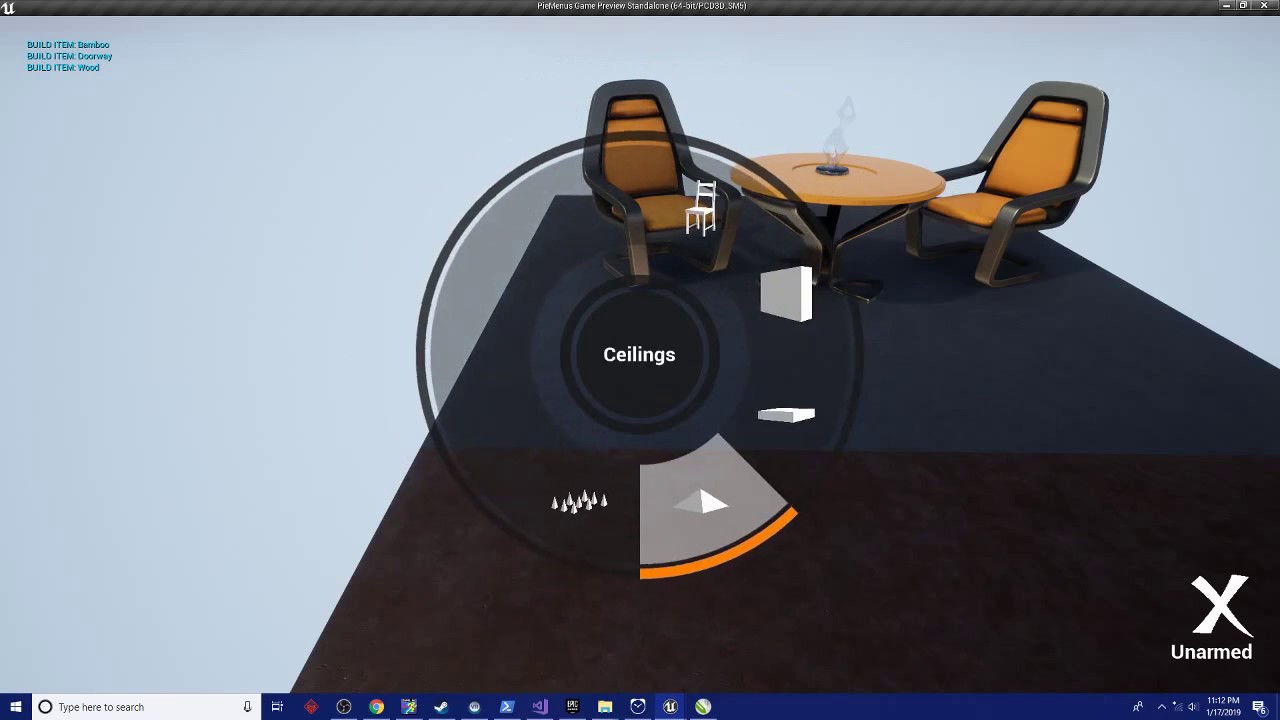
A simple test of the generic radial menu system in use for something like item building. Join the conversation and get updates on my discord: https://discord...
frail hornet
Thanks for the tip, MathewW
latent moth
Anyone knows how the AttachToActor node works for a PAWN. I'm currently unable to attach a pawn to an actor that has a skeletal mesh as root component.
It works if I use "keep world" but if I use "keep relative" then the PAWN will be at Z -12000 and hence be killed
I'm trying to attach an actor to a CHAIR

 wary wave
try not welding bodies
latent moth
tried...
latent moth
character
wary wave
right, important difference
latent moth
ok
wary wave
I have a hunch character movement doesn't play nice with attachment like that
latent moth
ah
wary wave
but detaching the mesh and attaching the mesh would likely do the job
latent moth
however then I loose all control on the mesh? looking around for instance?
trying...
wary wave
the character would still own it
but you might lose come control depending on how you set everything else up
wary wave
should be a node that does it

 true leaf
(I'm struggling with the same issue as Roberto)
latent moth
I don't seem to find a way to attach a detached mesh to another actor
DetachFromActor takes an actor, not a component
so does AttachToActor
wary wave
there is a way to do it in there somewhere
maiden sundial
Is there a way to connect my game to the internet with the purpose to check if my game is up to date ?
true leaf
I made a spectator pawn and make the player possess it. Then I attached that pawn to another meshes component (arrow component I made on a character) and it worked somewhat (location not rotation) .. then I did something ? and now it's all weird and broken lol
Now when the alive character spins , the spectator pawn camera moves all around the world quickly... 😂
Frustrating and bizarre
grim ore
@maiden sundial nothing really built in for just that, you can do HTTP requests out to a separate service and check that way.
latent moth
it's weird indeed
cloud cobalt
@maiden sundial You can look at the Steam API to check that
maiden sundial
@grim ore alright 
cloud cobalt
If not on Steam, you'll need your own server etc
maiden sundial
Already good enough that i can do it with a HTTP request 😄
Will be also much work for sure, but it will work when i work on it 😼
 red perch
I am wondering how I can build a world map like the one in minecraft ?
https://youtu.be/LTHVc3vNszI?t=100
Any tips / tutorial ?

A quick tutorial on how to make a map in Minecraft. This video was created with the PC version of Minecraft. User: INFAM0USX
for a big big world, how I can take care about performance
true leaf
There are voxel plugins for ue4
You can use one of those or spend 1000 hours building your own custom voxel code in c
It's not easy lol
The trick is to only render exactly just the faces that you need to and no more
Basically..
red perch
yes, I am using one
But is not about creating the world
I mean, the item map
how it work, how I can display my map on this item
true leaf
Ohhh making a world map
red perch
yes 😄
 digital anchor
see if you can get the info on the topmost voxel, assign a color to it, and render on a rendertarget
then you have a texture to use however you want
red perch
oh I see, texturing cost less in performance than using a camera
 marble saffron
I'm having some trouble with passing a variable from my main menu widget to the player blueprint
grim ore
Tell it to stop being a bad variable then and do it's job.
 cerulean nova
whats the name of "outside the playable area" i only know as "Skybox Envoirment" but does it have a official name?
it to cover up the vision so it doesnt look empty around the actual level
 tribal pebble
who knows how to use HTML5 for Newgrounds?
seems the Ue4 HTML5 packaging is kinda mysterious
after the update it improved i just can't find much documentation
grim ore
The skybox is a normal name for it. A material that fakes an environment.
cerulean nova
i dont talk about a material
i talk about the stuff that gets placed there
often times for example the buildings only have textures towards the playable area or no roofs
to save performance
whole quarry
you mean the OutOfLevelBoundsMeshWithSkyMaterial?
cerulean nova

bad example but it fits the purpose
does it have a name?
or is it just part of the general "scene"
in the source engine there was also a place for these meshes
a small place that showed the hole shape of the map and everything placed in there was their size in perspektive of that skybox place
so a 1x1m box placed above the skybox place would show in the level as a huge floating box

0:00 - Introduction and making of skybox 0:51 - Lining up blocks 2:04 - Texture aligning (and lightmap) 3:31 - Adjusting scale and fog 3:55 - End Finally got...
frigid needle
Oh yeah, you could do some weird stuff with that tiny skybox section of the map.
grim ore
That is cool, I had no idea that was a thing. I don't think ue4 has that natively?
cerulean nova
okay^^
grim ore
I think you could make one the same way. Render texture from a camera to a material that the skybox uses.
 slim magnet
@eternal belfry thanks! I'm assuming your referring to these in G&E? https://www.youtube.com/watch?v=euquOpUmUyk

This is from the 2003 Game "Beyond Good & Evil", when i saw it back than i immediatly thought that even though the interface is hardly efficient, it seemed v...
I've never really played the game, but now I'm curious if that's a thing that's possible in ue4.
Also, I did submit the radial menu to epic, just waiting on them to get back on if it's approved or not.
🤞
 sudden cave
Soooo, I have a question, potentially about shaders, and I'm not really sure where to ask it
It's probably also basic stuff
Can I ask it here?
 oblique sorrel
I need a recommendation for the cheapest laptop that can run Unreal well enough to not make me want to slit my wrists, but bad enough to be affordable for a student who needs to pay tuition.
Anything that springs to mind?
sudden cave
...I guess I'll just ask then
I'm making a deferred decal material to create graffiti letters, and I want to use a spritesheet with each letters on it. The thing is, I don't really know how to like, "select" a sprite on it. My best bet is that I'll have to UV map it somehow, but I'm not sure how I can do that through Unreal Engine, nor how I can apply the uv map differently depending of each letter.
 latent mango
@oblique sorrel That's difficult without understanding what your budget is and what type content you're handling.
oblique sorrel
My budget is as small as possible. As for content, a simple 3D game, without any heavy particle effects, crowd behaviour calculations, nothing like that
I need to show the project off in a month or so, but the laptop I currently have is Acer Extensa 5620 that's so far beyond help, even replacing Windows with Linux Mint didn't help it
grim ore
thats funny, I am tossing mint on a laptop here at work today to see how UE4 runs on it 😃
if you are in the US, and possibly other places I dunno?, look at the outlet stores like dell outlet or lenovo refurbished sections. You can get a good deal if you look for a bit and get a coupon. for a laptop if you can get a 1060 GTX card pretty much you are good to go as a good baseline laptop. If not a 1050 will work well enough and the ti is better but a 1060 is super nice to have. If you cant afford a 10x0 generation machine, you can get by with a 960M series machine if you can find one cheap enough.
from the looks of your laptop when googling it any newer I5 or better machine with some sort of a dedicated GPU would be miles ahead of your machine.
oblique sorrel
Poland, so whatever price it is, it's probably ludicrous by my standards lol
grim ore
with that said I currently run UE4 on a i5-4210u laptop with 8gb ram, ssd, and 840m GPU and its good nuff for most basic stuff. the key is getting a machine with a dedicated GPU if you can tho the latest intel GPU's are not horribly
well for example this laptop I got ~$300 us used. I got a i5-7300HQ, 1060 laptop used for ~$600. its far from "horribad" if you look around
oblique sorrel
I wish I could just pack up my desktop in a suitcase and take that instead
$300 does sound somewhat reasonable
grim ore
if the machine you have now does have a core2 duo like I think it does then even a newer 8th gen i3 would be a nice upgrade in terms of power but your GPU would force you to run the editor in medium probably.
true leaf
@latent moth i found agood way to do it
To do spectating...
dont do any attaching of pawns or anything at all
just do something like this in the PlayerState
latent moth
yeah of course
but then it means your player cannot be injured etc
thanks for sharing BTW 😃
oblique sorrel
Used Acer Nitro 5 with r5 2500U, 8 GB RAM and RX 560... Should do well enough
grim ore
thats MORE than plenty compared to what you have but your gonna want to look into modding the machine to let you use 25w or more to get the full speed out of the CPU
true leaf
yeah its just ONE way to do it
grim ore
thankfully having the dedicated GPU you won't have to mod it much as it doesnt have to split the power with the iGPU
I've honestly been looking at a cheap 2500u machine the last week or so and it should work as a basic UE4 machine 😃
oblique sorrel
I see some really cheap laptops by PEAQ, but I've never in my life heard of them
grim ore
there are quite a few laptop makers that make just the core machines then other people rebrand them, that might be one of those
sudden cave
...Aight then
grim ore
the key would be to avoid an ultraportable CPU unless you have a gpu with it or its a newer ryzen 5 or 8th gen intel.
oblique sorrel
PEAQ seems to be Media Markt's brand meant for Dutch market, but they're manufactured by Lenovo
grim ore
but you are on the right track with that one you listed above btw, just something similar to that would be pretty neato. One of my options for a 2500u here is the one with a 560x so 😉
oblique sorrel
So, basically Lenovo
grim ore
I personally love lenovo but that is just my experience. This thinkpad I have had for 4 years is a beastie in quality
grim ore
well it's better than what you have now... lol
oblique sorrel
Certainly
Question is, will it run Unreal without making me want to take a toaster bath
grim ore
no.. the GPU is ~920m equivalent and that is... meh
oblique sorrel
Okay, let's maybe aim for something with 4 GB GDDR
I have a 970 in my desktop, and it does just fine, so...
 copper wing
Guys,should i invest in 2060?
grim ore
well that's not a biggie, the 1060maxq has 3GB for example. It's more the raw power
@copper wing it depends on why you would want to invest in a 2060.
copper wing
Hmm
My new pc, im doing game Development, gaming, programming, 3d modeling , school etc also editing
dry moon
of course to take super duper cool screenshots
grim ore
welp blah. yeah I guess if you can get a 2060 for less than a 1080 it seems like a good deal. I did not realize the 2060 was 1070ti comparable.
2060 at MSRP seems like a good deal unless you want to invest cheap right now in like a 1060 and go with an upgrade next year
 iron wadi
is there already a feature list for 4.22?
copper wing
Well its $347
@grim ore Here is a great deal on the ZOTAC GAMING GeForce RTX 2060 Twin Fan 6GB GDDR6 192-bit Gaming Graphics Card, Super Compact, IceStorm 2.0, ZT-T20600F-10M , https://www.newegg.com/Product/Product.aspx?Item=14-500-458&Ignorebbr=true
I found.
grim ore
it's a good card, it should run most games at high quality 1080 60fps for a while at this point. If that's good for you then its a good investment. If you don't really need it or want to spend less a 1060 will work "good enough" for a year or so and then you can sell it and invest in a higher power card cheaper
copper wing
Oh ok, imma,think it over some more
grim ore
I went with a 1080 for example when they came out, and while it was expensive, it runs everything I want and I haven't needed to upgrade for years now and probably not for a few more.
 cursive dirge
@manic pawn you should sometimes see what UE4 actually packages on empty project
manic pawn
probably all of the editor and default content since an empty project has no map set up to package only referenced assets
cursive dirge
they used to put even some tutorial content there, VR demo content or something like that, all kinds of irrelevant stuff
there's like shitload of things you've never seen in the editor
manic pawn
actually let's launch 4.21 and find out
cursive dirge
you only notice they are there when you actively start blacklisting them 😄
you do see them on the temp folder and you can also package the assets so they use separate files
there used to be some vehicle stuff there too
 frank escarp
https://captrobau.blogspot.com/2019/01/ff7-remako-hd-graphics-mod-beta-released.html well, this has improved a lot more than i thought

The site for the Remako Mod, a Final Fantasy VII mod that uses AI to improve the graphics of this classic JRPG.
holy shit the quality

The Remako HD Graphics Mod is a mod for Final Fantasy 7 (PC version). It uses AI neural networks to enlarge an enhance the pre-rendered backgrounds in the ga...
crazy
manic pawn
so a blank project with nothing set up is 186MB
grim ore
yeah the dont use editor content checkbox is not on by default which is .... weird
manic pawn
I don't have that on in my project either
wary wave
default editor content is even bigger hehe
manic pawn
weird
the packaging only referenced assets does not seem to function in this test project
wary wave
there's something like a 4k RGBA blur kernel texture that gets packaged by default too, which is just amazing
'packaged only referenced' has never worked
manic pawn
how come in my normal project it's packaging only maps and referenced assets, yet in this test project with identical config it's packaging everything
grim ore
because it's racist?
plush yew
Lol
manic pawn
well at least I think it is doing that
because a sky texture I was loading manually via cpp did not exist in packaged until I added it to the always cook path
 upper heart
Anyone expecting Unreal's trello to get updated soon?
sudden agate
no
grim ore
🎱 "All signs point to no"
 static light
Hey Friends! Has anyone tried pixel streaming?
I have some difficulty to follow the documentation
run 'run.bat' to start the server, and this is the message I got
npm WARN cirrus-webserver@0.0.1 No repository field.
npm WARN cirrus-webserver@0.0.1 No license field.```Thanks Mathew!
plush yew
does fornite use blueprints or c++
 silent sparrow
grim ore
it uses both
plush yew
...howw?
grim ore
because that is the way the engine is engineered.
grim ore
Which part?
plush yew
what should i learn c++ or blueprints
grim ore
do you know any programming languages?
grim ore
ok so no programming languages? Blueprints would probably be an easier introduction to the engine and programming then.
grim ore
you keep asking the question, getting an answer, then asking it again. Do you want a different answer?
plush yew
can u simplify it
plush yew
ok i will try both
grim ore
so Mobile Controller Support Bluetooth controller support has arrived in mobile on supported devices! Drop in and earn a Victory in a whole new way. for Fortnite so maybe we will get support in 4.22 for that 😃
silent sparrow
Tip 1: Dont start off trying to make complex games xd
graceful sky
Tip 2: Dont make the game you're thinking about. Make Minesweeper or similair
wait, that might even be a bad tip
silent sparrow
yea dont try make fortnite 😂
tip 3: Dont think you can make a complex game in a day 😉
graceful sky
I guess i should listen to my own tip before i start sharing the secret with everyone
 plush marsh
rule number one - you don't talk about fight club
abstract relic
Tip 4: actually listen to people’s advice instead of repeating your questions
silent sparrow
😂
foggy mason
hey, what's up guys it's scarce here
plush yew
im making a fps game
foggy mason
nice
I think for my first project to help me learn this engine, I'm gonna make a HL2 remake
plush marsh
Try to do a WOW
plush yew
oof that sounds harrd
abstract relic
Make pong or spacewars
plush yew
0-0
foggy mason
world of warcraft?
plush yew
thats confusing
plush marsh
yep
foggy mason
that's an mmo
plush marsh
but it is great
foggy mason
I'm not that experienced with networking
plush marsh
nah, it will be fine
foggy mason
pong/spacewars would be too easy
plush yew
imma make spacewars
abstract relic
You can do it solo in 24 hours
 worn granite
Come up with something along the lines of pong but its your own idea.
or just bite the bullet and make pong
I make the same game as a first game with any given engine
its a boring game with lackluster design but I learn a good bit about the engine that way
plush marsh
you are ruining all the fun , Lambda
plush yew
well ill make pong then make another game with the same code but different
worn granite
put em all up on steam
abstract relic
You’ll discover it’s harder than you think if you have no experience in game development
worn granite
you'll make a digital killing
abstract relic
$60 of course
plush yew
ok ill try make the end product on steam for
plush marsh
free to play with skins is better
worn granite
50c with trading cards was p good
abstract relic
Naaaah we all know asset flipping is the way to go
 novel ember
quick aside from the pay-to-win
is it possible to do something akin to supersampling for the UMG? like screen percentage but for the UI
plush yew
weres the box brush..?
grim ore
Under Geometry in the Modes panel
plush yew
THANK YOU I WAS SITTING HERE FOR SO LONG!!
abstract relic
I suggest you watch some intro tutorials
 👌
grim ore
👌
grim ore
In computer science, binary space partitioning (BSP) is a method for recursively subdividing a space into convex sets by hyperplanes. This subdivision gives rise to a representation of objects within the space by means of a tree data structure known as a BSP tree.
Binary spac...
eternal belfry
@slim magnet -- https://www.youtube.com/watch?v=euquOpUmUyk
Yup! That's the one! The smoothest text input UI and inventory radial for a simple interface ever. Was such a cool system to navigate. I hope Epic approves your radial menu! Your snow and oil demo was very cool too! Welcome to the channel.
This is from the 2003 Game "Beyond Good & Evil", when i saw it back than i immediatly thought that even though the interface is hardly efficient, it seemed v...
plush yew
What does a GDC do
manic pawn
cost money
plush yew
ye bud what do u do as a gdc
worn granite
I don't know that any of us have been a game developers conference.
plush marsh
as gdc you host a public event , no ?
abstract relic
Only if you have money to burn
plush marsh
but you will charge guests , so you will get your money back
plush marsh
most people do )
 tender dome
when im importing a mesh, it is importing the individual components rather then whole. what should i do to import it as whole?
abstract relic
You need to merge them as a single object before import
abstract relic
You can do both. Take your pick
digital anchor
also on import settings you can check Merge Meshes, need to expand some menu
coarse prawn
Is https://answers.unrealengine.com/ down for anyone else?
abstract relic
Good on my end
 lime tulip
I've been wanting to ask this for a while but felt unsure about asking such a question: Where should I go to find current information on blueprints? Like, I'm trying to find info on how to properly set up jumps and alter certain behaviors DURING the jump, but everything I'm finding is from earlier versions or just not viewable by me.
grim ore
the most current way to find info on blueprints is to just screw around with every option lol. Alternately you could read the c++ code behind the node to see what all the options do.
coarse prawn
Is there a way to take a function as a parameter in blueprints?
dry moon
wot
coarse prawn
I'm making a generic confirmation dialog box UI which has buttons "Yes" or "No". When I create this widget I want to be able to set what code is executed when these buttons are clicked (on widget creation)
dry moon
Ah then look into event dispatchers
coarse prawn
So I therefore want to somehow pass in a function to execute. If anyone knows Java, I want something like a Callable
Ah ty
 distant river
Hey guys. I'm thinking of building a new PC for UE development, which CPU would you choose Intel Core i7 8700k or AMD Ryzen 7 2700x?
dry moon
Threadripper
frigid needle
I'd go Ryzen, but that's entirely personal bias.
distant river
I'm not very familiar with what the difference between them is
 icy sleet
Is there an archive of all the code released for the live training streams? I'm trying to find the code used here, but I'm not having any luck.
https://www.youtube.com/watch?v=BcxtpSLMnH4
Richard Hinckley, Sr. Learning Resource Engineer, returns to the livestream to discuss data-driven character movement. We'll demonstrate how to use curves to...
distant river
@dry moon would a Threadripper 1920X be better than 8700k for Unreal Engine and still enough to play some games?
dry moon
Maybe not the 1920x
grim ore
frigid needle
Honestly, just a regular gaming CPU will serve you just fine. I'm running Unreal on an Ryzen 7 1700, and it doesn't struggle at all
grim ore
as long as you arent compiling the shaders and engine every couple minutes anything with a 4/8 setup for cores/threads and some decent clock speeds is fiiiine. pair it with a good GPU and your are fiiiiine.... just learn to be fiiiiine.
 thick herald
cursive dirge
thick herald
cursive dirge
if you actually work with the engine code, you want all the cores you can get
I'd expect that TR to beat that i7 by huge margin if you do anything like that
wary wave
Threadripper does outperform the i7s on engine code compilation
but not by as much as you might think
(and you can build two i7 machines for the price :D)
cursive dirge
TR probably sucks at lightmaps as UE4 uses intel lib that favors heavily Intel CPUs
cursive dirge
somebody still maintains that?
wary wave
I don't think so, sadly
cursive dirge
wasn't the guy making it hired to Epic?
wary wave
aye
wary wave
yeah
until then if you don't mind being on a slightly older engine version it's all good
I'm still using 4.18 for the most part to dodge the DPI scaling problems
 polar hawk
wary wave
polar hawk
wary wave
don't think so:
https://forums.unrealengine.com/development-discussion/rendering/1460002-luoshuang-s-gpulightmass
Unreal Engine Forums
Click image for larger version Name: image_138398.jpg Views: 1 Size: 82.0 KB ID: 1478783
Disclaimer:
This is a very simple and early version of my GPU lightmap
 tulip vault
can i make it to where i can have multiple levels open in unreal
in separate windows/tabs
 velvet finch
does 2 players using wasd and arrow keys on the same keyboard count as multiplayer?
 grim sinew
Don't think so
 steel shuttle
hello guys. usually developer use play animation montage in blueprints or c++ more efficient?
worn granite
efficient at runtime?
plush yew
anybody know whats causing this?
steel shuttle
yeah
next badger
@steel shuttle c++ is more efficient, but less flexible to work with (for animators)
its is useful for complex stuff, like multiplayer firecycle sync (the issue that PUBG has recently)
upper heart
Anyone know how to see cpu usage with Session Frontend?
 spare sun
how do you do animations in cpp 🤔
next badger

In this post we're going to re-create the Third Person's Template project animations in C++. Before reading on, create a Blueprint a Third Person Template project! Since we're going to use the assets provided with the specific template you don't need to include the starter co...
spare sun
damn, didnt even know it was a thing. ty
grim ore
That seems off to call that handling it in c++ when the majority is in bp in engine
next badger
@upper heart
- open ue4edito
- open UnrealFrontEnd.exe
- go to session frontent tab>profiler
- push data capture
- start the game in the editor
- stop game
- unpush data capture (the data transfer will emerge on the bottom)
- hit Load File
upper heart
Okay, thank you. I'll give that a go.
next badger
@upper heart make sure firewall does not blocking the connection (you should see a session under My Sessions on the left)
upper heart
That worked. Does it show overall cpu usage somewhere tho?
next badger
@upper heart i';m not sure, but i assume that's called Threading CPU utilization
you need to double click one to add it on graph
and you can look info about each value by hovering the "label" icon
upper heart
That makes sense. The graph is still showing the axis labeled as ms tho hmm
would like to see a % view on the graph
next badger
@upper heart yeah, when you hover the mouse over the graph you will see the value in the name of the graph
next badger
maybe it's possible to set the axis labels too, but i have no info on that
 thorny cipher
Is there a way to have a different defaultGame.ini for build targets?
E.g windowsNoEditor. LinuxServer
documentation says : [ProjectDirectory]/Config/[Platform]/[Platform]Engine.ini
frigid needle
So I'm looking at the Top Down Character Controller in the Top Down BP sample, and I'm noting that for character movement, they're using a "SImple Move To ()" through AI. Is there a good tutorial or documentation I can use to add some deceleration to the character as they approach the goal?
Oh hang on, this might be better asked in Blueprints, sorry
 severe glen
hi there
whole quarry
Hi
next badger
@thorny cipher i'm honestly confused by the amount of config files ue4 has...documentation don't even describe all of them
 primal swallow
👋
 ancient otter
Hey guys, when i export as fbx to unreal only some textures import
Not all of them get imported :/
cloud cobalt
Import them separately ?
ancient otter
There are too much mats and stuff
Its from league of legends
I have a .c4d and i exported aa fbx
cloud cobalt
Materials aren't going to be imported correctly anyway, they're too specific to game engines
Unless they're basically just albedo, roughness, normal and nothing else
 fierce tulip
@ancient otter ripping from other games is something thats frowned upon in here.
cloud cobalt
Also that.
next badger
@primal edge nice new script!
 primal edge
@next badger sweeeeeeeet!! glad it helps!
ancient otter
@fierce tulip I have already said A LOT of times.
I'm in a community of editors. EDITORS. We don't release, we do videos.
I have already done this on csgo and other stuff and , again, I have showed and said it a lot of times

cloud cobalt
Free videos with zero advertising hopefully
ancient otter
I'm going to do some wallpapers and maybe an edit
Advertising ? Is this a joke ?
We do it for fun

fierce tulip
@ancient otter we dont care
cloud cobalt
Just don't act all shocked that game developers don't spend their free time helping you reuse other dev's work 🤷

 silver crown
Nice new pfp Stranger
next badger
@ancient otter just keep the details where it's from private then you'll get your answers faster
 now go tell fuze, Maro and etc that they are stealing content
 cloud cobalt
TBH, they are.
ancient otter

next badger
@ancient otter stop the flood pls
ancient otter
It's not flood lul
cloud cobalt
It's not like they're hurting the games they rip assets from, but it's clearly not "fair use"
And it's commercial work
And it' doesn't even credit
ancient otter
I mean... I guess idk everyone has opinions
cloud cobalt
Technically it's illegal
ancient otter
Lil I just got warned  I'm not arguing I'm just discussing
It's not like I'm mad or anything like I said everyone has opinoond
I don't even know why I'm still here actually
next badger
@cloud cobalt it is legal in my country...reverse engineering is a legal right
cloud cobalt
I'm just giving facts here and explaining why this is frowned upon here.
fierce tulip
and kicked
graceful sky
Not sure if i'd be very happy if someone ripped my assets
cloud cobalt
@next badger Building a commercial Youtube channel based on content ripped from commercial games is legal where you live ? I'm not so sure.
This isn't reverse engineering for compatibility purposes like the EU made legal
fierce tulip
can we drop the subject and go back to unreal related things? 😃
cloud cobalt
Fine by me 😛
silver crown
@next badger ur country is best country 😄
cursive dirge
just when I was about to get some 🍿
fierce tulip
recording a ue4 mat function showcase, and everyhing that can go wrong and crash, did go wrong and crash.
next badger
@fierce tulip for the store assets? or just a tutorial?
fierce tulip
vfx debug mat function basically
latent moth
All, I have a character that gets moved because it is in a moving platform (an actor it is attached to). The controller though does not rotate when the actor gets rotated, so basically my camera gets completely shifted in comparison to where the mesh is heading at... What is the best practice to "realign" them?
 stray smelt
How can I have animation as a parameter inside the animgraph? Let's say I want to blend between two animations (Idle and Attack), but one of them must be dependent on whether the player is using a 1 hand or 2 hand sword (so the idle must be a parameter)
When I drag from the blend I can only select specific animations inside content browser, rather than create some variable
abstract relic
use Blend Poses by Bool
stray smelt
and create one node for every anim-combination?
just to be clear:
i need the one marked in red to be parameterized preferably. so i don't need to create one node for every single attack animation
abstract relic
Oh geez, please make a state machine
Then make animation montage from the attacks
Cache it and use the pose bool
sudden agate
@stray smelt A little bit hidden: The Play Node has a checkbox "Sequence"
tick it and you can plugin a variable into it
stray smelt
there is a state machine behind that. @abstract relic just created those nodes to illustrate. would prefer not to create state+connections for every single attack
@sudden agate thanks. will check
perfect that was exactly what i was looking for
regal mulch
Has anyone ever tried to render particles to a renderTarget and then using the alpha channel of the RenderTarget for the opacity?
Seems like Particles aren't added to that
wary wave
sounds like you want to render to a custom buffer
regal mulch
Well, it's the basic "Render Mesh in UMG" thing
only that my mesh has a particle effect
wary wave
ah, that old one
regal mulch
I assume there is no new supported way or?
I really need these particles to show up >.>
wary wave
there isn't to my knowledge
not without a custom buffer, but that's a code deep-dive
if your UI was in world space it might be more doable
...but navigation, focus etc
regal mulch
Nope, has to be in 2D space
We have to fit 4 Pawns into the screen for Splitscreen
Not possible to arrange that iwth the scene bla bla, i have to put it into 2D
Isn't it possible to just not have the RenderTarget fill the void with black?
regal mulch
Already doing that
 paper kernel
so if the particle is child of those rendered objects, it should show up in the render target
regal mulch
It does show up in the RenderTarget
But the renderTarget is a black square with whatever you render in the middle
Usually you oneMinus the Alpha Channel and put that into Opacity
That works for the Mesh I'm rendering, but the particles don't show up in there
 paper kernel
what about chromakey?
regal mulch
Alpha and Alpha + Red in the gif above
next badger
DXR fallback layer is horribly slow and MS have abandoned it
No way...
paper kernel
uhh, background is 0 color 1 alpha, mesh is ? color 0 alpha and particles are 1 color 1 alpha
possibly conflict in particle material
wary wave
I'd first look at the particle material setup, you may find they're rendering in another pass
cloud cobalt
@next badger Big fucking surprise 🙄
wary wave
there are a number of optimisation that might be having a knock-on effect here, I think
next badger
are they gpu particles?
regal mulch

I have never seen that icon
It means "EditorOnly"
But I swear I've never seen that in over 4 years
Or it's just a hint idk
paper kernel
yea it's only for render target settings
regal mulch
I'll check the particle first then
paper kernel
my guess its additive
regal mulch
@wary wave Any chance you can guide me where I find what pass it uses?
wary wave
not sure where to look without doing a lot of digging myself
wary wave
first place I would start looking is in the materials etc though
things like 'separate translucency' and all that jazz
wary wave
haha
regal mulch
it's the additive blend mode
regal mulch
But changing that to translucent changes how the particle looks like
Guess the artist has to find another way then
Thanks for the hint! Time saver!
wary wave
no problem ^^
 lusty carbon
Hey you guys, There's something I must understand.
VR Template is there for us to use and change and build levels upon, or is it just for testing your headset ?
How are most VR games created in UE4?
grim ore
yes to the first question, and in the editor for the 2nd.
abstract relic
Vr isn’t as special as you think 😉
grim ore
VR are special, they are more reality than reality so it takes more work.
lusty carbon
I mean, is it mostly C++ and they code in the teleport movement with the spline and all that, or just BP VR template
grim ore
VR games are just like any other game. You start with something and add from there.
lusty carbon
I wanna make some sort of visualization in unreal. in VR. best use the VR template?
grim ore
you can use a blank project, you can use a template, you can use a non vr project and add to it, you can use C++, you can use BP, you can use another engine.
next badger
@lusty carbon yes, vr template will work for vis stuff
abstract relic
Game development \o/
grim ore
The template is there for you to go "oh hey that is how you do stuff, now that I know I can use this template and add more or I can use this knowledge to create a death star from scratch"
next badger
FPS template also uses VR stuff in it
grim ore
so does the vehicle one 😃
it's like VR is just something extra in normal game dev like a controller or keyboard...
grim ore
I think top down as well but that makes sense
oooh.. actually hell every one does if you use the VR level when you create new level
next badger
we need a paper2d vr template now
grim ore
... at this point did we help him more than we confused lol
abstract relic
Never
grim ore
never confused, never surrender!
abstract relic
By Sweeney’s hammer
grim ore
I've got my next project in mind but have to figure out how to properly do particle effects over UMG and how to render lines in UMG/Overlay.... both seem to be features left behind in the UE4 dev cycles
starting to wonder if I should just do the project in 3d with an ortho camera with sprites so I have access to normal particles
abstract relic
You’d have to contend with a broken ortho camera
grim ore
well if it displays stuff flat and respects depth which it seems to do I am ok with that
regal mulch
@wary wave I assume there is no chance of getting the Additive Particles to work?
Cause I assume Translucent looks bad on stuff that should technically use Additive
wary wave
nope
the whole point of the additive particles is that they don't do what you're asking from them, hehe
additive particles are pretty cheap
that's their thing
you should be able to use translucent ones instead and take a performance hit, without much of a visual impairment
regal mulch
I just tried something
I compared Translucent Sparkles to Additive Sparkles in the UI
Translucent Sparkles show up just by using the OneMinus on the Alpha
Additive show up if you BLEND ADD the OneMinus Alpha with one of the 3 other channels
Seems to look the same
Clyde just blocked a material graph image
regal mulch
I should multiply them?
I'm a network gameplay programmer. That stuff is magic to me. (╯°□°)╯︵ ┻━┻
Okay no, Multiply doesn't work at all
xD Let's just stick to the lucky guess of using Add
next badger
Unreal Engine Forums
For discussions about Materials, Textures, Lighting, Particle Systems, and Post Process Effects.
regal mulch
Tried that, doesn't work with the flame particles we have
Don#t ask me why, cause I have 0 idea
 faint urchin
I'm not entirely sure whats happening here.. I'm trying to run my game from editor, it was working last night. At some point, it seems like the second player stopped getting it's own player controller? It's unable to move, isn't getting it's HUD, but the thing that is really odd, the other player doesn't move on it's screen. When the other player shoots, the projectiles spawn for the bugged player, but they don't move. Enemies spawned by server though, move and act as they should... Anyone have any ideas?
regal mulch
@vale silo By all I know they could be something no one knows about yet
But yeah, it's realistic fire
next badger
@faint urchin i think that's the question for #multiplayer
faint urchin
Gotcha, sorry
next badger
from my point, if you able to shoot - then it does have a player controller
you ofc could debug that
faint urchin
Only the one player can shoot. The bugged one can't do anything, and theres only one player controller showing in the world outliner
No idea what I could have changed that would have caused it
next badger
@faint urchin "When the other player shoots, the projectiles spawn for the bugged player, but they don't move. " sorry, misread that
 vale silo
@regal mulch I'd use additive material for fire particles (especially for VR). Translucent would be the best bet, but there might be performance hit, depending on the hardware it's running on.
steady owl
Any predictions when 4.22 would be dropping?
fierce tulip
around gdc is my bet
grim ore
4.22 will be out within 365 days, I can guarantee that (or we will all be dead)
steady owl
😄
grim ore
if you are bored tho you can always grab the master branch and pretend its 4.22 release 😃
steady owl
Will wait it out and hope it's soon 😃
Love your videos by the way
You cover everything in a great concise way
Learned so much about the engine thanks to your channel
Especially stuff that isn't very well documented
next badger
master is way far from actual 4.22
grim ore
i mean who needs more than the raw code heh
grim ore
I know it's far from 4.22 but it says 4.22 in the startup screen so nyaaah 😛
grim ore
I got the linux port of the editor up and running on Mint last night on my laptopt. It's smoother to get it up and running on Linux from scratch that on windows lol
cloud cobalt
Specifically, according to Stephen Ellis two weeks ago
Unreal Engine Forums
What's New
Unreal Engine 4.21 continues our relentless
grim ore
the setup and generate files auto download any missing elements compared to VS just going "take a guess at what you need" lol
steady owl
Thanks Stranger!
plush yew
Hi ! i would like to get some help with Ai controlling , can someone tell me in what chat i have to be for that ?
grim ore
I wouldn't be surprised to see 4.22 preview any time now unless there are some super major issues preventing them from hitting a GDC release window.
abstract relic
plush yew
haha thanks !
steady owl
Would they mean the first preview at the end of March or the actual stable release I wonder?
grim ore
I would think first preview this or next week, couple weeks of preview, then release (stable is subjective... heh) before GDC on 3/19
this is assuming they follow the same pattern the last 2 years
steady owl
Great to hear
grim ore
but no one knows for sure but them of course. GDC time is crunch time for all the neato stuff they are showing so it might get missed shrug
I know we would all love more info on release dates but the minute a company says anything people jump on their asses if they miss those dates or change 😦
next badger
i don't think we'll see any major features this release
except new renderer...which is not new
steady owl
If it's a stability release I'm happy
Not that I have many bugs in 4.21, it seems v stable at least for me
But there's a few that are fixed in 4.22
novel ember
I was just gonna stick to 4.19 but being able to easily access the amplitude envelopes is too good to not upgrade
grim ore
I am super hoping the editor utility widget is in 4.22
fierce tulip
im hoping for a stable cascade before they ignore it 100% compared to the 99% they ignore it now :p
worn granite
people still make cinematics with it
steady owl
Bless our souls
abstract relic
Only zombies uses it now
fierce tulip
@steady owl im fine with cascade getting axed, but there are many projects that will use it for years to come, so having it stable for them (and for me as a freelancer) would save a lot of headaches and frustrations.
steady owl
I completely understand and agree for sure
Transitioning to new tools is always painful
But yeah I can't wait to jump to the vastly improved interface even
Not to mention the new power we get
fierce tulip
yea for sure. I wanna delve into it but I never liked being a guinea pig, so ill wait until its actually deemed stable.
grim ore
can cascade or niagara do effects over UMG easily yet?
fierce tulip
nniagara should
next badger
niagara has a lot of minor bugs that could ruin your day
worn granite
on a scale of rare interactions causing problems to opening the color picker will crash, how unstable is cascade?
steady owl
Yeah gotta wait until it's fully stable
But when it is, ohhh boy
Cascade is most definitely the most legacy tool currently in the editor right?
In terms of interface especially
fierce tulip
@worn granite that might only crash once every few 100 to 1000 times
though changing a material (or better, any function inside it) while cascade is open is rather crash prone.
also dpi scaling is totally fubar in cascade
grim ore
man I really hope you are right about niagara being usable in umg
steady owl
Is it possible to override the material of a cascade emitter that is placed in the world?
Anytime I do, nothing happens and it uses the same old material so I have to create a duplicate emitter
fierce tulip
you could replace it (or its instance) trough blueprint prolly
steady owl
Yeah but when you are quickly laying things out, delving into BP is the last thing you want right?
fierce tulip
yea
steady owl
When any other mesh material can be swapped out instantly
Thanks was just making sure I wasn't missing something and being stupid
I have like 6 variations of each particle sim it's cumbersome (faint, very faint, thick, etc.)
For environment this is
fierce tulip
for one project we had different leaves for each scene, so for each environment or tree change I had to make a new emitter with the material changed. ended up with 50-60 emitters just because leaves. couldve been better if there was some blueprint checking what trees would go where, and changing the instance.. but meh
 hoary charm
Any game programmers online that are in industry? Have a question or two I'd like to ask via DM.
steady owl
And we can just replace instance
next badger
i've just noticed that cultrarius is Epic dev...was he always?
fierce tulip
no, he got a job there a few months ago
wary wave
Cascade is most definitely the most legacy tool currently in the editor right?
...except for Matinee, the Material Editor, Landscape Editor ... and BSP editing
fierce tulip
bsp is prolly most legacy ever :p
fierce tulip
i sometimes wanna go back and make an ut99 map
wary wave
biggest changes I think were still pre-UDK era
mostly minor tweaks to the nature of brush editing
next badger
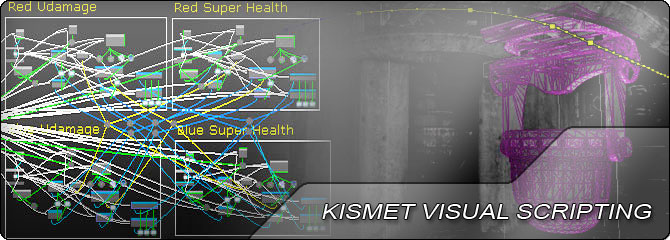
there're lot more of legacy stuff behind the curtains...whole Kismet...
fierce tulip
2k3/2k4's bsp did feel much more solid than ut99's one though.
and lets not talk about unreal ued 1.0's bsp


 fierce tulip
so much kismet nightmares.
next badger
those BP spaghetty vibes
abstract relic
Rainbow spaghetti 👌🏽
latent moth
All, I've got a character seated on a moving platform (attached to actor). The issue is that the character rotates on this platform, however the controller does not follow (there's no way to "rotate" a controller). Since the controller sets the camera position, it gets all messed up. How can I align a controller to a character? It's kind of the opposite of what "Use controller yaw input" does...
frigid needle
I feel like so many spaghetti issues could be resolved just creating functions. Does that have a performance impact or anything?
fierce tulip
material functions? or bp?
frigid needle
BP
fierce tulip
generally that should be fine, but im def. not an authority on it
next badger
@latent moth there's a way to "rotate" controller input tho, you have to apply the transforms to inputs before applying them to the character
but that's matter of math and game design
latent moth
I was hoping for a way to "attach" the controller to the character so that it'd have axis defined in that way
will try your way
I guess that's a delta rotator applied to the axis input, with a reference of the original pose?
next badger
@frigid needle functions have no impact on performance
next badger
@latent moth you need to get rotation then apply moving vector by this matrix so it would be transformed in to a proper movement direction
next badger
@latent moth if you're using 3rd person template it's this part:
latent moth
only rotation is the issue
i do not use the template but that is pretty much the core of it 😃
it's just a free look movement
novel ember
holy shit
I pretty much just completely eliminated aliasing in my UI using a 5x5 texture
it looks a bit more crisp in motion though
next badger
why 5x5?
 bright plume
Imports mesh with almost 300 different objects
mesh has a rig with almost 2000 bones
UE4 FREEZES
next badger
@bright plume what you expect?
dry moon
Why 200 bones wtf
bright plume
2000*
dry moon
Oh 2000, then even more why