#ue4-general
1 messages · Page 383 of 1
 grim sinew
 pallid compass
Because you lack super basic skills
Thats why
Its a variable
You can see right there
Looks like an actor component maybew
Actor*
 proven oxide
I right click there is no Create RadialForce1 variable
pallid compass
So idk if theres radial force components or what
proven oxide
it has an icon that i have not found in the current engine
proven oxide
who knows, the person explaining how to do this, doesnt tell you
pallid compass
Target is actor component
 maiden sundial
Hey, i wanna create a settings menu. My main goal for now is that the player should be able to change the amount of particles for the rain.
Is this even possible ?
pallid compass
Yup by changing Particle quality setting
maiden sundial
Hmm, where can i find this ?
proven oxide
he just says he is using his radial force actors - no explanation on how to make them.
and nothing called that in the search
its like trying to recreate the tethers from Just Cause 3
pallid compass
No idea about radial force, im not a physics person
But why dont u start with something simple
 plush yew
how can i rebuild a project on visual basic 2015 ??
plush yew
how can i open a ue4 project on VS
pallid compass
by opening its sln?
plush yew
where is the sln
pallid compass
in the project folder?
plush yew
pallid compass
right click generate project files
pallid compass
Learn some basic ue4 stuff and stop trying to run before you can walk?
 digital anchor
@plush yew does any error show up?
plush yew
yes
digital anchor
whats the message
 cursive dirge
@plush yew I dunno, I'd first make sure that a) followed instructions b) check the actual error message
those error messages tend to be there for a reason
plush yew
i just added a plugin in the project
now i cant rebuild it or even open it in the editor
pallid compass
Prob because there is an issue with the plugin
cursive dirge
I bet the plugin isn't for that engine version
pallid compass
u didnt add victory plugin did u
cursive dirge
you could take your issue to #plugin-dev
digital anchor
Remove the plugin and regenerate project files, then find the plugin for your version
cursive dirge
well, you need to regen the project files for the plugin anyway, even if he found more up-to-date version
so there's no reason the regen the project files without the plugin (unless you want to verify it's the issue with the plugin)
pallid compass
imagine if he posted the full error log
plush yew
i will
wait
Running C:/Program Files/Epic Games/UE_4.19/Engine/Binaries/DotNET/UnrealBuildTool.exe -projectfiles -project="C:/Users/Sahl/Documents/Unreal Projects/SahlEndlessRunner/SahlEndlessRunner.uproject" -game -rocket -progress -log="C:\Users\Sahl\Documents\Unreal Projects\SahlEndlessRunner/Saved/Logs/UnrealVersionSelector-2019.01.27-15.42.16.log"
Discovering modules, targets and source code for project...
While compiling C:\Users\Sahl\Documents\Unreal Projects\SahlEndlessRunner\Intermediate\Build\BuildRules\SahlEndlessRunnerModuleRules.dll:
ERROR: c:\Users\Sahl\Documents\Unreal Projects\SahlEndlessRunner\Intermediate\Source\SahlEndlessRunner.Target.cs(6,14) : error CS0101: The namespace '<global namespace>' already contains a definition for 'SahlEndlessRunnerTarget'
ERROR: UnrealBuildTool Exception: Unable to compile source files.
pallid compass
Projects\SahlEndlessRunner\Intermediate\Source\SahlEndlessRunner.Target.cs(6,14) : error CS0101: The namespace '<global namespace>' already contains a definition for 'SahlEndlessRunnerTarget'
looks like ur build.cs is kicking shit up for SahlEndlessRunner
plush yew
what does that mean
pallid compass
Means something is broken
Not sure how its related too just adding a plugin though
pallid compass
looks like its time to do some research fam
 vestal ruin
can some bubby help my white a charachter
pallid compass
what
vestal ruin
character*
pallid compass
what x2
vestal ruin
can someone help me with a character bone my character is bugging.
 ruby wren
x3
vestal ruin
Character Animation
pallid compass
yes what about character animation
btw if you didnt know i cant read your mind or see your project
pallid compass
No not a call, and that is fine
Also dont DM me
You just need to give alot more information
ruby wren
sad
vestal ruin
pierre can you help my
plush yew
 ruby wren
if you want some help, explain what you are doing, (screenshots / detailled procedure), what is the expected result, what result you are getting....
We cannot guess what is your problem.
plush yew
does someone have some idea why i get this?

 plush yew
lol

 tall pendant
might be wrong bonescale
 grim ore
before you brought the model in did you reset and freeze the transforms? also which axis is up on your DCC?
 rancid jay
Year 2030 will be the year Epic launches UE4 Global Illumination
wake me up when year 2029 ends. ty ty
 worn crest
hello everyone i need help with changing my editor language with 4.21.2 version
grim ore
oof. Next version of UE4 from source is going to need more stuff updated in Visual Studio so yay for the flood of questions coming =/
 kind pumice
well that didn't take long to implement - got the fake running in place, floor tiles spawning and moving, fake speeding up and slowing down when hit by slowing the world movement down, etc. You guys saved me a lot of headache and I appreciate it!!!
I seriously thought faking movement would be a lot harder than that lmao
pallid compass
np fam
 zenith flower
Can I get a little help in #multiplayer about invalid player state after server travel?
 remote moss
Hi Guys, are you using localisation dashboard or a custom plugin/workflow for your localisation needs?
I don't know if it is production ready or not
 warped hornet
tf is a float
pallid compass
a type of data
grim sinew
It's what programmers use when they go to the beach
pallid compass
floating point data type
grim sinew
They all just secretly want vacations
 steady owl
Is the root bone (At the origin) of many Skeletal Meshes only there to work nicely with root motion or is there another reason?
If I'm only animating in place, is there any need to have it?
steady owl
Could it not be relative to a root that isn't at 0,0,0, say instead at the pelvis of a human?
grim sinew
What happens if you want to animate the pelvis then?
steady owl
I see what you mean, in that case it would fail
So basically any skeleton you bring to UE4 should have a root bone at the origin, regardless of where the rest of the model is?
grim sinew
Probably.
steady owl
Thank you!
grim sinew
It's also just good convention, a lot of scripted rigging tools assume certain things will be there
Or assume they're named certain ways
steady owl
I was thinking that it was just so that the skeleton could support both in place and root motion anims
But in my case I'm doing a small personal project with no additional tools / compatibility
So was just questioning it as it's a bit cleaner
grim sinew
Having a root bone isn't just a games thing, it's used in regular animation too
Gives the rigger more control
steady owl
Now that I think about it- even if the root bone is not at the origin, it can still function the same way- in my case which is a turtle rig, having the root in the core of his shell still works the same as all other bones connect to it
Unreal Engine Forums
Talk about Level Design, Static Meshes, Physics, and more.
Answers there seem to indicate a separate root at the origin is indeed for root motion
grim sinew
It can be. But every rigger I've met just wants as much control as possible
For a million things. IK, FK, scripting transform nodes somehow, doing custom blend shapes or deformers, etc.
steady owl
In my case it's just me and it'd be cleaner without the extra bone, so I'm just wondering if there's something horribly wrong with not having an additional root or it's just a preference / more control type of thing
grim sinew
So they just take every inch of control they can get. Rigs can get super complex.
steady owl
IK controls all are separate from this root bone so they function the same regardless of if there is a separate root in my case
It's a nice and simple rig and it looks 100x cleaner without the root bone
grim sinew
Do what you want, just don't make decisions you'll regret later.
steady owl
It there's nothing technically wrong with it and it'll behave the same in UE4 then I'll just do it without the root I think
Of course- if I find the rig itself needs it then of course I'll use it
But if it's performing as I want it now without the root, I just didn't want to run into something later in UE4
Missing some kind of good practice or something
steady owl
Can you elaborate on why other than for other riggers / root motion?
grim sinew
Also side note, it shouldn't matter if "it looks cleaner" without it, since if you're exposing the bones to your animator you're doing something wrong
Control rigs are your friend
 abstract relic
In addition? Hierarchy, pivot point, too many implementation dependency to count, the fact you literally cannot import the rig without a root.
grim sinew
Importing rigs is overrated
steady owl
So the root bone at (0,0,0) is essential or import will fail?
Ok this is the kind of thing I wanted to avoid
Will make sure I have one
Thanks!
pallid compass
If you dont have a root bont at 0,0,0 your gonna have a bad time
grim sinew
Everyone needs a root bont
plush yew
do you guys have an idea how to package a version of the game without graphics
i don't want to make a dedicated server with visual studio
grim sinew
By doing exactly what you don't want to do.
plush yew
the idea is that making a dedicated server
from visual studio
takes long
and sometime is crashing like hell
i want to package a build of the game without graphics
and just use the tag -server -log
 abstract marsh
Hey everyone
I'm doing mocap animations
tag me if you want one
Offer valid for the next hour
I'm not offering a sale
I want to work with people and give free animations until I'm bored.
 latent moth
@abstract marsh missing some seated animations 😃
abstract marsh
Alright! what kind do you need?
latent moth
with backpack!
abstract marsh
Shoot me a video reference and I'll do it?
latent moth
so not leaning on the chair, more sitting a little on the edge
abstract marsh
Just need a yt video or pic of a person
latent moth
simple seated idle
abstract marsh
As generic as possible?
latent moth
if you could also do standup/seat transitions, even better! 😄
yes!
generic, not moving too much
abstract marsh
Alright I'll be done with that in five minutes!
latent moth
!
abstract relic
I hope you know how to be a chiropractor Roberto 😜
abstract relic
Very good outlook
latent moth
i just need a simple animation
abstract marsh
Do you need it as 1 getup and sitdown or should I cut em?
abstract marsh
I don't know if I can do a loop o.o
abstract marsh
.> I just did them
latent moth
ok
 latent moth
eheh
abstract marsh
Did you at least want them to try or use as reference?
I think you could loop that middle section easily.
latent moth
@abstract marsh thanks for the proposal but proper animations take quite the time to be made useable
maiden sundial
Can i let a Spin Box only accept integers instead of floats ?
abstract marsh
They will take some time to get ready - I'm a traditional animator too so I'm aware.
It only took a minute or two anyway for me
abstract relic
Wow, not a bone flying off. You must have a good setup
abstract marsh
It's a budget suit setup - about $1500
Perception Neuron by Noitom
I got it so I could give animations for free and also work on my game
maiden sundial
Oof, hope i can also buy such a suit soon, when my crowdfunding works out 
abstract marsh
I saved up forever to buy mine, it's worth it if I can make an impact.
abstract relic
Jesus. I once worked on a 50k set up and it was never even remotely clean
abstract marsh
I could definitely do some cleanup but I can't use MBuilder anymore hehe
If I could it'd only be the trial so it couldn't be used for anything other than tests
latent moth
thank you!
maiden sundial
@latent moth Wow, i just readed above that you are doing some animations for free ?
latent moth
what? no
pallid compass
Perception Neuron is only good for basic base stuff
latent moth
@abstract marsh is 😃
abstract marsh
Roberto can I have a free animation?
pallid compass
Requires a fuck ton of clean up
latent moth
lol
abstract marsh
most cheap mocap requires cleanup
abstract marsh
I made a tutorial on cleanup earlier
maiden sundial
Same message xD
pallid compass
Even 30k sets require cleanup
abstract marsh
Yinsei what's up?
abstract relic
I’d say all mocap need cleaning 😜
maiden sundial
Wow, i just readed above that you are doing some animations for free ?
abstract marsh
Yeah
pallid compass
60K+ camera setups are pretty good
abstract marsh
Almost all of it would require cleaning yeah
But who has 60k
And the funds to pay for a studio running that stuff lol
Raise your hand
maiden sundial
Could you do for me maybe 1 or 2 ? 
pallid compass
Proper studio's
abstract marsh
proper studios like sony and microsoft lol
pallid compass
Lrkler jk
abstract marsh
Probably not many indies
abstract marsh
shit I'm a failure then
pallid compass
not as in inidie, some guy working in a basement with his mates
abstract marsh
We are all failures
abstract relic
There’s plenty of studios and universities setup you can rent
abstract marsh
studios without an 's
pallid compass
Yeah out sourcing is normally a good idea
abstract marsh
But expensive
maiden sundial
Love, could you do for me 1-2 animations ? :D
Those are actually pretty basic ones
abstract marsh
I'll mocap myself and learn the cleanup
Sure
What kind?
I do NSFW it's ok to ask
murders etc
maiden sundial
lol 😄
pallid compass
wat
abstract relic
Oh god
abstract marsh
I will not say no
abstract marsh
NP?
pallid compass
You need at least two people
maiden sundial
Can you do animations for a specific skeleton ?
pallid compass
Neuron perception
pallid compass
Use to quoting the name the other way my bad
abstract marsh
Yinsei
pallid compass
Different language structure
abstract marsh
I can give you BVH or Fbx
pallid compass
But point being you shouldnt do it on your own
pallid compass
You will ruin your N sensors
abstract marsh
If you're using an animation that will work on your unreal skeleton or can retarget from it you should be okay
maiden sundial
It would be for the UE4ThirdPerson Mannequin
I'm not sure if i can use your animations. Don't wanna waste your time if not 😄
abstract marsh
I can get them to work on the mannequin then send them over.
Will take 5m once again.
May require cleanup 😉
maiden sundial
Alright 😄
abstract marsh
If you have maya or something it won't be too hard.
abstract relic
Such a nice chiropractor 😜
maiden sundial
I would DM you with a video so that you can imagine it better
abstract marsh
I have a motionbuilder cleanup tutorial if you need it, made it myself
Sure!
I'm ready when you are
maiden sundial
(In game video for some spells :D)
abstract marsh
Mind if I spam the footage in chat when it's done?
maiden sundial
Nah, you can 😄
 left mica
Hey, this is probably the most noobish question in a while. But I want to create simple character movement without having to load a First Person template and messing with it to remove the gun and everything. How do I do this?
 shadow ermine
Hey folks quick question how would I add a splash screen with transparency into the engine? I know where to set them but every file type I use doesn't display transparency :/
abstract marsh
Hey all quiick question how is your day?
abstract relic
@left mica To make an empty character: right click on the content browser >>> Blueprint Class >>> Character
 marble saffron
Anyone here got good experience with splines. I wanna see if its possible to do something with splines
 crude totem
@left mica I don't know exactly. But I would just do exactly what you described. Load the FPS template, remove what you don't want, then look at what is left after you remove everything you don't want. Then you'll know what you need in the future when starting a project.
pallid compass
Depends what with splines
shadow ermine
@marble saffron something is very vague
marble saffron
To explain. I'm making a track. The spline is already set up for the track and working. I was wondering if it'd be possible to use splines to map out the spaces on the track rather than placing and shaping each one individually
As a reference the red and white striped areas
pallid compass
Yeah easily, but you need the mathematic skills for it and engineering ofc
 paper kernel
not really
well, mapping the areas automatically is rather tricky task, but manual procedural areas should be quite easy
and most of the math required for it already exist in the API
 glacial pecan
Speaking of splines, how about animating an arrowhead to move along a spline (easy) and have it’s body follow behind it (no idea on that one, but using spline mesh component I guess)?
grim ore
so an experimental Multi-User Editing plugin just popped up recently in the Master branch, dunno if it was mentioned here before. https://youtu.be/pGH7DGvRBho
 glacial pecan
Epic is trying to nip Scene Fusion support in the bud?
grim ore
Don't really know. It just showed up recently and it's super experimental but kinda cool it's in the engine at all right now.
glacial pecan
the timing is interesting, though, since Kinematic Soup announced their closed alpha with Unreal support late last year...
grim ore
from what I can tell the stub for the plugin has been around for atleast half a year but the actual plug in code got pushed 17 days ago to the master branch
shadow ermine
That looks nice does it support blueprint editing at the same time?
And is this only possible in the same network or could this be done with 2 computers on 2 different networks connecting over a port or via VPN or something like that
grim ore
on the other good news the Editor Utility Widget is in master as well 😃
it should be anything that can connect to the server, Its just hard to show a video of 2 machines at once
and I didnt check BP, checking it now lol
my only other machine here is an i5 ultrabook and I reaaaally don't want to compile source on it lol
but the log for the server is using winsock over udp so i would assume any network connection should work
shadow ermine
Nice
Since this could be a good alternative to something like perforce or git when both is happening at the same time as far as it looked like
 polar hawk
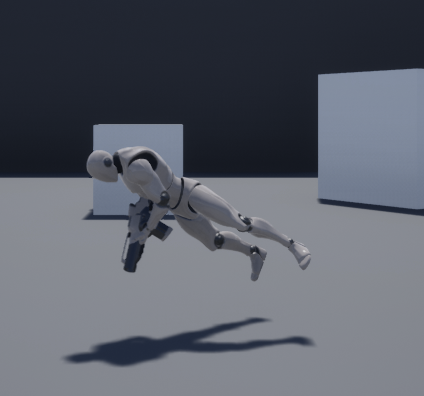
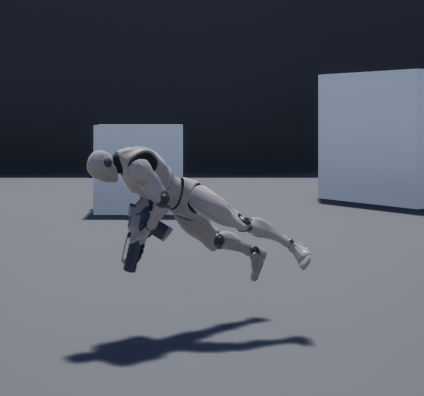 shadow ermine
Since I don't use it for versuonign
grim ore
looks fine to me, he is supposed to be swimming right?
shadow ermine
Nah I think he just flipped the world he is fine
tall pendant
looks like he's flying like superman. so everything works as intended.
shadow ermine
@grim ore do you know how to use a splash screen with alpha texture so something on the splash screen when loading the game Or the project is transparent?
 weary basalt
Nonsense
shadow ermine
That's the wrong machine, your cloth washing machine is somewhere else don't steel her spinning program
grim ore
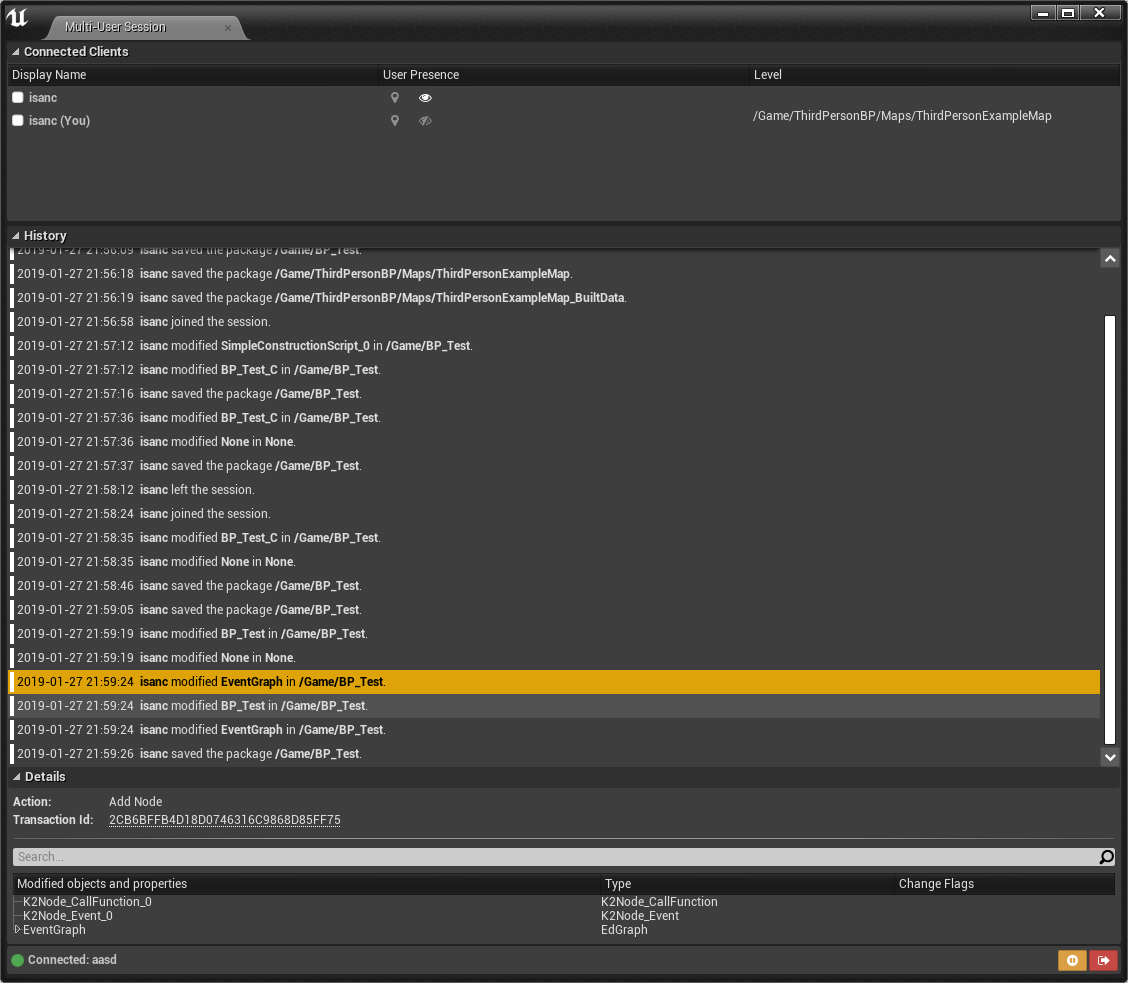
@shadow ermine well it should work but its super crashy. You can see it logs all actions across the instance even when editiing a BP. It seems like the loading of changed stuff is unstable right now but it did "work" in theory once lol https://i.imgur.com/99GISWB.png
 whole quarry
looks totally realistic, Allar
shadow ermine
Sounds like something promising is coming in small. Steps towards us
 manic pawn
if that multi-user thing is based on the same transactions stuff as undo, it will have a bright future
grim ore
@shadow ermine I don't know for sure but do you mean the engine loading splash screen? like the one that says unreal editor and your game name with the grey background in the middle of the screen? if so that is in the project settings -> Platforms -> Windows
 unkempt lotus
Hello! not sure if this is the right channel but what are ways to check what is causing performance issues? I'm currently working on a level which is a showcase scene for materials I've created in Substance Designer, the level is kind of like a lab so I've made several small chambers which you can look into and then placed a mesh in the room with the created texture on it. So I'm adding light sources too all those rooms, could that be causing performance issues? The weird thing is when I press play and the editor window is just the small standard size frame rate as it is supposed to be, but once I press F11 to enable full screen it runs like a slide show
Does anyone got some info or tips for me or maybe some links to lighting / performance check tutorial videos?
shadow ermine
Yeah that and I know the Way to set it but when using a png with transparent background it shows it as white background when having the texture assigned as splash screen :/
grim ore
damn yeah I can't seem to get transparency to work =/
shadow ermine
Googling only returns some other people with that problem and one wrote a script for that that you could add to the source of the engine but I'm not working with the source Build so that's not possibke
I have to test it with the thing he does with the bmp in the video still
But I'm not at the pc at the moment so I can't test it
grim ore
I don't have any picture editors so I can't even try lol
grim ore
I just have Inkscape which can't export out to BMP so I can't even try. super silly that it can't seem to import png with alpha
shadow ermine
Yeah it's just weird
Since in the engine it trys to import it and shows the transparency
And then as splash it doesn't
Thanks for helping and trying it out though @grim ore
grim ore
yeah I bet if it's got a separate transparency layer it would be fine i just don't have access to any programs to test that lol
and I bet it has to be BMP as well lol
abstract relic
Throw me the file and I can make an alpha for you
grim ore
according to the interwebs a 32bit bmp can have an alpha channel
glacial pecan
oh
grim ore
and seems to be what UE4 is expecting
glacial pecan
haven't used bmp since windows 3.1 so... 😛
 gaunt iron
i'm having an issue where the further i get from the center of the world the darker the reflection on a metallic becomes, until it becomes completely black
i have a lightmass importance volume and i'm using dynamic lighting
is there any way to fix this problem? I can provide screenshots if necessary
grim ore
do you have any reflection probes? or the reflection thingies that make reflections work?
gaunt iron
not as far as i know
 violet birch
Is it possible to add function testing for a blueprint directly into the details panel, like a button that runs a function during run-time or simulation
I thought I remember seeing an official UE4 video about something similar being added
grim ore
you can use Blutility scripts that let you run blueprints from the editor, within limits.
and in future versions you can skin windows with UMG to do the same, for now blutilities are buttons in the details panel on blueprints that support them
gaunt iron
@grim ore are you talking about these things?
grim ore
yeah those are normally what capture your environment and then influence the reflection on items that reflect
gaunt iron
ah i see
there was one there but when i make it bigger it stops the reflection on the inside as well
grim ore
the other one is the "lower hemisphere is solid color" option on the skylight. by default it is black and with nothing around you end up getting that color
gaunt iron
ah ok
gaunt iron
it stops working as soon as i change the influence radius, which is odd
and it doesn't change even after I build reflection captures
 mint umbra
Hey guys, is it possible to render out a video from Sequencer without simulating in PIE? I'm using World Composition and I'd prefer to not have tiles loading out while recording large vistas. I could turn up the streaming distance just for the streaming (was gonna add LODs for the far landscapes, but the video is for a youtuber and I was unaware that the render would render while simulating hehe)
 loud knoll
anyone know why they added that lighting failed message to build button?
 ancient fjord
Hey guys, im looking to create my own animations using the unreal engine skeleton/rig using Maya
is the only way to get access to it via ARTv1?
 gilded plinth
dang, I'm staring at my skeletal mesh bones in ue4 and wondering why the rotate transform tool in the preview editor has the orientation axis it does. My shoulder for example is in an A-pose , so I was wishing an axis pointing down along the A shape, but instead both object and world axis are the same world orientation with x axis parallel to the ground.
I went into maya to see my local rotation axis and they are correct so why is ue4's like this? : /
grim ore
Is it possible your local transform gizmo is in world and not local space?
and I think you already answered that lol. The next guess would be did you freeze and zero out your transforms in maya before exporting?
 next badger
@ancient fjord i'm not sure what you mean, you can export ue4 skeleton from ue4...but why would you do that if you have ART?
@mint umbra no afaik, but you could add level visibility track to hide parts you don't want, or you could set warm up delay to let them load

 slow hearth
is there an example config online anywhere to map a DS4 to an xbox controller?
I'd like to map all the axises to the Gamepad Left Thumb, Right thumb, triggers, etc.
next badger
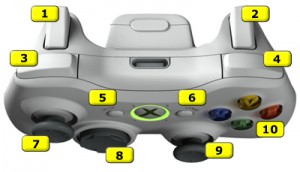
I’m now playing with Unreal Engine and I found out that the XBOX controller that I use for testing is hard to map to the actions because of the weird
there is also switch between XBox and PS4 naming in ue4 editor settings
slow hearth
@next badger thanks! I'm looking for mapping the windows dinput axises though
I found this which seems to have most of it (even though unity):

Gist
// Mapping for PlayStation 4 DualShock 4 (PS4, DS4) controller exposed via DirectInput - dualshock4_via_directinput.cpp
his productid didn't work for me, but I found the right one in the output log
next badger
oh, i know this guy, he's an author if imgui
 grand lagoon
Hello, Get triangles / vertex from a Skeletal Mesh ? Runtime
 violet goblet
hey guys...when exporting a character from maya to unreal, is it a good practice to combine meshes? like:
head + shirt + lower arm + pants + shoes?
does it have any sideeffets if i dont combine that?
kind pumice
meaning it gets imported into unreal as one asset?
I use export selection for individual pieces of most things, after freezing transformations
so that you can piece them together in UE4
and change things out if you feel like it - especially clothing
I'm just now getting back into things after a one year hiatus to produce an album (lol) so others may have better advice
I actually deleted a project that I worked on for almost 4 years the other day and it felt god damned amazing. Starting off fresh with what I've learned, feels pretty good
abstract relic
That also sounds terrifying
kind pumice
watching it all delete was definitely terrifying
but I'm glad I did it. At some point I learned enough to know I'd never finish it - the scope of the project was way too much for one dude lmao
abstract relic
Then I gotta ask
kind pumice
going to call it my BA in game design for my own sanity
abstract relic
Was it an mmo 😜
kind pumice
learning experience lmao
nope! It was a battle royal on a space ship that was a huge cube full of smaller cubes for rooms
rooms moved around and sheered off throughout the match
players had to make their way to the center of the ship to survive
it was pretty good. learning multiplayer crap and C++ at the same time killed my brain though lmao
getting jetpacks to work was the last straw if I remember correctly
abstract relic
Certainly not as bad but touching networking was certainly psychopathic
kind pumice
too much for a first project lol
abstract relic
We all need to get it out of our system 😜
abstract relic
Now you’re psychopathic
kind pumice
the break felt good and making music was pretty rewarding. I think I just needed a good vacation lol
abstract relic
Be sure to keep us posted. Redescending into insanity is always fun
kind pumice
definitely will do! my IT job is my main source of insanity. making games was my plan to get out of that hell - I think that pressure was too much too, the expectation that I'd be making money in a year or two LOL
next badger
@violet goblet ue4 combines skeletal meshes automatically if they are bound to the same skeleton in the FBX file
violet goblet
ah sorry did not mentioned that, i will not have any skeletons in in
its just for render stuff
but i did see there is a option in the import gui to combine meshes
next badger
@violet goblet those are static meshes? then you have options, to merge them or import separately
ther'es no major difference if you're not spawning 100 of them
violet goblet
thanks alot
next badger
@violet goblet by options i mean, there's a checkbox on import settings
violet goblet
just discovered it 😄 super hidden below that arrows
next badger
is that baked gi or realtime?
also, i'm feeling that there's no bluish tint in the lighting (considering color of the sky)
 junior thicket
I modeled it in blender and baked the lighting with Thug tools
 sudden agate
and whats your problem?
junior thicket
No problem, just wanted to show it off
It's not work in Unreal
So I put it here instead
whole quarry
but this is unreal chat 
grim sinew
Not really
next badger
@junior thicket well, yeah it's related, but #work-in-progress is more suitable for that
junior thicket
Bet
kind pumice
Is it normal for this to be insanely expensive compared to a regular skeletal mesh?
30 NPCs with that kind of setup brings me to 30fps - using the regular whole-body version keeps me at 120 lmao
took me forever to realize it was what was doing it
 lone zinc
Hey ! When you update unreal do you have to update /change something in VS as well ?
next badger
@kind pumice each mesh = draw call, each material = draw call...count yourself
kind pumice
ahh ok, makes sense. didn't have dismemberment working yet anyway so its out of here
thanks!
next badger
@lone zinc no
lone zinc
ok thank you
next badger
sometimes if you're updating c++ project, you may need to edit .build.cs file
@lone zinc on all other cases ue4 update everything for you, and also print a warning in case something is deprecated
lone zinc
Thank you for the info !
 dim whale
is it just me or does actor varables not appear in the data table editing menu?
 austere parcel
Ogre3D for life
 cloud cobalt
@austere parcel Uh, what ?
austere parcel
just checking whos awake
next badger
depends on context...if you hoping to abandon the game feature you have - probably yes
austere parcel
cool
violet goblet
game cahracter:
does it make sense to create eyelashes with
one strand
or
a whole plane textured with all strands
?
or even as a mesh?
violet goblet
@plush yew whats that discord channel?
austere parcel
guess it depends on the characters use case
Diablo camera... no lashes
makeup artists 5000 camera angle... meshes
violet goblet
true true...so i guess..make peace with tris is my way to go xD
next badger
@violet goblet agree, depends on your needs, games ofc do not such a thing
they use single sheet with all eyelashes on em
plush yew
sheet?
plush yew
ya i use a card mesh and a texture to show eyelashes on my characters
Is there a way to make a skybox from an enviroment so it doesnt has to be rendered, like im standing on a building and if im looking around in vr its like really realistic because its real
what u do is you make cloud and you leave the skybox alone
next badger
sometimes a several triangles on eyelashes is better since for planes you have to use transparency
plush yew
yes but i don't like it, it just doesn't look real.
violet goblet
i guess chars for a ps4 game could handle lashes of actual geometries
next badger
games characters are generally not look realistic
violet goblet
like that
plush yew
thats not bad.
next badger
@violet goblet well...they "can"...question if they should
violet goblet
yeah,m but not mine 😄
austere parcel
most women would kill for lashes like dat
plush yew
lol
violet goblet
😉
plush yew
the only object is the building and the rest is skybox, is this possible
next badger
@plush yew yes...but i think better will be to add few meshes with skybox projected map
plush yew
wdym
next badger
camera mapping
you can do that in ue4 even, but it's not as simple as if you do that in some 3d app
 next badger
@plush yew try without it, and if you notice distortion on the nearby buildings - you may use camera mapping
oh, also, the bigger skybox - the less noticable destortion is
it's hard to balance it if panorama has close objects
 umbral fulcrum
Is it possible to set an Unreal Engine application as wallpaper? Does anyone have knowledge?
cloud cobalt
That would be quite insane
Rendering UE at 60fps is going to need a significant cost on any system
cloud cobalt
Still going to draw lots of power
An empty UE scene is going to take at least a few milliseconds of CPU & GPU every 16.6 milliseconds
pallid compass
Hungry BOI
cloud cobalt
There are tools for interactive backgrounds, so that's probably better suited
pallid compass
Boiler plate
umbral fulcrum
K I will have to look into them, thanks!
 wary wave
would be better off rendering out a sequence to video, and converting that, probably
glacial pecan
so you can't add a spline directly to a level?
spline is always a component in a blueprint?
 regal mulch
Yop
 fierce tulip
glacial pecan
fierce tulip
glacial pecan
Ok, thanks
fierce tulip
wut
whole quarry
im not sure what is the most confusing part of that post
 magic knot
after updating steamvr 1.2.7 my vr application getting blurr
next badger
@glacial pecan correction, spline should be a part of an actor if you want to add one in a level (every asset in a level is an actor), it doesn't matter was it made with a blueprint or c++
 brisk osprey
Do you have to UPDATE unreal to create a new project ?
glacial pecan
@next badger I was just looking amongst all objects you can place in the level in that large menu on the left, and was surprised that spline wasn't a part of that
whole quarry
@brisk osprey no
brisk osprey
@whole quarry Thanks, but it does not have the launch button there, it just says update
whole quarry
click on the arrow in the button
glacial pecan
@brisk osprey my recommendation: skip the launcher
next badger
@glacial pecan yep, those are bare minimum, most used actors
brisk osprey
Ohh like create a shortcut to the desktop
glacial pecan
it feels as if it was made for gaming consumers, not developers and certainly not workplaces
next badger
@glacial pecan as example, Light actor is just an actor with light component in it
 primal edge

In this short videos series, I'll be uploading a lot of my personal scripts that was built for several unreal projects I work for, those are very handy scrip...
glacial pecan
@next badger but you don't have to add light actors to the content browser... but with splines you do... only, you can't tell if it's a spline unless you name the blueprint that
which is rather confusing and annoying, imo
next badger
@glacial pecan you have to get used to it, as for most of the features you will have to make them first (i.e. add to content browser) and only after that - use
glacial pecan
yes... it's the "most" where the difficulty lies 😉
 bold wyvern
I noticed that in my playthrough, my textures keep displaying a "Preview" watermark.
fierce tulip
try googling "ue4 preview watermark"
bold wyvern
I realize I need to build the lighting.
next badger
@wary wave do you have automatic clone clean up tool by any chance?
wary wave
a what now?
next badger
script that does "replace references" for matching assets
Luos probably would love that =))))
primal edge
😛
next badger
holy, ambershee...i mistagged you
primal edge

In this short videos series, I'll be uploading a lot of my personal scripts that was built for several unreal projects I work for, those are very handy scrip...
this one should do it, if the assets have the same name
next badger
i'm sorry
primal edge
like importing paragon characters, and all of them have common shared files
it is horrible issue when getting packs from the store
wary wave
haha
mint umbra
@next badger Warm up delay.. hmm. I fixed the issue by increasing streaming distance hehe, i'll check out warm up delay tho, cheers!
next badger
@primal edge it's just imo, but i think scripts should have own log tab
i mean the message log, not output log
fierce tulip
@primal edge any reason the normal built in replace duplicates wasnt working for you?
next badger
It is automatic!
i've merged two branches once...was hell
*they were not legit branches, but...the goal was merge two versions of the same project back in one
 deft temple
Hello everyone! Posting this here as I don't know what other channel would be the best fit. I have this obnoxious visual glitch. Anyone has a clue on where I can start looking to try and fix it?
wary wave
looks like your camera
deft temple
yep
This is the base setup for the camera. Nothing else should touch it. The enemy is a subclass of this, so it also has its own camera.
whole quarry
set the collision to overlap with camera
and why does the enemy have a camera? it doesnt need one?
deft temple
@whole quarry you are right I am just lazy, I should remove it.
next badger
in case of posession? 😛
deft temple
true! 😃
so changing the collision to overlap (on the two sword colliders) doesn't get rid of the problem. It was set to ignore before.
This is how the colliders are set up now
whole quarry
the enemy pawn is blocking the camera boom thing
deft temple
thx, that would explain why rotating it so the enemy is behind the character, rather than in front, makes the glitch disappear.
What would be the right approach to solve it (btw thx a lot for the help)
thx I solved it by changing the collision model on the character mesh
thx a lot for pointing me in the right direction
wary wave
wait, the camera on the enemy is colliding with the camera on the player or something?
that's a new one 😄
primal edge
@next badger either using the normal print method of Py or unreal logging interface, both will throw into the normal dev console. The good thing though, any message came from python, will start with "LogPython:"
@fierce tulip if u mean "Asset Action/ Replace References", then it works in a different way. will not be quick or straight forward if you have to do it for several assets that have duplicates.
deft temple
@wary wave the enemy mesh was colliding with the player camera
wary wave
ah, with the camera boom
or something, but yeah, makes sense
I don't like Epic's camera boom implementation tbh
deft temple
I don't like that by default things collide with it
fierce tulip
@primal edge ahh, so it can clean multiple different duplicates in one go?
primal edge
@fierce tulip thats per selected yes. Another one I will clean it up and post it soon, where it will be smart enough to just search, make its own list, and clean up all. The idea in that later one, that you might not be aware of the duplicates 😃
fierce tulip
what I find more annoying when trying to solve duplicates, is that one author used a grayscale texture set to SRGB while another unticked srgb, and another set its compression settings to alpha, and other mutations of the same file. cleaning those up break a brickton of materials occasionally
primal edge
😄 hahahahhaha
next badger
holy...never happend to me, but i'll keep that in mind
primal edge
shitz happenzz
fierce tulip
most teams ive worked for arent as adept to ue4 as you'd like, and the mess they can cause.. oh god
fierce tulip
whole projects where the materials are just named "Material_xxxxxxxx" where X is a random number they got after importing it
primal edge
been suffering from similar issue, specially when working in less established productions, people won't ever care about naming convention and file prefix !!!!!!! 😒
next badger
@fierce tulip i've worked on one project, where devs have "intermediate" and "saved" folders pushed to the repo...even after i informed them and told how to modify the p4ignore they still made no changes
fierce tulip
oh god yes, those too. imported into editor even
I think rad rodgers had an old splash screen that was almost a gb
k, back to bookkeeping. 😢
next badger
well, Luos do things that @everyone could 
 true leaf
I have a question about DataTables. Let's say I have a DataTable called 'Fruit' and I make rows in it called Apple, Banana, etc. Now I want to make another DataTable called 'Quests' and I make a row in this table called FirstQuest and I want the value of one of the columns of FirstQuest to be a reference to the 'apple' row of the fruit table. Is that possible ?
 graceful sky
Afaik you can add a datatable handle to it
true leaf
(previously, I was just using the string 'apple' and doing a row lookup in BP)
graceful sky
If you want to reference another datatable inside a datatable
true leaf
Add a DataTable handle ? 0.o
graceful sky
Yeah to the struct of Quest datatable
true leaf
Right. Oh that's interesting
graceful sky
I assume its quest items you wanna ref ?
graceful sky
Try it :)
true leaf
Ty ty
glacial pecan
oh great bad gif
wary wave
it looks like you're editing default properties in the details panel
whereas Sequencer would edit at run time
for some things (e.g. material params) it would update in the viewport
glacial pecan
mhm, and construction scripts don't run at runtime?
wary wave
but for actor vars I wouldn't expect it
construction script shouldn't be running
not from sequencer in the editor
glacial pecan
mmm... that's too bad
cloud cobalt
Construction script is run at object creation
glacial pecan
no
construction script runs any time an exposed variable is changed on an object
that's why it work from the editor
cloud cobalt
Yes
glacial pecan
but apparently, I have to try something else with sequencer
cloud cobalt
When you update a Blueprint, the default object gets recreated
glacial pecan
aha
so I need to google how to hook into the sequencer then
@wary wave @cloud cobalt any of you guys know why even event tick gets ignored by the sequencer?
what kind of events does sequencer scrubbing generate?
glacial pecan
right... and apparently construction script only happens in editor
so what the heck happens in the sequencer? 😛
wary wave
or when an actor is spawned
glacial pecan
it's in some hazy in-between land
glacial pecan
ok, but a cinematic camera on a camera rail updates in the editor with sequencer scrubbing
and that's what I'm trying to replicate with a normal spline
wary wave
I don't think you can in sequencer
glacial pecan
roll your own cinematic camera and cinematic rail you mean?
grim ore
kinda confused by why can't you just use sequencer to move the camera like it's designed to do? plot the key points and set up the curve in the sequencer curve editor
glacial pecan
@grim ore I thought that was what I was doing
I'm doing the exact thing that you do with camerarail... same setup
wary wave
you're changing an actor value
glacial pecan
only I'm using my own blueprint class
@wary wave as you do with camera rail! it's just named "current position on rail"
wary wave
camera rails aren't the same as your blueprints though
glacial pecan
and I named it "camera spline position"
wary wave
they have native code implementation
wary wave
have you tried simulating whilst scrubbing in sequencer?
wary wave
I don't see why not
glacial pecan
record a video using the sequencer I mean
wary wave
comes under the 'try it and find out' category, I think, hehe
 desert lichen
I'm pretty sure when you render out of Sequencer it does some kind of PIE and plays the timeline otherwise all the blueprints wouldnt activate and do stuff
wary wave
you can call BP events from sequencer just fine
once upon a time you used to be able to have actors do their construction script every tick, as well as have actors tick in editor
I suspect that disappeared for sanity reasons
 keen hearth
Hey guys!
I'm looking for some kind souls to help me find what I'm missing. I have a map with level streaming, however when placing certain characters into the persistent level, it only appears in the editor, but not during the actual gameplay.
All actors have visibility set to true and are not 'hidden in game'. Something prevents them from spawning, as not even their construction script gets executed.
Any help would be deeply appreciated!
wary wave
back to the previous message -are you sure they're not just falling through the world?
keen hearth
@wary wave pretty sure :/ turned off gravity for them to check, but still, construction script should be called, yet its not, its like the actor isnt spawned in at all
wary wave
unusual
keen hearth
@wary wave any ideas maybe where i could get assistance/support for this?
wary wave
I don't think anyone is going to have a specific answer for you
your best bet is to try and debug it
grim ore
put them in a blank new level, do they show up? that eliminates them as being the issue and it;s your level. Open up just the persistent/main level and drop it in there, see what happens.
sudden agate
if they overlap with geometry, they might avoid spawning due to collision. make sure your Spawn Collision Handling is set to "Always Spawn"
wary wave
if they're placed in editor that shouldn't be an issue
keen hearth
@grim ore thank you for your reply c: they show up perfectly in a blank level, however when placing it into the persistent lvl, its not spawned. @sudden agate thanks for the reply, they are set to always spawn :/
next badger
um...it's a third person character?
keen hearth
@next badger player controls a TPS char, the issue is with AI characters not showing up at all
when i spawn the same AI manually, it works perfectly, just not the 'pre-placed' ones
grim ore
ok that was the next question lol. So like they mentioned before on collision have you tried dropping them into the world on spawn? IE: place them like 20 units off the ground itself so they fall in when spawning to avoid collisions.
it does seem like maybe your not putting them in the main world tho if nothing happens at all but spawning them works
but... you seem to know what you are doing as well so that is not likely so damn lol
next badger
@keen hearth do they persist in the outliner when you run the game?
keen hearth
@next badger no they dont appear
@grim ore a quick showcase of my issue
https://www.youtube.com/watch?v=X-MYsc76Htw&feature=youtu.be
 next badger
@keen hearth what is set in the Actor/Spawn collision handling method?
keen hearth
@next badger it always spawns and ignores collisions
keen hearth
except that it doesnt always spawn...never does xD
keen hearth
@next badger
"LogPawn: Error: EnableInput can only be specified on a Pawn for its Controller
LogScript: Warning: UGameplayStatics::BeginSpawningActorFromClass: can not spawn an actor from a NULL class"
an error and a warning im getting
graceful sky
Anyone got the UE4 BP instructors guide? If so, is it valuable to have even if your not educating people? 😛
wary wave
is there even such a thing?
graceful sky
apparently there is
When i tried to grab it, it asks for academic institution or program name, but i'm not sure if that really matters
 silent sparrow
anyone know any good tutorials for starting off in unreal engine?
next badger
@keen hearth it's an assumption, but looks like bp has unset controller when placed in world, that causes an error and removal of the actor
marble saffron
Anyone know why an object in the editor turns black after building lighting?
keen hearth
@next badger the BP has "AI Controller Class" set to "AIController" as default, should it not work like that?
next badger
@silent sparrow i have no clue if it's good or not, but i've scrolled through it and seems like it's covering all the basics
https://www.youtube.com/watch?v=a0qNO6_xPx0
In this free Unreal Engine 4 for beginners tutorial video you will learn all of the basics of creating an environment in UE4. This includes setting UE4 up pr...
marble saffron
Its only affecting certain things
silent sparrow
thanks @next badger
plush yew
@graceful sky thank you 😃
next badger
@keen hearth try to find EnableInput in there and set a breakpoint, then see if the player controller not NULL
 iron wadi
Hi, is there planned support for Level Streaming with Volumetric Lightmaps?
keen hearth
@next badger thanks for your time!
next badger
@keen hearth GL with the issue
unkempt lotus
Hello! Does someone maybe got some information or tips for lighting an indoor scene? Then I mean an underground bunker / lab with no windows for outside light to enter through
unkempt lotus
Thanks! @grim sinew , and then no Directional Light / Sky Light + Sky Sphere / Atmospheric Fog?
grim sinew
Why would you? It's underground, you can't see anything
grim sinew
Complete waste of time using any of those, and you'll pay a huge cost for atmospheric fog for no reason
Still use exponential height fog though, just subtly. Helps define depth in 3d space
unkempt lotus
the lightmass volume is still required right?
grim sinew
Yes
grim ore
you dont need a lightmass volume, it just helps out if you have it so yes you should use it
grim sinew
The lightmass importance volume is needed, really whenever you're going to have any movable objects of any kind (including characters)
It's not -as- important when it's 100% indoors, but it takes all of 5 seconds to set up, so there's no reason not to
unkempt lotus
Cool thanks for the info! one last question, it's always the best to adjust settings for the Postprocess Volume after all the lights are placed right?
grim sinew
Probably. Post process stuff has runtime performance hit, so you want to get as close as you can to the final look before you start using it
grim ore
To work or not to work? Screw it, compile the latest master branch and use it as an excuse to do both lol
grim ore
well my launcher is yeah
screwing around with master branch today playing with the new stuff because real work sounds like work lol 😃
plush yew
@grim ore i hope you are using Release watching with github if you are using that
so handy
i get emailed
before i used to check the github status every day lol
because i like to be cutting edge
grim ore
I check it every week or so in sourcetree so I can see what changed
grim ore
super annoying that you can be all hyped about a new feature in a new release and it just sits in master and never makes it to live lol
grim ore
nah I don't work in the engine source unless the world is on fire I just try and keep up to date with the new stuff for learning purposes.
plush yew
yeah
 harsh tiger
is anyone here familiar with 3ds max? i have a simple question i cant find the answer for
pallid compass
Maya master race cult
grim ore
Paint 3D ftw!
tall pendant
milkshape 3d or gtfo 😄
pallid compass
lmfao milkshape 3d
manic pawn
I remember using milkshape 3d like 10 years ago and somehow it was more confusing than blender
harsh tiger
i normally use maya
abstract marsh
It'll take maybe 3 years and I need you to work full time for free
harsh tiger
but im in 3ds max and i cant even delete objects or select faces. its so weird
pallid compass
Why you working in MAX instead of maya?
fierce tulip
@pallid compass this isnt lounge, behave 😃
fierce tulip
@harsh tiger maybe you froze the objects?
harsh tiger
@pallid compass i have revit files and got the 3ds max plugin, so making the revit into fbx
@fierce tulip im not sure mate, this interface is scarier than blender haha
pallid compass
Thought uni was making you swap to max, was gonna cry for you
fierce tulip
just rightclick on a mesh or whatever and select unfreeze all, see if that works.
harsh tiger
im just using max to get the fbxs haha. im sticking with maya. also the unfreeze all is greyed out
fierce tulip
is it one mesh, or multiple?
better yet, dm me since its max and not ue4 related.
send me a screenshot
harsh tiger
its all under NDA
its all from a revit file
i've managed to select some parts haha
fierce tulip
just make a screenshot so nobody knows wtf they look at.
and anybody here would vouch for me not being an arse with that sorta stuff
well, almost anybody :p
harsh tiger
max has froze haha give it a minute
fuck max, im gonna export the revit to fbx and then edit the fbx in maya. thanks anyway @fierce tulip
maiden sundial
Are there some UE4 backgrounds with a MIT license ?
Or generally a licensed which won't give me troubles when i would sell my game
fierce tulip
now, as someone who is in a stockholm syndrome relation with max, I can agree to that sentiment @harsh tiger
plush yew
The unreal vs unity debate needs to stop. I just a hour talk with some goon on why I won't waste 3 years of unity experience because of one tos change that wasn't so bad.
 tardy zealot
I learned Max instead of Blender because of the latter's old UI being poo
grim ore
"use whatever you want just don't use windows" 😛
tardy zealot
feels like an Adobe product in terms of.. lots of complex stuff you probably don't need though
grim ore
I was actually going to try and get the linux port of UE4 up and running this week but is there an easy way to run it in a VM or something without having to dual boot the pc?
fierce tulip
@grim ore about time a new OS comes around that isnt as much bs as windows, but not as annoying as whatever mac runs these days.
grim ore
@manic pawn yeah I had a feeling but man I really can't dual boot at work 😦
manic pawn
the editor refuses to start without SM5 gpu present, but no normal vm can do that
grim ore
@fierce tulip I've been doing less and less gaming lately and the new Mint looks nice so I was hoping to get UE4 up and running on it as a trial
manic pawn
you'd need one of those crazy setups with a second gpu for the vm
tardy zealot
I know a lot of people have said how awful Adobe's creative club subscription nonsense is.. I still use Photoshop CS6 and will probably never upgrade. Even if they add one or two new features, it's mostly all the same stuff anyway, and if the tool you already know how to use can do what you need it to do, there's not much point figuring out a new one 😛
grim ore
well I wonder if you can run a vm using the PCIE adapter and have windows use the built in intel GPU then?
manic pawn
that might actually be possible 
grim ore
to the interwebs!
fierce tulip
@tardy zealot same, only downside is that most plugins released nowadays dont work on it 😦
manic pawn
but doesn't nvidia lock the gpu passthrough for the non ridiculous expensive quadro cards?
tardy zealot
Ah, shame. Though I mostly use it occasionally as a hobbyist, so I haven't really even messed with stuff like that.
grim ore
yeah... just looked at the compatibility list and its quadros and such lol @manic pawn
manic pawn
why can't you make a dual boot tho?
grim ore
well at work I can't work in linux lol
and at home I only have 1 ssd as the main drive so meh. I guess I can do it on the laptop lol
plush yew
@grim ore have u considered nvme yet?
grim ore
that costs money tho 😃
plush yew
@plush yew can use visual assist maybe if you are using cpp, unreal scripting can just use collapsed graphs to make it more modular and less cumbersome
tall pendant
"hate" is such a word. if you dont like visual scripting go the c++ route
or skookum
tall pendant
nope
 misty creek
You don't have to use bp
plush yew
you can use C++ when you make the project in UE
just look at the setting for it when you create a new project
I don't know c++
And the API makes me want to cry
haha
Correction don't know unreal c++
yeah it can be a bit archaic
@plush yew hey , 4.21.2 is great man
enjoy it and use it without worry 😃
i use it in a dedicated server game, no errors here.
stable.
Plus all the blueprints tuts pretty much goes like this. Ok guys I'll show you how to make this. Then proceeds to go through the tutorial without any reason why things work
grim ore
every version of every software has bugs.
misty creek
It depends on which tutorials you are watching
tall pendant
perfectly stable? go with 4.9.2 😄
misty creek
Some do explain, but others completely ignore that part
plush yew
@plush yew a fan favorite in this discord is the #blueprint channel youtube live stream blueprint communications training pin in the channel if you wana check out blueprints more
Ok thanks
grim ore
@plush yew there is no real good answer, you just hope what you use has no major issues. You could upgrade your project from UE 4.1 all the way to 4.99 and never run into an issue with your project.
misty creek
@plush yew You might try these https://www.youtube.com/user/VirtusEdu/playlists He generally does a pretty good job of explaining

YouTube
Ever wanted to be a game designer, web designer or even a graphic designer? Here's you'll find loads of awesome video tutorials! On my channel you will find ...
grim ore
If you want to read you can always use the official UE4 educator resources as well , https://www.unrealengine.com/en-US/educators/resources
 grim ore
They came out last year at GDC and most people don't know about them.
plush yew
gotta sign up - hmm.
if i might ask - what kinda stuff is it? just like general stuff?
grim ore
well its free to sign up but uh... there are a few topics from general to VR to arch viz coming soon. Its like basic+ level stuff, meant to give teachers a course to follow to teach the engine.
plush yew
oh ok coo
grim ore
the good part is there are quizzes so you have some focus on what Epic hopes you will have learned and if you pass those then 😃
the bad part is it's in docx and pptx format so you have to have office, office compatible program, or upload them to google docs lol
grim ore
hola
plush yew
hi there 😃
 bitter iris
can anyone help me to why my bones are away from the trigger?
theyre in the correct place in my modelling program
maiden sundial
I fuked my DPI scaling up.
Can someone give me the default values ? 😅
bitter iris
?
maiden sundial
This settings here
unkempt lotus
Hello! The Level Design channel isn't that crowded so I'll ask it here as well, I'm working on an underground level and I'm struggling with the lighting, it is just way too dark, does anyone have a tip for that? Or is the answer just simply add more light sources? Also adding a Directional Light / Skylight etc wouldn't make sense right? Because the level is underground, it would fix the overall darkness but not in a realistic way
plush yew
@unkempt lotus you can use a post processing ambient cubemap to help with background lighting through the entire world.
@maiden sundial
 safe rose
maiden sundial
safe rose
maiden sundial
Thanks
plush yew
haha yeah. never even seen that dpi thing before 😛 just saw it when he posted lol
@maiden sundial out of curiosity, how did you manage to change the default dpi setting? lol
maiden sundial
My background in my main menu was not scaling correctly, so i tried to make it on myself, which ended up really bad xD
plush yew
ahh haha
unkempt lotus
@plush yew the result with an added ambient cube map, this looks much better (still searching for the correct value, most likely a very small one) and it is probably also much better performance wise than adding lots and lots of light sources right?
Thanks!
plush yew
@unkempt lotus hey, yeah i use those in some of my multiplayer stuff. works well
looks good man
unkempt lotus
Cool! That is awesome, have you made a lot of multiplayer games? A very helpful tip indeed, thanks!
plush yew
nopes i am using unreal to make my first.
such a great platform, i love it
welcome 😃
unkempt lotus
awesome, good luck with it!
plush yew
thank you
 toxic wagon
Anyone here a camera nut? I'm looking for a good 2foot boom for my DSLR camera for making textures
can only seem to find 4foot and above
 dry moon
Does anyone know why the landscape grass tool's align to surface doesn't work correctly

It sometimes just completely rotates wrong even though the surface is flat
digital anchor
@dry moon is it a landscape or a static mesh ground? if its a landscape, you can try turning off Static Mesh and Foliage on the Paint > Filters maybe its painting on top of other stuff
dry moon
Its on a landscape using the Landscape Grass node in the material to automatically place them

Just aligning to surface ticked causes that
digital anchor
was trying to find an image for the options i was talking about
if you have eighter static mesh or foliage checked it may be aligning to already placed stuff
 digital anchor
oh, no idea then :/
unkempt lotus
how can you access the profile-gpu?
unkempt lotus
do you have to enable something to access the console?
because when I press the " ` " button, nothing happens
grim ore
Is it a US based layout? If not you might need to change the key in the settings in your editor preferences
unkempt lotus
my settings for it are like this
yes I use a us based lay out, so I have the button required
the console just doesn't pop up either in edit mode or play mode
does it open in another window which I'm not seeing?
regal mulch
Nope, same viewport you are playing in
Bind a different key to make sure it's not the key that's causing it
unkempt lotus
it's working now, apparently when you change the input key there are 2 " ` " keys that are available to choose, I picked the top one every time but after choosing the second one the console showed up
thanks for the help
rancid jay
Given how Epic has been purchasing this and that lately. I wonder if they regret for not buying Enlighten like Unity did
Looks like* Epic will launch their own GI at year 2030
there's no progress on GI if anyone is still hopeful, i just checked the thread.
though they hired new guy on this
steady owl
In general if building the highest end rig for UE4, would you be more beneficial with an 8-10 core CPU that has a fast speed (4.5 GHz >) or a 24+ core CPU that has a much slower clock speed (~3 GHz)?
I'm mainly focused on speed gains when compiling materials, importing meshes, that kind of thing
Not so much the lightmass builds
marble saffron
Hey guys. How would I go about changing materials in game. Like at the menu
zenith flower
@steady owl more cores is what you want for that.
Actually, it's more like speed X cores= output. So do the math
4 core @ 5ghz is better than 8core @ 2ghz
steady owl
Ok thanks!\
Sometimes I feel as though my high core cpu could be slowing things down vs a very fast but less core cpu
grim ore
That's possible if you have complex stuff getting stuck on one core but that's not too likely.
steady owl
Yeah for sure
 slate vessel
Not sure if anyone knows but, a lot of my asset preview thumbnails are coming up blank? They never used to be. Any tips?
 grim ore
super weird, maybe turn on thumbnail editing in the bottom right view options menu and reset them?
 gleaming lotus