#ue4-general
1 messages · Page 375 of 1
 copper fable
 wary wave
okay, so you are correct in that there's no real information in this
I'm a bit wary of the fact there's a pile of logging with stuff that just says useless things like "Warning: Your message" etc
where does that come from?
is there a third party plugin or something, or is it your own code?
 native cradle
Hi, has anyone here worked with Face AR?
copper fable
that was my message
this part shows when i debug it in VS
[2019.01.17-13.11.04:872][338]LogOutputDevice: Warning:
Script Stack (1 frames):
BP_MonsterBase_C.ReceiveTick
Assertion failed: ContainerPtr [File:D:\Build++UE4\Sync\Engine\Source\Runtime\CoreUObject\Public\UObject/UnrealType.h] [Line: 336]
UE4Editor.exe has triggered a breakpoint.
 cloud cobalt
You'll probabky need the call stack for that - installing the debug symbols and debugging with Visual
 opal spindle
Does anyone know the algorithm/function used for the splines used to connect blueprint nodes?
I tried smootherstep but seems to not do the trick
wary wave
yeah, what Stranger says really - the assert will have been hit for a reason, but without the callstack all you can really do is guess
always install the debugging symbols
copper fable
yeah installing them now 😃
wary wave
I don't know why the Epic launcher even gives you the choice
wary wave
it's not that big - but without it any error message you get from crashes are totally useless
 static viper
wasnt it like 8
cloud cobalt
It's actually that big IIRC
static viper
unpacked
wary wave
it's between 6-8GB
static viper
but download was 8gb
cloud cobalt
Thought it was 10 but yesterday someone said it was 20
static viper
ah yes
cloud cobalt
Yeah, 8GB download, 20GB unpacked
static viper
that actually depends
i saw what you saw too
almost freaked out how big it was
after reinstall of engine it was 8 gbs again...
 plush yew
Nobody can help me ?
cloud cobalt
If you explain in detail what you did, what you want and how what happened isn't what you wanted, yes
wary wave
to be fair, I don't think many (if any) people in here use World Creator anyway
plush yew
@cloud cobalt I use World Creator 2 to generate terrains, I want to export my terrains in UE4 for add details ( grass, rocks, trees... ) I know how to export the terrain in the UE4 with the heightmaps but I have problem with the texture exportation, I don't know how to do that correctly
wary wave
does World Creator not have it's own community for this kind of thing?
plush yew
@wary wave Yes, I think too 😦
cloud cobalt
Gonna need a hell more detail than that
plush yew
Yes, I asked on the world creator discord but I have no replies so I'm here ^^
static viper
people use world creator 2, but that doesnt mean that we are support for that
plush yew
it's to export to unreal engine, I thought the unreal engine discord was the best choice to find help
static viper
we are clearly not the best XD the best would be the developer
or the discord you came from really
plush yew
It's just a concern of misunderstanding on my part about the application of textures on unreal
static viper
ok
then give a question
i saw your post
need more info
i actually need some info
0 is bad
wary wave
we need to know what the actual problem is
plush yew
I created a terrain on World creator, I applied a texture ( a basic texture, I just applied the texture on my terrain), at that moment I export my terrain ( a heigtmaps file), I export it on unreal and there, I have my terrain, so far everything is fine... Now, I need to do the same thing (so export the texture) and apply it to the exported field just before, when I want to export my texture, world creator gives me several choices like splat map, color map, ambient occlusion map, roughness map ect, so I have to export this texture in unreal to apply it to the field but I have two concerns: I don't know which file I should choose to export to use it on unreal and then, I don't know how to apply it on unreal ^^
I've tried tutorials but I'm French, there are not many resources in French and the English videos are too indirect for me, if the person forgets a detail, I can't ask him to show me so I'm lost ^^
wow
Is big lol sorry 😦
static viper
mh
plush yew
I hope is much better ^^
plush yew
Yes yes, can I send you this in private ? I don't know if I can send something here ?
plush yew
ok 😃
static viper
i dont need the full file
dont care
what resolution are these textures?
they should be 4k at least
 ruby folio
Depends on the terrain size surely
plush yew
I don't know, this is textures in the world creator software, I can import new textures but before that, I need to know how to export in unreal lol, I send you the file
wary wave
tbh, sounds like you don't know what splat / colour / AO etc maps are?
so the problem is neither Unreal, nor World Creator?
plush yew
The textures and the options textures export
@wary wave I know a little bit about the principle of maps with all the videos I've seen but it doesn't really help me much
I can show you what are look like the differents maps if you need
Splat map is the texture file, color... the color lol, relief same, AO is grey like clouds, smoothness is black, roughness is white
wary wave
The maps are irrelevant; if you don't know what you want them for, then you can't know what you want to export and we can't help you :/
World Creator can probably generate all kinds of different texture maps, but how you use them is up to you
plush yew
I'm agree but my problem is about unreal engine import no World creator, I know how to export but no what export and after that, how apply on my world creator terrain exported in unreal
To apply a texture on unreal, you need specific files, right?
static viper
texture files?
ruby folio
@wary wave Beat me to it
plush yew
Yes, create materials sorry, so for " crate materials " I need specific files
wary wave
depending on how you want to set up your materials, you will want all kinds of different texture maps
this is why we can't help you
the materials do whatever you want them to do
if you don't know what that is, we can't either
plush yew
I seen many tutorials, but too many different ways to do this so I'm lost
 unreal spoke
I want to store the "current camera", then change it to a dynamic one generated on the fly and after a few seconds I want to go back to the previous one. How can I do the store and restore part?
cloud cobalt
ambershee's point is that there is no such thing as "directly importing something from World Creator to a game engine"
wary wave
^
static viper
but how can you not know yet what texture files are if you watched tutorials
that is controverse
wary wave
@unreal spoke - manually in BP, probably
static viper
oh god i oversaw that
cloud cobalt
@plush yew You need to learn and understand how the engine works, so that you will be able to use a tool. UE4 doesn't have "world creator import" - it can import textures, height maps for terrain, and you can create materials to apply to it
If you can find a tutorial for World Creator + UE4, try following it to the letter
If something doesn't work along the way we might help
plush yew
As I said just before, there are too many ways to do it, every time I watch a video to do that, I discover a new way of doing it, I just want to find my world creator field on unreal, nothing more @static viper
wary wave
there's no magic bullet
cloud cobalt
That's not easy
wary wave
you need to learn how to use it
cloud cobalt
It's like saying you just want your drawing of a car to be a car
It's not that easy
Now this is easier than building a car, of course, but it's not automated
And there are 50 different ways of doing it
plush yew
I know well, I learned dozens of software myself, photoshop, illustrator, premiere, music software, rendering software, I'm really not the kind of guy to ask for magic lol I don't want the easy way but when I see 10 different ways in 10 different videos, my brain burn lol
cloud cobalt
Your job as a game developer is tying different creation tools into a game engine - every 3D artist routinely uses 3 or 4 different tools to create a single object, then imports all that stuff, and then builds the end-result together in the game engine
Take it step by step
Try importing your terrain's goemetry first
Learn UE4 materials
Google every texture name
Watch 10 tutorials if they have 10 methods
And then decide how you want to build your game
The way I do my game assets is not the way ambershee does
And I can say that even though I have no idea about anyone's process 😛
plush yew
I just want to clarify, I don't want to make a game, I just want to add detail to landscapes so I can then make images or videos, it's just landscape creation, nothing more but I see what you mean
plush yew
@cloud cobalt I'm on youtube, I will try to find THE video to show what is the problem
cloud cobalt
@plush yew basically you'll want a height map first, because that's what UE4 uses for terrains, and then you can look at UE4 materials for the surface detail
plush yew
Yes, height map is very easy to import 😃
cloud cobalt
Import the rest manually file by file, create a material, apply material to landscape
static viper
@plush yew but i am really intrested
cloud cobalt
You'll need an albedo (color) map, roughness map, and normal map
Yeah, stop that please
plush yew
Ok thats the last picture
plush yew

cloud cobalt
Please remove the gifs ?
plush yew
@cloud cobalt World creator don't let me the possibily to export normal map
cloud cobalt
<@&213101288538374145> ?
plush yew
😮
cloud cobalt
@plush yew If you're not using normal maps in your tool, there is nothing to import
opal spindle
Anyways, so I asked this before but it kinda got snowed under: Does anyone know the algorithm/function used for the splines used to connect blueprint nodes?
I tried smootherstep but seems to not do the trick
wary wave
no idea tbh, it's probably hidden away in native code somewhere
plush yew
@wary wave Thank for the link
plush yew
I thinked unreal engine will be easier but I was wrong lol
wary wave
the more you understand the system, the better position you will be in to understand what you want out of World Creator
UE4's landscapes are easy to use
unreal spoke
How do I spawn a camera component into a scene component (not a regular actor)? With blueprints
wary wave
components can't have components.
plush yew
@cloud cobalt your so evil
plush yew
Perma?
 regal mulch
Yop
plush yew
Uh
@wary wave You're right
Maybe I should give up world creator and do everything on unreal lol
unreal spoke
@wary wave Ouch 😦 Well, maybe I can create a class based on cameracomponent...
cloud cobalt
@plush yew That's an option, yeah
unreal spoke
@wary wave Thanks
wary wave
I would still use World Creator - but it's worth learning how to do things in Unreal so at least you know what it's doing and why
plush yew
@cloud cobalt I don't know if my fields will be so cool and realistic on engine lol
cloud cobalt
They can be
plush yew
@wary wave I know I know ^^
ruby folio
@plush yew This is the most basic landscape material setup to get you started.
regal mulch
Ping me if he keeps spamming. g2g back to working.
plush yew
Holy moly
static viper
thats not simple
wary wave
@ruby folio - there's an example like that in the quick start tutorial, hehe
static viper
you could use colors...
plush yew

ruby folio
@static viper Yeah but confusion
cloud cobalt
@plush yew Look at the tutorial ambershee linked - and start with a primer on materials if that's unclear
Materials are amazing
static viper
well he could just take his textures and... create layers
static viper
that will better work then importing world creator
you would only use the heightmap anyways
or maybe layer paint data...
cloud cobalt
I don't know specifically about world creator but stuff like erosion simulation tools would definitely generate interesting maps
ruby folio
Ahhh... I love that we can block spammers
static viper
only you
static viper
you can export these heightmaps
wary wave
95% of that image above is just fancy shaders and lighting inside whatever rendered it :p
static viper
ue4 can read that
plush yew
@wary wave Yeah I know :p
I have another idea
Why i get one point more?
I can also say fu*k to the textures of world creator and work directly on the "painting" on my heightmap imported on unreal
ruby folio
@plush yew To stop the owl crying
ruby folio
Its intended to be
static viper
i stated the obvious
ruby folio
Quite often too
static viper
go back to your caves...
plush yew
For me, this image is the reprensentation of hell 😃 😃 😃
ruby folio
😜
ruby folio
Unless youre an owl
cloud cobalt
@plush yew Start here : https://docs.unrealengine.com/en-US/Engine/Rendering/Materials/IntroductionToMaterials
Practice materials a bit
I promise this will be 100% useful
plush yew
I think I will take time to read your links
I think unreal is a georgous software and I need practice
copper fable
when the editor crashes
plush yew
I'm sci fi author, I don't want to make games, just make beautiful landscape
 wary wave
'making beautiful landscapes' is what a fair number of professional game developers do for a living :p
plush yew
Game developement is definitively not for me but living with my " beautiful landscapes " is a nice idea 😄
 kindred viper
sometimes enjoying the fruits of game development is better than the grind to produce it
plush yew
Yeah
wary wave
almost always xD
wary wave
well, there's no such thing as a 'prop' in Unreal
cloud cobalt
Props is slang for small meshes
plush yew
My native language don't help me to understand the terms lol
wary wave
Props are usually blueprints / meshes or whatever
but they're not a specific asset type or anything
 whole quarry
props are meshes, usually 😛
plush yew
Ok lol
whole quarry
its items to fill the scene
plush yew
Because I am on unreal right now and I see rocks in " props " and grass in " meshes "
whole quarry
kind of makes sense to me
plush yew
I think I have some problems with the terms because of my native language
ruby folio
@plush yew You using assets from the marketplace?
plush yew
I donwloaded this morning this :
Downloaded*
Open World Foliage, for test the grass, was free so ^^
wary wave
there are a fair few free assets
plush yew
wary wave
the open world ones are particularly good
plush yew
Yes, this what I love unreal lol
why*
This is why* f*ck
Do you know if I can change the color of this grass, for example ?
 grim sinew
Probably.
whole quarry
edit the material 😛
grim sinew
I mean, I know I can, I don't know if you can. 
Do you know how to edit materials? Add a multiply and 3 vector param after the base color so you can change it that way
plush yew
I don't know how to do that but I will try, give me a minute 😄
 paper kernel
plush yew
paper kernel
plush yew
Hm, I think I need to watch some videos to change the color lol
Oh my god, I changed the color, I'm a legend
Oh no, false alert
 lament coyote
I don't know where it's the right place to ask this.
My editor is all the time gathering all the actors in the world and while it's doing that I can hardly work, it's too choppy. I see it's going through all 27000 actors in the world outliner which takes 5 seconds, and until it's done, I have to wait until the editor runs smoothly again. Any idea what it's doing this all the time? It hasn't always been like that.
plush yew
I have another dumb question :
Usually, I make render with Terragen, Rendering Software, to add clouds, fog, modify sun ect... If I use UE4 for my landscapes, do I need to add something like " render plugin " in unreal or no ?
Or I need to export my unreal scene and open it in terragen to make a render ?
( Terragen or another render software )
 simple dock
hey i have a custom movement component for my pawn i made in c++
but i cannot add it to pawn
i dont understand why not, i try to drag it in but nothing happens and when i use 'add component' and search for it, it does not find it
cloud cobalt
@plush yew UE4 has its own renderer, which is meant for speed of render. If you want to use another rendering software, UE4 is pointless
simple dock
why dpoesnt this work? do i need to edit engine source and force it?
static viper
you should bring this directly to #cpp
this is special
and you dont need to make low effort screenshots
just make ones which only show the important stuff
simple dock
hmm i didnt i made a screenshot, photoshop copy paste doesnt work
static viper
snipping tool.
simple dock
gotta save, i hate the new photoshop, u can only copy/paste 'within' it lol, im so used 2 just copy/paste
 trim tapir
You guys know if there's a really easy way to procedurally generate terrain?
 frosty copper
Easy is subjective 🤔
static viper
unreal dont has runtime landscape generation
wary wave
also the answer is 'no'
static viper
so you will have to use something else
grim sinew
The easiest way to procedurally generate terrain is to import the clouds filter from Photoshop as a heightmap
wary wave
there is no easy way to procedurally generate terrain
grim sinew
frosty copper
There's no "noob friendly" way
frosty copper
Drag, drop and click a check box.
static viper
that is meta
you didnt answer the questions XD
you scared away like a little pupper
static viper
no more ot XD
frosty copper
I will bap you. With a fishie.
 grim ore
change the landscape generation seed at runtime, how hard could that be 😛
cloud cobalt
There is no seed right now
grim ore
no no you have that wrong there has to be a random seed, everything has a random seed
why would they release the engine without a random terrain seed
cloud cobalt
I know you're trolling here, but I wanted to clarify, because obviously someone here is looking into procedural terrain
grim ore
more sarcasm and less trolling lol
static viper
👀
grim ore
I wonder if any of the engines have like a random generation system for terrain built in. I know some of the assets in Unity support it
cloud cobalt
🤷 It's something you can do anywhere
There are UE4 games with procedural terrain too
wary wave
getting something basic up and running isn't so hard
getting something good and performant....
cloud cobalt
Performance is clearly a problem. No Man's Sky runs like shit on PS4 for example
Wondering if Astroneer runs fine on XBox, since it's UE4 based
grim ore
damn I thought it was something added in 4.21 but thats getting the landscape heightmap out to a render target and not back in
cloud cobalt
Welp, looking at reviews, it doesn't.
@grim ore generating a 2D terrain heightmap is pretty trivial
That's not the hard part for terrain generation
Like, Kerbal Space Program famously used a sample program from libnoise for their entire planet surface
grim ore
so in theory it's not that hard to make it then? not good, but just something that does something at random push of a button type thing
cloud cobalt
The hard part is not generating pseudonoise, it's everything else
Like streaming the data, supporting LOD, collision...
And in the case of dynamic terrain deformation, the gameplay around it
Not to mention people expect 3D terrain since Minecraft - not just 2D terrain, but lifelike surfaces with caves, holes etc
grim sinew
https://www.youtube.com/watch?v=JNj986LBYD4 Here now go make procedural terrain with this.

Patrick Gladys demonstrates how we create ecosystems in the verse. ------------------------------------------ Roberts Space Industries is a spacecraft manufa...
Substance Designer is the best terrain generation tool, clearly
grim ore
nah I was thinking just more of adding some subtle noise to the terrain might be nice. something rather than a flat surface to work on but having something with some feel to it might be a nice start.
grim sinew
Okay I was being facetious but this is actually pretty decent I'm going to need to watch this at some point
 vale silo
looks like 4.21.2 hotfix issue list is all squared 😏
grim ore
so the texture maps for that were made in SD?
cloud cobalt
Textures might be misleading
wary wave
I could imagine texture maps for terrain being an ideal application of SD
masks and all
cloud cobalt
The problem with SD right now is that everyone is back to thinking displacement maps are a good idea
Substance needs something like a low poly baking
grim sinew
Yeah. They make the larger forms you would do in world machine, all the way down to the smaller tiling stuff
It's apparently all SD
And yeah, if Substance could get some decimation stuff built into it, that would be nice
cloud cobalt
Half Substance showoffs these days are incredibly good-looking, and also hopelessly unusable in a game engine
"Just needs infinite tessellation and this 8K height map"
grim sinew
Infinite tessellation, 10 minutes raytracing, and 8k textures.
All hail our lord and savior, the artstation substance material ball.
There's nothing wrong with displacement, it's just not the final step. You need to bake it down, and people want to (understandably) skip that step
I was even considering a while ago using dynamic substances and a pre-tessellated plane to get some cool WPO displacement
But turns out lightmass doesn't look at WPO and that ruined that idea
But the idea of it would still work really well, for massive surfaces you don't want to visibly tile and get actual displacement out of vertex blending
cloud cobalt
The idea is fine as an internal tool
But displacement isn't what you want at runtime, imho
Specifically not just displacement
 tall pendant
i hate all those high res displacement maps rendered in toolbag...
doesn't look like it in-game..so it's kinda pointless imho
cloud cobalt
It's relevant as an art piece tbh - not everything needs to be made into a runtime render
I'm just not sure how many of the artists understand that it's not a runtime render
tall pendant
ofc. But i'm talking about game art 😄
i dislike it when people present their game art in toolbag
thats what i mean
cloud cobalt
Yeah, I know, I agree
copper fable
could anyone help, my game keeps crashing throwing this exception

 pallid compass
Bit blurry but looks like nullptr
cloud cobalt
yup
wary wave
but yeah, it looks like an array contains a null pointer
ergo splodes
@copper fable - are you using some kind of plugin?
copper fable
nope
wary wave
this is the kind of thing I'd normally associate with dodgy native code
wary wave
It seems to be related to the monster tick event
copper fable
yeah
wary wave
but need the call stack
copper fable
shall i send a picture?
wary wave
something like that
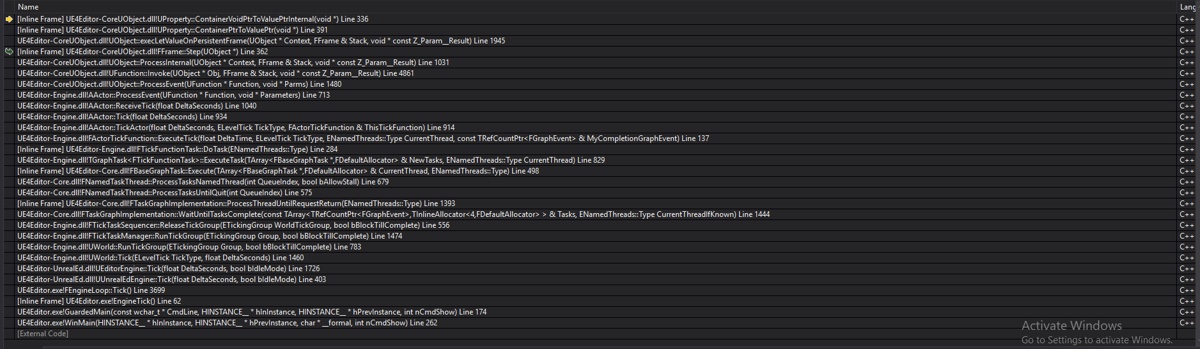 wary wave
alright, so what does the monster's tick function look like?
there's an array somewhere that has something horrible in it
 pallid compass
What's in that end func
plush yew
hey i have a question i got a error where can i ask for it ?
grim ore
You can ask anywhere, pick a channel if it's more appropriate.
plush yew
its like for the ue4 buildtool i got a error from
 obtuse path
What a stupid bug I've run into on the forums - apparently when you write a code snippet that includes angular brackets, it deletes everything between the brackets and the brackets themselves! Just reported it, but has anyone else run into this issue?
wary wave
well something is doing something
cloud cobalt
@copper fable Unplug stuff from the graph until it doesn't crash
copper fable
trying that now 😄
 thorny cipher
Anyone got simplygon working in 4.19?
Getting this? 🤔
Oh
The UE4 installer didnt include source files
For anyone wanting it 😉
 next badger
@thorny cipher you need to use custom build of ue4?
what is "advanced" means?
This branch contains the code for the Advanced integration. Please note that this is not a stand-alone plugin which means original unreal engine source code has been modified. For more information please navigate to the Read Me section
and the link goes to readme that has no any info
thorny cipher
I used the top ones
This doesn't come with source, so if you have custom built engine it wont work
It only puts binaries in the directory, not source files
I pulled the plugin files out of this
No idea why they dont just have the plugins themselves published somewhere
next badger
no idea why the "issues" are disabled...
next badger
@thorny cipher i wanted to say that, but ms has few decent repos on GitHub
 bitter iris
Anyone know why my SphereReflectionCapture looks dull on the floor at day time? https://gyazo.com/de393523237da99fcac5599fb24f1631
next badger

GitHub
Issues found on WSL. Contribute to Microsoft/WSL development by creating an account on GitHub.
thorny cipher
They have an empty forum 
for "support"
Oh maybe i need to be logged in
@bitter iris Why are you using sphere reflections w/ dynamic lighting
bitter iris
i dunno arent they good for adding more light?
thorny cipher
Not really, they are not captured in realtime
next badger
@thorny cipher i'm logged in and there's many forums, but they were dead for some time
thorny cipher
So if you capture while sun it up, and then it goes night, all your objects within a range will see the sun
bitter iris
oh
how else can i do it? i dont want to use alot of light sources as it messes the fps
next badger
@bitter iris you may use day/night switching tho
next badger

Use the new Precomputed Lightning Scenario Tool In Unreal Engine 4.14 to easily toggle between different lighting setups for your Archviz Scene. Toggle betwe...
thorny cipher
@next badger Yeah dead lol
bitter iris
yeah lol
next badger
@bitter iris reflection probes are precomputed...so...
thorny cipher
Or you can "recapture" when it goes night, but it'll hitch
Not sure if it's exposed to BP though
next badger
@thorny cipher i'm not sure that capture is part of the engine runtime, it may be that it's an Editor code
thorny cipher
If you need more light in buildings, try up your skylight intensity and tweak AO settings
@next badger Could be actually
next badger
and you can't use Editor code in game
bitter iris
so what other ways can i get it to use more light without the reflection thing
thorny cipher
i told you up there
"If you need more light in buildings, try up your skylight intensity and tweak AO settings
"
bitter iris
auto exposure is horrible
thorny cipher
you can customise it with post volumes
bitter iris
it needs to be perfect
bitter iris
ill give it a go
 languid sandal
Hey guys I just downloaded the unreal engine. And I’m gonna make a little test game. How long does it usually take you guys to finish a small project ? 2-3 weeks? Or is that unrealistic ?
bitter iris
Define "small"
languid sandal
Just a basic shooter 1st person/3rd
Just get map mechanics down
And get a character moving around
bitter iris
solo?
languid sandal
Yeah
bitter iris
i mean some guys in the game jams do it quite fast not sure to the extent you want it though
grim ore
get character moving? instant using a template. Get a basic map? 10 minutes if randomly placing brushes. done in 15!
bitter iris
Lol
languid sandal
@grim ore haha yeah but a little more indebted. Like a completed game, just not really in debt I wanna just mess with random little details to get the hang of things
thorny cipher
UE4 network optimization live stream starting in 24 mins https://www.twitch.tv/unrealengine
 grim ore
well a complete game is relative to the person but yeah a few weeks is no problem Unless you are learning as you go, then the definition of complete is lower lol
languid sandal
Ohh ok forsure thanks man.
grim ore
if you just use a starting template for FPS or TPS your basic movement is done. The rest is level layout and design and with geometry brushes you can do it all in engine without any real engine knowledge (coding, etc.)
making textures might take a little work but once you get a master material the rest is just making variations and slapping it on stuff
beyond that I guess you need a UI and that is a little bit of work but there is enough out there to get that done in a short while.
after that it's complete technically. adding in sounds or music is a little work but not much to make it more complete. then adding in more weapons is where it might go off the rails.
languid sandal
Ohh yeah? Adding weapons for pick up complicates things when you’re working with it?
grim ore
at that point your working with things like tracking things internally for pickups, do you want more than 1 weapon and if so you make a basic inventory or weapon system... and it goes downhill from there in terms of what you need to learn
which is why complete is subjective. moving around a grey area going pew pew? easy. Making a simple map with objectives and multiple weapons and ammo and hell firing types? harder. adding in things like AI to fight against? how many years you got? 😛
for a FPS there is a shooter project that can be picked apart but it uses C++ so..... 😦
on the good news front tho FPS/TPS are common game types so there are plenty of people out there with tutorials explaining how to do it 😃
languid sandal
Ohh true 😃 thanks for all your input 👍😁
 abstract relic
Make a simple arcade game. It’ll limit your scope and typically hits the basics of what you need in future games
next badger
@languid sandal we generally do jam submissions in 3 or 7 days, but all the people are experienced with engine (some has years)
it's not hard to make a game with ue4, it's hard to learn it
next badger
@languid sandal yep, it's fully published...2-5 ppl
some could make game solo
in the same time span
languid sandal
That’s pretty good!?
In order to work with a team, would I have to share UE files with them? Or how does that work?
next badger
generally those games have a lot of bugs
languid sandal
I’m about to download it right now and take a swing at things. Just kinda curious.
next badger
@languid sandal Version Control
abstract relic
Not really. It means you’re good at everything but not great at one subject
next badger
@languid sandal for ue4 it's Perforce
@abstract relic "good"...let's say not bad
i'm good at 3d art, so i prefer working on that when we jam
abstract relic
“good” = functional
next badger
also, jam day is 25hrs
grim ore
It's the UE4 Livestream or the MK11 reveal stream.....
abstract relic
Show off your work when you get a chance 😃
next badger
@abstract relic me?
abstract relic
Yes
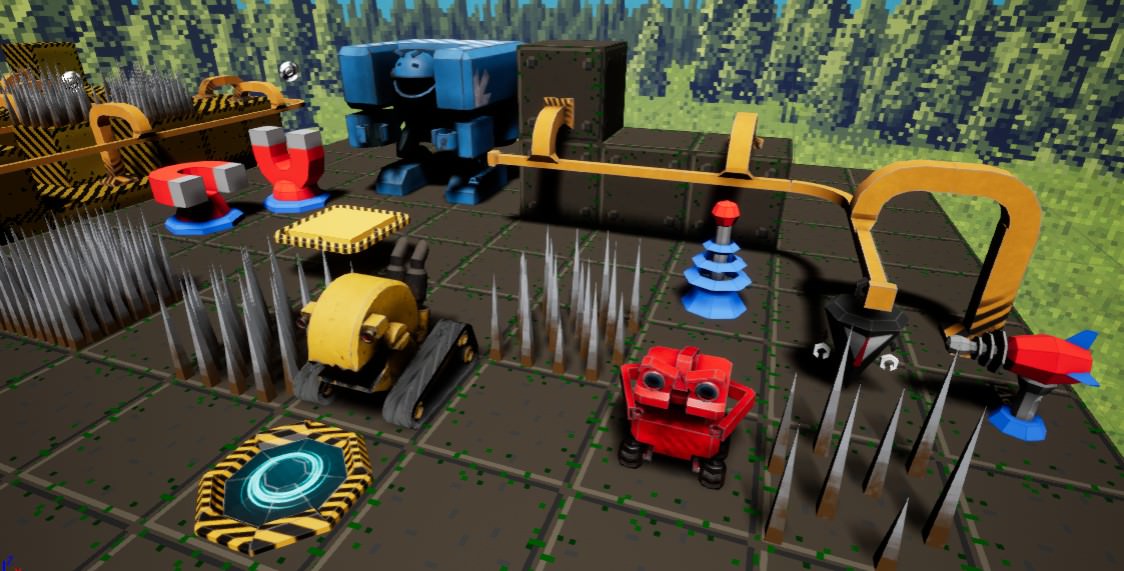 wary wave
that looks suspiciously like Robo Rally
next badger
@wary wave nah, it's just a plane for assets, levels were 3d
wary wave
fair
next badger
i just have no screenshots
wary wave
you should probably rectify that 😉
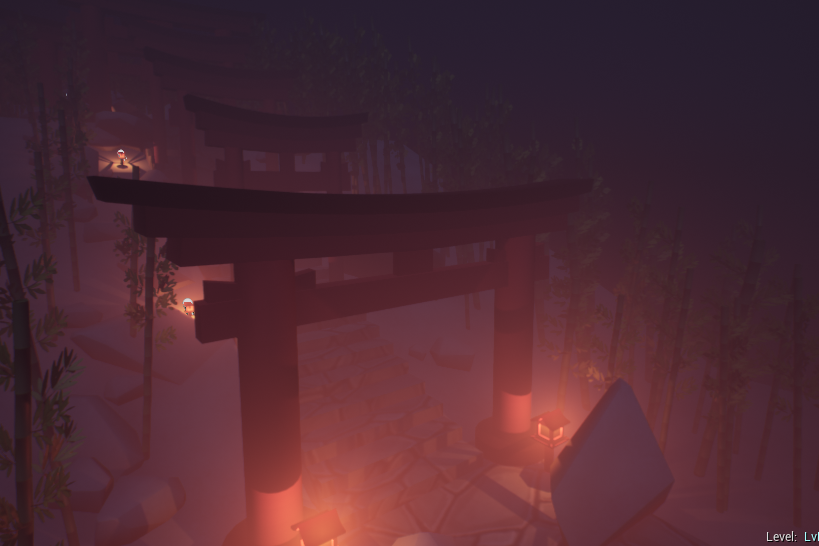 static viper
looks ok
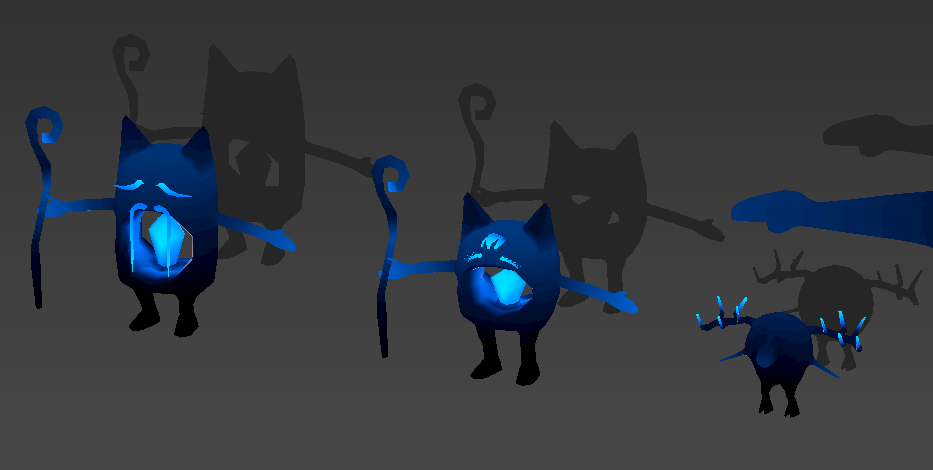
 static viper
oh nonono
dont show me
T_T
i love it
but now i am inspired
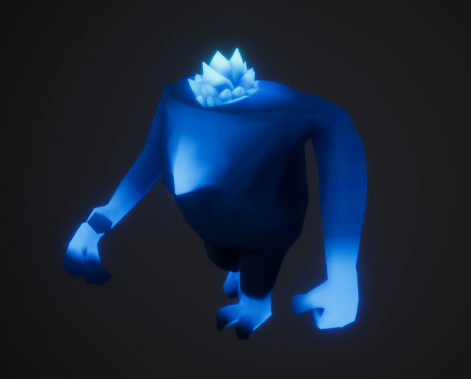
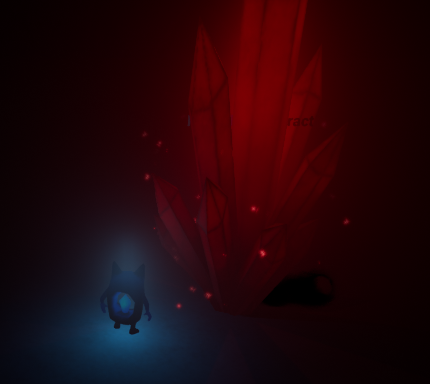
to create crystal monsters...
for my game
next badger
found, it was 2017-11 MegaJam
static viper
they are animated?
next badger
ofc
next badger
texture
next badger
there was a menu, but not settings one iirc
static viper
😐
 safe rose
Robots on a Budget Good jam
wary wave
settings menus take valuable dev time, hehe
static viper
having a settings menu is a major advantage
i would not count it at all
just take a random one
safe rose
Like pre-made menu?
static viper
its like
static viper
a basic thingy everything can reuse
safe rose
Feels...meh
next badger
@static viper for gamejam game? advantage?
static viper
yes
just premake one
and have it in every jam
it helps soooo much
and it has nothing todo with your game at all
the art
or gameplay
so everyone should be able to integrate it for free
next badger
um, but menu is a part of game jam pack now isn't it?
next badger
@static viper it is provided, it's free
next badger

I'm really proud to announce the release of the Game Jam Toolkit for Unreal Engine 4! What is the UE4 Game Jam Toolkit? Time is the enemy...
 quick breach
When 4.22 ? )))
tall pendant
rumors are around gdc
 signal orchid
Nice stream today guys, thanks! 😬
 clever pond
signal orchid
clever pond
signal orchid
haha, the server uptime issue answer was quite helpful
 manic pawn
server uptime issue?
signal orchid
dedicated server performance gets a bit wacky the longer it stays up, mainly due to floating precision in the server's time var
the higher the tick rate the quicker it leads up to that
not much of an issue for session based games but for MMOs and other games that require servers to stay up for hours it's quite the issue
manic pawn
what was the solution?
signal orchid
depends on the game, but the general fix was to change the server time type to a double instead of a float and possibly lower the tick rate of the server
abstract relic
insanity is always fun
lament coyote
I don't know where it's the right place to ask this.
My editor is all the time gathering all the actors in the world and while it's doing that I can hardly work, it's too choppy. I see it's going through all 27000 actors in the world outliner which takes 5 seconds, and until it's done, I have to wait until the editor runs smoothly again. Any idea why it's doing this all the time? It hasn't always been like that.
next badger
@grim ore btw, how is your small game project going? have you started?
grim ore
oh I started and I stopped and I started and its now stopped lol 😃 Real life is a bitch
lament coyote
Hey @grim ore i see tons of actor names going through the world outliner list. Now Im working on a sequence and it‘s doing it very often. When I scroll through the timeline it happens often. Outside of the sequencer it always happens when I stop to play or often when i delete or create new objects. I cant quite put my finger on what exactly causes it. Its not completely predictable. I first had this happen after switching to 4.20 i think.
grim ore
you don't have anything running on construct on your objects do you? the ones in your scene
grim ore
it constructs them on creation as well as when they move
lament coyote
Why would it do that when i just move around in the world and place objects or move stuff?
Yeah these actors are not touched at all tho
grim ore
it shouldn't when you just move no, but looking at construction scripts as a cause for lag was my first thought
the system could be auto saving as a second idea
lament coyote
Yes its a good idea
Auto saving happens every 25 mins, not all the time
Would it construct an actor when it was culled away but now it becomes visible as its near my camera?
 dark depot
should only be when it moves or is changed in some way
grim ore
as far as I know no, but that is a good question. I thought that was just visibility
 split wedge
im trying to make a light house and just wonder how do i make a bsp circle taper in to lookslanted
lament coyote
Well, i certainly dont touch those actors at all
grim ore
I don't know if anyone else can give any more advice if we can't see it. It's weird if the engine is processing the actors in the world on its own
lament coyote
it now happens very frequently when i go through the timeline of the sequencer. the camera is switching between far away places in the world
but often it also does the transition smoothlywithout that happening
but it's such a pain to work on it atm with these frequent delays and lags
split wedge
have you tried to turn auto compiler off
lament coyote
no. is auto compiling that it compiles uncompiled actors when I hit play?
because it has nothing to do with compiling
grim ore
it's weird it would happen in the editor, i mean it could be rendering lag but 5 seconds is a long time but maybe it does have to do with your construction scripts all firing when the objects are recreated.
lament coyote
can i somehow disable constructing without unplugging it in every single actor? that would be interesting to try
grim ore
it's a weird option but you could duplicate the map, then edit the duplicate by removing items a group at a time and see if you can figure it out. See if it's related to static stuff without scripts or if it's something code related running.
grim ore
there is probably a way of profiling this all as well and then checking the profile graph but I will be damned if I know that
lament coyote
i just know it did never happen before an engine update
in 4.19 i think it was still ok
grim ore
I doubt this is it but you said it's happening more often in sequecer, this was added in 4.20 New: Enabled "Run Construction Scripts in Sequencer" by default.
lament coyote
interesting. i only started working in the sequencer today tho, so in my normal editor routine it still happens too often
is there a list of situations where the construction script is run?
for example does it run when you "play"?
it has also become a pain to play, because it takes sometimes half a minute to finally start
oh I guess if I put a "print" in a construction script I could easily find out @grim ore ?
 zenith flower
insanity:
I have to set both to by ref, compile, unset both, compile for that warning to go away
also, if I override the function in a child player controller, and enable dedicated server, I get an inf loop
Thats insanity
(If I remove any kind of array from the event, it works, it doesn't matter if I'm using them or not)
manic pawn
insanity: using reroute nodes but somehow still having everything misaligned
zenith flower
insanity: using reroute nodes to make everything pretty, just to mess it all up while debugging, and then getting called out for it.
split wedge
how do i taper a hollow cylinder to look slanted
zenith flower
manic pawn
got some blueprints from hell candidates with those last 2 !
zenith flower
uh.... no not really
manic pawn
this seems like a thing that should really not be in bp
zenith flower
seems like you're a c++ person
I tell you what, I can look at that, and remember what it does
vs staring at code for an hour just to get my bearings
zenith flower
anyways, the point is, don't talk shit because I HAPPEN to put SINGLE picture up, with messy reroute nodes
manic pawn
pls I'm kidding
zenith flower
its an old picture
manic pawn
that's an interesting way to use a comment node
I never thought of adding multiple lines in the header
zenith flower
current :
Insanity
and no, i wasn't hiding a reroute node under it
that actually happened to me once

 / 10
abstract relic
/ 10
abstract relic
You heathen
lament coyote
@grim ore with the "print string" in a construction script I can now see that it is not constructing anything when this happens. It will always do this thing when I open or close the sequencer but the print string isn't showing anything at that moment. I recorded how it looks https://streamable.com/4qw08 In there I can see that it starts to list also actors that definetely have no construction script, like a post process volume. It looks like it simply adds all actors to the list.
 lament coyote
This fixed it: https://i.imgur.com/ftIvYrF.png

 coarse osprey
I need a lottle bit of help here
I need to make rain at some time, but the way that the default sky shpere handles the cloud textures wont help
The cloud just rotates, they wont really move, so there will never be clouds directly on top of the player
I want some way to have clouds on top of me, so i can make it rain without it looking odd
Volumetric clouds are not an option, since it costs too much performance
grim sinew
Make a new sky.
coarse osprey
How.
grim sinew
Well you can render one in something like Vue, you can use an HDRI, or you can walk outside, take a picture of clouds, and composite it together in Photoshop.
Behold the middleground between "default engine sky" and "state of the art volumetric clouds" - Just doing it yourself 😛
zenith flower
But what if it's not cloudy outside?
grim sinew
Then wait until a cloudy day
grim sinew
Nope
coarse osprey
I need something dynamic, static images wont help much
zenith flower
Make a voxel, procedurally generated volumetric cloud then
grim sinew
Honestly, ya probably don't. Majority of games don't have dynamic skies, they just fake it by layering manual cloud layers.
zenith flower
Should solve all but the performance issues
grim sinew
Everything you believe is a lie, now start out slow and just try to do a single layer skybox
😛
zenith flower
True
I have a whole real-time volumetric weather simulator that's on hold until I have the energy to keep crying
grim sinew
Besides, actually making a skybox always looks better anyway. Voxels are too low res
grim sinew
Shocking, I know, but offline rendering a skybox with 500x the voxels gets you higher quality than trying to do it realtime, and it runs like 100x faster
zenith flower
Ok, enough playing around back to work for me
 thin wolf
this might be the wrong place but where can i look for someone to hire besides the channel created as i cant post or reply?
grim sinew
@thin wolf You look in that channel you just mentioned. Read the pinned message, it says how to use it.
 fierce remnant
can I get a shout out for all the girl devs in the chat
 velvet finch
in UE4 say my character faces this mesh this way
does UE4 render the back faces of this mesh?
or does it only render the polys i see?
debating if i should make a 2nd version devoid of the back faces since i'm going to be using this piece quite often in making buildings
abstract relic
By default, it’s culled by object. Not polygon.
velvet finch
i see
so that means i'll have to make a seperate one for optimization sake
since very few of these meshes would have the back faces visible to the player
abstract relic
You may run into lightning issues. If that mesh will be intersecting with another object, then the mesh doesn’t need to be closed
velvet finch
yup they will be intersecting with other pieces
to form an industrial building
but some rooms will be explorable by the players
well player
they won't be able to explore the whole complex though just a few rooms
abstract relic
Well worst case scenario, you can always remap and rebake if you find unneeded polys.
grim sinew
Unreal will by default only render one side of the polygon. Same as Maya does. Maya is doing a trick for you where it duplicates all the geo and flips the normals automatically to "help" you
But for game artists, it just hinders you and gives you an inaccurate preview
abstract relic
Technically polys are one sided anyway
grim sinew
Yep, as I just said 😛 In other words, that is
velvet finch
i see
grim sinew
If you want it to be two sided, it doubles the polycount
velvet finch
i don't mean so much as in i want the polys to be double face but rather
abstract relic
Are there double sided polys in there? I cannot tell
velvet finch
the back side of the static mesh that is not visible
whether it loads when its not visible to the player
grim sinew
The back side will not be visible unless you specifically go into the material in Unreal and tell it to be.
The back side does not exist. Maya is lying to you.
grim sinew
Yes, because that is actual polygons
abstract relic
I think he means the mesh as a unit. Not the polys
grim sinew
When I say backside, I mean the backside of the individual polygons.
grim sinew
To answer your question, no. No game engine on earth is going to automatically cull individual polygons you can't see. It loads the whole mesh.
velvet finch
alrighty
abstract relic
Remember to send us pretty pictures of your work when it’s done 😜
grim sinew
If you have a 1 million poly mesh and only 5 polys are visible, the whole thing is rendered anyway.
velvet finch
alrighty
so i'll make 2 seperate versions then
one for the far away only exterior visible
and one with the full mesh
abstract relic
Always have the base mesh. Good on you 👍🏼
Just don’t retopolize the base mesh. If you decide to rework it later. Those edge loops are needed for clean modeling.
abstract relic
Then again
grim sinew
And always remember you're making a game asset. Quads don't matter.
abstract relic
You can just use Boolean
grim sinew
Everything is triangulated anyway
velvet finch
alrighty
abstract relic
Rule 1: polygons are a lie 😜
grim sinew
Rule 2: This isn't 2006. You don't need to fear polygons. Including the extra polys from dynamic shadows, you're good up until 20 million polys visible at any given time.
It's preferable to have more polygons, if it means you can save on material complexity.
abstract relic
I don’t know about you but when the wireframe looks solid, I’m very scared
velvet finch
ah alrighty
grim sinew
Then use LODs
 dry moon
What if I got heavy LODs
grim sinew
And if the wireframe looks solid, honestly I just stopped caring anymore. Quad overdraw isn't really a problem in deferred
velvet finch
thats good coz i don't think i can even come close to 1 mil polys haha
dry moon
and most of it is from lots of foliage
velvet finch
at any given time XD
grim sinew
@dry moon Then use less foliage or don't be terrible. 😛
abstract relic
Famous last words Tear 😜
dry moon
But I need dense forests to be beautiful
velvet finch
i have a huge lack of foliage in my game haha
grim sinew
Also more LODs =/= better. Not always the case there. LODs have a cost in themselves.
velvet finch
its just a floating metal platform with 8 zones haha
grim sinew
And you can have dense forests. You can also have dense forests that don't run like crap. If you want to really have a dense scene, you need to be smart for it to work.
abstract relic
You can fix that by adding metal flowers
velvet finch
i might regret saying that when i get closer to the finish haha
grim sinew
It's really easy for stuff to get out of hand when you're duplicating it a few thousand times
The more dense you want a forest scene to be, the more diligent you need to be about good practices for it to work
dry moon
ya ik I'm going 30FPS 1080p right now on Xbox One, I eventually going to write something about optimization on consoles with foilage
Lots of pain trying to get that running really good
😦
grim sinew
If you're not working at a major studio and still managing to push current gen consoles to the point where they can't even run at 30 fps, you have problems.
There is something fundamentally wrong with your assets
dry moon
fallout 76 would like to speak with you
velvet finch
hmm if i cut down the number of assets i have by half
and the poly count increases by 40%
grim sinew
Current consoles are not weak, they're well above the average spec PC Unreal 4 was built with in mind.
velvet finch
would that be worth it?
dry moon
Nah current consoles are definitely weak
grim sinew
@velvet finch Don't optimize your scene until your scene is finished.
grim sinew
You can play the optimization game until the end of time and never reach the end. It is a bottomless rabbit hole.
dry moon
The Xbox One base is factually the weakest as well
velvet finch
i'm getting the idea that we just optimize enough for it to run smoothly and then just leave it
grim sinew
@dry moon They are not weak. They are weak by current PC standards, but they are not weak systems. Or need I remind you how dense the foliage was in Ryse?
velvet finch
and load fast
abstract relic
Go crazy in other words then we’ll poke fun at you like hodd over here 😜
velvet finch
alrighty haha
grim sinew
And I guarantee you, Ryse looks better than what you're probably working on. You can do it, you just need to put effort in.
grim sinew
Oh cry me a river, 900p vs 1080p isn't a huge gap. 😛
dry moon
Most major studios cannot pull off solid gameplay on base Xbox One anymore without crazy downgrades
grim sinew
And it looked incredible, especially considering how close it launched to the release of the systems
And now you're conflating visual optimization with gameplay.
dry moon
Even Resident Evil 2, has those dibs hard on base Xbox One
grim sinew
https://www.mobygames.com/images/promo/original/1472429966-363177756.jpg Your game needs more dense foliage than this?
 dry moon
Yeah
grim sinew
https://sfx.thelazy.net/static/media/medthumb/Ryse_2016-01-08_21-22-12_Copy.jpg How do you intend on seeing 5 feet in front of your face?
 grim sinew
That would require you to be able to see the level behind all the foliage cards
dry moon
but you'll get there one day bud
abstract relic
Is it some sort of grass maze? That sounds amazing
grim sinew
https://twitter.com/ambiguousgames/status/1086075214381735936 No, this is his project.


I'm loving each new area so much! Harmony! @UnrealEngine @NVIDIAGameDev #puzzlegame #openworld #gamedev #ue4 #MadeWithUnreal #indiedev #indiegame #indiegames #gaming #indiegamedev #gamedevelopment #environmentart https://t.co/PPvj5UKWcK
 Twitter
dry moon
Twitter
dry moon
Well you can instead of using a rock wall as a way block the player
you can use foliage as a way to force paths
in a game that's supposed to be heavily about nature, you can kinda expect lots of foliage
as a way to build walls
abstract relic
There’s quite a bit of unimpeded line of sight though
Gotta give culling a fighting chance here mate
grim sinew
Like this you mean?
abstract relic
It does look lovely however
dry moon
Culling sure, you can use smart level design to build levels/hills to it
to encourage that
= smart level design
grim sinew
Undeserved as it may be from a visual point of view, I love your unabashed confidence. Keep at it.
abstract relic
Hills, switchbacks, sure
dry moon
You definitely can't say consoles are the same as a mid tier PC in today's terms. 2013 release date
Its getting there in age to the point where its a pain
grim sinew
I didn't say anything about mid tier PC.
grim sinew
No, I'm saying they're competent machines that you can do a lot with.
Look at Paragon, if you need proof of that. Even the same engine.
 dry moon
Yeah and they had trade offs with a lot of what they had to do to make sure they hit consoles
grim sinew
Yeah. And artistically it looks stunning, and it ran just fine on all consoles it was ported to.
dry moon
Definitely not the same development ideals as PC
abstract relic
You may want to switch your targeted hardware if it’s too limiting
dry moon
Its 2013 hardware
abstract relic
and?
dry moon
and?
dark depot
but its one system
grim sinew
^
dry moon
Idk what you are arguing, its getting there in age, its definitely weak and you do need to make trade offs or work smart in terms of how to deliver the same visuals/least amount of compromises for your title
dark depot
same on pc
dry moon
If that is something too cerebral for you, idk man
dark depot
look at current avg gaming pc its under the xbox/ps specs haah
so in reality pc is weak if you want to get down to it
abstract relic
Everyone needs a good vent. We’ve all been there
dark depot
https://store.steampowered.com/hwsurvey looks like avg has gone up this year a bit but 30% of people still have only dual core cpus @dry moon
dry moon
30% is not really average
and doesn't really tell you the amount of cores
I get numbers like
Number of Physical CPUs: 4
at 3GHz-3.5GHz
Which is fare, not really complaining about the CPU of the Xbox
but the GPU is well below
average is like a 1060
The Xbox One GPU clocks at like a lower of a 1050
dry moon
I know
dark depot
more people have a 750 then something high end
dry moon
and going by average yes 4 cores, not dual core
velvet finch
alrighty thx Hodd!
dry moon
no problem!
velvet finch
nice so far i'm safely under 100k as expected haha
abstract relic
Add a couple 0s in there
velvet finch
haha
 languid shard
100k aint that much :p
velvet finch
next time maybe if all goes well
i'm sure it would be higher next time haha
so far no chars, no enemies, no particle effects
no decals either
velvet finch
oh snap
i didn't take vertex painting into consideration rip
gotta retopo my stuff for today haha
next badger
seems i've missed a lot of blueprints from the hell
 shell jetty
HELL is frozen
next badger
it maybe cause WeatherMain consumed all the processing power
split wedge
hello how would one go about tapering an hollow cylinder to make it slant inwards
whole quarry
what is 'slant'?
split wedge
im trying to make a lighthouse with bsp
whole quarry
so you want to model a lighthouse?
iirc, you can selected faces with bsp and modify them
split wedge
is that in geometry editing section?
whole quarry
I think so
split wedge
cool thanks i'll play around with it for a little
 placid arrow
hi, if i save a game in ue4, and the class type i save has say, 4 variables in it named A, B, C and D, then i amend my class later to add a new variable E, and attempt to reload the old save, what happens?
does the save game get loaded with all the data put into variables A-D, and then E gets the class default? or does the savegame file fail to load?
im assuming its serialised in a flexible way that permits addition of new fields on the fly, and that the first option is more likely.
whole quarry
If you add later a new variable, it will have a default value
when you, after adding it, call it, it will have that default value
languid sandal
What’s up guys 😛
I had a question. Let’s say if someone was making an MMO, would the server be ran through the pc? Or would it run through a third party project?
languid sandal
Well I’m just curious 😛 haha for example to have 100 players on a map
static viper
at least not without a large team
languid sandal
What would you need to run that?
static viper
a proper setup server with alot nice hardware.
and a dedicated server exe for your game
languid sandal
Ohhh ok. So it would have to run through your personal PC server right ?
static viper
you can rent servers
languid sandal
True. That’s interesting, thanks for the insight @static viper
How are your projects going? No MMOs in your future 😉 haha jking
static viper
i dont think anyone here has the audacity to invest into a mmo...
usually they stay quiet bc they have a huge ass team to talk to instead...
you know?
that kinda shows who knows business and who not.
unreal spoke
How to interactively(when I press a key) use an specific camera? I'm trying to get all actors of class camera and disabling the camera components but ti doesn't work because I have actors that are not cameras that actually have cameras...
unreal spoke
@opal spindle Thanks. I don't know how I did forget that.
opal spindle
Np
 junior solstice
Can i see a camera image on my gun actor surface ? ?
static viper
i love the drawing
but
i have no idea what it is showing
is that a gun?
with a flower pot
junior solstice
Yes
static viper
and that camera is streaming its view to that monitor
static viper
google: 2drendercapture component
 teal tulip


 junior solstice
Ty
 vivid jetty
can i find unreal manequen for 3ds max file or fbx
junior solstice
Can you?
vivid jetty
@junior solstice can i?
vivid jetty
ı dont understand can i or can not and how
static viper
you can google it
vivid jetty
@static viper ok thanks for all helpings
static viper
yes!
unreal spoke
I'm changing the camera from the thirpersoncharacter to an actor but when I try to go back to the Tpc camera it goes to the default belly camera instead of the actual camera. Solutions?
 primal prairie
I feel like im missing something super simple here..
I have 2 values i want to check their similarity with a sort of bias, how could i achieve that?
abstract relic
@unreal spoke set view target for your camera
unreal spoke
@abstract relic that's what I do. Set view target with blend to the thirdpersoncharacter actor but it goes to the belly instead of the other camera.
 ancient orbit
Hey, I am stuck somewhere in UE4. Anyone here to help😕
cloud cobalt
Ask your questions
ancient orbit
Everytime i am running my code in visual studio, It is opening a new window of unreal engine but i have already opened it.
wary wave
if you want to debug Unreal, you want to run it through visual studio
 digital ledge
Hey guys, I am currently in the process of making an exploration game and I would like to know if there are any websites that offer Unreal Tutorials? I know the Unreal community has some, but I am wondering if there are others out there.
wary wave
loads, but they'll be odd bits and pieces scattered here and there
best bet is to look for specific things, as an when you need them
unreal spoke
Do components not have construction script?
wary wave
no
unreal spoke
@wary wave Thanks 😦