#ue4-general
1 messages · Page 365 of 1
 livid haven
 dry moon
Well the problem isn't even pathfinding itself, I can deal with 3D pathfinding though simple means, its just that AI Move, Simple Move. The only one that works is Move to Location, and only works when I untick use pathfinding
livid haven
Screenshots are allowed.
 dry moon
Even when I'm using a normal CMC, it still just rotates
livid haven
@dry moon Right, you may have to actually implement flying path following is what I'm theorizing.
If you want those APIs to work.
I'm guessing somewhere there's a "IsFlying? Bail out" bit of logic.
@spare herald Oh. That's weird. I'm not familiar with that.
 spare herald
Looked it up on google and tried a couple of solutions including restarting UE4.
With no avail alasss.
livid haven
Does that particular material behave like that anywhere else? Like on a mesh or in UMG?
spare herald
Haven't tried it yet to be honest. I'm currently still learning the very basics of the engine.
But the case most similar to my own i found on the ue4 forums, none of the solutions helped though. 
 high stone
One of the quicker ways to learn is to take apart a game you intend on making. If possible looking at their code, or at the minimum a more primitive NES version.
high stone
Ah man. Well that was my ace.
spare herald
Called Dragon Ball Online, from 2005.
Anywho.

And right now my CPU doesn't even hit 16%.
For UE4 atleast.
spare herald
Yes, but i don't use it.
livid haven
Wonder if there's any chance it's messing with anything.
In your logs, do you have any errors or warnings about your DDC (derived data cache)?
spare herald
Got an Intel HD5000 one. But i use my dedicated GPU for everything basically. ROG Strix GTX980TI.
Hmm lemme see.
But damn that could be it.
livid haven
If your DDC couldn't be written, that would make it so it'd have to compile shaders every time you loaded the material, since it can't actually store the results for later re-use.
It's normal to have some log output about the DDC, establishing where it's located and if it's writable. But if it's not writable for whatever reason, you have a problem.
spare herald
Can't quite follow you haha.
Either way, he's just a wee bit of the last few lines.
LogTexture: Display: Building textures: Texture2D_0 (BGRA8, 32X32)
LogTexture: Display: Building textures: Texture2D_1 (BGRA8, 32X32)
LogTexture: Display: Building textures: Texture2D_2 (BGRA8, 32X32)
LogSavePackage: Moving 'C:/Users/Gebruiker/Desktop/UnrealProjects/UE4ForBeginners/Saved/Level_Chapter2_Auto119E0A8C14A823F4E7806269A47A6D7B2.tmp' to 'C:/Users/Gebruiker/Desktop/UnrealProjects/UE4ForBeginners/Saved/Autosaves/Game/Maps/Level_Chapter2_Auto1.umap'
LogFileHelpers: Editor autosave (incl. sublevels) for '/Game/Maps/Level_Chapter2' took 0.490
LogFileHelpers: Editor autosave (incl. sublevels) for all levels took 0.490
LogSlate: Took 0.045109 seconds to synchronously load lazily loaded font '../../../Engine/Content/Slate/Fonts/DroidSansMono.ttf' (77K)
When you compile shaders, the results are written to a location called the DDC. If the shaders have already been compiled, they can just be loaded from the DDC, instead of compiled again. If you keep seeing that material need to recompile its shaders everytime you try to use it, that implies its failing to write it to disk.
livid haven
Changing the actual material itself will cause the shaders for it to need to recompile - that's normal. But you shouldn't have to compile shaders for a material multiple times.
livid haven
Can you open up the Rock material and post a screenshot?
 unreal token
I copied a tutorial on how to fire a projectile from motion controller, but I want to put it on a gun on pickup .. I put that event graph function in the gun event graph blueprint, I put a marker in front of the barrel muzzle , do I have to get the location and rotation of that or should I get the socket rotation and location of the muzzle I put on the gun socket mesh? Then link that to my motion controller trigger?
spare herald
 livid haven
Hmmm.
spare herald
Know the letters are unreadable, do i need to zoom in?
 plush yew
Try setting all your texture's Sampler Source to Shared
spare herald
How do i do that? 
plush yew
On the left hand side of your screenshot you can see the property
spare herald
Yeah.
Oh yeah thanks.
There is no shared option though.,

Nevermind
I'm just blind.
unreal token
Can’t anyone help with this
I copied a tutorial on how to fire a projectile from motion controller, but I want to put it on a gun on pickup .. I put that event graph function in the gun event graph blueprint, I put a marker in front of the barrel muzzle , do I have to get the location and rotation of that or should I get the socket rotation and location of the muzzle I put on the gun socket mesh? Then link that to my motion controller trigger?
spare herald
@plush yew YAS thank you so much!
 light thunder
How much more performant is a component versus an actor? I have these valves that will be spawned onto a panel (by the panel itself, so it will be the root) However the Valve's themselves have sub components and data and though they function like a parent in this aspect, It's been recommended I consider using them as components, I'd just like to know the difference? (probably will be about 20-25 of these valve's, they each include about 3-4 static meshes (relatively primitive) . Sorry I realize that's a bit loaded of a question -
livid haven
Huh. Kind of an odd question. I'd lean towards a component over an actor - an actor is composed of components, so you're ultimately going to have more overhead for an actor.
Components are just more reusable.
light thunder
Is there a way to quantify the difference exactly?
livid haven
I mean, doing it both ways and profiling? 😛
livid haven
But this does sound like premature optimization concerns.
Unless you have a good reason to think you're going to be dealing with thousands of these things or some such.
light thunder
I'm laying out the foundation for a more procedural framework, so I would prefer to get it right this time 😃
livid haven
There isn't really a good way to create a reusable set of components in a hierarchy, alas.
light thunder
So the Valve would have a gauge (which itself needs an animated needle) and there is hoseline data (just floats ) that goes with the Valve, and a drain, so if the valve itself is a component, it can't have these, so I'd have to spend time building a construction script that spawns these and handles the data in relation to the valve
livid haven
I've long wanted to mess with creating some kind of "compound component" blueprint, but it's well outside of my work load.
The closest equivalent you have now is pretty much creating another actor blueprint that has the valve and all that other jazz, all self-contained, and then spawning those attached. :/
I'd honestly go that route if you want to be able to treat them in a very self-contained, object-oriented manner.
light thunder
that was my thought
livid haven
Yeah. Otherwise, you're going to have to design something to spawn each of the different components you need and attach them together, track them, etc.
All just to avoid creating an actor.
light thunder
Otherwise I'd have to make a function that sends data from the various "non parented" sub components of the psuedo-actor valve, and go back and forth, even on the same BP
dry moon
Wait so how do you actually debug the AI, because I got a navmesh built, but it still says failed
livid haven
Are you an engineer?
 light thunder
Me?
livid haven
No, Hodd.
dry moon
I'm a solo dev
livid haven
That doesn't really answer the question. 😛
dry moon
so doing everything, so not really
livid haven
I meant actually stepping into the engine code for path finding and see when and where it fails.
Not something you can reasonably do if you're not an engineer.
dry moon
but keep in mind this is a character controller motor, not flying at all
so it should be fine as well
I mean ya I can step into vs and do that
livid haven
Wait, so this thing isn't flying?
dry moon
No, its grounded with a character controller motor
livid haven
What is a character controller motor???
livid haven
There is nothing called a character motor in UE4. You mean the Character Movement Component?
dry moon
ya ya chill
livid haven
So what does flying have to do with anything?
 livid haven
So you're just having trouble with AI path finding and following, period.
Likely to have an easier time finding help with that than with "flying" AI.
Though in your shoes, I'd be looking at logs and stepping into code to see why it says "failed to move".
I don't really have any leads as to what exactly it could be. But it's certainly nothing to do with "flying" AI not working in UE4.
light thunder
I need to start spawning in actors onto this panel, I'm looking at its details but I'm not sure what is the best pay to ensure they are lined up correctly - if I spawn static meshes of the actors I will be spawning, and use those as placeholders, will this remain accurate? (the spawning "shouldn't" change scale or anything)
 merry gazelle
I've setup a "hook" that once it hits AI, it calls on a data table listing several types of fish. I'm stuck on this data table ( name row ) input, any idea how I can grab one of the rows at random.
Currently I can only choose a specific row from the drop down.
I've tried several searches for a compatible node so any ideas would be helpful. 😃
Also I realise the print string is prob not very efficient. 😅
light thunder
@merry gazelle Make a variable of the type of that row name and then do a random int, get the random name, and choose by that random name's row
merry gazelle
still a bit stuck finding a node related to names from the random int
light thunder
Can you make a variable on that blueprint that is just the Enum or whatever part of your data table?
 shy silo
A little help please, I snagged the free rodent AI thing for the month, and Im not sure how to add it to my project, since it only says Create Project
merry gazelle
these are my options for enum
light thunder
no, make an actual variable on your blueprint itself
merry gazelle
ah right, I see 😛
light thunder
It might have to be a variable of the structure you used to make the data table
but if you break the structure, you should be able to access that array
merry gazelle
I crashed it 😅
I think I get you though, so are structs composed of enums? I thought the two were unrelated
light thunder
The data table will be constructed FROM a structure
or an ENUM
wait, that might be wrong about the enum
merry gazelle
I setup a struct for the data table
light thunder
yeah, so it's made from a structure, but what I'm trying to say is, if you have a local copy of the structure you used to make the data table, you should be able to break it on your blueprint
merry gazelle
yeah I'll give it a go tomorrow, will prob figure it out straight away lol
merry gazelle
ok got it 😃
light thunder
damn straight you did
merry gazelle
thanks 😎
light thunder
I have an Actor BP with a component on it, that has a Overlap event...normally this event works great, but when ANOTHER actor spawns this actor, it doesn't ...what has changed?
Well it isn't that ....for some reason the actor itself, when I place it in the world, the BeginOverlap event is not happening
merry gazelle
maybe try moving the collision and try it in a new map to see if it still happen
light thunder
WTF...this is NOT something I changed....
merry gazelle
on the static mesh you can change between simple, complex. Maybe check the collision of the mesh is as expected
light thunder
No, the collision was gone for some reason
 gloomy veldt
Hi, I'm watching this tutorial https://youtu.be/a6ZPhld4Q5s?t=195 and I'm stsuck at the part where you need to set directions

We take a look at using the animation blueprint to finish up our player character, creating the logic to generate the player's direction, speed & feed it int...
For some reason I can't set it
 grim ore
what happens when you try that?
and I assume you did this part correctly, https://youtu.be/a6ZPhld4Q5s?t=73
We take a look at using the animation blueprint to finish up our player character, creating the logic to generate the player's direction, speed & feed it int...
gloomy veldt
No
In the time frame of the video I posted
I type in set direction and nothing comes up
grim ore
yes so... I assume you did the part I linked correctly?
gloomy veldt
Yea
grim ore
then you should have the direction variable, what does your screen look like when you try that? also have you compiled/saved?
grim ore
yep you did not do that part I linked
gloomy veldt
grim ore
You are trying to rename the node, not the actual variable in your variable list.
gloomy veldt
yea
grim ore
yes, you are trying to rename the node and not the actual variable in your variable list.
light thunder
Is there a console command to view a preview window in wireframe (this is VR preview window)
 lone pond
VR Preview Wireframe?
Press f1
While in it
And then the function keys will go through the different view modes
plush yew
Ok so I’m trying to do something that may be complicated. I’m trying to create a feature in my game where the player can activate a sort of high-tech armor, but then when it is destroyed, I want it to fade away in a flash of light. How would I do this?
 abstract relic
I remember seeing a blog post about this. One moment
Finely crafted software for the discerning client.
 knotty storm
 quick beacon
ehh lol no
but ur cool im sure
just working
trying to find people to test game lol
plush yew
@abstract relic thank you
 lavish marlin

This asset will give you the opportunity to fill your ground with dense foliage with minimal loss of performance.
free for a while! great grass packs down from £14.00
plush yew
Can someone make realistic physics for 2-wheeled vehicle( mountain bike)? and if can...at what price? 😄
 sudden agate
@plush yew #looking-for-talent
plush yew
i dont have permission...idk why
 tall pendant
look at the pinned message in the job channel
 forest marsh
Hello,
I am currently working on my thesis which is on real time rendering, taking Unreal as my reference software.
I ask this question : Can we use real time rendering engine for movies and advertising? In terms of the quality required, or put in place a hybrid pipeline mixing real time rendering for assets for example and offline rendering for more precise renders such as fur etc.
I'll be glad to have articles to read or if you guys know such projects out there, or movies/ads already using these 'hybrid' pipes. Specially if integrated with live action shots. I feel that more and more vfx studios are open to the real time rendering idea. Thanks in advance for sharing 😃
 velvet ravine
I give you asset flip 2019
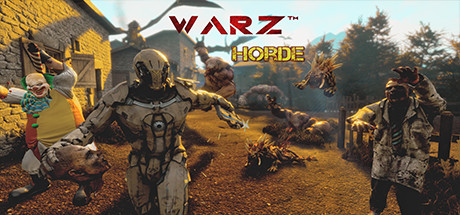
Experience the Ultimate Shooter Zombie VR game full of Action, Thrill, and Excitement. Warz: Horde offers realistic weapon handling, with realistic shooting and reloading.
Price
$29.99
 dawn gull
Does Anyone Know How To Get Randomly Generated Landscapes? (Mountains And Hills)
 full vine
Fractal noise ? @dawn gull
dawn gull
?
full vine
If you're searching for a really basic landscape, you could use fractal noise, like simplex or perlin noise
dawn gull
is that an option for a landscape mesh?
full vine
I'm still not familiar with UE4, but I guess you can generate a mesh, yes
like a simple grid, where you would change the z value of points depending on the noise value at this location
though, you're not gonna have a super cool landscape from a simple fractal noise. To get a better result things like erosion are needed, but it does take time to create a viable solution
 tropic pilot
isn't there a button to "level" the prop to the floor?
tropic pilot
ty 😃
 tribal pebble
guys
help
i installed ssd as disk c ,so i cloned all from my old c in it
now if i try to open photos ,it opens only 1 and it doesn't move between them
its like other photos don't exist
every other disk opens and can move between the photos in the folder ,disk C tho doesn't
 delicate needle
Howdy! Would anyone here be able to help me out with this TURN server for remote cloud streaming? I'm stuck at this one part.
plush yew
If i would make a Multiplayer game, Something like Battle Royale where there isnt a host for the lobby but a server. Would i really need a full Server to keep the game running?
 drowsy mesa
In rpg samples I can find gameplay tags,abilities and how it works
It could be handy
 elfin jacinth
Happy 2019, all!
 grim ore
you shouldn't be, have you not seen https://www.youtube.com/watch?v=Qv6bfFb427Q or https://media.giphy.com/media/3oz8xyhJSPJHmAaFwI/giphy.gif 😉

Live Stream with Operation Supply Drop and Hilarity ensues. Edited the Audio as best I could.. ok so as lazily as I could.. to remove Clipping. https://giphy...
 delicate needle
I'm really stuck on this last "simple" issue of configuring a TURN server for web access. 173.12.23.196
This is our IP : 173.12.23.196, port forwards to a computer on the network, I thought I had the JSON configured correctly, but it stops short of the stream.
 paper kernel
are spline decals a thing?
grim ore
do you have all of the ports forwarded to that machine on the router? and do you have all of those ports open on your windows firewall?
 final mist
is there any way to use emissive for static lighting with translucent materials? as per https://answers.unrealengine.com/questions/861559/view.html
delicate needle
@grim ore All ports are forwarded, I will check the firewall on winodws.
@grim ore Firewall off on target computer. Still gets stuck at "Starting connection to server, please wait" on remote computer.
So an outside computer can talk to the webserver, but the webserver has issues with talking the proxy, it seems.
If I had to guess, I need to configure the TURN server, which I know nothing about.
grim ore
damn =/
delicate needle
Is there a 1900 number for epic?
I'm waiting for them to accept my enterprise account membership. Everyone is still recovering from the holiday weekend!
Ro-Su- Are you here?
Maybe by JSON formatting is bad?
{
"UseFrontend": false,
"UseMatchmaker": false,
"UseHTTPS": false,
"UseAuthentication": false,
"LogToFile": true,
"HomepageFile": "player.htm",
"AdditionalRoutes": {},
"publicIp": "173.12.23.196",
"peerConnectionOptions": "{ "iceServers": [{"urls": ["stun:173.12.23.196:19302"]}] }"
}
Does that look right?
grim ore
the json seems fine to me
drowsy mesa
I cant access RPG sample with C++
Ah I dunno why but I'm stuck at blueprint abilities and gameplay tags
Someone can help me to getting out this misery
grim ore
you wont beyond the docs. the Action RPG has docs covering how they use the abilities and gameplay tags system but beyond that they are not well covered as they are C++ systems
grim ore
which part don't you understand?
 junior solstice
I don't look at my aim
my animations break the aim-offset how can ı solve this
 copper fable
hey guys, can RunOnServer events be fired on actor components?
it seems it isnt firing when i call the function
 runic dock
guys need a lil bit help
i have these files in the folder
but only the mat is being read
livid haven
Open your log.
The other files may be corrupted or from a different engine version or something else that's stopping them from being read properly.
drowsy mesa
@grim ore especially I didnt understand how to use gameplay tags in my project they dont give any examples of how to add tags for an actor or other objects
I did add gameplay tags throught editor settings and add gameplay tag variables in my actor
runic dock
oh
grim ore
you cant add a tag directly unless you use C++, you have to add a tag variable and then query it directly.
grim ore
it sounded like you added the variable so you would just query that variable and go from there
livid haven
NP
drowsy mesa
I added variables on my actor and I have to query that?
livid haven
Never messed with Substance before, but all those errors mentioned being unable to load those assets and mentioned SubstanceTexture2D.
drowsy mesa
Through bp or C++?
Ok
Someone told me that I have to override gameplay tags
With using c++
grim ore
there are nodes to ask a gameplay tag container, a variable that holds gameplay tags, if it has something in it. You can use those nodes in pure BP if you have that variable on your object. You need C++ if you want to add tags directly to an actor as that is not exposed to BP right now.
if we are talking about the C++ Action RPG Example that one is using C++ so chances are it uses C++ for the queries instead of blueprints so it might be a bit difficult to understand as it's a system already working
drowsy mesa
Ok thanks for detailed comments I'll check out right away
Btw I cant open C++ actors in Arpg is this normal?
 velvet depot
Is there an easy and simple way to lock a camera axis?
copper fable
Can server replicated functions run on actor components??
grim ore
@velvet depot as far as I know there is not, especially if it's a child of something else as it would move relative to them. If you need to lock an axis on the camera look into making it a separate object and have it move the direction you want or maybe in the update on the character have it move the camera relative to the players movemement or position so the camera is "fixed" even if it is attached
 bronze cedar
what's up guys
haha how it's going, i am kinda busy in watching some tutorials 😄
hello Sir @grim ore
the more tutorials i watch (UE4) the more I want to watch them 😛
merry gazelle
Any idea why this setup works in construction script but not on begin play?
I've adjusted the cull distance so the player is in range
 split wedge
so my HUD health and mana bar are showing up but its not taking health or mana away when i use ability or get hurt
i have it setup like this
plush yew
I have an image widget, and it has some white pixels around it who ruins it
anything I can do?
merry gazelle
try changing your anti aliasing
 inner yacht
Can anyone tell me best way to add collision to a House Skeletal Mesh for more complex collision?
I want to use set all bodies below simulate physics to knock down walls but the engine generates boxes
 solemn hedge
@plush yew is the compression setting of the texture set to UserInterface2D?
plush yew
no, Default
solemn hedge
try userinterface2d, its nicer for alpha, idk why.
plush yew
no difference
light thunder
Is there any way to use a widget to drive a material parameter? I have stamped metal signs I'd like to be modular and customizable - a 3D widget looks fine but I'd be great to pipe into a normal channel of a material to make it seem raised...can someone point me in the right direction?
 magic fjord
I'm trying to calculate the cross sectional area (for drag). I was thinking that the best way to do this would be to render the vehicle in orthographic mode in the direction of motion and essentially sum the resulting image (white representing the vehicle black representing outside). Is there an easier way to do this?
light thunder
@hollow mauve Is this for a game or simulation? Does it have to be accurate or just behave accurate?
magic fjord
@light thunder This is for a racing game, but I like simulations so I'd want to go towards accuracy. I was thinking that there are a few possibilities: v*=0.99, calculate the cross sectional area of an ellipsoid, calculate the area from every direction and map that value to a texture, then do a texture lookup, calculate the area on the fly (allows for craft deformation (ailerons, etc)).
light thunder
the texture is a good idea, seems that it would be very performant
how would you handle the angle changes of the various components
like a spoiler?
magic fjord
@light thunder The texture still leaves me with the same problem. For the texture the components could be done separately and added together.
(maybe that'd work anyway)
light thunder
What about getting the average change in height (I'm assuming this is a more or less flat racer, so your height value is the biggest source of drag) and using that to drive the drag calc, as well as surface area?
magic fjord
Interesting idea. I presume you mean to change height as density? No, it's not a flat racer (ground to orbit). My issue is that I haven't figured out how to get the surface area yet. The orthographic projection thing was an idea I wanted to aim for not something I know how to do in ue4 yet.
light thunder
This is probably beyond me but I like to ask questions to learn more about problems like this - another thing that comes to mind is spawning a series of simple actors that spawn along the surface ( this would happen only once, on load, and they would check for overlaps across the entire surface against the vehicle's complex collision, --and they each record a value or whether they overlapped or not, and then you can load that array of overlapped values to be your amount of drag on that vehicle....again, this is only done once, like loading, and can even be saved.
magic fjord
I like your ideas. The formula is F = Constant * Area * Velocity^2 * Density. I just found this which is a relatively accurate approach (but probably too accurate). I suppose I could just ignore the area and set it to be 1 too. That might be more stable and thus it'd be playable.

If you want to help out, you can share my videos on social media, or make a donation here: https://streamlabs.com/lusiogenic This Unreal Engine tutorial show...
 solar quarry
is there any way to stop the light building from doing... this?
how does unreal achieve this when building the lighting?
 grim juniper
I think it's something to do with light maps
solar quarry
how do I fix it?
grim juniper
I don't know. I don't use baked lighting with this being one of the reasons 
magic fjord
@solar quarry I'm going to take a stab in the dark, but I'd imagine that your light probe density could be too low. This talk might be of some help: https://www.youtube.com/watch?v=Xd7-rTzfmCo
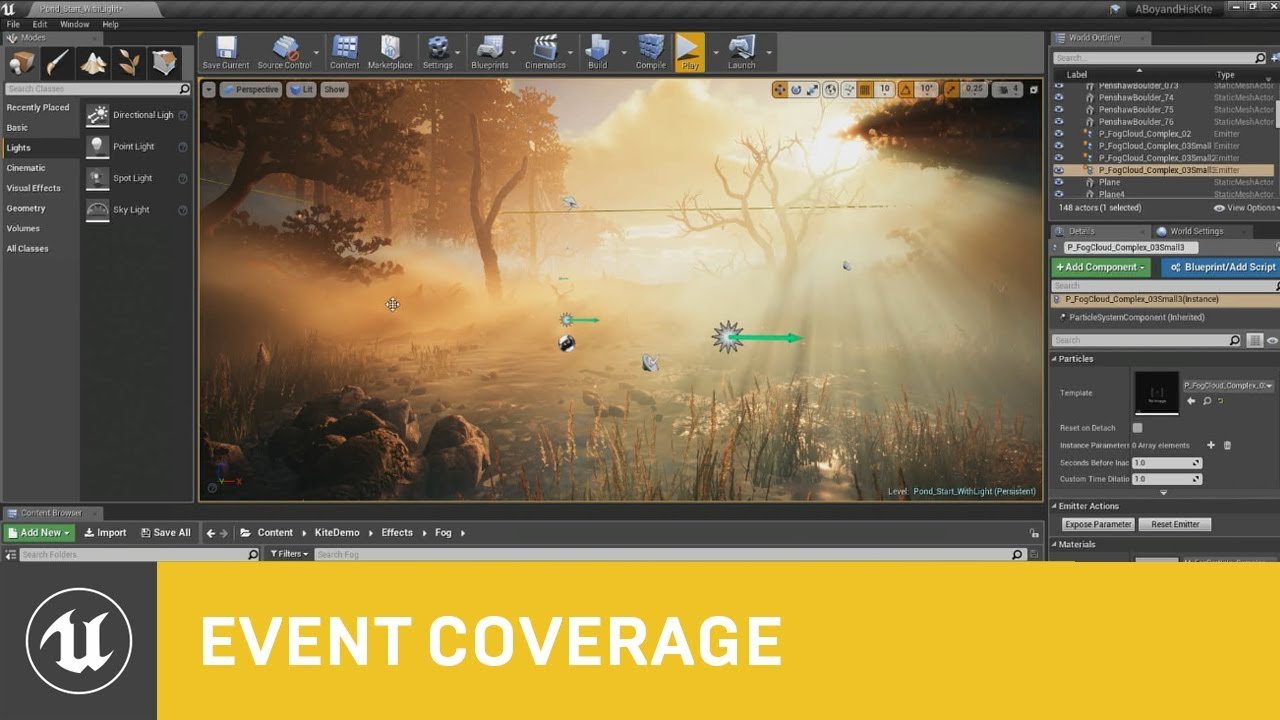
This session by Epic's Sjoerd De Jong covers the latest improvements to Unreal Engine's Volumetric Fog and lighting features. Within a beautiful nature scene...
 west fractal
has anyone ever run into the issue of ue importing bones as geometry
 vale silo
why would you even do that ?
west fractal
i dont want to
but it's doing it anyway
nvm fixed it, for some reason that behavior is the default
vOv
vale silo
ah, I thought you unchecked the option and it would still import bones as geometry
vale silo
it would be ... Epic
magic fjord
@west fractal Perhaps for joint based collisions that could be helpful.
high stone
@elfin jacinth You back from vacation? I left you a dm. Thanks!
 fringe pecan
Greetings, is there a preferred chat to ask for help in unreal? I would like to learn how to make a 3rd person camera follow a character, just for starters.
 wary wave
This entire server is about Unreal, but you'd probably do that in Blueprints, so maybe ask in #blueprint
fringe pecan
ok thanks
shy silo
I got the free rodent A.I. pack thing and I don’t k ow how to add it to my project since my other stuff says add to project the rodent stuff says create project
 whole quarry
From the launcher in your Library, youve a fault where your mp content are
There you can click on Add to Project
shy silo
Sorry, I’m quite new, what are fault and mp?
tall pendant
vault..he means vault
shy silo
Ah. And marketplace?
tall pendant
also if it's still about that small animal behavior kit...you will have to migrate the contents as described yesterday 😄
 tame flint
okay I have a problem when spawning an actor into the game. I have a hit result that I check but When i spawn the actor into the world sometimes it will spawn beneath the landscape. I am able to avoid this if I put another piece of geometry or collision volume beneath the landscape. Is there a way to add a collision volume to the landscape itself? You know to make it thicker? Because as of now the collision is whatever the thickness of the default landscape provides....like .00001 or what ever it is.
sorry i posted this in level design and no one responded
whole quarry
how do you get the start and end locations of the linetrace?
shy silo
sorry, what do I right click to get to asset action?
light thunder
Trying to access this parameter - I know it's supposed to go to a render target but I can't seem to find anything in my Material I've made
 neon shale
Happy new year~ :)
I have question for optimization.
There are more than 100 identical rocks.
(and building , foliage etc.)
Rocks is different in position and direction.
( because same texture made repetition when actor merge.
I want same texture is made only once when actor merge.)
- so I tried instance mesh actor merge.
I does for optimization made Rock instance mesh but that was not merge.
instanceing mesh only one merged.
For optimization,
I would like to know if it is better to HLOD, or whether it is better to instantiate the mesh.
and How to make the same texture make once when merging the actors.
Thanks for help 😃
 silver crown
@neon shale I'd say instantiation is faster
Might want to check that yourself though, just profile it 😉
dry moon
@neon shale If you can, paint it with the foliage tool at that point
neon shale
@silver crown Oh, thank you, I will try it.
dry moon
If they are close together, make a BP to place them with Hierarchical Instanced Static Mesh
If they are separate, it'd be best to just place them and let the HLOD tool handle it
because if you do pure Hierarchical Instanced Static Mesh, they will all render together which means that the polygons won't hide if you look at one above your view/ far away
etc
so keep those in mind
neon shale
@dry moon ah,, Thank you your answer, Is there not frustum culling, too?
Can I think of it as an attached object?
Thankyou. I will try 😃 ~
dry moon
Yeah it basically renders together if you use Hierarchical Instanced Static Mesh, so means it doesn't get culled separately
Think of it more like having a handful here and there rather than building tons of stuff with it
so as long as you use each accordingly you'll be fine
neon shale
Ah~~, Okay, I understand. 😃
light thunder
I've almost got my Material setup correctly - I'm using a Retaining box, I've setup a Texture Sample on my material and converted it to a parameter, and I'm using the same parameter as in my Widget, and I've change material domain to User Interface...what else am I missing here?
any ideas?
 wet berry
I seem to have accidently closed the window where variables/functions/events sit within a BP, anyone know where I can go to restore that?
light thunder
hit view
light thunder
Seriously, why can I not find this parameter in my material? I can't find it anywhere, I've been told the retaining box makes it's own render target automitically but I can never get this widget to show up as a texture sample when I convert it to a parameter
did I miss something, do I have to make a material instance? I didn't see that in any walkthrough
 idle sail
Does anyone know which engine actually has a bigger developer user base between Unity and unreal?
 south ridge
Game Maker/RPG Maker/those kinda things are probably somewhere in the top of the list
plush yew
Unity
 worn granite
@light thunder you have to make a texture param and name it that.
light thunder
I did
I made a texture sampler node,comverted it to parameter, and used the same name as in my retainer box on my widget, made sure to compile and save
worn granite
@light thunder is the material in the User Interface domain ?
worn granite
IDK what you're running into, I've never had an issue otherwise.
light thunder
I'll see tomorrow- was working remotely in unideal conditions, maybe I overlooked something, I will let you know, thanks for checking
 steel shuttle
why am i getting this error ssh_exchange_identification: Connection closed by remote host
i was generating the ssh key
 dawn vessel
Is BP code converted to C++ by default or is that an option somewhere to enable it? Would be awesome to have optimized code.
 grim sinew

LMGTFY
whole quarry
@unreal token that question was in responsonse to @tame flint
unreal token
OK
 glacial pecan
if I drop imported staticmeshes into the advanced vehicle blueprint, I can actually drive on them. anyone know why that is? do imported staticmeshes always have some basic form of collision? where can I see that?
whole quarry
have you made the physical material?
 vast pine
@paper kernel is it clearing it's alpha to zero?
 devout gulch
@whole quarry yes, it's assigned to asset
I'm trying to debug it
and idk FaceIndex from which the material is taken in engine is uint32
but it is uninitialized
so maybe that's the problem..
or not
paper kernel
@vast pine yea, alltho I found answerhub thread that suggested 1-x on alpha, which seems to work for some reason
but if I cleared the rtarget with non-1 alpha, it kinda stuck there
vast pine
Hmm wierd
paper kernel
with alpha 1, you need to have some base color -> not ideal behavior for decal
drowsy mesa
is there anyone having issues with creating C++ character classes ?
drowsy mesa
I dont get whats the problem of my c++
Every single time I create C++ objects they always have compile issues
glacial pecan
why didn't Epic to any VR controllers as actorcomponents? both the VR template, and the studio templates have the VR controllers are actors spawned from blueprints.
lone pond
yes?
wary wave
a) so they don't have to be associated with a single pawn
b) so their collision, timestepping etc can be handled differently from the pawn
glacial pecan
oh, wait... actorcomponents can't have their own staticmeshes?
they can't... so that explains it!
but thank you for the additional information!
 bitter iris
Can anyone help please, im having this annoying shadow problem
 astral phoenix
Hey idk where to put this put this but is there anyone that can help me make a inventory to my game? 😃
whole quarry
thats not a 10 minute thing
bitter iris
paper kernel
here's another mystery
why different shades?
same materials used to draw on 2 different render targets
(notice the seam)
 dusty parrot
Hi everyone, im new here. Im trying to get back into unreal and the community and just wanted to say hello 😃
sudden agate
@paper kernel is this an edge of the RT?
 graceful sky
Could turn the fade off in the decal script but couldnt find anything for it elsewhere
 languid shard
how about overlapping decals 🤔
light thunder
Is there a reason why my retaining box material parameter isn't coming through on my material's side?
dusty parrot
Hey any suggestions for good UE4 tuts I haven't used the program for like 5 years and trying to get back into it. please and thank you 😃
light thunder
Blueprint Comm livestream seems to be the go to

Announce Post: https://forums.unrealengine.com/showthread.php?101051 This Training Stream takes a look at Blueprint Communication. We find that Unreal Develo...
Came out in 2016 but still is fundamental, so should be a good start
@dusty parrot
dusty parrot
@light thunder thank you I'll start with that
vale silo
Holidays are over and I wonder if there is an ETA for 4.21.2 hot fix release @elfin jacinth
grim ore
the holidays are not over 😛 give them another week lol
plush yew
Hi! I want to make a system who shows how damaged it is one component(like in kind of the road game), whats the best way of doing it in ue4?
shy silo
I consider jan 6 the end of the holidays.
so I stillk cant ffigure out importinrg that rodent AI pack, since the vault will only let me create a project with it
 manic delta
Guys I started ue4 few months ago, one thing I am not able to sort out is how to replace character in existing plugin. Could anyone help me out
I have Close combat swordman but not able to change character and enemies
grim ore
if you can't import a marketplace pack it's due to it some settings in it like collision or input or something that wants it to be a complete project so the settings are correct. You would have to make it a new project then migrate over what you want from it to the other project.
shy silo
ok ill giver that a go
light thunder
Okay, this was working not sure why it stopped - I am opening a Valve and getting the Percentage of that Valve opening- I have to components on the Actor for the Fully Open and Fully Close, to define the limits of the valve (pink open, blue close) ---- when the user has grabbed the valve, the hand variable populated by the motion controller becomes Valid and the actor ticks relative movement of the player's motion controller to open the valve. That works fine (and this isn't a VR question either) -
-https://cdn.discordapp.com/attachments/221798862938046464/530414859586764800/unknown.png


I've made bind events to move both of those cube actors but I can't seem to get the Valve Open Percentage to start moving up when the valve is open ....
Since the distance is defined by those two cubes, I can't understand why it's not updating until I've move the valve out more
@grim ore You've played with Unreal a couple of times....I didn't use any tags on you last year, so I'd like to use my 2018 annual tag if it's a little late but still redeemable , can you point me in the right direction?
It's like there is some fall off occuring, I think it has to do with my clamp
delicate needle
Got pixel streaming working outside the network! Had to use a 3rd party TURN server, but its golden!
Is there anyway to clear out "my projects" listing from unreal game launcher
solar quarry
Everything keeps getting brighter
I've set the sun down, why does the brightness keep increasing?
livid haven
Per previous discussion I had in here, not bad. Content and Source symlinked to SSD. Can actually fit my workspace in at least twice, safely.
If I could get all but the PDBs from Intermediates in there, that'd be ideal, but I don't imagine that's possible without some crazy driver-level implementation.
solar quarry
ok for some reason the lighting system in my level keeps changing in different parts of the map. I get close to the truck and it goes dark again
 oak temple
How are your uvs looking hozzy?
solar quarry
It's not UVs now, I think it's the postprocessing volume
abstract relic
@solar quarry you probably have auto exposure on
oak temple
Did you try turning the volume off?
solar quarry
I've completely forgotten how to turn off auto exposure
oak temple
You can turn off rendering for the actual volume
abstract relic
You gotta go to engine preferences >>> rendering >>> post process
Check your volume as well
solar quarry
ok, I figured out the problem. It's the sky. The skylight brightness keeps changing
plush yew
hi im doing this
[/Script/Engine.GameEngine]
+NetDriverDefinitions=(DefName="GameNetDriver",DriverClassName="OnlineSubsystemSteam.SteamNetDriver",DriverClassNameFallback="OnlineSubsystemUtils.IpNetDriver")
[OnlineSubsystem]
DefaultPlatformService=Steam
[OnlineSubsystemSteam]
bEnabled=true
SteamDevAppId=480
[/Script/OnlineSubsystemSteam.SteamNetDriver]
NetConnectionClassName="OnlineSubsystemSteam.SteamNetConnection"
i need to put a steam app id into it can someone tell me why and how are it is to do so ?
its from the unreal engine blueprint multiplayer tutorial
grim ore
uhm... isn't that the line that says SteamDevAppId= ?
plush yew
yes , i got it now, i first need to pay the 100 dollar and then i can get the steam app id , untel then i have to use the 480
grim ore
yeppers
plush yew
make me want to do it already but when peeps buy my game they will C a RAW game , that means i have the numbero baddest start ever xD
plush yew
who knows that node that animate texture in different ways, not panner
 dire storm
So I accidently intentionally deleted all of my materials I had tessellation examples on my practice project I setup a while back. I was looking to setup a new example material for myself. I've watched quite a few tutorials on it and it makes sense. However with my materials all I have is Ambient Occlusion, Base Color, Normal and roughness map. No labeled height maps. Which texture channel should I pull off from?
grim sinew
None, you need a height/displacement map.
You can just pick a texture channel at random and see how it looks, but it won't be the same.
dire storm
I pulled off the red channel on ambient occlusion and it seems to have a decent effect. I don't actually know wtf thats doing though
grim sinew
Well your AO texture is completely grey, so any channel would have the same effect.
And there's a difference between having any effect and having the correct effect. If you want any effect, literally any texture channel will still -work-, the engine doesn't know the difference. If you want the -correct- effect, you need a height/displacement map.
dire storm
So I can cheat it using the roughness or AO and it wont have a terrible side effect?
grim sinew
Well it'll probably look pretty terrible, but no, it won't really matter aside from looking wrong.
dire storm
I bought the hand painted materials from the marketplace. I just needed a starting point for my hex grid maps I'm making. I didn't realize they didn't come with heightmaps
Is there a simple solution for creating my own heightmaps for these textures?
grim sinew
Honestly, unless you need the heightmap to dynamically update, tessellation is a waste. Just make meshes with the displacement baked in, with any 3d tool.
99% of the time, you don't need tessellation. It's going to perform worse using tessellation than to have a higher poly model in the first place the majority of the time.
dire storm
I made my prototype tiles with BSP brushes 😋
grim sinew
Well congrats, your prototype was probably done fast but is totally unusable for a final output now.
dire storm
grim sinew
That's it? Yeah it would have taken literally 30 seconds to make a static mesh with a hex shape like that
dire storm
its just temporary. Trying to learn along the way.
grim sinew
Step 1: Go do that. Step 2: Make variations of the static meshes with pre-displaced geometry that you use there instead.
It'll look better and run faster.
bitter iris
@solar quarry Auto Exposure in project settings
 pure stratus
türk vatandaş
plush yew
Hi i need help
solar quarry
this thing is finally getting somewhere
 strange bobcat
Im not using any lightning right now, and when i go to lightning only, to see my room, I can clearly see that my floor is way darker than the walls which is causing my floor to be almost black whilie the walls are lookking good. I have been trying to figure this out but cant solve it, anyone knows how to fix?
these are one colored walls and textures, so i basicly only duplicated my orange wall, and made it gray
I can take a gyazo if you want

I just started learning this engine so im not too familiar with everything as i used to make 2d games

heres with light

and without
So i guess I would l ike to make my floor create its own light too
yup
strange bobcat
Here's the stuff on my orange color

That ofcorse could be possible
as the lightnin does appear on the other side
Thanks a ton ! I really appreciate it
So quickly how do i flip floor upside
Thanks, tho it didnt work
D:
It did, but the light
still the same
default
I just tried, and the same problem comes
No, just 2 walls and a floor
whats the original name for floor so i can create new one
I just gave up deleted the project and gonna make new one, when i rotated the walls to sideways, the same darkening efffect happened so i feel like starting off new is gonna be faster
I will
thanks
strange bobcat
Might be little dumb question but can you use same actor/object multiple times without making duplicate actors/objects
 tranquil moth
how do i move a variable of an actor without moving the actor? they both seem to move when i drag it
this chat dead?
 dark depot
it can be at times. But can you explain your question better Enzo
tranquil moth
@dark depot so i want to have a spawn location and an end point variable for that spawn location. When i create the variable i selected Instance Editable and Show 3D widget. But when i drag the variable it also drags the actor
huh i got it to work now. Idk how
 errant pewter
Anyone know how to properly exclude the engine source from VS Code when searching??? I've tried **/UE_4.20, **/UE_4.20/**, **\\UE_4.20....
Update: Need to use
"**\\Samples\\**": true,
"**\\Templates\\**": true```

for the exclude options.heey everyone! 😄 for anyone thats a beginner like me and is interesting on how to improve their performance i have found a way which is disabling ambient occlusion in your project settings 😉
 ember path
Not sure where to post it because it's not directly ue4 related - but still kinda is.
My game crashes on launch after uploading it to Google play (I'm using the alpha track to test it)
I made a awnser hub thread with the crash logs but noone could help me so far. https://answers.unrealengine.com/questions/862270/view.html
vale silo
@elfin jacinth does Epic plan to unveil some kind of roadmap for UE4 in 2019 next week maybe ? (not EGS, but engine specifically)
grim ore
you said PIE and mobile preview work fine but what about running it on the device itself directly by uploading the apk?
also that error shows up a few times on google with fixes, have you tried them?
 manic pawn
lol wtf
if I put both windowsserver and windowsnoeditor builds in the same folder, so the binaries and pak files are side by side, the game client will try to load the server pak and die with missing materials
how can it be too stupid to load the correct pak?
ember path
I tried uploading it to MediaFire and downloading it from my phone, but I'm not allowed to open/install it.
However, I'm usually able to install apps from unknown sources and did so in the past.
I haven't tried connecting my phone to my PC and using the debug feature yet tho
grim ore
weird you cant do the first, if you made it an apk it should install fine. and yeah hooking up your phone and deploying it directly to it should help debug the issue. It's a setting with something outdated based on the google results so that might help as well.
delicate needle
Now that I am happy with the results of lightmass (especially the GPU tools out there), I need to experiment with 100% or almost 100% dynamic move able lights. The reason for this, is while my scenes are static, some of the items are not, like couches, ovens, etc. So, what can I expect with dynamic lighting quality, can I expect good GI? I've looked at examples here and there, but not too deeply. Interested in hearing what people have to say about 100% dynamic non baked scenes.
Importantly, my scenes are interiors, do bounce light, GI, play a pivotal role in realism.
so bounce light & GI
bitter iris
Can you add multiple things to the same input action?
I have a Door thats replicated and is taken by 1 input action, but I want to now add a lock pad to the door but when im following tutorials they use a input action of which im already using
plush yew
Does anyone know a recent tutorial for making a biped character in blender and workflow for using it in UE4? I can model, Uv map, texture, rig, and anim for blender for unity. But it doesn't work for UE4
ember path
I just tried launching the game over the usb connection, which atleast got the splash screen to show up, but it still crashed anyways.
The logs are quiet useless too.
The only interesting lines might be
D UE4 : [JNI] - Failed to determine if app purchasing is enabled!
(which is the first line of the crash log)
and
D UE4 : Target SDK is 26. This may cause issues if permissions are denied by the user.
(which I think can be ignored, but I'm not too sure about it)
@grim ore
tranquil moth
can you successfully make a whole game using blueprint? Or if you really wanted a polished version you would need to hire a c++ dev
ember path
Yes you can make a whole game by only using blueprints
tranquil moth
i just started messing around with unreal today, are their any good books i should pick up or guides
dark depot
learn tab of the launcher has alot of great material as well as the docs. Epic also started giving some assets out free in the marketplace that are good to look at
other then that youtube. i also hear Udemy has some good ones
tranquil moth
I have basically mapped out the idea, now me and my friends are going to attempt to create the most basic version of it then hopefully hire an artist to finish it off. thats the plan at least
dark depot
just break it down into part and do it piece by piece and you will get a game 😉 good luck
ember path
in my opinion the best way to go about is to try following your idea and search individual tutorials for the things you don't know isntead of watching a whole series
You'd be surprised how fast you become independent from tutorials
wet berry
What's the general consensus on building streamed levels as far as workflow? Is it better to figure out the streamed optimization as you go along, or build the maps in isolation then kinda stick them together? As an additional question, what typically sits in the persistent volume?
Or maybe build it all together and then rip it apart?
 winged crypt
Is this expected behaviour or engine bug (4.21.1)?
- Using a sphere reflection capture in one area of the map applies the same reflection to everything on the entire level no matter how far
south ridge
Are there more reflection captures elsewhere on the map?
If there is only one reflection capture, it would probably apply to the entire level
winged crypt
That fixed it, thank you
I was trying to use the skylight cubemap for the map but a capture for a specific area for that area alone. Adding a 2nd capture elsewhere on the map gave me control
 unreal spoke
A delay inside a forloop doesn't seem to work. How to make it work? Do I need a different structure?
 sharp crest
Is the editor loading and saving affects by the processor? So if I buy a better processor will it be faster
plush yew
i have ssd and ue4 load fast
wet berry
@unreal spoke Delays inside iterators don't fire at all
You can modify the macro to allow it : https://answers.unrealengine.com/questions/50642/question-how-do-i-add-a-delay-to-each-iteration-of.html
But I probably would have a good look at why I need to do it and consider something else, like a timer or something
unreal spoke
@wet berry Thanks
 shrewd gorge
Hi everyone.
void UShip::RotateLeft()
{
    CurrentRotation.Yaw = CurrentRotation.Yaw - (1 * RotationSpeed);
    UE_LOG(LogTemp, Error, TEXT("%f"), CurrentRotation.Yaw);
    Owner->SetActorRotation(CurrentRotation);
}

void UShip::RotateRight()
{
    CurrentRotation.Yaw = CurrentRotation.Yaw + (1 * RotationSpeed);
    Owner->SetActorRotation(CurrentRotation);
}
I'm trying to rotate an object left and right. Only right seems to work.
The log in RotateLeft indicates that the value is not changed despite CurrentRotation.Yaw = CurrentRotation.Yaw - (1 * RotationSpeed);
What could I be doing wrong 🤔
Left:
LogTemp: Error: 67.500000
LogTemp: Error: 67.500000
LogTemp: Error: 67.500000
Right:
(changing values as expected)
unreal spoke
How to do an array from a bigger array? The original array is way to big and for testing I just want like 100 elements. Is there an easy way?
 static viper
you can do it by hand
create a second array same
then use the loop node
with last index 99
loop through array and just add to new array
that way you have 100 items manually from your too big array
unreal spoke
@static viper Thanks
static viper
its a crude way, tho
shrewd gorge
Cpp doesn't mind being crude 😄
static viper
i think you can cut arrays in cpp...
 spare sun
I like
bitter iris
Could anyone help
Says its accessed "none" but its all linked
Server can open the door, Client cant


 shrewd gorge
I'm still not clear what could cause my issue above with rotation:
void UShip::RotateLeft()
{
    CurrentRotation.Yaw = CurrentRotation.Yaw - (1 * RotationSpeed);
    UE_LOG(LogTemp, Error, TEXT("%f"), CurrentRotation.Yaw);
    Owner->SetActorRotation(CurrentRotation);
}

void UShip::RotateRight()
{
    CurrentRotation.Yaw = CurrentRotation.Yaw + (1 * RotationSpeed);
    Owner->SetActorRotation(CurrentRotation);
}
RotateRight() works well, but RotateLeft() SetActorRotation does not apply to the object.
 delicate carbon
Hey everyone ✌️
Great there’s a discord 😊
Can anyone suggest some good resources and/or guides for a first time UE4 user? I have a good vibe and want to learn quickly but at my own pace.
shrewd gorge
For me, this is everything I need for the first month or so.
After that, documentation, tutorials, books... - the rule is if you don't know it it's worth reading & testing.
shrewd gorge
Np!
 opaque crow
Hi I am making an endless runner from the tutorial however the floor increases in size every time it spawns a new iteration of the same tile has anyone encountered this before and if so how did they solve it.
in blue print please
grim ore
screenshot of the code you are using for your spawn actor node for the floor? and are you sure it happens when it spawns in?
unreal spoke
Is possible to get any kind of valid "time" on the Construction script?
grim ore
does Now work to get the current time?
unreal spoke
@grim ore Cool, it works! Thanks
grim ore
yay
opaque crow
this is what happens when I simulate it
grim ore
It's so tiny but what is the code you are using to spawn them in?
delicate needle
Does anyone know of any good examples of a scene created with 100% dynamic/moveable lights? Notably an interior of a building, as a exterior sun setup is pretty simple.
plush yew
Guys my project just started opening the game in a resolution of 1280x720 which is weird cuz it has alway been 1920x1080 also... the defaultgameusersettings.ini is correct BUT as soon as i look at the saved config files it is 1280x720 anyone can help? 😦 its very annoying
so basical-ly its giving a different resolution then i have in the default ini
after 5 days of using this project...
grim ore
is this in the editor, standalone, or packaged project?
plush yew
standalone and packaged
grim ore
have you added anything recently? maybe an asset pack added something to change it. It is weird for sure
plush yew
nvm XD i restarted unreal engine and epic launcher and its fixed
grim ore
lol
plush yew
its weird how small things fixes stuff
grim ore
yeah that is weird. Might be a good time to force the resolution if it really matters on the map startup or maybe a hint to work on a settings menu with video settings 😃
plush yew
huh 😮
my fps in the game is +20 now
i am sooo confused
why is unrea lengine so random
grim ore
maybe something else was causing it to not be full screen like discord overlay or steam or shadowplay or something
plush yew
ts almost like it wasnt in actual fullscreen before idk
^^ up
yup
idk
all i did was delete the saved folder (except for cooked folders) and intermiddiate folder @grim ore
grim ore
well there is windowed fullscreen and fullscreen so it's possible it's different now for sure
plush yew
well that would be VERY awesome if thats really the case
but then again everything was at fullscreen mode "0" before
grim ore
ah. I always use the setres to make sure it's set how I want it, the fullscreen 0 1 2 was always wonky for me
well half the engine is wonky so I guess it's normal lol 😃
plush yew
i am just so amazed my fps is almost constant over 100 now instead of 70 ~ 90 ish
bitter iris
Anyone here able to help me with replication? I keep getting this Blueprint Runtime Error: "Accessed None trying to read property DoorBP". Blueprint: SecurityPanel Function: Execute Ubergraph Security Panel Graph: EventGraph Node: Server Open
elfin jacinth
Morning all
 grave nebula
gm
tall pendant
g'day
 regal mulch
Good eve
grim ore
#multiplayer would be the best bed for networking stuff @bitter iris , besides that we can try but networking is da black voodoo majic
regal mulch
@bitter iris When do you get this?
bitter iris
voodoo lol
regal mulch
And don't say "When I try to open the door."
bitter iris
hahah, nah ill respond in mp
 storm burrow
so do we know anything about 4.22? Roadmap has not been updated in a long time
grim ore
4.22 will have more stuff ranging from features to bugs
the interwebs seem to point at RTX and Virtual Texturing being stuff going into 4.22 based on random stuff being posted randomly
other than that bust out your detective glasses on the github and check out what has gone in 😃
one would hope 4.22 would release before GDC in march so we should hopefully start seeing some real noise about it later this month
 still bay
will there ever be an update to paper2D?
grim sinew
Virtual Texturing is in 4.21 for lightmaps (super hidden through console commands), and is going to be worked on for the foreseeable future. It'll take a while
RTX started getting merged in last week
And no, Paper2D is finished. Epic considers it complete.
still bay
kinda sad about that. but unreal is way overkill for a 2D game.
storm burrow
Virtual Texturing sounds good.
Anything from the new Stockholm Studio full of ex frostbite guys?
I heard someone mention render graph
grim sinew
Render graph is super WIP and we probably won't see anything about it until near the end of this year by my guess
There's a few commits of people working on it, but nothing substantial yet
grim ore
aww man render graph sounds nice, I could use some pie charts in my game
storm burrow
aight guys appreciate the input 😃
grim sinew
Epic hasn't officially said anything about render graph afaik, it was just a thing we spotted in dev-rendering one day. So that's partly why I think it's a ways off, since they're already talking about virtual texturing and that's clearly at minimum 6 months off from being stable (for both lightmaps and everything else, fully ready as a replacement for mip streaming)
 chrome summit
i have a huge problem
chrome summit
so when my character playing the animation he has a new location and when he finish the animation he teleport back
any help?
grim sinew
Google ue4 root motion
vale silo
so, CES 2019 is next week.. I guess that pushes 4.21.2 (and 3 bugs in it that haven't been fixed since a looooong time ago) even farther into 2019
chrome summit
thanks
vale silo
with all the enterprise they support I am sure they do
tall pendant
yep 4.22 in march could be a thing
vale silo
and 4.21.2 in February ?
grim sinew
Q1 2019 is the official release for 4.22
Since they're quarterly
I could easily see a launch during GDC
One final push for raytracing and maybe an initial demo of virtual texturing
storm burrow
And Epic is doing a pretty major rendering refactor right now, might have just gotten caught up in the preparations
Any details on that refactor?
Just the framegraph + vulkan stuff?
grim sinew
Render graph
storm burrow
like a year ago they hired all that top talent
in stockholm from avalanche, dice etc
going to be interesting when we see the first big benefits of that
but the codebase is just huge
vale silo
I sure hope 4.22 has mobilie vulkan for VR
grim sinew
They're doing a ton right now. Lightmass 2.0, RTX, VT, Render graph, etc
Just, as a whole. Not sure what that studio specifically is doing
Oh and we finally have SSAO in 4.21 forward rendering so that's nice
storm burrow
sweeet!
tall pendant
yep. they're even working on realtime GI (via raytracing)
grim sinew
2019 is looking like Epic wants to take a hard look at a ton of places the engine is falling short visually and bring it up to standard
As an artist, I'm pretty optimistic
storm burrow

Unreal Engine
Unreal Engine 4.21 is now available! Download it on the Epic Games launcher and via GitHub. This release continues our relentless pursuit of greater efficiency, performance, and stability for every project on any platform. We are making it easier to work smarter and create fa...
not mentioning SSAO for forward here
🤔
storm burrow
that is amazing
grim sinew
It's a bit noisy, but it works
vale silo
@grim sinew have you tried it in VR ?
grim sinew
All screen space effects suck in VR
storm burrow
^this
grim sinew
There is no way to make SSAO and SSR look good in VR. It cannot be done.
Your brain is too smart
vale silo
it's not all black and white.. As long as it works in VR, it works for me 😃
storm burrow
Lightmass 2.0
They hired that guy from the community who did a GPU version, no?
grim sinew
It works. But it sucks.
And they were already working on Lightmass 2.0, but yeah they hired him to work on it too
storm burrow
2.0 means GPU-accelerated I hope 😄
grim sinew
It was a thing before they brought him on
storm burrow
quality wise lightmass seems quite good.
grim sinew
2.0 means RTX accelerated.
And no lol, lightmass quality is horrid
Lightmass's quality is the same today as it was in the UE3
It's super approximated and inaccurate
storm burrow
I guess it depends on the use cases
grim sinew
Small shadow detail may as well not exist
grim sinew
And there's the seams between modular meshes that is now 100% unique to lightmass, no other baking in any other engine has that issue
storm burrow
yeah those
grim sinew
Even GPU Lightmass solved that
So right now, I would consider Lightmass to be the lowest quality light baking tool in active use
storm burrow
mhm fair
for my use case quality is alright, kinda can work around it
iteration speed sucks
tho
grim sinew
Oh yeah, it's possible to work around, it just really sucks
storm burrow
fair
storm burrow
i guess if you do sth clean looking with lots of straight faces etc where you need subtleties etc
it falls apart
well that is nice
is daniel doing it?
grim sinew
Plus lightmass chokes with 1k lightmaps or above, which is going to be a problem when people start using higher res lightmaps via virtual texturing
So we're going to ideally get a simultaneous release of virtual texturing (production ready) and lightmass 2.0
storm burrow
mhm
grim sinew
Not sure what Daniel is working on right now, haven't heard from his stuff in a while\
And yeah, iteration speed with lightmass is pretty bad right now. My workaround is to use VXGI to get rough settings in, then bake it all with lightmass and turn VXGI back off
vale silo
@grim sinew what do you think of this http://advances.realtimerendering.com/s2017/Precomputed Lighting in CoD IW_20_PPS.pdf ?
storm burrow
mhmm interesting idea with VXGI
its a specific solution
to a specific game
in unreal you want something more generalised
vale silo
eeh, no, it looks nothing like CoD IW
grim sinew
Aside from the part where it does
vale silo
read the paper please before saying it's the same as volumetric lightmaps
grim sinew
It's 112 pages, you're joking
vale silo
not really
grim sinew
Yeah no, don't have time for that right now
vale silo
even skimming over will tell you it's not like volumetric lightmaps (only part of CoD IW lighting is exactly like volumetric lightmaps)
grim sinew
I read it a while ago, but filed it under "Don't care, I just want dynamic lights in an ideal world"
😛
Also, this is totally volumetric lightmaps
vale silo
well, it covers dynamic lighting (sort of, it's not true dynamic GI, but for what it is - it works exceptionally well)
yes, but that's a small part of the lighting solution in CoD IW
grim sinew
I'm an artist, not a programmer. I care about the end result, all the math and super technical stuff on here isn't my concern really
If it looks good, I'm happy
And I haven't noticed any areas where volumetric lightmaps aren't good enough
vale silo
likewise, and I am telling you that CoD IW stuff looks a way, way better than current UE4 lighting
anyhow, either read the paper first before arguing, or don't argue..
(it's an artist friendly paper)
grim sinew
You're the one arguing though? You're the one that brought it up
 celest creek
Hi all, I'm working on something that has a ship that needs to rotate freely around its local forward axis and also bank around its own axis...
I'm struggling hard to get it to work (with collisions)...
I've explained it better here: https://forums.unrealengine.com/development-discussion/blueprint-visual-scripting/1563525-ship-rotating-around-its-own-axis-project-download-included
Unreal Engine Forums
Hi all helpful souls,
I've bumped into a problem I'm really struggling with and without fully tearing my hair out I've come to the conclusion I'll need some
grim sinew
It's 112 pages of technical details, I wouldn't call this artist friendly
celest creek
I just added some images that I hope shows the problem well, I really think I'm missing something fundamental here as it doesn't seem like it'd be tough to tackle... but for me it is I guess...
The project is there to download as well if you're so inclined.
plush yew
Sorry to interrupt, I want to make a camera setup where the camera is watching the whole scene and a cut out area that follows the player is what gets displayed. Any idea how to do this?
shy silo
are there good tutorials for learning other then virtus? Every 7 minutes I die on the inside hearing "Good Afternoon, It's ya boy Virtus here"
plush yew
heey guys is there anyone here that has a 1050(ti) that is willing to test my game,enable the fps counter, and tell me how much frames they get in the forest area of the map? (For performance testing) i will dm you the link of the game 🙂
or a 950
also okay
as long as its less good then a 1060 ;p
the game file size is 1gb ish
shy silo
I would but I have a 1060, good luck
plush yew
XD thx anyways @shy silo what cpu do you have if i may ask? 🙂
shy silo
r5 1500x
plush yew
a i5 by chance?
hmm thats similar to a i5 isnt it?
actually it would be awesome if you could test it cuz i have a i7 myself 😛
shy silo
its similar, but has poorer single thread preformance
plush yew
you down to test it?
shy silo
you just want to know the frames for the forest? sure
plush yew
yea like average is ;p
ish *
thank you so much much appreciated @shy silo ❤
i will wait for your reply
are you enjoying the game @shy silo ? haha 😛
shy silo
just installed it, what do I open it with?
plush yew
installed?
shy silo
downloaded
plush yew
first extract the folder from the zip file
then the shadowgame.exe file
in the windowsnoeditor folder
shy silo
im sorry, I have no idea what to do, it would probably be better to find someone with more experience to test this
plush yew
huh?
its litteraly the .exe file 😅
it even has a unreal engine icon
i guess if you dont know how to extract a file nvm then 😦
thx anyways @shy silo
So Im watching this tutorial where the guy is setting up a material and render target that captures a camera and renders it on a plane. The thing is he doesnt assign the render target to the material anywhere, does it get assigned automatically because of the naming? https://www.youtube.com/watch?v=WTrjlUefTC4
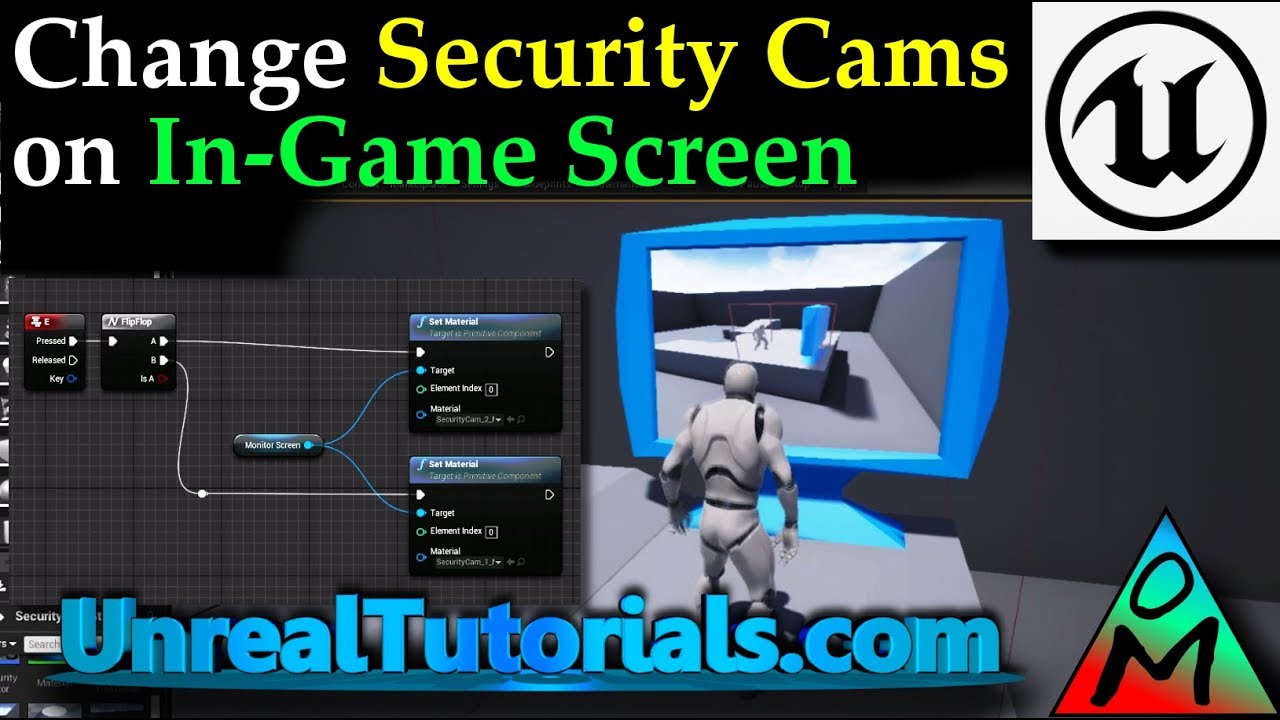
In this Unreal Engine 4 tutorial we will be creating two security / surveillance cameras which will be sending their stream to an in-game screen. The cameras...
They are called SecurityCam_1_Material and SecurityCam1_Texture
Alright one can assign it in the Texture Sample node
 digital anchor
when you right click a texture and click Create Material it gets assigned on the basecolor
@plush yew
plush yew
Oh I see, thank you!
still bay
for those who develop using laptops, do you guys usually go into cafes or somewhere relatively quit to work?
grim sinew
I imagine a cafe would kick you out after the 5th hour of sitting there debugging code
Just work at an office/home where you don't need to buy a coffee every 10 minutes
still bay
it just occurred to me since I used to own a laptop, that I never once worked outside my house.
grim ore
I used my laptop in bed, an when out at conferences and stuff but always in like the hotel room. I don't like people so going out to find people to hang out with while I work would be weird lol
creative types like new places and change so I could see the coffee shop being a help but when I am knuckle deep in code trying to visualize a 3d array in my head I don't need a barista calling out names for coffee heh
still bay
thanks for the input @grim ore
One problem I see with cafes and this is particular to my country, that every Starbucks here are crowded. haha.
grim ore
yep yep it's a social place for sure
I don't drink coffee as well so it never really appealed to me, starbucks and such
still bay
by the way what laptop do you use for unreal development?
delicate needle
I need to slowly allow and have my boss be cool with me working remotely all the time, coffee shops etc. I just would need a baller laptop, or a 6G faster internet/or a super low latency RDC setup.
 crisp arrow
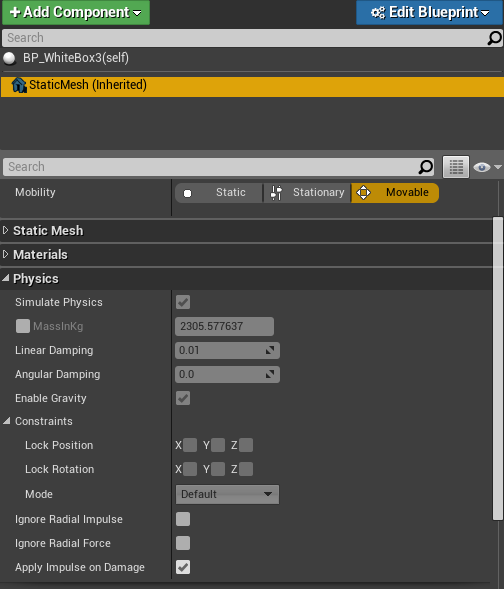
I've selected an instance of an object in a game I'm working on. Why can I no longer add constraints to it? I could in 4.17
https://i.gyazo.com/c2f05895c65d7671163ab75c9910e9fd.png

 steady owl
Should you have separate widgets for things like health bars, weapon ammo counters and killfeeds or try and contain all info in as few widgets as possible?
regal mulch
@steady owl Depends on your game and coding style.
I like to construct my hud out of multiple widgets, so a Healthbar widget, an ammo widget etc.
They all handle their own state
It's cleaner code and not so much stuff in one single widget.
steady owl
The Fortnite HUD would be a good example of somthing I'm after. There are many distinct pieces
Thanks I'll keep it separate
regal mulch
It's def easier, as you can also easier swap out parts
If you all put it into one widget it gets a nightmare at some point
steady owl
Yeah I did that before and while creation is more convenient it's a mess to change
Just checking that it's not much less performant to have them separate
 orchid hare
Hello peeps
I'm not any kind of developer or anything however I do have some things I'm trying to do with a game that uses Unreal engine.
More specifically UE2.5
Bioshock.
I'd like to try to find a way to rip Bioshock maps, preferably from all available Bioshock games if I can.
orchid hare
Nothing is wrong with that at all.
static viper
Those people worked hard for the games...
orchid hare
I think you're misunderstanding why I'd like to rip them from Bioshock.
orchid hare
Harsh.
static viper
With the engine at all.
orchid hare
Well I suppose I will try another channel then. I'm sorry if me wanting to extract them offended you or anything, I just appreciate the art and structure of the levels and thought I'd try doing something fun with them.
manic pawn
it's unlikely anyone here will know anyway...
orchid hare
I didn't think anyone would know anyway though with new technology becoming available I hoped maybe it is now possible.
static viper
And now you stated that you commited an actual crime...
orchid hare
I think you're overreacting man jeeze.
I wanted to also examine closely how they handled their mapping, since I am an aspiring level designer.
I legit bought Bioshock at least twice and the other games many times as well.
Nothing I'm doing is illegal unless I distribute the assets which I do not intend to do.
static viper
You are still not getting help here for that.
orchid hare
Fair enough
regal mulch
Yeah we are not really the place to discuss this stuff. I'm not against you using that stuff for learning, by all means do whatever you want.
But you can't really expect help from us on this :P
I mean we have 80lv posts from ripped Overwatch Textures that people learn from to know how Blizz did that stuff.
regal mulch
wp_admin
Just creating a Child of Actor already extends a class
I think most people here barely know what the WorldComp Module can do
Including me. So even if you extend that behavior of it, I can't tell you if that can create a minimap.
Most minimaps are def done different
Also, the WorldComp stuff isn't a module but a simple Object or?
plush yew
Still trying to figure out how to achieve this, I stumbled upon Render Targets, maybe you could only use part of the Texture, but how to render it directly to screen?
 wise flame
Hello! I'm new to Unreal Engine, very new, and I downloaded a free material from megascans' library, got a few jpegs and now i'm wondering how do i make it as a material?
regal mulch
Also just looked through the classes, there is barely anything (if at all) marked as virtual.
So you can't really override/extend anything from the class without touching source. @plush yew
@wise flame You can create a new material by right clicking into the content browser and clicking on material.
wise flame
Yes that
regal mulch
That so basic though that you are better of watching some tutorials
wise flame
But there's many JPEG's and the tutorials I saw only do basic things
plush yew
@wise flame You'll have to put the textures in Texture Sample (Parameter) nodes
and if there's many jpegs it's probably PBR, so it's using Normal Maps and so on
you should look that up
regal mulch
@plush yew RenderTargets record what the "camera" sees.
plush yew
@wise flame maybe something like this: https://www.youtube.com/watch?v=AeOQZWEi1gU

How to create AAA quality, realistic materials using the PBR workflow, and a versatile, re-usable master material that you will use in all your future projec...
regal mulch
You can then put them into a material and use that in UMG @plush yew
Not sure what your goal is though
wise flame
thanks for the tut
plush yew
Well I want to cut out a part of the camera and only render this to the screen, it should follow the player around @regal mulch
regal mulch
What does "cut out" mean here?
plush yew
The camera will "watch" the whole scene but only a part of that image is what is shown on the screen and that part follows the player around
static viper
Or retainer
regal mulch
So you want a camera feed on the screen?
plush yew
Is it called this way?
regal mulch
To put it simple, the part of the screen should show what the second camera shows?
plush yew
No there is just 1 camera and what is shown on the screen is only a subarea of it
regal mulch
What does the rest of the screen show?
I have trouble understanding what you need, sorry :D
plush yew
The subarea is rendered to the whole screen
The rest of it is not visible
and the subarea scrolls around on the whole area
regal mulch
Like a zoom?
Haha
Your image above shows the cut out area being smaller than the actual screen
 dreamy saddle
hi everyone, i am really new to the unreal engine, so when i am in edit mode the camera just endlessly falls down but when i press play its all normal. i have closed the program down and opend up a new one but nothing changes
plush yew
Yeah in another sense probably
regal mulch
@dreamy saddle What is "Edit Mode"?
plush yew
That's the thing, the screen is the cut out area
regal mulch
UE4 usually only has play and not play +- some other modes for landscapes and sh*t
dreamy saddle
@regal mulch i guess when you edit the game
regal mulch
@plush yew Alright, but what I don't get is why it has to be a cutout area. Why isn't hte camera already setup to show what you want the player to see?
@dreamy saddle Are you clicking anything for the camera to start falling?
plush yew
I want the camera to get a perspective view of the whole scene, not following the player around with a perspective
regal mulch
But you can place cameras wherever you want
dreamy saddle
no, i can just open up a new project and then the camera starts falling
regal mulch
And use that
@plush yew Cameras don't have to follow the player staticly
@dreamy saddle Can you gif that? Does that happen in a new project too?
static viper
I think i get it
plush yew
^^'
abstract relic
Owl to the rescue
static viper
He wants a camera that has a limited set of max angles
Clamped view
Like one in the corner of the room
But it can only do 180degress
plush yew
static viper
Its a perspective of a whole
plush yew
How do i change the physics of the car?
like how do i cahnge the speed, acceleration
all that
regal mulch
Try the VehicleMovement comp
plush yew
Wait lemme get a better visualization
regal mulch
Left side of your screen
plush yew
(my first ue4 project ever)
regal mulch

 regal mulch
Yeah, click it and check the settings on the right
wise flame
how can I make all of these available?
regal mulch
@plush yew RVO Avoidance is for AI afaik. Just scroll through it or use the search bar at the top
@wise flame They depend on the settings you select for that material.
If you click on that big node, you can select stuff on the left
That's more a #graphics question though
plush yew
i am using gold material
wise flame
i just found a material pastebin i liked