#ue4-general
1 messages · Page 351 of 1
 manic pawn
wasn't it on some ancient version
 pallid compass
or 4.7
manic pawn
ye
 restive basalt

blueprintsfromhell
pallid compass
instead of building on it
 grim ore
I think Funcom made a great decision trying out UE4 with The Park and then adopting it. That was a fun little game to be honest.
 novel mango
isn't Ark slow because it just has so much stuff in it?
 hushed wing
thanks again @grim ore <.<
 worn granite
no
worn granite
ark is slow because its dumb
novel mango
you sure?
pallid compass
More sure than u sir
novel mango
cause you have entire forests that are all destructible
worn granite
I can do ark with double the perf
novel mango
and interactable
novel mango
fortnite is nowhere near the same scale though?
pallid compass
fortnite is much bigger in scale
novel mango
have you seen some of the things people have built in ark?
grim ore
@hushed wing lol 😃 just saying what I think is true. Love the secret world and them doing stuff like The Park as a spinoff to field test the engine was a great decision and shows in conan exiles
hushed wing
I had fun making the save game system for the park, but didn't really get much into ue4 before the next one
pallid compass
Iv got a reddit post of my self
worn granite
In any case, BP doesn't help ARK at all
worn granite
but it isn't the cause.
performance actually isn't even the main factor I don't use BP.
novel mango
but it absolutely should?
novel mango
because you have so many objects in the scene
that are all independently interactable
worn granite
then why doesn't fornite have the same issue?
grim ore
It sounds like we need a UE4 Battle Royale but the twist is the devs are forced to make a game using the opposite of what they prefer normally between BP or C++
pallid compass
ECS
novel mango
most games don't give you things that have thousands of independently interactable pieces in one structure
pallid compass
blah blah etc
worn granite
fortnite's interaction is way more overhead than ark's interaction
or at least, it should be.
pallid compass
Because its not part of the core gameplay
novel mango
@worn granite because fortnite doesn't give you thousands of independent interactable objects in one small location
grim ore
having many objects to be interacted with that are just copies of eachother is bad if ARK does that without using H/ISM system. You can see Conan Exiles using it because the meshes don't match properly whey they swap them out lol
hushed wing
swap them out?
pallid compass
not even sub grouping afaik
grim ore
man that would definitely exlain it then
hushed wing
building system in conan exiles uses instanced static meshes, not hierarchial ones. Never got around to trying out how hierarchial would affect it.
pallid compass
HISM is just ISM with LOD
u cant have seperate LOD on ISM}
HISM are alot more complex tho
grim ore
yeah when they swap out the ISM mesh for the interactable one they dont, or didnt when I tried it last, match the exact settings on the original so you can see a small pop in as the mesh is replaced.
restive basalt
But doesnt HISM have issues when scaling objects & LOD, or has that been fixed?
grim ore
yeah sorry trees and bushes and rocks
pallid compass
sscaling u cant do
u cant individually scale any ISM with out issues
HISM are built for LOD
restive basalt
Thats what I thought, was just checking
pallid compass
Yeah theres not much info on them
hushed wing
never tried scaling, but i believe they do support it? :/
grim ore
It's just one of those things you notice when you see other UE4 games
hushed wing
The PerInstanceSMData does have a full transform.
hushed wing
no you can scale individual ones
i am quite sure.
You just have to do it on the instance transform
restive basalt
How does the foliage tool differ from manually creating HISMs? You can still foliage with a blueprint I believe
pallid compass
foliage is HISM
grim ore
oooh... I love you guys. I needed more nodes to cover and I don't think I have touched on ISM yet 😃
restive basalt
But you can scale with foliage with no issues?
pallid compass
I dont know much about the foliage system
its not the same as the engine baking HISM
hushed wing
Well the foliage system gets a bunch of HISM components for the different types of foliage.
pallid compass
engine HISM might support scaling im not 100% sure because iv never tried it
hushed wing
and you can scale them differently
restive basalt
Yep, i knew there were both HISM but you can scale with foliage, which made me wonder how it works
hushed wing
we use that for the rocks in conan exiles quite a bit afaik.
pallid compass
prob just a scale wrapper on the HISM data per instance
or something
Im no expert on ISM or HISM
only know what iv seen from browsing internal code
hushed wing
Check out the PerInstanceSM Data thingy then. It holds the actual data it keeps "per instance". And it has scale in it. :d
pallid compass
well there u go then
pallid compass
Yeah u do that and u defeat the purpose of HISM ISM
hushed wing
not for the triangle data!
pallid compass
not hard to do tho
hushed wing
but.. yeah.
pallid compass
u could make that in bp
 harsh tiger
curtis, i've made an widget to get the location of a missile within a blueprint and show it on the screen. but i get an error an was hoping you could help me
 dry moon
Does anyone know what the difference is with frame buffer pixel formats?
harsh tiger
it only happens when i add the input
harsh tiger
why?
grim ore
well you can definitely have individual transform values for each ISM in an ISM component including scale and rotation
pallid compass
Prop bindings are really bad to use
harsh tiger
how would i get the world location of the missile
pallid compass
Is that a widget yeah?
harsh tiger
yep
pallid compass
Well for sure the widget should not be trying to get it
Something should push too it
harsh tiger
like a game instance or is that a big no no?
harsh tiger
its only gonna be in the scene for like 5 seconds before its destroyed
pallid compass
Missile variable
Then check if its valid, and if its valid get its location
basically the same thing, but with out a input on the prop bind
harsh tiger
an i can do this in the text binding?
grim ore
what are you trying to use the text binding for?
to show the location of this object in the text all the time?
harsh tiger
basically, i have a predator missile that comes into the map. an i have a widget an want to show the missile location in the widget
pallid compass
Set the variable in the widget somewhere
harsh tiger
yeah
harsh tiger
grim ore
well if we are using a binding we might as well be super inefficient at the same time, you could always just get all actors of class on tick for that missile then you don't even need to worry about setting the variable it will just be valid whenever you have one somewhere lol
harsh tiger
not a bad back up plan mathew xD
harsh tiger
so like that
grim ore
man you had to make me check but multiple return nodes are fine in property bindings
as long as the signature for the input and output are the same it works 😛
harsh tiger
its saying its not valid, or at least no location is showing
grim ore
yep it's not valid because where do you set it at?
harsh tiger
ahhh, i set it in the variable on the left
grim ore
like the predator missile variable, what sets it to be the one in your scene?
yeah... with UMG.... you can't set anything to anything in the scene because UMG doesn't exist until runtime...
which is why the stupid suggestion to get all actors on tick was presented lol
harsh tiger
makes sense
i actually typed get all actors of class as you said it xD
just want it working for now
grim ore
I am all about bad ideas in blueprints
grim ore
oh yeah as long as you understand this is a really stupid idea. If you are going to do it atleast maybe do another is valid check on the tick before you get all actors so that way when it is valid you no longer do it
grim ore
oh god no, just get the item from the array at index 0 lol
grim ore
no reason to do the loop since you only want the first result
 hot drum
I have a very simple character bp
grim ore
we might as well make the code as efficient as it is inefficient lol
hot drum
he can move and look around
harsh tiger
better???
 steady prawn
hot drum
steady prawn
hot drum
I set the camera height
harsh tiger
it works with the get too
grim ore
yes better but I would do the is valid before that as well like you do in the property binding so it only ever does the get all actors if the is valid is false. Then when you find it the first time it will stop
hot drum
and whenever I look around the camera rotates around the center of the capsule
leading to my character clipping through walls and stuff
and it's really annoying
harsh tiger
so like that? how much does that help performance overall? is it like night and day
grim ore
@hot drum have you tried using the default FPS template so you have a working valid FPS character?
hot drum
yeah but how do I do it from scratch ;_;
 plush yew
Please Can I visualize the camera frustum like this in ue4?
grim ore
if your project is not big it's not a big deal to be honest it's just stupid is all lol
grim ore
@hot drum try parenting the camera to the mesh so when you move the mesh it moves the camera with it
harsh tiger
this project will maybe end up on 2-3 peoples computer haha. its not going to steam or anything, just a learning project
hot drum
still does the thing :\
grim ore
I was checking out the fps template setup. The camera is separate but it has it behind the capsule for the player not in the middle
but that shouldn't be it. Do you know if you are actually rotating the right thing?
hot drum
I think I'm rotating the whole characte itself
I just deleted the thingo and going with the fps template
the big sad
grim ore
yeah I am trying to recreate the issue here
but I can't seem to clip when rotating
yeah made a new character, added a camera and moved it up, set up input, and tested and my character capsule collides with the wall and doesnt seem to clip for me
hot drum
you just do the basic thing with the input axis
move the cam up
bambo
well
shit
I go to the fps template
and it did the same thing I did
and it w or ks
grim ore
maybe it was your test level or the fov or something weird affecting it
 grim juniper
I'm concocting a plan to make an intersection tool for my road tool 
hot drum
And going through
so it wasn't the fov
:c
The red is how it was rotating
it wasn't rotating by itself
on it's own pivot
it was using the center of the capsule as a pivot point
grim ore
oh that is super weird
hot drum
leading to the camera arking down and going out of the collision box
I have no clue what I was doing wrong
but uh
I g u e s s
grim ore
might have changed something somewhere and let it rotate the camera independent of the character
hot drum
well the thing is
it's happened to me on every single project with this type of control that I've worked on
:thonk:
🤔
ok gtg
grim ore
Keep in mind if you didnt know you can always add in the template packs and don't need to start a new project if you just want to add in FPS or TPS for example
 polar hawk
anyone have an aluminum substance sbar I can test something with for 5 minutes
grim juniper
So yesterday shortly after talking about how the difficult it is to create an intersection tool I had come up with an idea to make it work. It's based on the idea that it's easier to work with grid shapes. Here's a little concept I drew in paint
In a realistic scenario there'd be a lot more geometry so it'd be more smooth since edges don't bend like that 
But I think it get's the idea across well
@polar hawk You mean like this? https://share.allegorithmic.com/libraries/1774

Material from Substance Painter 1
grim juniper
Well, there you go
dry moon
Anyone know whats up with the BokenDOFRecombine#2
even with DOF disabled, it costs 0.13
in profilegpu
ahh its part of r.SeparateTranslucency
 vagrant iris
Hey in your guys' opinions what makes a successful Kickstarter campaign for indie games?
manic pawn
it actually reaching the goal seems like a pretty good indicator of success 🤔 🤔
vagrant iris
Okay yea obviously, but what aspects go into reaching the goal
 south ridge
Successful in two ways
In marketing way if it brings you new players, in financial way if you actually fund the amount you really need for development
I don't think you can say it's successful if you got less than you need to make the game, cause then the game won't be made
manic pawn
don't you just get 0 if you don't reach the goal
south ridge
@manic pawn yeah, that's an easy resolution
A more complicated one if you DO get funded for the full amount
And then you realize the amount isn't enough to deliver and your backers get mad
manic pawn
does anything happen if you just take the money and disappear
 maiden swift

south ridge
Yes, your brand gets tarnished 😄
restive basalt
Im having a weird issue when moving a static mesh in level, it causes it to pop on top of other actors instead of sliding through them. Anyone know what might be checked on for this?
manic pawn
🤔 seems like that mesh could have less triangles by avoiding the split down the middle
grim juniper
The split is necessary, plus it'll add the ability to have some height variation
plush yew
guys i need help with cutscene for my game intro but when i put the video on the game and then i launched the game , the cutscene doesnt show up it just starts the game......
 weary basalt
Startup Movies only play in Standalone.
 brisk osprey
Is it possible to create two different versions of unreal ? Like a unreal 4.21 with some plugins and another instance of Unreal 4.21 with no plugins or custom files
 fierce tulip


Bailey Wheatland prepared a great breakdown of his real-time character: precise female figure and facial features, voluminous hair, experiments with shadows.
@regal mulch would this be a good example of a paradox?
https://i.gyazo.com/15a9fa98ca0fe5a7843fe13e5b2c1492.jpg
 paper kernel
I feel like that character article is in lines of "draw 2 circles" and "draw rest of the owl"
fierce tulip
a poor joke hehe, but its actually 3d
 earnest cape
Does anyone know of a really good menu navigation system?
earnest cape
Controller support/keyboard navigation that doesn't rely on tick
I found one plugin so far that's still new but it has issues
 stray ermine
Is there any way to make the editor go fullscreen (without taskbar)? With F11 , the taskbar still resides, and the screenshots taken are shorter than actual resolution (i.e. 1920x1040, rather than 1920x1080).
earnest cape
the tab bar?
stray ermine
I meant the Windows taskbar.
earnest cape
right click > hide taskbar
oh sorry it's in taskbar settings now
Automatically hide taskbar
stray ermine
Yes I know that, thank you. I was curious if the Editor can do that itself automatically in some way (like some other fullscreen apps).
earnest cape
Shift + f11
stray ermine
Ok using a combination of F11 and Shift+F11 worked, thanks.
fierce tulip
 earnest cape
Probably need to rename something in the outliner lol
fierce tulip
its just a standard sphere mesh, and its only this one being annoying
fierce tulip
its all fine, guess max is messing up something in the mesh itself
"FBXMesh object is not found in the node given. Make sure the mesh exists in the scene."
IT EXISTS
 teal tulip
@fierce tulip Why the people use these skin textures, like that people ever seen their body ? 
earnest cape
Maybe you didn't select the mesh and told it to export selected
teal tulip
But nice characters tbh
fierce tulip
@teal tulip for closeups, you know, LOD's
@earnest cape that would not be the case, even on my most tired days that doesnt happen.
works if I place another sphere and export, so i think max is pulling a max
earnest cape
Sounds like it
I'm currently annoyed at menu navigation
It has been a thorn in my side for the past few months
I'm considering ditching UMG completely and just making all my menus 3D
 static viper
but you got a game running already?
earnest cape
I would be much further along if this wasn't such an annoyance
static viper
mh
plush yew
help pls
static viper
you dont want it on tick
why is it so important that it isnt on tick?
is that the only issue?
teal tulip
Well if you drop a imagine and don't name the problem
earnest cape
Pausing the game causes issues with timers
so maybe I'll go back to using actual tick
 rose bison
timers are ticked
plush yew
navmesh is completely broken, ai wont move, the entire navmesh moves when i start the game, any help?
earnest cape
As in, the button just stops working when the game is paused
earnest cape
I'll look for that
teal tulip
thats rare, seems like a bug or something rare
static viper
no
earnest cape
maybe I can salvage my previous project
static viper
it was fixed already.
yee
the resukts say that you can reactive tick
tho i didnt tried that yet
tough issue
earnest cape
I also didn't experiment with umg animations until recently so that fixes another issue I was having
fierce tulip
anybody with max willing to try and make a sphere > 64 sides > edit poly > remove half of the mesh > export > import to unreal.
static viper
you should look for 2 things
fine anything that sayis pause or tick in your umg
and on widget create
find if theres a tick group or so
bc after you pause the game everything will stop as you said
so you could afterwards enable it again
time dilation will not fix this either
plush yew
does anyone have a fix
static viper
it slows down tick
earnest cape
I was using this for navigation https://youtu.be/gDKIenYaoxw

UMG/Widgets/UI: This playlist is intended to be a place for useful tips and general interesting tutorials for the UMG (Unreal Motion Graphics) system. This V...
Maybe I'll go back to that and try to fix it
static viper
there should be input events yes
@plush yew goto #blueprint
and post there
with proper details
earnest cape
The new project I'm working on is using this plugin but I think it's incomplete and crashes constantly https://www.unrealengine.com/marketplace/uinavigation

Helps build UMG logic that allows menus to be navigated with Mouse, Keyboard and Gamepad.
fierce tulip
Ok, thats rather odd. 64 sides sphere cut to half > cant import it for the life of me, 66 or 62 sides cut in half > imports fine
static viper
you are confusing unreal with your perfect pot numbers :PPP
fierce tulip
and max hates users :p
static viper
thats why you take maya..
fierce tulip
Luos's dislike maya
earnest cape
Did you try making it in another modeling program?
fierce tulip
im fine with a 62 or 66 sided sphere :p
earnest cape
Pretty sure even blender would handle a 64 sided sphere lol
fierce tulip
not sure its max, might be some weird thing happening in ue4
plush yew
nothings workingggg
fierce tulip
https://luos.stackstorage.com/s/oAkevyz1tEsZymm in case you want to try the mesh
fierce tulip
max has me in a stockholm syndrome hold
static viper
hercy
teal tulip
XD
earnest cape
I thought blender was sort of like a free version of max
earnest cape
Lol
earnest cape
Yeah I can't find anything to set the widget or buttons to be ignored from pausing
teal tulip
the player controller can be set to tick or not at pause
but you should read from somewhere do pause the widgets ?
or was the actual HUD idk
teal tulip
not sure if the timers have individually that kind of things aswell
earnest cape
The buttons are just checking focus, so if I move this code out of the buttons and call it in every active widget, maybe that will get it working
static viper
i am going tpo check for you know
static viper
wow there is nothing about tick for umgs...
earnest cape
Because it needs to work with gamepads and keyboard
Not sure if there's a better way
rose bison
there are focus events you can subscribe to
earnest cape
I'm not seeing them
earnest cape
There's on hovered but that doesn't work with keyboard
static viper
think again
it only doesnt work bc it is called from mouse events
but you can manually call these events
they have internal bools
earnest cape
I'm making a new project just to mess around with this
Maybe we can find a better way
rose bison
focus received is an override function
focus lost is an event you can just put on the event graph


no delegates though, so you probably have to set that up yourself to make proper use of that
static viper
Called it!
earnest cape
Alright so I got the test menu set up
 vast pine
Anyone ever come across simple beacon usage in ue4 like example of a server query
 regal mulch
UT
Also the "Simple" Beacon usage is basically the Test Classes that UE4's Source Code has
vast pine
Lightweight implementation? Ok I'll take a look. Ty sir
regal mulch
@earnest cape For Focus stuff you want to make your own "FocusableWidget" class
That has one native widget in it
When your outer Widget receives focus, you give that inner widget focus
At the same time you sadly have to track on tick if the inner widget has user focus
And then fake the hover effect
At least for Gamepad stuff
Other way would be moving the mouse invisible onto the focused widget, but I didn't get that working
Apparently FN is doing that
earnest cape
I'll try that now
vast pine
Omg speaking of focus I spent a good part time day work wondering why a menu couldn't be clicked. Even with the HUD self test hit invisible because i set it's order at 99 the menu was behind this full screen one not getting the requests 😂
regal mulch
If you dive into the focus stuff with gamepad and keyboard
you really want to make sure you have full control over your widgets
Meaning you almost never want to add a widget to the screen that inherits only from UserWidget
earnest cape
So make a parent class
regal mulch
But rather have some predefined widget classes that handle doing the focus properly
Yeah, I have one Parent that is called "BaseWidget".
That handles what ALL widgets have to handle. For Gamepad that's checking if the key that was pressed is e.g. the BackButton (defined via user settings, that's a bit more complex though).
And from there I have a MenuWidget Class, a Dialog WidgetClass and Focusable Widget Class.
Menus can spawn Dialogs. Menus and Dialogs can contain FocusableWidgets
And FocusableWidgets are hte ones that manage the native widget
Such as a button, a slider and such
Can also construct a custom widget with that
earnest cape
Why have I never found any tutorials that go over this method?
regal mulch
Because it doesn't exist
earnest cape
Seems like a good tutorial
 chrome cedar
hey 😃 just a quick question. I´m quite new to UE4 but I wonder if there´s a way to slow down the "navigation speed" when you click on play. I´d love to move a lot slower there
regal mulch
And while manually handling that stuff with indices and such as valid solution, I wanted to make sure that hte focus system works
@chrome cedar Can you explain what you mean with Navigation Speed?
earnest cape
Yeah using indices for navigation was something I tried before and was very confusing with bigger menus
vast pine
I wish there was an enum, well guess you could make one. For. Key press having focus and workaround in bp to override a keypress like escape close this widget instead of main open/close menu etc
chrome cedar
when I move through my scene with rightclick + w,a,s,d it´s pretty fast. is there a way to slow it down much more so the movement with rightclick + w,a,s,d is not that fast?
stray ermine
Did something change about in-editor console shortcut? (backtick) opens CMD box now, but neither (backtick) nor (tilde) opens that command line below viewport anymore?
regal mulch
@vast pine That's not how it works sadly
Game and UI have two different input things
What I did is use a bit of C++
And expose a list of buttons to the ProjectSettings
the Base WIdget class checks if the pressed key is part of them and calls a function
e.g. "BackButtonPressed"
I can implement that in the children
And the place to define the buttons is in the ProjectSettings
So similar to the input settings
@chrome cedar If it's pre runtime (so just editor) you can change that at the top right of the viewport
There is camera speed thingy
vast pine
Ah
earnest cape
I just made an event dispatcher that presses the back button lol
regal mulch
Yeah, but you have to hardcode which key that caused
Cause UI doesn't work with the InputActionEvents that you defined in the settings
earnest cape
True. I had to set input mode to game and ui
regal mulch
@stray ermine Command line keys are defined in the Input Settings of your project
stray ermine
And there is only "open console command box" option in Editor Preferences now.
earnest cape
which is not recommended
earnest cape
imo every game should have splitscreen support
chrome cedar
thanks! that worked nice! but as you mentioned it´s just in the editor. is there any way to have this kind of function when I click on"play"? cause in the editor I still have the UI which isn´t what I want
regal mulch
Input Mode counts for the whole Screen and is not per Player.
If you have one player in a menu and one in the game
You can't set the mode for one to game and for the other one to UI
Cause that counts for both
So you need to keep track of Players being both in game and ui and then use GameUI mode
I found that out yesterday
Cause when I opened my menu, the other players lost game input
vast pine
Rocket league if I recall has there split screen give whoever hit escape control of the menu
earnest cape
Well that's good to know
regal mulch
That's different per game though
In Hoverloop we have menus per player
e.g. Player 2 can open his menu and go to spectator, or change teams
That shouldn't affect other players
earnest cape
Did you set the pause menu to cover the whole screen or per player?
earnest cape
I'd like to see how to do that too
stray ermine
@regal mulch I was referring to in-editor console (command line history), not hardware consoles (if I caused a misunderstanding).
regal mulch
We have options for camera that are per player
@stray ermine Do you mean the console that pops up on the bottom of the viewport?
vast pine
Focus given to player control 0 or 1 to said menu?
stray ermine
@regal mulch Exactly that. (backtick) opens only the command box now and I could not find any configuration option related to getting that console back.
 icy bone
its funny to see how dead/alive this chat can be
regal mulch
@earnest cape @vast pine https://puu.sh/CcMgn/632ea78ff7.png

We have this by now
To setup Keys for the UI
vast pine
I see pretty cool
regal mulch
@icy bone Welp, every now and then I take a break from work and asnwer all kinds of crap in a random channel
That makes things alive
earnest cape
Oh nice actual input settings for ui
regal mulch
@stray ermine https://puu.sh/CcMjg/956abd8c8d.png

This stuff is not what you want?
@chrome cedar So you are moving too fast in your actual game?
That's usually depending on the Pawn you have Possessed
vast pine
Class is derived into gameinstance?
stray ermine
@regal mulch Nope, but it's my bad, I just "figured out" the problem now. Hitting backtick outside of viewport opens the command box, inside viewport it opens the console at the bottom of viewport.
@regal mulch Thank you for trying to help out btw.
chrome cedar
@regal mulch I guess :/ when I navigate in the editor I could change the movement speed just like you said. but when I click on "play" in the menu, the camera movement is too fast
regal mulch
That's hard to fix without knowing what the pawn/character is you have possessed
Cause that one holds the speed setting
chrome cedar
I haven´t added any character so far I guess 🙈 is it hard to setup?
actually I´m just trying to create a tiny cheap film sequence of what I´m having in my scene. just like 10 seconds where you can see the animated objects and the environment. or is there an easier way to do that?
earnest cape
Is there a way to get the screen space location of a button?
paper kernel
you can get screen location if it's a child of canvas panel
earnest cape
What is the name of that node?
paper kernel
can't remember, search for location I guess
earnest cape
I'll look
paper kernel
in context of canvas slot child
plush yew
anyone have a better way to describe the comparison of inputs from players to a "sample" input and determining its similarity
my google-fu is strong but I dont know what terms I can use
 willow stump
Hey guys, do you have a resource or a tutorial on creating trimsheets cus what I have found already is quite vague
I am really interested in learning that stuff and applying it in my future projects
 ruby folio
Quick question. Just after some views.
How do you organise your Content in editor?
By actor type, or usage?
https://wiki.unrealengine.com/Assets_Naming_Convention
grim ore
I put it all in the /Content folder and just filter out what I need
earnest cape
So I think I found a better way of doing menu navigation with gamepad support that's actually pretty simple
I'll make a forum post when it's ready
And it's working while the game is paused
so that's awesome
ruby folio
@supple totem You dump everything in one folder?
static viper
you should keep order really
lights in one folder
with sub groups
actors
world actors
static meshes
earnest cape

GitHub
An attempt to make Unreal Engine 4 projects more consistent - Allar/ue4-style-guide
earnest cape
His stuff taught me so much
very complicated blueprints though. I like that he started making smaller projects
plush yew
are there any good C++ UE4 courses that aren't paid
grim ore
yes, read thru thru the ue4 docs and the battery tutorial series on YouTube from Epic then just browse thru the source. If you mean learning C++ from scratch then just learn C++ without learning UE4 first.
icy bone
@plush yew there are no good unpaid C++ tutorials sadly. But there are several ok tutorials you can use combined to acquire the same knowledge, i.e those mentioned by @grim ore
@plush yew there are no good unpaid C++ tutorials sadly. But there are several ok tutorials you can use combined to acquire the same knowledge, i.e those mentioned by @grim ore
@plush yew there are no good unpaid C++ tutorials sadly. But there are several ok tutorials you can use combined to acquire the same knowledge, i.e those mentioned by @grim ore
hm something is wrong with my net
chrome cedar
can anyone quickly tell me how to export a matinee as video sequence? my tracking shot works well but I have no idea how to export it 😦
I created the tracking shot, created a director group but when I export it, it doesn´t show anything of the camera
earnest cape
<@&213101288538374145>
 upper heart
I'm here
earnest cape
lol
upper heart
thanks
earnest cape
There's also a bot that can detect discord links
 novel wraith
I have discord to only give me notifications for mentions yet I still got notified for that?
plush yew
sorry guys, apologies
upper heart
read #old-rules, thank you FoxL
plush yew
Where am I good to post?
upper heart
Discord servers nowhere, see rule #6
plush yew
Ok fair does
plush yew
is it possibe to view only the selected meshes in UE4 or do some sort of mass applying of material on specific Meshes?
also hi👋
static viper
yes ue4 has that
plush yew
WHERE
static viper
i am not sure yet where
its not dynamic
but when you right click the object
then visibility
you will find nice things
plush yew
@static viper Thx found a way with visibility
 stoic moth
so VS 2019 preview 1 was announced and it comes with AI in IntelliSense, did anyone tried it with UE4 yet ? Does it handle the suggestions any better or are we still stuck with Visual Assist still 😦 ?
 gleaming lagoon
Guess what
My 64 GB ram came in the mail today. Gotta wait after work to install :/
 versed spear
What is an actor?
grim ore

one that acts : doer; one who acts in a play, movie, television show, etc.; one who behaves as if acting a part… See the full definition
 supple totem
@versed spear https://www.tomlooman.com/ue4-gameplay-framework/

Gameplay framework walkthrough for C++ and Blueprints, detailing the important game classes including pawn, playercontroller, actor, actorcomponent, gamemode, gamestate, playerstate, gameplaystatics, world, hud, and gameinstance. Providing important information on spawning, a...
versed spear
ah Mathew please don't fall for it. Your one of the most helpful people here. just ignore me because this will go on for weeks. It is pay back time.
What is a blueprint?
stoic moth
payback for ?
versed spear
Read graphic channel
stoic moth
so ppl told you to use looking-for-talent channel and you got pissed no one answered ?
static viper
you know i am reading this
versed spear
reading what?
static viper
ah i see
 warm rune
Just wondering here... I'm using Unreal for a tv show.
I'm trying to organize all the folders. but everytime I create them, and leave them empty. When I close the unreal the folders vanish. Is that normal?
stoic moth
had problems since ever with UE and it's directory structure
grim ore
yes leaving a folder without content that is normal
warm rune
shit
stoic moth
it keeps invisible assets that are redirects to your assets when you move around your stuff for cleanup purposes ...
grim ore
put a placeholder file in them if you really need a blank folder
warm rune
im going to have to import a texture or create a empty blueprint in oder for the folder not to be deleted automatically?
lol damn
 weary field
is there any channel with support?
versed spear
I fill my folders with stupid question to ask in this channel for a month.
warm rune
@versed spear wow so bold
static viper
i fill my with evidence
versed spear
im a noob what do you expect put that in there too 😛
warm rune
very angry too
need to fill up your life with more joy
stop with the cancerous attitude
versed spear
lol angry this is too much fun
warm rune
proper english too if possible
versed spear
naw I ant doin dat
warm rune
if you're gonna troll at least troll in a way people can understand
 digital anchor
lmfao
warm rune
😗
versed spear
someone has to teach bullies what to expect if they troll the wrong person
warm rune
you're just a noob at trolling too. We get it
versed spear
😃
warm rune
I'm acceptable of people's shortcomings
static viper
pls stop responding to him...
grim ore
@warm rune I just tested and it's not the best solution but you put a useless text file in the folder itself on your file system and that will hold the "blank" directory for you. the file will not even show up in the content browser this way
versed spear
as Arnold said I'll be back
static viper
@grim ore
warm rune
@grim ore thanks! I will do the same. We don't really need to create all the folders, but other artists are working on and they run into some problems with source control
static viper
did you test setting a color?
warm rune
So I decided to just create everything and update on our server
grim ore
yep it's a weird way it handles blank folders but I think it's due to the way it tracks files and folders using redirectors when you move stuff.
yep it makes sense to lay out the project structure for other people in advance
just not much sense when the folders disappear lol
warm rune
gotcha. I had this addon that enables you to mass move and mass rename in engine without many issues, but it's still slow
hehe yeah!
 latent moth
when your fps can be both around 60 or 20 in random ways in the same place on a level, what do you do to understand what the issue is? stat unit says that cpu is stable
latent moth
that’s in editor not in game
static viper
if you have a standalone you will not get these debug things
but that doesnt matter
go into your editor
play in new viewport
and hit f5
grim ore
https://docs.unrealengine.com/en-US/Engine/Performance/Profiler , or you can use a command to get a profile slice, or you can use the session front end launcher to monitor your games performance when you launch it
or uh just randomly delete/hide stuff in the scene and see what happens lol
supple totem
@latent moth there is some method of triggering profiling during sudden fps drops
this talk is fantastic, I think that is where I heard of this method

This session by Sr. Dev Rel Tech Artist Zak Parrish explores performance concerns for shipping games, focusing on how to track down problem areas on both the...
versed spear
so I wrote a song that I want to put in my game but I wanted to see what you guys thought first. Bad boys, bad boys
Whatcha gonna do, Whatcha gonna do
When Sheriff Owl come for you
Ban me?
Whatcha gonna do, whatcha gonna do-ooo
Yeaheah
Bad boys, bad boys
Whatcha gonna do, whatcha gonna do
When the owls come for you.
Bad boys, bad boys
Whatcha gonna do, whatcha gonna do
When the owls come for you.
When the mods aint givein you no breaks
And the Owls rain down on your parade
No trolls are ever afraid
They keep the posts comein and give you no break.
Hey hey
Bad boys, bad boys
Whatcha gonna do, whatcha gonna do
When the owls come for you.
Bad boys, bad boys
Whatcha gonna do, whatcha gonna do
When the owls come for you-uuu.
grim ore
I always vote for the randomly do stuff method. You can learn random stuff randomly when randomly disabling/changing things lol
latent moth
happens only on a compiled game.
latent moth
so it’s crazy slow to try out anything
supple totem
compiled games dont run at whatever your engine scalability was set at
grim ore
does it happen when running full screen in standalone in the editor?
supple totem
you can sue scalability # console command to change that
grim ore
and yeah scalability might be an issue
supple totem
i dont
static viper
bc that cinematic does more stuff then it looks like...
cinematic completly turns off baked light for instance.
latent moth
anti-aliasing etc
supple totem
still worth a try imo
latent moth
no baked lights
latent moth
it’s a map full of foliage and for the love of me can’t get it to bake lights
latent moth
i was told not to anyways
supple totem
so you def ought to try fullscreen in editor to compare
static viper
windowed games ❤
supple totem
you know, if gamers were just fine playing at 720p windowed
performance wouldnt be an issue
but they refuse
latent moth
i wish i could have some sparring partner sometimes
always something blowing up in your face
like i’m learning the hard way that doing fps with full body, attaching the camera to the socket of the head results in non-smooth mouse movements
regal mulch

Stop breaking your keyboard when you're angry. Smash it down on this huge enter key!
Code with this
Solves all anger issues
latent moth
oh i have one of those for every letter
i’m not angry... just tired.
that’s why i need to rest, that’s all.
latent moth
😃
i have friends coding in ue but right now i’m still the one “tutoring” them
i meant someone to discuss these issues and things we can try.
regal mulch
Yus
It's handy to have someone in the same room to discuss things
Actually sitting back to back atm with a whiteboard between us
grim ore
Cats. Lots of Cats. Real and Stuffed.
latent moth
eheh 😃
 shell jetty
Coding cats
latent moth
well i brought it to myself a little
regal mulch
I can offer a tiny kitten and a big woof
grim ore
You can talk to them or yell at them and it's a great distraction for when you get stuck
latent moth
MP, full body views, dense forests,...
regal mulch
I reaaally need to get the rest of my PC to put my M2's in
latent moth
real time dinamic weather, snow and wetness increasing real time
regal mulch
It#s so annoying to see your compile output not doing shit cause the HDD is at 100%
polar hawk
All the people that are surprised raise their hand

Eurogamer.net
Epic has officially downed tools on its long-in-development Unreal Tournament revival, company boss Tim Sweeney has confirmed.It's not a huge surprise - the…
regal mulch
That was posted earlier already by a different page
versed spear
I noticed when I minimize unreal as small as possible the compile times go faster.
regal mulch
Last commit isn't THAT old. Actually though it's much older
Was more leaning towards Q1/Q2 of 17, but well
latent moth
if you move your mouse while compiling it goes faster
especially between 2:12 and 4:18am
versed spear
can't troll a troll sry
regal mulch
^
fierce tulip
if you dont compile, you are already done waiting
latent moth
also turning pc upside down seems to work
static viper
it usually fails when i forget it :c
regal mulch
Specially if you put the window into the background and it errored out a second later
But you only notice 10 minutes later
versed spear
I was looking for a way to compile all folders while I am sleeping. I thought the validate assets would work but it just crashed. it was working though. maybe I just did to many folders
regal mulch
I got my Switch here, in case VS starts actively timing out
I did the Blueprint Unit Test
Crashed the engine cause it reached max Object count
gg
Still good it exists though. Easier to check if all Marketplace Project BPs still compile after update
HEY, the Editor is starting up
Only 10 minutes since pressing compile
 safe rose
@polar hawk oh wow...lol
That Fortnite...
While I am not surprised...
I think it's pretty shitty of Epic
Tons of people were playing and modding it
regal mulch
How can someone be surprised by that
safe rose
Looking forward to it
regal mulch
It's literally not been touched in over a year
fierce tulip
hope they allow the modders to pick it up again
safe rose
I doubt it
regal mulch
@safe rose You really think the players didn't notice not a single update being done since august 17?
safe rose
They might shelve it completely
@regal mulch Dunno, not if they were modding it
Some modders take months...
regal mulch
Ah well
safe rose
So, they might not bother looking at "updates"
versed spear
that's the whole problem with ur4. The leave everything untouched. No wonder every feature is un-usable
safe rose
@versed spear lol.. only thing I agree with you is Paper2D
latent moth
ue4 and epic are all dev oriented, not game(r) oriented.
safe rose
Other than that. Epic has been okay with every system
 livid haven
I know, right? Fortnite totally doesn't function.
versed spear
yea I use a lot of paper2d my game is 2.5d
safe rose
Well, Fortnite technically doesn't right?
It's still in "alpha/beta" ?
Or did it actually release 1.0 without me knowing
livid haven
(Pssst... we don't use a modified version of the engine. We "eat our own dog food".)
versed spear
a max of 100 actors is not usable.
regal mulch
It being alpha or beta doesn't really matter
regal mulch
The game is steady, even if you label it gamma
regal mulch
@versed spear No idea what you mean tbh
livid haven
Alpha/beta have stopped meaning jack all in today's post-release production lifecycle.
safe rose
Between a game in alpha/beta doing seasons, and one that's 1.0+
and doing seasons
LoL did it as well early on
versed spear
well I want like 300 flipbooks on screen at one time maybe that will help?
regal mulch
Ah well, as long as it's not in Early Access and releases a DLC ;)
safe rose
@livid haven I don't necessarily disagree with you there
Actually, make me wonder the stance of EA on Epic Store will be
Since it's so freaking common now, even AAA do it
regal mulch
@versed spear Every Engine has its pros and cons.
UE4 isn't strong on the 2D end. If you want to do a 2D game, you should have looked into the pros and cons of the software available to you.
safe rose
I wouldn't say that UE4 isn't strong on 2D end
It's just very underutilized for the most part
versed spear
well I did find a way to have 100 actors per server and have them still able to see each other but that is just a work around for ur4
safe rose
So info/help is just as bad
Doesn't help that Noland left it at that state
Would be interesting to see Noland or someone else pick it up and improve
hushed wing
i'm a bit curious as to this 100 actors per server limit you speak of.
regal mulch
Name it as you want
versed spear
lets not even get on their net code that is where the problem is
hushed wing
We have thousands of actors.
safe rose
With all that damn Fortnite money
regal mulch
I wouldn't do 2D in UE4 without having someone that can extend the Engine for it
safe rose
Aye, but at that point...waste of time
If you're doing a serious 2D, GameMaker 2
Probably your best choice around
regal mulch
The Replication Graph system allows to have a ton of replicated actors
 frank escarp
PUBG is using 4.16 + some cherrypicks from newer version
safe rose
Unity and maybe GDOt
frank escarp
we have literally thousands of actors
versed spear
yea I plan to pay some one to make a multiplayer version of my game after the single player is released
frank escarp
it works
regal mulch
You do know that turning singleplayer into multiplayer is basically redoing the game?
versed spear
yea
versed spear
haha naw I get to remake my fav game of all time well worth it
static viper
He ships it with your allar style guidelines 😄
polar hawk
¯_(ツ)_/¯
regal mulch
Na, he doesn't care. Good luck getting him haha
versed spear
😛
static viper
man leave me my victory XD
grim ore
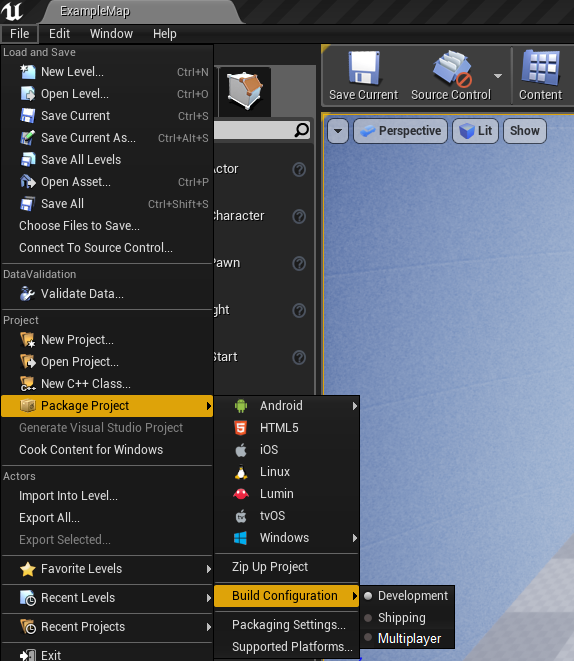
wait does no one else have this option in their source build of the engine? https://i.imgur.com/Zr0dJQR.png
 heavy ether
i know this chat is all about modern unreal engine, but i thought i'd throw this out there in case anyone ever needs to dig through old UnrealScript stuff for some reason.. i was poking at a mod I wrote years ago, and lack of syntax highlighting was obnoxious... here's a visual studio code extension that adds some minimal language/grammar support for old-school UC files: https://github.com/ericblade/vscode-unrealscript

GitHub
Unrealscript language and grammar for Visual Studio Code - ericblade/vscode-unrealscript
wow, my nickname here. oops. lol
regal mulch
@grim ore You mean Multiplayer?
grim ore
yeah you just choose it and it packages your game for multiplayer, It's super easy I don't know why everyone says it's hard 😛

 versed spear
naw its not that easy my inventory came set up for multiplayer and I know what I would have to do to fix it all for multiplayer. I wish it was that easy 😄
I am just hoping my single player game does good enough to pay for server costs. Only thing I'm worried about.
heavy ether
multiplayer is only hard if you don't think about it from day 1.
and think about it every day
all day 😃
hushed wing
multiplayer is many times more complicated than singleplayer for many reasons. (Without commenting on it being hard or easy :p)
heavy ether
sure it is. but if you're thinking about it from the start, and you're always thinking about it, then you do things in a way that makes it much much much less hard.
do not ever sprinkle your code with "// TODO: this won't work in multiplayer"
hushed wing
Depends on how many people you work with, they all have to think of it.
:d
each human is someone who might forget
and now one of your features is broken in mp. However small it might be.
But it's doable, obviously. There are mp games :d
heavy ether
much easier to fix a feature than it is to fix a broken design 😃
heavy ether
i got into coding for games because i was playing a Unreal (2003-engine) game that was not originally built for multiplayer, but had it tacked on at the last minute during development. i wanted to mod it so it worked right. turned out that there was pretty significant breakage on the native side that was nearly impossible to work out.. but still got quite a lot of stuff fixed/working/reimplemneted. modding was so much fun 😃
hushed wing
modding ftw, i also started with that. 😄
heavy ether
... and i was just answering someone's questions about a mod i wrote back in that day, and that led to me having to put together that unrealscript vscode colorization thing just so i could read it. wall of grey text sucks.
plush yew
anybody know what could be causing this
https://gyazo.com/3c9f957e406038f725ffc8a29e759ee5.gif
its a light beam that reflects
when its fuzzy thats in game and when its not that ejected into editor
 hushed wing
@plush yew When you eject you are technically seeing the "Editor" world and not the ListenServer/Client 1 world (afaik).
I'm not sure about the specifics about your beam's implementation, but that could be relevant.
Maybe some different tick rates
 terse pewter
hi, are there Italians?
dry moon
Does anyone have any idea how cloths work? If you can set the gravity to 0?
so it kinda floats?
 wispy pasture
Hi there, does anyone know what kind of licensing is involved for individuals who want to make a commercial product using nvidia WaveWorks or other GameWorks products?
 thin hemlock
So for the Epic game store has there been any word on a community market type thing where games can have cosmetics?
 true swallow
I’d assume you would have to have a system built within your game for that
Idk if there is going to be any actual apis to sell in game items like that
But I could be wrong haha
thin hemlock
gotcha so no official word on anything like that yet
true swallow
Yeah idk
thin hemlock
I didn't realize #epic-games-store is a thing now
true swallow
I have a pretty big game idea but I don’t know where to even start with it
So I’ve been just doing pre production by myself for like 2 months now
Planning everything out
thin hemlock
I've recently switched over from a Unity project I worked on for a year to recreate everything in Unreal
Unity when compared to Unreal is like a battleship with no engine, no guns and no crew
true swallow
I don’t like unity because I don’t know how to program and I’m just a music producer
So I like the visual coding
Because I work a lot in midi so it’s easy to translate effects chains and synth builds in max over to unreal
speaking of which does anyone need any music for their game
or sounds
ill do it for exposure
 celest creek
Blue, I do my own music as well (probs the part I enjoy the most about game making.. oddly enough I guess..) but am curious to hear your stuff if you have something online?




 celest creek
Also - I haven't done anything with UEs synth stuff, good to hear you seem happy with it (?)
Use ableton as well, Max not so much..
thanks
true swallow
max is super fun to learn
currently working on an art installation at my college using unreal and max
celest creek
cool stuff, love the crazy turns your stuff takes sometimes 😃
true swallow
thank you!
celest creek
I'd love to learn max to be honest, just no time with me doing it all for my game... while working full time 😦

This page is mainly for works in progress. Should you want to contact me do so at backman3d@gmail.com. Thanks for visiting.
wispy pasture
Your music is pretty cool Blue
celest creek
That's my stuff if you're interested, it's pretty old and there's problems with it.. I've learnt a lot since then 😃

Cheers for listening! If you want to get updated on upcoming releases, feel free to follow me on these channels below: http://www.facebook.com/nemouMusic htt...
That's a more recent one
true swallow
thats a pretty old song haha
celest creek
yup lol
celest creek
still, probably the most recent thing I have online.. I'm hogging my tracks for now! 😄
thanks
true swallow
probably going to be releasing like 80 songs i havent released
celest creek
nope, but I'm googling right now haha
celest creek
cool, that'd be interesting to check out once it's out there
true swallow
thank you!
wispy pasture
@grim sinew does that include commercial projects too?
 grim sinew
I already told you. Yes.
wispy pasture
Thanks, it's important for me to clarify before I sink some time into that!
supple totem
hi all, are there any downsides to working in the Debug Editor? Besides performance issues?
 high stone
Nice! Make sure you have plenty of HDD space for the RAM, or turn off the Virtual Memory. A lot of people make that mistake with 128/256 SSDs.
hushed wing
But other than that? not really.
hushed wing
@high stone you mean pagefile?
gleaming lagoon
Question, what consumes the memory the most when building your level for lights?
Somehow my memory just jump up to 20 gb when building the lights 😐
 gleaming creek
Do people actually use the dialogue wave system for speech?
It's rather convoluted and unfinished
It seems to integrate with the built-in subtitles but those are pretty unconfigurable
There's dialogue contexts that let you configure lines for different speakers, but that doesn't seem particularly useful when there's only one subtitle shared for the entire dialogue (so if you had multiple characters with the same piece of dialogue, they'd all need to have the exact same wording)
Also doesn't appear to handle different languages