#ue4-general
1 messages · Page 331 of 1
 polar hawk
 languid shard
yeah its a pretty common case now
Corsair started selling em when I built the pc during summer
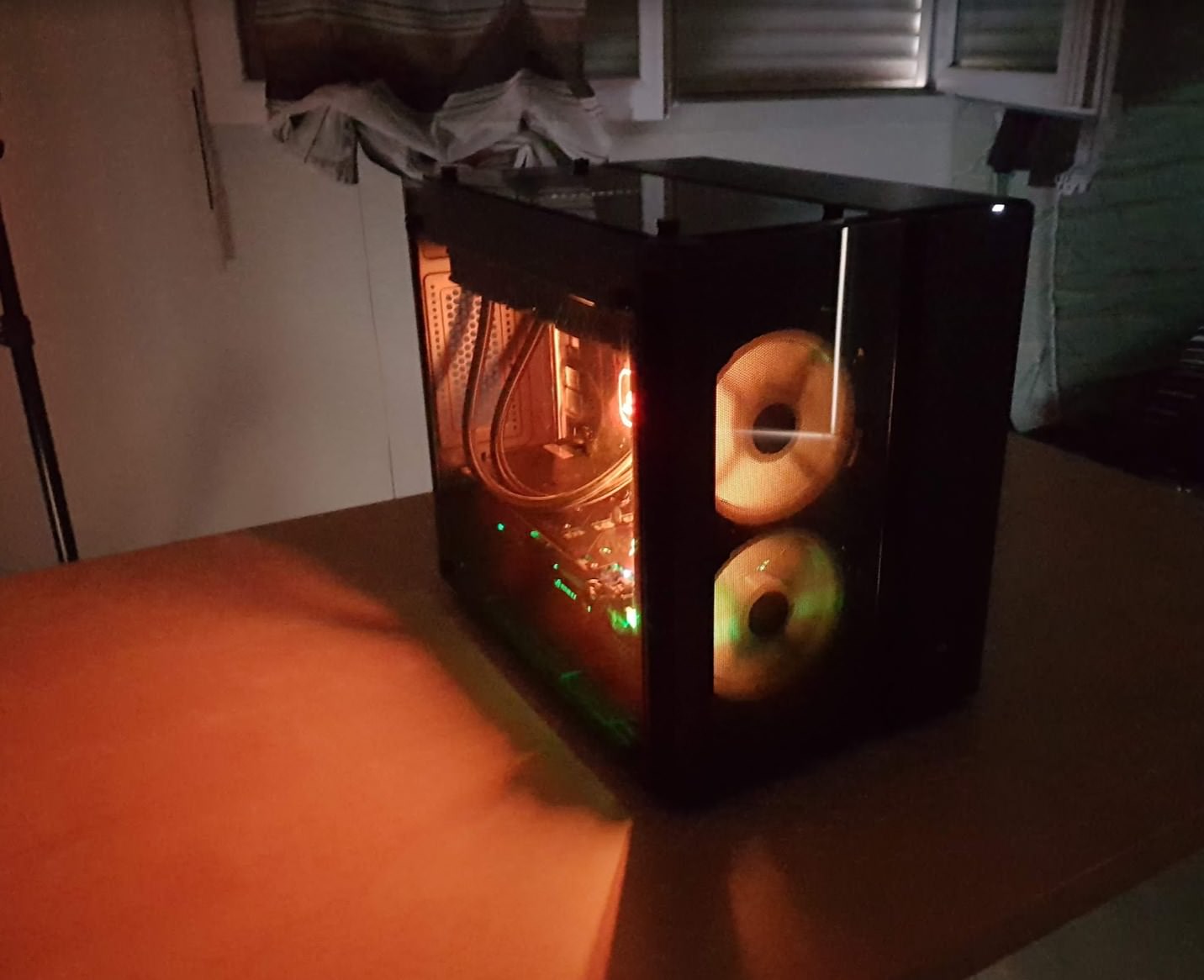
bonus halloween shot
languid shard
aw yiss racks
I built a proliant last year
in cube format
I use it as a multipurpose home server, with remote access for files
its pretty awesome for the price I got it for
polar hawk
aye
 cursive dirge
I have one side plexi on my case
I've swapped that side cover into other side so I got the case to not look like it's windowed
the plexi side only shows silencing mats :p
and it's against wall
I couldn't care less of the case internal looks if it's functional 😃
polar hawk
My case has 3 windows
which is really helpful for me because sometimes I like to just look into it to see if nothing is on fire
but the case sits in a place where only its top window is visible
big fan of top windows
 tawdry storm
@languid shard no pumpkin face on the glass 0/10
languid shard
😦
 pallid compass
 silver crown

 fathom gale

silver crown
 silver crown
 whole quarry

 leaden dust
should I get a 256 gig nvme, or 1 tb m.2 sata
 paper kernel
leaden dust
paper kernel
leaden dust
for UE4*
whole quarry
rotate the objects with it
fathom gale
but

Stack Overflow
There are no errors in this code but when I run the code, the camera is fine, I can look around and all of that. As soon as I move, it starts rotating around the origin of it's spawn.
Camera code:...
whole quarry
site is being blocked on my companies network 0_0
im not a coder though 😛
@languid shard has OpenGL skills, maybe he can take a look 😉
languid shard
please no 😆
languid shard
I'm no OGl coder sorry 😦
languid shard
VR in UE
 fierce tulip
dear svn in ue4, Y U ALWAYS ISSUE
 manic pawn
it would be nice if there was a uht macro to ensure bp can not call your methods with nullptr, so it will print an error instead of you having to add that in every single method taking a uobject*
:(
 wispy raven
Found a bug
whole quarry
smash it

 iron wadi
gameinstance owns world?
 teal tulip
how is opengl related here ? @fathom gale
whole quarry
you fixed the issue?
whole quarry
grats!
fathom gale
ty mien
whole quarry
what was the problem?
fathom gale
IKR
i was so mad
cause i remember i saw a comment saying this
in like a 3 year old video
and i was like nahhhh]
 unreal spoke
Regarding the optimizations for the characters in Fornite, the devs talked about having different skeletal meshes using the same skeleton fpor the body parts. Does that mean to simply put 4(or the number of parts your characters are made of) skeletal meshes in my character all of them using the same skeleton? So no black magic or c++, just 4 simple skeletal mesh components using assets that have been designed to use the same skeleton.
Something like this?
 broken stream
good day, can some one help me understand why my mesh look like this, they have this white light glowing around them ?
broken stream
yes and the rest of them as you can see in the back, its cans soda
 grim ore
more than likely that is fresnel
broken stream
still make no sense, if someone know something let me know please
 static viper
show mat
broken stream
what is that
static viper
material
broken stream
you want me to show it
static viper
yes
we cant help you else XD
we are making assumptions based on visual experience
and then i want to see your sandwiches.
broken stream
grim ore
F R E S N E L
grim ore
you got this master material from somewhere apparently. uncheck the add F R E S N E L parameter
broken stream
i got it from the cgtrader last night
grim ore
It looks like someone took the master material from Unity and recreated it in UE4
static viper
do you have sandwich models now?
 tall pendant
why do people still call it diffuse..it's albedo 😄
static viper
thats different.
static viper
we rarely think
grim ore
well the fresnel is what you don't want so I would assume yes.
static viper
we assume alot
broken stream
i think it did man.. thanks 😃
static viper
and why did you thought it doesnt make sense?
XD
fresnel was the first thing to come up
broken stream
i don't know what that is, but you know, can you explain what fresnel is ?
static viper
i let mathew handle this

What is the Material: Fresnel Node in Unreal Engine 4 Source Files: https://github.com/MWadstein/wtf-hdi-files
broken stream
okay thank you
fathom gale
ur voice is hot
silver crown
lol
 lime cobalt
@plush yew trololo; yes I was pinging you, Hi also
silver crown

 visual wind
I just made a DAW in unreal engine :p
grim ore
Designing a game for Mobile and PC. Third Person controls on the PC and touch to move for the mobile. Make 2 game modes/controllers/setups and use level streaming to choose the base mode for the device type or go with 1 mode/controller/setup and try to disable it as needed.
unreal spoke
any video/documentation about the Significance manager? I can only find stuff in Japanese 😐
visual wind
it's always either russian, german or japanese lol
 inner yacht
why would my multiplayer game stop working after first play if skip assigning gamepad to player 1 is unchecked?
If I check the box it works everytime
then i uncheck and it works as intended
 stiff hazel
Hey. Where do you guys share your projects with other teammates or people to test with? We have playtest almost every 3rd day.
My packaged game is about 2GB now, and it's pain in the ass to upload it on every playtest. To share the editor with the artist guy is even harder.
I'm currently using Github's release, it's kinda slow.
Tried google drive, but it doesn't handle change well, always have to upload the 2GB file. If i'm not using pak file when building, then I have many small files, and processing it almost takes the same time as uploading the 2GB pak file.. :D
Dropbox community version has small space, so it's kinda no go.
Do any of you have experience with sharing the project?
 digital anchor
#source-control check pinned for recommendations
basically, a source control software will only upload the difference between last and new version, keeping it versioned and least size possible
just realised you are talking about the PAK not the game files, i think those will change completelly then it wont work with source control
stiff hazel
yeah i'm talking about packaged game, the one i'm distributing to people coming to test the game
steam handles the changes with binary diff, i'm wondering if there is any platform that handles it the same way
 wintry raptor
Anyone have experience with the network profiler?
 modern kite
Pls help me my editor is stuck at exact 73% in the splash screen and i cant open it in any way!! a little more information for the editor: it crashed with the error code 0x590 which means: ERROR_INVALID_EDIT_HEIGHT
1424 (0x590)

Height must be less than 256. https://cdn.discordapp.com/attachments/221796616653373441/504350752177913902/Desktop_Screenshot_2018.10.23_-_19.49.05.83.png

 plush yew
I have came back to this engine after 3 years. In that mean while I have learned to most of c++, no everything, enough to consider me closer to a pro.
I want to make a game and I'm asking myself, should I use only c++? Or only blueprint or both?
 worn granite
mixture
plush yew
I can work with both pretty good. I'm more efficient with blueprint as it doesnt need long compile time
Would you mind to tell me when i should use bp or c++?
worn granite
its easily enough searchable, epic themselves have a recent post
plush yew
What do you think about these cases:
1)Inventory system
2)Basic first person character
worn granite
id design the inv to be used from BP, and the char would have a C++ base.
plush yew
For me are both easy, the only problem is it takes 10 seconds to compile with c++ for even a small value changed
worn granite
both use C++
 frank escarp
the trick to effectiveness is to keep c++ for the systems code, and blueprint for the surface llevel
plush yew
I have not founda need to use blueprint. Are there lots of things that one can only do in C++? I am sure if I were good at C++ I would be able to code faster than create blueprints, however since I am able to achieve everything in my project with blueprints I wonder what the point is.
 manic pawn
lot of actors
 vivid girder
Hitting 14gb of ram

little fragment from The Mist, its intense
22
This seems bad
Not today demons
 atomic forge
I think you need to optimize just a little...
vivid girder
Is there a way to profile multiplayer?
 grim sinew
Probably.
vivid girder
I'm trying to tell how long an array takes to replicate
 brisk hamlet
I've identify two ways !
One is the network profiler which works only by capturing a game session but it's not real time
And you can also check some options into your stats to see some informations
If anyone knows an alternative and good solution. I need to know about it ;)
 slender veldt
Hey folks, does anyone use InstaLOD? I bought a license before, lost the key, now they are saying they only contact people with business email domains. They refuse to speak to me otherwise. Is this normal?
manic pawn
that seems to be normal
people have been talking about instalod becoming some strange AAA-only product some time ago
slender veldt
yeah i kinda got that feeling 😑
thanks for the insight
does anything else do skeletal mesh LOD including bone reduction?
vivid girder
@brisk hamlet Can you use the network profiler in the editor? Like local testing?
 deft sparrow
I suddenly can't save materials/textures anymore. Always get "name.uasset failed to save." and for some reason if I make a duplicate of the material it can save that just fine.
Anyone had this issue before? I restarted Unreal multiple times and am not running the project twice as forums seem to list as the main cause.
slender veldt
is it local storage or NFS/SMB share?
 high stone
Did it lose the path name?
deft sparrow
Local on my pc
Don't think it lost the path name. At least nothing in the error message indicates it.
The materials are all still there and I can make changes and apply them but it can't save the uassets
high stone
RAM leak or some kind of error in it's basic save function.
Might be trying to save a chunk of the data on temporary RAM instead of straight to the hdd.
deft sparrow
I suppose I could try freeing up some HDD space (only 21 GB free space) and restarting my pc.
high stone
Do you have RAM using your HDD for pagefile.sys? That gave me problems in the past.
Everyone upgraded to SSD. Small storage SSDs and it's fine. Until you start using developer tools. They are known for baking a lot of data into temporary memory. Ideally you want a 512gb SSD. Or a 256gb SSD. With everything else going to a HDD.
deft sparrow
Oh I actually checked and it seems my laptop has a SSD.
high stone
How much storage?
deft sparrow
435 GB
high stone
But you said you only had 20gb left?
deft sparrow
20GB left of the total storage space of 435 GB. Sorry if I was unclear.
high stone
No problem. That may be the cause. Computer does weird things when running low on memory, storage. If possible get an external HDD for some of your unnecessary content?
deft sparrow
Yep, have one next to me. Was going to work a bit more before freeing up space but I guess the other way around works too.
high stone
Software should only be on the SSD. Games, other media on the HDD. Save files on both.
Reality is games don't really need HDD speed past 7200 RPM. Even most modern games only need 2gb ram.
deft sparrow
Never tried putting all my games on external HDD before. Could try that.
high stone
Just do the big ones.
Deus Ex Mankind on my PC is... 45gb? I hate it when they force DLC installs. Takes up extra space. I'm never buying it.
deft sparrow
Already uninstalled most big things like Overwatch since I needed the space but I've got tons of photos and such that I still had to transfer.
high stone
I remember when I had DBZ on mine. Glad I bought all the DVDs.
 ebon goblet
I'm trying to see the collision while in play mode using the "show collision" command, but it's not working.
Anyone know what I'm doing wrong?
atomic forge
@deft sparrow how many instances of UE4 do you have open?
If you have more than one instance of UE4 open of the same project, you're going to have difficulty saving things.
 candid falcon
where would go go for help inporting .fbx from blender?
 sand birch
Hey guys what part of my survival game should I try working on next keep in mind that it need to be something simple because I'm bad at programming
 fierce plover
anyone know how to change the size x of a progress bar on event
like on lvl up or w/e
fierce plover
Do you just set it to the max size to begin with and then put a cap on the value
and then remove the cap based on the events?
brisk hamlet
@@vivid girder Yes of course
vivid girder
@brisk hamlet With this?
brisk hamlet
Yes you just have to type a command to enable the profiling
I'm not on my computer, but type network profiler to find how to do it
vivid girder
Oh, type network profiler?
brisk hamlet
In the console command of UE4 (You can also type it before play)
Then it will register your session
And when you will stop the game you will find a file in your Saved folder
vivid girder
Oh, so i just enter network profiler and it'll record?
 dim arch
is the imposter baker integrated into 4.20
or should I use the plugin from github
first result is this document, but also read an article which said it was outdated
plush yew
Yo g's I keep getting this message when trying to launch my project 😫
this is the error when trying to build from vs
 coarse wigeon

GamesIndustry.biz
Australian dev association head is stepping down after nine years at the helm
brisk hamlet
@plush yew Check the output log it's more understandable
fierce tulip
btw, its https://twitter.com/danacowley her birthday today, send her some love 😃

Technology fan, music enthusiast, beach magnet, pretend food critic, senior marketing manager at Epic Games.
Tweets
10363
Followers
17402
 Twitter
 frozen crater
can i display the highest frametime in the last second or so? I think I got some stuttering issues, but the overall fps is fine and its very difficult to see if the stuttering got better after changing some code
frozen crater
ty
 misty raft
I've noticed lately my UE4 gets a bit laggy if it's been left open awhile
I've not got a mem leak have I? 😦
fierce tulip
thats so extremely personal and different per team and their desires its hard to give good examples. it would probably start massive debates and the occasional flamewars hehe
static viper
yes but there is still some ground rules
languid shard
@west bane @polar hawk 's guide https://github.com/Allar/ue4-style-guide

GitHub
An attempt to make Unreal Engine 4 projects more consistent - Allar/ue4-style-guide
static viper
name conversion for instance
oh no
oh now you started war...
big time
XD
no nuke emoji
languid shard
💣
fierce tulip
fun fact: allar had a marketplace item rejected because it used his style guide :/
static viper
wait
fierce tulip
but yea, its a good thing to read trough
static viper
 languid shard
haha 😄
fierce tulip
I so learned my lesson, never going to gif my own face ever again
static viper
i will never stop shouting it
 frosty bloom
If they rejected his name convention, they must have their own? Possibly public?
languid shard

fierce tulip
for marketplace? nahh, its generally a mess
languid shard
rule #1
static viper
kitatus is on the mp team
languid shard
no rule
languid shard
wasn't these name conventions before you could filter assets by type ?
manic pawn
the problem was that he used a style guide, the marketplace rule is that the structure must make no sense
fierce tulip
hehe
static viper
its better to give up on mp...
unless you were one of the first to fill it
like luos here
frosty bloom
^ That must be the case now when I give it a second thought
static viper
to see the 12% repay
fierce tulip
some people who where top sellers made so much bank with that 12%
static viper
i still remember when the mp started out...
languid shard
there wasn't weird licorns nor shitty zombies all over the place
fierce tulip
there is good stuff on there, but you really need to get out on social media and market it for additional sales
static viper
i always feel like all that stuff is way to special
for games with artstyles at least...
i only look at the code stuff and some materials
and some particle thingies that can be rampaged for spares
there was a cool pack with explosions
very realistic and volumetric...
easy to take apart
frosty bloom
ALS V3 seems to have made bank, 220 ratings - count me impressed
static viper
ALS v3?
oh
right
yee i very well believe there are huge numbers in cash around the marketplace
i think animations and particles would make a large chunk of that
so special
and some code assets
like starter templates
some of these assets just need a few sales and you can live a few months already...
its crazy
frosty bloom
Yeah, TPS templates, inventory systems and stuff
People release similar assets with small differences and still makes sales
static viper
well
frosty bloom
^ Glaring at weather systems with more
static viper
those small differences make all the money
people will never by the same thing
they always go for what is presented well enough to their needs
regardless of what is actually inside
so small changes can make alot of difference
like drag n drop in inventory systems
saving the inventory
beeing able to drop items 😄
there are so many factors
frosty bloom
Indeed, but I'm talking about barely visible differences. I'm not going to call out any asset pack but I've seen some that have the exact same stuff, almost copy paste and only exchanged the placeholder meshes, product description and so forth
broken stream
Good day 😃
 icy bone
@pliant cairn I believe that the heart will, turn base color
 pliant cairn
😂
 muted apex
can you have a skeletal mesh use the same clothing data on two different sections?
like e.g. i have a ponytail but inbetween there is a hair clip thing and i want it to follow the hair that are floating around
but it obv doesn't cuz it's a different section
any ideas
icy bone
@muted apex maybe use constraint instead of cloth, not sure what u wanna achieve
@dense holly u can here i think
 dense holly
Why can't I import a uasset file?
icy bone
no idea, it should automatically happen
 livid haven
You are trying to import an asset. That doesn't make sense.
grim ore
.uassets are not to be imported, that's a bad raptor
livid haven
That's like trying to import a PSD file into Photoshop. It's already Photoshop's file.
static viper
there is a way todo it other then migrating
livid haven
It doesn't need to be converted or imported or anything. It just needs to be opened. Not imported.
grim ore
but you can import a PSD into photoshop can you not?
static viper
i regulary do it in my projects
livid haven
@grim ore Isn't a PSD a PhotoShop Document? Their actual file format they save things in?
grim ore
yep but doesn't stop you from importing into photoshop does it?
livid haven
Via File -> Import? Pretty sure it does. Because it's not a format that can be converted.
grim ore
I think we went way off topic trying to help lol
fierce tulip
 livid haven
You can drop an individual uasset file into the Content directory of a project.
grim ore
@dense holly the .uasset is what happens after unreal has handled it, you can't import it. the .uasset is the result of the imported file, like a model or texture, and what unreal uses once it has imported it.
fierce tulip
^ my face when owl posts it
dense holly
Sorry, looking at something else
and I was looking at some videos and it said you can import it
static viper
show the video
grim ore
well also what is your definition and the videos definition of import?
fierce tulip
you can migrate usassets to other projects their content folder, but importing is not a thing
thats like Sion saying you cant import PSD files into photoshop
hides
fierce tulip
need to do that trough explorer, not the content browser
dense holly
and as I said I am new to unreal
grim ore
well where did you get the .uasset from and maybe ask the author?
fierce tulip
no worries, you'll be making mmorpg's in no time 😃
static viper
i will post the face again.
livid haven
In the general casual sense of "bringing something from outside a place to inside it", you might think of it as importing, but in the software sense of "convert file into a foreign format into a known format", it's not called importing - to clarify.
 timber birch
👌
livid haven
Also, seriously, just take the uasset file and move it into your project's Content folder.
fierce tulip
hugs Mark
livid haven
You wouldn't be getting that dialog from moving the file and then opening the editor.
Do you mean you tried that, separately from the time you tried using Import?
dense holly
Yeah
livid haven
And how exactly did it "not work"?
dense holly
It gave me that error.
I tried importing the whole folder with uassets
the folder was there but nothing was in them
WAIT
I KEEP SAYING IMPORTING
livid haven
And then you tried moving them, in your OS's file browser, to your project's content folder... and... what happened?
dense holly
Ok, thanks
livid haven
Problem is, the Migrate tool moves out of a project, not into one.
Unless they've got the assets they want inside of another project that they can open in the editor, they can't use the migrate tool.
fierce tulip
well.. migrate means moving out, into something
dense holly
See, I'm sorry
livid haven
@fierce tulip I mean the actual migrate tool is done from a project.
fierce tulip
assuming he has it in another project, else just moving it in WINDOWS EXPLORER to the content folder of his project
intentional caps :p
livid haven
Right, and then what happened?
Because the "import failed" notification doesn't show up just because you have some files in a directory.
That happens when you try to import files, manually.
So it shouldn't have any relation to you having moved the files into the Content folder.
livid haven
But they're there in Windows Explorer or whatever file browser?
dense holly
yeah
 maiden swift
That usually happens when the .uasset is from an older version of UE4.
dense holly
iirc it was from 4.20
fierce tulip
4.20 > 4.20.3 should work
grim ore
Where did you get the files from?
fierce tulip
the mystery continues
dense holly
yeah, I'm sorry for wasting your time
fierce tulip
dont worry
dense holly
I'll try to figure it out
fierce tulip
< has to go else id join a hangout
livid haven
You might be able to see some log spam in the output log if they're failing to open due to engine version.
Well, failing to load.
Honestly, silently being skipped during asset enumeration is just bad UX. We should be showing some kind of broken file icon.
fierce tulip
^
plush yew
i just exported an armature from blender to export it in ue4 and this happened
static viper
/../../../.. /../../../.. /../../../.. /../../../.. /../../../.. /../../../.. /../../../.. /../../../.. /../../../.. /../../../.. /../../../..
the output log is inside the editor
developer tools
static viper
pls also fix paths XD
so that we dont have to deal with it when you package your project
plush yew
hey @static viper can i ask you a question on blueprints ?
plush yew
i just followed this tutorial on how to turn on / off a light by trace line
https://api.unrealengine.com/INT/Videos/PLZlv_N0_O1gZg3dTMetmsfm_s4lb4-Tg0/4jZT9ibp_ko/index.html
but i want to play a sequence instead of turning the light off / on

This video shows how to let the player interact with objects in the scene, using Casting and Blueprint Interfaces.
static viper
well
you will need a blueprint actor for the light switch
and a light ofc
and you need a public pointer to that light
ok forget youtube
the tutorials for lightswitch are literally cancer XD
you did that trace thing already so it will be really easy
static viper
oh like sequencer?
that will ofc be the same
you will need the sequence as file
a pointer in your trace actor
static viper
and the cast of that variable to get "create player"
nah
you can call sequences direclty
plush yew
how
static viper
no need to cast into another actor
well
when you create a sequence you press save
static viper
that file
plush yew
and..
plush yew
static viper
you need to create a new variable
static viper
now fill it with your sequence
plush yew
ok i did it
static viper
now drag that variable into your blueprint
and call the create player from it
for sequence
then from that a play
plush yew
i cant connect it with "hit actor"
should i do another thing
plush yew
so i can press a button to do a trace line and play it
static viper
you need a button for that...
did you actually watch the tutorial to end? XD
with the light switch?
this is below easy stuff here
plush yew
is there any way with messing with the camera's far plane?
i watched the toturial and created this
Whats wrong
static viper
that image is tiny
plush yew
i know
i just showed you that
cuz thats what in the tutorial
static viper
i am sorry that there are so many faulty tutorials on youtube XD
you need to create a new blueprint
that will be your button
the trace hits that button
you use hit actor as wildcard
then you can use functions from this button
plush yew
ok ill try to do what you've said
 toxic wagon
Anyone here experienced with cameras?
 regal mulch
Depends on what you need to know
toxic wagon
I'm looking to make hdr skyboxes
and that requires taking long exposures of the sky with the sun in it
and I heard that could burn out your sensor, so I was wondering if there was a safe way to do that
regal mulch
Oh, you mean an actual camera?
toxic wagon
yeah
 vale silo
is there a way to paint holes in the Landscape in the Editor ?
grim sinew
@toxic wagon honestly you’re fine as long as you don’t leave the shutter open for an insane amount of time.
Don’t worry about it for just a quick thing
You don’t need long exposures if it’s a sunny day really.
I think the dangers are a little overstated by paranoid photographers. In reality I’ve taken quite a few HDRI images, sunset timelapses, etc and never had any problems.
Even for 7 brackets, the shutter is maybe open for a total of 1-3 seconds. Not that much really.
timber birch
@toxic wagon https://photo.stackexchange.com/a/4017

Photography Stack Exchange
I want to experiment taking photos in which the sun appears. I'm afraid of what might happen if I take one with a narrower angle (where sun would be bigger). Can the lens act as a magnifying glass ...
So basically the danger is in, a Long Exposure with a Burning Sun onto the sensor for a few seconds
So if the sun isn't directly onto the sensor, it shouldn't harm
The cases were it did happen are really low aswell
grim sinew
Which for an HDRI it shouldn’t be a problem since the exposures are pretty fast and you use a fisheye lens
timber birch
You don't look into the bright sun either through the lens, unless you want to lose your eyes ofcourse
grim sinew
Also, use a fisheye lens unless you want to go into gigapixel territory
It takes too long otherwise
timber birch
He's fine, but i noticed he really wanted more info about it
toxic wagon
I'm using an 18-55mm lens
so that's around ~35 fov horizontal
so ~24 shots total
anything more and you get large-scale chromatic aberration
 earnest cape
plush yew
earnest cape
plush yew
I did a small game jam on a macbook air
 crude jasper
Guys
eehhh whats the word...
make my game run faster on crappier pc's....
the word ??
what ever
tawdry storm
optimize performance?
crude jasper
anyone know ?
ya thats it
Optimize XD
simple things to optimize
my game has basically no graphics
little lightning but all the settings are default
so
its pretty expensive on crappy pc's
any tips ?
tawdry storm
why are you playing on crappy pc's? 😛
tawdry storm
do you have a lot of objects?
crude jasper
and it needs to run on a relatively bad laptop
100 or so
but cant use LOSD
or what ever the name is
tawdry storm
100? o.o do they have lots of polys?
tawdry storm
okay
crude jasper
lighting is on production i think
tawdry storm
are they all casting shadows?
crude jasper
yep
tawdry storm
static or dynamic?
crude jasper
static i think
need to check
so lower lightin
put static shadows right ?
and what else can i do
crude jasper
what do you mean ?
tawdry storm
at the top of your viewport you can select different view modes
there should be one called 'shader complexity'
tawdry storm
press alt + 8
crude jasper
ye all greens
tawdry storm
🤔
tawdry storm
yeah that's fine
crude jasper
kay
tawdry storm
not sure how 100 cubes can bring down your fps that much to be honest
tawdry storm
sure
crude jasper
gonna go ticc and just remove casting shadows XD
tawdry storm
well if they're dynamic shadows you definetly want to turn them off if you wanna run it on a crappy PC
but if they're static it shouldn't be too bad unless your lightmap resolution is high
crude jasper
where do i see if its dynamic ?
and how do i disable box brush shadows XD
and thank you for the help btw 😃
tawdry storm
well if your light and your meshes are set to movable it's dynamic
if you set both to static then it should be static shadows once you bake them
crude jasper
ah theyre static so ye
last thing is
how do i dsable box brush shadows
doesnt show up like normal cubes
tawdry storm
I'm honestly not sure what you mean by that
crude jasper
box brushes
like its a cube
but you can attach a specific texture to a face
and it shows up differently
tawdry storm
yeah and if you select them you can't check or uncheck 'cast shadow'?
crude jasper
doesnt show up or im just not seeing it
tawdry storm
🤔 then I'm not sure, I never use them to be honest
tawdry storm
well it really depends where your bottleneck is
use the optimization tools and find out 😄
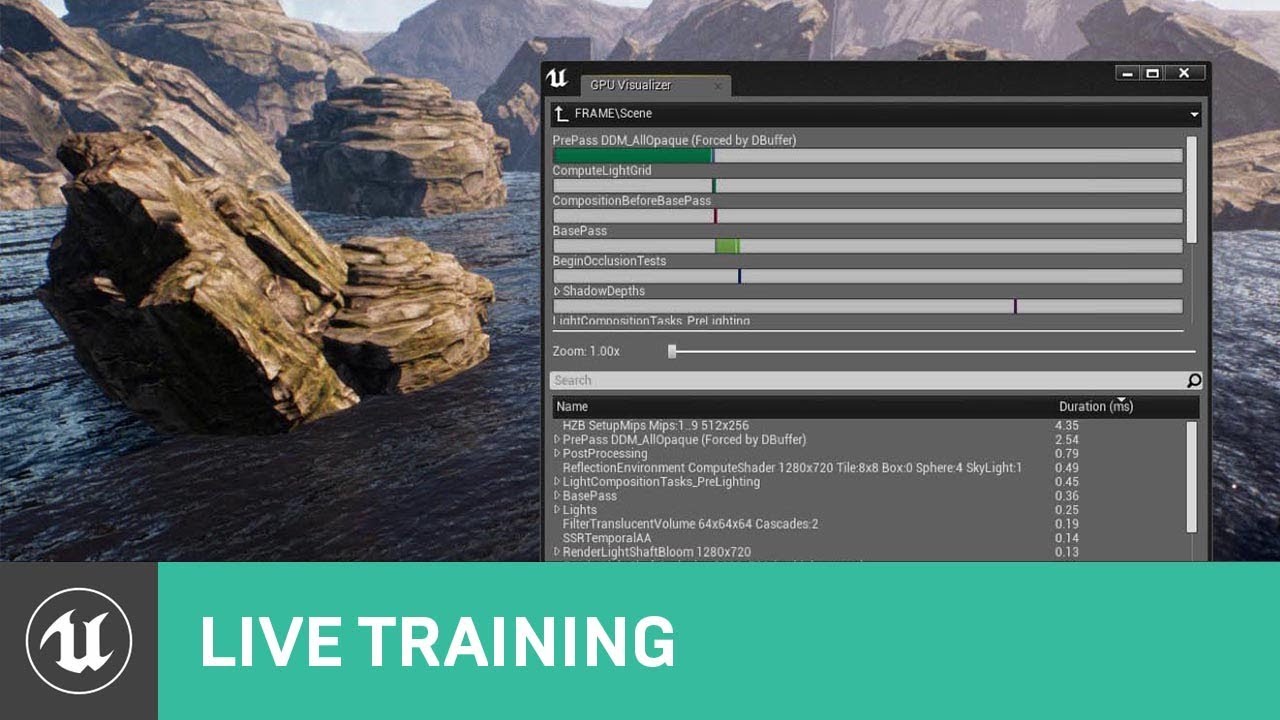
When developing any type of project in UE4, trying to maintain a target framerate of 30, 60 or even 90 FPS without sacrificing the quality of the visuals can...
tawdry storm
how do you have such a tight deadline when you don't even know the basics of the engine you're using? o.o
plush yew
do you need collision on all those objects? turning that off might help a lot
 cinder basin
how do I change the pivot position on a static mesh?
middle mouse doesn't seem to do anything
grim ore
reimport the mesh with the corrected pivot.
cinder basin
I tried
grim ore
go into the static mesh editor, adjust the pivot in the details panel, and choose reimport and it will ofset it
parent the static mesh to a scene root in a BP and then move the scene root instead of the mesh
those are the basic options
well I guess delete, then reimport and in the dialog adjust the pivot works as well
I've got a video covering all of these ways in the backburner just haven't had time to edit/publish yet 😦
cinder basin
where's the pivot thing in details
grim ore
I want to say under a translation section near the bottom but I am pulling it up now to verify
grim ore
guess and keep trying, or drop it to like the ground with the grid and offset it till its right and note the numbers
the best way is to edit the source mesh and re export it back out to a fbx file but sometimes you can't
cinder basin
ok cool that seems to be working
thanks
yeah that was the second thing I tried and it dodn't do anything
but the thing in the mesh editor did
grim ore
the 0,0 point in the scene in your 3d program is the pivot point when exporting out to ue4
cinder basin
yeah that explains it
grim sinew
@toxic wagon I would go even wider than that if you can. It gets a LOT harder to stitch the more you have. Fewer shots means less can go wrong.
I think I use 15mm or something. Prime, no zoom, since zooming screws up stitching
 oak linden
So I'm trying to get multiplayer pausing to work, and references to a "pauser" property keep popping up in discussions
In world settings
But there is no such thing
?
grim sinew
And it gets a ton harder with more photos because reality happens. Clouds move. Shadows away from wind blowing branches. All that stuff confuses the software
 wary wave
pausing in multiplayer sounds like a bit of a nightmare
 scenic aspen
I'm trying to grab 4.21 to check it out but I couldn't find it for some reason
is the download for 4.21 beta only work for certain week/day?
wary wave
as for a 'pauser', there is no such property
grim ore
the download should show up on your downloader in the launcher as a preview, available all the time
 tawdry raptor
where can I find a free female unreal model
plush yew
the marketplace has lots of paragon assets
plush yew
Does anyone use some outside software for viewing assets? I'd like something where I can just arrow key through my assets and see a view of it be it a texture, mesh, animation, etc. seperate from the engine
worn granite
@plush yew like a render?
plush yew
it's hard to find a good landscape material tutorial
 brave lark
where should I post about nav mesh for large scale world composition
plush yew
anyone available for a few minutes? dm me real quick, need a favor concerning version 4.20.3
sand birch
so guys i accidently made it so that I cant see how big my light mass importantance volume and i dont know how get it so i can see it again
its basically invisible
plush yew
staying true to your name
sand birch
....
sand birch
i can it doesnt show how big it is
plush yew
you want dimensions?
plush yew
lmao
plush yew
have you tried checking it in ortho view
plush yew
change view to Top
sand birch
that doesnt help
plush yew
delete it and make a new one lolo
plush yew
copy everything in your map except for the volume, make new map, paste, add in the volume and see if it works
sand birch
still no
if i have to delete and start again thats ok i didnt get far its just that will be the second time and i dont want to do that until tomorrow and i know this has a simple fix
plush yew
yikes
 novel ember
Can someone explain what I need to be doing with my math here?
It's to have my character orbit a fixed point ("hoversnapshot") in a clockwise motion. As-is it works, but it's confined to a single axis, i.e. I want the clockwise motion to work relative to the player's Z-rotation

the vid is showing what it's doing now
 soft tree
Hello. Stumped. Started a new Unreal project (Just downloaded the newest version), and I'm getting some weird shadows going on. Anyone got an idea what's happening?
This is happening in the editor, as well as when playing.
fierce plover
can someone explain to me what a slot is?
 maiden latch
Anyone using UE4 on an RTC card yet? Im having massive issues after switching to RTX.
*RTX Card
 dark depot
would be better to say the issues you are having. @maiden latch
fierce plover
So im trying to set the X value in a 2d vector with a "MaxHealth" integer
any of u know how to do this
icy bone
u gotta cast it to float first @fierce plover
maiden latch
Whenever I start he4, one 4k hdr monitor starts going off and then on whenever I hover over a button or a menu item. I have a 3 monitor setup
fierce plover
cast it to float and then make a vector from it and then bring that vector into the set size node?
maiden latch
It work s fine if I enable hdr on that monitor. But e colors are wasted out
fierce plover
I was thinking the progress bar going from 0 to 1 was kind of awkward but when u do max health / current health it all makes sense huh
icy bone
@fierce plover width = (CurrentHealth/MaxHealth)*MaxWidth
 tame bluff
Anyone know why my UE4 suddenly says was built with a different engine?
I haven't changed anything or ran the project with a different engine ver.
All my uassets are still in the subfolders
its saying I need VS2015 but I had everything working fine with vs 2017 yesterday
I was running in 4.20.3 using the beta niagara stuff so I know I was definitely not using the 4.19.2 version i had installed
languid shard
what version is it saying in the about window @tame bluff ?
languid shard
(Help > About Unreal Editor)
tame bluff
I can't get to the editor I can only check my projects in the launcher
in the launcher the icon has 4.20 oin it
and im trying to launch it from 4.20.3
languid shard
shouldnt be a problem
tame bluff
tame bluff
yeah yesterday or the day before I deleted the old 4.19.2 build that's long since dead
and I also removed 4.19.2 from my comp
languid shard
hmm
tame bluff
I've never actually had this project setup for 4.19.2 so I don't quite understand why it is throwing errors
tame bluff
What do I need to have checked for tools?
 tame bluff
ah i didnt have that
 tame bluff
😐
languid shard
😶
languid shard
when expressionless aint't enough
tame bluff
i was waiting for noface


 languid shard
anyways, you should be able to install the C++ game dev component
 sudden agate
languid shard
sudden agate
languid shard
don't remember where to though
tame bluff
it's just finishing up now
languid shard
ah nice
sudden agate
thats noface for you
languid shard
he still has a face
tame bluff
clearly a face
languid shard
and a big mouth
sudden agate
its a mask
languid shard
with a face
tame bluff
oh sorry it was updating visual studio now it's downloading the games stuff
sudden agate
@tame bluff the error message says something about 2015, not 2017
sudden agate
is your project set to use VS2017?
sudden agate
change it to 2017
tame bluff
how
sudden agate
there should be a project setting to set the Compiler Version to 2017
languid shard
aww yiss
my first issue report that was fixed
(wasn't a really hard fix, but important nonetheless :p)
languid shard
rip
languid shard

brisk hamlet
Hey !
I'm in trouble with the rotation of my character when he is on wall.
I achieve the ability to walk on wall and I can walk to the direction of the mouse rotation but I didn't succeed to rotate it according to his forward / velocity
I didn't succeed to find the rotation depending of my up vector. Anyone has any idea to deal with that ?
Thanks in advance 😉
maiden latch
Anyone using UE4 on an RTX card yet? Im having massive issues after switching to RTX.
Whenever I start ue4, one 4k hdr monitor starts going off and then on whenever I hover over a button or a menu item or bring the window into focus. I have a 3 monitor setup
It works fine if I enable hdr on that monitor. But the colors are washed out in general with HDR enabled.
languid shard
anyone knows if there's a way to deploy to a machine on the same network ? ie another PC
I see there's the UnrealFrontEnd stuff, but I cant't figure out how to add a networked machine to the device manager
urgh, seems like this feature was never really looked after...
fierce plover
do most games keep calculating hp per tick or is it just adressed whenever theres an event
cause when u bind the progress bar to a variable it seems to run its thing every tick
and idk if thats a practical thing to do / whether theres a reason why it does that
plush yew
The bind one just makes things more optimized
 idle sail
UE5 when
 cloud cobalt
10 years from now
When Epic does some drastic change like removing Blueprint for something else, like they did with UE3 to UE4
 devout gulch
there is not going to be UE5
they are rewriting rendering from scratch and not calling it Ue5 (;
the drastic changed from UE3 to UE4 was making engine modular
sudden agate
I started UDK exactly once. Didnt like this Kismet shit and it was all tied to Unreal Tournament back then
yuk
lime cobalt
I don't think they need to remove blueprints or redo a new engine for doing that
They just need to build something great as a UE4 module, just like niagara, paper2D etc
blueprints are a module
 charred dove
i re-installed my PC but kept my download files for different versions, can i put these back to my unreal engine somehow?
cant find much online / i dont know what to search for
lime cobalt
It would be a terrible waste to throw UE4 in the trash, just redoing it bit by bit is much better
Unity has been doing that for year and it worked, compared to the first Unity, the current Unity has multiplatform support, two new c# compilers, a new rendering engine, a new UI system
All that without alienating users into learning a new engine from scratch
also, they should consider the following thing:
fortnite doesn't ship with asserts() making the game crash on purpose, because players would be mad
why should the engine editor ship with asserts making the engine crash on purpose, making developers mad ?
cloud cobalt
Asserts are not here to make programmers mad
They handle situations that are going to crash anyway, in a way that's much easier to track down and fix
lime cobalt
I think UE4 programmers are in a state of mind where they rely on asserts as an excuse to make bad code
instead of planning their code to be flexible ( because they know what can make it crash since they're putting an assert )
sudden agate
@cloud cobalt well, i encountered multiple assert exception although my code was clean.
lime cobalt
they place the assert and they move on
lime cobalt
@cloud cobalt why unity is more stable than ue4 then ?
cloud cobalt
Because it's 10x smaller in scope
lime cobalt
I don't think the scope has to do anything with it
cloud cobalt
It does
lime cobalt
asserts are local things, so it doesn't seems related to the scope of a project
they're making a function that has an assert "NumObjects>10"
and then their code constantly gives 10 objects to that function
cloud cobalt
Look, I'l not saying the engine is perfect or anything - but asserts are common sense, and in C++, they are way safer than pretending it's going to work out
If you know you didn't test that, you put an assertion
lime cobalt
"common sense " != rational decision
lime cobalt
or they should put the asserts and handle the case instead of letting it crash
cloud cobalt
My only regret with asserts in our code is not having more of them, and they're all enabled in production
lime cobalt
yeah they're great when you're working on the code, just not when you're using it
sudden agate
@lime cobalt thats not the point of asserts tho
lime cobalt
asserts are running on my UE4 and i won't be able to fix those code problems
they make my editor crash when i've important stuff to do
cloud cobalt
The editor would crash anyway
sudden agate
asserts are "internal" and ensure your program runs fine.
(i.e. a function that accepts pointers should assert that pointer is not NULL)
if it is null, you , the programmer, did something wrong
lime cobalt
@sudden agate you don't get it, when it crashes i'm not working on code
stop blaming me for other programmers crap
lime cobalt
there we go, I just move an object in the scene, and it's my fault if UE4 crashes
lime cobalt
@cloud cobalt you know what that attitude is ? something to deflect the fact that the code is bad
sudden agate
my code is never bad :P
lime cobalt
@cloud cobalt unity code is pretty good 
sudden agate
it is far from good though
lime cobalt
I never had a unity crash when editing a scene, editor freezes, lags, but never editor crashes
cloud cobalt
The point of asserts is to CATCH errors. Every time you get an assert, you report it to Epic with the crash reporter, and they can get to fixing it
C++ does not allow anything nicer than that
sudden agate
I already encountered two crashes of unity within 2 weeks.
lime cobalt
it's just not in unity's ethics to let the editor crash on the user machine and blame the user for that
sudden agate
it occasionally freezes aswell
lime cobalt
@sudden agate when i was editing my level the last week, I had more than two crashes a day and it was a small scene
cloud cobalt
So report the issue, open a bug at Epic, tell them you found a bug
sudden agate
^
lime cobalt
@cloud cobalt no, I won't 😮
cloud cobalt
This is literally the POINT of asserts
sudden agate
stop complaining then
lime cobalt
because I work locally, I don't have internet on my working machine
cloud cobalt
It's why they're here
cloud cobalt
Ok, let's stop pretending this is a discussion then
lime cobalt
what will make me stop complaining is the engine becoming reliable or me changing engine
sure
I said what I had to say, sad to see the "c++ endoctrination" at play here, but ok
with an attitude like this, buggy software would always be the norm
cloud cobalt
@lime cobalt C++ is inherently unstable
That's pretty much the price for great performance
Now if you want less C++, go Unity
sudden agate
Does Unity actually have a proper Crash Reporter? I only got that "Submit Bug" window. but never saw what was actually wrong and why the crash happened
lime cobalt
@cloud cobalt so you admit that unity is coded in a more stable way than UE4
cloud cobalt
Yes, absolutely
sudden agate
Asserts tell me what was wrong and can look up what I did wrong (Or if I cannot do anything about it and send a Bug Report)
lime cobalt
@sudden agate maybe it doesn't need to
@sudden agate and about that " user doing something wrong " here's the thing
if the engine lets you do it without even a warning or an error message, you're unable to tell that you can't do it
cloud cobalt
Unity is way smaller than UE4 in scope, there's 10x less features, and they're overall simpler. It's also more stable and flexible in pretty much any way. If that's what you're looking for, Unity is for you.
UE4 is probably the heaviest engine in the world
In terms of features, tooling, etc
lime cobalt
it's not a perk by the way
it doesn't need to be heavy, it needs to be reliable and efficient
cloud cobalt
Maybe it's not a perk for you. It's why I use UE4 myself.
I need the tools
If you don't need them, Unity is probably better for your project
lime cobalt
because when it's reliable and efficient / flexible, you can add the tools on top of it without any problem
like all the unity assets enabling various things
lime cobalt
@cloud cobalt I didn't mean to annoy you by the way
plush yew
Both unity and ue4 are inferior compared to cryengine
cloud cobalt
lmao
silver crown
Nah OpenGL is da best
lime cobalt
@cloud cobalt having said that, Unreal4 always had a much better rendering engine, nested prefabs ( child actor blueprints) and more postprocess goodness
unity didn't have all this for the longest time
cloud cobalt
Unity is pretty much fine for all of these
My top reasons for UE4 would be the full C++ source code access, business model, Linux support, multiplayer support, material toolset, and overall resource / packaging features
These are where it's way better than either other engine imho
lime cobalt
yeah that's definitely good reasons
perhaps you're more experienced with cpp too, so you don't mind the workflow
cloud cobalt
Now yes it does pisses me off when Epic goes on a multi-year VR stint, or has shit dynamic lighting for years, or didn't upgrade Lightmass for almost a decade
lime cobalt
Lionhead did their own global illumination code for UE4, sad thing they didn't continue
cloud cobalt
But it's a game engine, it's an incredibly big codebase with decades of history, and it doesn't need to work perfectly 100% of the time
lime cobalt
it never was merged into the main UE4 branch as well
they also hired Luoshang from the UE4 forums to create the next lightmass iteration
that "next lightmass iteration" worries me a bit, I hope it will work as fast as lightmass on low end computers
or if it doesn't, that they can leave the legacy lightmass into UE4
cloud cobalt
It can't be slower than Lightmass really. Lightmass is CPU only
lime cobalt
I don't know... I tried Luoshang's GPU lightmass and it didn't do it for me sadly
but it might do it for other ppls
cloud cobalt
Luoshang's version is an early prototype, it doesn't even supports AMD / Intel GPUs
lime cobalt
yeah it does look promising nontheless, but for some reason I had almost the same rendering time with lightmass
with a new gpu and next Luoshang's GPU lightmass, things will be different
languid shard
anti aliasing and lots of dynamic shadow cascades
if you mean the default quality settings
digital anchor
deferred is also a bit slower by default, but u gain it back depending on your lighting
cloud cobalt
There can be many reasons. If it's the editor, for example, then it's definitely not optimized in any way
If it's the game, then profile it
languid shard
what game @plush yew ?
if you mean PUBG, forgitaboutit, its a steaming pile of shit
and source is a very old engine, optimised to the core
cloud cobalt
800fps isn't slow
What are we talking about here ?
I thought we were talking about performance
What's your issue exactly ?
Input lag ?
languid shard
uwot
cloud cobalt
floaty ?
languid shard
it feels floaty because the guys who made the game coded it like this
cloud cobalt
^
languid shard
what game do you refer to
cloud cobalt
Blank map apparently
languid shard
you know what
cloud cobalt
These are games, not an engine
cloud cobalt
@plush yew Have you measured the input lag or something ? Because the engine doesn't handle gameplay
If the game feels "floaty" it has zero to do with the engine
UE did have an input lag problem a few versions ago
languid shard
@plush yew https://www.youtube.com/watch?v=WkAU3A5nM-E

Extended gameplay showcase: https://www.youtube.com/watch?v=6AhPwHULW50 360 crash site concept art: https://www.projectborealis.com/blog/update-4-tech-demo/ ...
if you tell me this feels "floaty" compared to source