#ue4-general
1 messages · Page 299 of 1
 viral kite
Are there any communities anywhere for devs to work together on projects?
 maiden swift
 kindred viper
@viral kite well here and there. Are you looking for volunteers to work on something?
viral kite
Something of the sort
Let's just say I'm looking for Elder Scrolls nerds
xD
I want a group of people to chat lore with
kindred viper
you can use the Looking for Talent room here on discord, or ask on the UE4 Job Board on facebook. Maybe check the old IRC channel if its still alive.
kindred viper
but if you are looking for Elder Scroll nerds in particular, I would check out the discord for "Real RPGs require maths". It doesn't exist. Its just my opinion on Elder Scrolls :p
viral kite
hahaha
When I say that, I mean people who enjoy fantasy lore, but also enjoy creating fantasy universes
And are willing to collab
kindred viper
Im partial to Neverwinter Nights 2 style games myself. Dragon Age too. Divinity Original Sin etc. Something with some calculations
not so much Dragon Age in that respect though, I just loved 2 of the games
viral kite
thats cool!
 sleek crypt
any help to export the unity terrain to unreal when i erxtract the raw and import into unreal its plane
 gleaming lotus
I'm making a game where its essentially a large map view with smaller actors moving around. Should I make the size of these actors the same size as they actually are, or scale them down?
(mount and blade style)
sleek crypt
 tawdry raptor
how can I stop an object from continuously rolling when dropped on floor?
 plush yew
There is something that I don't quite understand about UE4.
If I leave the frame rate uncapped, it runs fine. But as soon as I cap the frame rate in any UE4 game, the frame rate becomes quite inconsistent, like stuttering, fps drops or sudden freezes.
It's strange because the game is supposed to run at a steady 60-90 fps. And yet, it seems to be extremely inconsistent.
If let's say I run the game only between 70-110 fps, if I cap the frame rate to 150 fps it's less stable than leaving it to 0.
 upper heart
It should be the other way around. You have to disable smoothing to uncap fps
plush yew
Everything is turned off.
But when capping the game at 60 fps should make the fps more stable, it does the opposite.
0 is more stable and capping to 60 introduces some instabilities.
It's super weird
If I play by setting r.onethreadframelag 0
or checking Skip GPU Buffer that also introduces similar issues with the fps.
I play with a 144Hz monitor
When it comes to modifying graphics settings, on my PC, the games that run on UE4 have been the most unstable. Either I turn off everything and leave it to 0.
Or I use Vsync and get some input lag. To cap the frame rate or using smooth frame rate seems to make the fps unstable.
tawdry raptor
hey @plush yew do you know how to make something stop rolling on the ground for ever and ever?
plush yew
You could increase friction, etc.
But they already found how to fix this, there are multiple threads you can read on the subject.
 cerulean perch
@plush yew are you doing stuff in tick?
 elfin jacinth
@plush yew check your DM when you get a chance, please. Thanks. 😃
 fierce tulip
when Dundoc keeps crashing ffs
 crude jasper
Hey quick question
Can you make it so a player floats ?
like no gravity ?
so if like he would jump it wouldnt bring him down
or set him in a position stopped
 storm venture
@crude jasper you should be able to adjust the gravity settings in your player within the Movement Component
 tight sphinx
is 25k polygons overkill for a model?
upper heart
a model of what?
tight sphinx
a gun
 south ridge
What platform @tight sphinx
PC?
Is it a gun held in first person or third person (on NPC's etc)
Is this gun animated?
How many unique materials/drawcalls does it have?
Does this gun have notable parts that might result in overdraw from the point of view where it's observed?
How complex are the pixel shaders required on the gun?
tight sphinx
Its on pc, held first person or as a pickup on the ground, is animated, 2 materials, no, not that complicated
south ridge
25k with LODs sounds just fine then
tight sphinx
okay
plush yew
hey guys any idea what's causing my shadows to look like this?
 sonic vector
What do you mean by "this"? I can't quite make out from the image the issue
 pseudo solstice
hey all any ideas why a translucent material would appear invisible on one mesh but behave transparently (as expected with proper alpha) on another mesh?
 reef jackal
does anyone have any insight on how Call of Duty is structured from a programming standpoint? The main thing im wondering is how their gun system is programmed. And even more specifically, for the recoil: is the animation done on the gun or the actors hands? Every gun has its own recoil pattern so im wondering how theyve done it. Also, All FPS i see in UE shows just the arms of the actor. Is that assuming its single player not online?
 stoic dew
Any ideas on how to add accumulative snow to the landscape via a custom material?
 weary basalt
@reef jackal Recoil for Weapons in CoD is managed by the Weapon. It applies an offset to the "viewmodel" (Hands+Weapon Model).
There are 3 models at play in CoD. In first person you only see your Hands and the optimized FP Weapon model. In third person you see the entire character and a Weapon, this Weapon is different to the FP weapon. The FP Weapon typically will have a less detailed side that you never see (due to it being FP and the Weapon is always on one side) to save on performance.
Weapons in CoD have ALOT of settings.
reef jackal
@weary basalt hey thanks for the reply. one thing Im remembering now. Like in BO3 for example, when you look down and run, you can see you characters feet. what going on there?
weary basalt
Id say they would have added another model for your waist that you can see. Its not in the older games.
Heres an example of some of the settings for an AK in CoD
reef jackal
ok but that aside, youre saying that when youre running around your techically just 2 floating arms and a gun, and the server is managing the other players seeing a whole character?
whered you get that
weary basalt
Im magic
Technically your actually just a Cylinder in CoD
In FP you have an pair of arms and a gun yes. In TP which is what everyone else sees
Your the full mesh with a gun
The image above is from the CoD4 SDK
reef jackal
wth thats so weird. So different from what every single Tut on UE4 shows
i figured the guns were insane on the programming end cause thats the basis of the whole game
years of building the engine
reef jackal
wow...
i see "gun kick settings" so they can change recoil with variables?
how the
you would figured it would be baked into the animation
well anyway thats interesting man thanks. This is way more than what i hoped for an answer on this
i now know trying to emulate CoD gun mechanics is way over my head for a 1 man project 😵
weary basalt
Thats all the anim refs for the AK
Firing Animation for example only deals with animating the actual parts of the weapon.
The actual "Recoil" or kick of the weapon is done programatically.
Everything to do with where the Weapon is for any given action on screen is done programatically.
reef jackal
so like the 48 Dredge in BO3 is a 6 round burst. The firing pattern and animation are very unique from other guns. Youre telling me that 6 round burst recoil was done through programming and NOT animating
weary basalt
Crouching for example applies a different offset to where the weapon appears on screen than if you were standing
I cant talk to anything above CoD4 as i wasnt involved further than that.
reef jackal
ahh kk got you
weary basalt
Ive never played BO3 or seen it so no idea
reef jackal
probably similar then
weary basalt
I cant imagine much would have changed about the underlying system though.
As its very robust and battle tested.
But i could be wrong, they could have thrown it out and gone for something new entirely.
The CoD Engine is an off shoot of the Id Tech engine.
So there are alot of games that would do it this way.
reef jackal
Yeah this has gotta be the best way to do it. Given CoD and everything its been through
i just gotten figure out where to start with UE
im still mind boggled that the visible gun recoil is done through programming. Gunna have to figure that out
weary basalt
All its doing is applying offsets
Ok so
Bare bones
There is a constant force that is applied to the Hands+Weapon model to drag it back to its resting location
Applying an impulse offset to it will force it in whatever direction offset
And that original force will then drag it back
So if you want to create an single firing offset for a shot for example.
You can imagine that realistically you want the weapon to point up and slightly back a bit.
From the resting offset, you add some amount up and some amount back. That will kick the weapon up and back creating your "Firing anim"
Apply some random numbers and you have a really simple programmable firing animation
weary basalt
No sorry thats just a silly term i used.
The red X can be represented as a Vector. The Weapon always points at this Vector.
If you want the Weapon to go up, move the Vector up
So if you imagine this Vector is out infront of the Weapon somewhere and you move it up and closer towards you, the Weapon is going to do that as well. Thats the basis for a simple simulated "kick"
The Vector will always want to move back to its "resting" position, this automatically allows your weapon to return to its original location.
Obviously this isnt occurring immediately but over many frames.
When i said "impulse" i meant, you make this Vector go directly to another position and you Lerp the Weapon towards the Vector.
reef jackal
but whats making the weapon go back to the resting spot. Usually when you lerp to a location you stay there
weary basalt
I said earlier you need to make the Vector that the Weapon is trying to follow always want to move back to its Resting position.
reef jackal
Ok so you would just do that through logic
yeah
duh
I think im seeing a slight path now
well hey man, I really appreciate the input. Like i said earlier this way more info on this than I had hoped for. Thank you! 🤘
weary basalt
No worries. Good luck! 👍
 austere hinge
Is there anyway to preview root motion animations on player.. While moving the slider in level sequencer..
While moving the slider.. All the animations are playing at same location.. But when I play game.. Rootmotion works
reef jackal
if youre coming from blender rootmotion gets messed up sometimes. YOu have root motion checked?
austere hinge
Everything works perfect.. I just want to preview the animations while scrubbing in cinematics
So that I can animate cameras perfectly..
While moving the slider in level sequence.. All the root motion animations are playing in one place.. They are not moving
So I don't know where to start and end camera animation
😑
 chilly gale
I've forgotten what it call can somebody name the wee pin node that is used for sorting out wires please
plush yew
@chilly gale reroute node
 vague ferry
Hello!
How to fix clothing? This appears during the animation.
plush yew
seems like you need sewing kit
 bleak widget
hey everybody
 honest vale
scope resolution operator
In computer programming, scope is an enclosing context where values and expressions are associated. The scope resolution operator helps to identify and specify the context to which an identifier refers, particularly by specifying a namespace. The specific uses vary across d...
chilly gale
@plush yew Thank you for that
 lament kraken
if you say
ue4 is bad
look at this

World War 3 is a multiplayer military FPS set in a modern, global conflict. Strong teamplay, national armed forces, real locations, full body awareness and a...
dam ue4 best engine for me
 cloud cobalt
Wow, a clone of Battlefield 4's Shangai map
lament kraken
best is
cloud cobalt
Except with shit graphics
lament kraken
there is no shangai in this game
 tall pendant
those explosions 😄 did they made flipbooks from firecrackers?
 cinder iron
is it just me or did I perceive destruction?
cant really tell cause the trailer "escalates quicly" 
 static viper
i just
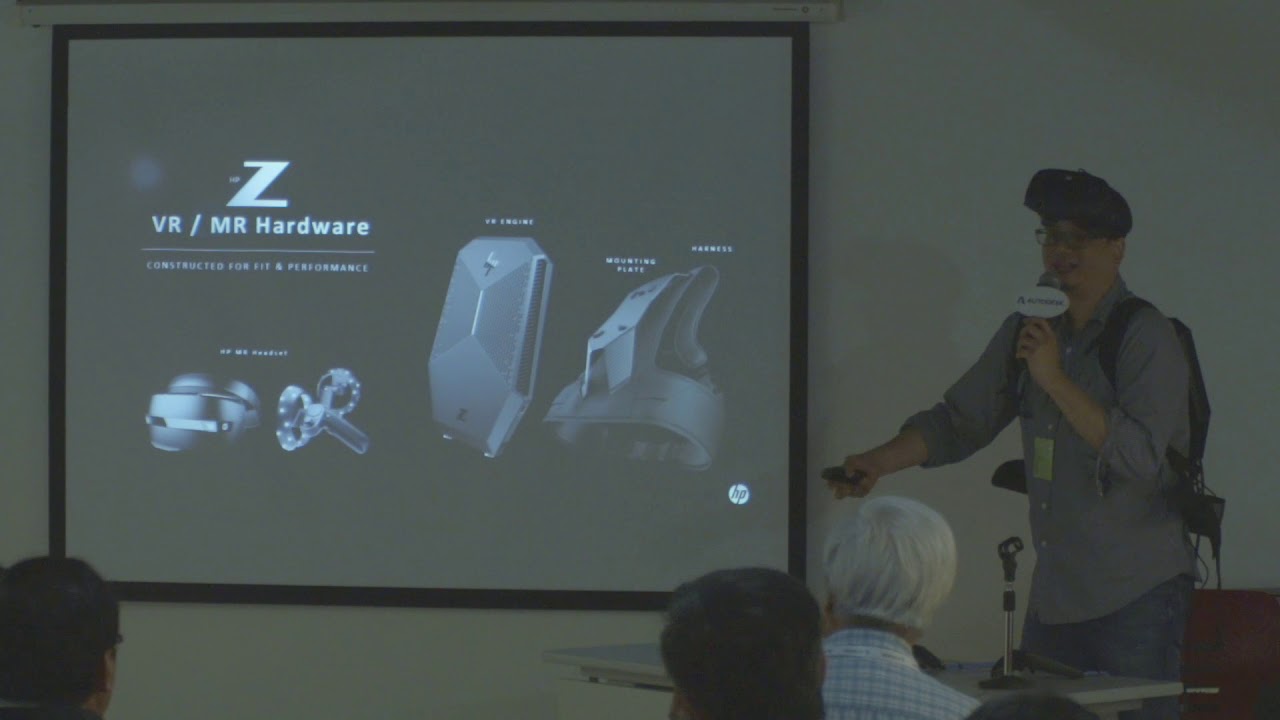
Presented by: Mr. Mark LAM Technical Manager, Synnex Technology Int'l (HK) Ltd
dont mind
tall pendant
yeah future stuff.. wearing an silly backpack pc just to have a mobile hmd 😄
doesn't even look funny..on second though yeah it does.
fierce tulip
https://www.youtube.com/watch?v=7Ta_Oi51hso
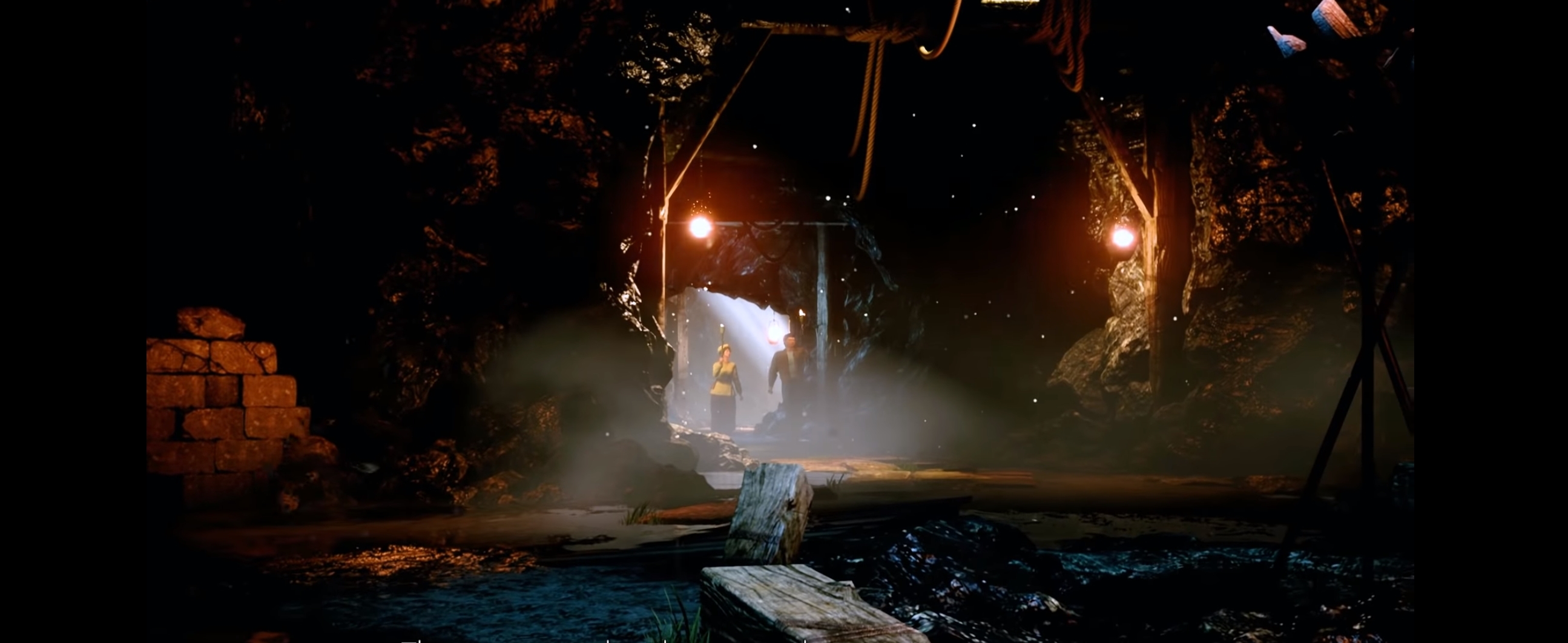
this was back in the days a revolutionary game. now it used the generic epic cave examples and poor characters

Coming August 27th, 2019 Only a few games become legendary. This is the story of one of them… Shenmue III sees the continuation of the epic story-driven saga...
siigh

 frank escarp
6 million kickstarter
cloud cobalt
LMAO
 wary wave
you're kidding :/
cloud cobalt
If they use these assets I understand why parts of the trailer run at sub 30fps
That brick wall is hilariously high poly
Each block is a separate mesh with something like 1000 tris

 cloud cobalt
I love how well the cartoon characters blend in the gritty realistic cave
fierce tulip
"hey we can make some money trough that shenmue game"
- "Oh yea, wasnt that somewhat a success back in the day?"
"Yup, lets do a kickstarter, see if we can make it for fuckin cheap"
kickstarter makes 6m
"You know what, you get 2.5m, I get 2.5m, and lets get some crappy mobile team to make it with 1m, of which we prolly spend too much on random crap they dont really need"
cloud cobalt
It's worse than that
They have a publisher backing this
Not to mention Sony
And Sega
 cloud cobalt
There is way more than $6M going on here
fierce tulip
with that money, I think if we assembled a team of the more experienced people in this chat, we could do better
especially with sony/sega/publisher backing it
upper heart
💸
cloud cobalt
$6M at the French cost of labor, which is no joke, would give you 2.5 years of a team of 20 really well-paid people
Let's say a team of 30 and the money for QA
frank escarp
wich, combined with marketplace assets, definitely gets you a good game
and good old indians
cloud cobalt
They're going for open-world, they release next year, have motherfucking Sony and Sega behind them
And they have the Effects Cave in the trailer
I can't even
fierce tulip
well, I'd at least pay for their food and maybe some cheap money to at least do something fun in the weekend
makes em happy
cloud cobalt
They're not free here, you'd need to pay them, something like $15k a year
fierce tulip
I made 250 euro/month on my first gamedev internship, meant the world to me
cloud cobalt
But we're hardcore Socialists compared to the average country
 grave nebula
There would be no free internships if interns refused to work for free ><
fierce tulip
hehe I refused an internship once because they said "we pay with experience" while I knew more about unreal at the time than one of their leads
cloud cobalt
Talking about total cost here
grave nebula
15k ? Euros? Yearly >
cloud cobalt
Total employer cost, not pay
frank escarp
i was given an offer to work as a programmer (not junior or intern) at RIME (tequila games)
grave nebula
Isn't it.. a bit on the bum side ?
frank escarp
1200 euros/month
i must say i laughed the fuck out of that offer
now, looking back, they really needed me
they should have heard my counter offer of 1800 euros
cloud cobalt
The minimum pay for a trainee would be 7200€ a year in France , plus the social costs for the employer
But yeah more like $10k
frank escarp
and 1200 euros is already generous
grave nebula
Well, I dunno. I'm firm in thinking that internships, paid or unpaid, should only exist in the field, where a minimal logged experience is a criteria to receive certificate of competence.
frank escarp
thats why im looking for a job but i dont care one bit about spanish companies
cloud cobalt
Minimum wage is 18k€ a year here, but even a junior 3D artist will make way more
And the employer cost is basically twice the wages
fierce tulip
I wouldnt get out of bed for 1k/m
cloud cobalt
For gross pay though, net will be 1150 min, 1500 for a 3D artist
And 38 hours a week
weary basalt
Thats pretty low. 😦
frank escarp
so just a bit extra on france
yeah makes sense
tbf one of the main reasons im thinking on putting an office and build a studio is becouse i can underpay the artists super hard
and get 3 interns to do the boring work
fierce tulip
< still looking for a bitch luos
grave nebula
Spain isn't the cheapest place to live. A bit strange to see wages that low there.
weary basalt
I cant do art good but id be your bitch luos 😉
frank escarp
Madrid as a city aint cheap
weary basalt
Haha
frank escarp
a 1 bedroom flat in a half decent place is around 800 euros a month
cloud cobalt
Basically Paris pricing here
weary basalt
So basically your entire wage goes to paying rent
frank escarp
yes
weary basalt
That sucks
weary basalt
Yeah lol
fierce tulip
meanwhile my clients decided to re-arrange the folders between core package, and packages user will download after purchase on ios store.
me while sorting trough the vfx folders: https://media1.tenor.com/images/d16fccf0b26546423ba9274a68acfeb9/tenor.gif?itemid=9980773

aaaand they forgot to submit some files and now I cant move folders because checked out
 weary basalt
Sounds like your clients need edumicating
Seems like half my job is teaching people how to properly use source control lol
fierce tulip
oh, this particular guy knows his bleep, rather happy he joined the team as he actually understands the jargon I am using
guess he just forgot
weary basalt
It happens.
fierce tulip
but still, timezone makes it so that I cant move 12 files until he gets to the office
in about 5 hours
weary basalt
Coffee break
fierce tulip
hehe
 whole quarry
lots of orange here, is this the Netherlands now?
fierce tulip
unreal etherlands 4
cloud cobalt
I'd rather wear the golden tints of our Epic overlords tbh
weary basalt
Are we not good enough for you?
cloud cobalt
Well, you are
weary basalt
My mummy always said i was special
cloud cobalt
But the colors don't match any loot rarity color pattern I know
Yellow < Orange < Green < Purple < White is weird
Blue needs to be a thing
weary basalt
Blue is Discord staff isnt it? Lol
cloud cobalt
That's sad
whole quarry
I wish we could have more colors here
 pallid compass
LogPlayLevel: [ 42%] /sdcard/UE4Game/Project_M/Project_M/Content/UI/Textures/loot_141-200/T_loot_191.uasset: 100%
wtf my engine is packaging things that i deleted o_O
 grim sinew
references
pallid compass
there shouldnt be any hmmm
cloud cobalt
Fix redirectors
Deleted/moved assets are kept as a link to avoid breaking levels, etc when you delete something
 brave lark
is using a heart meter like the legend of zelda for health considered copying or is it widely enough understood in games that it's just a trope now?
cloud cobalt
Using specifically a string of hearts as a health bar would be a very obvious reference
plush yew
i dont want game to be too heavy for computer
grim sinew
Also straight up impossible in multiplayer
plush yew
but it should have
infinite world
oh
damn
minecraft doesnt have infinite world in multiplayer though does it?
pallid compass
Why dont you try making the third person template character crouch karol
plush yew
its a large world pre-generated
grim sinew
Nothing about Minecraft is pre-generated, you can just pick a direction and walk forever
pallid compass
Yes its infinite, however there is a memory limit
plush yew
im pretty sure its not on servers though
pallid compass
thats part of x86 architecture
grim sinew
Yes it is
pallid compass
chance of u hitting it is very slim
like
going in 1 direction at max speed for a year in real time
grim sinew
Servers can be modded to put a wall in place so no player can be a dick and give them 20gb map folders
But the game itself can do it unless the admins stop it
plush yew
hmm i guess that makes sense
grim sinew
One sec there's a tool you can use
pallid compass
Worse part is im using asset audit to track everything
and its no where near 170mb
😂
plush yew
hmm
pallid compass
do u use the
asset audit
if not i got some cool things to show u
u may find helpful
plush yew
yea minecraft map generation must be advanced af
grim sinew
@pallid compass Found it!
Size map, there you go. Just run that on your whole content folder 😃
grim sinew
@plush yew https://www.youtube.com/watch?v=Xq3isov6mZ8

Hello! In this video, I attempt to create a simple voxel game/ Minecraft clone in a single week. It doesn't have the best performance or the most features; b...
pallid compass
btw zero
plush yew
thats some hardcore dev
pallid compass
do u ever use asset audit
pallid compass
lemi show u some cool skiz that be helpful for you
pallid compass
do u know u can do this
grim sinew
Lightmaps for days
pallid compass
Grab all textures
and
change the display
for dif compresion
and settings
So you can view
grim sinew
I do mine a bit differently when doing that.
pallid compass
Data settings on things like android compression
and shit
ON NO
ITS ACTUALLY 170MB
HOW
grim sinew
A ton of super tiny stuff
pallid compass
well time to sort compression \o/
btw if u change texture size
in the edtior
does the editor chomp it down for u
grim sinew
But yeah if I want to know how big things are it's easy for me to find out 😛
I just look at it.
pallid compass
in actual memory size when u package?
grim sinew
I think it keeps it pretty close to the actual size
grim sinew
The more you compress it the longer it takes to load
Oh that
I... don't know actually
frank escarp
@grim sinew nope
pallid compass
if u limit maximum texture size
frank escarp
compressed textures are copypasted straight to the GPU
pallid compass
gimi a sec and il find out
frank escarp
becouse the GPUs can read the compressed DXT format natively
pallid compass
OH SHIT
IT WORKS
IT REDUCES SIZE ON DISK
85kb
NOW
DOES IT PACKAGE AT THAT SIZE
fierce tulip
it doesnt really resize it, but after cooking project itll max-load the highest res set in that option
pallid compass
it reduces disk size
fierce tulip
but how, since you can still revert to its original size
grim sinew
What are you packaging for btw?
pallid compass
it does
fierce tulip
a fudge company XD
pallid compass
it reduces it
grim sinew
Usually people don't freak out about 170mb
grim sinew
Also that asset viewer you showed me I think can bulk cut down on texture res
someone said that once
grim sinew
You can also just use more lossy compression on it
pallid compass
oh?
fierce tulip
and in theory since that specific texture is grayscale, could put the alpha in the green channel, texure itself in red. and save half the size
grim sinew
UI compression is huge, yeah
pallid compass
wtf is that
fierce tulip
btw zero, is it possible to exclude a portion of the screen from rendering? i.e. only have that for ui/umg/whatever?
grim sinew
And you don't need an alpha channel in that one, since it's pure white and black. So you can cut the alpha also and that'll save a ton of memory too
pallid compass
also forgot to say u can use prop matrix to mass texture cut
& also
its mobile game
so i gotta cut the fuck out of everything
Ah yeah the alpha channel is being used for transparancy
grim sinew
Uhh... hmm. See I'm tempted to say no, but some wizard graphics programmer probably can since foveated rendering exists and that can selectively choose what resolution to render things at, depending on where it is in the screen
And since I know it exists and has been done, it's probably possible. But that's way above anything I know
@pallid compass Alpha channel doubles vram cost btw
fierce tulip
^
grim sinew
It's as much as loading an entire new texture
fierce tulip
we try to limit alpha channel usage unless its for very specific things or flipbooks.
grim sinew
So in https://cdn.discordapp.com/attachments/225448446956404738/482178951578386452/unknown.png this example, make it pure black and white instead with no alpha, DXT1. It'll be miniscule in comparison in terms of size both on disk and in memory
 grim sinew
No black lines on that image
pallid compass
Ohhh
fierce tulip
didnt care to click on the image hehe
grim sinew
Asset manager can change things in bulk
pallid compass
Y U DO DIS MARKET PLACE?
wait can i do this in the editor?
i thought u ment in photoshop
fierce tulip
you can either save it in red channel only, or set the compression to alpha which stores it in alpha only. for black/white its much more crisp at a slightly higher cost, but generally can keep textures smaller in that case
grim sinew
I did mean in photoshop, BUT you can also do it in-editor using asset audit, I think
Someone told me once they did it
pallid compass
Oh i thought u ment there was a setting to make the image black and white
grim sinew
Oh. No get that in photoshop.
grim sinew
The BP render target thing the engine ships with would be just as tedious, wouldn't save any time
fierce tulip
spend time elsewhere thats more valueble, and pay someone to do it for you. ends up cheaper timewise
grim sinew
Thankfully it's only 170mb, how many files can it really be to fix
pallid compass
I think i might be able to photoshop batch this later
fierce tulip
< paid Happy (who is gone now?) to resize all my vfx :p
grim sinew
Oh I just looked back at your size map. 1,669 total assets. Those aren't all textures but still.
pallid compass
most of its images atm
LOL
also wtf fam
u still cant set texture size in property matrix
D:<
not even cool
fierce tulip
you can select the ones you want to resize and bulk edit em
pallid compass
no option for it
i know some of the property matrix is abit fucked, but they still havent fixed this
fierce tulip
i hate the power of two mode option. instead of resizing it just adds pixels
fierce tulip
yea max tex size
grim sinew
That'll do it
fierce tulip
<_< I tried to click the options in that image
fierce tulip
few days before we shipped Rad Rodgers we found a 500mb uncompressed image XD
pallid compass
omg
grim sinew
Yeah so congrats all your images not only used lossless compression but were all also double their size
pallid compass
wait i think i have black and white version's of these images
fierce tulip
^ i like that kind of work though, its satisfying because its fast without much work and instant result
pallid compass
There not pure block
black
Think i can still mask it out with material on the cheap?
grim sinew
Won't matter, you can just set the clip value in the material
pallid compass
Oh?
fierce tulip
either batch edit the values in photoshop, or tweak some values in master
grim sinew
So this determines when Unreal decides to call it masked
By default it's 33% grey
And underneath is all masked out
fierce tulip
keep in mind that if your image has lots of compression artifacts the clip value can result in uglies
grim sinew
True, but even reverting to greyscale compression which is full 8 bit one channel would work
huh?
tawdry raptor
has anyone here ever tried to follow a tutorial and half way in you can find the mesh your instructor has
grim sinew
This is in the material
grim sinew
I know, it's terrible, I should stop telling you things before you become too powerful
fierce tulip
hehe
tawdry raptor
im learning unreal has a mind of its own
grim sinew
Why
pallid compass
no option
grim sinew
No option for what?
grim sinew
Is it masked or translucent?
pallid compass
tried all of them
grim sinew
One sec
pallid compass
no option for it
grim sinew
I was about to say, maybe you should get some sleep XD
pallid compass
oh wow
it looks clean
as well
masked clean
looks cleaner than using a mask
lmfao
grim sinew
Alpha channels are pretty lossy
pallid compass
not bad eh
Thanks zero for this
Huge help
I would of been faffing around on google for hours
grim sinew
😃
pallid compass
Il just turn this in to a MI
grim sinew
If you know ahead of time what your target resolution is and what size they'll need to be, you can kill mipmaps
Since they'll never be able to mip down anyway
fierce tulip
^
pallid compass
oh no
we still have MIP's
lowering number of mips saves disk space i assume or?
grim sinew
+TextureLODGroups=(Group=TEXTUREGROUP_UI,MinLODSize=1,MaxLODSize=4096,LODBias=0,MinMagFilter=aniso,MipFilter=point,MipGenSettings=TMGS_SimpleAverage)
Turns out mips are still enabled on that
So yeah, mips are basically precomputing every single step down and saving them to disk
Killing them will cut size down significantly
grim sinew
Probably. Worth a shot
You just need to very carefully monitor your vram budget without them on a ton of elements, but again, if you know that ahead of time, you're probably fine
grim sinew
It's... complicated
grim sinew
I think the new system works off of both screen size and world UV density somehow
pallid compass
Ahhh
grim sinew
It was in the 4.17 patch notes but I just can't remember the details
pallid compass
Well i can at least lower it from 11 MIPS?
11 seams overkill lmfao
fuq every setting has 11 mips
grim sinew
They're either on or off. And mips after the first one or two don't really take up much space
pallid compass
Ah okay
grim sinew
But think of it like this. You have a 2k texture. It also has a 1k, 512, 256, 128, 64, 32, 16, 8, 4, 2, and 1
It saves all of them
grim sinew
So yeah it will save you space, you can give it a shot
pallid compass
well
this is alot better
lmfao
Woah there! The owner of Unreal Slackers has requested that Discord block any messages our mostly-accurate robo-hamsters deem to be explicit. Seems like you found one, so your message has not been sent. Please be nice.```wat
LET ME SEND THE SIZE MAP
wait wut
grim sinew
NSFW size maps
grim sinew
Alpha version?
pallid compass
non alpha is 126 on disk
alpha version is 117 on disk
However
resource size is alot different
grim sinew
Resource size is afaik vram
pallid compass
ohh
well
wth is going on then
i thought we where gonna go down on disk size D:
grim sinew
Kill mippers
::
😛
Because you're using less vram, killing mips is going to be fine
It's 1/10th the vram to load
so mip gen settings, set that to no mipmaps
grim sinew
The asset I assume is just duplicated with compress without alpha checked on?
pallid compass
its two diferent images
one is rbg colours
the other is just white with a alpha
grim sinew
It could just be weirdness of Unreal. Maybe it added a few kb because you had to change more settings
And it had to save that you changed it
pallid compass
Want me to give you a copy so u can take a look if u can be bothered? maybe i am missing something
grim sinew
Know what helps?
Increase the brightness curve to get more contrast so it's pure black and white apparently
pallid compass
what LOL
pallid compass
the fuq
lmao
I should really batch edit these in photoshop
I havent touched it in ages
I mean its not alot of files
But its still some you know
Black & white them, and half the texture size
grim sinew
So here's my honest guess, I think Unreal is compressing alpha more aggressively on disk, even though in DXT it's going to be significantly larger
grim sinew
And the fact that me lowering the amount of values the texture had lowering the file size pretty much confirms it for me
Since it's being smarter about the disk compression than I realized
pallid compass
Well this is kinda good
Iv learned rather a few things
the fuq
prop matrix has gone LOL
oh i grabbed a material as well by mistake
grim sinew
Property matrix is a myth
I hate how in 4.19 forward, the thumbnail gen for everything is messed up
Because the skylight isn't on
pallid compass
omg
have u seen what happens
when u clip UI images
get rid of the 1:1 ratio
for things like buttons
grim sinew
?
pallid compass
grim sinew
No but I would be interested in seeing?
pallid compass
thumbnails turn them in to fat boi's
grim sinew
lol
pallid compass
its so god dam annoying
just pad the thumbnail
stop stretching it to fit
dam it
grim sinew
My thumbnail is apparently going nuclear
pallid compass
How incorrect you are
plush yew
Really?
pallid compass
Yes ofc.
grim sinew
Many things can be done in BP, but you're always depending on someone at Epic having thought of your every need. You can't make anything 'new' in BP, you need C++ for that.
pallid compass
Also something tells me you do not need to do everything right now, so i dont think you need to worry.
grim sinew
For many things however, BP is sufficient
pallid compass
Did you make third person character crouch yet?
plush yew
No
plush yew
I dont have crouching in my game..
pallid compass
Its still a good task to do
To learn basic animation and such
and keybinding
and driving animation
plush yew
Hmm
 vernal tangle
Or sprint
crude jasper
Is there a way to make a character move from one point to another smoothly
but like with set actor location ?
 grim ore
define smoothly? you could use a timeline to move the location over time. You could use a navmesh and ai move to and have it navigate. You could make some custom lerping nodes to move it over. You could use a tick and the world delta to make it move independent of the frame rate. This is all of course ignoring animation which only some of those solutions take into account.
 spiral anvil
And asking the opposite question of what he asked, I'd want like to know when I should use C++ for my code. I'm currently learning BP at the moment, but just want to ask when can I ensure myself that I have enough knowledge of Unreal to be using C++. I really want to get my hands on it as soon as possible reason being that I hate visual scripting.
grim ore
but just want to ask when can I ensure myself that I have enough knowledge of Unreal to be using C++ from day 1.
pallid compass
Thats like asking how long is a piece of string
grim ore
now using it well will take you up to 150 years
spiral anvil
I hate it when I can't see my definite goal, but I guess I'll have to gain it through experience
grim ore
When can I make a game using only C++? from day 1 using a C++ template and changing some stuff around. When can I make PUBG in C++? From day 1 using a C++ template and store assets 😛
spiral anvil
@grim ore Just want to ensure myself that at least have the base knowledge of functions and variables in unreal before jumping into C++
and blueprint is the easiest way due to the lack of c++ tutorials out there
grim ore
well lack of C++ tutorials or lack of UE4 specific C++ coding?
spiral anvil
specific UE coding
grim ore
Assuming you have followed the UE4 Battery Collector series you have the basics right there.
spiral anvil
they are mostly either outdated or discontinued
grim ore
piggybacking on knowing C++ itself
true on the outdated, unfortunately they made some bigger C++ changes over time which is a pain to catch up on
spiral anvil
I watched a C++ tutorial that was released a year ago
and none of my function seems to be working, so I was stuck at that point
grim ore
I dont think any major changes in the last year except for the Include What you use stuff so it should have worked.
spiral anvil
I don't know if it's my function or the file, so.. I guess I might have done something wrong in the file..
but anyhow, I'm here learning BP after failing so many times
grim ore
at the worst learn the basics in BP, like literally uhm make something move using a move actor node or something, then open that nodes code up in C++ and see how it works. might be a good start
pallid compass
You need to learn basic c++ before you touch ue4 c++
grim ore
or even look at how the first person template works in BP then do the same with the c++ version of the template
spiral anvil
I already knew the basic c++
pallid compass
once you understand basic c++ you can easily navigate outdated ue4 c++ tutorials


 whole quarry
because its queued
grim sinew
Presumably because something else is first
 silver crown
Reinstall Windows
pallid compass
uninstall windows
silver crown
Meh too late
 drowsy lichen
reinstall life
whole quarry
life.exe not found. try a different search parameter.
silver crown
Shhh
whole quarry
cant update software that isnt there
you sure you uninstalled it?
(not just deleted a shortcut? 😛 )
whole quarry
that suggests though, that you are stupid, just not that stupid 🤔
drowsy lichen
wait there is a shortcut xD
i though you can only run it from the launcher
yes i am stupid
whole quarry
why?
whole quarry
I'm trying to recruit more, but nobody likes the badges i'm offering with the membership 😦
silver crown
Me too
whole quarry
Downies Like Brownies, it's the club name
silver crown
Yay
whole quarry
the badges are Glow in the dark, but there were some complaints about them (they appearently dont taste very good..)
 frosty bloom
Kubold should be given the title The time savior. Back with another awesome MP pack
Next to none FP animation packs out there, feels like christmas
drowsy lichen
if i dont download a component now can i download it later?
frosty bloom
Yes
drowsy lichen
ok
plush yew
For anyone developing a Quest / Item systems, do you use IDs or just Names for referencing them?
plush yew
Ah, thanks
drowsy lichen
what does the engine source do
pallid compass
it does all the engine?
drowsy lichen
then why is it a selectable component
pallid compass
wat
grim ore
he it talking about the installable stuff in the launcher
drowsy lichen
in the installation options there is this engine source thing
grim ore
it's the source code so you can go to the definitions when using the editor
if you don't care about seeing the source, don't install it
drowsy lichen
wah
pallid compass
Just tick it off
drowsy lichen
like if i use the blueprints i can the see the acutall code of them?
grim ore
yes
drowsy lichen
oh
grim ore
Blueprint nodes are just C++ code exposed to the editor in a pretty package
plush yew
But Blueprint Nativization isn't the most readable thing
drowsy lichen
ok thanks guess i dont need that
plush yew
So, when you make a Modding System you have to make all of your custom code ( blueprint + C++) public? Or I'm I just dumb?
pallid compass
Im not even sure what your saying so
i wouldnt worry about it for now if i was you
drowsy lichen
what is a modding system
plush yew
Phrased myself badly. Lemme explain a bit more
tawdry raptor
is this a legit unreal plugin? http://www.vr-tual.media/cases/unreal-engine-4-360deg-plugin
its a 360 plugin
plush yew
@pallid compass I'm looking at an article here about it, which basically goes as follows. UE4 mods are just like plugins, with a different launcher profile. Can these mod packages be built with any editor, or only the editor in which the game was built?
Or can I just tell users, get UE4, follow this guide and upload it via our website?
@tawdry raptor Not sure about that plugin, however the Ansel plugin supports 360 screenshots.
 tough marsh
Im having trouble disabling inherited child actor components i have looked it up online and closest thing i can find on it is toggling them on and off but seem to be having trouble doing that as well any help would be nice
pallid compass
Im not even sure what your saying Vines
Are you trying to release a game with a modding kit?
plush yew
Can you VC?
plush yew
Yes, or any implementation
pallid compass
Yeah that gets really complex
ud have to email epic or find a very up to date guide
because that requires distributing the editor
and there's a ton of legally fuckery with that
plush yew
Ah, how about this way, which uses plugins? https://wiki.unrealengine.com/Modding:_Adding_mod-support_to_your_Unreal_Engine_4_project
Basically, compile a plugin, stick it in the Plugins folder, bish bash done
plush yew
Ah
Time to email epic and sign a contract to sell my firstborn!
The new RTX mode is pretty cool
lament kraken
lmao
plush yew
nice
 dire storm
unreal stream in an hour?
 sonic pagoda
so, if you are in editor
is there a console command to open a map
i kinda want to start getting into a work flow of just always having my default map open up and somehow force the editor to open up the other maps i still need to work on.. without having to browse the folders
plush yew
in project settings
plush yew
Omg
sonic pagoda
like a ultra lazy way to do it
i found it... now i just need to somehow make a world object upon clicked on that will do exactly that
without running the game
nevermind i didnt find it
this is all for play in editor stuff
fierce tulip
loads mesh into 3d coat
cant see, edit, or do anything on the first uv, does properly load uv2
import obj instead of fbx, its all good
gg fbx
 teal glen
Hello
I'm looking forward to use unreal engine
But months ago people here told me that you need to learn modelling characters which takes a lot of time
What's the easiest program to learn though?
(that works with unreal of course)
cloud cobalt
To model characters ?
Something like ZBrush + Marvelous (if clothes) + Maya + Substance
And potentially minor others like Photoshop, maybe some unwrapping tool
teal glen
How much time would I take to learn those?
cloud cobalt
5-10 years
teal glen
I'd like the easiest program to learn
tall pendant
or Blender (if you want a free tool)
teal glen
NOT MASTER THE PROGRAM LMAO
cloud cobalt
I didn't say master 🤷
You're asking about character modelling here, that's not something you learn in weeks
teal glen
Then isn't there any tool that makes characters tho? Not those shitty free ones
cloud cobalt
Character art is the pinnacle of 3D art
tall pendant
no pain no gain
teal glen
I'm trying to make a really big game that I can't really get a team to make
I only need to make the protagonist
Nothing elae
Else*
The rest are robots
cloud cobalt
Make it first person, no protagonist, voila
cloud cobalt
Make the character a robot too
teal glen
Inspired by phantom pain
Not entirely like it tho
20%
I already made the entire story in mind
Can't really make him a robot
cloud cobalt
Look, if you're solo, you're simply not going to create an open-world game with human characters that don't look like shit.
teal glen
Okay so I gotta go by the gameplay > graphics thing?
cloud cobalt
Open-world games are the realm of 200-man teams with decades of experience
teal glen
Not really large open world
More like big levels
Towns
Mountains
Cities
All have their own maps
Okay so uh
I was already planning to learn gamemaker 2 before unreal
Should I stop that?
cloud cobalt
Well, to give an example, I once had a team of 5-10 artists working on a shooter - we created a total of 3 arena levels in one year and a half
Granted, no marketplace assets
But still, "multiple 3D levels" for a single artist is only going to work with some intense repurposing of assets
teal glen
That's pretty good
I have really high pressure
I'm on the last years of school and it's really really hard
cloud cobalt
Spending only three days on each asset, for a year, only yields a hundred assets - it's enough for a game, but it's not nearly enough for a game that has cities in it imho
teal glen
Everything about this game is in my mind
It's hard for me to write it all down
How do I do this anyway?
Also I might use assets
cloud cobalt
Here's what I'm doing now (after one 4-year long project that drained me)
Write all of the gameplay down
Prototype it until it's playable
Iterate until it's fun
Make one small area playable with full graphics
And by that point, you'll know how long you spent on that area, and how large the levels can be
cloud cobalt
Start as soon as you can, because you've got loads to learn 😃
teal glen
The tutorial third person level made me quit after trying to import a character made in a free tool
Should I start pouring money into making a game studio hoping it goes successful?
teal glen
Or start solo?
 copper lava
@teal glen Do you want to make a multiplayer game or singleplayer?
teal glen
Single
There's no way I can make multi
Nor can I think of original ideas for that
It's a semi-linear game
cloud cobalt
Start solo, find partners when you have something promising
teal glen
Hm
I have a bunch of friends with gaming PCs
Should I encourage them to learn different things for each guy?
Does that make it easier?
We have no knowledge at all
cloud cobalt
Yup
teal glen
Right now
cloud cobalt
My avdice : don't put any serious money in gamedev unless you're fine with spending that as a hobby - amateur game dev is almost never profitable
copper lava
Do you want to use blueprint?