#ue4-general
1 messages · Page 274 of 1
 cerulean nova
 hollow crescent
So, I've completed the Programming QuickStart and am ready to move on (no up-to-date books to follow from what I've seen on Amazon) What do you recommend I do next in the Programming Guide?
cerulean nova
depends on what u want to achive 😃
learning c++ for example is usefull for basic understanding of Programming priciples but UE4 has a Syntax for C++
 tall pendant
I think "Learning C++ by Creating Games with UE4" by William Sherif is still worth a read or two. @hollow crescent
hollow crescent
@cerulean nova I'm more interested in learning how to use C++ with UE4 rather than Learning it. I've skipped through a lot of the book you've mentioned @tall pendant it's a bit outdated. Some others in here agreed last night
cerulean nova
when i started learning i got told to read "Programming Principles and Practice Using C++" 2. Edition from Bjarne Stroustrup
but its more C++ then UE4 Focused
hollow crescent
I have one of Bjarne's books
Yeah I'm looking for something to do that involves C++ and UE4. Not really doing it to learn C++
tall pendant
Sherif's book focuses on UE4's flavor of c++ and tbh it's still valuable. I dont know who in this channels spoke out against it.
cerulean nova
i also bought a Udemy course for UE4
"The Unreal Engine Developer Course - Learn C++ & Make Games"
hollow crescent
Not as much as learning UE4 anyway 😃
tall pendant
But it seems silly
cerulean nova
it has over 50 Hours and starts realy basic and there is also a community + the guys who made them awnser questions if u have some
hollow crescent
@cerulean nova how did you do with the blackhole project? 😃
@tall pendant Read some bad reviews on it too...about the later chapters
I'm not sure I want to do that to myself
cerulean nova
blackhole?
hollow crescent
The Udemy course, there's a test yourself project where you have to create a black hole that sucks the level up
I forgot I even bought that course until you mentioned it
 woven leaf
Hey, quick in between question: Are the assets from Epic's learning tab projects free to use as well?
tall pendant
Yes. Epic's Assets are free to use in projects.
cerulean nova
but as good as c++ is i do alot in BP at the moment because its faster and i have a better overview i know there is some kind of BP to c++ Convertation but anyway for Prototyping and Visuals BP is fine ^^
hollow crescent
Yeah I've been considering BP....
like, is there any real reason to use C++ if youre starting from scratch
cerulean nova
yes performance
 cloud cobalt
There is no BP to C++ conversion, there is an experimental tool to generate non-human-editable C++ from BP when packaging your game releases. It's kind of a last ditch optimization tool.
cerulean nova

ブループリントとC++のパフォーマンスの比較をしてみました。ブループリントのネイティブ化をした結果も動画の後半に載せています。 I tried to compare the performance of blueprint and C++. Blueprint Nativization is posted in ...
 faint cedar
Stupid question - is there a simple way to disable an actor?
Like, not just hiding it
disabling it without deleting it
cerulean nova
destroying them?
cloud cobalt
Reasons for C++ :
- way better source control
- more reliable long-term
- performance for some parts, though most of your game code will perform the same in real conditions
cerulean nova
i use BP alot because if u do super complex stuff where u go back and for + replication on a large scale its more easy to stay ontop of everything and check stuff fast
Hide in game?
hollow crescent
Wow. Interesting vid @cerulean nova
cloud cobalt
Keep in mind it's the worst case here. Blueprint performs the same most of the time. Doing heavy calculation etc, calling plenty of engine methods in loops - that's indeed not BP-friendly
hollow crescent
lol true
cloud cobalt
Don't write pathfinding algorithms in BP obviously
cerulean nova
yeah also who does that amount of loops
cloud cobalt
Well I do, but all of it is C++ 😛
cloud cobalt
Game that has a dozen factions trading resources with a real economy model using hundreds of vehicles
@faint cedar Actor hidden + tick disabled I guess
That's as disabled as it gets
Maybe check replication settings too
faint cedar
meeh
cerulean nova
did someone ever experiment with UE4 + Large Amount of Players ?
faint cedar
such a simple feature has no right being this convoluted
cerulean nova
atm its 64 max. but i was thinking about increasing it not that its needed but i like the idea of being able to have 128 - 256 people running around in a open world
cloud cobalt
@cerulean nova Not the right engine, and probably no one here, since few people here even have large amount of clients
Don't think many devs here ever had 256 online players
hollow crescent
so there aren't any MMOs created with UE4?
cerulean nova
Im about to make a Open World Western game that is based on the Idea that "Do what ever u want" with Quests and Storys but without any Story Line and alot of Roleplay elements and People can Progress by farming money and buy stuff and do what ever they want to do
my biggest Problem at this point will be Human Charakters and Animals but i will find a way or someone who is able to 😃
cloud cobalt
There aren't many MMOs, to be honest, let alone UE4 based. Most online games these day go for "MMO lite" with 15 players & seamless matchmaking, like Destiny, Sea of Thieves (UE4 based), etc. There are no indie MMOs because indies don't get enough players to be MMOs.
cerulean nova
Sea of Thieves could have been so good if there would be more people...
 remote roost
or is that a bad practice
cerulean nova
i havent bought it because the Price to Content ratio is a joke
i just bought Xbox game pass for 1$ at E3 or when ever that was 😄
cloud cobalt
I love it myself, but that's probably not the place to discuss the game itself. Just noting the industry trend toward 3D online games with instances
cerulean nova
The look of the game and the water and everything is fine but the game lacks content and i dont like the "stun" from meele combat...
cerulean nova
nobody is willing to canonfight and if so they just circle all the time and try to come onto your boat instead of a canon fight ^^
I remember playing ark on release 😂 i had like 10-20 fps 😄
remote roost
it's better now
I think it ran really poorly because they did everything in BP or something
cerulean nova
i would guess it was to many drawcalls
because it seemed to be a GPU problem not CPU and its still realy GPU heavy
the amount of Clutter for example
and everything had interaction for picking stuff up and all that
but UE4 is such a nice Engine its crazy
even tho i would love to take a look into Frostbite or Snowflake (not public)
Snowflake was for Division and Frostbite for Battlefield ^^
remote roost
i just wish the lighting system in UE4 was more easily tweakable
every game looks the damn same
lol
UDK had the same problem
 frank escarp
its the fault of the devs
modifying the lighting formulas or tweaking things is nowhere near as hard
i even implemented a native toon rendering light model. And a "low end" shading model that cuts out a bunch of features so its faster
remote roost
i'll ask again, is putting menu navigation functionality inside of the character class fine or should I make another CPP class
cerulean nova
Sea of Thives also looks diffrent to other UE4 games ^^ its just when people place stuff and doesnt change much and do shooter then yes shooter will most likely look the same
Depends Ryan
tall pendant
@cerulean nova You mean SnowDrop btw 😛
 cursive dirge
@remote roost I think main reason why people assume Ark works better now is because it was forever in early access and people just happened to update their computer along the years
hollow crescent
Assetto Corsa Competizione looks pretty good
cursive dirge
at least I never saw any positive progress on their perf upgrades
hollow crescent
I would have thought it was gran turismo
cursive dirge
basically they just added more things, then improved the perf
and then it would still be worse than what they had to begin with
@hollow crescent we haven't really seen much so far tho
I'm mainly curious how they'll deal with TAA
hollow crescent
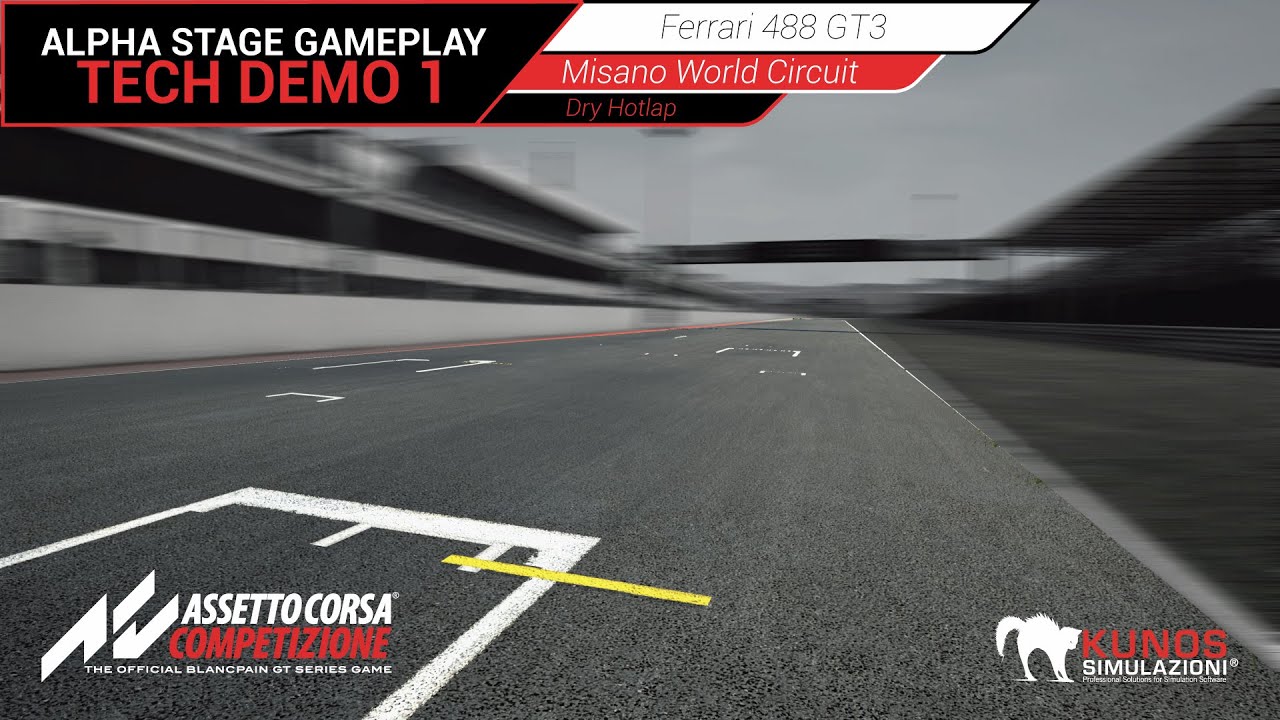
Kunos Simulazioni recently attended the Blancpain GT Series weekend in Misano to showcase gameplay footage of Assetto Corsa Competizione. This video shows th...
hollow crescent
😃
cerulean nova
yeah because compare the power of a GTX 1080 ti vs few years ago its crazy. I saw people using Multiple GPUs without SLI bridge because the motherboard supported it somehow and loaded Physix workload into the 2. GPU is that "Standard" ?
cursive dirge
ark doesn't use gpu physics
cerulean nova
sure
cursive dirge
@hollow crescent that doesn't look too impressive tho, you can't even see the track textures as it's all blurry mess
sure the car rendering looks good
but that's doable in any engine out there
cerulean nova
depends on your question
remote roost
what's up
 crude jasper
I have 2 questions 😃
woven leaf
wE cAn tRy
crude jasper
So first and i think easier? is
cerulean nova
1$ per Question 🙃 😛
crude jasper
So im making a crouch system
remote roost
i'll answer for 0.50
crude jasper
:-:
crude jasper
XD
cerulean nova
Yeah go ahead a Crouch System... we need more info 😃
 regal mulch
I take 70% of each of you for having to moderate your stuff
crude jasper
Ok so im making a crouch system right and it works good i press ctrl and it crouches playing animations
cerulean nova
@regal mulch who are u ? Google? 😄
cursive dirge
cursive dirge
there are also two different shadow artifacts on the railings
remote roost
smaller than your mesh only when crouching?
crude jasper
ye
Cause its the Crouch and Un Crouch that changes that
lemme open the project and ill show ya
anyone familiar with this ?
remote roost
i've only used those functions one or two times but hitboxes are tied to capsule component so you'd have to change that
crude jasper
I would figure some ppl would knew since i think its a common problem but on youtube everyone just shows how to crouch not changing hitbox
I Tried but it works kinda weird @remote roost
cerulean nova
u mean smaller or lower?
 whole quarry
so when you release the crouch key, nothing happens?
cerulean nova
the Hitbox is parented by the mesh isnt it?
hollow crescent
@cursive dirge I guess you're right, but it sure as heck looks better than the current sim I play.
PCars2 is a great sim, but it just looks like sand vibrating
cursive dirge
it does look better than the vanilla Assetto Corsa alright
really?
I think PCars 2 look better than what I've seen from that new Asseto
hollow crescent
yes. I don't understand why people think it looks better than AC. It hurts my eyes so much
crude jasper
(sry for bad quality XD
crude jasper
can you see well ?
remote roost
it's not changing because just setting an animation isn't going to make your collision smaller
hollow crescent
I don't get it. AC looks like polygons in my eyes. just looking at it feels like sand
crude jasper
Basically In the Green box, that defines the size of the hitbox
But its LOWER than my mesh
cerulean nova
yeah there is something in UE4 for "Capsule half hight" when crouching
whole quarry
no, it doesnt
crude jasper
I searched that but still
it acted kinda buggy
what i did was
Create a capsule
see the dimension of the one that comes with the game (capsule component)
then i set the size of the capsule i wanted
Then i created the command to set the sizes
of capsules when i pressed and released
Dint work
It Clipped trough the ground
rly buggy
and when i lowered its size
i also lowered its position
Did not work either
I settled with what i have but if someone knows how i can fix this, i would be pleased 😃
cerulean nova
isnt there a crouching system by Epic already within the Project
cerulean nova
crude jasper
and that allows u to use Crouch and Un Crouch
ye
hmm never noticed the crouching speed or eye height
but still
dont think that as anything to do with the size of capsule
Wait
holy
i think
cerulean nova
cerulean nova
u made your own boolean for crouching instead of using the Charakter ones....
crude jasper
what boolean ?
cerulean nova
crouch 1
cerulean nova
instead of building with the already existing one
crude jasper
i dont think it rly makes a difference
cerulean nova
it does because there is also a Crouching Function already
cerulean nova
u can even then check for it for example "Is Crouching"
cerulean nova
There are also people telling other people that earth is flat 😄
crude jasper
Well but i found the solution
xD
other than that
i found the solution
Thanks to you xD
cerulean nova
as long as it works for you thats great 😃
crude jasper
On top right 😄
look
Thanks alot 😂
I still have another problem tough... this one is harder i think´
cerulean nova
u sure about that 😃
crude jasper
kinda XD
Okay here it goes
So
i was trying to make a System
When I press Alt (ik i gotta change the key)
Its supposed to go to a Free camera State
in wich i can look around with out rotating with the body
Basically deactivating Controler rotation Yaw
If you know the game Pubg its something like that
cerulean nova
dont get me started on that because the Rotation is World bound not Charakter bound so 360 will aways be the same direction no matter what your charakter is looking at i was trying something simular like pressing alt in first person and be able to look 90° left and right but its depending on the actual posision that is tied to world rotation or something
cerulean nova
i had a idea of Rotation - Rotation to make it 0 and go from there
crude jasper
It sets the position in wich you are when you press it
and detects the one you have At Event tick (its not there)
Then it Breaks the values in Floats
The Rotation you are at = Value
The Min and Max are the values you get when you press Alt
Supposedly it works
But when it Breaks the Value From Rotation2
It doesnt show the Value
IT shows a tiny random number
Ill show you
well do you want to go to a private call ? i can Share my screen
if youre okay with that 😄
cerulean nova
im on my own project atm 😛
crude jasper
ah kay XD
cerulean nova
u come from a Arma background?
 plush yew
???
crude jasper
Ill send prints then
plush yew
same
cerulean nova
there is multiple ways for example multiple computers for example
plush yew
i also started a week ago
remote roost
lower lightmap resolution
set swarm agent to standalone (I believe it's called this)
set swarm agents cpu priority to high
etc
cerulean nova
but i also had a "bug" a few months ago where it simply took forever now its back to fast for no reason ^^
crude jasper
Okay can i continue?
plush yew
Is this too high???
cloud cobalt
@plush yew At this point in time there aren't many solutions. GPU Lightmass exists as a prototype - much faster and better - but it's only a prototype for now. Might be in the engine for real with 4.22 or something
cerulean nova
dudawar u need to 0 out the orentation of the charakter and then go from there^^^
cloud cobalt
@plush yew If your grass is set to static, that does explodes the lighting time
cloud cobalt
Fix what ?
crude jasper
Guys
remote roost
what's up
remote roost
what about it
crude jasper
i think it works
but you see in rotation 2 ?
the value it gives when i use the break rotation node
it gives a random value or something like that
for example it gave 0
why if the rotation 2 variable has other values ?
remote roost
idk I don't understand blueprint that much compared to C++
lol
usually it's the opposite for people
remote roost
i only use bp for dead simple things that are harder to do in cpp
cerulean nova
crude jasper
whats that ???
cerulean nova
the base idea of charakter rotation
cerulean nova
thats the problem because if u -45 or + 45 its always depending on the actual rotation
cerulean nova
and if its 360 at this point and u add 45 it will be 45
crude jasper
isnt that the same thing as Get World Rotation
And Follow camera attached as Target
Actor rotation probably will return the rotation of the mesh, wouldnt work
or Get Control Rotation
thats what ive been using
But that isnt the problem
the problem is the break rotator
When Rotation has for example a value like Pitch 0,0005 and Yaw 33,bla bla bla In the Break rotator it shows 0 in each value
i think it makes no sense
because
Cause this SET in this Picture
works fine
The only difference between the Two of this variables
is the fact that one is updated each Tick and the other is only when i Press Alt
cerulean nova
then let it update in event tick ?
crude jasper
?
cerulean nova
make a float with 0
and let the it give out actual rotation into the new float
and use the float as readout
crude jasper
But in rotation theres 2 values
3 values
and i dont think its possible to split them with out the break
cerulean nova
just check for all 3 of them
crude jasper
but how do i get one each out of the rotator ?
ik what you mean but
idk how to do i t
i tried to search for Z or Yaw
Yaw doesnt have anything But Z shows this
Delta Rotator
Delta Rotator
but i dont understand it..
crude jasper
??
plush yew
It worked
crude jasper
hmm
plush yew
reducing the light res to 4
cerulean nova
wait...
crude jasper
kay
crude jasper
woah man looking cool 😄
cerulean nova
something in that direction
plush yew
and open world demo collection
cerulean nova
the break rot and make rot
plush yew
@cerulean nova @crude jasper @remote roost Thanks for helping me out
crude jasper
i dint do anything XD
Good luck with your game 😃
@cerulean nova
i need a float value
cerulean nova
Unreal Engine Forums
Build powerful visual scripts without code.
crude jasper
cerulean nova
Mhousse1247 awnser
crude jasper
?
 elfin jacinth
Glad to hear it! 😃
cerulean nova
just put a branch in there to check if they are in "freelook" for example
with a bool
@elfin jacinth One day after another
 crude jasper
Ye i see
elfin jacinth
Keep on swimming!
crude jasper
with that i can test
cerulean nova
Just with a branch to check for if "alt" for example is pressed as condition
with a simple boolean
cerulean nova
works?
crude jasper
hmm
wait
i dont think so
cause
i cant test it
theres no float for the Current pitch
cerulean nova
u have to also do it for the other directions like pitch yaw roll
crude jasper
ah ye lets ssee XD
crude jasper
hmm
wait
no i dont think it works
well
first i tried to set yaw and i dont understand how it works
but it just defines wich direction your camera is
hmm...
the pitch is working
wait
i think
Omg its working D:::
Thx So much XDD
elfin jacinth

Unreal Engine
Epic breaks away from traditional 70% / 30% digital store model, giving Unreal Engine Marketplace creators 88% -- and issues retroactive payouts.
Ya'll
cloud cobalt
@elfin jacinth this is amazing
cloud cobalt
By the way Tim, are there plans to let UE4 developers ship their games on the Epic launcher too ? I know some already do, but I wonder about the long term plans at Epic. Would love to release our game there too.
crude jasper
You guys have a game ?
cloud cobalt
Yeah we do 😃 Plenty of people here have a game, eheh
cerulean nova
Sea of thives changed the UE4 Logo on Startup is it Possible for us small devs to ? i know that with the right license u can disable it complete but just changin it would also be a cool thing 😃
whole quarry
I never had a UE4 logo at game launch
afaik the ue4 logo you will have to add yourself
cerulean nova
its depending on license
elfin jacinth
As long as it conforms with the guidelines you're welcome to customize
whole quarry
Thats conform the usual TM guidelines ?
cerulean nova
on start of the game
whole quarry
@cerulean nova There is no such thing as 'mandatory logo display'
by default, there is none
cerulean nova
it depends on your license
plush yew
are you talking about 'your splace screen here' on mobile? or the ue4 windows icon?
that's all changed in project settings
whole quarry
that ODB loading screen?
there is indeed a default UE4 splash screen
easy changable in project settings -> android
cerulean nova
No maybe thats new but back then UE4 hat Subscribtions and if u was a Sub u had to use the logo and as a Bigger stuido with a more expensive license u did not have to use the logo or something like that
whole quarry
thats more than 2 years ago..
cerulean nova
i thought they sticked with Free== logo for Advertising the Engine
crude jasper
Hey @cerulean nova
cerulean nova
yo?
 austere hinge
Anybody using unreal with vulkan support
cerulean nova
both yes @crude jasper
crude jasper
well..
whole quarry
@plush yew was playing with Vulkan the other day, @austere hinge
crude jasper
The solution you found
The Yaw
Is not relative to the mesh
xD
Basically when i press it
only works in one direction
cerulean nova
what one direction
you have to set it for pitch then min and max pitch and by Yaw u use min and max yaw and for roll u use min and max roll
crude jasper
ye
cerulean nova
dont use min yaw on pitch or roll
crude jasper
?
just watch
the values
The values
arent relative to the position of the camera
its almost like theyre relative to the worl
world
when i press
press it facing forward
or the way i spawn in the world
It works yeah
but if i turn around
and do it
it will still face the direction when i was facing forward
let me try to show you
austere hinge
@whole quarrytq
austere hinge
Anybody here heard about HOUNDIFY?
crude jasper
it cant turn "forward" (mesh direction of forward) but does as the initial
ik its kinda hard to understand
cerulean nova
crude jasper
no thats not the problem
that lower wire is when i deactivate it
the problem is when its active
and actually, somethings off when it isnt working
i connected it right
but
the Yaw Min and Max
its weird
ive been playing around with the values
and
wait
ye makes no sense
cerulean nova
they dont even have a target
cerulean nova
but i told you at the beginning u have to 0 it out somehow wich is a pain in the ass
crude jasper
the problem still is on
ahh.
kay but other than that
When i deactivate it
I cant put yaw back to the default value
i tried yaw min -180 and yaw max 180
doesnt work
Yaw min 0 Yaw max 360
nop
cerulean nova
0
cerulean nova
because on deactivation u enable that your pitch yaw roll is always 0 because u controll your movement with mouse input right?=
crude jasper
Just blocks Yaw
cerulean nova
u have to also check the use pawn controll shit
crude jasper
?
cerulean nova
but its hella complicated XD
crude jasper
rip xD
cerulean nova
i have to see and fiddle around it myself just with images i cant see how it should work
cerulean nova
i for my projects ditched the idea of free look
crude jasper
ye XD
thats what i was thinking too
i've tried so many things
like using a box collision attached to the head
and if it hits the shoulders
blocks
but... eh...
rips
cerulean nova
could lead to bugs when jumping and the arms raise for example
crude jasper
tru
whole quarry
there are no bugs, only happy undocumented features
cerulean nova
you could make multiple cameras and switch between them but i go with 3. Person = free look because i dont have to worry looking into my own mesh in thirdperson and in FirstPerson its simply where ever u look u go ^^
crude jasper
ye..
just gonna forget it :-:
thx for the help 😃
but...
Still
whats troubling me more
is when i deactivate it
i cant bring it to default
you know why ?
its making no sense
this crap makes no sense xD
i tried min yaw -180 and max yaw 90
does like
 astral marsh
hello guys
crude jasper
270 degrees
crude jasper
yes
astral marsh
please check the blueprints which i'll send now
crude jasper
I wanna let it 360
astral marsh
cerulean nova
is the mesh even checked as breakable ?
cerulean nova
 abstract marsh
Hey all
astral marsh
it is ticked
cerulean nova
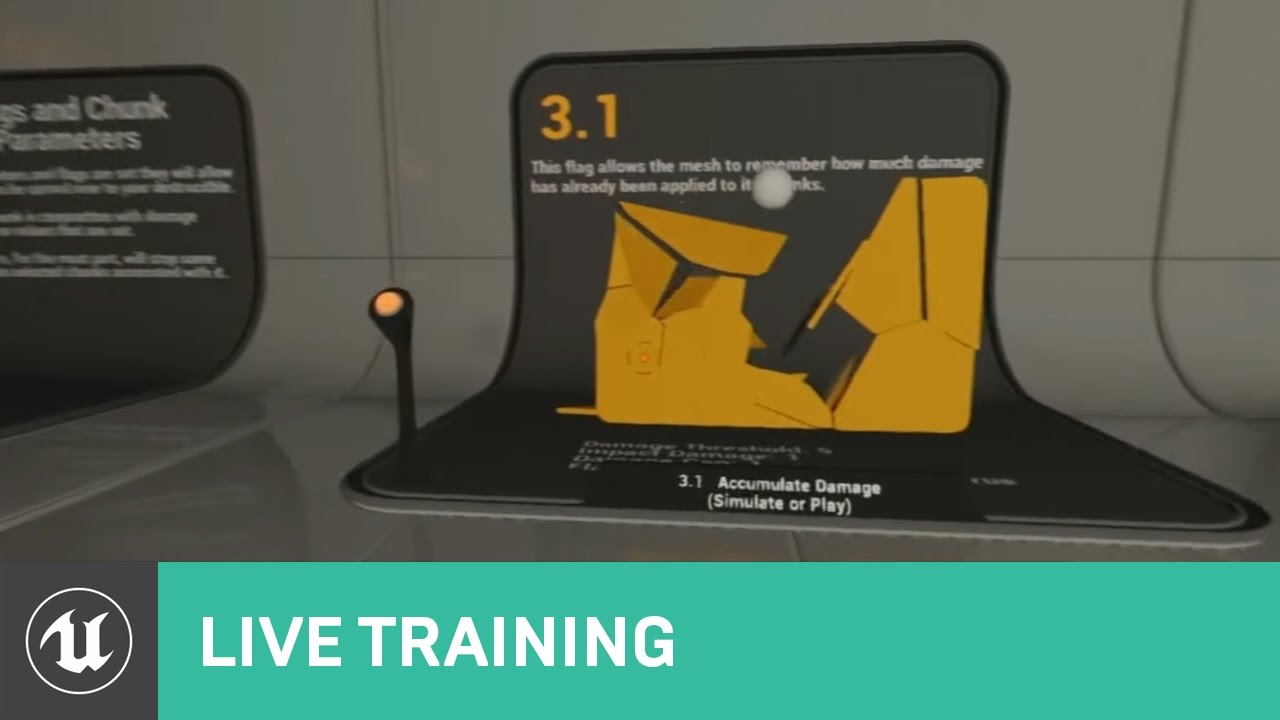
Announce Post: https://forums.unrealengine.com/showthread.php?138815 Tim Hobson is back and ready for action! This time around he's busting down walls and ch...
astral marsh
i followed trhat long ago
still it doesnt
netpeggle
i can show you through screenshare
cerulean nova
i go and focus back on my project need to make a whole Logic for Charakter movement states and stuff like that + stamina and other stats 😃
crude jasper
good luck 😄
cerulean nova
thanks
crude jasper
Does anyone know how to use the animation tab correctly ?
i need to learn how to animate XD
remote roost
What animation tab
 next ivy
First thing I'd do is go through UE's set of tutorials for setting up a third person game
from scratch
This series - great tutorial author https://www.youtube.com/watch?v=hRO82u1phyw

In this series of videos, Wes Bunn will walk you through the steps to create a third person game. (00:05) - Intro and Play in UE4 (02:17) - Importing FBX ass...
next ivy
You don't need C++
 grim ore
Everyone should learn C++. You have nothing better to do for a decade anyways!
remote roost
If you want better performance/an actual job you do
grim ore
yeah you need to know C++ for an actual job, no one hires artists!
remote roost
Doesn't take a decade to learn enough C++ to do stuff in unreal lmao
tall pendant
erm
remote roost
If you want a job in programming
next ivy
He didn't say he did
remote roost
Never said he did
next ivy
If you're working on an independent project you can use blueprints for most things and learn C++ as needed
Blueprints are getting more and more efficient
remote roost
But it's needed if you are serious about game programming
Blueprints can get hard to manage quick
grim ore
yeah if you want to be serious about game programming learn C++!
crude jasper
okay
grim ore
us silly people can stick with blueprints because we are not serious.
crude jasper
xD
cloud cobalt
C++ is not about performance.
crude jasper
cloud cobalt
It's about source control & long-term reliability
crude jasper
this is the animation tab
grim ore
C++ is about making sure you know what a reference and a pointer is because if you don't your gonna have a bad time.
crude jasper
i wanna edit the animations that come with the starter content XD
remote roost
I said if someone's serious about game programming they should learn C++, unless you'd consider people who use BP serious programmers
next ivy
If you don't need to do anything outside of the bounds of the engine then c++ is mostly about performance optimization
remote roost
Nothing wrong with BP
cloud cobalt
@remote roost Plenty of serious programmers use BP.
 fierce tulip

How to determine whether or not you should be using Blueprints or C++.
remote roost
Ye, it's more efficient for some things
tall pendant
BP's are used in AAA games. But if you want to be an game programmer go with c/c++.
next ivy
I prefer to use BP's whenever I can because they're extremely easy to go back to and see how things work
tall pendant
BP's are Ue4 only.
next ivy
I'm aware for most thing BPs and C++ would be relatively equivalent
grim ore
Whooo... Race War in UE4Chat. BP vs C++, go!
cloud cobalt
@next ivy C++ won't bring better performance automatically. It will however bring much ease on long-term development - easier to track changes across multiple years, large teams, different engines etc.
remote roost
When they get more complicated
crude jasper
xD
next ivy
Lol Mathew
Its not like console or phone wars though because you should probably do both
(whereas you should use android and pc exclusively)
cloud cobalt
You definitely should do both 😃
grim ore
@crude jasper you should be able to re keyframe the animations if you need. beyond that https://forums.unrealengine.com/development-discussion/animation/54987-is-it-possible-to-edit-the-existing-third-person-animations-that-come-with-unreal-engine-4
Unreal Engine Forums
Animation discussion, including Animation Blueprint, Persona, Skeletal Meshes, and more.
tall pendant
Also dont count on getting an Job at a Studio which actually is using UE4. Knowing C++ can get you a job anywhere while BP is limited to UE4.
next ivy
And actually @remote roost This is the tutorial I used a long time ago https://www.youtube.com/watch?time_continue=11&v=GWbd0Wowwnk

For the full tutorial playlist: https://www.youtube.com/playlist?list=PLZlv_N0_O1gZS5HylO_368myr-Kg2ZLwb In this series of videos, Zak Parrish will walk you ...
crude jasper
pretty thx 😃
next ivy
I don't know why UE has two of the same kind of tutorial around the same time
not sure which one is newer
grim ore
yeah learning BP is stupid because it has no fundamental programming cadences. Nothing in Blueprints is in any way related to actual programming core knowledge.
cloud cobalt
wat
tall pendant
huh. BP is still OOP in a form.
cloud cobalt
BP is very much exactly the same thing as C++ on a logical level, it's just graphs instead of code (and some advanced concepts hidden)
next ivy
I've often wondered why video games are the only ones tacking visual scripting
I feel like you could make a lot of money if you made a visual scripting language for ME Controls systems
cloud cobalt
They're not
grim ore
oh man visual scripting and node systems are all over the real world
grim ore
and come on guys I was being super sarcastic in response to using BP/Learning BP being useless for real programmers or getting a real job.
next ivy
The main reason I use UE over Cry is that it has a more developed blueprint system
cloud cobalt
@next ivy Seriously though, I've used graph scripting just like UE does for industrial controls
Like very much similar
next ivy
Interesting - I havent seen any of that
cloud cobalt
And that was a decade ago
next ivy
I do smaller robotics
grim ore
the VSS system in Lumberyard is finally getting somewhere but it's still a long way off to be parity of BP. They are not focusing on making it feature complete for users, just for specific client requests 😦
next ivy
I was thinking of visual scripting with regard to all the drone hype and such

 grim ore
There are quite a bit of new "toys" out there using VSS for the systems. Smaller robots and such that teach programming using scratch like systems.
next ivy
Isnt that a measurements program?
I think I've used that before lol
Though I want to say a newer version or perhaps a similar program
cloud cobalt
It's an automation tool to plug between sensors and motors in a factory, stuff like you'd use to build an assembly line
It's been around for much longer than UE4 (or UE3)
next ivy
Yea we used something similar back when I was in college for measurements and instrumentation
crude jasper
Regarding to the animation thing, anyone knows a way to see where keys are ?
grim ore
man I want to say there was an older mac system I used that was using a node based system that I used to use. like a notepad coding system.. damnit off to google
next ivy
But I took a robotics class where we designed a robot basically coding from the microprocessor and we did it in raw C++. Though now that I think about it the reason we didnt use a visual scripting language was probably because we needed to be really low level to get it to work
If you want to know about animations, do the tutorial I linked from start to finish first. It can be a drag but if you don't know how the startup project works then you won't be able to expand it
grim ore
crude jasper
thx 😃
grim ore
It's been years since I touched animations so it looks like you use animation layers to create new animations from existing ones
 hoary charm
if I have a large interior, should I use 1 reflection capture with a large radius or place multiples?
 sudden agate
multiple ones overlapping

Actually both. You should place one that covers your whole interior and smaller ones where reflections are important
from the UE Docs:
 wispy plume
i have a basic question, im trying to make a sort of traditional RPG game. Can i do my battles right there on the world map? or do i have to do a new level for battles and then transition back to the world map?
can i transition the controls and get my characters into battle formation to wait their turn once battle commences and then have them switch back to exploration once enemies are defeated?
grim ore
You can do whatever you want if you can program it
the player controller can be swapped out if you want to do something like that or you can just have a toggle between overworld and in combat controls in the same controller
wispy plume
hmmm ok interesting, so i should look into control toggles and defining overworld and in combat
@grim ore
sudden agate
@wispy plume I would prefer to make a separate GameMode and Map for the Battles
wispy plume
@sudden agate what are some of the advantages of doing that, if you dont mind me asking
grim ore
well it would just be a case of a boolean that would be checked after the input and then it would do X based on if the boolean is true or false. With that said making separate everything might make it easier in the long run.
hoary charm
@upper heart @sudden agate Thanks guys!
 upper heart
np 👍
wispy plume
@grim ore @sudden agate ok thanks for the ideas
 dim arch
what is the performance cost of BP vs Cpp code?
I heard BP is 7-11x slower than native cpp, if you nativize your blueprints vs creating the same functionality in vs, what is the performance difference like
grim ore
there is literally no answer because ^^ depends on the code
dim arch
so if you coded two almost identical functions
grim ore
again depends on the code
dim arch
one made via BP nodes and the other written in cpp
grim ore
math heavy code, C++ advantage.
changing a color in UMG, no advantage?
looping thru a billion cubes, who knows. test it!
dim arch
thats true for nativised BP code too?
grim ore
true for all code in all languages. got to test it.
 dark depot
^like he is saying it depends on code. for instance i cant code so everything i do in blueprints in faster then my C++ 😄
cloud cobalt
Nativized is slightly faster than BP, slightly slower than C++
Depends on the code too
dark depot
implementation matters
grim ore
different code in different situations perform...... differently.
dim arch
of course
 polar hawk
Let me stop all yall right now
How to determine whether or not you should be using Blueprints or C++.
grim ore
that will be the 2nd time that video was linked in the last hour heh
dim arch
but how large is the divergence between the perofrmance relative to the difference
polar hawk
Don't worry about it
grim ore
it depends on the code....
polar hawk
If you want to know, use the profiler
dark depot
darn i was just getting my bookmark of that allar hahah
dim arch
if I wanted to stream a very large dataset into an UE4 shader
would Ineed an intemediary application between the data and the engine
to create a video
which the GPU could use
dim arch
ok
thanks for the video
U_U
I mean that guys question is pretty valid, if you want to profile the performance you have to create the code twice
cloud cobalt
My take is : don't use C++ because you think it will be faster.
Use it for other reasons, or when you know it will be faster and needs to
dim arch
well Iam mostly making BP game systems which coders to see as psuedocode and implement something similar when we need to refine performance
cloud cobalt
I'm mostly doing C++ here, if only because I'm very wary of having months / years of work stored in binary assets that I can't easily track changes for over long periods
sudden agate
Can I use Visual Studio Code with UE?
dim arch
to edit code yes, to build, no.
grim ore
You've got to keep in mind even after all the discussion you still could fuck it up and do a shitty job in c++ and it would be slower than the BP equivalent which then throws the entire thing out of wack. It's why there is no easy answer and the answer is the same for any performance questions; You've got to test your implementations for your specific test case for your specific answer
cloud cobalt
^
polar hawk
!video
sudden agate
but it's fact that C++ is faster in regards of identical "code"
no one will write C++ Garbage and "write" clean BP code
polar hawk
ahah
ahaaaaaaah
yes they will
Imagine any shitty situation
I guarantee its possible
grim ore
You can't say no one when it comes to people, like ever.
I can guarantee you I can write shitty c++ code compared to cleaned BP code
 oblique trench
Oh you are right @polar hawk
cerulean nova
what was the node that could play a curve float for example
that counts for example
was "Timeline" 😃
 safe rose
@polar hawk https://venturebeat.com/2018/07/12/fortnite-creator-epic-gives-unreal-asset-creators-a-raise-and-backpay/

The universe has a few constants. You’re going to die, you have to pay taxes, and if you sell something on someone else’s platform, you have to give them a 30 percent cut. Well, publish…
You famous
 gleaming lotus
Getting this horrible lag/freezing whenever I release my mouse after painting/sculpting landscape. My landscape is quite large and this has only started occurring after I added in materials. Is there any way to stop this lag / revert back to greyboxing without losing my current terrain painting?
cerulean nova
better hardware 😃
u have weight painting on your materials and everytime u change something it needs to re-calculate it if its based on slope for example
thats quiet a heavy task
better sculpt ur terrain without anything and when ur happy put materials on later
gleaming lotus
Yeah I figured as much
new CPU comes in a couple weeks, hopefully that'll stop me bottlenecking
 spring prawn
Hey Guys i dont want to be a nuisciance here
but i have a big bsp file in unreal engine 4 that has 319!!! materials
I have to go to every material and check 2 Sided then apply
is there a way to like do it one time instead of 319? I mean there has to be a way? no??
 grim sinew
That's insane, have you considered just not using BSP
It's a blockout tool, you're not meant to make final assets with it
spring prawn
I really want to see how it looks in unreal engine, its an old map from a game
I understand, its just that so many people have imported old games of theirs into the unreal engine and remade, or even used them to trace it really
I wanted to do the same
tall pendant
as long as its your own map 😄
spring prawn
oh im not releasing this or commercilizing it in any way shape or form
its just a proof of concept, god no i never want any legal trouble
 stable orbit
Does anyone know what this folder is used for since it takes up about 20Gb ??
C:\Users\<user name>\AppData\Local\UnrealEngine
stable orbit
Thank you
spring prawn
well, if anyone is ever interested
Unreal Engine Forums
General discussion about the game industry and the Unreal Engine community.
 analog fog
is there like a hotkey/combo to easily preview nodes in the material editor?
 waxen finch
if I make a free mobile game with unreal engine and use in-game purchases do I still need to pay EPIC 5%?
cerulean nova
- Royalty
You agree to pay Epic a royalty equal to 5% of all worldwide gross revenue actually attributable to each Product, regardless of whether that revenue is received by you or any other person or legal entity, as follows:

a. Gross revenue resulting from any and all sales of a Product to end users through any and all media, including but not limited to digital and retail;
b. Gross revenue resulting from any and all in-app purchases, downloadable content, microtransactions, subscriptions, sale, transfer, or exchange of content created by end users for use with a Product, or redemption of virtual currency, either within a Product or made externally but which directly affect the operation of the Product;
c. Gross revenue from any Kickstarter or other crowdfunding campaign which is directly associated with Product access or in-Product benefit (e.g., in a multi-tiered campaign, if an amount is established in an early tier solely for Product access, your royalty obligation will apply to that amount for each backer with the same access, but not on additional amounts in higher tiers based on ancillary benefits);
d. Your revenue from in-app advertising and affiliate programs;
e. Revenue from advance payments for a Product (from a publisher or otherwise); and
f. Revenue in any other form actually attributable to a Product (unless excluded below).```if u sell anything ingame u also have to sare money from that
share*
waxen finch
and what about a studio that contains only 1 developer
cerulean nova
thats for 1 Dev. people
if u have a bigger studio u can make a custom license with them
Unreal Engine
CUSTOM TERMS & SUPPORT SOLUTIONS
If you require terms that reduce or eliminate royalty for an upfront fee, or if you need custom legal terms or dedicated Epic support to help your team reduce risk or achieve specific goals, we’re here to help.
waxen finch
oh
cerulean nova
but there is tons of info below just dont want to blow up the chat
u should read them ^^
stuff like :
The royalty is based on gross revenue from end users, regardless of whether you sell your Product to end users directly, self-publish via the App Store or any similar store, or work with a publisher. The following simplified example illustrates the application of the royalty to gross sales: if your Product earns $10 on the App Store, Apple may pay you $7 (having deducted 30% as a distribution fee), but your royalty to Epic would still be 5% of $10 (or $0.50).```@cloud cobalt i think that's the fairest way 😃
i am consistently impressed with the epic royalty policy for released games in combination with the MP royalty policy in conjunction
cloud cobalt
Well, Unity is still cheaper for game developers most of the time. But it's a very fair number I think
 maiden swift
Neither one is cheaper than the other in an absolute sense. They use different business models tailored for different needs.
Generally speaking, Unreal's model is tailored for people who want to pay later while Unity's is tailored for people who want to pay up front.
And even then, there are always exceptions. Unreal has custom licensing and Unity has a free version.
 teal tulip
Unity is cheaper if you can count with a hand the total num of developers
maiden swift
For some people, maybe.
That's not absolutely true. It depends on a variety of factors.
teal tulip
I don't even will use it right now as their problems on my end still there
maiden swift
Unreal is certainly more accessible.
polar hawk
@safe rose yeah dawg
tall pendant
causal as in mobile games? If so almost nothing beats Unity on that spectrum.
safe rose
hm
Nah, I think there are even better options than Unity for casual games
I don't know about Unreal being more accessible than Unity though
Even with Blueprints
tall pendant
I played around with Defold. but well
safe rose
Godot is a viable option now (but I have very little info on it, no dev time at all, just WOM and reading updates here and there)
tall pendant
😄
next ivy
What exactly does the result node from GetCurrentPlayers need?
safe rose
Yeah, been like that for probably ever
next ivy
But I was curious
 manic pawn
make a new one?
cloud cobalt
@plush yew Roll back with source control
 delicate needle
I have a character, and have it setup to activate looking around by holding right mouse button, but I cannont get Pitch to work, only yaw, Use pawn rotation is ON in the character camera component.
Nevermind, it works.
When I "set view target with blend" and my target is "Get Player Controller" it moves me to the desired camera, but then I close control of the player controller/pitch/yaw controls. How do I regain control of the view?
next ivy
why is my teleport node crashing. I'm just moving get player pawn [0] to a set of coordinates at a specified rotation
delicate needle
Is my question vague or really stupid?
polar hawk
it doesn't fit on one line so I kinda didn't read it, hold on
close control of?
what
delicate needle
Oops. I'll retype my mess.
polar hawk
most likely you still have a pawn possessed
most likely your input is still driving the pawn
why would you set a view target to a player controller
delicate needle
I'll start with my goal. I have UX buttons for kitchen , living room, etc. This project has no free movement in X/Y, just preset views for various locations in the apartment. There is no walking around. When the user clicks kitchen, I want to view to transition there, and if the user holds down the right mouse button, I would like them the ability to look around.
 worn granite
what's likely happening there is that its driving your camera rotation from the player controller itself - I'm not sure why it wouldn't be using the control rotation for that - instead of whatever else.
worn granite
I'd try just clearing the view target
worn granite
oic
next ivy
@polar hawk I used set actor location and it worked
worn granite
Yeah once you set the view target its locked to that actor, for clarification.
next ivy
Teleport wouldnt work no matter how much I simplified the blueprint - maybe its busted in 4.19
polar hawk
post a call stack
delicate needle
Okay, currently I do have a custom character with a camera, and a custom player controller that enables mouse, etc. That player controller is where I put the logic for holding down right mouse button.
next ivy
Im not really sure what the point of the node is when we have setactorlocationandrotation
polar hawk
has to deal with physics
next ivy
Oh Teleport has wiggle room
polar hawk
blueprint a camera
put input in there
unless its multiplayer
otherwise
have input events respect view target
delicate needle
Its not MP, just arch viz.
So, in practice, I should create a new camera, lets call it "Customer" and add a BP to it, in that BP of that "Customer" camera, I put the mouse view control logic?
next ivy
@polar hawk There's a teleport option under setactorlocation - is that new?
next ivy
Maybe they're getting rid of teleport node
grim ore
don't forget to fade the view out and back in when you change because that is so in right now
delicate needle
Is there a high level book, video series, etc for this type of stuff, inheritance, control of viewport, etc. Most anything out there jumps into someone's pet solution, instead of taking a wider view of the subject.
delicate needle
How about people who offer 1:1 training, like 1 hour sessions via desktop sharing.
grim ore
I have seen a few people out there that do that. You could also check out the courses on Udemy and see if those teachers offer it.
worn granite
I know of people who used to do that, probably don't anymore.
I've done so in the past
polar hawk
My rate for that is now
$1000 an hour
Note: No one has actually paid this rate for 1:1 training
worn granite
I
delicate needle
Hope you are wearing something sexy at that rate.
worn granite
I 'member when it was $100 or so
delicate needle
Yeah, I can see how it can go sideways, especially question creep, etc.
cloud cobalt
Best bang for your buck is great hour-long tutorials by experienced developers
delicate needle
I have a very "but-why" and sort of desire a wider perspective of the parts to be satisfied. On the opposite end it can accumulatively help paint the larger picture, like how @grim ore 's WTF youtube series covers individual nodes, etc.
worn granite
Yeah I'm pretty sure I've never seen a tut covering that sorta thing
delicate needle
In other words, is not enough to tell me "use this" I want to know, why use "this" etc.
 tall basin
hey everyone, i'm kind of lost with blueprint subclasses and i need some help.
I've got a trigger box in one blueprint, and I'm trying to get that to activate particle effects in multiple other blueprints
cloud cobalt
@delicate needle The "why" type questions usually get great response here ! I love these myself
tall basin
it's difficult to know if i'm even approaching it from the right direction, so i wonder how other people would do that?
i can get it to work with just one, but when i add more target blueprints they don't work
delicate needle

Announce Post: https://forums.unrealengine.com/showthread.php?101051 This Training Stream takes a look at Blueprint Communication. We find that Unreal Develo...
Did you watch this video, I don't pretend to know the answer at all, but sounds relatable to this video.
 winged crypt
What is the game.pdb file for?