#ue4-general
1 messages · Page 262 of 1
 plush yew
 cloud cobalt
Tried letting it run for an hour or two ?
cloud cobalt
But sure, get a better computer if it's too slow, gamedev doesn't work with older machines
cloud cobalt
Story of our lives
The good news you only need a good machine once every 3 years or so, and then even a good chunk of it is still good
I made myself a $1000 machine 5 years ago, only changed the GPU and added some disks drives since
plush yew
and ther is a another problem
in my country economy sucks
1 Dollar = 4.7 Turk Liras
and that makes the computers expensive
 paper kernel
I would recommend looking into last gen gaming laptops if you're looking for cheap work computer
resale value on those things burn faster than dollar bills
something like i7+GTX970m as used would probably go for 300$ and is perfectly capable of running GTA5 at medium settings
 frank escarp
@paper kernel no way in hell it goes that cheap
paper kernel
you get new i5 1050 for 700
paper kernel
+2% faster
so something equal in power without warranty can't have more than half of that value
- you could potentially get ddr3 sodimms at sale bin
cloud cobalt
Laptops are always the worst choice
An old tower with a decent i7 and a GTX960 is plenty good to run UE4
 wary wave
I had a 965m laptop a couple of years back and it was garbage
the graphics set was just nowhere near up to par with desktop offerings
 long crown
Guys best way/software to make realistic houses??
 languid shard
only laptops with good performance nowadays are the GTX1070/1080 based ones
and not the MaxQ versions
plush yew
@long crown the first unreal forum link on unreal arch viz system requirements google search yields something for me in the unreal forums page
long crown
Thanks
plush yew
Also if you are interested in VXGI, dynamic lighting, and/or trying to avoid baking lighting, get a standard 4 core i7 and a GTX 1080. no problem.
paper kernel
@cloud cobalt see, that's all superstition nowdays that laptops are less performing
the margin is really small now
it used to be +30% difference, now it's like 5%
or less
wary wave

Based on 272,756 user benchmarks for the Nvidia GTX 970 and the GTX 970M, we rank them both on effective speed and value for money against the best 592 GPUs.
the difference is enormous
wary wave
that's the most common card set out there, so it's not really 'old tech'
but if you want current generation:
http://gpu.userbenchmark.com/Compare/Nvidia-GTX-1070-Ti-vs-Nvidia-GTX-1070-Mobile/3943vsm164129
Based on 39,684 user benchmarks for the Nvidia GTX 1070 (Mobile) and the GTX 1070-Ti, we rank them both on effective speed and value for money against the best 592 GPUs.
the difference is big
cloud cobalt
@paper kernel NVidia marketing would love you to think that
But really, you can't have the same level of performance - it's just not technically possible
paper kernel
yes I'm a cock sucking fanboy who has never seen a benchmark chart in my life
and disregard the total absence of CPU affecting the test results
cloud cobalt
The reality is that for the same total cost, a laptop is always going to perform 30-50% worse
cloud cobalt
Kingdom Come : 33%
Far Cry : 19
So yeha, the average is around 10%
It's definitely not 30%
But it's nothing near 5%
In the case of Fortnite it's never under 10%
Hell, mostly no game achieves less than 10% difference, at all
paper kernel
yea, you said 50%
cloud cobalt
I said 50% for the overall platform comparison for the same price - 800$ tower vs $800 laptop and I definitely stand by that
wary wave
^
paper kernel
with these ram and gpu prices, I doubt
cloud cobalt
That Nvidia provides GPUs named the same that perform the same on laptop & mobile is one thing - it's really not the same GPU but okay
The point is, they won't cost the same
You'll never get a laptop that is competitive because it's heavily constrained by the most important factor - power
Hell, power is 100% the limitation for desktops
paper kernel
not power, but thermal
cloud cobalt
It's why no one breaks 5GHz
Power is exactly thermal for a PC
100% of power goes into thermal
Well, 99,5% - discounting the wind & LEDs
We're not making 1KW GPUs because no one wants a 1KW heating device in the living room, and because it's very expensive to dump all that thermal power out
That a 90W laptop performs worse than a 400W tower is just physics
And the fact they don't perform 4x slower is tribute to the die area for more cores, to the process for better perf/watt - but both of these are expensive
 unborn matrix
What kind of model / pack do you want on the marketplace?
I have a team that does really really nice low poly stylized stuff
languid shard
@cloud cobalt the 1080 is the only card that performs the same between laptop and non OC desktop versions
unborn matrix
Wait really?
frank escarp
its nearly the same chip
unborn matrix
10 series is that good?
languid shard
at the price of a very high temperature yeah
languid shard
your laptop will blow like a jet engine
frank escarp
benchmarked
unborn matrix
we use a 1060 on a laptop and its still better than a desktop 970 i think
or at least very little difference
languid shard
Notebookcheck
bunch of other cards in the benches
in some cases it even performs better than the desktop one
frank escarp
they are higher binned chips
paper kernel
not necessarily anymore, thanks to boost 2.0
but that doesn't stop them for asking little extra for it
I wish Intel could get their shit together with laptops, last 2 generations have been absurdly overvolted
languid shard
I wish nvidia gave us a bone on the new gen gpus
paper kernel
3D memory
they did some tests with volta(?) with that memory, astronomical performance gains
languid shard
HBM2 you mean ?
paper kernel
ye
languid shard
I wonder if the performance gains are worth the lesser memory quantity
 lost ember
I wonder
do you think it would be possible to have a game with AI that taught itself through machine learning?
paper kernel
I doubt however they would release HBM2 chips any time soon, since there's no competition
@lost ember already done
languid shard
https://www.youtube.com/watch?v=qv6UVOQ0F44 @lost ember

MarI/O is a program made of neural networks and genetic algorithms that kicks butt at Super Mario World. Source Code: http://pastebin.com/ZZmSNaHX "NEAT" Pap...
lost ember
saw this one, but it isn't too complex
paper kernel
if I'm not totally crazy, original Unreal Tournament had learning AI?
frank escarp
that sethbling thing is cool, but it can only really do 1 level
that technique is essentially a genetic mini-neural network
it ends up with like 10-20 neurons to finish the level
the Mariflow neural driving net is a lot more interesting
frank escarp
@paper kernel unreal never had learning AI
paper kernel
really
because there are papers written about it
again, I might be crazy
oh yea, it was a competition

Eurogamer.net
Scientists at Austin's University of Texas and Romania have created game-playing artificial intelligences that fooled a panel of judges into believing they…
similar principle to MarI/O
 slender mist
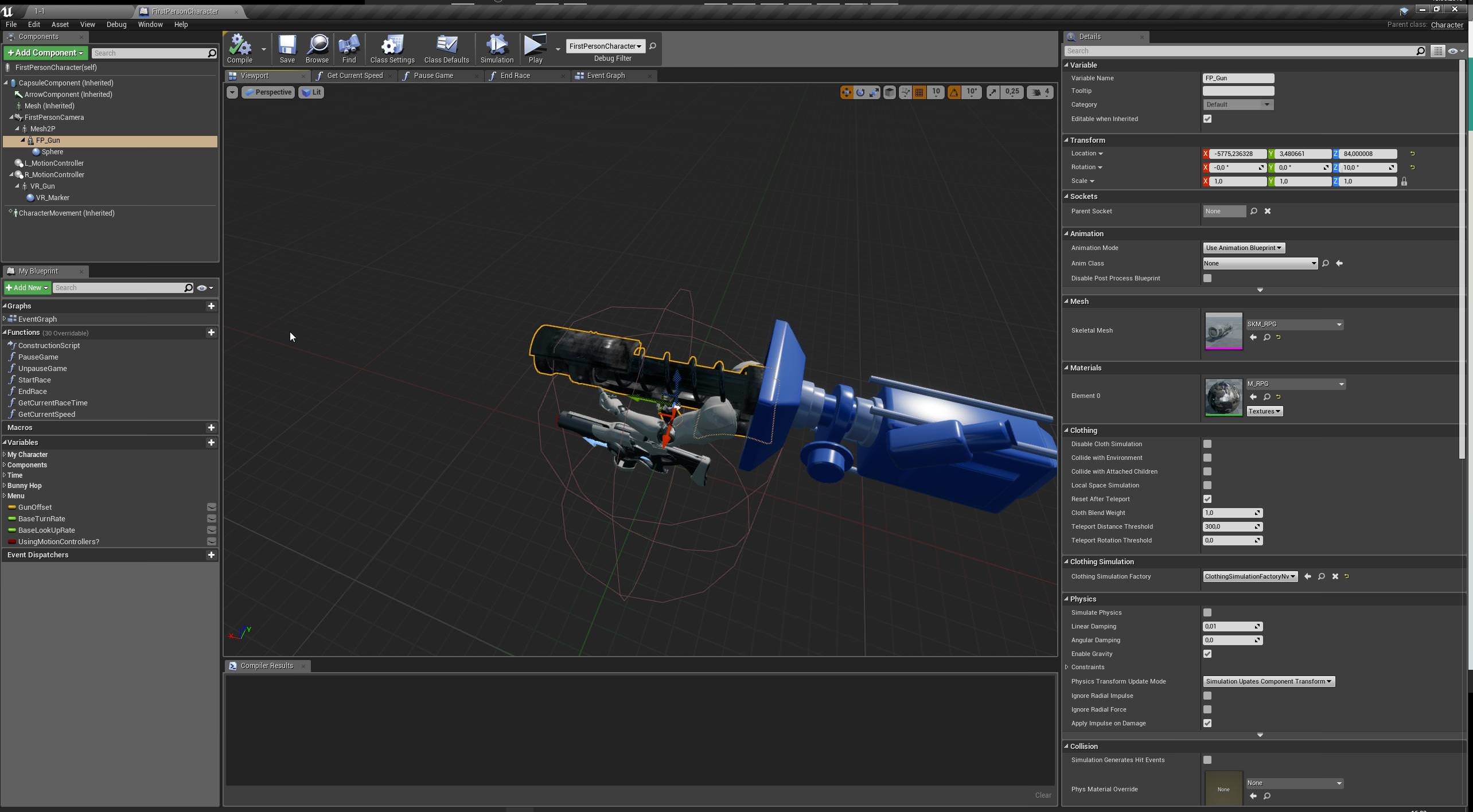
this is probably a really stupid question, but how do I move a skeletal mesh? changing location/rotation doesn't do a thing
https://i.imgur.com/cpBzCmx.jpg
 grim ore
Change it in the BP editor? change it at runtime with Blueprints? change it at runtime with C++? change it during design time in the editor?
grim ore
should work fine changing the transform unless you have something else changing it, like a BP script.
like the construction script for that object perhaps setting it as well
 opaque salmon
I've gotten myself confused, something happened in my project so that now playerstart starts a cpp character object "gamecharacter" but I also have a bp character that appears to be a subclass of my character cpp, should I just be doing everything from the cpp? I'm not sure that makes sense...
can I not edit my character cpp from the editor in any way?
new to the cpp project but not new to cpp
grim ore
The default pawn in your game mode is what determines what is spawned from a player start, might start by looking there to see what it is set up for. beyond that shrug
opaque salmon
previously it was using the bp character I think but it switched to the cpp character so now my controlling character doesn't have a sprite assigned and the bp one that did have a sprite no longer moves and I'm not sure if I should just set the sprite in cpp and just continue only using cpp, it doesn't seem to let me change the default pawn to the bp, maybe from the cpp game mode
grim ore
well the game mode should let you do it even if you created one in C++. definitely weird if you are using your custom game mode and it does not.
opaque salmon
🤔
 zenith flower
Why delete the rip python joke?
 graceful grove
Unrelated to earlier discussion on learning AI but somebody wrote their thesis on Quake 3 bots and it's an excellent read http://www.kbs.twi.tudelft.nl/docs/MSc/2001/Waveren_Jean-Paul_van/thesis.pdf
opaque salmon
ok, so if I set up a blueprint project, I can later add a cpp class that say handles semi complex data structures and any functions/methods to manage that data and then create an object of that class in a gameinstance blueprint so that it's persistent throughout my game?
frank escarp
ive writen some hilariously overkill bots @graceful grove , for heavy gear assault
sadly, i couldnt finish that masterpiece
graceful grove
@frank escarp I'll have to look into that sometime, game AI has always been of interest to me
frank escarp
the best book
of all
is this one
of all the game AI books ive ever seen
this is the best by far
and its C++
opaque salmon
and then through my gameplay blueprints I can access that cpp object through the game instance blueprint, and add/modify the data from the gameplay blueprint via cpp calls exposed to the blueprint, is that how the workflow would go for a blueprint project using a little bit of cpp?
graceful grove
@opaque salmon I think a BlueprintFunctionLibrary might be an easier way to do that
e.g. write functions that operate on whatever data in CPP and expose those only to your blueprint classes that need them
frank escarp
careful with blueprint function library
try to avoid using hot reload with it
becouse it can break builds very easily
shit is extremelly buggy with hot reload and blueprint function library, NEVER use hot reload when changing a blueprint function library
opaque salmon
ormigord why is this so complicated
cloud cobalt
Hot reload is an insult to how C++ even works
That it works well in the safe cases (no Blueprint-related changes) is already amazing and frankly unparalled
frank escarp
indeed
hot reload is 100% absolute black magic
not a single engine has C++ hot reloading
not a single one
 lucid jetty
I just hate the fact that packaged builts can contain bugs that pie doesn't 😦
frank escarp
cryengine and havoc anarchy had C++ dlls for game code. many other engines support C++ game DLLs
only unreal has hot reload
lucid jetty
I am struggling with so many stuff right now its not even funny
frank escarp
some indie games managed to implement game dll hot reload, but with a huge work, and with very considerable limits
and yet unreal is automatic
opaque salmon
I think I just need to read how the cpp blueprint interaction works, I don't understand how this is supposed to work and it's just getting more complicated the more I look into it
maybe I should just learn how to make a 9000 node blueprint to handle simple data structures that would take a few minutes to make in cpp
graceful grove
What data operation are you even doing? 🤔
frank escarp
@opaque salmon pro tip
 sacred grove
Guys I need helpp
opaque salmon
like simple db lite stuff, lists of all types of objects, there's probably an even easier way
frank escarp
allways do your base classes, and structs, in C++
sacred grove
Heyy!!
I need SERIOUS HELP!!
When i try to open Unreal it gives me error 'this application was unable to start correctly (0xc000007b), Click ok to close the app.'
Please help😭
opaque salmon
all types of object x, like a running archive of a particular generated object
sacred grove
?
graceful grove
@opaque salmon It seems to be most easily handled with BlueprintFunctionLibrary, assuming you are trying to get actor references then you can define a new blueprint node using UGameplayStatics::GetAllActorsOfClass
frank escarp
GetAllActorsOfClass is faster than you would think
if you need faster, you need to cache it
i use the caching for specific cases where im calling the GetAlllACtorsOfWhatever every tick multiple times
for example, enemies or bullets
graceful grove
Also consider it might be easier to just have the specific Actors/Objects pass a reference to some manager class on construction and remove the ref on destruction
Entirely unrelated but AGGGHH I'm so dumb, was debugging code for a solid 30 minutes until I realized I had commented a line that was assigning a default value 😢
sacred grove
Heyy!!
I need SERIOUS HELP!!
When i try to open Unreal it gives me error 'this application was unable to start correctly (0xc000007b), Click ok to close the app.'
PLEASE READ THIS
graceful grove
sacred grove
@graceful grove have already read and tried everything in it
graceful grove
@sacred grove Try deleting and reinstalling the engine. These errors are hard to debug 😵
sacred grove
@graceful grove its veryy hard to reinstall for me😭
graceful grove
Sadly there's nothing to be done for it than reinstalling
nobody saw that grammatical error
 tall pendant
AFAIK thats an known Windows OS issue. So it not even fits the topic, since not UE4 related.
sacred grove
@tall pendant can you please tell what to do with my windows?
Any help will be awesomely appreciated
 turbid sand
[12:50 AM] Yadda: I've cleared intermediate, started completely blank projects and performance is still horseshit. I can run projects that use earlier versions with no performance hitches why this and why now?```
Just wanted to report that I managed to fix my performance issues by clearing the data caches in %localappdata%. In case any of you wanted to know... mighty pivot
Hey guays
 karmic igloo
Hey guavas.
 hidden heart
Hola Guapos
karmic igloo
こんにちはグアバ
 ivory gate
ok so when i make an object in blneder like a wall with empty spot for door the player cant pass through the empty spot.PLEASE HELP!
karmic igloo
@ivory gate The collision is probably set up wrong. If you don't want to have that wall simulate physics you can just have it use complex collision, but if you want it to simulate then you'll have to do either some convex decomposition or UCX hulls. I can elaborate more if you need me to.
 twilit gate
karmic igloo
twilit gate
karmic igloo
Yeah I've downloaded the preview. Haven't had the chance to check it out though...
 tough barn
So when I go to use tutorial from unreal engine through the client it tries to make me sign up for video. Is that normal?
grim ore
what video?
tough barn
In client under unreal engine 4 you click on learn then on the title. Wants to take me to come. Is that normal?
grim ore
Is it trying to log you into the unrealengine site?
grim ore
well if you go off this, there is a few still, https://issues.unrealengine.com/issue/search?q=affects%3A4.20%2C4.20.0&resolution=unresolved&component=&sort=votes
 sonic glacier
Hey I need a little help with merging the truesky branch with my gameworks one
So I've been trying to get this to work for the past week and keep running into errors
I think I'm merging the files wrong or something
Because whenever I try to build the engine it gives me errors :/
Also this is the forum that I followed https://forums.unrealengine.com/community/general-discussion/1430784-nvidia-gameworks-and-simul-truesky-integration
Unreal Engine Forums
Place for NVIDIA Gameworks and Simul trueSky discussion and information about the integration of gameworks and truesky into ue4 and its progress.
Instructions
mighty pivot
Hi
 grim juniper
Man, I was excited to check out the "custom road editor tools" in the Bus Simulator 18 kit, but it turns out it's just this plugin http://talos-studio.com/road-editor/
 lusty merlin
whats the difference between spatialOS and Cloudgine?
 bitter iris
I'm wanting to use nav mesh bound volume, however my map is tiled, is it okay if i just put it on 1 level or do i have to put it on all?
karmic igloo
@bitter iris As in a tiled landscape?
If it's that, then it should work fine on just the main level.
karmic igloo
I think putting it on persistent works.
And then it automatically generates the navigation while you're playing afaik.
bitter iris
My map is huge
so im guessing its gunna take a while
is it just 1 volume for the whole map?
karmic igloo
Yeah, and then it should just work. I've done it before and it worked for me, and it wasn't even that slow.
bitter iris
Okay has the Z scale gotta be the same height as mountains
karmic igloo
Yeah it should cover everywhere you want to walk.
karmic igloo
Hopefully it should go quickly though.
bitter iris
Well it does 1,000 every 7 seconds
bitter iris
75 minutes
plush yew
@lusty merlin spatialos hosts different clients based on their position in the game world, allowing for massive environments with little strain on a specific server
bitter iris
If my calculations are right which they most likely are itll be 70 minutes until the 660,000 is done
karmic igloo
Oh okay.
plush yew
allowing a client to move throughout a massive game world, while only rendering the necessary players and models from the server, required to play the game
karmic igloo
Well then I'm probably wrong about the navigation. There's probably a better way...
 storm venture
howdy folks, anyone know of a nice way to make a 3d widget glow?
plush yew
do people do collaborations here?
karmic igloo
@plush yew I haven't seen any.
plush yew
ok
karmic igloo
Though collaborations do happen in the UE4 community sometimes I think.
plush yew
where?
karmic igloo
I'm not sure, I think crowdforge.io has some good stuff.
 flat stump
what kind of collaboration are you looking for? or just asking in general?
 delicate needle
Are there people who will do remote desktop 1 on 1 Unreal help/traning?
Not looking for free.
karmic igloo
@delicate needle I've done that before, what do you need help with?
bitter iris
still going
karmic igloo
XD
 grim sinew
Are you building navigation for a planet?
flat stump
Alright well my project is officially project #420 on crowdforge now too bad I do not smoke marijuana or I would have to celebrate that ( https://crowdforge.io/projects/420 )

Stage Mechanic
Scope of project
We are creating a game engine that allows one to create, share, and play block-based games including both block-pushing games in the spirit of Catherine, Robo5, and Pushmo as well as simple block-based platform games in the spirit of Bloxels.
T...
@karmic igloo thanks for mentioning them I hadn't heard of that site before!
karmic igloo
np! I just happened to remember that they talked about it in a Game Jam talk before.
bitter iris
@grim sinew It was 700k earlier
It just finished
and i accidently moved it
kill me
grim sinew
My god, why.
karmic igloo
gg
grim sinew
Do what Epic did on the kite demo, onyl generate navmesh around the player
It might help
bitter iris
i want ai?
grim sinew
I don't know how they did it off the top of my head, but a livestream showed it
And yes, I get that. But you likely don't need AI 10 miles off from the player's location
plush yew
@slow relic @glacial arch it's a ue4 plugin on the marketplace, ue4 engine editor
grim sinew
It might be better to generate the navmesh in the immediate area around the player at runtime instead
bitter iris
Is there a doc on this
grim sinew
I've never had to do it, just look at the streams they did when the kite demo came out, it was one of them
It was how they did their deer AI
karmic igloo
Answer here might be helpful https://answers.unrealengine.com/questions/425015/what-is-the-lightest-way-to-use-navmesh-in-an-open.html
bitter iris
you still have to put a nav mesh down
First thing's first, we're going to want to enable a few settings in the Project Settings. Go to Edit->Project Settings->Navigation System and enable the Generate Navigation Only Around Navigation Invokers setting. Then, go into Project Settings->Navigation Mesh and set the Runtime Generation to Dynamic.
Then, we'll need to place a Nav Mesh Bounds Volume in the level. Ensure that it covers the entire space that you'd like the Nav Mesh to be able to generate in, as this is required for the Invoker to be able to generate its section of Nav Mesh.
karmic igloo
Yeah but that way it generates navigation at runtime instead of building beforehand.
bitter iris
Just change it to dynamic
then place nav volume
then itll be fine?
no upfront build?
 solid scroll
karmic igloo
solid scroll
karmic igloo
Also add a navigation invoker component to your player @bitter iris
bitter iris
What about my AI?
karmic igloo
It should generate navmesh within a certain distance of your player at runtime, so as long as you don't want all the ai in the level to be constantly doing navigation it should be fine.
Generally you only simulate AI within a certain distance of your player.
karmic igloo
Add what to beginplay?
bitter iris
navigation invoker component
karmic igloo
No, it's a component you add to your character.
karmic igloo
The AI will probably not move unless it's near the player.
bitter iris
is it just that?
karmic igloo
Oh I guess?
 faint cedar
Anyone have any ideas how I might check if an object is intersecting the near-clip plane?
plush yew
@faint cedar i was thinking about this for a while, couldn't you have a proxy plane with visibility off and only detect collision for the actor object with certain tag type is intersecting? and make the proxy plane a child of the camera you are using
faint cedar
hm, that would be possible, but it feels like a dirty hack
 worn granite
general case or testing if a particular actor is
plush yew
@faint cedar might be able to use this FVector::PointPlaneDist if you are checking the distance to a plane X units away you can set the normal of the plane to face away from the camera, and then check to see if the distance to the object is less than or equal to the distance to the plane . i found it at https://api.unrealengine.com/INT/API/Runtime/Core/Math/FVector/PointPlaneDist/index.html
Calculate the signed distance (in the direction of the normal) between a point and a plane.
do you think that might work? i am novice at CPP but thought maybe it might do it 😃
 visual hollow
what can you do to add a copyright thing in your VR project so no one use it for commercial purpose?
grim ore
how will you be distributing it to other people?
visual hollow
exe
but I'm afraid they will use it commercially for their profit. its a college project of mine.
grim ore
thats not how you will be giving it to them tho. website, usb drive, floppy disk. are you distributing it somehow?
if so put your license on that location saying it can't be used for whatever and include it with your files as well
or just you know don't let people have a copy of it
I mean I guess if you are super paranoid you could make it check the date on startup and close itself if it's past that time. You could also put a splash screen when it starts that says it's not for commercial use. You could make it do a http call back to a server and have it only run if it get a valid response and then set up a web server just for the project turn in and then close the website once it's done so it never runs properly again.
 cerulean nova
How does the UE4 Automatic LOD creation affect performance compared to making your own?
visual hollow
Thanks for suggestion.
turbid sand
I mean it's not the performance you should be worried about imo, you should be more concerned with the look of the result than anything
cerulean nova
so u think it doesnt look good at some times ?
turbid sand
9 times out of 10 handmade LODs look better but not everyone has time for that
cerulean nova
mhm 🤔
grim ore
9 out of 10 times the handmade LODs will take 10 times longer to make 😛
so pick quick or good and move on to the next part of the project lol
cerulean nova
but it will not affect the performance of the game ?
turbid sand
Again, diminishing returns, less time spent on each asset is a net gain
grim ore
using LODs will positively affect performance yes, doesn't matter if they are hand made or automatic
turbid sand
As opposed to not having LODs? Or...
cerulean nova
time isnt the biggest problem its more of lods simply arent fun to make
turbid sand
No it's definitely time, I assure you
cerulean nova
nah no lods would ruin performance pretty quick
grim ore
well he might be using all cubes or planes
turbid sand
There shouldn't be that much of a perf difference between handmade LODs and generated LODs. A good looking asset with minimal pop-in that operates with reduced # of triangles is the goal
grim ore
the auto lod stuff isn't half bad, it's got some fairly decent options for tweaking and it's pretty quick to get it up and running. If LOD Quality ends up being an issue toss money at it later 😃
cerulean nova
but the LODS it self dont need any performance later right? it doenst calculate the lods later in the game right?
grim ore
LOD generation is normally done at design time yes, it wouldn't calculate them at runtime and would only benefit performance
 trim oar
But when i go away it sets to high lod
And when i come bear it sets to low lod
How to fix the problem
cerulean nova
has to do with minimum lod u set ooor? not to sure tho
trim oar
Pls say clearly
grim ore
it sounds like your saying its showing the LOW LOD at close range and HIGH LOD at long range, backwards than normal?
cerulean nova
could be a game design xD u have to look at it from distance and when u get close u have to puzzle and say what it was 😂
grim ore
well if using Auto LOD it should just work right, I just tested it again. make sure its on auto lod, set the LOD group, then apply changes and it should be done
cerulean nova
most people use ~3 LODs is it a point of deminishing return or "could" someone take the work and make ~10+ for example for a realy smooth tansition between the lods ?
cloud cobalt
At this point you might as well use the smooth LOD transition

 quasi lake
Now run a kite boy demo
paper kernel
Legend tells a tale there is a PC out there that can open the Kite demo
languid shard
@paper kernel emphasis on open
cerulean nova
i might sound like an asshole right now but isnt it crazy how "bad" State of Decay 2 looks if there would not be the UE4 Logo infront i would have sayed thats not UE4
languid shard
I'd buy a GPDwin... but I already have 2 laptops, an Nvidia Shield Tablet, and a Switch..
and my last experience with a windows tablet was fun to tinker with but horrible from a user perspective
 honest vale
@cerulean nova yea it looks a bit rough
paper kernel
shame they discontinued shield handheld
languid shard
well it kinda lives through all these pocket devices like the GPD
the new asus phone I guess too
plush yew
hello guys I have a problem with drag my logo in youtube in UnrealEngine
I have a problem
this logo I want to drag it here
paper kernel
I'm not seeing the asus rog phone taking off as dedicated gaming machine
way too expensive
visual hollow
Can I use VS2017 to build exe with UE 4.19?
 real pasture
Is there any assets you guys recommend getting for a beginner making a FPS project?
visual hollow
Depends on type of project.
honest vale
I though 4.20 defaulted to VS2017
"Visual Studio 2017. UE4 will now use the Visual Studio 2017 compiler, and generate project files for Visual Studio 2017 by default. We’ve also added support for the Windows 10 SDK."
and I've been using VS2017 with 4.18 for ages
real pasture
@visual hollow It will be a FPS project.
honest vale
though I'm not sure how the whole compilation process works with multiple visual studios installed 🤔
plush yew
Can anyone help me with my problem?
plush yew
I did this but you saw my picture how it looks but WHEN I chooses it the picture will become black
Why
 plain nebula
yes
visual hollow
@real pasture then Weapons are imp assets
plain nebula
I am asking because it seems he want to add a Canvas render target not a texture which are two different things.
 devout gulch
I used VS2017 since like 4.17
idk what you mean by not supported
(and no don't have installed VS2015 on side)
storm venture
sorry to interrupt, who here knows the name of the vive's face button in the ue4 input section?
I thought it was FaceButton1 but that doesnt appear to work
im looking for the input when you press the centre of the giant circle on a vive controller
storm venture
beauty! thanks a bunch man
storm venture
@languid shard yup! exactly what i needed, thank you 😃
 fiery harbor
we need to remind Epic that Dev-Rendering is still the only major branch missing on Github: https://forums.unrealengine.com/unreal-engine/feedback-for-epic/1491051-dev-rendering-branch-still-missing-on-github-any-update-on-that-please
Unreal Engine Forums
1.5 months ago, you finally made it so that the individual branches are available on Github. What a great change, finally! It took a few days for most branches
paper kernel
could it be legal thing?
fiery harbor
all other relevant branches are available on github
honest vale
I really doubt it's a legal thing since they just merge the branch to master from time to time
fiery harbor
its the only relevant missing branch
cloud cobalt
Should be a dev-fortnite branch too, and as a dev I expect thousands more branches
fiery harbor
fortnite wouldnt belong on the ue4 github
bitter iris
Is there any tutorials / documentation on how to setup account inventories, so say for instance if someone backs us on kickstarter they get a kickstarter exclusive tshirt or outfit in game
cloud cobalt
@bitter iris That's pretty much unrelated to UE4
You'll need to look at how to get the info from Kickstarter
 rose quartz
If i want o export a building from blender is it possible to do all sepperate parts?
cloud cobalt
Then, probably, people will have to login in some way from your game
@bitter iris Depends on lot on whether you already have a login system in your game with a database server / account system for players
If you don't, then you might implement some kind of basic key system, generate keys for your Kickstarter users, etc
cloud cobalt
@bitter iris Such a thing does not exist as a built-in thing
There is simply no concept of accounts in UE4
Or inventories
You need to entirely create that
paper kernel
I could imagine the simplest way (if using Steam) to hand out exclusive dlc keys to kickstart backers which can be checked in game
cloud cobalt
Steam DLC is quite heavy handed for that, not to mention it's going to be publicly visible and tied to a full store page on Steam, etc
paper kernel
a bit, but could be useful if it's for everyone who participates in early access
cloud cobalt
My take on the feature itself would be, don't do that. You're an indie so you just don't have the manpower to create plenty of content. Don't create exclusive content because that should be going out to the main game for everyone.
paper kernel
I have never understood the eat-the-cake-while-baking-it funding
cloud cobalt
If you need Kickstarter tier rewards, make it the timing people get a key for the game
High tier get alpha access, lower tier get beta, others get Early Access key when the game goes publicly on sale
That's three levels of rewards that don't cost you anything
Not to mention you want an alpha, beta and EA with three separate pools of players
Other KS mainstays would be the soundtrack, concept art
 winged crypt
Can I change the default UE4 preview camera's near clip plane to something lower so I can get closer to objects but not affect any gameplay cameras?
plush yew
hey, does anyone know how spatialOS integrates with Unreal Engine?
 bleak remnant
Regarding backing up our games, is compressing the project totally fine? Will unzipping a zipped game project cause any quality loss or anything like that?
I'm thinking of zipping my game and uploading it to AWS Glacier (awesome cloud archive service, costs $0.004/gb per month)
plush yew
I'll move this to #multiplayer
 digital anchor
use a version control system, it will create much more lightweight data, as it only saves whats changed
@bleak remnant
cloud cobalt
@bleak remnant Zipping is absolutely loss-free
bleak remnant
woop woop @cloud cobalt sweet
@digital anchor i've been using Git and Git LFS to store everything on GitHub
this morning I met with horror
I tested downloading the project from GitHub
I unzipped it then
I built the project and none of my
uassets are loading in the content browser
but all my files are present
so this just totally freaked me out so now I'm doing manual backups just in case
backing up my game now using AWS Glacier
 marble spire
hey guys!
is it possible to make a clicker game in unreal?
like coockie clicker
and if its better to make a game like that in unreal or unity
 river breach
yes, it is, and it's better in unreal
plush yew
Does anyone know any programmers/developers that might work for 15 dollars per hour?
Doing unreal engine, I checked the looking for work, but couldnt find anyone.
wary wave
plush yew
Already checked
wary wave
post in looking for talent and you might find someone
FYI though, $15 an hour would be considered low even here in the arse end of Eastern Europe
(and you generally get what you pay for)
plush yew
Yeah I know its pretty low, but its worth a try
 fossil ore
Otaco, for?
languid shard
yup
languid shard
you can also do 2D with unreal
its just that you use different libraries within the engines
cloud cobalt
For mobile 2D you might as well use Unity
UE4 is really much more geared toward heavyweight games with world-class 3D, you'll make no use of that, and you'll get a fairly heavy, lower-performing game
frank escarp
unreal 2d has been abandoned for ages
its really not a good choice
unless you absolutely ADORE blueprints and are willing to fuck yourself to use them
marble spire
i really adore then, but if its better, then its fine
it should be better for me learn more things anyway
paper kernel
it's not impossible to do 2D, but there's no particular support for it either
cloud cobalt
It's not impossible at all
But stuff like the minimal game size is kind of an unfixable issue
You can't workaround having millions of lines of code
languid shard
unity works a lot better on mobile for this exact reason
cloud cobalt
That, and mobile games are mostly very simple games where Unity's "no features" approach works fine
You don't need an incredible landscape system with complex skylights & real-time dynamic lighting for trees if you're going to have a 2D clicker game
languid shard
yeah
frank escarp
even more with the render pipelines
you will be able to implement a 2d only render pipeline, that just renders sprites with no lighting
and have a game that uses 0 battery
becouse it uses 0 gpu
they plan to do something they call "ECS for small games"
where they use the ECS stuff engine-wide, and then just compile exactly what the game needs
the game doesnt have terrain? the whole terrain part of the engine doesnt get compiled in the first place
they demoed a small 2d game exported in under 1 megabyte
full build, engine + assets
cloud cobalt
Unity
languid shard
daw
cloud cobalt
Unreal has a completely different approach with a single, monolithic approach that has pretty much constant cost for most 3D games
It's not going to run at 120fps anywhere no matter what you feed it, but it's going to run fine everywhere too
And the tools are incredible compared to Unity
It's really about what kind of game you're doing
frank escarp
unreal just builds literally everything every time
thats why something like flappy bird its still a huge thing
meanwhile, unity can build flappy bird in under 1 megabyte
languid shard
yeah this is kinda a problem when you want to ship stuff
the point cloud viewer I've setup has absolutely nothing in it, only code and a few materials
yet it still weights around 400megas
 unreal spoke
how can I make additive animations that I can use later as assets? Montage? Composite? Blend/1d?
delicate needle
My unreal scene is crashing on save after I do a lightmass build. Does this sound familiar?
 glad vessel
Can you recommend me a book to learn unreal engine 4 from? I am good at C++ but want to learn the UE4 workflow.
 silver crown
@glad vessel https://www.blaenkdenum.com/notes/unreal-engine/
AKA Blaenk Denum
 manic pawn
wtf where did this thing come from
grim ore
You can disable the steam VR plugin in the editor to try and stop that.
 past zenith
ok, thanks
sacred grove
Can anyone please provide me the Unreal Engine 4 OFFLINE Installer?
I cant download online in my pc! :(
manic pawn
there is none
manic pawn
however
you can download on another pc and copy the engine folder
or make a source build
sacred grove
The only option i have is to download on my mobile and transfer the file to PC:(
manic pawn
could use usb tethering so your pc can use the mobile internet?
sacred grove
I can but my problem is that firstly my internet is slow and secondly i only get 3GB a day
manic pawn
I'm pretty sure the launcher is able to pause and resume downloads
paper kernel
^
cloud cobalt
You'll definitely need to download plenty of volume regularly though. Demos or samples or marketplace assets often do multiple GBs
Engine updates also download that kind of volume
sacred grove
For assets or samples too i can use ONLY PC?
manic pawn
what kind of weird internet setup is that anyway
normally mobile internet is limited and crap, while you have unlimited and fast home internet
sacred grove
I don't know why Unreal don't support offline install, whereas Unity does but it is hard
cloud cobalt
Use Unity if it suits you better
manic pawn
they expect people to have a reasonable development setup with good hardware and internet
which makes sense
cloud cobalt
UE4 is definitely not a tool for you if you have a low-end PC, laptop, or an average connection
It's a tool to create large, heavy 3D games with a team
None of that is anywhere remotely network-friendly
paper kernel
🤔 I wonder if
with full package installer you could at least download it on a phone using public wifi(if you find one) and transfer it to computer
source version perhaps?
cloud cobalt
Public wifi to download something 10GB ? Nah
paper kernel
some libraries have pretty good connections
cloud cobalt
Source version is lightweight, though it starts the build by fetching GBs worth of dependencies
And you need VS and the Windows SDK
paper kernel
that does not sound legit
sacred grove
Can you guys please check?
cloud cobalt
Sounds sketchy as hell
sacred grove
@paper kernel why
manic pawn
that's a portable virus factory
sacred grove
@cloud cobalt why :(
paper kernel
"beauty, health..." and other crap on top bar
sacred grove
@paper kernel that may be ads u are seeing
tall pendant
<@&213101288538374145> could you please remove that obv. warez link?
paper kernel
yea, sketchy sites have sketchy ads
manic pawn
that is not an official site, if you download garbage from there you are on your own lol
it may work, it may explode your pc
sacred grove
:(
cloud cobalt
Look, @sacred grove - you'll need heavy downloads with UE4 no matter what. I have 30GB of marketplace assets here and I'm not a heavy MP user by a long shot. My game is 10GB big just for versioned assets. The day you need to debug your project you'll need a 15GB download
Not to mention Visual Studio or its dependencies
sacred grove
😪
paper kernel
yea, that data cap has to be solved for long term solution
cloud cobalt
If you want to work with a team you'll be syncing GBs pretty much every day too
cloud cobalt
Yeah, I feel for you
cloud cobalt
I'm not here to motivate you though, I'm here to be honest and give you serious advice
Look into fixing that network problem
If not, you might want to look into the source version
Much much harder to set up, plenty more steps
But in the long run you'll need less bandwidth
(at the expense of much more hard drive space and much more work for updates)
sacred grove
Ok tell if i can download assets too from my mobile and transfer to PC?
cloud cobalt
no
sacred grove
I'm completely fine till i can download things from my mobile and transfer to PC
But downloading gb's of asset from pc is painful
cloud cobalt
Use your phone as a wifi
tall pendant
also note using source builds and code plugins is sadly not comfy.
cloud cobalt
If your phone has no data cap, just use your phone as a wifi hotspot for your PC
It's what I do on travel
sacred grove
Im saying this because when i tried unity i can download everything from my mobile and transfer to pc (even assets)
@cloud cobalt I have, 3Gb a day :(
grim ore
Unreal is not unity tho so comparing them again for this won't help
cloud cobalt
@sacred grove Can't get a better Internet line where you live ?
sacred grove
I can get a wifi but being a student my parents wont allow me
3Gb a day is for my country cellular network
cloud cobalt
Then talk to your parents about it, or use Unity if that works
UE4 is not going to become lighter by talking about it
sacred grove
I can't do unity as it requires complete codind skill
But UE4 has blueprint system 😛
So I think i can do it!!
tall pendant
Unity also has an node based system.
grim ore
Blueprints are still coding they are just obfuscating the code behind pictures. The basics are still there.
tall pendant
plus you still need to know how it works
grim ore
And unity doesn't reauire complete coding skills. You can make stuff work with the basics And then learn the note advanced stuff as you go along.
worn granite
Blueprints are definitely still using logic to solve problems. Logic won't write itself, but you also don't have to know everything to get started.
tall pendant
Yep. I would actually say you can "just do a game" in Unity more easily than you can in UE4.
depends on your idea ofc
 ashen brook
@sacred grove please refrain from posting pirated software. UE4 is free, and the only legitimate source for it are the official unreal engine website and GitHub.
sacred grove
Huh
honest vale
hmm, how do I preview occlusion culling in a viewport? 🤔
like, I have top viewport open alongside perspective
and I'm pretty sure that it's possible to have the top viewport update in real time and show what's being culled and what not
 sinful mesa
 cloud cobalt
@sinful mesa What's your question ?
sinful mesa
?
cloud cobalt
You just linked a website, I mean, hopefully not just for advertising ?
delicate needle
Some of the materials do not seem to be loading in my 64bit Windows Deployment. What could be going on here?
cloud cobalt
The reason there isn't a resource channel is that it's a Discord, not a forum, so it doesn't work as a list of links
sinful mesa
Who see then will see
ashen brook
@honest vale there was for sure in earlier versions of UE, but I'm honestly not sure if that still works
sinful mesa
i dont use UE4 forums since noone is seem to responding there 😄
cloud cobalt
@delicate needle Open the material and check the error
sinful mesa
its a dead forum to me
cloud cobalt
@sinful mesa Maybe, but it's actually not allowed here
ashen brook
@delicate needle check your game log for errors and warnings
If a material fails to compile, that's where it'll say
Sometimes materials work great in editor, but fail to cook
delicate needle
Cant find the log, which log is this? I just remembered that the materials that don't load via the EXE are also ones that take longer to load when I open the map.
Also, this was all imported via DataSmith into my map.
winged crypt
any1 have exp with splines?
ivory gate
anyone know good way to think of game idea plz dm me
 weary remnant
@winged crypt, what are you trying to do with splines? there are a few different, very kool, types.
 next jewel
winged crypt
next jewel
winged crypt
@weary remnant
Basically trying to set up a spline to have this curve and then a linear line backwards down the bolt of this rifle
While keeping the rotation of every spline point facing forward simultaneously
I was able to get the spline shape working but not the rotations
When I tried to manually adjust the rotation of a single point, changing the Z axis automatically changed the X axis and getting them back to 0.0 was a hassle, I had to keep doing 0 > enter > 0 > enter until they defaulted whilst randomizing between values
 tardy ocean
Who know when is the next jam pleaze? 😃
weary remnant
@winged crypt can you share your project? Is it C++ or Blueprint based? Against either solution? I'm not saying I can help but I can at least take a look at it.
delicate needle
My .PAK is rather large. In the future I'll work to optimize, but for now I want to break it up. I enabled chunks, but that did not split up the .PAK files like I assumed it would.
Can .PAK files be broken into smaller .PAK's?
storm venture
hey, sort of an emergency, does anyone know where i can get a high quality version of a pattern like this?
i dont know the name of the pattern or a good source to use, in a pinch with limited time
worn granite
herringbone?
storm venture
thats the name, thank you!
 sacred swan
hello can I get help in here
I have a packaging error, what a surprise...
lol
PackagingResults:Error: Error Launch failed! Unknown Error
 pallid compass
try packaging channel
tough barn
So let me ask here. What basics should someone know before they ask to be included in on a project to gain more experience? ( talking unpaid free labor in return for mentorship). I've gotten basics down
pallid compass
prob about 4 months in the engine
faffing around
watching video's
doing tutorial's
have a good basic grasp
tough barn
Ok. 3 more months then ty.
tough barn
Yeah. Right now I feel like I'm trying to take in too much at once. Following a video series but. Part of me thinks I should focus one one aspect. Prob is I have no coding exp so I'm trying to learn in my free time.
 inner yacht
Hey all, How can I use a blendspace just for left or right animations?
Im driving a vehicle want to make the arms turn the wheel
I was thinking the input turn right + and - or something
Then im confused by the direction and speed varible in the anim graph blueprint
marble spire
Guys, since im making a portrait scale game in unreal
how can i set the widget maker to portrait too?
he show me a landscape editor
even with my game all set to portrait
grim ore
Change the part that's says screen size to what you want
plush yew
hello everyone. i got a simple question and it might sound like a no brainer. When i make a model in C4D say...a...chest...how do i export that to unreal engine with the pivot points still intact to animate in engine...because i end up with a solid obj. and i can't animate my chest...my brain tells me to rig it with a skeleton but part of me thinks there is an easier way.
real pasture
Anyone want to join me in voice?
 lofty nest
I have a question, when you attach static meshes together, do they attach pivot point to pivot point?
 pine parcel
Finally understanding landscape blending a bit better. This was hell 6 months ago.
 tall basin
Hey all, how would I go about getting a float variable based on how close the player is to a specific spot?
i'm a sound designer trying to get better at Unreal by prototyping some stuff, so I'm not sure how to approach some things 😃
 glossy flame
If you just want the distance between two locations, do A - B and get its length.
tall basin
hmmm i think i need a more basic explanation than that. i'm not sure how to poll objects and get that info
 safe rose
Get actor location
tall basin
ok, so get actor location on both the player, and the thing they are getting closer to?
pine parcel
@bleak remnant Using height-based landscape blends and adding in some tesselation
And a grass output for the swaying grass-blades/foliage. I just used the infinity blade dirt & grass textures and the grass/fern meshes, but it would be easy enough to do with similar textures from quixel.
glossy flame
@tall basin yep.
 thorny cipher
Is there a way to keep crash logs from shipping builds?
tall basin
Thanks @glossy flame & @safe rose 😃 i'm gonna try and get it working
plush yew
ill ask my question differently. say i modeled out a complex model with multiple independent potentially moving parts. i don't want to pre-animate them (asset packs) i want the purchaser to animate what they wish in engine (unreal engine) how do i maintain individual pivot points of those independent parts to be animated in engine as the user wishes?
grim ore
the pivot points on the items are the 0,0 point in your DCC program
grim ore
@marble spire If you choose the screen size drop down you can try and find the closest match to your target hardware. There is a button to the left that swaps between portrait and landscape after you choose the screen size. Alternately yes you just put in your correct dimensions for portrait and use that
 void palm
would it be possible to make something where it automatically places meshes based on what colour an image is
for example

on every black line a wall
storm venture
im in desperate need of help, i have blueprints from 4.19 that i need in 4.18, they dont appear, deleting asset cache doesnt fix it, and i cant do any project cloning tricks
honest vale
I don't think backwards compatibility works like that
storm venture
i need it to 😦
i can convert a 4.19 project to 4.18 and use the blueprints just fine. but when i migrate them to another 4.18 project after that, they dont show up, wow
grim sinew
You can try copying and pasting the code, but there's nothing you can do to step back engine versions for uassets
cloud cobalt
@storm venture Doesn't work, no. Any asset in a version can only work in future versions.
Copy paste it, etc
This s why it's important to carefully update engine versions, by the way. Branches in source control are perfect for that.
storm venture
I know, but unforeseen workplace issues caused some problems and left us with some in 4.19, some in 4.18
cloud cobalt
Well now you know that can't happen
storm venture
yup, just gotta make sure everyone else knows as well, lol
i would love to update the 4.18 proj to 4.19, but then the plugins in it crash and cant be compiled
such a fun adventure
cloud cobalt
Well do they crash, or do they fail to compile ? That's very different
storm venture
a mix of both, they used to crash, i dont remember what changed but now its the fail to compile
something something about building engine from source
cloud cobalt
Okay, well, feel free to post complete info if you need help
storm venture
thanks
pine parcel
Anyone here know much about Amazon gamelift?
cloud cobalt
pine parcel
thanks
storm venture
@cloud cobalt hey, you still around?
cloud cobalt
Yes
storm venture
Could I pick your brain about those compile errors I mentioned earlier? 😃
cloud cobalt
Sure, put them on pastebin or right there if they're short enough
You need to update the ahsanEditorPlugin.Build.cs file with the new syntax
You can check other plugins in 4.19 to look how they do it now
storm venture
I honestly am super lost when I dig into C++ stuff with UE, so there's a good chance I break things more
I dont even know how to edit the plugin to be honest
cloud cobalt
Well, isn't that your own work ? If it's not, ask the author to fix it
Plugins need to be updated with every engine version, generally
storm venture
The guy who wrote it is gone, nothing I can do now :\
My coworkers have a project using these same plugins on version 4.19
So could I take the plugins from that project?
cloud cobalt
Well, probably yeah
cloud cobalt
Yeah
I would buld from Visual Studio really
First build on update is likely to fail with some methods to need updating
storm venture
hallelujah, she works
thanks 😄 that pesky plugin just had to get purged, everythings good now 😄
 tight sun
OK dumb stupid question but here goes, I've modelled a little 'drone' and i want to animate the propellors so they spin constantly in UE4. I actually made the model in autodesk 123d design then exported it as an obj and opened it in blender. Then I exported it from blender to ue4. I still need to learn how to texture but I just have no idea which program I should do this in? Should I try remodelling it in 3dstudiomax and animating the props and then try to import that to UE4? I'm seriously leaning to just hiring someone to do it for me but I want to learn. I just need a hint in the right direction! Thanks
Should I try importing the propellors separately then animating them in ue4?
paper kernel
you probably need to make a disk with propeller texture on it
if you want that realistic blur effect on it
 sudden agate
depends what you want to use. You can fake the properllors with texture or with actual geometry. You need skinning if you want to use geometry
paper kernel
rotating mesh really fast won't produce that effect you see in real life
languid shard
Heck even a quad and a masked material would work
sudden agate
^
paper kernel
and that's an extra complex answer to simple question 🙃
languid shard
Complex ? 
tight sun
complex to me maybe. I'm a total noob, I'm actually only using UE4 to make a short movie and its all in the sequencer
not a real game
Thanks for the info guys but I think I'll just pay someone to help me apply the texture and animation to my model, cheers
sudden agate
tfw . GPULightmass won't make it in 4.20 :(
cloud cobalt
@sudden agate You mean it's going to be in the engine ? That's great news
I never saw the announcement
sudden agate
isn't it confirmed in the GPULightmass thread?
grim sinew
The guy works at Epic now, it's inevitable
Won't be 4.20 though it's probably already feature locked
4.21 soonest, 4.23 most likely
languid shard
@cloud cobalt a lot of things are going to change sooner or later with lightmass
sudden agate
Lightmass baking at real time 
languid shard
they just built an awesome team with rendering/lighttracing brains
tbh I would not be surprised @sudden agate
cloud cobalt
@grim sinew Also zero official confirmation of that
Guys, I want to believe
But there isn't any official stuff on this AFAIK
At least in that thread, all was said that he moved to the same town Epic works in, which might be about working at Epic
Which in turn might mean official GPU Lightmass, or not at all
languid shard
@cloud cobalt search more :p
grim sinew
There is official confirmation.
He said in a forum thread.
He has the Epic tag.
New account though
languid shard
Unreal Engine Forums
Global Illumination in other engines [ UNIGINE ]
grim sinew
And yeah, that
languid shard
the guy from Maxwell Render
cloud cobalt
Ah, indeed
languid shard
also confirms luoshuang joined the team
cloud cobalt
Thanks for the link
languid shard
Luoshuang (Yujiang Xang) is also part of the team now, together with more great folks that joined the team recently. As Ken said we have staffed up a team with a strong background on global illumination techniques and we are working very hard to achieve great things soon!
no probs :p
languid shard
looks like there's more people that the two of them
yo
give me back my credits ™
cloud cobalt
Well, i'm more hopeful about getting GPU lightmass
languid shard
@cloud cobalt https://i.imgur.com/BkB7EHg.png

likely that studio and enterprise are boosting unreal lightmass dev
a new lightmass is very needed for archviz and cinematogrphic stuff
sudden agate
instant Lightbuild for a 32kmx32km landscape with red Lightmap resolution PogChamp
sudden agate
everything is better than the current state of Lightmass
 fair violet
@languid shard is the quality comparable to CPU lightmass?
cloud cobalt
Yeah looks better
honest vale
it doesn't bake each mesh separately light cpu lightmass does
cloud cobalt
The only blocker with GPU lightmass right now is the fact it's not OSS
honest vale
and works only on nvidia at the moment
languid shard
does it ?
honest vale
afaik yes
languid shard

GPU lightmass on top, CPU lightmass on bottom
same settings
different calculation types
fair violet
Damn that’s awesome
languid shard
GPULightmass uses Brute Force as its Primary GI Engine and some form of radiosity caching as its Secondary GI Engine, which is very similar to vray. Brute force is much more accurate than Irradiance Caching (Lightmass's primary GI engine) but it is also slower. It is also more sensitive to lightmap resolution since it actually calculates each lightmap texel, while irradiance caching is more or less resolution independent. You may want to tune down your lightmap resolutions firstly then slowly tune them up when working with GPULightmass.
fair violet
With him hired and other GI specialists working together, I bet the result will be very exciting
languid shard
no doubt
fair violet
Have pretty much avoided lightmass recently just because of the wait times
But 10x faster would be no problem
languid shard
yep
roughly, depending on your GPU power
also, the prototype Luoshuang made uses multi gpu and swarm agents
fair violet
This guy seems very talented
Good that Epic snatched him up and it won’t be another dead community project
languid shard
finally a nice use of all these mining rigs 😅
fair violet
😄
languid shard
I like to show this experiment I did with the gpu lightmass

each lighting scenario was baked in 8 minutes with a GTX 1080
one HDRI skylight only, no other lightsource
lightmap density in the reds, so probably around 256 for small objects to 1024 for big ones
fair violet
Looks really nice!
languid shard
https://forums.unrealengine.com/development-discussion/rendering/1460002-luoshuang-s-gpulightmass @fair violet if you want to make some tests
Unreal Engine Forums
Click image for larger version Name: image_138398.jpg Views: 1 Size: 82.0 KB ID: 1478783
Disclaimer:
This is a very simple and early version of my GPU lightmap
which is now just a matter of time
sudden agate
how does GPU Lightmass behave with small lightmap sizes?
in the gif above everything looks noisy
or choppy
and doesn't look too well in the comparison shot above
tall pendant
the GPU thingo doesn't support all features tho
afaik IES profiles among other stuff are still not supported right?
languid shard
yeah IES wont work
fair violet
@languid shard Thanks!
languid shard
@sudden agate noise is prolly related to the indirect lighting quality value in your lightmass parameters
sudden agate
isnt gpulightmass hardcoded?
 trim granite
Is there a hotkey to find my lvl back? I zoomed out o far, it happens to often.
cloud cobalt
Select something in the outliner and press F
trim granite
thanks!
fair violet
@trim granite also it’s useful to create camera bookmarks (ctrl + number between 0 and 9), then when you hit that number again, you’ll jump to that camera position
Good to create a few around points of interest to quickly get to where you want to be
languid shard
ooh good intel
plush yew
how can i have one skeletal mesh with 4 changeable parts (head, torso, arms, legs)?
this seems to work
 whole quarry
but that sets 6 different meshes to the same mesh?
 ivory gorge
@plush yew a single skeletal mesh for each possible combination
i think it's what they did in UT3
plush yew
what i did was 6 different meshes but it only has mesh for their respective parts
@ivory gorge "for each possible combination" is not possible since we want players to be able to mix and match parts
still looking for better options
wary wave
also, it isn't what UT3 did, so
UT3 used skeletal mesh merging
i.e took multiple meshes with the same skeleton, and stitched their geometry together to create a single skeletal mesh
ivory gorge
when & how were they stiched?
plush yew
How does unreal engine hold up for 2D development?
manic pawn
not very well, other engines like unity have far better 2d tools now
 regal mulch
I would recommend not using UE4 for a full 2D game
manic pawn
it's mainly a 3d engine 🤷
plush yew
this is exactly what i'm trying to do: https://www.youtube.com/watch?v=Wg-Kziqiwu0
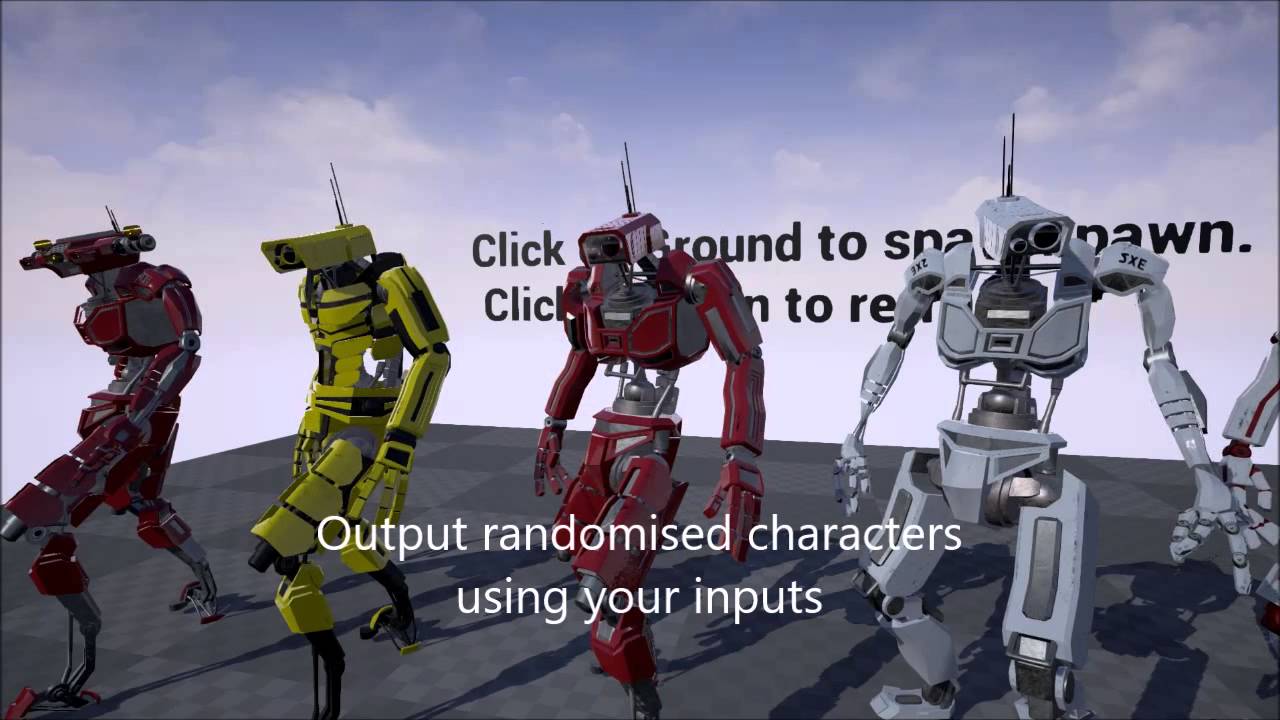

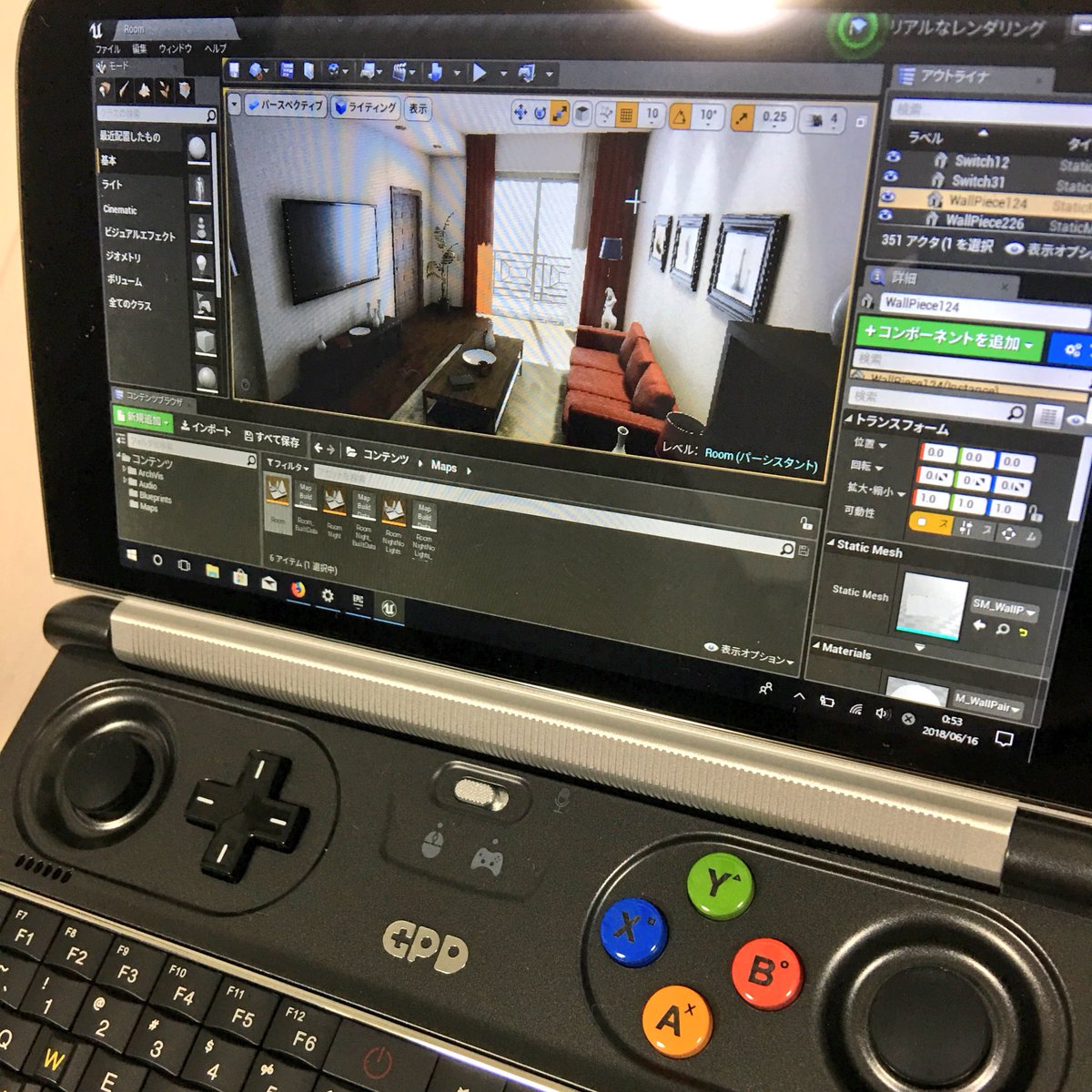


but i can't seem to figure out how to properly merge the parts together, so far, the setmasterposecomponent is the only method that worked
regal mulch
If it works, then what's the problem?
Just better options?
I assume I would have rigged all parts to the same skeleton.
And then added 6 components with each a part
And use the same AnimBP for all
something like that
Not a 3D person though
plush yew
the problem is that if the base/master mesh is hidden, the animations don't play
languid shard
use an empty skeletalmesh for your master
plush yew
if the skeletal mesh is set to "None", i can't set an animation blueprint
languid shard
I mean using the same skeleton ofc
regal mulch
Well with 6 comps that have each their animbp
plush yew
also somehow crashes when i use setmasterpostcomponent
languid shard
just no mesh attached to it
plush yew
oh
yeah i figured i need to do that
but idk how to remove meshes from within ue4
i might need to reimport it without mesh or just have a "sticks" mesh
regal mulch
Why can't you just have a simple rig for the bot
The meshes in the end are just weighted to it or not
So if you export the mesh, the rig comes with it
plush yew
i don't have access to the raw 3D files
plush yew
or rather
i don't know how to use maya
so
so i'm looking for ways to do it within ue
regal mulch
Things like these should be setup properly by the 3D artist
UE4 isn't a modeling tool
You'll have a hard time with that
plush yew
i mean, i just want to disable meshes in the skeleton
regal mulch
Scale the bones?
plush yew
should be simple to do in ue either by code or what not
plush yew
i could try
i think the simplest way really is to bother my 3d guy to export the skeleton without mesh
regal mulch
Or just export the mesh parts one by one with the same rig