#ue4-general
1 messages · Page 245 of 1
 viral herald
 plush yew
@viral herald nope you have to have a root bone in the rig

im trying to get root motion to work myself
viral herald

]that bone inbetween the feet
thats the root bone
it worked before but thistime it doesnt
plush yew
can you show the animation with the joints visible? @viral herald
viral herald
Ok in a few fin k
 rustic pecan
How can I get around gimbal lock when controlling my character? I can't turn my character after I turn it 90 degrees.
plush yew
did anyone here profit on ue4 games?
i know its possible but i wonder how many people get to that point
 mint umbra
Anyone here that got some suggestions or tips on how to make dynamic wind that has the same effect on all actors, such as grass, foliage, particles, cloth etc? I need it to be dynamic so it can change wind direction & speed realtime. The grass & trees has their wind setup in their materials, so ehh... I'll look around but would love some input on how to pull this off 😃
plush yew
https://www.youtube.com/watch?time_continue=154&v=ByUZvjdp4iY wow this looks so perfect

Update for my solo game made using UE4. New Gore, blood particles and decal effects, enemies and player now become covered in blood. two new charge up moves ...
@mint umbra My suggestion would be to create an actor where you define your wind settings. For cloth, spawn the UE4 wind actor and pass in your settings. For particles, you'll need to pass settings to the emitter. For materials, pass settings using Material Parameter Collection.
 tough ridge
Any one here interested in making a free for all third person shooter with me, I have the basic character and weapon systems ready. Just need to add player health and damage from projectiles
plush yew
As for the actual wind function, you can use a scrolling texture/combination of sine waves/curve asset
There's also a wind system on the marketplace: https://www.unrealengine.com/marketplace/ambient-wind-system

This ambient wind system works with physics, Apex cloth and Speedtree, with particle effects and the simple grass vertex shader.
viral herald
@plush yew
look at this

this is my normal rig i use for every huminoid character
plush yew
ok
viral herald
https://gyazo.com/4c5cd5c96023aed080c479d1d8fdbcd0
this is what i get when i upload it mixamo/unreal


why i dont know
exported with fbx
 leaden garnet
Is there a way to change the project's name?
mint umbra
@plush yew Yeah, cloth works fine with the wind actor. I'll look into material parameter collections. By the looks of it it's too advanced for me at the moment, but I'll do some work and research as it makes the world feel alive and organic. Haven't used Sine waves before in materials, but that would pretty much mask the wind with the movement of a Sine? That would look nice indeed. I've seen that asset you linked before and it's pretty neat and just what I need, but I don't use SpeedTree so I think I just gotta make it myself. What would be awesome is to have pollen flying around and you'd see it change direction with the wind. Man, #worldbuildinggoals
The guy who made the asset is using material parameter collections indeed. I gotta check out how to combine that with wind, as of now Ive got no clue haha 😃 - I might just end up buying the asset to learn this workflow & then find a way to add the wind from my trees' materials
 final fern
Hey, I found a way to crash the editor, what should I do ?
@leaden garnet Clone it, and set the new name as you clone it. then delete your old project
@leaden garnet RightClick on your project thumbail, and click clone
plush yew
hi my name is bob :=
final fern
His name is Robert Paulson
 latent terrace
if I recompile my code, do I have to package the game again to test the new code?
plush yew
@mint umbra Yeah the sine waves basically just do some oscillating so sometimes you get stronger winds. As for the trees, if you're using 3DS MAX, check out pivot painter: https://docs.unrealengine.com/en-us/Engine/Content/Tools/PivotPainter/PivotPainter2
And some additional resources on foliage wind:
https://developer.nvidia.com/gpugems/GPUGems3/gpugems3_ch06.html
https://developer.nvidia.com/gpugems/GPUGems3/gpugems3_ch16.html
latent terrace
@final fern crashing the editor is easy : P I do it all the time
mint umbra
@plush yew Yeah that sounds nice! I'm using the Interactive Tree Creator to make my trees, which also uses Material Parameter Collections to drive its wind, so I got a good starting point. As of right now I think the workflow would be to combine the tree's Material Parameter collection with the grass and then Set the scalar parameter value in blueprint. I'll make an actor that has all the logic in it.
plush yew
lol reddit changed how homepage looks
final fern
@latent terrace it's my blueprint which crashes the editor when I play in editor, for be precise
plush yew
Hi where do i start with ue? should i just watch some random beginner ut tut?
yes + read documentation
 whole quarry
@plush yew you can always start with messing around with the templates
plush yew
thats masochistic way
so are there specific ut channel that has best blueprint introduction material?
my mom taught me unreal
whole quarry
@plush yew I would say, try to think of small game to make and go for it
only then you get to know what you need to learn
 tall pendant
 whole quarry
@plush yew thats a wierd question to ask... it depends on your game and the marketing..
plush yew
@whole quarry hm thats probably correct way instead of just browsing ut.. i should think of some simple gameplay idea and try to find tutorial of way to do it
 hasty sinew
Would someone be able to give me a crash course on how to use multiple different jump animations for 1 jump, like jump start, apex, land, recover, with walking etc? i cant find anything on it
for reference im brand new to UE, and im using the Phase paragon asset to test
I posted this in the animation channel but no one seems to ever check there
plush yew
@whole quarry ok then.
i saw people with 1-3 yr experience in game engines sell game for 1-3 usd
not much
well if you sell 50k copies for 3usd you get 150k
thats not bad
whole quarry
i think you're to focused on the financial aspect @plush yew
plush yew
you wont sell 50k copies
whole quarry
you need a game first that people would enjoy to play and thus pay for
whole quarry
also, you can't tell how many copies one will sell
plush yew
yea but they dont sell more than 10 copies anyway
hasty sinew
was gonna say you probably wont sell more than 10-15 if you're brand new
hasty sinew
if your game is incredibly well marketed and pretty innovative then sure
plush yew
just spam on 4chan and reddit 😃
imnew in UE4 but im long time player and used also ggame maker
maybe people will buy it
just pretty much post to any reddit with "games similar to.*****" and ur marketed
hasty sinew
^
plush yew
+create a website ofc
you dont need website
website = brand
nobody gives a fuck about website of some indy dev imo
lol
yea
unless you appear not like indie devo
hasty sinew
^
hasty sinew
why the fuck doesnt my blendspace work
whole quarry
because you missed a ;
plush yew
cus you succ lol
hasty sinew
i come from unity, so
hasty sinew
never animated with state machines in unity tho
hasty sinew
its way better
plush yew
i like start pack textures
you can make professional looking chit
hm but how you get on steam
do you submit your game to steam?
or what
i didnt try yet but i guess
why bother
most indie games on steam are bad
true
tall pendant
you pay the 100€ and go
whole quarry
not sure with Steam Direct, but with Greenlight is was pretty much that
tall pendant
getting onto steam takes no effort whatsoever thesedays
plush yew
making good game and marketing
tall pendant
it doenst even needs an good product. Just pay the fee.
plush yew
for people to buy
whole quarry
so its kind of same as Google Store?
plush yew
is what is important
whole quarry
pay the fee and throw it in there
tall pendant
It is yes.
plush yew
u just pay 100$ and you get your game on steam?
tall pendant
yup
plush yew
lol really
not worth it
well 100$ is nothing
but most indie devs dont even get that 100 back from sales
tall pendant
That's the abomination we call Steam Direct.
plush yew
if you made popular playable thing then yes otherwise not
whole quarry
if you're just in for the money, you're in the wrong sector
whole quarry
obviously you 😉
plush yew
lol
😄
@whole quarry i can talk about anything, but its chat related to unreal
ok so im installing unreal engine what now? 😄
plush yew
i remember how i learned photoshop, i need to do simple stuff, i just google that and before i knew it i was ps expert
whole quarry
@plush yew think of a game concept, i advise something small
Like an old arcade game
Something simple, to get familiar with the engine
tall pendant
w/o prior gamedev exp. i'd suggest something like an Breakout clone
even this can take a few months if done properly
whole quarry
I would avoid multiplayer at the start
plush yew
what u mean by properly ? i shouldnt just google tutorial of how its done?
whole quarry
Ofcourse you do
tall pendant
just repeating an tut wont do much imho
whole quarry
But its hard to get a full game without prior knowledge or experience
You need to learn the workflow
plush yew
yes, but if repeating tut wont do much
in photoshop its easy check tutorial of how its done and do it
aitavaras just read doc
and start making game
after u finish
whole quarry
Imo, repeating stuff is good to learn but you dont want to get stuck in a loop
For myself, i never tend to follow whole tutorial series, just the parts i need to know
tall pendant
you need to know how stuff works in conjunction with eachother in gamedev. Its much more complicated than doing scribbles in PS imho
whole quarry
Ye but how to know what is important?
plush yew
yes how?
whole quarry
By failing 😁
tall pendant
gamedev in a nutshell 😄
whole quarry
i never made one of those 🤔
plush yew
what is breakout game
its pingpong style where destroy blocks vertically
it can have cool mechanics
whole quarry
gonna try that after my missle commander clone 😛
plush yew
u know what i would like to make? diablo 2 clone but mmo
whole quarry
MMO's aren't easy 😛
plush yew
im making mmo
well not yet, but i will make
ye ofc they arent easy, you not only need to develop game, but network on which servers will run
making rpg was absolutely simple in game maker
but it was single player
whole quarry
making a rpg is easy in ue4 too
whole quarry
not sure how that relates
plush yew
my first version will be rpg on steam and second will be free mmo with item shop
same title
 plush yew
how hard is to make a mmo game on ue4?
whole quarry
ooh, im going to make a pong game 😄
 frosty bloom
Anyone with taste does!
plush yew
no one plays pong games in 2018
whole quarry
super skilled AI opponent
tall pendant
people want to learn how stuff works
whole quarry
i think its actually a nice challenge to play with AI
tall pendant
if you dont know how stuff works the only thing you can do is play mmo and dream about them.
its that simple
whole quarry
some wont even be long enough around to get to there @tall pendant
tall pendant
@whole quarry true.
whole quarry
well, not scripted, but really deciding on what to do depending on the current situation
no one can make a real AI (yet)
plush yew
thats the definition of scripted
real AI - only order is to win
it has no scripted events imo
whole quarry
scripted AI i see as something that works on triggers and being limited to follow that 1 instruction instead of choosing
plush yew
well yes
some team made real dota2 AI
only mid lane though
it basically is real AI
only order is to win without scripted events
in league of legends theres ai too
but its bad
whole quarry
most games have ai..
plush yew
google implemented ai
to get rid of scammy websites
yes but its not begginer stuff, but developing scripted AI is probably good way to learn triggers
another question do people actually make there own resources or buy it off epic marketplace?
whole quarry
both
frosty bloom
Marketplace offers great Placeholder assets for most cases.
plush yew
someone cried on forum that he bought something but unreal updated and he cant use it now
 cinder spade
Does it usually take a while for small projects to be compiled?
plush yew
depends on cpu probably
i mean 8thread cpu will it twice as fast as 4tr
its not like game where only few threads are important
cinder spade
PackagingResults: Error: Command failed (Result:5): D:\UE4 Source\UnrealEngine-4.19\Engine\Binaries\DotNET\UnrealBuildTool.exe MPTest Win64 Development -Project="C:\Users\User\Documents\Unreal Projects\MPTest\MPTest.uproject" "C:\Users\User\Documents\Unreal Projects\MPTest\MPTest.uproject" -NoUBTMakefiles -remoteini="C:\Users\User\Documents\Unreal Projects
\MPTest" -skipdeploy -noxge -NoHotReload -ignorejunk. See logfile for details: 'UnrealBuildTool-2018.05.19-13.11.23.txt'
PackagingResults: Error: Unknown Error``` Anyone know what's up? surreal viper
See logfile for details: 'UnrealBuildTool-2018.05.19-13.11.23.txt'
whole quarry
See logfile for details: 'UnrealBuildTool-2018.05.19-13.11.23.txt'
surreal viper
haha I skipped the formating when I saw that you started to type 😄
frosty bloom
See logfile for details: 'UnrealBuildTool-2018.05.19-13.11.23.txt' I wanna join toooo
whole quarry
lol 😄
cinder spade
Module.WmfMedia.cpp
C:\Program Files (x86)\Microsoft Visual Studio\2017\Community\VC\Tools\MSVC\14.14.26428\INCLUDE\vcruntime_new.h(67): error C4577: 'noexcept' used with no exception handling mode specified; termination on exception is not guaranteed. Specify /EHsc
ERROR: UBT ERROR: Failed to produce item: D:\UE4 Source\UnrealEngine-4.19\Engine\Plugins\Media\WmfMedia\Binaries\Win64\MPTest-WmfMedia.lib
Total build time: 15.13 seconds (Local executor: 0.00 seconds)``` Inside the log file. bitter iris
https://www.facebook.com/kinematicsoup/videos/2159896787571925/ Anyone else seen this? Thought it was interesting for people wanting to work together seamlessly

Scene Fusion is coming to another great engine! #unrealengine #ue4 #gamedev
plush yew
i had thoughts about "multiplayer programming" when i was younger
but never seen it
i mean coding with couple people in the same time
with code updated
with their input in real time
its similar to google docs
few people can edit document in real time
and you see all the edits they made and shit
its useful and very helpful
why are you not learning
dunno
cinder spade
So my discord was having a bit of a fit and all the messages that said 'see log file' I didn't see until now... So I question if my log file message went through haha.
plush yew
how is your mmo
cinder spade
Slow and steady, I guess? I'm having issues with compiling atm.
cinder spade
Module.WmfMedia.cpp
C:\Program Files (x86)\Microsoft Visual Studio\2017\Community\VC\Tools\MSVC\14.14.26428\INCLUDE\vcruntime_new.h(67): error C4577: 'noexcept' used with no exception handling mode specified; termination on exception is not guaranteed. Specify /EHsc
ERROR: UBT ERROR: Failed to produce item: D:\UE4 Source\UnrealEngine-4.19\Engine\Plugins\Media\WmfMedia\Binaries\Win64\MPTest-WmfMedia.lib
Total build time: 14.71 seconds (Local executor: 0.00 seconds)```Even after left-clicking build I get this when I try to package project.
plush yew
yo guys im new to ue4. Just starting out. Was wondering if anyone had come across this problem before,
I get this message when I try to open the project "could not be compiled. Try rebuilding from the source manually."
It's just a training project so I didn't lose anything but I'm afraid i might recreate it in an actual project and lose data. Did anyone manage to recover from that error and save the project? Any help is appreciated thanks!
whole quarry
did you try to rebuild it from the source?
 storm venture
Sorry to interrupt, having a frustrating issue. I migrated the levels of a huge project to an empty project but it crashes when I try to load a level...
plush yew
dont worry dearling
@whole quarry you mean compiling it straight from vs? Doesn't work, has errors.. I'm afraid i might have corrupted it
whole quarry
did you migrate all the assets that are used in the level?
plush yew
omg remco u have answer for anything
storm venture
@whole quarry ue4 automatically does that
If I migrate a level, it will migrate all assets that the level uses
whole quarry
in the \Saved\Logs folder it should save the log files telling you what it crashed on
storm venture
Hmm, I see a "failed to initialize open vr", that's a start, thanks!
plush yew
its weird they need a launcher for unreal
whole quarry
why is it wierd?
plush yew
why do i need to open 2 apps
whole quarry
to update the engine when the updates are available?
plush yew
it doesnt require launcher
whole quarry
yes it does
plush yew
no it doesnt
it can automatically check for updates on each start then install them
or there can be popup question
whole quarry
not when you're working with several engine versions..
plush yew
who does
whole quarry
more than you think
plush yew
oh maybe
storm venture
yeah i have several engine versions, plus a bunch of marketplace assets
so launcher is super important for me
plush yew
i use the launcher to download code plugins and other marketplace assets and stuff
yeah
i wish there was a way to download the marketplace assets into my source built project folders or a custom path directly without launcher 😦
whole quarry
I would like better categorisation in the project viewer
plush yew
id like better tutorial
whole quarry
or more options to order them
storm venture
agreed, i end up giving my active projects special icons so i can find them quicker
which is a pain though
storm venture
@plush yew anyone that uses ue4 will spot them in an instant, keep that in mind
tall pendant
oh man. code plugins with source build hehe. Why Epic still hasn't made a nicer way to use them? ... a riddle! 😄
plush yew
yeah and he will report me
whole quarry
you're allowed to use the starter content in your production afaik
whole quarry
then why do you even ask?
plush yew
why
storm venture
it's frowned upon but it's still legal
plush yew
i know its legal
but its weird
to create a game
where half of job is made by unreal
 livid haven
Please. Type a single message.
There's no force making you type 3 - 4 words before pressing enter.
whole quarry
@upper heart spam detected
livid haven
<@&213101288538374145> You heard the man.
whole quarry
@fierce tulip go go go 😄
whole quarry
Nice 👍🏼
plush yew
remco police man
plush yew
does anyone else experience that you cant really sit on unreal more than 3-6hr in a row
in a day
@plush yew the project you're working on has to interest you enough for you to sit at it for the length of a normal work day with breaks. i have done more than 6 hours several times, but i usually do something i enjoy even if there are several open tasks. For example i work on AI one day, i work on texturing another day, i work on 3d modelling another day. etc. etc.
its interesting but i didnt start yet just reading docs
storm venture
well i noticed my initial project has two special plugins, not sure how to migrate those however
that might be the cause of the crashing
 median comet
is it a good idea to create 2D mobile games in UE4?
plush yew
no
whole quarry
plugins are a headache to maintain, especially when you're a C++ noob like me
livid haven
@plush yew No point in deleting the SLN, that's what regen proj files does.
plush yew
ack - i had a custom image name up there.
hold on tyler ill repost
most android games are made in java as far as i know @median comet some people use unity
storm venture
rip
median comet
so it's better to use unity to create mobile games?
plush yew
@storm venture here you go - and you dont have to delete sln file (my sln file was copied from an older project version, when up versioning to a new source built version for 4.19.2 so i deleted it because of this)
storm venture
thanks!
plush yew
no clue @median comet
whole quarry
@median comet from what I've read, Unity is better at 2D than UE4, but UE4 has nice support for mobile too
plush yew
im just saying how majority of games was made
median comet
what programming language does unity use?
plush yew
c#
whole quarry
C#
median comet
i'll go check out some videos about it first before changing to unity
plush yew
@storm venture any luck?
storm venture
Unfortunately, no, the plugins arent available to me from anywhere besides this project
I was given the project to clean it up, it's massive and really unorganized
plush yew
you would navigate to the plugins folder of your project and find the plugins there, then you can move those folders to a new project folder. once the Plugins are in a new project folder structure, you can recompile project from the sln. if there are compile errors, you will need to right click the .uproject and click generate sln project files
storm venture
Ohhhh damn, yeah that went over my head the first time, I found what you mean now 😄
I don't see the sln option @plush yew , just these
I assume the highlighted option is the next go-to?
whole quarry
dont you need to build it from VS?
plush yew
generate visual studio project files is the option we talked about.
storm venture
LOL OH MY
Dont highlight a bunch of assets and click "Show In Explorer"
dear god that was an accident i wont make again
Okay so the crash still happens
Added the plugins, compiled, everything seemed fine, but opening the migrated level still results in a crash
plush yew
the compile is successful?
storm venture
yup
plush yew
did you compile the latest unreal engine version from source?
or just your project folder for your game, because the way i do it is i compile the unreal engine version from source and then in a separate folder compile my game.
storm venture
just the project folder
plush yew
ok holdon
storm venture
it might not be a plugin issue
plush yew
you can try to get the latest unreal version from github and compile everything. these are the steps i use
hope that helps
anything further you'll have to DM me, I shouldn't talk too much about specific issues in general chat. sorry. can also go to #cpp or #engine-source to fix this.
storm venture
ill probably give this a try as a last resort, im fairly confident the crash is from something else, thanks for all the help though!
plush yew
I want to start using C++ in Unreal. Should I learn C++ by itself first, or learn Unreal Engine C++?
@plush yew you can install unreal, first test out blueprints, and gradually add cpp to your unreal project and turn your project into a source built version afterwards.
I already know BPS, I just want to start using C++ instead.
 smoky stream
dont you just love it when Display: HotReload took 90.0s. Warning: HotReload operation took 90.0s.
90 seconds
for hotreloading 2 classes
plush yew
you add CPP to your blueprint only project using "Open up the New C++ Class Dialog by using File -> New C++ Class..." and then clicking on create class. you have to then right click the uproject in the root folder of your game, and click on generate visual studio project files.
 silver crown
@smoky stream Don't use HotReload 😉
plush yew
I'm talking about how I would go about learning C++
By itself, or in the workflow of Unreal Engine with all of Unreal Engine's changes?
tall pendant
if you already know bp then go for ue4 c++ style
there are books etc around
or tuts... tons of material
whole quarry
there are a lot of tutorials, just 1 google search away
plush yew
i didnt find any
@plush yew you can visit the unreal engine youtube channel for tutorials. you can also visit the unreal docs videos page.
smoky stream
...how?
 lean oyster
Hi people. Anybody knows how to fix these issue?
plush yew
which one
smoky stream
what issue am i looking at?
lean oyster
walls
smoky stream
get better ligthing
lean oyster
no production
plush yew
oh
lean oyster
it is after production
tall pendant
thats an not so uncommon issue with lightmass iirc
 warped frigate
Hey
lean oyster
is it a problem with light or issue with mesh and its UV?
tall pendant
you could check your lightmap uv's or alternatively check out the gpu lightmapper (if its not for production)
warped frigate
[question] so im trying to make an object that i can pick up and walk around with. I got the whole picking it up thing but i cant seem to walk towards it i just get stuck i can only walk away
tall pendant
@lean oyster perhaps worth a try: https://forums.unrealengine.com/development-discussion/rendering/1460002-luoshuang-s-gpulightmass
Unreal Engine Forums
teaser1.jpg
Disclaimer:
This is a very simple and early version of my GPU lightmap baker. Don't expect much from it! =)
Binary Installation:
4.19.1:
lean oyster
@tall pendant thanks mate. Let me take a look at it
 patent siren
cinder spade
patent siren
cinder spade
https://pastebin.com/c4r2Jxs2 -- Packaging error again. Here's the log.
For some reason it's not liking MPTest-WmfMedia.lib --- I have no idea what that is.
 inner yacht
anyone familiar with replicating set visibility for a widget in multiplayer? or am i headed in the wrong direction with that?
leaden garnet
@final fern Thank you so much.
livid haven
@inner yacht Wrong direction.
There's no reason you should be directly concerning gameplay logic with hiding UI.
The UI should be concerned with representing the gameplay in some fashion.
inner yacht
I have a simple trace but it only hits up close is really weird is why i asked
Thank you
i never had such an issue
I mean... it always hits
but when im up close is when it really fires what i told it to
it is just an enemy hud
right lol
plush yew
did you enable the debug line to see where the trace is going?
inner yacht
yes it is confirmed too hit the enemy
plush yew
multiply the end point of the trace further out so it is gauranteed to trace further
plush yew
like that
see how i multiplied the forward vector by a float there? as long as the vector is pointing in the right direction, this will extend the end of the line segment for the trace.
inner yacht
looks like mine perfectly but, i always have to be really close, weird right?
i tried btw increasing no go
plush yew
the line might be hitting another object, or your vector direction might be incorrect. the line is green until a hit, then a red block appears followed by a red line indicating a hit.
inner yacht
plush yew
and usually if you want to interact with objects, its better to have a keyboard event when youre close to the object you want to interact with rather than left or right clicking from a trace to affect ui
plush yew
you generally want to avoid tick, and just use a timer from begin play for 1 second loops
plush yew
if you're calling the line trace from an object other than the actor itself, make sure to add the actor to the ignore objects type in the linetrace. one final thing i just thought of
im so bad at unreal
what makes you bad? just got to try to learn new things and experiment with making your best game possible. optimism is important i'd say.
ye bro idk im just too bad for it
whole quarry
perhaps too young minded
plush yew
im 23
u?
im doing all these
just gotta live well. doing those things will help you psycholigically
i have gf
im just old
and i feel i started too late
you said you were 23 though
whole quarry
some started older
plush yew
yeah
whole quarry
¯_(ツ)_/¯
plush yew
i started like a year ago im 33 bud
lol bud
before that iw as in the film biz
but i need to profit on it
put your game on steam then, like im doing in a few months once i finish singleplayer
whole quarry
starting with money perspective wont bring you profit
whole quarry
i would advise to get a normal pay job first
for your survival perspective
so you can be free in creative to make something fun
that people will buy and then get profit
succes wont come over night
plush yew
nah it will come
but i need to finish documentation
but it takes so long lol
documentation? you're writing a doc?
or reading it
no im reading it
for unreal
before i start
my killer project
why read a doc? it's only for reference. use tutorials to learn unreal.
wtf im always reading docs
use a doc page to reference to complex tech details.
that's how it's done in the industry.
silver crown
- keep in mind docs are often outdated
plush yew
thats the golden rule of IT world - read documentation
whole quarry
lmao
 cinder iron
Well for unreal would be better to read source code
plush yew
nah
cinder iron
Instead of docs.
tall pendant
reading the doc before asking dumb questions is a good start. happens way to often on this discord.
plush yew
yeah
whole quarry
atleast google first
plush yew
see
cinder iron
What is your level at C++?
plush yew
i outperformed my class but they didnt care about IT
when i was 17
but level was low - only basics
no more cpp since then
cinder iron
Do you know how to use BP's?
tall pendant
if you have an understanding of oop you should be fine already. bp or c++ ...
plush yew
i have java basics too
cinder iron
Then dont start right of the bat trying to program in C++ get used to the engine doing simple logic over BP's follow Mathew Wadstein channel, and learn over time. You will be able to do the transition to C++ smoothly by then.
whole quarry
what is a oop ? 😬
plush yew
java and c#
object oriented prog
ok i added
matthew
to favorite
do they call you karol or carol? 😛
karol
k
im male
yep
some people think karol is female
it sounds male
tall pendant
karol is slavic for Charles iirc so yeah male
whole quarry
another channel to follow for good how-to's is 'Youri -Luos-Vleer`, it has alot about materials and particle effects
silver crown
Yoeri -Luos- Vleer
livid haven
Both people mentioned reside here too.
tall pendant
just dont call him Joeri.. might get you banned 😛
plush yew
https://www.youtube.com/watch?time_continue=154&v=ByUZvjdp4iY this has amazing effects
Update for my solo game made using UE4. New Gore, blood particles and decal effects, enemies and player now become covered in blood. two new charge up moves ...
whole quarry
this tutorial is definitly one of my favorites:
https://www.youtube.com/watch?v=EM_HYqQdToE

Announce Post: https://forums.unrealengine.com/showthread.php?101051 This Training Stream takes a look at Blueprint Communication. We find that Unreal Develo...
storm venture
hey, anyone have an idea on how to fix this? I'm trying to open a migrated level but it crashes on load and I get this:
 dapper quest
hey everyone
whole quarry
hi
dapper quest
I just wanted to give a heads up and warning about a person named mattew ramirez, he rips people off with work and asks for a large payment even under contract, his work is ugly and unprofessional and very unstable and ontop of it all when contacting him, he refuses to answer back and blocks you
whole quarry
there was a forum board for that kind of stuff
Unreal Engine Forums
Trying to get a team together? Here is the place to post!
storm venture
This guy?
https://www.artstation.com/ramirezart
 storm venture
Well his artstation stuff looks dece
dapper quest
maybe not his models im speaking about his rigging
storm venture
Ah
dapper quest
he charged 500gbp for a very very poorly done rig
livid haven
Shouldn't be a problem, right?
You should have a contract.
That says you don't use what he makes if you don't like it.
And he gets X amount up front and Y amount on completion.
Right?
livid haven
Which is why you have a contract to protect both parties, right?
dapper quest
and afterwards he blocked him
 upper heart
Love when I accidentally click Launch 🔪
whole quarry
even though that seems unprofessional, i really don't think this is the right way to react on it
dapper quest
I am just protecting other people who might bump into him, I was contacted by the client to have a look at his work as I am lead developer myself, the client can no longer correspond to him so i took it upon myself to warn others
it would save alot of grief and peoples money
plush yew
🍿
livid haven
Muck raking never looks good
No matter how justified you may think you are, no one really looks good at any point in the process.
dapper quest
very true
livid haven
And it will absolutely devolve in to he said she said
Because we have no reason to believe you without evidence
whole quarry
Agreed on that view, but this gets lost in the discord logs, while posting it on the forum is easier to find back later on. Also, he gets accused now (again, I can understand your perspective), but he's unable to defend now
livid haven
It would irresponsible for anyone to take your claims at face value
Nothing personal
dapper quest
well i have all the proof infront of me but the question is do you really want to see it
livid haven
No, because I can't be arsed to hold karma court in Discord. 🤷
dapper quest
haha
livid haven
But yeah, posting somewhere like forums sounds better.
At least it's there in perpetuity.
And if other people want to do their own investigation or whatever, that's probably the best place for them to discuss it.
People can search forums for posting about feedback on a given contractor.
They don't search Discord for them.
@whole quarry pretty much what you said.
dapper quest
oh i understand that,
livid haven
Whoever your client is though should have negotiated a contract that protects both parties fairly and minimizes the damage anyone receives from any failure or breach.
dapper quest
its a fairly minuscule contract
livid haven
Hopefully, it was only a partial payment until completion of the assigned tasks.
That's how you mitigate situations like these.
The contractor gets some upfront for their time spent, regardless, and the client gets final sign off and pays upon satisfactory completion.
dapper quest
no it was complete and was just notified by the client that it was 200 not 500 so that is not as bad
livid haven
Worst case scenarios:
Contractor was in bad faith, the client only loses a fraction of the cost and learns to vet their contractors better.
Client was in bad faith, the contractor has a partial payment to make due with until they can secure some other work.
livid haven
Everything up front or everything upon completion isn't fair or safe.
@plush yew You don't know what you're talking about. -_-
"Internet trades"?
livid haven
Don't do contracts?
plush yew
actually the whole situtation was i had no idea about rigs as i had an animator to take care of it, i had no issues but when i contacted @dapper quest it turns out it may be an autorig with alot of problems
does it matter what it was
if result was scam anyway
livid haven
I'm not even sure what you're arguing.
plush yew
yeah im confused about that
im saying to not send money to shady people
without checking reviews etc
sometimes they have fake reviews
 raven cedar
So, what you are saying is, take responsibility for your choices and actions, because, the world doesnt? News at 11?
 oblique trench

warped frigate
ok i have a stupid question for some reason all the sudden i cant move placed objects by dragin the XYZ arrows? know what i might have pressed to make this happen?
oblique trench
Have you restarted the Unreal Editor?
warped frigate
a couple of times
im making a whole new project to see if its a setting i saved but since im new to UI i wouldnt know
ok yeah started a new third person project and can grab and move objects by the arrows there
so i must have clicked something or hit a hotkey that im not aware of
so the question is anyone know what hot key would stop you from being able to move objects
oblique trench
Maybe... snapping?
warped frigate
thats the thing
plush yew
what
warped frigate
if i go into deatails
plush yew
im saying there are a lot of scammers who even fake reviews
and u need to be double careful
warped frigate
i can move it by changeing the numbers of XYZ manual
oblique trench
But not with the gizmos...
 grim juniper
Maybe you have snapping set to a high value
warped frigate
if by gizmos you mean that red/green/blue arrow thing Yesy @oblique trench
oblique trench
Yes.
warped frigate
ok
oblique trench
Very hard to determinate...
oblique trench
Snapping.
plush yew
hahahah
oblique trench
Oh. Ok.
warped frigate
thank you
oblique trench
NP!
 craggy cosmos
 lavish garden
level design prolly
storm venture
how am I supposed to read a callstack log?
I've been trying to deal with a nonsense bug all day and I finally downloaded the debug symbols to see and I have no idea what I'm looking at
livid haven
If you're not a C++ programmer, it won't really be much use.
storm venture
I've dabbled with C++, mostly Java, but the project is almost entirely in blueprints
We have a small custom plugin in C++, but I dont think thats the cause of the error
 vale osprey
@storm venture run it from VS in debug mode, when it crashes you can see where crash happens - can give you some idea
 cold violet
Discovering modules, targets and source code for project...
                             WARNING: Exception while generating include data for UE4Editor: Windows SDK v8.1 must be installed in order to build this target.
Binding IntelliSense data... 0%@progress 'Binding IntelliSense data...' 50%
                             WARNING: Exception while generating include data for unrealstatusEditor: Windows SDK v8.1 must be installed in order to build this target.
Binding IntelliSense data... 50%@progress 'Binding IntelliSense data...' 100%
ERROR: UnrealBuildTool Exception: Windows SDK v8.1 must be installed in order to build this target.```i keep getting this even after i installed the SDK
nvm i just had to edit the registry lol
storm venture
@vale osprey Hey, sorry, but how do i run in vs?
plush yew
@storm venture "visual studio debug mode" first google result is helpful and has a guide
storm venture
going through all this is a bit much, thanks for the help but im just going to manually go through the 60gb of assets and delete them one by one
ive spent an entire day trying to debug ue4's failed migration, i have zero motivation to continue digging deeper into this
 unreal spoke
Is possible to have 2 different game pads connected to the same computer and each one controlling a different player?
 worn ocean
the Udemy Unreal Master from Start to Finish tutorial series is so misleading
unreal spoke
self-response: it works out of the box 😃
worn ocean
its just a Lynda Unreal Essential Training tutorial videos from 2016 they just change the publisher and title
mind you Udemy published it as a 2018 tutorial video im pissed how they mislead us
storm venture
@plush yew okay so i copied the entire config folder from the old project and pasted it into the new one and some setting in there fixed the issue, no more crashes
i have no idea what the setting was, but it works, thanks for your time 😄
 strong hornet
Never mind I figured it out
lavish garden
@worn ocean that's been why i haven't gotten anything from them and why i qestion our continued support
 keen frigate
Morning everyone 😃
plush yew
yo
doing level design. going to try to motivate myself to do lifting too. hopefully. :L)
keen frigate
Nice
plush yew
yeah
keen frigate
Was doing AI yesterday but today I'm taking the day off. I'm off to do some hiking.
On the road since 6:00 am (now it's 7:27am)
 median bison
I'm a little bit confused how Unreal Modding works. Does UE4 support a generic servers-side only scripting interface like that of Source/SourceMod, for solely extending and hooking server events?
 scarlet solar
Does anyone here know what might be causing UE4 to run really slow and crash when doing basic actions (clicking folders, opening editers, dragging stuff around the scene etc.) I've been looking at task manager when it crashes/ is laggy, and its not intensitve, and was running completely fine up until last week. Also my gpu driver and version of UE4 are both up to date.
 lost meadow
Is it a problem you've always had or a recent issue
scarlet solar
Recent
lost meadow
Can you think of anything you might have done to cause the issue? I really don't know just asking cause maybe I can think of something
scarlet solar
Not that I can think of no
lost meadow
I guess if you could you might already know why then
Do you have older versions installed have you tried them
Have you checked your logs
scarlet solar
The issue started happing on 4.15.3, so I tried installing 4.19.2 but it still happens,. Also I haven't checked my logs, how do I do that?
I havn't tried down updating to an older version no, is that possible?
lost meadow
yeah you can install older versions, but going to an older version isn't really an ideal solution
Logs are in your project folder
in a folder called Saved
I was just wondering if it was an isolated problem or one you have with unreal in general
scarlet solar
In general, I've tried opening other projects and starting new ones but it still occurs
lost meadow
The log file in one of your projects might give an indication as to why it crashed
Are you using templates or blank projects or does that not matter
Let me know if you find your log file
scarlet solar
Got the log file, also I've only tried blank projects, I'll try a template one now
It's got a few lines of errors in the log
lost meadow
if it isn't too long I guess you can put it in here, or https://pastebin.com/

Pastebin
Pastebin.com is the number one paste tool since 2002. Pastebin is a website where you can store text online for a set period of time.
I am pretty sure it puts it into the project you were on currently
I'm not aware of log files elsewhere
Paste the pastebin url so i can look at your log
unless you figured something out from it
scarlet solar
my own one
lost meadow
Does it crash when you run the project or just when you are working on something
scarlet solar
When I'm working
lost meadow
Because I have those same DLL issues when I run a certain project in standalone
But it could be a general thing
I would guess it has to do with those DLL files not loading maybe
scarlet solar
I just tried a template and it seems to work fine
whelp, it crashed the second I pressed enter
nvm
lost meadow
enter to do what
scarlet solar
send the message that it worked
lost meadow
What is your videocard
scarlet solar
GTX 1060 6gb
lost meadow
hmm
did it say it was compiling shaders when it crashed
cause it looks like that was the last thing it was doing in your log
scarlet solar
Might have been, I'm pretty sure I was just moving a brush around the scene when it crashed
lost meadow
a brush like for landscape?
scarlet solar
Just the default bsp that blank projects start with
lost meadow
oh
scarlet solar
And it crashed again just then when I clicked File (the option on the menu not an actual file)
lost meadow
hmm
I wonder if you enabled some setting
do you have a project you've been working on a lot
or just learning stuff
scarlet solar
I did some stuff for a project I'm currently working on back before the issue was happing, but that was mostly just blocking out a level and making movement blueprints, but other then that just learning stuff
I noticed the issue when I came back to start adding models to the level
So no nothing big
lost meadow
Hmm I dunno man, maybe google about the dlls or make a post on the answer hub
Or worse things reinstall unreal maybe... your project should be safe to reload in it
If it works on templates then I don't think it's your project
scarlet solar
Alrighty, thanks for the help, appreciate it : )
Probably just gunna try reinstalling
lost meadow
Yup hope you can get it
keen frigate
@scarlet solar Are you on a Mac?
scarlet solar
Nah, windows 10
keen frigate
Ok. Was just checking cause I had the same issues on a Mac out of the blue. It disappeared when Epic released a higher version of UE4. Nothing else solved it.
plush yew
@scarlet solar have you installed ue 4.19.2 from source?
scarlet solar
What is installing from source?
plush yew
from the github source - source build using visual studio 2017
you might try doing that, and migrating your game project over to that
hey, guys, can sombody help me with understanding Custom Depth?
scarlet solar
ok, I'm currently reinstalling it so I'll give that a try if this doesn't work, thanks
plush yew
Is it just Silhouette buffer?
plush yew
hi all
Hi
i need to make unreal game
dang im so bad guy
i always launch a game for 30min for warm up
then i go learning
guys how can i fix this
 rancid quarry
Anyone able to help me get a gun with the tpp
mint umbra
@plush yew The shader has an error
plush yew
All shaders rendered?
mint umbra
Show us the grass material
plush yew
yes wait
try simple material, that 100% will work
I think there should be some error log
@plush yew are these trees from that cool free demo?
no
i got from internet
its free
I mean, there is cool demo in Unreal Launcher library
and grass too
moving grass
mint umbra
Uhm
plush yew
Open World demo Collection
mint umbra
The grass is compiling now?
mint umbra
Looks like you fixed the issue?
plush yew
man no
its looking weird when i compile the game
So in edior you can see it, in game - shaders broken. Right?
no
mint umbra
Link us a pic of the actual material
plush yew
did you accidentally exclude the material from packaging?
in an exclude in packaging settings?
try delete layer information and then create it again. I had same troubles when changed some landscape material
mint umbra
Sounds like something in the direction of @plush yew since the issue is not present before building
plush yew
take a look at packaging settings here (directories to never cook).. i've exluded the wrong root folders and had random texturing errors before
foliage editing looking weird but static mesh looking perfect
a problem in foliage editing not static mesh
try to check your material
mint umbra
Oh, so when you place the SM its fine, but when used as instanced SM in Foliage painter
plush yew
meterial is good
mint umbra
Strange
plush yew
https://cdn.discordapp.com/attachments/225448446956404738/447684546645852170/unknown.png everything looking like this in editor

I see progress bar in UnrealLauncher.
but when i open in standlone game
foliage editing looking weird
but in editor everything is fine
@plush yew i downloading assets
mint umbra
Okay @plush yew, go into your grass material and set all the texture samples to Shared:Wrap. You could be exceeding the texture sample limit of 16. If you set it to Shared:Wrap the shader will ignore the limit and hit a new limit of 128-ish.
mint umbra
Im pretty sure my solution will fix it
mint umbra
Hehe great!
Do that to all of your texture samplers to prevent the issue from happening again
plush yew
now i can fix all assets
mint umbra
Good stuff!
plush yew
hm, note it
How to get all components of the actor with specified tag?
who knows bro
north why this much use?
usage
and what is it @plush yew
you will see
tell me
compiling 4 million shaders !?!!!?!
why thus much
bruh
is your game this size already
oh proably its ngine error
bro
its not saying 4 million shaders now
oh lol
you say something and 2 sec later u say smth different
its a engine error
its gone now
I overriding function from parent class in BP , but if it doesn't have input/output it becomes an event. Is it normal or I missed something?
 weary basalt
Yes that is normal.
An function with no return is simply an Event (when dealing with BP)
plush yew
hi moderator
weary basalt
Hello
plush yew
i think starting from reading documentation was bad idea
its not sorted like a tutorial, more randomly, first i make something simple and then next lesson is something completely unrelated and advanced
whole quarry
I think you're mistaken the docs for a manual
plush yew
well java doc is sorted like tutorial
whole quarry
im failing to see the relationship between java and ue4
 grim sinew
Yes
plush yew
lol
what this thread is about then? https://www.reddit.com/r/unrealengine/comments/8keiuf/storyfollow_fucking_encapsulation_and_stop/?st=JHC9BN35&sh=1fe67ffa
reddit
52 votes and 36 so far on reddit
whole quarry
not sure if they have ue4 from source or from the launcher
but nice to see them blaming bad programming from one of their devs
plush yew
So i dont need to bother with garbage collecting?
whole quarry
first try to make something..
plush yew
XD
 latent moth
what is the difference between destructable meshes and APEX PhysX Destruction?
i'm trying to make destructible windows and I can't get anything realistic come up
either the whole glass destroys or it doesn't
but i'd like to have bits and pieces

The first two walls you see are Voronoi based. When you right click and create a destructible mesh, that is what you will see. The next four walls though are...
plush yew
https://i.imgur.com/byxURhm.png any tips why my camera/guy is locked under landscape/terrain i made? i can not go above it
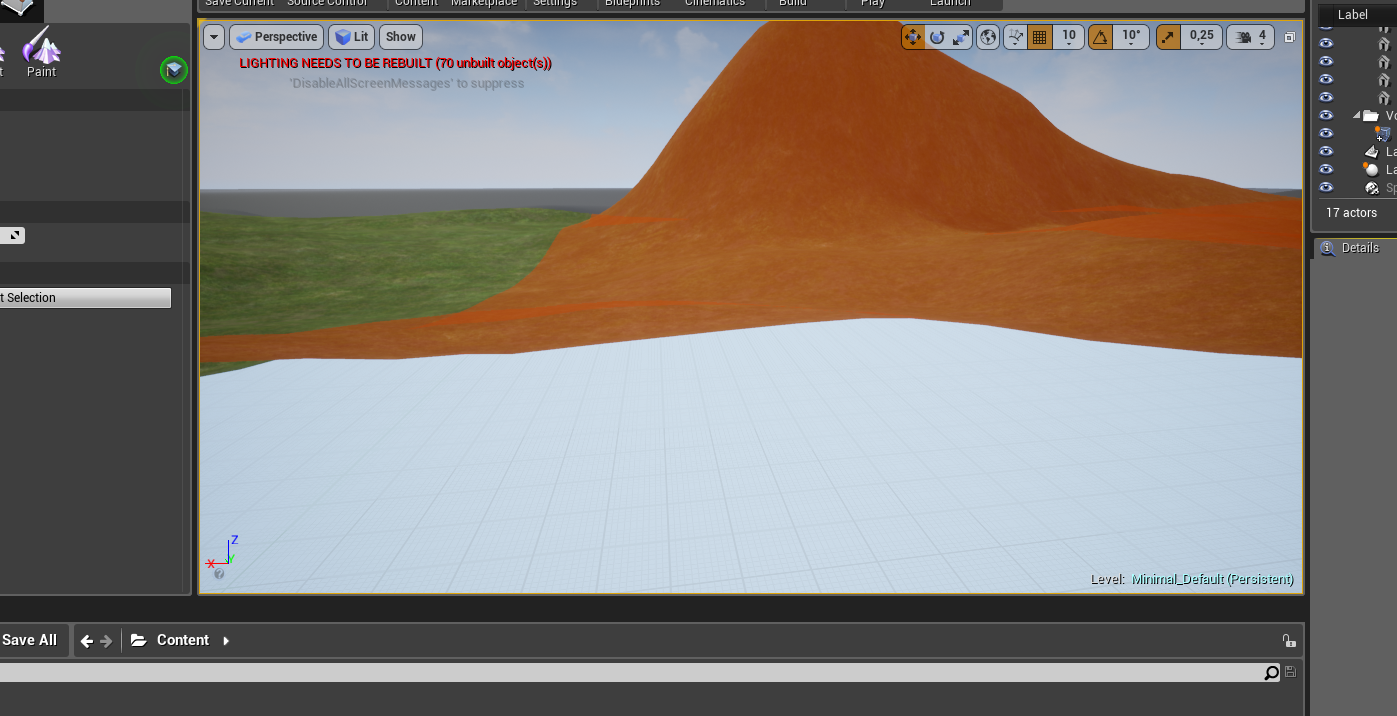
it was supposed to be ground, but it acts like roof
viral herald
 plush yew
oh its working now nvm
whole quarry
@viral herald perhaps this can help you https://www.youtube.com/watch?v=H7RXkl8QtTk

In this video the character reaches back and grabs a weapon from his back on going into combat mode. Then he holsters it again after use. We look at how to u...
viral herald
its just adding a static mesh for preview
other things work
though that hair wont
whole quarry
have you checked the Material properties?




 plush yew
omg ue4 is so complex
it will take agesbefore i go through tutorial videos, as one lasts 90min
whole quarry
Nah not ages, more like 1-2 years
plush yew
remco bro
i see flaws in other games as i play them and i have a feeling ohh i can make better game
whole quarry
well, go for it
plush yew
nah i need to watch tons of video tutorials first
whole quarry
then how can you think you can do better?
plush yew
in terms of gameplay
whole quarry
good gameplay is result of good game developing, its kind of a hand-in-hand thing with the game
no gameplay, no game (just story telling I guess)
 fierce tulip
I do, quite a few
plush yew
ye but from what i know its only big titles assassins creed itp
fierce tulip
yea but what you know isnt a universal truth, just your point of view.
fierce tulip
not if I cite research, polls, and other sources showing what a majority thinks/votes on/wants
 ionic oxide
how?
 fathom gale
lol
change octree to 8
and ur done
lmao
high poly or low poly to voxel art
3 steps
plush yew
yea but minecraft is boringest game ever
whole quarry
isnt that your opinion?
grim sinew
Also isn't it one of the best selling games of all time?
plush yew
it lacks rpg and survival elements
grim sinew
That doesn't change the fact it's one of the best selling and most popular games ever.
plush yew
yea cuz its the most popular game in lego niche
and kids like lego
i also searched for lego game when i was younger but there was none back then
at least not multiplayer
grim sinew
https://en.wikipedia.org/wiki/List_of_best-selling_video_games It's literally the second best selling game in history.
This is a list of the best-selling video games of all time. The best-selling video game to date is Tetris, a tile-matching puzzle video game originally released for the Electronika 60 in 1984 and then popularised upon its Game Boy release in 1989...
Lego has nothing to do with it, it was just a good game. People liked it.
There are plenty of lego games, none of which are on that list
fierce tulip
main playerbase of minecraft is around 17-23 but alright
fierce tulip
"kids"
Mojang, unlike many other game developers, does not collect or collate demographic data of it's customers. While awesome - in a way - it makes this question hard to answer in any statistically significant way, as almost any answer is bound to be s...
whole quarry
i would label 17-23 as kids
grim sinew
Remco confirmed old man.
whole quarry
:>
fathom gale
lol