#ue4-general
1 messages · Page 238 of 1
 plush yew
@plush yew yup i never take loans i hate risk. i will eventually though once i have more capital and want to expand i think.
 keen frigate
@silent kraken and great electrical bill 😛
plush yew
@keen frigate sutorcen nobody talks about "who can get a loan"
 silent kraken
yeah, I run many servers from home. My bill is pretty high already XD
keen frigate
@plush yew Well yeah because receiving a fund is the ultimate goal, if you don't have enough to fuel your project.
silent kraken
@plush yew he brought assets from the community, all the code was done by himself for 2 years. He then setup a company. UE4 have showcased his game at one of their events 😛
plush yew
@silent kraken i had 4 vray render farm servers in my house at one point. sold the whole thing for a few thou and got one machine to test my unreal game. that's my unreal steam test appid server
 grim sinew
So many @ people in this chat right now
plush yew
lol
crosstalk
@silent kraken While it is impressive that he coded it by himself, his game is pretty much marketed on its visuals so I would hesitate to show Lost Souls Aside as an example of sole developer work
keen frigate
@silent kraken One of many.
silent kraken
He did the coding, not the designing.
plush yew
Yes, I'm agreeing with you on that...
silent kraken
So he is a sole developer, not a sole designer
plush yew
Sut can i ask you a quick question about components?
keen frigate
Look everyone has the right to release the game they want. How they do that is also up to them. At least they did it. We should finish our game too. ;P
Sure
silent kraken
Who are you referring to by saying our???
plush yew
Ok - if i am using a component and it has a custom event, can i override the event in the parent object for special instances?
keen frigate
@silent kraken people in this conversation 😃
plush yew
or does it have to be only generalized code all the same for all pawns that use that component
silent kraken
My game is not going to be finished for a while XD
plush yew
trying to figure out if i can custom extend components in the doc right now
@silent kraken I wouldn't say sole developer. Maybe sole programmer
silent kraken
okay, sole programmer then
keen frigate
@plush yew Usually you have to get the owner of the component to run a function (if you want to target the owner) otherwise you can set up the custom event in such a way that it can be targeted at will by other actors. Hope it makes sense. 🤔
silent kraken
when your off 3 days and you come back
and you have loads of work to do :C
my job consists of pressing buttons...
keen frigate
@silent kraken https://giphy.com/gifs/gngO1gmBhS9na
 plush yew
@silent kraken then dont come back so late!
keen frigate
After 3 days off when you return to your project 😛
plush yew
forget your main job ^-^
silent kraken
I would love to do that xD
plush yew
under tghe bridge and...
silent kraken
you do realize, I always have the weekend off and then it was bank holiday on monday, so 3 days XD
silent kraken
1p+ a day, easy
plush yew
all right, i'll look through the doc a bit more thanks
gothic you will be my new coder
silent kraken
Just sell the game for £0. Easy 😉
plush yew
setting up one component that has functions for AI detection now
silent kraken
@plush yew you can always post in #looking-for-work
plush yew
i know
silent kraken
wait, no, it would be #looking-for-talent
silent kraken
xD
keen frigate
@plush yew oddly enough I am working on a similar component. An AI component for both enemies and companions (if I get it to work)
silent kraken
I believe @plush yew is doing his own game, sorry @plush yew
plush yew
cool
silent kraken
are you actually 1 person, @plush yew
plush yew
im not even really making a game..
silent kraken
clicking buttons @plush yew
plush yew
me too
you get paid for?
yeah from home - not for an income currently. entirely on the game and on Fridays i go out for a social hour with some friends.
silent kraken
@plush yew how do you live if you don't earn any money XD
silent kraken
lucky...
plush yew
what is trust fund
it's how humanity should be living honestly. and once automation takes over there WILL be a universal basic income. 😛
@plush yew it is just a fund that i get from my grand parents house sale that comes to me each week
ehm what is house sale?
silent kraken
yeah, trust funds are money stored away from certain things like inheritance money and stuff
keen frigate
I'm an IT pro working 4 days a week due to cuts, and I'm trying to generate more money with my game company than my day job. Shouldn't be hard with what I make. 😛
silent kraken
What do you roughly make @keen frigate
keen frigate
around 700€ per month... you can all cry now 😛
silent kraken
let me go convert that to £
keen frigate
don't it will depress you lol
plush yew
sutorcen. what you making?
plush yew
and I'm trying to generate more money with my game company than my day job. Shouldn't be hard with what I make
keen frigate
In my day job? System Admin + Network security
keen frigate
20 years in the business
silent kraken
Not even a year XD
plush yew
you mean you can make a lot of money with your game? @keen frigate
keen frigate
@plush yew I can make more money with my company yes
silent kraken
if I ever do, once bills are paid and money is stored to upgrade the company, then I pay my staff 😛
how long have you worked on the game???
if you want, you can send me your game in PM
you just had to add me as a friend first
 keen frigate
@plush yew Well I started of making the game, then I learned 3D modelling which gives me few freelancing jobs. Then I learned to use Photohop and Illustrator which helped me to create assets to sell. In general what I have learned for my game is generating money. Which isn't bad to be honest.
plush yew
so you did nothing for your game?
silent kraken
what do you use for 3d modeling???
keen frigate
@silent kraken I am on this path since 2015, without any prior knowledge of any of these stuff... Unreal, C++, 3d modelling etc
Blender
silent kraken
@keen frigate do you have a company domain
keen frigate
Yes
keen frigate
Well I can't afford the others so... 😃 To be honest I love blender.
 plain valley
hi :3
keen frigate
@silent kraken why can't I respond to your friend request?
@plain valley Hey there 😃
silent kraken
uhhhh
 sturdy star
anyone know how to properly set default screen resolution for the Switch in unreal
ResolutionSizeX=1920
ResolutionSizeY=1080 in engine configs does nothing
plush yew
rick i do this in my level blueprint for the opening level - it gets from desktop
plain valley
If I want to make a fps shooter should I set the project as firstperson and ad a body or thirdperson and change it to first?
keen frigate
@plain valley either way works fine
sturdy star
ok thank you @plush yew i was hoping for soem config magic, will have to add that to some startup stuff, thank you
plush yew
welcome
plain valley
what is easier?
 manic aurora
Guys, where i can look at list of all blueprint logic blocks that Unreal has to offer ? Maybe some did a video explaining what which one of them do ?
keen frigate
@plain valley Well in one (3rd person) case you just have to move the camera in the other you have to add the mesh. Normally just adding the mesh is easier. It all comes down to what you feel more comfortable with.
plush yew

Google Photos
i baked everything and then this appeared 😄
adding a skylight or atmospheric fog will fill the negative space for luminance in that pic
it only appears with static sun...
you'll need to bump the intensity to a fair number before it's visible. Modes Window -> Skylight, drag to scene. Skylight Intensity - 20 (here's an example of what it shows in my setup)
nope^^ seems like it not that
are you trolling me or is it really not that
its not that.

well, if the materials have a standard base color, and you add a directional light or some fog / a skylight to brighten the scene it will work for sure.

you're speechless huh
well that scene appears different from the last one you showed
no its the same level
as in lighting is mostly better 😛
just go through and click the darker boxes and check the material settings. that's what i would do if i was you right now
😛 when light is movable, everything works fine.
that means it has nothing to do with materials
ah. yeah sometimes movable does fix things but the problem with that is there's a higher util cost for movable lights so you want to avoid those when you can
if the level isn't moving, the light shouldn't be movable because it's going to hurt utilization time
i know
but at least it tlooks good when movable 😄
i guess so. lol
i had a ton of lights in my game that were movable and i optimized them only recently.
are you actually making a game now?
i am trying. but frustration makes me not doing it 😉
yeah. that's the life i guess.
honestly at this point i learn new things almost every day and i started out far worse for the wear so.. you can rest assured a creative life is better than living most other ways.
eiter way, i have model again.
good.
keen frigate
@plush yew Patience you'll get there
 worldly axle
if its lit with moveable light and not with static you have no UV's or they are wrong
plush yew
mostlikely 😛
you see. gothic. that would be the first question
are the uvs correct
you learned something!
1 level up"
😛
i'm not the ultimate cord of knowledge or anything. lol
worldly axle
dynamic lighting workflow is a lot easier anyway especially if you're newish to this
plush yew
if i have a 900 unit long nice cube with soft edges and i only want the top face to have a high lightmap resolution, what should I do?
its a waste to give the whole mesh 512 LM resolution
keen frigate
It looks like some of the meshes don't have light maps at all. But, when in doubt check your log.
worldly axle
if you're gonna use moveable lights you dont have to worry about lightmaps at all
 fierce tulip
when you start with
https://i.gyazo.com/1730beb31b8b77bff670e5f2204e3358.png
and after iterating this is all you need:
https://i.gyazo.com/703ae535da926945d7f0db76de048125.png
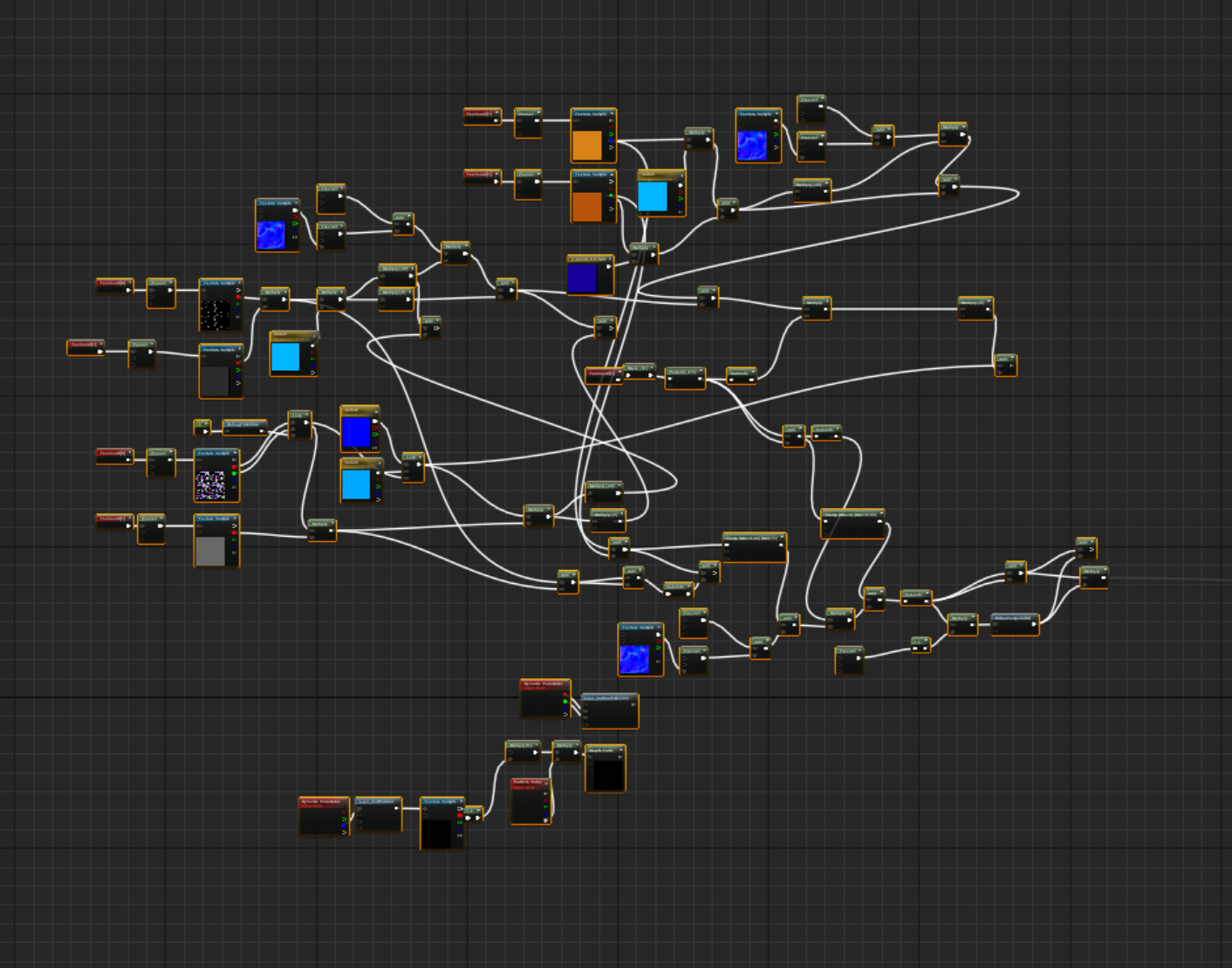
 worldly axle
haha @fierce tulip
keen frigate
@fierce tulip What is that for Yoeri?
worldly axle
The joys of programming/ blueprinting
keen frigate
damn lol now I get it
fierce tulip
not at liberty to tell @keen frigate but its for a special effect.
plush yew
is it possible to give specific faces in a asset a higher lightmap resolution?
keen frigate
Sorry was caught up in "serious mode" there for a moment
fierce tulip
😃
plush yew
if only that? 😦
the bottom part of the mesh nobody sees 😮
only the top part
can't you use a plane instead?
ohh
keen frigate
It is common to use brushes in the final build if nothing else fits with what you want to do. It is not recommended but it will not break your game either. So If you need a mesh with one face having a higher light rez than do just that, use a brush,
or a plane
plush yew
@plush yew if you are trying to use a plane as a wide shot environmental object remember that most wide shot environment objects are spheres with textures mapped to them to make it appear like a sky with clouds, etc.
nono
its part of a ground^^
then why have the box
ok
like in super mario a box
the way that's normally done, is there is texture tiling with a much smaller resolution. and those textures are tiled onto smaller surfaces. with multiple faces
so it's not a good idea to scale up an object to 900 units, you want to have a large mesh with many polygon divisions, and that automatically tiles textures
o.o
do you get what i mean
where did you get that?
source?
no
ok you know how 3d objects have vertices, edges and faces right
polygons to comprise them
what you're doing is scaling up the floor very large - but this is poorly optimized. you're better of just using a mesh with more detail in it. plus users will appreciate if the floor has more variation and art style if it's not simply scaled in that way.
i modeled the cube in blender o.ö its tnot scaled up in UE
if you google "subdivisions" you'll see what i mean
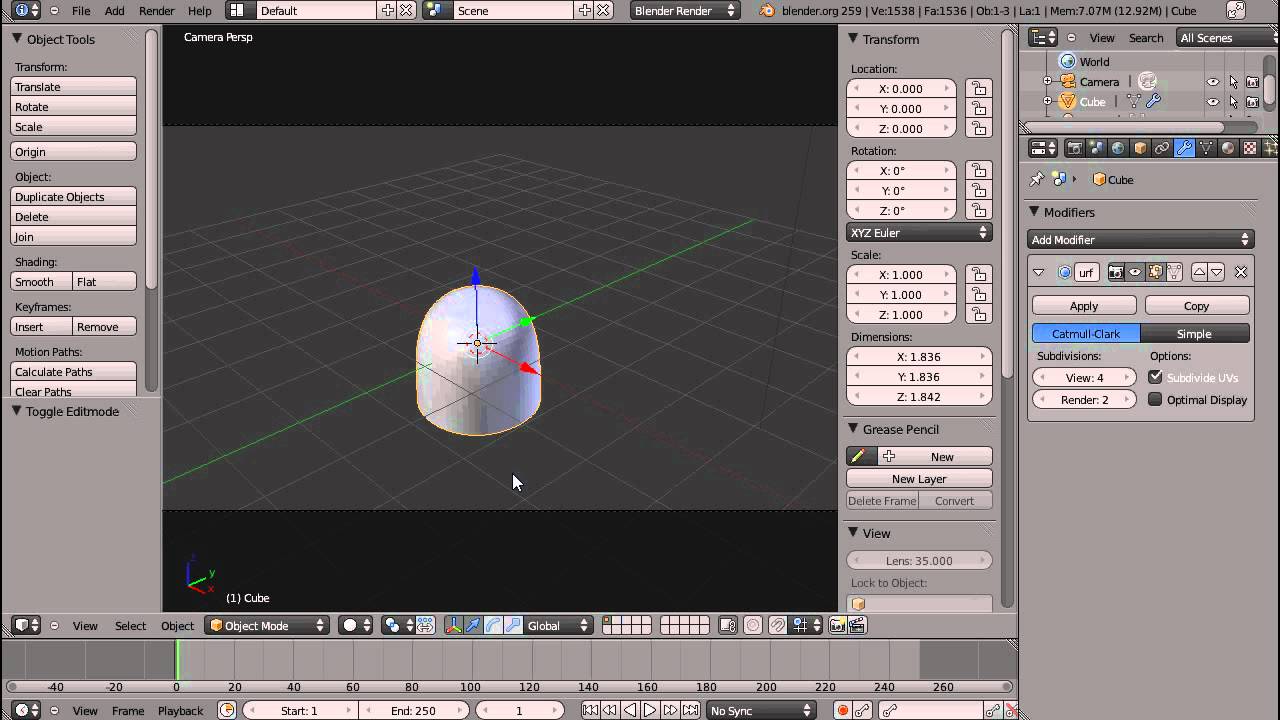
well if you made it in blender then just subdivide the cube a few times
so there's more edges on each face
of the cube
keen frigate
 plush yew
isnt that a waste 😮
no because it will allow the object to have more surface points and you can have tiled textures. even though its a more triangles for unreal it wont render slower, the cpu utilization cost is very marginal for more triangles.
just don't subdivide it like 5000 times
keen frigate

Here I try to observe the way edges can be rounded out using the bevel tool, and also how to achieve this effect using subdivision surfaces. How to control s...
plush yew
i know sutorcen. just w and subdivide the face
keen frigate
Ok maybe this will help
\https://www.youtube.com/watch?v=wKDlJUlzFoA
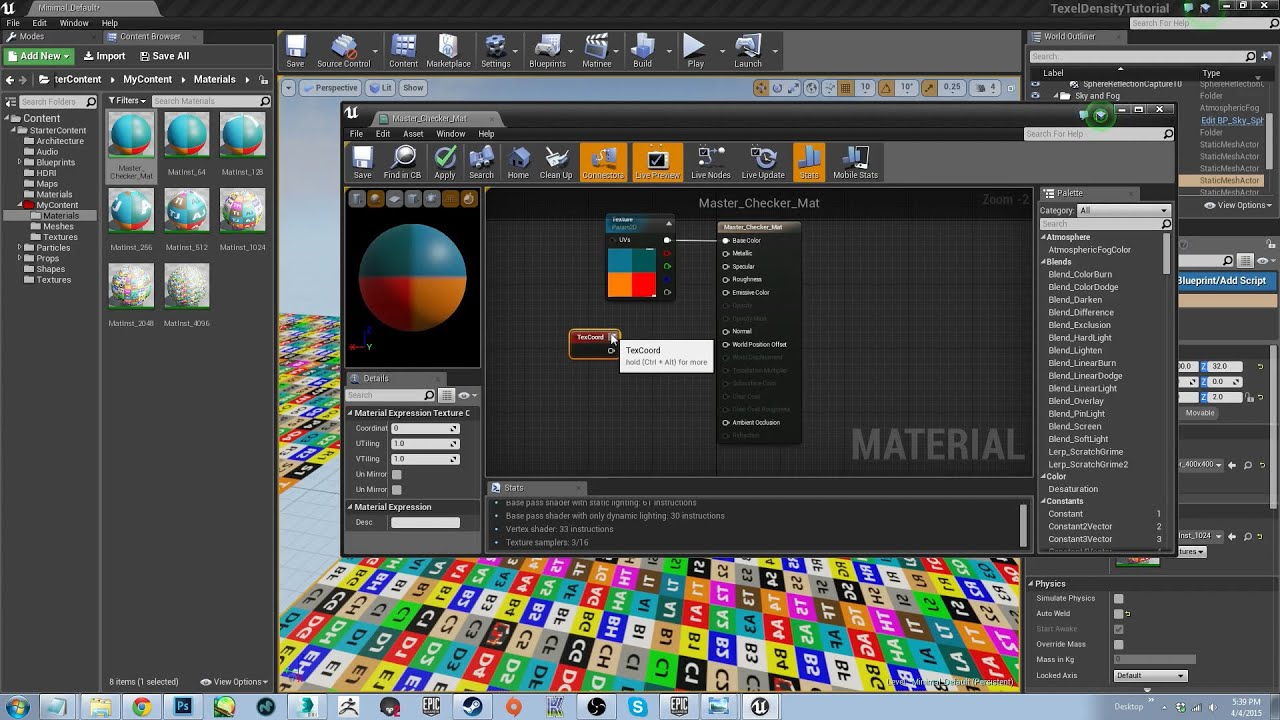
In this tutorial I will show you the importance of setting up texel/texture density guidelines and how to implement those guidelines in UE4. I will also from...
plush yew
what do you mean with "ok maybe this will help" ?
sturdy star
anyone know why foliage (painted from foliage tool) wouldn't show up on a console build?
keen frigate
@plush yew Help you with what gothic is saying on why you shouldn't stretch meshes inside Unreal. We are trying our best to help you out, but we neither fully understand your goals, the problem nor how much knowledge you have on the subject (UE4 + 3D modelling).
@sturdy star I personally have no idea. Sorry.
plush yew
ok sutorce n:D
keen frigate
@sturdy star is there a chance your foliage materials use an incompatible shader?
sturdy star
possibly, i am using a master shader for all foliage and static meshes show up fine, painted foliage doesn't.
 gaunt raptor
how do you turn on collision on my 3rd person camera so it doesn't clip threw the walls ?
through*
sturdy star
its on the camrea arm i think, camera collision
plush yew
yeah. i did that in the spring arm for my character
also have to make sure the environment mesh itself has collision set properly
plush yew
does the env mesh have these collision settings? or similar?
gaunt raptor
is there any other settings i need to change ? We just had the standard UE4 3rd person character loaded the entire time - and just now imported our own char
landscape is set to block all
it worked fine with the default UE4 character
plush yew
is wall collision set to block camera
gaunt raptor
settings in the default bp and our own seems like they are the same
everything is set too block the camera as well 😃 As i said it worked fine with the default character 😃
plush yew
yeah i had this problem before too i use a custom flying pawn and not default third person char
so when you move the char back against a wall it goes outside the wall?
gaunt raptor
do we need to delete the default character and its blueprint maybe ?
collision on walls stops the char but we can move the camera around and behind the objects in the scene
gaunt raptor
plush yew
okay look at socket offset and target arm length
sturdy star
https://forums.unrealengine.com/development-discussion/rendering/1454850-foliage-culling-bug-on-linux-with-4-19-0-4-19-2?p=1471567#post1471567 this is the foliage problem if anyone else has it, needs integrate from git
Unreal Engine Forums
Hi,
I am seeing a bug with the recent 4.19.0 release on my project with Linux related to incorrect foliage culling. Here are two videos demonstrating it:
Foliage
 tranquil bone
Umm i dont know if i should ask this here but im just wondering im going to build a new pc soon would this be a good pc mainly used for gaming,unreal engine,blender etc https://uk.pcpartpicker.com/list/nzmGLJ
keen frigate
More than enough, but i would go for a 1080 since you are going all out and a Dell UltraSharp U2718Q
tranquil bone
ah okay
keen frigate
You will need the extra power for rendering in blender and unreal
I have that monitor and it is fantastic at that price 4K, amazing colors, usb ports plus able to rotate the screen which ever way you like, and 5ms response
plush yew
i got a i7 5960x.. i kinda wish i got amd to try out the ryzen branding
i paid $1000 for my cpu lol wayy too much for price for performance
for unreal editing and stuff it's all realtime even on i5s
keen frigate
I went with ryzen... didn't regret it
plush yew
i wanted to get a 4k monitor i was just worried i would lose FPS in games
i have a 2560x1440 one it's good
well yeah they came out of nowhere with the threadripper branding
i thought amd was gone for like a long time lol
keen frigate
yeah
plush yew
really shocked me. now i want their cpus.. you don't have any hitching or throttling or anything? did you OC yours?
keen frigate
no I didn't
plush yew
i OCed mine a lot
keen frigate
Although I put on a liquid cooling I haven't yet
tranquil bone
What is you're CPU sutorcen
keen frigate
Ryzen 7 1800X
tranquil bone
And thats fine with 4k? I didnt think it was enough
tranquil bone
Ah okay
tranquil bone
If i could afford a 1080 ti i would get one
worldly axle
you don't needa better cpu for higher resolutions
tranquil bone
but its a bit to expensive
worldly axle
unless you're working with videos/images
tranquil bone
Okay
keen frigate
It is but when it cuts down the time you need to render a video animation it pays off.
worldly axle
for light builds though the more cores the better if you're using static lighting
keen frigate
and imagine it is still not enough
@worldly axle hence the ryzen
Intel cpu's where way to expensive for me at that time so I decided to spent my money on a good gpu
worldly axle
good choice
I'm waiting for 7nm gen 3 ryzen to upgrade mine
8 core, 16 thread
hopefully at around 4.6ghz
keen frigate
yeah as I said, it was mainly build to handle 3D renders
yeah the next gen is a beauty
tranquil bone
Hopefully when i can build my PC the gpu's will go down in price
fierce tulip
about time Ram drops to bottom prices
keen frigate
well we are waiting for the new nVidia GPUs to hit...
worldly axle
amd have some pig of a card coming out at the end of this year too, 7nm big Vega with 32gb of crazy fast hbm2
meant for deep learning and ai though
would still be awesome for 3d work
keen frigate
wasn't there an incident a few weeks back where they accused the ceos of memory manufacturers that they were fixing the prices to keep them up?
tranquil bone
Yea is £360 good for 32gb of 3200 memory?
worldly axle
big vega even
keen frigate
brand?
tranquil bone
G.Skill
tranquil bone
16-18-18-38
Is that good or not?
tranquil bone
ah okay
worldly axle
for that price I'd expect CL15
tranquil bone
i dont know much about ram/timings
worldly axle
at least
Ryzen loves high speed and low timings
since it's l3 caches is directly related to ram speeds
and the l3 caches needs the boost
tranquil bone
Ah okay
keen frigate
sorry on the phone
tranquil bone
Just wondering which better 2 dims of 16 gb or 4 dims of 8gb?
worldly axle
2 x 16 unless you have quad channel memory
on the board
might as well leave the option of going to 32
64 even
 devout gulch
2x16
you can easily extend to to 64 later
and there is no such thing as to much ram
worldly axle
board will say if it's dual or quad channel
generally the quad channels have 8 ram slots anyway
keen frigate
yeap
tranquil bone
Ah okay
keen frigate
The higher the ram frequency the less the benefits of timings, so don't worry too much about them as more brands have good timing on their chips anyway.
fierce tulip
64gb ram is still quite expensive hehe
tranquil bone
Oh okay
worldly axle
ram prices are still insane i see
you won't get better timings for the price it seems @tranquil bone
keen frigate
yes and you usually have to pay a lot of extra money just for better timing which will hit a bottleneck elsewhere in the system anyway...
tranquil bone
yea looking rn if i get lucky i can get corsairs dom plats for 290
worldly axle
This stuff is cheaper though with lower timings
should be around the same performance as that 3200 with higher timings
keen frigate
although ryzens benefit from faster ram
tranquil bone
ah oaky
keen frigate
yeah if you go for a ryzen you should better pair it with fast ram
worldly axle
or you can overclock the ram
with miore voltage you might be able to get it to 3200 with it's current timings
or changing some other stuff
out of the box it's still fast though, you won't gain much
keen frigate
yeah no although you can it is not highly recommended for longevity especially if your pc will handle heavy duty jobs
worldly axle
yeah I don't like touching ram overclocks
too much of a pain
corrupted windows and bios resets
keen frigate
i can feel the pain emanating from my pc when I'm rendering...
Take a look at what is considered a proper render pc...
https://system76.com/desktops
System76 desktop computers are custom-built to run Linux flawlessly with the latest processors and powerful graphics.
silent kraken
@worldly axle I love your name and pick. Do you like the new versions???
worldly axle
Haha thanks, new versions of ue4?
keen frigate
I believe he means the powerpuffgirls
 full vine
is it normal that cascaded shadows stop showing at ~2000 units from camera whatever "Dinmic shadow distance" I enter (keeping it >2000) ?
keen frigate
@full vine Can you show us a screenshot of your directional light settings?
full vine
I just created a empty project with a stater content and set a chair and the sun to movable
full vine
 viral herald
ive been working on setting up a ivnentory
and i figured out a way to make it so that the image picture can be changed in blueprints
is there a way to change the buttons image via blueprints aswell???
full vine
@keen frigate here it is
keen frigate
Brb for some weird reason my mouse pointer is acting up while using discord..😒
 tulip pewter
excuse me, does someone know how to print a message on the message log?
using blueprint?
keen frigate
print string
or print text
both print to the log by default unless you uncheck their boolean on the node itself
@tulip pewter these two
@full vine have you tweaked the Far Shadow Cascade Count and Far Shadow Distance?
or have you tried playing around with the default values?
full vine
if I reduce dynamic shadow distance to 1000 and set far shadow as you show, I see far shadows, but they disapear at 2000
I tried changing all the values in the cascaded section
keen frigate
They disappear at 2000 no matter where your camera is?
I'm playing around with the Dynamic Shadow Distance MoveableLIght slider and it behaves as expected.
keen frigate
That's what I'm doing. Moving upwards and changing the slider ever so slightly to see where the shadows disappear.
Ok maybe it's not your static light maybe it's your camera.
full vine
so if you set it to 20000, you can see the shadow from super far ? (like a 5px size)
as 20000=200 meters, right ?
keen frigate
This is very far away from the floor
6721 on the z axis
18077 on the z axis
after that the shadows don't appear anymore
1 Unreal Unit = 1cm yes
Just to be clear I lost the shadows on smaller objects after circa 6000 on the z axis but that doesn't mean that dynacic shadows don't work.
full vine
yeah if scale up the chair I see the shadow at a greater distance
keen frigate
It always helps to have objects of various scale to check this things out. 😉
full vine
then, how can I make small shadows to render further ?
keen frigate
The max distance is 20000. Well the question is why would you need to do that?
full vine
In fact I would like to see every shadows (whatever size they have) at 4000
keen frigate
You could increase the Number of cascades or the Distribution Exponent and all the settings in the Cascaded Shadow Maps group. But the rendering cost is not worth it for the sake of beautifying a scene.
You could compromise and fake some shadows by baking them...
full vine
with the normal sized chair whatever distribution exponente i set I can't see it past 2000
My world is porceduraly generated so I can't bake (or at least I don't know how to)
By "cascaded shadow maps group" you mean this, right :
keen frigate
Yes I mean those values, the two on the bottom are for moving objects.
 tame flint
how do i invite a friend to the channel
i know i dont have the rights is there a link
 graceful grove
Oh dang PrintString and PrintText work for logging? AGGHHH they should come up as results if you type "log" in blueprint editor
keen frigate
Hehe it would be helpful but for now the editor searches the name of a function. Glad I could help.
 noble barn
Any idea why our project config has 0 impact on the .exe details? Neither icon, license, version... is applied.
 fair violet
When unwrapping any kind of natural mesh like a cliff or rock for UE4, are there any concerns regarding UV shell size / count?
I know it's usually best to keep as few shells as possible, but for some assets you can use about 40% more UV space if you break them into slightly smaller shells
I'm just baking normal / AO and then using triplanar mapping to give extra detail, so I'm looking for any pros and cons for using smaller shells that make use of a greater area of the UV grid
 raven cedar
There is no impact using UVs. Having more shells doesn't mean anything
The only reason you want to reduce the number of shells is so that at design time you don't have so much junk to deal with but the computers going to calculate the UVS regardless of where they are or how many shells it has
Same same
 safe rose
hmm, anyone else having issues with Epic Launcher?
Can't login, can't even get to login
😭
Fornite: BR + Thanos broke it?
4th time's a charm
fair violet
@raven cedar Awesome thanks as the bakes look identical but you get 40% more UV space if packing them into tighter shells
 vale osprey
@fair violet more shells, potentially more visible seams, especially if you use tangent normal maps
fair violet
@vale osprey I seem to not have many if any visible seams even with quite a lot of breakup. Going to test with more extreme settings now
Thanks!
raven cedar
@fair violet yes indeed. pack, pack, pack! Just make sure to maintain texel density 😄
fair violet
Doesn't really matter for normals and AO tbh
The triplanar detail textures will handle uniform density across all rocks
vale osprey
If shells are not rotated then seams shouldn’t be visible
raven cedar
ah yeah, if you are tri projecting, all good
fair violet
They aren't! And great 😃
 strange yoke
anyone that can give me some help with svn setup? pm if ya can not sure exactly how i messed up
full vine
All the cascaded shadows of my movable objects disappear when smaller than 50px. changing the values in "cascaded shadow maps" of my (movable) sun wont change anything.
What can I do to reduce this limit (I would like something like 10px) ?
 inner yacht
Anyone Know How to get rid of these Renaming Warnings of my Maps?
Its like stored in Cooked or something
I named them Map now instead of Level trying to be proper
Tried fix up directories no effect
graceful grove
@inner yacht you could try using CoreRedirects to fix the class names https://docs.unrealengine.com/en-us/Programming/Assets/CoreRedirects
inner yacht
Thx for the link 😃
 gleaming lotus
I've been looking up what streaming poolsize is, and why I get the small poolsize error every time I start up the editor. I cant seem to find a definitive answer as to why this is happening, can someone clear it up for me?
 worthy fox
Sometimes when I delete folders from my project they doesn't disappear from the Content-window... why? The folders are empty. They still show up even if I delete them via the Explorer in Windows... ?
 manic pawn
there could still be redirectors in them
- delete the folder in content browser (NOT explorer)
- right click content and fix redirectors
then the folder should be empty
if it's still not, try restarting the editor
only then should you try doing anything with explorer
 queen arch
Can someone help me?
My Player Pawn behavior changes from one map to another
On one map a 100x100x100 static mesh cube fills the screen and blocks the player and on another map, the same Static Mesh Cube is half the size and the player can walk through it.
 grim ore
I guess the things to check would be: do you have different pawns in each map? Are you using any game mode overrides?
queen arch
No game mode overrides.
Also as an experiment I created 3 new empty maps. On the first one, the cube looked fine. The second one, the cube looked huge. On the third one it looked fine.
This looks so random :/
(I'm using a player start, not a pawn. Not sure how Player start could mess with my pawn)
Player start "Details" look identical.
Tried copying the player start from the first level, and nothing changed
grim ore
well the default pawn from the Game Mode you have set is what the player start would spawn in
but if you literally did New Level and the starter map 3 times and had different results then your engine might be going funky
new level will use the default game mode so it should be the same for everything each time
I would try and give more help but the Epic Games Launcher is apparently having issues due to Fornite right now lol =/
queen arch
Last 3 tries with creating a new level turned out fine... I guess I will recreate the map I'm having problems with?
Oh wait! Earlier today I moved around a few folders and "fixed up" some references
grim ore
must be something when you made it yeah. Really weird tho.
queen arch
could it be something related to that?
grim ore
It could be if you messed with the engine folders, but if not then I wouldn't see why.
well I guess maybe if you messed with the template folders if you used them for the 3rd/1st person controllers.
grim ore
but dropping in a cube from the modes window doesn't seem like it would mess up
grim ore
well not much help but hopefully that fixes it 😃
queen arch
I think I isolated the problem!
When I create a floor that is big, for some reason, everything gets smaller
grim ore
that's really weird
queen arch
So this doesn't clear things up?
Wait, I think the problem is just with the floor of the problematic map... Using the floor of the good map (which is big) or scaling up the new map floor, doesn't create problems
Confirmed. It was the floor...
grim ore
bad imported mesh or just something weird?
queen arch
Created it with the Brush, which might explain some weirdness, but I create all my floors with the brush... Well, since I solved the problem by using another SM this is more of an academic mystery
grim ore
if you still have that other map you can try converting the bad brush floor to a static mesh and see if it fixes that weirdness
graceful grove
Hi all, I just posted a short writeup on using CoreRedirects to fix parentless blueprints, take a look :) https://unrealingens.wordpress.com/2018/05/08/quick-tip-fixing-parentless-blueprints-with-coreredirects/
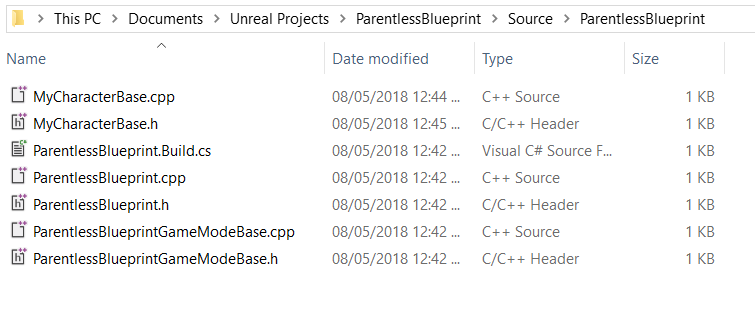
Unreal Engine 4’s Blueprints system allows for fast visual programming, and one exceptional feature of Blueprints is that they allow inheritance from other Blueprint or pure C++ classes! Howe…
fierce tulip
fooking version control decided not to push some random files, and another artist has updated stuff on these files without containing my edits. so its a clusterfuck of fixing stuff
manic pawn
isn't avoiding that the whole point of locks?
fierce tulip
no clue what happened
manic pawn
🤔
manic pawn
wat how
 grave nebula
Occasionally shit happens with SC, even if at first glance, it might seems as having no obvious cause.
 worn granite
I really have no idea - but its giving me weird logs even now.
A bit hyperbolic but I kinda wanna zip my changes before issuing new commands.
fierce tulip
so glad I also have my work-drive set up to be backed up on every change.
manic pawn
how does that work? won't it be extremely slow?
manic pawn
but it'd have to do that with every version of file you ever save?
fierce tulip
ssd + good internet, dont notice it one bit
manic pawn
what tool do you use for that?
fierce tulip
dutch thing called TransIP
fierce tulip
their software
ah sorry frustrated and focussed on other stuff due to svn shit
STACK
is the name, and their software has same name
manic pawn
interesting
safe rose
Sounds like user error more than vcs 😉
fierce tulip
in same submit I submitted an updated map with shaders etc which all went trough
but an npc, its materials, and animations didnt
manic pawn
did you submit from the editor or something external?
 candid cypress
Anyone have an Issue where UE4 crashes and it causes you to have to reinstall your graphics drivers?
manic pawn
I found the editor sometimes fails to mark things changed in p4
fierce tulip
yea, which you can circumvent by closing editor and opening it before submitting
 whole quarry
You submitted all but not every one got pushed?
 whole quarry
No error in the logs?
plush yew
yeah. nice. blender cannot change placement of the grid lines in uv editor.. how am i supposed to choose the correct margin of uvs? 🤦
fierce tulip
https://cartrdge.com/
whoo my vfx gif got staff-picked. (also, join cartrdge its awesome)

Cartrdge
The community for people making video games. Showcase your work. Create beautiful portfolios. Find and hire video game creatives.
manic pawn
many particles
 thorny cipher
Anyone have simplygon working with 419?
Just added the 4.17 plugin to 4.19
seems good
 keen pawn
safe rose
keen pawn
safe rose
Fade Screen Size?
grim sinew
As you get -closer-, not further? No idea, that shouldn't be happening.
There should only be a min screen size, not a max screen size.
 sick tartan
Here's a little noob question: As soon as I double click, right-click or drag any material from an imported file, it will be reset until I restart the program. I feel like I'm doing something small wrong but I'm not sure what. Would be glad to get help!
(I'm using the version 4.19.2 and am on a windows PC)
 wraith fulcrum
this is normal?
 trail atlas
@sick tartan Over the last couple of years I have seen many issues like this, more often than not restarting your system can help
Depends, what are you doing?
wraith fulcrum
importing meshes to map
trail atlas
Hmm, are you done importing them?
Can you save your work and re-open the map?
How many meshes are we talking here?
wraith fulcrum
yes, im done, yes i saved, im on only drag and drop meshes to the editor, they are 9K meshes, but im "drag and droping" to 500-600 per time
trail atlas
Restarting the editor might help, tbf, I don't work with that many Meshes, but it looks like it is somewhat normal, I've had UE use 11~12gbs on some projects
wraith fulcrum
and when i drag and drop the ue4 freeze 😦 and the detach and can continue..
trail atlas
Yeah, that happens often with a high count drag-and-drop operations
It has improved quite a bit, but it can still get better
grim sinew
There's an import button, but it's no different really.
Best bet is just to import fewer meshes. The moment you run out of ram, your system runs at like 1/100th speed anyway
wraith fulcrum
import to the project or to editor?
grim sinew
Editor
You should avoid anything that ever makes you cap out on ram. It'll be faster doing it with fewer meshes since they'll individually process more quickly.
wraith fulcrum
yeah that im doing
how can i combine meshes when i done with the map?
combine meshes work faster than separated
grim sinew
You just do it before exporting.
Don't combine them into chunks that would be larger than screen size though
wraith fulcrum
and can i do it after?
grim sinew
Kinda but not really
wraith fulcrum
and export annd reimport combined?
grim sinew
Just import it combined the way you want it in the first place.
Like if you have a bookshelf and 500 books, that should be 1 object.
wraith fulcrum
yeah i know
grim sinew
Okay
grim sinew
You completely lost me with what you want to do, but good luck
wraith fulcrum
ahahhaa
i need edit some parts of the map, before combine
is the map is combined i cant edit it
grim sinew
Yep totally lost me.
plush yew
save a version of the source file with uncombined meshes, then save a new version making all of them one unified mesh and import it into ue
then alternate between those two source files if you need to access separate meshes
i commonly use 3dsmax in this way to import levels into ue, but merging everything into one unified mesh is a really good idea if it's an entire level or environment structure, then you can manually place individual assets like lights or other secondary elements like decoration to give the level further variety
grim sinew
Having the entire level as one mesh is in fact not a good idea, it can't cull anything that way.
It should be broken down into chunks, but not unnecessarily so.
plush yew
if there is ceilings yes, i have backface culling to account for that in the 3ds tool.
plush yew
yeah
grim sinew
It can't occlude objects that it's combined with.
plush yew
does ue have the culling option? i haven't found that yet
grim sinew
Object culling is on by default.
Every game engine has it
Every 3d game engine has it, at least.
But it can't work if your whole level's one mesh, since it culls at the object level, not the polygon level.
plush yew
yeah, i do a lot of arrangement in 3ds max and then bring it in to ue usually. i turn on wireframe to place objects or i temporarily hide the env mesh. i will have to see if there is a more efficient way to work.
hopeful i can find a similar backface culling option in ue at some point so that if i wanted to see inside a mesh i can do that
i just dont like having to manually select ceiling or entire regions of floors and detach them and import separately since it's an extra step
as i can do the texture work in the autodesk tool and then import it in that way
grim sinew
Okay, well if you don't, it won't cull. It's that simple.
Backface culling is on no matter what you do. That's not a choice.
Object culling is the only thing you get control over.
plush yew
i think it might be possible to do if you set the material to not be two sided, and then have all the normals face in teh same direction
was just looking it up on the answerhub
grim sinew
Making the material two sided only duplicates the object with inverted normals
There is no such thing as a two sided polygon
plush yew
yeah i meant to be able to see inside the level and place things
just did it 😃 turning my material to non- two- sided works for my level
i can now work in a similar way to backface culling in 3ds max and i can place objects in there - and then once i am ready to finalize the level i can turn on two sided again . does work.
grim sinew
Turning on two sided for your whole scene without needing it will pointlessly double the render cost of your entire scene
Nothing's going to stop you, but... why
plush yew
that's how i had it before. i didn't know it had to do an extra draw call for the other side? isn't it just one call per visible pixel?
grim sinew
Not how drawcalls work
Drawcalls are per-object, not per-pixel. So an object can have 4 or 5 drawcalls, but it doesn't matter how big that object is.
plush yew
yeah i read something about that online. so it's two drawcalls per polygon with two sided you're saying?
i mean per object, twice the amount?
grim sinew
Two sided doubles it. So there may be more going on, like if the object is recieving dynamic lights/shadows it'll add a drawcall and stuff like that. Whatever the object's base drawcall count is, it's now double.
plush yew
i see
grim sinew
And whatever its polycount is, is now doubled too
plush yew
okay one thing i will note is that i tried moving the camera inside the level itself and the level appears visible - i might be able to leave two sided off. your tip might save some frame time for me.
thank you i will actually disable two sided
the way my game works is
if the ship flies through the level
grim sinew
There's no reason why it wouldn't appear visible unless your normals were flipped for some reason.
plush yew
it only sees whats inside the tunnels
its a 6 dof so
yeah
i made sure to unify the normals and everything was ok prior to 3ds max export and unreal import
grim sinew
Generally in games, nothing but foliage and glass is two sided
plush yew
so thats ok - and i will double check that for all levels as well
because of translucency i assume?
grim sinew
Yeah, so if you view a flat plane of glass from either side it still works, same with foliage cards.
plush yew
i see
well i did disable two sided for all my meshes now. gotta go get food. starved
🐟 🥚
fish and egg diet for lunch. yum. lol
grim ore
yum, mine is egg and ham lol
 visual hollow
Hey guyz I'm new to UE4. I have a problem, when I am applying the material to an actor its only applying on the face not the whole actor.
worldly axle
you're putting it on a bsp
probably
you either need to put it on each face or convert it to a static mesh
but you won't be able to edit the shape after
worldly axle
bsp is meant for just prototyping
basic level layout or testing
it's not efficient and doesn't light very well
you can covert a bsp to a mesh though, checkthe documentation
or youtube tutorials
visual hollow
Ohh so mesh is an actor with some more detail right?
worldly axle
static mesh is just what you call 3d models in ue4
bsp is a tool for making shapes built into the engine
they aren't meshes
but you can convert them to a mesh
visual hollow
Thank you bro. @worldly axle
visual hollow
thanks
 kind pumice
Hey guys, I'm converting my old UE4 project into art assets for an album I'm producing and am wondering if there's a way to directly render to video from within UE4. Is there a standard approach to this, or am I going to be recording my screen with FRAPS or whatever?
I even took the game name - DeltaTesseract and made it my artist name, ablum title is "Prototype" too LOL 😂
grim ore
You can record out a sequence from in the editor but last I checked it was video only no audio. Alternately OBS Studio can record the entire screen no problem.
kind pumice
ooooh nice, don't need audio since I'm using it as a background for music videos
super lucky that my game was scifi looking lol
still keeping the project in case I ever get an itch to get back into it. 😄
 strong mesa
 dim arch
 crisp fable
does unreal have the equivalent of unity asset bundles?
i have a world that could potentially be infinite, and i want to build the tiles on demand, shit out some kind of asset and stream it to the client
 wary wave
I'm not sure you want to do that
the bandwidth requirements would potentially be enormous
crisp fable
well
it would be like, you're current at location X, which is neighbouring a tile you dont have, so there would be a patcher you run before the game that subscribes you to a torrent or something
wait maybe pak files are the answer
 snow crown
the asset manager is probably what you want to use here @crisp fable
it'll let you chunk out different sets of assets into different pak files
then with some code you can load those pak files on demand and index them with the asset manager
crisp fable
oh cool
snow crown
have the asset manager do a scan through the pak, pick up the loaded assets
you have to write a bit of code yourself for it though
crisp fable
yeah thats fine
snow crown
namely how the assets are ID'd
crisp fable
right
snow crown
all object have a GetPrimaryAssetId function you can override
which is what you need to figure out
it has a concept called AssetBundles
but they aren't a unity analog
crisp fable
ok
snow crown
it even has an example for pulling assets from a remote location in that pdf
silent kraken
Morning
plush yew
good morning 😃
keen frigate
Morning guys
 steady sequoia
Good morning!
silent kraken
Morning to all mornings xD
sick tartan
@trail atlas This happens every time I use the software, even with different versions, even after restarting my PC
sturdy star
hello
plush yew
hey rick
 woeful oar
Anyone see anything blatantly wrong with:
static ConstructorHelpers::FObjectFinder<UClass> ClassFinder(TEXT("Blueprint'/Game/SpawnMeSmoothSync.SpawnMeSmoothSync_C'"));
WhatToSpawn = ClassFinder.Object;
Everytime I open my project again I have to take that line out, build with visual studio, open up in unreal, put line back in, build with visual studio
wary wave
well, you're grabbing a BP from native code which I would definitely recommend not doing, ever
wary wave
class reference variable, implemented in BP
you should treat the code to blueprint relationship as one way
woeful oar
So I shoudl just never spawn from code?
wary wave
you can do the spawning from code
just don't directly reference a BP from it's path
that's just asking for all kinds of trouble
woeful oar
How do I access the BP class from code then?
 sudden agate
you don't
woeful oar
How do I spawn it then? I need a class right?
wary wave
which is fine, because you shouldn't be operating on a BP directly anyway
BlueprintImplementable and BlueprintNative stuff exists for that very purpose
woeful oar
so I don't use SpawnActor<AMySpawnActor>(WhatToSpawn); ?
wary wave
do use it
woeful oar
I don't see how to get the actor I want to spawn by adding a class reference to it.
woeful oar
How does this get me access to the BP from code?
wary wave
you can call spawn using that class reference
woeful oar
So I have my BP I want to spawn, I make a newBlankClass for that BP and set it as the reference variable. Then I spawn that newBlankClass?
wary wave
you have a variable of type class (base class for your BP), that is blueprint editable
then in the BP version of the class that owns that variable, you can set it to the BP you want to spawn
woeful oar
ok, I definitely have some stuff to try out now, thanks for the tips 😃
wary wave
no problem
 wary wave
width / height 0?
viral herald
nope
plush yew
Hey, is there way to get position of the actor relative to other actor position and rotation?
 honest vale
relative to rotation?
woeful oar
@plush yew return realObjectToSync->GetTransform().GetRelativeTransform(realObjectToSync->GetAttachParentActor()->GetActorTransform()).GetRotation();
realObjectToSync is my actor I want to get the local rotation of
 bitter iris
Guys, can anyone help. When I try attach this backpack to the UE4 skeleton the engine shuts down with a crash
 bitter iris
FAILED TO MERGE BONES:
This could happen if significant hierarchical changes have been made
e.g. inserting a bone between nodes.
Would you like to regenerate the Skeleton from this mesh?
WARNING: THIS MAY INVALIDATE OR REQUIRE RECOMPRESSION OF ANIMATION DATA.
@whole quarry
whole quarry
looks like you want to put the bag skeleton on the ue4 mannequin skeleton?
honest vale
wouldn't it be better to just attach it?
one skeletal mesh to another
instead of merging bones and what not
whole quarry
not sure why you would even give the bag an SM
fierce tulip

 bitter iris
I'm working from a pack, and they have a skeleton mesh
@fierce tulip Everyone wants a snow crab!
lol
honest vale
@fierce tulip i's because you have crabs
fierce tulip
XD
whole quarry
Please dont say "everyone" to @fierce tulip , it might still be a sensitive wound
I got your back bro 👍
bitter iris
This is the skeleton mesh that the pack uses, but i cant use the same skeleton to use on a different backpack for some reason
whole quarry
you can attach stuff to sockets and/or bones
from the actor BP
wouldnt be much different than attaching a gun to a hand socket
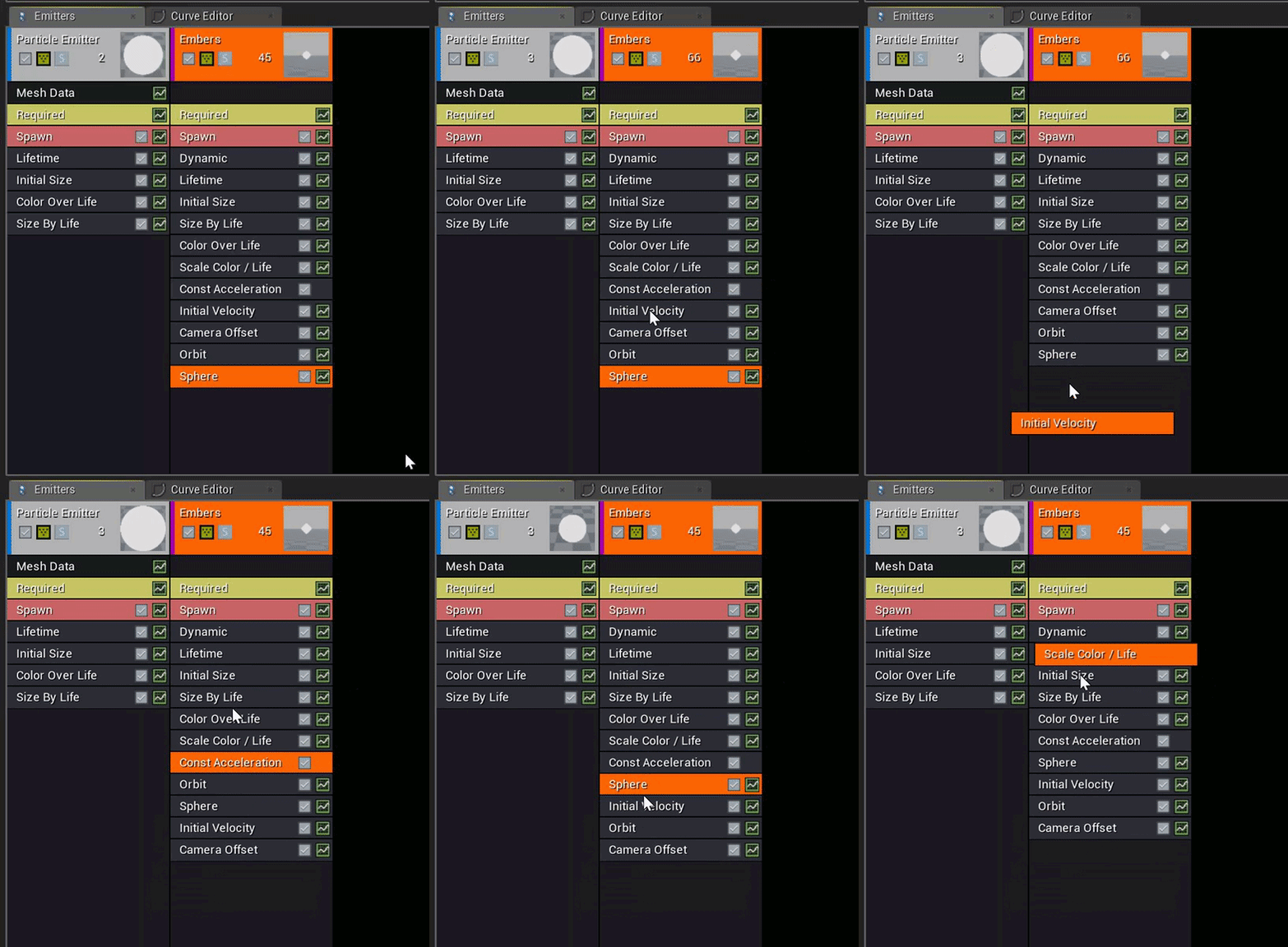 whole quarry
autistic screaming
fierce tulip
yuuup hehe
 silver steppe
I tried making a head rotation feature, but it had some problems where the ead would start twisting into the canera view, like spinning on the x-axis
In a cirlce
If somebody knows how to do this, pm me
whole quarry
what is ead?
bitter iris
So ive retarged my character that im using to the packs skeleton, hopefully this will work
whole quarry
@bitter iris Why retarget?? You can litterly attach the bag to a socket on the mannequin skeleton
 bitter iris
@whole quarry Because whom ever has made this asset, has not got a backpack socket on their skeleton so its done some how and i dont know how
i need to retarged anyway to put my character there instead of the ue4 one
whole quarry
Its written in the doc i linked
bitter iris
i dont get why it went wrong
it was TPose like it was ment to be then it just fucked up
 unreal spoke
@plush yew I think there is node called world to relative or something like that.
unreal spoke
When should we expect UE4.20? July?
crisp fable
august the 8th at 6:25pm EST
 frosty bloom
@unreal spoke Their roadmap have yet to specify a date. Other than the goal for the release date is in the third quarter.
 drifting beacon
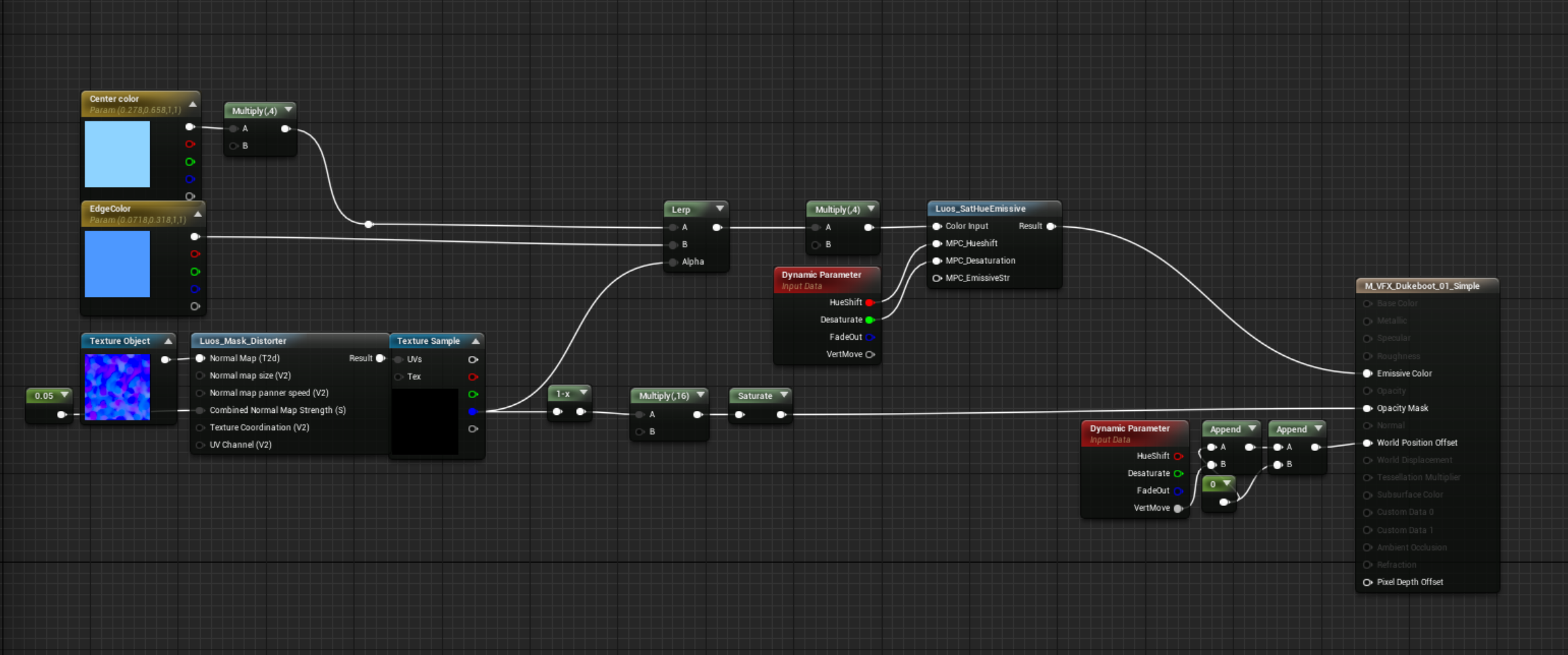
Hey, new unreal user just trying to figure it all out. Got a simple question, what is the asterisks next to my new mesh? I searched and saw it means "dirty", but it didn't explain further and figure this should be a common thing to show up. Help please? 😃
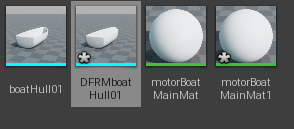





 silver crown
@drifting beacon Means it has changes not saved to the disk
silver crown
Unless you have a crash 😃
drifting beacon
Thanks @silver crown
 pallid compass
save all button be ur friend
drifting beacon
I'm more of an animator with no coding experience or much engine work. So i'm struggling, but getting there 😛
 livid haven
@drifting beacon Honestly though? The whole asterisk thing is kind of a universal symbol in any kind of "document" based program for saying that you have unsaved changes.
Notepad, Word, Max, Maya, any of them will put an asterisk by the name of an unsaved document.
Usually you see it in the title bar.
UE4 also does it in the titlebar, too, but also on the asset tile/thumbnail.
WinMerge, a diffing tool I was using earlier, same thing:
It's not a coding or engine or even game dev thing.
worn granite
Yeah I can vouch for this: Source- Have used software
drifting beacon
Nice community
worn granite
bruh I'm sorry I was joking
livid haven
I was honestly sharing information. If you haven't ever noticed that asterisk in other programs, that's what it means.
Don't know why, but that's the convention and it's stuck. Kind of like floppy disks being the universal "save" icon.
pallid compass
omg here we go
livid haven
Nothing going, nothing to make a big deal about.
drifting beacon
"@drifting beacon Honestly though?" Is what you started with. It's whatever dude, I've dropped it.
livid haven
Really? Huh. I'd interpret that as download or even update.
livid haven
Ah. Yeah, I see how that might have come off differently than intended.
It was meant to be an opening segue.
drifting beacon
It's fine, thanks.
livid haven
👍
drifting beacon
You can make up for it by answering more questions when I'm sure we all have them. 😛
livid haven
Then I take it you're new here. 😛
worn granite
Oh I'm sure that'll be a problem for Sion.
drifting beacon
Aye
livid haven
I am the person most likely to end up writing a small thesis to answer a simple question.
drifting beacon
Sounds like a programmer
livid haven
I can barely write a blog post. X|
pallid compass
You would be surprised actually, you write good content even if its just chitter chatter
ie stack calls, reading a book comparison
 glacial arch
Hey guys, would you mind being super cool and explaining to me what the formula in this picture does? Math notation is the bane of me
 bleak oar
Sigma = for loop
livid haven
Summation.
bleak oar
yup
glacial arch
What's the E[x] bit?
livid haven
Either way, that's pretty academic. I got nothing.
 frank escarp
thats just the error at X
bleak oar
just the function name where x is the variable
glacial arch
I don't suppose anybody is able to write that in pseudocode?
pallid compass
I think my eyes just melted
frank escarp
float error(float x){
    float all = 0.0;
    for(point in points)
    {
            all += point.n * (x - point.p) ^ 2;
    }
}```pretty sure its this
whole quarry
@glacial arch all i see is the majin buu symbol being on its side
bleak oar
I wonder why people who write those papers in the first place don't write pseudocode. Especially when you're supposed to implement it. Most of the time the math notation takes more work to explain and is harder to read than the actual code needed to implement it.
livid haven
Brevity, I guess
frank escarp
couse math nuts
glacial arch
@bleak oar I imagine math notation is much easier to read when you're not an idiot like me
frank escarp
and yeah, this formulas are much shorter
livid haven
And standardization.
bleak oar
it depends
frank escarp
they often come with example code
for this kinds of papers
it tends to be absolute trash
becouse its done by math students who cant program most of the time
or just general math people who dont know how to program
glacial arch
@frank escarp The source I'm reading is implying I'm somehow meant to feed multiple vertices with their corresponding normals into it and get out a single final vertex with a final normal.
frank escarp
be ready for code written by mathematicians
wich means every variable is single name, and every function too XD
bleak oar
I just read the free part of those papers so I didn't know code samples were the norm 😃
glacial arch
Any idea how this would work? I'm meant to solve for x right?
oh god how do I solve that for x
 topaz quest
does anybody know how to export the output from a material directly to a texture? I dont have the material applied to an object
 cursive dirge
@topaz quest there literally is a BP nodes for this
topaz quest
i have been looking into that but what i have read so far seems to point to needing to apply the material to an object first
topaz quest
oh really
bleak oar
^yup
cursive dirge
the node itself uses quad for it
you don't have to do anything
it's all done for you
topaz quest
do you know what the node is called?
cursive dirge
Draw Material to Render Target
Use BeginDrawCanvasToRenderTarget / EndDrawCanvasToRenderTarget instead if rendering multiple primitives to the same render target.
bleak oar
you can see it in action here. Cool stuff.
https://www.youtube.com/watch?v=67z5u8ZcEcw

Epic's Chris Murphy explores how Unreal Engine's Blueprint allows developers to create high-end effects that impact many areas of the game environment withou...
topaz quest
thanks guys you are awesome 😃
glacial arch
so I legit am not trying to get spoonfed here but I just really don't understand how to utilize this formula. Anyone got any idea?
got 4 cell intersections, with 4 corresponding normals. Gotta somehow get one final shiny vertex with one final shiny normal from that. Drawing a complete blank and every spot I look has that formula or other kinds of math notation that is basically alien runes to me.
graceful grove
@glacial arch I'm curious what the actual use case for this is lol
glacial arch
@frank escarp did write a pseudocode interpretation of it but even in that shape im supposed to get an x, but it seems to assume the x is known?
@graceful grove writing a dual contouring implementation for a sandbox game im making
turns voxel data into a super pretty smooth mesh
graceful grove
Alright, I guessed correctly it was voxel filtering
glacial arch
I got everything set up and working, I just gotta understand this function and im all set
literally last step until im golden 😃
graceful grove
It's all greek to me 😬
glacial arch
@graceful grove thanks for putting in time to look at it, anyway.
I'm sure I'll understand if i stare at it hard enough
plush yew


 karmic igloo
That's a great material for an anvil.
 stiff hazel
I wonder, is there any legal consequences if I copy dance moves from popular video clips? Like not the whole coreography, more like a fragment, couple of seconds. Like in League of Legends, they use a lot of well known dance coreographies. -> https://www.youtube.com/watch?v=XYOQ_neisZY
How does this work? Do I have to contact the owners of the song to put it in the game? Or is it free to use, since you can't really copyright several dance moves?

All League Of Legends Dance References Part 1 - https://www.youtube.com/watch?v=mdkpkjjypCo&list=PLP3hiwprTmyUTZVfgcUbMRbVfbXLG3QTa&index=36 All League Of Le...
vale osprey
@glacial arch the x is not known - x is what you need to find
Take a look at this discussion:
https://www.gamedev.net/forums/topic/693455-an-easy-explanation-to-dual-contouring/

GameDev.net
Hello, Im a trainee for software development and in my free time I try to do various things. I decided I wanted to figure out how Dual Contouring works, but I havent been successful yet. I could find some implementations in code which are very ha...
glacial arch
@vale osprey Thanks! I'm gonna look into that.
vale osprey
And the reason why people prefer to put math instead of pseudo code is that math describes a problem. Pseudo code will describe some particular way to solve that problem, which might not be exactly what you want
If we are talking about problem in a form of a system of partial differential equations, then pseudo code will be a lengthy thing with 95% focused on solving system but not the problem itself
worldly axle
@stiff hazel pretty sure you can't copyright a dance
vale osprey
Not saying that it makes it easier but it makes it more “generic” and applicable to wider set of solutions
worldly axle
wow also uses a lot of well known dances from movies and youtube
stiff hazel
Yeah, but we cannot know for real if they actually paid for those moves, or not
worldly axle
I don't think so, you can't copyright a dance
unless you can find documentation saying otherwise
safe rose
Just look at fortnite
For anything related to emotes/dances
They surely don't pay for `em
 olive pier
@candleboy#6102 this is a modified version of a basic optimization function. Have a look at linear regression, or loss functions to get an idea of what they do. Basically E[x] is the function which we wish to optimize. The stuff in the summation basically checks how close the intersection points are to x and multiplies it by the components of the vector normal to the curve. The square is a way of keeping things positive, but if you’re interested have a look at mean squared error. Ultimately what the equation should be able to do, if you Code it properly, is give you a function which is of a minimal difference away from what you are trying to model, i.e., all the points on the line are very close to all the points on the function for model outputs.
worldly axle
same way you can't copyright game mechanics
stiff hazel
I found a length documentation about choreographies ownership, but didn't really say if a part of a dance is copyrightable -> https://lawstreetmedia.com/issues/entertainment-and-culture/owns-dance-complexities-copyrighting-choreography/

Law Street
What are the copyright rules when it comes to choreography? Who owns what dances, and how are they licensed?
worldly axle
once its out there its out there for anyone to copy
safe rose

sorry for telling it to you 0:07 *purdy 0:41 *purdy All your LIKES, COMMENTS and SUBSCRIBES means me a lot. ▶Discord server https://discord.gg/VV4eGFm Subscr...

ORANGE SHIRT KID REACTS TO HIS DANCE BEING IN FORTNITE! (Orange Justice Dance) PS4 Giveaway: https://goo.gl/Tx4uTP 10,000 V-BUCKS GIVEAWAY: https://goo.gl/...
olive pier
@glacial arch
stiff hazel
Well obviously the orange shirt kid didn't copyright his moves ^^
but i think you may be right, its hard to copyright just some moves
although for example, there is the gangnam styles "horse riding" move
thats kind of a trademark isnt it
worldly axle
no way
stiff hazel
or is that free to use aswell?
safe rose
Maybe in Korea
worldly axle
he wasn't even the first to use it
so no
Michael Jackson wasn't the first to moonwalk either, that ain't copyrighted either
stiff hazel
but I heard michael jacksons' "leaning" is copyrighted

NPR.org
In the video for the song "Smooth Criminal," Michael Jackson leans way forward, yet he doesn't fall. It's an illusion that Jackson had patented. Lawyer Gene Quinn teaches this unusual patent to his law students. Quinn says the patent, which has e...
worldly axle
Don't think it would stand up in court or even make it to court
your best bet would be finding a legal case where somebody was prosecuted for it
if there is no legal precedence for it then it's unlikely
worldly axle
disclaimer I'm not a legal expert 😄
glacial arch
@olive pier Yeah?
stiff hazel
if i get fined, ill blame on you, dw ;)
olive pier
@glacial arch my bad, I answered your question about the math equation above. Scroll up a bit
vale osprey
@stiff hazel don't get legal advice over the internet, there is no single rule on this. Things can be very different in cases when something is a registered material or not.
bleak oar
@vale osprey Color me intrigued. Suppose you had a paper about some complex graphical post process method, and instead of using code of any kind it continues on listing numerous math notations and prose. It appears to be offering a solution because it defines functions, relationships and limitations. I'd imagine even a Kodak engineer that deals with hardware would appreciate pseudo code even though some iterative processes can be defined more precisely with math. At the and of the day, once you know the principle it's really not that hard to consider specific use-case optimizations. It usually doesn't take math to do it.
glacial arch
@olive pier thanks! I'm gonna see if I can get this stuff figured out!
vale osprey
@bleak oar Pseudo code of what? A post-process?
bleak oar
@vale osprey yup, just as an example.
vale osprey
there is a difference in just copy/pasting someones solution into your code or designing a different way to solve problem
like Bokeh can be coded as post-process or solved completely in CUDA as a math problem
bleak oar
you can't copy paste pseudocode. Besides, math code is always remixed manually.
but pseudocode still makes the process simpler
vale osprey
I'll give you the most recent example - soft bodies. you can define them mathematically in few ways but solve in 20 differen ways
olive pier
@glacial arch cool! @me if you have anymore math questions !
vale osprey
the most simple solution is just some array of particles connected by springs
there is plenty of example code, its good for demos but pretty crap for anything actually usable
bleak oar
well yeah, wouldn't that be a good use for pseudocode? To just give the most simple solution, some math to back it up and leave the rest to the engineer?
vale osprey
you can formulate the same math problem and solve it as a system of partial differential equations that can be solved in a matrix form - voula! now you have something that is actually used by pros in the area
I don't think you understand
glacial arch
@olive pier I will! Thanks!