#ue4-general
1 messages · Page 231 of 1
 vale jasper
 green yarrow
is this a channel for help with ue4 ?
vale jasper
yea
 frosty copper
the entire server is. 😛
 plush yew
anyone on here thats knows anything about blender if so i need help exporting
 random sapphire
what seems to be the problem?
vale jasper
does anyone know why when I added a socket to add the head in as shown here https://gyazo.com/6608ac7c240765e8f8905ee73b407706 and then pressed save as and changed its name and saved it, but when I import into my scene the head isn't on him as shown here https://gyazo.com/f1ae374caed11099b083f6e7fae57f33 does anyone know why?


 pallid compass
ur spookin me
 little hollow
Why does the engine done that?
Ive build the lighting and boom. This never happend before.
Is it becouse that Ive merge the whole city as one object?
 fallen plaza
Hello everyone I have a project that I’m working on and I need some help please.
 silver crown
RIP
fallen plaza
Hello everyone I have a project that I’m working on and I need some help please.
plush yew
Titan X, actually
 frank escarp
you have wrong drives then
silver crown
@Zeonova Kazama#3391 What kind of help?
fallen plaza
@silver crown Well the game that I’m trying to work on is like God of War but different but the game plays more like Journey.
silver crown
That's not a
plush yew
phew, works
vale jasper
does anyone know why when I added a socket to add the head in as shown here https://gyazo.com/6608ac7c240765e8f8905ee73b407706 and then pressed save as and changed its name and saved it, but when I import into my scene the head isn't on him as shown here https://gyazo.com/f1ae374caed11099b083f6e7fae57f33 does anyone know why?
fallen plaza
Well I need help getting game started I know I guess I’m in the wrong chat.
silver crown
Have you followed tutorials?
 grim ore
@vale jasper man you have asked that so many times. It's a preview mesh is why. It's literally in the name.
You need to attach it at runtime or design time using a blueprint or you need to fix it in your DCC program.
vale jasper
can u link a tut?
grim ore
No
vale jasper
😭
 quasi lake
Is there anyone familiar with Advanced Locomotion System V2?
I cant find where he makes foot ik into the character bp
 paper kernel
afaik it's not even required to use character bp for foot IK
 velvet latch
Has anyone ever had any problems with the editor getting stuck loading after updating your UE version?
Sorry if this is the wrong place to ask.
paper kernel
check the log, see what's the last thing it tries to load
velvet latch
Oh smart
Gimme a sec
[2018.04.28-17.11.15:609][ 0]LightingResults: New page: Lighting Build [2018.04.28-17.11.18:853][ 0]LogStaticMesh: Building static mesh ScotsPine_01...
Is it trying to rebuild the lightning on the fly?
velvet latch
I'll let it sit for like an hour or so and see what happens.
velvet latch
I checked the log a few times since it got stuck at 94%, it's working. Slowly but surely 😃
 modern kite
@plush yew i know how to fix it i think
modern kite
@plush yew had the same issue last day i got crazy cause nothing openend then i searched for bugs and then i discovered that all gtx 1060 graphic cards that just downloaded the specific driver are dead and it could only be fixed with the previous driver lol
 prisma bloom
.
 jaunty tinsel
hey does anyone know why in a larger map when i use my ADS system, after each fire the arms position changes, this doesnt happen on a small map
velvet latch
Does anyone know if URichTextBlock has been deprecated or something? I updated from 4.15 .0 to 4.19.1 and now when I use it it doesn't format the text but seems to behave just like a normal UTextBlock. I'm using it in C++ btw, not any form of blueprints.
This is what it looks like
 heavy yew
are there any large limitations of using blueprints over c++?
i cant get C++ to work on unreal, so im kinda forced to use blueprints.
velvet latch
Blueprints are great and they have little overhead as far as I know.
The main problem you could possibly run into is not finding a blueprint function that suits your need sometimes.
What's the problem you're having with setting up C++?
 worthy fox
How can I make a Skeletal Mesh use lighting from baked lightmaps?
 cloud cobalt
Not sure you can.
worthy fox
When using stationary lights the lighting on the skeletal mesh looks super strange.. it receives lighting, but it doesn't look right.. so I figured I'll just bake all lights as static since I don't really need stationary lights or movable lights in the level I'm creating
heavy yew
@velvet latch When i try to create a C++ project, it creates spits out an error and doesent launch unreal, the menu shows that the project has been created and its in the files of unreal, but when i try to launch it it spits out that same error, let me go check what exactly the error is.
plush yew
@velvet latch that's why I use C++ to expose stuff to BP 😃
cloud cobalt
Build in VS to understand why something doesn't build.
velvet latch
Just using blueprints in the first place has a slight overhead though, but yeah that's the best compromise.
plush yew
it's honestly just easier to follow
sometimes at 3 AM I don't have the necessary focus to browse through code
velvet latch
Basically, if you have some heavy computing to do it's best to do it in C++ and spit out the result to blueprints.
I know what you mean. Blueprints make people much more efficient.
If you're a coding god though Slate is best for performance 😛
heavy yew
The project could not be compiled. Would you like to open it in Visual Studio? I understand this is a common error, but the solution i allways see is that i dont have all the stuff in visual studio installed that unreal needs, however in this case i do.
velvet latch
Open it up in MSVC then and try to compile it and see what it says.
heavy yew
(also clicking open in visual studio says Could not edit the code editing IDE. then something about the sln file not being found)
MSVC?
velvet latch
Visual studio
Try opening the .sln file manually. It should be in your project's root folder.
heavy yew
weird.... there is no .sln file here
its just the normal (or atleast i assume normal) folders and a .uproject file
worthy fox
I just solved the baked lighting on Skeletal Meshes... In World Settings I changed Volume Lighting Method to VLM Sparse Lighting Volume and set Volume Light Sample Placement to 0.4 and Static Lighting Scale to 0.4 and now my Skeletal Meshes receive lighting from the lightmap.. Don't know how good this is on performance, but it works.. at least for now
heavy yew
I guess that explains why it cant find the sln, because i guess it failed to create one
velvet latch
Well there's your problem, no .sln file 😅
Right click your .uproject file and try to generate visual studio files
heavy yew
ok, i did it and it didnt make an sln
velvet latch
Hmm.... Weird.
 flat plinth
Did you install the prerequisite sdks?
heavy yew
wait, is there anything i have to do in MSVC before i create the project?
or is it supposed to set up everything for me?
flat plinth
Which version of VS do have? 2015? 2017?
flat plinth
I remember having to set up my work computer for UE4 and I had to download like two different versions of the Windows 8.1 SDK before the builds worked. My home computer has both 2015 and 2017, but I think when installing 2017, there's an option at add like an Unreal Engine installation package that handles everything in regards to the prerequisites.
heavy yew
i have all the windows 8.1 SDKs installed...
also i dont even using windows 8.1
Should i just try reinstalling unreal / VS?
flat plinth
The issue he has is that the .sln isn't being generated.
cloud cobalt
@heavy yew What happens when you right click the uproject and hit "Generate project files" ?
 mortal gale
Just use GCC.
silver crown
Why not clang?
mortal gale
Yeah, that too, UE4 actually doesn't like gcc.
mortal gale
SO LLVM Clang could work.
heavy yew
if so, it goes through the loading thing, then it just closes and doesent create any files
velvet latch
I feel like the best way to develop in UE is with Visual Studio because of the integration.
Maybe you could try cloning your project and see if that will fix the problem.
heavy yew
wdym cloning?
velvet latch
If you go into your library in the UE launcher you can clone your project by right clicking it. Basically making a copy of it.
With a bit of luck it might reconfigure anything that's off as it would be by default.
heavy yew
ok, gonna try that
ok... so something different happened
The following modules are missing or build wiht a different engine version.
velvet latch
Sorry I'm stumped.
Do you have a lot of progress on your project or can you try making a new one?
velvet latch
Oh I see. Well, I'm sorry I couldn't help you.
 fossil ore
Does anyone know If there is a faster way to copy group of paramteres?
Like, for example I want to transfer informations from one camera to another
 hot hare
Will there be another UT Patch coming?
heavy yew
im just going to reinstall both unreal and vs and see if that works
 uncut pebble
hello. Someone know how to change the number representation for have on screen : 1000 or 1 000 instead of 1,000
there are a setting or régional parameter ?
 winged crypt
anyone here ever upgrade their Steam SDK with the binary version of the engine?
 honest rune
@heavy yew If its not generating the .sln project files its an issue with the windows 8.1 sdk. Depends on it for project generation
 delicate trout
@heavy yew If you right click your .uproject file and open it with a text editor, what does it say there?
 dark sparrow
anyone have recommendations for a game development laptop?
silver crown

Acer
Laptops Predator 21 X: . Explore all the features, information and review of the Laptops Predator 21 X.
dark sparrow
hmm, not a fan of the curved monitor
silver crown
But dual 1080 Ti!
 oak tulip
 dapper quest
Anyone looking to buy a high end workstation mobile
dark sparrow
what about this one https://www.acer.com/ac/en/US/content/predator-helios300-series
 worldly axle
That's good enough, you want at least 16gb of ram as well. I still wouldn't recommend a laptop unless you really need the portability, nothing beats a desktop with duel/triple display setup for development. A single 1080p screen doesn't cut it.
you could always plug in another monitor into the laptop, it's just a bit janky
dark sparrow
i will be living out of my car soon so i need the portability
heavy yew
so, after reinstalling MCVS AND Unreal, when i create a new CPP project it still spits out an error, but this time its a different error. An error accurred while trying to generate project files.
mortal gale
I don't need MSVC.
silver crown

LIMITED TIME OFFER 20% OFF voxel plugin™ PRO. Offer ends 05.05.2018. Get it now: https://voxelplugin.com/ This is a free update for voxel plugin™ FREE and vo...
 worn granite
that's cool
mortal gale
I don't like how It's only using 10 out of my 16 threads though. lmao
 brave lark
 coarse wigeon
Cool stuff @silver crown - Might need to buy the pro version soon
plush yew
@silver crown who made that
silver crown
Me
plush yew
lookin good man
plush yew
You wanna give me a license
:^)
do u have trials
like a 30 day trial
or something
silver crown
No
plush yew
Just to play around with it
silver crown
But the free version is really complete
silver crown
LIMITED TIME OFFER 20% OFF voxel plugin™ PRO. Offer ends 05.05.2018. Get it now: https://voxelplugin.com/ This is a free update for voxel plugin™ FREE and vo...
silver crown
That's doable in the free vesion
silver crown
Yeah lot of folks use Unity
Porting it would be too much of a pain though
And an eventual port wouldn't meet my quality standards
silver crown
Yes
plush yew
voxel farm has some nice features
if they actually work
lol
u might wanna think about getting some of their features into yours
:P
 plush yew
i know
i saw it
its not bad
what i like about voxel farm (in theory) is the ability to generate worlds based on biomes
and i think it even lets u spawn in prefabs
and such
silver crown
The graph system?
silver crown

LIMITED TIME OFFER 20% OFF voxel plugin™ PRO. Offer ends 05.05.2018. Get it now: https://voxelplugin.com/ Live chat: https://discord.gg/58ZqEbg Website: http...
plush yew
]@silver crown ok can u explain to me why someone as skilled as u
doesnt have a discord profile picture
You have been on here for a long time man
get a profile pic

silver crown
lol
silver crown
?
plush yew
.well no i wasnt saying it was an issue on your part
im just saying i dont have the skill to do what u did there
you made a pretty great tool
to create voxel worlds
i was just saying i dont have the skill to do that yet
silver crown
Well it's the case for lots of people
That's why I want to add macros
That way you can use high level functions, and look inside them to learn
plush yew
yeah
So like how does "multiplayer" work out
are u just using the unreal rpc's
to set the data
 night tide
anyone use cinema 4d for unreal? if so, do you know if there is something you have to set up for the units of measurement?
plush yew
Well like a few years I'm assuming?
silver crown
Ah no started in August
silver crown
I guess 🙃
silver crown
Like underground ore?
plush yew
Or the ability to set specific locations to have specific shader materials on specific areas (like biomes)
well i mean just in general
spawning small prefabs of objects
in a procedural way
i dont actually know what im talking about here
so please forgive me
silver crown
I kinda already have that
For the voxel actors (trees)
I want to rewrite it though
plush yew
i see
You know what else is missing in the ue4 community
Something like GAIA (this is a unity asset)
Really good asset
but not for voxel stuff
just regular terrrain tool
have u seen it?
silver crown
Yeah planning to do something like that at some point too
silver crown
Kinda limited by the time though
plush yew
yeah?
silver crown
Yeah
plush yew
what do you mean
silver crown
I mean I'm not working on that full time at all
 grim juniper
The new Editable Mesh stuff has a couple Blueprint nodes. Just a couple. 
plush yew
ohhh
So I was looking at your video "in editor edits"
you thinking about adding custom stamps?
like based on a texture that a user picks
silver crown
Like meshes ?
silver crown
Well voxel, so 3d stamps
plush yew
instead of just projection, box, and sphere
silver crown
= meshes
plush yew
the only thing that i dislike about voxel stuff is that its very hard to include it as a core feature in a game
in my opinion
like
do you know what i mean?
Obviously minecraft is purely voxel based
but just being able to dig holes and stuff is very fun on its own
but doesnt really help add to a story driven game for example
silver crown
Indeed
silver crown
Yep
plush yew
because u can make like
really crazy shit
i might think about buying ur plugin
ill test it tho
silver crown
LIMITED TIME OFFER 20% OFF voxel plugin™ PRO. Offer ends 05.05.2018. Get it now: https://voxelplugin.com/ Live chat: https://discord.gg/58ZqEbg Website: http...
^ crazy shit
silver crown
ofc
silver crown
Ah
silver crown
I don't have 100 people
plush yew
True
silver crown
So kinda hard to test
plush yew
the best u could do is perhaps make some sort of test case
where like
u have 100 actions queued up
winged crypt
not sure where to post this, do you guys know if there's a way to adjust the default pose of a skeletal mesh's skeleton? I want them in T-pose but setting a 'new pose' in the skeleton viewer doesn't actually change it for every mesh using the skeleton 🙄
plush yew
but its still not very condusive
silver crown
Yep
The way I'm going with this is waiting for user requests
If someone wants to have 100 players, I'll try to make it work
But there's lot of more important stuff to do before that
plush yew
well yeah
im just saying this is something i wish i did
so my game can only handle basically 20 people
i wanted 50 though
but didnt even get close
because i didnt do proper testing procedures
which i didnt even learn until recently
silver crown
Anyway gtg
If you're interested you can join the server
Link in the video description
silver crown
🙃
coarse wigeon

Developer musings on Blender
grim juniper
Does anyone know how to activate the new Cinematic DoF? I'm using the latest source from the promoted branch and I can't find it anywhere.
plush yew
Can I make mesh in Unreal Editor or should I use special 3d-editor?
 grim sinew
No. Use another program.
Unreal, as of right now, is terrible for making meshes from scratch.
 brazen bobcat
so uh i have a mesh and i wanna replicate it a few times in a specified direction
i can do it in houdini and use a digital asset
but im pretty sure there should be a way to do it in unreal
btw im very very new to unreal
plush yew
Hey, is there any "code based" 3d-editor?
I'm sick of blender and 3dmax
I need just create points grouped in one mesh\
position of points I wanna set myself with text, not with mouse cursor
How to make actor smootly disapear?
Do I need create animation for it?
 fair violet
@plush yew Houdini with VEX
fair violet
I’m talking about a code based 3D editor which Houdini and VEX kind of is
To make an actor smoothly disappear you would need a translucent material and change the opacity over time
 honest vale
@plush yew disappear how?
plush yew
Simply
plush yew
Vanishing
honest vale
you can't really use translucent materials since they don't have depth
so you use masked and use dithered alpha masking
and ramp it to 1
plush yew
how averything hard
honest vale
it's not
plush yew
So, I need to create special material with "alpha parameter"?
I dunno how to use material parameters from BP
Should I create new material every tick or just change parameter of already existing?
fair violet
You can use a material parameter collection if you want a quick and easy way to do it
plush yew
Or do I need some sort of "update material binding" for it?
fair violet
Then just set the collection parameter at a fixed rate
honest vale
have you followed any docs or tutorials on the topic?
that's a fairly well documented area of the engine
plush yew
Well, I'll search again
fair violet
If you want to do it with a normal parameter, then you have to create a dynamic material instance on begin play and set a reference to it, then at a fixed interval decrement the opacity using the Set Scalar Parameter node
plush yew
because at first sight I didn't find what i need
fair violet
As @honest vale said it’s probably best not to use translucent so you’ll need to properly hook up the opacity in the shader before you decrement it
honest vale

In this video, we introduce Dynamic Material Instances, wherein we can control Material parameters within a Class Blueprint. Note that this video combines bo...

Continuing from the previous video, we now show how to make a Dynamic Material Instance that randomly changes our Class Blueprint's color. Note that this vid...
 queen thunder
not sure where I can post this, but I cant build lighting,
Swarm agent tells me this
09:41:16: [Connection] Detected new local connection from same process ID as an existing one, closing the old one
09:41:16: [CloseConnection] Closing connection 4606042D using handle 4606042D
09:41:16: [CloseConnection] Connection confirmed for disconnection 4606042D
09:41:16: [CloseConnection] Closing orphaned Job ()
09:41:16: [CloseConnection] Connection disconnected 4606042D
09:41:16: [GetMessage] Safely returning to 4606042D with no message
09:41:16: [Interface:TryOpenConnection] Local connection established
09:41:16: [Interface:OpenJob] Error: The service cannot be started, either because it is disabled or because it has no enabled devices associated with it. (Exception from HRESULT: 0x80070422)
09:41:16: [MaintainConnections] Local connection has closed (4606042D)
09:41:16: [MaintainConnections] Removed connection 4606042D
fair violet
@queen thunder are you building from source?
queen thunder
no, straight from launcher, and opened a basic starter map to try
fair violet
Hmmm not sure in that case, sorry!
plush yew
Not obvious that dyn.material is binded to oeriginal one.
queen thunder
the only thing I can think of has to do with this line
[Interface:OpenJob] Error: The service cannot be started, either because it is disabled or because it has no enabled devices associated with it. (Exception from HRESULT: 0x80070422)
when i check swarm agent it doesnt have a machine allocated to it, dont know how to set it
 pearl sparrow
hey guys, do UE4 projects have a problem with being synced on dropbox?
grim sinew
yes
pearl sparrow
I've been working on both my laptop and PC using dropbox but now one of my levels crashes the editor 😦
grim sinew
Or rather, dropbox has a problem with Unreal, not the other way around. Dropbox doesn't like it when files change rapidly or get locked off mid sync
pearl sparrow
hmm thanks for the info
wierdly I can load the level if I play the game in a new window and use console commands
so I'm not sure how to fix the issue
grim sinew
You stop using dropbox.
It's just how it works, it'll always get confused when hundreds of files are getting changed around
Or you just close dropbox when you're working and re-open it when you're done
 exotic tangle
Hi folks, I hope you might be able to help me out - I am new to UE4 and I am learning - following few tutorials - I am currently learning about painting the textures and such on the level and something I don't understand is - for some reason the even viewer is not loading everything
and I don't understand why
it work if I go in from character perspective
actually - that has stopped also now....
any ideas why?
plush yew
So any idea why its so complicated to get a bone rotation in blueprint?
im actually having a hell of a time with animation blueprints, i have industry standard animations, these work with root motion and at the end of the animation they will 'snap back'
basically its a turn animation (there's tuns more later) I'm trying to get the body to turn 90 degrees when the player looks 60 degrees to the left or right, I'll play the appropriate animation, however Unreal does not allow at all in any way shape or form I've tried to bend it to my will all day
but every time i hit a brick wall
so we have two graphs in an animation blueprint, and a fairly standard state machine setup we can optionally use. However there seems to be no way to communicate "back out", as in I can't send things between graphs, so we see here...
so here there is no way, i cannot say here animation notify
I've tried messing with the engine source, and the only solution I've gotten to work so far is to make a second exe that runs alongside the game and injects the events into the compiled game, I can package this into a launcher but it seems a hacky solution to a problem that shouldn't exist
in state machine we're even more limited, i can onlu pull in variables, no way to use notify the same and no way to get
plush yew
damnit why does epic do stuff differently from standard
we use our own skeleton and stuff, root motion normally 'snaps back' to 0, 0, 0 as is industry standard at the start of the animation
I just asked on the IRQ "Unreal Engine doesn't support many industry standard animation practices, if you want turning motion you'll either need to make some big source changes or forget having a proper idle turning system, ever notice PUBG how they have no turning, same problem, what you are trying to achieve is not currently possible through traditional means, animations can't be 'got' or played from normal blueprints easily and bone translations you can just forget it outside of the animation blueprint
i guess we're not having a turning system then, shame because we have a tun of root motion animations as well, professionally designed by another studio no one else has them we've had them for years unused (from other projects, features that didn't make it etc.). absolutely gutted
paper kernel
from what I understood, orientations are basically replaced with blendspaces
for getting bone translation, add socket and get socket transformation
 vale osprey
@plush yew you can get bone transform using CopyBone in animation graph, or add a custom node using c+++
worthy fox
How do I visualize bounding boxes for my meshes in my level? I have a problem with OC and I want to adjust the bounding box for some of the meshes...
HZBO didn't do the job...
 urban meadow
@plush yew there is a hacky way to get bone rotation in bp, you can have a poseable mesh component, set same mesh for each, set its master mesh to your skeletal mesh, then you can get bone transform information from that component
 white urchin
https://www.youtube.com/watch?v=sT9KnkgxB7U does anyone know a good tutorial on how to do this?

Amazing clip I was asked to share by maro, truely unique. Deserves a lot more subs! Check him out: https://www.youtube.com/user/maro2k8 Click here for a free...
map retexture and animation
i cant find any good ones
 tribal pebble
guys , does anyone know why this is so blurry , Bloom , Blur , Camera Focus , everything is deactivated , yet ...
white urchin
aired
tribal pebble
its for a friend of mine who's trying to animate in UE4 ,but he's got this issue anyone knows the way ?
tribal pebble
@plush yew can i give his contact in private? since i dunno how to invite people to this discord
 glossy flame
This server has invites disabled.
That said, the link is https://discord.gg/unreal-slackers
white urchin
ah
tribal pebble
oke thx i hope he's gonna come quick
 simple pebble
im in need of just a little help regarding spawn actor of class. (last bit of my inventory system im making
 sudden agate
@exotic tangle make sure your texture sampler count in your Landscape material does not exceed 16.
If it does, make sure that the Texture Sample Nodes in your Material use Sampler Source: Shared Wrap
exotic tangle
Hi Raildex could you advise how do I check that please?
just launching it back up to check
ok in Engine, if u could advice where do I check that - it be great
 fair creek
uhh is there learning resources in any of the channels or pinned anywhere?
sudden agate
@exotic tangle go into your material and check the Texture Sample nodes
@exotic tangle
simple pebble
im trying to get and integer into an array get component which then transfers into and actor spawn of class. the array contains 2 classes of actors
i dont mind screensharing if you could help me out
exotic tangle
@sudden agate - its this
sudden agate
change it
exotic tangle
to what you have?
sudden agate
yes
exotic tangle
kk
sudden agate
advice: do this for every texture sample node in the future. You only have advantages from it 😉
sudden agate
Think of a Shared Sampler as some kind of Texture Atlas. Whenever a texture is set to use a Shared Sampler, it is all "packed" into a single texture internally.
It reduces the overall Texture Sampler Count
it is not default because it would break legacy materials according to epic.
exotic tangle
Hey it seems to be working 😃
Ty Rail 😃
it was a minor thing, but very annoying thing
Cheers!
does any quality suffer for using Shared sampler?
tribal pebble
He don't wanna come , anyone knows why the video is all blurry?
its made in Sequencer with the Black Camera , with no Blur yet it looks like that
sudden agate
@exotic tangle No Quality loss 😄
exotic tangle
Thanks mate, really appreciate it 😃
tribal pebble
in this video Answers in the Second Comment ask for the saim issues ,nobody still had a solution
https://www.youtube.com/watch?v=7dVHhwGBCQQ

Unreal Engine 4 tutorial for using the Sequencer to create cutscenes with animations. I also show how to render the cutscene as a video using the sequencer. ...
heavy yew
Anyone know of any guides for Unreal as someone who doesent know much of anything about C++?
I know a bit of C# but im mostly used to Lua (As i have some experience modding GMod.)
 wicked kettle
Hey guys! Is any1 here have a good video series about how to set up a full locomotion system in ue4? Or any1 can help here? I got all the animations just need to put it together, willing to pay!
 keen birch
@wicked kettle I think you'll need to be a little bit more descriptive than that if you want proper suggestions
You want the animation-stuff for a humanoid to be set up nicely? Or also the entire character controller?
wicked kettle
I got the rigged humanoid with all the animations, and I need help to set it up properly in the engine
keen birch
But do you mean movement and that sort of thing by 'setting up'? Because that can mean pretty much anything
wicked kettle
I need it to put together the movement exactly
in ue4
So importing the animations to ue4 with the rigged human, setting the movement together / binded for the right key etc ( sprint = shift / walk = W / turning animations etc )
keen birch
Well, I mean, you could pay someone for that, or you could look at e.g. the first-/third-person controller starter project
And more or less replicate that
wicked kettle
Yeah, hopefully some1 with good experience in it will write 😄
keen birch
I do have experience with that stuff, but I think you'd be able to figure it out yourself as well!
wicked kettle
I just cant find a proper video setting it up with all the animations I have
keen birch
Enjoy the videos and music you love, upload original content, and share it all with friends, family, and the world on YouTube.
I haven't really looked at any of these
But once you get the idea of blend spaces and animation blueprints you can just click it all together in the same fashion
wicked kettle
yeah thanks, im checking these
 latent moth
All, how can you set a physical material on a spline?
latent moth
i mean i want to trace a spline to understand what ground is my character walking on
the spline has a water mesh
but collision is not triggered.
 cursive dirge
if you want to trace against spline mesh, make sure you spline mesh is using complex as simple for it's collision
latent moth
if i add a bounding box around the mesh then collision is triggered BUT then the character walks on water
cursive dirge
and that spline mesh itself is not simulating physics
latent moth
“complex as simple”?
cursive dirge
also, read this https://www.unrealengine.com/en-US/blog/collision-filtering

Unreal Engine
Choosing what collides is obviously very important, but it can be tricky, and it’s a problem that we have spent quite a while discussing while developing UE4. The system we have can seem a little complex at first, but it is very powerful and co...
latent moth
i am familiar with that
the issue is that i cannot set the collision channel of a spline
cursive dirge
if you are familiar with that, why do you have issues with player walking on water?
you can literally filter the char so it doesn't walk on top of the surface
latent moth
it’s either on or off
cursive dirge
anyway
latent moth
ok but where do i set it is my question
cursive dirge
complex as simple uses the spline mesh polygons as collision
it's expensive if your mesh is high poly
so use it with care
latent moth
i don’t see the settings on the spline, nor on the mesh, nor on the material of the mesh
latent moth
i don’t see where unfortunately
you can set the mesh on the components of the spline
collision on/off
and that’s that
btw thanks for helping out
cursive dirge
hmmm
wonder if you had to set that in the mesh you use for spline mesh then
it's been few years since I've done these
but it's definitely a thing
latent moth
the mesh is a static mesh
cursive dirge
otherwise you couldn't even make spline mesh roads as things would just fall through
latent moth
so you can’t set collision settings there either
cursive dirge
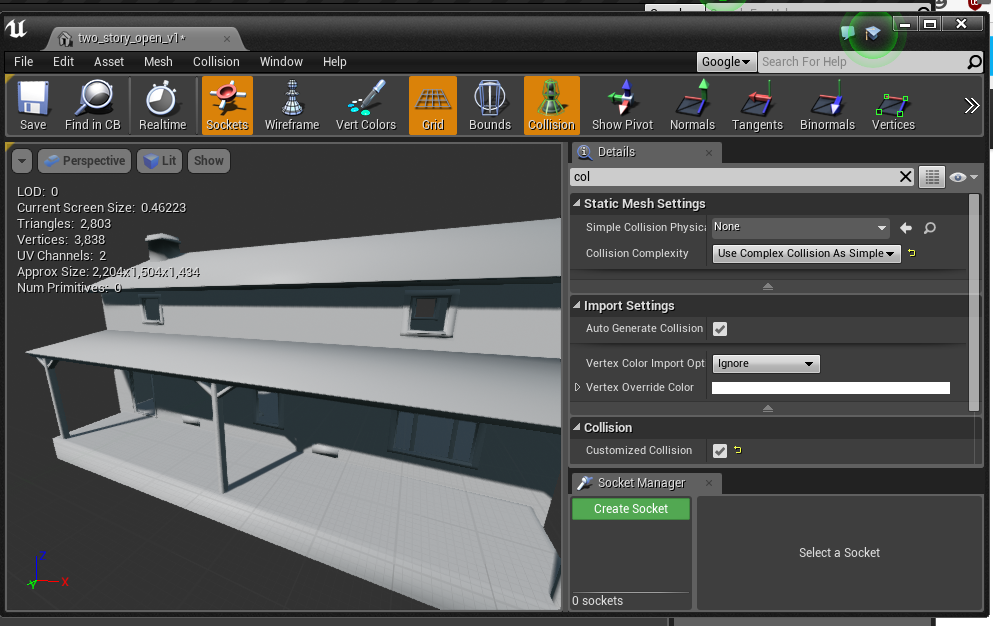
that's just image I saw on google image search
new mesh editor should still have that
you see the Use Complex As Simple thing in the details panel there?
latent moth
i don’t have it 😐
cursive dirge
it's not on by default
you have to swap to it
you should have Collision Complexity setting there
latent moth
this is what I have

AH FUCK
it's in details
now i need to understand how to not make it walk on water
I do need a bounding box on the mesh, right?
cursive dirge
it should have one by default
latent moth

even with this, the character walks on water
no it didn't have any box on default, i've added one
(yes i tried with simple as complex, and also NO COLLISION)... they still collide
latent moth
this is beyond my understanding.
all is set to ignore how come a pawn collides with it.
cursive dirge
character itself isn't a physics simulated object
there could be some setting there but I wouldn't personally know about it, have barely touched CMC (character movement component)
technically, it's using those queries so your overrides should have an effect
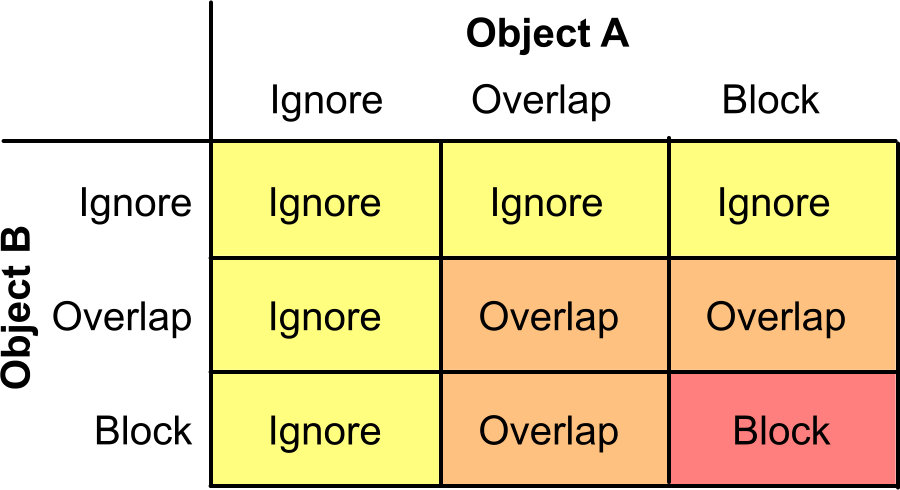 simple pebble
I have an integer with numbers 0-8, I also have a variable actor class with 0-8 actors in. How would I get integer 4 and to select variable 4 to put into a spawn actor of class
Anyone @here able to help sorry to be a pain.
grim ore
any more details on what you are trying to do? it seems like you could divide by 2 if you are trying to get the mid number?
 fierce tulip
https://issues.unrealengine.com/issue/UE-57557
https://forums.unrealengine.com/unreal-engine/feedback-for-epic/1457519-4-19-0-editor-hangs-hiccups-constantly
Unreal Engine Forums
I searched for a similar thread and found none, sorry if this has been covered.
I have a good size map with a lot of BP that has been working perfectly in
simple pebble
So there's the integer which is actually the I'd for items in game such as rocks sticks etc. The actor is the static mesh with descriptions on. What in trying to do is if rock (id:3) is clicked it will find the corrisponding actor class and put it into spawn actor of class
 hot ledge
grim ore
hot ledge
grim ore
@simple pebble you can use a select or switch on int node to do that
an alternate way might be to have the item you click on hold what should be spawned and return that back when you click on it
simple pebble
Switch on integer?
grim ore
yes
but if your using blueprints it's literally called "Switch on Int"
if you are just passing along an object tho the select node is probably easier to use
simple pebble
I haven't used either yet I'll give it a shot
grim ore
with the select you feed in your integer on the index, then feed in each class on the left or select them from the drop down in the select node. Then feed the return value out into your spawn actor from class node. If you crate the Select node and plug the output into the Spawn Actor node (class pin) the Select node will automatically change to have Class as the input types and you can just go from there.
winged crypt
Are we allowed to use any assets from the 'Learn' tab projects (for example the 'fog' asset in ShooterGame) in our own projects?
fierce tulip
yuz
 obsidian nimbus
everything but the unreal logo i think 😛
winged crypt
unreal > unity ggwp
fierce tulip
unless permission :p
winged crypt
I think in commercial releases we have to include the Unreal logo, it's mandatory
fierce tulip
even then need to get permission afaik
winged crypt
Yeah you needa sign stuff
obsidian nimbus
should prolly read up on that B4 release 😛
winged crypt
Yeah 😂 I did a while back, I forget
I saw somewhere the Paragon assets giveaway said "$100 million in Paragon assets", that can't be real .. $100 million?
simple pebble
No you don't need anything to publish. But you have to confess if you earn over so much a year because then you need to pay them a percentage
winged crypt
Yeah it's 5% on anything over $3k per quarter
obsidian nimbus
wasnt it 12 mil?
fierce tulip
12m
winged crypt
That's more believable
simple pebble
Which for most indie Devs is not bad
winged crypt
it's definitely not money spent on developing the assets by paying their staff
fierce tulip
decent estimate of wages and software costs hehe
winged crypt
^
obsidian nimbus
lot of it is outsourced so that should be acurate
the facerig was bought for 50$ or something so thats 1 part of it
winged crypt
maybe even the potential to generate revenue through a game that uses them, being AAA-quality? Kind of how start-ups can get high evaluations with low revenue
worldly axle
I'd say 12 mill is reasonably accurate depending on the team size * averageyearlysalary * years of development
- all the extras
 boreal sierra
anyone have a suggestion on a good course to make a 3d platformer?
 buoyant echo
That moment when you have a 1080 and still get this issue every now and then.. 🤔
Ty epic games launcher, my graphics card is simply not powerful enough to run you! 😂
 ionic oxide
this is odd
buoyant echo
I just restarted PC for it to work again. Really don't understand why it keeps happening. ¯_(ツ)_/¯
(Brand new GPU, too.)
ionic oxide
Reinstall the drivers
buoyant echo
I did 😦
ionic oxide
use DDU to remove
buoyant echo
Yep
I tried a regular reinstall/fix and then I tried full restore on PC as well as DDU.
¯_(ツ)_/¯
buoyant echo
In the time I've had it, nothing else has given me issues.
But you're right, it could be.
Might just be a small hitch on Epic Launcher's side maybe, too?
ionic oxide
if possible, try testing with another gpu
an older or from a friend
I still believe that this problem has to do with the gpu
buoyant echo
Yeah, not discarding it, but hard to believe that nothing else gives me such an issue.
shrugs Thanks for the help, btw.
 thorn ravine
Hello 😃
ionic oxide
Hi
 scenic aspen
Have a question that I don't know where to post. Basically, I have 2 maps: A and B.
When I open map A, I can see map B (umap) in the content browser.
When I switch to map B, I cannot find map A in the content browser at all! Even though the umap file exists in the Windows explorer (file browser).
Map B is a duplicate of map A.
 lament sand
has anyone used the fight game select character?
 crisp fable
hey does anyone know if you can use rift touch controllers without the headset?
i mean i have the headset, but i just want to use the controllers with a monitor
the answer is yes
lament sand
@crisp fable you used it?
Blueprint Runtime Error: Accessed None trying to read property CallFunc_GetStreamingLevel_ReturnValue from function: 'ExecuteUbergraph_Widget_FightGame_Menu' from node: Set bShouldBeVisible in graph: EventGraph in object: Widget_FightGame_Menu with description: Accessed None trying to read property CallFunc_GetStreamingLevel_ReturnValue
crisp fable
yeah i just tested it
you need the headset plugged in
and you can just play it in non-vr mode and the hands work and stuff
wow they have 40gb ethernet now
I NEEDS IT
@lament sand it means get streaming level is null
lament sand
???
crisp fable
that blueprint error
lament sand
ok an blueprint error so somewhere I got to go there and fix it?
hmm, so it's saying it's error isn't showing the level then?
 regal mulch
AccessedNone, just check what that error is
It's one of the most common errors
You will find hundred and thousands of threads and answerhub questions
You are trying to "GetStreamingLevel", and that returns a nullptr
nullptr simply means "empty" or "nothing"
And if you access that, EVEN THOUGH it's a nullptr, you get the AccessedNone error
So your "GetStreamingLevel" node fails to find the StreaminLevel you specified
crisp fable
yeah
run it through an IsValid
apparently 4.19.2 is out, but my launcher says otherwise
 woeful oar
New to Unreal here,
Are Player Controllers gotten by UGameplayStatics::GetPlayerController(GetWorld(), i) on the server, supposed to be all owned by the server? I thought one was owned by the server and the rest by clients.
crisp fable
thats right, client owns their own playercontroller
 narrow pasture
alright, my game is crashing every time i try to load a level and there isn't really a reason why and im not getting an error
 kindred mountain
run it with the debugger attached
woeful oar
If the client owns their own, then all the Player Controllers are not supposed to be showing up as all server owned on the server?
if (UGameplayStatics::GetPlayerController(GetWorld(), 1)->Role == ROLE_Authority)
if (UGameplayStatics::GetPlayerController(GetWorld(), 1)->HasAuthority())
Are all showing as True for all Player Controllers on the server. Is this something I messed up or is it just how Unreal is?
Ignore that their's a 1 there for that, I loop through them all.
narrow pasture
the problem is that it loads the level, but crashes in the process, adding a breakpoint doesnt help
plush yew
Guys please
when I use Exclusive nativization in 4.19 and package and then stat the game, it crashes and I get this kind of error on multiple classes
-16.55.41:991][ 0]LogStreaming: Error: Cycle Node /Game/GameModes/BP_Deathmatch 6 Export_StartIO /Game/GameModes/BP_Deathmatch/BP_Deathmatch_C/ExecuteUbergraph_BP_Deathmatch/
[2018.04.29-16.55.41:991][ 0]LogStreaming: Error: Cycle Node /Game/GameModes/BP_Deathmatch 6 Export_Serialize /Game/GameModes/BP_Deathmatch/BP_Deathmatch_C/ExecuteUbergraph_BP_Deathmatch/
[2018.04.29-16.55.41:991][ 0]LogStreaming: Error: Cycle Node /Game/GameModes/BP_Deathmatch 2 Export_StartIO /Game/GameModes/BP_Deathmatch/BP_Deathmatch_C/
[2018.04.29-16.55.41:991][ 0]LogStreaming: Error: Cycle Node /Game/GameModes/BP_Deathmatch 2 Export_Serialize /Game/GameModes/BP_Deathmatch/BP_Deathmatch_C/
[2018.04.29-16.55.41:991][ 0]LogStreaming: Error: Cycle Node /Game/GameModes/BP_Deathmatch 3 Export_Create /Game/GameModes/BP_Deathmatch/Default__BP_Deathmatch_C/
[2018.04.29-16.55.41:991][ 0]LogStreaming: Error: Cycle Node /Game/FMapInfo -5 Import_Create /Game/GameModes/BP_Deathmatch/Default__BP_Deathmatch_C/
Cycle Node
But what does it mean?
When I use Inclusive nativization, it works but it only nativizes Parent classes
child classes of created Parent classes do not get nativized
But when I use exclusive nativization I get these errors even on the classes that get nativized using Inclusive method
 gaunt raptor
is there a way to only bake light on a small portion of my map ? I just want to tweak some small parts and i dont wonna wait 16 hours baking the entire map
gaunt raptor
shit - is there a way to exclude the foliage from baking or something like that ? Its my foliage that gives me huuuuuuuge baking times. or how would i go about lighting the scene ? Its a cave scene and its really light inside my cave unless i do a bake
 wary wave
we have partial light bakes in our environments using streaming levels
not sure how it works because I didn't do it, but it is using default UE4 functionality
gaunt raptor
i already had a look at that - but its too close to deadline to do something like that 😛 What about turning off static shadows on my foliage - and then using a single lightmass on the small area i want to test ?
 queen arch
can someone help me find the angle between 2 vectors starting at the same point?
cursive dirge
woeful oar
Are Player Controllers gotten by UGameplayStatics::GetPlayerController(GetWorld(), i) on the server, supposed to be all owned by the server? I thought one was owned by the server and the rest by clients.
plush yew
hey quick question, im doing a 2nd contract for someone, and have a custom branch of UE4 I've had to compile, it works and its all loaded and compiled shaders etc however when i try to fly around I get MASSIVE stutters with minor CPU spiking
these lag spikes can last a few seconds, anything i might have missed
 queen arch
Thank you @cursive dirge
cursive dirge
np
fierce tulip
ahh monday, I feel good, i feel energized, and the neck/arm injury isnt obstructing me.. lets work!
opens clients project after downloading latest
"updated from 4.16 to 4.19"
"these plugins are not available on 4.19"
"these dll's need to be rebuild"
"error rebuilding crap"
"error with visual studio, need update patch"
"cannot find update patch"
Ahh monday, I feel annoyed, I feel frustrated, updates are obstructing me, f**k it.
plush yew
time to complain about things on the internet!
fierce tulip
hell yes
 ember dove
that sounds about right with my project, Luos. Hopefully the plugins are updated since I've waited so long to upgrade the engine.

 crisp fable
anyone know why GetVelocity would be returning 0 in a pawns tick function?
(yes its moving0
)
oh it only returns if it has a movement component or is using physics
thats somewhat... silly
paper kernel
any component that is simulating physics should be able to return component velocity
actor velocity however, only works when movement component is present
(since it doesn't inherit anything that could simulate by default)
queen arch
thing works perfectly with "find look at rotation" when the object is stationary. But when it rotates left and right, the angle doesn't update
0 degrees is still the original front of the camera, no matter how it rotates
 high wolf
Hey guys, I'm creating an outline post processing material, in the SceneTexture node I can't find Clamp UVs. Where is it?
latent moth
All... I've been on this for 2 days and any help would be appreciated... Does anyone know how to make a trace by channel to a river spline work, in a way that the character does not WALK on water? i want to know that the character is in the river for sound effects, but they still should not FLOAT on the damn thing 😄
It seems that the "enable collision" setting of the splines is messing things up. I basically want to enable collision only on the VISIBLE trace channel of the static mesh used as component of the spline. It simply does not work.
cloud cobalt
You should use a different trace channel, really
Visible is for visibility, meaning all surfaces including non-collision
Why not use collision for the trace ?
latent moth
i have also tried a new channel: environment. The issue is that either no collision is returned, or my character floats on the spline.
the only thing that makes a difference is whether the static mesh of my components has a bounding box or not
if it has: character will float even if all collision is turned off https://gyazo.com/f35b6c2cbff5266bb2872120e605588f
cloud cobalt
Well, your water should probably have "OverlapAll" as collision setting
For the "in-water" detection
wary wave
it is ignoring all at the moment....
latent moth
exactly
cloud cobalt
The way it's set up it should ignore everything
latent moth
and even with that, the character FLOATS
cloud cobalt
What if you remove the water surface ?
latent moth
if i remove the bounding box on the static mesh then it goes in the water
you mean the mesh?
cloud cobalt
Yeah
latent moth
then I get to the ground
cloud cobalt
Okay, what if you set collision to "No collision" ? Instead of query only
cloud cobalt
Same = get to ground ?
latent moth
no
if bounding box on mesh = float
no bounding box on mesh = ground
regardless of all other settings
cloud cobalt
Forget about the bounding mesh, really, and work with the bounding mesh existing so that you understand the issue
latent moth
there's no bounding box on the mesh by default: it's a river
i've started adding one because the trace didn't collide with anything
cloud cobalt
YOu should have one, if you want to detect that the player is in water
So that's obviously a good idea
You just need to get collision working
You should start simple, put a basic box as a static mesh, and try to get the behaviour you want. Create a dumb box, set it to OverlapAll without changing anything else
latent moth
yeah
cloud cobalt
Check that your character does go into that box
latent moth
that works
the issue comes only with the splines
I'm also wandering what that "enable collision" means https://gyazo.com/513e78153c0297adcfbb3b885bbf4e1f

maybe that's the thing messing up the default behavior
cloud cobalt
That would be a master on/off switch like there is for all meshes
What if you create a new spline with an engine mesh, and set it to OverlapAll ?
latent moth
i can try that but if collision none still blocks my character... I'm still going to have issues
cloud cobalt
I just want to confirm if the issue is caused by specific settings on the spline like the physical material
There's like 500 different collision settings that can wreck havoc
Auto-weld, character can step on, collision preset
cloud cobalt
I also remember splines to have some collision issues, but let's not assume the worst...
Try with a dumb mesh, see if it works :/
latent moth
so you mean trying a "fake" river with a box that I can walk through
and see what collision settings work?
cloud cobalt
Create a new spline with a box, set it to OverlappAllDynamic, try moving into it, yeah
Don't parent it to anything, don't change anything else etc.
cloud cobalt
I won't 😃
silver crown
I didn't
Got this after running out of GPU memory
But I think my GPU crashed
Hard to tell as I'm in RDP though
Yeah seems to be that
ffs
paper kernel
nvidia really messed up with latest drivers tho
latent moth
@cloud cobalt so: overlapalldynamic does not work, BUT if I use the SAME static mesh of the river with good settings (i.e. ignore everything except the trace) then everything works as expected
so it stops working when it is part of a spline
this works perfectly on the static mesh: https://gyazo.com/434d8e9a38e98853c9eb3b9fb49c3cbe

but if this static mesh is part of a spline.. i WALK ON IT
cloud cobalt
That sucks
latent moth
i really used the same mesh... walks perfectly if placed in world, doesn't work in a spline.
Any ideas of wth i could try?
i mean
i'm not the first one to want to add water footsteps sounds to a spline river, am I?
ANY ideas welcome
latent moth
here's the complete issue... https://forums.unrealengine.com/development-discussion/content-creation/1469011-trace-not-working-on-splines
Unreal Engine Forums
All,
I'm really stuck on this one, hopefully some kind soul can help me out here.
I have a river made with splines. I need to trace down the material so that
 karmic igloo
@latent moth Is the collision set up differently on the spline mesh?
latent moth
no
i mean
what you are seeing are the collisions of the spline static mesh
it's the same mesh
if I put it in the world manually, everything works
if it is put in the world as part of the spline, then collision gets overwritten and so the character walks on it instead of sinking in it
karmic igloo
Spline mesh components have their own collision, I think.
latent moth
how do you set it though?
karmic igloo
In the collision area on the spline mesh component.
If you're automatically generating spline meshes based on a spline, then you can click on the "Add Spline Mesh Component" node and you can change the collision there.
latent moth
not sure I understand? this is what I have https://forums.unrealengine.com/filedata/fetch?id=1469015&d=1525105358
 karmic igloo
If you're making a river I'd suggest making the river in your landscape and then using blueprint splines to make the water itself.
But that's just one way to do it.
latent moth
well that's what I am doing, except that I am using landscape splines because that allows me to adapt the terrain quicker
karmic igloo
Yeah well I don't know if there's a way to set up collisions like that on the landscape splines.
I think it might just use the landscape's collision as the template for the spline collision.
 proven tree
worldly axle
proven tree
worldly axle
hi probably, just stick it up and hope someone answers is the usual procedure
fierce tulip
maybe his issue is that he has a phobia of asking questions
 viral herald
anyone know why this isnt working out for me?

i have it set up exactly like this in a different project
though this one doesnt work

i have 4 different AI set up in the world all running of the same thing
and nothing seems to work with it
latent moth
ah so stuff is broken
viral herald
XD
latent moth
...exactly.
an idea for you: telling what you would like to achieve and what is broken can be helpful to help you out
😃
viral herald
oh boy
flat plinth
Is the Tick event function firing?
viral herald
yea
flat plinth
If the Tick is running, then what's the problem. Is the logic not doing what you expect?
viral herald
well
normally the model should move around
and when seeing you
rush at you
and its not doing either
this is the second time it happened
the firsttime it figured itself out
flat plinth
Ok, so what's supposed to happen is the OnSeePawn is supposed to fire and cause the pawn to rush the player? And you've seen that happen once? What causes OnSeePawn to fire?
viral herald
well, the way it works is that once the player (self) gets in its pawn sensing range (slaready set up) it will go to character location
plush yew
ill assume many of you have been at the point "i want to make a game" quickly followed by the point "i dont know how to make games"
i am at that point
viral herald


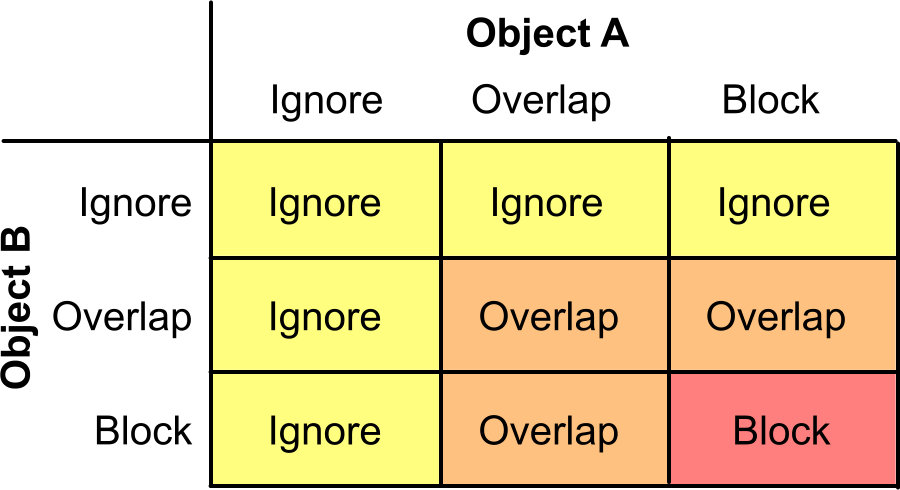
@supple solar
this is how its suposed to look like
just the pawn sensig wont turn on as i put it behind a wall so it cant sense me
 supple solar
O.O
supple solar
haha
viral herald
@flat plinth
👆🏻
and yea freshestveggies
though for 2 years ive been trying
and in the past 3-4 weeks, i started to try programming myself and got some good progress
plush yew
my current goal is to give the 1st person character the ability to drag around boxes somewhat simmilar to how you can move physics objects in source games i guess?
if anyone could point me towards some tutorial for that
id be thankful
latent moth
you mean lift or drag behind you?
plush yew
any will work
latent moth
a simple lift can be achieved with the AttachToComponent node
you can attach a mesh to a socket of your character
so for instance you can attach a mug to the hand bone or a custom socket of a character
you'll obviously not have any animations of your character grabbing the object, that is a separate thing
but it'll get you started
 lone galleon
sup people
plush yew
hey we've replaced the physics engine in Unreal, an d found that velocity now always returns 0 (oddly enough it did this in the binary build as well :/), any idea how we can calculate it either in C++ or blueprint, we've gootten nowhere
we can do it via blueprint 'easily' however it always returns 0'd values every other frame, we made a massive (almost 700 nodes) function to do it and it did it, but our framerate absolutely hit the floor, I'm not hugely versed in C++ but we have a custom movement component, I've googled about a bit but as usual found nothing
karmic igloo
@plush yew If you just want to find the velocity, you can subtract the previous frame's position to the current frame
karmic igloo
and then divide by delta time.
Well that's weird. Does your object only move every other frame?
plush yew
so yeh we can't really do much with that its pretty useless :/
i even just put an add actor local offset, set it to sweep and applied a downward force for testing
still only returns every other frame
karmic igloo
Is there something else printing a vector?
plush yew
no I did check
karmic igloo
Well then I'm not sure what the problem is.
plush yew
I actually only found out because it was screwing our gravity calc up
probably crappy engine 2bh
it has a lot of problems like this constantly battling with it
wary wave
I'm pretty certain this is a case of user error
if nothing else is printing a vector you could be calling it twice per tick or something
plush yew
I cleared out the blueprint just to be sure
wary wave
twice per tick seems to be the case, which is why you get a zero
'cos current position = previous position
plush yew
karmic igloo
And then you have a custom movement component that's making it move?
plush yew
we have a custom movement component yeh and some other blueprint event function making it move
we tried just a basic movement in one direction in the tick for testing
that still returned same result
karmic igloo
And have you set the print string time to 0 to see if it's only printing one per frame?
plush yew
karmic igloo
Set it to 0 so that the message doesn't stay.
plush yew
print string 0 shows 2 values
wary wave
the other possible explanation is two actors
karmic igloo
Then you're printing 2 values per frame.
wary wave
one not moving will also print 0
plush yew
i dont see where?
wary wave
you can verify that by additionally printing the name of the actor
plush yew
oh here i missed the search
if a take the print node away ther's nothing
that is the only print node
karmic igloo
Is there only one object in the scene you're testing?
wary wave
this is why I said print the name of the actor at the same time
plush yew
I did do a branch to only print if the value is above 0 and i got one line with 0, 0, 0
so we tried this in our custom engine, and the binary engine and in both the same problem presents
karmic igloo
How many actors are in your scene?
plush yew
your a star yeh that's fixed it
wonder why even though the other actor isn't active its still active though
i mean its an easy problem to fix just curious
plush yew
had a massive problem yesterday we have our engine dude ripping out the entire animation system of the engine, since we cannot use turn rotation animations effectively
got it
i always thought it was an 'off until you tell it otherwise' system glad we got this one early
we have animations that are industry standard and using a custom skeleton, and we cannot say "at the end of the turn animation put the character 90 degrees to the left", the entire animation system is effectively 'one way' which seems kind of old, even source engine had a better system set up for them
wary wave
"at the end of the turn animation put the character 90 degrees to the left",
sounds like root motion
 tough sierra
I have two questions:
- Is it possible to move the capsule component on a character? My characters capsule component is Z-Coordinate is at -90 units below (see Image one)
- How do you utilize the playerstart? My players are currently spawning at 0,0,0 not the player start.
tough sierra
Still doesnt seem to fix the problem unfortunately
wary wave
it looks correct in the screen cap
as for player starts, that'll be determined by your game mode class
tough sierra
How do you change it?
wary wave
the default game mode base classes should use it automatically IIRC
otherwise you can override the FindPlayerStart function (and a couple of other related functions) to behave as you need it to
tough sierra
Heres the classes of my gamemode:
wary wave
that's irrelevant?
tough sierra
Isnt the gamemode what chooses the playerstart?
wary wave
there are dedicated functions you can override
you'll see them in the drop down inside the game mode class
tough sierra
Under class settings? all I see is
wary wave
no IN in the class
tough sierra
yeah you hover over functions then override
wary wave
bingo
tough sierra
Thanks a bunch 😃
wary wave
no problem
plush yew
How can I change the opacity of an Image (that is set as public variable under the "PlayerHud" blueprint) pressing a Button of the keyboard that the action is placed under the First Person Blueprints
 shy heath
my character is lening how do i fix it
pallid compass
fix the Collison
obsidian nimbus
looks like the gun is too heavy 😛
shy heath
XD
plush yew
Blueprint Runtime Error: Accessed None trying to read property PlayerHud from function: 'ExecuteUbergraph_FirstPersonCharacter' from node: Print String in graph: EventGraph in object: FirstPersonCharacter with description: Accessed None trying to read property PlayerHud
why it gives me this error?
i have created a variable reference to PlayerHud
And when i try to call the variables of this blueprint it gives me this error
i have created a public variable on the Blueprint FirstPersonCharacter that is a Object Reference to another Bp (PlayerHud)
and when i press the Key Q it should set the opacity of an image (of PlayerHud bp) to 0
but the cast to PlayerHud doesn't work
fair violet
@brawins#6695 if the cast fails it means either the reference is null or the cast didn’t succeed (like if you tried to put a key into a lock that doesn’t match it).
In this case your hud reference isn’t set properly most likely and is null
 tame flint
hey I am working on my game and I want to know should i continue with blueprints or re-write the whole thing in C++? I just want to make sure that the game will run smoothly...
pallid compass
dont multi post ur question in different channels
 ancient obsidian
@tame flint There is no simple answer to that. If you're doing game logics, formulas, scripts - you won't notice any difference between C++ and BP. Complex algorithms, like custom pathfinding, for example, better be moved to C++.
The best practice is to use both C++ and BP, for the same reason you'd have C++ and text scripting for other engines.
latent moth
you can also autoconvert BPs to C++ code
there are caveats but works pretty well
anyway don’t prematurely optimize
lament sand
Kinda need some help. I got the a fight game in the works, but having trouble making a stage but now I'm in need of help
pallid compass
#looking-for-talent then