#ue4-general
1 messages · Page 224 of 1
 thorny cipher
hardware in new zealand is so expensive
 steel meadow
did Epic really dumped all the Paragon assets on UE4 as free content? does it include the networking source code too?
 pallid compass
So its like, can i settle for a pervious gen i5 so i can afford a good board and upgrade later to proper i7/i9 or
do i just get what i can get now
no source code
 cloud cobalt
@steel meadow Not all of it, no sources, no Blueprints
thorny cipher
No @steel meadow
cloud cobalt
Just some assets
thorny cipher

Trade Me
Intel® AES New Instructions (Intel® AES-NI) are a set of instructions that enable fast and secure data encryption and decryption.
steel meadow
ok i thought its a full game asset its too big 17GB
thorny cipher
$698
cloud cobalt
Assets for a full game would be way more than a few GBs
pallid compass
yeah this is why i say, get decent board and a pervious gen gpu, then u can save up for something solid since u have goodboard
cpu**
 languid shard
@thorny cipher how about the new 9 gen cpus ?
thorny cipher
9000 ?
languid shard
I saw they were released for mobile platforms
thorny cipher
Range?
languid shard
should come to desktops soon enough
thorny cipher
...?
languid shard
yeap
cloud cobalt
@thorny cipher Be sure to have everything on a SSD, remove antivirus stuff, etc - hitches shouldn't happen even on fairly low-end CPUs, not for 5 full seconds
languid shard
coffee and cannon
thorny cipher
And you dont hitch on 4.19.1?
thorny cipher
Tried stat GPU and stat startfile?
cloud cobalt
I'll check later if you want
thorny cipher
That would be good
cloud cobalt
stat startfile always freezes a bit on start & end, but it should be smooth during operation
thorny cipher
yeah it hitches midway through
cloud cobalt
Tried looking all the threads ?
CPU stall is generally caused by an UE thread blocking all others
Like, typically, GPU taking too long
CPU stall would typically not be caused by performance issues
At least not directly
By the way, stat startfile in PIE is worthless, you're also profiling the entire editor - dunno if you tried in a "launch" setup or a PIE one
thorny cipher
It is touching the cache on my C drive
UE cache
which is a HDD
ill try it in standalone @cloud cobalt
 copper fable
how do i scroll through overload with VS?
thorny cipher
Do you guys have engine and project on SSD?
pallid compass
yup
thorny cipher
I have a 500GB SSD might move my OS to it
Does windows installer fit on USB ?
😄
My PC doesn't have a CD rom
pallid compass
I keep my OS on my lowest SSD
thorny cipher
Oh really?
pallid compass
because there is really no need for it too be speedy imo
thorny cipher
I have a 120gb ssd
pallid compass
well, do u really need a source build?
pallid compass
are u actually modifying internal editor content?
thorny cipher
no need it for dedi
pallid compass
i see alot of people pulling full engine source when they dont need too
ahh dedi building
yeah that sucks
engine pull is like 65gb
pallid compass
lmao u need another SSD
thorny cipher
languid shard
NVMe ssd 👌
pallid compass
I have m.2 and u.2 drives in my main rig
and then m.2 x2 in my laptop
they make a huge difference
thorny cipher
Yeah my win7 was SSD, but i moved to win10 and wanted to try it on my HDD
and never changed back haha
cloud cobalt
@thorny cipher Yeah put everything UE on a SSD, including your Windows system
Though they're fairly old SSDs for me
thorny cipher
this is agility
OCZ agility 3
quite old
Is there a way to check how many reads it has left?
Would hate for it to poop
pallid compass
yeah ur gonna find alot of junk software
languid shard
yo why not use a floppy disk reader ? 😄
thorny cipher
hahaha
i don't own a lot of USBs
I swear if the hitching still exists after this 😠
copper fable
guys i downloaded an asset with materials
but when i assign the materials
to the object
they gjust go blank
Saying uknown extesnsion "uasset"
 grim ore
how are you assigning the materials?
copper fable
i am dragging the folder into contents
grim ore
yeah that is not going to work
copper fable
coming up with errors now saying uknown extension uasset
grim ore
uasset files are files already imported into UE4, you cannot import them
where did you get the files and are there no instructions?
you would import/drag drop items like PNG or JPG images and FBX files
then UE4 created .uasset files internally for your project
copper fable
i am following a udemy course
grim ore
you can try putting them directly into your content folder on the drive but they have to be the correct version or they will not work.
 plush yew
Anyone here who is an expert at particles?
 sand spear
hello guys, does any one test this controller with UE4 ? iPega PG-9021
I want to use on android
 mint umbra
Hey guys, does anyone have any suggestions for how to get crisp and intense shadows on landscapes with dynamic lighting? I'm getting too soft shadows at the point where they barely make a difference.
 urban meadow
@mint umbra look at the shadow options on the light. there are options like shadow bias, filter sharpen, etc
 proud pine
I am wondering does unreal wiki is a popular destination as a source for information sharing/learning?
https://wiki.unrealengine.com/Main_Page
^ this one
it is just that clicking on "list all pages" it brings up a slot of spam pages like this one
https://wiki.unrealengine.com/Samsung_Printer_Customer_%2B1(833)*338(9444)_Service_Phone_Number
 austere yacht
Is there an event for pressing a key similar to EventOnClicked? Or do you have to create that event yourself?
 paper kernel
onclicked is actor specific
you can do a degelate that listens for certain key press tho
austere yacht
degelate?
paper kernel
delegate*
austere yacht
Is that programmer lingo? I still dont get it haha.
paper kernel
no, it's just event that is bound to certain action or time
 regal mulch
Math question. Got UMG Sliders that have a StepSize. SliderRange is 0 to 1. Step size is for exmaple 0,05.
Now every slider represents a different range though. So 0 to 1 is e.g. mapped to 300 to 1500 or 20 to 100.
How would I calculate the stepsize to always add 100, (ro 10 for the second example)?
austere yacht
That sounds perfect if you want to spawn something on a keypress or am i wrong?
paper kernel
@regal mulch normalize to range?
regal mulch
Yeah kinda doing that, but the StepSize needs to be calculated
Cause the stepSize is for the 0 to 1 range
If the number range is 0 to 100, then 0,01 would add 1 per step
Or 0,1 would add 10
paper kernel
@austere yacht probably, but for that you would be using just regular action event, unless it's bound to certain criterias or events
 manic pawn
1/(max-min) ?
paper kernel
yea that should produce the step size for slider
regal mulch
Perfect. Works. Thanks a lot @manic pawn !
austere yacht
Im trying to spawn an actor on mouse location when a key is pressed. How do i do that?
I know that the key must be to get mouse location but after that im lost
Also, do i even learn if i ask here? Its like im asking for help to finish 90% of a task when i managed to do 10% of it.
proud pine
it depends. learning is a tricky thing
"Im trying to spawn an actor on mouse location when a key is pressed. How do i do that?"
^ one way to do it is InputEvent for the Key you want to press, when this happens you get the mouse location after that you spawn actor at that location
that would be the flow
austere yacht
How do i find the proper blocks to make that work? Do i just play around until i find it?
paper kernel
I mean, that's one way to learn how to do it
once you get the location vector where to spawn, rest should be easy
proud pine
playing around and checking documentation could work, also check out video tutorials by epic on the documentation site
paper kernel
playing around is fine too, you gotta memorize the whole api anyway
proud pine
the more you spend time going again and again through docs and playing around the more coherent picture would appear when you want to do something
paper kernel
tbh, I would only read docs if you can't figure out what something does
or, when you're looking for certain functionality
 hushed monolith
I pressed a hotkey on accident yesterday and did something to my editor... Was hoping it would just go away after a restart but it did not. I'm not even sure what to google because I don't know what this is. Can anybody help?
hushed monolith
I'd really recommend going through all of the given templates if you haven't already. Collectively they have a whole lot of functionality already covered. And the community samples have even more
@austere yacht
 wheat patrol
Guys help
I can not install UE4
It says NO INSTALADO, NOT INSTALED
And I do not see any option in order to install it
Oh I have it
no problem guys
austere yacht
Thanks for the tip and the help guys
 fierce tulip
video of a tornado mesh, me saying "i know its a few million polygons too much, but its just me goofing off"
youtube comment: "way too many polygons!"
no shit sherlock
thorny cipher
An update.
Reinstalled windows onto a SSD. 4.19.1 hitching still occurs
¯_(ツ)_/¯
pallid compass
well yeah? windows has nothing to do with it
last thing u need on ssd is windows if anything
least you know it wasn't an issue with drivers to some degree
 stable orbit
I was just wondering if there is a reason for this to happen.
I have some items (bp created from a class) that I placed in the level, sometimes when I change something in the code and I compile it (hotreload) some of the properties such as UTexture2D, StaticMesh, Enum are reset to their default value in the blueprint.
plush yew
@stable orbit don't hot reload unless only changing c++ function bodies
If you touch the header or especially if you change components etc you can really screw up BPs
The BP resetting is common if touching headers
I personally just close the editor when compiling
fierce tulip
https://i.gyazo.com/7da1de8f363dab462b93da6cafe8d393.png
really makes me wonder if they'll ignore it if someone doesnt want to spend any more time reporting the bug and go to the new bug report setup. (which is annoying af)
 plush yew
In PUBG how do you think they can use the third person animations in first person but have the gun perfectly aiming down sight? Would they make a base perfect aim animation in Maya and just move the fingers / align each gun mesh and export a new aim animation for each weapon, or do you think it's an offset done in UE4 itself (or both?)
Any examples on how one would do this in general would be great. It's easy to add a true first person camera but I can't figure out how to sync up the animations without A: using a separate arms 1P mesh or B: having the ironsight not dead centre which eliminates the point of aiming down sight
 obsidian nimbus
this would look bad in most cases
plush yew
What would? I'm not sure how to go about doing it
obsidian nimbus
most games do it with extra pair of arms
plush yew
Got it, probably the best way to go then thanks
I did think PUBG did it without a separate 1P mesh
 gloomy pollen
thats what i do
cloud cobalt
@plush yew Everyone asks that question at some point. I tried it myself on a game and it fairly doesn't work
plush yew
@cloud cobalt is it just not nice to handle and have work in both 1P / 3P?
cloud cobalt
Basically, third-person animation is way too dynamic, generally
obsidian nimbus
i dont think pubg does it w/o extra arms
plush yew
So you'd have stuff clipping in etc?
gloomy pollen
you can change what the owner can see
cloud cobalt
Everything moves around, you need to be super careful creating the animation so that you don't have excessive movement
obsidian nimbus
same for GTAV basically every games that can switch uses it
cloud cobalt
It's a mess, and it's way easier to just use two sets of meshes
plush yew
So you'd essentially create two different sets of animations (1P / 3P) and only display 3P to other clients even if it doesn't fully match up?
I guess it's all about the illusion
If the 1P player feels good and the other people see a similar 3P anim, it works out
obsidian nimbus
check the shootergame example
gloomy pollen
yep even works with aim offset
obsidian nimbus
other players wont notice cuz they cant look over ur sight
plush yew
I am familiar with ShooterGame I just somehow thought PUBG did it with 3P for whatever reason
Any tips for perfectly lining up the 1P animations so the crosshair is dead centre?
Or do you just have to make sure in Maya that you have the guns sight pointing at the origin and move the arms accordingly?
obsidian nimbus
you move the arms mesh with the camera 😛
plush yew
Right but just attaching a weapon to those arms will mean when aiming, it doesn't line up 100% with the center of the screen when aiming
As in you'd want dead accuracy with a red dot sight
Do you just make sure that in Maya you have made the animation so that the gun points at the origin, or do you offset it in UE4?
obsidian nimbus
most games u dont see the hands
wheat patrol
Guys I would like to know if it is possible to make a multiplayer game with unreal. In a not difficult way I mean
4 example as unity does
Or something like that
Do you know something about that?
obsidian nimbus
local MP?
wheat patrol
Well... if possible via internet, not local
plush yew
Ok so imagine there are no hands and you just have a gun mesh attached to the camera. Say you pick up a new weapon that is much bigger. If you lined up the first weapon so that when you play the aim animation, the iron sights were dead center of your camera, then the second bigger animation would be offset. Do you have a system to manually offset the gun so that the sight always lines up dead center with the camera
obsidian nimbus
yea you can play a default starter project over internet
wheat patrol
So I could make a multiplayer game?
obsidian nimbus
yea
wheat patrol
Imagine a survival island game (multiplayer) would it be “”easy”” to give the option to make it on-line, right? PD: Sorry for re-asking, just making sure xD
plush yew
You'd still have to learn MP and networking
There isn't a "make multiplayer" button
But it is very easy to do so once you know the basics
obsidian nimbus
well its fairly easy. depends on the mechanics u want in it
plush yew
If its 4 players you could do P2P
Which is free because on person hosts
Sorry I thought you said 4 players. Basically dedicated is the best experience but it costs money
P2P is free but needs one player always playing to host and also a less fair connection for non host players
wheat patrol
So if it is only 4 it is free? Don’t understand why, P2P (Peer 2 Peer??)
So like a mine craft server right? xD
obsidian nimbus
player hosts the game
wheat patrol
I don’t find more examples xD
obsidian nimbus
versus amazon or google hosts the game
obsidian nimbus
Unreal Engine
A previous blog post offered a crash course in blueprint networking, but now we’re back with a thrilling six-part mini-series on creating blueprint content that works in a networked game!
if u watch those vids u can do a simple MP thing
host needs to port forward
wheat patrol
👍🏽 thanks!
 upbeat eagle
does this still work https://docs.unrealengine.com/en-us/Gameplay/HowTo/CharacterMovement/Blueprints
ive tried it many times and its always glitched but i thought i just did it wrong
thorny cipher
@fierce tulip they do have someone reviewing bugs, i got an email one day
although the email i got was them saying it wont be fixed
so i dont know if that counts
obsidian nimbus
@upbeat eagle looks like something that prolly still works
obsidian nimbus
what step doesnt work?
upbeat eagle
the character like gets stuck crouching
if i recall
im gonna do it again and see if im just doing something wrong
obsidian nimbus
sounds like u missed a bool
 proven tree
hello
can someone help me
I'm trying to use level streaming and multiplayer
so basically i want to walk and change the servers
any idea how to do that
fierce tulip
Unreal Journal
We recently found a huge leak in the UE4 garbage collector, particularly rearing its head on dedicated servers for large open-world games. Servers for arena type games with short play times (<1 …
 zealous depot
is it possible that i am not allowed to add a timeline in a blueprint? i right click, type "timeline", no results other than cast to timeline... even when i turn off context aware search... i dont understand all the documentation just says "right click add"
 livid haven
Are you in an event graph or in a function graph?
zealous depot
event graph
livid haven
What's the base class you selected for making the blueprint?
zealous depot
ActorComponent
(this specific blueprint has a parent class which is another ActorComponent blueprint)
livid haven
Hmmm.
zealous depot
in the parent class i also cannot add a timeline in the event graph
livid haven
So...
What it fails to explicitly mention is that adding a timeline is actually adding a timeline component.
Which, naturally, means having an actor.
zealous depot
ok, but since this is an ActorComponent, I should be able to create components on the return of a GetOwner node, correct?
livid haven
Technically, yes, but at least out of the box this isn't going to get you all the UI to create a timeline.
zealous depot
(i'm coming from Unity land and some things are definitely tough to forget and switch to UE's style)
ah, OK, ok.. maybe you can suggest a better pattern: i'm trying to extend functionality for Actors in the scene. My naive approach was to create actors (say a static mesh), then add blueprint components so that I can call functions on those very components from my first person blueprint
in this case, i raycast, collide, try to cast to this unique ActorComponent type, and then if its valid, call the function i know will exist
livid haven
Componetizing isn't a bad approach, it's just that a given component blueprint can't contain other components.
zealous depot
my goal with this is to allow easy iteration when setting up scenes: place all actors (meshes, really) then enable certain actors to be interactive by just adding a component
livid haven
Which means componetizing a timeline isn't really feasible. 😦
zealous depot
hmmm, i miss coroutines immensely from C# land 😄
so... what exactly is the correct UE4 pattern to achieve something like this? the reason i want to add a timeline is (in this case) to fade the object out by using a timeline to set the Opacity parameter of my material
livid haven
You'd have to create the timeline directly on the actor. Maybe programmatically would work better for that.
zealous depot
(my ultimate goal still being maintaining ease of iteration for level / gameplay folks)
that's OK, i can revert back to my C++ sandbox too... is this doable in C++? add components from a component?
livid haven
You can add components in BP or C++ from a component, it's just that timelines are very specialized in terms of UI.
upbeat eagle
http://prntscr.com/j6mtqv what is that blue dot called

I found a reroute node but im not sure if thats it
 worn granite
aye
upbeat eagle
yes it is
 glossy flame
Reroute nodes take the color of the line plugged into it, if that's what is confusing you
They start off as just gray if you manually place one
zealous depot
Sion, so in this case, its ultimately C++ in order to achieve this functionality (add Timeline from component)?
thorny cipher
@fierce tulip aw fuck 4.19 leak?
fierce tulip
iunno, just sharing for the sake of sharing.
upbeat eagle
OH
fierce tulip
 upbeat eagle
http://prntscr.com/j6mych does this matter?

if yes how do i fix the 2 warnings
I remeber i did something to it a while back in the settings i think
pallid compass
dont do get char inside animation area
do it in anim graph
thats designed for it
mint umbra
Hey guys, I'm trying to remove my mask from a selected other masks on my landscape. It's not working properly. I.e if there's a masked spot which has a flowerfield, I want that to win over a mask with mud.
Here the flowerfield and mud has been masked in the same area. I want only one mask to be able to mask one area at a given time. I.e the mask that's closes to 1 is the mask that actually shows. How should I do this? I've been successfull at removing the mask from my cliffs (slopebased) and beaches/snow (heightbased), but not my general erosion and other variation layers.
upbeat eagle
not related to answering your question but thats some nice vegetation
fierce tulip
slomo console command not working in editor?
mint umbra
@upbeat eagle Thanks 😃
obsidian nimbus
why slomo the editor?
just turn down the camera speed 😛
as far as i know it worked in PIE last time i checked
usually i use custom time dilation tho
 mint sequoia
@wicked tiger As always the auto login never works (at least for me, at least on chrome), but now the docs links are broken when you're not logged in and just take you to the docs home page -- EDIT: Let me revise, the first time it sent me to home page, the second time it worked
obsidian nimbus
set global time dilation
fierce tulip
@obsidian nimbus pie doesnt work atm for this project, and i need to test something that takes a looooong time in a material thats active in the map
plush yew
Is there and updated tut for this? https://forums.unrealengine.com/community/community-content-tools-and-tutorials/42393-tutorial-let-it-rain-but-not-indoors
Im using 4.19
fierce tulip
its not controlled trough blueprint, its world time related, and i cant change the speeds in the material itself since itll mess up a loooot of timing
simulate also doesnt work
only realtime viewport works atm
obsidian nimbus
sounds like a broken project 😛
obsidian nimbus
well i dunno, never tried to slomo the editor 😛
when it time comes ill make it work tho! 😃
 karmic igloo
Any chance of HFTS being added to UE4?
upbeat eagle
guys after like 2 hours i finished doing the movement system using this tutorial
im gonna click play
and uh the animations dont change
lol
grim ore
time to debug then!
grim ore
start throwing breakpoints everywhere and validating the data
upbeat eagle
i unchecked this threading thing in the settings
now theres no warnings or errors
but it doesnt work anymore
so uh
i mean it works the same as before
 obsidian nimbus
grab the anim bp from shootergame, done , profit
grim ore
about all I could guess is the change to the anim blend spaces might have made following that part different but the rest should work if the code is right
upbeat eagle
im thinking its because the tutorial is for engine 4.9 but idkkkkk
grim ore
only major change since then was the blend spaces layout
obsidian nimbus
its a 9 step tut, couldnt u test parts of it half way?
obsidian nimbus
well anim stuff is kinda tricky if u never used that stuff
upbeat eagle
yea this is my first time other than the numerous times ive failed doing the same thing
grim ore
Im on part 3 so far, what doesnt work for you? any animations?
 still pilot
Is the new Ray Tracing going to be in 4.20?
 weary basalt
Id say it will be an seperate fork.
still pilot
oh?
grim ore
@upbeat eagle it should work, I just got thru part 5 and besides the warning, which I did not fix, it works fine.
upbeat eagle
i got like 12 warnings
and than it doesnt prone or crouch
and moving with wasd is inverted
which i think i know why
grim ore
I've got the thread unsafe warnings but those don't affect it. Does yours walk?
upbeat eagle
yes
grim ore
welp if walk is working then your BP is set up atleast. You can test in the anim blueprint using the anim preview options in the bottom right btw. set speed to like 200 and it should start walking in the preview
make sure that is working
yeah now that I am adding in the rest of the nodes I am getting more warnings. how the hell did epic even allow this to get put up on the docs page
getting a fixed key input in an anim bp....
upbeat eagle
exactly its super strange
i was thinking i was doing something clearly wrong but i guess not
copper fable
if a breakpoint is triggered can i get out of play mode and save?
grim ore
it's strange yes but it does work regardless of strangeness
so you are doing something wrong it's just not clear
upbeat eagle
ah ok
copper fable
becsaue it is anoying getting break points and loosing data on the project
 unreal spoke
So I changed something and now my third person shooter character (duplicated from the default one) seems to walk completely wrong. The mouse doesn't work at all and the WASD keys are making the character to walk in those directions instead of rotate strafe with AD and advance/goback with WS. Any idea what did I change?
 hidden heart
grim ore
hidden heart
grim ore
check these commonly fubared settings https://docs.unrealengine.com/portals/0/images/Gameplay/HowTo/CharacterMovement/Blueprints/Setup_1/Characters_6.png

@upbeat eagle yep it works correctly I just finished all 9 parts. The warnings do not stop it from working. There is no prone movement animation but that's not really an issue but the other animations work as it shows. the only thing that is really not there anymore is parts of the blend space since it was changed but that is only needing to push the apply button which is now auto applied
grim ore
so the first thing to check is can you debug it in the animation blueprint using the anim previewer options
change speed in that window to 200 and he should be walking in the top left
grim ore
ok if you click crouching does he crouch
upbeat eagle
the character is aiming down the sights
unreal spoke
@grim ore Fixed, thanks
upbeat eagle
is that something to do with it
grim ore
nah that is just the animation that was used for the example
upbeat eagle
no like when i test the character is aiming down the sights
the wasd movement keys are also inverted
grim ore
thats probably just you using the 1.0 and -1.0 in the input settings backwards
grim ore
when you click the is crouching in the anim bp in the preview editor does it crouch? We don't need to worry about the input when we test it this way.
grim ore
in the animation blueprint, same place you adjusted speed to 200 and got him to walk in the top left
we can use these to test the anim blueprint rather than launching the game
grim ore
so it crouches in the anim bp?


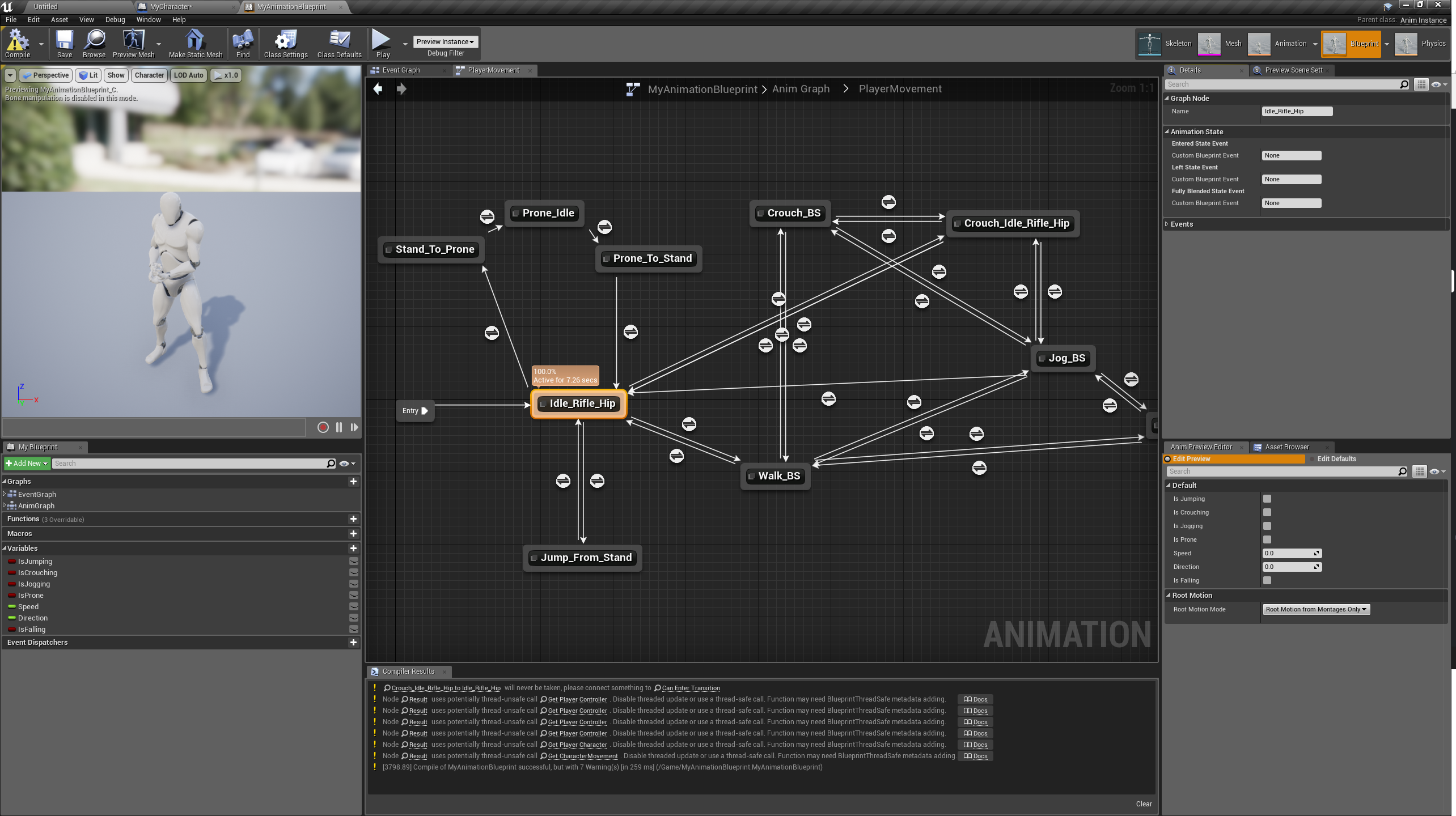 grim ore
if you check is crouching does he crouch
upbeat eagle
yes
upbeat eagle
Yes?
grim ore
look at your event graph you posted above and look at your set XXX variables at the end, look at what you are feeding into them
if jump was pressed -> set is jumping. If jump was pressed -> set is crouching. if jump was pressed -> set is prone....
grim ore
well your getting the wrong variables from your character and then setting them there.
upbeat eagle
Oh
grim ore
Jump Pressed? If so set Is Crouching.
upbeat eagle
Wait
so it should be
Jump pressed > Is jumping
Crouch pressed > Is crouching
right?
grim ore
yes unless you want it to crouch, prone, jog, and jump every time you jump and do nothing when you crouch, prone, or jog
grim ore
it should be jump pressed, and crouch pressed, and jog pressed, and prone pressed.
 grim ore
crouched is wrong
the character itself has certain things it knows, like if its crouched or falling and that is what you are asking it
you want the "Crouch Pressed" which should be under default probably when you search for it. this is the one you created in the character and you set when you hit the crouch button
upbeat eagle
Alright
I got that
controls are inverted again
im gonna mess around with the inputs
grim ore
weird they are getting changed
grim ore
if he is walking he should, that is the animation that is used
grim ore
open up the walk blend space and you can see that
upbeat eagle
yea
grim ore
the default third person template/feature pack has normal walk which is why it's not in the animation pack, this is all extra stuff
upbeat eagle
every animation is with a weapon
hmm
just realized theres no animation for just no weapon at all
huh
well what if i got animations from the multiplayer one
since really all i need is a walking animation for now
grim ore
almost all the animations should be compatible with the default skeleton
grim ore
you can right click any assets and use asset actions and migrate them out
 mint raptor
so the visualizing of motion blur does that show blur from TemporalAA or actual motion blur?
 desert bronze
what do you guys think about this---https://www.youtube.com/watch?v=tXUyR2D8Pxc

Hey everyone! Today we look at Asset Forge. We will see if it can be a great indie game development tool or if it needs more time before it is useful. I hope...
 grim sinew
Indifference, not sure why anyone would use that over just a standard modular model kit
 mortal gale
 oblique coyote
can anybody recomend a place where to get animation packs (military) diddnt find anything in the marketplace and maximo isnt really that great (mostly stuff is off center) any recomendations would be great.
proud pine
what are your requirements exactly for animation packs?
oblique coyote
Best would be possiblities for walking crouch prone (all movement) and aiming with those
proud pine
there are plenty of anim packs at marketplace by Kubold (not sure about spelling) guy makes quite good looking mocap stuff
oblique coyote
if i had the money id go for that wich i dont
proud pine
oh, well, does the animation is the last thing you have left on the project? maybe you can switch to other features for now that won't require $$ budget
oblique coyote
well i could use the anim starter pack (except the prone the prone isnt really great)
yee good point
oblique coyote
@proud pine actually im gonna spend the last bit of money i currently have for the first package and go from there
proud pine
what I meant is that "is the animation actually a last piece you need"
are you sure you be 100% done and shipping?
oblique coyote
well yes and no its preatty much a important part (to explain im working on amilitary sandbox)
so i defently need the animations asap to show off various different things
proud pine
try anim starter first and then reevaluate
spending last money and then finding out it was thrown for something that won't suit your needs is not a cool thing
oblique coyote
well its my last money for the month
 crude rock
Uhmmm does this seems logical..?
https://gyazo.com/55595d2acd8ba0cf326578a7ebf14bf7

Im still at 60% 7 hours later..
not out of memory (still writing to RAM) 100% cpu usage.
languid shard
what are your settings @crude rock ? What kind of scene are you baking ?
crude rock
https://gyazo.com/d185b009065f6f76d9035f9eb4dad332 lightmass settings. The scene isnt too complex.. though im getting 74x 4096 lightmaps.

im thinking my foliage might be messing with me..
 soft garden
hi, when i take two screen of ambient occlusion buffer view and try to composite, i see this orrible cut
languid shard
woh 5 for quality is quite high
crude rock
Yeah 5 is high, but i need it for a realistic bake..
soft garden
someone know why?
languid shard
do you have any 2048px lightmaps ?
soft garden
no lightmap, my light are all movable
crude rock
i have 1x 4096 lightmap in the scene.. otherwise everything is set to about 16-512px
languid shard
@crude rock that's... too much :p
can you split it into two objects and use a 2048 lightmap ?
2048 is the absolute max you should use, unless you don't care about bake times
crude rock
This is the scene.. the landscape component for the island is 2048 otherwise the trees are 256px and general foliage 16px the building is 4096 ( one mesh, two materials)
grim sinew
Don't make a 4k lightmap, that's why.
Lightmaps, per object, are single threaded.
You're murdering your poor CPU
crude rock
baking on a 32 core though!
im thinking about either canceling or letting it finish.. its the last production lightbuild.
grim sinew
It doesn't matter if you bake on 32 core if it only uses one core.
That's the point I'm making.
You can bake on a 128 core CPU and it would still be as slow as someone's single core CPU.
 wary wave
4096 is pretty high
languid shard
@crude rock https://i.imgur.com/UzQYyMz.png

see this ?
every line is a core
do you have one that is super long ?
and getting far from the others ?
that's probably your 4096px map
crude rock
Nope, they are all moving in parallel

this is my density view
the red parts are the building that isnt evenly mapped in the second UV
 cedar snow

Introducing Megascans Bridge 2018, a huge time-saver for downloading Megascans assets straight into any application. Beta releasing shortly. In this demo we ...
grim sinew
That is a very loose definition of live link
wary wave
which part of it is the live link?
cedar snow
i think it's around the 6min mark
grim sinew
All they did was make a tiny floating window that messes with a material instance XD
And they added a whole UI Megascans button for that
They are so desperate to sound like they have feature parity with substance to justify that button
cedar snow
have no skin in the game and think that anything that helps me save time is a net plus
copper fable
what does this error mean ? "Severity Code Description Project File Line Suppression State
Error MSB3075 The command ""D:\Program files\Epic Games\UE_4.19\Engine\Build\BatchFiles\Build.bat" FPSGameEditor Win64 DebugGame "D:\Unreal Projects\StealthGame\FPSGame.uproject" -WaitMutex -FromMsBuild" exited with code 5. Please verify that you have sufficient rights to run this command. FPSGame C:\Program Files (x86)\Microsoft Visual Studio\2017\Community\Common7\IDE\VC\VCTargets\Microsoft.MakeFile.Targets 44
"
wary wave
it means you don't have admin rights on that machine, normally
copper fable
right well i just made a build like 3 mins ago lol
wary wave
it can mean that a file is inaccessible because it is in use by another process
fierce tulip
i just had a "can you help me make an mmo" message
grim sinew
Luos. Can you help me make a VR MMOFPS with zombies, with a map the size of the whole planet earth with a battle royale wall that closes in every time someone gets a kill?
It'll need photoscanned assets of every object on the planet, I want it to be completely realistic.
And if possible, can you make it unlimited detail?
I know you're good with particles, so I wanted to ask you, because the game needs to be done 100% with Niagara, even though it's not finished yet.
Oh and you won't be paid, and I need it done this time 2 years ago.
fierce tulip
its already finished 2.5 years ago but because battle royale wasnt a hypething back then it flunked and now both you and me are bankrupt
sorry
 safe rose
What's Battle Royale ?
cloud cobalt
Yeah it's been a rough day over here
cedar snow
how so?
cloud cobalt
Dealing with insane levels of stupidity
cedar snow
you're not trumps lawyer, right?
cloud cobalt
Not that stupid, but still
cedar snow
as long as you don't start rocking back and forth, everything will be alright
 sudden agate
The Project Settings allow displaying Movies at Game Startup. Is there a way to show a Picture (or multiple ones)only?
cloud cobalt
You'll want some fading effects on the pictures, so a movie is probably still better
soft garden
there is a way to disable ambient occlusion only for the borders of the camera?
i want to compositing two screen shots but i see the cut of ambient occlusion
plush yew
Did anyone ever figure out why we can't change texture format or settings without an editor freeze yet?
since version 4.7
even changing sRGB just makes editor freeze, I actually left one of the workstations on at the studio over xmas (about 2 weeks solid) in that frozen state to see if it'd ever unfreeze and it didn't
 surreal skiff
Does someone use ue4
plush yew
its been a real limitation of the engine and actually quite a big reason we've been looking at alternative engines
surreal skiff
?
plush yew
yeh, unfortunately, if you want to change texture formats or settings, so lets say you've packed something into the blue channel of the normal map and wish to not have unreal discard it, you cannot change this
but also we have some special mask textures on our assets we need to have sRGB set to off, but we cannot change this
 wispy vault
When I package my project, it looks like Unreal wastes a LOT of time working on assets that I don't use (I have a couple asset packs, from each of them I use like 2 or 3 things). Can I make unreal only work on assets that I actually use?
plush yew
yeh its one of the limitations of the engine and its really set us back
wispy vault
😦
plush yew
well it seems to be on Vulkan and OpenGL anyway
it does work in DirectX mode but we're not developing for DirectX
 tired island
Hey welcome :D
 devout gulch
@wispy vault yes you need to move assets around
and exclude content you don't to cook in project settings
just remember to have backup in source control
and maybe outside of it
if you screw up something with redirectors hell is going to open
wispy vault

wary wave
eh?
 tall pendant
lol
pallid compass
"ah yeh shit i forgot ue4 = no normal map support" fuck did i just read
also if your having issues with changing texture settings, then thats on your end not the engines
I do it all the time
wary wave
yeah, we do too
changing the texture settings shouldn't cause any kind of editor freeze
cloud cobalt
@plush yew Lol what
devout gulch

Multipacker is an Unreal Engine 4 Plugin editor for Textures and Bake Materials inside Unreal Engine. Its greatly helpful for every Project, allowing a great save of texture memory, a great and fast simplification on the workflow.
interesting
but it lacks one basic information
does it also extract packed textures from atlas ?
or do I have to manually do some gimmicky things in materials
plush yew
I normally do color in rgb, the red and green channel for normal information, blue for roughness and alpha for cavity
then add alpha on the diffuse if metallic or cutout is required
i've always done it that way, don't see the point in wasting samplers and/or memory when they can be used elsewhere
that way everything only needs 2 maps instead of 3
cloud cobalt
@plush yew So what's your point here ? You don't want to use regular normal maps, that's on you
Just reconstruct the full thing in the material
plush yew
oh ya'll talking about packing, i pack my normal maps into a single mask texture along with the roughness and cavity
or at least thats what i've done with professional work, unreal doesn't seem to allow changing texture formats though
cloud cobalt
Just build a vector with the red and green, plug a dummy blue constant and you get a regular normal map back
That's 10s of work
plush yew
it just seizes up so im kinda stuck with a broken standard, where we're forced to use bc5, which is double the memory and doesn't allow channel packing 😠
unreal has a "ohh I think this here is a normal map, I'm going to set the format to BC5" mode though, I can't seem to find a way to turn it off
cloud cobalt
If you want channel packing, use "masks" compression type
plush yew
I can undo the sRGB in the material itself although it's more instuctions and this contract has some pretty brutal memory and instruction constraints
i can't, when I select masks, or default or anything else the editor freezes up on me
cloud cobalt
That's weird, all of my textures use this setting, haven't seen any issue for now :/
wary wave
just tested it myself and it's working just fine
wary wave
doesn't even hitch, let alone freeze
hmm, you are developing in a Windows environment?
wary wave
then you should be fine
plush yew
for an unreleased platform, and only OpenGL and Vulkan are supported
wary wave
for a second I thought you might be on a Mac and the hardware might not actually support certain texture formats D:
cloud cobalt
Really though, you should be able to switch to the Mask texture type and you'll get channel-independent compression for packed textures. You might not have access to every texture format ever invented, but that's not what general-purpose engines are for
wary wave
have you tested your issue on a normal launcher build of the engine?
plush yew
all i can say is its a standalone vr device and the project has some of the harshest requirements i've seen in a long time. I love having little to work with though (reminds me of my work back in 2006/7) but the graphical fidelity needs to be up to par so i need every iota i can squeez out
wary wave
your problem is local, so if it doesn't work on a launcher build, it's your build
plush yew
hmm yeh its certainly not that standard and i did build it myself lol
 honest anchor
hello guys
i wan't to create my first game with unreal engine, this can be possible, i wan't to create .exe application to install the game on my pc etc, it's possible with unreal engine?
wary wave
if it does happen in a launcher build, it's the hardware
cloud cobalt
Sure @honest anchor
plush yew
languid shard
that's a high freq cpu you have here 😃
plush yew
I'm running the launcher binary build (4.19.1) off the system drive which is a 960 pro ssd, and the project on my repo drive, which is another 960 pro. im not sure if i've fuzzed any settings up but drivers are all up to date, bios is on latest etc
yeh i may have overclocked it a bit
i had it running at 4.8ghz but one of the fans (1 of 3) on my EKWB cooler has stopped working and im currently too lazy to replace it, so i just backed off the OC and voltages a bit
i dont think its the OC though I tried it on my old Ryzen build and it had the same issue
 faint sphinx
hi guys i have question
asset = three, grass chair etc... ?
tree
i mean asset = decoration ?
pallid compass
@plush yew pro tip 101 if your working on a commercial project do not for the love of god upgrade too the most recent version of the engine
You are masking for trouble
@faint sphinx yes assets = items
plush yew
i just got what ever build was on the launcher listed as stable
pallid compass
take 4.18.3
faint sphinx
@pallid compass oh ok thanks, how import?
pallid compass
I can assure u 4.19.1 is not stable
cloud cobalt
4.19.1 is fine
pallid compass
its as stable as far as u can throw it
Loads of people have been having issues with it
cloud cobalt
I actually had a random crash in 4.18.3 that 4.19.1 fixed
So for me it's safer
Your mileage may vary
pallid compass
I believe w/e that guys name was josh, was unable to even start the profiler yesterday on it
plush yew
oh... there's 2 features on 4.19 that are required
pallid compass
Yeah it depends on the what ur doing but majority of people will tell you dont go latest version for a job unless u HAVE too
what features?
plush yew
the first one is dynamic resolution and also 4.19 has an essential fix for monoscopic far field rendering that I need
pallid compass
u can pretty much make dynamic res your self as for monocarpic i have no idea what that is
monoscopic *
cloud cobalt
Seriously, 4.19.1 works fine -_-
plush yew
I'm REALLY hoping for virtual texturing in 4.20, I REALLY need that
pallid compass
If u tell people doing commercial work to go too a latest version of the engine is normally pretty stupid thing to do
Pick something stable and patched up and stay on it
cloud cobalt
4.19.1 isn't any newer than 4.18.3, really
pallid compass
otherwise u can fuck ur whole work group up by upgrading
plush yew
lol last job i was on had a custom engine and always did upgrades, those were not fun days lol
cloud cobalt
Release versions are stable branches - they're branched off what Epic uses and get weeks of QA. No release branch is more stable than another just because it's older
pallid compass
when u reach sort of .2 and .3
plush yew
I also agree re: sticking to a version, but in my case what if there's a feature I need (eg. Virtual texturing)
pallid compass
Thats what the majority of major upgrades stabilise well
cloud cobalt
That's simply not how it works
cloud cobalt
Epic stops working on version N once version N + 1 is released
4.18.3 has plenty of bugs that won't ever be solved
pallid compass
Been there done that, had my team pulled to a halt twice due too this reason
plush yew
mate if you've seen what people in the industry have (and have had to) to work with you'd cry, I've worked with some really fucking hacky software that's been added ontop of for decades, patched over and made to look new
the indie's have it really good right now, software that for the most part works and lots of support
some of the in-house engines I've worked with are so laughably old and broken I'm surprised some of the games I've worked on have seen the light of day
cloud cobalt
Epic doesn't do stable release that get updates for years like some other softwares do. Pick a released version, use it, and move to a new one if you need features, or bugs fixed. 4.17 isn't any more stable than 4.18, which isn't any more table than 4.19.
Now sometimes, some versions really are fucked up - like 4.18 is more stable than 4.17, maybe
That's not tied to their age in any way though
It's just that sometimes there are bugs
That's life
Saying 4.19 is unstable is bullshit - some bugs appeared, some bugs disappeared, most of it is the same. Pick what works.
plush yew
I think the most hacky thing I've ever seen was when we needed a timed event and some textures to change based on said event, however the engine no way supported changing textures at real time and it didn't support adding models to the world but it did support spawning in new characters, with custom skins on the shields (that was supposed to be a feature, which never saw the light of day) so we scaled a model up, and "built' the part of the map we needed changing out of characters holding sheilds and made the characters invisible. since there was no way to actually stop the animation (we could only specify a time) we played the animation for 10 years lmao
that was on a AAA game, which was thankfuly canned but there's a tun of that sort of stuff in released AAA games although it's slightly less prevailent today due to better standards and better understanding but it does still happen especially if there's tight deadlines involved and "impossible tasks" asigned
devout gulch
IMO
it's best to stay on Master and or Promoted branch
they no more or less sable than versioned releases
and are easier to merge if you do it reguarly
plush yew
isn't the master branch the live branch that epic essentially works off, that would make it the least stable?
plush yew
anyone here know whats in the pipeline for 4.20 amyways? Epic's been real hush on it and not updated their roadmap trello
plush yew
RTX? enlighten me
plush yew
i highly doubt that
devout gulch
it should be merged this year
4.20 is no better than next release for it
nobody is going to use it anyway
plush yew
we're a ways off from getting that sort of feature I don't think it'd even run well on even the best GPU's today
austere yacht
https://puu.sh/A5IEI/f897840af2.png So to make this work, do i have to first add the mouse position together into one, convert it to the orange type and hook up into the spawnactor piece to make this work? Im trying to spawn an actor where the mouse is pointing
 plush yew
I missed the GDC news, but real time ray-tracing is the holy grail when it comes to lighting and reflections I don't think Epic will just go "oh btw here you go we've done it!", it'd take really smart minds like John Carmack and a large team of people to work on the problem full time for years to come up with something that'd work well
devout gulch
well all you need to DGX station to run it
wary wave
You probably want to look at the stuff that came out of GDC, because Epic wasn't the only company to show off real time raytracing
DICE for example had a demo
austere yacht
And then convert the vectors into transform? @pallid compass
tall pendant
also note that the RTX stuff ran on a DGX Station with 4 Tesla v100'S
its only $50k tho
😄
plush yew
i wonder if it could be partially used, and instead of a full sollution, if it could be used to fill in gaps, like in real time reflections where screen-space can't fill in detail
devout gulch
yeah it was exactly how it was used in Epic demo
real time reflections
and everything else baked
(hur dur!)
tall pendant
world space AO sounds like an option imho
devout gulch
DICE demo while not so fancy was far more impressive
everything real time no baking
languid shard
@plush yew that's how they are gonna use RTX in the new Metro game
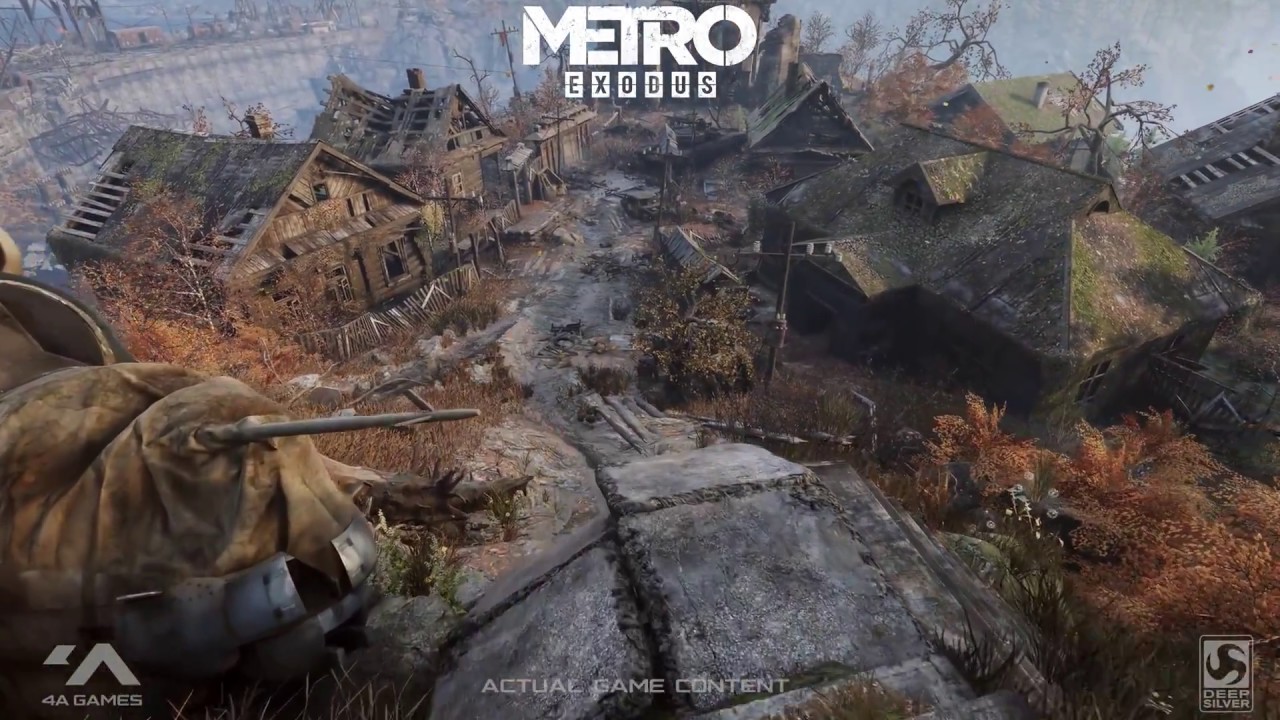
Official "METRO EXODUS - NVIDIA RTX" Cinematic Real-Time Ray Tracing Tech Demo (GDC 2018). NVIDIA using RTX technology to include real-time ray traced Global...
probably for AO and reflections
looks like they still use SSR for the water though ?
 wary wave
okay

 crisp fable
have you guys ever been on upwork?
holy shit
"can you make a game for me ill give you $18.50"
languid shard
"what you say no ? Fuk yu"
crisp fable
yep





 crisp fable
see this is decent
this guy wants a specific tree in speedtree for $150
thats reasonable
wary wave
Upwork is a complete and utter waste of your time
to test the waters I put a task up there for a simple control system using HTC Vive - about 1-2 days work depending on skill level
got absolutely nothing of value in terms of offers back
crisp fable
yeah
wary wave
my favourite were the Indian / Pakistani offers who admitted they didn't own the hardware, but thought they could do it anyway
crisp fable
haha
yeah thats exactly what i figured
that "can do" attitude only gets you so far
you actually need a computer
wary wave
it gets them as far as wasting half an hour of my time
crisp fable
every time we advertise for a job, we explicitly state you have to be an australian citizen
then we get about 50 indians anyway
fierce tulip
hehe
wary wave
'on site, in Czechia, must have right to work in the EU' - insert 150+ random Indians with no demonstrable experience with anything here
crisp fable
haha
wary wave
"can I work remotely" - erm, no?
grim ore
hey I can speek Australin` does that cound?
languid shard
well that's their culture ¯_(ツ)_/¯
just like chinese people and the "promise a lot, don't deliver much" culture
and the cheat stuff
crisp fable
ok this guy has a great idea for a game with jetpacks and hover bikes and hes wondering how much it will cost
i hate this site
wary wave
inexperienced Indians applying to just about everything en mass is annoying, but they're not actively out to be malicious
 sleek cobalt
Hi
crisp fable
no but they're not doing themselves any favours either
wary wave
they're really not
fierce tulip
somewhat related, when I purchased a new .com i still had my phone mentioned in my whois. i had so many paki calls it was insane
"ill make your website"
crisp fable
haha
fierce tulip
heya @sleek cobalt
crisp fable
you should give them the job
describe a really heinous website
and ask them if they'll do it
sleek cobalt
Indian tech support 😂
wary wave
they'll probably say yes, then immediately start looking for tutorials / free examples 😉
sleek cobalt
It would probably be a taxi driver in india trying to do it while dtiving
crisp fable
once when i got a random call from india they asked to speak to the owner of the house
surreal skiff
does someone know someone who uses ue4
crisp fable
i told them i just killed them
sleek cobalt
Lol
crisp fable
man i wish there were remote roles for what i do
and i dont even know what i do anymore
crisp fable
joshua dont upgrade
leave it as 2015 its fine
change platform toolset to theother option
crisp fable
did you install the 2015 toolset?
yeah sdk is fine i think
i just remember the last time i did that it screwed up
crisp fable
yeah thats right
thorny cipher
I forgot how good having OS on SSD was
manic pawn
put everything on ssd :D
manic pawn
that's a lot of drives
plush yew
hey any idea why add actor offset and collision dont work with sliding collision?
trying to put together a simplified character movement component, but the collision just stops dead, making it really awkward moving through tight areas
plush yew
yeh it works in the unity prototype i tossed together
it seems like a physics engine issue and it not supporting sliding collision
unless its some built in only thing, it works on the default character setup, but on my own (which is set up the same) it doesn't work
pallid compass
then ur prob missing some settings
plush yew
aagh i did spent all last night on this
i'll just send this off and tell my boss its an engine limitation and he can have the guy who does engine programming rip out the crappy physics engine and replace it
crisp fable
thats a terrible suggestion
 vale osprey
....
plush yew
plush yew
your looking at temporary/thrown together code but according to the documentation that should work
wary wave
I'm not sure what 'sliding collision' is supposed to mean
vale osprey
it's a query, the result of the sweep is in SweepHitResults
wary wave
actors can slide across surfaces?
plush yew
oh unity handles the colllision for you, you gotta do this all manually in ue4?
crisp fable
which as i said is done with linecasts not physics in the default impl
no, you can use collision still
but i wouldnt advise it
wary wave
if it's a character you'd probably want to tweak the movement component
default actors would 'just work'
i.e rigid bodies
plush yew
that's some pretty complicated mathmatics i'd have to figure out to write up a working line trace collision system
vale osprey
UE4, just as Unity handles collisions for simulating bodies
plush yew
don't suppose someones put one together already i can just copy?
vale osprey
hehe
crisp fable
yes the default character movement component
wary wave
I think you can just tweak params in the movement component to get slidey behaviour, IIRC?
vale osprey
afaik, CMC has all bells and whistles to behave differently on different surfaces
plush yew
yeh i was looking at making our own cut down version, getting it working then translating it to a C++ movement component
wary wave
could be as easy as just changing some of the friction vars
crisp fable
you can cut it down for a single player game
but i tried doing that for MP and ended up making something that looked almost the same
vale osprey
the result of the sweep is the position where first collision occurred or target position if there was no collision, can start from there
plush yew
yeh it looks like nobody has made public an example and we gotta use epic's 😦
wary wave
Epic's kinda is the public example
plush yew
i know it took the guy in my last contract several months of work
wary wave
depending on the behaviour you want it shouldn't likely take more than a few days 😐
there's a tutorial that covers double-jumping and dodging IIRC, using the character movement component
it's a pretty good starting point for understanding how it all works
plush yew
if i approach a wall at an angle, and keep going i either stop dead or pass through, i wouldn't know the math involved to cause the character to 'slide' along the wall instead of stopping
because even if the wall is 89 degrees on my left side where you wouldn't normally even notice, the character currently stops flat dead
wary wave
I don't think that's even the default behaviour
testing locally with our character and you'll slide against the wall
plush yew
yeh thats what im trying to do but there is no help on the math
crisp fable
in this video i try to simplify it:
plush yew
maybe my english isn't good enough to explain sorry
crisp fable
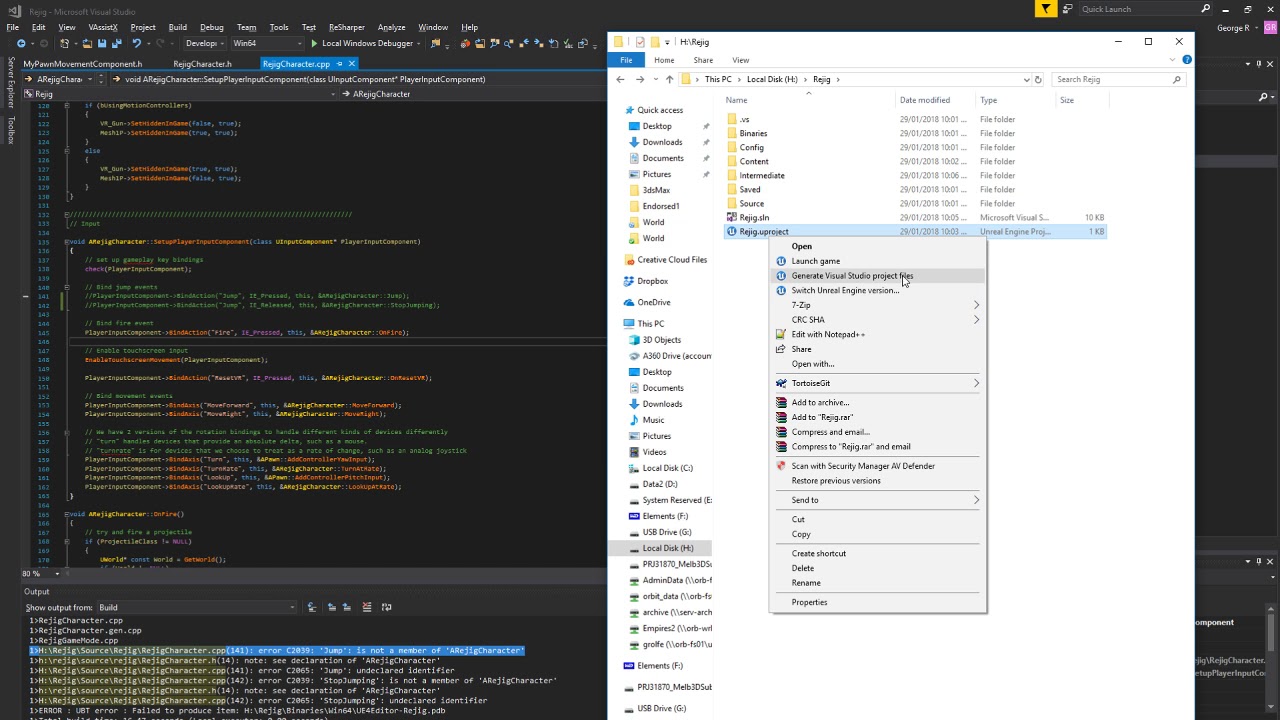
This video is preparation for the refactor, so skip to the next part if you want to see the action. I strip out functionality for RootMotion and obstacle avo...
its not pretty
plush yew
its essentially creating movement component, in blueprint from scratch
crisp fable
and its completely academic
plush yew
but Yandex (or google) isn't much help it just returns unaswnered questions
wary wave
you can't create a CMC in blueprint
you can try to fudge behaviours, but your ability to do things will be limited
thorny cipher
No idea why UE decides to rebuild the engine
Maybe OS move triggered an invalidation
crisp fable
i have my engine source on an m2 drive 😄
crisp fable
haha, i spent 3 hours on this stupid character movement exercise and just said "You know what this is retarded" and quit
crisp fable
i think its when i realised it was referenced all over the engine and i couldnt simply replace it

I split off the different movement functionality into their own classes - separation of concerns in action!
its boring i wouldnt recommend it
thorny cipher
😦
crisp fable
boo
thorny cipher
this is when i start to cry
crisp fable
yeah but again, your appdata folder
thorny cipher
yeah will just rebuild 😄
Ok rebuilt with visual studio code
And it works now
Why couldn't the other builder do that 🤔
crisp fable
yeah thats weird
thorny cipher
That feeling when you reinstall windows to check for a OS / driver related bug, but it's actually an engine bug 😫
 fair violet
@crisp fable you notice any gains from the M.2 in comparison to a high end SSD?
When compiling / booting etc
grim ore
I've got a higher end m.2 and a normal ssd in my laptop and load times for larger projects when hitting the UE4 DDC are fantastic on it. boot times are near 0 as well which is nice.
compile times are not a biggie as that is mostly pegging out the CPU and never hits over 500 for write/read speeds anyways.
copper fable
Anyone know where I can get some sword combat animations for ue4?
 cursive dirge
mixamo
fierce tulip
marketplace
cursive dirge
or look around marketplace if you want paid
paper kernel
mixamo sword animations are garbage
 tame flint
hey guys i am trying to utilize Component Overlap Actors to kill my character but i cant get it to work
what node do i need to connect it to? Event begin play or ON component hit/overlap
karmic igloo
If you want to kill the character when it overlaps a component, you'd want to use On Component Begin Overlap or On Actor Begin Overlap.
fair violet
@grim ore have you noticed an increase in the time it takes for the editor to launch? Usually takes 15-20 seconds for me but when frequently opening it in between compiles, would be nice to increase the speed a bit.
Also not sure what DDC is, can you elaborate?
Ah the cache
grim ore
DDC is the derived data cache, its where it saves yeah
since 4.19 I haven't seen any real issue with loading projects since they added the speedup to start but those are not C++ and not compiling
fair violet
Gotcha, yeah definitely noticed the improvement since 4.19 and it still is only a matter of seconds but speed counts even in small steps
grim ore
the initial load does benefit from a faster SSD but I think it's more a general bottleneck as it does checks than anything else
fair violet
Contemplating going all out and grabbing a high end M.2 drive soon (or is there anything even better than that)? But not sure if there would be much visual gain
grim ore
you're looking at 500-600 from a good normal SSD and 2k-3k for a high end m.2 nvme. It's a difference but when your talking a second or 2 I don't think it's a big deal
fair violet
Definitely a big price difference- currently running an 850 evo pro which feels very fast but also not quite as fast as it could be I think
Will have to see if it’s worth the upgrade
grim ore
yeah I am not on an SSD machine here so I can't check but I don't think loading even hits the max on a normal SSD
fair violet
Ohh so it may just be bottlenecked anyway and won’t use the full power it can?
grim ore
maybe. I'll check when I get home later. I got the m.2 with the laptop so no extra cost here but the only time I ever feel the systems is lagging is always when the CPU is pegged and rarely when the SSD is pegged in any machine here