#ue4-general
1 messages · Page 207 of 1
 grim ore
@dense patio it sets the fullscreen mode. you still need to toggle it on or off
 livid haven
LogWindows: File 'aqProf.dll' does not exist
LogWindows: Failed to load 'VtuneApi.dll' (GetLastError=126)
LogWindows: File 'VtuneApi.dll' does not exist
LogWindows: Failed to load 'VtuneApi32e.dll' (GetLastError=126)
LogWindows: File 'VtuneApi32e.dll' does not exist```
These shouldn't be cause for concern.Vtune is a 3rd party profiling application.
Going to take a wild guess and assume that aqProf.dll is also another 3rd party profiler.
 unique ocean
hmm
grim ore
@dense patio do fullscreenmode 0, then fullscreen and see what it looks like. Then do the same with fullscreenmode 1 and see what it looks like. 0 is native full screen, 1 is borderless windowed.
 dense patio
kk
grim ore
the command "fullscreen" toggles between fullscreen and windowed itself
dense patio
well so i dont code, fyi, at all, so im fumbling my way through this 😛
appreciate the help, but i dont know what you mean by setting fullscreen
in the graph editor i put there
i set the command line to fullscreenmode 0
grim ore
typing "fullscreen" toggles it on and off
dense patio
do i put another node past that?
unique ocean
before I do this, deleting these directories is completely safe right?
dense patio
@unique ocean yes
livid haven
It is safe to delete the Intermediate and Saved directories.
grim ore
typing "r.fullscreenmode 0" or "r.fullscreenmode 1" will change the way fullscreen works when you use it
dense patio
specially with many coders on a single project in a distributed network
livid haven
Everything in Intermediate is, inherently, a product of other files, thus the name "intermediate"
dense patio
@grim ore understand
livid haven
As for Saved, those are generally logs, backups of assets you were editing, and the non-default versions of config files.
grim ore
if your goal is to just turn fullscreen on and off using seperate buttons you will have to use r.setres with the correct options or use game user settings. just having a button that does "fullscreen" wont let you choose, it just toggles between the 2
dense patio
well the end state is this
if i click on fullscreen it should go to fullscreen for my native resolution
grim ore
then yeah you wont be able to use the fullscreen command
dense patio
if i click on bwindow it goes to borderless window
and if i click on the windowed it will go to windowed for my selected "size"
unique ocean
@livid haven so will I have to add back my config file if it contains things such as new collisions?
unique ocean
ah
grim ore
@dense patio then you will want to look at using r.setres or the game user settings. and example would be "r.setres 1280x720w" would give you 1280x720 windowed. w, f, wf are the options for r.setres
livid haven
Saved/Config is stuff you've edited outside of the editor, like if run your game and edit config values through it.
dense patio
yeah
okay i saw that as a new answer on answerhub
had yet to try it
ill check out the game user settings stuff as well
see if that works
im trying to make our "settings" stuff now, i finished watching your video, but didnt want to roll with paragons setup
grim ore
the game user settings is the "proper" way to do it now, but r.setres still works
dense patio
kk, ill stick to proper for now 😛 jsut need to read up on it
again thanks 100000 times over
so glad to have people like you who make this place worth coming to
❤
 wild kestrel
Join us for a first look at Epic Games' new Unreal Engine VFX editor, Niagara. This new suite of tools is built from the ground up to provide unprecedented p...
 weak harness
ew Ali A

Go behind the scenes with Ali-A as he explores the new replay system in Fortnite that enables content creators to use footage of recorded gameplay sessions t...
wild kestrel
 unique ocean
@livid haven Any idea what I should do if I deleted both of those and the editor still crashes on play?
livid haven
Debug your stuff. 😛
unique ocean
Debug?
Sorry to sound profusely newbish
Basically I should go in and make sure nothing sketchy got compiled right
wild kestrel
First of all look in to logs, in Saved/Logs to see potential cause of crash
somethign should be written in there
 safe rose
 unique ocean
There is a document full of message log text, that would be it right?
wild kestrel
yes
 elfin jacinth
@swift spindle Sorry just getting home. Are you sstill running into issues?
 swift spindle
@elfin jacinth yeah man.. still not loading properly... (taking forever to load while on net)
tested it on my other system... same deal.
swift spindle
I have not... because my co-workers are not experiencing quite the same thing
elfin jacinth
Sorry - can you elaborate? Are they having issues, just different ones?
swift spindle
some of them are also having issues getting the launcher to load
elfin jacinth
Okay, I recommend putting in a help desk ticket.
Does the launcher ever load to the point that you can see anything?
If so - there is a gear in the upper right corner, in that gear, there is something that says Enable Debug logging - if you can turn that on for me
 uneven fractal
Does the stream level node cause the same stutter as open level node/open console command?
swift spindle
it does load eventually... sometimes heh...
the thing that confuses me... is the editor also does not load for like 10 mins unless the net is disconnected... this is much more bothersome
unique ocean
[2018.03.23-01.57.03:675][802]LogLoad: Game class is 'GameMode'
at the bottom
I'm gonna assume that's not particularly indicative
elfin jacinth
@swift spindle Okay - I'll ask some questions in the morning
Please be sure to put in that help ticket too
swift spindle
okies
unique ocean
I think I found the problem, but it got more frustrating
The base animation BP I set up closes the editor whenever I open it
I replaced it's Uasset with a backup and nothing changed
I'm really hoping this hasn't killed my game, I don't know what to do
swift spindle
@unique ocean clean out your intermediate and saved folder
you should be fine then
unique ocean
Deleted both directories again, trying once more
Opened the game from the launcher, the folders replacements appear
I'm starting to wonder if there's any alternatives or if I'll have to jump back to a much older backup
Problem still persists
 dire fjord
quick question..how can I make unreal stop opening a new VS window every time I save something? I've got VS open, editing the files i'm working on. I hit save in the unreal engine and then suddenly it wants to pop up a whole new copy of VS.
unique ocean
Resorting to a backup version of my game, it seems that UE4 wins today
 restive eagle
@dire fjord by any chance you are adding c++ classes?
dire fjord
The first time I did yes
but the second time, I was just saving something that already had been saved after the class was added
restive eagle
hmm, not really sure then. but give a try disabling this inside your editor prefferences
http://prntscr.com/iv4m81
 dire fjord
Thanks, I'll check that.
 exotic mauve
might be a dumb question, but I wasn’t really able to find out a definitive answer online: for modeling a game level, is it feasible to use BSP? Or do most developers create the level in Blender/Maya and import it in?
 floral heart
These days, BSP is prototyping only. Perhaps primitive wall/floor geo could remain, but anythiing else will be replaced by models.
exotic mauve
Awesome, that’s what I was looking for. Thanks!
 upbeat trench
UE really needs a way to flag dodgy assets, you should still be able to open them in a safe mode that doesnt actually load it for preview only opens the asset for modification.
a way to force compile order of BPs would be great do 😛
safe rose
@frank escarp which talk was the Fornite optimization one?
upbeat trench

YouTube
Welcome to the official Unreal Engine channel! Unreal Engine 4 is a complete suite of real-time 3D tools made by developers, for developers. Create and take ...
 keen nebula
so i would like some help getting started. I have no applicable knowledge of game design. But I've got an idea for a game that's been burning a hole in my brain for a little while and I think I'd like to pursue it. Unfortunately, I'm on my own and I'm sure this will be a very large and complicated project for a noob. I'm the kind of person that likes to just jump into things and learn by doing. It can be annoying because I generally need hand holding but finding and solving the problems that come up from my own ignorance and real application help me retain information. The idea is an open world RPG. I don't think it will be Skyrim levels of complex but there will be a lot of little moving parts. I don't even know where to begin. So if someone is willing to hold my hand a little, I'd like to start at the bottom and try to figure out what my pipeline is gonna be.
 plush yew
Have you made anything in UE4 before?
keen nebula
Not really. Played around with some sample projects. Made a house in the FPS thing and walked around a bit. I haven't had a lot of free time the past couple years. But now I got no contract and I find myself thinking about this constantly so I figured I'd give it a legitimate shot.
I expect, at some point, most of the people here were at this same level of beginning.
plush yew
How fleshed out is your idea?
keen nebula
I don't know how to answer that. 5/7?
At this point I have no super fine details on how any of it will work but I know what I want to do and I'm sure I'll find things to add or remove as it gets worked on
plush yew
Do you have an idea of all the systems you'll need? Inventory, quests, combat etc.
keen nebula
Oh, yeah. Like I said I'll probably find things to give or take but at the moment it's ready for something prototypey
plush yew
I would just start trying to get something working. Get some free assets as placeholders and work on the systems
Doesn't really matter if you do it "wrong". Chances are you'll scrap the prototype anyway but you'll learn a lot
keen nebula
So put a guy on a square box and make him do stuff.
Are these projects rather large? Would it behoove me to go get a new drive dedicated to this?
 keen birch
Nah
Generally not
Maybe we backup in case one drive falls ;3
Done any programming before?
keen birch
Alright
keen nebula
except haskell. That makes no sense to me.
keen birch
Well, when I learned to program I made dinosaurs (cubes) move around randomly without any kind of pathfinding
So everyone does weird stuff initially
Don't worry about that, you'll realize it later and fix it
upbeat trench
Open World RPG is kinda on the larger end of games to make, Id recommend focusing on a small slice of your larger idea and fleshing out the rest as you go along and find issues
keen birch
I agree, but I personally started on something way too big as well, and I naturally did that without having to think about it
upbeat trench
Its how I started too, I still have shelved projects out of my scope for when the day comes. You want to challenge yourself but not demotivate yourself by never seeing the end result, thats why I typically suggest learner projects to get up to speed before attempting the actual one your invested in.
keen birch
Yeah, I can seet that
I'm glad I'm not alone in still having stuff labelled "maybe one day"
😛
upbeat trench
Im sure everyone has things in their bag of tricks 😃
keen nebula
I'm a go big kind of guy. I'm not trying to have the whole thing working in the next month or two. I've got the one idea. And I'll start from nothing and keep adding things to it til it fits that concept. In the meantime, I'll probably do useless stuff from tutorials to learn something that eventually get scrapped because they're just me learning the buttons without breaking things. I don't plan on doing smaller projects or other games to learn. That honestly doesn't motivate me. I like having a difficult goal and constantly working towards it. I was actually thinking about streaming my adventures in ignorance. I assume people like to watch someone screw everything up and get frustrated and make that face they make when they finally figure it out.
 vale osprey
The problem is that without experience you won’t know how to add new features such that you don’t have to read-write everything else every time. The other part is that you can spend years thinking and designing some game mechanic but it will fall apart when you actually code it. Working on features and cool ideas is only a small part of making a game, there are plenty of padding work that needs to be done but it’s not creative or interesting.
Basically why ^ it’s better to start with a very small game
 gusty widget
Not to discourage you, it is good to have a goal to work towards. But as the others have suggested an open world RPG is a very large and complicated project.
To make this a little more clear. I think there are not much succesful and good working open world RPG games created with a team smaller than 50 people in a span of at least 3-4 years, and I think that would already be impressive 😉
If I was you I would start of with an idea for a small puzzle game or something and just see how far you can get with that. And if you have that experience you can try to make something bigger 😀
floral heart
When people think of open world RPGs, I'm guessing they imagine Elder Scrolls, and not Realm of the Mad God.
gusty widget
@floral heart That is true and for a game such as that I might have exagerrated a little. But still even if the art is simple it should be underestimated how much work the programming and game design will take.
And also why I said not much, because there might be open world rpgs that I dont know about that are still open world rpg but somehow in a way simple enough to create with a smaller team.
upbeat trench
Yeah even Minecraft took more than a few months to make
 novel cobalt
Hey y’all!
New here - 2D animator with 3d skills who’s been studying unreal engine
I got really excited seeing the gdc unreal engine presentations
keen nebula
@vale osprey So what if I simplified the idea down to nothing. No game. Just the world and a PC to walk around it. Nothing beyond the basic UE physics and controller movement functions.
floral heart
Create a massive landscape, put a store in one corner, an NPC in the other corner, and a repetitive fetch quest leading to the other two corners. Done.
keen nebula
I don't think you get to be MMO without other players.
floral heart
And every time you complete the quest, increase the scale of the character's shoulder bones by 1%
vale osprey
the thing with large projects is that most of what you will do is just learn tools and techniques, not that much of actual game design
which imho is not all that usefull unless you want to work in a large studio
keen nebula
I don't. I just wanna make this thing so i stop thinking about it whenever I have 2 idle seconds.
My problem is I can't find any information on actually creating a world that isn't "open world machine > import"
floral heart
Starting work on it will definitely fix that.
vale osprey
you can just manually add landscape segments and sculpt them
novel cobalt
I’ve been doing tutorials to self teach unreal mostly - are there any ones geared to animators in particular that are useful
vale osprey
there are plenty of tutorials on youtube on various aspects related to animations
animations BPs, finite state machines, blending spaces, retargetins, poses and etc
Epic's tutorial is pretty good starting point
you can get a glimpse of how basic blocks work and learn other things by experimentation yourself
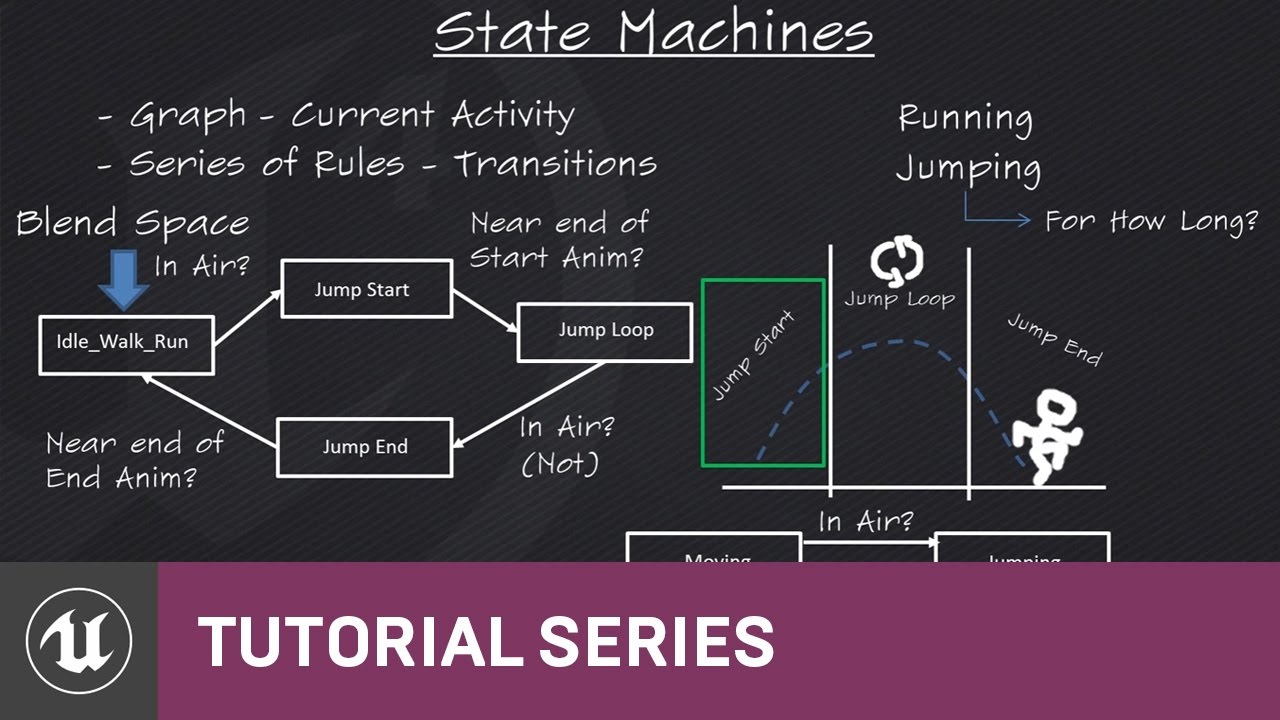
(00:05) - Intro to State Machines (03:48) - Creating the states (05:48) - Jump Start (07:57) - Transition Rules (09:19) - Jump End (11:15) - Wrap up
the start is here: https://www.youtube.com/watch?v=hRO82u1phyw&list=PLZlv_N0_O1ga0IoRrpI4xkX4qmCrhGu56

In this series of videos, Wes Bunn will walk you through the steps to create a third person game. (00:05) - Intro and Play in UE4 (02:17) - Importing FBX ass...
 digital anchor
opacity doesnt work with two sided foliage?
plush yew
@keen nebula What do you mean by "creating a world"?
novel cobalt
Thanks - I’ve added the vids you suggested to my queue. I’m up late watching unreal tutorials and copying them in the engine
keen nebula
@plush yew like just building the environment. Instead of building huds and inventories and combat systems on a bunch of gray primitives you build the world. Then start adding things
Plus that will help give me a place to work from in terms of scale and such. Especially when I move from default engine physics to my own.
plush yew
@keen nebula Environment as in the landscape? Towns?
keen nebula
yeah. Whole thing.
I've got the thing. I spent hours on one of those fantasy world generator things fiddlin til I found something I like. It's a big world but it's got a lot of places that I think could be really nice to look at and explore.
I mean the names were autogenerated and I don't plan on using 'em but that's the world I'm gonna build.
plush yew
What generator did you use?
If it gives you a heightmap, there's your starting point
What you do now is determine your climates and biomes
Or just biomes
keen nebula
plush yew
And that'll give you a sense of what types of foliage you need
keen nebula
I think what I do now is figure out how to get it from there to UE. I've only ever seen importing from world machine or everything already created. And honestly the "for beginners" stuff is really not helpful. Like the live training they did on world composition was how to check a box and then another 50 minutes of general conversation about nothing.
 wary wave
World Machine is where a lot of people would start
you can touch up a heightmap like that in photoshop to make it processable, then use World Machine to generate the additional data you'd want (e.g. erosion maps etc)
push that out in a importable file format and get that into Unreal as a simple terrain
 pallid compass
I crash my engine so much recently i am so thankful for m.2 drives
 weak sigil
@keen nebula This seems a good tutorial for map building: https://www.youtube.com/watch?v=W6s-WQKUG90&index=2&list=PLsPHRLf6UN4m1LQhNlRM22np4-4bIcDa4
Welcome to my Unreal Engine 4 Beginners Tutorial series. In this free UE4 tutorial series you will learn all the basics of Unreal Engine 4 including the tool...
At least for editing it after you got it imported
pallid compass
tons and tons to know when it comes to building maps
compositing, performance, scope, art, details, interactive
its a huge map imo
 leaden garnet
if it's an open world map for an open world game, not to mention secret chests and stuff like that.
upbeat trench
 leaden garnet
No Mans Sky.... lol
novel cobalt
I’m starting to somewhat get a handle on stuff from the tutorials I’m digesting. I’m guessing the next step would to be to do some kind of project to practice the area I want to specialize in (animation)
leaden garnet
Yeah. Wish you the best on your animation journey.
novel cobalt
I already can animate in 2D and 3D
novel cobalt
Just gotta learn how to make unreal assets or implement maya animations etc
Animate
 meager shell
Hi guys
leaden garnet
ahhh
novel cobalt
I mean I know how to rig too
leaden garnet
thats even more awesome to hear
novel cobalt
But animation is pretty specialized
Unless you are on an indie team or a technical animator
weak sigil
what are you using for animations?
novel cobalt
Maya
leaden garnet
I don't know much about the rigging and animation stuff mostly. Did a Gnomon Workshop tutorial, used Maya.
novel cobalt
And also flash and harmony for 2d
upbeat trench
Maya is what Epic uses
novel cobalt
Yes
upbeat trench
you just gotta learn the animBP end
weak sigil
everyone uses maya, why does it have to be so expensive..
upbeat trench
cuz Autodesk wastes lots of money
leaden garnet
^
novel cobalt
It’s free if you aren’t making commercial assets radulfr
leaden garnet
Feels bad that they took away the perpetual licenses
weak sigil
not much point otherwise
weak sigil
Yea, learn how to do it one way, so you definitely will have to buy it later on xD
leaden garnet
Monthly $190... Wow.
leaden garnet
I wonder if they still have that Game Developer package or something similar where they give 3DS Max as well
novel cobalt
I can use blender too but I’m portfolio building so maya for me
leaden garnet
Think it was the entertainment package or something
Found it
See what’s included in the Media & Entertainment Collection. Download free trials. Access 3D animation tools used by AAA game makers and top Hollywood studios.
novel cobalt
I’m 1-2 good maya shots away from being hired by 3d studios tho
Will be working my butt off on that over next few weeks
leaden garnet
Any particular job title in mind?
novel cobalt
Character animator
I want to do game animation too
But targeting tv/film for now
Unreal is great for filmmaking tho
elfin jacinth
@swift spindle - got a couple more questions for you when you're around
And, good morning my favorite bunch of coconuts!
leaden garnet
TV/Film sounds great. UE4 is great for fillms too or so I've heard
elfin jacinth
Or - good afternoon, good evening.
leaden garnet
Wasn't there an animated movie made purely inside UE4
novel cobalt
Yeah character animation is also very specialized
elfin jacinth
There is an animated show that is completely done in UE4
There is also the Reflections demo we did for Star Wars at GDC
novel cobalt
Generally speaking in pipelines I mean
elfin jacinth
that highlighted Real Time Raytracing
leaden garnet
I see it in the Community Tab in the launcher
elfin jacinth
Zafari is done in Unreal Engine 4
novel cobalt
Cuz we have to concentrate on acting and physics etc. animation itself is intense
But smaller indie teams or with technical animators you will see discipline crossover more
Cuz indie devs have to wear many hats
leaden garnet
yeah, it sounds really stressful too
Started to see Indie devs not being happy with Steam
novel cobalt
Yeah that’s the thing about my studies of unreal
I want to get an overview to understand it
But I don’t want to detract from my animation studies and practice in doing so
Cuz at the end of the day I need to just make good animation
leaden garnet
Hmmm, I should go to bed now. Will start on C++ programming in this vacation that I got.
Gnite ^-^
elfin jacinth
Have fun! Enjoy vacation++
leaden garnet
I see what you did there xD
novel cobalt
Sometimes some animators can do scripting and programming too
But it’s not required
elfin jacinth
😃 I cannot wait for you to return();
novel cobalt
( well not for most animator jobs I mean - some do)
Wouldn’t hurt to have an overview at least
elfin jacinth
Be sure to say std::cout << "Hello World!" << std::endl; when you get back!
lol - I forgot how much nerd responding was.
novel cobalt
Hmm
elfin jacinth
Spacedad, you're a dad, you like dad jokes don't you?
NM, I am in the wrong channel. 😃
novel cobalt
I puff holograms of dad jokes from my laserpipe
Anyway I gotta figure out what my big cg animation project(s) are gonna be
elfin jacinth
I am listening to Danger Zone by Kenney Loggins, you could do a Top Gun CG, but instead of Tom Cruise, you could use a Sloth in the pilot seat.
Oh man, instant classic.
 west fractal
Your Epic Games account has been locked due to multiple invalid login attempts. Please wait 120 minutes before trying to access your account.
18 hours ago, still locked lmao
west fractal
am i getting pummeled by fortnite scammers
wary wave
probably
pallid compass
anyone recommend a quick way to draw ur array info on the screen 😂
 whole quarry
print string?
whole quarry
make a widget to display it?
 sage hinge
hello friends, one question, someone knows how to create a puzzle with images in a video game
vale osprey
@pallid compass draw debug string - will be drawn in 3d space
two nested loops infront and loop indexes multiplied by some constant become your X Y coordinates
pallid compass
that is so strange
it appears that the debug screen is not showing information in a structure when its 0
 twin nova
Has anyone elses 4.19 started running really slow, mine hasnt up until today when i shut down my pc and re opened it to find 4.19 like a potato
vale osprey
@pallid compass you have structure in the array? check for nulls then
replace them with something
otherwise it woudn't know how to print them
 manic pawn
@twin nova use profiler and find out what might be slowing it down?
twin nova
I had to re verify the engine, i forgot that was a thing
 pure stratus
Wow! UE4 has (u)int8–64 predefined: https://docs.unrealengine.com/en-us/Programming/UnrealArchitecture/Reference/Properties
I was missing that so hard in Lumberyard Engine I had to define it myself and include in each project header. That's so cool I have it predefined here 😀
Little thing, but makes me happy.
twin nova
4.19 seems to be broken for me? I started it fine, but today I launched it and it started lagging, so I re-verified it and it started giving me an error code, so I reinstalled it and it still gave me the same error code?
Can anyone help?
 spare blade
Is there a way to see a HUD of the frames per second as the game plays ?
 cinder iron
@spare blade stat fps on the commandlet
just press tilda
and type it
' <- thats tilda
spare blade
thanks..
Now that I can see the HUD how do I turn it off ?
Also I was able to see the FPS in the editor. How can I also see it while running the VR experience ?
I figured out how to turn it off.
Just need to know how to see it while the VR plays
 crisp fable
well i havent been banned from the forums for suggesting tim hobson charged my credit card for a snickers bar so thats good
spare blade
I figured it out. It appears its as you suggest. As the game plays then ~ stat fps
plush yew
Hey guys I have a question
so when you're ready to package
what's the difference between shipping and development packaging?

 tame flint
i am trying to spawn an actor where a line trace hits. It actually spawns the actor(cube), but it places it inside the floor as opposed to on top of it?? any help
pallid compass
blueprint why u no have default while loop?!
 cedar snow
it doesn't ?
pallid compass
not a proper one haha :p
cedar snow

A While Loop will continue to execute a portion of a script while its condition is true. Here we discuss some academic uses and some common pitfalls with Whi...
never used them though
cedar snow
not sure if made fun of or not 😄
vale osprey
does anyone know why "Zip up project" function is so weird?
It completely ignored Plugins folder and some files in Content folder
 flat scroll
Is it possible to monitor execution of a blueprint during the gameplay, in order to see where it might hang and such? Not sure how exactly call that
 cursive dirge
@vale osprey what is zip up project? 😄
there's some automatic distribution packaging thing?
plush yew
well time to actually commit to learning UE4
vale osprey
it makes a zip which suppose to contain only the most necessary stuff without all kind of temp folders
@cursive dirge ^
safe rose
FOrnite Mobile is causing issues at schools, poor teachers.
flat scroll
any good ideas how to do a multiple inputs > singe output node? The only one I found was collapsing few "print string" nodes and deleting stuff inside to just get the input pins and one output
plush yew
int x{ 1 };
int z{ 2 };
z = ++x; //z = z + x, this would be 3! but it says it is 2!
 thorn cradle
that's one weird way of initializing ints
plush yew
normal c++11
thorn cradle
it kinda like looks list initialization IMO
plush yew
wtf. you dont use c++?:D
thorn cradle
i do
 pallid talon
When will NVIDIA's RTX be available in UE4 ?
plush yew
so you may help me
thorn cradle
i just do
int x = 1;
int z = 2;
++z;
you conservative 😛
helloo
int x{ 165 };
int z{ 2 };
z = ++x; //z = z + x, this would be 3! but it says it is 2!
now your damn ++z is worth peanuts
 glossy flame
What are you on about man 😄
+= isn't the same as ++.
z = ++x; doesn't equal z = z + x.
thorn cradle
also since you're doing pre-increment
glossy flame
That's fine, if they were doing it post it would equal 1, but that's not their misunderstanding
They just think z += x is the same thing as z = ++x
pallid talon
When will NVIDIA's RTX be available in UE4 ?
plush yew
lethalclip... yup.. lol
ok ok... i wrote z is the same as x + x, which is 2
i didnt write z is z plus x 😄
plush yew
yaaaaaaaaaaa
glossy flame
And, at the same time, x + 1 is not the same thing as ++x.
thorn cradle
++x modifies x
glossy flame
x + 1 is just an expression that does nothing to the variable x, whereas ++x actually changes the value of the variable x itself.
Yeah ^
@pallid talon Epic Games will make support for NVIDIA RTX technology using the DXR API available to Unreal Engine developers later this year.
There's nothing more specific than that.
plush yew
ok
int x{ 55 };
int z{ 22 };
z = x++;
now z won't hold 56, but x does
z equals 55 + 1
@glossy flame
even after x++ z is still 55
@thorn cradle
@pallid talon why do you ask such questions? can you afford rtx?
thorn cradle
that's because in this case your doing postfix incrementing
meaning you'll return 55, then add 1 to x
if you do prefix incrementing ++x then you'll get what you want
plush yew
hm oki
@thorn cradle here my ❤ for you and @glossy flame
i have only one. so divide it by 2.
pure stratus
clang shows the difference between post and pre very well: https://godbolt.org/g/GNnyyw
 floral lion
weird bug maybe and just me - but does anyone else have the editor in 4.19 crash if you try to enter a command into the "non-play" console / output log ?
 light star
Hey all, I am having some account issues with my account continuing to be locked and I can't seem to find an email to actually reach out to customer support for.
Can someone direct me to the right way for this information
light star
Well its unreal account related and i posted in this chat because it "doesnt fit in other channels"
And I cannot find actual information on whom to reach out to about this
I currently just get routed to my account information online
cursive dirge
@light star ah, I didn't mean you but the 2 screens full of basic c++ before you 😃
for your issue, I'd just contact epic support
there has to be email somewhere
Support contacts for Epic Games
check Get Support for your Epic Games Account
lol, the support form goes to fortnite site 😄
but yeah, should still work
 ornate juniper
Was searching disabled on this server? i can't use the from: modifier to see my old messages
glossy flame
Works fine for me https://i.imgur.com/wBdtPQI.png
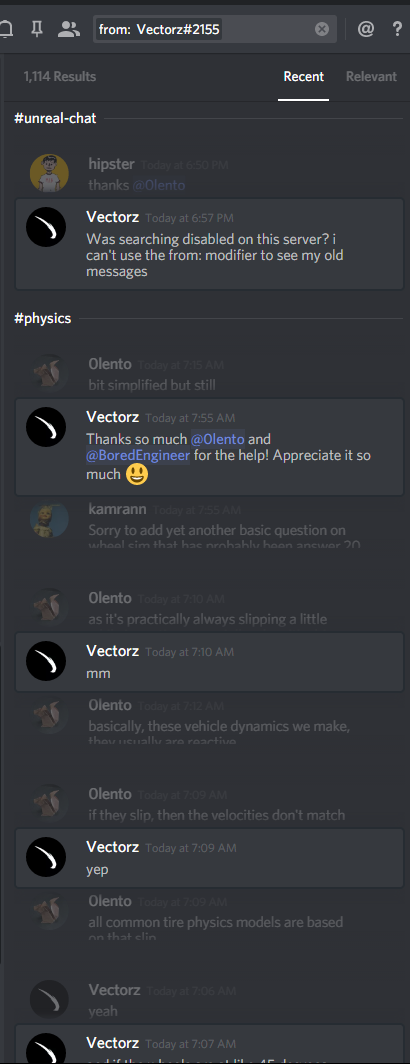
Might just be a client bug on your end, sometimes things like that happen
 glossy flame
You shouldn't be typing the @, at least AFAIK
glossy flame
👍
grim ore
damn... 3 times in 3 days my alt account got locked. this is no bueno
glossy flame
It's happened to me a few times too 🙁
I think 2FA prevents the account being locked, however
(please Epic, add U2F)
grim ore
it might. I have 2fa on my main account and it's still ok. my work account is ok as well but no 2fa. I guess they just really like my old one lol
 opal ocean
I have an actor spawn another actor, and I want to know when that spawned actor is detroyed..
best way, event dispatcher?
that seems to work 😃
safe rose
@opal ocean ?
You would know when it got destroyed since you destroy it 😃
But there's also an event
OnDestroyed
Good place for cleanup
opal ocean
yeah, but the actor that is spawning the actor(building) needs to know when the item it spawned has been picked up (and therefore destroyed)
instead of checking every couple of seconds
I bound an event to the on destroy in the building, and it works
I only learned how to use event dispatchers this week 😄
safe rose
@opal ocean from this? https://www.youtube.com/watch?v=EM_HYqQdToE

Announce Post: https://forums.unrealengine.com/showthread.php?101051 This Training Stream takes a look at Blueprint Communication. We find that Unreal Develo...
opal ocean
no, from also learning how to use the animBPs, setting up the paragon characters
was a good week in terms of learning stuff in Ue4
 oak linden
How to do level-wide particles (such as a blizzard or rainfall)?
I don't imagine copy-pasting particles over the whole level is the way to go
I assume I have to attach particles to the player
but I'm not sure if there's a better way
 wooden thistle
Hey guys... Using a new mesh on a existing skeleton/ Animatiors deforms the heck out of my mesh ?
If i move the bones to fit the new mesh
any way around this ? should i keep the bones where they are and just skin like that ?
 median bronze
 honest rune
@oak linden I'm not sure what others may suggest as the proper way to do "level-wide" weather effects but I would think that the only place where the weather effects matter are within the camera's view.
 weak peak
hello again everyone
if anyone wants to chat random unreal stuff ill be in the genral voice chat channel, come join me!
tame flint
when using boxoverlap actor can i use a static mesh actor, or does the actor have to be of object type pawn
 paper kernel
@tame flint overlaps are bound to collision channels
or layers, if you're coming from unity
setting actor to pawn would just mean you can add input to it
I would like to tip my hat to whoever added Tab-switching between input value nodes when working with multiple nodes
 outer needle
I'm making a game with blueprints and it plays inside of a tunnel.
I'm probably going to have a procedurally generated tunnelsystem but I want the navmesh to be correct for every part, how should I approach this? Build navmesh on runtime or have it somehow built seperately for every tunnelpart and somehow merge them when they spawn?
 errant lintel
Is there a way to hide a folder inside the content browser ?
I have a folder I need to put inside content folder to copy it when I package the game but there is no .uasset inside :/
floral lion
@errant lintel why not place it relative to your Content folder? There is an option for exactly that called "Additional Non-Asset Directories to Copy"
errant lintel
@floral lion, I use this one, but the folder must be inside Content folder
errant lintel
yeah not a critical issue at all
floral lion
But that won't hide it
errant lintel
I hope team mate will not delete it if they find an empty folder haha
 dawn linden
Put a random asset in it called "Do not delete this folder"? ;)
Anyway pretty sure you can't actually delete a folder from within UE if it contains files.
 bitter iris
I'm getting a Windows SDK error, even though I have VS 2017 installed and Windows SDK 8.1 and 10 installed
Can anyone help
pallid compass
not with out an error
bitter iris
Error just says Windows SDK 8.1 not installed
pallid compass
reinstall with vs launcher
bitter iris
Reinstall Windows SDK 8.1?
pallid compass
yes
bitter iris
I have several times
pallid compass
uninstall everything then reinstall
bitter iris
UATHelper: Packaging (Windows (64-bit)): ERROR: Windows SDK v8.1 must be installed in order to build this target.
UATHelper: Packaging (Windows (64-bit)): Took 18.4811194s to run UnrealBuildTool.exe, ExitCode=5
UATHelper: Packaging (Windows (64-bit)): ERROR: Command failed (Result:5): C:\Program Files\Epic Games\UE_4.18\Engine\Binaries\DotNET\UnrealBuildTool.exe PXEditor Win64 Development -Project=C:\PatientX\PXEditor\PXEditor.uproject C:\PatientX\PXEditor\PXEditor.uproject -NoUBTMakefiles -remoteini="C:\PatientX\PXEditor" -skipdeploy -noxge -NoHotReload -ignorej
unk. See logfile for details: 'UnrealBuildTool-2018.03.24-11.19.59.txt'
UATHelper: Packaging (Windows (64-bit)): (see C:\Users\JDowl\AppData\Roaming\Unreal Engine\AutomationTool\Logs\C+Program+Files+Epic+Games+UE_4.18\UAT_Log.txt for full exception trace)
UATHelper: Packaging (Windows (64-bit)): AutomationTool exiting with ExitCode=5 (5)
UATHelper: Packaging (Windows (64-bit)): BUILD FAILED
PackagingResults: Error: Unknown Error
pallid compass
sounds like ur registry might be fucked
pallid compass
if its installed and ur getting that
then it cant find the sdk
and it finds the sdk from registry paths
bitter iris
Is there anyway to fix the registry?
pallid compass
u could run cc cleaner but i doubt it will fix it
reinstalling the sdk should
so the issue could be god knows anything
bitter iris
Okay ill try again
bitter iris
Right so Windows SDK 8.1 done
Now its this
UATHelper: Packaging (Windows (64-bit)): ERROR: No 32-bit compiler toolchain found in C:\Program Files (x86)\Microsoft Visual Studio 14.0\VC\bin\cl.exe
manic pawn
in the vs 2017 installer you should be checking the game dev with c++ thing and the windows 8.1 sdk under individual components
 vale halo
Random issue - I installed UE4 with a secondary user account (admin), but now it doesn't appear to show when using my main account. Same epic games ID, and previous versions seemed to work fine between them.....but now I can't start nor install 4.19 🤔
Anyone experienced an issue like this?
🤔
pallid compass
Anyone done A* path algo before?>
vale halo
To make my issue more interesting - when I open where UE4 stores it's vault/engine paths/etc., I have the entry in there:
{
            "InstallLocation": "D:\\Program Files\\Epic Games\\UE_4.19",
            "AppName": "UE_4.19",
            "AppID": 19040003,
            "AppVersion": "4.19.0-3944462+++UE4+Release-4.19-Windows"
        },
I guess I'll try and replace the \\ with a / like the other records in the file
I guess that worked! Strange issue though 🤔
upbeat trench
eww that drop down is horrible UX
vale halo
(If anyone's facing the same issue, go to C:\ProgramData\Epic\UnrealEngineLauncher (or wherever your ProgramData/Epic/UnrealEngineLauncheris), openLauncherInstalled.dat& change all of the\into/(for the 4.19 entry; assuming the rest is using/` for paths)
 real quartz
Hey people. What the actual fuck is wrong with 4.19? I just updated to 4.19 and now the fucking engine add Far view plane, what the fuck is that shit? And it adds a fucking screen percentage I don't give a damn about.
That fucking 4.19 ruined my entire project visual, now all the post process materials doesn't work anymore and chameleon and glitch post process too, and the game looks less smooth and lower res even at higher settings, and my viewport is completly broken and its a small viewport and broken viewport, that lower the view and make it look worse each time I change the size of the viewport.
My game was almost close to release and fucking 4.19 ruined it for no fucking reason, I'm pissed off right now. Can there be a way to fix that please? or can I downgrade from 4.19 to 4.18? I'm about to delete everything.
pallid compass
pro tip
back ur shit up
dont always upgrade to latest version
source control
etc
real quartz
How? In backup?
pallid compass
You should always back your stuff up
real quartz
Yeah... but why 4.19 does this...
pallid compass
every version upgrade ever
breaks something
even when u upgrade
the engine warns u
make a copy
 sinful thorn
hi people, I'm trying to install Unreal Studio's 3dsmax Export plugin on 3dsmax 2018, but even though the installer runs, it seems like it hasn't installed anything
pallid compass
so if u didnt make a copy then u dun goofed
sinful thorn
I tried running as admin too
real quartz
I had those post process since 4.11, and I used 4.18 yesterday, 4.19 ruined everything
pallid compass
i dont think the maya/max plugins get really any support
real quartz
my game was working with older version during the dev time, until 4.19
real quartz
I did but it doesn't work anymore
pallid compass
why is that
real quartz
Cause when we upgrade or use a newer version we can't go back I think
pallid compass
it tells u
when u upgrade
"make a copy, its made with dif version"
did u not do that?
real quartz
I didn't cause I thought I'll trust new UE4 version, and why would it happen now? Every older version before never broke anything from my game.
pallid compass
then u dun goofed
the warning is there for a reason
i bet u upgraded with out checking the changes too
the engine is a complex piece of work
its not perfect
real quartz
All I did was installing 4.19 as a new separate download, I didn't updated 4.18 to 4.19
and I opened my game with 4.19
pallid compass
then it automatically updates it to that version
u dun goofed
suggest u migrate all content to 4.18 version
and then find and fix any missing changes
if u can even migrate
real quartz
I can't, all folder says it uses a new version of UE4
real quartz
I can't migrate new version stuff to old one
real quartz
Its 4.19 compleltly
completly*
it uses those 2 new shitty percent bar on the viewport shit and all games looks lower res and less smooth, even with other games
4.19 is a full garbage imo
real quartz
new features are useless imo too
real quartz
I never used that shit
I'm not the type of person that really goes into settings and plugins and c++ all that shit
pallid compass
Cloud back up or source control is mandatory
real quartz
oh
real quartz
Yeah
Damn I was close to finish my game, and always something needs to ruin everything and my plan
pallid compass
be glad its such a minor thing
real quartz
does backup folder can save me up on save?
pallid compass
i dont know
but i really wouldnt because ur prob gonna ruin it even more
backup is just auto saves of stuff that h avent saved
real quartz
Okay
I think I'll just try to uh... maybe just re do some of the post process... but 4.19 really looks more low res and less smooth and more shitty imo
pallid compass
u sure u dont have ur render settings turned down
real quartz
which render thing?
pallid compass
pallid compass
put it to epic not cin
real quartz
I did, nothing happens, just make the game like, lower fps
pallid compass
peformance issues then
real quartz
in epic and cine shadow just has higher poly shadow
pallid compass
u prob wann do some profiling
real quartz
Okay
pallid compass
So this is really odd, one of the canvas's in a widget will not display in mobile sm2 mode o_O
 final owl
O_o
 hazy lynx
hey guys!
I'm doing performance optimizations... does anyone have any experience with the dilemma between using overlap traces every few frames, or using an overlap component
basically I'm wondering if I should have my actor carry a box component and respond to its overlap component or should I replace it with a function that does OverlapMultiByObjectType on timer overy 0.5 seconds or so
 fathom heath
I'm looking to emulate emergence
upbeat trench
Im trying to virtualize vaping
 dim arch
vector flow maps are good for smoke effects
upbeat trench
needs more ray tracing
dim arch
hopefully we get a dxr rig at the studio in a few months
im hoping you can build a scene with the same lights and switch the rendering engine
upbeat trench
sounds like a good performance optimization
 broken nimbus
Hi
my sky box on android with mali gpu is rendering incorrectly and from what i researched its a precision issue and by checking "Use Full Precision" in material section it does no good
any ideas?
 dense patio
If i am trying to send all my clients to a new level, how would i do that? (SCENARIO: we have a lobby level everybody needs to join, once joined the server host can intiate a departure to the intended level) .... the servertravel command seems to disconnect the clients and not rejoin, am I doing it wrong?
 heavy flicker
Anyone else been getting sign in emails telling you about your two factor sign in code? Today I must of gotten 100 emails from all over India, Brazil, etc.
 plush field
I haven't received that mail, but another saying that my account was blocked due to too many login attempts. Online I found a lot of people with the same problem in the last two weeks. Epic got leaked?
heavy flicker
Yeah i jsut managed to fianlly change my password and ai got the confirmation but then got locked out for 120min
 flat spade
i heard python scripting support was added. will it be available in 4.20?
glossy flame
There's no official word on the release timeline other than "in the future", really
At least AFAIK
spare blade
Whats the best VR AR hardware to use with UE.
From my research so far it would appear Oculus is ?
But then Oculus doesnt do AR 😦
plush yew
Lol
I just listened to a song
And the guy he starts saying
"The n**a with blue eyes"
Like he is talking about himself
wtf
spare blade
@paper kernel What are most people purchasing that are developing with UE4 ?
spare blade
Which is better intergrated with UE
paper kernel
I'm pretty sure both work just fine
 frank escarp
@paper kernel thats misleading as fuck
vive does the same as oculus, and reverse
the only difference is that vive scales better if you have a HUGE room
i think vive can do 5x5 meters well
oculus can also do 5x5 meters, but you would probably need 4 cameras and setting that up is a oddysey
if you dont have a huge room, oculus is directly better than a vive
paper kernel
I wasn't aware of such
frank escarp
common misconception from vive fanboys
and becouse oculus at launch didnt have hand controllers
paper kernel
oh yea now I'm fanboy for not ever using one
frank escarp
and when it got hand controllers the tracking wasnt still completely solid and 2+ sensors didnt work very well
@paper kernel not calling you a fanboy, just commenting that its a misleading thing vive people have been saying since oculus launch
paper kernel
just from developer perspective, not many consumers buy extra cameras for oculus
frank escarp
you see actual fanboys defending that to death on every oculus related thread you see
and nearly no one uses a 5x5 meter space
i create all my games for standing and not really moving much
minimum space
mostly becouse i myself dont have that much space
also PSVR dev
wich is hilariously limited
spare blade
I am using Oculus at work, and it is amazing. Though I want to buy something for home. Sounds like I should buy a Oculus for my own personal stuff too. Though I would like to build for AR as well, and there is no hardware that does both Ar and Vr ?
frank escarp
now that one is absolute garbage (compared to pc ones)
you dont have any tracking space whatsoever, and if you get far from the camera you lose precision super fast
also 1 camera so exclusively forward facing, and not even proper precision
spare blade
@frank escarp "now that one is absolute garbage" Which one are you talking about ? Playstation VR ?
 quaint rose
does anybody of you has the LUT which could be downloaded earlier here? https://docs.unrealengine.com/en-us/Engine/Rendering/PostProcessEffects/UsingLUTs
i just need the standard LUT to create my own
 frosty bloom
Urgh.. Bought First Person Archery in hope of saving some time on the Ranged combat. All i see is hacky ways to do stuff everywhere. Even the weapons is hacky. All static meshes, string is 2 seperate meshes
frosty bloom
Sure will. He uses construction script to set the bow up. I can't even use this sh*t lol
 modern kite
Hi guys got a very important question how can i reset my content browsers location in my editor?
 wraith fulcrum
Hey guys, im trying to import around 9000 meshes from a old RTCW map to UE4, and the engine crash all times, im importing and then drag and droop, what i miss?
modern kite
@frosty bloom you mean this here https://www.unrealengine.com/marketplace/first-person-archery?sessionInvalidated=true

First Person Archery Blueprints.
frosty bloom
@modern kite yeah
modern kite
Oh i wanted to buy it to save some time for bow mechanics
frosty bloom
Well, if you are doing a shooting ranch kinda archery game go ahead. It all depends on the quality one is after and the programming knowledge one possesses as well
modern kite
Its for an rpg game like assasins creed origins @frosty bloom
frosty bloom
Yeah I would most likely skip this Asset in that case
modern kite
Ok
frosty bloom
It would give you a head start though if you have zero previous knowledge about Archery / projectile scripts etc.
modern kite
btw @frosty bloom im currently trying to reset my ui layout from the editor do you know how to do it?
 spare steeple
where can i begin trying to find out whats causing my game to freeze randomly?
happens to some players more than others
logs leave no information
sinful thorn
I'm trying to use Unreal Studio.. I start with the template, teleport works fine.. I import my building, teleport works fine.. I import the surroundings, teleport works fine.. I edit one or two materials, I can't teleport anymore
I tried with a new project file 5 times so far, always the same result
(vr, htc vive)
 frail owl
I have not been able to find a solution for 4k support on 4.19. Went into this new version today and I am able to get my Ui clean like it is working but not the actual view port in editor. I have unchecked override high DPI scaling behavior and have it scaled by application and in 4.17 where my project is it works just fine. Anything I am missing?
 fierce tulip
report it, im also having issues with 4k screens in 4.19
sometimes it even randomly changes dpi
 grave nebula
I had DPI issues since 4.18
fierce tulip
havent used 4.18 so cant tell :p
frail owl
ok so just making sure, thanks for the info
grave nebula
Report it using the dreaded bug submission form. You are definitely not alone on this one.
fierce tulip
yea not fond of the new bug subm. form
plush yew
Was finally hit with the Account Locked email
Should I change my password? Is there 2 factor authentication for Epic accounts?
fierce tulip
there is. check lounge btw @plush yew
frail owl
why are people getting the locked account?
plush yew
Because Fornite has reached the mainstream and sadly scammers & hackers use this to make money
livid haven
@plush yew 2 factor authentication is available, yes.
plush yew
Ye got everything sorted and changed password. Thanks Epic for automatically singing me into the browser when using the Epic Games launcher 😄
 sonic yacht
Hey
Anyone know how to basically move an object like a model so it can move up, down, left, right and rotate in a zero gravity environment. Then be able to have the VR character set within the model and rotate with the model
floral heart
surely there's a 6DOF demo project floating around somewhere
 latent moth
I cannot seem to click button in a widget... I have set input mode to UI only, even the mouseover events do not fire, any ideas?
sonic yacht
Cool found a great tutorial
latent moth
helpful
sonic yacht
I was talking to an earlier problem of mine
 daring peak
On the UE docs, it says "Even though Static Meshes are better performance-wise, Geometry Brushes can occasionally be used without any serious impact as long as the geometry is simple."
How come geometry brushes are less efficient?
Aren't they the same thing to the engine?
 cloud crow
hey gamesparks is good to make multiplayer games?
 tropic pilot
is there ANY documentation on the Paragon character animation setup? (yes i know EG will come with a tut soon)
 regal mulch
@daring peak Hm no. I never checked what is really up with the BSP, but in general you only want to block out with them and later remove them again.
Or at least turn them into a static mesh
I think that's an option
@cloud crow Yes? Kinda weird question. Why are you asking?
daring peak
My current plan is to just block out, turn into static meshes, and then add detail with custom meshes made in blender
But I can find next to no information about how this process works in real games
regal mulch
That's how it's usually done. Block out. Replace with actual detaield mesh
daring peak
Even walls?
regal mulch
I would say so
You block out your whole level and then replace it step by step with the real meshes
I mean, if you have some walls already that have a texture you'll keep anyway, then use that
It's more about first blocking out really big parts before wasting time on a model that doesn't make it into the game
daring peak
Well yeah, but making a separate mesh for each and every wall and floor seems like a massive amount of work
 vale jasper
can someone whose good with animations in unreal engine 4 dm me pls
cloud crow
@regal mulch i ask cuz idk how many players can i have with it. Any limits?
regal mulch
Yeah, but you better read that on their page
There are limits in bandwidth and number of calls per user i think
daring peak
Does anyone know why the origin of the brush is being moved so far away?
Or more importantly, how I can reset it?
vale jasper
anyone able to help me?
fierce tulip
@vale jasper just ask the question here or on the proper channel and hope for the best.
vale jasper
https://gyazo.com/43c4de092becc9daaa24ec74edbab8a2?token=f1f199c64028fa34b717be6cdcda4449 do u know why this animation isnt actually moving forwards?

 unkempt perch
@vale jasper You need to move the root bone along with it if it's a static actor, but if it's a walk motion you need to tie the movement component to the animation and then modify the animation speed by the controller speed.
latent moth
Hello, I'm trying to multicast an event that is triggered on a UMG, is that possible? I basically have a player slot system so that players can select their role, and I want to populate on every client
However I've noticed that multicast only runs on the client itself, not on the other clients
unkempt perch
Make a custom event and make it run server side, then another custom event thats multicast
so client->server->multicast
remember anything from client needs to go to server first, then server to clients.
if you're running as a listen server make sure you make a check if you're the server or not. If you're the server then you don't need to call the server function, just the multicast.
Also UMG gets weird with replication. I've had to put the variables in the playercharacter BP and propagate it over to the UMG widget.
make sure your events are set to reliable for replication as well since it's important.
latent moth
that's what I am doing
plush yew
Hey
I need some help
I'm looking for a Roiling Fire Module grey texture
But I can't find it anywhere
Any help?
I need this
latent moth
@unkempt perch if I click on the server UMG it works, if I click on the client it does not. The calls are all happening on the game state base since it is replicated
plush yew
Hello?
unkempt perch
You literally asked 2 minutes ago
give people time
@latent moth what event is your client calling, the multicast or another event leading to the multicast on the server?
latent moth
the client is calling a reliable run on server
then the server is multicasting
so when the client calls the reliable on server actually nothing happens
unkempt perch
are the variables it's referencing in UMG widget?
latent moth
yes
unkempt perch
try putting them in playercharacter
latent moth
ok let me try
unkempt perch
and push them from there
I had issues with UMG replication and that was the only way I could fix it
latent moth
let me try removing them completely
right now the server event is not even getting called
nope it really is the event not getting called
unkempt perch
where are you calling it from?
latent moth
is the game state base only a server thing?
unkempt perch
game state is server only if i remember right
latent moth
so: when a client clicks a button -> event on Game State Base
(the run on server one)
unkempt perch
anything client wise put in playerstate or playercharacter
I usually just shove them in playercharacter
unkempt perch
no problemo
I'm getting my caffeine fix so i have some time 😂
@plush yew you'll probably want to ask in #graphics for anything texture wise. Maybe someone has an asset they can help you out with.
latent moth
thank you @unkempt perch so the trick is to use a player state, so that you have a replica of it on the server
otherwise a click event cannot call a server event
unkempt perch
yup, also remember controllers don't exist on the server, and UMG is part of the controller if i remember right.
so prob why UMG variables are FUBAR when replicating.
latent moth
yeah
unkempt perch
(Or I'm more than likely missing something in that regard)
latent moth
i guess that's a good call
unkempt perch
😂
unkempt perch
i figured lol
latent moth
now i only need to see how to pass button references, maybe by name
unkempt perch
you can pass the UI widget then call from there
playercontroller->UI widget->button
when you add to viewport promote it to a variable
and you can reference that
latent moth
unfortunately not
these variables are only local
they are named in the same way but every client has a different one
so for instance button_1 is None after the multicast
it makes sense, I just don't know how to get a button by name
there's no Get Button By Tag or name
unkempt perch
You'll want to open them up
either that, or make a function in the UMG
and call the function from there
Why do you want to pass the actual button reference though?
The button should be calling the event, not the other way around 😛
latent moth
Basically what I want to do is that every client can chose their SLOT in a game. So when you click a button slot, it gets propagated to all other clients
for instance: I want to be the driver, I click on the DRIVER button and it is locked for everyone else
unkempt perch
oh that's easy then
latent moth
for the sake of me I cannot get there
latent moth
on the player state?
latent moth
...connect?
unkempt perch
i forget the actual term... lemme fire up real quick
unkempt perch
it's an option in the UMG editor when you have button selected
latent moth
there's binding but that's for visibility
unkempt perch
yea thats it bind
bind it to the bool, then block it out in that logic
you can create all kinds of binds and bind it to whatever
You'll prob want to store the client that selects in on the server, then pass their name down so you can show who selected it.
unkempt perch
yea, UMG and replication can get... interesting lol
but yea, anything UI wise if you want it to do something in response bindings are the way to go for the most part
latent moth
there's no way to get a UMG element via its name?
unkempt perch
when you add to viewport, promote the widget to variable
also make sure in the UMG editor you have it checked off to make a variable
then from that widget promoted variable you can pull the buttons off
latent moth
yeah buttons are all variables
oh dah fuck got it
let's see if this works
😄
ok gonna need something warm to drink
unkempt perch
When i get downstairs on my main comp ill throw something together.
spare steeple
still getting random freezes in my game
i decided to package with debug configuration and launch it from visual studio and play until it happened
took about 40 minutes but the output showed no callstack and the log just stopped
without errors
plush yew
What happened to the X Y Z?
I'm trying to change the color
But they removed the Out val X Y Z
Where is it now?
vale jasper
@unkempt perch I don't understand what u mean https://gyazo.com/c0ea74a8f2a360457c8d419b79f22f72
 regal mulch
What's causing UE4 to just run on low frames (whole Editor and Game) for a couple minutes and then resume to normal?
Have this for quite a while with all projects (new, existing, updated, etc.)
Got that in 4.16 and 4.19 and probably also in between version.
Is it NVidia Shadowplay or what ever it's called?
 silent narwhal
Ive heard alot of people have problems with UE and Shadowplay disabling the Overlay might help a bit.
 sleek spear
how come not all paragon characters have animation and character blueprints?
cinder iron
to not overwork
grim ore
They should almost all have their animations but only one of them has the animBP. since the animBP is pretty much the same for all of them no real need to include them all. These are samples for using/learning from and not to just drop into a project and publish.
cinder iron
they are giving us that for free, so..
sleek spear
yes but they have already done all this work, so i think it doesnt make sense to not include it for no real reason
grim ore
they will be releasing more characters in the future. Let them know what you would like to see in those assets and they might include them.
sleek spear
yes maybe i will, thanks
vale jasper
I would love for them to make the animations actually move instead of them walking on the spot etc
grim ore
move in world space? that's probably not going to happen as that is a different type of animation that they are not using
bitter iris
@vale jasper o.O?
vale jasper
https://gyazo.com/43c4de092becc9daaa24ec74edbab8a2?token=f1f199c64028fa34b717be6cdcda4449 I do not wish for them to run on the spot because I wanna make cinematics with them and I cant now 😭
vale jasper
u may have to explain cause I'm new to ue4
grim ore
if they used root motion then you might still have the problem as the distance would be fixed and the animation itself not really adjustable due to it being a forced set of values being used for that animation
bitter iris
vale jasper
ty
 grim orchid
 burnt shadow
I been having problems with my Fornite crashing and it's been giving me a crash.
It happens everytime I launch Fortnite
 worn granite
nothing anyone here can do except guess at troubleshooting.
Contact fortnite support
worn granite
that means there's no info I can use to guess at the problem
cinder iron
saved/
sage hinge
a system to save games with its advances example: life, powers, weapons .. who knows how to do
plush yew
Hi, I'm looking for a configuration that allows me to run Unreal Engine. Thanks and have a good day ! 😃
 split fulcrum
Has anyone here experienced level streaming to work in a weird way, crashing without any apparent reason with an async thread?
plush yew
Thanks but, is it still relevant for 2018?
fierce tulip
its a good reference, anything above those specs obviously help.
regal mulch
As long as you don't do anything crazy, you can technically get your average Gaming PC
And that's it
Maybe put a bit more RAM into it
plush yew
My graphics card does not allow me to open Unreal engine 4. 😂
And it's a laptop, so I need a new configuration.
fierce tulip
I'd suggest to check out some hardware related websites and forums
plush yew

Materiel.net
Idée reçue numéro 1 : le jeu vidéo sur PC coute cher. Idée reçue numéro 2 : un PC c'est compliqué.
Maybe this one ?
latent moth
oh damn i didn't know that dedicated servers needed the engine to be compiled manually
regal mulch
@plush yew Please just move to a Hardware forum/webiste.
All general Gaming PCs will work for you.
paper kernel
question: I wanna do a custom gravity volume with similar fade in and out effect as post process volume, how would I go about doing one?
like generic overlap trigger but with transition zone
 icy ridge
Anyone here own and can currently play Scott Pilgrim vs the world the game? I'm looking to get some information on gameplay that I currently cannot test.
vale halo
Oooh, looks like 2FA launched to everyone 👍 Cool!
Though I kinda wish I could use Google Authenticator 😂
glossy flame
Yeah, the email-only solution is a bit annoying when things like OTP generators and protocols like U2F are becoming bigger and bigger
Better than nothing I guess ¯_(ツ)_/¯
I do find it annoying how your account can get locked out even with 2FA though...
Like, if they're just incorrect login attempts and the user has 2FA enabled, what's the point
latent moth
does anyone have pointers on how to use advanced sessions with a dedicated server? i am able to make everything run with a listen server but for some reason with a dedicated server clients don’t even get to the main menu of my game
plush yew
trying to get sequencer to record my player start, which is connected to a default pawn class blueprint. anyone know how to do this?
 silver crown
Quick teaser of my upcoming Voxel Plugin: https://www.youtube.com/watch?v=KPXsMd6BEO0

 granite steppe
Is anyone elses launcher acting weird?
It's showing 4.16 as my latest version and I cant download 4.19
 rare spear
Anyone noticed the default padding of the border 4.0, 2.0 in fortnite. This really drives me crazy lol.
regal mulch
That the Border has a default Padding in general drives me crazy
frosty bloom
@silver crown You truly got sick Voxel skills, damnit all them videos looks better & better (When one thinks better no longer is possible)
silver crown
Thanks 🙂
 fallow hazel
Am I the only who has problems with UE's asset management? Besides the usual redirector fun, folders that can't be deleted no matter what, now I've got blueprints in use (even though I'm not using them) and copies of assets which the editor cannot distinguish 😦
"CRITICAL FAILURE: One or more assets were partially consolidated, yet still cannot be deleted for some reason." 😢
 fluid stag


 tough quiver
Anyone has an idea why my Terrain/Landscape vanishes when i am not clicking on the Landscape Actor?
manic pawn
cpu and ssd
 frosty copper
@fallow hazel Sounds like you're just having barrels of "fun" with redirectors. If you've not cleaned them up, I'd recommend doing so ASAP. be mindful of source control though!
https://docs.unrealengine.com/en-us/Engine/Basics/Redirectors
 languid quarry
Anybody know if Google Vision functions are exposed to UE4
 slow musk
anyone else getting a "Your Epic Games account is locked" email? I got it twice already and it seems like somebody has been trying to access my account.
I emailed Epic last week, but no reply so far
grim ore
A large amount of people are getting it and it's recommended that you turn on two-factor authentication if you can
slow musk
Oh I see. I already did that. Just wanted to check if anyone else was getting it