#ue4-general
1 messages · Page 176 of 1
 celest creek
 livid haven
?
 floral heart
I'm having trouble picturing such a node.
 ashen brook
same
celest creek
lol
 analog cedar
Does anyone have a really good folder tree I can use? For things like particles, characters, environment models, materials, etc.
celest creek
maybe I dreamt it
livid haven
Yeah, that doesn't make sense.
Branch is about branching execution.
You can't branch execution without having execution.
ashen brook
select lets you do the same for any other kinds of inputs
celest creek
ya I guess... now I'm curious where I did see that, or what the heck it was I did see.
 unique ocean
@livid haven That did the trick!
ashen brook
try out the generic select node or the specific ones like select float
livid haven
@celest creek Maybe you were thinking of a node in the material graphs?
celest creek
ah yea maybe that's it
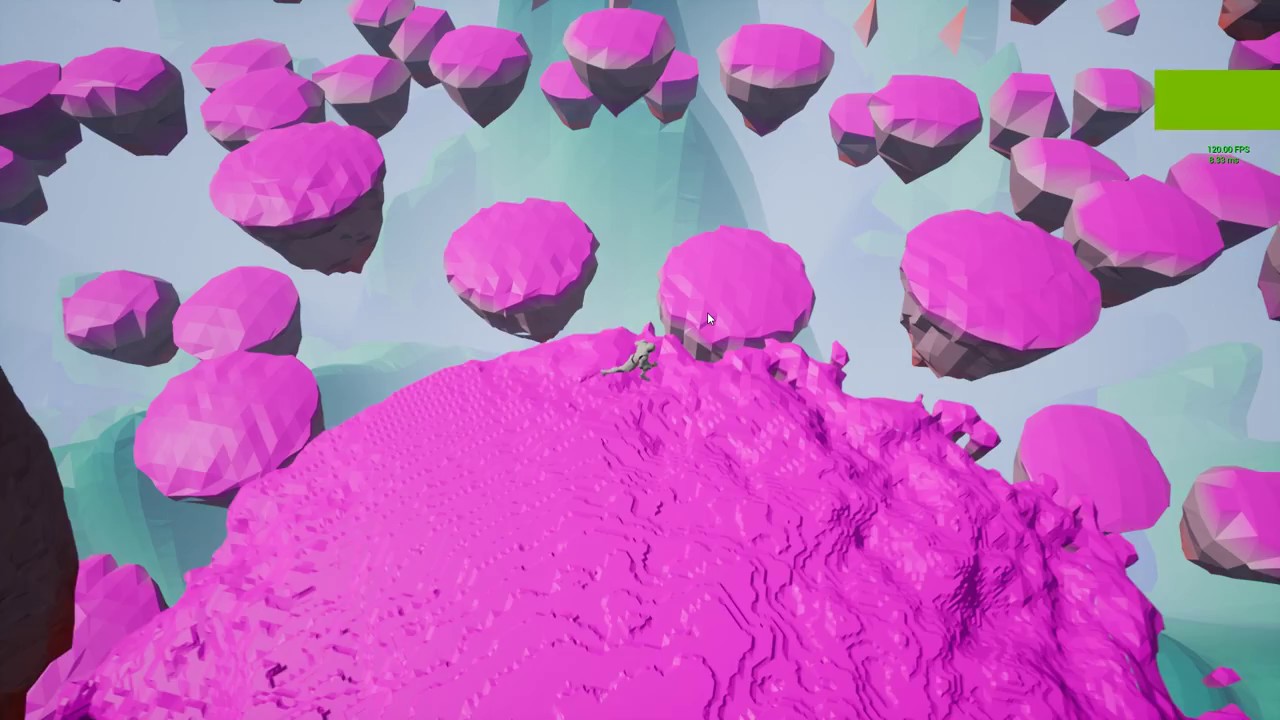
 frank escarp
holy shit it ended up great
celest creek
here's another one while I'm at it embarrassing myself: Is there a node that will let you set a min and max value without re-mapping it?
livid haven
Clamp?
livid haven
IE: If X < Min, X = Min, If X > Max, X = Max?
 silver crown
@frank escarp 😉 couldn't do it with the classic LOD dithering because it required actual LOD data, so I switched to a dynamic material instance
I guess it's a bit more expensive, but works great
 tranquil moth
just realized this is alot harder than it looks
frank escarp
it ended up much better than i expected it to be
tranquil moth
just to make a simple Tower Defense game haha
frank escarp
i guess its TAA smoothing the dither
frank escarp
interesting you do start/end time
i just expected a "faderatio" variable
and you update from 0 to 1
but i dig that trick, ima store it for my fades
even if its heavier in instructions, you dont need to update the variable each frame
silver crown
Yep
If you do that you might run into the same "bug" as me @frank escarp
NewMat->SetScalarParameterValue(FName(TEXT("EndTime")), 1e10);
``` doesn't work the first timeHave to do cpp NewMat->SetScalarParameterValue(FName(TEXT("EndTime")), 0); NewMat->SetScalarParameterValue(FName(TEXT("EndTime")), 1e10);
That's because 1e10 - 1 == 1e10
floral heart
Couldn't you clamp(time/duration,start,end)?
silver crown
StartTime is the time it starts fading in
And EndTime the time at which it ends fading out
Limiting calls a maximum
 flat pilot
hey guys, I'm having a derp moment here
what does "procedural" mean ? it means that it generates things out of what you tell it to do via code instead of painting the thing in the viewport right ?
silver crown
It means that it generates things
floral heart
It's a great term because it means different things in different contexts.
livid haven
Aye. Broadly speaking, means doing something by following a set of instructions, procedures.
flat pilot
ok so I'm trying to generate a map like minecraft does, like laying out biomes, use different noise map depending on the biome, then lay prebuilt meshes on it
I've legit been searching on google for hours, it's either people putting on 5 set of prebuilt meshes stick together and duplicate randomly in 100x100 patterns, or people that say you should use voxel 299$/year paid things and that's it's too complicated
livid haven
Most of the time, when it comes to game dev, it particularly emphasizes that something that would otherwise be "authored" by "hand" is instead generated by some code.
silver crown
@flat pilot My plugin does that 😛
And part of it is open source

If you want to try it: https://drive.google.com/open?id=1uZ5ud83fjUl1jApYjY-O9nr2g5Of4Dy- Server: need to click Play, then enter his local ip (often 192.168....

Grass is killing performance here. Discord: https://discord.gg/58ZqEbg Source: https://github.com/Phyronnaz/MarchingCubes Thread: https://forums.unrealengine...
And it has graphs to generate your worlds

Creates that: https://cdn.discordapp.com/attachments/225448516376461313/405889096175845377/HighresScreenshot00006.png
 flat pilot
Do I really have to use this voxel thing ? I don't want to dig or destroy anything
flat pilot
is it infinite or is it a square ?
floral heart
The real question is why it's made of cupcakes.
 opal ocean
only 3 dimensions?
silver crown
😃
 storm pendant
Good night
why does my foilage paint tiny? , it kinda sucks because thats not the real scale of my grass
 sleek spear
a sequence, only send events to the level blueprint?
 cerulean nova
when u guys have a clear idea of your game where do you start? 😃
 high oar
any1 here fairly new to game design/development interested in learning together? Im currently using Unreal Engine and Blender to learn but am open to meeting somewhere in the middle if need be. Feel free to send me a personal message if so!
 brittle gulch
Hello guys, how do you do, when you work with artists, to let them give you a package like in unity? I would like my artist to export me an asset with the material and a basic BP class with a consruction script already set. How can we work like that in UE4?
 cloud cobalt
Depends on the setting
In a company the artist would simply have access to the development repo and push their stuff there
If you're contracting, you can ask them to do an empty project with all their stuff, and use the migration feature
brittle gulch
@cloud cobalt yes, that can be a good option, an empty project could take useless place though?
 pallid compass
Anyone got a decent basic furr material i could take a look at and learn from?
 fair sparrow
Hello. Can somebody tell me, if I can set the application scale permanently? It is too big, but if I set the value to 0.75 in the Widget reflector it is okay. But after an editor restart it resets the value.
fair sparrow
Thx
 plush yew
hello ?
@everyone could i be helped with this issue ? why all my actors are red ? and how do i fix it ?
 fierce tulip
hehe never seen that before
floral heart
@everyone doesn't work here, and for good reason. Even the mods get in ( a little ) trouble for using it.
Also never seen that issue before. Nor did anything show up on answerhub. Neat. I think it could be done if you modified the right engine material, but you probably didn't and I'm not that sure of it.
plush yew
yup i been digging answer hub for a while now couldn't find a thing
 forest cobalt
@fair sparrow That's been an issue for a while now. I wouldn't expect it to be resolved in the immediate future.
fair sparrow
The -enablehighdpi isn't working. :/
Is there a bug report or a pull request on github for it?
forest cobalt
There's not one that I know of. Try deleting your Intermediate folder and make sure the "Override high DPI scaling behavior" option is disabled in the "Compatibility" tab.
fair sparrow
On Linux there is no Compatibility tab
forest cobalt
Oh, I forgot you were on Linux, sorry.
fair sparrow
I just built the engine, and it does the same every time I build it.
forest cobalt
What distro are you using? Is it GNOME, KDE, xfce, etc
fair sparrow
Debian Sid with KDE
forest cobalt
Hm, maybe fiddling with the DPI scaling settings will help you. Not certain, sorry.
fair sparrow
Yeah. Thx, I will try to search for some other solution.
cerulean nova
Is there a Documentation for UE4 + Database?
 whole sonnet
Hmm having an issue getting my HUD ammo counter to properly read my weapon BP. It worked last night and i dont know whats changed, so strange. So it even reads how much ammo my weapon currently has to fire which is correct but when i fire the ammo doesnt go down (even though it is going down as far as the weapon BP)
Bound to be something very simple
Unless there is a better way to cast to the weapon bp Actor from HUD widget?
plush yew
Check the Text widget to see if you're using the binding
whole sonnet
@plush yew Yes it is using the binding 😃
It shows current ammo and when i switch the number of ammo in variable the hud reflects this change
FIXED!
no idea what happened or what i changed, will have to check my screenshot to see
i simply just changed the max ammo variable
then changed it BACK
and now its fixed.. odd
i heard 'Get all actors of class' is ineffecient to use though?
 frosty copper
It's not something you want to be calling often.
I'd personally turn it around, and have the other actors send a self reference to an array held on whatever the above BP is on. So instead of getting all the actors, you just grab the array variable and carry on your merry way.
whole sonnet
@frosty copper Thanks for the info. Yes i am going to do it another way instead that is better off for my whole weapon system. 😃
frosty copper
👍
 feral canyon
Hello Unreal Engine lovers. I am a Unity intermediate "game developer" with intermediate C++ knowledge. As I love C++ more than I love C#, I wish to learn UE4 and I would like to know where did you guys learn UE4 from? Do you have any suggestions for somebody with my experience ?
frosty copper
Websearch Engines. Learned more from that than I ever did from educational institutes.
 cursive dirge
@feral canyon you can use c++ with unity too
through native dll's or by embedding your c++ code on IL2CPP builds
feral canyon
Thanks for the tip, Olento but I would like to learn UE4
forest cobalt
@feral canyon You can start off with the projects in the Learn section of the Launcher. A good example is the Strategy Game which has plenty of C++ example code in it. If anything is unclear you can always head to the Documentation, Wiki page or AnswerHub links to all of which are on the webpage.
 fair violet
@feral canyon official YouTube channel, docs, udemy courses (Tom Looman + Ben Tristem courses). Watch lots of those and break down the example projects and you’ll be set
forest cobalt
As @fair violet suggested the Unreal Engine 4 Fundamentals (I think that's what it's called) course on Udemy is by far the best one you will find there on the topic.
feral canyon
Thank you very much, awesome people !!!
 tawdry quail
anyone else having issues for camera fades in unreal 4.18?
sequencer's camera fade track is also not working at random times
plush yew
hello I am french who are french?
 latent terrace
hey guys, probably a basic question, I know I can copy custom events, can I copy functions too? : P
silver crown
@plush yew Me!
 gilded crest
if anyone has done this before, how do you suggest I do the NPC's dialogue system? (blueprints) Actor Component?
 kindred viper
@gilded crest This looks pretty cool as its graph based. https://www.unrealengine.com/marketplace/dialogue-plugin

Dialogue Plugin allows you to easily create dialogues within UE4 using a node-based editor.
gilded crest
oh yeah I've seen it, looks amazing 😛 but truth be told I just wanted to make my own and gain more knowledge in the process 😛
kindred viper
ahh i see. Yeah I do that too. It's nothing to do with the fact I have no money to buy marketplace items. Nope.
gilded crest
Haha that's the secondary reason 😄
 vapid spoke
@plush yew I am french too 😃
 serene cave
what do you prefer more, Blueprints or C ++ and why?
 unkempt isle
me? haha, Blueprint
serene cave
I mean with you @everyone
opal ocean
@gilded crest The dialogue system I made I think used an actor component, and data tables. It worked pretty well
gilded crest
@opal ocean data tables for the text right?
opal ocean
yeah, also had it specifying portraits, sound data (for voice), and a few other things
 distant river
Hey guys, where can you download the newest Unreal splash?
opal ocean
but linking to assets in data tables makes it really hard to modify externally with notepad or something to import as a csv
but just text, super easy
latent terrace
can I move the functions up and down in the functions window on the left side?
it's driving me crazy that right now I have them in creation order
 polar elm
anyone experiencing a crash related to context menus in the engine?
it started today for me and it's annoying as hell
 weary void
Hey everyone,
any idea how I could find that bloody blueprint which is decreasing my fps from 60 to 50
in that 4k blueprints list ?
livid haven
A blueprint isn't just going to magically drop your FPS by 10. You'll have to use the profiler and see what your biggest frame time bottleneck is.
Some particular bit of logic in a BP could be responsible.
weary void
The profiler is quite hard to use
Tho it helped me to find what was going wrong
I spawned way to many carts and each of them was doing a heavy calculation each tick
Thanks!
livid haven
👍
Profiling is inherently kind of information overload - you just have to parse through it all.
Maybe the UI/UX could be improved, haven't thought about it critically, but it's hard to improve the UI/UX of "power-user" features.
weary void
Well, if I managed to figure out what's wrong
Anyone can do it
Are timelines heavy to handle ?
I have like 100 timelines making a lantern move in wind, idk if it needs to be optimized
The profiler doesn't say anything about it
 idle stump
100 timelines for 1 lantern?
 turbid jewel
anyone got any good blog posts /articles about the ue4 graphics pipeline? I.e. the different kinds of buffers and stuff like that. Need for thesis, help much appreciated 😬
fierce tulip
id either bake it in a vertex animation or at the very least a skelmesh
or use a few timelines and connect em all to that instead of 100
 grim sinew
Click on it and find out. It's a static mesh.
fierce tulip

Explore how Digital Dimension used Unreal Engine to fully craft and render its charming animated children’s TV series.
 rocky portal
wtf is this nonsense..... 4.18.2 Preview 2 "please wait"
and i cant do anything in my launcher
and there's no progress bar.... says it's Queuedd
 grim ore
click the gear icon and see what might be wrong or the download icon to see what it shows? if all else fails set fire to the pc.
 hidden magnet
Anyone knows how to make the ai jump without nav links and without C++?
livid haven
Could always tell the CMC on the pawn to jump. But they're just going to jump, blindly and dumbly.
rocky portal
Holy shit @livid haven I can actually make some pretty workable "ItemComponents" easily with Instanced and EditInlineNew meta tags
and works nicely with editor
like this
 grim juniper
tfw you're messing around with you blueprints, have to respawn a spline mesh array and subsequently lose all the vertex paint data. 
 kind mural
Yo guys. Any one know a skilled story writer? I need some help writing a story for a game for my final year project at University. Paid work.
plush yew
looks like what you need is an unskilled writer rather
i hear chris avellone or david gaidar are pretty skilled, but you don't need them really
floral heart
PM the bot for story ideas with !gameidea
brittle gulch
hi, is it possible to access a web camera in BP?
 worn granite
yeah write an accessor for a web camera in C++, then expose it and use it from BP 
cloud cobalt
Depends on what you define "access", really
If you want to view the output from a camera across a network in UE4, then yeah, that's nowhere near Blueprint level
brittle gulch
I'm not used to C++ unfortunately.
I want to learn but I don't know how much time that will take me until I can use it for that purpose.
And yes I want to see the output and play the camera feed on a plane in the world. Not across a network, just have access to my camera and render it
cloud cobalt
You're going to need C++, and not just UE4 C++
Basically you need to read pixel buffers from your camera and write them to a render target
It's not incredibly hard, but it's a bit of work, and you'll need to integrate a third-party c++ library to access the camera in the first place
Something like OpenCV works well, dunno if there is a lighter library with good camera support
brittle gulch
And once the functions are written in C++, is it possible to expose them in a blueprint function library?
cloud cobalt
You'd expose something like "start rendering" and "stop rendering"
The rendering logic would be entirely C++
brittle gulch
Okay thank you for these infos, I'll see if I can learn it and use it, otherwise I'll have to hire someone to make a little blueprint library for me
 austere yacht
Can an entire game be made with blueprint only?
cloud cobalt
Yes and no
worn granite
that entirely depends on how well you can use BP and if you need to do something you can't do in BP. Generally yeah.
Its probably possible in BP.
cloud cobalt
You can make some types of games entirely in Blueprint
C++ is required for some others, and there are specific fields of development where C++ is obviously a sound choice
worn granite
though its possible to work yourself into a corner where it becomes easier to restart the project than continue with your current BPs.
austere yacht
What about an RTS?
worn granite
Yeah ought to be able to do an RTS only in BP.
austere yacht
Cool.
worn granite
Might be limited in terms of agents and connections in multiplayer.
austere yacht
agents?
worn granite
Yeah like how many units you can have
austere yacht
Yeah i read something about having a lot of behaviour trees will be taxing. What do you think about 1000 units max?
worn granite
I haven't really done a lot of extensive testing on unit counts.
And anyway, that depends more on what you're doing with your units
austere yacht
So the more depth you add to every pawn, the more taxing it will be? Let say the units can move, fight, be idle, chop wood, dance around a fire and train to become a different unit?
cloud cobalt
The problem with Blueprint is more that it gets really hard to maintain at scale. You never want a huge project entirely in Blueprint.
austere yacht
When does a project become huge?
worn granite
But if you're doing a lot of stuff with your units all the time, say calclutating where they should be in formation, it could lower performance. Of course you'd just do that in a way that minimizes the performace drop.
But I'd say even though you're not likely to notice a difference between identical systems made with BP vs C++ in terms of performance, that you're much more likely to make an underperforming system in BP. I'm probably splitting hairs though.
As for a project being huge, its very much a "you know it when you see it" kind of thing.
When you open a graph and it takes 30s to load, or when you try to move around it and it has frame hitches. When things start to break. When you have so many functions that you've still got open that the editor crashes within 2s of opening the BP.
When you can't tell if you're about to introduce a circular dependency.
austere yacht
Yeah im just trying to learn some UE4. It seems like if you fiddle in either mode (bp or c++), you learn the other because the logic is the same.
Circular dependency like lag somewhere else as a result of lag?
 cinder iron
You could read about how to mantain a BP project to support nativization, that would be a giant step in performance
worn granite
That has its own set of issues though.
Not sure if you can predict those issues either.
cinder iron
yes, but if he is willing to reduce notoriously BP's overhead w/o touching C++ is your solution
worn granite
@austere yacht I'd disagree that if you fiddle in BP you gain any sort of ground in C++.
cinder iron
obv a good design always help to get the desired interactions
worn granite
You'd gain some insight into common patterns maybe.
cinder iron
a circular dependency means that A references B and B references A
worn granite
And I'm not even talking about syntax stuff.
cinder iron
but learning design it's crucial like I've been saying all this time
austere yacht
Yeah those patterns are exactly what i dont understand. Like i can imagine what the code should be but i cant find the words to build the sentence. Isnt it all logic anyhow?
worn granite
I'm not trying to scare you away from C++ but you really should learn C++ instead of trying to make the conceptual leap from BP to C++ on your own.
BP masks a lot of concepts and handles things on its own that you have more access to in C++.
Or that you should be aware of in C++
UE4 has GC so you're not wholly on your own.
cinder iron
- the fact that the source code of unreal is available, that will make you understand the why and the how of all the functions that you would be calling even on BP's
learning C++ always help
worn granite
Have you dabbled in BP yet Yumey?
austere yacht
Yeah a bit, but im a total beginner. I made a pad that launched the guy your controlling in to the air. Maybe it is as you say, if i practice c++ then i will learn the logic required to use bp's
cinder iron
BP's is a good tool to start practicing good design patterns since it's visual and doesn't requiere you to engage with complicated syntax, it's all about learning logic and good design practices, having a base of what OOP means would be a huge boost up for you since you would understand what inheritance, or composition means
which is the base of object oriented programming. BP's is a tool that allows you building these relations between classes in a very visual way
austere yacht
So c++ to become more proficient in blueprints if i understand you correctly?
cinder iron
well yes, but not exactly, what makes you more proficient in blueprints is knowing the bases of Object Oriented Programming accompanied with good practices :)
you can learn OOP in Java, Swift, C++, C#, the one you preffer
worn granite
So you've probably not touched functions, or things like loops in BP, then?
Too bad I was going to point out something that would catch you out going between BP and any other lang.
austere yacht
How would you recommend i learn c++? follow videos or something?
Ah, thanks for trying @worn granite . Im curious though, what where you going to say?
worn granite
The sad irony is that practicing OOP in BP is actually bad practice in BP.
Due to BP being BP.
That's not what I was going to say, though.
cinder iron
well, BP's are BP's
but yeah just continuing what PN was going to say, loops are slower in BP's as an example
worn granite
Go try to make a function in BP which uses a local var and counts the amount of times that you enter a trigger box. (if you know the obvious thing don't correct the flaw here).
Now, the point isn't that it won't work.
Here's my question: Do you know why the local variable doesn't work the way a regular variable does? Without someone giving it away or googling?
Just by the way you make the local variable, is it especially different?
And also yeah loops are quite counterintuitive between the way you'd expect them to work in BP as a complete novice with only exposure to BP. And they're also different to how they work in C++.
austere yacht
If its local its only accessible in a certain place, something like that?
floral heart
Don't forget a print string. Life is hard without print strings!
austere yacht
Haha dont worry PlaceholderName, for claritys sake Dementiurge?
floral heart
I'm dumb enough to make a function that counts how many times you enter a trigger box but never outputs the value.
worn granite
lol
Also yeah logging stuff is overpowered
if you go full BP make a function library which is just designed around logging stuff to the screen
austere yacht
If im going to be honest i dont know where i should make a variable in BP
worn granite
that way you can easily disable it or change how you format your logs
cinder iron
then you need to learn how to use the editor's interfaces first
worn granite
You can search how to make variables in BP
cinder iron
yep there is a tutorial series for total beginners, go onto the ue4 docummentation page and look for it
worn granite
that won't matter if you google it.
just put a ue4 bp in front of everything for the relevant results
I hope they don't spoil the excersize.
cinder iron
eh, sometimes that will lead him to not trustworthy results xD
worn granite
what can you do ¯_(ツ)_/¯
cinder iron
try to stick to ue's doc as much as posible
austere yacht
Is a local variable the same as a private variable in BP?
cinder iron
find out
cinder iron
i'm collaborating!!
worn granite
Normally I'm all for the spread of knowledge but I think its important to my point that you try this.
cinder iron
yeah you need to do these steps yourself so you can be more self-dependent on searching your stuff
as a recommendation UE4 docummentation is fine, I wish they would update it a bit more and erase those deprecated videos
worn granite
Wait they actually deprecate videos?
cinder iron
i wish they would
cinder iron
they are just there xD
worn granite
That'd be weird tbh
worn granite
They should redo them for sure.
Mark the old ones as outdated for the specific stuff but maybe still relevant in some way.
Esp. if the new content is worse somehow.
fair violet
@austere yacht personally I found learning BP first and then starting to learn C++ worked for me as C++ alone would have been too frustrating for me to figure out
BP protects you from a lot of stuff and teaches you about lots of common stuff like variable types, the structure of UE4’s classes, inheritance etc
If you learn visually it’s the way to go imo
cloud cobalt
Learning Blueprints first is definitely a great idea
You might drop it entirely after that but it gives great insight into how it works
 sweet nimbus
cloud cobalt
sweet nimbus
cloud cobalt
Also the UE4 samples
austere yacht
Is the riddle that if its a local variable, it cant count the player going through a triggerbox since that is outside the function?
worn granite
not exactly. it doesn't have much to do with the idea that the triggerbox is external to the function.
You could have set the function up to be called from an input event (so it counts the amount of times you press that input)
What were your results?
Anyway I'm going to trust that you tried it out. I'll give an example function in C++ syntax which might be similar to what you implemented in BP.
austere yacht
If im going to be honest im having trouble finishing your challenge.
Is it best to code the logic in a blueprint specifically for the triggerbox or on the map?
worn granite
Oh.
Do you want me to make the point now, or would you rather complete it on your own first?
And just wherever is comfortable where you can make a function.
austere yacht
Yeah i need to finish this
worn granite
So yeah the Level BP might be the easiest spot
austere yacht
https://answers.unrealengine.com/questions/207282/how-to-increase-counter-value-for-when-you-have-en.html this is basically it right?
worn granite
Ehhhhhhhh
That's not using a local variable though.
But yeah if you copy that pattern but replace counter with a function's local variable, and then print that to the screen at the end of the function, that's basically what I'm asking you to do.
austere yacht
Eh i give up, i cant even find the components required to make that. What is your point?
worn granite
Alright, I'll provide the BP side as well.
austere yacht
Thanks
worn granite
No problem.
Alright, so this is what you'd be looking at in BP
The output of this (on the screen) would be 1 every time the function is called.
The reason the output is always the same becomes more clear with the C++ example.
void FunctionWhichDoesntCountUp()
{
    int CurrentCount = 0;
    CurrentCount = CurrentCount + 1;
    UE_LOG(LogTemp, Info, FString::Printf(TEXT("Current iteration count of function: %d"), CurrentCount))
}
So my point about BP abstracting/masking stuff behind the scenes is illustrated quite nicely by local vars.
Realistically you'd know what they are before using them in C++ but perhaps not.
All a local variable is, is an identifier which cannot be accessed from outside the function. It takes up space in the function (not quite accurate but good enough for now) and so when the function is no longer executing it doesn't exist. You're setting aside an int which will take a value of 0 initially.
In BP this is still happening - but it isn't as clear.
Nowhere along my execution wire do I have to set a default value.
austere yacht
Yeah, knowledge of c++ would help there
fair violet
You’d have to deliberately create a local variable as opposed to a regular one as a beginner though, which would likely spark up the question of “why is this different to a regular variable?”. I’d say this kind of stuff is easily learnt when you understand what is going on overall.
If you are learning, you’ll be making thousands of mistakes and for the most part BP will help you quickly try alternatives out without long compiles or cryptic errors
worn granite
Yeah but you're missing the point I think. This particular example doesn't make sense but it is an easy concept and a good example of something BP manages for you.
My original point was that fiddling with BP doesn't give you a full picture of how C++ works.
fair violet
For sure, but it allows you to fill in many blanks
tawdry quail
how come I can not update to 4.18 hotfix 3?
fair violet
So many concepts take a long while to sink in and BP is great at easing you in
Then learning C++ you realize what it has been managing for you
worn granite
By all means though, use BP. Just don't attempt to wholly avoid C++.
austere yacht
Hmm yeah i didnt get that. Is it the same as blueprint managing a bunch of paperwork for you?
Also, is there any video series you would recommend that teaches you the basics of bp?
worn granite
In some ways, yeah. So it can be really nice.
Like I don't really gain anything by setting a default value explicitly in my code.
And @fair violet isn't wrong about errors, compiles, or the user friendliness of the interface.
But then you also get BP copying structs when a reference would be more appropiate and useful.
So in that way you have BP managing your paperwork but doing so in a way that actively annoys you.
fair violet
It’s definitely not the best practice for every concept but as a starting point BP is invaluable. I would have stopped trying to code a long time ago without them. C++ then feels really nice to learn after as you start creating old classes you made in BP and figuring out what things you did right and wrong. Also it’s fun to see how little space some functions take up in comparison to the node spaghetti
@austere yacht if you are anything like me, you want to just see results as you try stuff out. I recommend playing with BP for a few weeks / months and creating simple projects to get a feel for things along with reference to samples
I guarantee you’ll unconsciously understand lots of important concepts after that and the journey into C++ will be much easier
austere yacht
Im guessing those kinds of qualities will be explained when you troubleshoot the problem, and the people here surely has knowledge of those problems :D
Okay, at the moment i dont understand anything but maybe that disappears as you say, eoinobroin
fair violet
Also the editor uses a BP interface for things like the Animation graph and a similar interface for the Material graphs, so it’s good to familiarize yourself with it in that regard too- it’s really nice to work with.
cloud cobalt
Blueprint is basically a great surface layer over a more powerful, but much less documented layer of C++
fair violet
Yeah that’s a great point- the docs are usually much better for BP which makes them even easier to figure out what each node does
cloud cobalt
C++ is great, but it's also C++. I've been doing C++ for close to a decade now, I learn something new about the language literally every week
People close to the language development have said that even they didn't fully grasp the language
You don't dive into the machine right away without spending some time understanding what the buttons are supposed to do
Hell, the guy who created the language in the first place said that "there is a much smaller and cleaner language struggling to get out of it"
frank escarp
C++ is an absolute clusterfuck of a lenguage
they got C, a lenguage from the 70s, and started adding shit on top
and then kept adding shit on top
for 40 years
C++ has fucking retarded stuff like #includes wich are a fucking disaster
or the macros
or a lot of the stuff with templates
cloud cobalt
And without even getting into stuff that's wrong, like includes, you can just look at the stuff that really is an useful part of the language, like the memory model
And even that is a good reason to use the language sparingly
Or at least, cautiously
 mighty pelican
I am just trying to use c++ (by the way this is a lesson from the Udemy UE4 course) and my code is not running. It shows this instead of opening up the condole saying "Press any key to continue..."
somebody knows how can I solve this?
How can I generate an InteliSense PCH file?
cloud cobalt
YOu can ignore this
Intellisense is a failed Visual Studio features that tries to guess errors
Build, look at the error log window
mighty pelican
Well thank you very much! But if this is an issue, isn't there any solve for it for sure?
cloud cobalt
Disable Intellisense and buy VAX, which pretty much every VS user gets at some point
It's like Intellisense but it works
mighty pelican
thanks
kindred viper
I've used vax and intellisense and I really dont see why people hate intellisense. It's not that bad
cloud cobalt
It's entirely unusable on a code base that has UE4's size, unless you are running your entire project from a ramdisk
Feature like autocompletion and "go to declaration" are hilariously bad and slow
It's unable to find a declaration in the same file without blocking the entire IDE for minutes, on my i7-enabled, SSD system
But sure, it works well enough for small projects
I also tried IS with medium-sized code bases, like 50, 000 lines of C++ with a few dependencies - nothing near as wild as UE4, and it still breaks down
kindred viper
honestly I dont use it for auto completion or anything. It's just there to tell me when i've made a mistake really. I know its not the best and i've been victim to it's slow action and confusing warnings at times, but I dont use it as a crux so it's not really a problem to me.
cloud cobalt
Well, autocompletion is kind of a required feature for me
sleek spear
i want to have some tick boxes in the main menu that set some options of the main level. not a pause menu. how do i do that?
in general
grim ore
you would use UMG for sure to actually make the UI that has the options. The question is where are the options in the main level?
it shouldn't be too hard tho. You can access most things from a UMG widget, like the game mode or game state, and change any variables in them.
 ivory vapor
I have a question about .uasset and .uexp files can someone help?
I'm trying to edit some textures, I unpack the .pak file and it gives me these https://i.imgur.com/YnOPIXG.png

I'm really inexperienced in UE
grim ore
so far no questions, go on.
ivory vapor
fails to import whenever I try to load into UE
for both .uassets and .uexp
any way to get them to import?
grim ore
you cannot import those files, those are the already imported files.
ivory vapor
o
grim ore
if you want to try and have them show up in the editor you would put them in your content folder in your project and then start it up and see if it can open/read them.
ivory vapor
Yeah I attempted that, doesn't show 😦
grim ore
they might be for a custom engine version which is not compatible with yours then
ivory vapor
I see, well ty anyway for answer
sleek spear
box reflection capture doesnt show my landscape, can i change that?
 queen arch
any ideas why this multitrace doesn't go through?
(it works in general, but when I change an unrelated variable, it stops)
 devout gulch
what happened to option to runstandlone game from editor along with dedicated server ?
now when I change Play option to use single process, option to run dedicated server disappears
 gentle crypt
is theere a way to change the default Prefix/suffix settings in UE4?
 honest rune
@gentle crypt the AActor UObject stuff you mean?
or you mean wanting to setup to append your own custom prefixes?
gentle crypt
Im not sure what those are but i mean when renaming things in the content browser.
when i make material instances it always makes '_ Inst' Suffix and i want to change it to 'MI _' Prefix
hmm wierd discord seems to make italalics when type undercore.
plush yew
Would Unreal Engine be ok to make a Grand Strategy game with?
 hoary wadi
@gentle crypt markup :)
@plush yew sure, but you'll still have a lot of work to do. You'll have to integrate a database
plush yew
Cool
 tough quiver
Hello. I would like to ask, does UE4 supports the NextGen APIs such as DX12 and Vulkan? If so, is there an information on which feature-set UE4 Supports as it is right now? Thanks
gentle crypt
@hoary wadi Ah cool. is there a way to customise it in UE4?
@tough quiver Yes i think it has DX12 on by default.
hoary wadi
oh I meant this chat uses markup, I am unfamiliar with your UE4 problem
First result when google searching though: https://answers.unrealengine.com/questions/443883/how-to-rename-and-increment-a-suffix-digit-to-acto.html
@tough quiver Another first result on google: https://wiki.unrealengine.com/Vulkan
gentle crypt
not sure if vulkan is enable by default tho but it does support it.
hoary wadi
According to this there are some steps involved
celest creek
Heya, does anyone know why my particles would collide properly in the editor (particleSystem placed in the level) and once I hit play same system would not collide at all?
tough quiver
@hoary wadi Thank you immensely! I will definitely take a look!
silver crown
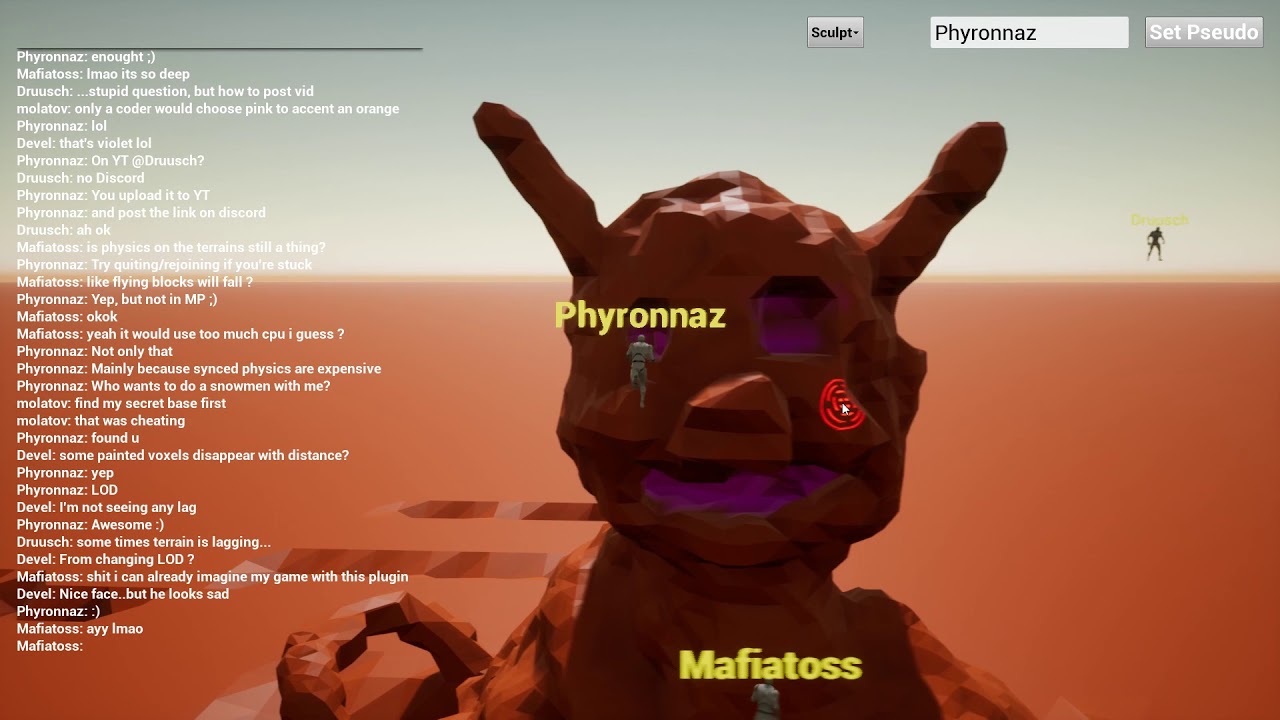 honest rune
@silver crown That's awesome! Looks really smooth performance-wise. Whats the performance on it like?
silver crown
It's really fast
honest rune
Yeah it lookslike it. Not even any stuttering
silver crown

Shows the impact of the plugin on the CPU, and how it can be configured: In the first part, 4 threads are used for the voxels, which leads to a high CPU usag...
On the MP video the edit is at 30Hz
So it's really smooth
silver crown
There's no collisions on the video above 😉
honest rune
oh haha just clever manuevering
silver crown
The goal was to show the impact on the CPU
And the voxels perfs, not the physx ones
honest rune
I can't believe how fast that looks
 silver crown
There's only collisions around the players
The meshes used for collision aren't the same as the one for render
Faster ones
LOD transitions was a bit too harsh, so I added some dithering: https://www.youtube.com/watch?v=pCb3Bp4U_DQ&list=PLjYKpKPK8E-_lxP5EuRxizhNuNBDYnT15&index=30
honest rune
back in a few. Got a meeting for a bit. That's really impressive though
silver crown
Thanks 😃
 sacred pagoda
Hey Epic Games. How about you let me choose when to reset my password and the level of complexity I feel my account deserves?
I wouldn't mind if the launcher could tap into google auto-fill
honest rune
righteous
silver crown
btw if you want to try it @honest rune : https://drive.google.com/open?id=10dsdXsP1vWSx4TErl8zIIZGLzkOQCZsZ
Google Docs
honest rune
@silver crown You have a sec for my to pick your brain about something?
silver crown
Sure
honest rune
I'm trying to avoid BP where not necessary but I cant figure out what the most effective way to be setting up animation assets for characters via c++. is calling the FindAsset is specifying the AnimBP's compiled name really the only way?
I thought maybe go with setting all in global singleton but that doesnt seem very performance-friendly
silver crown
I have really no idea
honest rune
k. figured I'd ask
silver crown
I don't think that I even used an animation asset yet
honest rune
heh.
I just dont wanna have hardcoded assest paths in my code. If I can store it in a DB I'd like to
 gleaming shore
Is there a way I can use 4.18 plugin with 4.17 ?
 weary basalt
Nope
There is no backwards compatibility with UE4
Unless you have the source code for the plugin
livid haven
Strong emphasis on "[If] you have the source code"
weary basalt
Yep lol
tough quiver
Does Unreal Engine 4 has a similar alternative of Unity's Scriptable Rendering Pipeline?
cursive dirge
well, you have all the source code
it's no the same thing but it enables you to do same things
livid haven
Aye. Not familiar with that Unity feature, but I doubt there's anything quite as friendly as that sounds.
It's a lot of macro magic and cross-threading technicalities
ENQUEUE_RENDER_COMMAND or some such.
cursive dirge
btw
what's so difficult on fixing fortnite doors? 😄
(it's really common that they get stuck to open position after opening)
 wheat pendant
holy shit I wanna die. Why is it that learning UE4/programming/blueprints is so hard?
livid haven
@cursive dirge Wouldn't know, literally not my department. :X
@wheat pendant Well, when you consider that you're building a pocket universe that's simulating physics and lighting and shading and collision and artificial intelligence...
... and the thousands of underlying systems that make any of that happen at least (preferably) 60 times per second.
You realize it's a wonder you're able to do any of that, much less for free dollars with no expensive academic training.
As an evolved hairless ape on a rock floating around a fiery nuclear ball of death.
wheat pendant
Yeah true enough
livid haven
Also, less facetiously:
UE4 comes from a lineage of being a multi-million dollar, enterprise grade commercial game engine.
Wasn't until it became UE4 that it suddenly became targeted towards Joe Schmoe in his garage with zero budget and zero training to figure it out.
wheat pendant
Still, I can't seem to get my motivation down. I have so many Ideas and stuff that I want to turn into games, but it's kind of depressing to look at those and then look at what I gotta go through to even have a chance of doing a simple 2D tennis game. Like alright, sure, I learned to make a console application in visual studio that can do 1+1 = 2. When do I stop taking ultra-baby steps like that?
livid haven
I don't know. I went to Full Sail University and did at least 40 hour weeks for 2 years straight to be able to make a 3D game solo, and I put in a lot more than just those 40 hours, between messing around with stuff on my own.
floral heart
Eh, Unreal started out with uscript, which was great for mods. Sure, you needed a wad of cash before you could use it commercially...
Then again, maybe some people thought uscript was their own personal hell.
livid haven
Yeah, but mods doesn't equate to shipping a whole "custom" game from scratch. It still wasn't made for people with zero knowledge or experience to figure it out with.
And yeah, uscript was hell. Woops! I mixed up my order of operations and now I have a broken UE3 executable that I can't compile because something something exported C++ for UScript and everything's fucked....
wheat pendant
So what you're basically saying is I gotta do 104 weeks of 40+ hours of training/learning before I can even begin thinking about working on a game on my own
livid haven
Nah, not necessarily. But you best believe you need to make something gods damned simple as hell until you've built up all those fundamentals.
plush yew
Oh nice
livid haven
@wheat pendant Have you tried making pong or mario or a match 3 kind of thing first?
I know, it sucks, it's not impressive. But. You learn a lot.
And you build from there.
wheat pendant
4160 hours of studying/training. That's 5 times as much hours as the game that I play the most.
And no, I haven't tried. That's above my level.
plush yew
Try not to look at how long it will take you to get to the point you want to get to
Just focus on what you gotta learn to get to the next step
livid haven
I dunno. I'd have to spend some serious time seeing exactly what your hangups are to try and give you advice about what to do.
I'd definitely do a simple pong game or brick breaker or some such before doing anything fancy and 3D.
wheat pendant
Well here's the problem that I face: I wanna learn programming in C++ so I can actually use UE4, because blueprints are gay, but learning C++ is hard and tedious and long. It's not motivating to think about what I wanna do and then open up Visual Studio to make a 100th iteration of "Hello world! 1+1 = 2, enter your username!"
livid haven
No matter how good of an engineer you are theoretically, a ton of shit is just hands on experience. I've rebuilt so many systems over and over again, even on Fortnite alone, becaue the design changes over time and I realize I could have made something better and now's the time to do it.
Alright. How about tic-tac-toe in C++, just in the console?
Do you think you could do that?
wheat pendant
Nope
livid haven
What about it do you think you can't do?
Like, if you were to try it, where would you get stuck?
plush yew
@wheat pendant think you’re more interested in the arch viz side of stuff? Because you could start with that and, that requires little coding
wheat pendant
I'd get stuck at what to enter in the main function. I would have no idea where to even begin to make it so that you don't write in lines in the console application.
livid haven
There's a system call, something like clear or some such, that'll wipe all the existing text off of the console.
That's just something you end up having to look up or be told, because you probably don't know how to look up Win32 APIs and such.
Break down Tic-Tac-Toe
You have a board, it's got 9 slots. Slots can be empty, X, or O.
Right away, you can start making a class
A GameBoard class, with a 2D array. What type should the array be? I don't know. You could make it an enum?
Then you need the game loop.
How does tic-tac-toe play?
Well, the game is turn-based. Every turn, you swap which player is picking a spot.
plush yew
Rock paper scissors is probably a little easier
livid haven
Fair, but I'm half way through tic-tac-toe already. 😛
plush yew
Lol
livid haven
So you have some kind of game state class and it tracks whose turn it is.
cursive dirge
if you can't figure out tic-tac-toe, you shouldn't try 3d game programming..
plush yew
There’s the encouragement 😂
cursive dirge
or.. at least learn principles of programming first
livid haven
That's a given, that's why I'm walking him through tic-tac-toe for example.
cursive dirge
just being realistic
livid haven
You are, but it's not constructive feedback, so it can be taken as frustrating or harsh - I get it.
And I'm not always this nice about it either... I know that.
Anyways, tic-tac-toe, yeah?
So you need to build this loop
wheat pendant
Yeah I don't mind the realism of my situation. I'm well-aware that i'm nowhere near a pro. I am hardly even beggining to know the base of C++.
livid haven
You draw the current state of the board - you're basically just making ASCII art here.
Then you write out the text to ask player 1 or 2 to type in the location they want to put their mark on.
plush yew
Coordinates
livid haven
Then you wait for their input. When you get input, you need to figure out what the 2D coordinates in the game board array are that they typed - this is simplistic parsing.
You need to take whatever string they typed and turn it in to 2 numbers. If what they typed doesn't match the format/pattern/syntax you expected, then you ask them again until they get it right, yeah?
If they do write a valid coordinate, you need to check if they can place a mark there. If they can't, let them know and ask them to try again.
And so on.
plush yew
Whilst a photo realistic first person shooter is playing in the background 64player multiplayer
livid haven
Eventually, you get input that you can parse, you get coordinates that are on the board, you made sure the coordinates are for an empty space, you put their type of mark in that space.
Now, you need to check if anyone won the game, right?
livid haven
Again, break it all down. You know what it means if someone wins tic-tac-toe.
So write a function to check if anyone has won - look at your gameboard and check the values.
livid haven
Caveat: The game ends if there are no spaces left.
Point is, you know tic-tac-toe. Just break it down. Break down the rules. Break down the objects.
You don't have to write code from Main all the way to the end of the whole thing - just start writing classes and functions and it'll start to come together.
wheat pendant
Well first of all i'd like to thank you for spending your time on someone as clueless as me. But I have so many questions, like, what is a class
 quasi lake
Hey bros
livid haven
Er... I thought you'd spent a ton of hours learning C++?
quasi lake
How do we combine several small pictures into a single texture and use it in UMG?
wheat pendant
I never said I did. I'm just starting out and never go beyond a certain point
Because it's so discouraging
livid haven
@quasi lake Not familiar with NGUI, but it sounds like you might be talking about the nine-slice feature for buttons and boxes?
livid haven
What are you atlasing for?
cursive dirge
to minimize drawcalls
livid haven
@wheat pendant No promises, but here's a random YouTube playlist from someone going through C++ tutorials including hangman and snake and tic-tac-toe: https://www.youtube.com/playlist?list=PLrjEQvEart7dezh2ObeI1S7L2YDZdIT9T
 plush yew
@wheat pendant think you could make a console program with a light switch, user just enters “on” or “off” and program recognises if it’s already the status the user entered?
livid haven
Give that a shot. And yeah. If you don't even know the basics of C++, you bet your ass you need to 100% start from hello world and ramp up from there.
quasi lake
There are big ones,small ones, all need to be combined into a texure/pic and slice it with UV then use it in the engine
plush yew
And changes the background colour to white to black for example
quasi lake
Anyone knows?
livid haven
@quasi lake I think you're concerned about something low-level that the engine is already responsible for.
plush yew
Nopee
 south ridge
UE4 has some atlasing code in it, but I don't know if it's exposed
quasi lake
I think this is very basic functions and should be placed in the engine
ashen brook
and if you insist on doing that yourself, you can always just do some simple UV manipulation to get the part of the texture atlas you want
wheat pendant
Alright, well thanks for the advice. Not everyone gets to directly talk to a game dev. I'll take your advice with care and work from there, and hopefully not get wasted halfway through
livid haven
quasi lake
I've checked this thread before
Paper2D seems not able to combine different sized pics
quasi lake
And you need to combine all pics before you put it in Paper2D
livid haven
Paper2D supports taking one big image and letting you define regions of it as different "sprites".
Correct.
Again, I think you might be prematurely trying to optimize here.
quasi lake
Combination function should be within the engine or a plugin
plush yew
Just wondering what sort of rigs are people running
quasi lake
Can you describe with your own words?
livid haven
@quasi lake Don't stress over trying to get UE4 to altas your textures. Are you actually experiencing any kind of performance problem right now? If not, you're spinning your wheels on what is probably a non-issue entirely.
quasi lake
So just place every single picture in folders and drag it into UMG?
Is that the way most people do?
livid haven
Do you have a screenshot of what you're trying to make? Because I'm not understanding what's not straight-forward about this.
south ridge
@livid haven Hah. Yesterday I was trying to explain optimization caveats to someone. They had a task that could roughly be described as n^2 * m * constant and they were trying to optimize constant for small m and large n
south ridge
When in reality a completely different approach could get rid of that square
livid haven
@plush yew I have two almost identical rigs: i7-6700K, AIO water cooled. 32 GB of DDR4. GTX 980 Ti (the other is a GTX 1080 Ti), AIO water cooled. ASUS mobos.
SSD for OS. SSD dedicated to Fortnite's workspace.
quasi lake
In this way we can save more space and package size,very simple request
livid haven
@quasi lake So you've already got an atlased texture?
plush yew
Ooh that 1080ti spicy
quasi lake
No,I mean how to get an atlased texture in UE4
livid haven
You don't need to.
If you have each of those images, separately, right now, just import each of them.
And use them where you need them.
livid haven
When packaging up the game for distribution, the engine will optimize the textures and files, compress them where possible, atlas them where possible.
quasi lake
really?
livid haven
Yes. It's called "cooking".
quasi lake
Is there any docs about this
livid haven
Cooked assets are stripped of editor-only data, textures are converted to whatever format is best suited for the platform you're cooking for, assets that you don't actually reference are left out entirely, and so on.
quasi lake
I know cook,I mean details about picture compression
livid haven
Undoubtedly there are, I'd just look for "cooking" on the docs/reference.
There may or may not be documentation on specifically what is done for textures - but it most certainly does some degree of compression on textures.
quasi lake
They may compress every picture,but still way bigger than combining them in a pic then compress it.
I'd like to know if they're gonna combine pics when packaging
livid haven
I don't know the specifics on that. I know that if you define as part of a Slate Style or whatever, then yes, it can do that, per the link I gave previously.
quasi lake
well that means you need to use slate
livid haven
Under the hood, UMG is using Slate, but exactly what you would need to do to get this atlasing behavior to happen, I'm not sure - again, you'd have to look at the second link I gave.
@plush yew Yeah, got the 1080 Ti because my old GTX 780 Ti wasn't cutting it for a VR rig. 😦
quasi lake
Yeah I checked that
livid haven
Wait, 780? Maybe it was a 580?
plush yew
I think its time to upgrade to the 4x quadros
livid haven
@quasi lake Alright, let me ask internally about what we've got for atlasing when it comes to UMG.
 uneven fractal
So I have a generic blueprint of the type object that contains some data
how do I spawn the object and access it's data during runtime?
quasi lake
We got to make a combined texture outside the engine
Which is kinda inconvenient
And there's nothing saved for uvs of each element if you only have a texture,you need to prepare it too
livid haven
@quasi lake For what it's worth, I am seeing in the docs here that there is a way to use external tools to make the atlas AND have UE4 import the atlas AND have UE4 create the necessary data to separate out the parts of the atlas, at which point that first thread I linked you would be useful.
Where the external tool generates a JSON file describing how the original images were laid out on the atlas, so the UE4 asset knows what the individual "sprites" on the atlas are.
Description of Sprites in Unreal Engine 4 and how to create them.
I don't know, exactly, how to get a single Brush for just one part of the atlas'd texture asset, but it sounds like there is a way.
quasi lake
Then how to combine them?
So like I said you need to prepare all them with exteral tools
So external plugin is needed
livid haven
I was suggesting a few different things:
quasi lake
Otherwise if we make this in photoshop it would be super complexed
livid haven
You can find out how to get Slate to altas it yourself
OR
You can use existing tools to automatically pack your textures in to a larger atlas texture, outside the engine.
The last link I gave you mentions at least 2 tools that are capable of this.
Sure, it would be great if it happened within UE4, but I don't believe there is a system quite for that.
plush yew
how can fortnite use modular bbuilding if UE has big problems with light bleeding and light seams?!
livid haven
I don't actually know. I've never touched any of that code.
plush yew
you mean me? 😄
livid haven
Aye.
plush yew
you're talking abbout code?
livid haven
Yes. I figured you were asking me?
plush yew
or you mean never did modular building?
livid haven
I dabbled in doing some modular base building stuff on my own, but nothing too serious. As far as Fortnite, I have never looked at any of the base building code.
livid haven
I know. I'm just saying I don't have any insight to give on that, I don't know that particular part of the codebase at all. And I don't have experience making anything quite like that.
floral heart
Fornite uses DFAO, as far as I recall. It's not really a GI system, it just helps mask out the ambient light in enclosed spaces.
plush yew
but what does code have to do with graphics sion? why are you talking about code the whole time 😄
@floral heart so i should turn on dfao?
floral heart
Learn how it works first.
plush yew
i just want modular building without l bleeding 😄 i surely don#t want to change world optioons. @cursive dirge doesn't matter. there are still UE games with baked light, which have modular walls for example and no bleeding
plush yew
lets take fortnite out
now where i know it doesnt use baked light, lets forget forotnite
take any other game with bbaked lighting and modular assets.
which don#t show light seems and bleedings - what is about them?
cursive dirge
proper lightmap UV's
plush yew
blender UV grid can't snap on mayas grid
its a different grid i think
when i watch tutorials the authors haven't that problem
they don't do complex stuff with lightmaps in their 3d package
gentle crypt
Hi how do i make a UMG Widget have 3D effect like this: https://youtu.be/VWTBO4UyFtE?t=93

A preview level showcasing the final version of UltraMap - mini map rendering assets for UE4. Check how you can change the mini map design here: https://www....
livid haven
@plush yew Uh... because everything is done by code? Graphics don't magically happen? There's code to render those graphics?
plush yew
but you dont need to know that part of code to make a game?
livid haven
You didn't ask about just making a game. You asked about how Fortnite manages to not have light bleeding with its modular building.
plush yew
answer is dfao right? 😛
livid haven
I don't know.
plush yew
ok 😄
cursive dirge
my guess would be, proper geometry with some overlapping
plush yew
dont know what you mean
livid haven
Yeah. I'd imagine a slight overlap has to be crafted, smartly.
The overlap should help alleviate any potential floating point errors that would allow light seams, I would think.
At the same time, you don't want any visible Z-fighting to happen.
So those overlapping polygons had better not be parallel, or if they are they need to be obscured behind other stuff.
 hexed lance
does anyone know a way to get the gpu to tell me how many tris or polys are being rendered in any game>
livid haven
You'd need some kind of GPU profiler, most likely.
I haven't done anything like that in so long though - once upon a time you could use Microsoft's PIX.
I know I've seen articles posted by some guy who basically takes a look at how different games render a scene, step by step.
And then tries to theorize why they do it and such.
The Metal Gear series achieved world-wide recognition
when Metal Gear Solid became a best-seller
on the original PlayStation almost two …
So
Unless he's staff, he's just using some other software to inspect the GPU's state step by step.
Which is the kind of thing PIX used to do.
hexed lance
the reason im looking into it is becuase im thinking about buything this pack: https://www.turbosquid.com/FullPreview/Index.cfm/ID/1027053 but the polygon count is pretty high and im waning to see what other games usually render to see if I could get away with it
livid haven
Might find some post-mortemy stuff like that from Gamasutra.
hexed lance
thanks, ill have a look
hexed lance
well, several hours of searching later and nothing
grim ore
nothing on what? average poly counts and such for a scene?
a quick search gave me this reddit thread, https://www.reddit.com/r/gamedev/comments/26fpq1/polycount_and_system_requirements/

reddit
For a current, AAA game, what's the average polycount for a model? I realise it varies based on the required detail, but standards and limits must...
and there is info in there on scene and character counts
hexed lance
yah, thats saying a few million. right now im at 8 million without a hitch
but the idea is possibly 100 million
I have a very large city
im getting straight 250 fps with 8 million and only 28% gpu usage with another game runnng at the same time
grim sinew
On a single frame 20 million isn’t uncommon. That’s not counting culling and such
analog cedar
Im sorta torn on this maybe someone can give me an opinion
what's the best place to put hit effects like sounds/blood/particles. on the instigator side or the damaged actor?
weary basalt
@analog cedar Whatever is taking damage should manage how it handles that damage.
Effects and sounds is easier to manage on the Instigator however.
 lyric shard
um, question about unreal...can you live edit while in "play" the same way you can in unity?
weary basalt
No any changes made during an PIE session are not saved.
lyric shard
no not about saving them
i mean can i move stuff around through the editor
like imaging if a dude is in the VR headset
and i wanna build things around him
 glacial terrace
Hey folks, im hoping this is a fairly simple question. im familiarizing myself with level streaming and world comp, but the question i have is, without having a tiled landsccape from the start, is there a way to break up an existing large terrain piece to multiple levels to allow streaming?
weary basalt
There are Live Edit plugins sure, but not sure how reliable they are.
weary basalt
@WeaponizedPoptart#5430 You can probably export your Landscape as an Heightmap and then reimport it into seperate levels and delete sections that you dont need for that sublevel???
LevelStreaming is really an choice that needs to be made at the beginning of development.
glacial terrace
export as a height map? why have i not heard of that before
not seeing an option right away, where should i look
i think i found it
thanks for the tip
analog cedar
@weary basalt just read your reply, thanks for the insight! 😄
idle stump
When it comes to textures, I know that it's recommended to keep each dimension a power of 2. But is there any performance reason to keep textures square, and is there any reason to combine them into as few textures as possible (sprite atlas)? Or does Unreal handle optimizations like that for you?
plush yew
Textures need to be square if developing for mobile
Other platforms, I don't think they need to
floral heart
I think there's an issue with mipmapping things that aren't powers of two, and compression for things that aren't multiples of 2. Or 4 actually. It's 4 isn't it.
plush yew
Actually I don't think they need to be square
But I did read somewhere it's more efficient
Depends on the mobile hardware you're running though
I haven't seen anyone making a texture atlas in UE4 besides sprites, UI and specific texturing cases
idle stump
@plush yew Ah yes, the docs say if you're target ES2 then square textures are more efficient
Texture creation and properties for mobile games.
 stoic moth
Guys, is there a way for UE4 to use the 3DsMax manipulators (slider) from blueprints or c++ ? like in this video https://www.youtube.com/watch?v=dFO-njFJ2a0

Adding a simple slider to animate a part of your model.
plush yew
- why do you use autodesk. 2., why not blender
cloud cobalt
Plenty of people use 3Ds, it's not like it's a bad product
plush yew
just use bblender 🤷
cloud cobalt
People use whatever they want
I use Blender, you use Blender, he uses 3Ds like most industry professionals
This is just completely unhelpful
plush yew
and irritating for a lot people. pros use autodesk, non-pros don't
if you say so... not good
i'd say more amateur users use maya und max than blender 😄
much more AD users than blender users
makes sense huh
ok i don't need to cast to thirdpersoncharacter for char overlaps box and then something happens. why don't i need a cast to here?
frank escarp
@plush yew actually thats true
lots more amateurs on 3dsmax and maya just becouse there arent schools teaching blender
plush yew
yup
frank escarp
so schools allways teach max or maya to the students
plush yew
my question to him or her why use max is still open for the person 😃 if person knows what blender can do....
frank escarp
blender bad ui is still a widespread meme
fierce tulip
I dreamt I worked at Epic office and Tim Sweeney walked by, gave @ashen brook and @rose sequoia the task to help squaresoft with KingdomHearts & Final Fantasy, and then told me (who was excited about doing that stuff) to work on Warframe vfx.
I declined and had Tim screaming at me.
O_o
frank escarp
top kek
plush yew
screaming 😄 tim?
plush yew
tim can scream? 😮
fierce tulip
busy making deals hehe
floral heart
Arguing with his kids over how to balance Fortnite BR.
 rose sequoia
lmao xD
fierce tulip
lucky bastard you getting to work on KH! @rose sequoia
rose sequoia
Time to work towards making that a reality ( ͡° ͜ʖ ͡°)
fierce tulip
kingdom hearts
plush yew
new with ue?
fierce tulip
most new squaresoft stuff is ue4
fierce tulip
aww
ashen brook
@fierce tulip wtf
 digital anchor
my spline when changing directions ( +Y to - Y in a circle for example) do some random twist, even when the UP vector is the same on both points, it return different rolls
LogTemp:Warning: X=-0.000 Y=1.000 Z=-0.000 // up vector 2
LogTemp:Warning: -89.999954 // roll 1
LogTemp:Warning: 90.000015 // roll 2
is the roll defined by something else than the up vector?
cloud cobalt
@digital anchor UE4 rotators are extremely fishy. They are good at representing a rotation, they are very bad at interpolation and extracting directions - especially roll
They have plenty of edge cases like pitch being [-90, 90]
Yaw is the most capable, pitch only works for a FPS-type game, roll is... kind of a fifth wheel
If you need real rotation support, you want to look at quaternions
digital anchor
ty
 paper kernel
just toss the rotations out of the window and use unit directional vectors
saves you a lot of trouble
cloud cobalt
Directional vectors have one less information though
They're basically just yaw + pitch
 vale osprey
@digital anchor what I did for splines is check direction of right vector, if it changes sign then you flip rotation output
but this works only in local space, in world space you have to track sudden changes in right vector, as you go along the spline or do some other transformation
and that problem is specific to splines, as they always try to have Up vector pointing in the dirrection of "UpVector" parameter of spline
paper kernel
it's partial information yes, but you rarely need data for all 3 axis at the same time
vale osprey
I had a very simple use case - track links moving along the spline, so as they get to the upper half of the track they shouldn't roll 180 degrees as they do
fierce tulip
re: dream with Tim screaming at me
https://i.gyazo.com/f291a8d008c67fa0ce2ad29b9697c7ed.png

 little whale
so i didnt know where to ask this but im having a problem with git, basically UE attaches well to git but as soon as i finish uploading all the stuff to github desktop it gives me this error

And i dont know what to do to have it solved.
fierce tulip
try #source-control @little whale
little whale
cheers!
 tepid karma
Anyone know the best way to copy and rename and cpp project
 thorn cradle
um, hey guys
i need some help
for some reason
my normal map gets some artifcats when importing into UE4
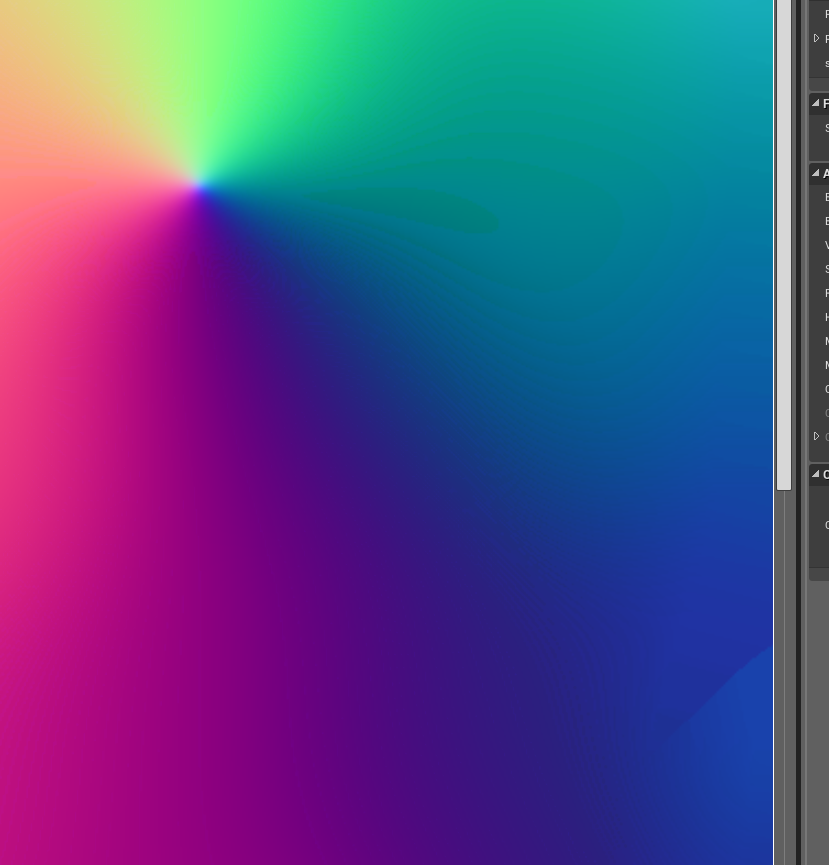
the original image







this really effects shading, since this is used in a hair shader
 prisma phoenix
Probably the compression, you can turn off the compression if it is justified and if it won't lead to memory problems/large scale use on the target device
thorn cradle
I don't think it's the compression,
prisma phoenix
Do be aware that the normal maps when not set to normal map compression need to have some additional work done to them, I believe the normal map compression strips blue, and changes the range from -1 to 1. I forgot the precise details. You will need to manually replicate this in the material editor and you should be able to figure that out with some Googling around
thorn cradle
but i'll try
I chose normal map compression for that reason, (that it remaps values)
i tried vector displacement and that didn't do anything
(infact it made it look worse)
hmm
actually
it maybe compression
the artifacts change from one compression type to another
 hollow crescent
Are the Physics Content Examples still available in the latest verion of UE4?
Overview of the samples provided in the Physics Content Examples.
cursive dirge
@hollow crescent launcher->learn tab->content examples
there's always up-to-date content examples for each engine version
 slate cloud
Hello once more got a specific question to the epic staff considering lights in ortographic
can somebody come back to me?
 lyric owl
Is there some easy way to copy editor camera to use as game camera?
grim ore
You can select your camera in the scene and do snap object to view from the popup menu on your camera, that would move it to wherever your view is in the editor. Alternately you can click the drop down in the viewport and create a camera from there.
lyric owl
@grim ore no more like copy exact controlls of a camera from editor
movement
Q and E for flying and everything
the one you get then you press right mouse button
grim ore
oh gotcha, the closest would be to spawn in a spectator and use it
plush yew
hey does anyone know anything about copyright and licensing and whatnot? i always get worried about running into copyright issues, but then there's vrchat with its hundreds of ripped 3D models and it's on steam, so what's the deal?
 buoyant pine
Hey everyone!
Got a question about unreal + c++!
If anyone has any experience, please do check the cpp subchannel.
lyric owl
@plush yew probably it's user generated content and they have some things like users brake copyright so go talk with users
plush yew
ah i see, i thought it was something like that. like they just made the platform and can't control what the users do
plush yew
but those are mods, so it's still user generated content right? it's not published content?
lyric owl
yeah and all of this against the law
plush yew
also vrchat doesn't really make a profit so i guess that's a factor too
i mean a lot of things in the creative field are against the law but there's like a grey area where some people get away with it and some don't, and i think it usually just depends on how much money you're making
lyric owl
not only that. If something free but popular it can potentially kill IP image
like porn about cartoon characters
plush yew
oh yeah true
yeah i remember reading somewhere that someone got into trouble for including a model of a real building, and it was because they didn't want the building associated with negative events (ie. explosions)
lyric owl
and a lot of cases you need to show that you trying to protect your IP so you go in court
so then something is very similar you need to show that you care because it can affect things in future
plush yew
show care in what sense? that it's shown in a positive light, or that i've acknowledged the similarity?
plush yew
alright thanks
queen arch
quick question about umg
Can I make a button decorative
meaning not clickable, not changing appearance if someone clicks it
not doing anything
 zenith lily
So my bud has this error in the dump file : LowLevelFatalError - GameThread timed out waiting for RenderThread after 30.00 secs
I have a gut feeling the game is running on his Intel HD 4600 instead of his 770 , could this be the case?
 half furnace
I also got this many times on Fury X while playing Paragon, I doubt it's related to Intel...
zenith lily
yeah just saying it might be because of onboard gpu's
gonna tell my budy to disable his onboard and see if this works
 earnest lark
in case you guys missed it

With the 4.19 Preview now available for download on the launcher, it's time to chat with our team to find out what incredible features and fixes will be comi...
gleaming shore
https://i.gyazo.com/7e986cc26de052111d3b2503c5e71e30.png Anyone know why my house model is fully black and materials are just colours on objects?
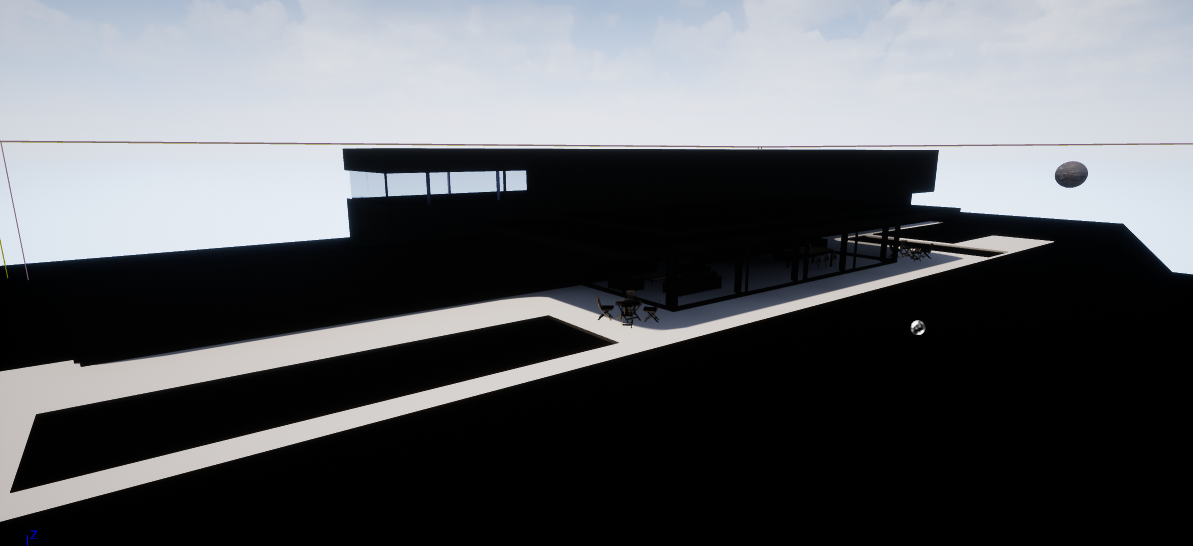
https://i.gyazo.com/036a7e8eda66a99ba8eee706e9ad49a3.png another example, the table top and table legs have the same material applied however the table legs is just a colour
 lyric owl
open asset and take screenshot of uv's
objects could be black for numerous reasons by I guess it's light map settings
gleaming shore
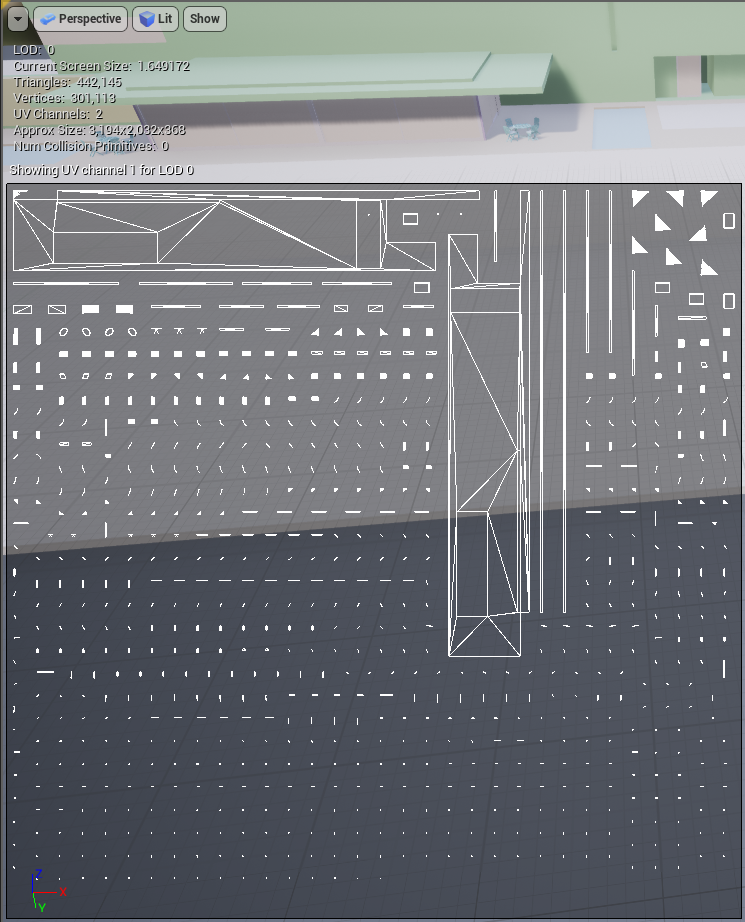
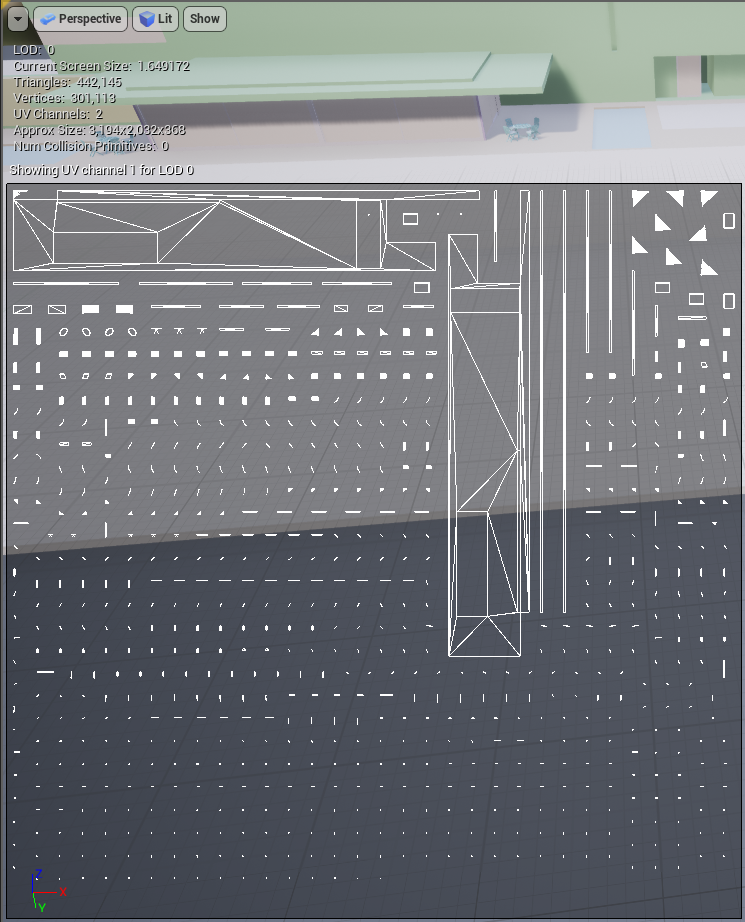 gleaming shore
 gleaming shore
 lyric owl
yeah so basically it's pixels and you have 1 pixel on a huge huge map
gleaming shore
Hmm so would fixing the uv's fix it?
lyric owl
try making you lightmap bigger but that not going really help
I would break up everything in smaller objects
gleaming shore
Urghh, i bought this pack i would expect it to be ok to work with. ah well ill try what you said
gleaming shore

Evermotion.org
This collection comes with 30 models of cg houses.
Scenes are not included.
lyric owl
well no it's not going to work like that
it's not like they state that it's game engine ready models
gleaming shore
Oh I know, im not mad at them or anything
lyric owl
when you render things not in game engine you don't bake lights so you don't need proper uv's for lighting
So you need to edit their models so they are ready for ue4
also you can just turn off baked light
set every mesh to Stationary
gleaming shore
Yeah, I dont plan on making anything game wise just something to mess around with
lyric owl
I think try buying things from ue4 marketplace next time
or you know there is free assets from epic
and you can build some environments
plush yew
anyone know a way to make a trigger box -> on actor overlap -> teleport which can be copy/pasted easily? currently i have to link re-create a new trigger box and relink teleport over and over for each set of spikes/lava/trap
livid haven
... you mean like make a blueprint out of it?
weary basalt
@plush yew Make the Teleporter an Actor?
Like @livid haven Suggested
😃
Im so slow today 😦
plush yew
@livid haven i currently make the references in my level blueprint
livid haven
Yeah, don't do that. You really should be doing as little as possible in the level blueprint that isn't unique to that level.
Make a spike trap blueprint
Or a lava trap blueprint
fierce tulip
^
plush yew
@weary basalt okay so make a blueprint actor which can then be placed in the world. okay thanks @livid haven
livid haven
I think you can select a few actors and make a blueprint out of them or something? Not sure, not a workflow I'd run into.
plush yew
this game is setup without health, only respawning upon death
worn granite
I seem to remember that but I've tried that semi-recently and couldn't figure out how to do that @livid haven
livid haven
It may only be possible with a single actor? I don't know how it would try to do it for multiple actors, since it would be hella complicated and error prone to try to merge multiple actors in to one.
And child actor components would mean it would need to create multiple blueprints out of your selection.